Desktop app for all the calls on your computer

Multilingual transcription, live translation, note-taker, AI search, real-time summary, custom vocabulary, AI meeting notes, audio recordings, and more.

Mobile App for in-person conversation

Live translation and AI speech generation for iPhone and Android.

Chrome extension for Google Meet

Real-time transcription, live translation, note-taker, AI meeting notes.
Add to
Chrome
A quick trial is available

AI meeting notes after Japanese and English meetings

Store and access quality meeting notes in English after your bilingual meetings.

Trusted by 2,000 teams and 500,000 professionals in 134 countries at

Rated 4.7/5
GDPR Compliant
SOC 2 Type II (In Progress)

AI meeting notes in English after Japanese and English meetings on Google Meet

Struggling with meeting minutes or identifying key points and action items after bilingual Japanese and English meetings? Navigating two languages can make it difficult to capture the full context of your discussions. JotMe simplifies this with high-quality AI meeting notes in English, delivered immediately after your Google Meet sessions. These notes provide a concise summary, key points, and action items, ensuring nothing gets lost in translation. Start for free today—no credit card required!

How do I get AI Meeting Notes in English after Japanese and English bilingual meetings?

In 3 easy steps!

STEP 1

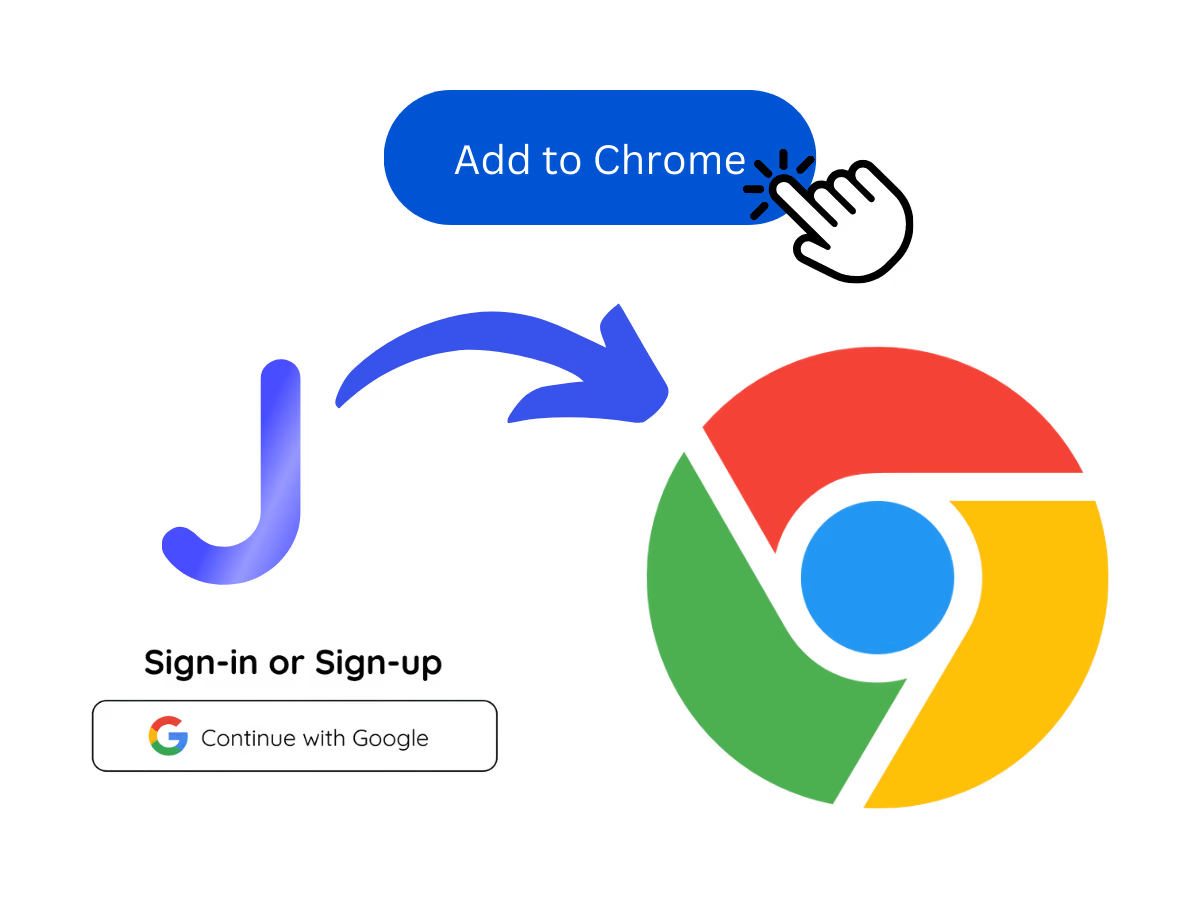
Add JotMe to the Chrome extension and sign up

It’s easy as you can get started in under 30 seconds!

Add JotMe to the Chrome extension and sign up
STEP 2

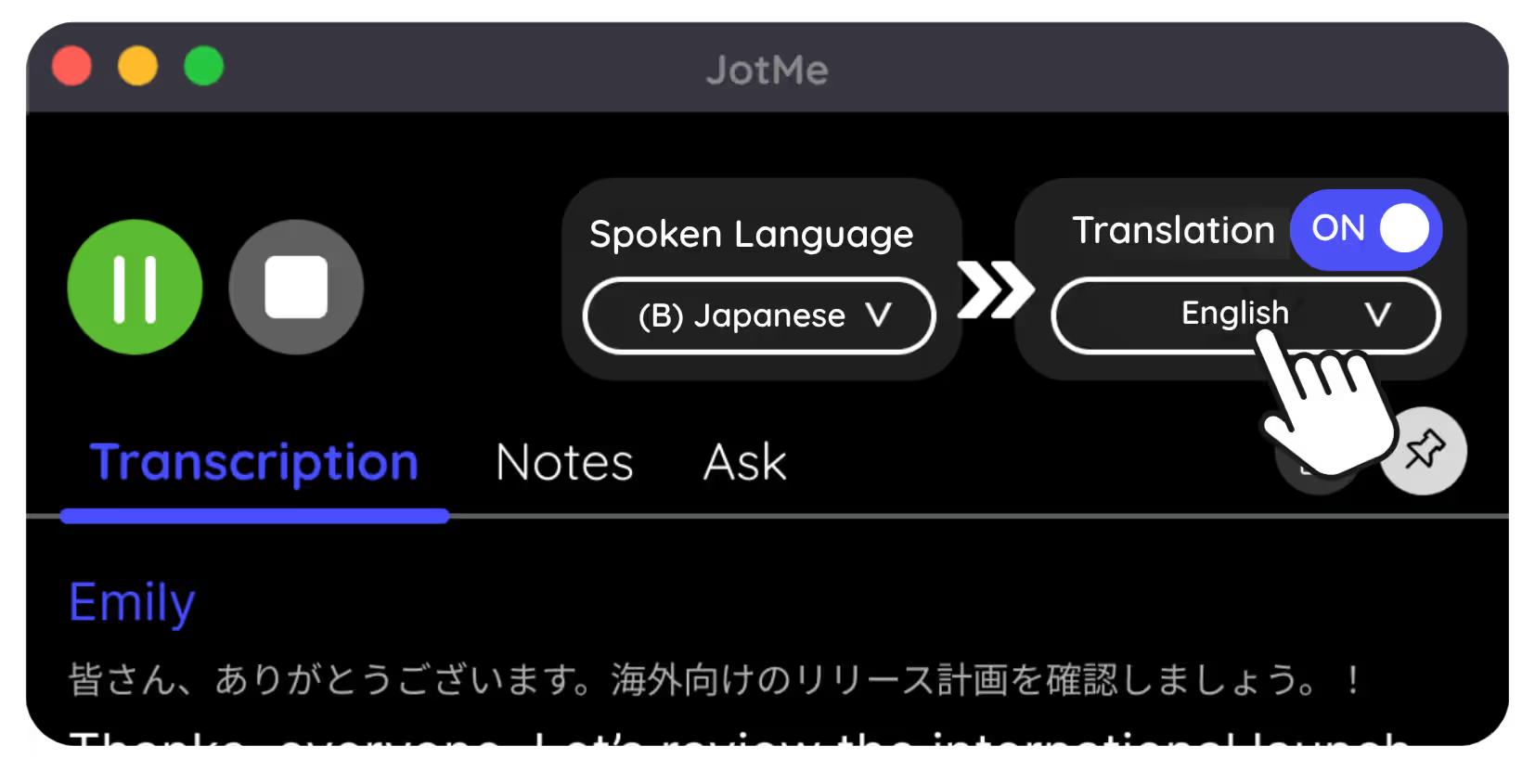
Set your source language

Set your source language to Japanese when people are talking in Japanese and to English when people are talking in English.

Set your source language
STEP 3

Get your AI meeting notes

Get access to the AI meeting notes by closing the Google Meet tab or simply visiting the JotMe dashboard.

Get your AI meeting notes

See It in Action!

Get AI meeting notes in English after Japanese and English bilingual for

Revise the entire conversation in a minute

It’s easy as you can get started in under 30 seconds!

Grasp your next action items

Set your source language to Japanese when people are talking in Japanese and to English when people are talking in English.

Share with your coworkers

Get access to the AI meeting notes by closing the Google Meet tab or simply visiting the JotMe dashboard.

Frequently asked questions

Everything you need to know about running meetings and events with JotMe.

Is this AI meeting note after Japanese & English meetings on Google Meet free?

Yes, it is free to get started!

How do I get this AI meeting note after a Google Meet session in Japanese and English?

You can add the JotMe Chrome extension to your Chrome browser. Set source language to Japanese or English depending what language people are speaking in the meeting. You can get the AI meeting notes after ending your Google Meet session in Japanese.

What does the AI meeting note contain?

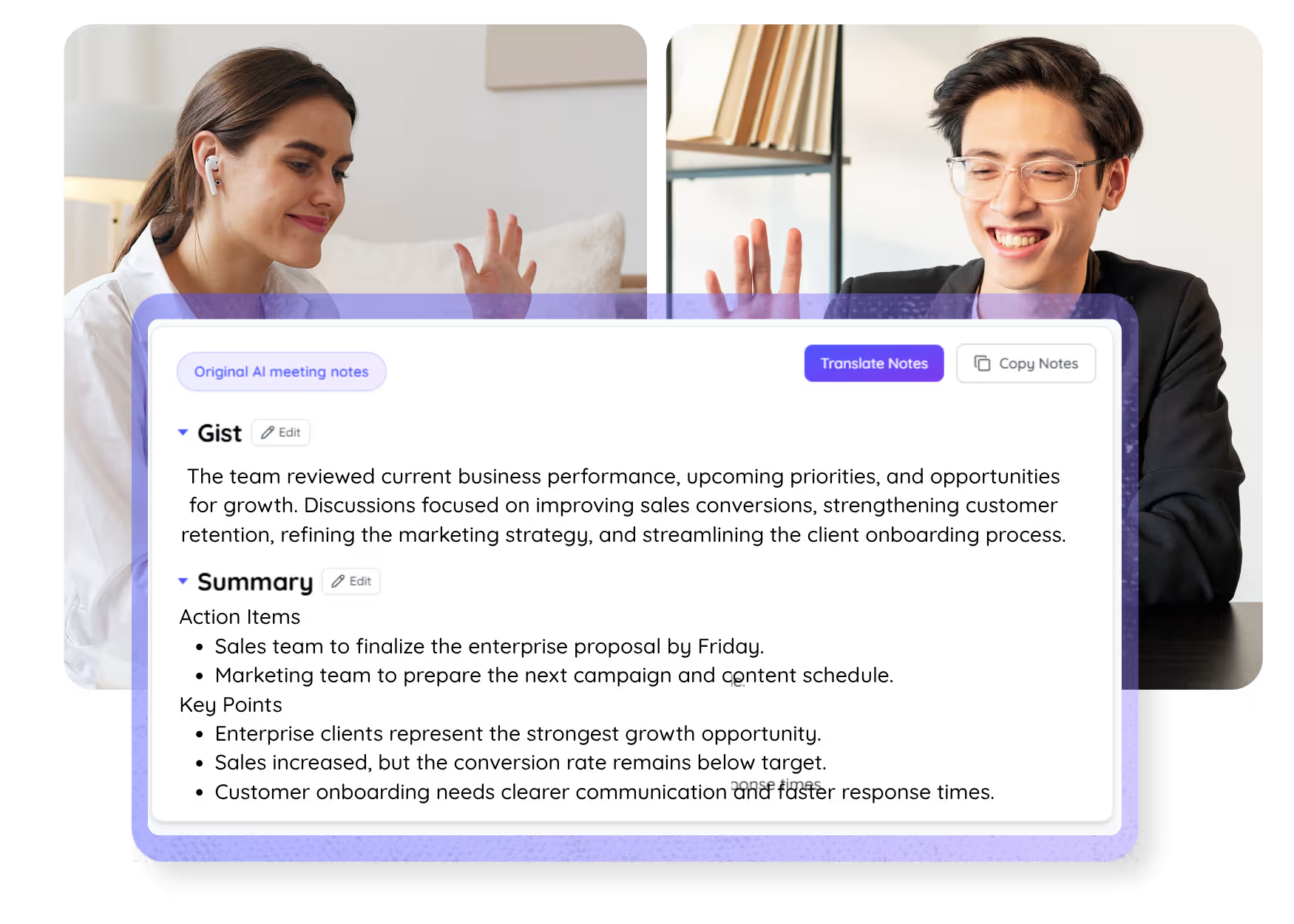
It contains gist and summary. The summary contains key points and action items.

What does the AI meeting note contain?

It contains gist and summary. The summary contains key points and action items.

Can I search for the specific words that I am looking for in the AI meeting notes?

Yes, you can! Simply go to the dashboard and press cmd + F to search and type in the words that you are looking for in the transcript.

The easiest and most reliable way to store and access AI meeting notes in English after Japanese and English bilingual meetings on Google Meet.

Run every meeting and event smoothly for your multilingual operations

Transcribe, interpret, translate, and turn every critical conversation into insights with context so everyone stays aligned across languages.

AI meeting notes after Japanese and English meetings

Store and access quality meeting notes in English after your bilingual meetings.

Get started within 30 seconds without credit card

Trusted by 2,000 teams and 500,000 professionals in 134 countries at

Rated 4.7/5
GDPR Compliant
SOC 2 Type II (In Progress)

AI meeting notes in English after Japanese and English meetings on Google Meet

Struggling with meeting minutes or identifying key points and action items after bilingual Japanese and English meetings? Navigating two languages can make it difficult to capture the full context of your discussions. JotMe simplifies this with high-quality AI meeting notes in English, delivered immediately after your Google Meet sessions. These notes provide a concise summary, key points, and action items, ensuring nothing gets lost in translation. Start for free today—no credit card required!

Try live translation

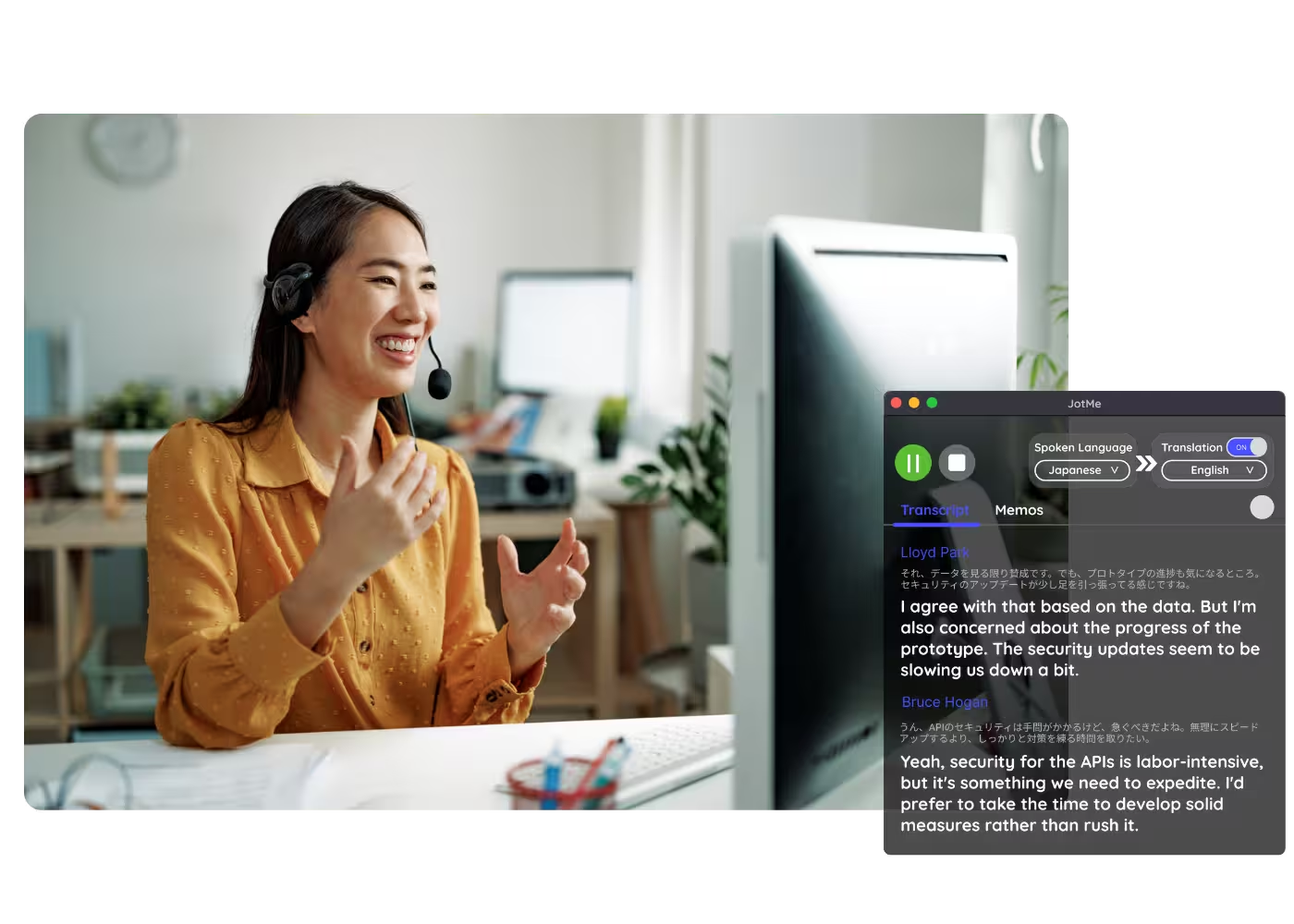
Select model, langauges, click start and start speaking. JotMe AI will improve the translation quality as you speak.

How do I get AI Meeting Notes in English after Japanese and English bilingual meetings?

STEP 1

Add JotMe to the Chrome extension and sign up

It’s easy as you can get started in under 30 seconds!

Add JotMe to the Chrome extension and sign up
STEP 2

Set your source language

Set your source language to Japanese when people are talking in Japanese and to English when people are talking in English.

Set your source language
STEP 3

Get your AI meeting notes

Get access to the AI meeting notes by closing the Google Meet tab or simply visiting the JotMe dashboard.

Get your AI meeting notes

Get AI meeting notes in English after Japanese and English bilingual for

Revise the entire conversation in a minute

The English meeting notes are concise in bullet point so it’s easy to read with accurate Japanese to English translation.

Grasp your next action items

Meeting notes will accurately lay out your next items after people speak in both Japanese and English meetings in English.

Share with your coworkers

Use copy and paste functionality to share it with your Japanese-speaking or English-speaking coworkers to align with what you talked about in the meeting.

See JotMe live translation in action

Frequently asked questions

Everything you need to know about running meetings and events with JotMe.

Is this AI meeting note after Japanese & English meetings on Google Meet free?

Yes, it is free to get started!

How do I get this AI meeting note after a Google Meet session in Japanese and English?

You can add the JotMe Chrome extension to your Chrome browser. Set source language to Japanese or English depending what language people are speaking in the meeting. You can get the AI meeting notes after ending your Google Meet session in Japanese.

What does the AI meeting note contain?

It contains gist and summary. The summary contains key points and action items.

What does the AI meeting note contain?

It contains gist and summary. The summary contains key points and action items.

Can I search for the specific words that I am looking for in the AI meeting notes?

Yes, you can! Simply go to the dashboard and press cmd + F to search and type in the words that you are looking for in the transcript.

The easiest and most reliable way to store and access AI meeting notes in English after Japanese and English bilingual meetings on Google Meet.