Share translated files with the original close by
Share accurately translated documents, images, audio, and video with their originals. Let recipients review the result in a browser and choose the access they need.
Documents · images · audio · video
Join 500,000 of the world’s most capable global professionals















 Rated 4.7/5
 GDPR Compliant
 SOC 2 Type II
Make the translated result easier to review
Share a translated document, image, or recording when the deliverable is the file itself. The browser view keeps the original beside the result, so recipients can check a product name, figure, or phrase in context. Use the access options that fit whether they need to view, download, comment, or request a new revision.
Create a translated document Document translation
Let recipients open the result in a browser
An enabled link gives recipients a browser view without installing JotMe or creating an account. Keep the original close while they review the translated document, image, audio, or video.
Translate an image for reviewGive reviewers the access their work needs
Downloading requires a signed-in JotMe account. Permitted recipients can sign in to comment, and edit access enables retranslation or redubbing as a new revision. Choose access before sharing.
Create another dubbed audio versionHow to share translated files
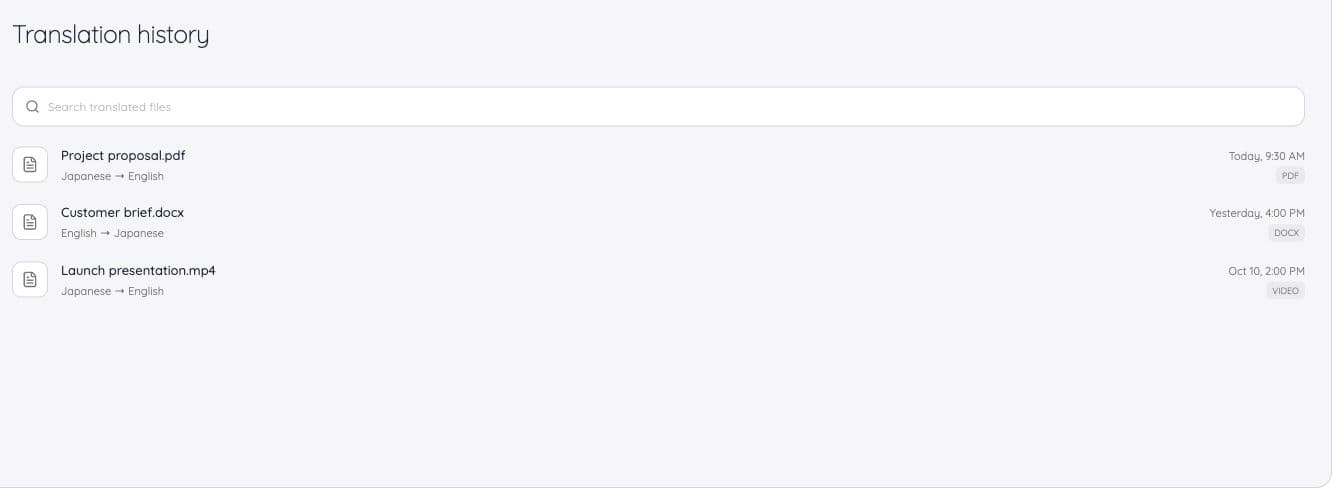
Open the finished file in Translation history
Choose the translated document, image, audio, or video. Text translations do not create this kind of shared-file link.
Choose how to share and the permission
Share by link, email, or chat. Choose View, Comment, or Edit for the supported recipient workflow.
Review, discuss, or revise
Recipients can compare the original in the browser. Permitted accounts can comment, and Edit recipients can create a new translation or dub revision.
Use cases
Bring it into the work you already do.
Project document review
Share a translated brief with its source for a teammate to compare.
Explore the use caseSupplier documents
Give a partner access to the translated file behind the discussion.
Explore the use caseTranslated training media
Share a translated document or recording with the people learning from it.
Explore the use caseTrusted by 2,000 teams
Across 134 countries
From multilingual meetings to everyday teamwork. Hear from the people using JotMe.
 G2
 Chrome Web Store
“JotMe streamlines our multilingual meetings, ensuring seamless collaboration in our fast-paced work environment.”


“This bilingual feature streamlines note-taking at work, saving time and boosting efficiency in both languages.”


“Essential for non-fluent speakers; simplifies complex meetings with real-time translation and accurate transcriptions.”

 Upwork
“As my job involves translation and bridging cultures, I have found this tool as a game changer to my daily work.”


“Japanese was once a mystery to me, but this product made it clear and accessible with contextual understanding.”


“The translation we've needed for years – now a reality with JotMe!”


What formats and usage should I check?
- Supported content
- Documents · images · audio · video
- Browser viewing
- No account needed to view an enabled link
- Download and comments
- Sign-in and relevant permission required
- Edit permission
- Retranslate or redub as a new revision
Check the language options and output settings in the selected tool before starting.
View usage detailsCan I share a translated document and the original?
Yes. Browser recipients can switch between the translated result and the original upload. Desktop currently opens the translated result only.
Does the recipient need an account?
No account is needed to view an enabled shared link in a browser. Downloading requires sign-in. Comments and revision actions require the permitted recipient to sign in.
What does Edit permission mean?
It includes commenting and the ability to retranslate the file or redub media as a new revision. It should not be confused with arbitrary in-place editing of every document format.
Can I share a text translation this way?
No. Shared translated files support documents, images, audio, and video. Use copied text or JotMe Chat for a text translation.
Will people who join a chat later get file access?
A translated-file chat share grants the chosen permission to members present at that moment. Share again when the group grows; later members are not automatically included.
Can I turn the file link off?
Revoking the share link invalidates it for everyone, clears emailed-recipient records, and removes the file from recipients’ Desktop Shared with me list. Copies already uploaded to a chat are separate from the link.
Does downloading use more credits?
Downloading the finished file does not spend AI credits or translation minutes. Starting a new translation or dub is a different action.