Cross-language AI meeting notes
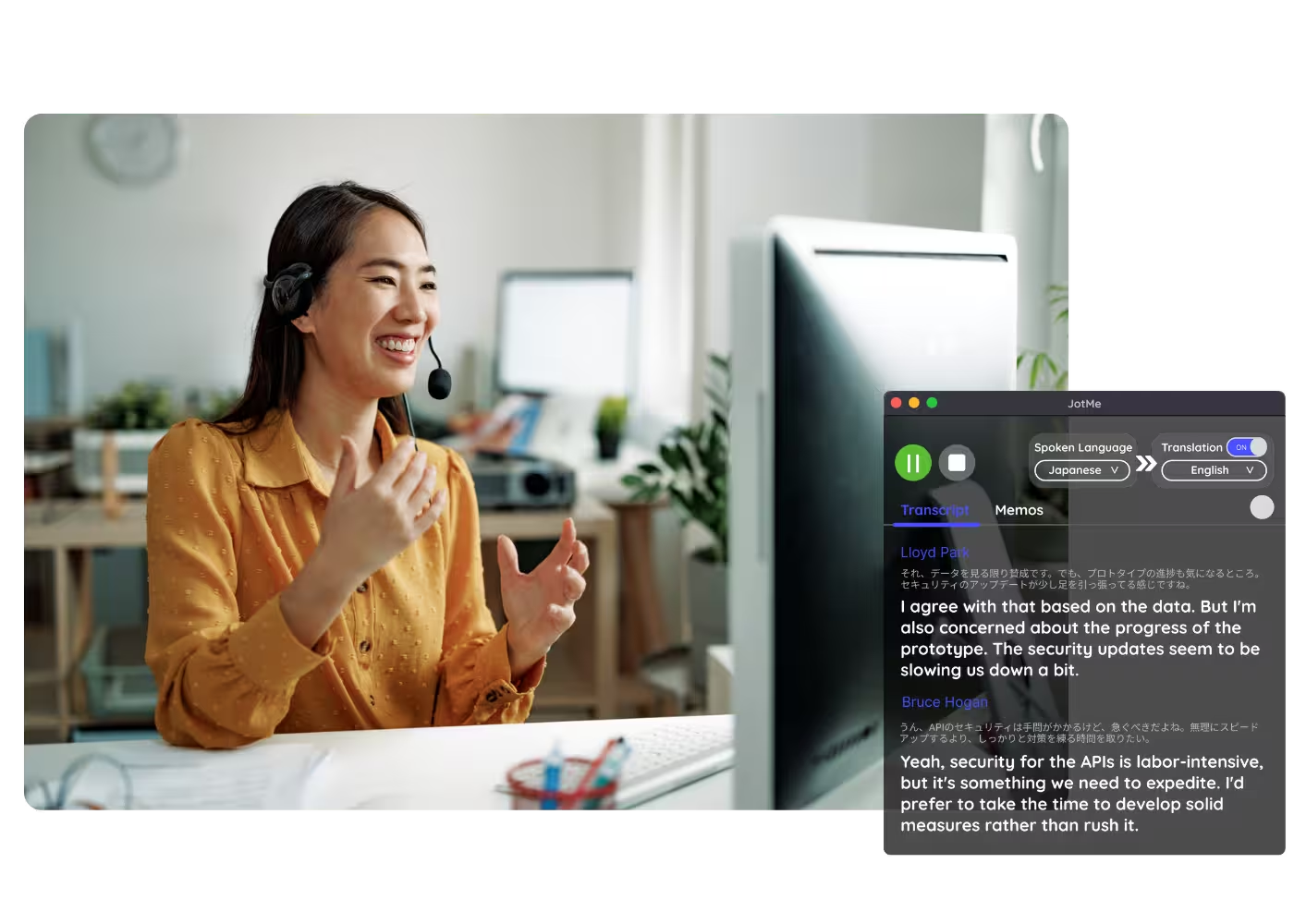
Get AI meeting notes in your own language, no matter what language the meeting was in. Hold a meeting in Japanese and read the notes in English, from a live session or an uploaded recording.
Trusted by 2,000 Teams and 500,000 Professionals Across 134 Countries



.avif)





.avif)


.avif)


.svg)
Rated 4.7/5


GDPR Compliant
.avif)
SOC 2 Type II (In Progress)
AI Meeting Notes in Your Preferred Language, Regardless of Meeting Language
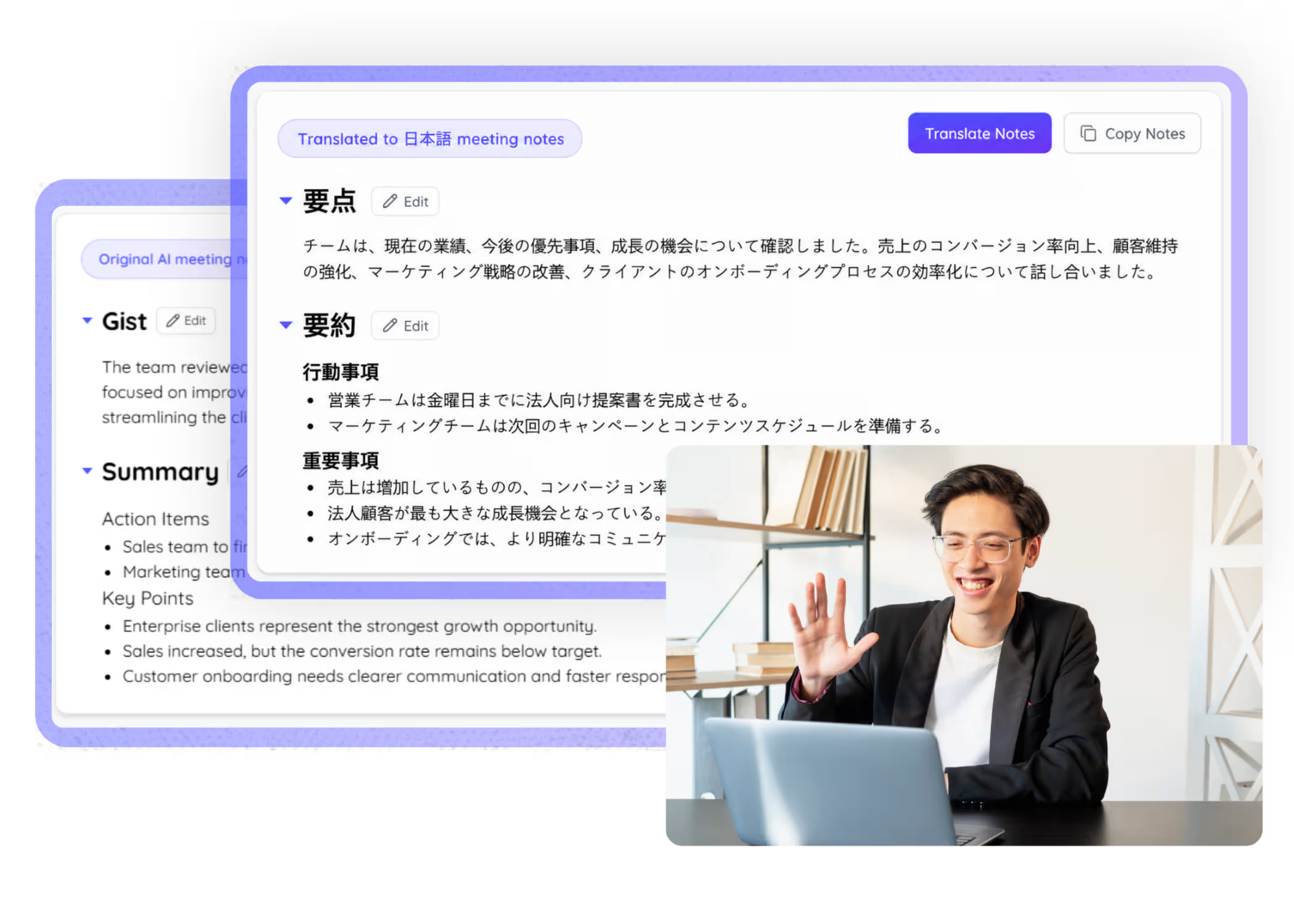
Navigating meetings in unfamiliar languages can be challenging, especially in multilingual settings. That’s why JotMe built cross-language AI meeting notes. JotMe takes meeting transcripts in any language—even multilingual ones—and generates comprehensive notes in your chosen language. Currently supporting 21 languages for meeting notes from meetings held in 200+ languages. No credit card needed to start—try it free!
How do I get cross-language meeting notes?
In 3 easy steps!
STEP 1
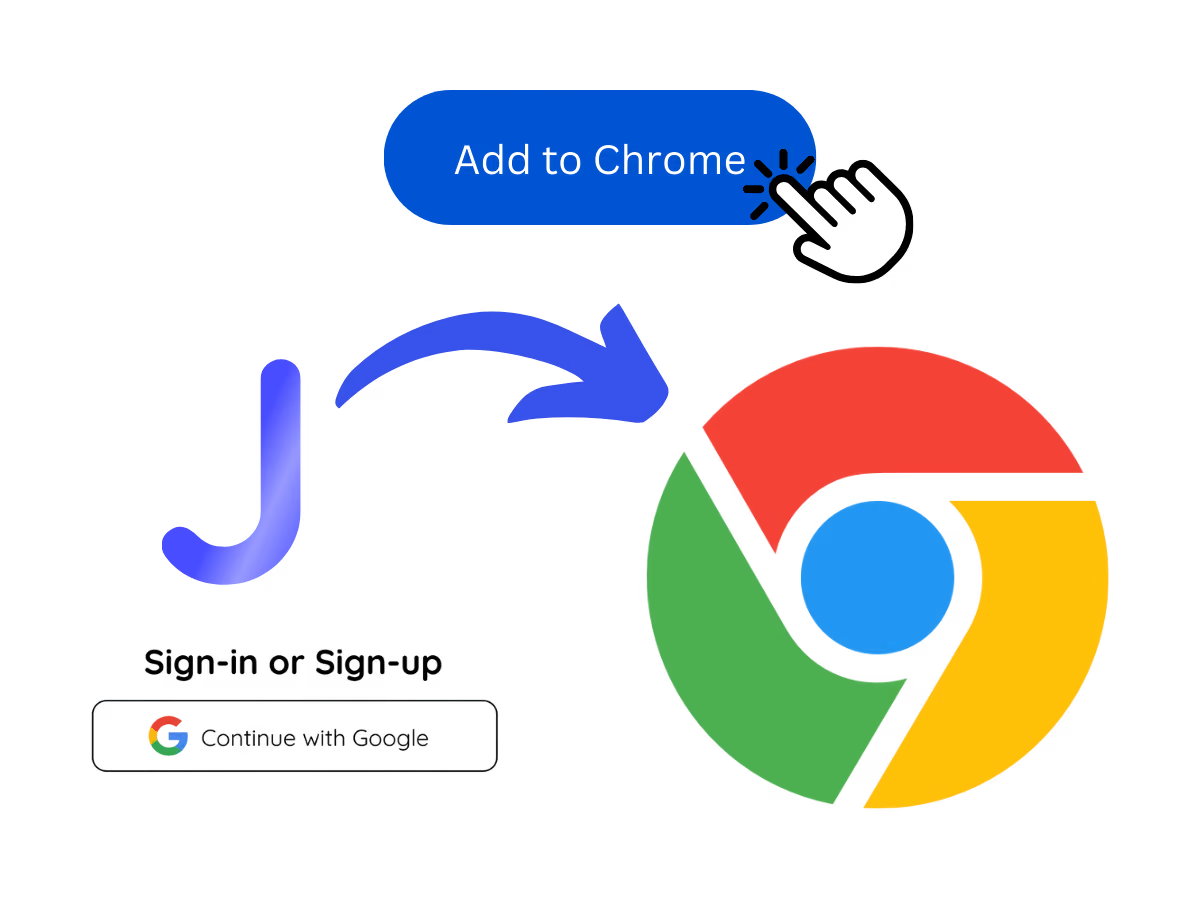
1. Download the desktop app, mobile app, or Chrome extension
Desktop app for Mac and Windows, mobile app for Android and iPhone, and a Chrome extension for Google Meet (limited features).
STEP 2
2. Set the languages spoken
Choose the languages people will speak, or use auto-detection. JotMe supports 200+ languages across 39,000+ language pairs.

STEP 3
3. Set the language you want your notes in
Pick the language you want your notes in. JotMe writes your notes in that language no matter what language the meeting was in.

See It in Action!
Notes in your language for every cross-language meeting
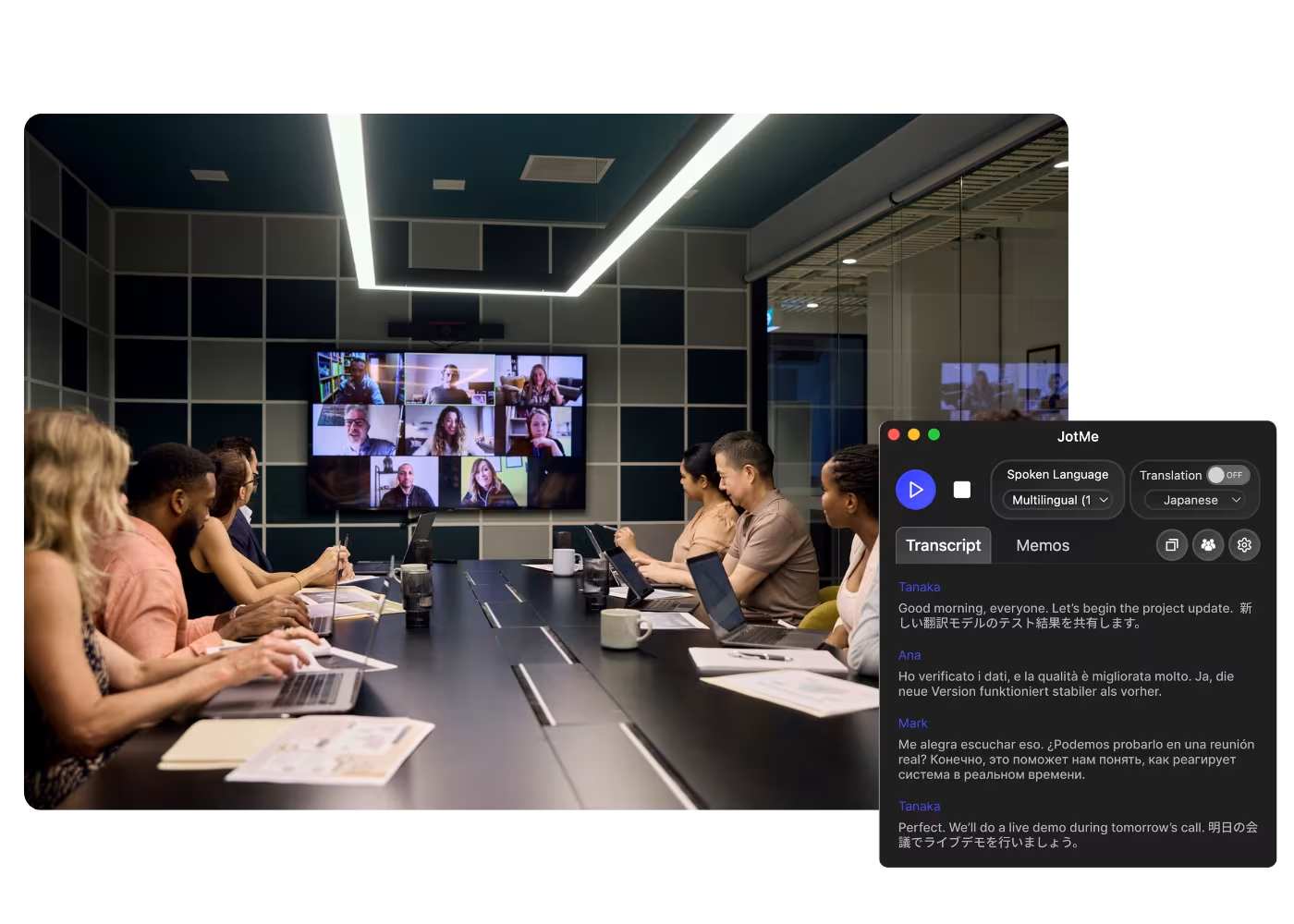
Global team syncs
Desktop app for Mac and Windows, mobile app for Android and iPhone, and a Chrome extension for Google Meet (limited features).
.avif)
Cross-border client & partner calls
Choose the languages people will speak, or use auto-detection. JotMe supports 200+ languages across 39,000+ language pairs.

HQ and overseas subsidiaries
Pick the language you want your notes in. JotMe writes your notes in that language no matter what language the meeting was in.
Frequently asked questions
Everything you need to know about running meetings and events with JotMe.
Can I get notes in a different language than the meeting?
Yes. JotMe generates notes in the language you choose, regardless of the meeting language. For example, a meeting in Japanese can produce notes in English, from a live session or an uploaded recording.
Which languages are supported?
JotMe captures meetings across 200+ languages and writes your notes in the language you pick. The meeting can be in one language or several.
Does a bot join my meeting?
No. JotMe captures your system audio, so no bot joins the call and no plugin is needed for participants.
Which platforms does it work with?
Zoom, Google Meet, Microsoft Teams, Webex, LINE, and in-person. One install works everywhere.
Is my conversation private and secure?
Encrypted in transit and at rest. GDPR and SOC 2 Type II (auditing) compliant. Never sold or used to train AI models, and you own your data.
How much does it cost?
Free to start in 30 seconds, no credit card. Upgrade when your operations need more. See full pricing.
Can each person get notes in a different language?
Yes. From one meeting, each participant can generate notes, a summary, and a transcript in the language they choose.

One meeting in any language, clean notes in yours.

Run every meeting and event smoothly for your multilingual operations
Transcribe, interpret, translate, and turn every critical conversation into insights with context so everyone stays aligned across languages.

.avif)

.avif)