
一緒にスケジュールを確認しましょう。
Let’s review the schedule together.
Keep the conversation moving with accurate live translation. Read translated captions, listen to translated speech, or give each person a translation view on their own phone.
Mac, Windows, iPhone & AndroidFree plan available















A supplier visit, a small workshop, or a conversation around a table moves quickly. Accurate live translated captions help you follow the discussion, with the original transcript alongside for reference.
On a laptop, choose the In-person environment and use a microphone that can hear everyone. On your phone, open a live session and choose your languages.
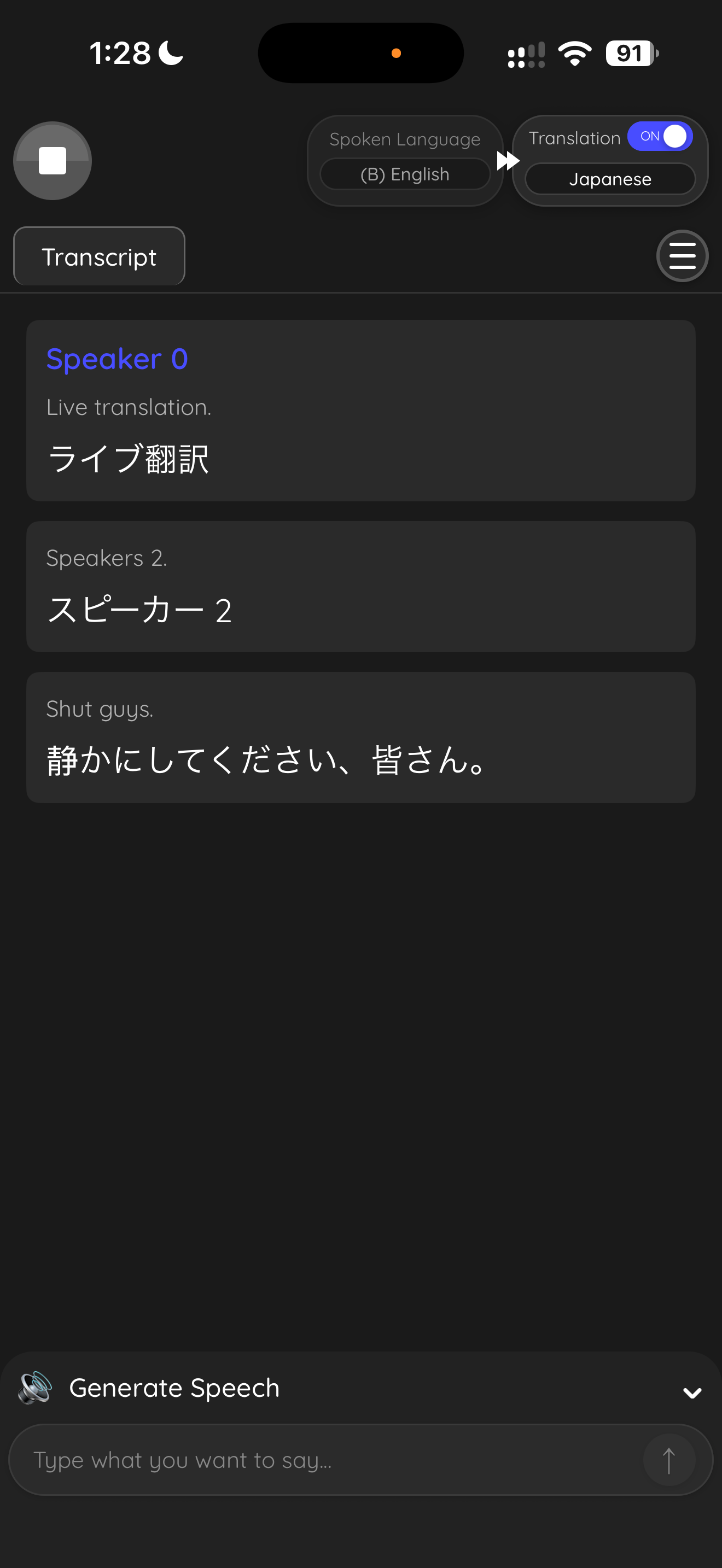 JapaneseEnglish
こちらの部品は、来週の火曜日に納品できます。
We can deliver these parts next Tuesday.
ありがとうございます。先に数量を確認しましょう。
Thanks. Let’s confirm the quantities first.
Use voice translation when you would rather listen than keep looking at a screen. Choose the language you want to hear, then follow the conversation with headphones.
For desktop conversations in the room, the Other audio mode can translate the microphone directly. It does not need the virtual-audio routing used for online calls.
Share a live translation link or QR code when several people need different languages. Guests open the session in their browser; they do not need to install JotMe.
Each person chooses their reading language. If the host enables Voice, guests can listen to translated speech on their own device too.
JotMe saves context from your work across the platform in AI Memory, helping every translation stay accurate to your context.
ジョニーの新しい機能を発表します。この機能で、世界中のチームが言葉の壁を越えて協力できます。
We announce the new function of Johnny. With this function, teams of the whole world can cross the wall of words and cooperate.
We announce the new function of JotMe. With this function, teams of the whole world can cross the wall of words and cooperate.
Your saved terminology identifies JotMe as the product name, correcting “Johnny”.
Use your phone or laptop and place the microphone where it can hear the conversation.
Select the spoken language, translation language, and caption or voice mode.
Follow the translation yourself or share a session link with the room.
From multilingual meetings to everyday teamwork. Hear from the people using JotMe.
“JotMe streamlines our multilingual meetings, ensuring seamless collaboration in our fast-paced work environment.”


“This bilingual feature streamlines note-taking at work, saving time and boosting efficiency in both languages.”


“Essential for non-fluent speakers; simplifies complex meetings with real-time translation and accurate transcriptions.”

 Upwork
“As my job involves translation and bridging cultures, I have found this tool as a game changer to my daily work.”


“Japanese was once a mystery to me, but this product made it clear and accessible with contextual understanding.”


“The translation we've needed for years – now a reality with JotMe!”

Open JotMe on your phone or computer, choose your languages, and start a live session. On desktop, select In-person and a microphone that can hear the speakers. Read the original and translated speech as the conversation continues.
No. For an in-person session, JotMe listens through the host’s microphone. You do not need to start a Zoom, Teams, or Google Meet call.
Yes. Use a supported voice translation mode and choose the language you want to hear. For desktop microphone translation, use Other in the voice controls. Headphones help keep translated playback from re-entering the microphone.
Yes. Share the session URL or QR code. Guests join through a browser and choose their translation language. The host can also enable translated voice for participants.
Yes. Download JotMe and use the free plan to try your languages and microphone setup. You can explore the app before choosing a paid plan.
 Rated 4.7/5
 GDPR Compliant
 SOC 2 Type II


 G2
 Chrome Web Store