







AI Translation & Transcription for LINE Calls
JotMe translates, transcribes, and summarizes your LINE voice and video calls in real time — live captions or your own cloned voice in 200+ languages — on your computer, with nothing added to LINE. Works live or from a call recording you upload.
No LINE changes needed | Nothing for the other person to install | Mac & Windows
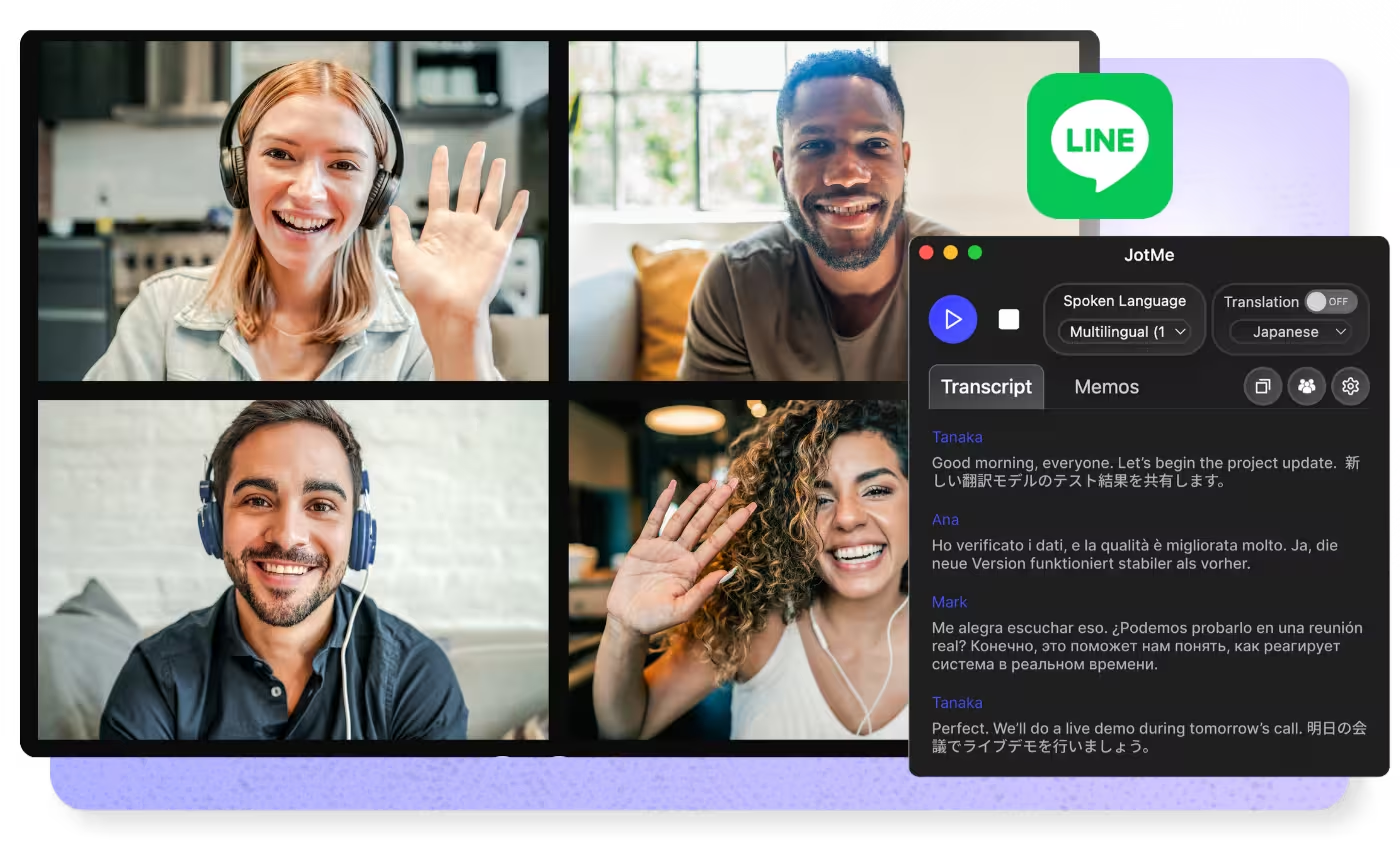
LINE calls, translated live
Automatically translate LINE voice and video calls in real time — captions or your own cloned voice in 200+ languages. Nothing for the other person to install, and you can share the translation via link, QR code, or on-camera subtitles
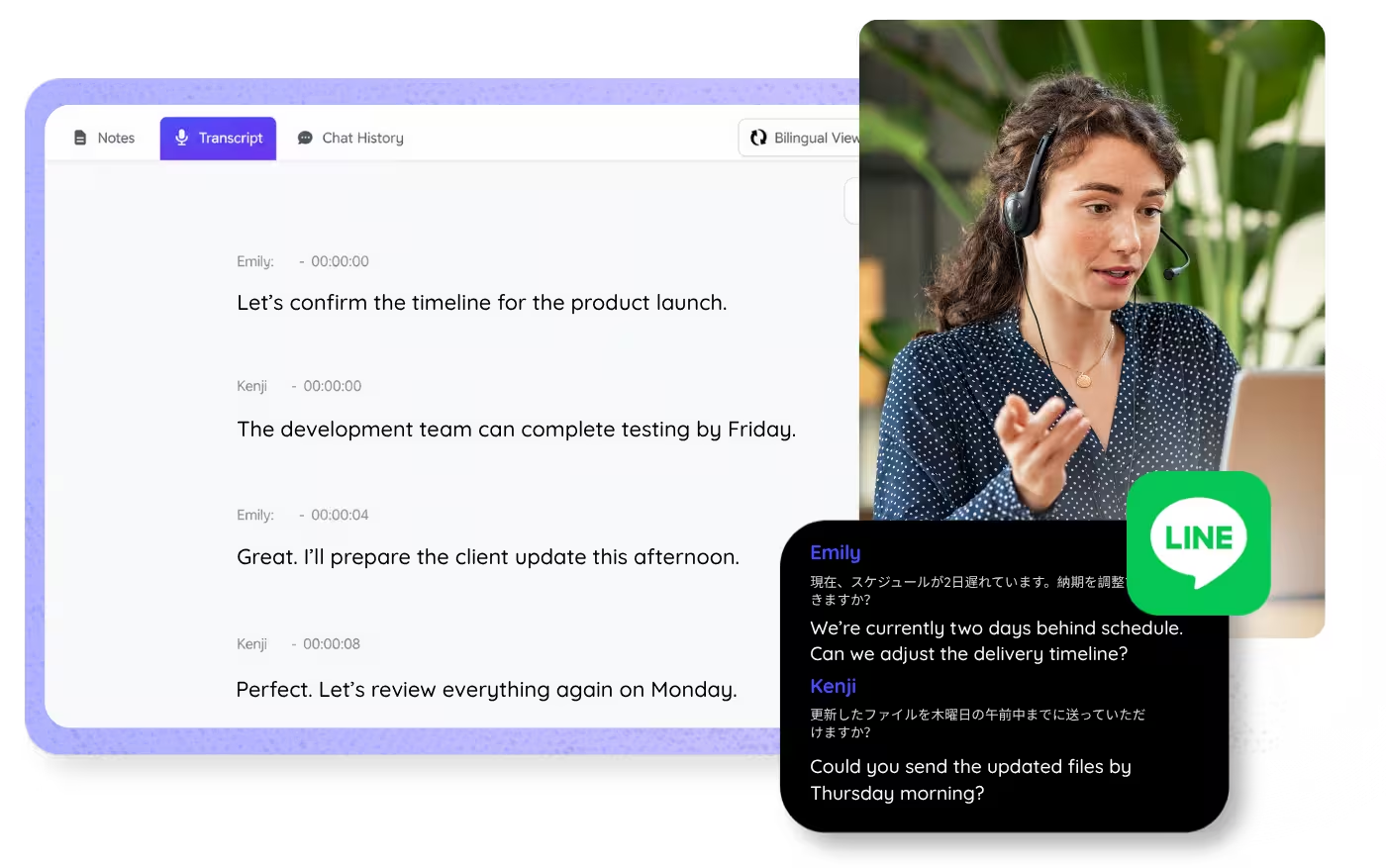
Every word of every call, captured
Transcribe LINE voice and video calls in real time in 200+ languages, with speaker labels. Or upload a call recording for the same accurate, searchable transcript
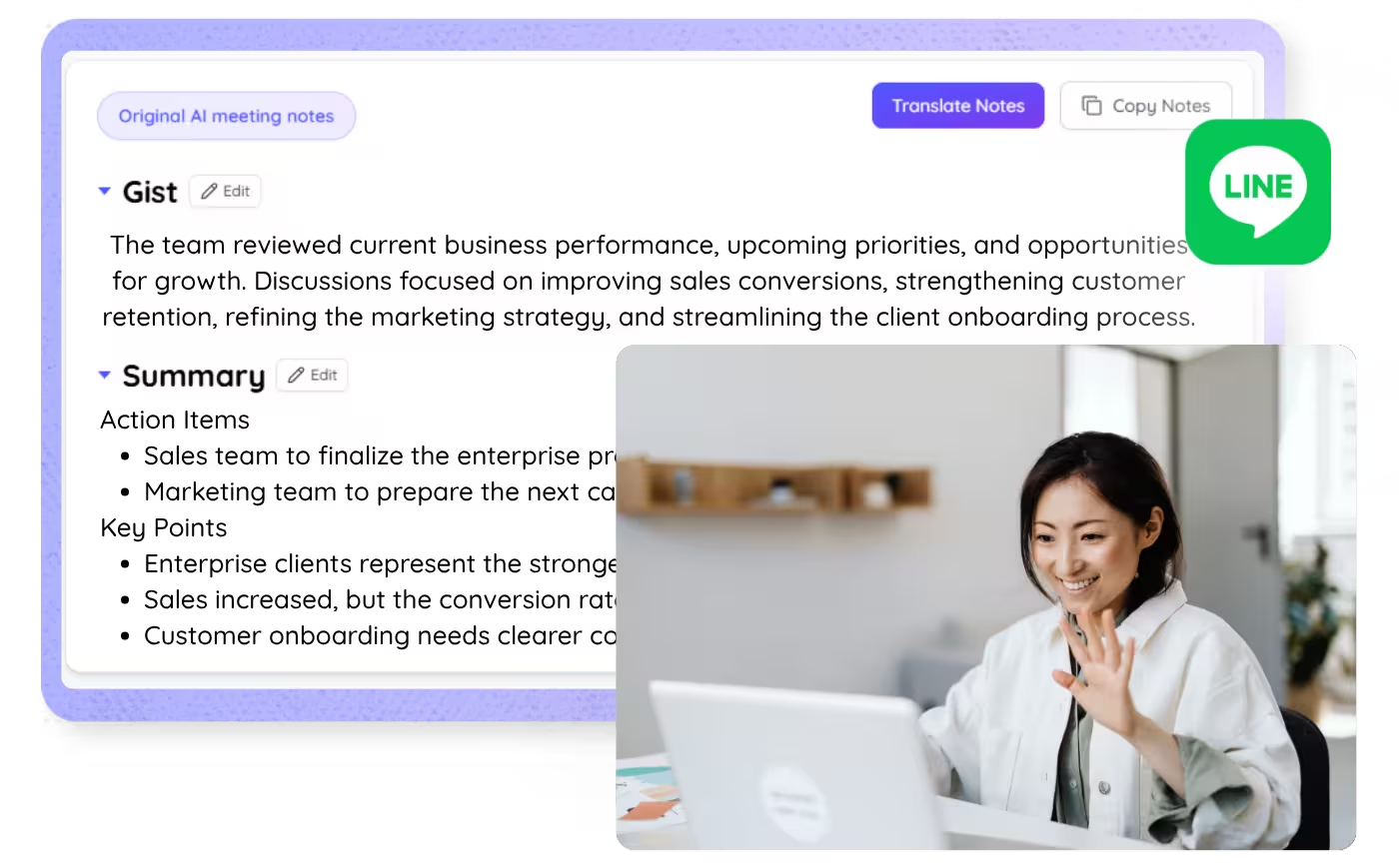
Call summaries in seconds
Get an accurate AI summary of every LINE voice and video call, the gist, key points, and action items, in your language
500,000+ professionals run meetings and events smoothly with JotMe
See how they’re seeing results with JotMe in bridging multilingual operational gaps.
Rated 4.7/5


Rated 4.7/5
"As my job involves translation and bridging cultures, I have found this tool as a game changer to my daily work."

Adams
Operations Specialist / Tiktok
"Japanese was once a mystery to me, but this product made it clear and accessible with contextual understanding."

Stamatis
Consultant / Deloitte
"JotMe streamlines our multilingual meetings, ensuring seamless collaboration in our fast-paced work environment."

Cesar
Program Manager / Amazon
"This bilingual feature streamlines note-taking at work, saving time and boosting efficiency in both languages."

Yusuke
Sales Manager / NTT
"Essential for non-fluent speakers; simplifies complex meetings with real-time translation and accurate transcriptions."

Jesse
Software Freelancer
"The translation we've needed for years – now a reality with JotMe!"

Elston
CEO & Founder / Tiny.host
"As my job involves translation and bridging cultures, I have found this tool as a game changer to my daily work."
Adams
Operations Specialist / Tiktok
"Japanese was once a mystery to me, but this product made it clear and accessible with contextual understanding."
Stamatis
Consultant / Deloitte
"JotMe streamlines our multilingual meetings, ensuring seamless collaboration in our fast-paced work environment."
Cesar
Program Manager / Amazon
"This bilingual feature streamlines note-taking at work, saving time and boosting efficiency in both languages."
Yusuke
Sales Manager / NTT
"Essential for non-fluent speakers; simplifies complex meetings with real-time translation and accurate transcriptions."
Jesse
Software Freelancer
"The translation we've needed for years – now a reality with JotMe!"
Elston
CEO & Founder / Tiny.host

Frequently asked questions
Everything you need to know about running LINE calls with JotMe.
How does JotMe work with LINE calls?
JotMe runs on your computer and captures the call audio locally, so nothing is added to LINE and the other person installs nothing. You get accurate live translation in 200+ languages.
Can LINE calls be translated in real time?
LINE doesn't translate calls. JotMe does: take the call on LINE desktop and read live translated captions — or hear the translation in your own cloned voice — in 200+ languages. Accuracy improves as the call goes on because JotMe translates with context: who's speaking, what's been said, and your custom terms. See the LINE Call Translation page for the full setup.
How do I transcribe a LINE call?
Take the call on LINE desktop and JotMe transcribes it live, with speaker labels, saved to your dashboard to search, copy, and share. Japanese is fully supported.
Can I transcribe or translate a recorded LINE call or voice message?
Yes. Upload the recording to Audio to Text or Video to Text and JotMe transcribes it, translates the transcript, and writes an accurate summary, the same output as a live call.
Can I get meeting minutes from a LINE call?
Yes. When the call ends, JotMe delivers the gist, key points, and action items in the language you choose, ready to paste into your notes. You can also upload a recording for the same accurate summary.
How many languages does JotMe support on LINE calls?
JotMe supports 200+ spoken languages for live translation and transcription, covering 39,000+ language pair combinations, with Japanese-English at the core. Accuracy is strongest on enterprise-critical pairs, and every pair runs on the same infrastructure. See the available languages page for the full list.
Is JotMe safe to use for private LINE calls?
Yes. JotMe captures audio locally on your computer, so nothing is added to the call itself. JotMe is GDPR-compliant with a SOC 2 Type II audit in progress, and encrypts transcripts, translations, and summaries in transit and at rest.

Understand every LINE call in any language
Translate, transcribe, and turn every LINE call into notes your whole team can act on, in the languages they each need.