







The Zoom AI Companion Alternative for Multilingual Meetings
JotMe translates, transcribes, and takes AI notes in Zoom meetings in real time, with live captions in 200+ languages. No bot joins the call, and nothing changes in your Zoom setup. Use it live or upload a Zoom recording.
No Zoom changes needed | No bot in your meeting | Mac & Windows
Trusted by 2,000 Teams and 500,000 Professionals Across 134 Countries















Rated 4.7/5

GDPR Compliant
SOC 2 Type II (In Progress)
Live translated captions in 200+ languages
Follow translated captions in real time. JotMe captures audio on your computer — participants install nothing, and no bot joins the call.
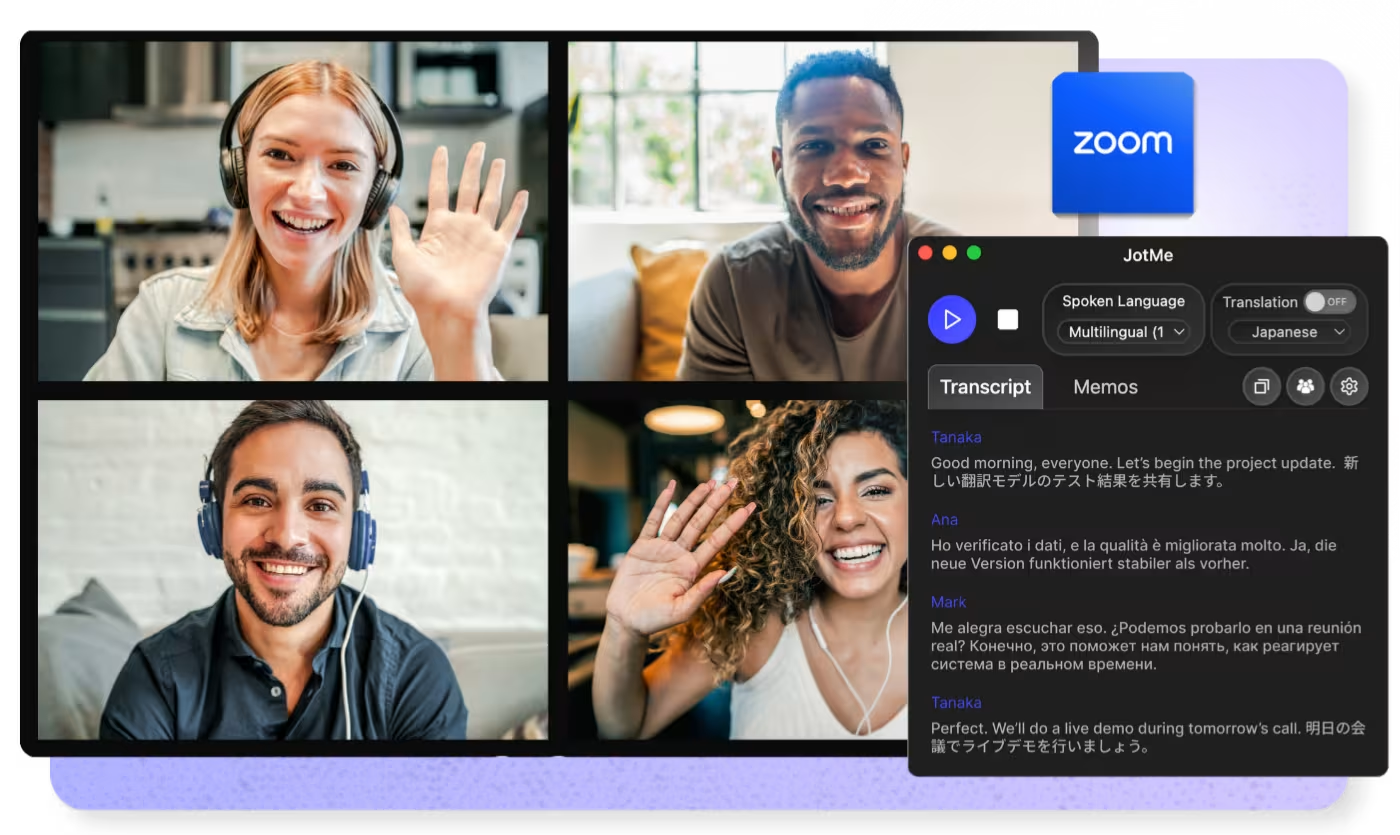
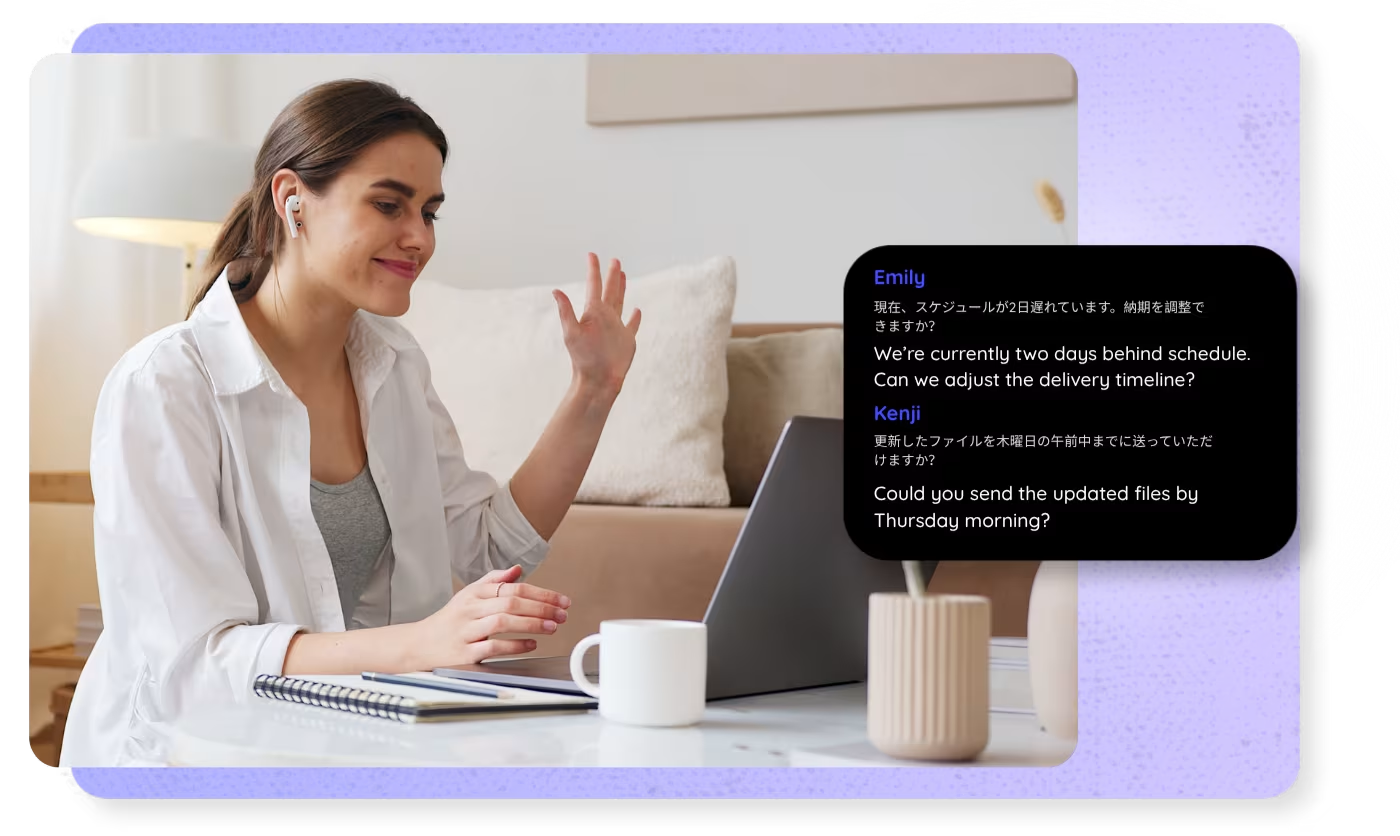
See every word, translated
Translate captions from every speaker in your Zoom meeting, even when Zoom captions are not enabled. Share live translated captions by link, QR code, or on-camera subtitles.
Every word captured, with speaker labels
Get real-time zoom transcription with the JotMe desktop app on Mac and Windows, with speaker labels and custom vocabulary. Or upload a Zoom recording for the same searchable transcript.
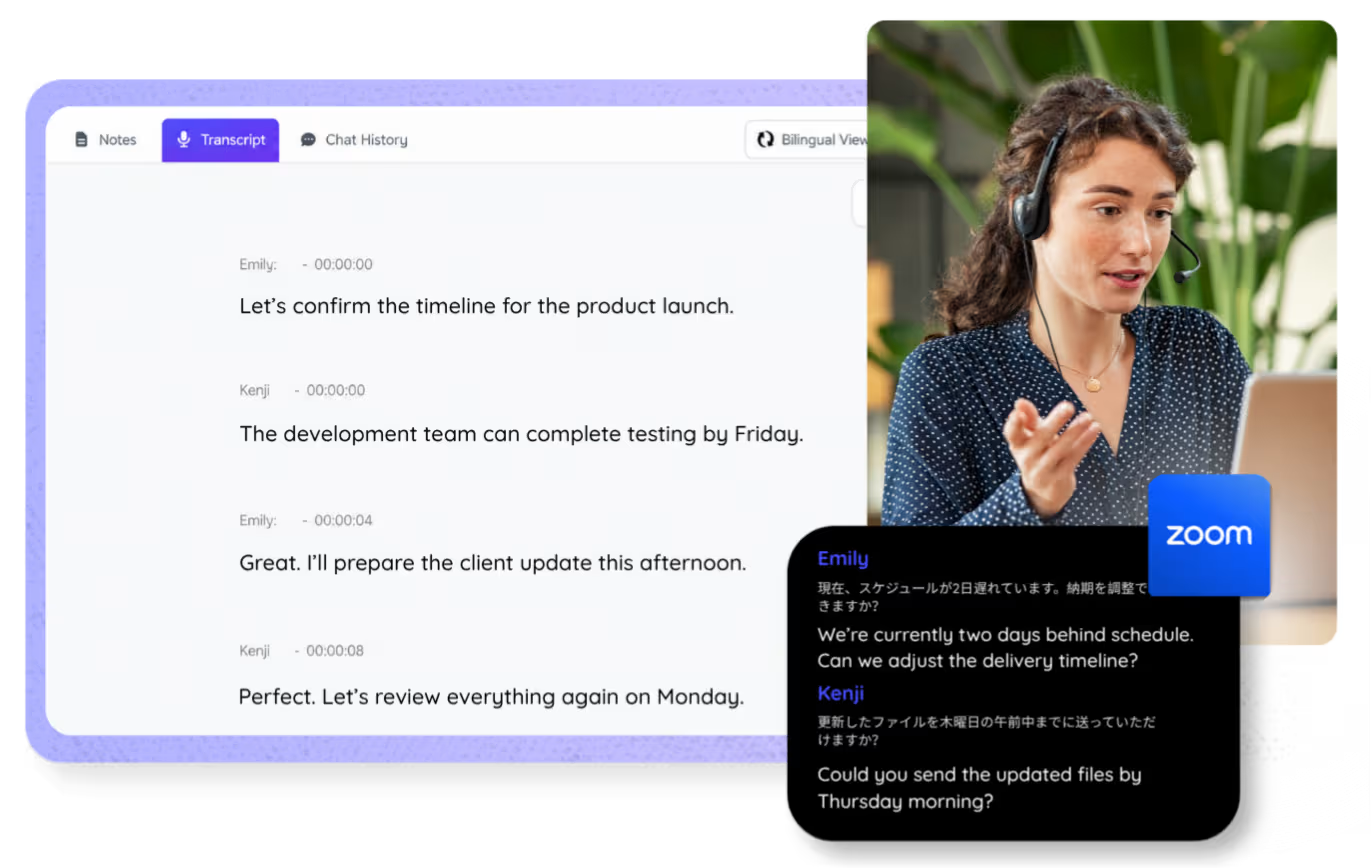
Your Zoom transcripts, stored and searchable
Store, search, and revisit every Zoom transcript in your JotMe dashboard.
Meeting notes that make sense
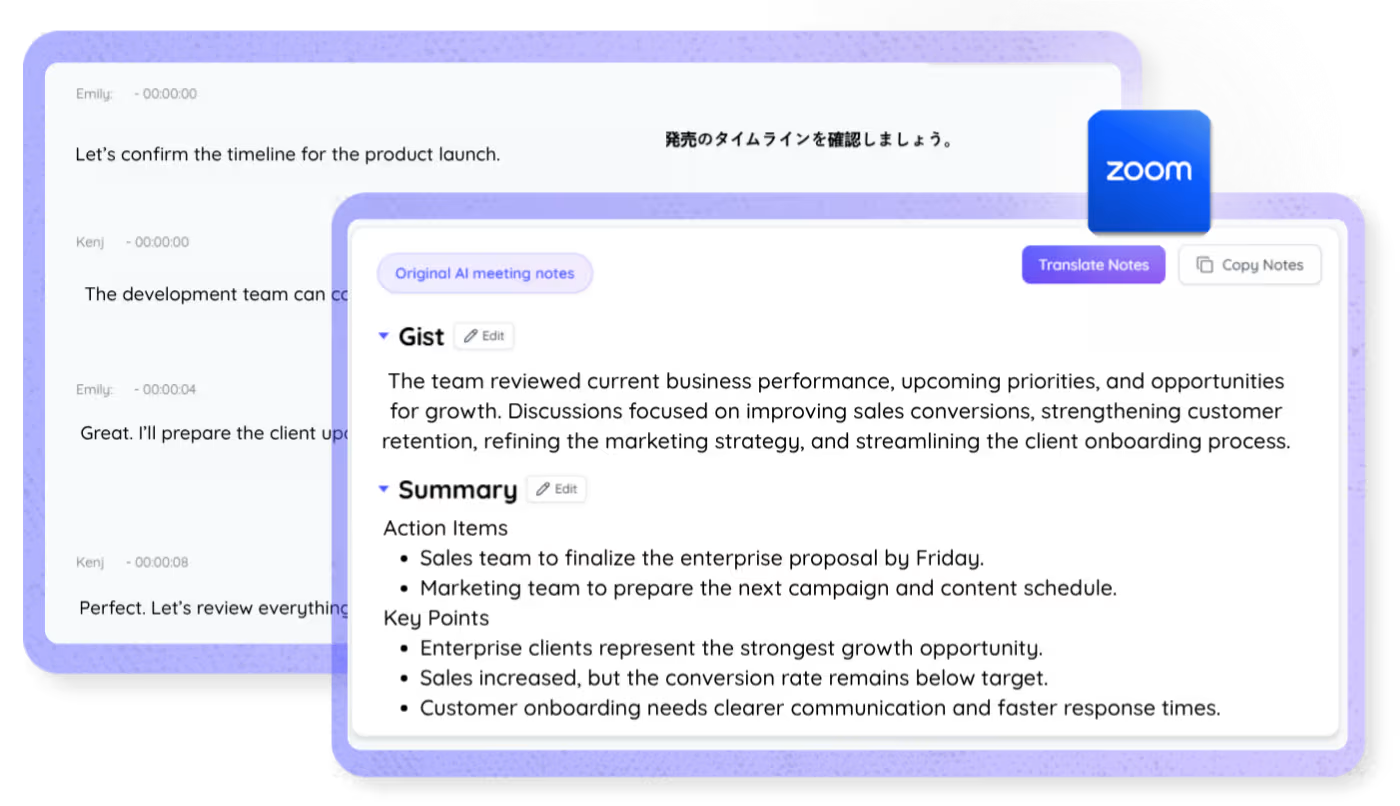
The Zoom AI notetaker turns your meetings into clear, structured notes with key points and next action items, generated, regenerated, and translated into your language.
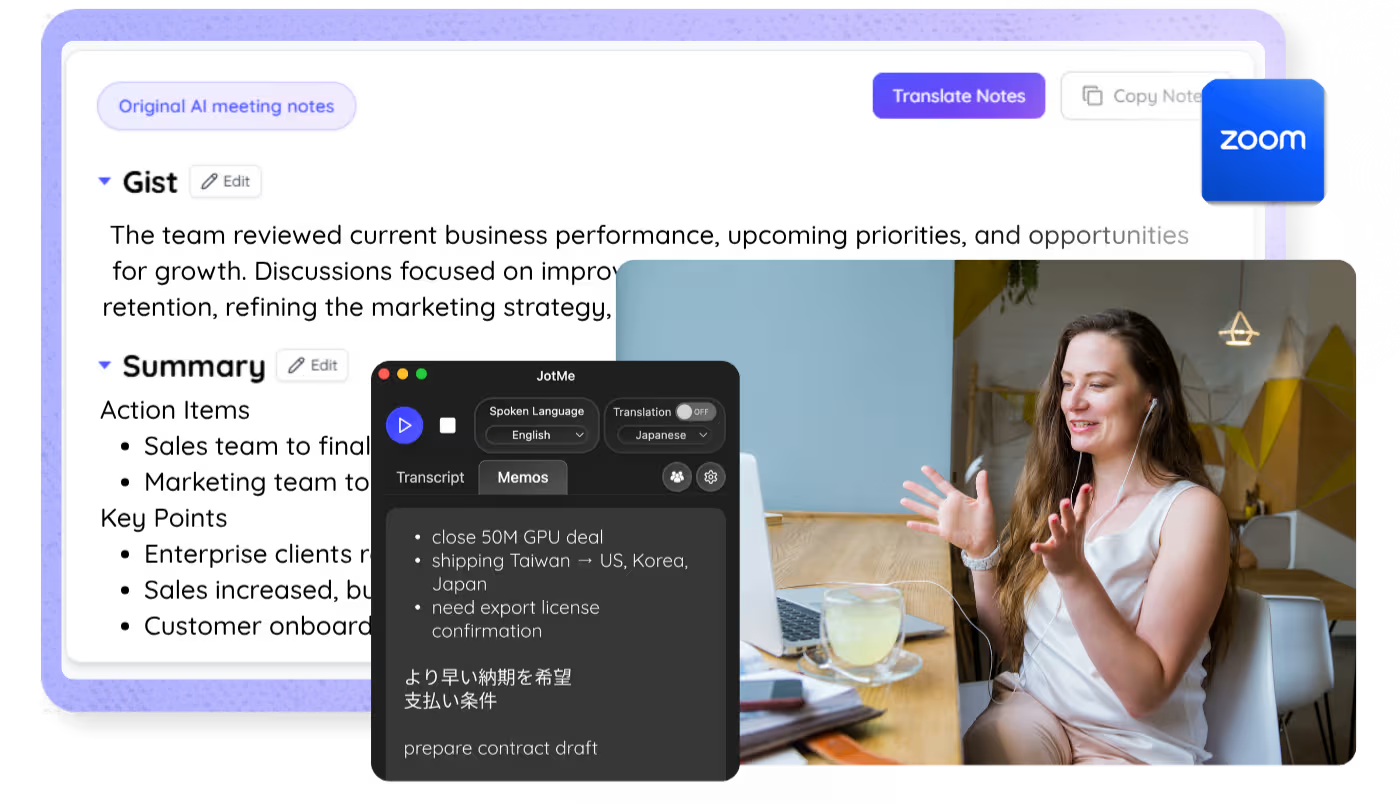
AI Meeting Notes
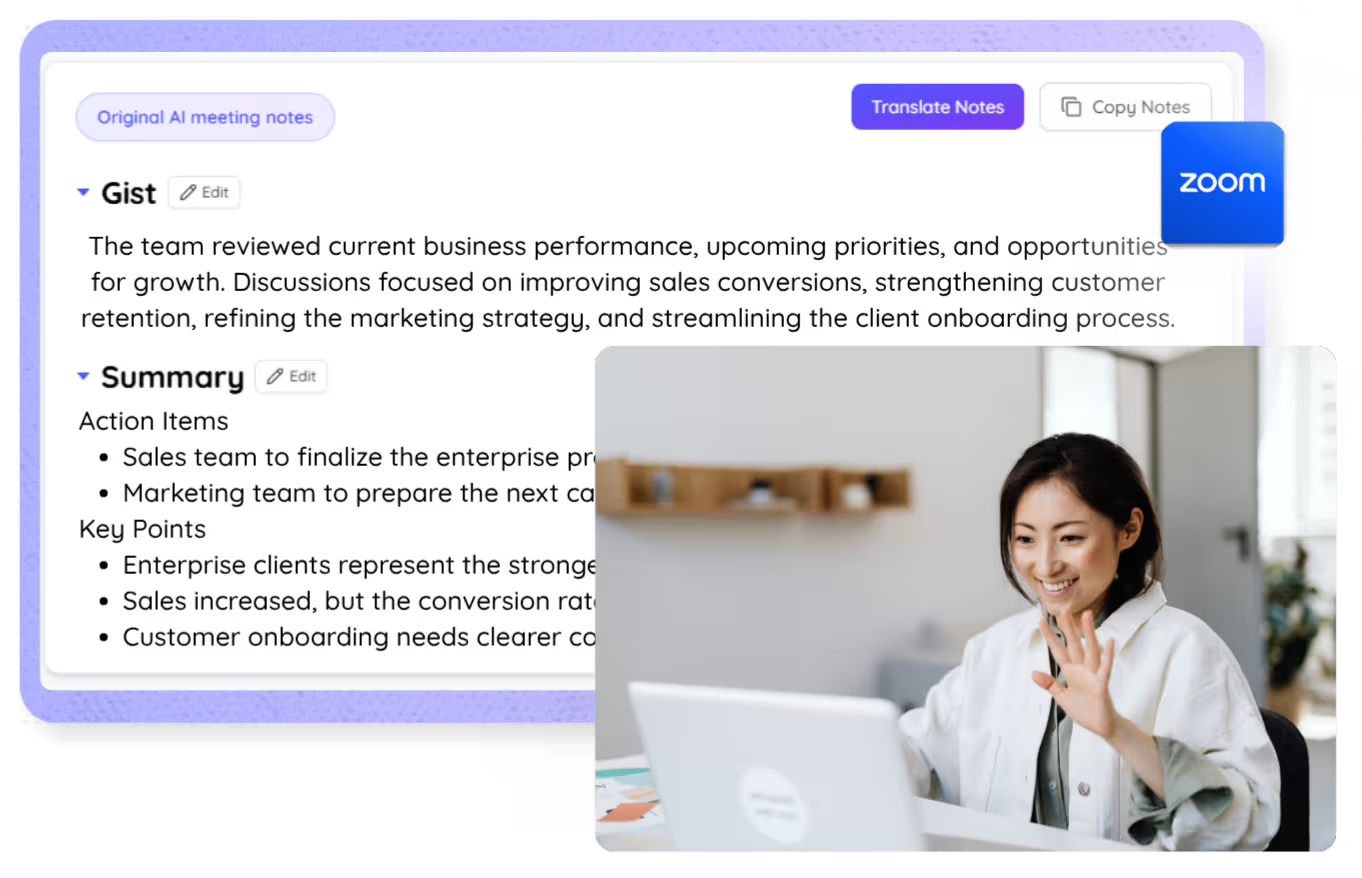
Summaries during and after the call
Get a running AI summary while your Zoom meeting is live, and a complete summary the moment it ends — in your language.
500,000+ professionals run meetings and events smoothly with JotMe
See how they’re seeing results with JotMe in bridging multilingual operational gaps.
Rated 4.7/5
Rated 4.7/5
"As my job involves translation and bridging cultures, I have found this tool as a game changer to my daily work."

Adams
Operations Specialist / Tiktok
"Japanese was once a mystery to me, but this product made it clear and accessible with contextual understanding."

Stamatis
Consultant / Deloitte
"JotMe streamlines our multilingual meetings, ensuring seamless collaboration in our fast-paced work environment."

Cesar
Program Manager / Amazon
"This bilingual feature streamlines note-taking at work, saving time and boosting efficiency in both languages."

Yusuke
Sales Manager / NTT
"Essential for non-fluent speakers; simplifies complex meetings with real-time translation and accurate transcriptions."

Jesse
Software Freelancer
"The translation we've needed for years – now a reality with JotMe!"

Elston
CEO & Founder / Tiny.host
"As my job involves translation and bridging cultures, I have found this tool as a game changer to my daily work."
Adams
Operations Specialist / Tiktok
"Japanese was once a mystery to me, but this product made it clear and accessible with contextual understanding."
Stamatis
Consultant / Deloitte
"JotMe streamlines our multilingual meetings, ensuring seamless collaboration in our fast-paced work environment."
Cesar
Program Manager / Amazon
"This bilingual feature streamlines note-taking at work, saving time and boosting efficiency in both languages."
Yusuke
Sales Manager / NTT
"Essential for non-fluent speakers; simplifies complex meetings with real-time translation and accurate transcriptions."
Jesse
Software Freelancer
"The translation we've needed for years – now a reality with JotMe!"
Elston
CEO & Founder / Tiny.host

Frequently asked questions
Everything you need to know about running meetings and events with JotMe.
Is JotMe an alternative to Zoom AI Companion?
Yes. JotMe provides live translation, transcription, summaries, and AI meeting notes for Zoom. It works from the desktop app on any Zoom plan, with no bot joining the call.
Can Zoom translate meetings in real time?
With JotMe, yes. It displays live translated captions in 200+ languages on any Zoom plan, with no bot in the meeting. Language availability depends on the selected recognition mode and product surface.
How does JotMe work with Zoom?
Sign in to JotMe on Mac or Windows, pick the spoken and target languages, and join your Zoom meeting as usual. JotMe captures the audio on your computer — no bot joins, participants install nothing, and nothing changes in your Zoom settings. Translation, transcription, and AI notes appear live and are saved to your dashboard.
Can I transcribe or translate a Zoom recording?
Yes. Upload the recording to Audio to Text or Video to Text and JotMe transcribes it, translates the transcript into the language you pick, and generates notes — the same output as a live meeting.
How does JotMe keep a multilingual team aligned after a Zoom meeting?
After a Zoom meeting, JotMe saves the transcript, notes, summary, decisions, and action items to your dashboard. During the call, share live translated captions by link, QR code, or on-camera subtitles. Afterward, use Ask JotMe to review what was said.
How many languages does JotMe support on Zoom?
JotMe supports 200+ languages as translation target options in supported non-fast desktop and web flows. Spoken-language availability depends on the recognition mode; fast mode currently exposes 13 target languages.
Is JotMe safe to use for confidential Zoom meetings?
Yes. JotMe captures audio locally on your computer, so no bot joins your Zoom call and nothing is added to the meeting. JotMe is GDPR-compliant with a SOC 2 Type II audit in progress, and encrypts transcripts, translations, notes, and recordings in transit and at rest.

Run every Zoom meeting smoothly in any language
Translate, transcribe, and turn every Zoom conversation into notes and insights so everyone stays aligned across languages.