Guides
Best AI Translating Tools for Text in 2026: Wordvice AI vs. JotMe

Viraj Mahajan
February 14, 2026

Do you spend too much time re-translating the same email thread because your AI translating tool resets after every single submission? Wordvice AI is an ideal text translation tool for students and professionals, as it handles idioms well and lets you upload Word files directly for text translation in 50 languages.
However, Wordvice AI has a 500-character limit per submission and resets the chat after every translation. This can get frustrating when you’re translating long email threads or multi-paragraph documents.
That’s where JotMe comes in. JotMe’s desktop app delivers continuous text-to-text translation in 127 languages, explains the intent behind phrases, and lets you customize the tone of your output by adding a prompt to make it formal, casual, etc.
Take a quick look at what the AI translating tools, including Wordvice AI and JotMe, offer:
- Wordvice AI is a web-based AI translator that supports text-to-text translation in 50 languages, lets you upload Word files for direct text translations, and offers a Chrome extension for translating selected text on a webpage. Wordvice AI is great for short paragraphs and document translations.
- JotMe is an AI translating tool with a desktop app that offers contextual text-to-text translations in 127 languages, AI-powered explanations, tone customization, real-time voice-to-text translation for virtual meetings, and a mobile app for in-person conversations, starting at just $10/month (billed annually).
What are the Best Wordvice AI Alternatives?
The best Wordvice AI alternatives are the JotMe desktop app, QuillBot Translator, Trinka AI, Google Translate, and DeepL Translator. While Wordvice AI offers accurate text-to-text translations for students and business professionals, it falls short on advanced features, like providing explanations of the translated text or allowing to tweak the tone of the translated output. So, we’ve curated five alternatives to Wordvice AI with features other than text translation. Here’s a quick look at each Wordvice AI alternative:
- JotMe’s Desktop App: Great for contextual text-to-text translation in 127 languages with AI-powered explanations, tone customization, etc., and real-time voice-to-text translation for virtual meetings.
- QuillBot Translator: Good for quick text-to-text translation in 50+ languages, with a simple interface. You can read our QuillBot vs. JotMe guide to see how they differ.
- Trinka AI: Ideal for academic and technical writing for students, with translations that maintain formal tone and subject-specific terms.
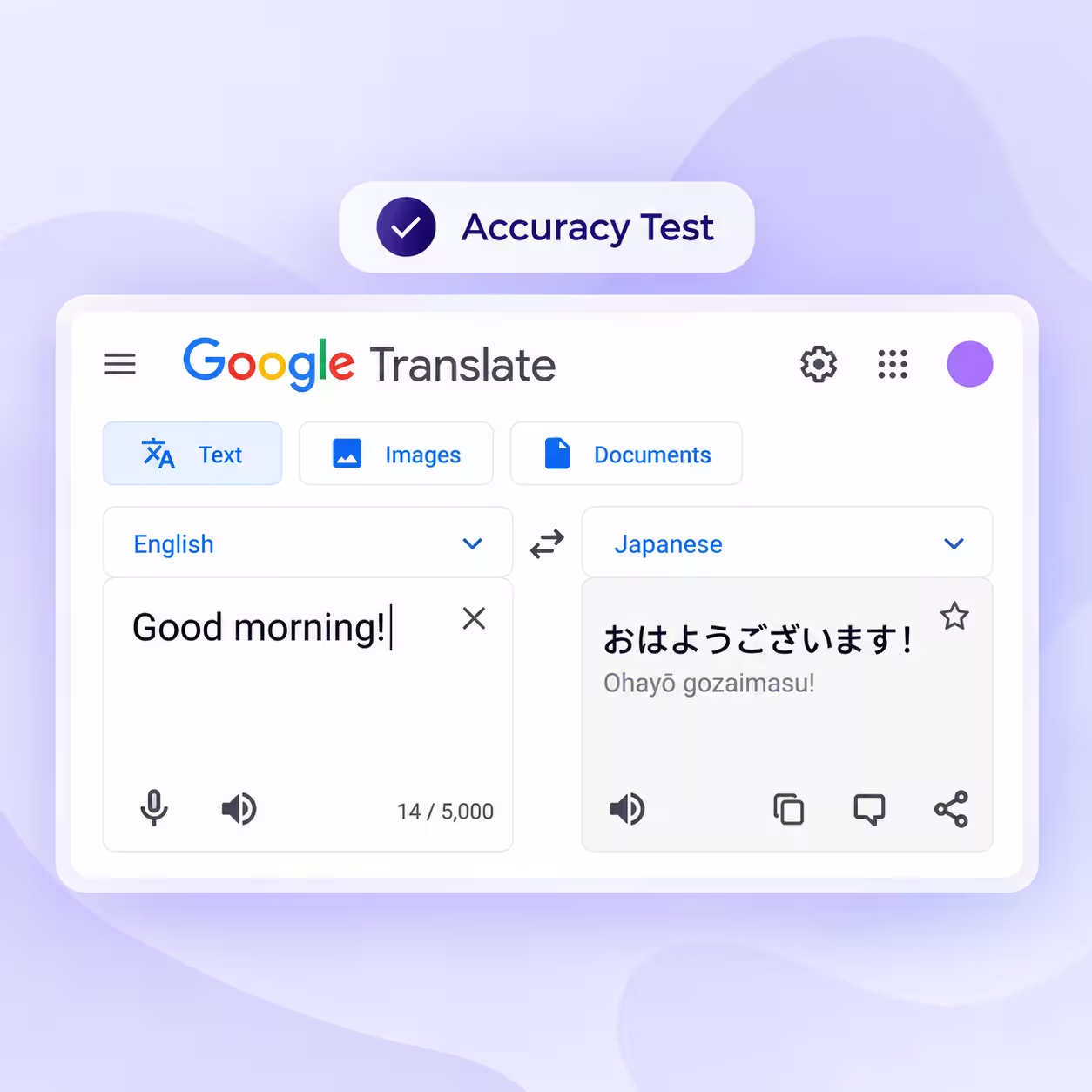
- Google Translate: A free option for quick text translations in 100+ languages, with additional features like camera translation and conversation translation.
- DeepL Translator: Good for accurate text translations and entire document translation in 100+ languages with customized glossaries.
How We Tested These AI Translating Alternatives to Wordvice AI?
We tested these AI translating alternatives to Wordvice AI with similar inputs for a fair comparison and evaluated each tool based on translation accuracy, ease of use, additional features, and more. Here’s what we looked at:
- Accuracy: We used these Wordvice AI alternatives to translate idioms and technical terms, and found that Google Translate struggles with idioms even though it supports over 100 languages. However, JotMe’s desktop app and DeepL Translator provided accurate and contextual translations.
- Pricing: We compared the free and paid plans of each tool to understand what they offer at different prices. While Google Translate is fully free, AI translators like JotMe and QuillBot offer freemium models with token or word limits on their free plans.
- Ease of Use: We looked at how easy and quick it was to set up these AI translating tools. While JotMe and Google Translate stood out for their simple setup, some G2 users reported that Wordvice AI could be more user-friendly.
- Language Support: We checked how many languages each tool supports for text-to-text translations. Trinka AI supports 30+ languages for text translations, while JotMe’s desktop app supports 127 languages, and Google Translate supports 100+ languages.
- Additional Features: While the Wordvice AI alternatives provide text-to-text translations, JotMe’s desktop app goes a step further by providing explanations of the translations and allowing you to customize the tone of your translations.
Based on our tests, we found JotMe to be a better Wordvice AI alternative, so we compared both the AI language translator tools in detail.
Quick Comparison of the AI Language Translator Tools: Wordvice AI and JotMe
Before we get into the details, here’s a snapshot of the key differences between Wordvice AI and JotMe. Both Wordvice AI and JotMe provide text-to-text translations, but they’re built for different kinds of users. This table covers the key differences to help you pick the better AI language translator:
JotMe Desktop App: Great for Explanation and Customization of Translation in 127 Languages
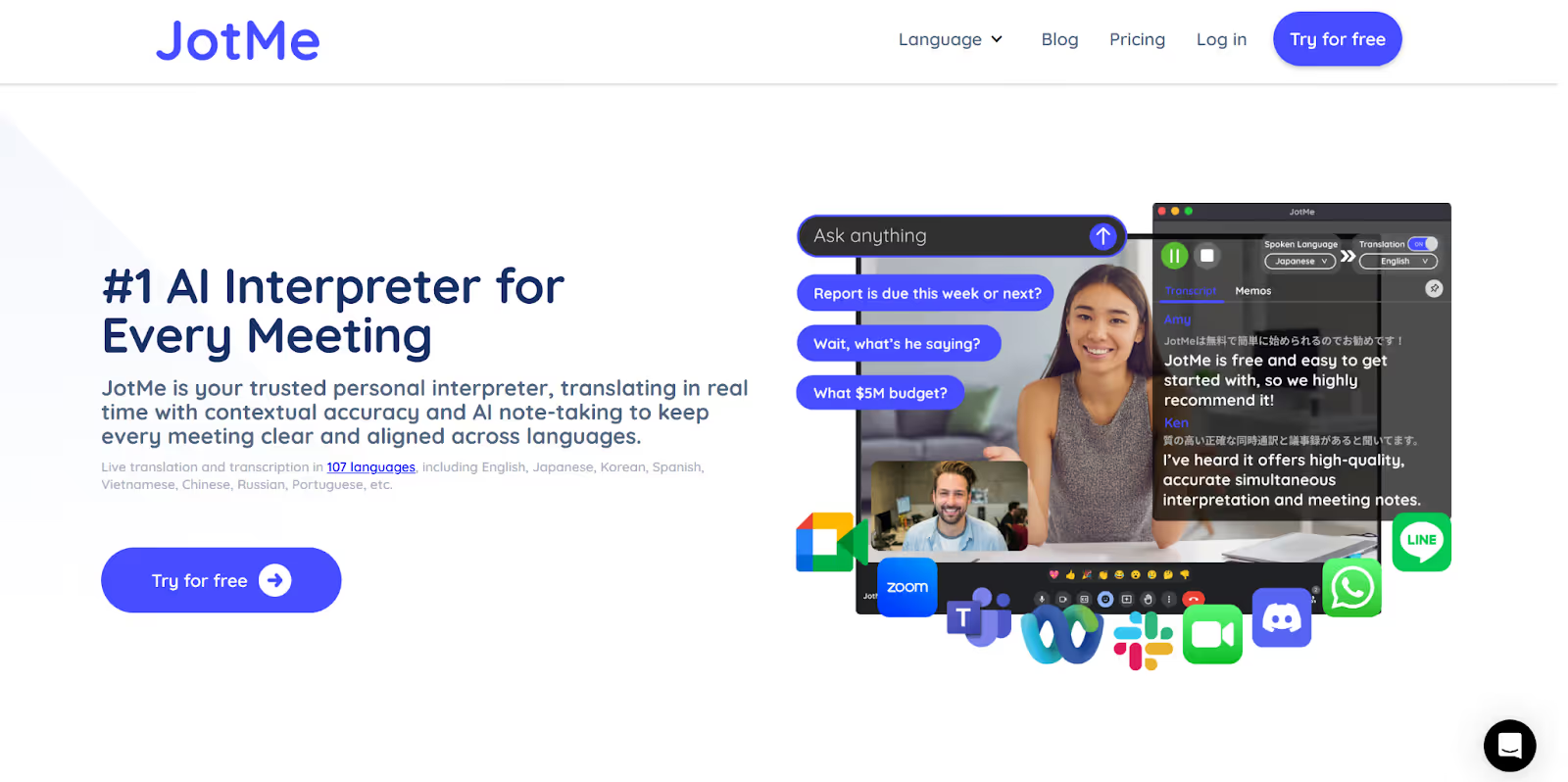
JotMe’s desktop app offers an AI Translator for text-to-text translation in 127 languages. JotMe’s AI Translator is not just limited to text translation; it also provides a brief explanation of the tone and key terms of the translation, making it easier to understand why certain things are said in a particular way.
Not only that, JotMe’s AI Translator also lets you adjust the tone of your translation output, including polite, calm, sarcastic, etc., by adding a prompt.
JotMe’s desktop app goes beyond text translation by providing real-time voice-to-text translation for your live virtual meetings, real-time summaries, AI meeting notes, multilingual transcription, and more.
If you’re traveling to a foreign country and need quick, real-time AI audio translation for in-person conversations, JotMe also offers a mobile app for Android and iOS devices with continuous translation, a Generate Speech feature (text-to-speech), and more.
What are the Notable Features of the JotMe Desktop App?
The notable features of the JotMe desktop app include contextual translation, continuous translation, explanation box, and translation tone customization. Take a detailed look at the features of the JotMe desktop app below:
JotMe Desktop’s Contextual Translation
While many traditional AI translating tools follow a word-for-word approach and provide meaningless text translations, JotMe’s desktop app uses advanced technology that understands the tone, context, and industry-specific words to deliver accurate text translation.
JotMe AI Translator’s contextual translation can be useful for business professionals who frequently deal with corporate language or idioms.
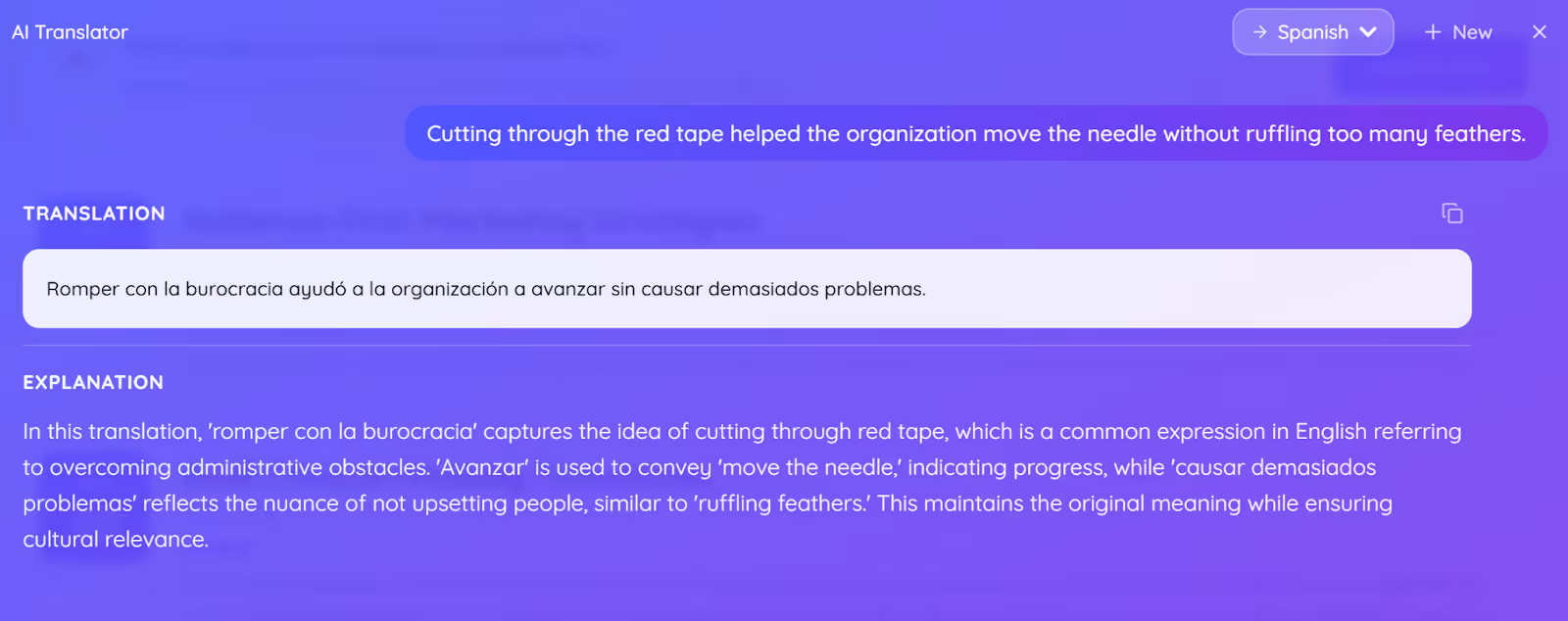
Consider the following English sentence as an example:
“Cutting through the red tape helped the organization move the needle without ruffling too many feathers.”
A traditional word-for-word, English-to-Spanish translation app would read it as:
JotMe desktop app’s contextual text translation delivered it as:
JotMe Desktop’s Continuous Translation
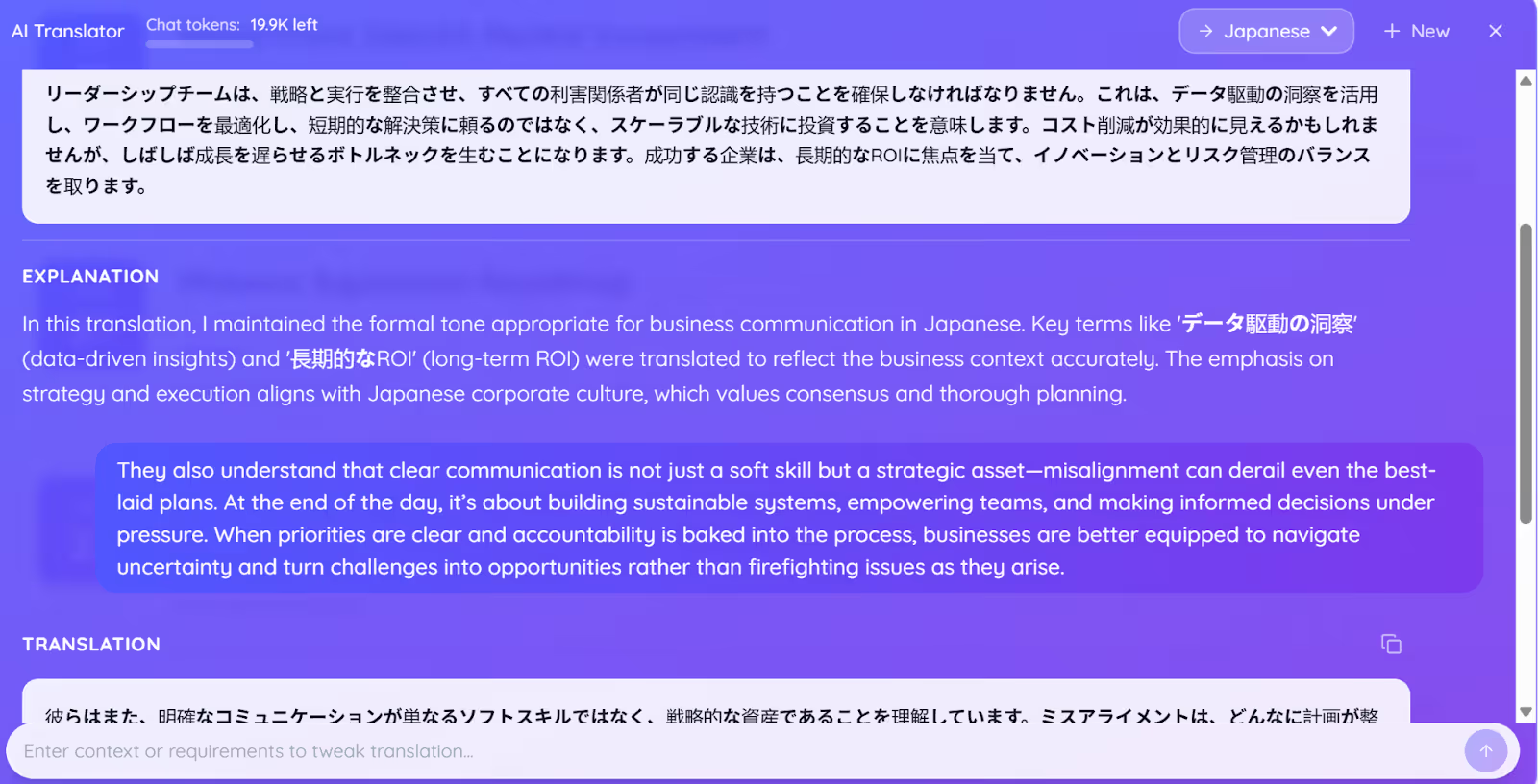
Unlike many AI for translating text that can translate only a limited number of words and need to reset or start new after every translation, JotMe saves all your previous translations in the same chat window until you close the AI Translator dialogue box. This way, you can scroll back through everything that you’ve translated without losing context.
JotMe’s continuous text-to-text translation feature can be useful for business professionals translating a long email thread or a multi-paragraph report. You don’t have to jump between tabs to keep track of what was said earlier.
JotMe Desktop’s Explanation Box
The AI Translator feature of the JotMe desktop app provides an explanation right after your textual translations that explains the meaning and intent behind certain phrases used in sentences.
The explanation box of JotMe’s AI Translator can be useful for language learners who want to go beyond surface-level translation and understand why certain things are said in a specific way.
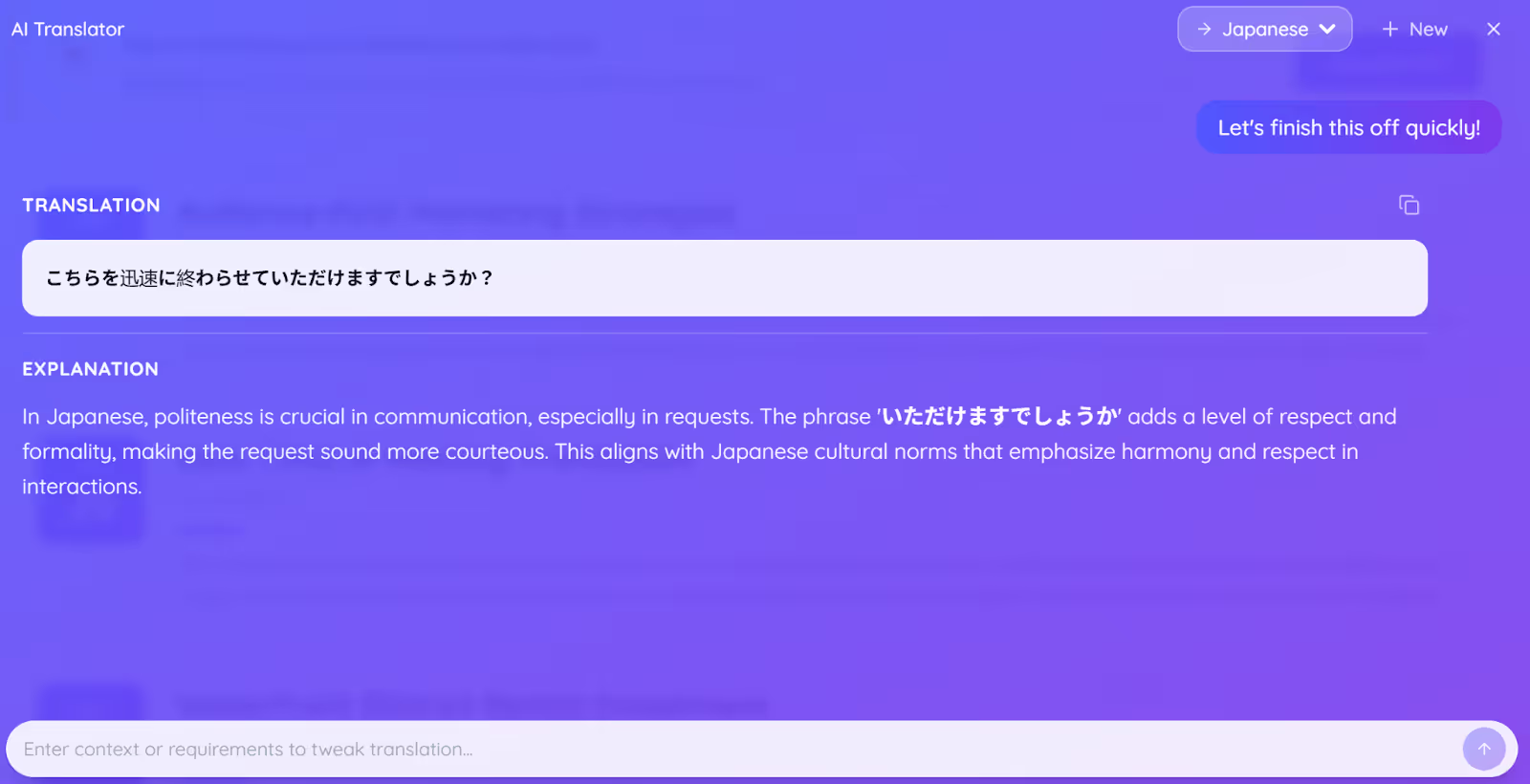
JotMe Desktop’s Translation Tone Customization
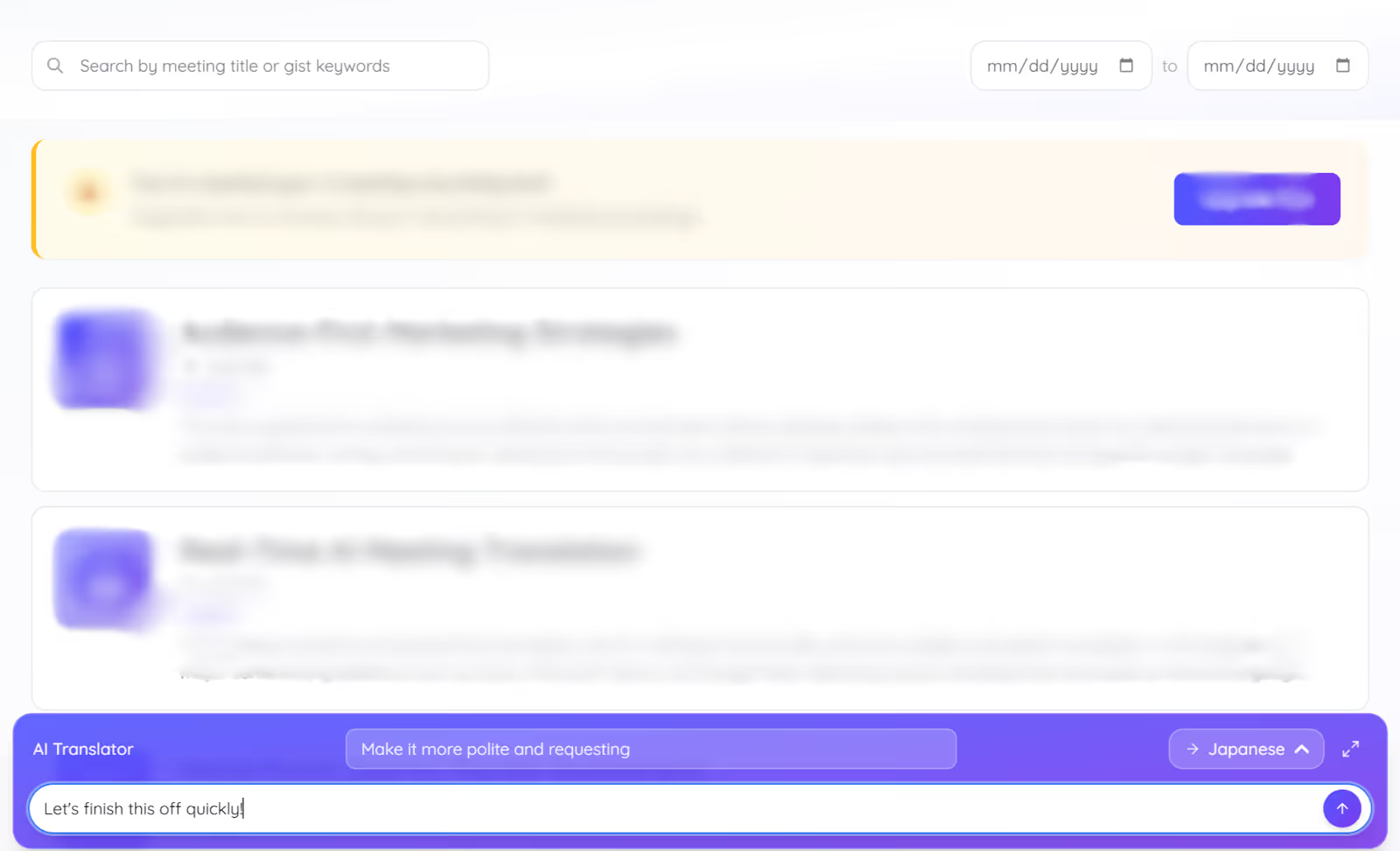
JotMe’s AI Translator in the desktop app allows you to set or customize the tone of your translated text into polite, formal, funny, etc., with a prompt. We used the following sentence to translate English to Japanese, and added a prompt to make the output more polite and requesting:
“Let's finish this off quickly!”
JotMe’s AI Translator provided the following text translation according to our prompt:
JotMe’s Desktop App is the Right Fit When You Want:
- AI-powered explanations of why phrases are used in specific ways.
- To customize the tone of your translated texts (polite, funny, etc.).
- Continuous text translation without having to erase the previous translations.
JotMe’s Desktop App might not be the Right Fit If You Want:
- To translate any selected text on your screen into your preferred language.
Wordvice AI: Great for Translating Word Files into 50 Languages
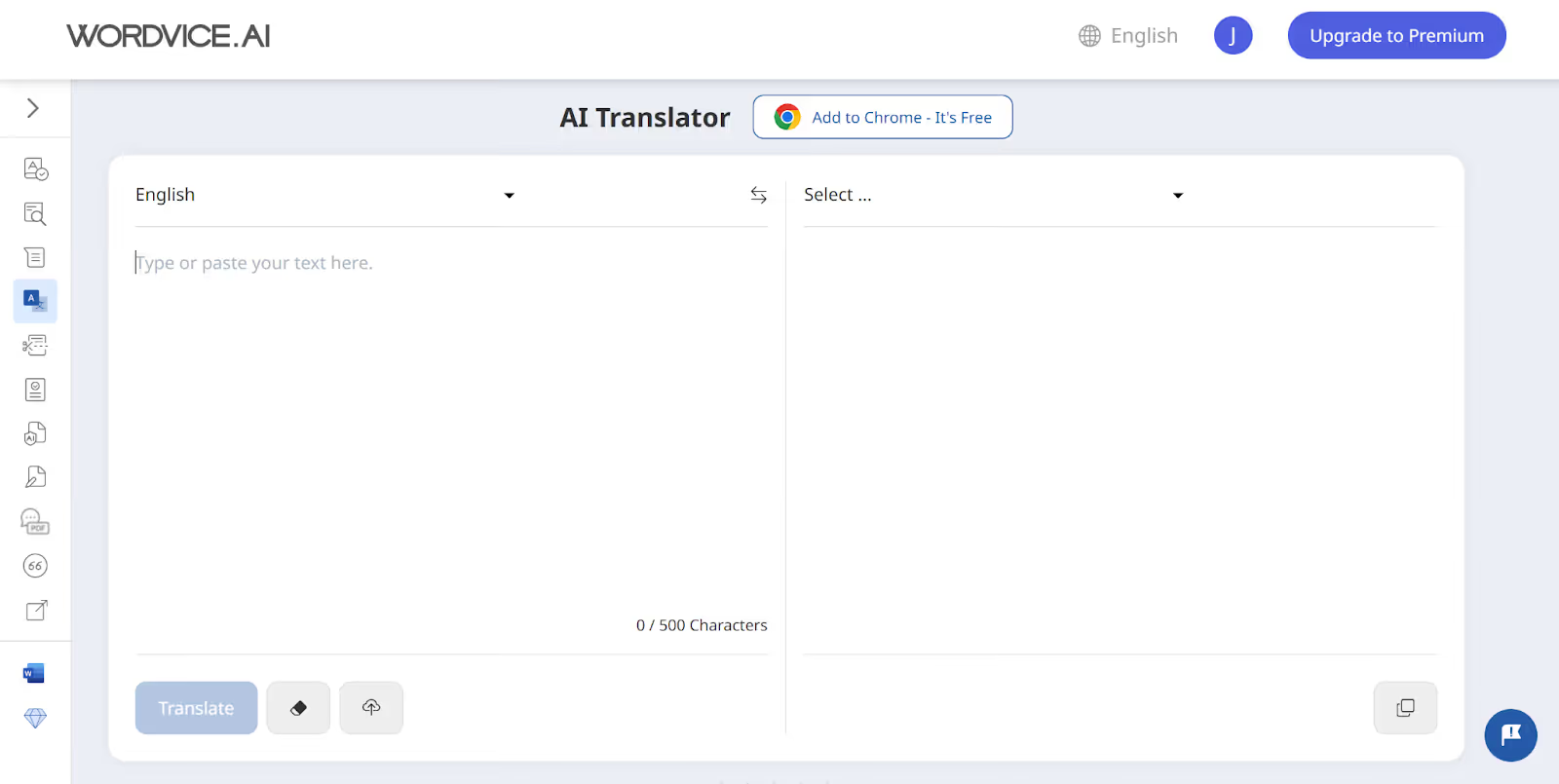
Wordvice AI is a web-based text translation tool that works on both desktop and mobile browsers. Wordvice AI supports 50 languages for text translation and even lets you upload Word files directly for translation, instead of back-and-forth copy-pasting.
If you’re an international student translating study materials or a business professional handling short email translations, Wordvice AI offers accurate text translation with idiomatic understanding. Wordvice AI even offers a Chrome extension to translate selected text on a webpage.
However, unlike JotMe’s desktop app, Wordvice AI doesn’t provide any explanations of why certain phrases are used the way they are, offer no option to adjust the tone of your translation output, and has no live voice translation for your virtual meetings.
What are the Notable Features of Wordvice AI?
The notable features of Wordvice AI include accurate text translations, support of 50 languages, a split-screen translation interface, and a Chrome extension for text translation. Wordvice AI’s features are explained in detail below:
Wordvice AI’s Accurate Text Translations
If you’re an international student looking to translate short lecture notes into a different language, Wordvice AI provides accurate text translations that understand idioms and technical terms.
While Wordvice AI offers a good translation accuracy, it doesn’t offer advanced features like explanations of the translation that convey the intent behind the message or customization of the translation output in different tones, like JotMe.
Also, Wordvice AI’s free version comes with a 500-character limit per submission, which may not be enough if you’re working with longer texts.
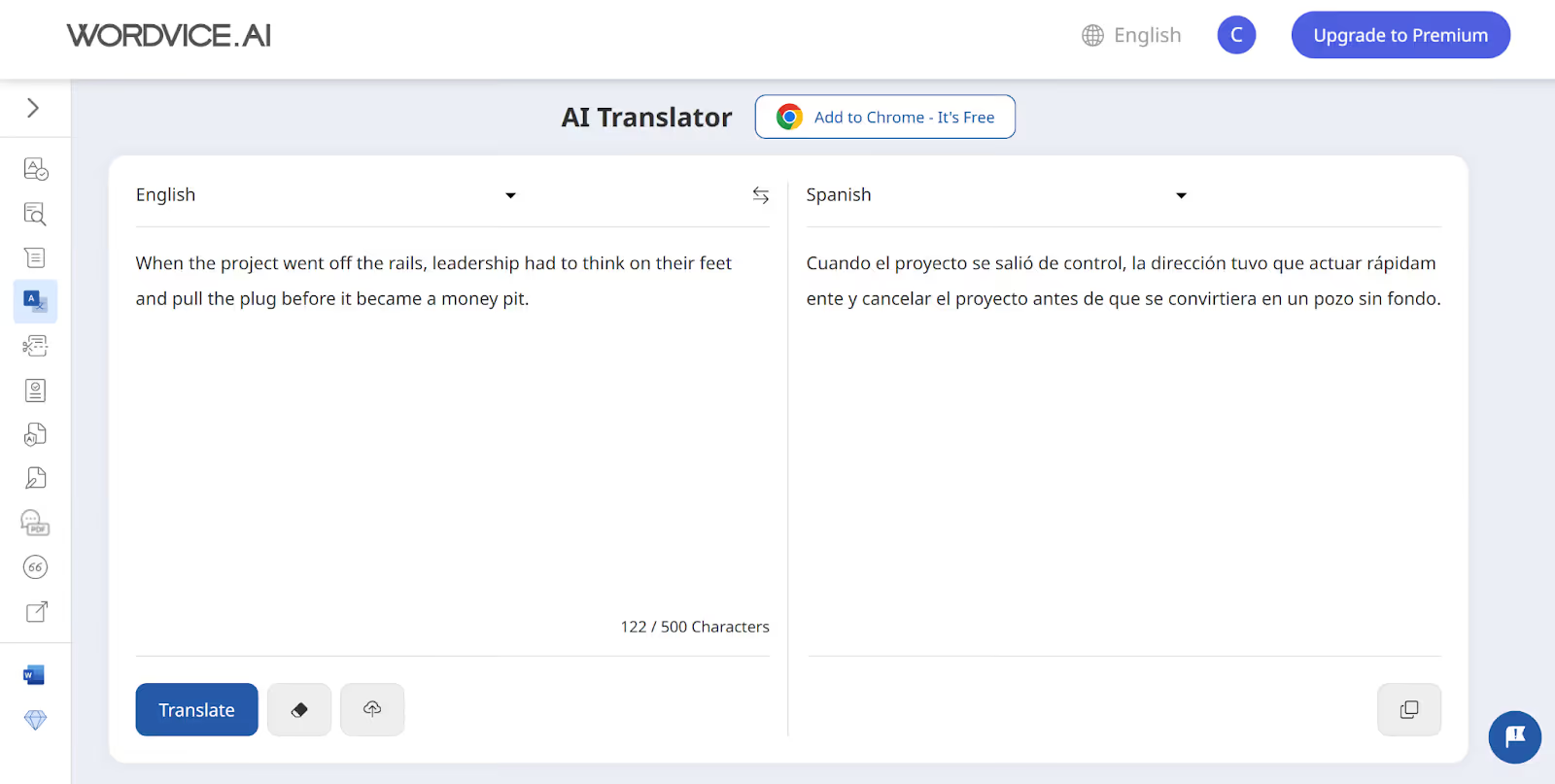
Wordvice AI Supports 50 Languages
Wordvice AI supports 50 languages for text-to-text translation, but it might not be enough for less common languages. JotMe, on the other hand, provides text translation in 127 languages, including the less common ones.
Wordvice AI even allows uploading Word files for text translation, eliminating the need to copy-paste every time. If you’re a student or a business professional regularly working with documents, Wordvice AI can save you time in text translation.
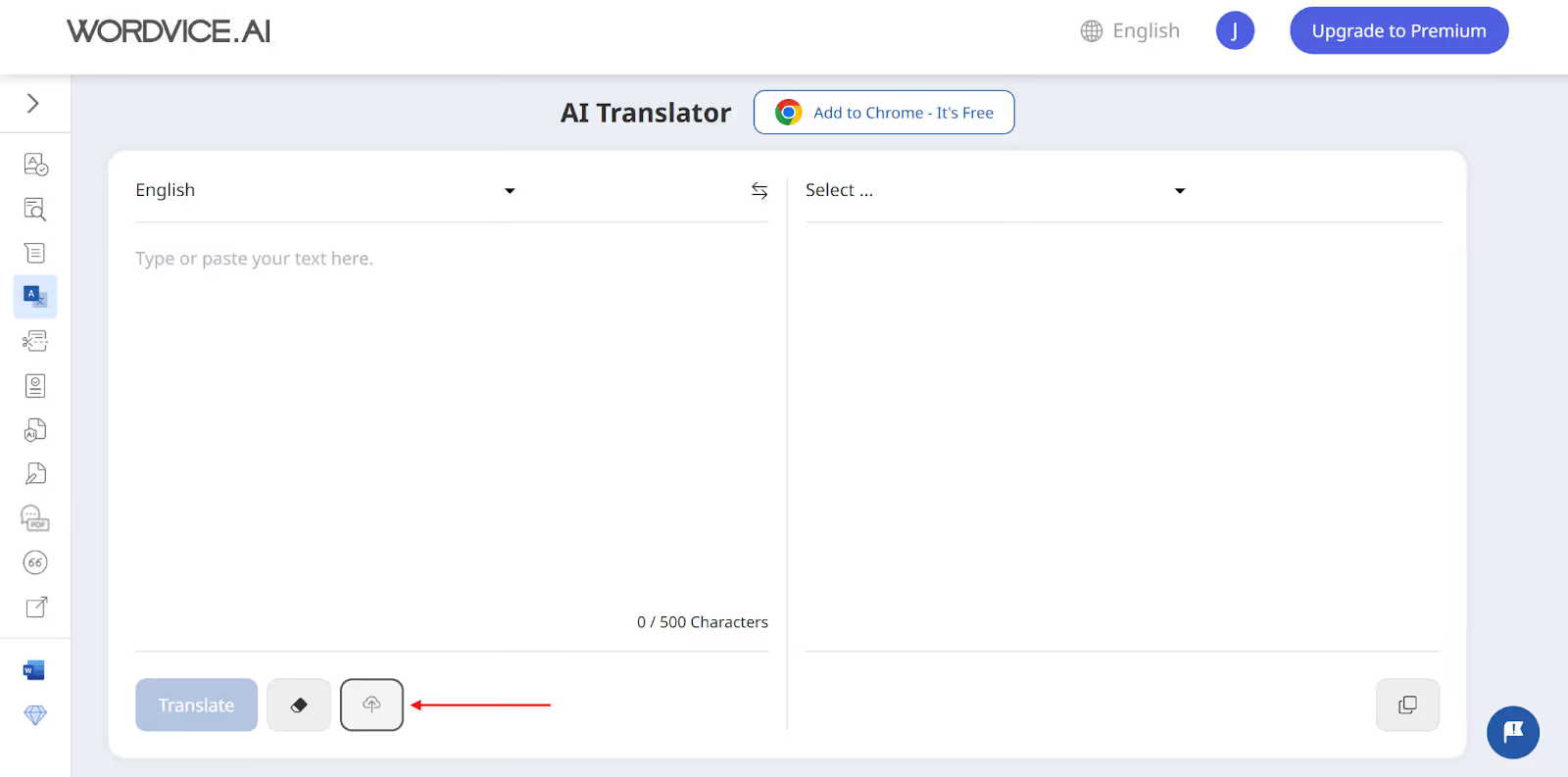
Wordvice AI’s Split-Screen Translation Interface
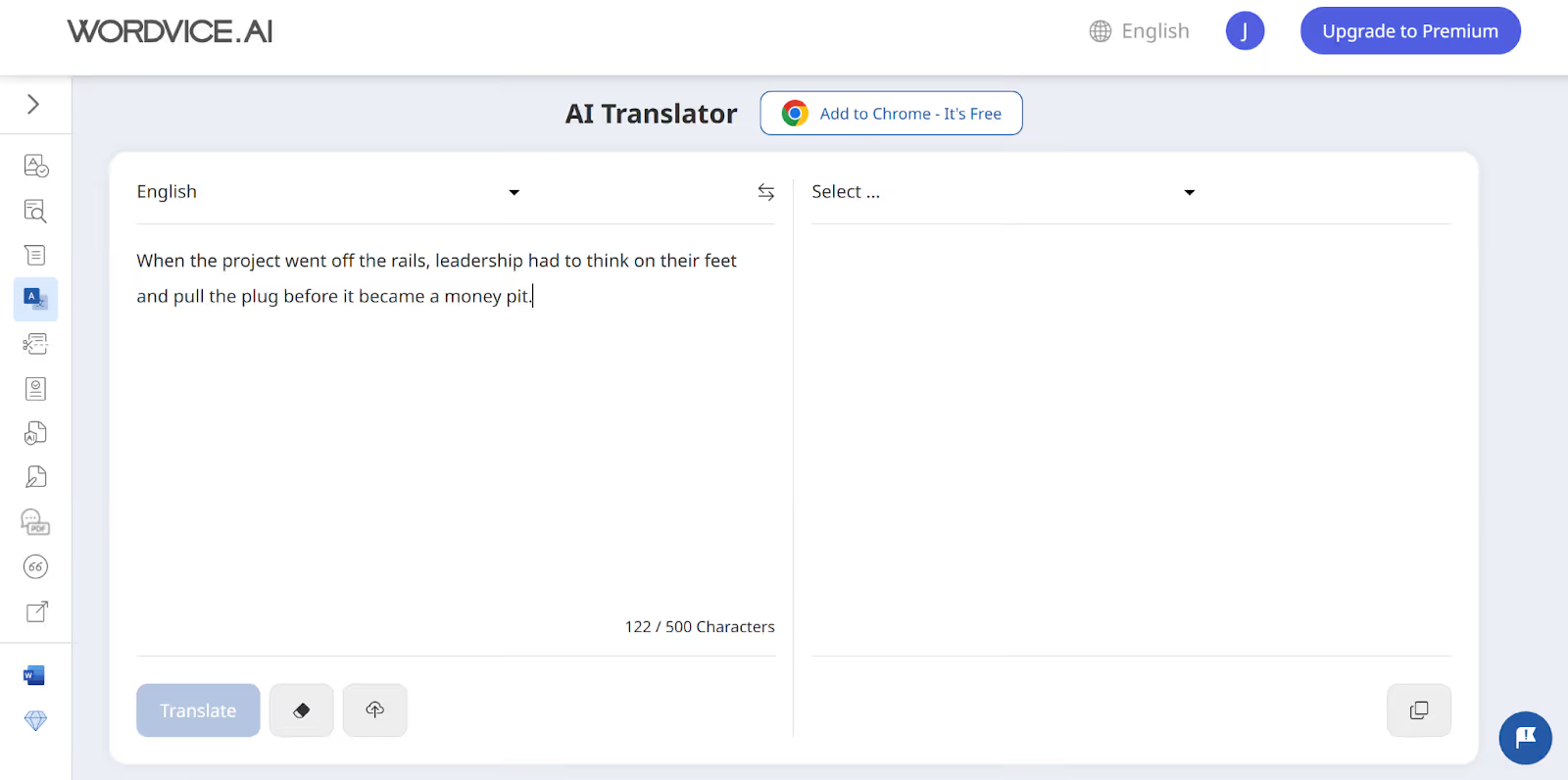
Wordvice AI offers a split-screen translation interface that lets you type your text on the left and display text translations on the right. Wordvice AI’s split-screen interface can be useful for students to compare their original study notes with the translation and spot any mistakes.
However, Wordvice AI doesn’t offer continuous text translation. Every time you submit a new text, Wordvice AI starts a fresh chat, meaning you lose the previous translations. This can be a hassle if you’re translating multiple paragraphs.
If you check the history of your text translations in Wordvice AI, it will only show the source text and not the translated output, making it difficult to keep track of previous translations.
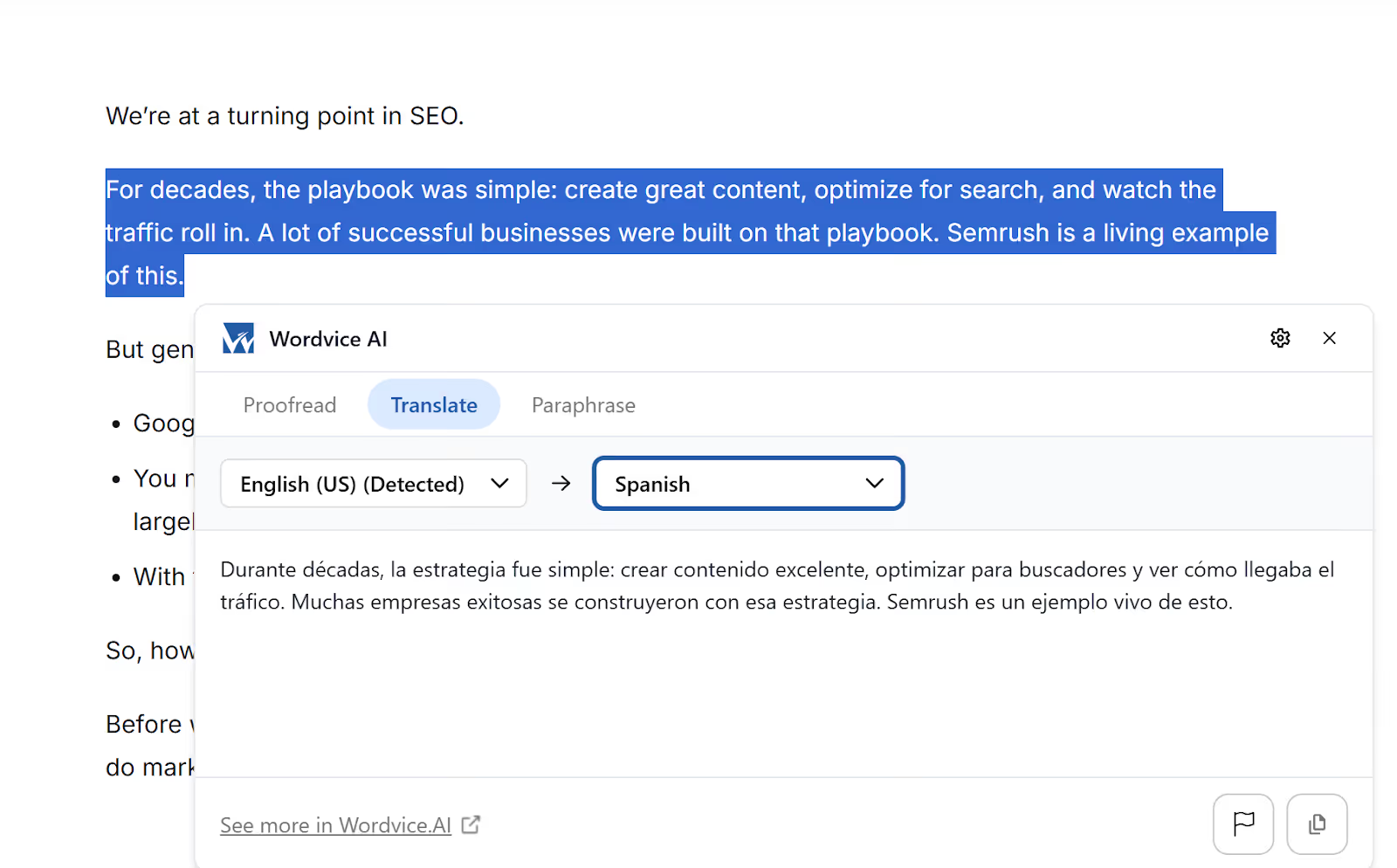
Wordvice AI’s Chrome Extension
Wordvice AI offers a Chrome extension that lets you select any text on a webpage and instantly get a translation in your preferred language. However, you can’t type your own text directly into the Wordvice AI extension to get a translation.
Wordvice AI is the Right Fit When You Want to:
- Regularly translate Word documents without the hassle of copy-pasting every time.
- Get a quick side-by-side view of your short original and translated text.
Wordvice AI might not be the Right Fit If You Need:
- Continuous text translation that doesn’t reset with every new submission.
- Real-time AI audio translation during your virtual meetings.
- High language support to translate less common languages.
What are the Pricing Plans of the AI Translating Tools: JotMe Desktop and Wordvice AI?
Both JotMe’s desktop app and Wordvice AI offer free plans to get started, but their paid plans are built for different needs. JotMe desktop’s plans are token-based, while Wordvice AI’s plans are word-count-based. Here’s a quick breakdown:
- JotMe’s desktop app offers a free monthly plan with limited tokens for AI text-to-text translations and explanations. For more tokens, JotMe offers pricing plans starting from $10/month (billed annually).
- Wordvice AI’s Basic (free) plan includes 5,000 words/month with a 500-character limit per submission for text translation. Wordvice AI’s pricing plans start at $9.95/month (billed annually) with up to 1,000,000 words/month.
How Much Does JotMe’s Desktop App Cost?
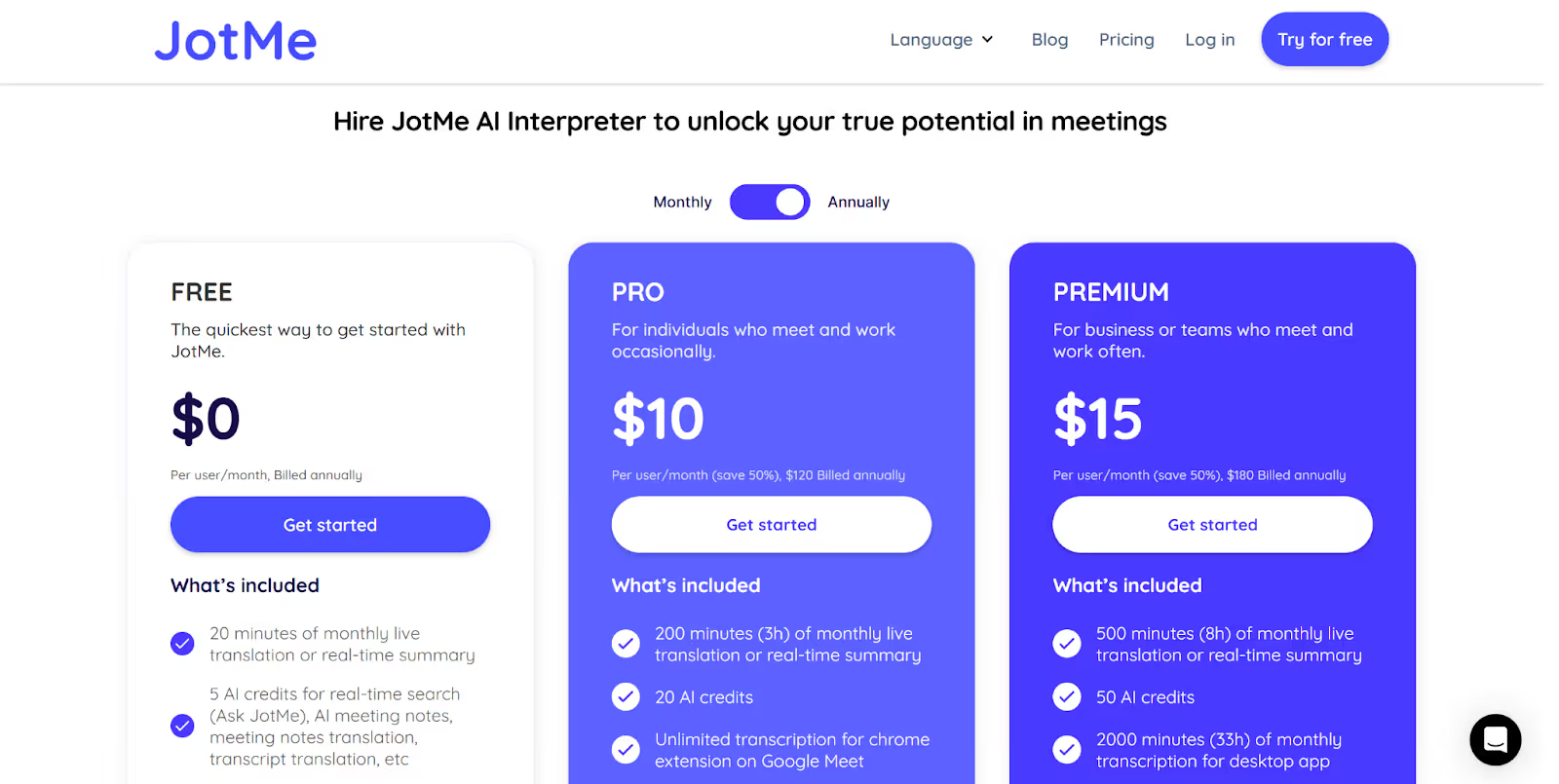
JotMe’s desktop app offers a free monthly plan with a limited number of tokens for text translation. Other than that, JotMe’s desktop app offers the following pricing plans:
- Pro ($10/month, billed annually): 300k tokens for AI text translation, 20 AI credits, and more.
- Premium ($15/month, billed annually): 700k tokens for AI text translation, 50 AI credits, and more.
How Much Does Wordvice AI Cost?
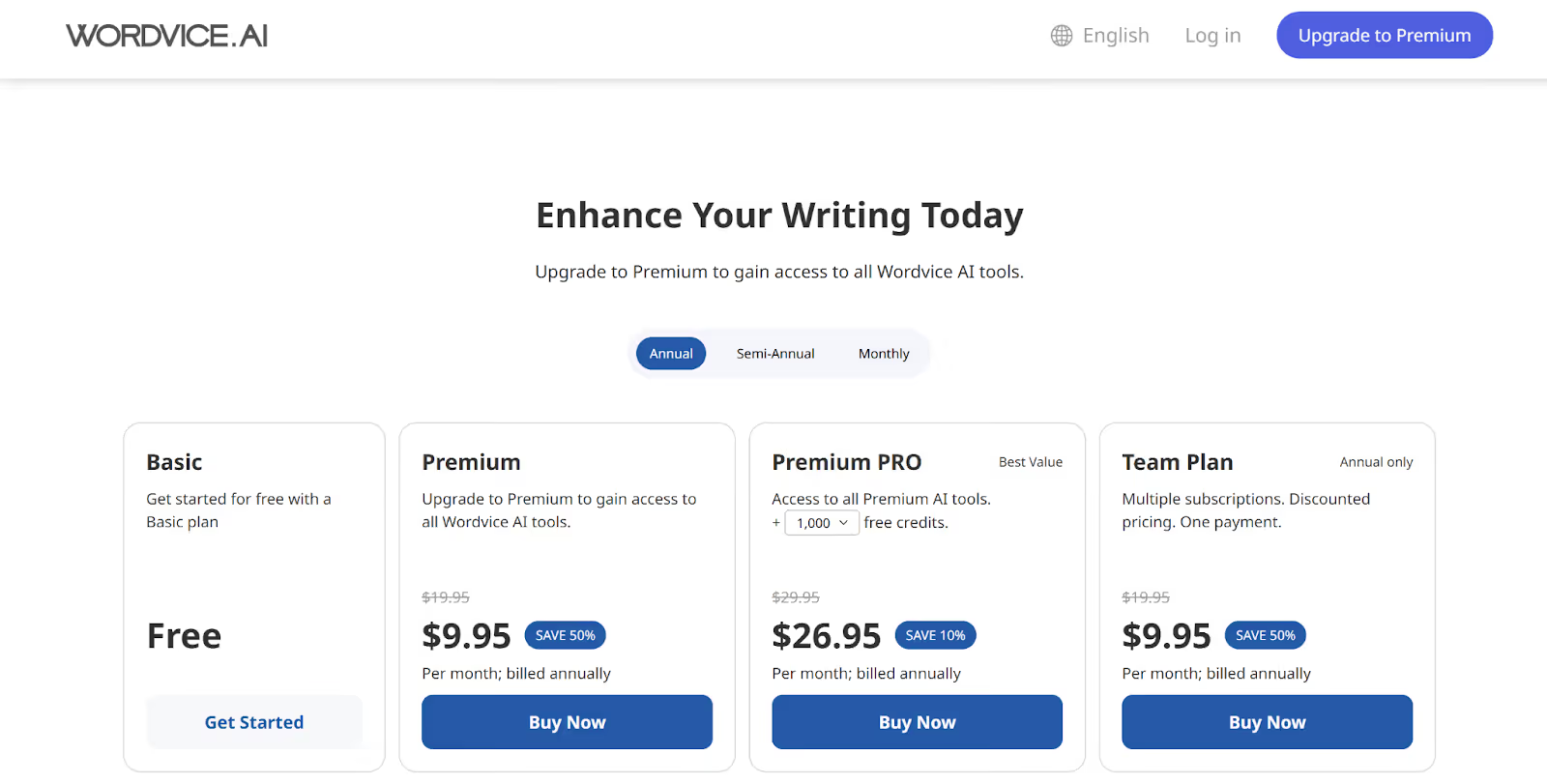
Wordvice AI offers a Basic (free) plan with 5,000 words/month and a maximum text length of 500 characters/submission for text translation. Apart from the Basic plan, Wordvice AI offers three paid plans with 1,000,000 words/month, a maximum text length of 20,000 words/submission, and other advanced features.
- Premium: $9.95/month, billed annually
- Premium PRO: $26.95/month, billed annually
- Team Plan: $9.95/seat/month, billed annually
What are the Customer Reviews of the AI Language Translators: JotMe and Wordvice AI?
JotMe’s customer reviews highlight it as an accurate and context-aware live translation tool, with users praising JotMe’s ability to handle technical jargon. On the other hand, Wordvice AI is praised for its high accuracy, mainly in academic and professional contexts, with users praising Wordvice AI’s ability to enhance productivity.
What do Users Say About JotMe?
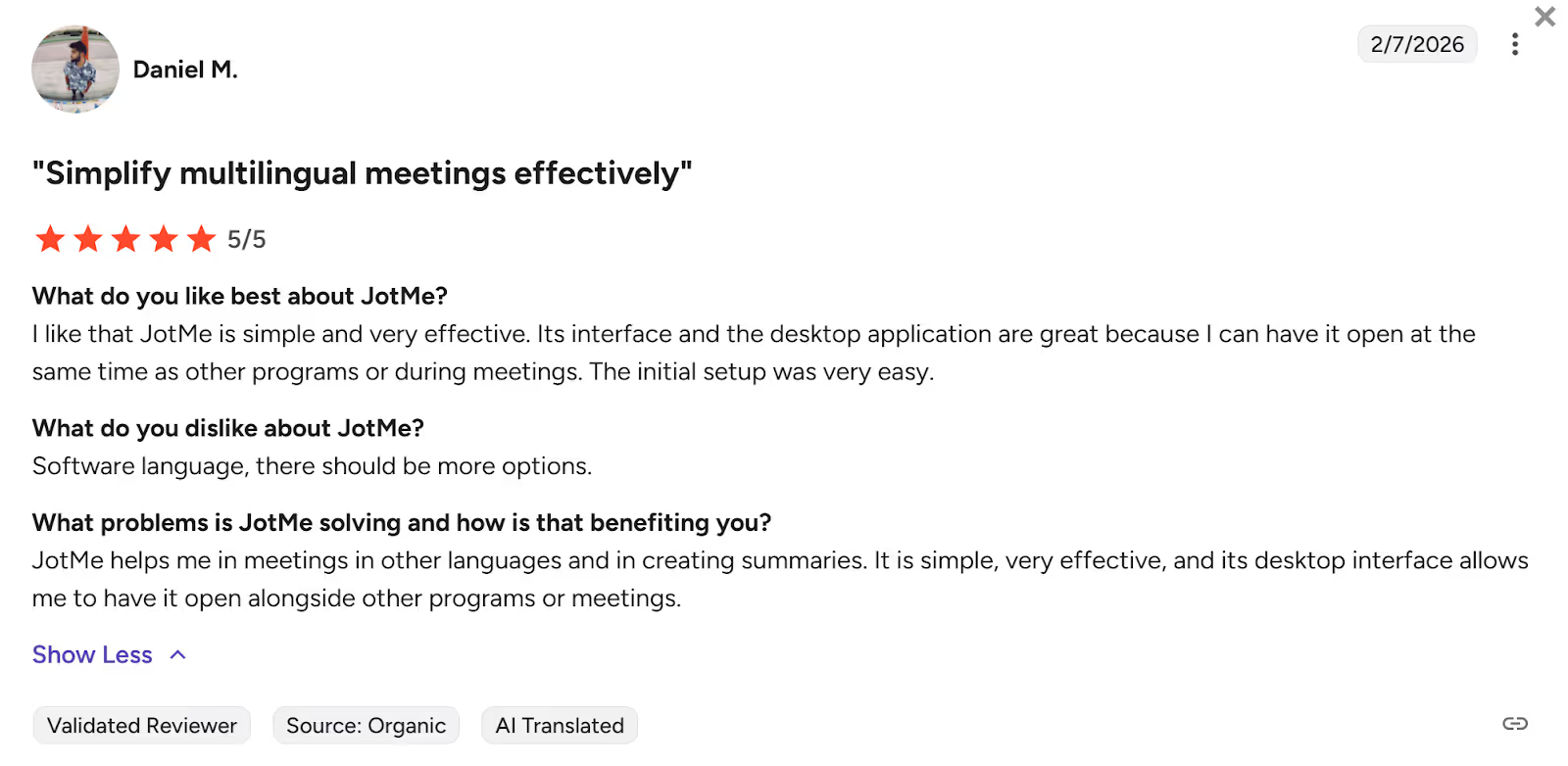
Users on G2 found the JotMe desktop app to be simple, effective, and easy to set up. They said that JotMe’s “interface and the desktop application are great.”
While users didn’t have anything negative to say about JotMe desktop’s text-to-text translation, they believed that the software interface language should have more options.
What do Users Say About Wordvice AI?
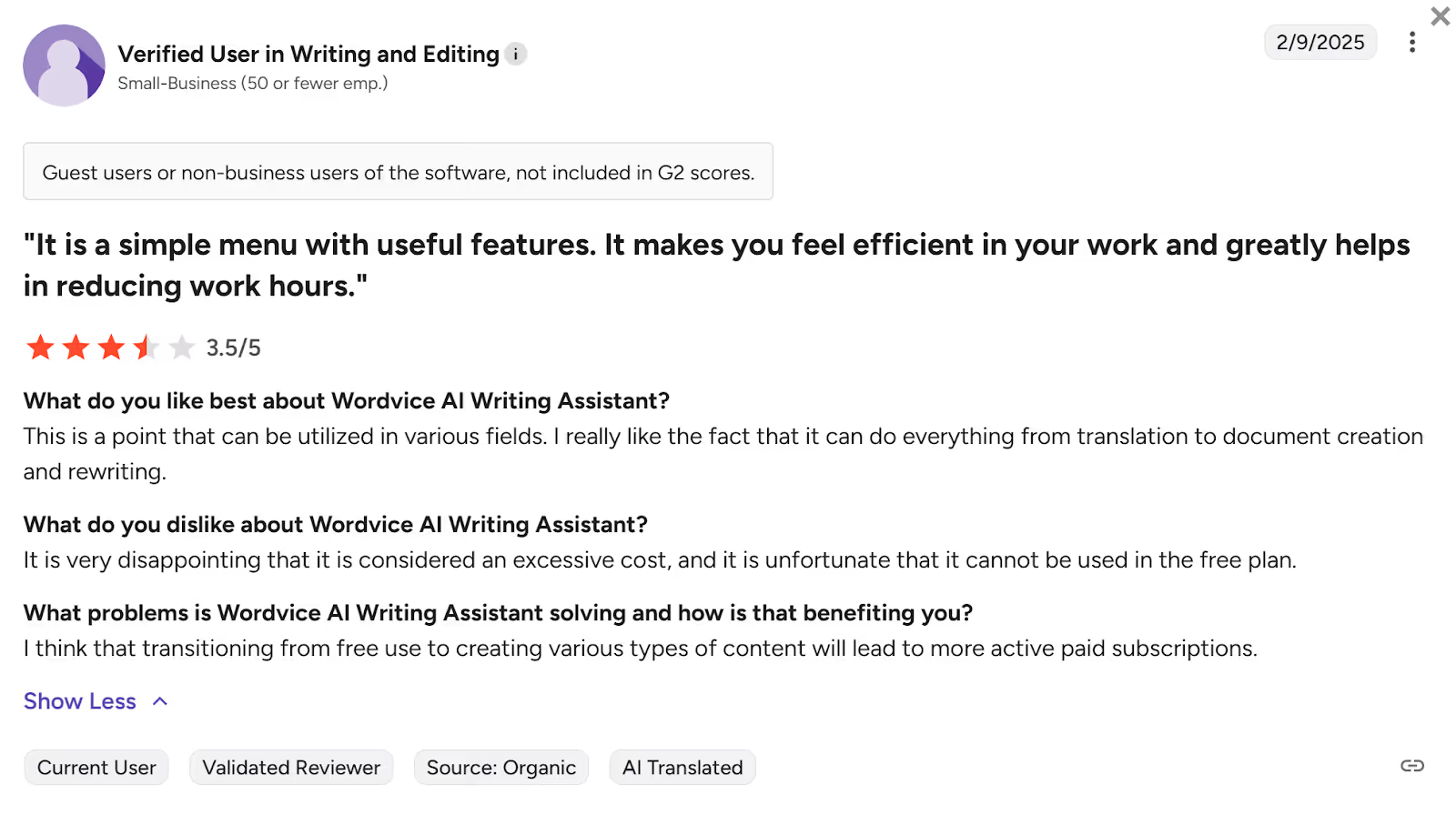
G2 users were impressed with the versatility of Wordvice AI and liked that “it can do everything from translation to document creation and rewriting.”
However, some users thought that the website could be more user-friendly, while some thought, “It would be much better if the software could cancel the word limits.”
Which AI Translating Tool Should You Pick: Wordvice AI or JotMe?
Picking the right AI translating tool for text translation depends on your translation needs, budget, and the need for features other than text translation. Here’s a quick guide on which AI translating tool you should pick:
- If you’re a student or business professional with short, document-based translation needs without requiring any extra features, Wordvice AI can help with text translations in 50 languages.
- If you want to customize the tone of your text translations for a client email with a simple prompt, understand the intent behind phrases, translate in less common languages, or get real-time voice-to-text translation during your virtual meetings, JotMe is the right fit for you.
Among the different alternatives to Wordvice AI, JotMe’s desktop app stands out as one of the best AI translator tools for text-to-text translation. JotMe’s desktop app comes with contextual understanding, continuous translation, translation explanation, and tone customization for text-to-text translations.
For live virtual meetings, JotMe’s desktop app offers real-time voice-to-text translation, meeting notes translator, AI chat for quick insights during the meeting, and more.
Try JotMe today and explore how it provides accurate, text-to-text translations, along with its advanced features.
FAQs
What is the best free AI text translator?
The best free AI text translators include JotMe desktop app, Wordvice AI, QuillBot Translator, Trinka AI, Google Translate, and DeepL Translator. Each of these AI text translators offers text-to-text translation, along with other features. JotMe’s desktop app stands out among these AI language translator tools with its contextual text-to-text translation in 127 languages, AI-powered explanations that explain the use of phrases in a sentence, customization of text translation output (casual, formal, funny), and more.
Is Wordvice AI free to use?
Yes, Wordvice AI is free to use for text-to-text translations on its web app. However, Wordvice AI’s free version is not ideal for lengthy translations as it has a character limit of 500/submission, and it also doesn’t save the previous translations. If you need an AI translating tool that saves your text translations, you should check out the JotMe desktop app. JotMe’s desktop app not only saves the text translations until you close the window, but also offers advanced features like explanation of translations, tone customization, and more.
How to use Wordvice AI?
To use Wordvice AI, go to its web app and choose the AI Translator tool. Next, select the source language and translation language, and enter your text to get the text translation in your chosen language. You can also use Wordvice AI’s Chrome extension by selecting any text on a webpage and then choosing your desired output language to translate the selected text. However, Wordvice AI’s Chrome extension doesn’t allow you to type text for translation.
Is Wordvice AI good?
Yes, Wordvice AI is good, especially for short paragraphs and document translations in 50 languages. However, Wordvice AI translator is limited only to text-to-text translations.
If you want real-time voice-to-text translation of your virtual or in-person meetings, you should try JotMe. JotMe’s desktop app not only offers text translations with advanced features, but also offers live voice translation of your virtual meetings, AI meeting notes, the Generate Speech feature (text-to-speech), and more.
What does AI translation mean?
AI translation is the use of machine learning to automatically translate a text or speech from one language to another in real time. Unlike traditional, word-for-word systems, AI analyzes full sentences for context, idioms, and nuances, and offers more natural and accurate translations in real time.
What alternatives are there to Wordvice AI?
The alternatives to Wordvice AI include the JotMe desktop app, QuillBot Translator, Trinka AI, Google Translate, and DeepL Translator. Wordvice AI delivers accurate text translation in 50 languages and even allows uploading Word files for direct translation, but lacks additional features.
These alternatives to Wordvice AI, like JotMe, offer advanced features other than text translation, including continuous translations that don’t reset after every submission, AI-powered explanations that describe the meaning of the phrases and intent behind the message, the ability to customize the tone of your translation output (funny, formal, polite, etc.), and more.
Last updated on
April 14, 2026
Follow us on social media: