

How Accurate is DeepL? We Tested It Against JotMe and Google Translate

QUICK ANSWER
DeepL can produce useful translations for everyday messages and written drafts, but its accuracy varies by language pair, subject, and context.
Check technical terms, instructions, names, quantities, and tone before using a translation professionally. In our written examples, DeepL generally preserved the main facts and instructions. In the Korean example, all three tools supplied a subject that the source did not specify: DeepL used “we,” while JotMe and Google Translate used “I.” This shows why an ambiguous source needs clarification before the translation is used. For multilingual meetings, JotMe is our recommendation because it combines live translation without a meeting bot, transcripts, and AI meeting notes.
Have you ever translated a work message with DeepL and wondered whether you could send it without changing anything?
Knowing whether a translation sounds natural is useful, but you also need to know whether it preserves the instruction, the person responsible, and the detail your reader will act on. We compared the same source passages in DeepL, JotMe, and Google Translate. We also examined independent research on idiomatic, literary, and medical translation.
Here is what we found:
- DeepL preserved the key facts and instructions in our three comparison passages, while the separate medical example showed a terminology issue in its first result.
- Small wording choices still mattered, including an unstated subject and how clearly each translation expressed responsibilities and restrictions.
- JotMe combined useful written translations with a broader workflow for multilingual conversations and follow-up.
Below, you will find a detailed explanation on how accurate DeepL is, a comparison with Google Translate, and alternatives for different tasks. We also explain the live-meeting features that make JotMe our recommendation for multilingual teams.
Key Takeaways
- DeepL can produce useful translations, but every translation needs double-checking against the source.
- There is no single DeepL accuracy percentage that predicts the result for your language pair, subject, or message.
- Fluency and accuracy are different: a natural-sounding sentence can still omit a condition or change an instruction.
- Independent studies on how accurate DeepL is show that results vary by linguistic feature and content type. Their percentages should not be treated as a universal DeepL accuracy score.
- For high-consequence content, such as medical, legal, or technical material, use a qualified reviewer rather than relying on machine translation alone.
Who Should Read This DeepL Accuracy Article?
This guide is for anyone who needs to use a translation in everyday work. Start with the task you need to complete:
- Client-facing professionals who translate messages and need to preserve responsibilities, conditions, and tone.
- Content teams checking terminology and meaning before publishing material in another language.
- International teams deciding between a text translator and a tool for live meetings and follow-up.
- Language learners who want to understand why several plausible translations can express different meanings.
Why is This Article on DeepL Accuracy Different?
We compared outputs with their source passages and kept screenshots of the results. The evidence includes:
- Examples covering responsibility handovers, component quantities, troubleshooting instructions, and medical terminology.
- Translation directions across Japanese, Korean, French, and English.
- The same input for each tool, so differences can be checked against a shared source.
- Documented meeting features considered separately from the written test results.
Need translation during your next client call?
JotMe works alongside your meeting audio without adding a bot. Follow translated captions, then revisit the transcript and AI meeting notes after the conversation.
Try JotMe FreeIs DeepL Accurate?
Yes. DeepL can produce useful translations, particularly when the source is clear and the language pair is supported. However, there is no single accuracy rate that applies to every language, subject, or document. A translation that works well for a short everyday message may still mishandle a technical term, an idiom, or an instruction with an important condition.
It helps to distinguish accuracy from fluency. Accuracy describes how well a translation preserves the meaning of the source. Fluency describes how natural and grammatically correct the target text sounds. The two qualities are related, but they are not interchangeable. A fluent translation can still introduce a subject that the source leaves unstated, omit a qualification, or turn a firm prohibition into a recommendation.
How much you review the translation should depend on what the reader will do with the translation. For a casual message, checking the main point may be enough. For a customer email, confirm the people, responsibilities, dates, and tone. For product instructions, verify every step, restriction, quantity, and component. Public-facing, medical, and legal content needs review by someone qualified in the relevant language and subject.
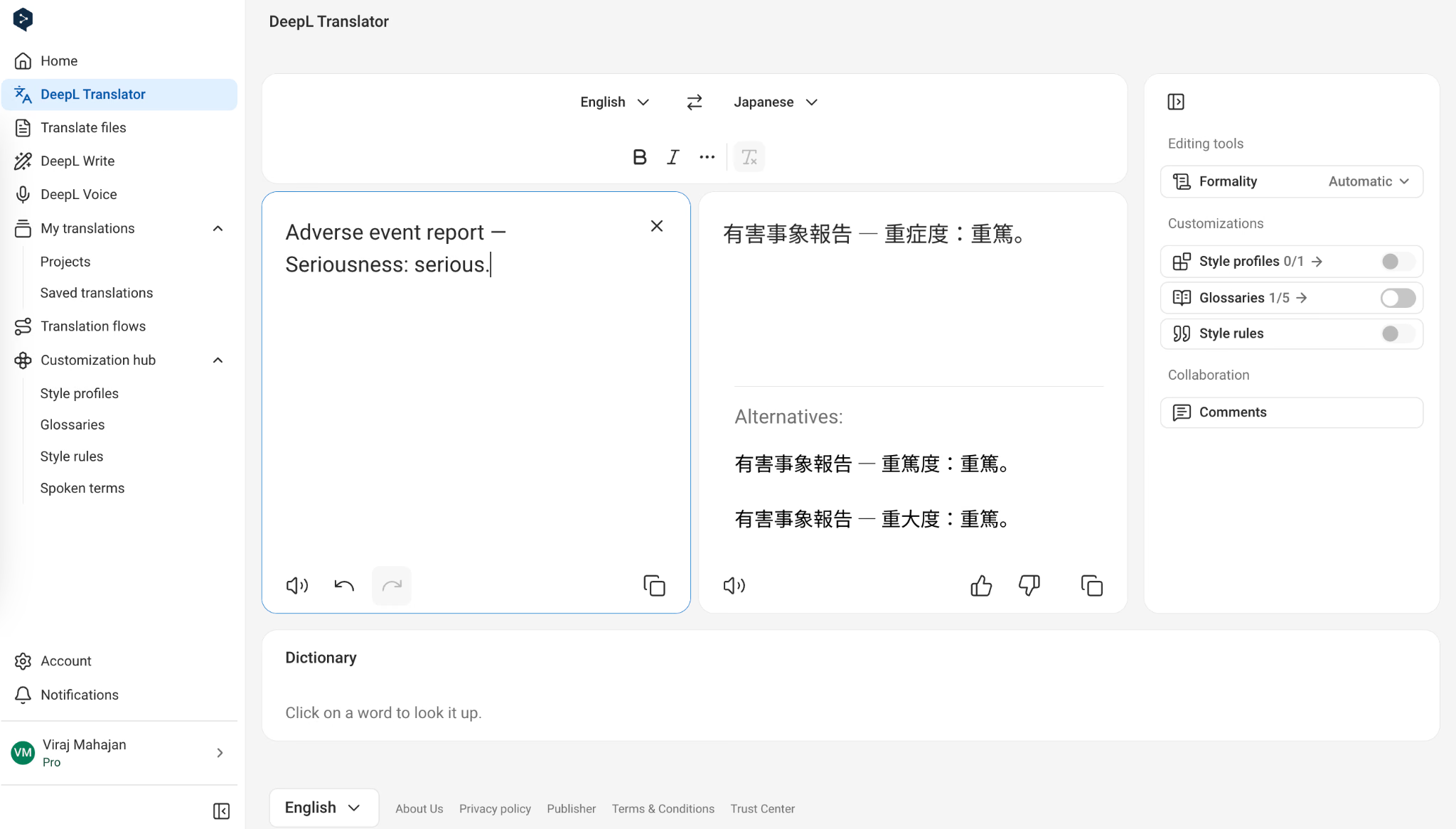
A 2023 comparison by Human Science examined English-to-Japanese medical translation. For “Seriousness: serious,” its reviewers expected “重篤度:重篤.” They reported that DeepL produced “重大性:重大,” while Google Translate produced “深刻度:深刻,” and considered both unsuitable for that medical context.
In 2026, we checked a related example by translating “Adverse event report — Seriousness: serious” into Japanese. DeepL’s first result used “重症度:重篤,” while Human Science’s recommended wording appeared in the alternatives. The initial label therefore still needed checking. This was a new terminology check with added context, rather than an exact repeat of the original document test.
Think about DeepL accuracy in terms of the job you need done:
What you are translating | How to use the output | What deserves the closest check |
|---|---|---|
An everyday message | Use it to understand the main point | Who is speaking and what they want |
A work email | Treat it as a draft before sending | Responsibilities, conditions, and tone |
Product or support instructions | Compare each action with the source | Restrictions, sequence, parts, and quantities |
Public-facing content | Arrange a language and editorial review | Meaning, terminology, audience, and completeness |
A live meeting | Evaluate speech recognition and translation together | Names, corrections, speaker changes, and decisions |
What Our DeepL Accuracy Tests Showed
We submitted the same source passages to DeepL, JotMe, and Google Translate and compared the outputs for meaning, completeness, quantities, responsibility, and restrictions. The three comparison passages covered an English-to-Japanese handover, Korean-to-English component quantities, and French-to-English troubleshooting instructions. We also tested a separate medical terminology example in DeepL.
Test | DeepL | JotMe | Google Translate |
|---|---|---|---|
Korean to English components | Kept parts and quantities; supplied “we” | Kept parts and quantities; supplied “I” | Kept parts and quantities; supplied “I” |
English to Japanese handover | Kept recipients and tasks correct | Kept tasks correct with a direct closing instruction | Kept recipients and tasks correct |
French to English troubleshooting | Retained the cable restriction | Retained the cable restriction | Used “simply” for “only”; retained the power instruction |
How Accurate is DeepL for Korean to English?
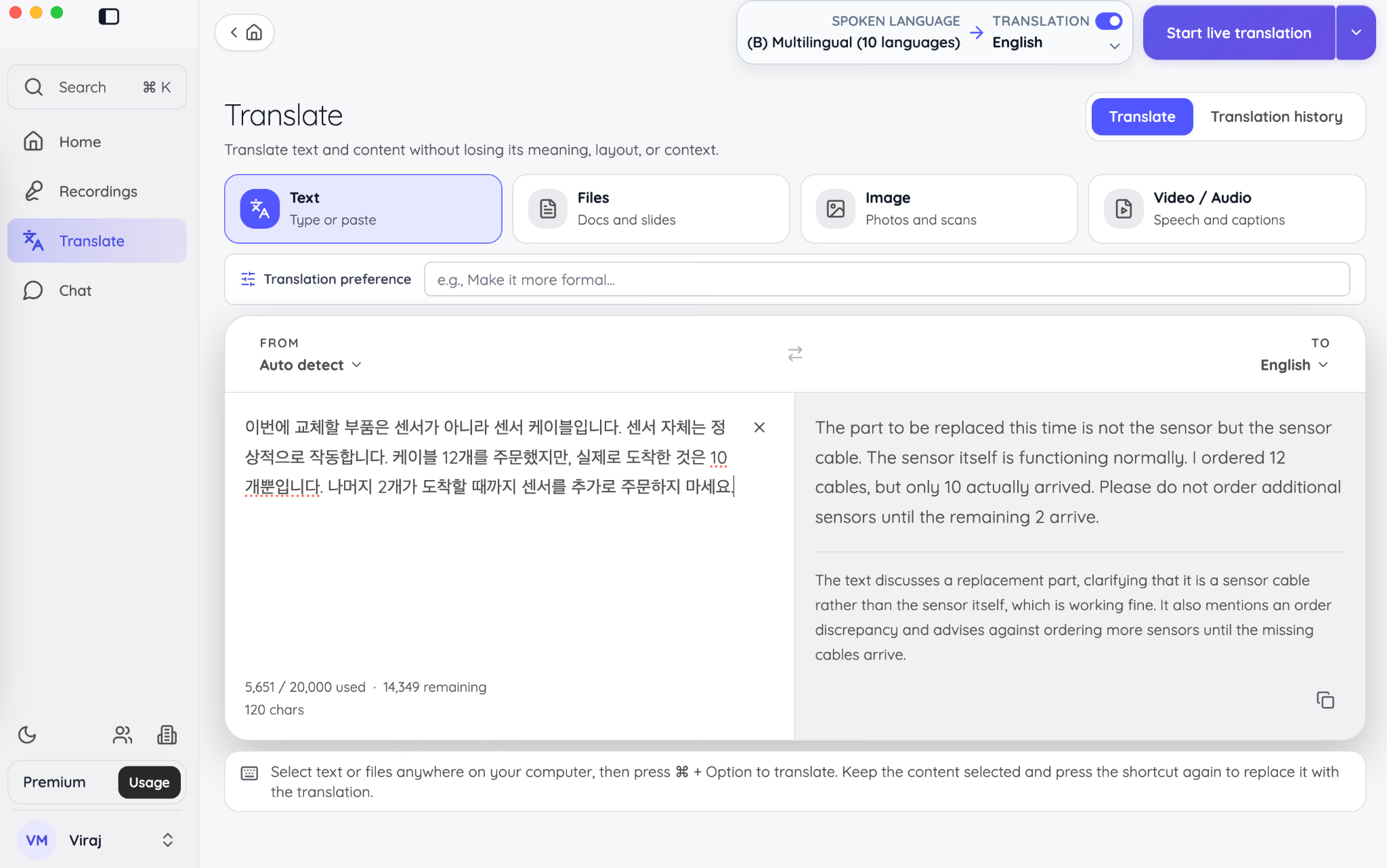
The Korean passage distinguished a sensor cable from the sensor itself. It also specified twelve cables ordered, ten received, and two outstanding. All three tools kept those details and the instruction against ordering additional sensors.
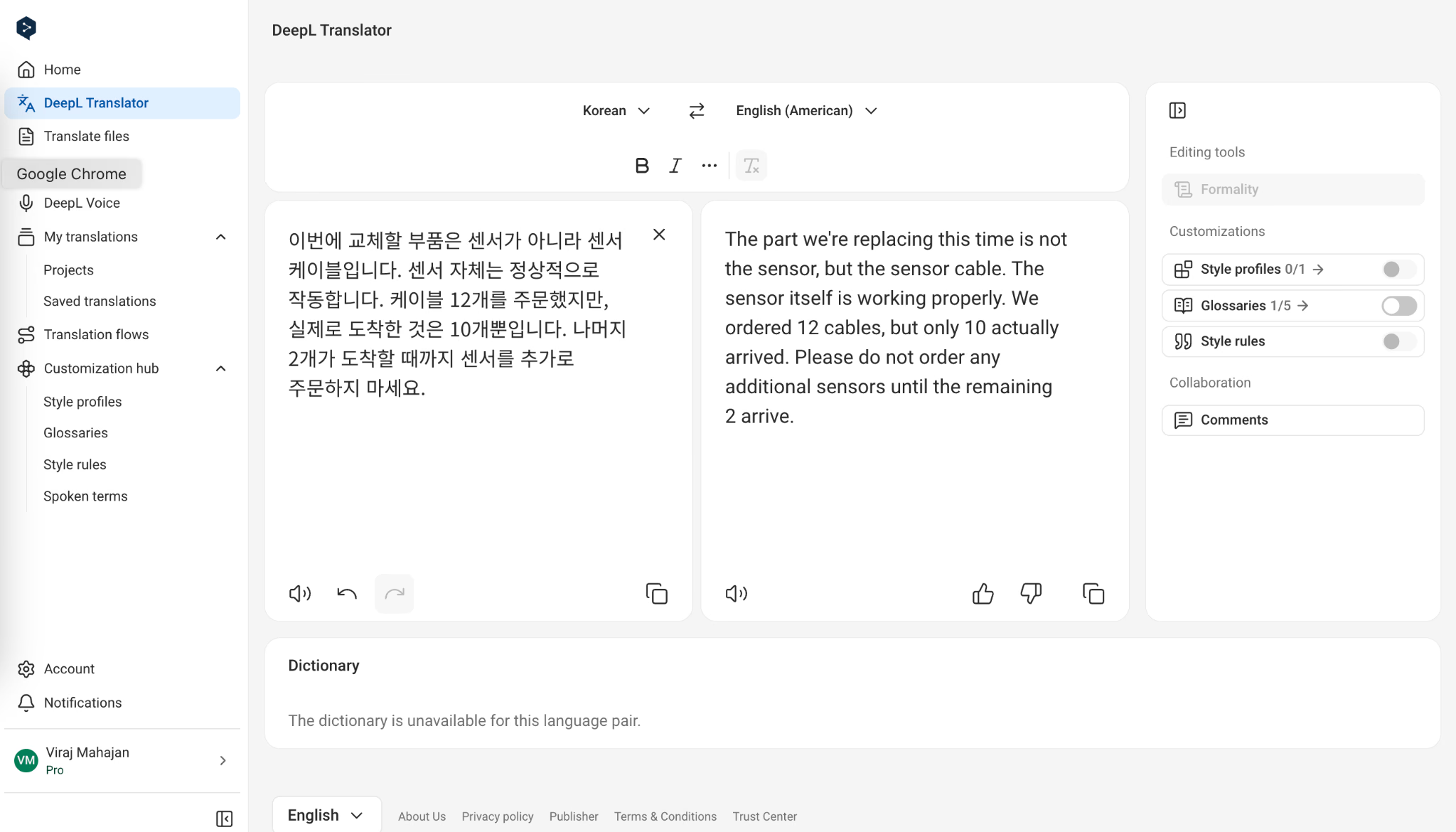
DeepL supplied “we” as the ordering subject, while JotMe’s Korean to English translation supplied “I.” Since the Korean source omitted the subject, neither choice was established by the text. This is a reason to clarify the source, rather than declare a winner based on an assumption.
How Accurate is DeepL for English to Japanese?
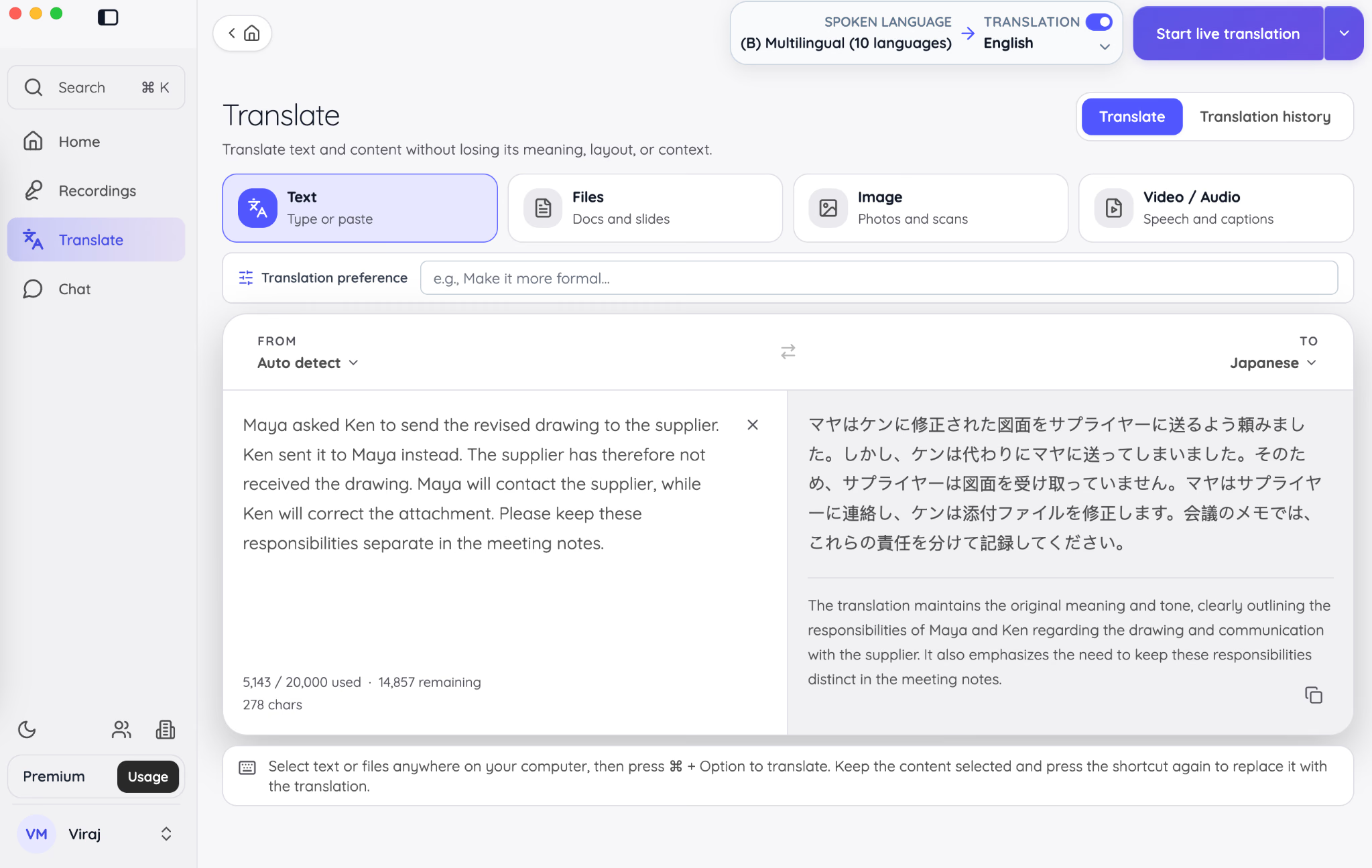
The handover assigned two separate jobs: Maya would contact the supplier, and Ken would correct the attachment. DeepL, JotMe, and Google Translate all kept those responsibilities with the right people.
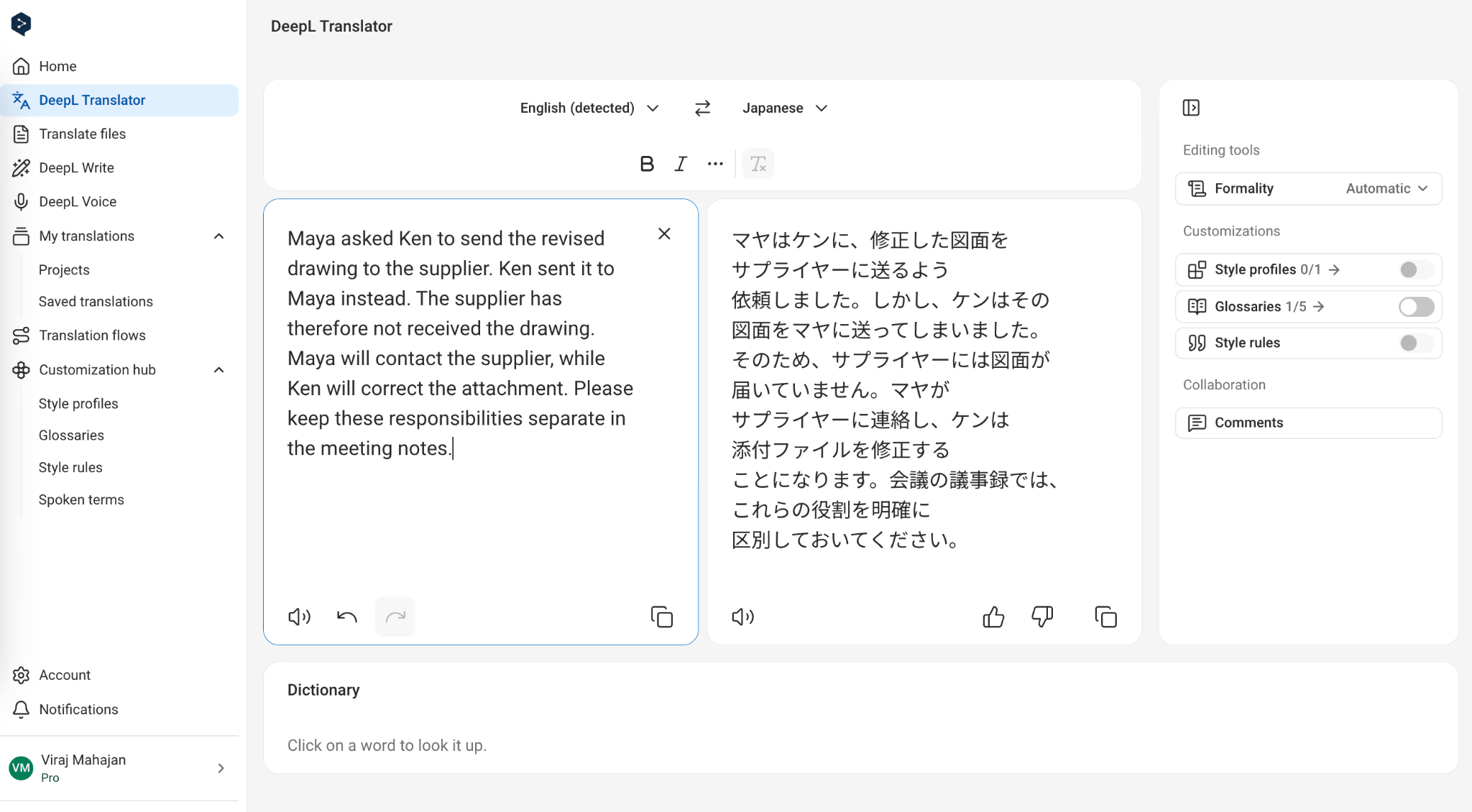
JotMe has a slight edge in clarity here: it directly tells the reader to record Maya’s and Ken’s responsibilities separately. DeepL keeps both tasks correct, but its closing instruction is less direct. While both preserve the meaning, JotMe makes the next step clearer.
How Accurate is DeepL for French to English?
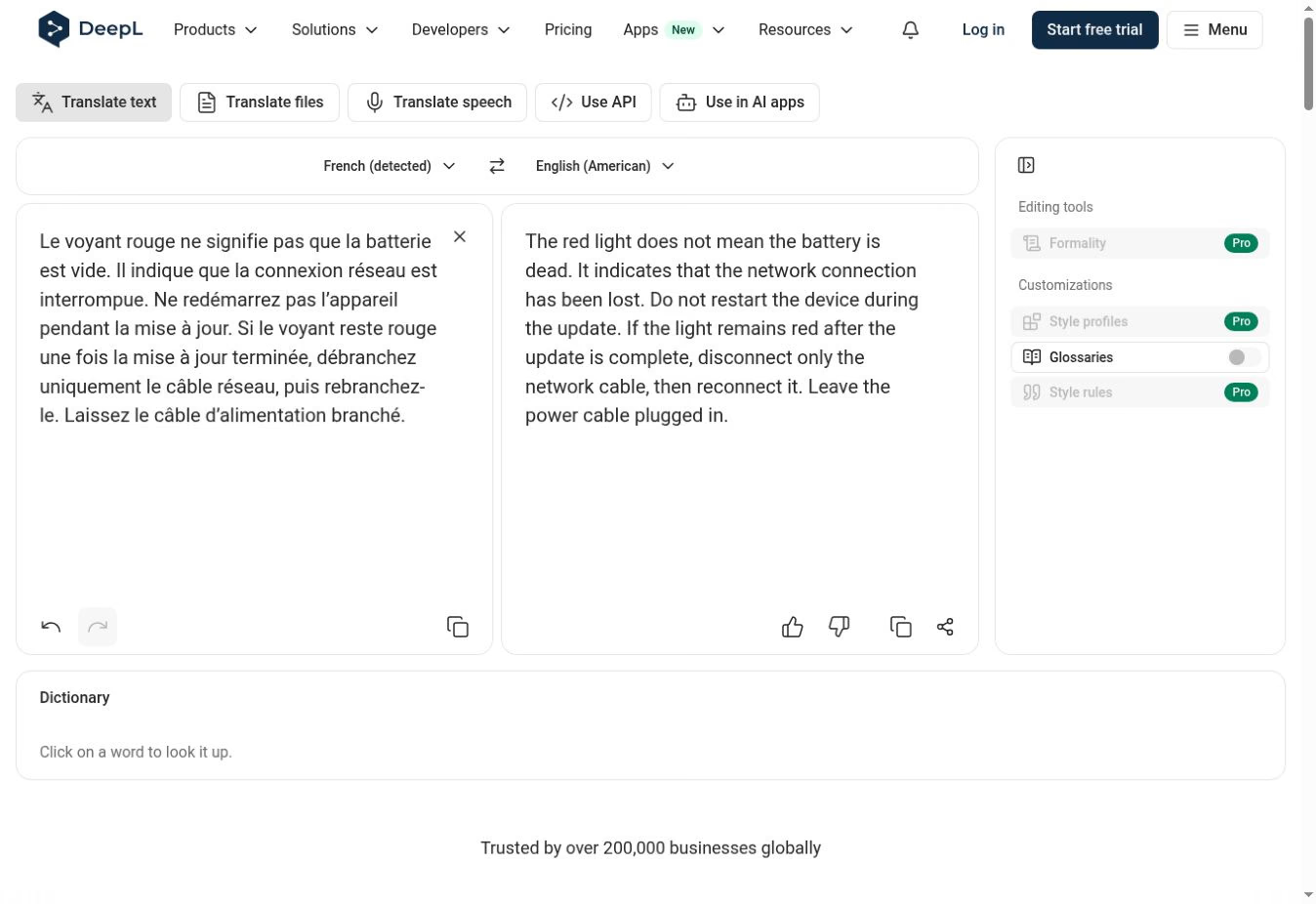
In the French troubleshooting passage, DeepL and JotMe explicitly retained the instruction to unplug only the network cable.
Here is JotMe’s French to English text translation:
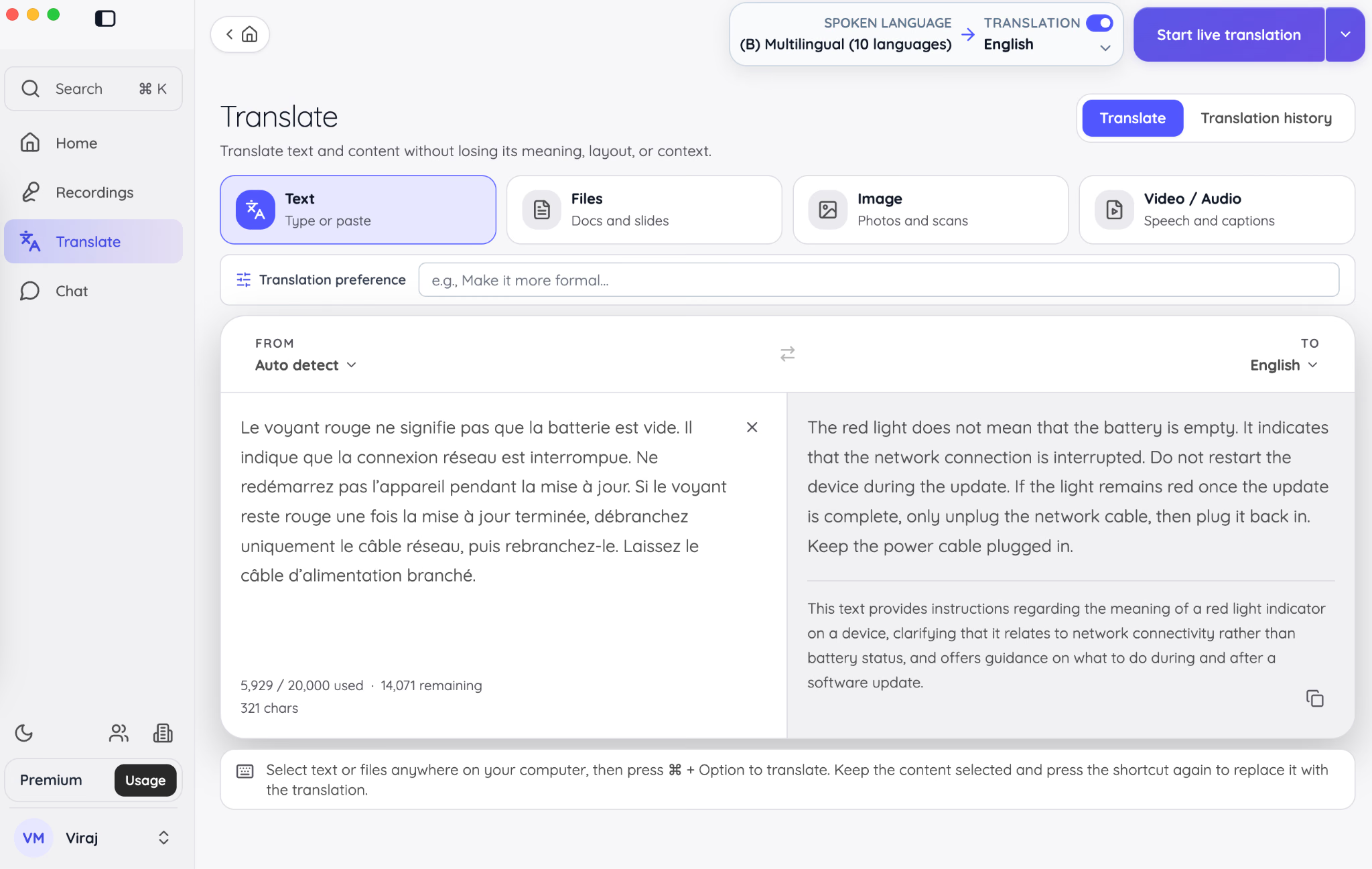
Google used “simply unplug,” although its next sentence still said to leave the power cable connected. The passage therefore continued to communicate the power requirement.
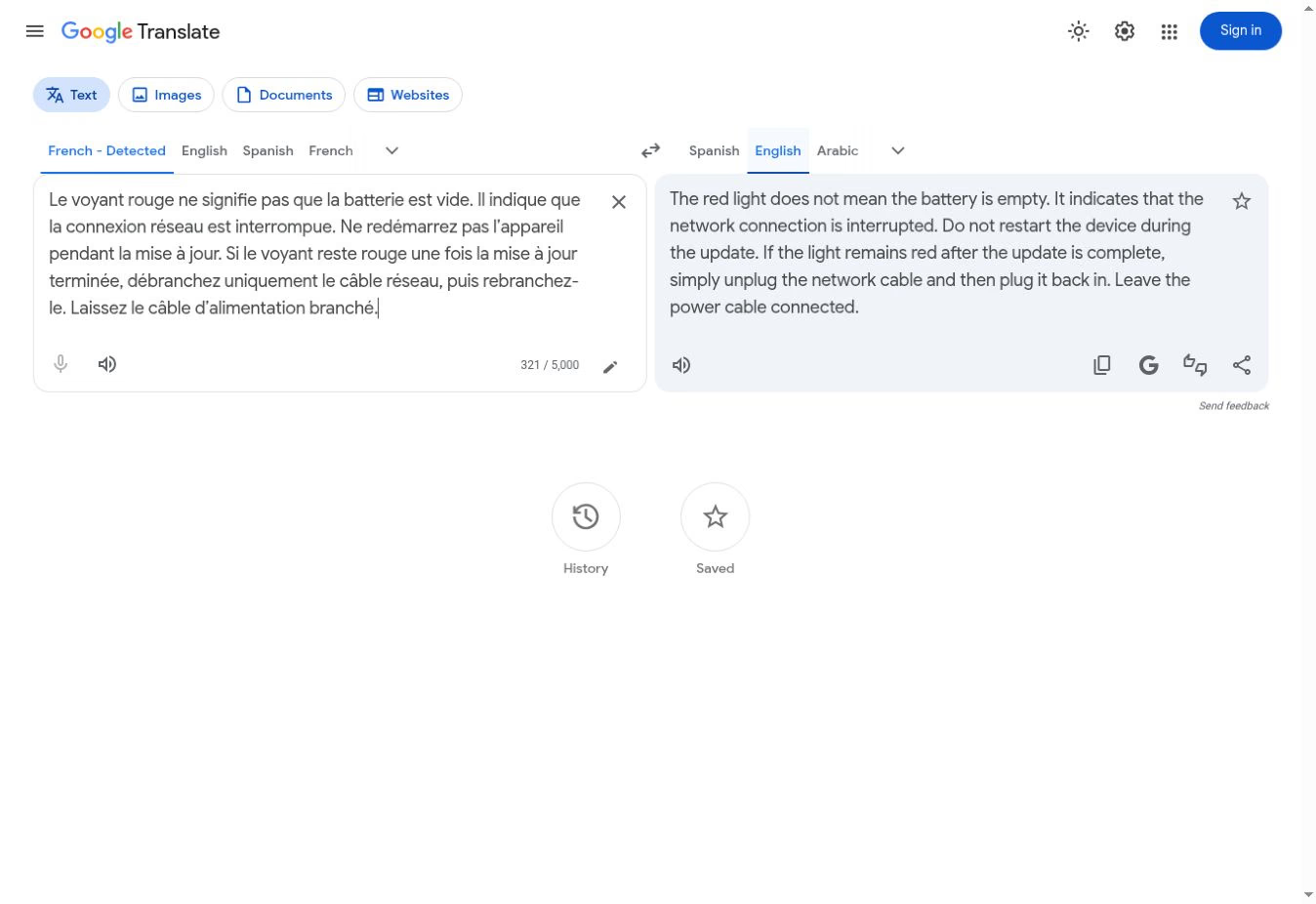
These examples support a specific finding about those outputs. They do not establish that one tool always handles restrictions better. The practical lesson is to check the words that tell someone what they must, may, or must not do.
DeepL's accuracy can also vary depending on the type of content being translated. A 2025 study published in English Studies at NBU evaluated DeepL's Turkish-to-English translations of two short stories using professional translators and translation trainees.
- For the first story, accuracy scores were 80.59% and 80.50% for the two evaluator groups.
- For the second, the scores were 73.08% and 82.35%, respectively.
The researchers also identified differences in fluency scores. These results show that DeepL's output can require substantial human evaluation when translating literary content, where meaning and writing style both matter.
Is DeepL Accurate for Live Meetings?
DeepL Voice translates live conversations into subtitles and, with an eligible desktop setup, spoken translations. It supports Microsoft Teams, Zoom, and Google Meet. However, following a multilingual meeting also depends on how easily you can start translation, understand the discussion, and review decisions afterward. This is where JotMe offers a more complete workflow.
Where DeepL Voice Adds Extra Work
When reviewing DeepL Voice’s meeting workflow, we identified several limitations that matter for regular client calls:
- Translation depends on admitting a meeting bot. You enter the meeting link, admit DeepL’s bot, and access translation through a link shared in the meeting chat. If the host blocks external participants or disables chat, that setup becomes a problem.
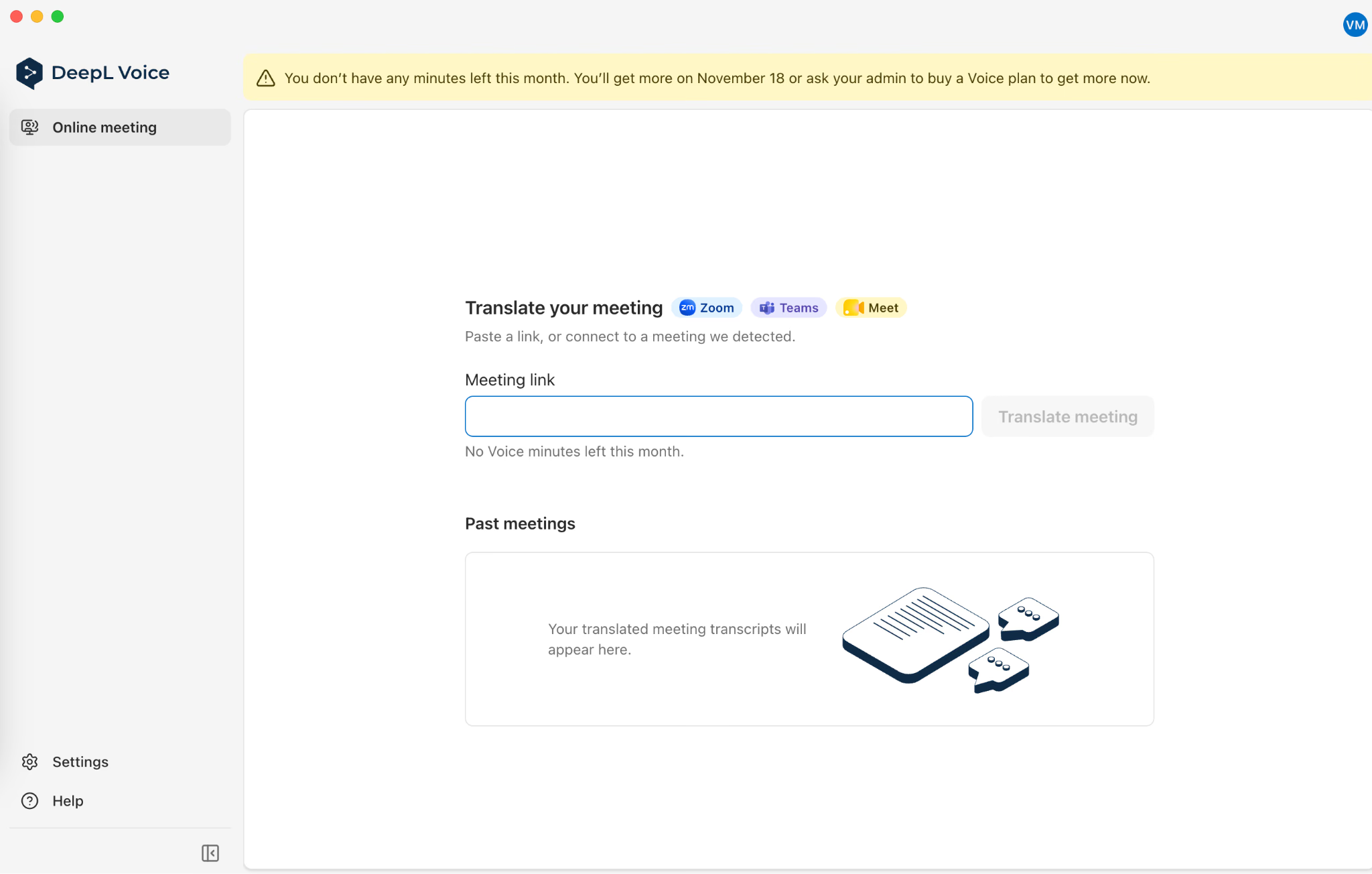
- Hearing translated speech requires additional setup. DeepL’s browser experience provides subtitles. Voice-to-voice translation requires the desktop app and an eligible license, with an access-code verification step when prompted.
- Platform support has boundaries. DeepL lists Teams, Zoom, and Google Meet for online meetings. It also states that meeting translation does not support breakout rooms, which matters when a workshop splits into smaller discussions.
- The included Voice allowance is small for recurring calls. Eligible paid DeepL Translator plans include 30 Voice minutes per user each month. Regular translated meetings can quickly require a separate Voice subscription.

DeepL also supports transcript downloads when enabled by the subscription administrator. JotMe’s advantage is combining transcripts with AI notes and questions about the discussion in one workflow.
Why JotMe is the Better Fit for Multilingual Conversations
JotMe works alongside your microphone and computer audio without sending a bot into the meeting. You can keep using Google Meet, Zoom, Teams, Webex, or another platform that plays audio through your computer. That flexibility is useful when different clients use different meeting tools.
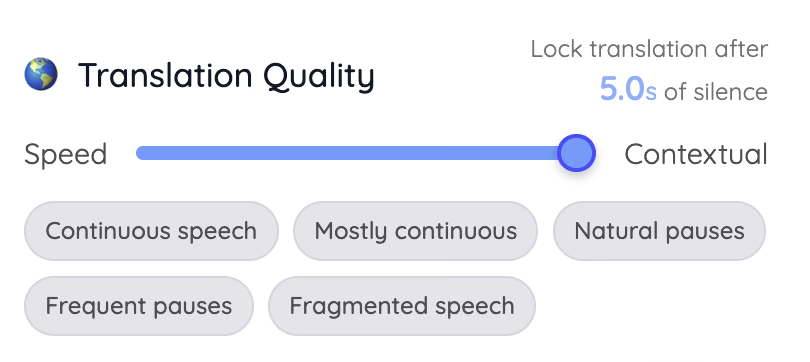
JotMe also gives you controls for how the conversation is translated. You can choose the spoken and output languages and balance translation speed with context. Premium Quality prioritizes caption and text-translation quality and uses translation minutes at 2× the Basic rate.
Fast Audio supports translated speech after audio setup and uses minutes at 5× the Basic rate, even when translated audio playback is switched off. These settings let you choose between reading translated captions and hearing translated speech according to the conversation.
After a session, JotMe can retain a transcript and generate AI meeting notes when those options are enabled. Its live session separates the transcript, your own Markdown notes, and the Ask feature. Notes can be enhanced against the transcript after the session, while Ask JotMe answers questions using the meeting’s transcript and notes.
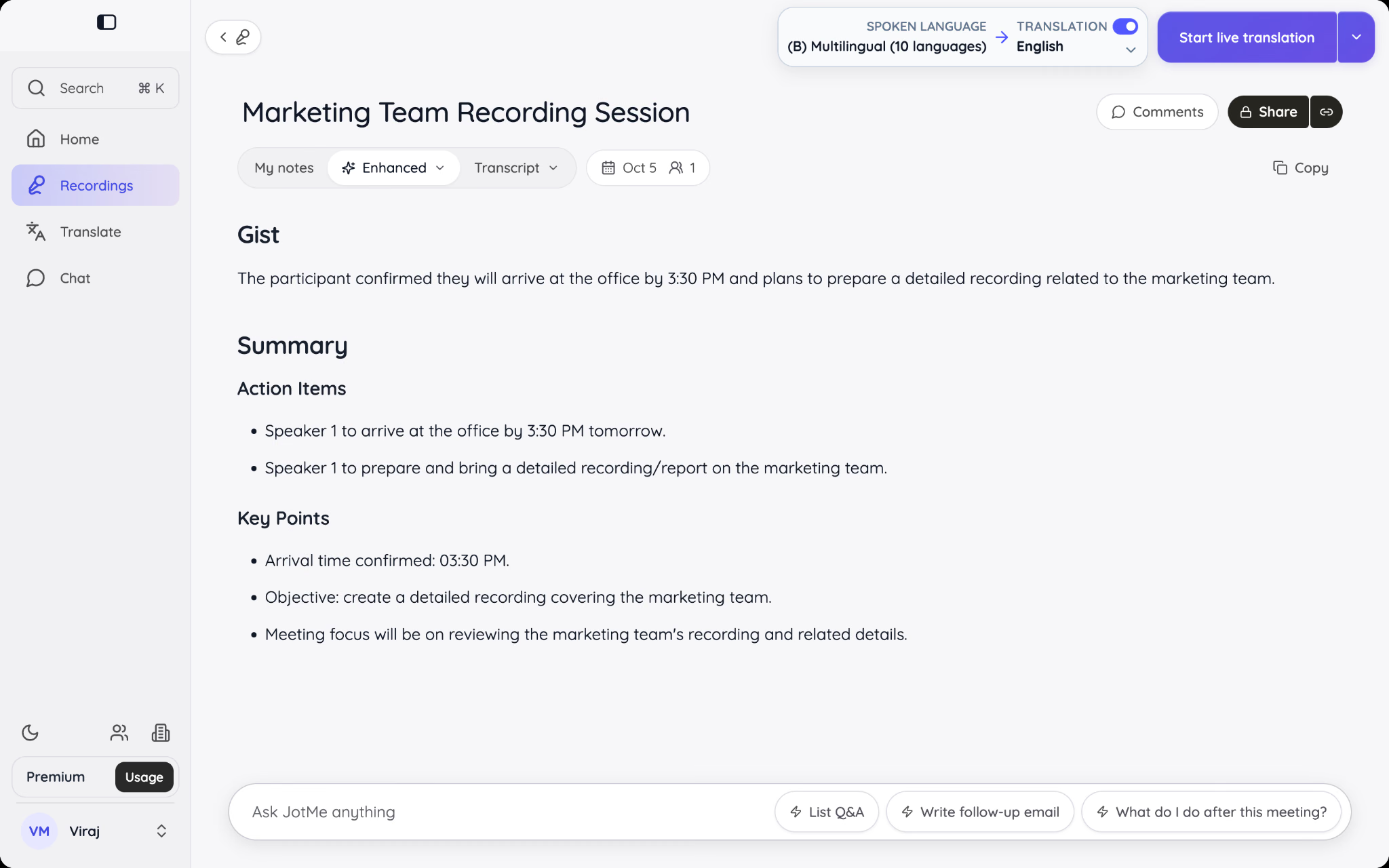
For teams that need translated captions, meeting recordings, and help preparing follow-ups, JotMe is the ideal live translation tool. Its advantage here is the connected workflow: follow the conversation, revisit the transcript, and generate notes and action items afterward.
How Does DeepL Work?
DeepL uses machine-learning models to translate text from a selected source language into a target language. The result depends partly on the information supplied: a complete passage gives the system more context than an isolated phrase. That does not guarantee that it will resolve ambiguity correctly, so review the output before using it.
Step 1: Select Your Languages
Open DeepL Translator and choose Translate text. Select the original language or leave Detect language enabled, then choose the target language. In our example, we selected English (American).
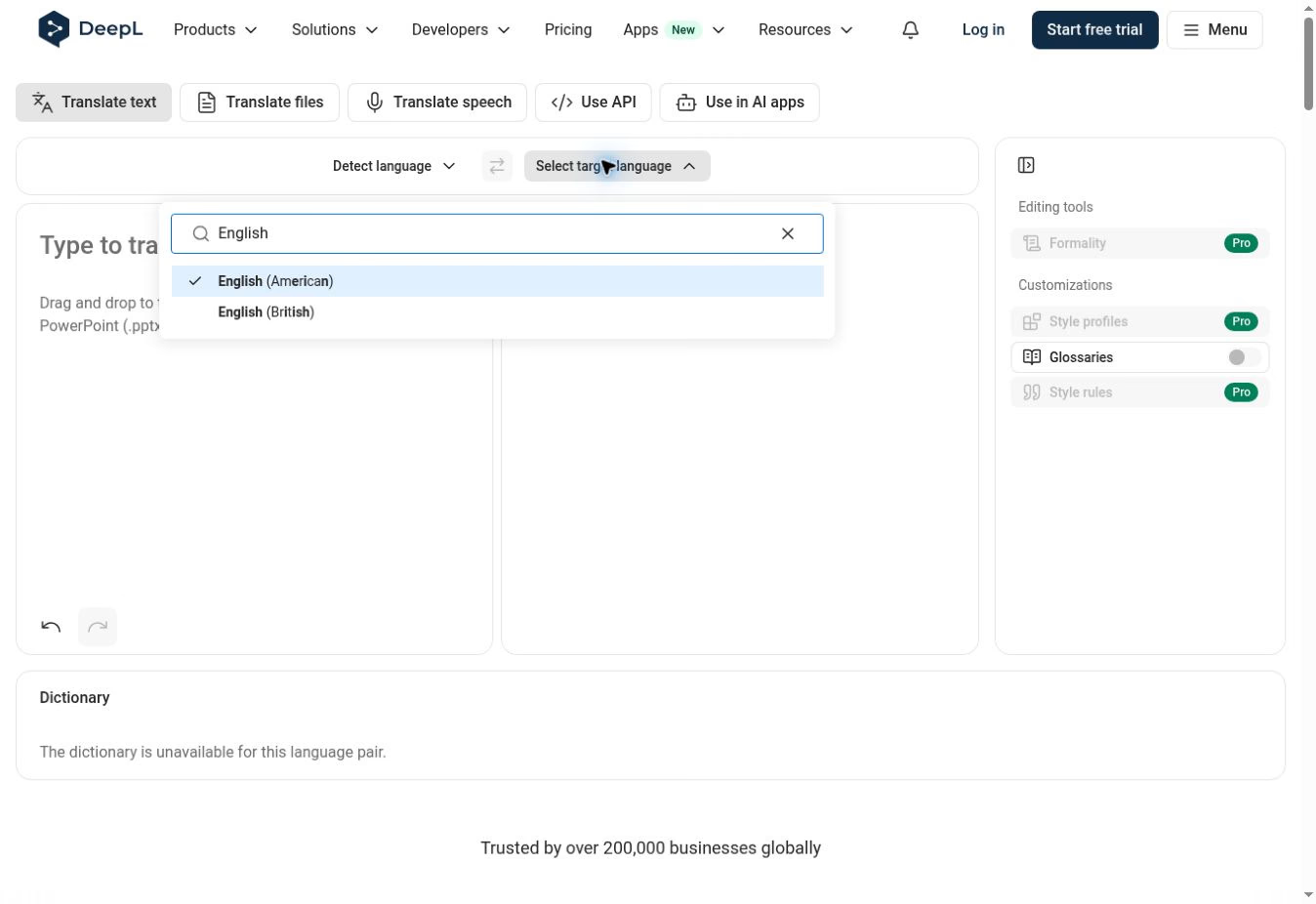
Step 2: Paste the Complete Passage
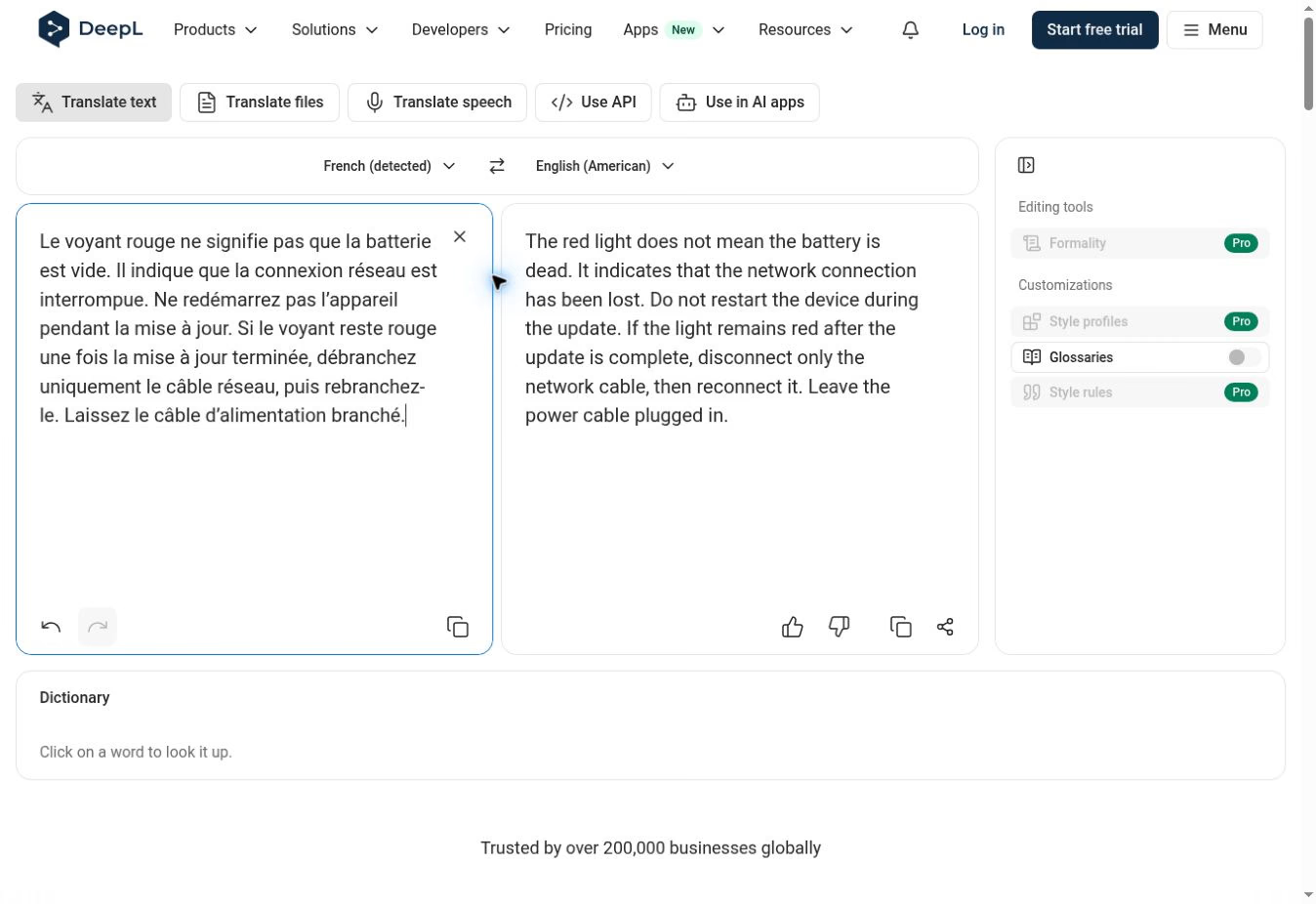
Paste your text into the left-hand box. DeepL automatically displays the translation on the right. Include related sentences so the tool can use the surrounding context. Our example uses French troubleshooting instructions.
Step 3: Review and Copy the Translation
Compare the result with the source, then use the copy icon below the output. Keep the source available while reviewing the output. Check the actions and restrictions before sharing it. Here, the reader must leave power connected and disconnect only the network cable after the update.
Is DeepL More Accurate Than Google Translate for Translation?
There is no dependable winner for every translation. A 2020 study published in MonTI compared DeepL and Google Translate on 380 Spanish-to-English test cases involving selected idioms and their variations.
DeepL achieved 78% accuracy, compared with 70% for Google Translate, across the complete set. However, DeepL's accuracy dropped from 94% for continuous idiomatic expressions to 81% when the expressions were interrupted by other words.
The researchers also found that both tools struggled with less common expressions. This suggests that DeepL can handle familiar expressions well but may still misinterpret unusual phrasing and variations.
In our French troubleshooting example, DeepL explicitly retained “only,” while Google Translate used “simply.” Google Translate’s following sentence still instructed the reader to leave the power cable connected. Both tools preserved the main information in the three comparison passages.
Choose based on the task and the corrections you need to make. For a quick everyday lookup, Google Translate is convenient. If you need repeatable terminology and tone controls, inspect DeepL’s available customization features. Neither choice removes the need to review important content.
For more hands-on examples, see our guide to Google Translate accuracy. It explains why a plausible sentence can still leave the intended meaning unclear.
JotMe becomes the stronger choice when your translation work continues into a conversation. It gives you written translation alongside tools for following the meeting and reviewing what happened afterward. That is a practical advantage for teams whose work does not end when they copy a translated sentence.
What we compared | DeepL | Google Translate |
|---|---|---|
Japanese responsibilities | Kept each task with the right person | Kept each task with the right person |
Korean ordering subject | Added “we” where no subject was specified | Added “I” where no subject was specified |
French restriction | Explicitly retained “only” | Used “simply,” while keeping the power instruction |
If you are comparing the best AI translator text-to-text apps for your own work, begin with content you can judge. Look for the correction that matters most: a changed instruction, an unclear owner, or a term your readers will misunderstand. Choosing the version with fewer such corrections is more useful than counting how many words differ.
Which DeepL Alternatives Are More Accurate?
A DeepL alternative is worth choosing when it solves the problem you have: preserving meaning, following a discussion, or getting a document reviewed. Our tests support specific comparisons with JotMe and Google Translate. The other options below offer different ways to manage translation and review.
JotMe
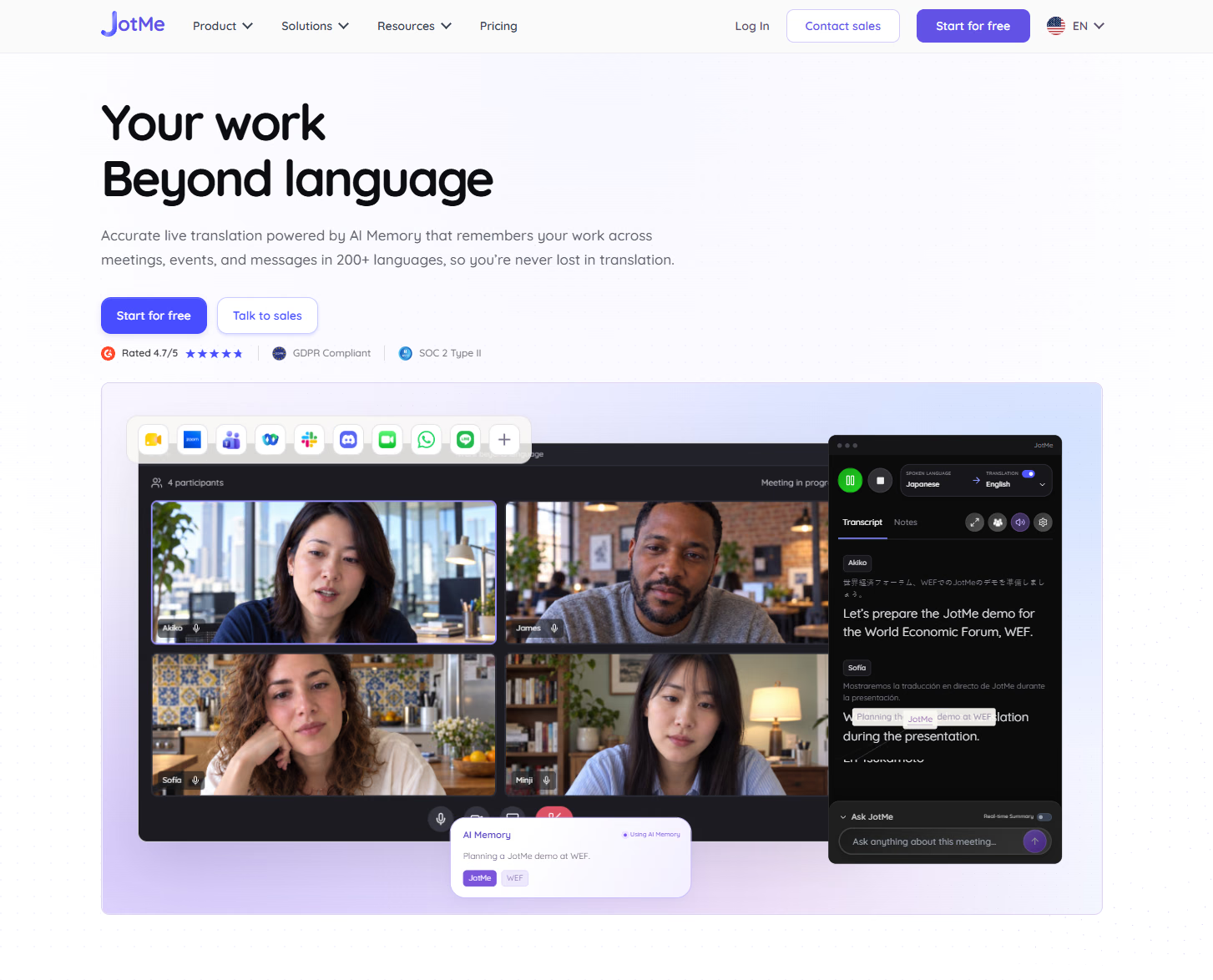
JotMe is our recommended DeepL alternative for teams that regularly speak with clients or colleagues in different languages. It combines live translation with transcripts and AI meeting notes, helping you follow the discussion and revisit decisions afterward. Its desktop app works alongside your meeting audio without adding a bot to the call. For a closer comparison, read our DeepL vs. JotMe guide.
- Follow conversations as they happen: Read translated captions during client calls, interviews, and team discussions, so you can prepare your response while following what others say.
- Keep your usual meeting platform: Use JotMe alongside Google Meet, Zoom, Teams, Webex, or other tools that play audio through your computer.
- Spend less time preparing follow-ups: Revisit the transcript and use AI-generated summaries and action items to find decisions and next steps after the call.
- Try it before paying: The Free plan includes 20 monthly live-translation minutes. Pro starts at $20 per month, or $10 per month with $120 billed annually. Translation mode and sharing choices affect how quickly you use your allowance. For more information, you can check JotMe’s pricing page.
Keep your multilingual work in one place
Translate a message, follow the conversation, and revisit the decisions with JotMe’s transcripts and AI meeting notes. Start free to check the workflow with your own languages.
Try JotMe FreeGoogle Translate
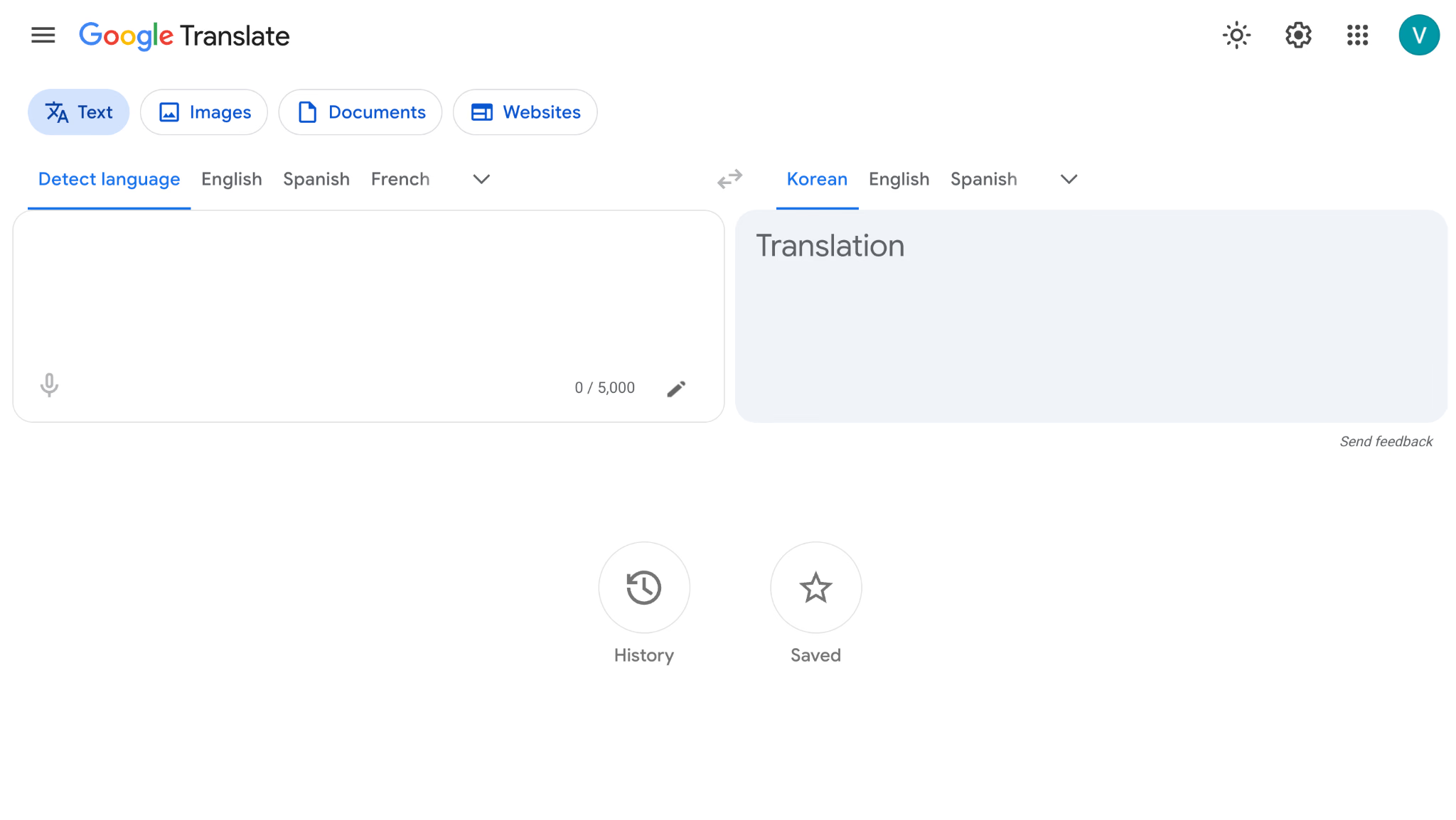
Google Translate suits quick everyday lookups and checking a second version of a passage. It retained the main facts in our examples. Its AI-powered context and alternative-phrase features can help you explore wording.
Taia
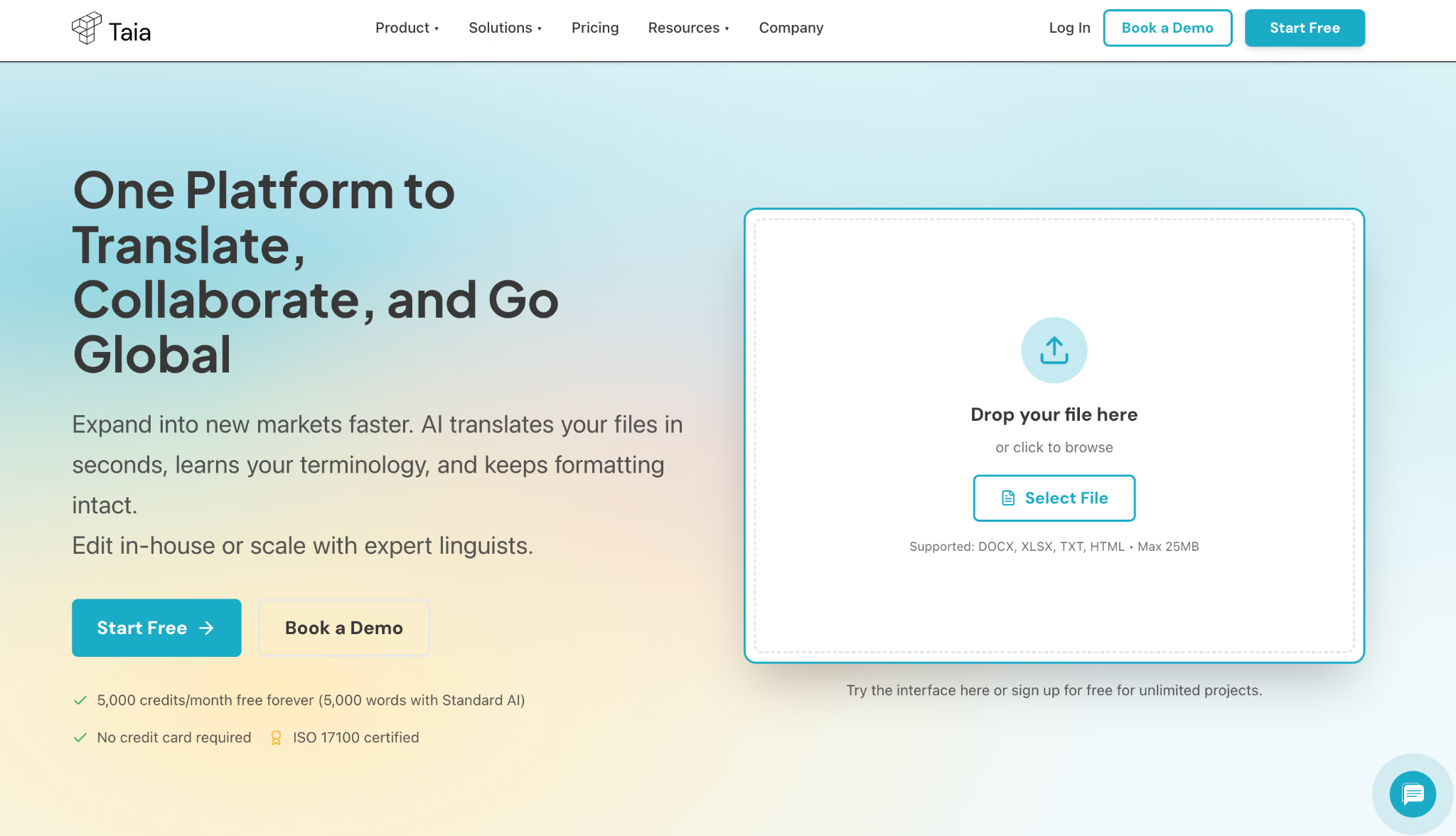
Taia offers AI translation, post-editing, and human translation options. It is useful when you have a business document and want a defined route from an automated draft to a reviewed result. You can select the level of support according to the content and deadline.
Microsoft Translator
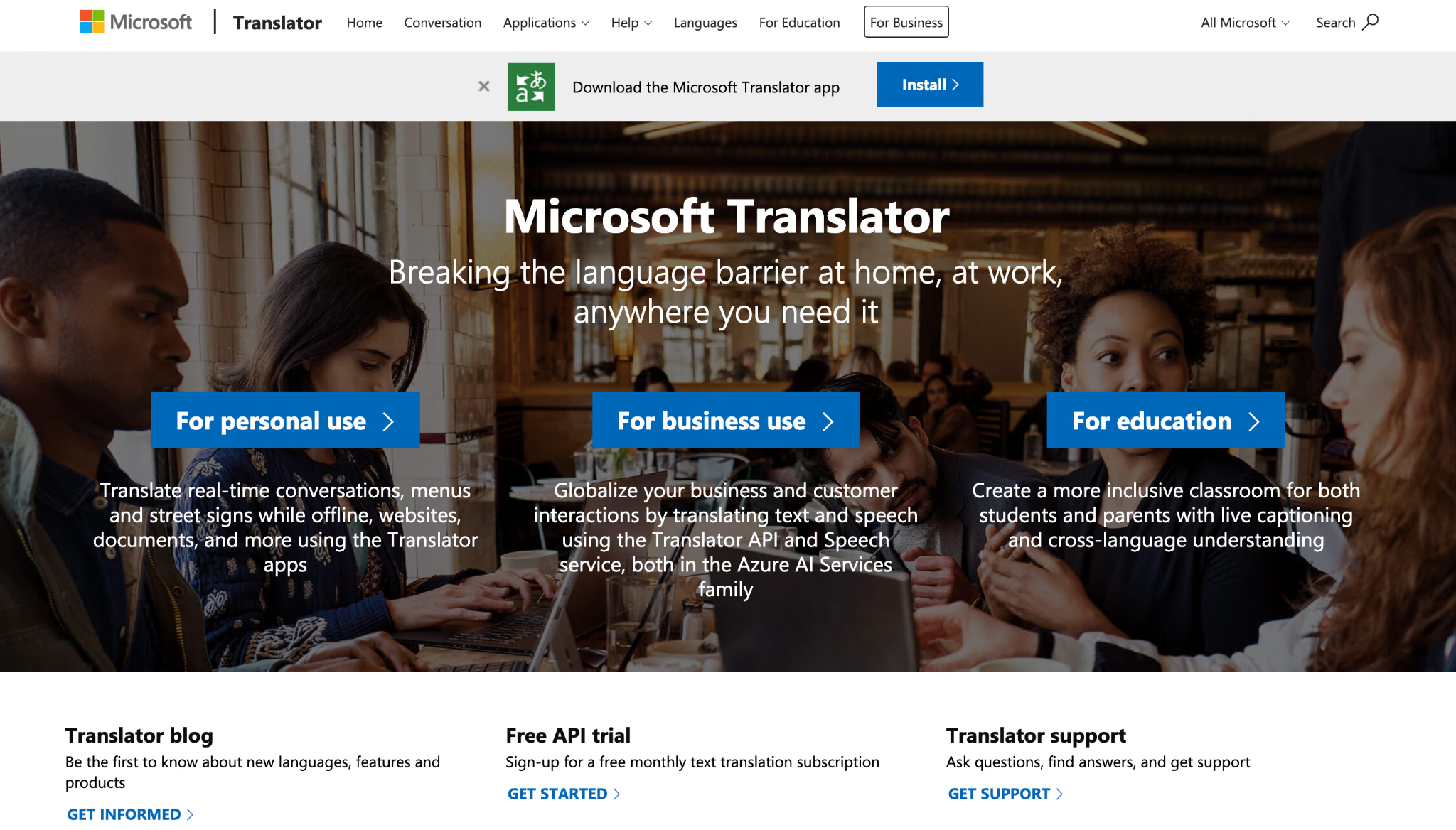
Microsoft Translator offers text, speech, and image translation for everyday use. It is worth considering for short messages and spoken exchanges, although features vary by device and language. For translated meetings with transcripts, AI notes, and questions about the discussion, JotMe offers a broader workflow.
Is DeepL the World’s Most Accurate Translator in 2026?
The available research does not establish DeepL as the most accurate translator for every language, message, or conversation. The studies discussed here examine particular tasks: Spanish idioms, Turkish literary texts, and Japanese medical documents. Our examples also cover only a small set of passages.
DeepL preserved the main facts and instructions in our three comparison passages, but its first result in the separate medical terminology check differed from Human Science’s recommended wording. The cited research documents terminology and idiom errors in other settings, while the Korean example shows why an unstated subject needs clarification.
For multilingual work, JotMe is the ideal DeepL alternative because it combines useful text translation with live translation and a complete meeting workflow. JotMe preserved the essential meaning in our written comparisons and made the Japanese handover’s closing instruction clearer. Its live captions, transcripts, and AI notes also help you follow conversations and turn discussions into follow-up tasks.
- Choose JotMe for text translation and multilingual conversations. Translate written messages with preferences and explanations to help you assess the wording. During calls, follow translated captions without adding a meeting bot, then revisit the transcript, generate meeting notes, and ask questions about the discussion. This makes JotMe the stronger overall fit when you need support before, during, and after a meeting.
- Choose DeepL when terminology and formality controls are your priority. Its glossaries and supported tone settings can help with recurring written content. Check the output carefully, because consistent terminology and natural wording do not guarantee that every instruction retains its meaning.
- Choose Google Translate for quick everyday understanding. It is convenient for checking a short message or getting another version of a passage. Review important wording before using the result in professional communication.
Translate your messages. Follow your meetings. Keep the next steps clear.
Try JotMe for text translation, live translated captions, transcripts, and AI meeting notes. Start free with a familiar message or a short conversation to see how it fits your work.
Try JotMe FreeFAQs
Is DeepL Translator Accurate for English to Japanese?
DeepL can produce useful English-to-Japanese translations, but context, politeness, and the relationship between the writer and reader still matter. Include the surrounding message, confirm who is responsible for each action, and review forms of address before sending client-facing text. For live conversations, try JotMe’s English-to-Japanese live translation to follow translated captions and revisit the discussion through transcripts and AI meeting notes.
What is the Translation Accuracy of DeepL for Korean?
DeepL does not have one universal accuracy percentage for Korean. Results vary by language direction, subject, and context. Korean can leave subjects unstated, so an English translation may introduce “I,” “we,” or another subject that the source does not specify. Confirm responsibility and check terminology and honorifics before using the translation.
How Accurate is DeepL Translator for French?
DeepL can produce useful French translations, but accuracy depends on context and the intended audience. Check formal and informal address, technical vocabulary, and words that express restrictions or uncertainty. For customer-facing material, have a fluent French reviewer check both meaning and tone.
Is DeepL Automatic Translator Any Good?
DeepL is useful for understanding messages and preparing translation drafts. Its glossaries can help maintain terminology, and formality controls are available for selected languages. It can still misinterpret context or technical language, so review important output before using it.
Is There Any Translator That Does Not Use AI Slop LLMs?
Yes. Human translators and rule-based tools offer alternatives to LLM-based translation. JotMe uses AI, so it is a different option rather than a non-AI alternative. If your concern is unclear or generic wording, JotMe’s translation preferences and explanations can help you assess the result. However, important translations still need checking.
Can I Use DeepL Translate to Translate Articles to and From Other Language Wikipedias?
Yes, DeepL can help prepare a draft, but the translated article must be reviewed and edited before publication. Follow the destination language edition’s policies, preserve references and attribution, and meet its quality requirements.
Try JotMe
Accurate translation for your meetings, events, and everyday work, with AI Memory that remembers your context.