Tips
How to Share AI Live Translation and Voice to Voice Translation with a URL

Taka Shirasu
March 4, 2026
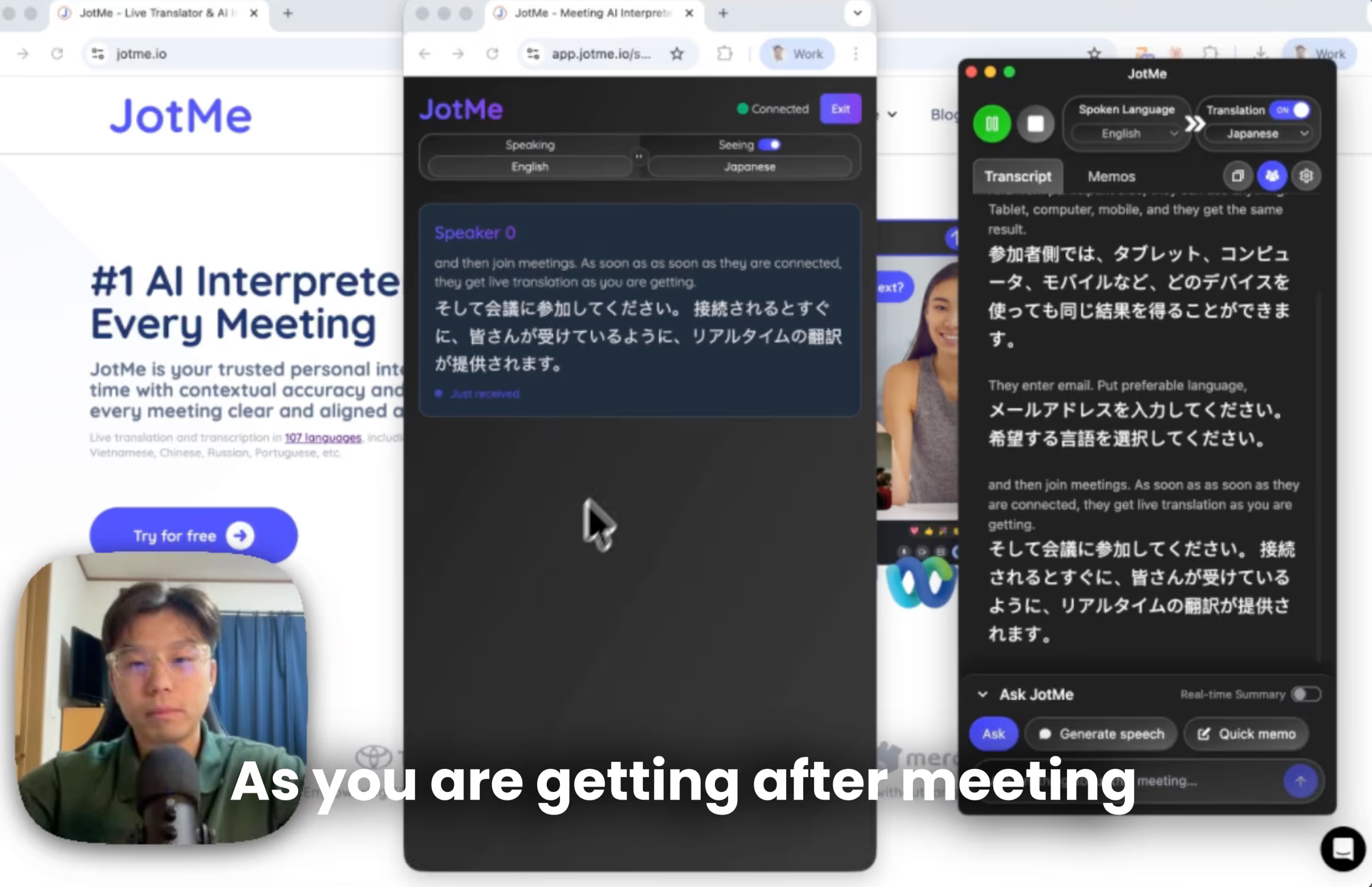
If you’re working in a global environment, chances that you face multilingual meetings are close to 100%. From external meetings with clients, partners, investors, and vendors, to internal meetings like all-hands or town halls, someone is always speaking in a language you don’t understand.
Some people think about bringing a human interpreter. But it’s not a flexible solution. Human resources are limited and therefore expensive. Some think about using machine translation. But it’s often not contextually accurate. If you’re a tech optimist, you’ve probably thought about AI translation. But here’s the real problem… How do you share it with other people?
In July 2026, sharing wasn't limited to text-based live translation. Depending on your meeting, JotMe also supports voice-to-voice translation, allowing participants to hear translated speech in their preferred language while continuing to speak naturally. In this guide, we'll focus on sharing live translation with a URL, one of the quickest ways to make multilingual meetings accessible without requiring participants to install an app or create an account.
Quick TL;DR
- Download the JotMe desktop app (host only).
- Click the share translation with URL to generate a link.
- Share the link with participants, no installs or accounts needed.
- Participants select their language and get instant live AI translation and voice to voice translation.
- After the meeting, all participants will automatically get a combined multilingual transcript.
How Do You Share AI Live Translation With Global Teams?
Zoom, Teams, Google Meet. All of them have native translation features. People often complain that translation is too literal and doesn’t read into what was said before, which leads to loss of meaning and intent. Also, only certain subscribers get access, so other participants don’t get translation at all.
The frustrating part is this - If multilingual meetings happen daily internally, it makes sense to subscribe. But most multilingual meetings happen occasionally with different external partners. It’s hard to force them to subscribe to a plan or even create an account just for one meeting.
To date, JotMe has had over 60,000 users from all over the world. Users who interact with me and our customer support have shared the same concerns I laid out above. Over time, we've continued expanding how live translation can be shared, making multilingual meetings easier for every type of conversation. In July 2026, we also introduced voice-to-voice translation, allowing participants to hear translated speech in their preferred language while continuing to speak naturally.
How to Share Contextual Live AI Translation With a URL?
Share contextual live AI translation with a simple URL: no downloads, no accounts, instant access from any device (Web, Desktop, Android, iOS, Tablet). Here’s how to set up live translation sharing step by step.
Alternatively, you can watch YouTube tutorial on how to share AI live translation with a URL.
What are the Prerequisites to Share Live Translation With URL?
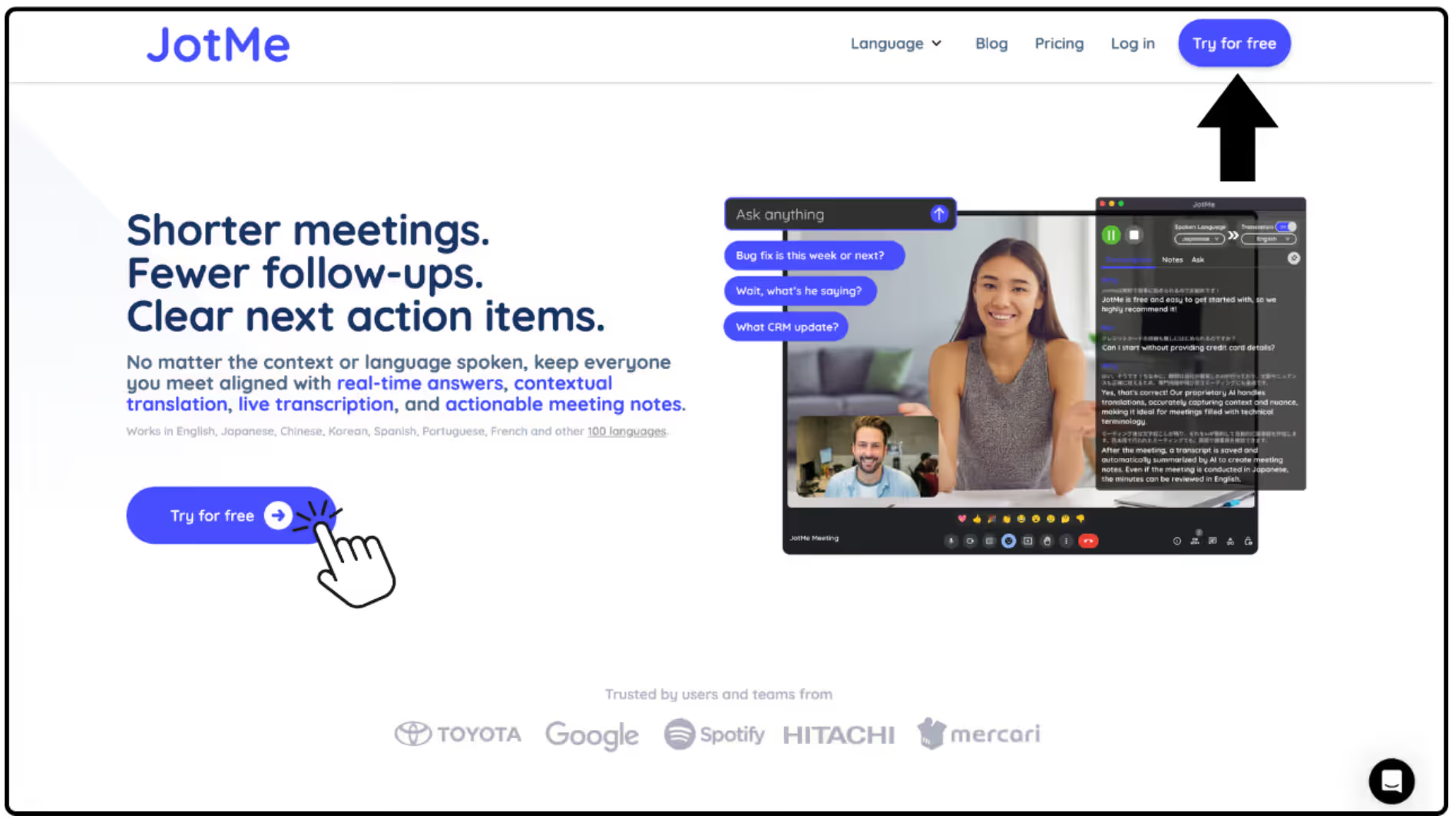
First, as a host, download the JotMe desktop application as the meeting host. JotMe is free to install, and you can access it directly from our official JotMe website to get started in minutes.
How to Generate an AI Translation Sharing URL?
Second, open the Share Translation menu and click “With URL”. You can share the link with any meeting participant, regardless of their location. There’s no limitation on who can access live translation.
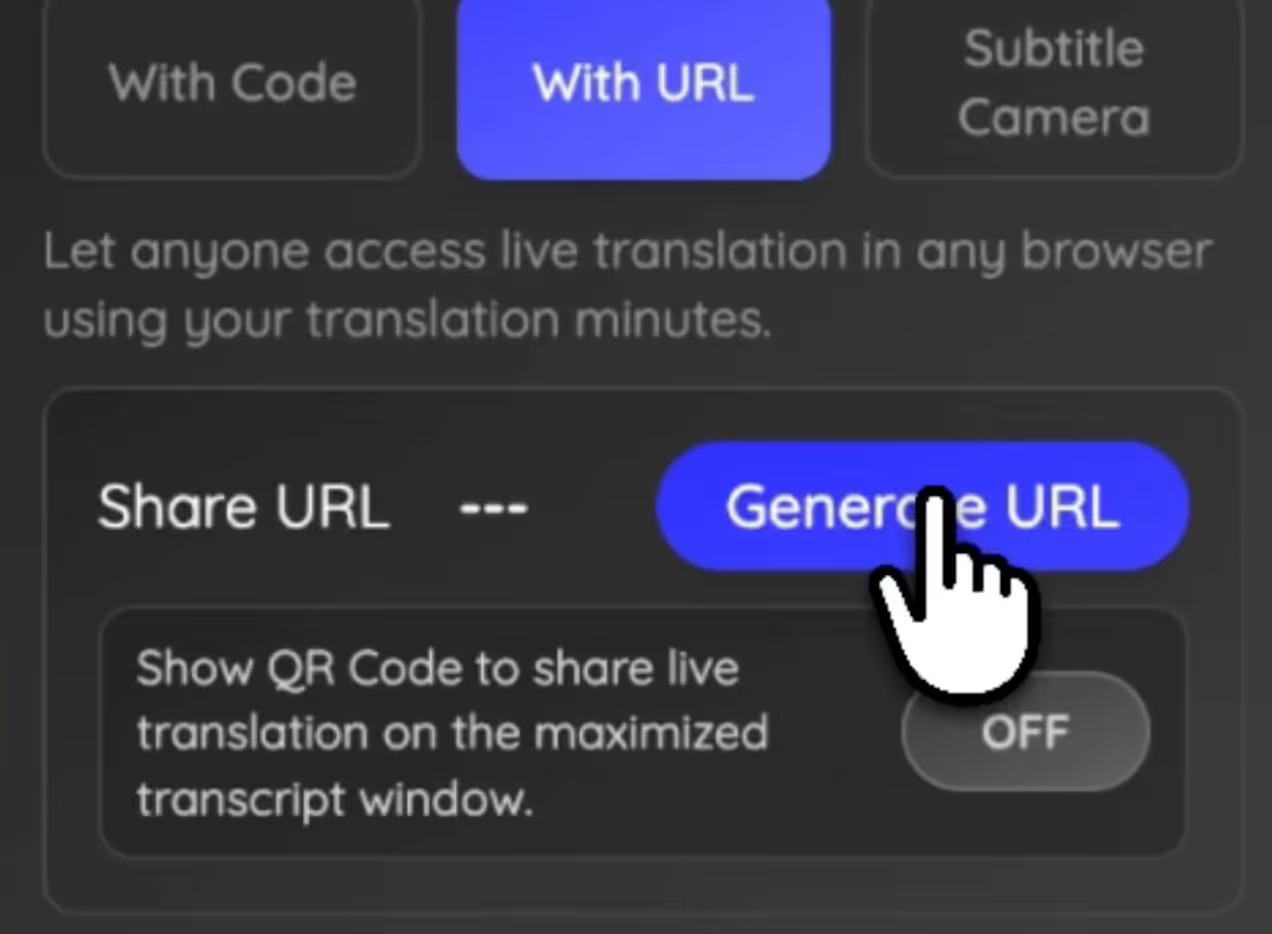
However, be aware: the more people you share it with, the more translation minutes you consume, because you’re sharing your own translation minutes. More participants can also slightly increase latency. So make sure you have enough translation minutes before starting the meeting, multiplied by the number of participants. You don’t want your translation to stop during an important discussion.
How Do Participants Access Sharing Live Translation?
When you share the translation link with your teammates, they’ll be prompted to enter a few basic details before accessing the live AI translation, such as:
- Email entry
- Preferred language selection
- Email consent for meeting note sharing
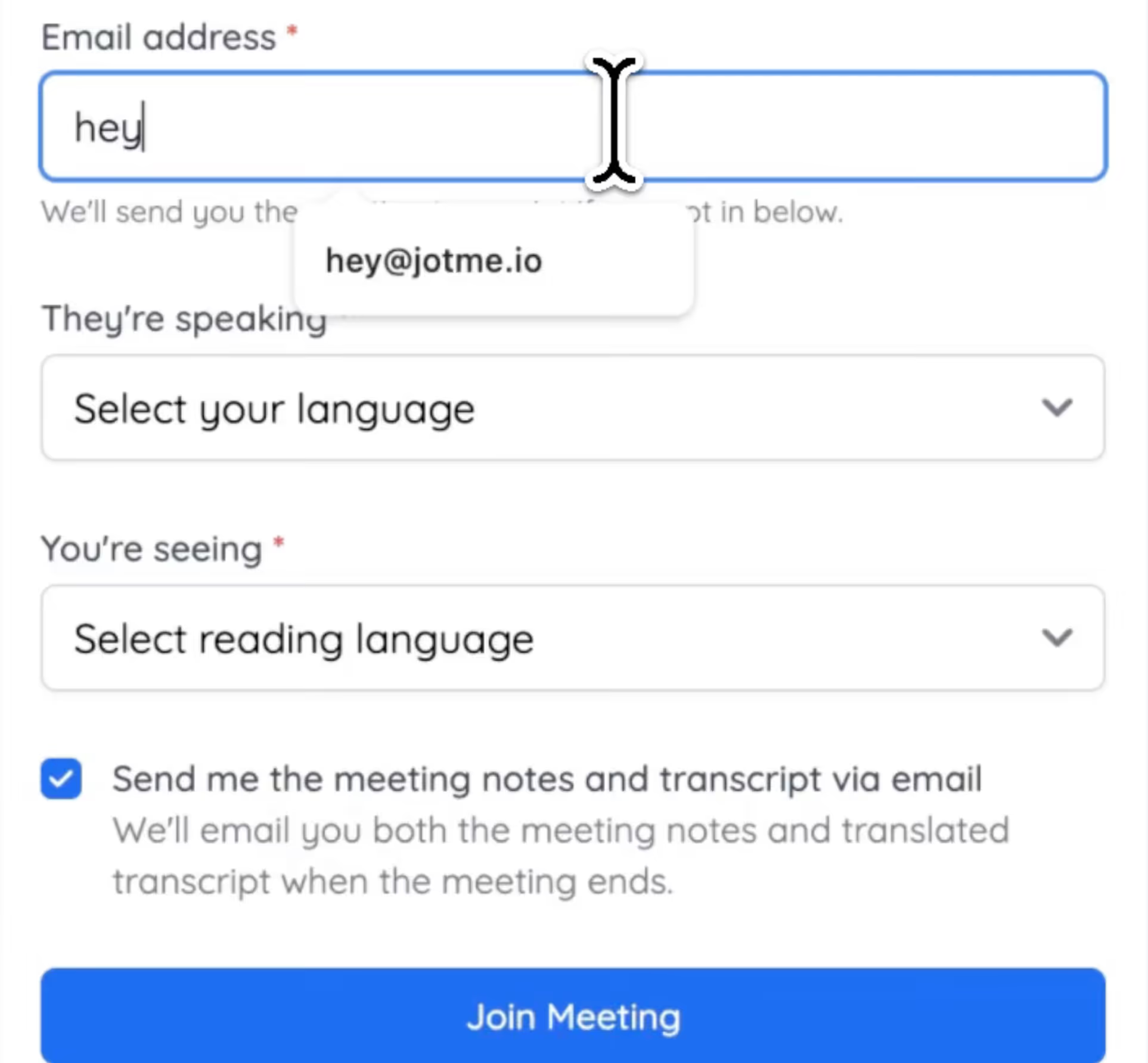
Once your teammates enter the information, they immediately get live AI translation using your translation minutes per participant.
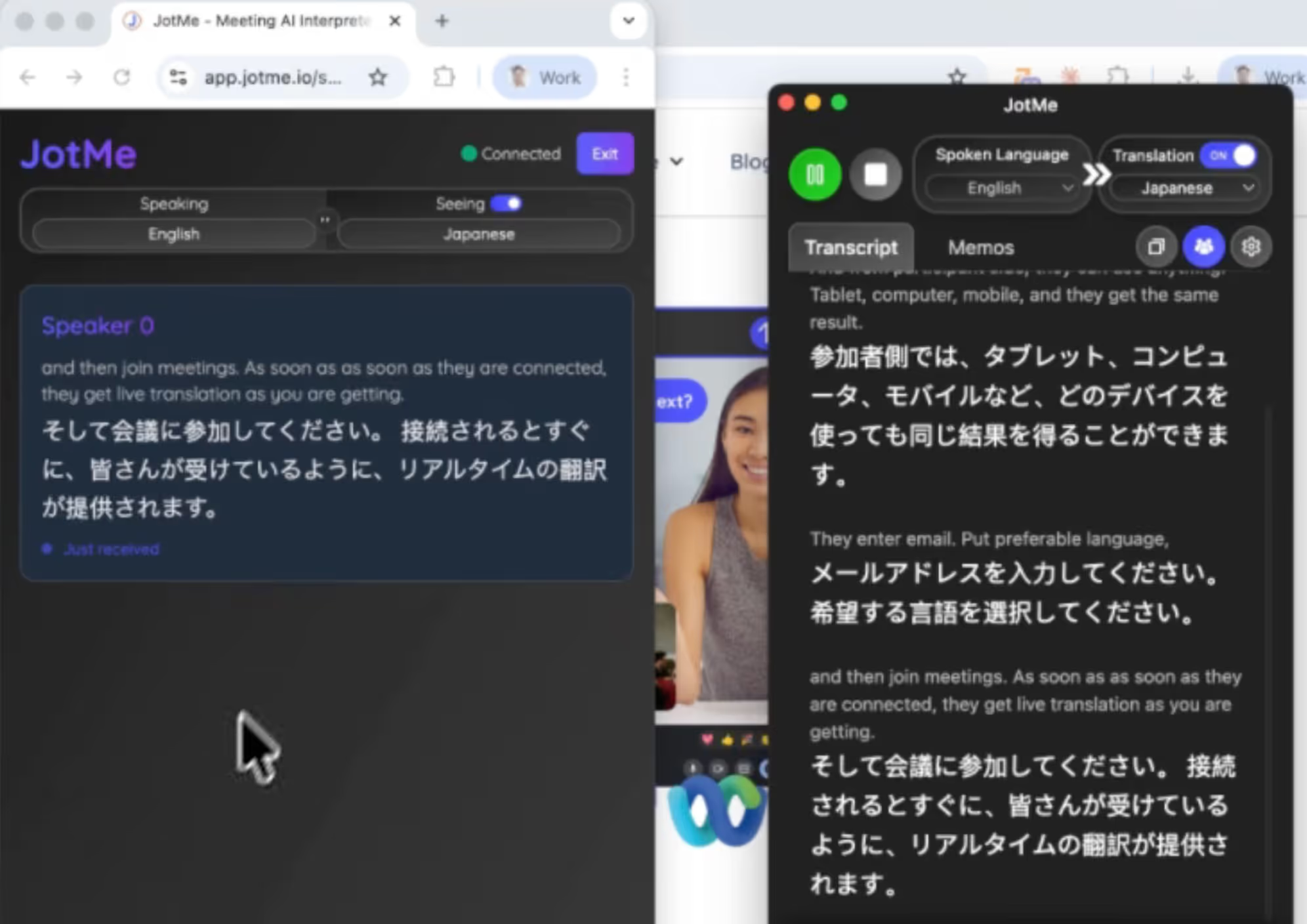
What Makes JotMe’s Live Translation Setup Unique?
No installation.
No account creation.
No subscription required.
Just open the link and join.
URL sharing is ideal for webinars, client meetings, remote collaboration, and virtual events where participants can easily open a link. For smaller discussions where participants prefer spoken translations, JotMe also provides voice-to-voice translation as an alternative experience.
How to Share Post-Meeting Transcription With Your Team?
JotMe automatically generates a complete post-meeting transcription once the meeting ends and automatically shares the AI meeting notes with participants. This means hosts do not need to manually send summaries or transcripts after the session.
All conversations from different speakers and language pairs are combined into a single, organized record that includes the transcript, AI meeting summaries, and key discussion points. Teams can easily revisit decisions, review important moments, and stay aligned even if some members could not attend the meeting live.
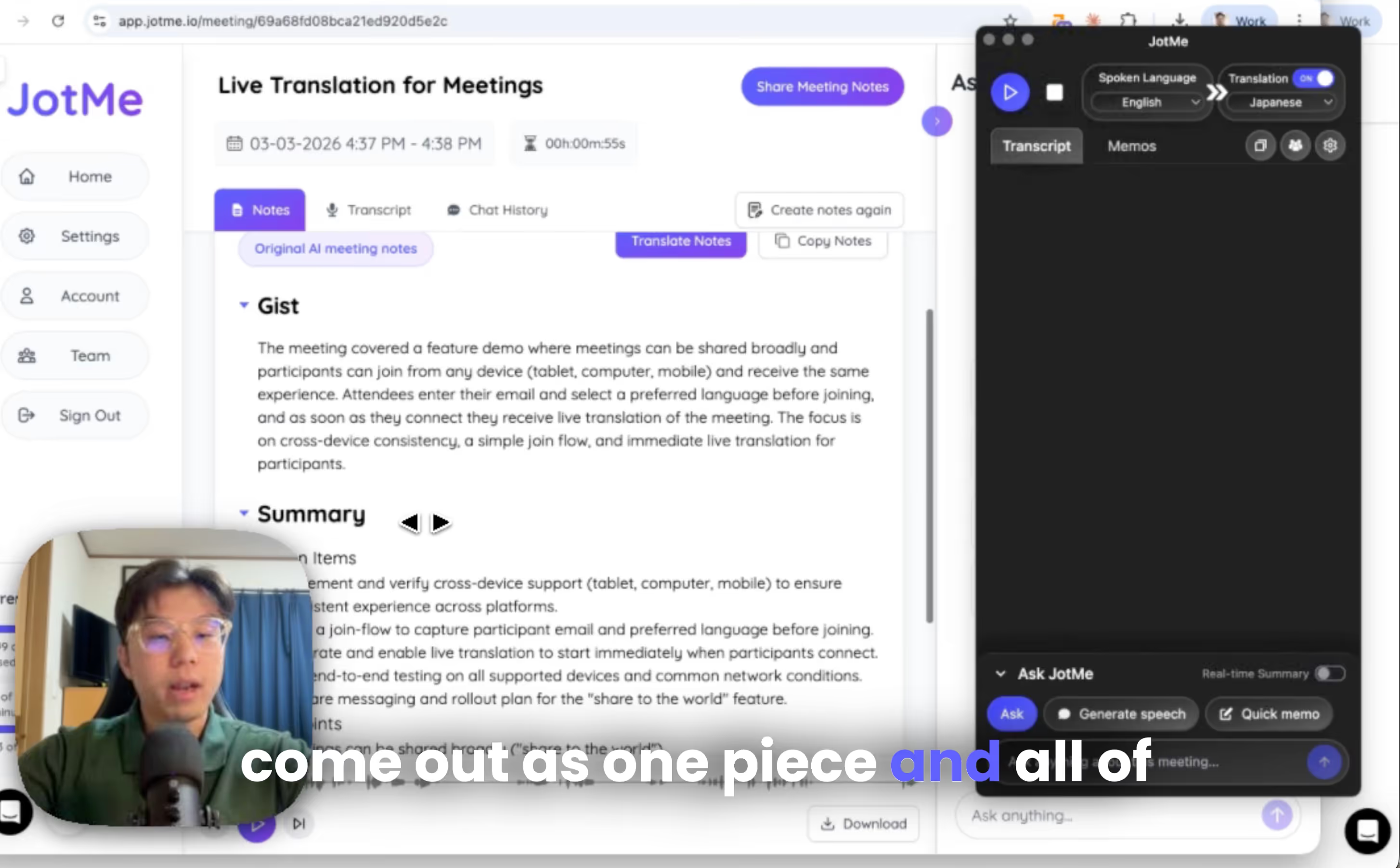
For example:
- Host used English to Japanese
- Participant 1 used Korean to English
- Participant 2 used Spanish to Chinese
You’ll see English, Korean, and Spanish transcription combined in your meeting notes record.
Nothing gets lost.
How to Share Voice to Voice Live Translation Via URL
Step 1: Open JotMe and tap the Speaker icon.
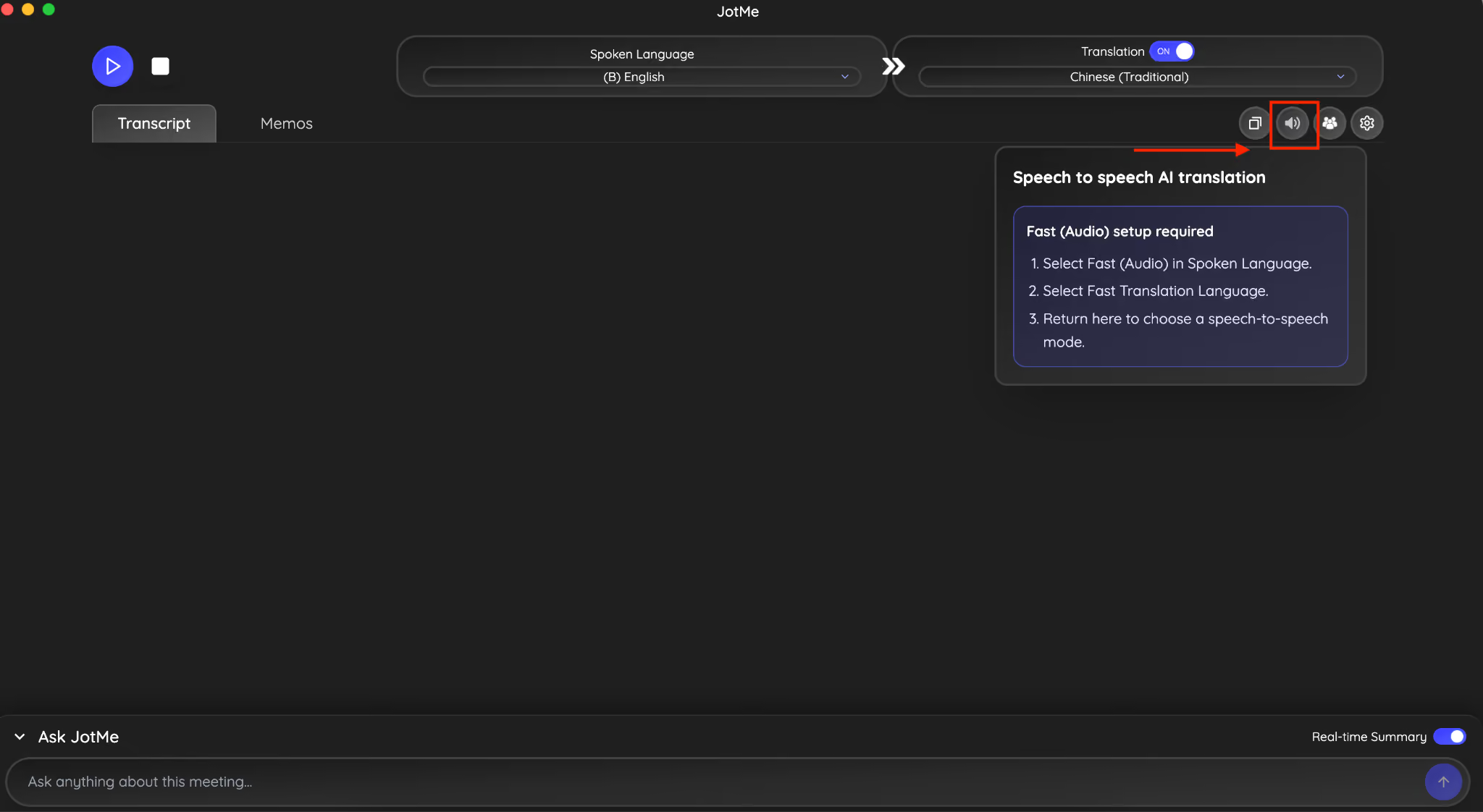
Step 2: Now choose the Fast Audio option from the spoken language section.
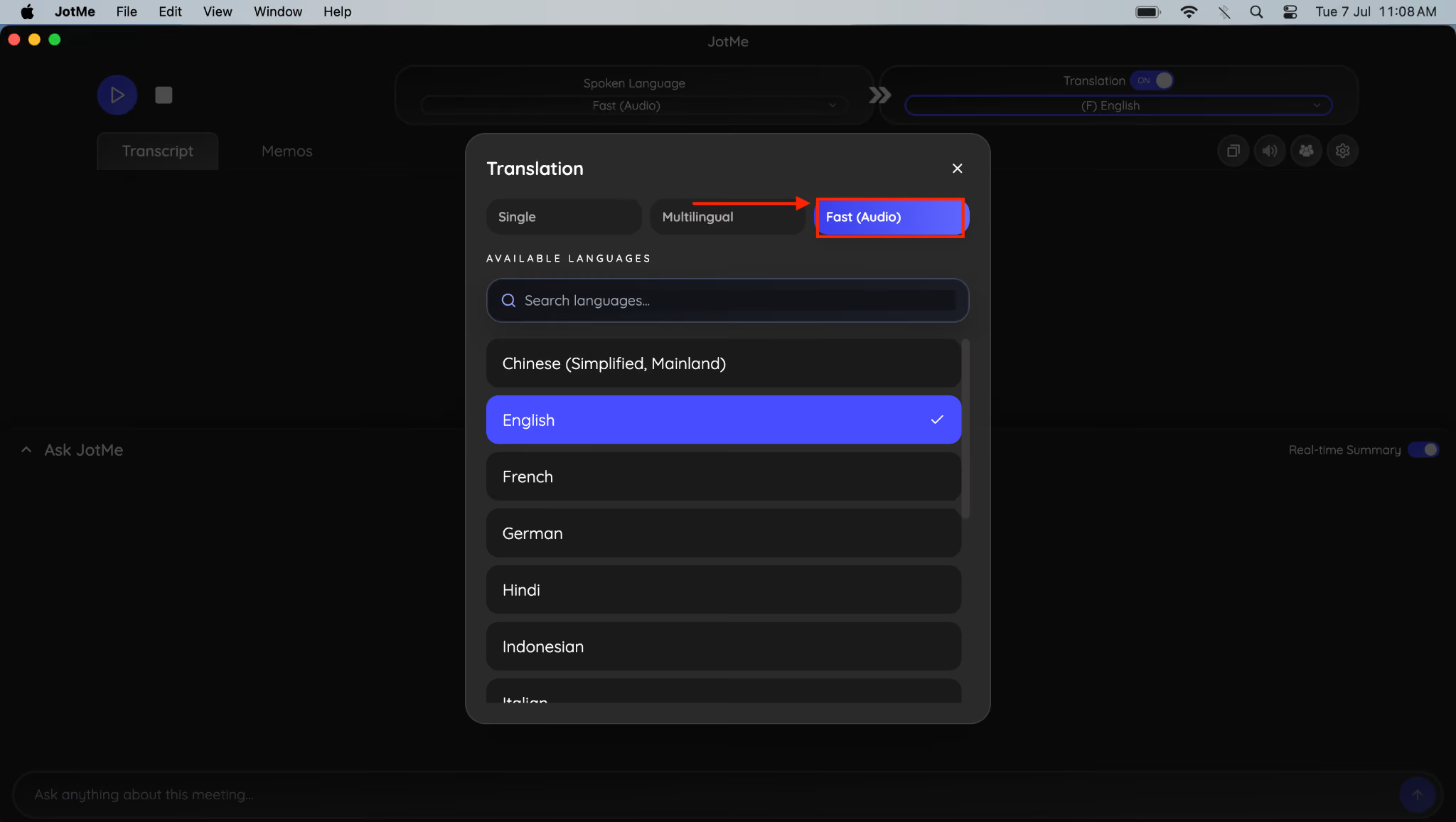
Step 3: Now, navigate to the Speaker option and set the speech-to-speech AI translation.
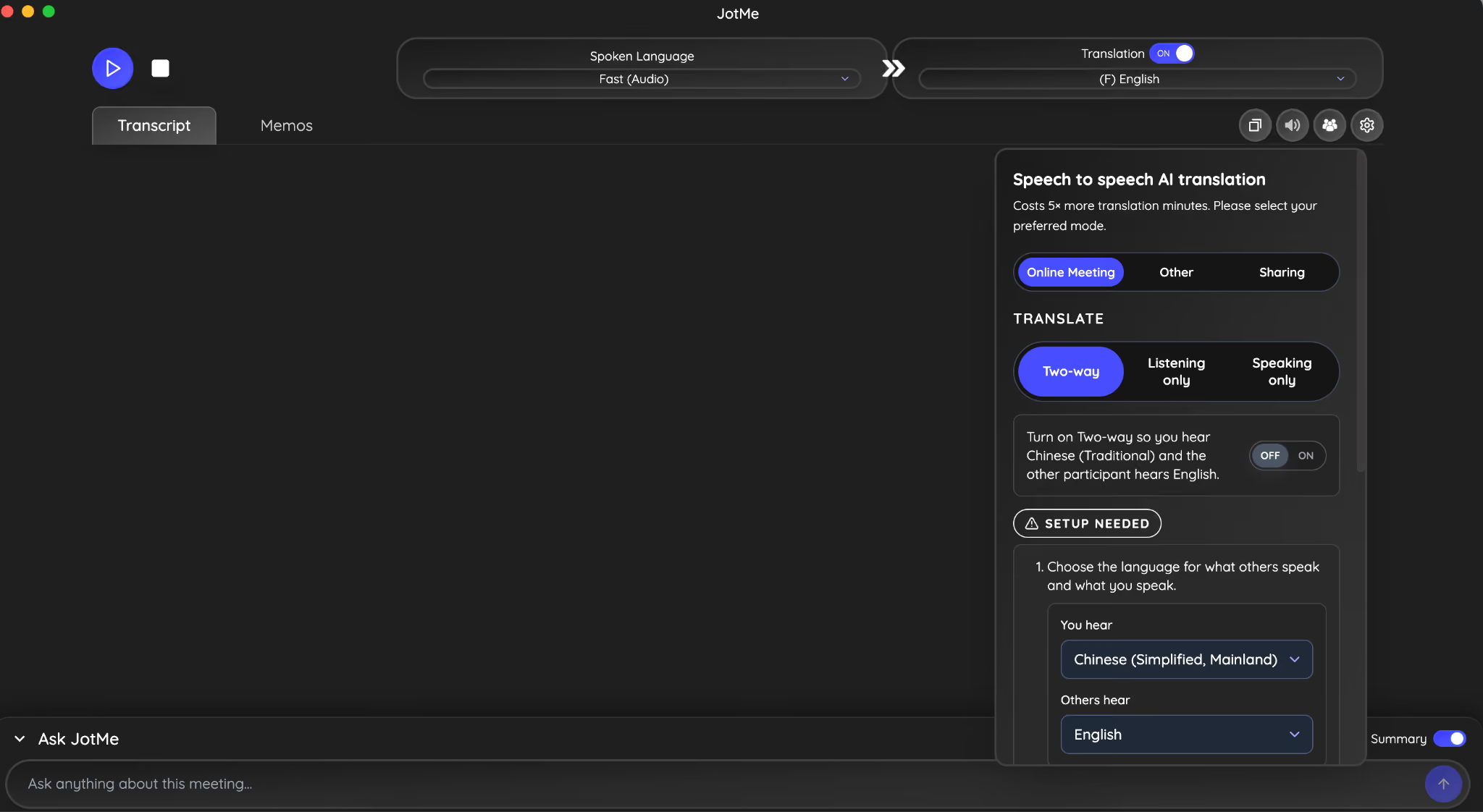
Step 4: Select the meeting type, translate option, and enable two-way communication.
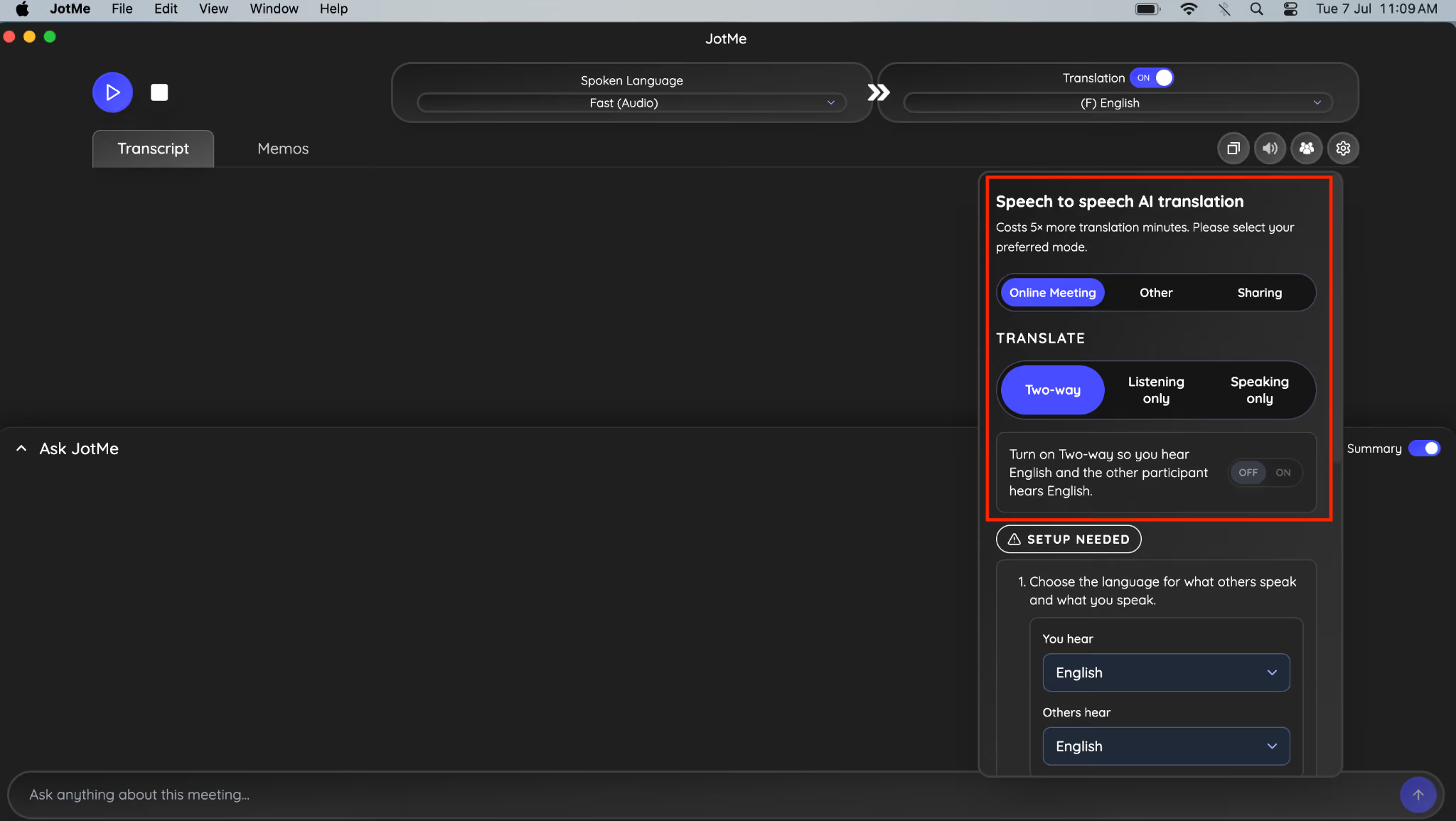
Step 5: Choose the language you hear, and your team member will listen. After that, install BlackHole 2ch and BlackHole 16ch.
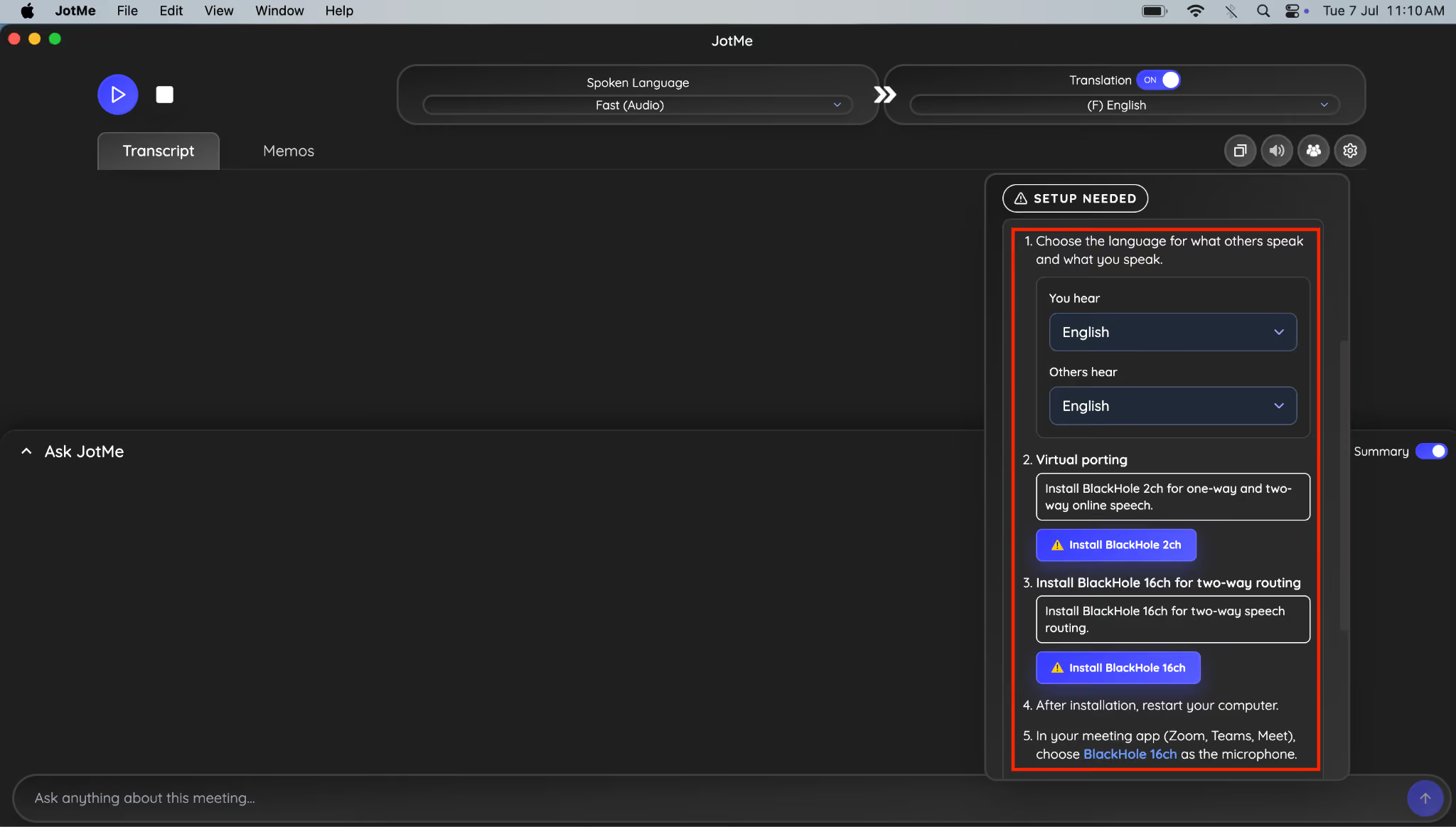
Step 6: Once done, navigate to the sharing option next to the speaker icon.
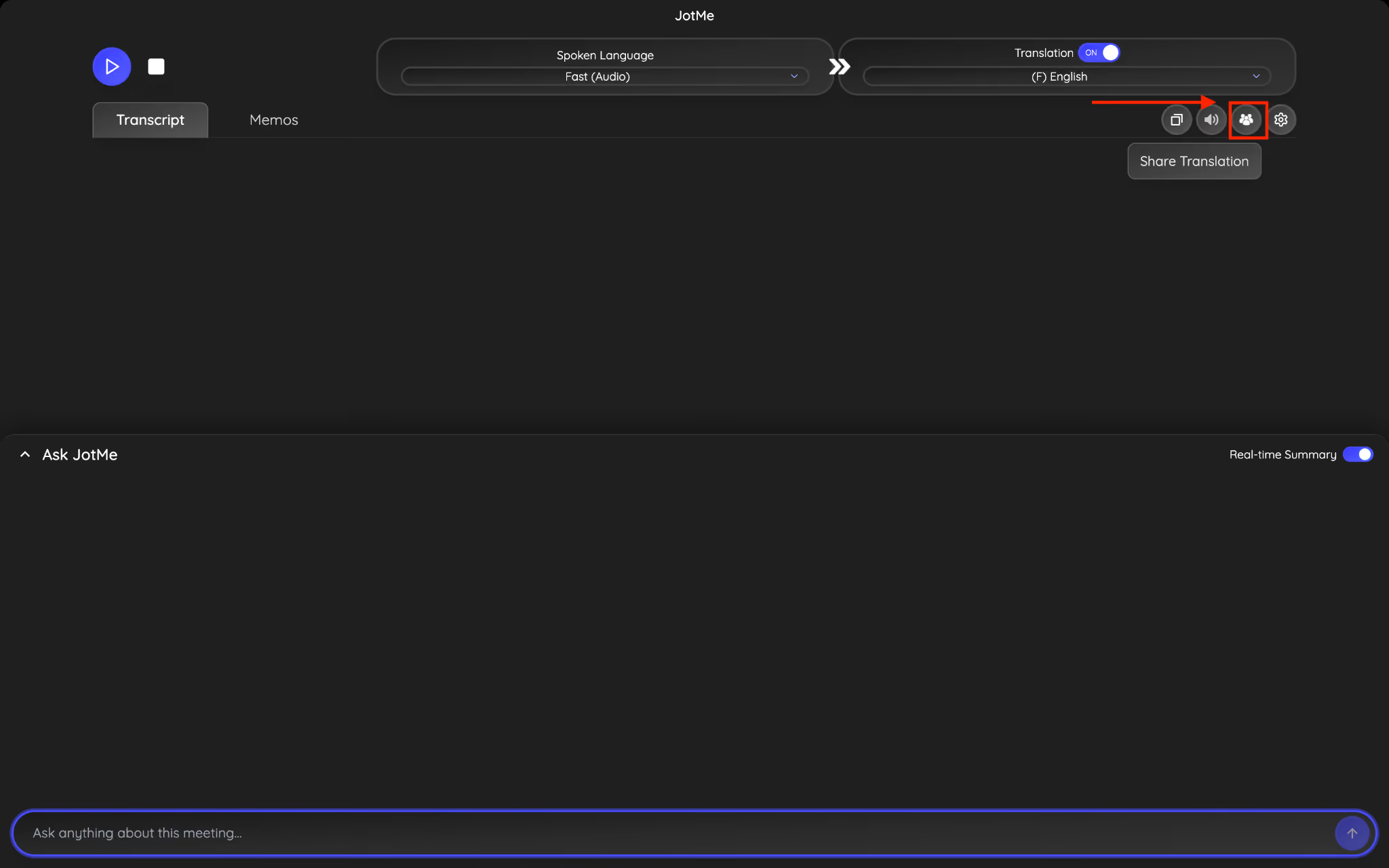
Step 7: Head to the URL and hit the Generate code button.
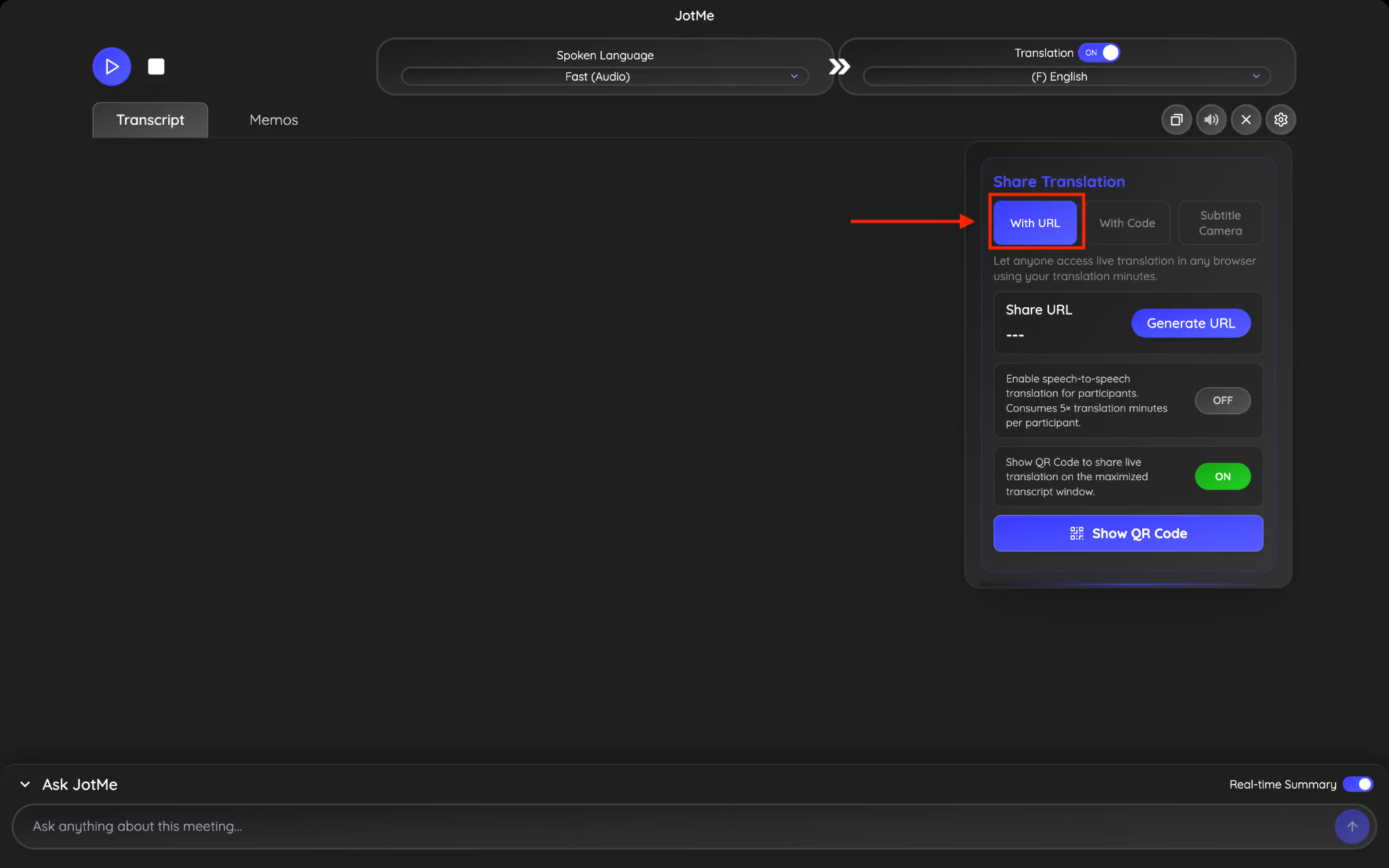
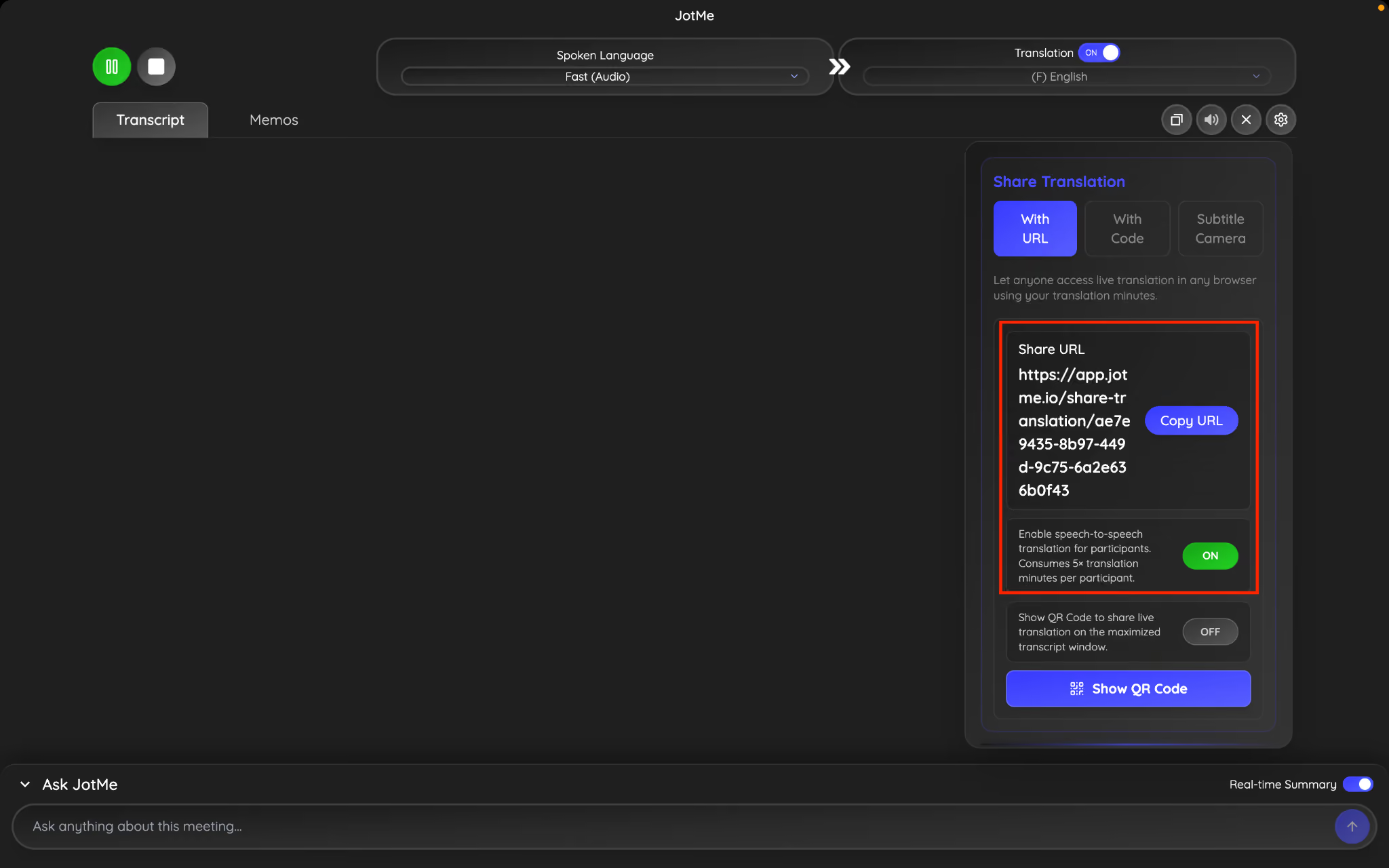
Step 8: Copy the URL, enable speech to speech translation, and share it with your teammate. They simply paste the code, choose the language they'd like to hear, and instantly start listening to your translated voice in real time, alongside live translated captions.
Share Live AI Translation Seamlessly With JotMe
Sharing contextual live AI translation with a URL makes multilingual meetings accessible in just a few clicks. Participants don't need to install software, create an account, or subscribe to a paid plan. They simply open the link, choose their language, and start following the conversation in real time.
If your meeting requires a more natural conversational experience, JotMe also supports voice-to-voice translation, allowing participants to hear translated speech while speaking their own language. For teams that primarily need browser-based access, URL sharing remains one of the simplest and most flexible ways to connect multilingual participants.
We are GDPR compliant. We also have a seamless Team plan with an admin dashboard for minute allocation and control, so global companies and teams can be onboarded easily. For enterprise inquiries or feedback, you can always reach out: hey@jotme.io.
Till next blog, see you then!
Last updated on
July 13, 2026
Follow us on social media:
![JotMe — Is Google Translate Accurate? [2026 Test]](/_webflow-assets/0d0512afc7b037d74dff536f22fed08f.avif)