




Quick Answer
Choose DeepL when approved terminology and editing controls matter to your written work. Choose Google Translate when you want broad access to everyday translation without a subscription. For multilingual collaboration, JotMe is worth considering: it combines live translation with custom vocabulary, participant sharing, session questions, and follow-up communication.
Google Translate turned a heading in my business proposal into a reference to a TV pilot episode. The file still looked orderly: the pricing table, headings, and numbered checklist were all in place. I only caught the mistake when I compared the German wording with the English original.
DeepL and JotMe kept that heading about the pilot project. But my separate text tests produced a less obvious result: DeepL and Google Translate both understood the French idiom, preserved the Spanish inventory quantities, and kept the German return conditions intact.
That made this DeepL vs Google Translate comparison more interesting than simply picking the translator with the smoothest sentences. I wanted to know what I would still need to fix before sending a message or document. I used paid DeepL and JotMe plans, so I could look at whether their additional features gave me a practical reason to move beyond Google Translate.
Here is what I found:
- DeepL: A useful starting point for business writing, with glossaries, alternative wording, and document translation. Its controls depend on your plan and language pair.
- Google Translate: The easier everyday option for broad language coverage, travel, camera translation, and reading websites without paying for a subscription.
This DeepL vs Google Translate guide looks at those differences, explains the limits behind the feature lists, and shows when a meeting translation platform such as JotMe makes more sense.
Key Takeaways
- Our text tests produced no accuracy winner but the document test is where DeepL won. DeepL and Google Translate both preserved the details in the same Spanish, French, and German examples.
- Correct meaning did not always mean publishable wording. DeepL’s German policy sounded overly formal, while Google Translate’s shorter version needed a small wording change.
- DeepL’s main reason to consider paying is control. Check whether its glossary, formality settings, and document allowances support your language and workload.
- Google Translate is a useful starting point for occasional translation. In our three examples, it preserved the meaning without requiring a paid subscription.
- JotMe added explanations alongside the translation. These helped clarify the French idiom and the German return conditions, even though all three tools translated them correctly.
Who Should Read This DeepL vs Google Translate Comparison Guide?
This comparison is for readers deciding whether Google Translate is enough or DeepL’s additional controls are worth paying for:
- Business owners and support teams: Compare how the tools handle quantities, customer instructions, and return conditions.
- Writers and marketers: See where a correct translation still needs editing for readability or tone.
- Students and everyday users: Check how both tools handle unfamiliar expressions before choosing a paid option.
- Multilingual teams: Understand when a meeting translation platform such as JotMe may better suit the task.
Why is This DeepL vs Google Translate Comparison Guide Different?
I gave DeepL, Google Translate, and JotMe the same Spanish, French, and German passages, selected English as the output language, and added no extra instructions.
Each example had specific details to check: inventory quantities, a supplier who failed to show up, and separate conditions for free returns and refunds. The screenshots show the outputs, and I explain where the meaning stayed intact and where I would edit the wording.
I also separate what these three tests demonstrated from the tools’ wider features. Getting these examples right does not prove that a translator will perform equally well in every language or document.
DeepL vs Google Translate: Quick Glance
DeepL offers more options for controlling business terminology and wording. Google Translate makes everyday translation accessible across more languages. Here is how their core features compare.
Feature | DeepL | Google Translate |
|---|---|---|
Price | Free version and paid Translator plans; API and dedicated Voice products have separate terms | Free consumer website and app; Cloud Translation is billed separately |
Supported languages | 100+ languages; customization features support a smaller selection | Supports over 200 languages; availability varies across text, camera, speech, and offline features |
Text translation | Translate pasted text, review alternatives, and apply supported customization settings | Translate pasted text, listen to the result, and view available definitions or alternatives |
Text limits | Allowances depend on the account and subscription | Up to 5,000 characters at a time in the consumer text interface |
Document translation | Supports PDF, Word, PowerPoint, and other formats; quotas, sizes, and editing options depend on the plan | Supports DOCX, PDF, PPTX, and XLSX uploads up to 10 MB; PDFs must be no more than 300 pages |
Image translation | Supports PNG and JPEG image translation, with file limits that depend on the plan | Supports desktop image uploads and mobile camera translation |
Glossaries | Specify preferred translations for supported language pairs, within account limits | No equivalent custom glossary editor in the consumer translation interface |
Formality and wording | Formal/informal settings and alternative wording for supported languages | Available suggestions and controls depend on the language and interface |
Website translation | Browser extensions offer webpage translation features, depending on the plan | Websites mode accepts a URL; browser translation is also available |
Live speech translation | DeepL Voice supports eligible workflows on Teams, Zoom, and Google Meet | Mobile speech and conversation features; Google Meet translation is a separate offering |
Developer access | DeepL API for integrating translation into applications and workflows | Google Cloud Translation for application and website integrations |
What is DeepL?
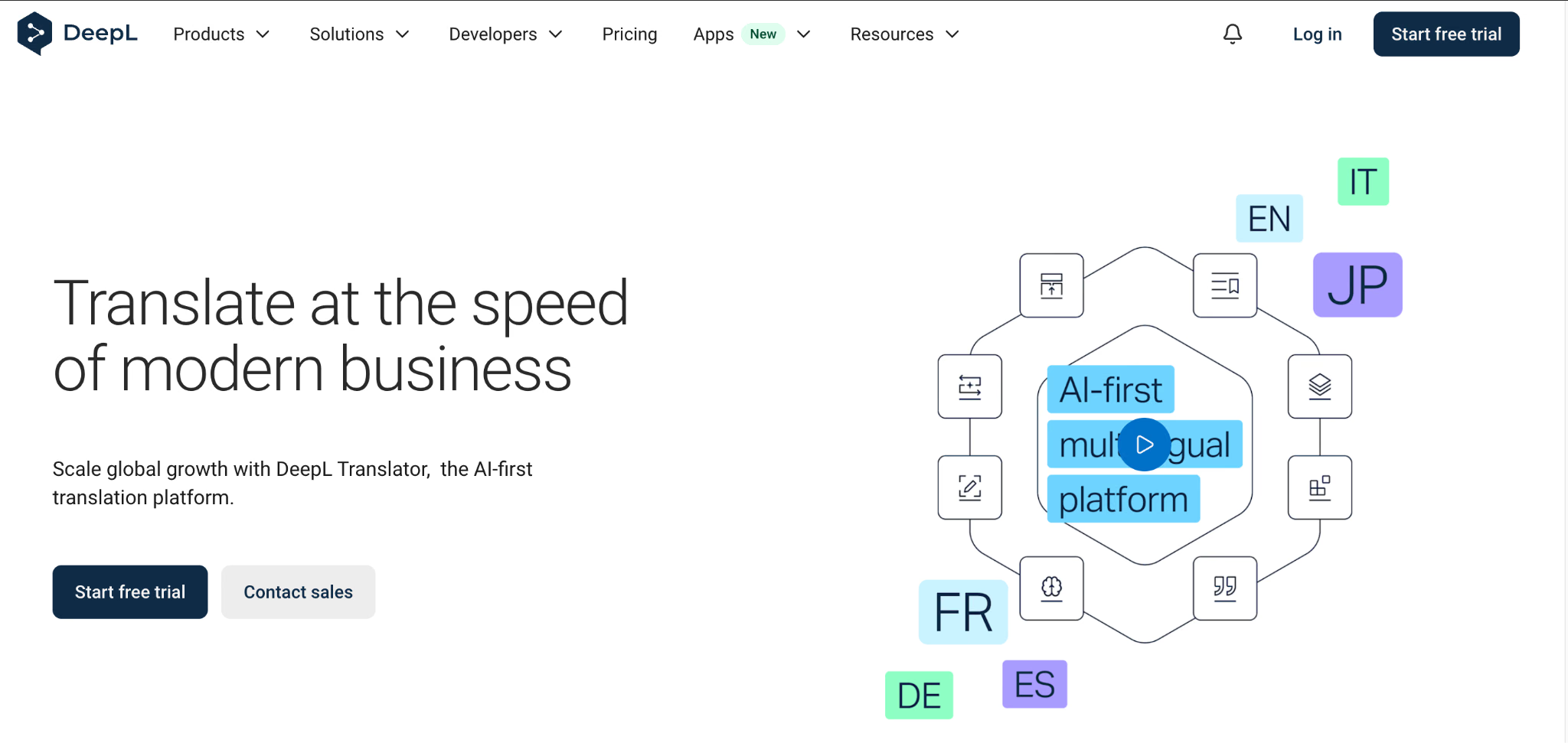
DeepL is a language platform for translating text, documents, and speech. The company began offering its translator in 2017 and now combines translation with customization, writing assistance, and speech products.
DeepL at a Glance
Parameter | Detail |
|---|---|
Established | 2017 |
Core audience | Individuals, translators, and business teams |
Translation scope | Written text, supported files, and separate speech products |
Advertised coverage | 100+ languages |
Customization | Glossaries and supported style or formality controls |
Access points | Browser, desktop, mobile, extensions, and integrations |
Paid Translator tiers | Individual, Team, Business, and Enterprise |
Developer access | Separate API products and billing |
What is DeepL Voice?
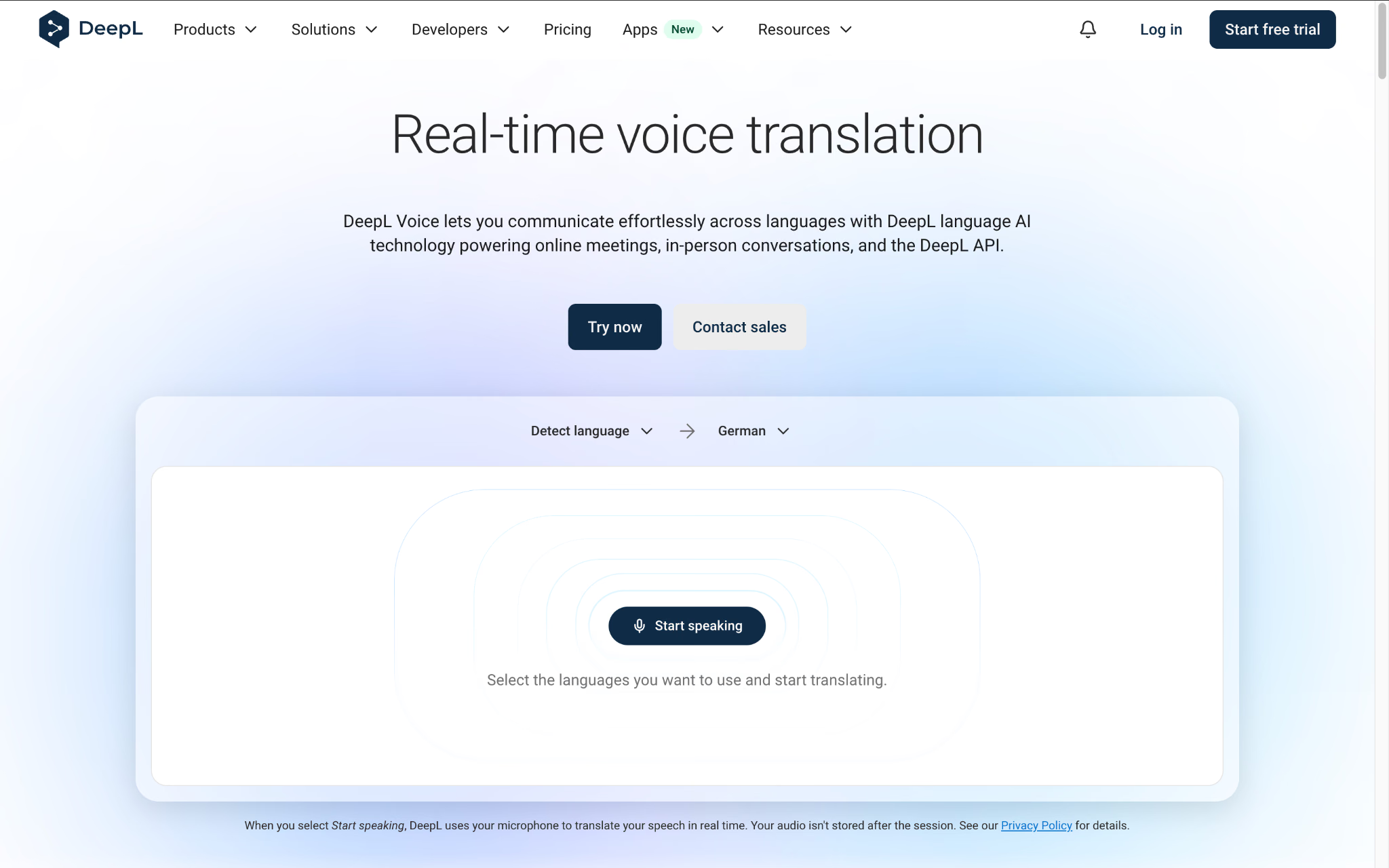
DeepL Voice for Online Meetings provides translated subtitles and supported translated speech for Microsoft Teams, Zoom, and Google Meet. What attendees can hear or read depends on the application and eligible license.
Pros and Cons of DeepL Translate
Pros | Cons |
|---|---|
Terminology can follow an approved glossary | Feature support varies between language combinations |
Alternatives help explore different wording | An alternative may alter a technical distinction |
Formality settings help address the intended reader | Paid access and supported languages determine availability |
Document workflows handle more than pasted text | Download editing and file allowances have restrictions |
Team plans provide organizational controls | Translator, API, Write, and Voice needs require separate checking |
How to Translate With DeepL
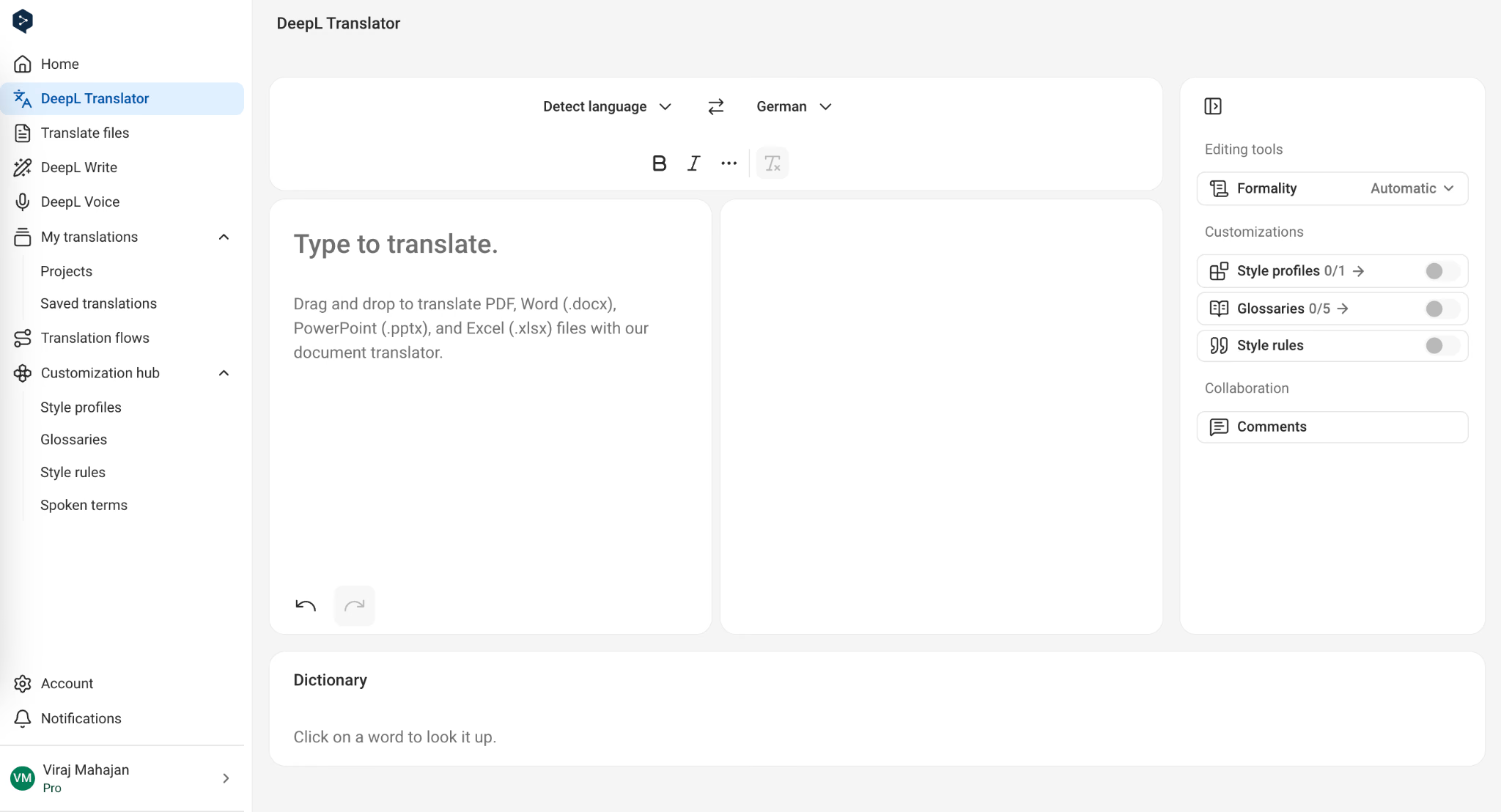
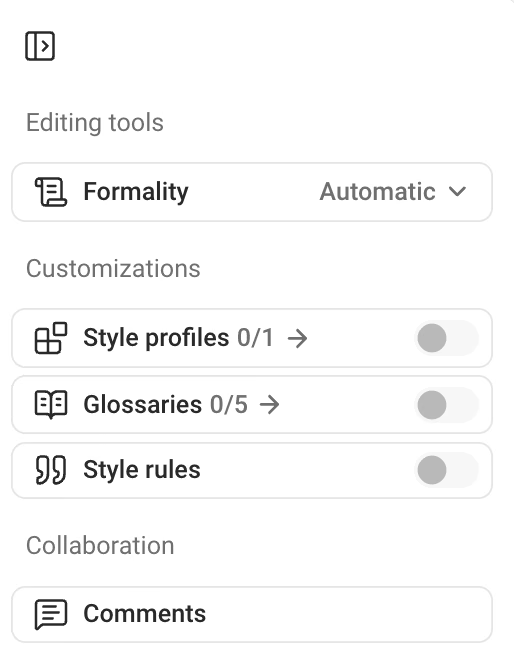
You can translate text directly on DeepL’s website or upload a document through Translate files. For customer-facing content, its glossary and formality settings give you more control over the wording.
Step 1: Choose Your Languages and Paste Your Text
Open DeepL Translator, select English as the source language, and choose German as the target. Paste the complete passage so DeepL has the context around each instruction.
Step 2: Review the Wording and Available Alternatives
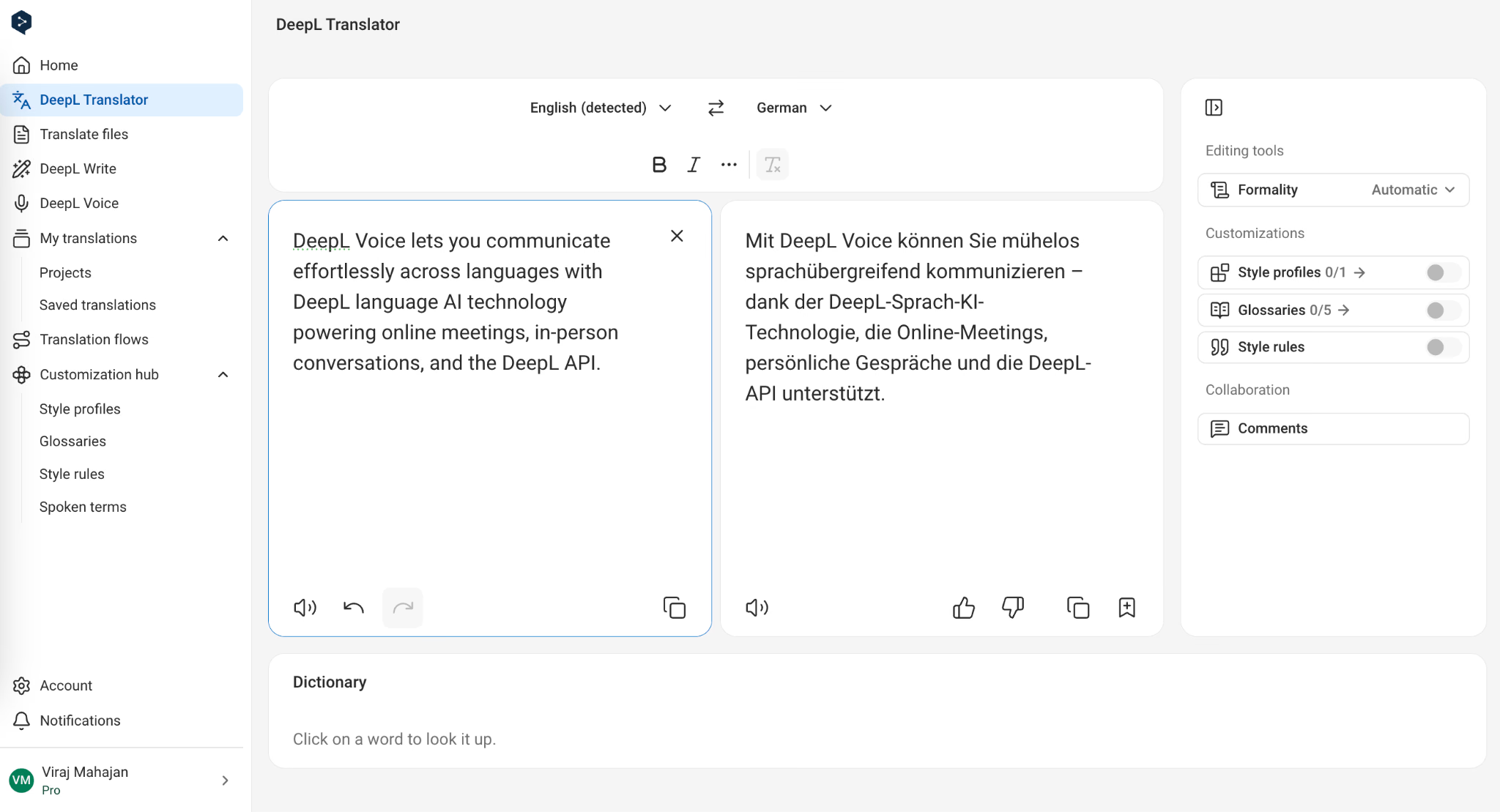
Start with the details that could change the instruction: the component, the action, and any exception. Then consider alternative wording. In the separate German return-policy test below, DeepL preserved the meaning but used a phrase I would simplify for customers. That is the distinction I make when reviewing an alternative: does it improve readability while keeping the condition intact?
Step 3: Apply a Glossary and Choose the Formality
A glossary is worth checking when the first translation is understandable but does not use your approved product terminology. Add the preferred term to a supported glossary and apply it to the passage. Compare the result with the version without the glossary. Do not assume that changing one term leaves the rest of the sentence ready to publish.
You can also choose a formal or informal tone where your language and plan support it. For a customer notice, select the option that matches how your business normally addresses buyers.
What is Google Translate?
Google Translate is Google's translation service for text, images, speech, documents, and websites. It launched in 2006 and has become a familiar first stop among free language translators for understanding another language.
Google Translate’s main advantage is convenience. You can translate a message in a browser, point your phone at a sign, or download a supported language before traveling.
Google Translate at a Glance
Parameter | Detail |
|---|---|
Service launch | 2006 |
Typical use | Reading, travel, and everyday communication |
Official coverage description | More than 200 languages |
Consumer subscription | Not required |
Pasted-text allowance | Up to 5,000 characters per translation |
Desktop file formats | DOCX, PDF, PPTX, and XLSX |
Mobile features | Camera and speech features, depending on language |
Offline option | Downloadable packs for selected languages |
Developer integration | Separately priced Google Cloud Translation |
Pros and Cons of Google Translate
Pros | Cons |
|---|---|
Easy to access without a paid plan | Limited control over recurring business terminology |
Broad range of written languages | Individual modes do not cover every language equally |
Mobile camera use suits printed notices | Recognition depends on image clarity and typography |
Selected language packs support offline use | Online file and website services remain separate |
How to Use Google Translate
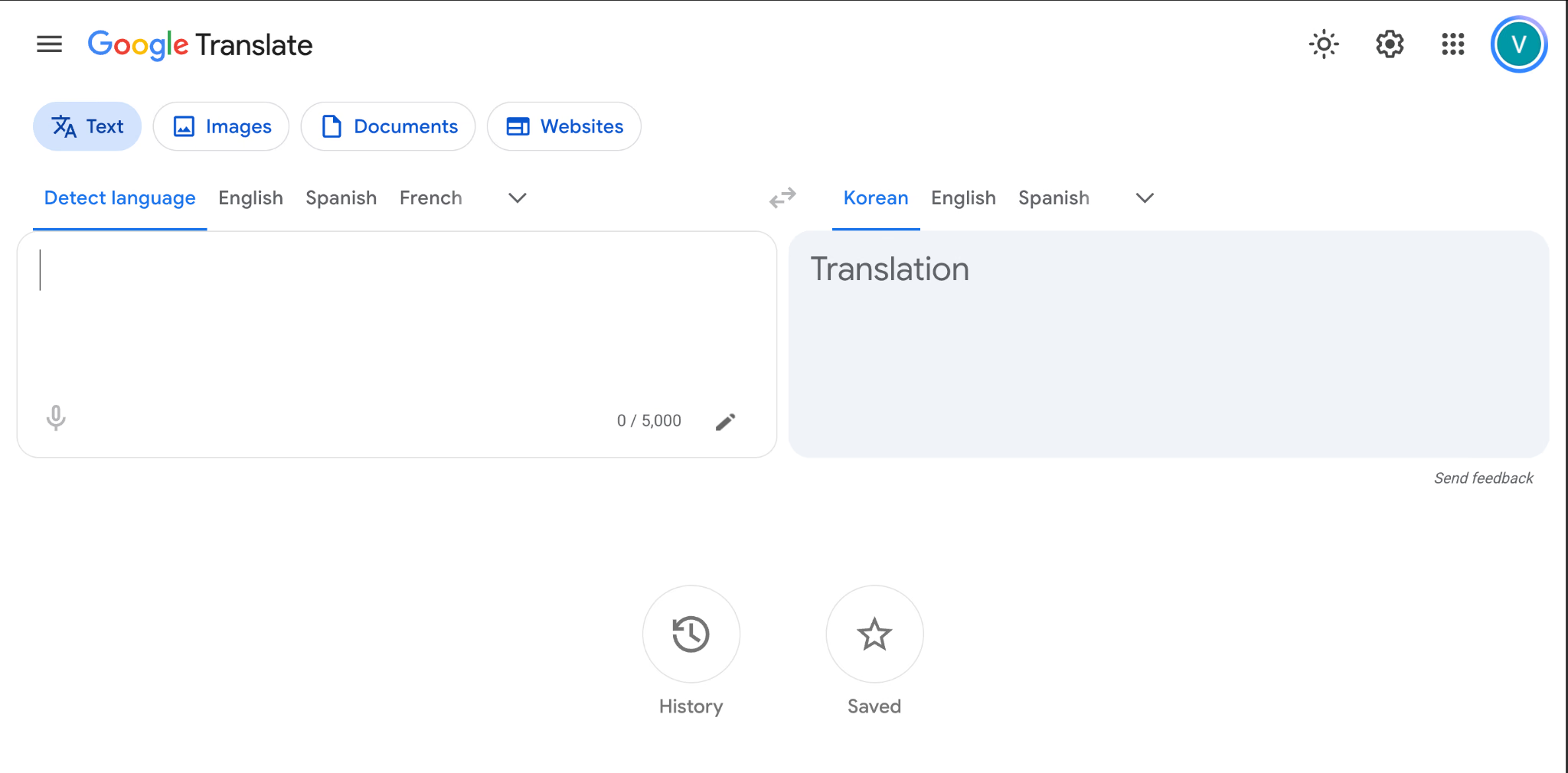
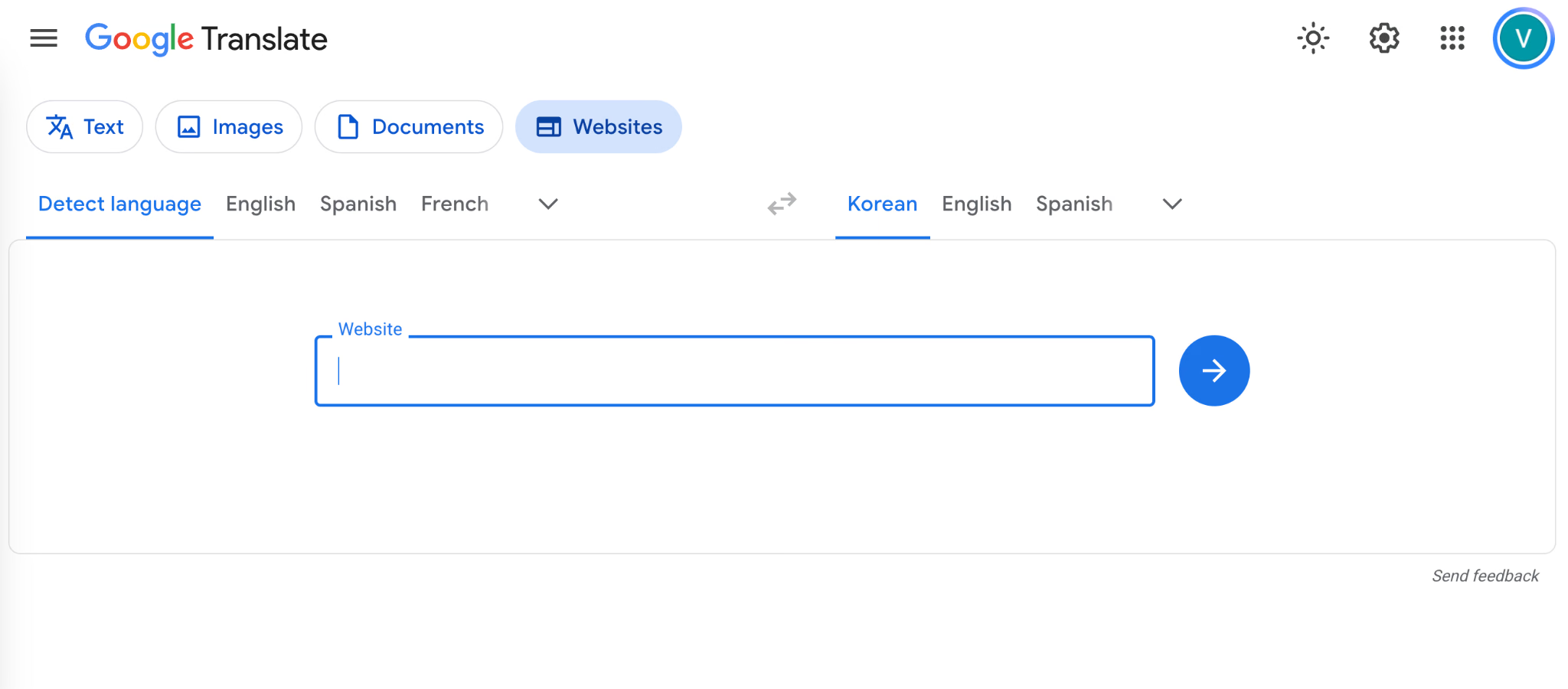
Google Translate lets you choose between text, images, documents, and websites on its desktop page.
Step 1: Select Your Languages and Enter the Text
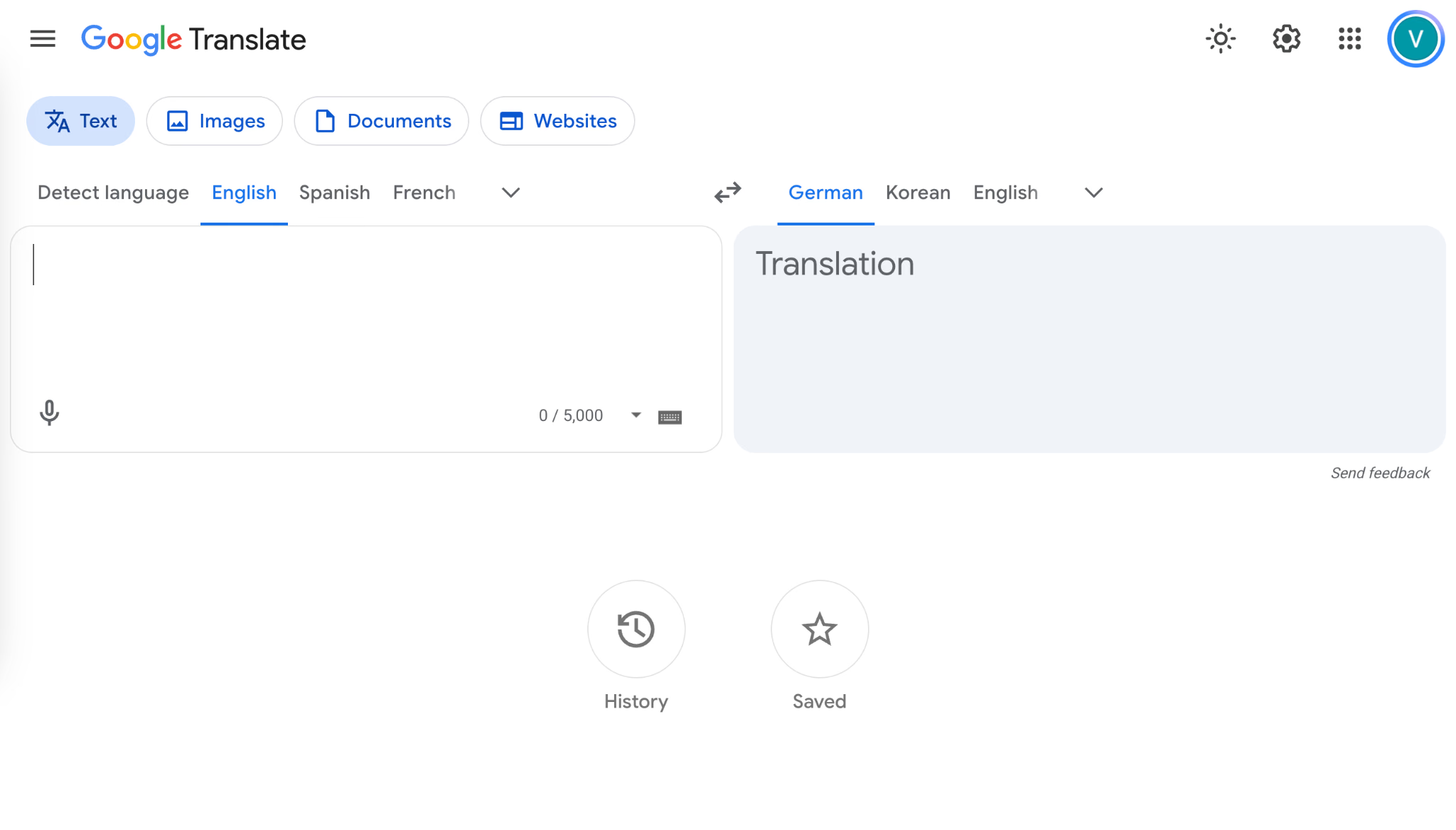
Open Google Translate, choose Text, and set the language direction to English–German.
Step 2: Translate a Printed Notice With the Camera
In the mobile app, open Camera, select your languages, and point the phone at the text.
Step 3: Upload a Document
On a computer, select Documents and upload the document. Choose the languages, start the translation, and download the completed file.
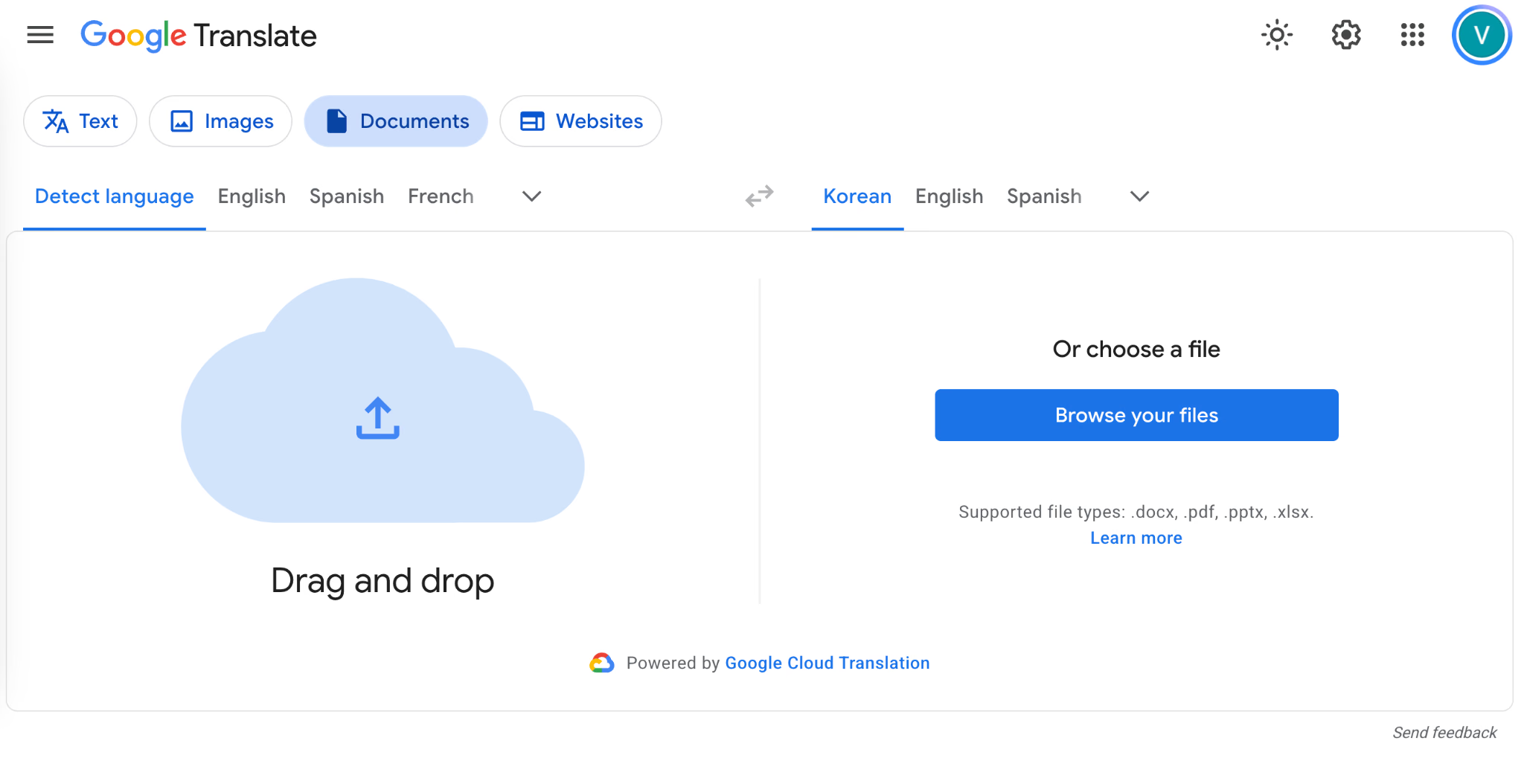
Open the download beside the source. Compare the table labels, eligibility answers, and checklist. Google Translate supports DOCX, PDF, PPTX, and XLSX files.
Step 4: Translate a Website
Choose Websites, enter the page’s URL, and open its translation. You can then read the page in your selected language and switch back to the original when you need to compare a phrase.
Is DeepL More Accurate Than Google Translate for Translation?
DeepL was not more accurate than Google Translate in the three text examples I tested. Both tools preserved the meaning, including the quantities, the French idiom, and the return-policy conditions. JotMe also translated all three correctly.
For these tests, I entered the same Spanish, French, and German passages into each tool, selected English as the output language, and added no extra instructions. I checked whether the translations preserved the details that could change someone’s next action: which goods were damaged, how many units could ship, whether an order remained active, and when a customer qualified for a free return.
These examples do not establish which translator is best across every language. They show how the tools handled the same practical messages, and where I would still edit their wording.
Translation test | What I checked | DeepL | Google Translate | JotMe |
|---|---|---|---|---|
Spanish inventory update | Damaged packaging versus damaged shelves; six units for pickup and thirty for shipping | Preserved all details | Preserved all details | Preserved all details and added an explanation |
French supplier update | An idiom, a postponed demonstration, and an order that remained active | Translated the idiom and events correctly | Translated the idiom and events correctly | Translated them correctly and explained the idiom |
German return policy | Free return condition and refund eligibility after opening the packaging | Preserved both conditions | Preserved both conditions | Preserved both conditions and explained them |
How Accurate is DeepL?
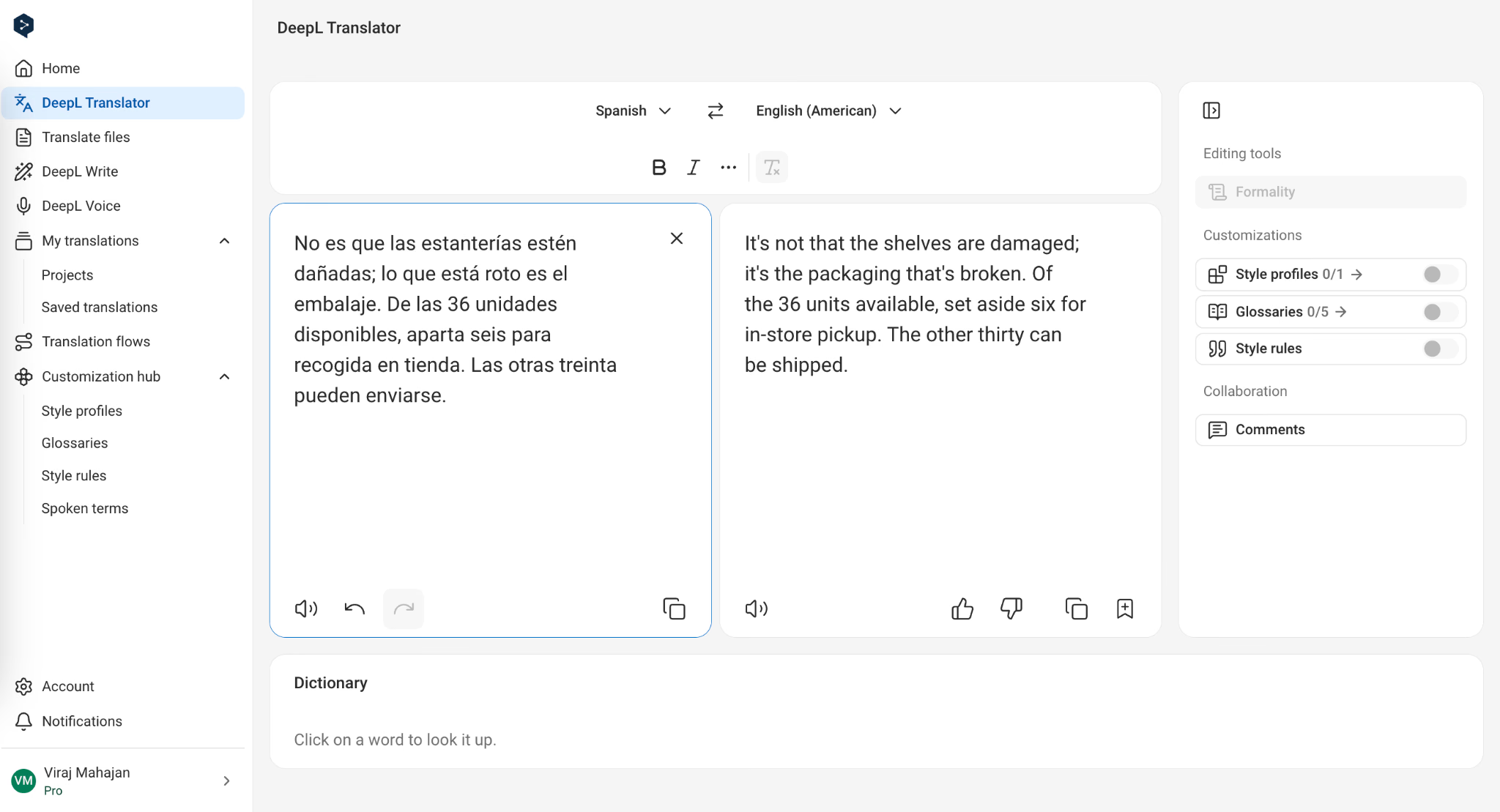
DeepL handled the Spanish inventory update without mixing up the damaged packaging and the undamaged shelves. It also kept the quantities correct: six of the thirty-six units were reserved for pickup, while the other thirty could be shipped.
The French example tested whether DeepL could understand an expression in context. The passage included “nous a posé un lapin,” which means someone failed to show up. DeepL correctly translated it as “The supplier stood us up.”
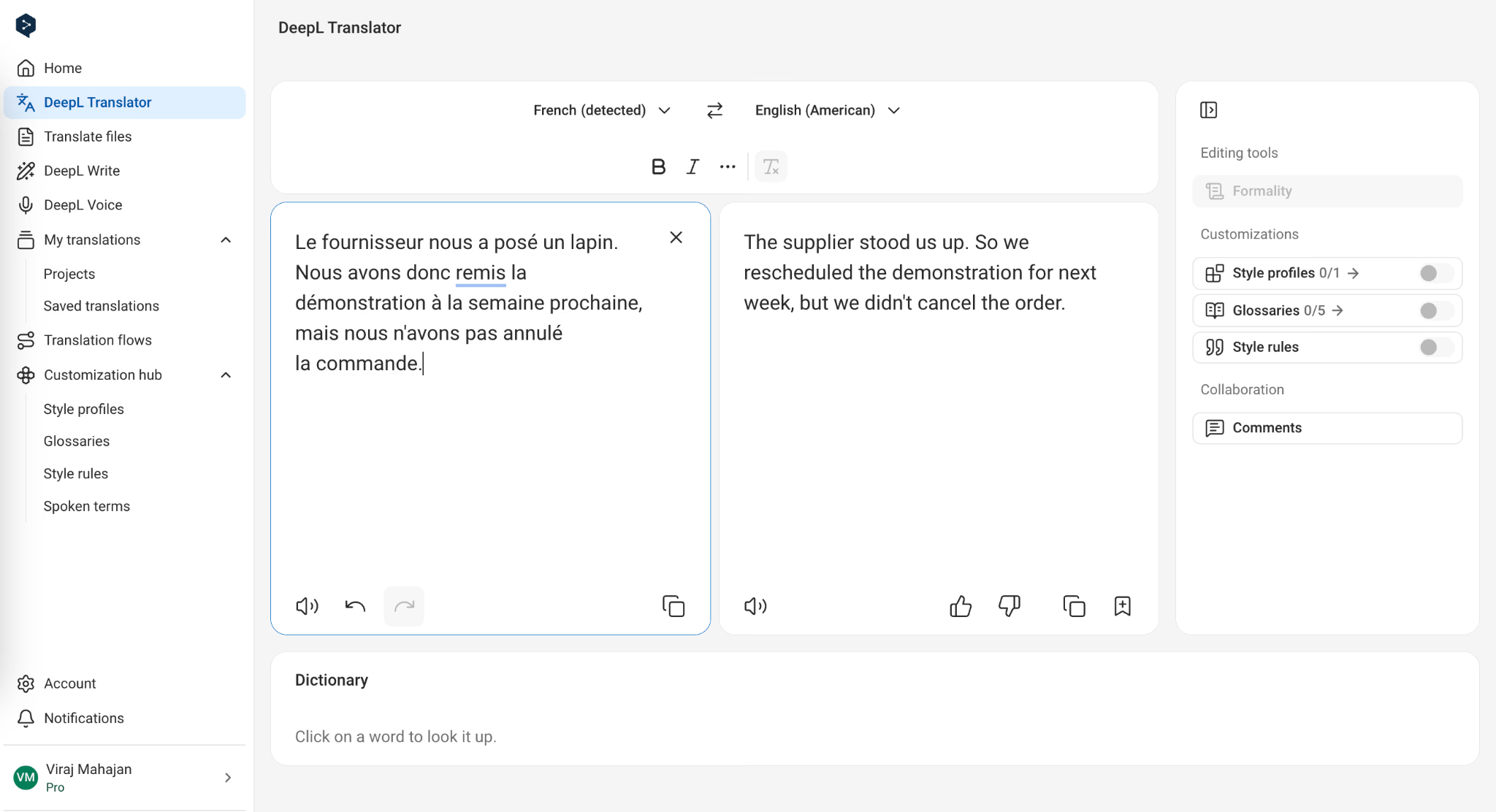
DeepL also preserved what happened next: we rescheduled the demonstration for the following week but did not cancel the order. There was no literal reference to a rabbit or any change to the order’s status.
For the German return policy, DeepL produced:
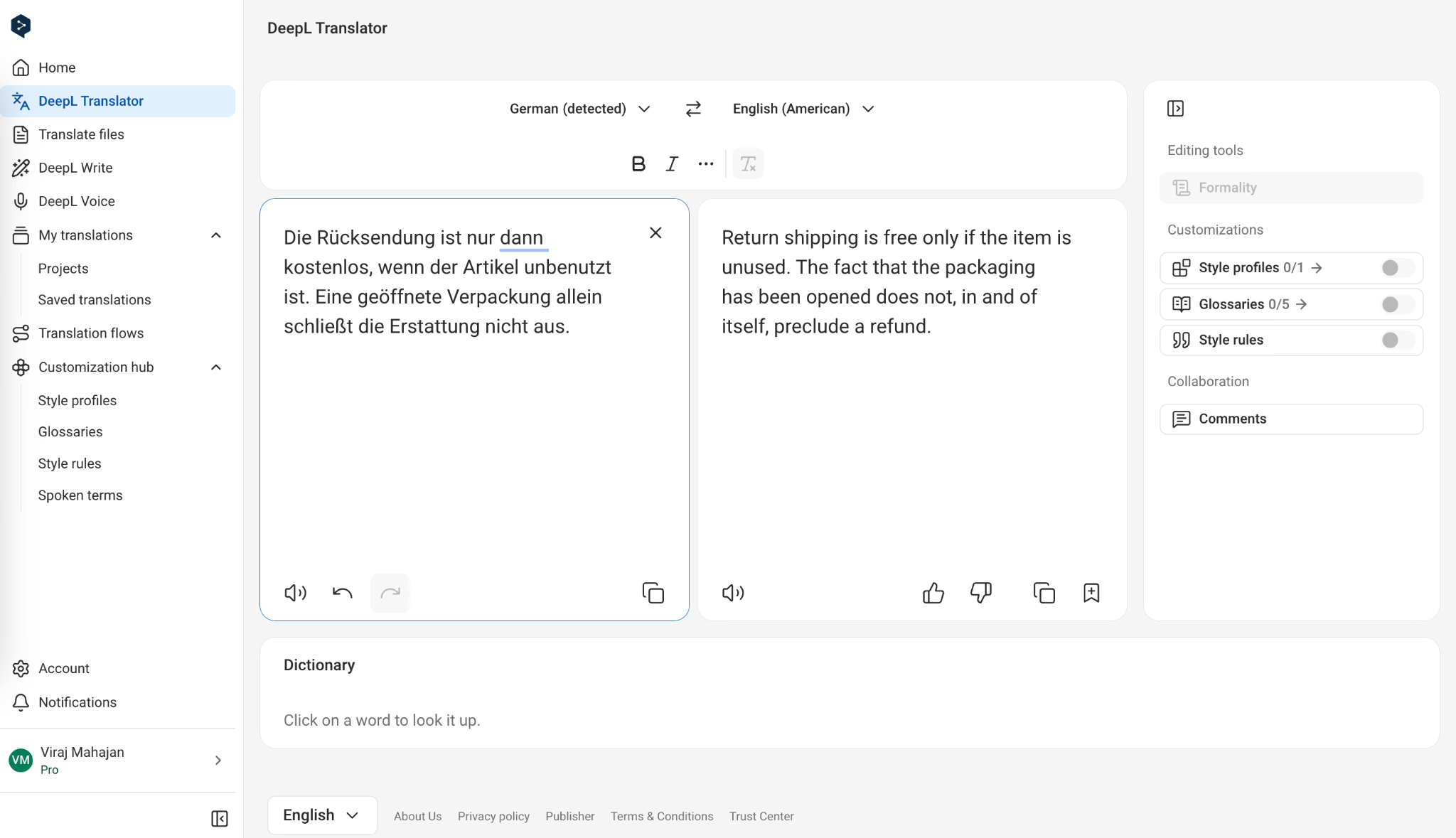
The meaning was correct, and “return shipping” made the first condition explicit. However, we would simplify “does not, in and of itself, preclude a refund” before using it in a customer-facing policy. The wording needed editing for readability rather than accuracy.
My observation: DeepL preserved the important details across all three tests. Its German translation was more formal than necessary, but I found no meaning-changing error in these examples.
How Accurate is Google Translate?
Google Translate matched DeepL on the details we checked. Its Spanish translation opened with “The shelves aren't damaged; the packaging is broken,” making the distinction easy to understand. It also kept the pickup and shipping quantities correct.
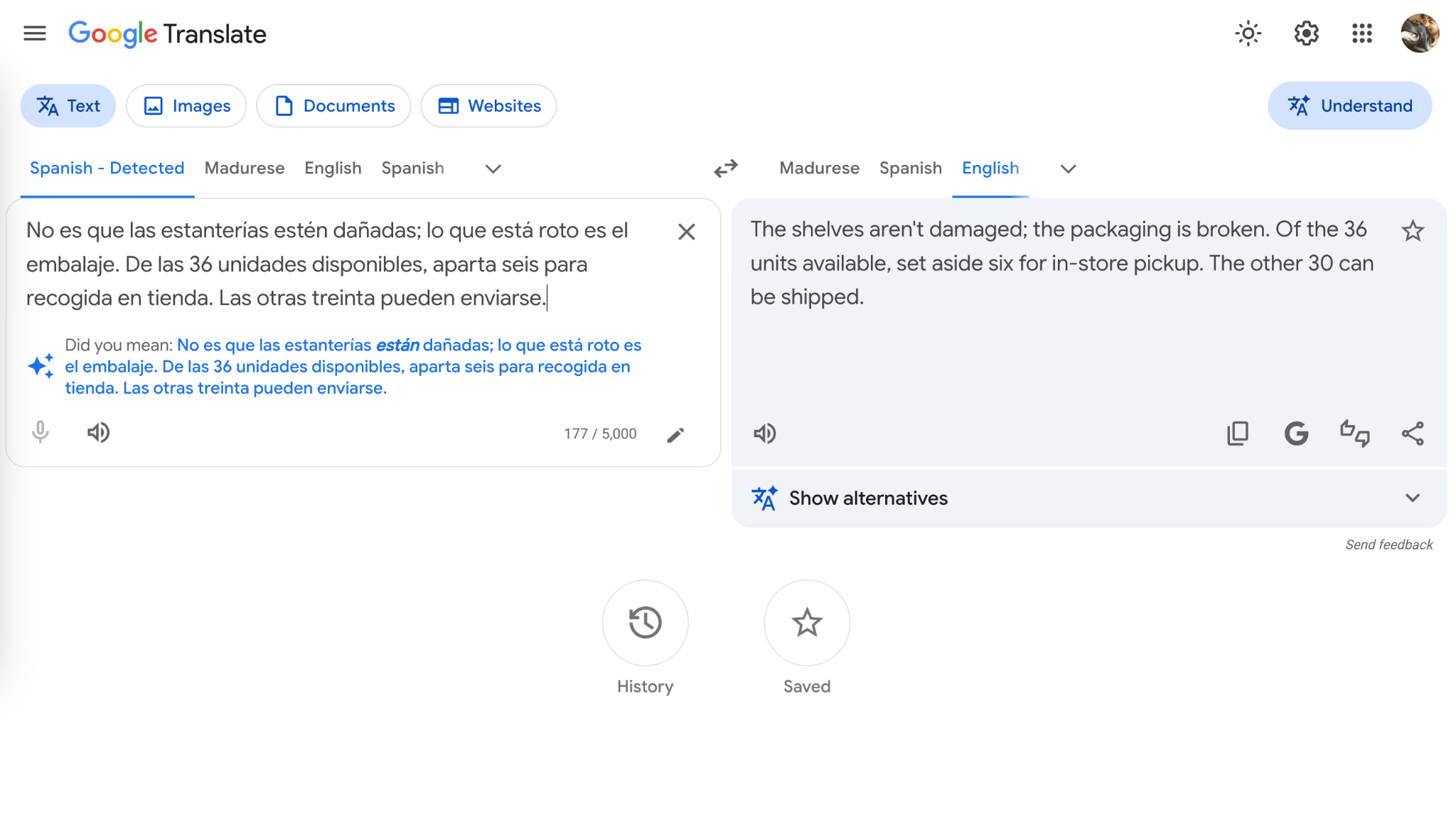
For the French passage, Google Translate used “The supplier stood us up” and correctly stated that the demonstration had been postponed until the following week. It preserved the instruction that the order had not been cancelled.
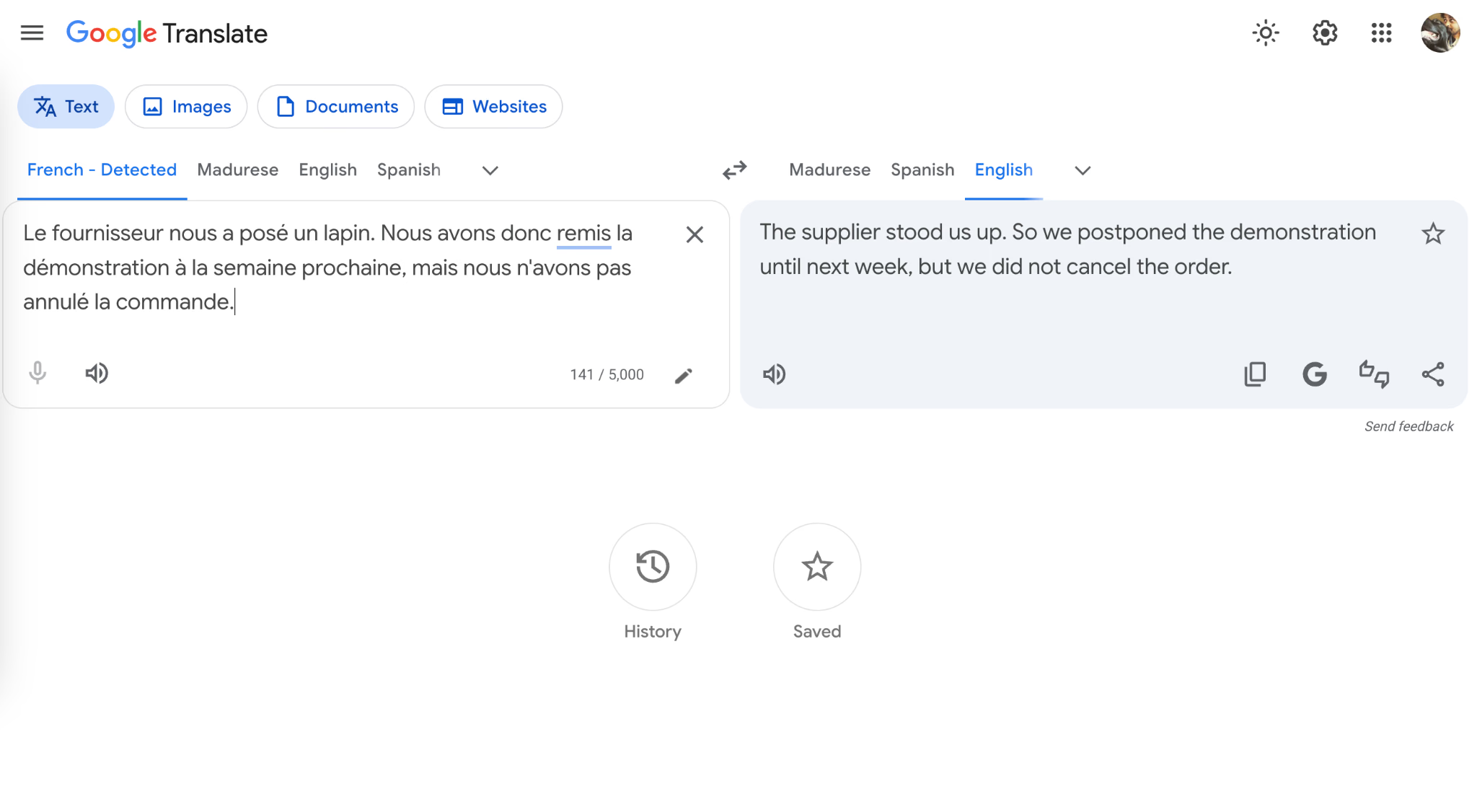
The German result was shorter than DeepL’s:
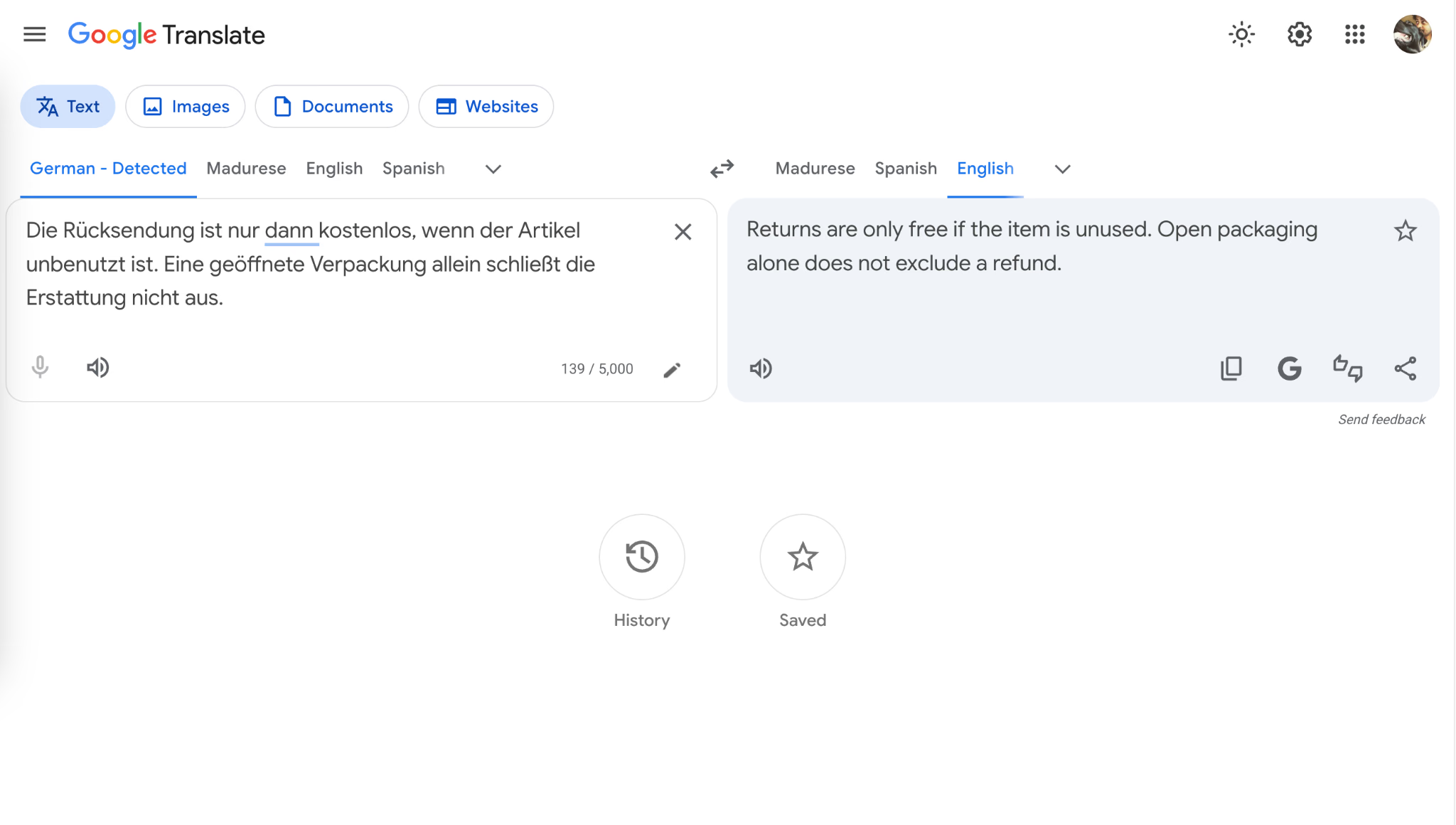
“Open packaging” sounded less natural than “opened packaging,” but the condition remained understandable. Google Translate did not turn the unused-item requirement into a refund restriction or suggest that opening the package automatically prevented a refund.
My observation: Google Translate showed no accuracy disadvantage against DeepL in these tests. Its wording was generally concise, although we would make a small edit to the German result before publishing it.
If you want a closer look at where Google Translate gets things right and where it needs checking, read our guide on how accurate Google Translate is for a more detailed breakdown.
How Accurate is JotMe Compared With DeepL and Google Translate?
JotMe preserved the meaning in all three examples. Its main advantage in these tests was the explanation displayed below the translation.
For the French passage, JotMe translated “nous a posé un lapin” as “stood us up,” just as DeepL and Google Translate did. It then explained that the supplier had failed to show up and connected that expression to the postponed demonstration. That helped explain the message beyond providing an English equivalent.
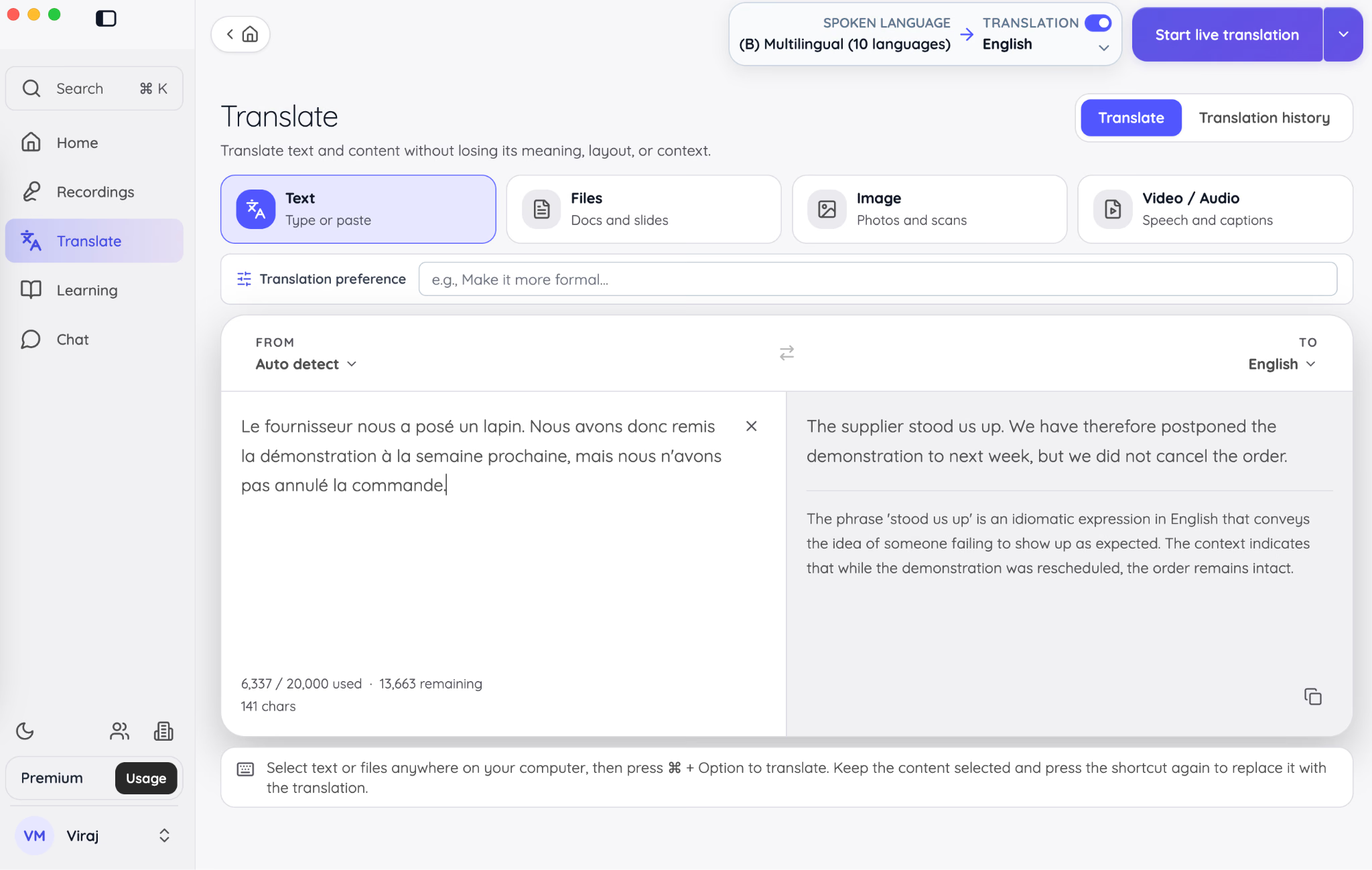
The German example showed a similar benefit. JotMe kept the two conditions separate: the item had to be unused for a free return, while opening the packaging alone did not rule out a refund. Its explanation made that distinction easier to follow.
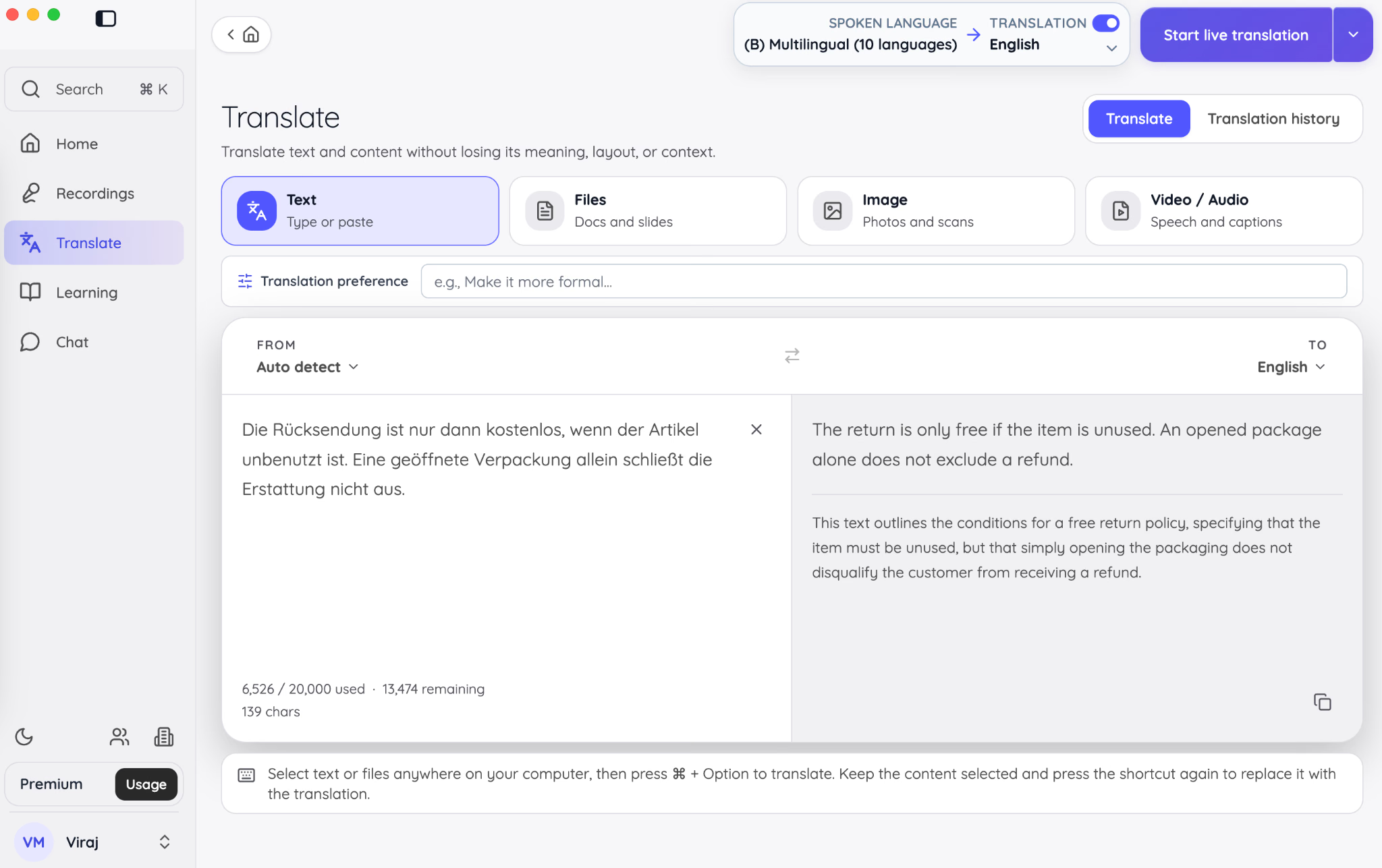
JotMe also kept the Spanish inventory details correct: the packaging was damaged, the shelves were not, six units were reserved for pickup, and thirty could be shipped.
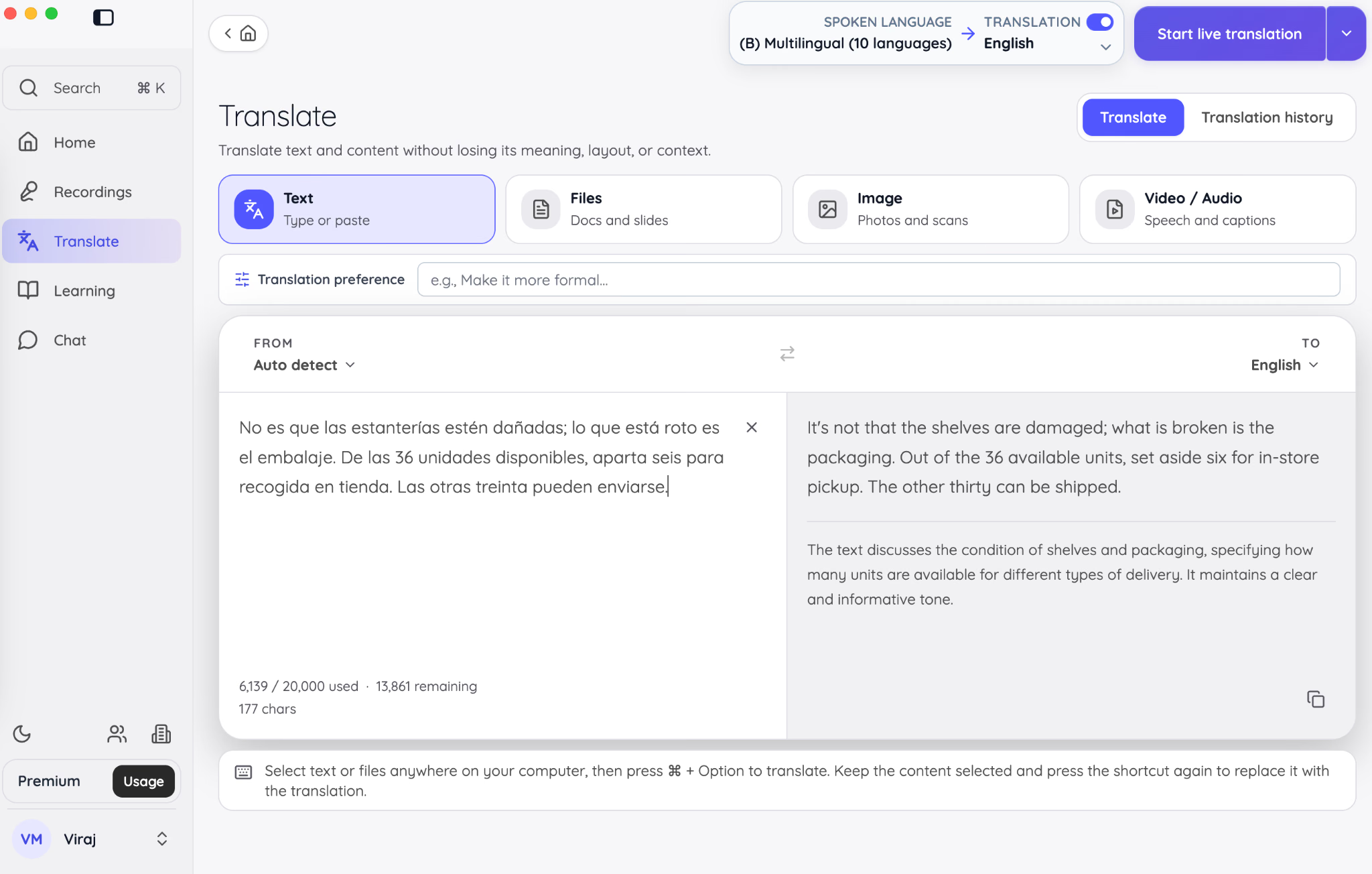
My observation: JotMe matched DeepL and Google Translate on the details I checked. I would choose it when I wanted help understanding an unfamiliar expression or condition alongside the translated text.
While DeepL and Google Translate performed well in terms of accuracy, JotMe was ahead in terms of translation clarity and explanation. All three tools preserved the meaning in these examples, but JotMe helped me understand the translated text through the explanations displayed below it. For a detailed comparison, you can check our detailed DeepL vs. JotMe comparison guide.
Does DeepL or Google Translate Handle Documents Better?
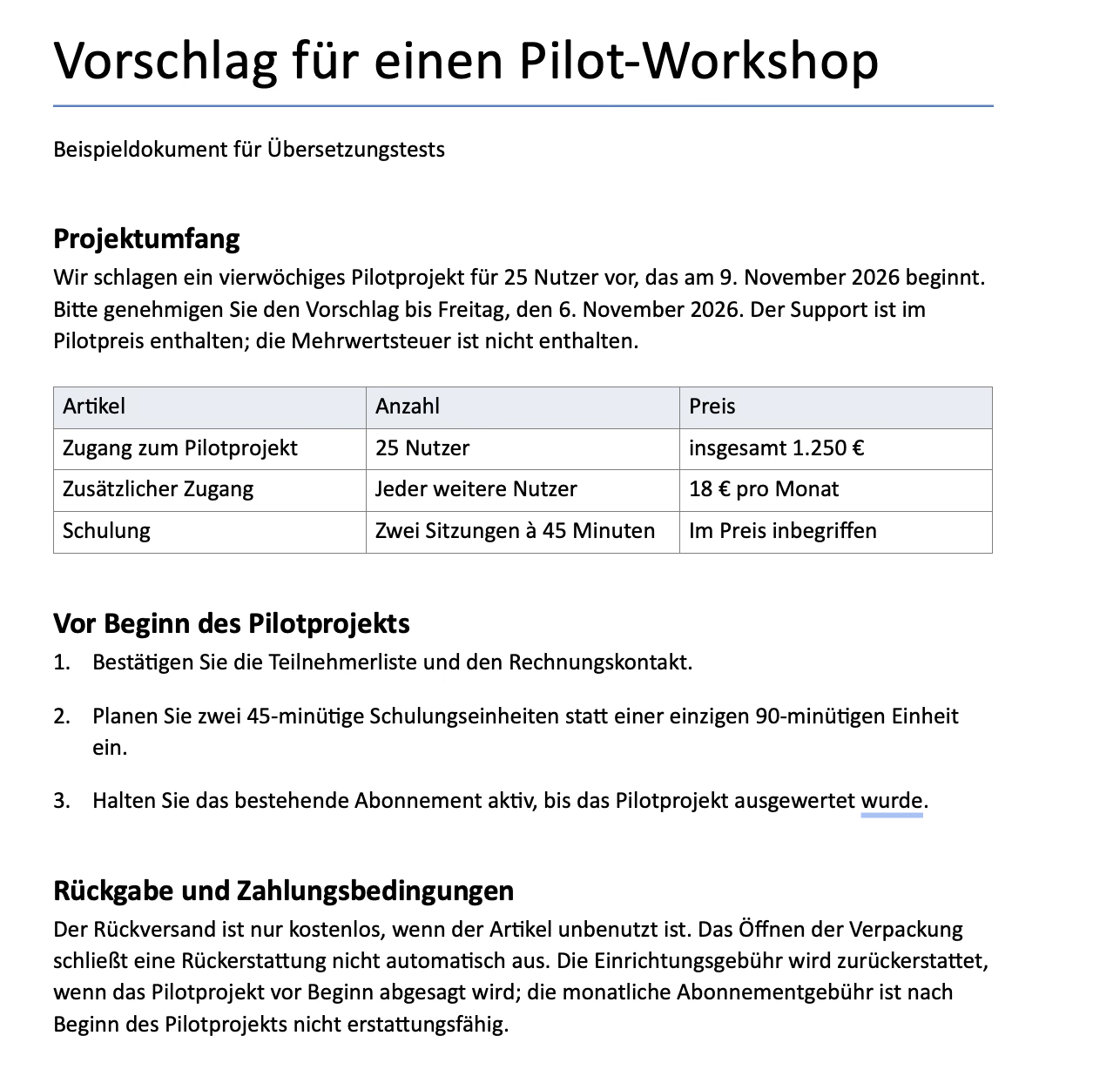
The downloaded files looked reassuring at first. All three kept the proposal on one page, with the prices in a table and the preparation steps underneath. The difference was clear when I checked the headings: Google Translate had interpreted “pilot” as a television episode in one of them. Here is what survived the translation, and what I would change before sending the proposal.
For this document translation test, I uploaded the same one-page English proposal to DeepL, Google Translate, and JotMe, selecting German as the target language. The document included a pricing table, a numbered checklist, an approval deadline, and separate conditions for returns and refunds.
All Three Tools Preserved the Document’s Structure
All three translated files stayed on one page. The headings, three-column pricing table, and numbered checklist remained in place, with no visibly missing sections or broken table cells.
The second checklist item wrapped onto another line in DeepL’s and JotMe’s outputs. Google Translate’s wording was more compact, but none of the files required rebuilding the layout.
All three also retained the details I checked:
- The pilot covered 25 users and started on 9 November 2026.
- Approval was required by Friday, 6 November 2026.
- The total price remained €1,250, with additional users costing €18 per month.
- Training remained two 45-minute sessions rather than one 90-minute session.
- Support stayed included, and VAT stayed excluded.
- The refundable setup fee remained separate from the nonrefundable monthly subscription fee.
Google Translate Misread “Pilot” in One Heading
The clearest difference appeared in the heading “Before the pilot starts.”
DeepL translated it as “Vor Beginn des Pilotprojekts,” correctly referring to the pilot project.
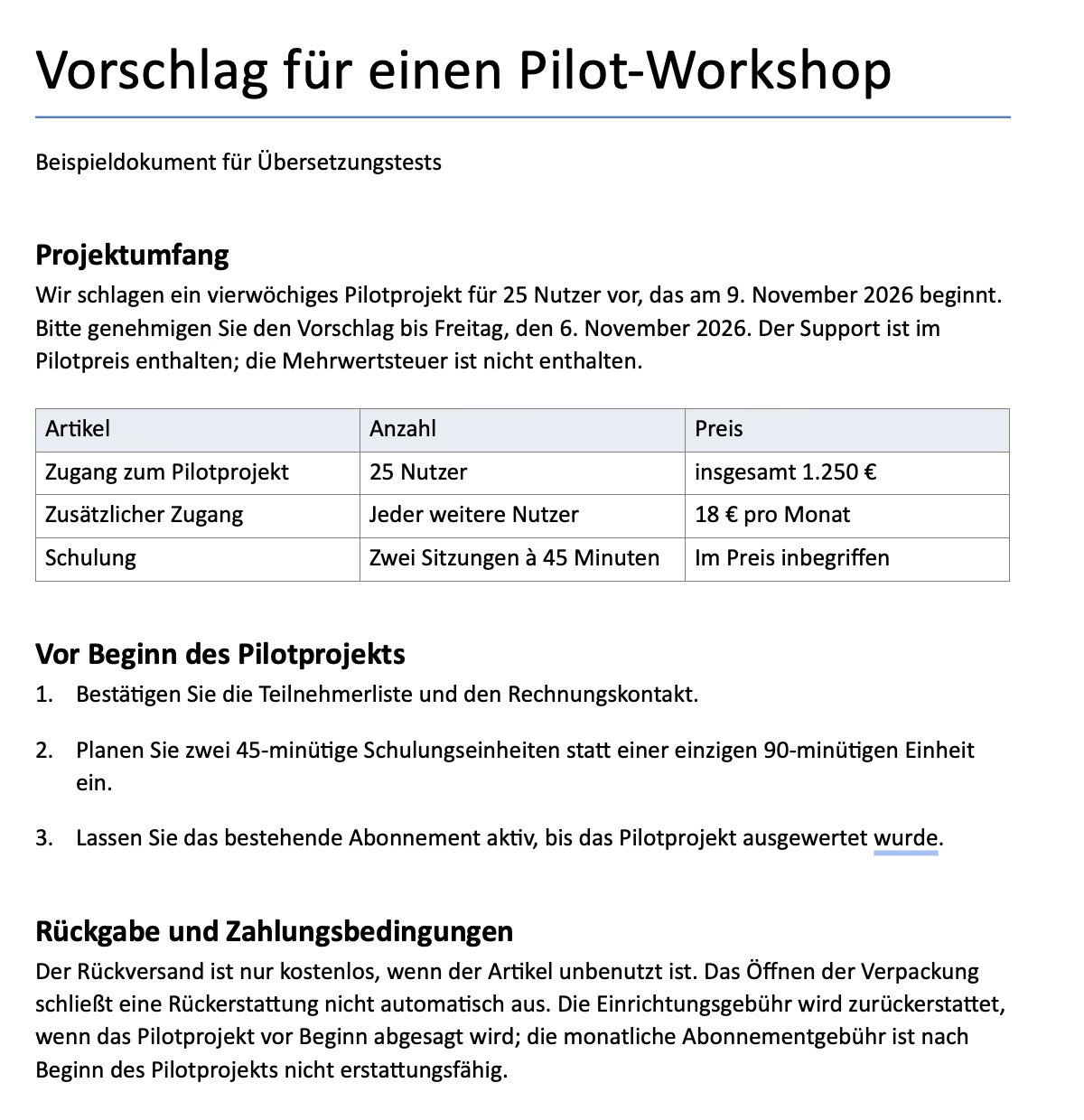
Google Translate produced “Bevor die Pilotfolge beginnt.” “Pilotfolge” refers to a pilot episode, which does not fit this business proposal. In the same document, Google Translate used “Pilotphase” and “Pilotprojekt,” making the heading inconsistent with its own surrounding text.
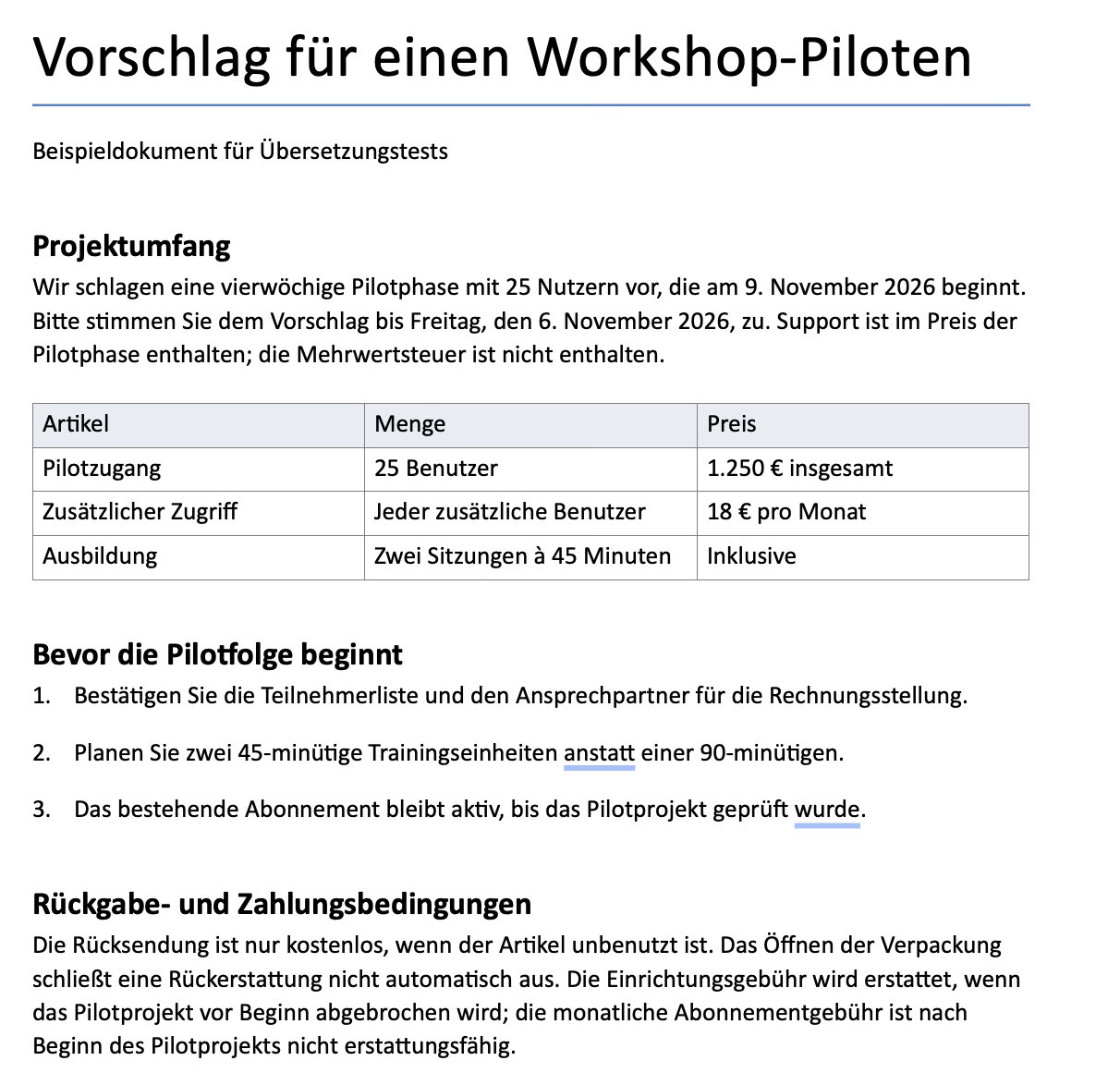
There was another wording difference in the pricing table. DeepL translated “Training” as “Schulung,” which fits these short instructional sessions. Google Translate used “Ausbildung,” a broader term that I would replace in this context.
How Did JotMe Compare With DeepL and Google Translate?
JotMe correctly translated “Before the pilot starts” as “Vor Beginn des Pilotprojekts.” It also used “Schulung” for the training sessions, avoiding the wording issues I identified in Google Translate’s output.
Its translation was almost identical to DeepL’s. One small difference appeared in the instructions to keep the existing subscription active: DeepL used “Lassen Sie … aktiv,” while JotMe used “Halten Sie … aktiv.” Both preserved the instruction.
What I checked | DeepL | Google Translate | JotMe |
|---|---|---|---|
One-page layout, table, and numbered list | Preserved | Preserved | Preserved |
Dates, prices, quantities, and durations | Preserved | Preserved | Preserved |
Return and payment conditions | Preserved | Preserved | Preserved |
Heading referring to the pilot project | Correct | Changed to a pilot episode | Correct |
Term for the training sessions | Suitable for the context | Needed a wording edit | Suitable for the context |
My verdict: DeepL and JotMe were my preferred outputs for this document. Both handled the project terminology more consistently than Google Translate, while all three preserved the structure and key figures. I found no meaningful quality difference between DeepL and JotMe in this example.
Is DeepL Worth Paying for Over Google Translate?
I would not pay for DeepL solely because I expected it to translate these three messages more accurately. Google Translate preserved the same details. The stronger reason to consider DeepL is whether its additional controls solve a problem in your regular work.
For example, a correct translation may still use a different product term from the one your company approves. A glossary can help address that. You may also need supported formality controls or document allowances that fit a recurring workload.
Before paying for DeepL, I would check three things:
- Terminology: Does the glossary support my language pair and the terms I need?
- Documents: Does the plan cover my file types, sizes, and translation volume?
- Editing: Can I access the wording controls and work with the downloaded files in the way I need?
For occasional messages, start with the free options and review the important details. For repeated business translation, test whether DeepL’s controls reduce the corrections you make afterward. That is a more useful reason to subscribe than assuming every paid translation will be better.
DeepL vs Google Translate: What Real Users Have to Say?
Reddit users do not agree on a single winner. Some prefer DeepL’s wording and editing options, while others report getting more useful results from Google Translate. The language pair and the type of message often explain why their experiences differ.
Some Users Prefer Google Translate for Everyday Messages
In the discussion “DeepL isn’t as good as what people say,” the Reddit user described difficulties communicating through DeepL in Japanese, Chinese, and Korean. They said a Japanese-speaking friend understood their message after they switched to Google Translate.
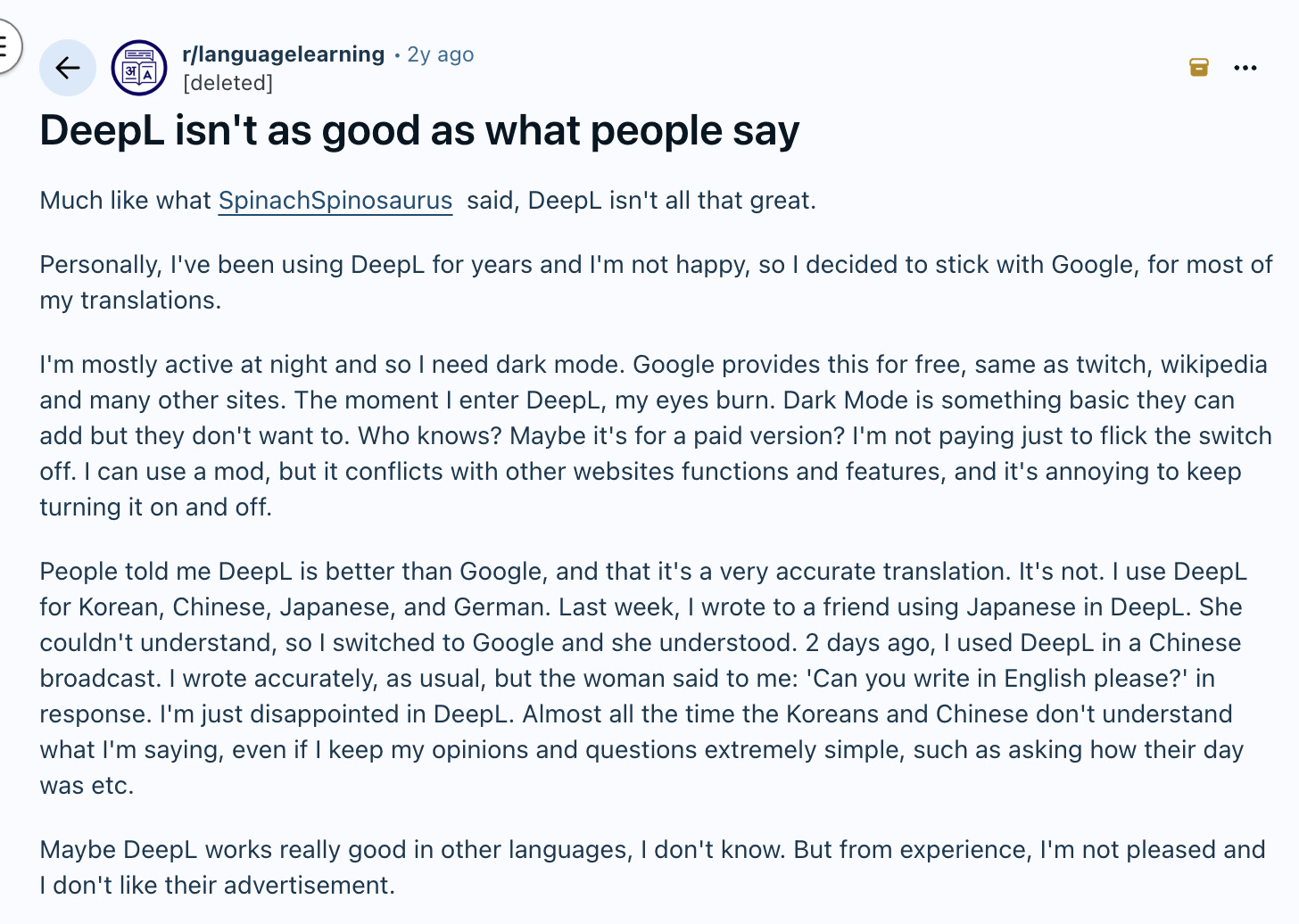
The replies offered a different perspective. One commenter preferred DeepL for French, while another favored it for English–German translations. A Japanese-speaking participant also preferred DeepL but noted that politeness and words with multiple meanings could require adjustments.
For readers, the useful takeaway is to compare tools in the language direction you actually use. A recommendation for German-to-English translation may tell you little about sending a casual message in Japanese.
DeepL’s Alternatives Help Some Readers Refine Their Translations
In a separate discussion about alternatives to Google Translate, one participant considered Google Translate useful for short text but preferred DeepL for making flashcards. They highlighted its alternative translations and formality options. Another commenter preferred DeepL for Portuguese and Spanish translations to and from English.
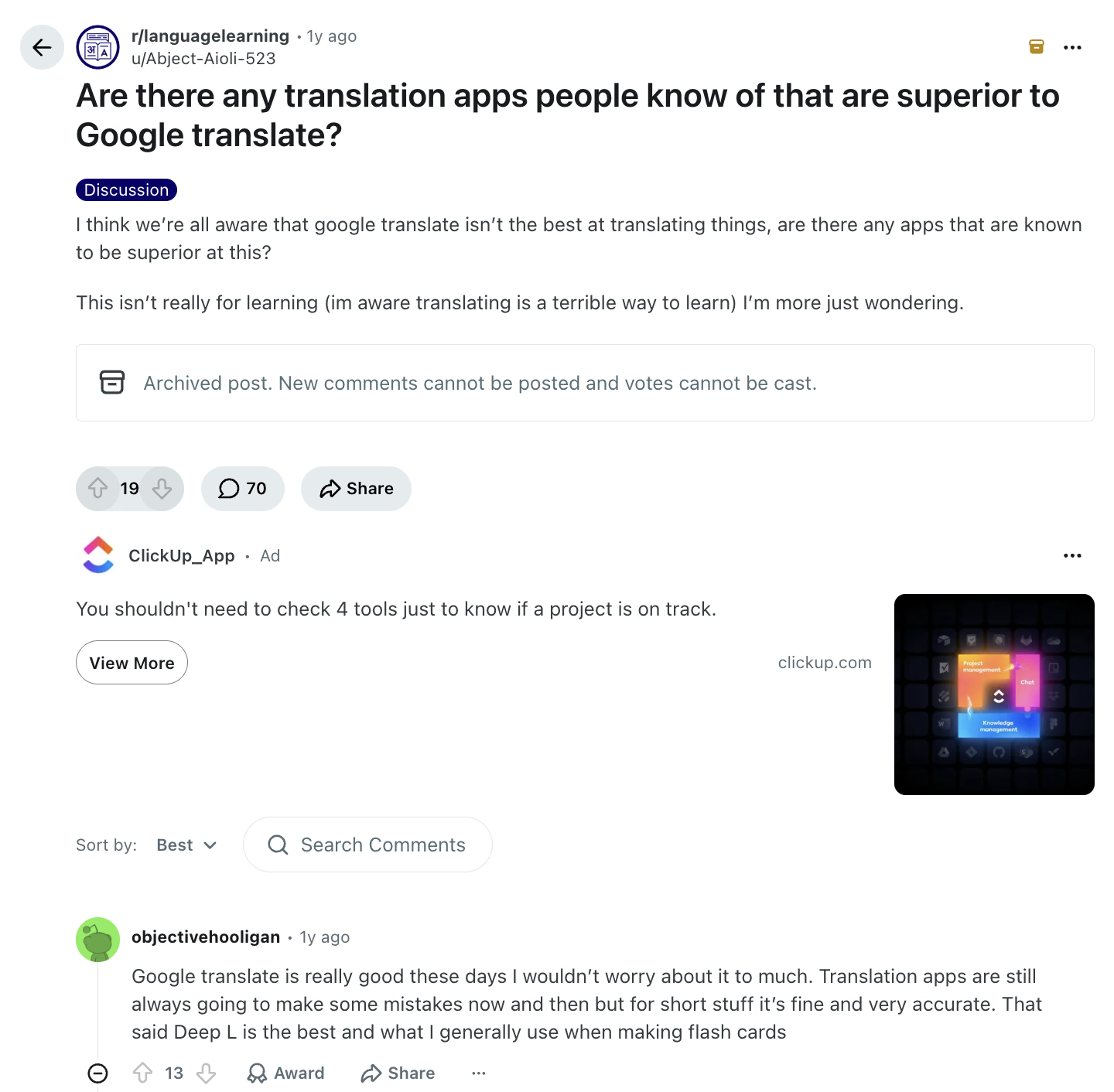
This is a practical reason to consider DeepL if you want to examine different wording choices. You may already understand the first translation but need a different expression or a tone that better suits the recipient. Check that your language supports the relevant controls before paying for them.
Fluent Translation Can Still Change the Instruction
In “DeepL quality drop. Now Google Translate is better,” a user shared a Spanish instruction asking someone to be critical of an example. Their reported DeepL output instead asked the reader not to be too critical, while Google Translate preserved the intended request.
There was an important detail in the replies: the Spanish input was missing an accent in the imperative “sé.” The poster also reported different results after changing punctuation. This makes the example useful for showing how imperfect input can affect a translation, but it does not establish that Google Translate always performs better.
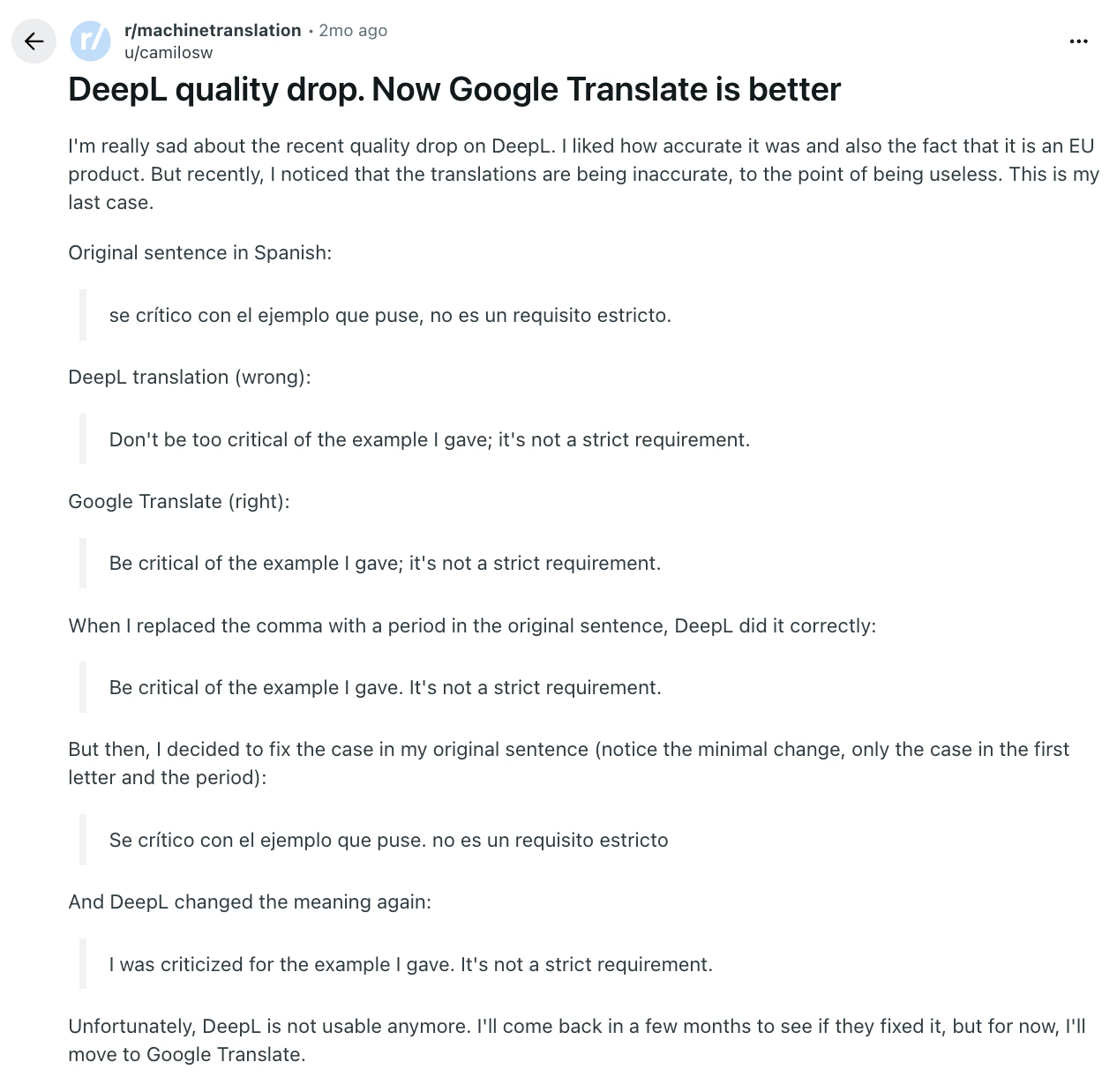
When checking your own results, pay particular attention to requests, restrictions, and exceptions. A sentence can read naturally while asking the recipient to do something different.
When to Choose JotMe Over DeepL vs Google Translate?
“The supplier stood us up” was a correct translation. But would it help a reader who did not know what “stood us up” meant? That was where JotMe gave me something extra: an explanation beneath the translated passage.
I found the same benefit in the German return policy. Getting a translation was one step; understanding why opened packaging did not automatically prevent a refund was another. JotMe explained that distinction. In the document test, however, its output was almost identical to DeepL’s, so I would not choose between them on that result alone.
Meeting support addresses a different task. JotMe’s desktop app captures microphone and system audio to display translated speech during a session. Afterward, transcripts and generated meeting notes help you review the discussion and follow up.
My recommendation depends on what you need to leave with:
What you need | Where I would start |
|---|---|
An English version of a short message | Google Translate |
Written translation with supported terminology controls | DeepL |
A translation with help interpreting its meaning | JotMe |
Live translated text and notes from a meeting | JotMe |
JotMe’s explanations were the additional benefit demonstrated in these text tests. Consider its meeting features, such as live translation and meeting notes, when your work involves ongoing conversations as well as written messages.
DeepL vs Google Translate: Which One to Choose?
The “pilot episode” heading is the detail I would remember when choosing a document translator. Google Translate kept the proposal looking presentable, but DeepL and JotMe handled its terminology more consistently. For this German proposal, I preferred their outputs.
For short messages, the decision was different. Google Translate preserved the same details as DeepL in our three text examples, making it a useful place to start. I would consider DeepL’s paid controls when recurring terminology or document requirements justified them, and JotMe would be my choice when I wanted an explanation alongside the translated message or needed translation and notes during a meeting.
For a team evaluating a wider rollout, use the same sample messages in each tool and record the changes needed before sending them. You can also talk to our sales team to discuss JotMe for your team.
FAQs
What Makes DeepL Better Than Google Translate?
DeepL can offer more useful control when your work needs approved terminology, selectable wording, and supported formality settings. That can suit repeat business translation. Its advantage depends on the language combination and plan but does not guarantee that an unchecked output preserves every detail of your source.
How Do You Translate Documents and Websites?
To translate documents, upload an eligible file through DeepL's file translator or Google Translate's Documents mode. You can also check our guide on the best document translators for more options. To read webpages, use an appropriate DeepL extension or Google's website and browser options. Retain the original, examine the exported result, and distinguish reading a translated page from managing a published multilingual site.
Can I Use Google Translate Offline?
Google provides offline language downloads in its mobile apps where supported. Install the required packs before losing connectivity and try the exact operation you need with the connection disabled. Download availability differs by language, and online services are not all reproduced by an offline pack.
What Translator App Works Better Than Google Translate for Complex Conversations?
JotMe is worth evaluating when several people need translated discussion, specialist vocabulary, and a record they can use afterward. Its shared translation, session questions, and multilingual chat address that workflow.
How Do You Translate English to French Using DeepL?
To translate English to French using DeepL, set English as the input language and choose the appropriate French output. For a fresh practice sentence, enter: “The folding chair belongs in the upstairs storeroom, not beside the fire exit.” Review the location and exclusion with a French speaker. Apply an available formality setting only when it suits the audience.
Can DeepL Voice Be Used in Microsoft Teams?
Yes, DeepL Voice supports Microsoft Teams. Check your license and the available translation features before scheduling a session. For a convenient desktop alternative, JotMe captures microphone and system audio to provide live translated text, with transcripts and generated meeting notes available for follow-up.
Try JotMe
Accurate translation for your meetings, events, and everyday work, with AI Memory that remembers your context.