



I’ve used ChatGPT since it launched in 2022. Back then, most of my time with it involved typing a question, reading the answer, and trying a slightly different prompt when it missed the point. Even when the response needed work, being able to ask for a rewrite or a simpler explanation was enough to keep me experimenting.
Over time, I’ve watched ChatGPT become useful for more of my everyday work. I can now upload a document, ask questions about a screenshot, talk through an idea, or search for information within the same conversation. There’s more to explore, and more to understand before trusting the result.
If you’re trying ChatGPT for the first time, you don’t need to learn every feature at once. In this guide, I’ll explain what ChatGPT is, how it works, and how to use it for free, with practical examples showing where it helps and where its answers still need a closer look.
Key Takeaways
- ChatGPT is an AI assistant for everyday tasks. You can use it to draft emails, explain unfamiliar topics, translate messages, summarize notes, and work with files and images.
- You can start using ChatGPT for free. Paid plans offer additional access and higher limits, but you don’t need a subscription to try it.
- Choose a ChatGPT model based on the task. Luna suits focused summaries and information extraction, Terra suits writing and visual tasks, and Sol or Astra can help with more complex work.
- Clear instructions help, but answers still need checking. In our meeting-notes test, ChatGPT organized the information well but subtly changed when a task should begin.
- Match the tool to your workflow. ChatGPT can help prepare for meetings and organize supplied notes. If your priority is live translation and meeting capture, consider a dedicated tool such as JotMe.
What is ChatGPT?
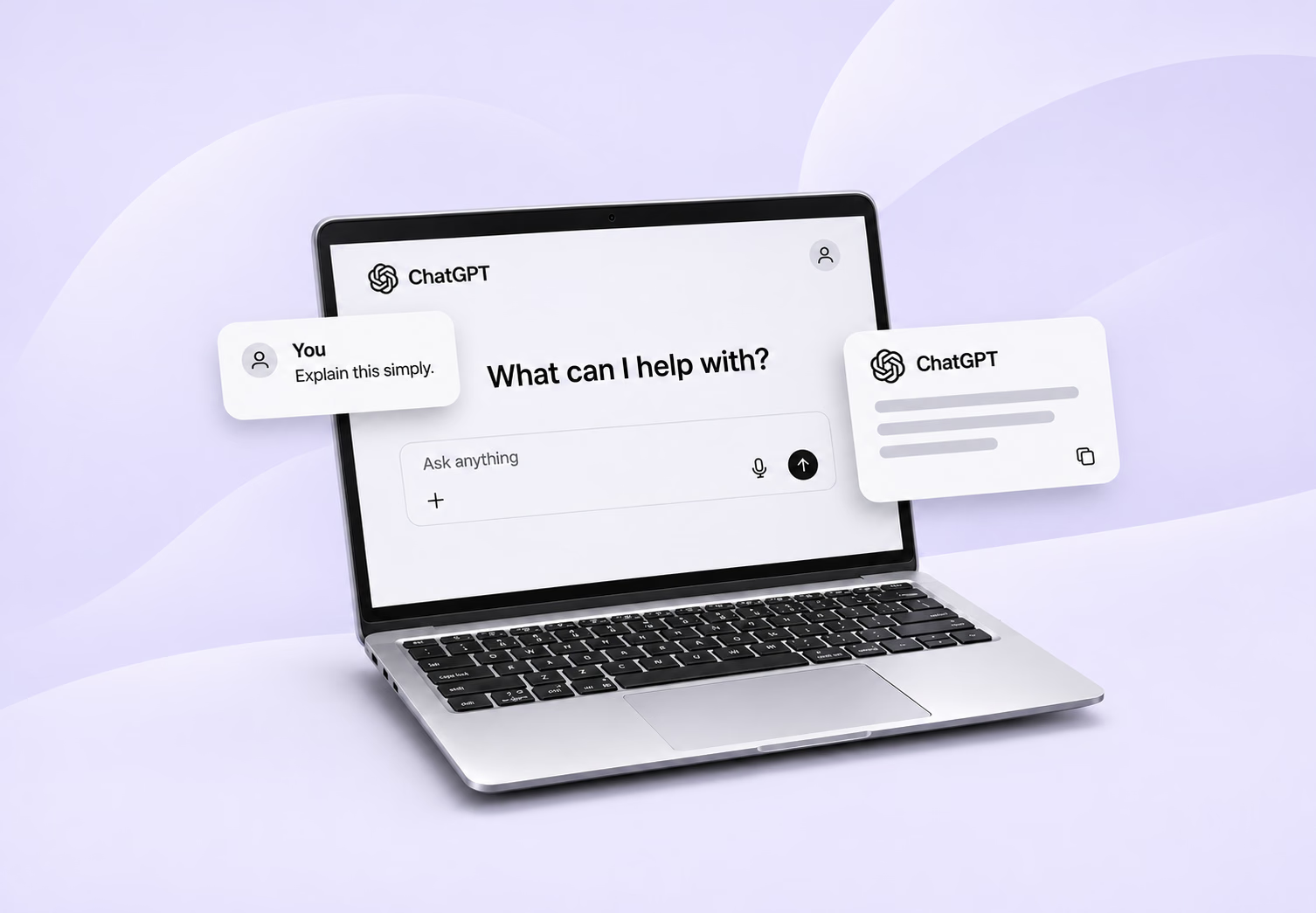
ChatGPT is a conversational AI assistant developed by OpenAI. You give ChatGPT a prompt, such as a question, instruction, or task, and it generates a response. That response might be an explanation, a translated message, an email, a table, or a file.
You don’t need to write code to use ChatGPT.
For example, “Explain this message in English” is a prompt. So is “Turn these notes into actions and tell me what’s missing.”
ChatGPT also goes beyond a text box. Depending on your account and platform, you can upload images, talk through a question, search for information, or work on complex tasks with plugins.
How Does ChatGPT Work?
ChatGPT uses patterns learned during training, your conversation, and any tools it accesses to generate a response. Here’s what happens behind a conversation.
Training Teaches It Patterns
GPT stands for Generative Pre-trained Transformer. It generates content using a model trained before you start chatting.
During pretraining, the model practices predicting the next piece of text across large amounts of information. This helps it learn grammar, relationships between ideas, and patterns useful for tasks such as writing and translation. Its training sources include publicly available information, partnerships, and material supplied or generated by users, trainers, and researchers.
This prediction process is called self-supervised learning because the material itself supplies the target answer. Later training can use human-written examples and feedback to improve how the model follows instructions. One method, reinforcement learning from human feedback (RLHF), uses rankings of alternative responses to guide improvements.
Context Helps It Interpret Your Words
The transformer architecture uses a mechanism called attention to weigh relationships between parts of your request.
For example, translating “The client got cold feet” requires recognizing hesitation rather than translating each word literally. Surrounding context helps the model choose an interpretation. This work with human language falls under natural language processing, or NLP.
That’s why it is important to include details such as the audience and tone when asking for a translation. “Translate this for a client” gives it more direction than “Translate this.”
ChatGPT Builds Answers in Small Pieces
ChatGPT processes text as tokens (words, parts of words, or punctuation) and generates its response one token at a time. Several continuations may fit, so repeating a prompt can produce different wording.
The amount of information a model can process at once is its context window. In a long conversation, restate important requirements rather than assuming every earlier detail will carry through.
Some models also use additional processing to work through intermediate steps before answering. This reasoning can help with complex tasks, such as comparing project budgets and deadlines, but it doesn’t guarantee a correct result.
Images, Voice, and Tools Add More Capabilities
ChatGPT is multimodal, meaning it can work with inputs such as text, images, and audio. Tools extend those abilities. Search can retrieve current information, while file and data tools can help it examine documents or run calculations. Available features depend on your plan and setup.
Pay attention to where an answer comes from: its training, a supplied document, or a live search. That will help you decide what needs checking before using the result.
ChatGPT Models Explained
ChatGPT’s model choices depend on your plan and whether you’re using Chat, Work, or Codex. The table below covers five options you may encounter, particularly in Work and Codex. You don’t need to choose one before asking your first question. The default is a sensible starting point.
Model | What it’s designed for | Best suited to |
|---|---|---|
GPT-6.1 Sol | Complex work with lower usage costs than Astra. | Combining documents, meeting notes, and requirements into a detailed report or project plan. |
GPT-6.1 Terra | Clear writing, interpreting visual information, and working with apps. | Drafting proposals, explaining charts, and reviewing screenshots. |
GPT-6 Astra | OpenAI’s most demanding reasoning and research tasks. | Comparing conflicting information, evaluating options, and tackling complicated projects. |
GPT-6 Sol | General ChatGPT conversations, coding, and tasks involving tools. | Everyday questions and drafting, with additional thinking available for harder tasks. |
GPT-6 Luna | Focused, repeatable work with efficient usage. | Summarizing notes, extracting dates and names, or organizing information into tables. |
These ChatGPT models cover different needs: Terra emphasizes writing and visual tasks, Luna handles clearly defined work efficiently, and Sol and Astra suit more involved projects.
For everyday questions, start with the default model in Chat. If you’re using Work or Codex, consider Terra for writing and visual tasks, Luna for focused summaries, and Sol or Astra for more involved work.
How to Use ChatGPT
To use ChatGPT, open it in your browser or download the official mobile/desktop app, describe what you need, and refine the answer through follow-up messages. You don’t need a perfect prompt to get started.
Step 1. Open ChatGPT and Sign In
Go to ChatGPT in your browser or open the official app. Select Log in if you already have an account, or Sign up for free to create one.
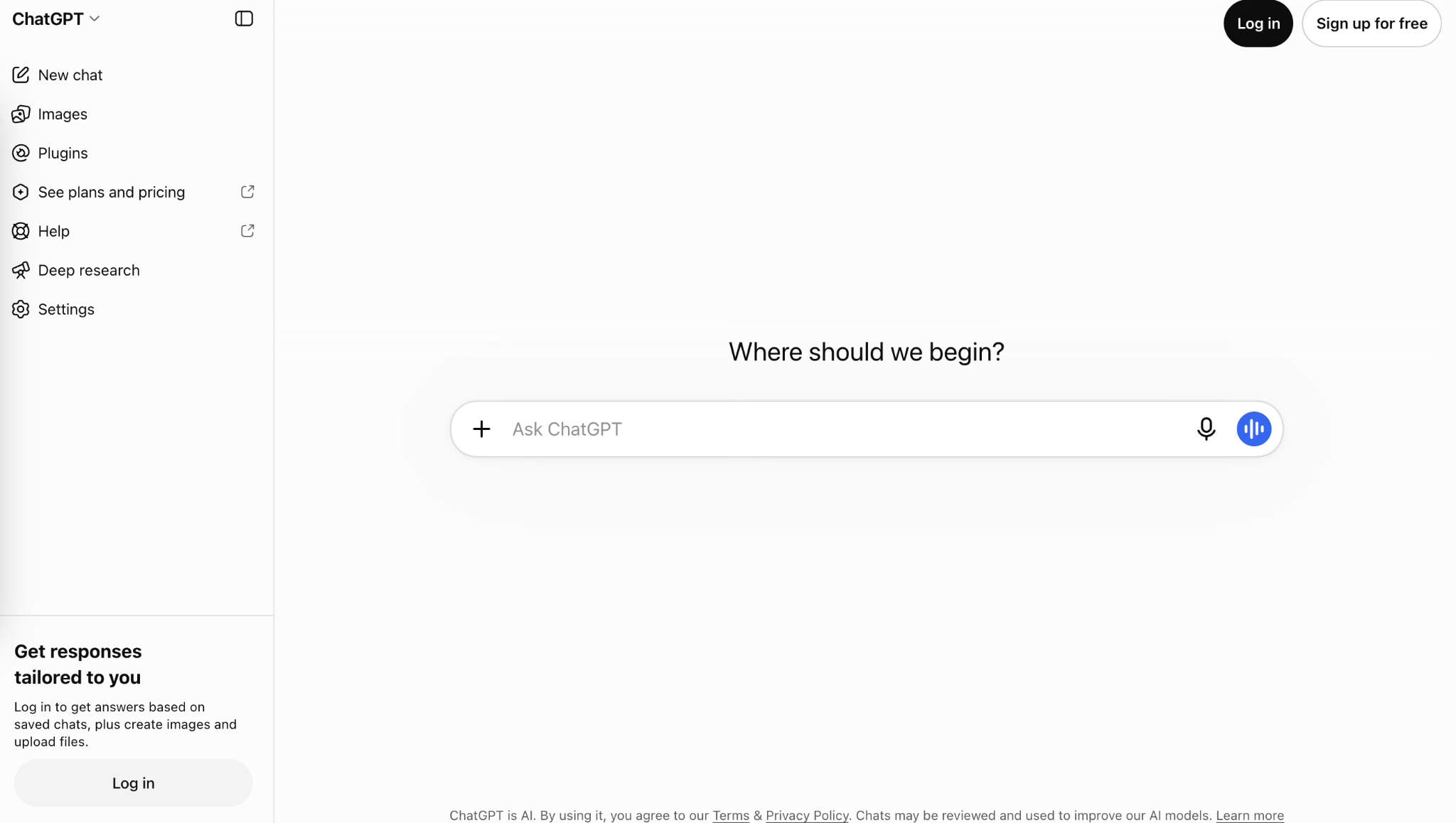
You can ask questions without signing in. An account gives you access to additional features, subject to your plan and usage limits.
Step 2. Choose Your Mode and Model
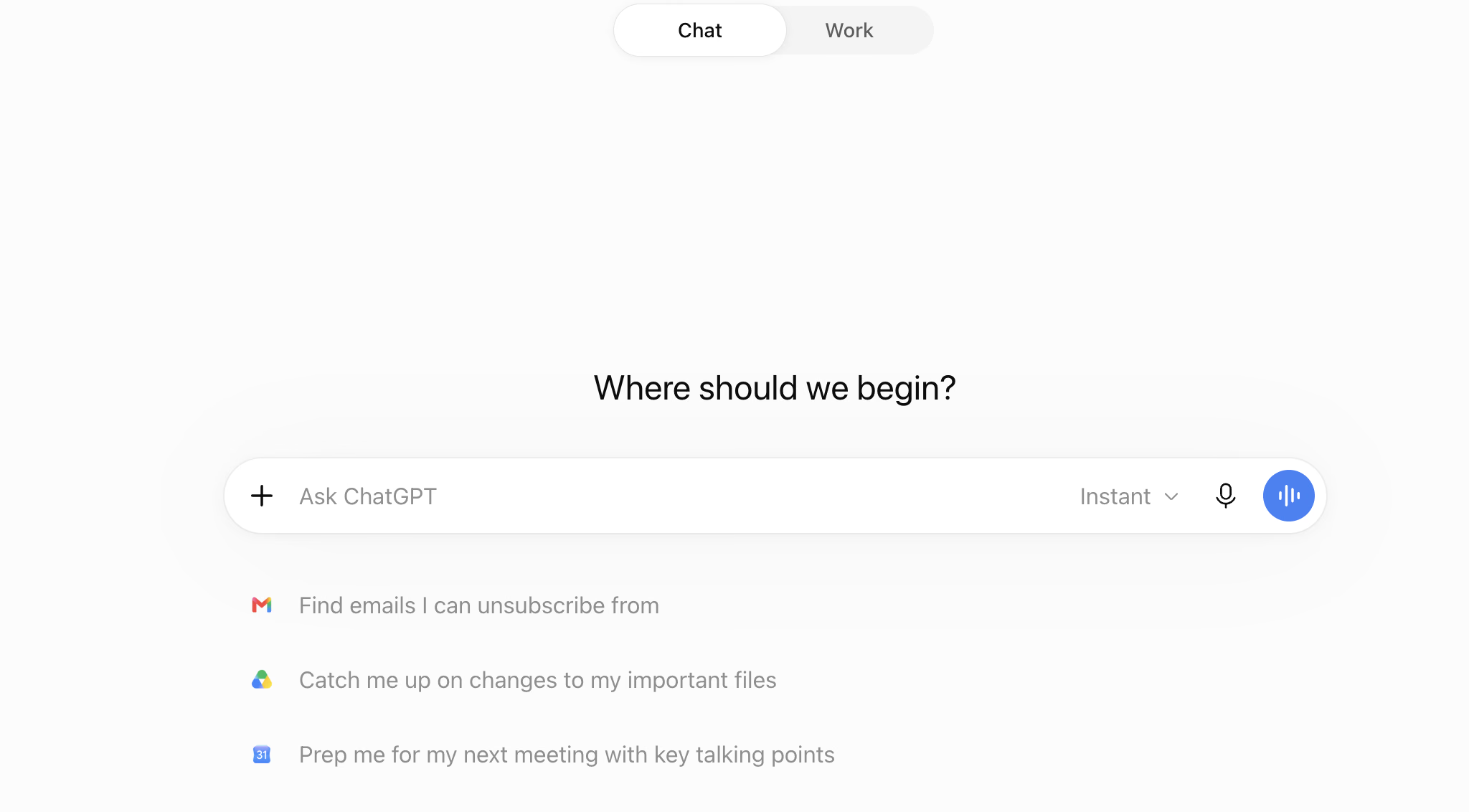
If your interface offers Chat and Work, start with Chat for questions, translations, and drafting. Work suits larger tasks that should end in a reviewable result, such as a report or presentation. For your first short request, keeping the default is fine. Controls vary between plans and platforms.
Step 3. Give ChatGPT a Clear Task
Click the message box, type your request, and press Enter or select the send arrow. Include the task, relevant details, and the format you want.
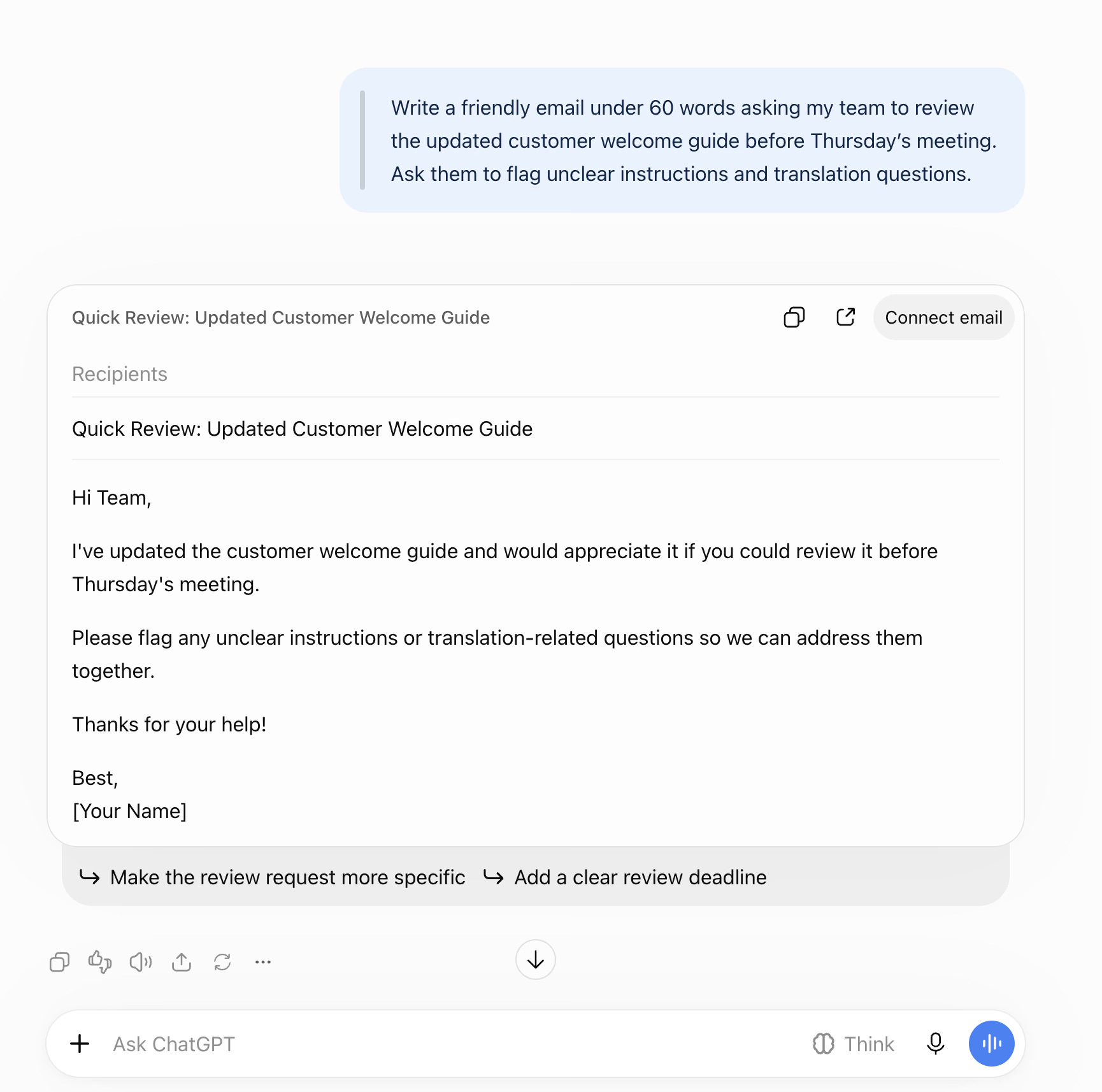
For this walkthrough, I used:
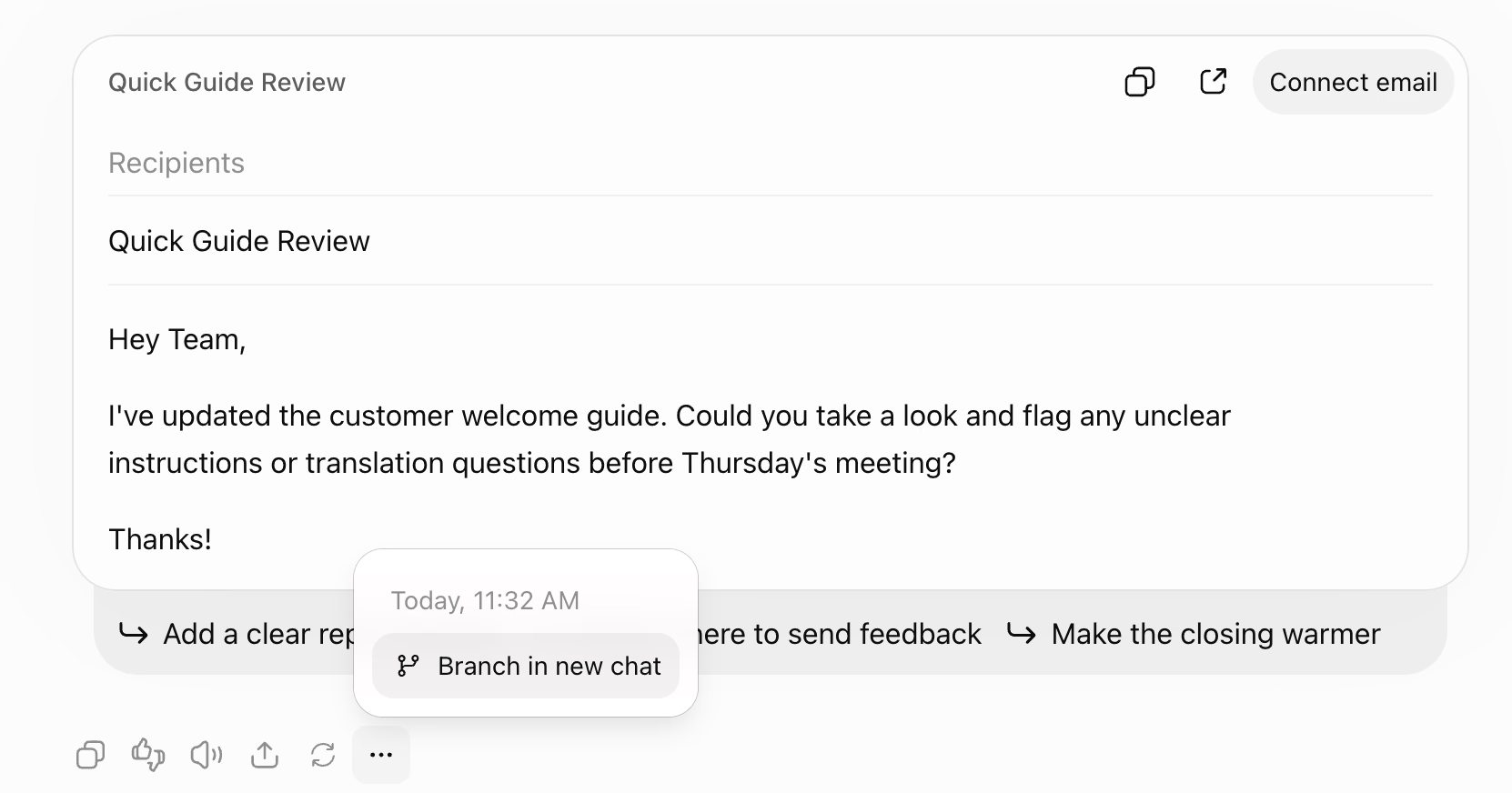
Write a friendly email under 60 words asking my team to review the updated customer welcome guide before Thursday’s meeting. Ask them to flag unclear instructions and translation questions.
I specified the audience, tone, length, and details the email needed to include.
ChatGPT returned a subject line and an email covering both review points. It gave me something usable without asking me to build the message sentence by sentence.
Step 4. Refine the Answer
You can continue in the same conversation. Tell ChatGPT what needs changing instead of repeating the whole request.
I followed up with:
Make it more casual and keep it under 35 words, including the subject line. Do not add a deadline that I have not provided.
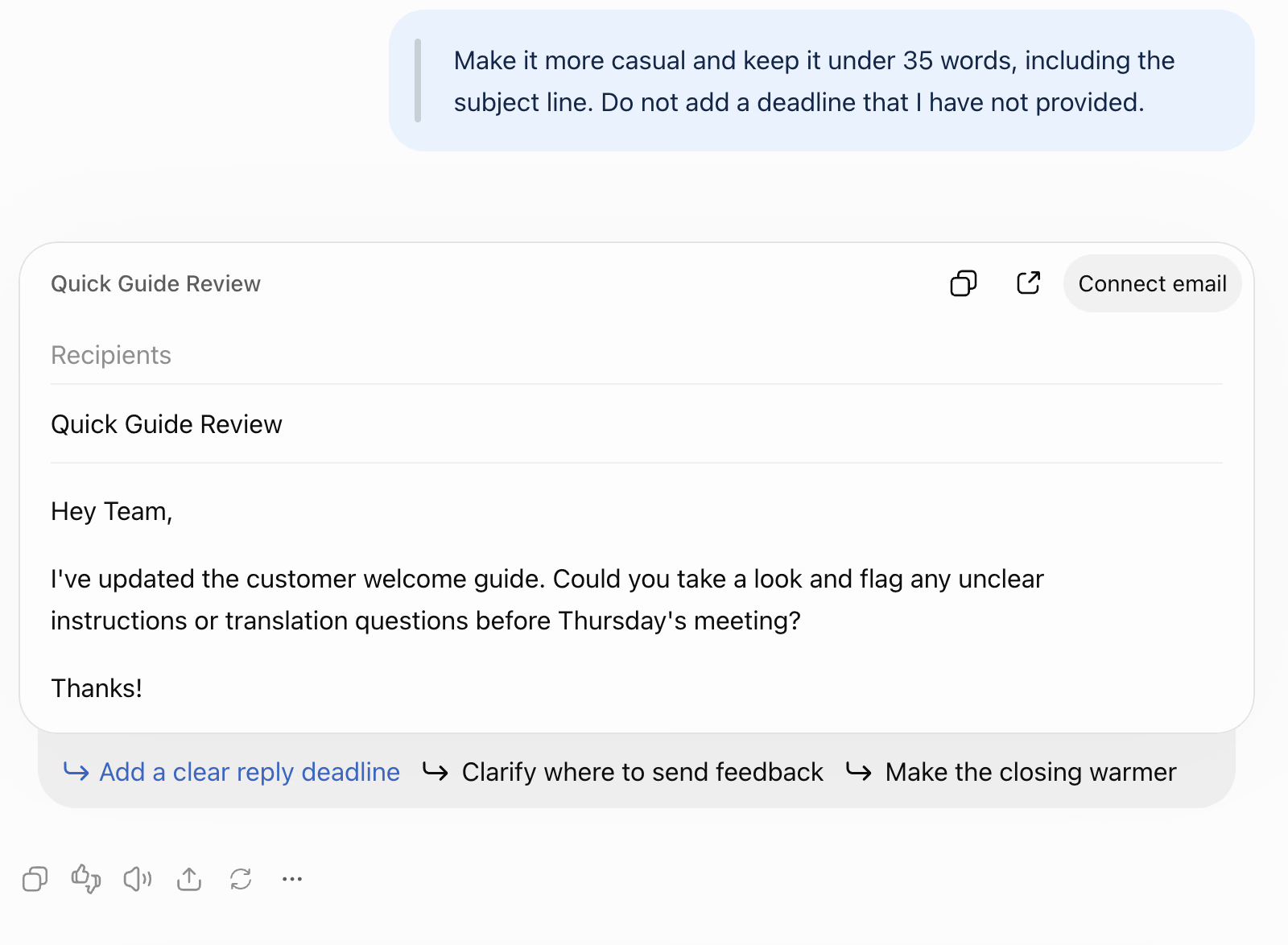
ChatGPT shortened the email and kept the request to review the guide before Thursday’s meeting.
You can also ask for a table, a simpler explanation, or another approach. When the subject changes completely, select New chat to start a separate conversation.
Step 5. Add Files, Images, Search, or Voice When Needed
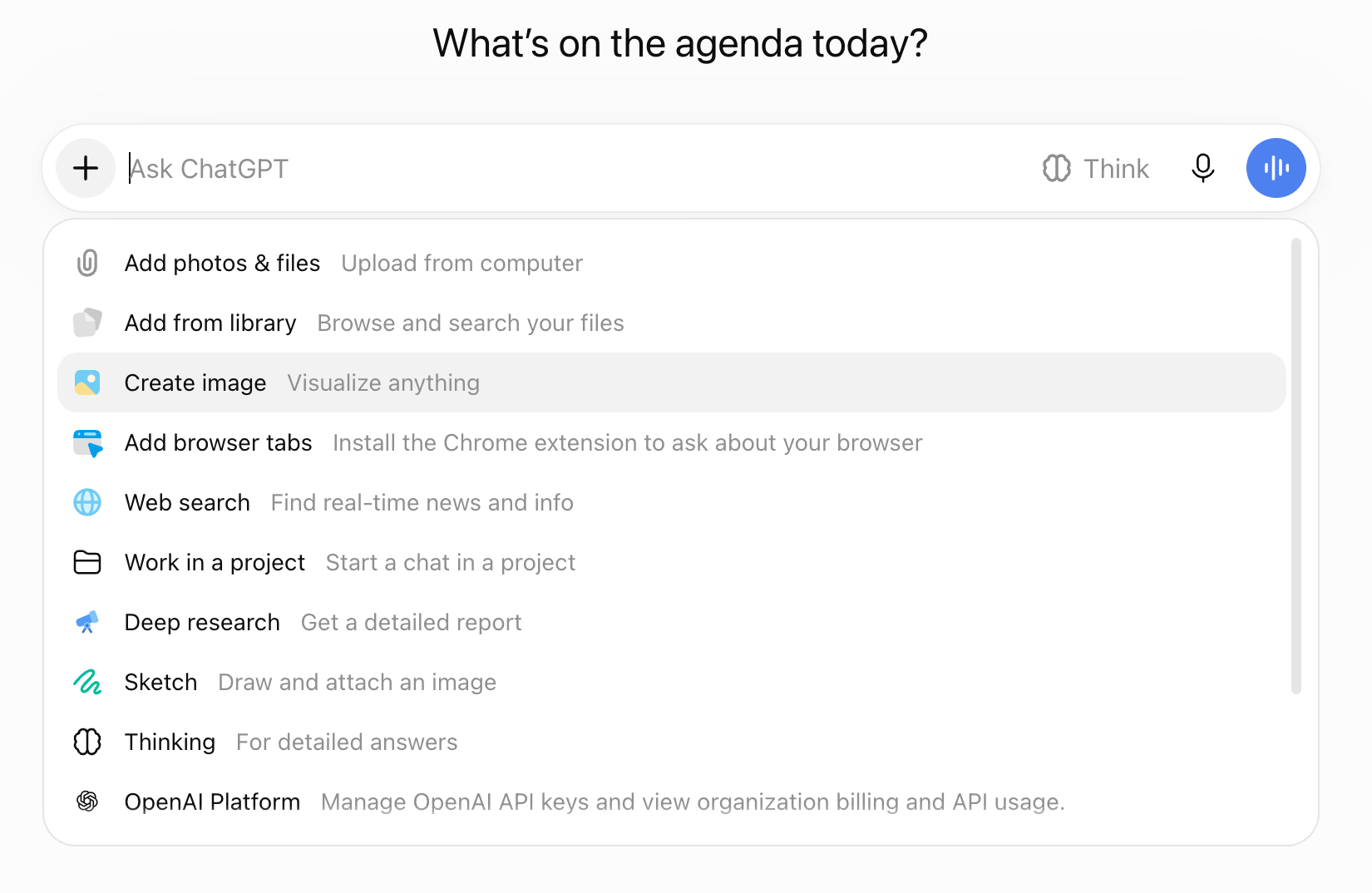
The message box offers more ways to provide information. Available options depend on your account and interface.
What you need | What to do |
|---|---|
Explain a screenshot or document | Open the + menu and select the photo or file upload option. Attach it and explain what ChatGPT should examine. |
Find current information | Choose Web search, where available, and ask for sources. |
Investigate a topic in depth | Use Deep research, where available, and define the question and scope. |
Speak instead of typing | Use the microphone for dictation, or the separate voice control for a spoken conversation where supported. |
Dictation turns speech into prompt text, and Voice lets you have a conversation. They serve different purposes.
Step 6. Check and Use the Result
Before copying an answer, check its names, dates, figures, and assumptions. If it includes sources, open them and confirm they support the claim.
Depending on your interface, response controls let you copy, retry, rate, or share an answer. You may also be able to edit your original prompt or use Branch in new chat to explore another direction. Review what a shared link includes before sending it.
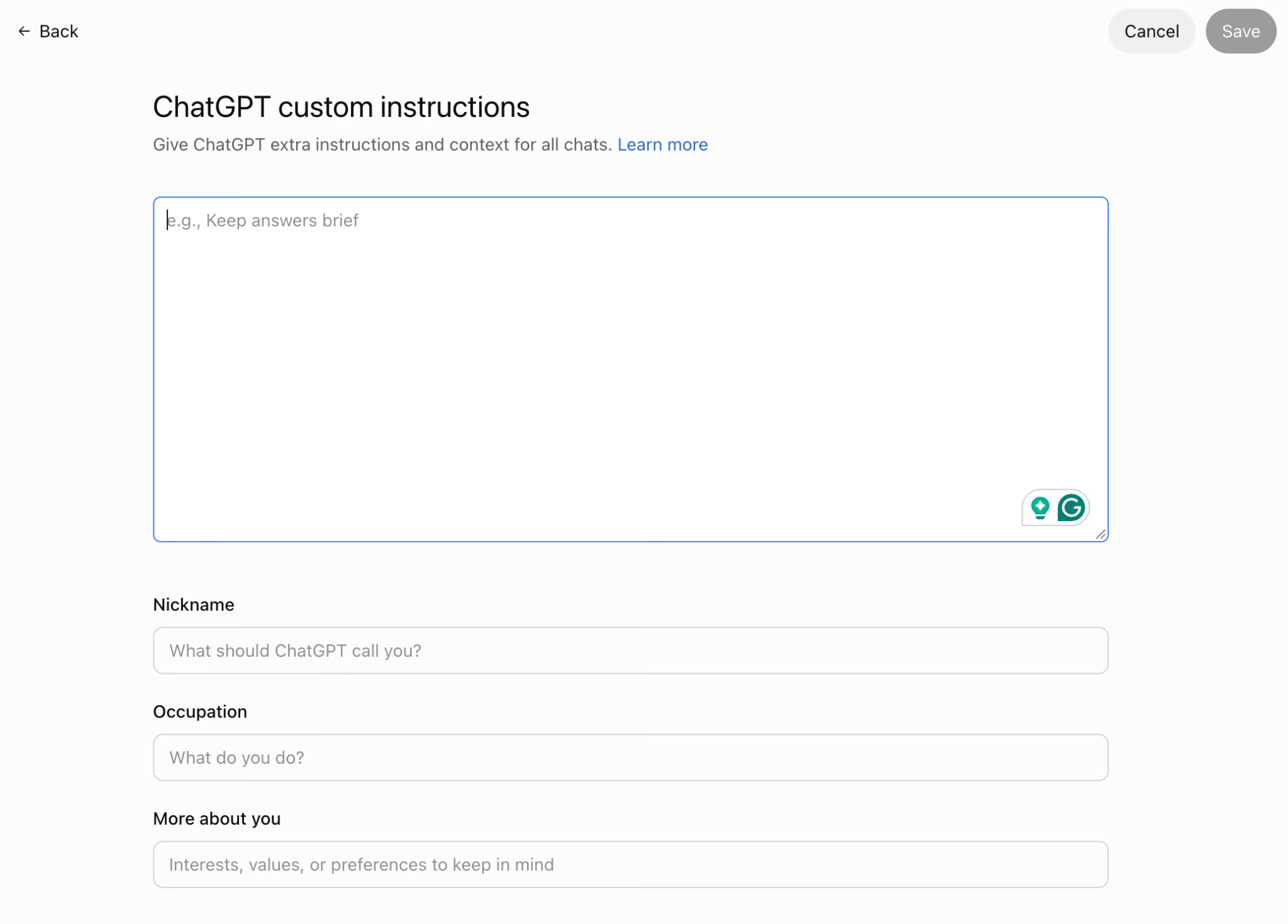
For preferences you repeat often, open Settings → Personalization and add custom instructions, such as “Use plain English and keep paragraphs short.” This saves repetition, though you should still give task-specific requirements in the prompt.
Use Cases of ChatGPT
ChatGPT can help translate messages, explain unfamiliar wording, and turn rough meeting notes into action lists. I tested these tasks to see whether its answers preserved the details that mattered, including deadlines, responsibilities, and the context behind a reply.
Translate Idioms and Refine the Wording
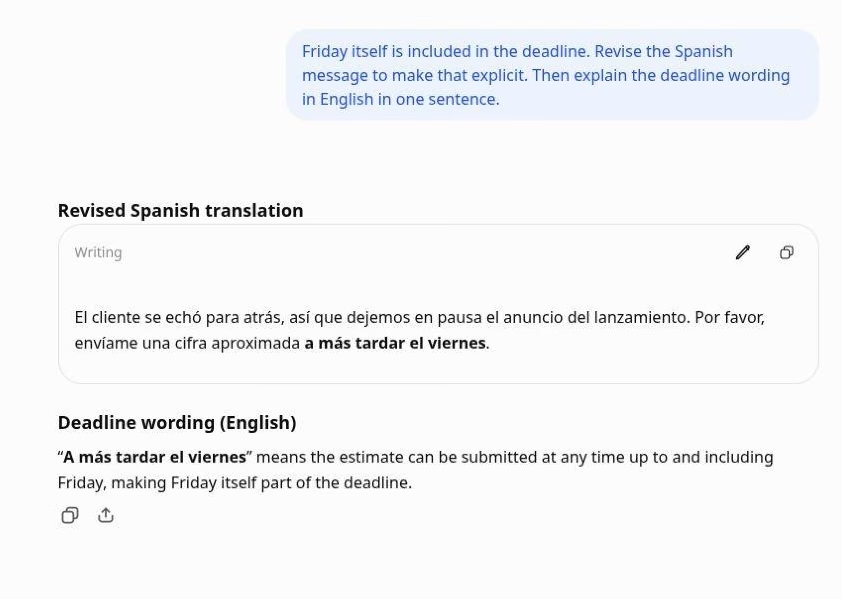
A literal translation won’t help much if your message contains phrases like “cold feet” or “ballpark figure.” I gave ChatGPT this workplace update and asked for an English to Spanish translation with an explanation of the idioms:
The client got cold feet, so let’s hold off on announcing the launch. Please send me a ballpark figure by Friday.
ChatGPT interpreted “cold feet” as hesitation and translated “ballpark figure” as “una cifra aproximada,” preserving the request for an estimate.
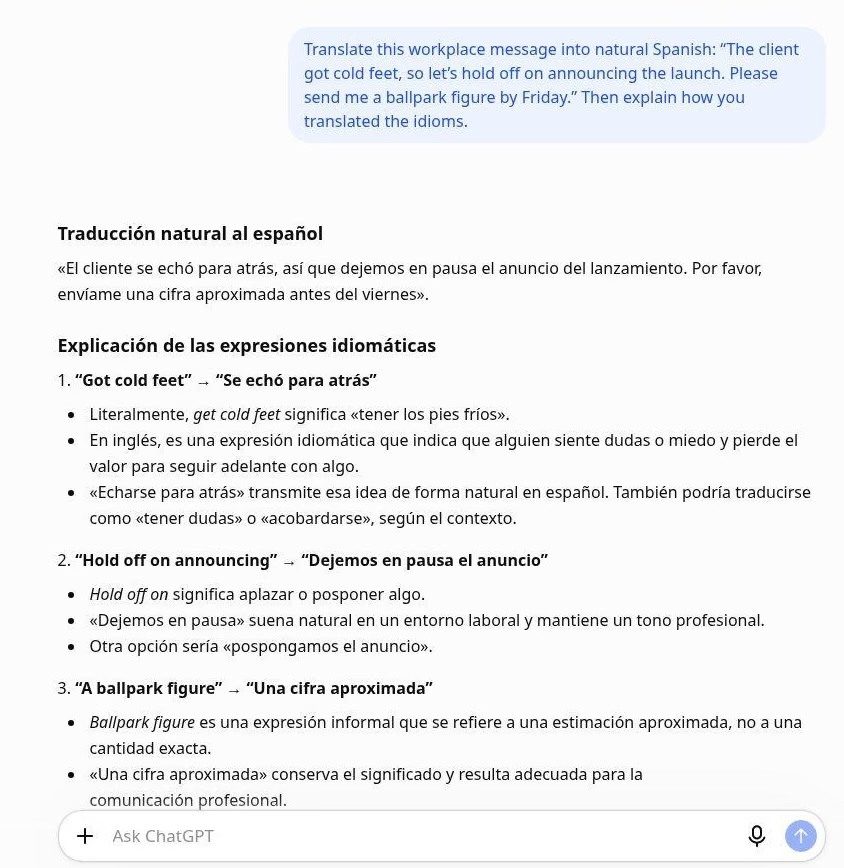
The deadline needed another look. ChatGPT used “antes del viernes,” which can read as “before Friday.” When I explained that Friday itself was included, it changed the wording to “a más tardar el viernes,” meaning “no later than Friday.”
Being able to question a translation is useful. I could explain my intention and refine one phrase without starting again. For an international deadline, I’d also specify the time and time zone.
For a closer look at translation quality, our hands-on ChatGPT translation review compares its output with Google Translate and includes prompts you can adapt.
Understand an Ambiguous Reply Before Answering
Sometimes the difficulty is knowing what someone means, even after translating their words.
I asked whether a Japanese colleague’s reply, “結構です” (kekkō desu), meant yes or no. ChatGPT explained that it could express acceptance or a polite refusal, gave workplace examples, and asked what had been said immediately beforehand.
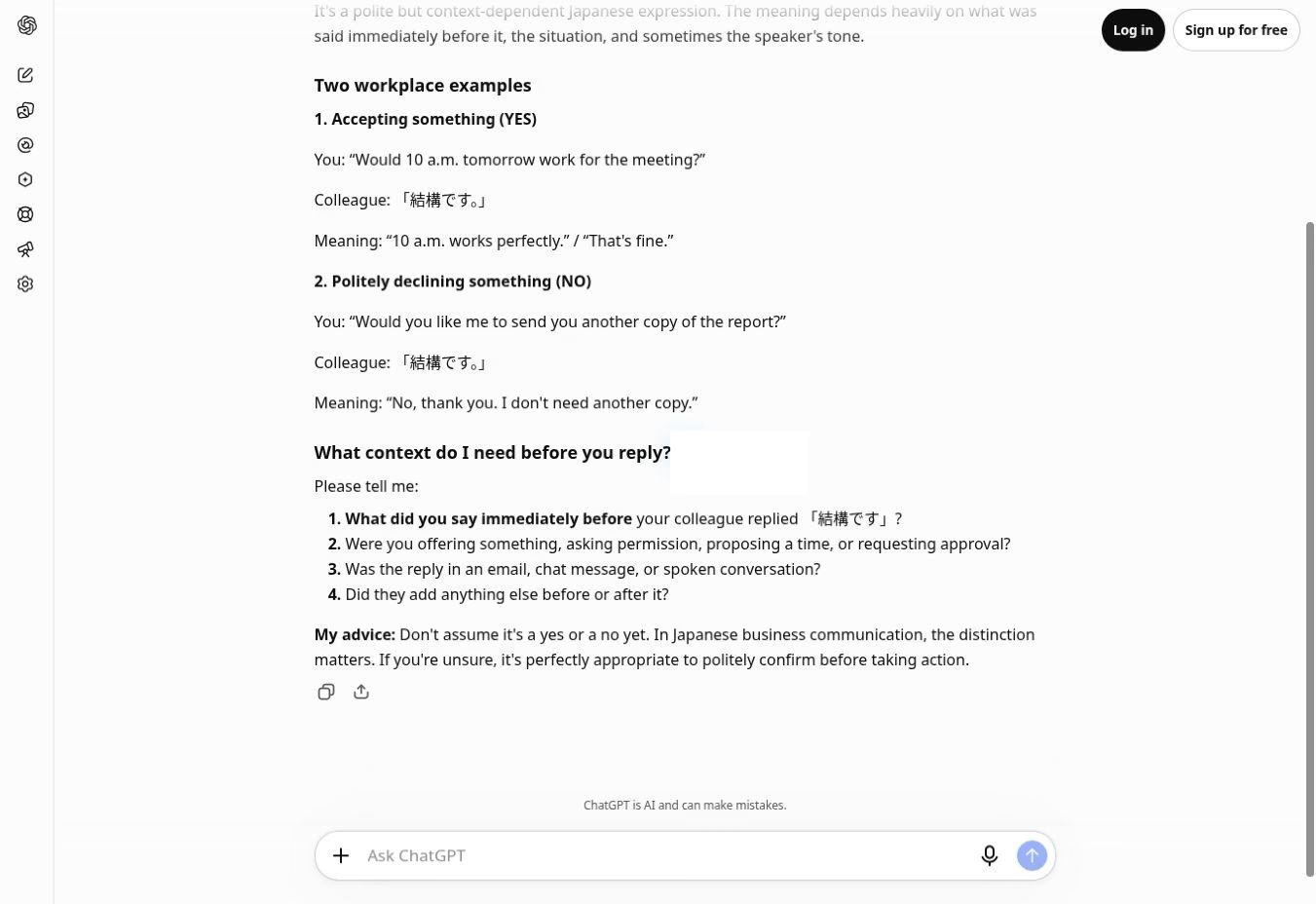
That was the useful part: ChatGPT recognized that the phrase alone wasn’t enough to establish approval. I’d use that explanation to frame a clarification with my colleague. This test showed helpful handling of ambiguity. It didn’t establish accuracy across Japanese conversations.
Turn Meeting Notes Into an Action List
I supplied notes about updating a customer welcome guide: Sara would finish the English version by Friday, Omar would arrange the Arabic translation after Sara finished, and the Japanese version still needed a reviewer.
ChatGPT produced a summary and a table of tasks, owners, and deadlines. It correctly left the Japanese reviewer unassigned, making the gap easy to spot.
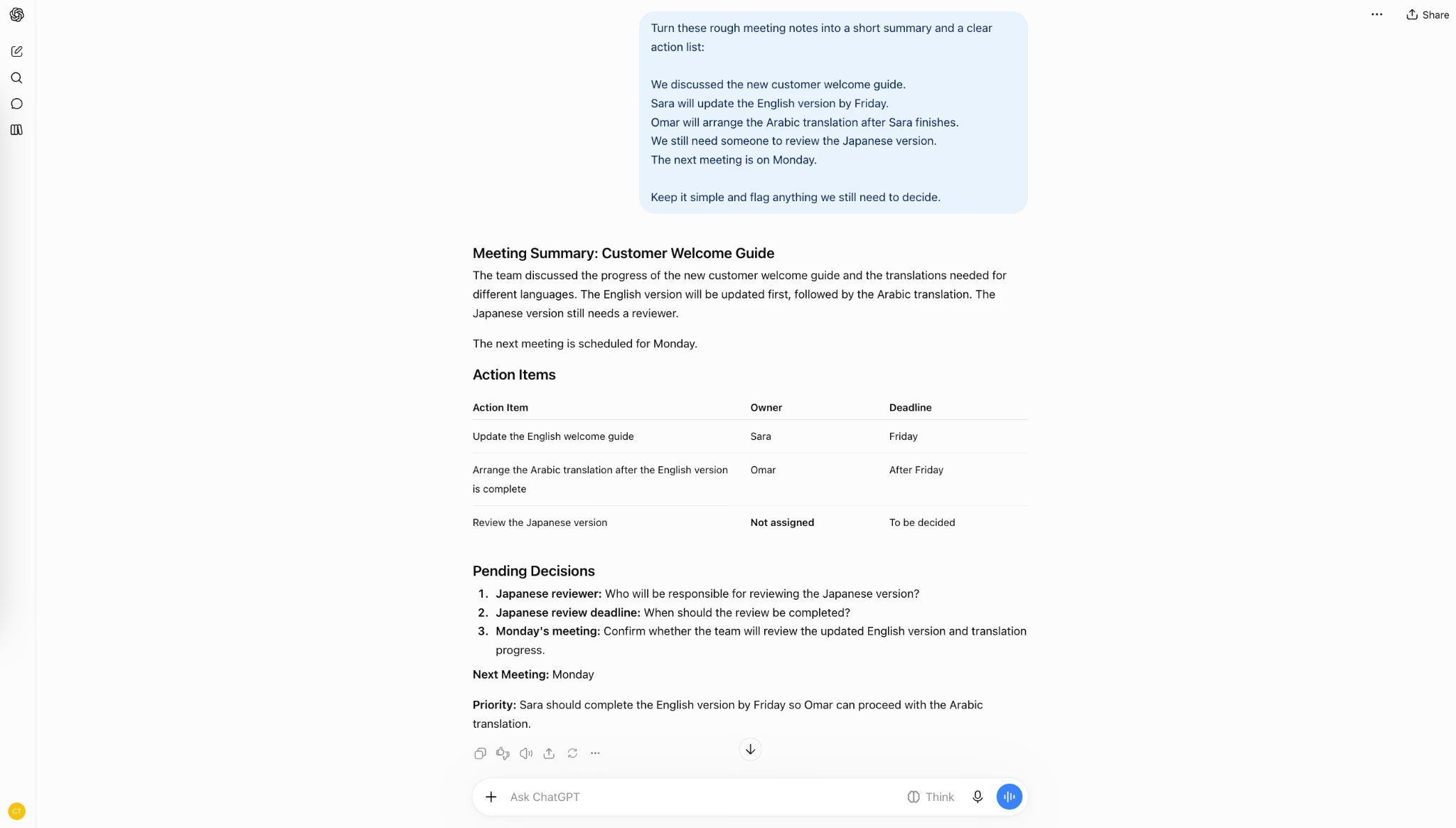
But it listed Omar’s timing as “After Friday.” My notes said, “after Sara finishes.” If she finished on Thursday, Omar could start then.
I’d use ChatGPT to organize notes, then compare the action list with the source before sharing it. A clear table can still contain an incorrect assumption.
If you’re starting with a recording rather than written notes, our guide to transcribing audio with ChatGPT explains the available methods, device requirements, and limitations.
How Much Does ChatGPT Cost?
ChatGPT offers Free and paid plans. The prices below reflect OpenAI’s listed USD subscriptions checked in November 2026.
Plan | Listed subscription price |
|---|---|
Free | $0 |
Go | $8/month |
Plus | $20/month |
Pro | From $100/month |
Business | $20/user/month annually or $25 monthly; 2+ users |
Enterprise / Edu | Contact sales |
Check OpenAI’s current pricing for access and allowances. Start free, then upgrade for a specific need or restriction you encounter.
Limitations Of ChatGPT
ChatGPT might give incorrect answers, change important details, miss context, and provide outdated information when it hasn’t checked current sources. Its usefulness also depends on the information and tools available to it. In my tests, the problems were sometimes subtle: a translation sounded natural while shifting a deadline, and an organized action list changed when a task should begin.
Confident Answer Can Still Be Wrong
ChatGPT’s clear writing can make an answer feel more reliable than it is. Hallucinations are plausible but false statements, and OpenAI’s research on why language models hallucinate explains how training and evaluation can reward guessing instead of acknowledging uncertainty.
That’s why you should check more than whether an answer reads well. For research, open the sources and confirm they support the claim. For calculations, check the inputs and arithmetic. Asking ChatGPT to explain its answer helps with review, but the explanation itself isn’t proof.
Small Details and Missing Context Need Checking
My tests showed two different reasons to review an answer. In Spanish, ChatGPT needed a correction to preserve the intended deadline. In Japanese, it correctly recognized that a reply could mean acceptance or refusal and asked for the preceding conversation.
Check dates, conditions, responsibilities, and ambiguous wording before sharing the result. If the source leaves something undecided, ask ChatGPT to mark it as unspecified rather than fill the gap.
Workplace Information Needs Care
Being able to upload a document doesn’t automatically make it suitable to share. Before adding client files or meeting transcripts, check your organization’s rules and your account’s data controls.
OpenAI provides settings that control whether eligible conversations help improve its models, with different defaults for personal and business workspaces. Its data controls guide explains those options. Turning off training is a separate decision from whether you have permission to upload someone’s information.
Summarizing Notes is Only Part of the Meeting Workflow
In my meeting-note test, I gave ChatGPT the written notes first. That helped me assess how it organized the information, but it didn’t test capturing a live discussion or helping participants follow different languages during the call.
If that’s where you need help, JotMe’s live translation and transcription address the conversation as it happens. Its AI meeting notes give you a record to review afterward. For a multilingual team, JotMe connects understanding the discussion with preparing the follow-up.
While ChatGPT can organize notes, you still have to supply the record of the discussion. In a multilingual meeting, you'll also want help understanding what's being said. So, we tested that next: my colleagues held an English–Japanese call and tried to get ChatGPT to translate for both.
The video shows what happened with the translation prompt and screen-sharing attempt, followed by a demonstration of JotMe’s two-way voice translation.
Best ChatGPT Alternatives by Use Case
JotMe is worth considering for multilingual meetings, Claude for writing and document analysis, Gemini for Google Workspace, and Perplexity for web research. The right ChatGPT alternative depends on where you need help: during a conversation, while checking sources, or inside the software you already use.
ChatGPT covers many of these tasks, too. I’d choose an alternative when its workflow makes a particular job easier. For more options, you can check our guide to ChatGPT alternatives.
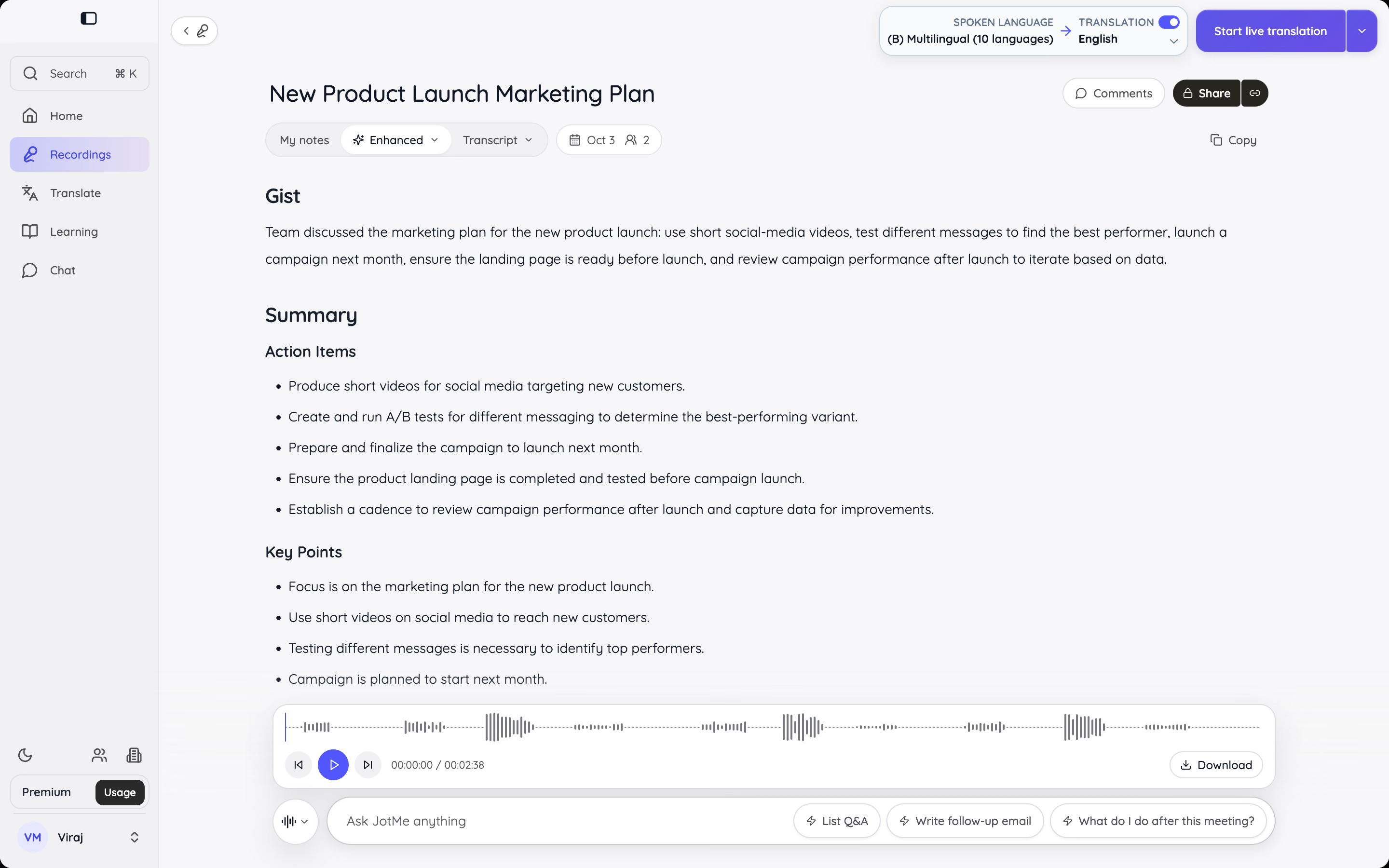
JotMe: For Live Translation and Meeting Notes
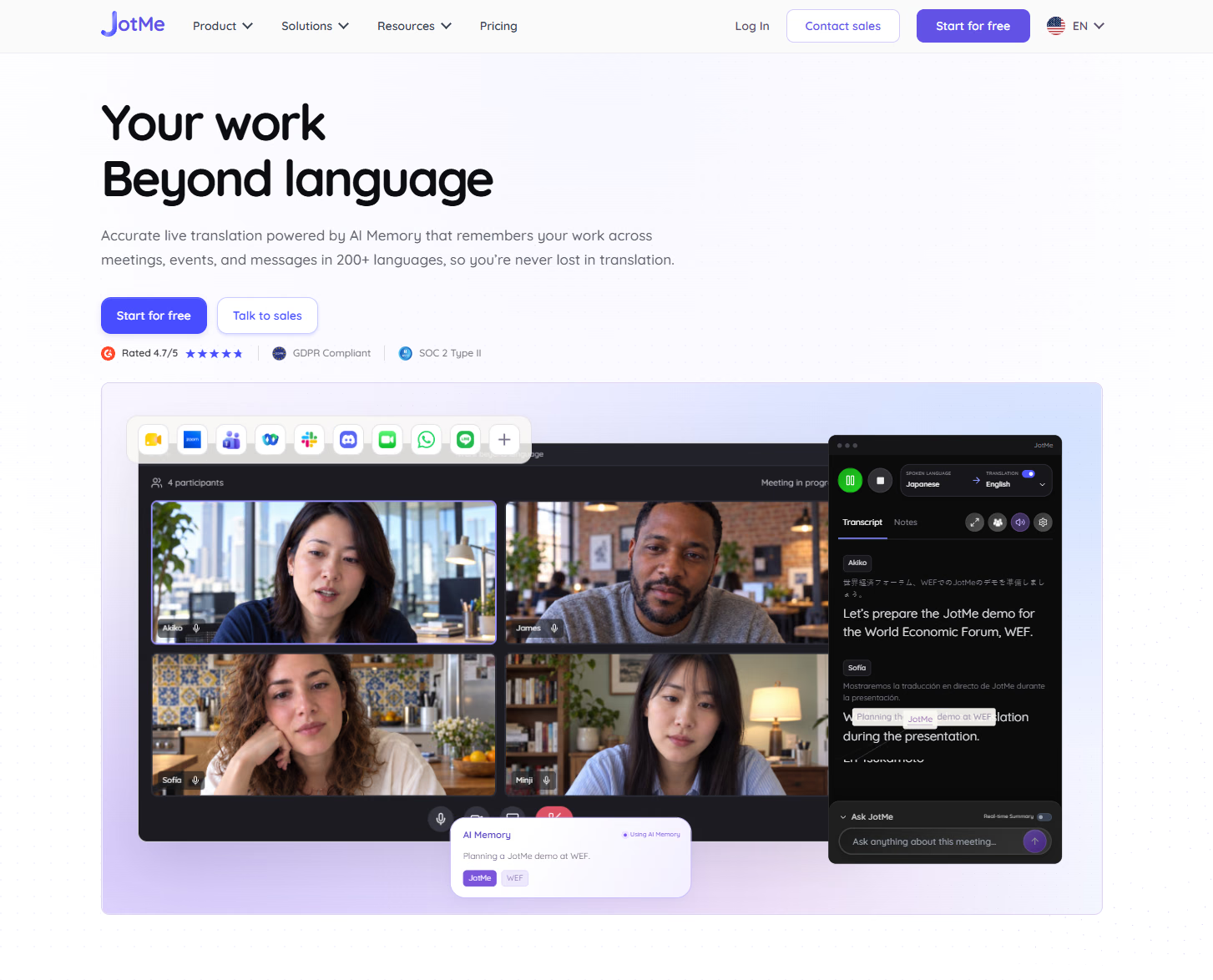
My ChatGPT tests started with information I supplied: a message to translate, notes to organize, or an invitation to explain. JotMe addresses an earlier part of the workflow: following the conversation as it happens. It provides live translation, transcription, and meeting notes, with a desktop app for meetings and events and a Chrome extension for Google Meet.
You can review the transcript and notes afterward rather than relying entirely on what you managed to write down. That makes JotMe a relevant ChatGPT alternative when your main difficulty is participating in multilingual discussions and keeping a useful record.
For example, you might need translated captions during a client call, then a summary to prepare your follow-up. Those connected steps are JotMe’s focus.
Claude: For Writing and Working Through Documents
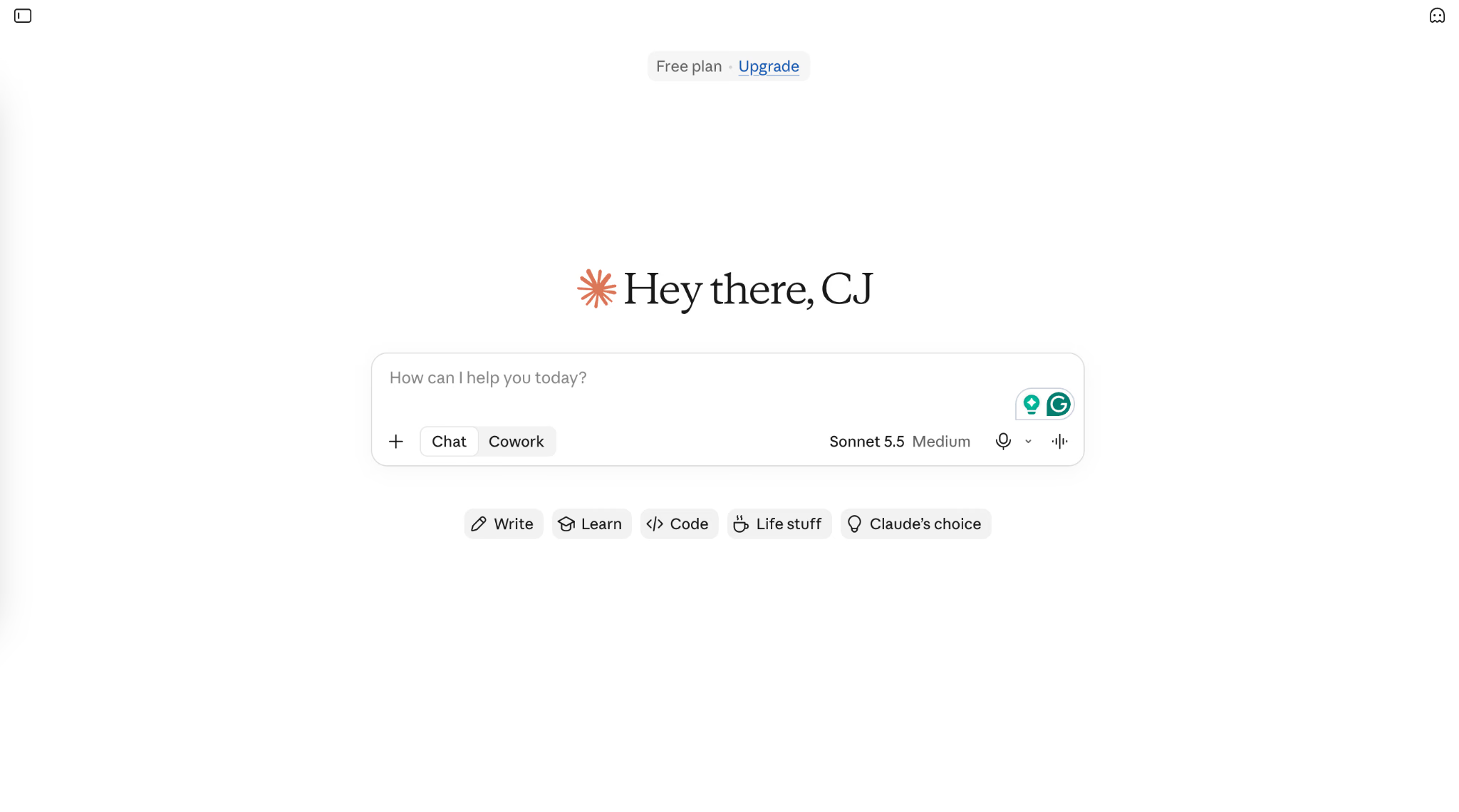
Claude is an alternative to try when your work involves developing a draft, analyzing supplied material, or revising a document over several conversations. Its Projects let you collect reference files and instructions in a dedicated workspace. For a recurring client, that could mean keeping the brief, style guidance, and background documents together. ChatGPT also offers projects, so the deciding factor is how well each tool follows your brief and handles revisions.
Gemini: For People Who Work in Google Workspace
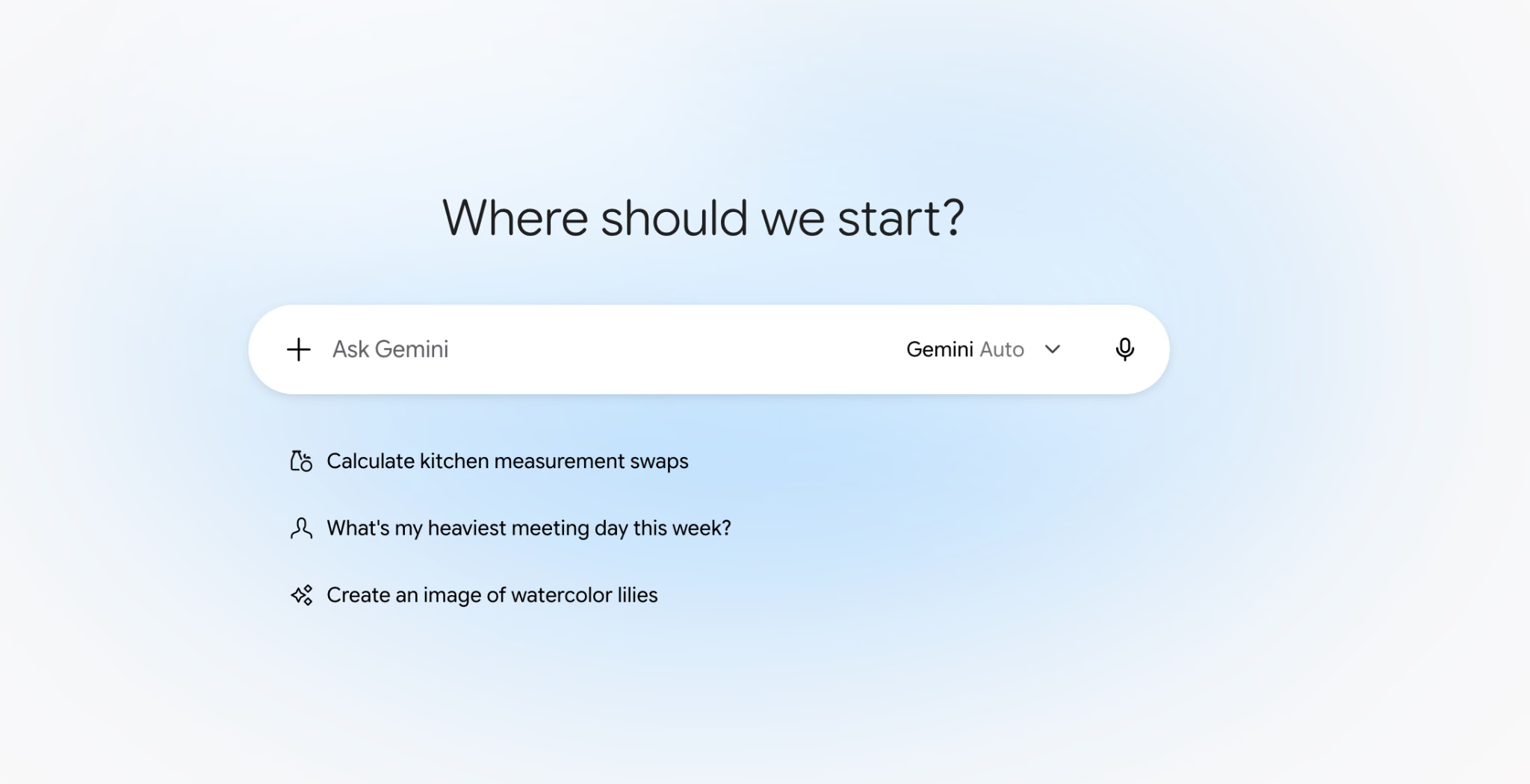
Gemini becomes particularly useful when your working day already revolves around Gmail, Docs, Sheets, and Drive. With eligible access, you can get help drafting an email, summarizing information, or organizing spreadsheet content within those apps. The practical difference from a separate ChatGPT conversation is proximity: you can work where the email or document already lives. For example, you could refine a customer reply in Gmail and continue working on the related proposal in Docs. Available features depend on your Workspace plan and administrator settings.
Perplexity: For Researching Questions and Checking Sources
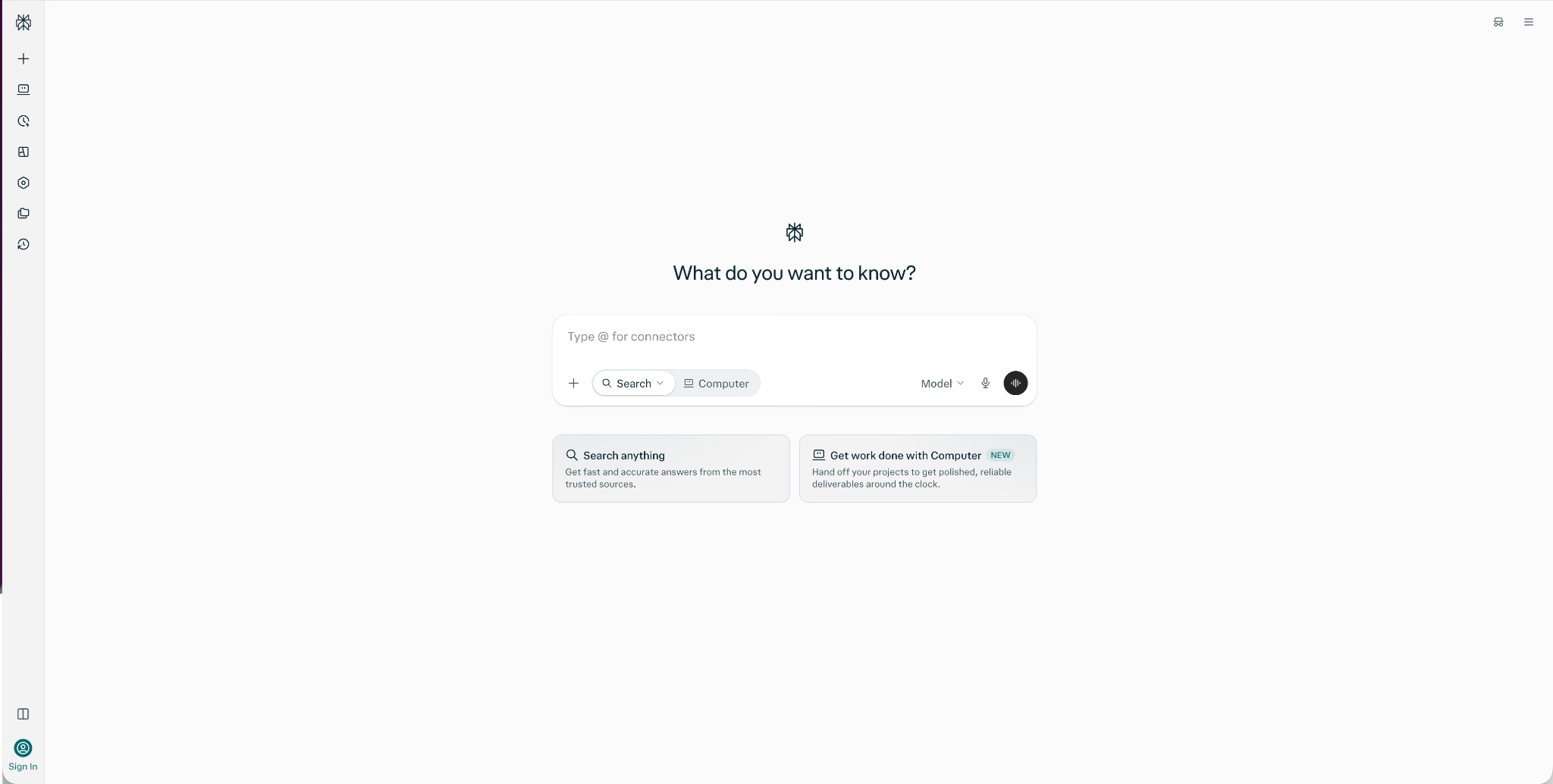
Perplexity is a useful alternative when finding an answer and examining its evidence are the main tasks. Its search experience brings together information from web sources and provides links you can open to investigate further. I’d consider Perplexity for an initial comparison of suppliers, background research, or a question involving changing information. ChatGPT also offers search and research tools. Perplexity’s appeal is its emphasis on that research workflow. Citations make an answer easier to check, but you still need to confirm that the source supports the claim.
Is ChatGPT Still the Best AI Tool?
ChatGPT remains a strong choice if you want one assistant for writing, learning, translation, research, and everyday problem-solving. In my tests, I could draft an email, explore the meaning of a Japanese reply, and organize meeting notes in the same tool. That flexibility is a good reason to start with it, especially if you’re still figuring out where AI fits into your work.
I’d make the final choice around the task you do most often. ChatGPT helped me organize supplied notes, but following a multilingual meeting involves more than producing a summary afterward. If you need live translation, transcription, and meeting notes together, try JotMe for free and see how it fits your calls.
FAQs
Is ChatGPT free?
Yes, ChatGPT has a free plan. You can use it for everyday questions and tasks without buying a subscription. Paid plans provide additional access and higher usage limits.
What Is ChatGPT Voice Mode?
ChatGPT Voice Mode lets you have a spoken conversation with ChatGPT. You can also use dictation to turn speech into a written prompt. These are separate features, and availability depends on your plan, device, and settings.
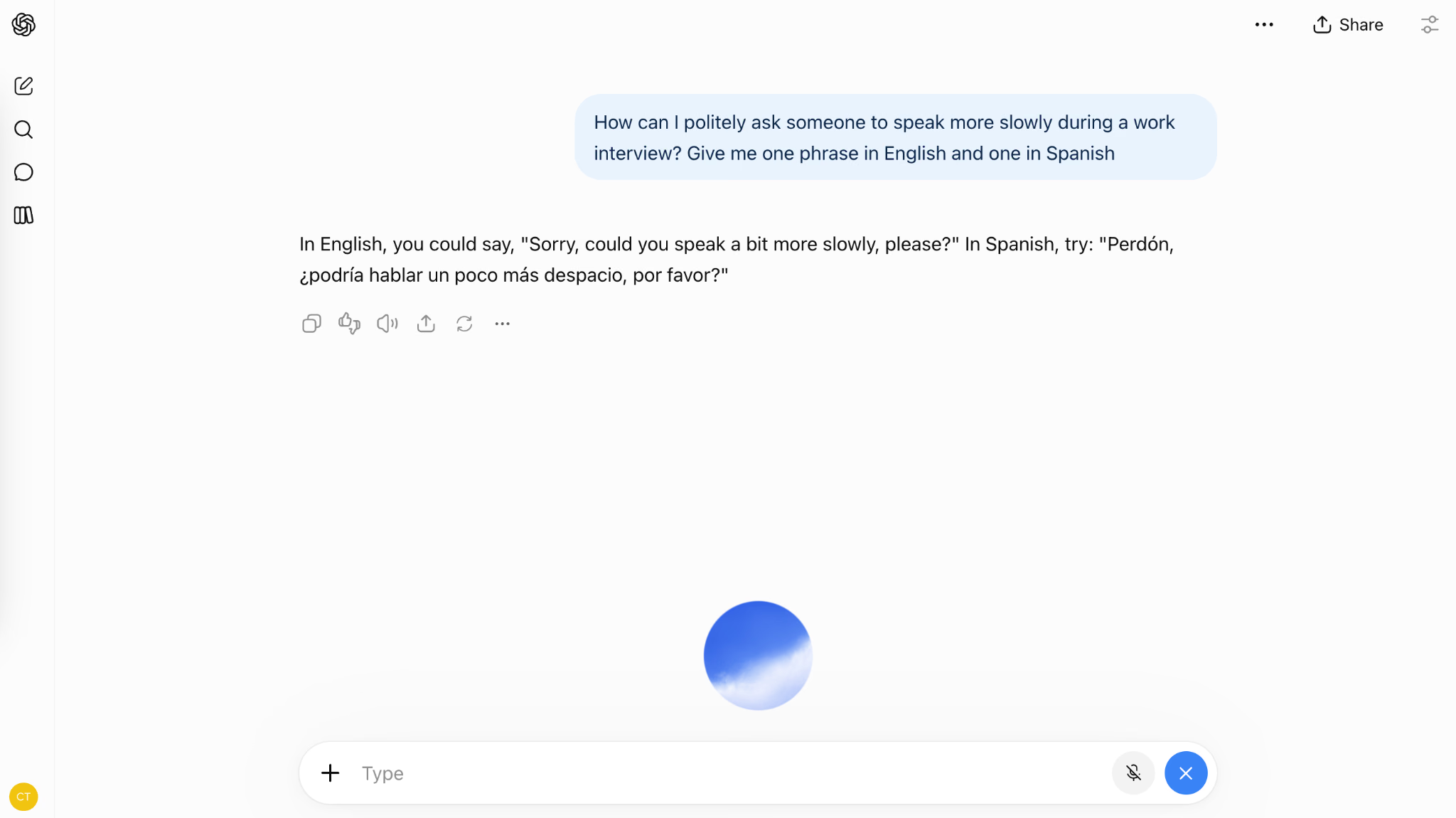
How to upload an image to ChatGPT?
You can upload images to ChatGPT using the attachment menu. Add a screenshot or photo, then explain what you want to know.
How accurate is ChatGPT?
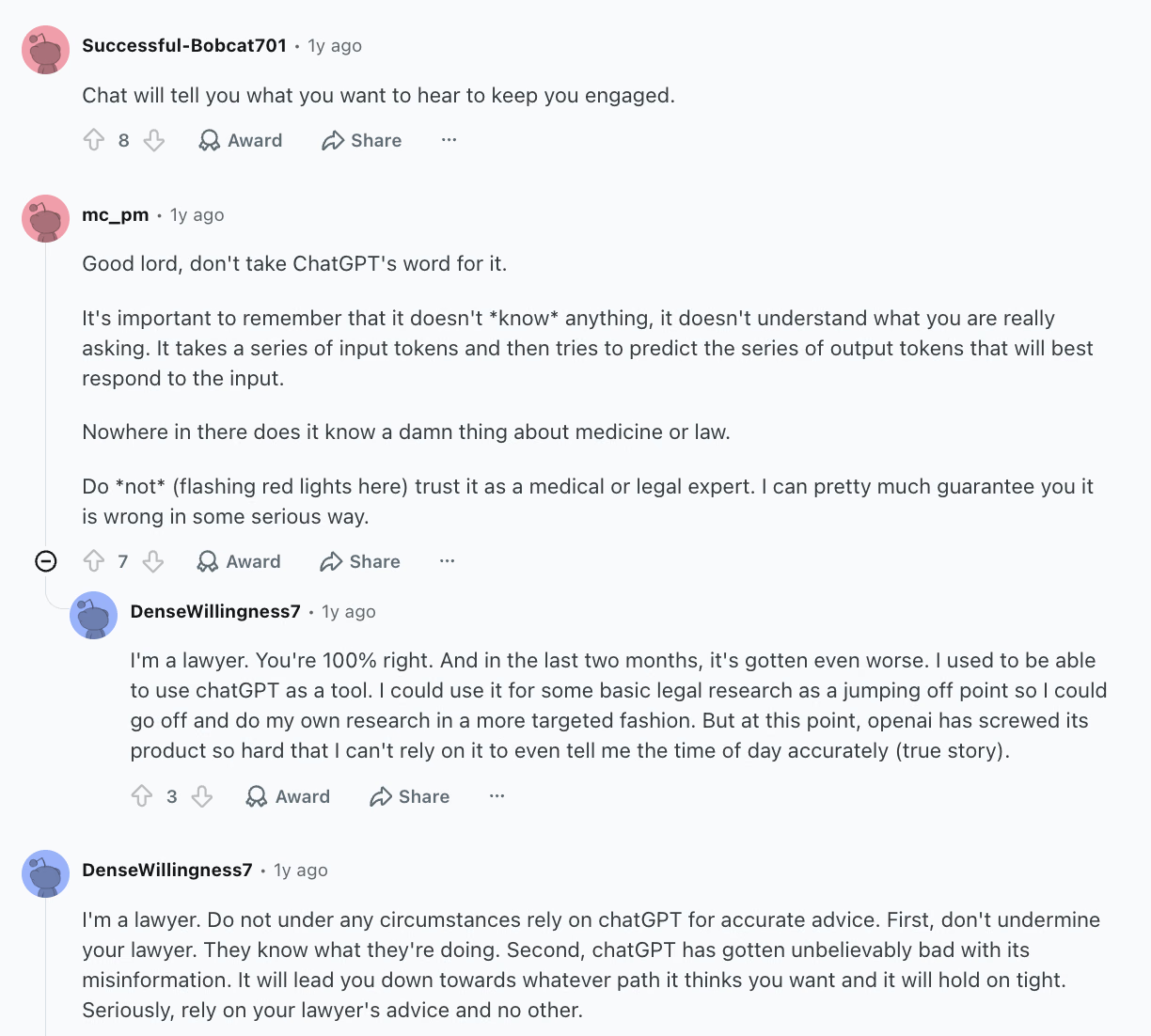
ChatGPT’s accuracy varies by task, model, and the information you provide. In the Reddit discussion shown below, commenters describe errors in specialized answers. Check important claims against a reliable source before acting on them.
Is ChatGPT a better language translator than Google Translate?
ChatGPT can be more useful when you need an explanation of an idiom, a tone adjustment, or a translation you can refine through conversation. Google Translate is convenient for quick translations. I wouldn’t call either universally more accurate: ChatGPT handled the idioms in my Spanish test but needed a follow-up to clarify the deadline.
Try JotMe
Accurate translation for your meetings, events, and everyday work, with AI Memory that remembers your context.