![JotMe — How to Write Meeting Minutes in 7 Steps [FREE TEMPLATE]](/_webflow-assets/70183a7f7d60d190fb68338d2d560d4d.avif)
How to write meeting minutes starts with capturing the right information: prepare an agenda-based template, record decisions and action items during the meeting, verify owners and deadlines, then send the draft for approval.
Remember one thing:
Good meeting minutes do not capture every word spoken; they create an official record of what was decided, who owns each task, and what happens next.
The challenge is that most meetings leave behind unclear decisions, missing owners, and conflicting memories within days. JotMe uses AI to generate structured meeting minutes automatically from conversations, so teams have a review-ready draft shortly after a call ends.
This guide covers the 7 steps to write effective meeting minutes, including how to handle multilingual meetings where attendees speak different languages.
What Are Meeting Minutes
Meeting minutes are the official written record of what a group decided during a meeting, kept for attendees, absentees, and auditors to reference later. Minutes capture decisions, motions, votes, and assignments. They exclude debate, personal remarks, and word-for-word dialogue. Robert's Rules of Order Newly Revised holds that minutes should record mainly what was done at a meeting, never the secretary's opinion of it.
That single rule decides most of what follows.
- A record of what was done stays short, survives review, and gives a reader the outcome in under a minute.
- A record of what was said runs for pages, invites arguments about phrasing at the next meeting, and creates legal exposure that a clean action record avoids.
Every step in this guide pushes your minutes toward the first kind.
How Are Meeting Minutes Different From Meeting Notes
Meeting minutes are the official record of decisions, action items, and votes, while meeting notes are informal summaries and transcripts capture every word spoken. Minutes show what was decided, notes highlight key points, and transcripts preserve the full conversation.
Modern meeting tools blur the line further, because they produce all three from the same recording. JotMe generates AI meeting notes and a full transcript in one pass, then structures the notes into minutes automatically. The minute-taker's job shifts from typing to verifying, which is a much better use of a senior person's attention during a live call.
What Should You Include in Meeting Minutes
Meeting minutes follow a predictable structure, and the structure exists so a reader who missed the call can reconstruct the outcome quickly. Include these elements every time, in this order.
- Meeting identity: Date, start time, end time, location or video link, and the meeting type, whether regular, special, or emergency.
- Attendance: Everyone present, everyone absent, and any guests, along with the reason a nonvoting guest attended.
- Approval of previous minutes: A single line confirming the last set was approved as presented or as corrected.
- Agenda items: Each item as its own heading, in the order the group actually took them up rather than the order on the invite.
- Motions and votes: The exact wording of each motion, the person who moved it, the person who seconded it, and the vote count.
- Decisions: What the group settled and the reasoning behind it, in a short paragraph.
- Action items: The task written as a verb phrase, the named owner, and the due date confirmed during the call.
- Adjournment: The closing time and the name of the person who recorded the minutes.
What to leave out
Skip the discussion, the tone of the room, and any characterization of a member's motive. Robert's Rules treats a summary of what a speaker said as outside the scope of ordinary minutes, and a Michigan State University governance ruling on minutes content applies the same standard: name a guest speaker and the subject, then stop.
How Do You Prepare Before the Meeting Starts
Step 1: Build the minutes document from the agenda. Paste each agenda item into the file as a heading before anyone joins, so each item becomes an empty section waiting for a decision. Typing into a structure produces a clean record. Typing into a blank page produces a wall of fragments that takes an hour to sort out afterward.
Step 2: Confirm recording consent and set your languages. Announce that the call is being recorded, then choose the spoken language and the output language before the meeting connects. The JotMe desktop app puts both selectors above the transcript, so an operations lead running a call in English for a Korean partner sets the pair once and forgets about it.
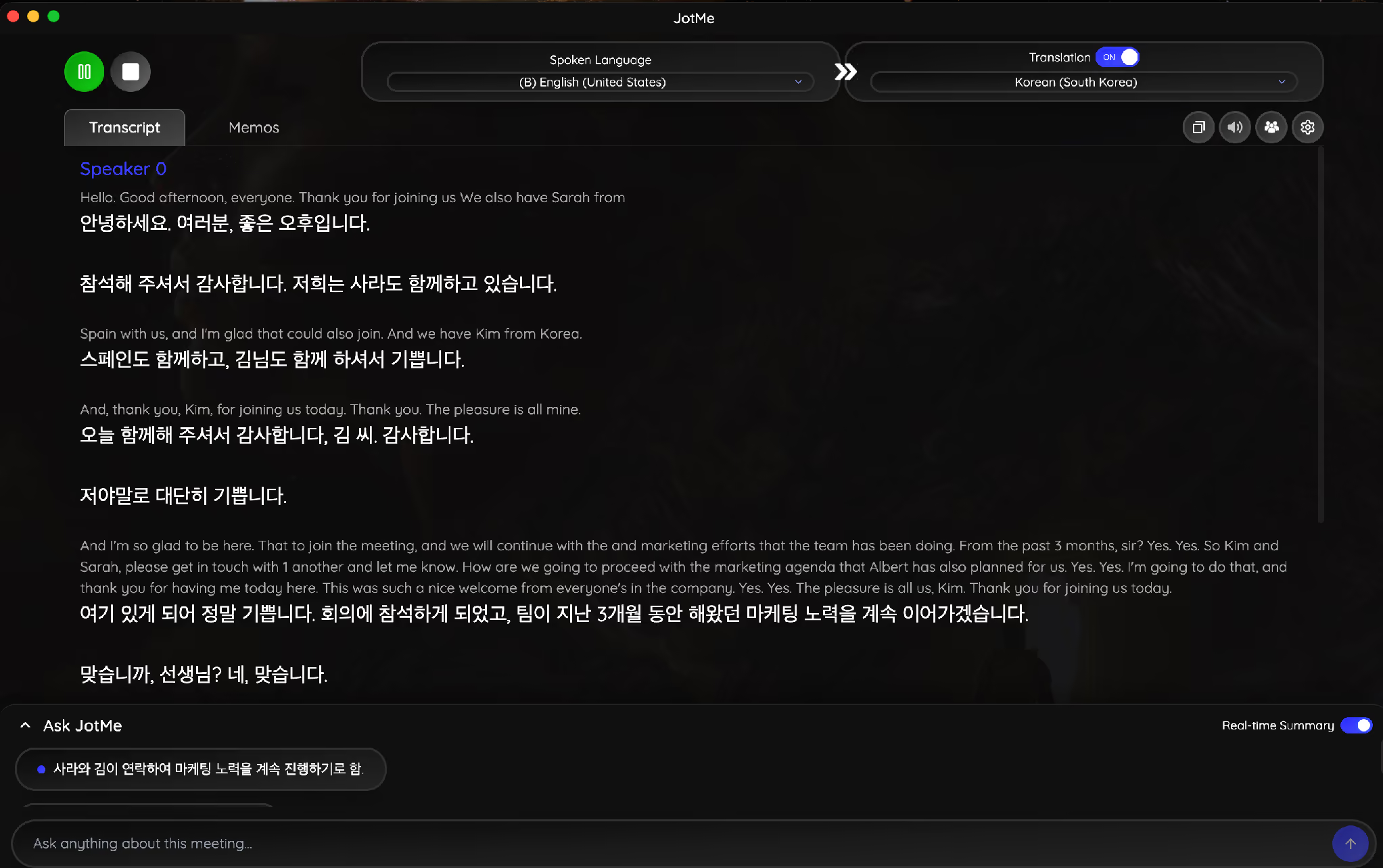
Speaker labels deserve 30 seconds of attention here too. JotMe assigns generic identifiers such as Speaker 0 until someone renames them, and minutes that credit a decision to Speaker 0 fail their own purpose. Rename participants as they introduce themselves. If you have never run the app through a live call, the JotMe setup walkthrough covers device permissions, the Chrome extension, and joining a call already in progress.
How Do You Take Meeting Minutes During the Call
Step 3: Write down decisions, and let the debate pass. The instinct of a new minute-taker is to capture arguments in case someone needs them later. Nobody ever needs them. What people need is the outcome, the owner, and the date. Everything else lives in the recording if a dispute ever arises.
Step 4: Confirm ownership out loud, in the moment. When a task lands on the table without a name attached, interrupt once and ask who owns it. Interrupting a meeting for 10 seconds costs far less than chasing 4 people across two time zones the following week to work out who volunteered.
A real example makes the difference concrete.
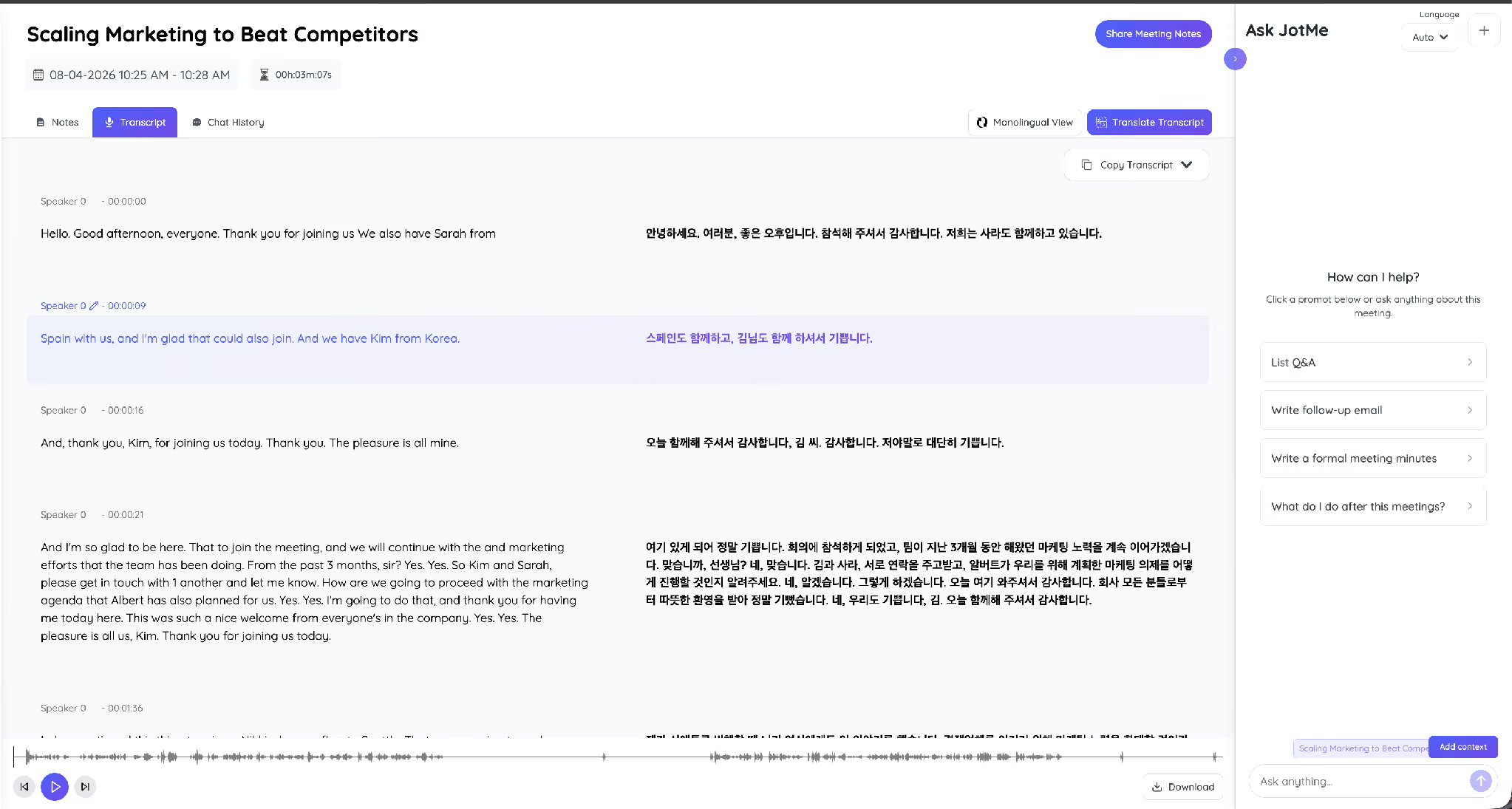
A marketing call ran for 3 minutes with an English-speaking lead, Kim joining from Korea, and Sarah joining from Spain, on the subject of scaling marketing activity against competitors. The live summary panel built the agenda and the running decisions while the conversation continued, in both English and Korean at the same time.
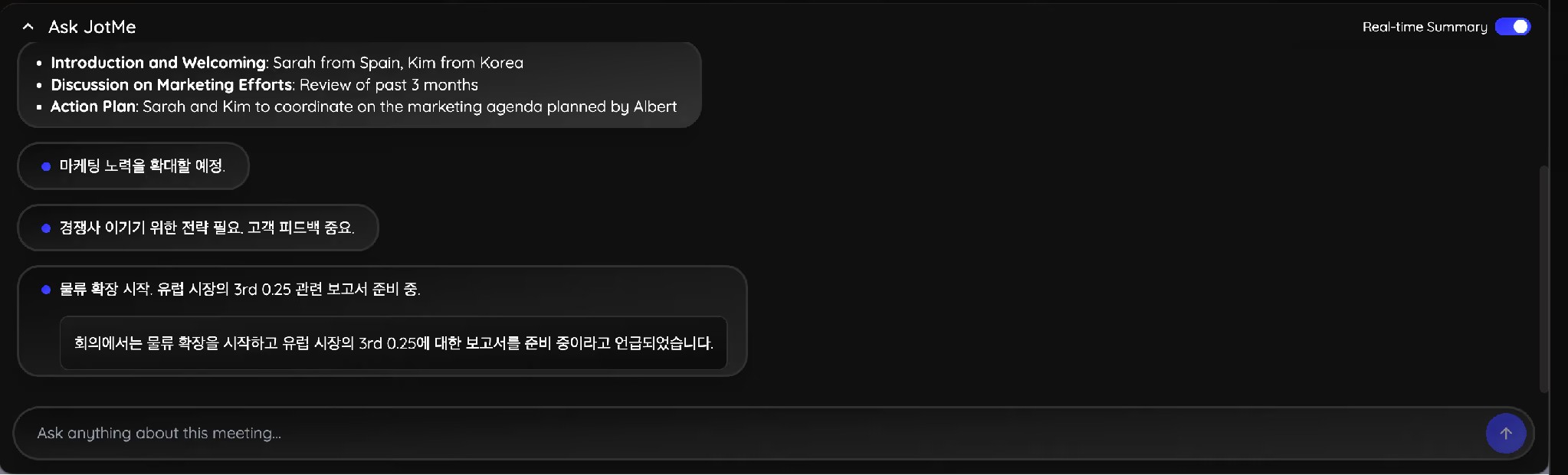
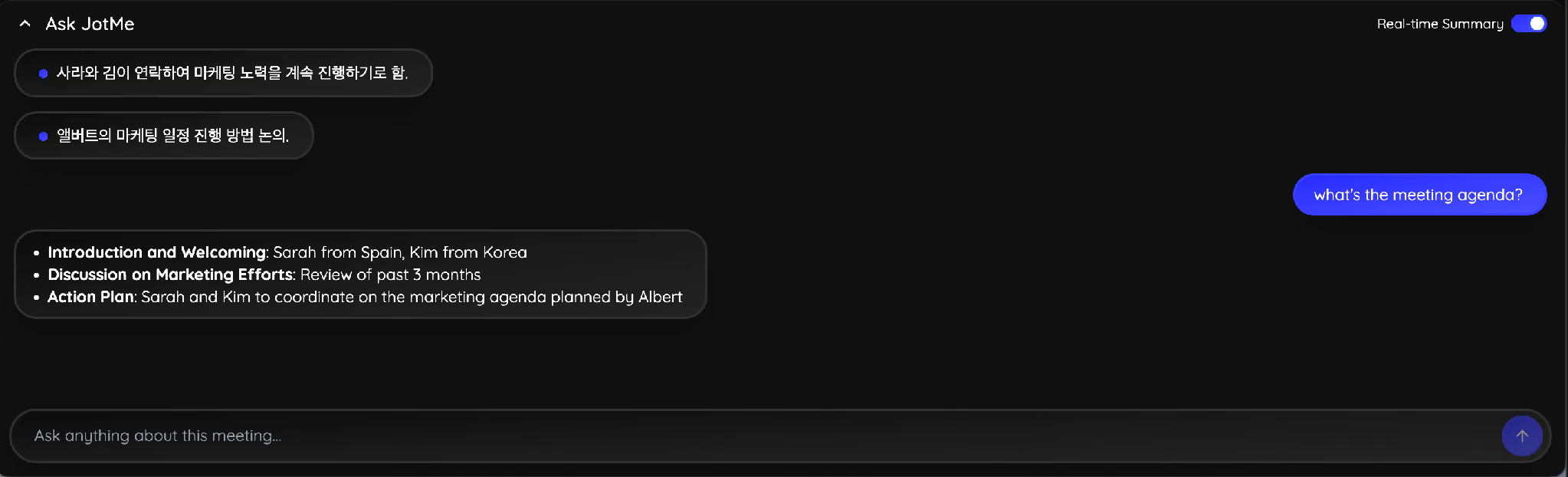
Asking the assistant a direct question mid-call replaces the scroll-back that usually derails a minute-taker. A question such as "what's the meeting agenda?" returns the structure the conversation has followed so far, which is exactly the skeleton the minutes need.
How Do You Turn Raw Notes Into Finished Minutes
Step 5: Run the Timestamp Trace before anything leaves your drafts folder. Write the minutes within 24 hours while the context is still recoverable, then check every action item against three anchors. Any item missing one of the three gets flagged rather than published.
- The timestamp: The moment in the transcript where the commitment was made. If you cannot find it, the commitment was inferred rather than made.
- The named owner: A person, never a department. "Marketing will handle it" is an unowned task wearing a disguise.
- The confirmed date: A date somebody said out loud on the call. A date you assigned afterward is a guess that will be missed.
The trace takes about 5 minutes on a 30-minute meeting and catches the two failure modes that make minutes worthless: an action nobody agreed to, and an action nobody owns. Record the result in a simple grid so the check is visible to whoever approves the minutes.
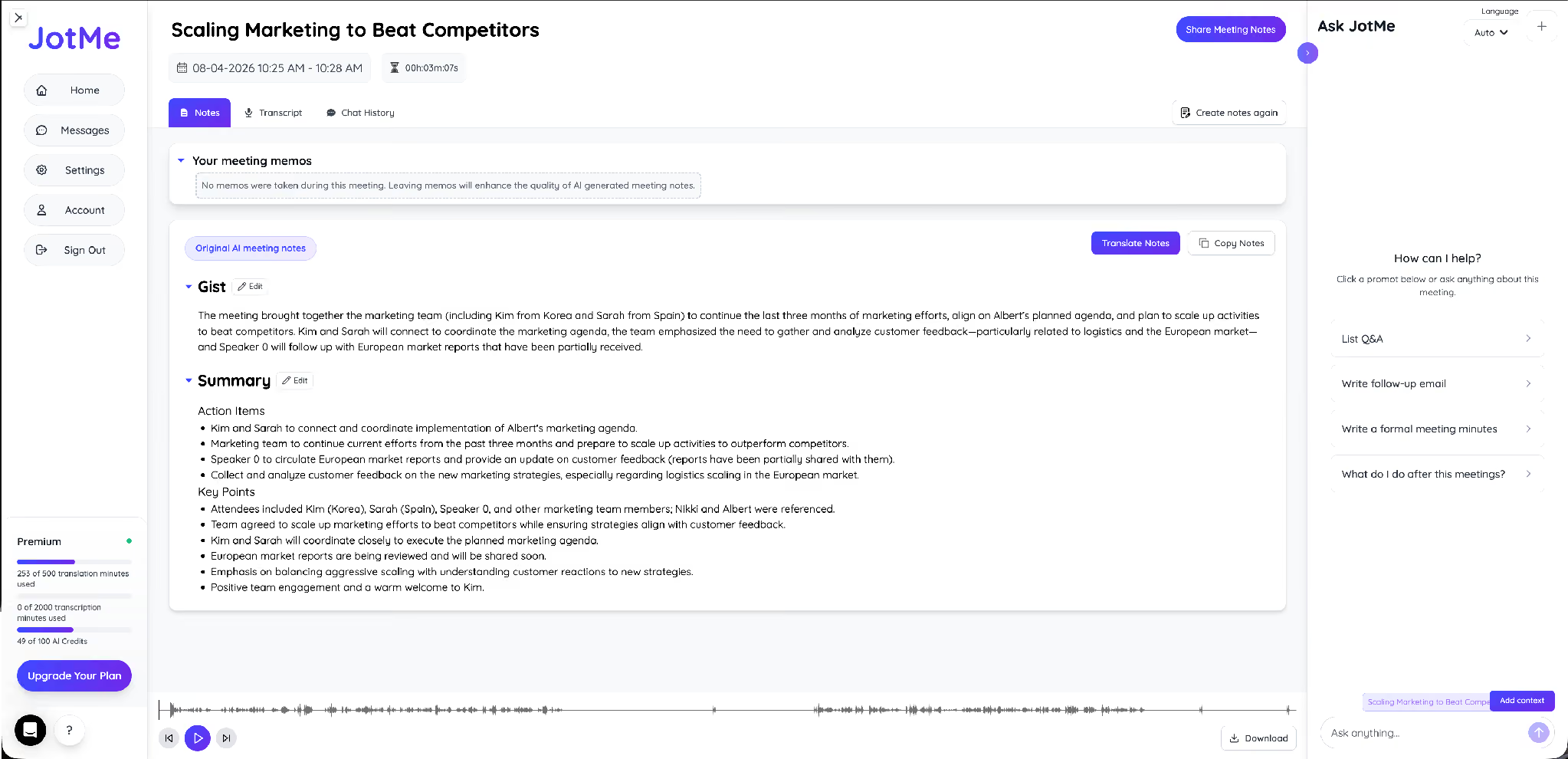
JotMe produces the raw material for this check without extra work. The Notes tab opens with a Gist, then a Summary split into action items and key points, drawn from the recording rather than from anyone's memory of it.
The Transcript tab supplies the timestamps that anchor each item, with speaker labels and the original audio beneath the text. Clicking a line jumps the recording to that second, which turns verification from an argument into a 20-second check. Teams that want the formatted output directly can generate AI meeting minutes from the same recording instead of rewriting the summary by hand.
How Do You Write Meeting Minutes for a Multilingual Meeting
Step 6: Minute the meeting in the language it happened in, then distribute it in the languages your attendees read. Guides on how to write meeting minutes assume everyone in the room shares one language. Plenty of meetings do not, and two specific failures show up in those minutes.
- Paraphrase drift: A bilingual colleague summarizes a partner's comment in English and softens a firm commitment into a maybe. The minutes then record agreement that never happened.
- Name and term distortion: Proper nouns, product names, and figures survive a live interpretation badly, and a wrong number in the minutes becomes a wrong number in the plan.
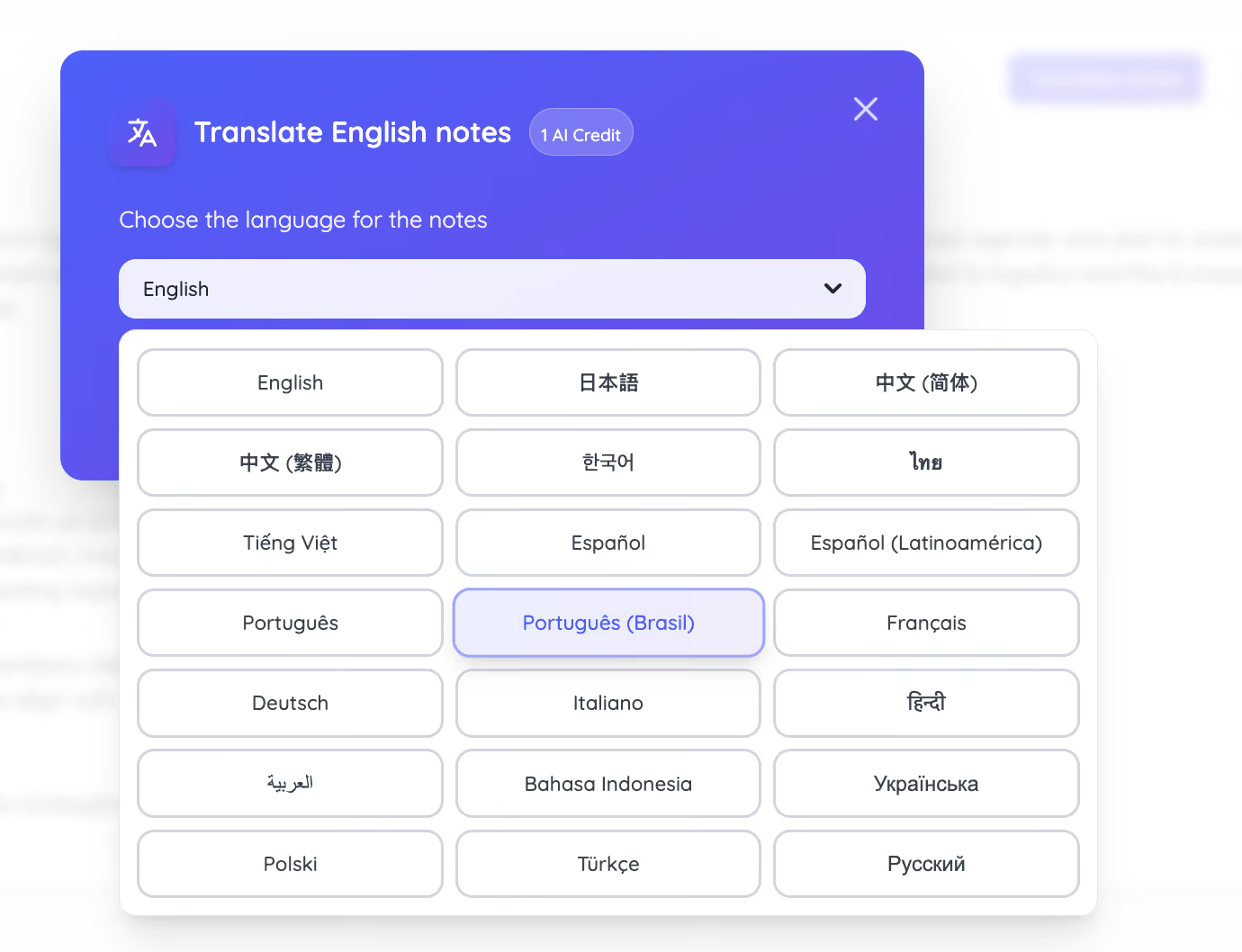
JotMe interprets across 200+ languages and 39,000+ language pairs, and produces AI meeting notes in 21 languages, which means the record itself moves between languages rather than being rebuilt in each one. Translating a finished set of notes costs 1 AI credit and keeps the same structure, so the Korean version and the English version stay comparable line by line.
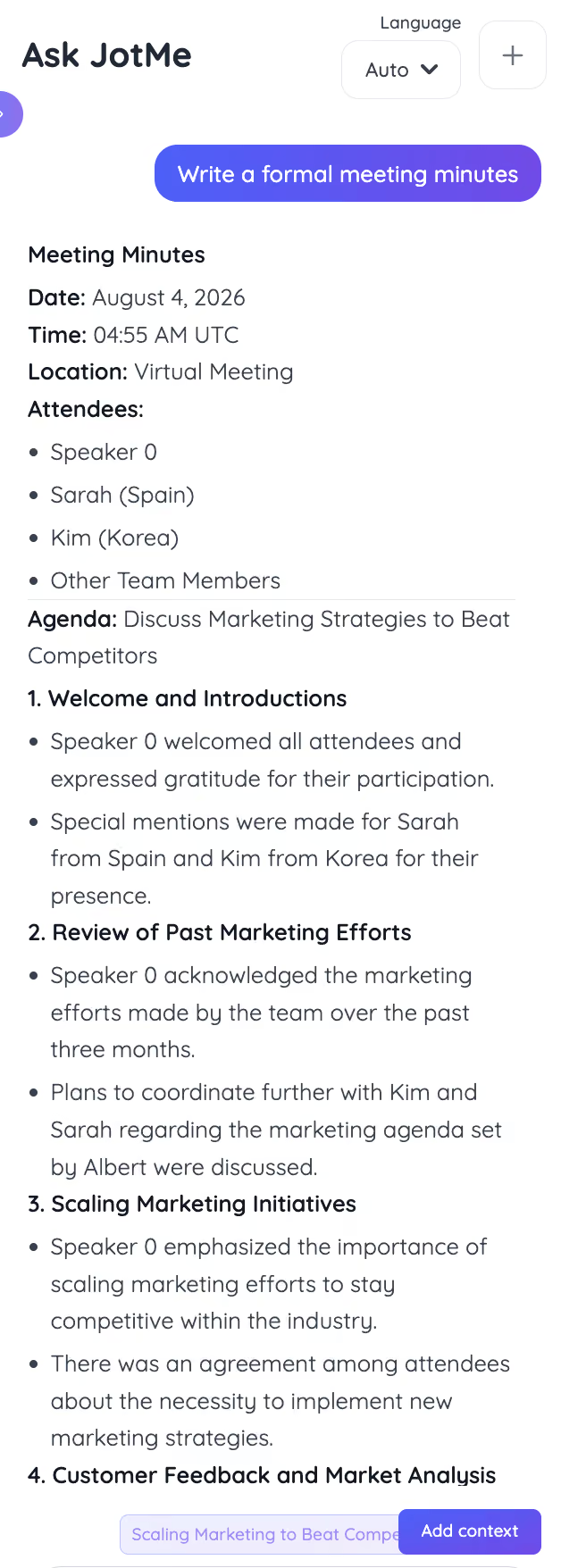
For a formal record, asking the assistant to write formal meeting minutes returns the full structure: date, time, location, attendees with their locations, agenda, and numbered sections covering each discussion point and its outcome. An English-speaking operations lead working with Korean and Japanese suppliers can circulate that record to every party in the language each one reads, without paying a $350-per-hour agency to stand in the middle.
Two related workflows cover the common variants. A team that meets in Japanese and reports in English can generate English meeting notes after a Japanese meeting, and a team that needs every attendee served in their own language can run meeting notes through a translator once the minutes are approved.
How Do You Circulate and Get Minutes Approved
Step 7: Send the draft to the chair first, then to everyone else. The chair catches a misattributed motion faster than the group will, and a correction made before wider circulation avoids a formal amendment later. Send the minutes early enough that people can read them before the next meeting, and send them to absentees as well as attendees.
Approval happens at the following meeting, by majority vote or general consent. Corrections get recorded in the current minutes rather than applied silently to the old file, because rewriting an approved record destroys the audit trail that made it worth keeping. Store the approved version somewhere searchable, and give it a name that includes the date and the meeting type.
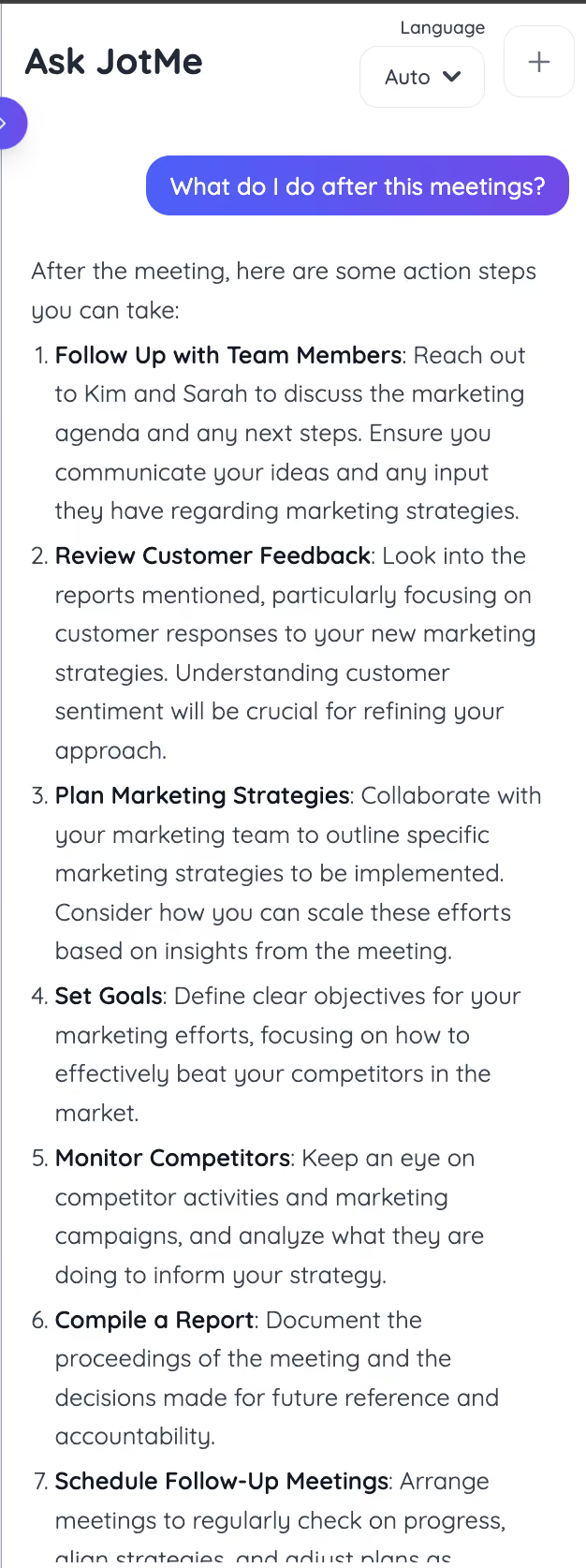
The follow-up matters as much as the record. Asking the assistant what to do after the meeting returns the next actions grouped by owner, which gives you the body of the follow-up email while the minutes go through approval.
Distributed teams that meet across languages should keep the whole chain in one place, since a transcript in Korean and minutes in English belong to the same meeting. Running cross-language meeting notes keeps the recording, the transcript, the notes, and every translated version attached to a single record.
What Does a Finished Meeting Minutes Template Look Like
Copy this free template into your document before the next call. It covers the formal case, which means it also covers the informal one. JotMe drafts the same structure automatically after every meeting, so the template below doubles as a checklist for reviewing what the app produced.
A shorter form works for weekly team meetings: date, attendees, decisions, action items with owners and dates, next meeting. Drop the motions and votes when the group does not vote, and keep everything else.
What Mistakes Make Meeting Minutes Useless
Meeting minutes become useless when they fail to record clear decisions, named owners, and agreed deadlines. Common mistakes include documenting discussions instead of outcomes, assigning tasks without owners, and skipping review or approval.
- Recording the debate instead of the decision: Pages of discussion give a future reader more to argue about and less to act on.
- Writing the minutes 3 days later: Context decays fast, and reconstructed minutes carry errors that nobody catches until they matter.
- Assigning an action to a department: An owner without a first name is an owner who will not show up.
- Editorializing on tone or motive: A line describing someone as defensive turns a record into evidence against your own organization.
- Publishing an auto-transcript unreviewed: Automatic capture handles the volume and still mishears figures, product names, and proper nouns, so a human confirms the numbers.
- Losing the record in a chat thread: Minutes that live in a direct message stop being an official record the moment the thread scrolls.
- Skipping the approval step: Draft minutes carry no authority until the group adopts them at the following meeting.
Which Tools Help You Write Meeting Minutes Faster
Three categories of tools appear in this workflow, and each one stops somewhere different.
- Templates and document tools: Word, Google Docs, and Notion give you the structure and none of the capture. Somebody still types through the meeting.
- Single-language meeting assistants: Tools built around English calls handle transcription and summaries well, then hand you an English-only record after a call that ran in two languages.
- JotMe: Live translation across 200+ languages, transcript and AI meeting notes from the same recording, formal minutes on request, and translated versions of the approved record. More than 1,700+ organizations and 500,000+ global users run their multilingual calls this way.
Choosing between them comes down to one question: does your record need to serve people who were listening in different languages? If it does, the accuracy of the live interpretation decides the accuracy of the minutes, which is worth understanding before you commit. The breakdown of the most accurate way to translate business meetings compares the available approaches on that specific measure.
Where to Start With Your Next Meeting
Pick the next meeting on your calendar and do two things. Paste the agenda into your minutes document before the call starts, and run the Timestamp Trace on every action item before you send the draft to the chair. Those two habits fix most of what goes wrong with meeting minutes, and neither one takes more than 5 minutes.
For meetings that run across languages, set the spoken and output languages before the call connects so the record builds itself in both while you concentrate on the conversation. The AI meeting minutes generator handles the drafting from there.
FAQs
How Long Should Meeting Minutes Be?
Minutes fit on 1 or two pages for most meetings, including board meetings that run for hours. Length tracks the number of decisions, never the length of the discussion. A 3-hour meeting that produced 4 decisions yields shorter minutes than a 30-minute meeting that produced 9.
Do Meeting Minutes Need to Be Approved?
Formal bodies approve them at the following meeting, by vote or general consent, and the draft carries no official standing until then. Internal team meetings usually skip the vote, though sending the draft to the chair for a correction pass costs almost nothing and prevents a wrong record from circulating.
Should Meeting Minutes Include Everything That Was Said?
No, minutes record what a group did, and a transcript records what people said. Keep both if you want the audit trail, and publish only the minutes. The transcript stays available for the rare case where exact wording gets disputed.
Who Is Responsible for Taking Meeting Minutes?
A named secretary handles it for formal bodies, and the role rotates in most teams. The person taking minutes should participate least, which is why automatic capture matters when your most senior person is also the one who needs to talk.
Can AI Write Meeting Minutes Accurately?
An AI engine captures structure, decisions, and action items reliably, and it produces the draft in seconds rather than an hour. Figures, proper nouns, and product names still deserve a human check against the transcript, which is the entire purpose of the Timestamp Trace described above.
How Do You Write Minutes for a Meeting Held in Another Language?
Capture the meeting with live interpretation running, so the transcript exists in both languages with matching timestamps. Draft the minutes from the version you read fluently, verify the numbers against the original-language transcript, then translate the approved record for the other attendees.
![JotMe — Is Google Translate Accurate? [2026 Test]](/_webflow-assets/0d0512afc7b037d74dff536f22fed08f.avif)