Desktop app for all the calls on your computer

Multilingual transcription, live translation, note-taker, AI search, real-time summary, custom vocabulary, AI meeting notes, audio recordings, and more.

Mobile App for in-person conversation

Live translation and AI speech generation for iPhone and Android.

Chrome extension for Google Meet

Real-time transcription, live translation, note-taker, AI meeting notes.
Add to
Chrome
A quick trial is available

AI Meeting Minutes

Capture, organize, and format your meeting minutes effortlessly with JotMe AI in any language

Trusted by 1,700 teams and 100,000 professionals in 134 countries at

Rated 4.7/5
GDPR Compliant
SOC 2 Type II (In Progress)

AI Meeting Minutes in Your Preferred Format and Your Preferred Language

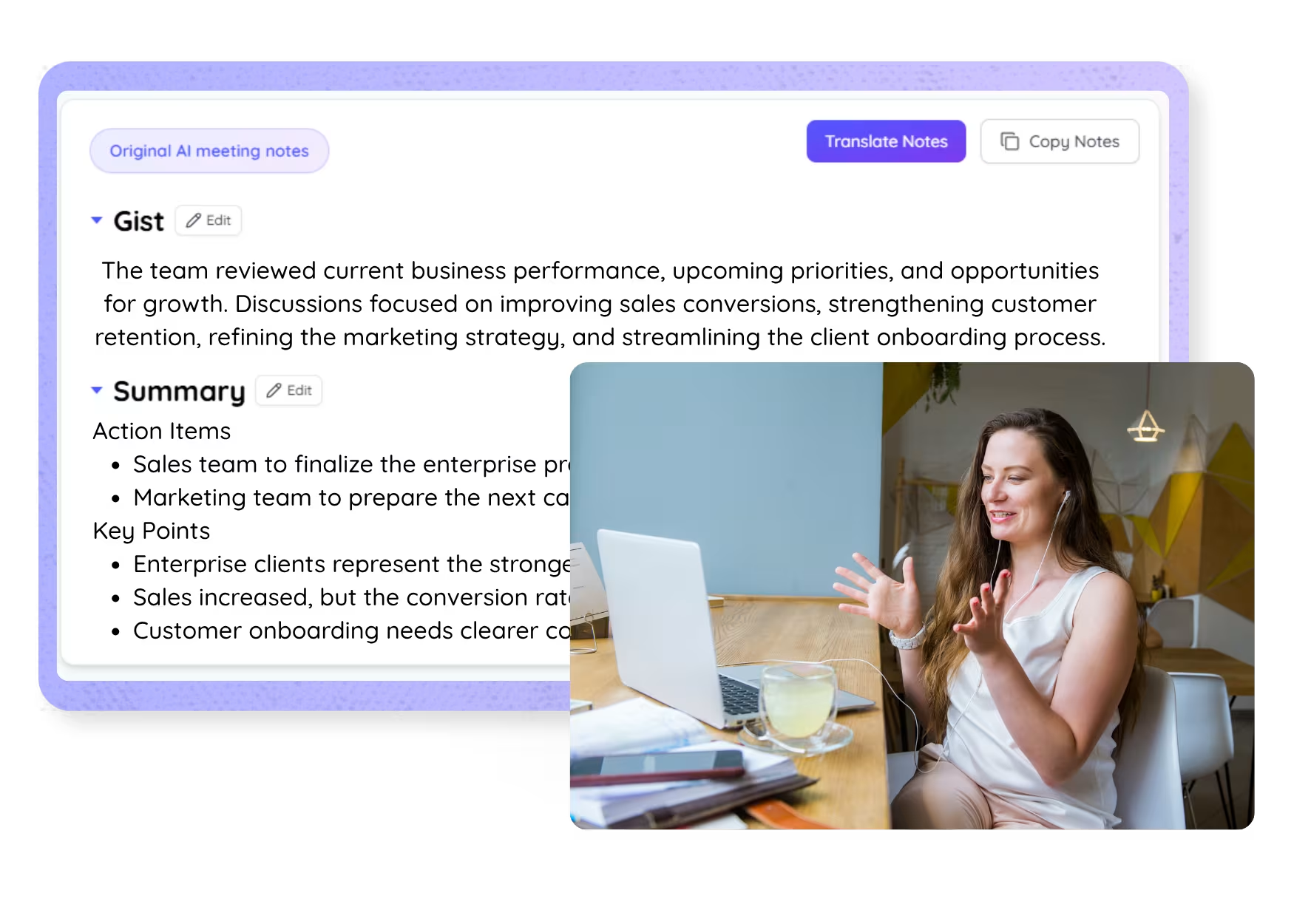
Capturing accurate meeting minutes can be time-consuming, especially when you’re managing multiple discussions or facing language barriers. JotMe’s AI streamlines this process, turning your meeting transcripts into detailed, professional meeting minutes. Whether you need to organize action items or capture key points, JotMe AI allows you to draft minutes in your preferred template or format. Experience hassle-free meeting minutes for free—no credit card required!

How Do I Get AI Meeting Minutes with JotMe AI?

In 3 easy steps!

STEP 1

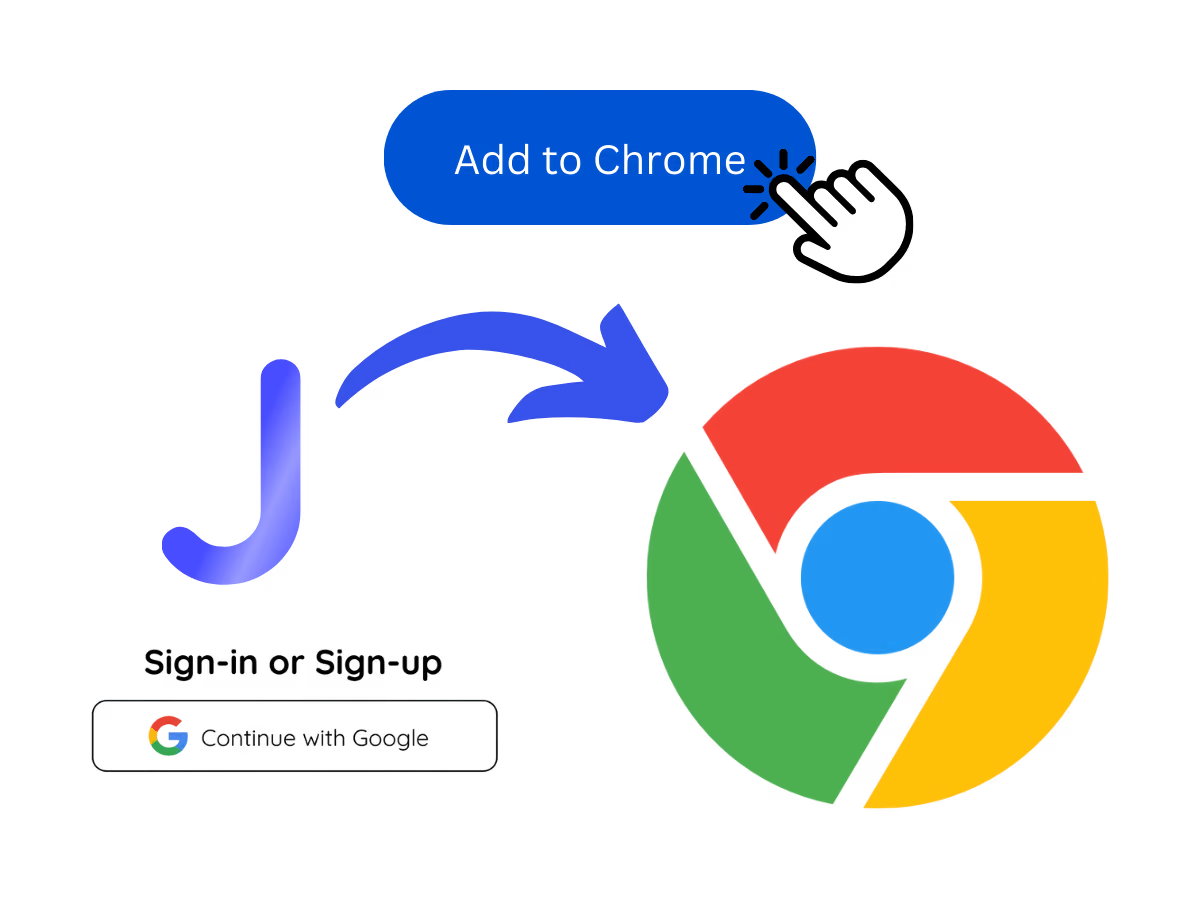
1. Add JotMe to the Chrome extension and sign up

Install the JotMe translation extension on Google Meet. Setup takes less than 30 seconds!

1. Add JotMe to the Chrome extension and sign up
STEP 2

2. Take a meeting

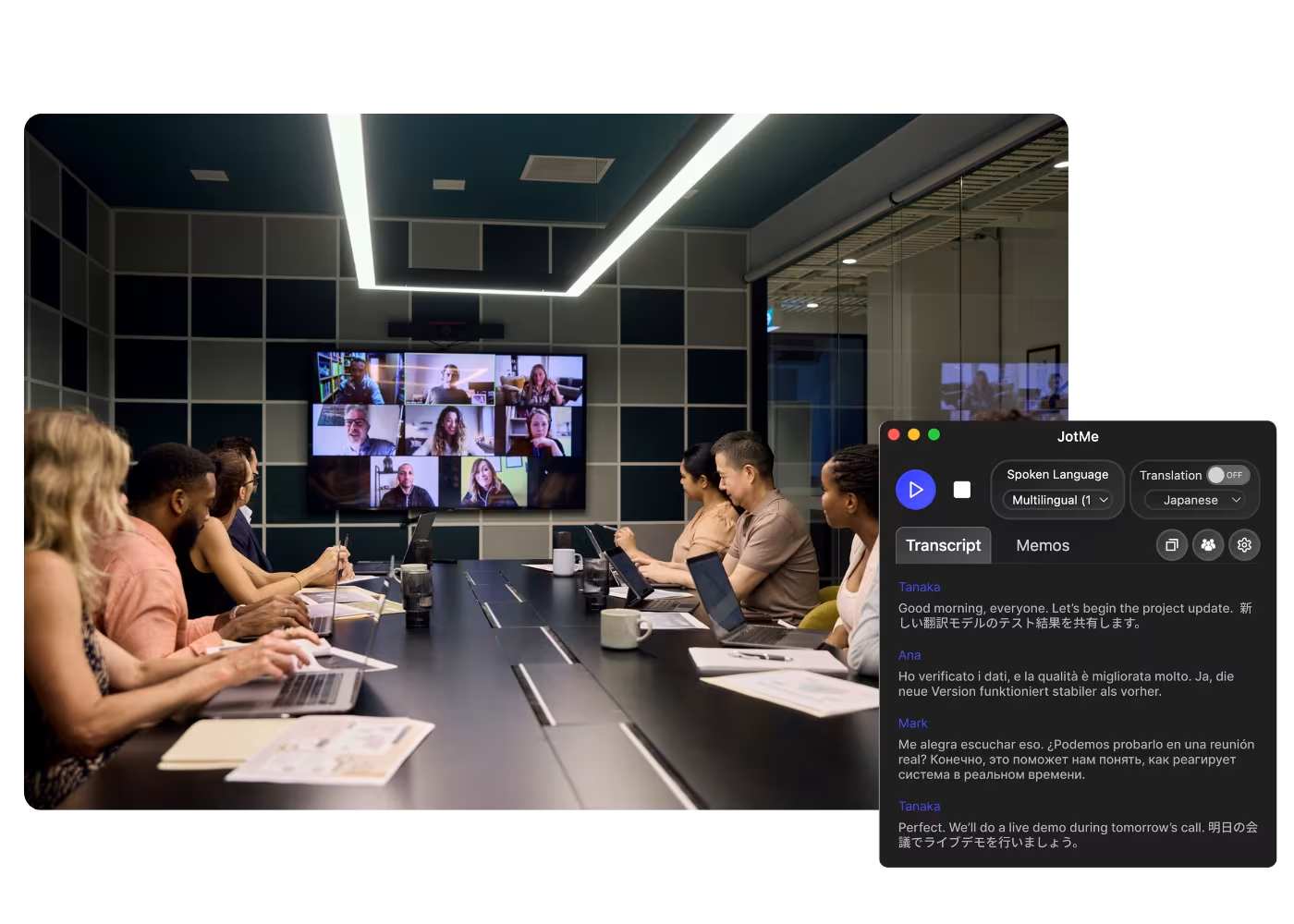
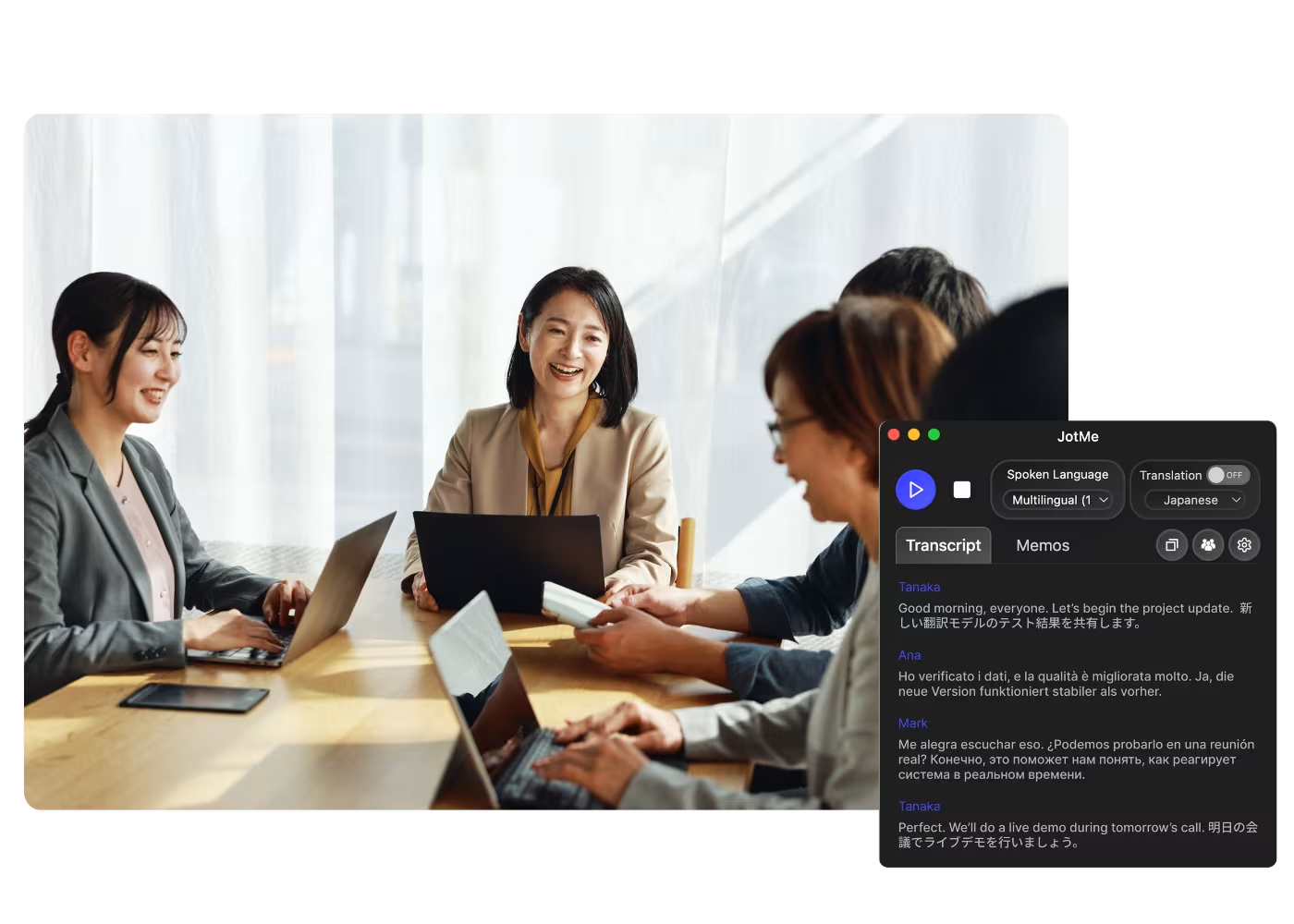
JotMe transcribes your meeting automatically for the language you set. You can also jot notes during the meeting.

2. Take a meeting
STEP 3

3. Draft and Finalize Your Meeting Minutes

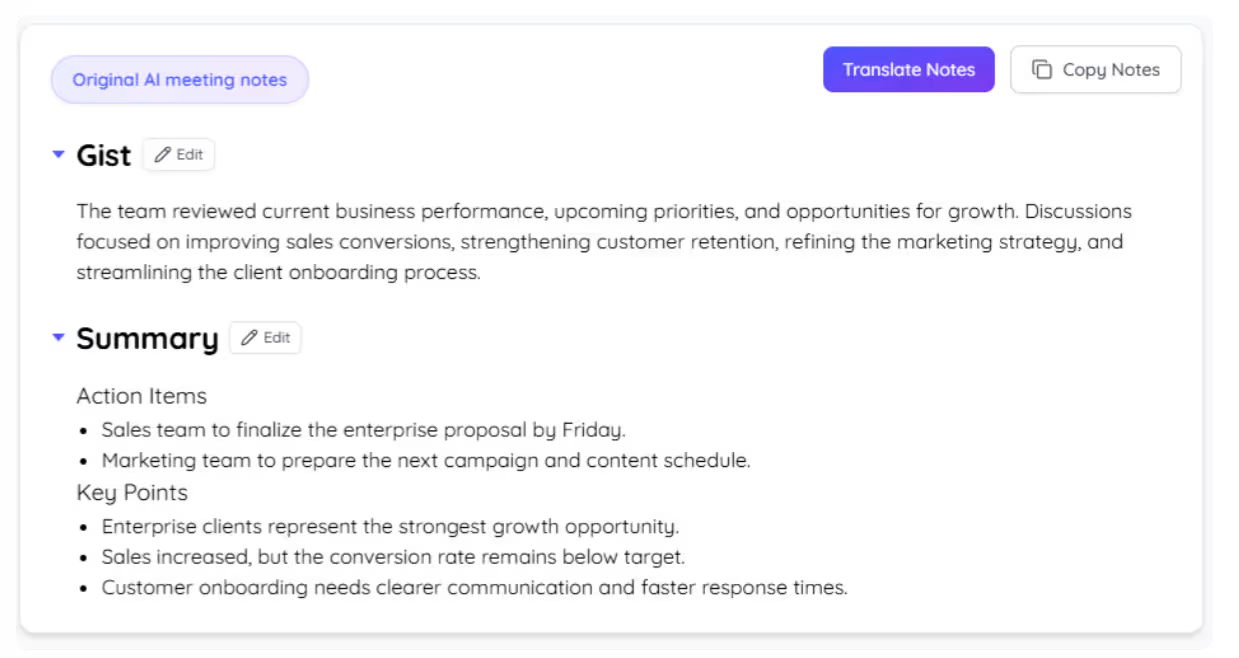
After the meeting, go to JotMe AI Chat, select “Draft Meeting Minutes,” and add your requirements, preferred template, or structure.

3. Draft and Finalize Your Meeting Minutes

See It in Action!

Translate speech in real time with JotMe's free online voice translator that keeps improving as you speak.

How JotMe AI Meeting Minutes Can Help?

Save Time and Improve Accuracy in Capturing Meeting Minutes

Install the JotMe translation extension on Google Meet. Setup takes less than 30 seconds!

Customize Your Meeting Minutes Format

JotMe transcribes your meeting automatically for the language you set. You can also jot notes during the meeting.

Collaborate Seamlessly Across Borders

After the meeting, go to JotMe AI Chat, select “Draft Meeting Minutes,” and add your requirements, preferred template, or structure.

Frequently asked questions

Everything you need to know about running meetings and events with JotMe.

Is JotMe AI Meeting Minutes feature free?

Yes, it is free to get started!

How do I use JotMe AI Meeting Minutes?

Install the JotMe Chrome extension, start a meeting, and let JotMe automatically transcribe and summarize the meeting. After the meeting, go to JotMe AI Chat and select “Draft Meeting Minutes.

Can I customize my AI Meeting Minutes template?

Yes, JotMe AI allows full customization of your meeting minutes, enabling you to tailor the format to your professional needs.

Will the names of participants be included in the meeting minutes?

Yes, JotMe AI includes the names of participants in the meeting minutes when they are mentioned during the meeting. This helps to keep track of who contributed to which discussions.

Which languages are supported for AI Meeting Minutes?

JotMe supports meeting minutes in any language and can transcribe meetings in 77 languages.

Effortlessly capture and format your meeting minutes in any language with JotMe AI.

Run every meeting and event smoothly for your multilingual operations

Transcribe, interpret, translate, and turn every critical conversation into insights with context so everyone stays aligned across languages.
AI Meeting Minutes

Capture, organize, and format your meeting minutes effortlessly with JotMe AI in any language

AI Meeting Minutes
Users from

AI Meeting Minutes in Your Preferred Format and Your Preferred Language

Capturing accurate meeting minutes can be time-consuming, especially when you’re managing multiple discussions or facing language barriers. JotMe’s AI streamlines this process, turning your meeting transcripts into detailed, professional meeting minutes. Whether you need to organize action items or capture key points, JotMe AI allows you to draft minutes in your preferred template or format. Experience hassle-free meeting minutes for free—no credit card required!

How Do I Get AI Meeting Minutes with JotMe AI?

In 3 easy steps!

1. Add JotMe to the Chrome extension and sign up

1. Add JotMe to the Chrome extension and sign up

Install the JotMe translation extension on Google Meet. Setup takes less than 30 seconds!

2. Take a meeting

2. Take a meeting

JotMe transcribes your meeting automatically for the language you set. You can also jot notes during the meeting.

3. Draft and Finalize Your Meeting Minutes

3. Draft and Finalize Your Meeting Minutes

After the meeting, go to JotMe AI Chat, select “Draft Meeting Minutes,” and add your requirements, preferred template, or structure.

See It in Action!

How JotMe AI Meeting Minutes Can Help?

Save Time and Improve Accuracy in Capturing Meeting Minutes

JotMe AI organizes conversations into clear and concise minutes, so you can focus on engaging meetings and other more important tasks after the meetings.

Save Time and Improve Accuracy in Capturing Meeting Minutes
Customize Your Meeting Minutes Format

Customize Your Meeting Minutes Format

Whether you need informal notes or formal meeting minutes, JotMe AI adapts to your preferred template or structure in any language.

Collaborate Seamlessly Across Borders

JotMe AI creates minutes in any language from meetings conducted in 77 languages, ensuring your global team stays aligned with the same format again and again.

3. Draft and Finalize Your Meeting Minutes

Frequently Asked
Questions

Is JotMe AI Meeting Minutes feature free?

keyboard_arrow_down

Yes, it is free to get started!

How do I use JotMe AI Meeting Minutes?

keyboard_arrow_down

Install the JotMe Chrome extension, start a meeting, and let JotMe automatically transcribe and summarize the meeting. After the meeting, go to JotMe AI Chat and select “Draft Meeting Minutes.

Can I customize my AI Meeting Minutes template?

keyboard_arrow_down

Yes, JotMe AI allows full customization of your meeting minutes, enabling you to tailor the format to your professional needs.

Will the names of participants be included in the meeting minutes?

keyboard_arrow_down

Yes, JotMe AI includes the names of participants in the meeting minutes when they are mentioned during the meeting. This helps to keep track of who contributed to which discussions.

Which languages are supported for AI Meeting Minutes?

keyboard_arrow_down

JotMe supports meeting minutes in any language and can transcribe meetings in 77 languages.

Effortlessly capture and format your meeting minutes in any language with JotMe AI.

Effortlessly capture and format your meeting minutes in any language with JotMe AI.