Guides
9 Best Discord Music Bots We Tested in 2026

Viraj Mahajan
September 22, 2026
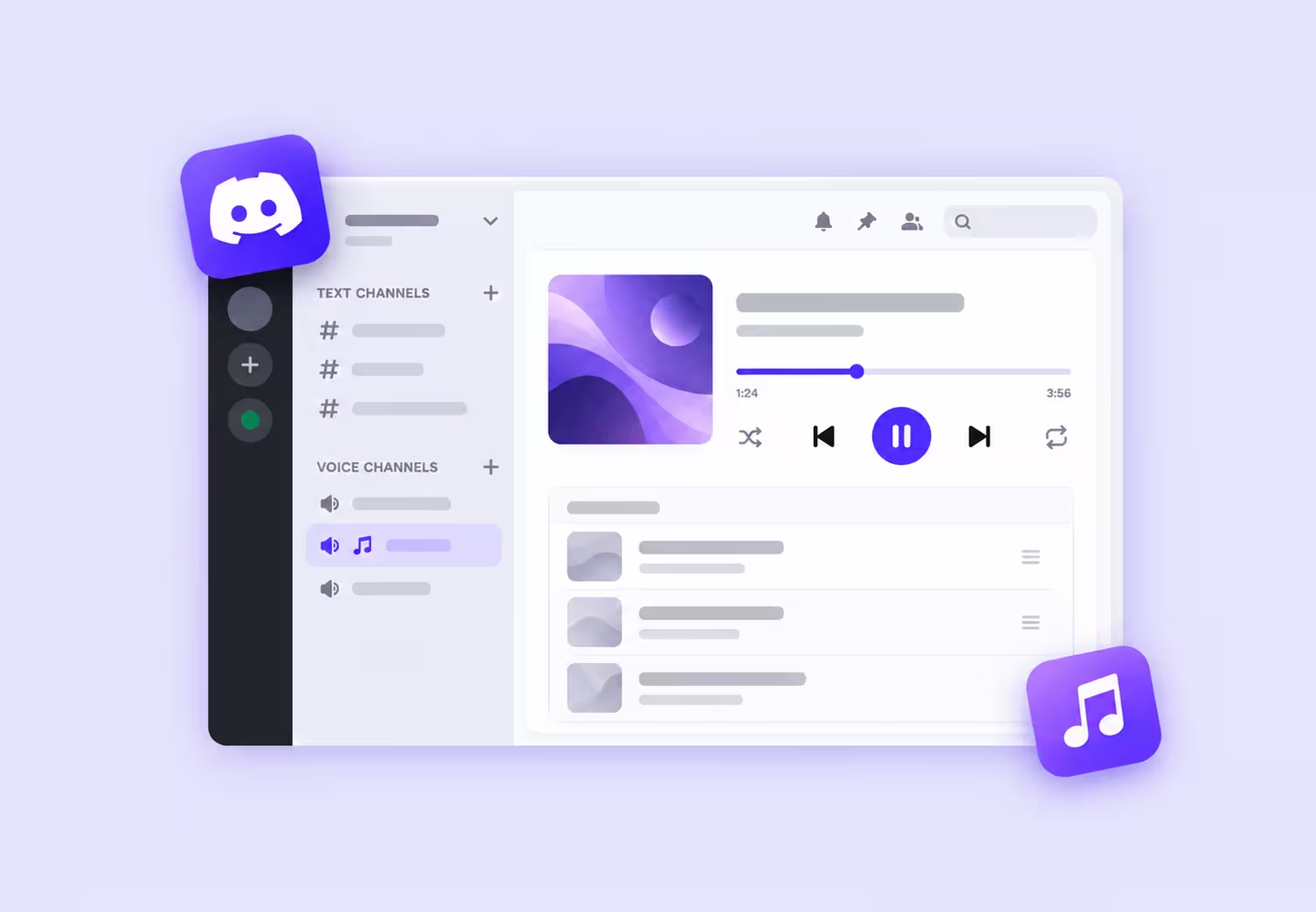
Quick Answer: The 9 best Discord music bots in 2026 are Jockie Music, FlaviBot, SoundCloud Bot, Green-Bot, FredBoat, Chip, Musicobot, Beatra, and LoFi Girl Bot. If you want to translate a song into another language, you can upload its audio to JotMe for translation. For multilingual Discord conversations, JotMe offers voice-to-voice translation to help people speaking different languages communicate more easily.
I have spent a lot of time in Discord voice channels, and I can tell you that finding the right music bot Discord servers actually is harder than it sounds. Half the bots you find on a random top 10 list are dead. The other half quietly dropped YouTube support after the platform's copyright crackdown a few years back, and nobody bothered to update the article you are reading.
So I went straight to the source and pulled up the official website, docs, or Discord App Directory listing for every bot, and confirmed what it actually supports today, not what a blog post said it supported in 2021.
This Discord music bot guide covers four things:
- An honest, source-checked breakdown of the best Discord music bots you can add right now.
- A side-by-side comparison table so you can scan features in seconds.
- A generic, bot-agnostic walkthrough for how to add a music bot to Discord.
- How to translate songs into another language and communicate with people who speak different languages using JotMe.
By the end, you will know which Discord music bot fits your server, how to add it, and how JotMe can help you translate music or communicate across languages.
Key Takeaways
- All 9 Discord music bots on this list are free to add and free to use for basic playback. Premium tiers mostly unlock 24/7 mode, audio filters, larger queues, and multi-server support.
- Jockie Music and Chip stand out if you want to run more than one bot instance across different voice channels in the same server.
- Several once-popular Discord music bots quietly lost YouTube support after the 2021 copyright-enforcement wave. Always check a bot's current supported sources before you commit.
- LoFi Girl Bot needs zero setup if you just want a curated, always-on lofi stream instead of a full song-request queue.
- Beatra is the cheapest paid option here, with Premium starting around $1.49 a month.
- None of these bots translate anything. If your server also needs to understand what is being said in another language, JotMe runs next to Discord and gives everyone live translated captions.
Quick Comparison: 9 Best Discord Music Bots (Plus JotMe)
Before making the choice, here is a quick overview of each Discord music bot:
Note: JotMe is not a Discord music bot. It does not play music, manage queues, or join voice channels as a music bot. Instead, it offers two translation use cases: users can upload audio to translate a song into another language, or use voice-to-voice translation to communicate with people who speak different languages. These features address language barriers rather than music playback.
How I Chose These Discord Music Bots
Discord music bots have a messy history. YouTube sent a cease-and-desist to Rhythm's developers in 2021, and Rhythm, once the most-used music bot on the platform, shut down almost overnight. Hydra was later forced to strip its music features too. Many "best Discord music bots" articles online still recommend bots that no longer exist or no longer play music.
Here is what I actually checked before a bot made this list:
- I read each bot's own website, documentation, or Discord App Directory listing rather than copying claims from other roundups.
- I checked the support server, the invite link, and the changelog or blog where available to confirm it is still active in 2026.
- I read the free vs. premium split directly on the pricing page, so I could tell you exactly what is free and what costs money instead of guessing.
- Noted the exact platforms each bot supports today. Several bots have quietly dropped or never had YouTube support, which matters if your server leans on YouTube links.
- Skipped bots with unclear ownership or no transparent pricing. If I couldn't verify a claim on the developer's own site, it didn't make the cut.
With that out of the way, here are the 9 best Discord bots for music worth adding to your server right now.
9 Best Discord Music Bots For Voice Channels in 2026
Best music bots for Discord are Jockie Music, FlaviBot, SoundCloud Bot, Green Bot, and more. Let's take a detailed look at each bot:
Jockie Music: Best for Running Multiple Bots in One Server
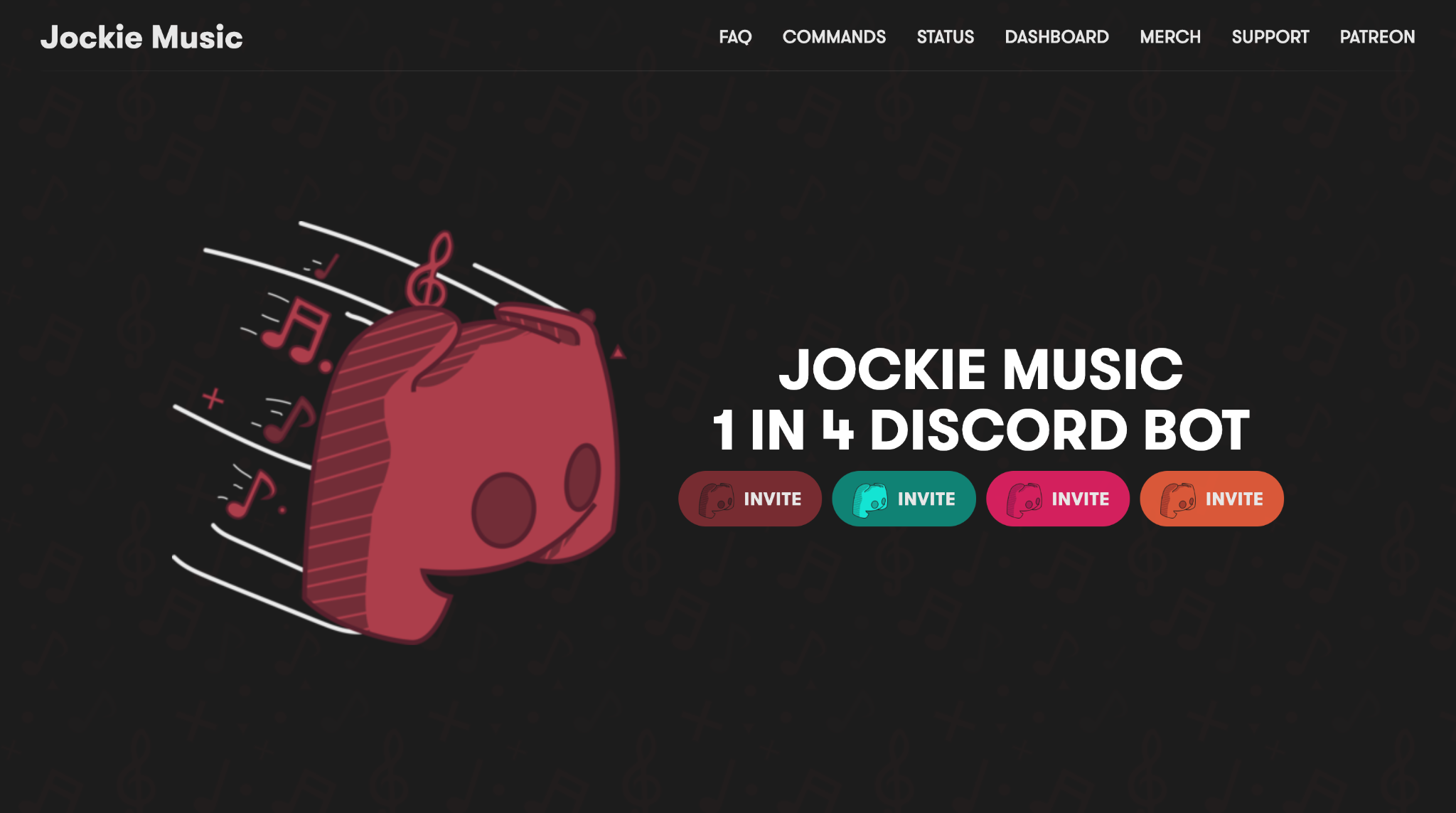
Jockie Music bills itself as "1 in 4 Discord Bot," and that is the whole pitch. Instead of one bot handling every voice channel, you get up to four separate Jockie instances for free, so if one is busy in another channel, the next one automatically steps in.
Key Features of Jockie Music
- Supports Spotify (up to 100 tracks per playlist), Tidal, Deezer, and Apple Music
- Also pulls from SoundCloud, Bandcamp, Vimeo, and Mixcloud
- Direct HTTP links and Discord attachments, so you can play music through an MP3 bot link instead of a streaming platform
- Access to 20,000+ internet radio stations
- A built-in Guess the Song game
- Up to 4 bot instances free, up to 23 more with Patreon
Jockie Music Pricing
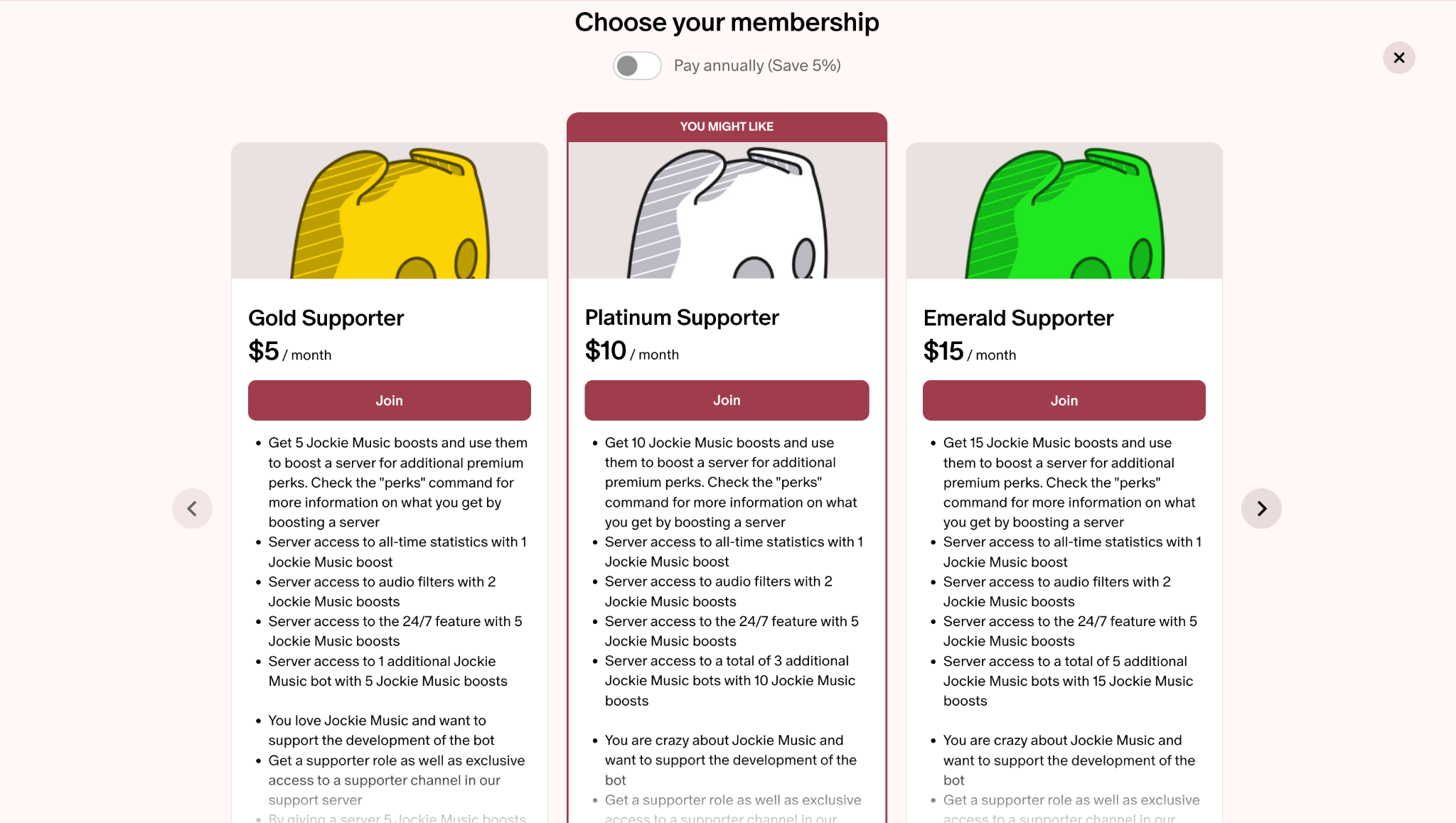
The core bot is free, including up to 4 simultaneous Jockie instances in one server. Patreon support starts at $5/month and unlocks 24/7 mode plus additional bot instances beyond the free four.
Best For
- Large or busy servers that need music playing in several voice channels at once
- Communities that bounce between Spotify, Tidal, Deezer, and radio
- Anyone who wants a genuinely free Discord music bot without a hard paywall on basic playback
Jockie Music's Limitation:
Jockie does not list direct YouTube support among its sources, so if your server leans heavily on YouTube links, you will need to search or paste from one of its supported platforms instead. With close to 10 million servers using it, response times can slow on free instances during peak hours.
FlaviBot: Best for Music Plus Server Management in One Bot
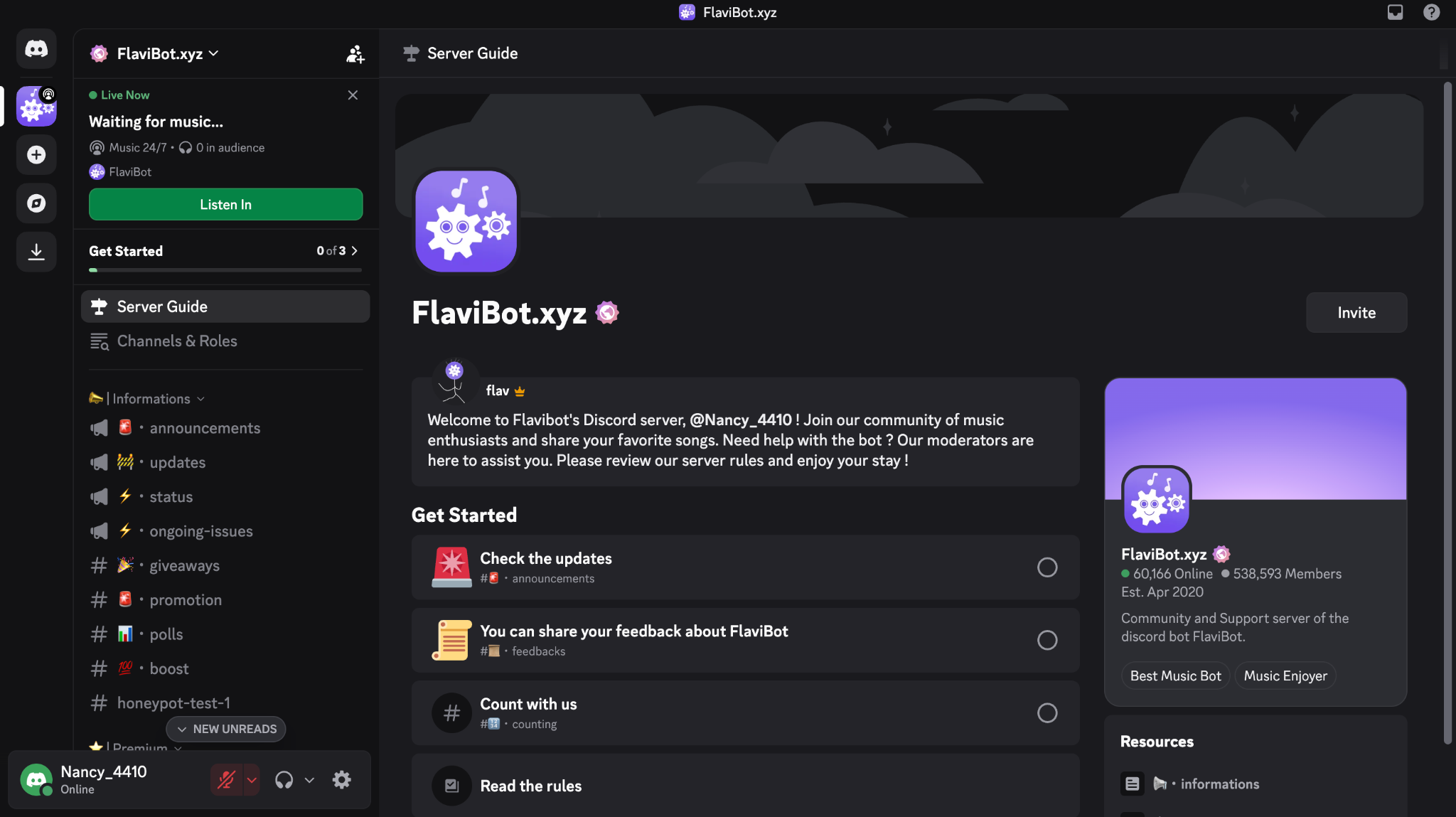
FlaviBot is an all-in-one Discord bot that combines high-quality music playback with powerful server management and community engagement tools. From playing music across popular streaming platforms like Spotify and Apple Music to managing moderation, leveling, support tickets, welcome messages, and automated notifications, FlaviBot brings essential server features together in one place.
Key Features of FlaviBot
- Streams from Spotify, SoundCloud, Deezer, Apple Music, Tidal, and Amazon Music, plus radio
- DJ role system and a browser-based web player
- Smart Bot Routing automatically assigns /play to whichever FlaviBot instance is free
- Custom playlists, song request channels, and Stage channel support
- Separate leveling, ticketing, and server statistics features
FlaviBot Pricing
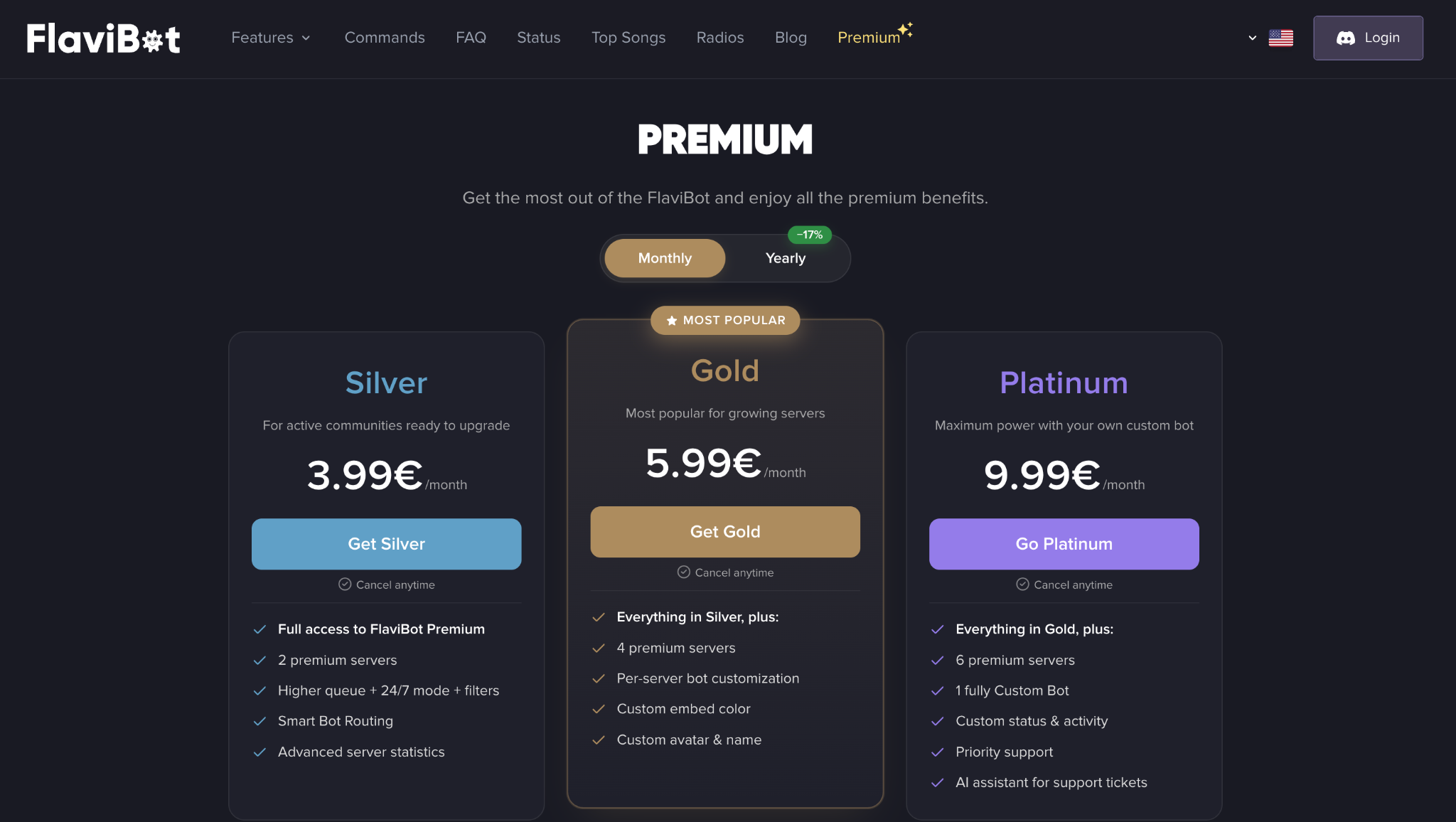
The free tier covers core playback with a 200-song queue cap and limited playlists. Silver runs €3.99/month (2 premium servers, 24/7 mode, filters), Gold runs €5.99/month (4 servers, custom bot avatar and name), and Platinum runs €9.99/month (6 servers, 1 fully custom bot, AI-assisted support tickets).
Best For
- Servers that want one bot to cover both music and community management
- Communities that want a web player and multiple linked bot instances
- Server owners who like detailed activity dashboards alongside their music bot
FlaviBot's Limitation
24/7 mode and the higher queue limits sit behind Silver or above, so a busy free-tier server can hit the 200-song queue ceiling faster than expected.
SoundCloud Bot: Best Official Bot for SoundCloud-First Communities
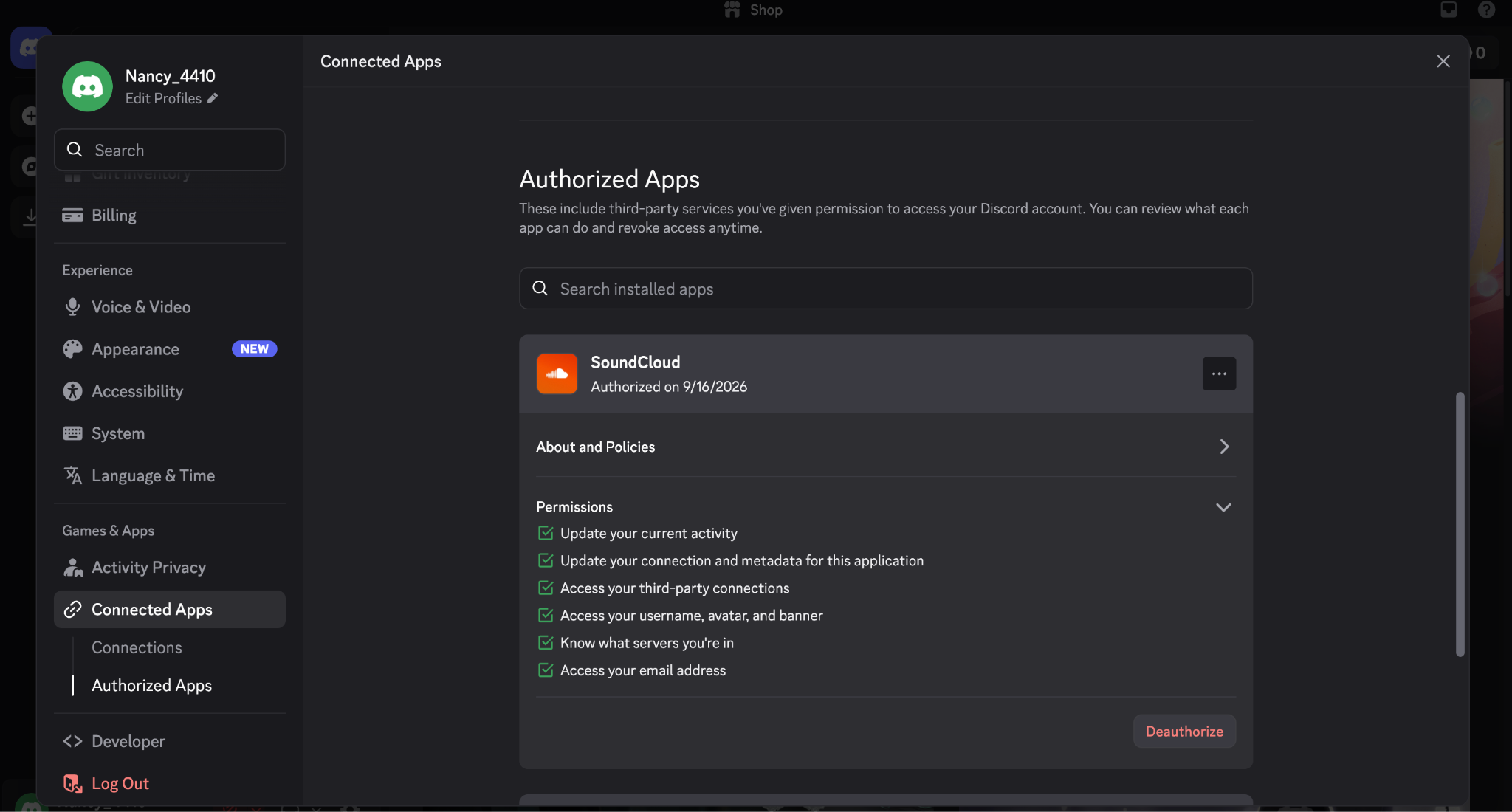
This is SoundCloud's own bot, not a third party pulling from its catalog. That matters, because it is authorized to play SoundCloud tracks directly with no takedown risk, something several general-purpose music bots for Discord cannot promise.
Key Features of SoundCloud Bot
- Plays directly from your connected SoundCloud library and liked tracks
- Commands for repost, comment, autoplay, and bassboost right from Discord
- Genuinely authorized playback so no copyright takedown risk on SoundCloud content
- A /discover-style experience for finding new and independent artists
SoundCloud Bot Pricing
Adding the bot and using core playback is free. Premium or gated SoundCloud tracks in a voice channel require connecting your SoundCloud account or subscribing to SoundCloud Go+.
Best For
- Artists and fan communities built specifically around SoundCloud
- Servers that want zero copyright enforcement risk
- Listeners who want to play from their own SoundCloud library, not just search results
SoundCloud Bot's Limitation
It only plays SoundCloud content. There is no Spotify, YouTube, Apple Music, or radio support, so it will not work as an all-platform bot if your server pulls music from multiple services.
Green-Bot: Mostly Free Music Bot With No Paywall
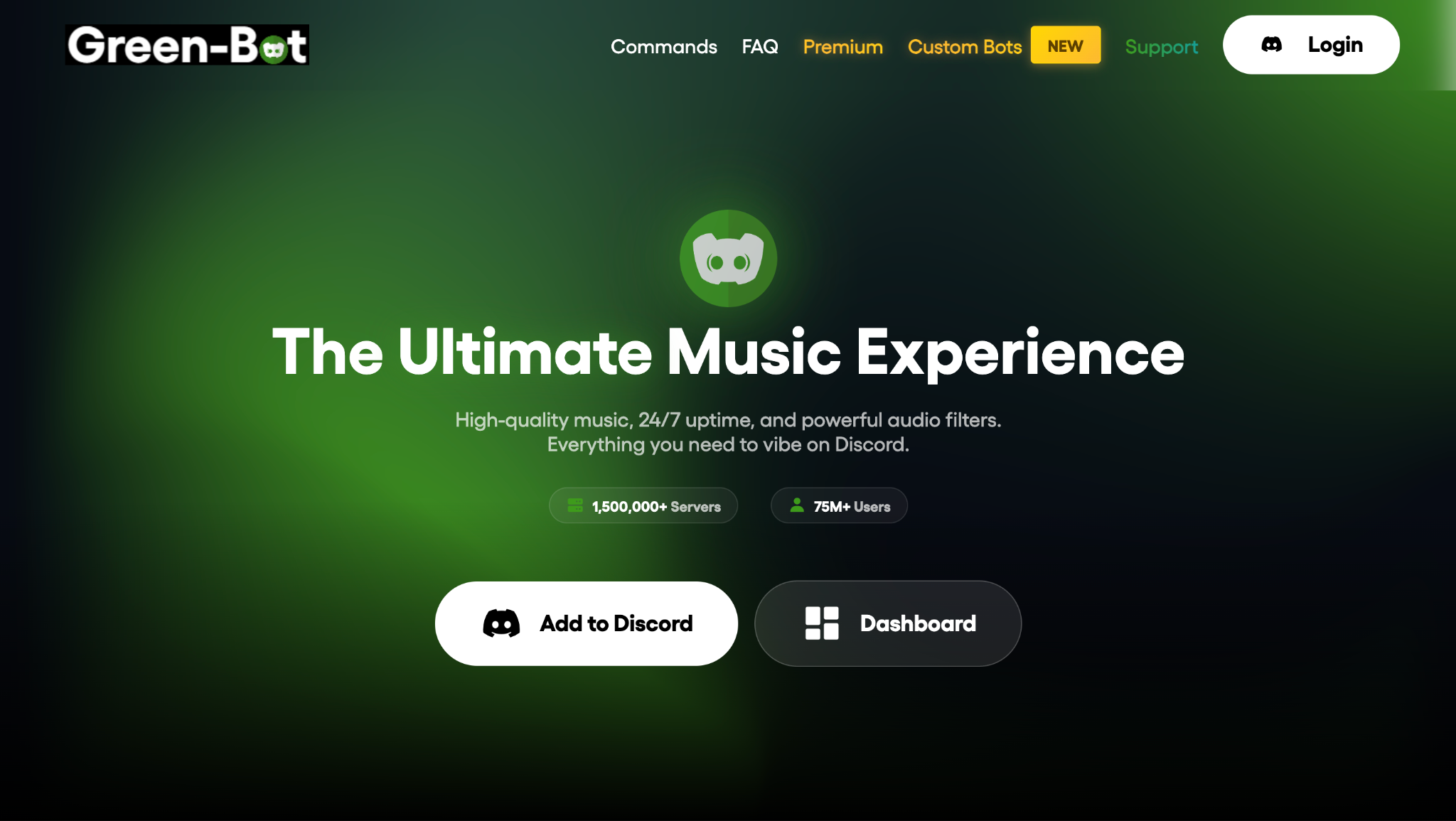
Green-Bot is a free Discord music bot that allows users to play music directly in their Discord servers. It is designed for communities, friend groups, and gaming servers that want to listen to music together in a voice channel. Users can play songs or playlists using commands such as /play, control playback with /pause, /skip, and /stop, and manage their music queue. Green-Bot also supports audio filters, autoplay, a DJ permission system, song announcements, and a web dashboard for managing music and playlists.
Key Features of Green-Bot
- Streams from Spotify, Apple Music, Deezer, and Tidal
- A permission system to restrict who can control playback
- Web player for managing the queue from a browser
- Custom bot option for servers that want their own branded instance
Green-Bot Pricing
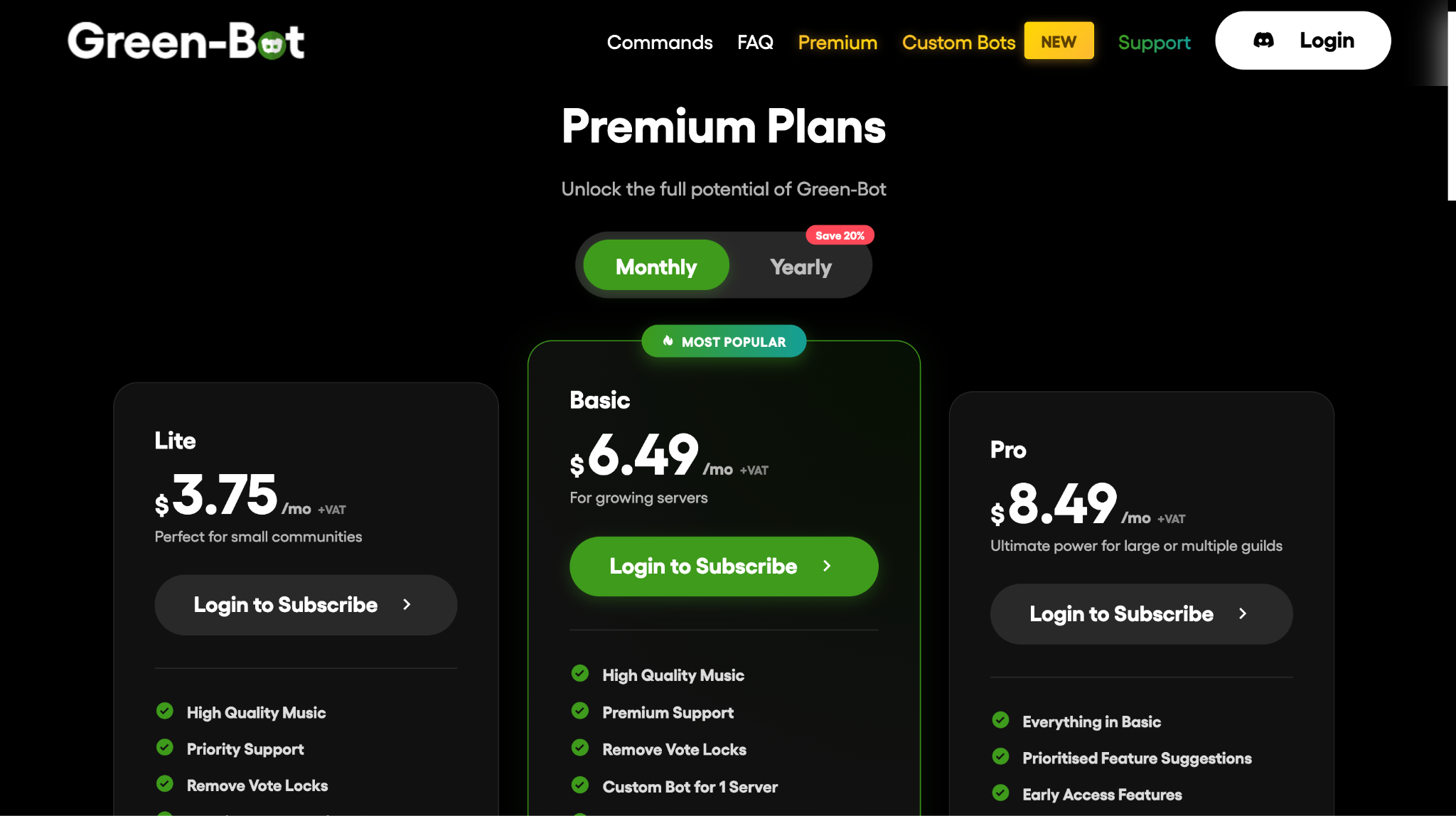
Green-Bot offers free music playback, along with paid premium plans for users who want additional features. Based on the pricing screenshot you provided, the Lite plan costs $3.75 per month + VAT, the Basic plan costs $6.49 per month + VAT, and the Pro plan costs $8.49 per month + VAT. The Lite plan includes high-quality music, priority support, and removal of vote locks. The Basic plan adds premium support and a custom bot for one server, while the Pro plan includes everything in Basic, prioritized feature suggestions, and early access to new features.
Best For
- Server owners who want background music playing constantly without paying anything
- Budget-conscious communities that still want a permission system and web player
Green-Bot's Limitation
YouTube and direct HTTP or MP3 links are not among its listed supported sources, so check compatibility first if your server's playlists live mostly on YouTube.
FredBoat: Best Zero-Configuration Free Music Bot
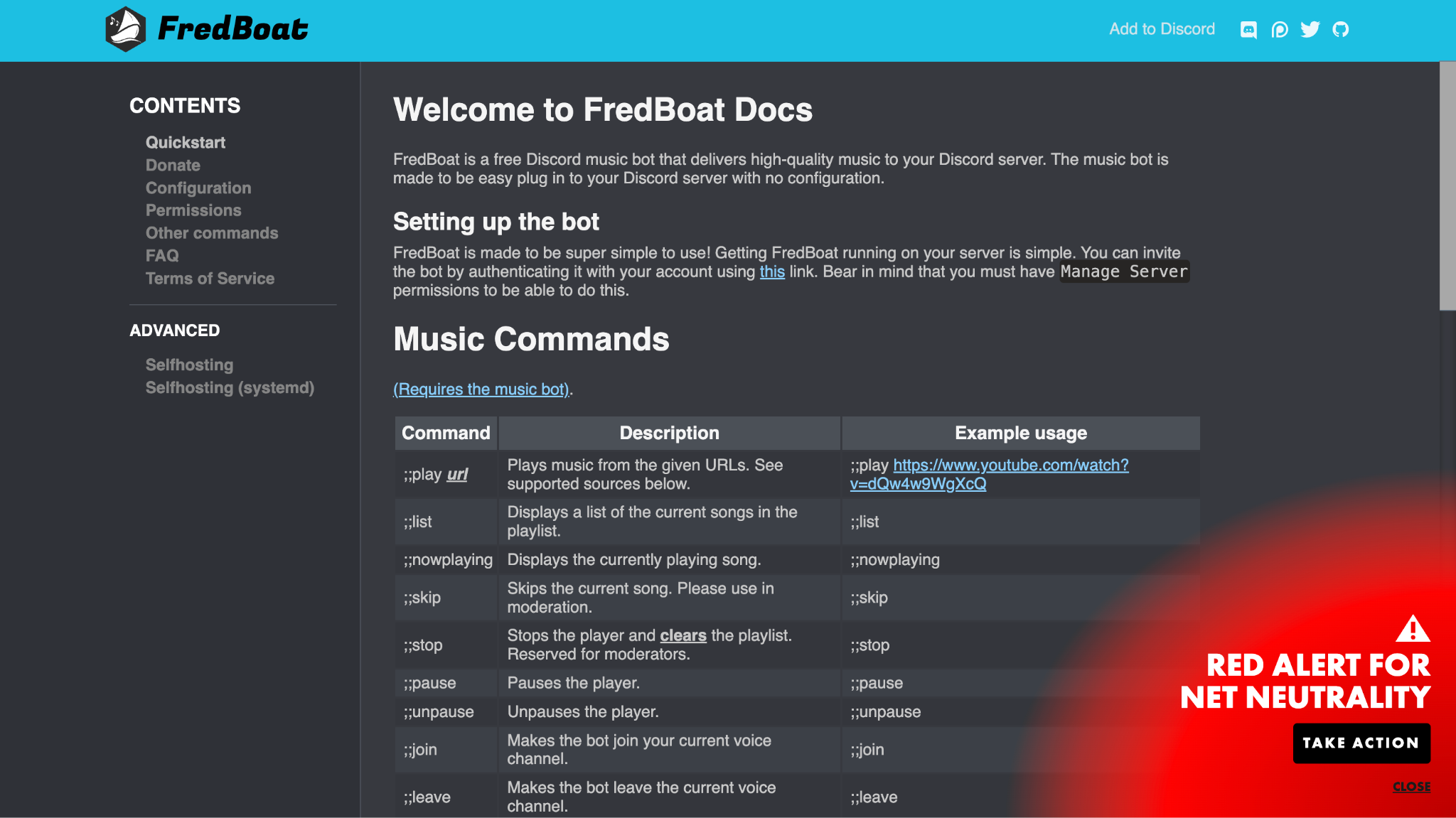
FredBoat is a free Discord music bot that allows users to play music directly on their Discord servers. It is designed to be easy to set up, requiring minimal configuration before users can start listening to music in a voice channel. Server members can play songs using YouTube URLs or search for tracks by name, manage their music queue, and control playback through simple commands.
Key Features of FredBoat
- Zero configuration required after inviting the bot
- Sources tracks, playlists, and livestreams from SoundCloud, Bandcamp, Twitch, Deezer, Vimeo, and Dailymotion
- Playlist shuffling, repeat, seek, rewind, and fast-forward within a track
- Simple, semicolon-based prefix commands (;; play)
- Funded through Patreon, with no feature paywall on core commands
FredBoat Pricing
FredBoat is fully free. It is supported through voluntary Patreon contributions rather than a locked premium tier.
Best For
- Anyone who wants a true no-premium, no-configuration music bot
- Long-time Discord communities that remember FredBoat and want a stable, community-funded option
FredBoat's Limitation
FredBoat's current source list does not reliably include YouTube, so if your server's music lives mostly on YouTube, results may be inconsistent compared with bots built around it.
Chip: Best for Running Several Bot Instances With DJ-Level Controls
Chip leans on the same multi-instance idea as Jockie Music, offering Chip, Chip 2, Chip 3, and a Chip Beta bot, so a large server can spread music playback across several channels without one bot getting overloaded.
Key Features of Chip
- 24/7 uptime with high-quality audio streaming
- Equalizer and filter commands, including bassboost, for DJ-style control
- 40+ commands covering queue, loop, lyrics, and configuration
- Support for Spotify, SoundCloud, and Bandcamp links
- Four separate bot instances to split load across channels
Chip Pricing
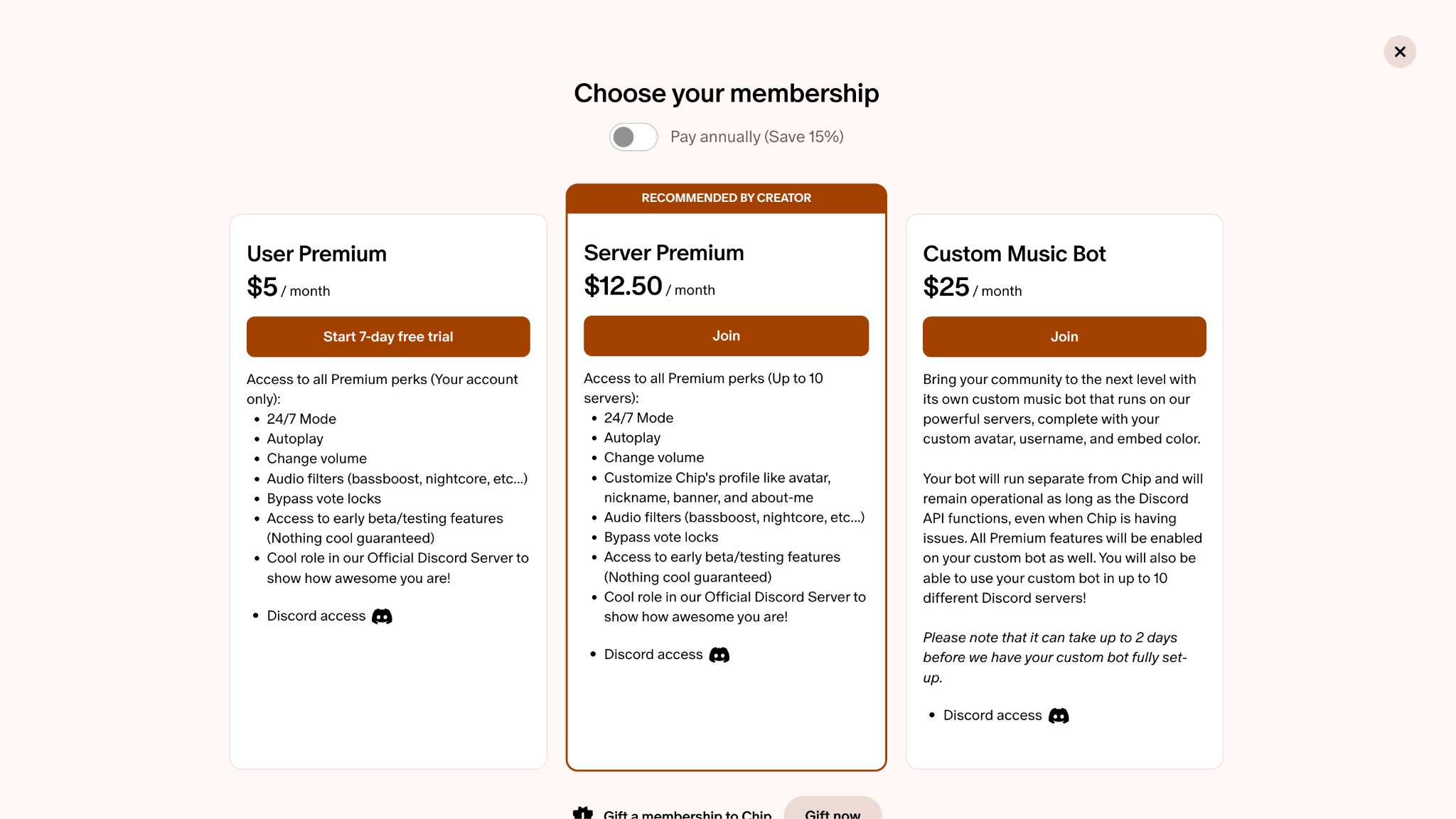
Chip offers three premium plans: User Premium costs $5 per month and includes 24/7 mode, autoplay, audio filters, and volume control. Server Premium costs $12.50 per month and provides premium features for up to 10 Discord servers, along with profile customization options. The Custom Music Bot plan costs $25 per month and lets users create a personalized music bot with a custom username, avatar, and embed color, usable on up to 10 Discord servers.
Best For
- Servers that want multiple bot instances without switching platforms
- Users who like heavy filter and equalizer control over their music
Chip's Limitation
Some of its most-used extras, like 24/7 mode and audio filters, are behind Patreon, so budget planning means checking the live subscription page rather than a listed price on the main site.
Musicobot (Musico): Best for a Full Web Dashboard and YouTube Support
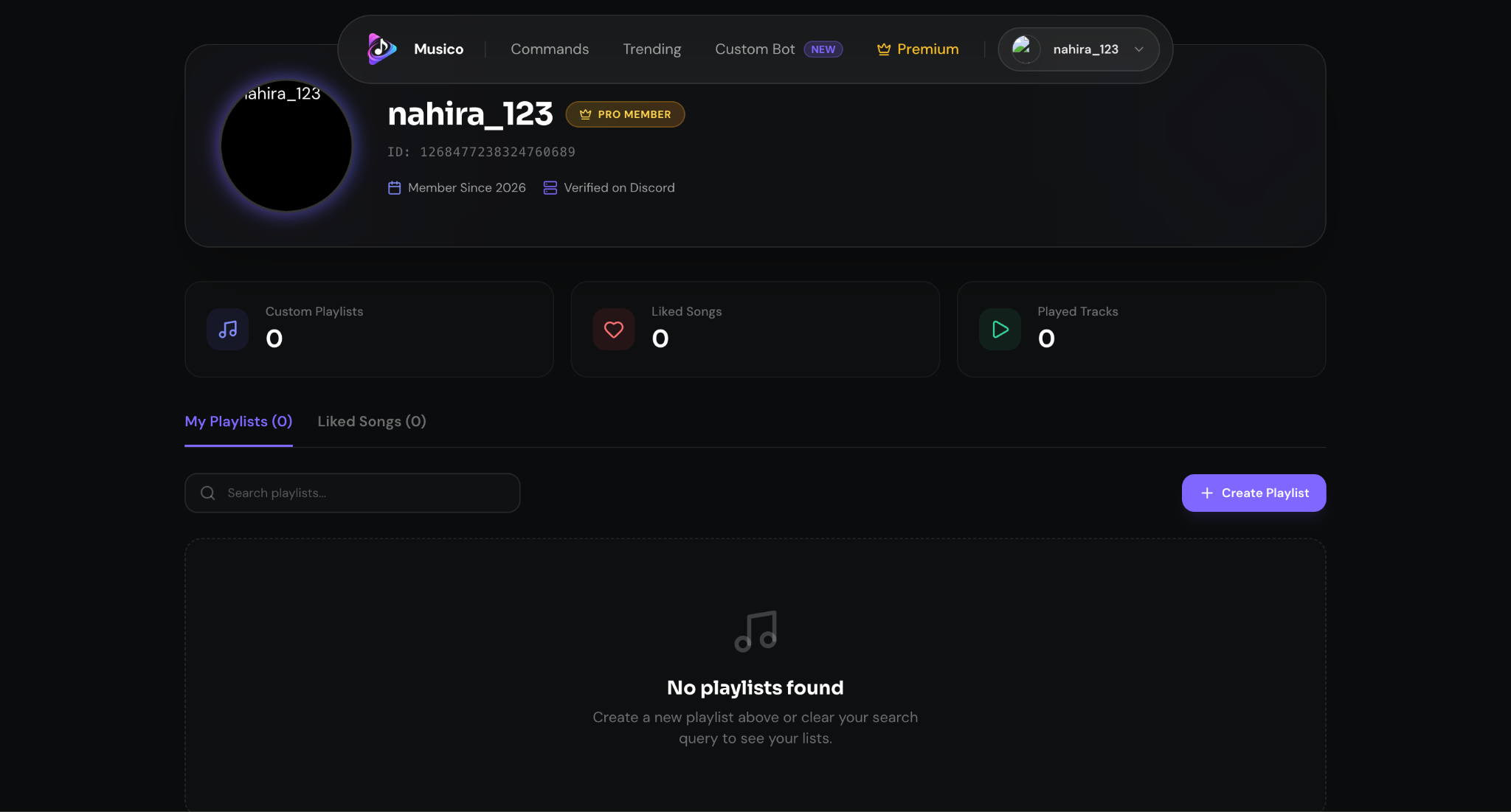
Musico is a Discord music bot that lets server members stream and control music directly from their Discord voice channels. Musico focuses on high-quality audio, simple slash commands, queue management, music discovery across multiple platforms, and 24/7 playback after subscribing.
Key Features of Musico
- Streams from YouTube, Spotify, SoundCloud, Deezer, Apple Music, and Twitch
- Real-time lyrics fetching with /lyrics
- 24/7 mode toggle and full queue management
- A web dashboard for browser-based control, separate from Discord
Musico Pricing
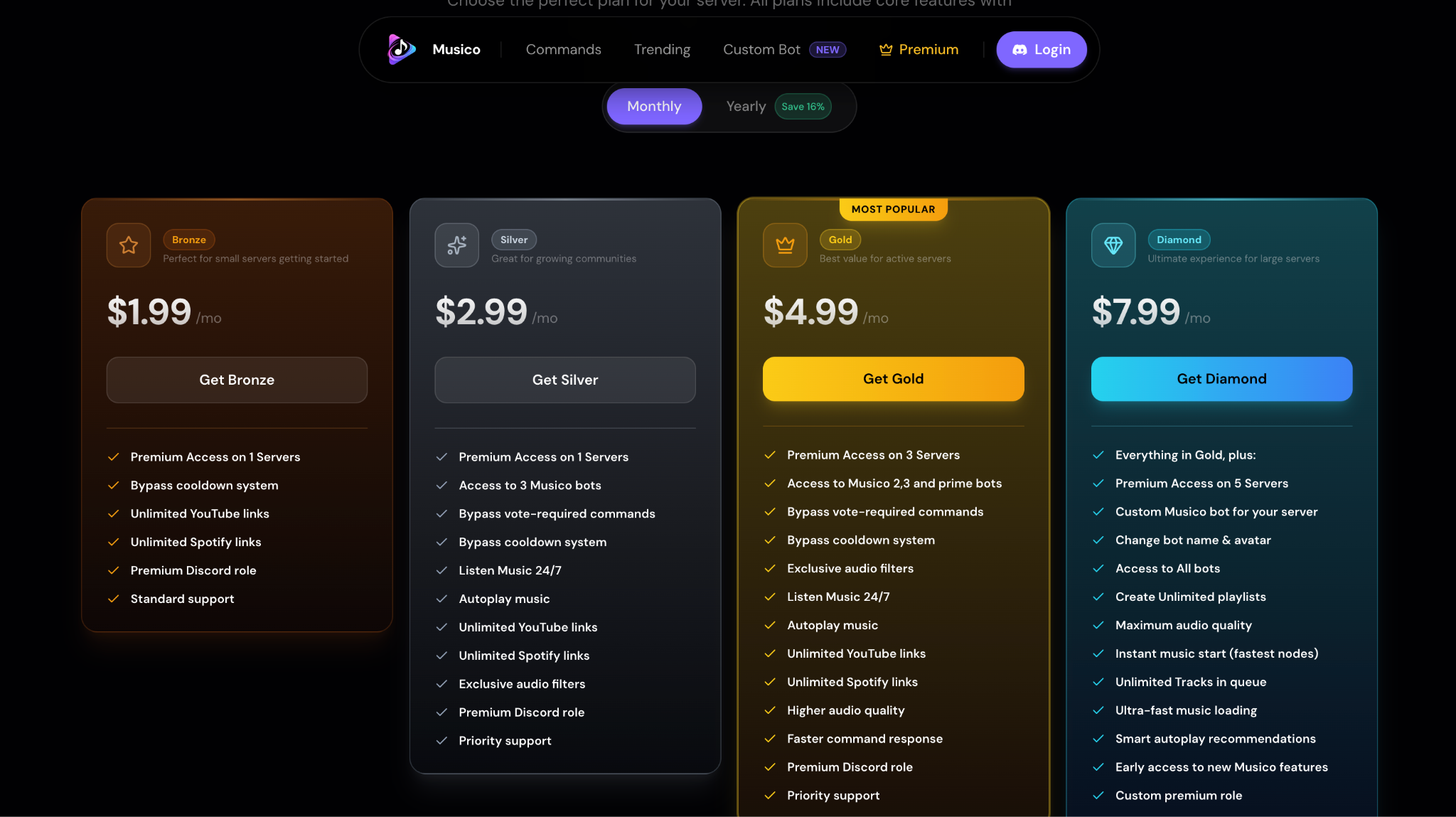
Musico offers four premium plans: Bronze at $1.99/month, Silver at $2.99/month, Gold at $4.99/month, and Diamond at $7.99/month. The plans add features such as unlimited YouTube and Spotify links, 24/7 playback, autoplay, audio filters, higher audio quality, multi-server access, and custom bots, with the Diamond plan offering the most extensive feature set.
Best For
- Servers that specifically want YouTube support alongside Spotify and SoundCloud
- Users who prefer managing music from a web dashboard instead of typing every command
Musicobot's Limitation
Because it streams from YouTube too, it carries some of the same copyright-enforcement exposure that has forced other bots to drop YouTube in the past, so treat that source as convenient rather than guaranteed long-term.
Beatra: Best for Personalized Stats
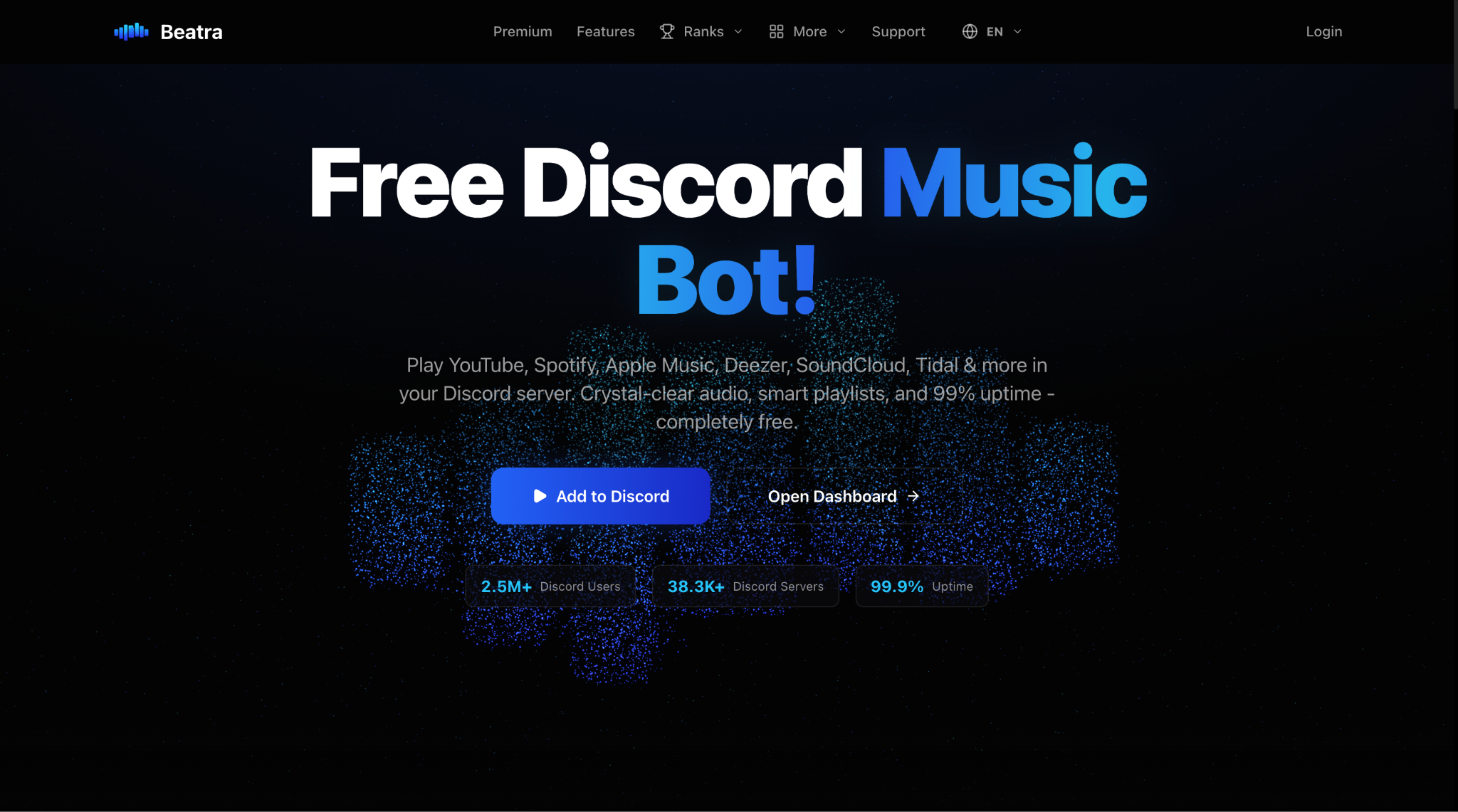
Beatra is a Discord music bot that lets users stream music directly in their Discord voice channels. It focuses on fast playback, high-quality audio, multiple music sources, and an easy slash-command interface. Users can invite Beatra to their server, join a voice channel, and start playing music with commands like/play.
Key Features of Beatra
- Streams from YouTube, Spotify, SoundCloud, Apple Music, Deezer, Bandcamp, Twitch, and internet radio, plus direct MP3, WAV, and OGG links
- A recommendation engine with 16 genre-based autoplay modes
- Beatra Wrapped: personal and server-wide listening stats, most played songs, and shareable cards
- DJ role system with a fair 60% majority vote-skip
- Web player and playlist manager at beatra.app
Beatra Pricing
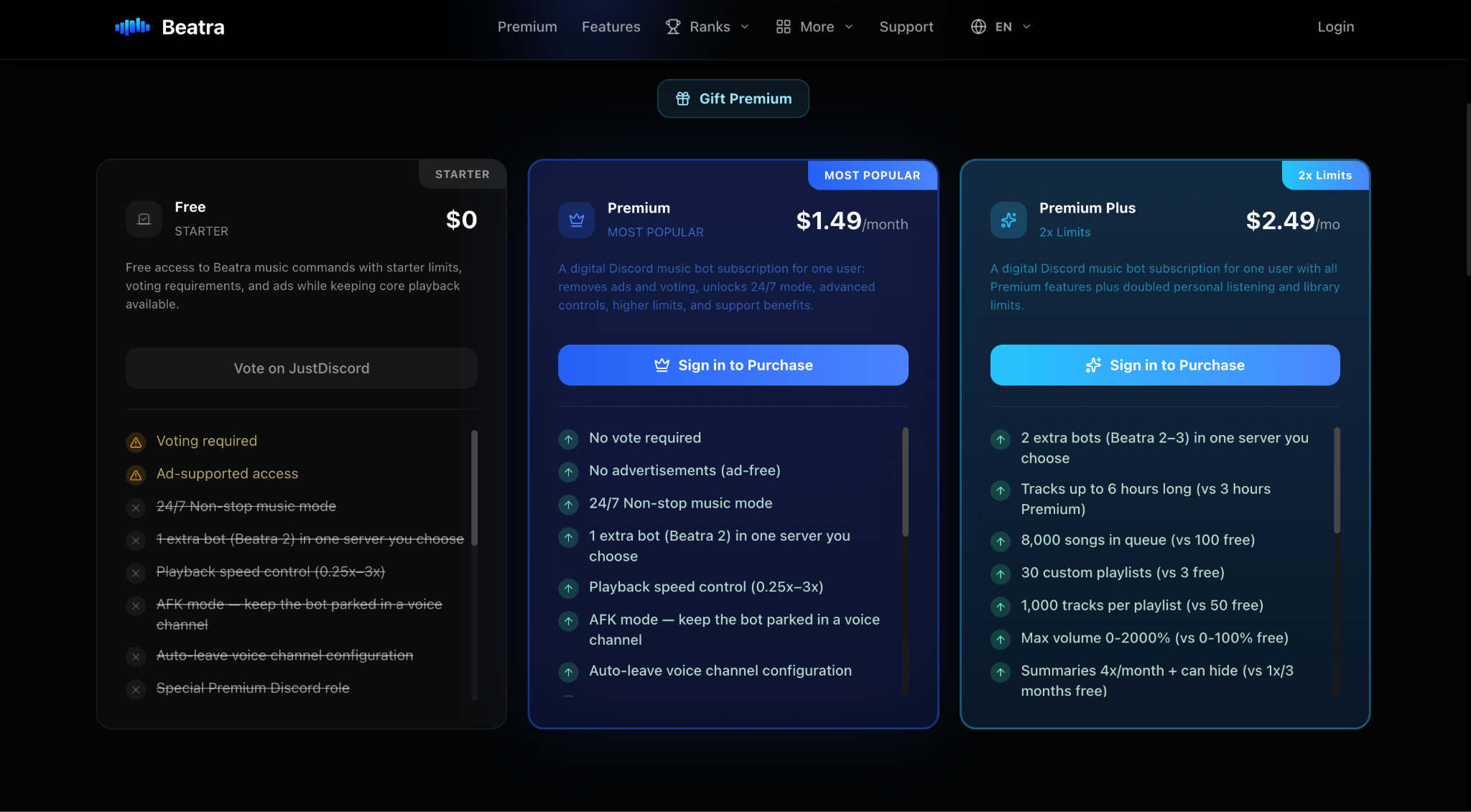
Free plan: 100-song queue, 15 playlists, 500 tracks per playlist, and 100% volume. Premium runs about $1.49/month and increases the queue to 4,000 songs, playlists to 10 of 200 tracks each, volume to 1000%, adds unlimited audio effects, and unlocks 24/7 mode.
Best For
- Communities that want listening stats and a yearly recap, not just playback
- Multilingual servers, since Beatra's bot and dashboard support 21-plus languages
- Budget-conscious upgraders, since Premium is one of the cheapest on this list
Beatra's Limitation
The free queue cap of 100 songs is lower than several competitors, so very active servers may want to test the free tier's limits before assuming it will cover a big listening party.
LoFi Girl Bot: Best for Always-On Background Study Music
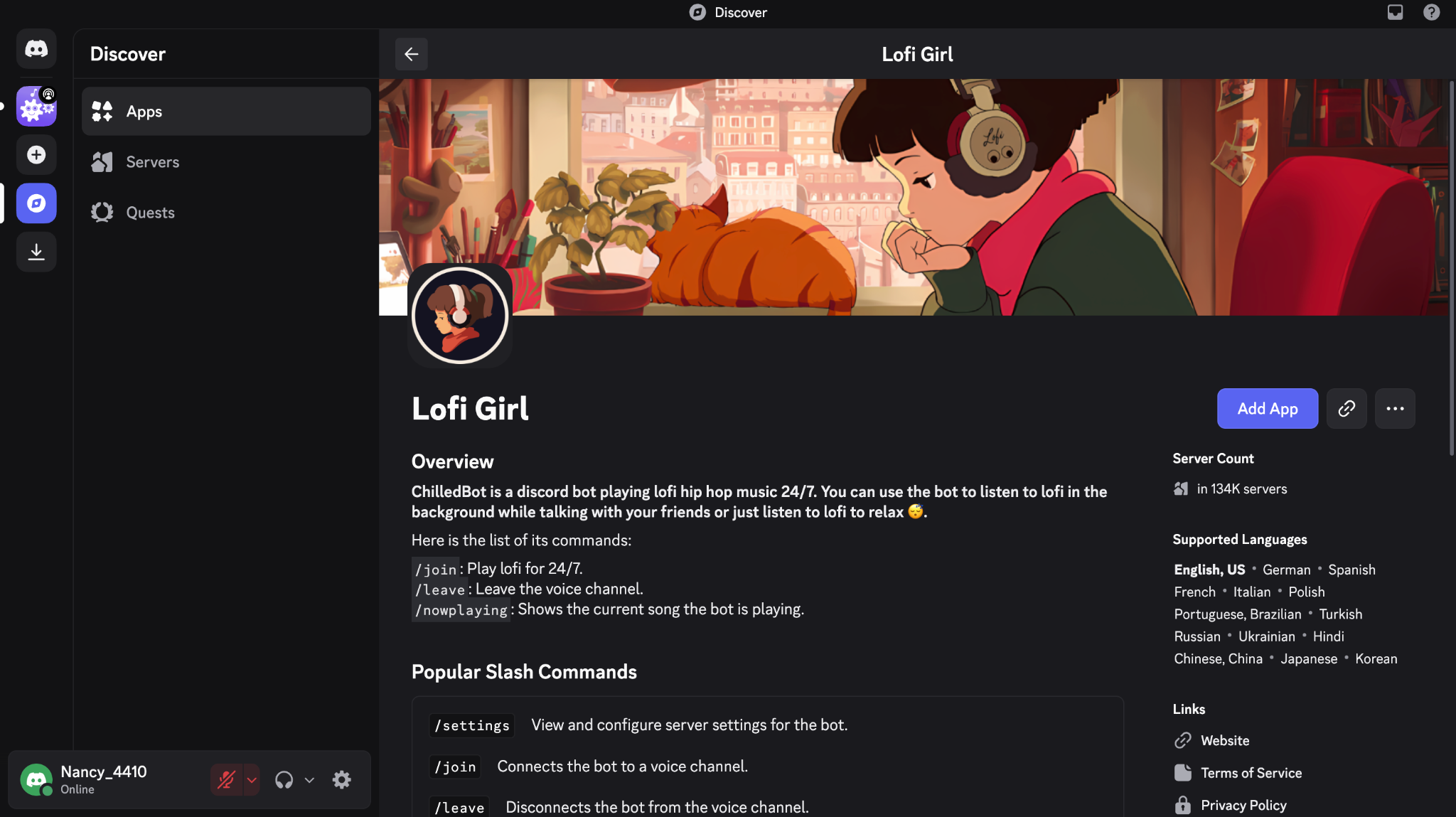
LoFi Girl Bot is not trying to be a general-purpose music bot for Discord, and that is exactly the point. It is the official bot from the Lofi Girl channel, and it plays a curated lofi hip-hop stream 24/7 with essentially no setup.
Key Features of LoFi Girl Bot
- The official bot from Lofi Girl, streaming curated lofi hip-hop around the clock
- Free 24/7 playback in 14 languages
- Simple commands: /join, /leave, /nowplaying, /settings
- Sister bots available too: Lofi Boy for synthwave and Medieval Lofi for medieval-style radio
LoFi Girl Bot Pricing
Completely free, always. No premium tier to unlock.
Best For
- Study, chill, or homework servers that want background music without a queue to manage
- Anyone who wants the fastest possible setup: invite, /join, done
LoFi Girl Bot's Limitation
You cannot request specific songs, playlists, or platforms. It is a curated radio stream, not a song-request bot, so it will not replace a full-featured option if your members want to queue up their own tracks.
How to Connect Discord to a Music Bot
The exact commands vary by bot, but the process of adding a music bot to Discord follows the same basic steps almost every time.
Step 1: Add the Bot to Your Server
You invite a music bot, such as FlaviBot, to your Discord server and authorize the requested permissions.
Step 2: Join a Voice Channel
You and your friends join a voice channel on the server.
Step 3: Ask the Bot to Play a Song
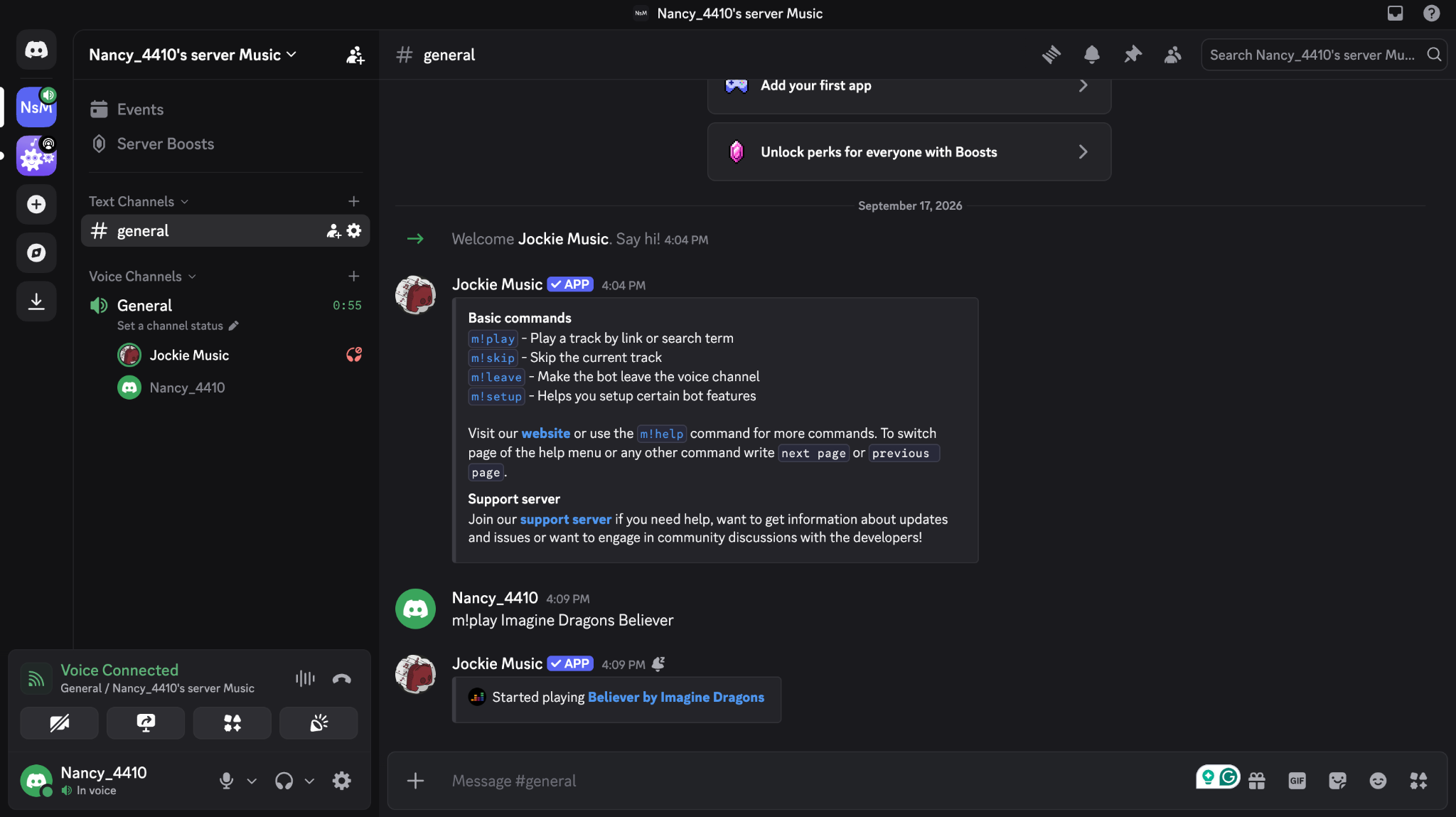
You type a command such as: m!play Imagine Dragons Believer
The bot receives the command and searches for the requested track using its supported music sources.
Step 4: The Bot Joins and Plays Music
The bot connects to the voice channel and streams audio to the members. Everyone in the channel can listen.
Step 5: Manage the Music
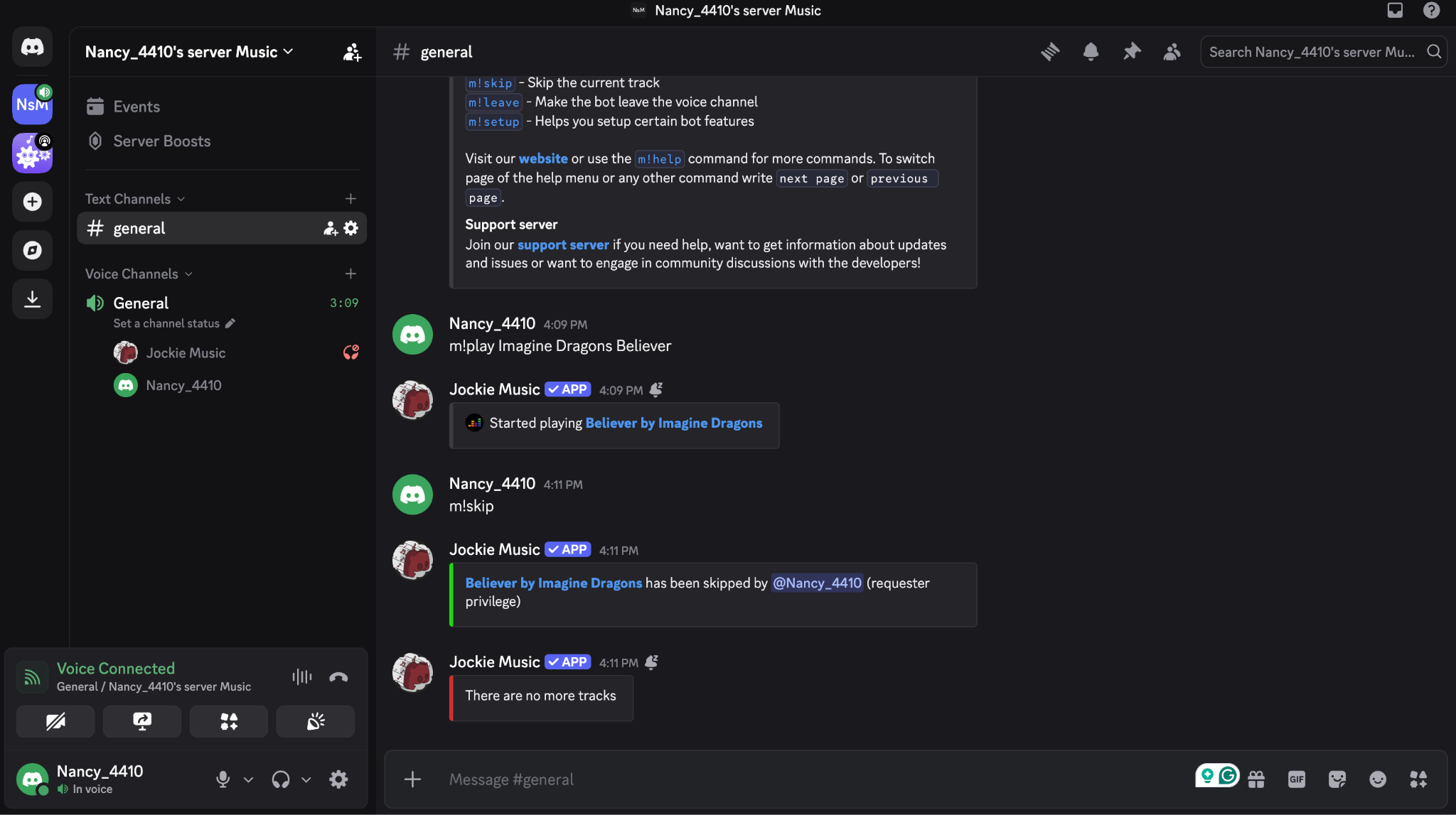
Members with the required permissions can skip songs, pause playback, or add more tracks to the queue.
How JotMe Can Help With Music and Multilingual Conversations
Discord music bots help communities listen to music together, but they are not designed to translate songs or conversations between languages. If your server includes people who speak different languages, JotMe offers two ways to help: translating uploaded audio and translating spoken conversations.
1. Translate Music Into Another Language With JotMe
If you want to understand a song in another language, you can upload the audio file to JotMe and use its audio translation capabilities. This approach is useful when you want to translate a song separately instead of relying on a Discord music bot to capture audio playing in a voice channel.
For example, if you have a Japanese song and want to understand it in English, you can upload the song's audio to JotMe and translate the audio. Audio to text is a separate workflow from playing music through a Discord bot.
2. Use Voice-to-Voice Translation for Discord Conversations
If you are discussing music with someone who speaks another language, JotMe can help with voice-to-voice real-time translation. For example, you might be discussing a Japanese song with a friend who speaks Japanese while you speak English. Instead of relying on a music bot to handle translation, JotMe helps bridge the language gap in your spoken conversation.
This can be useful for multilingual gaming communities, music fandoms, language-learning groups, and international study servers. Members can discuss songs, share reactions, and talk about their favorite artists while using translation to communicate across languages.
JotMe is designed to support communication between people speaking different languages. JotMe is not a replacement for a Discord music bot, and it does not need to control the bot's playback to provide its separate translation functionality.
How to Use JotMe for Multilingual Discord Conversations
If you are talking with someone who speaks another language on Discord, you can use JotMe's voice-to-voice translation capabilities to help understand the conversation.
Step 1: Download Discord and JotMe
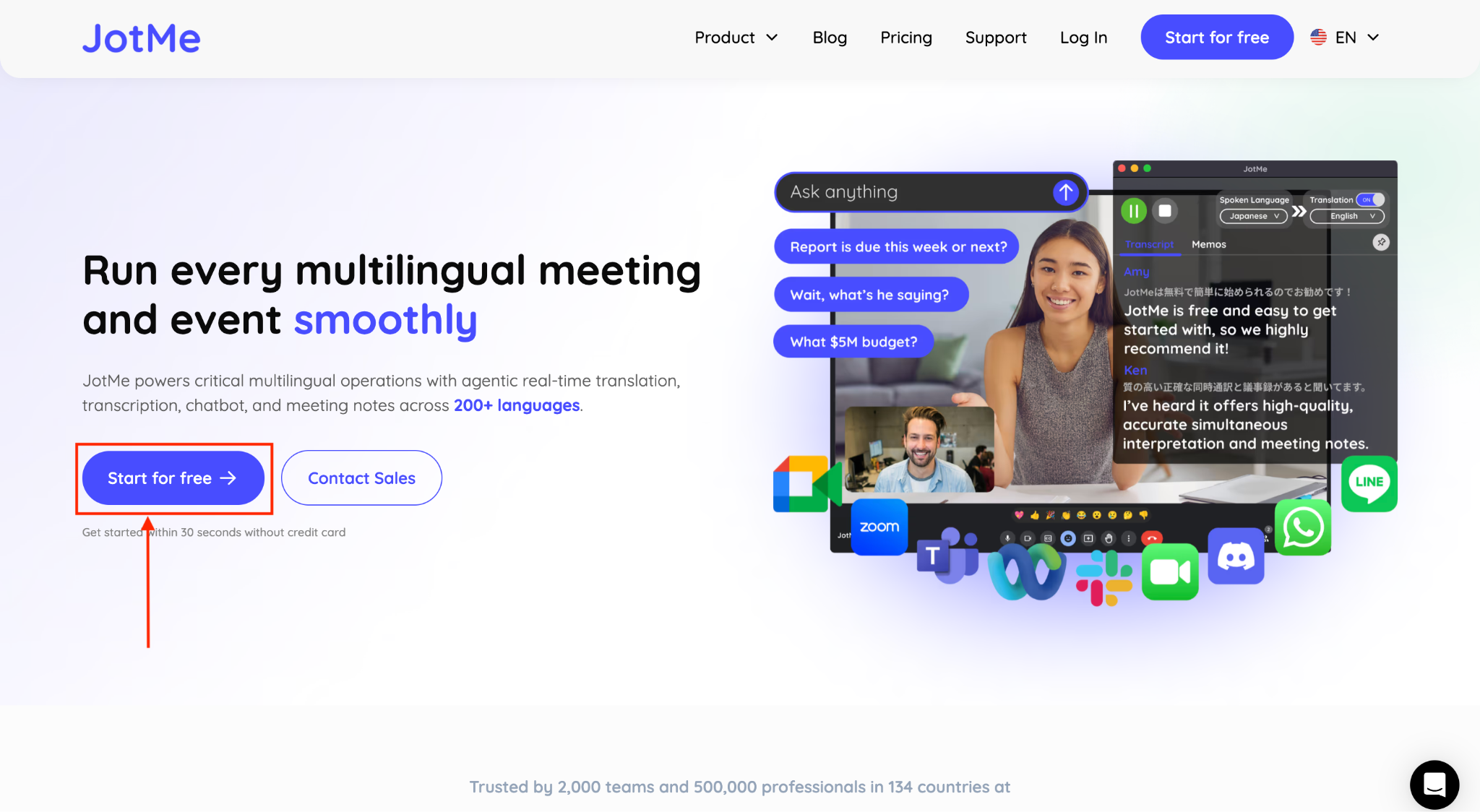
On the official JotMe website, click Start for free and download the app and download Discord.
Step 2: Start Your Call
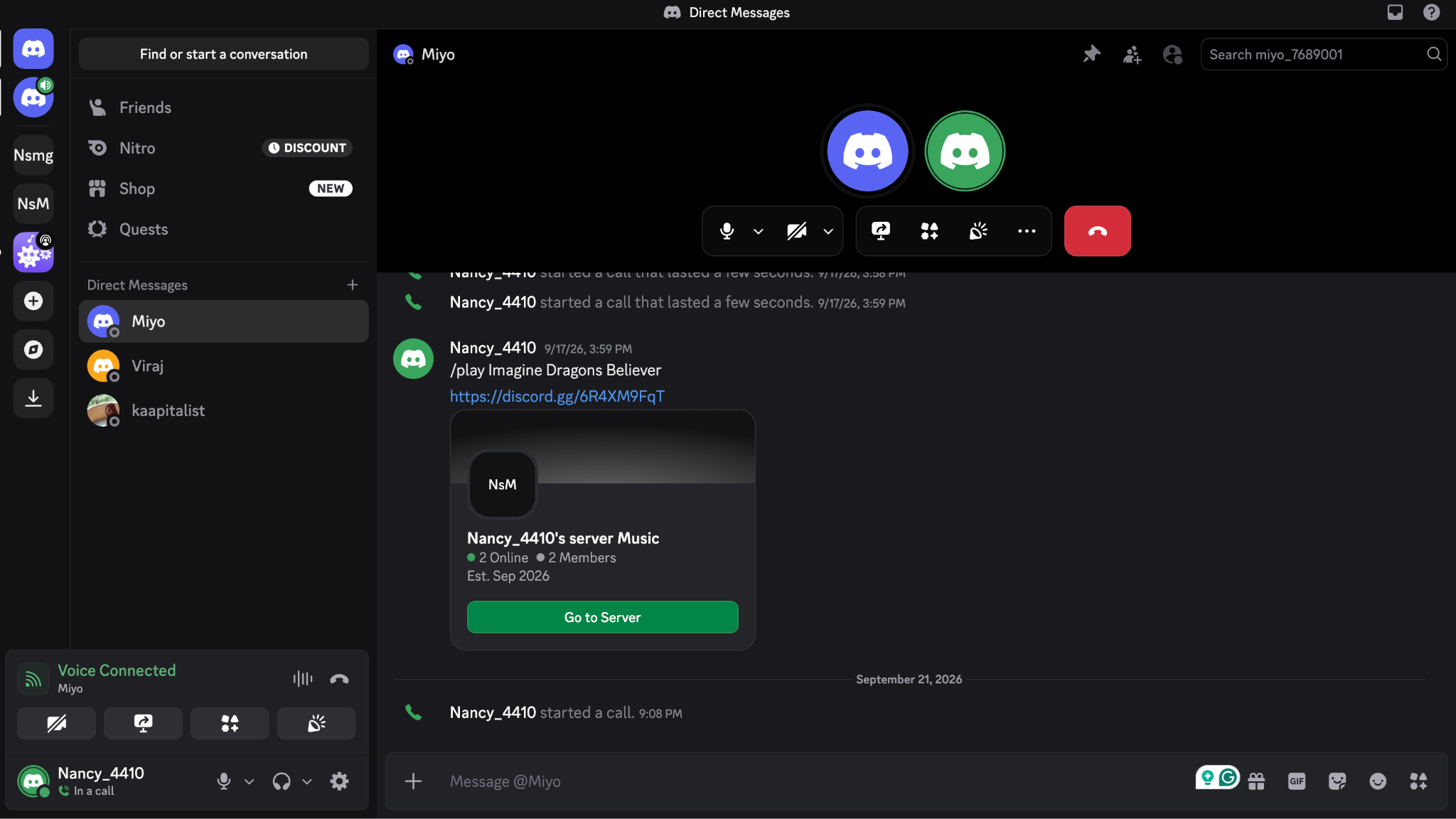
Invite your friends and start the call.
Step 3: Open JotMe
Click the drop-down menu and select the voice-to-voice translation option.
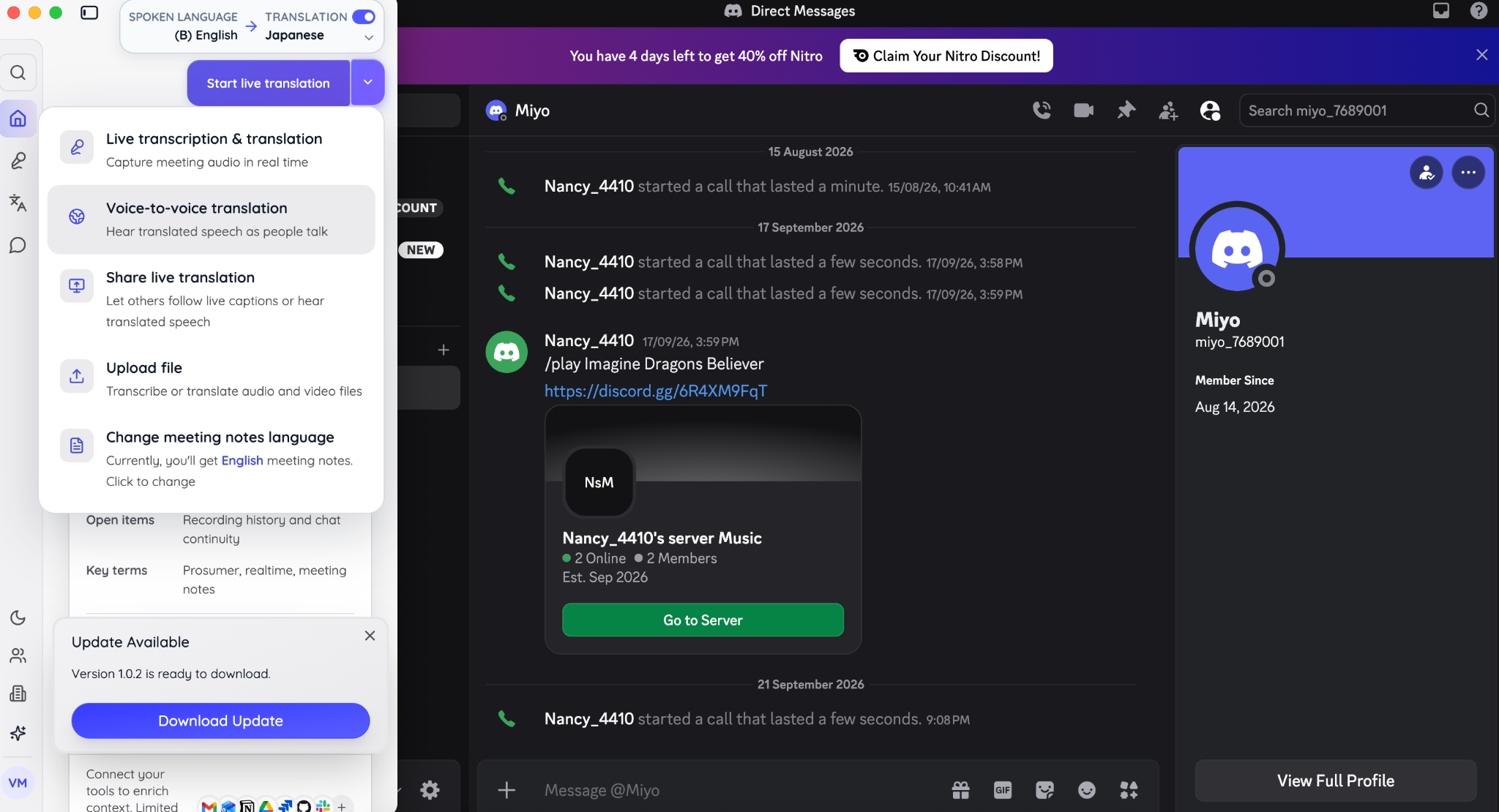
Step 4: Choose Language
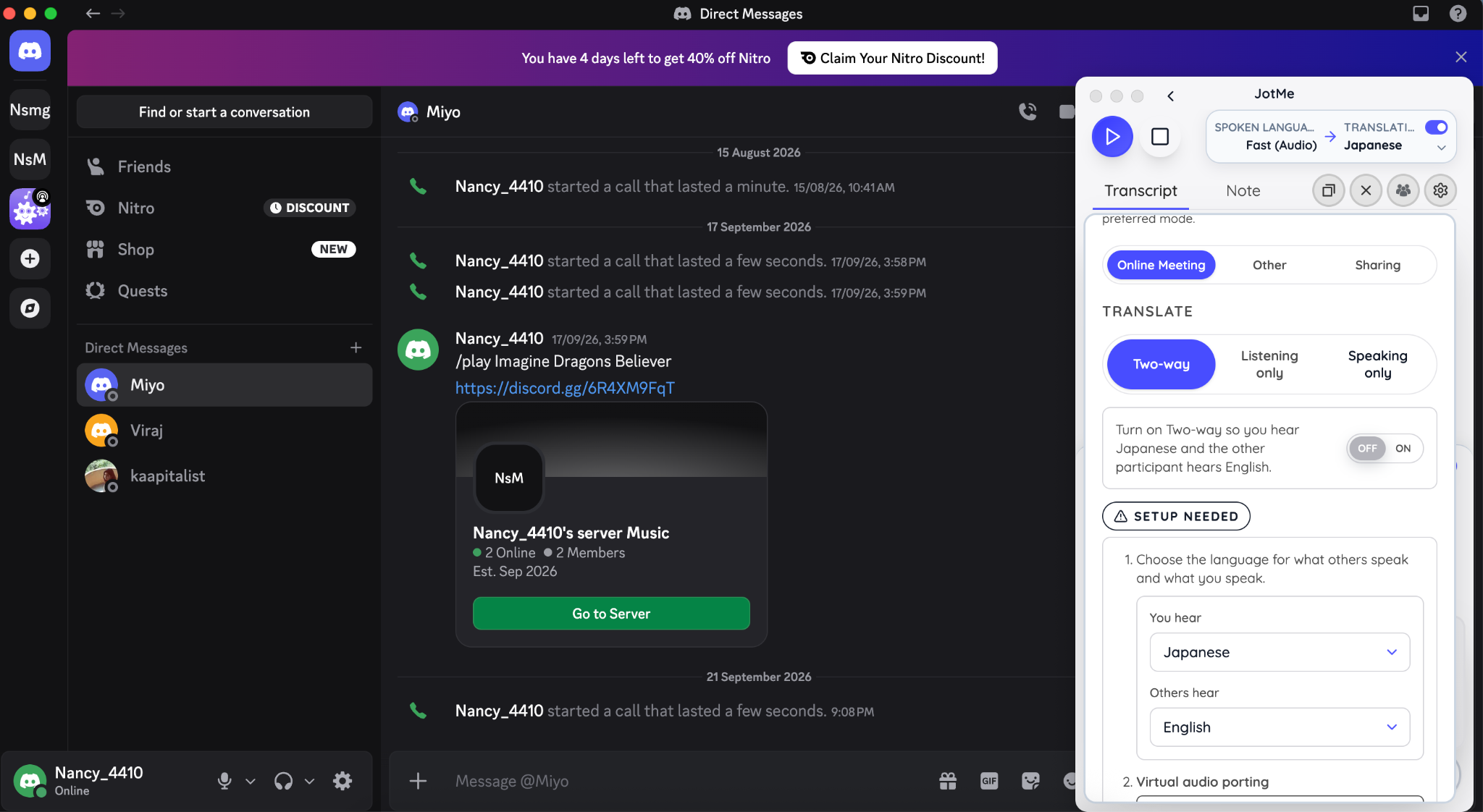
Choose the meeting type, select two-way communication under TRANSLATE, and choose the language
Step 5: Download Mic for Two-Way Routing
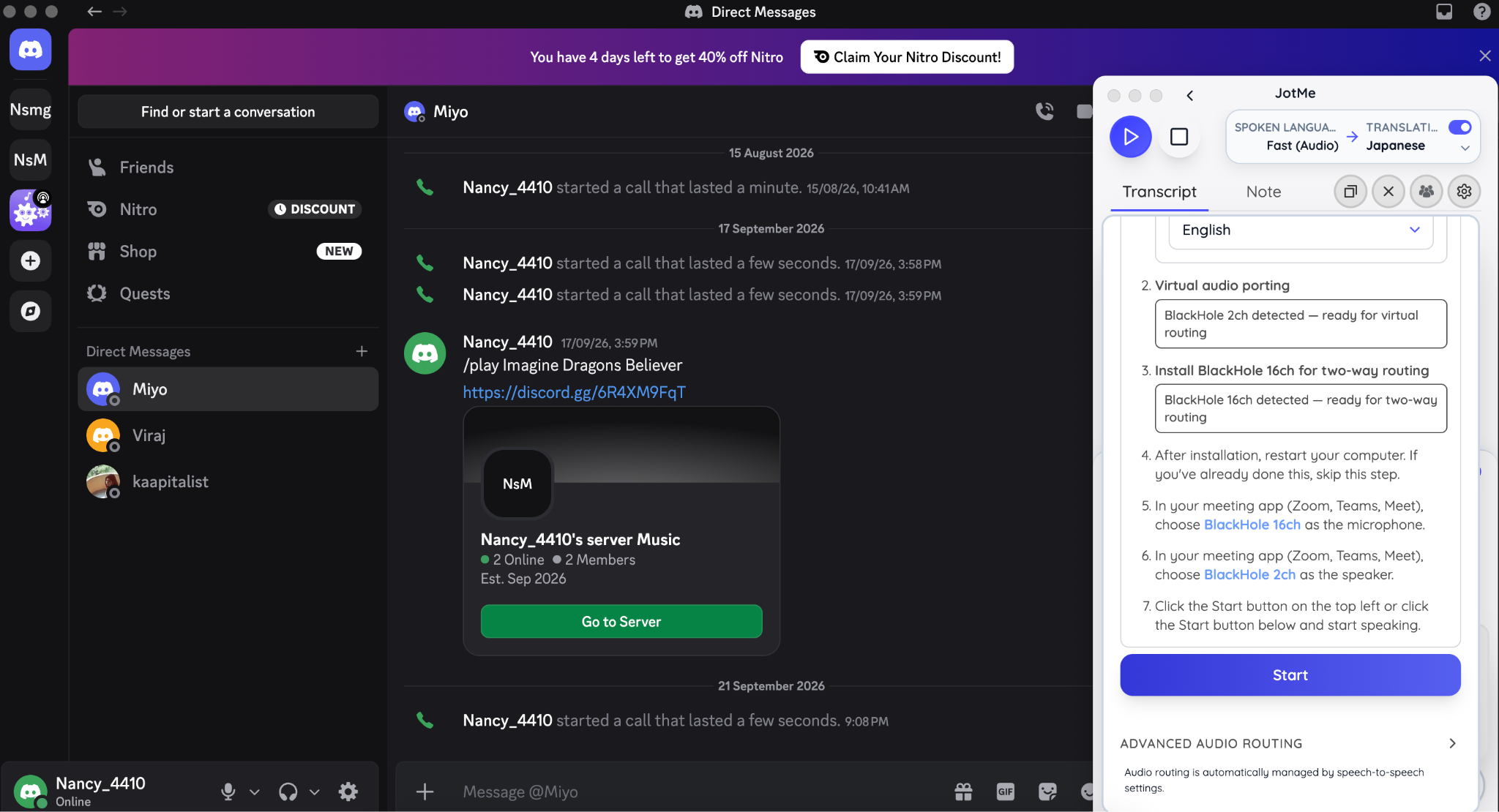
Scroll down a little and install the Blackhole 16ch for two-way communication, and click Start.
Key JotMe Features for Multilingual Sessions
- Live translated captions as the conversation happens in more than 200 languages.
- Contextual translation that understands slang, fandom terms, and casual chat better than a word-for-word tool.
- Post-session bullet points that summarize what was discussed, useful for language-learning servers reviewing a session later.
- Shareable translation link, so friends can follow along without installing anything.
Who This JotMe For
- K-pop, J-pop, and other fandom servers where members speak different first languages.
- Language-learning communities that record and review their listening sessions to practice.
- International gaming or study groups that play music in the background but still need to talk to each other.
- Anyone who wants a Discord translation of what was discussed during a long multilingual hangout.
If your server needs music playback, use a Discord music bot. If you want to translate uploaded audio or communicate with people who speak another language, JotMe addresses the separate translation requirement. You can also see how to transcribe a Discord call if you want a step-by-step walkthrough.
Which Discord Music Bot Should You Actually Add
- Jockie Music or Chip: Good options for large servers that want multiple bot instances and redundancy across channels, with multiple instances available for free.
- FlaviBot: A suitable choice if you want music alongside other server-management features, including leveling and moderation.
- SoundCloud Bot: A direct option for servers where SoundCloud is the primary music platform.
- Green-Bot or FredBoat: Good choices if you want some free features without relying heavily on paid features.
- Musicobot: Worth considering if YouTube support is your main priority.
- Beatra: Fits servers looking for music features alongside server statistics, multiple-language support, and a low-cost premium tier.
- LoFi Girl Bot: A simple option if you specifically want curated lofi music with minimal setup.
- JotMe: Unlike Discord music bots, JotMe does not play or manage music. If you want to translate a song into another language, you can upload its audio to JotMe. For spoken conversations with people who speak different languages, JotMe offers voice-to-voice translation. It serves as a separate translation tool rather than a music playback bot.
FAQs
What happened to Rhythm, and is it still around?
The original Rhythm bot shut down in 2021 after YouTube sent its developers a cease-and-desist letter over copyright concerns. Some newer bots have reused the Rhythm name since, so if you find a "Rhythm" bot today, check its official website carefully before trusting it with your server.
Can I add more than one music bot to the same server?
Yes, Jockie Music and Chip both offer multiple bot instances, so different voice channels can each have their own active player without conflicts.
Why isn't my Discord music bot playing anything?
Maybe the bot lacks permission to join or speak in your voice channel, you are not in a voice channel yourself when you run the play command, the bot's servers are overloaded during peak hours, or the specific song source you pasted is not one of that bot's supported platforms.
Can Discord music bots play music from Spotify?
Most of the Discord music bots, including Jockie Music, FlaviBot, Green-Bot, Musicobot, and Beatra, support Spotify links and playlists. Because Spotify's licensing blocks direct streaming through third-party bots, they typically match your Spotify link to an equivalent track from another supported source behind the scenes.
Is it against Discord's rules to use a music bot?
Music bots are common and widely used across Discord, and adding one does not violate Discord's terms of service on its own. The bigger risk comes from the bot's content source, which is why bots that pull from unlicensed streams have historically faced takedowns.
Which free music bots do Discord servers use most often?
FredBoat, Green-Bot, Jockie Music, Musicobot, and Beatra all show up repeatedly across large, active servers because their free tiers cover real playback, not just a trial. LoFi Girl Bot is the most-added option for servers that only want background music rather than a full song-request queue.
What is the best free Discord music bot in 2026?
For a fully free experience with no feature paywall, FredBoat is the strongest pick, since it offers 24/7 playback without a premium tier. If you want more platform variety while staying free, Jockie Music, Musicobot, and Beatra also have generous free tiers.
Last updated on
September 25, 2026
Follow us on social media: