Guides
5 Best Apps for Talking to Foreigners During Business Travel [2026 Picks]

Viraj Mahajan
February 10, 2026

Have you ever missed a crucial business deal abroad or struggled to get help while traveling because you couldn’t communicate in the local language?
Whether you’re closing a contract with international clients or asking locals for directions while traveling internationally, language barriers can make even simple conversations difficult.
Real-time translation apps for talking to foreigners, like the JotMe mobile app, Live Translator: AI translate, Instant Voice Translate, and more, solve this problem by translating speech in your preferred language in real time. However, most live translation apps, like Instant Voice Translate, Talk & Translate AI Translator, etc., fall short when it comes to natural conversations and require manual tapping before speaking.
In such cases, JotMe’s mobile app keeps your conversation flowing naturally with continuous translation, contextual understanding, and Smart AI Adjustment that automatically switches between speed and accuracy based on your conversations. JotMe also provides multilingual support for up to 10 languages at once, Generate Speech (text-to-speech), and more.
Here’s a quick look at the best apps for talking to foreigners that we tested for real-time translation:
- JotMe mobile app offers continuous and contextual voice-to-text translation in 45 languages, multilingual support, the Generate Speech feature, and more, at just $10/month (billed annually).
- Live Translator: AI translate offers real-time voice and text translations, but requires constant mic tapping every time before you speak, which breaks the conversation flow.
- Instant Voice Translate offers different translation modes (polite, casual, etc.), but displays distracting banner ads and restarts chat when you pause.
- Talk & Translate AI Translator supports 103 languages with offline live translation, but shows constant video ads and breaks conversation flow with pauses.
- Translate - Language Translator supports 100+ languages for voice and text translations, but displays frequent video ads and requires manual mic tapping before speaking.
Quick Comparison of the Best Real-Time Translation Apps for Talking to Foreigners
While some real-time translation apps for talking to foreigners offer continuous translation and contextual understanding, others require constant tapping and struggle with idioms. Below is a quick overview of the best real-time translation apps for talking to foreigners before we learn about each of them in detail:
JotMe Mobile App: Great for Natural and Continuous Conversation with Foreigners
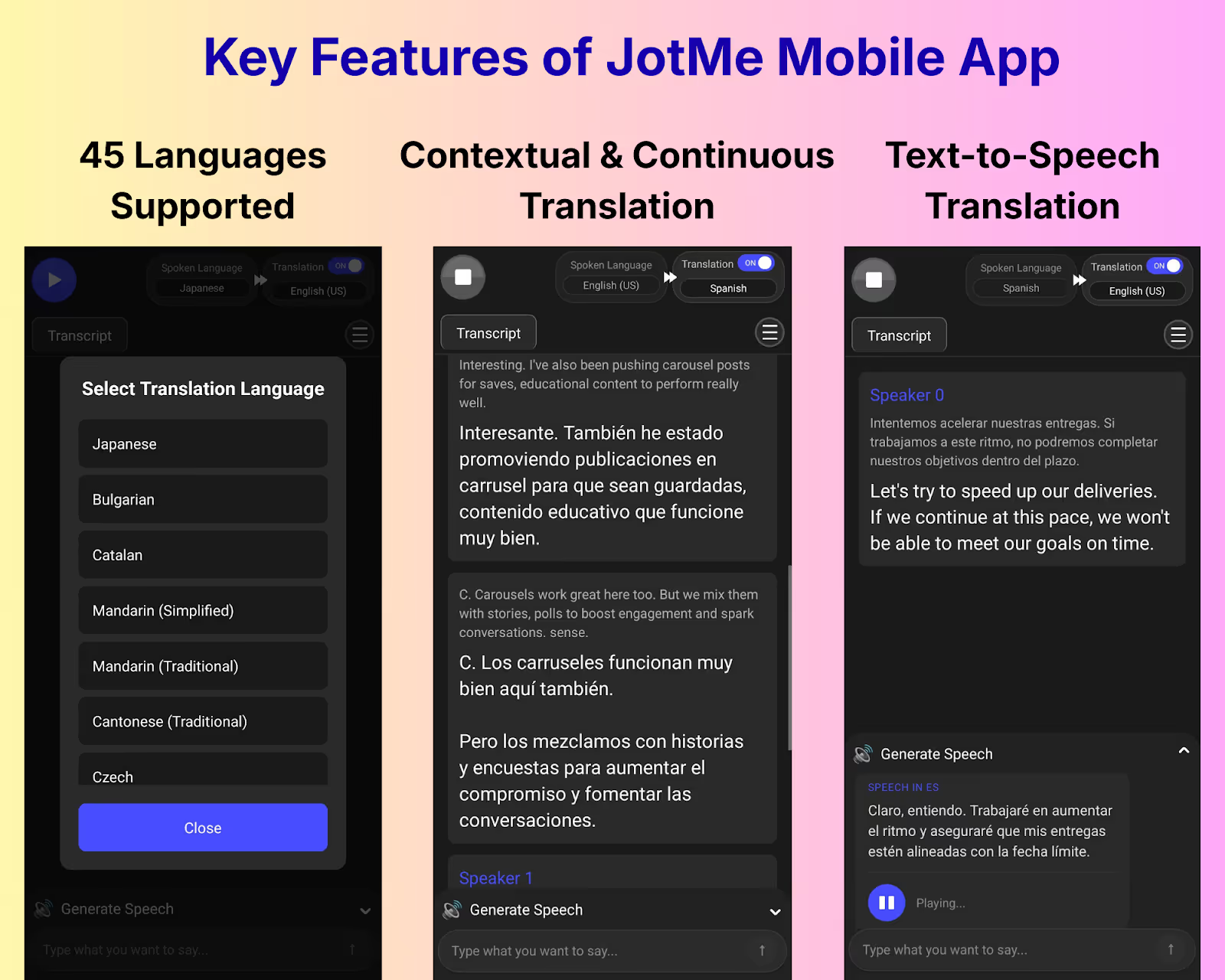
Among all the apps we tested, the JotMe mobile app, available on Android and iOS devices, stood out as a powerful AI live translation app for talking to foreigners, delivering real-time voice-to-text translation in 45 languages. Unlike other apps that give you word-for-word translations, JotMe mobile app understands technical terms and the tone of the conversation to deliver accurate, real-time translation.
What sets the JotMe mobile app apart is its continuous translation feature. Most AI translator apps restart the chat every time the speaker takes a pause, but JotMe keeps everything flowing in a single thread. Other than that, JotMe offers a Generate Speech feature to type and play messages out loud, multilingual support for up to 10 languages, and more.
If you need advanced features for virtual meetings, JotMe also provides a desktop app with real-time summaries, an AI translator for text-to-text translations with tone customization, Ask JotMe to understand a topic during your meetings, AI meeting notes, and more.
What are the Core Features of the JotMe Mobile App?
The core features of the JotMe mobile app are live contextual translation, continuous translation, Generate Speech, multilingual support, and translation quality setting.
JotMe Mobile’s Live Contextual Translation
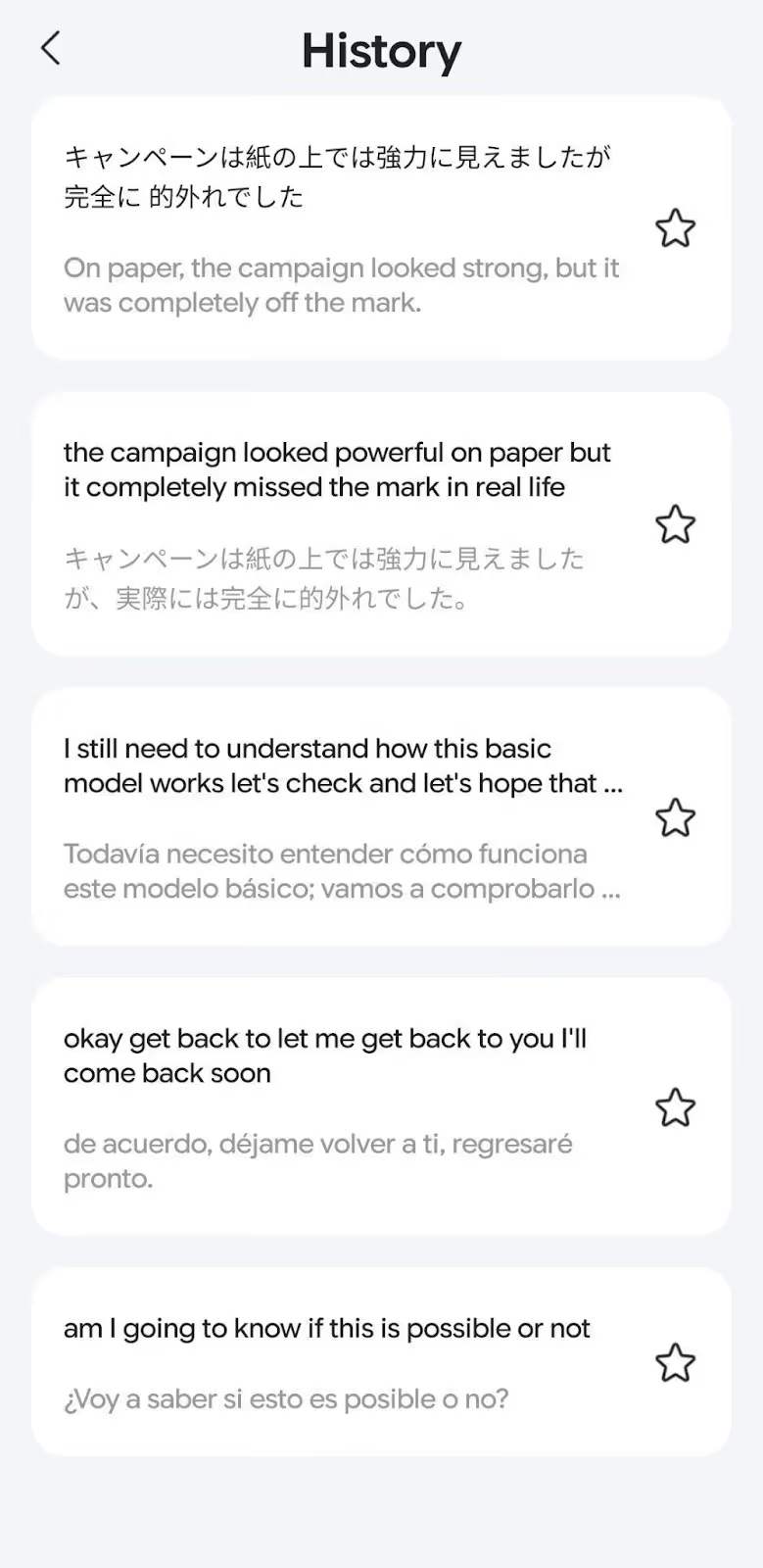
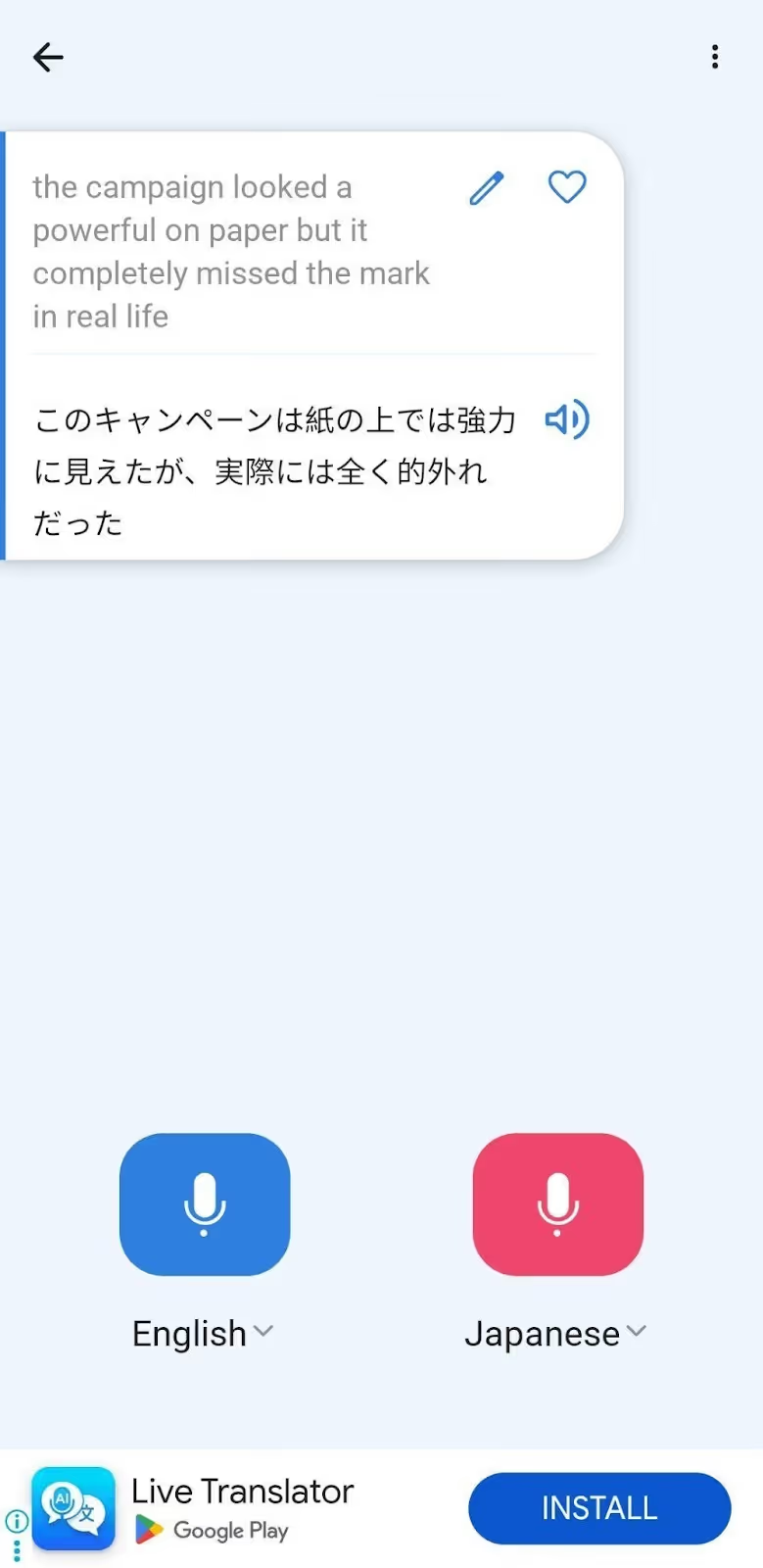
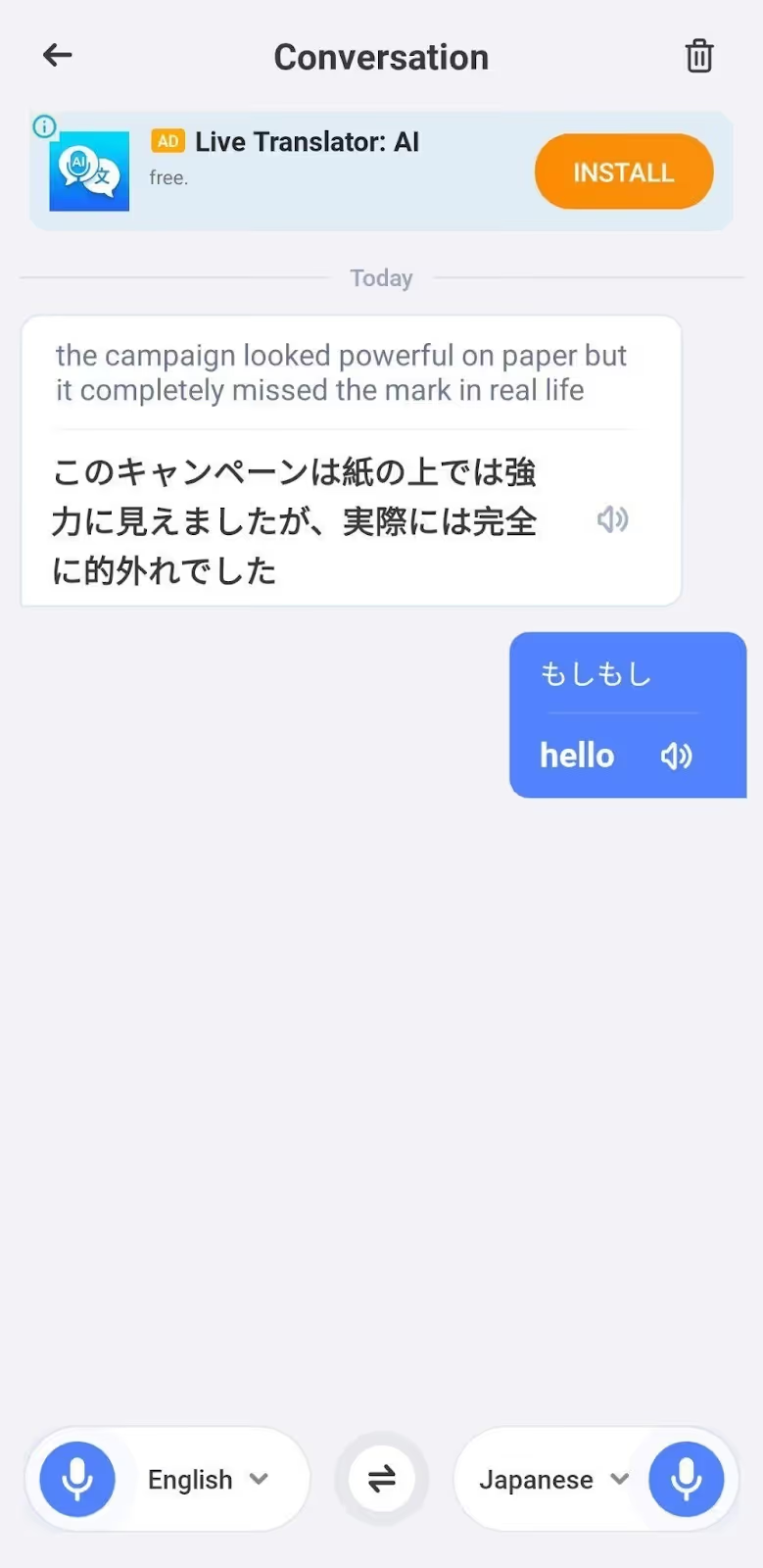
JotMe goes beyond word-for-word translation by capturing the context, tone, and domain-specific terms to provide accurate, real-time translations. We used the JotMe mobile app to translate English to Japanese and got real-time voice-to-text translation instantly.
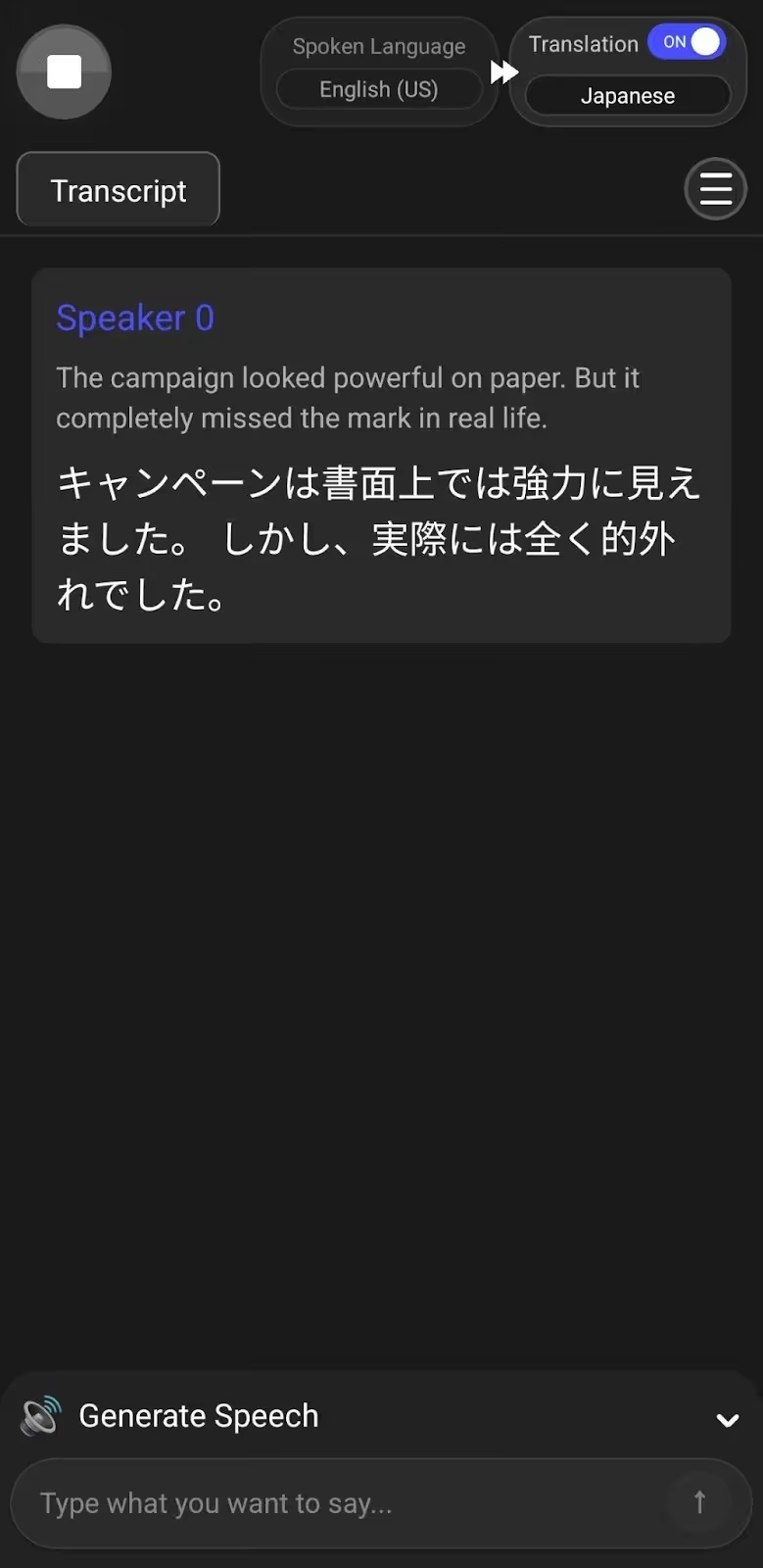
We tried translating the following statement:
“The campaign looked powerful on paper, but it completely missed the mark in real life.”
JotMe’s contextual translation delivered it as:
JotMe Mobile’s Continuous Translation
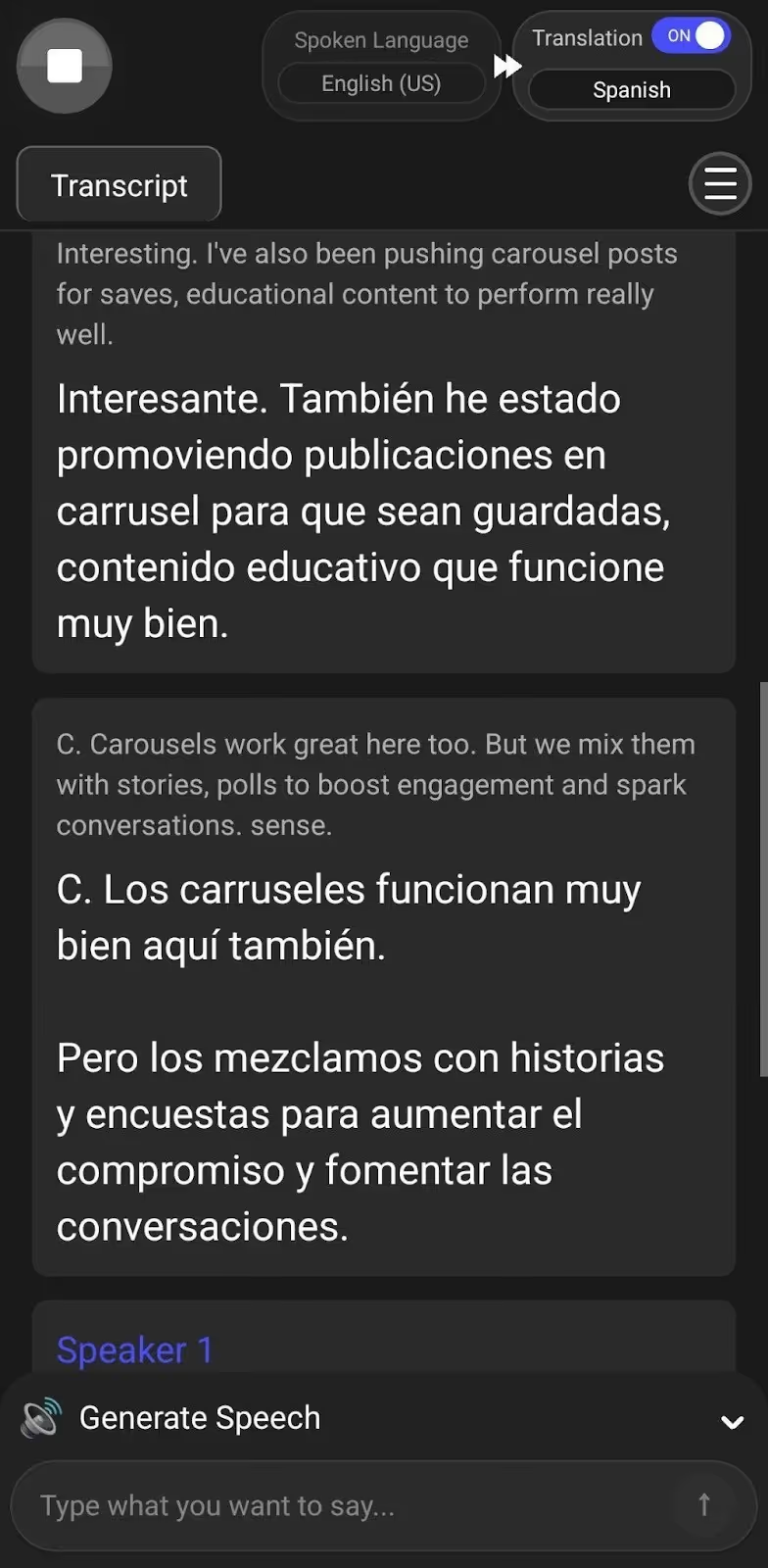
Most of the AI live translation apps for talking to foreigners don’t offer continuous translation. When you’re in the middle of a conversation and take a pause to think or catch your breath, these AI interpreter apps stop the live translation or start a completely new chat, making it difficult for you to understand detailed discussions.
However, JotMe’s mobile app keeps the conversation going even during pauses, once you begin the live translation. JotMe continues to provide the real-time translation from where you left, instead of starting a new chat. This way, JotMe lets you have natural conversations without having to restart the live translation.
JotMe Mobile’s Generate Speech Feature
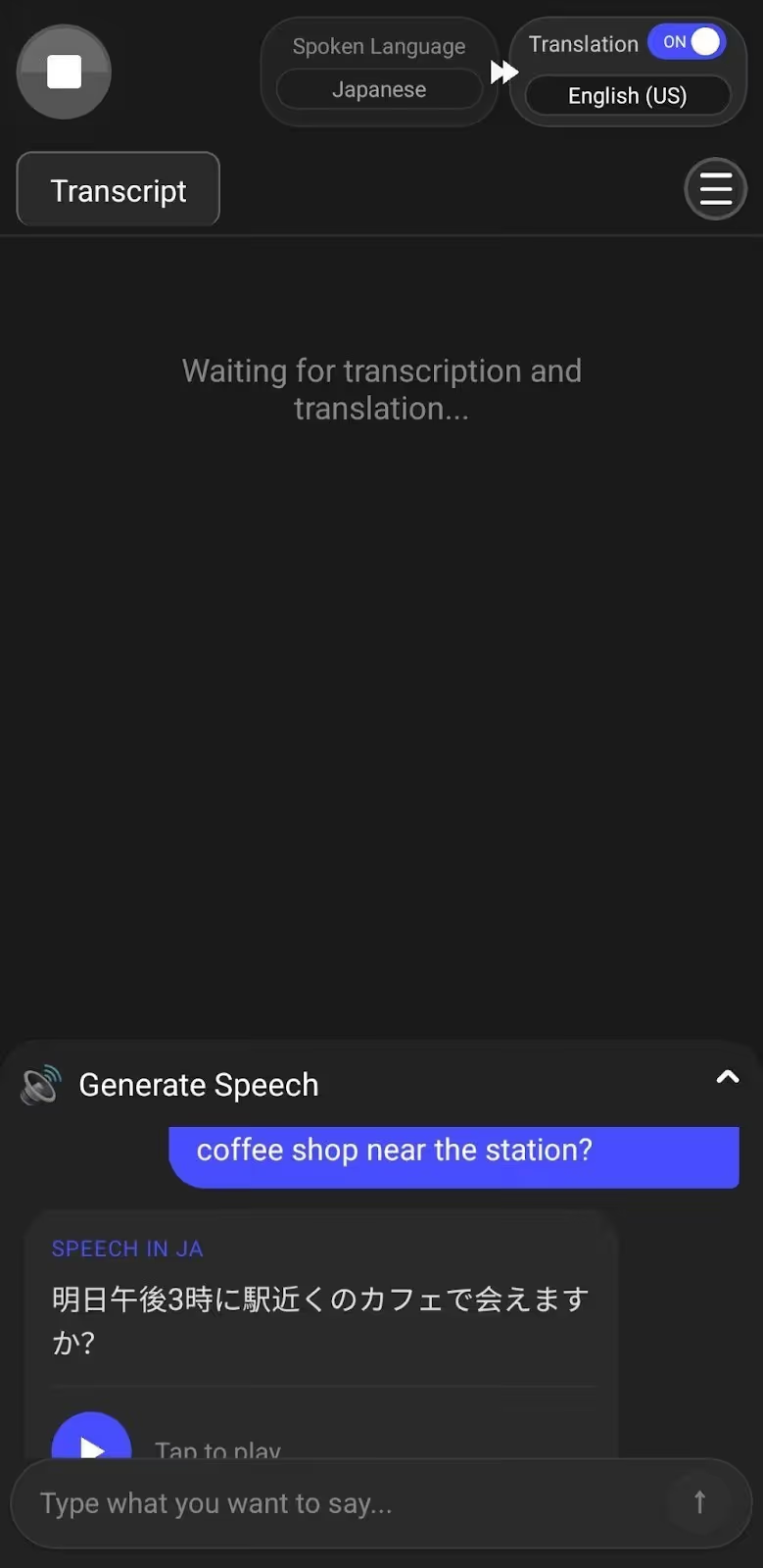
JotMe’s mobile app allows you to generate speech in the speaker’s language by typing the message in your known language. JotMe’s Generate Speech feature is useful when you have to say something specific and don’t want to mess up the grammar or pronunciation.
We were testing JotMe with a Japanese colleague and needed to confirm a meeting time. So we typed our message in English, and JotMe instantly generated the speech in Japanese and played it out loud. Our colleague heard it clearly and responded right away without any confusion or miscommunication.
JotMe’s Multilingual Support and Translation Quality Setting
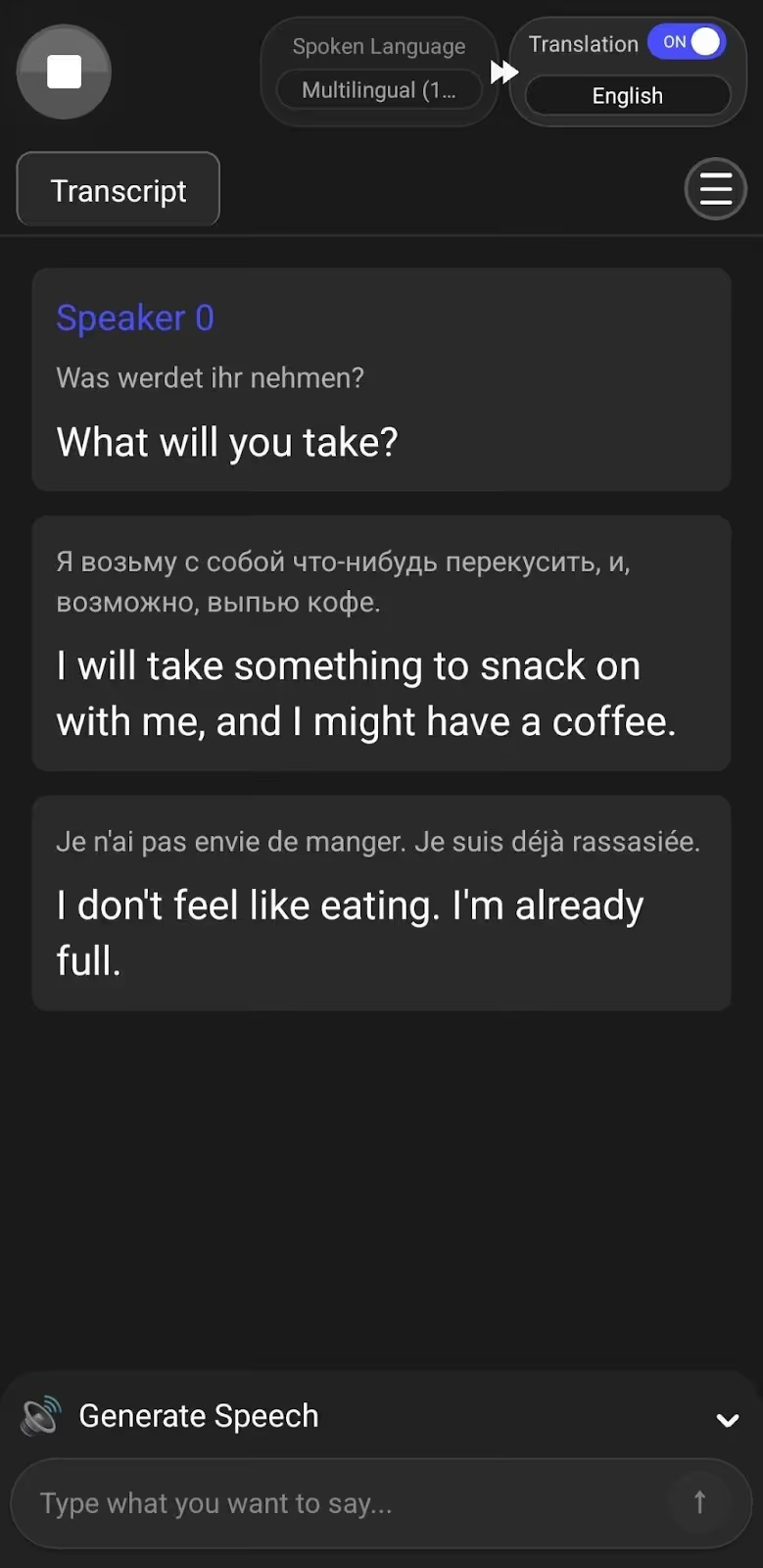
JotMe can translate up to 10 languages simultaneously in your preferred language, including English, Japanese, Spanish, French, and more. We were at a cafe with our German, Russian, and French colleagues, waiting to order food, and JotMe’s multilingual support feature translated all of their speeches into English in real time for us.
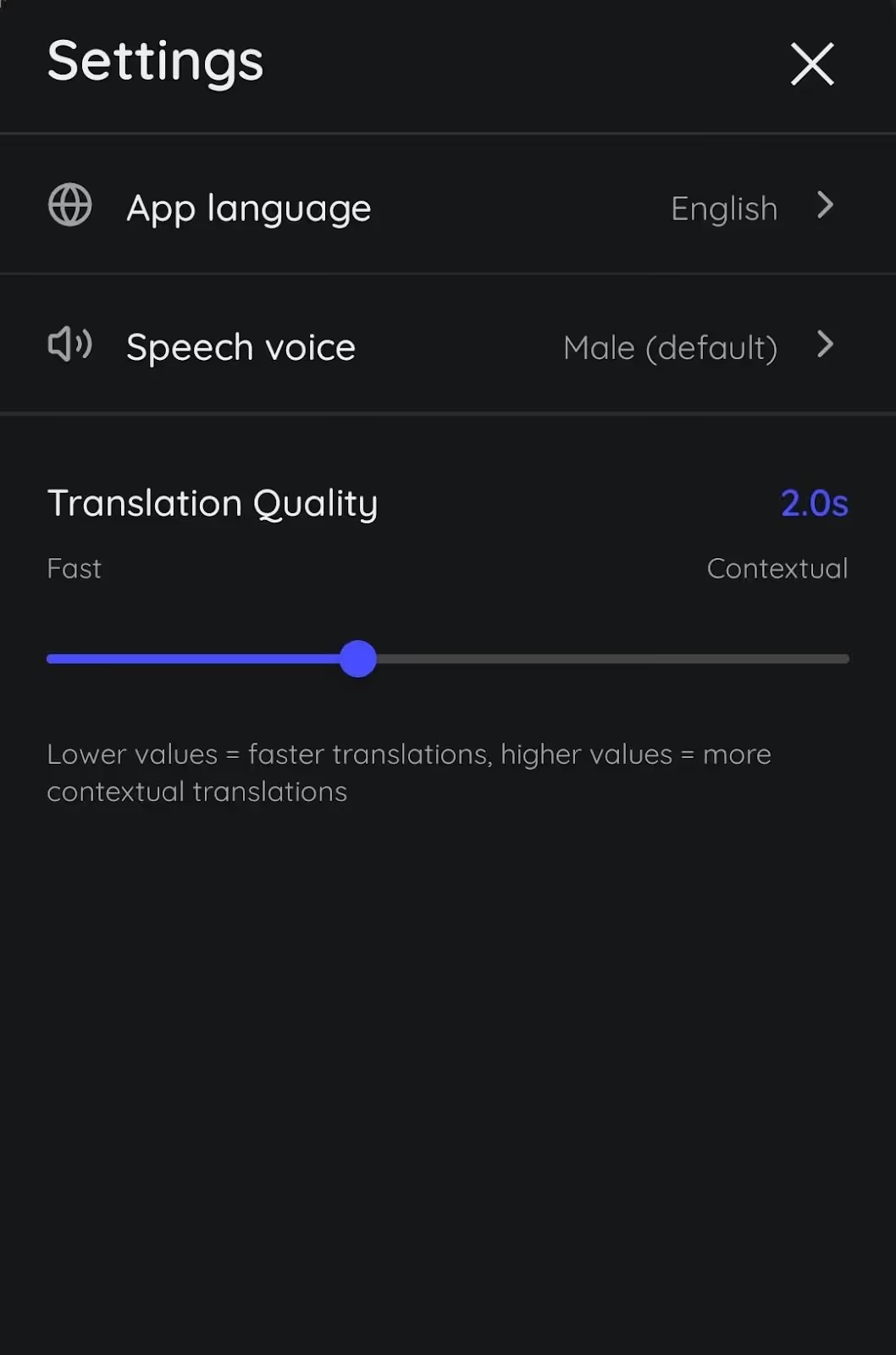
The JotMe mobile app also allows you to set the quality of your live translation. Fast mode delivers instant, real-time translations during quick conversations. For detailed discussions, the Contextual mode takes a bit of time, but provides accurate translations with proper context.
Not only that, JotMe’s Smart AI Adjustment feature understands your conversations and automatically sets the translation quality. JotMe will move the slider to Fast mode when you need quick translations, and to Contextual mode when you’re discussing something detailed and important.
What Makes the JotMe Mobile App Special?
JotMe mobile app stands out with these unique features:
- Continuous translation that keeps conversations flowing even when you pause.
- Smart AI Adjustment that automatically switches between Fast and Contextual, based on your conversation flow.
- Multilingual support translates up to 10 different spoken languages simultaneously into your preferred language.
Why is the JotMe Mobile App Not the Right Fit?
The JotMe mobile app might not be the right fit when you:
- Need offline translation and use the mobile app without an internet connection while traveling to remote areas.
What are the Pricing Plans of the JotMe Mobile App?
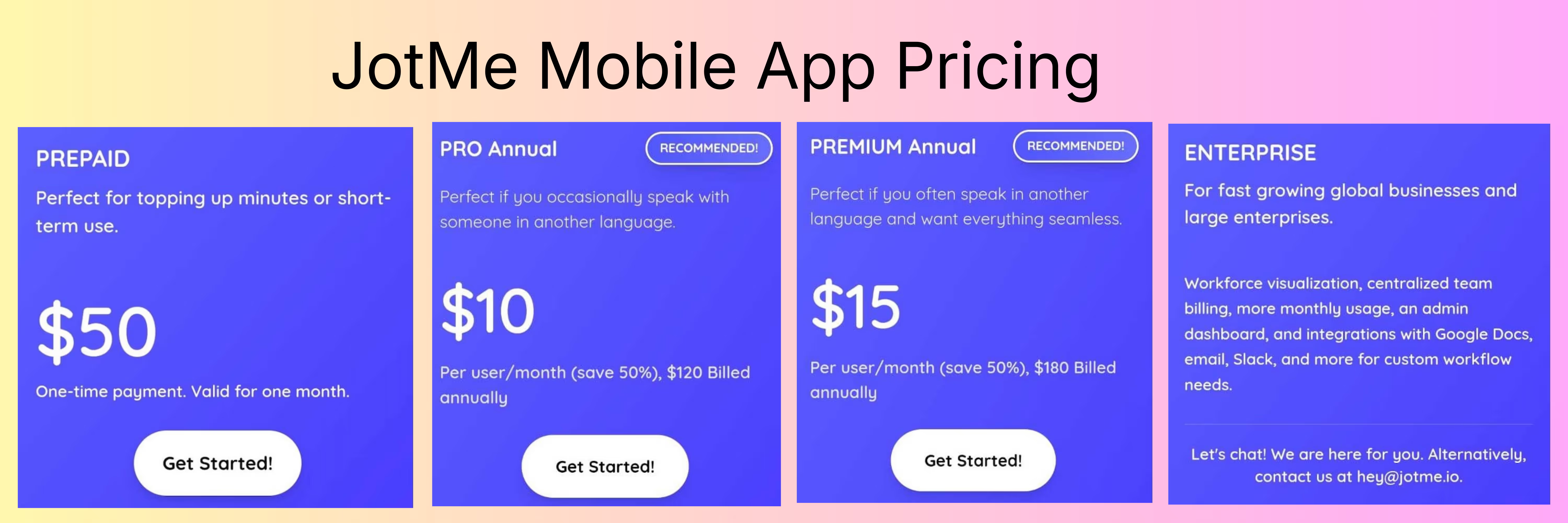
The JotMe mobile app offers a free monthly plan with 20 live translation minutes, 50 transcription minutes, and 5 AI credits. Other than that, JotMe’s mobile app offers the following pricing plans:
- Pay as you go (Prepaid) ($50, one-time payment): 500 live translation minutes valid for one month.
- Pro ($10/month, billed annually): 200 live translation minutes, 500 transcription minutes, 20 AI credits for speech generation, and more.
- Premium ($15/month, billed annually): 500 live translation minutes, 2000 transcription minutes, 50 AI credits for speech generation, and more.
- Enterprise (Customized pricing): Unlimited monthly transcription, additional minutes of live translation and AI credits, admin dashboard, and more.
Live Translator: AI translate: Known for Quick Voice Translation with Foreigners While Traveling
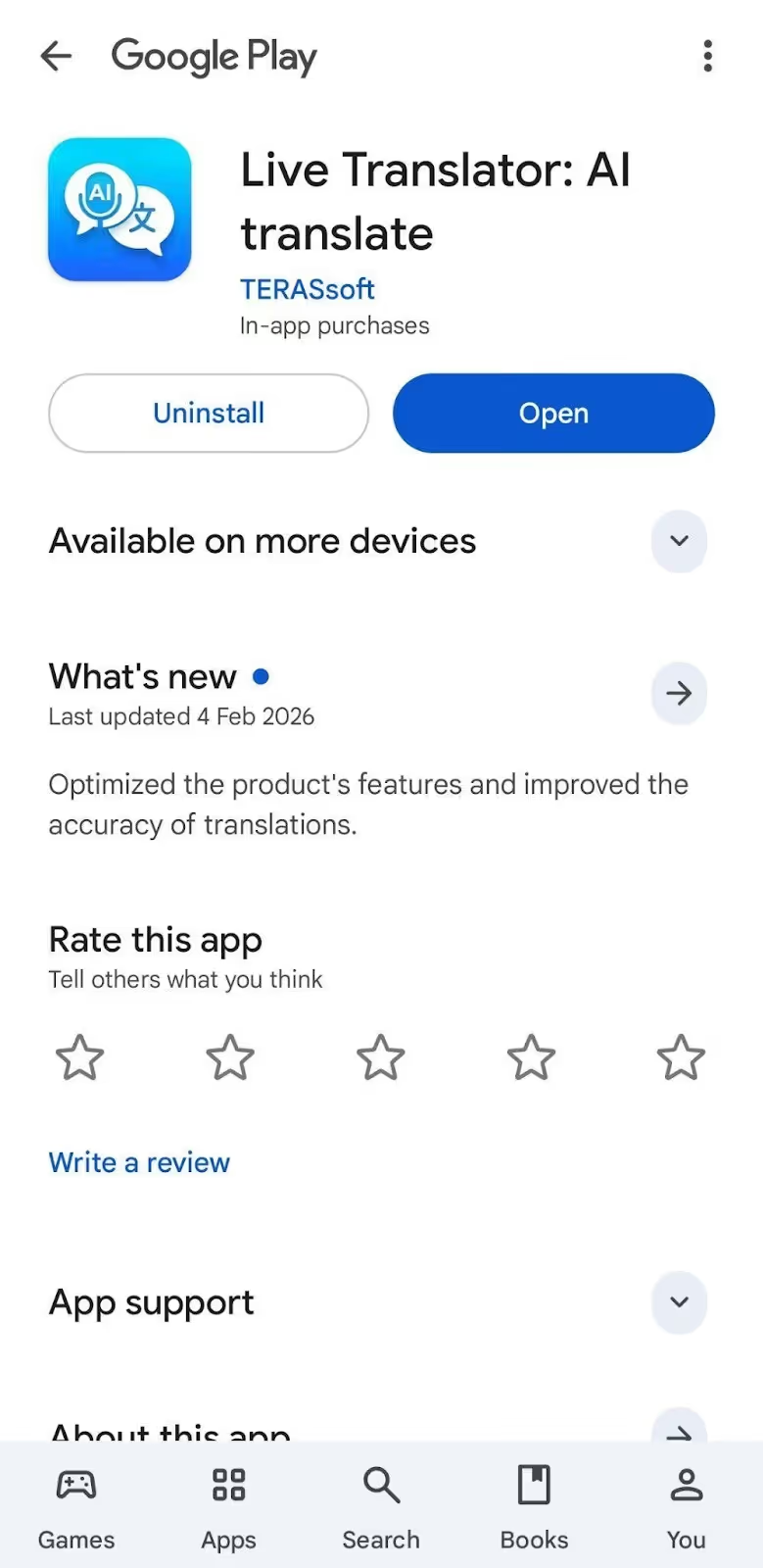
Live Translator: AI translate supports over 45 languages for voice-to-voice, voice-to-text, and text-to-text translations. Live Translator: AI translate is built for quick conversations while traveling or shopping in foreign countries.
However, Live Translator: AI translate shows pricing plans right when you launch the app, which can be annoying. For voice translation, you need to tap the Mic button to start speaking and hit stop when you're done. This breaks the natural flow of the conversation because you are constantly starting and stopping.
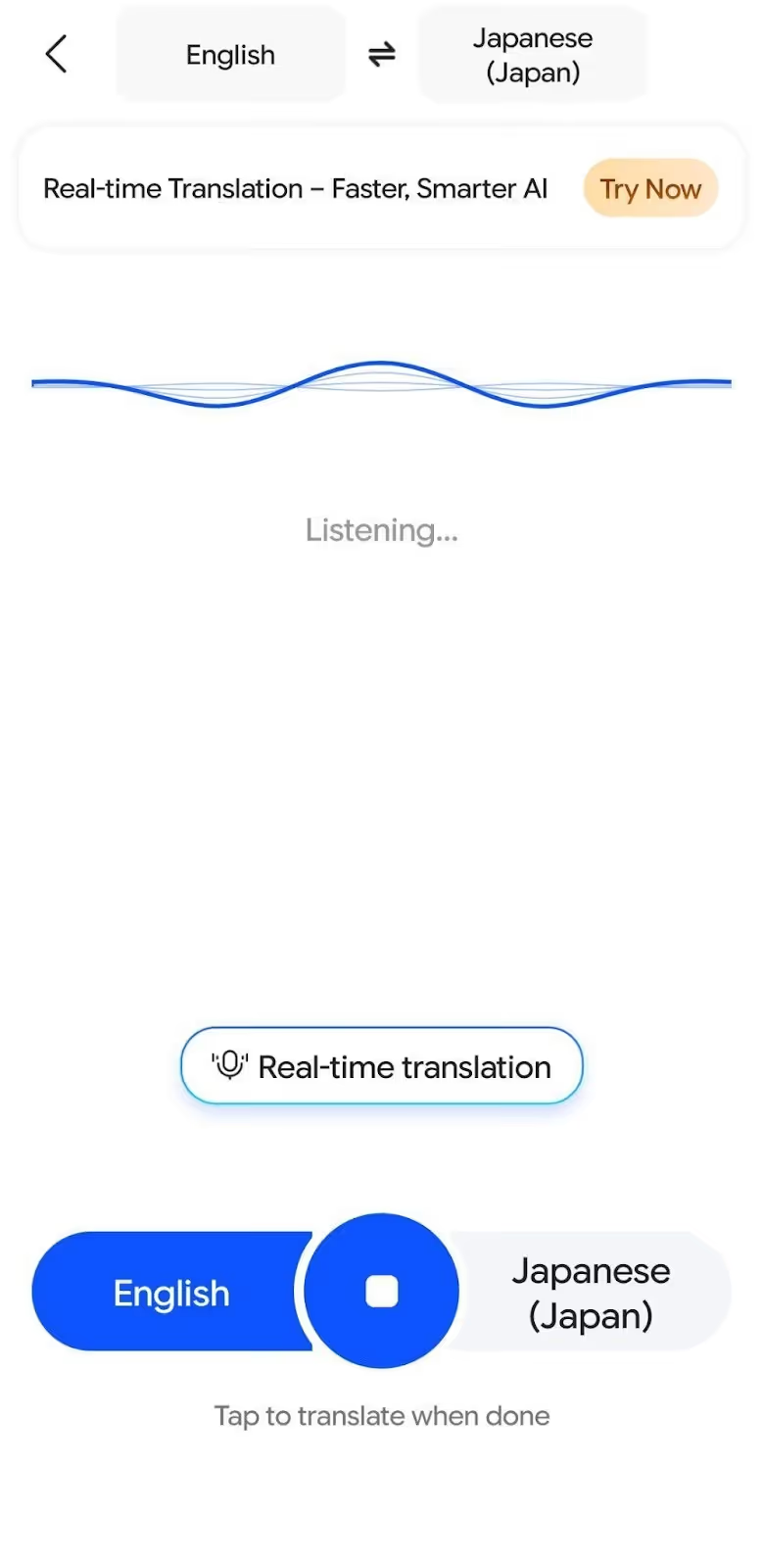
Live Translator: AI translate’s translation doesn't stay in one continuous thread either. You need to scroll through your chat history to follow the entire discussion, which makes it tough to keep track of longer conversations. Another downside is that voice typing (speech-to-text) isn't free, and you need the paid version to use it.
What are the Core Features of Live Translator: AI translate?
The core features of Live Translator: AI translate include voice translation, AI tools for checking grammar, drafting emails/replies, etc., and an AI language learner.
- Voice Translation: Get real-time voice-to-voice and voice-to-text translation in 45+ languages.
- AI Tools: AI chat for finding synonyms, checking grammar, writing emails, etc., with different models like GPT-5-mini, Gemini 3 Pro, etc. and response tones like friendly, professional, inspirational, and more.
- AI Language Learner: Learn 13 languages, including Arabic, Spanish, English, Japanese, Korean, Portuguese, and more.
What Makes Live Translator: AI translate Special?
Live Translator: AI translate stands out with these features:
- An AI language learner that helps you learn 13 languages with practice exercises.
- Multiple AI chat models with customizable response tones for different needs.
Why is Live Translator: AI translate Not the Right Fit?
Live Translator: AI translate might not be the right fit if you:
- Want contextual understanding of idioms instead of literal word-for-word translations that lack meaning.
- Need automatic speech playback without manually tapping buttons to hear textual translations out loud every time.
- Need continuous translation that doesn’t reset when you pause mid-sentence.
What are the Pricing Plans of Live Translator: AI translate?
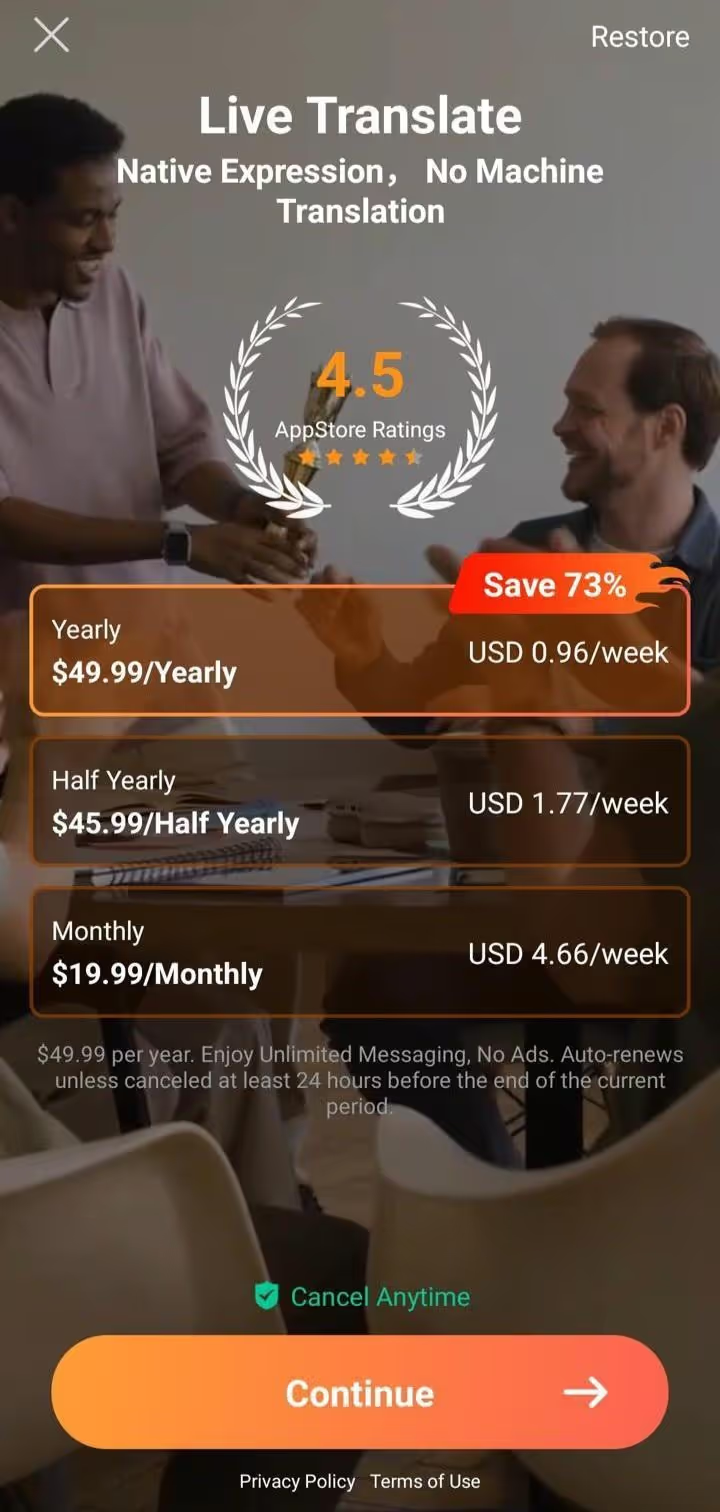
Live Translator: AI translate offers a free version for voice translation, text translation, etc. The paid subscription of Live Translator: AI translate includes accent recognition, high precision, speech-to-text, all AI chat/response models, and unlimited AI chatbot messaging.
- Monthly: $19.99/month
- Half-yearly: $45.99/6 months
- Yearly: $49.99/year.
Instant Voice Translate: Ideal for Customizable Translation Settings
Instant Voice Translate works with 70 languages for voice and text translation and offers different translation modes like professional, polite, casual, funny, etc. Instant Voice Translate also lets you set the font size of the textual translations and the pronunciation speed of the voice translations.
The problem with Instant Voice Translate is that there is no continuous translation. If you pause, Instant Voice Translate stops the current chat and starts a new one. You also need to tap the mic before speaking every single time, which can get annoying.
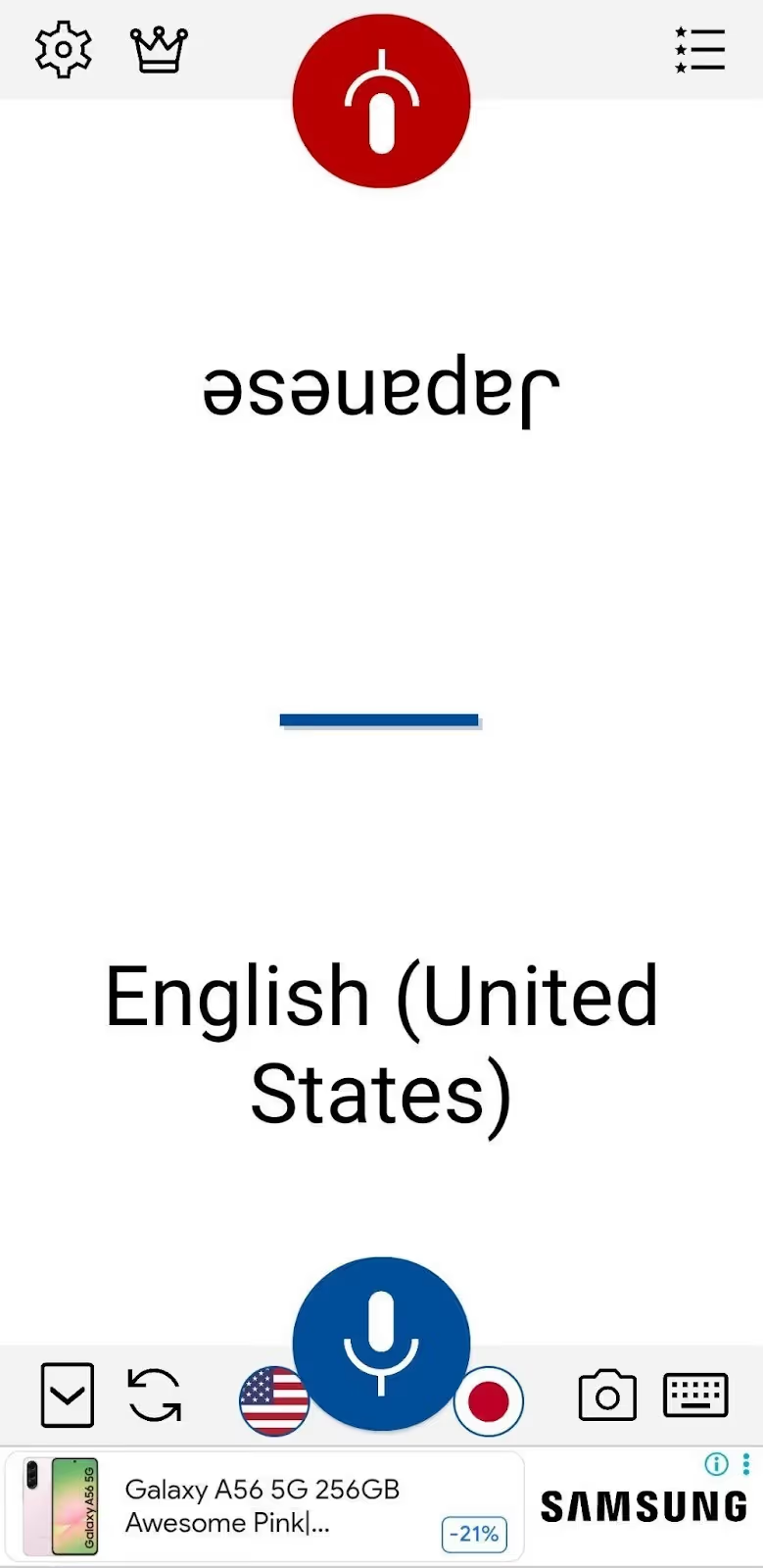
Instant Voice Translate displays banner ads in its free version, which can be distracting. Text translation is also limited to 1,000 characters at once, so it's not great for translating longer texts.
What are the Core Features of Instant Voice Translate?
The core features of Instant Voice Translate include voice translation, text translation, and image translation.
- Voice Translation: Real-time voice-to-voice and voice-to-text translation in 70 languages.
- Text Translation: Translate text with different modes, including professional, polite, casual, funny, etc.
- Image Translation: Translates texts in the image in English, Chinese, Japanese, Dutch, and Indonesian.
What Makes Instant Voice Translate Special?
Instant Voice Translate stands out with these features:
- An AI optimization feature that boosts translation quality with AI for natural-sounding results.
- Customization options to adjust pronunciation speed for voice playback and font size for text translations.
Why is Instant Voice Translate Not the Right Fit?
Instant Voice Translate might not be the right fit if you:
- Want to translate longer texts beyond the 1,000-character limit for detailed documents.
- Need an ad-free experience without ads distracting you while having important conversations.
- Need multilingual support that can translate multiple languages at once.
What are the Pricing Plans of Instant Voice Translate?

Apart from its free version, Instant Voice Translate offers a Premium plan with an ad-free experience, offline translation, and more.
- Monthly: $3.99/month
- Yearly: $29.99/year
- Lifetime: $99.99 (one-time purchase)
Talk & Translate AI Translator: Good for Offline Translation for Quick Tourist Interactions
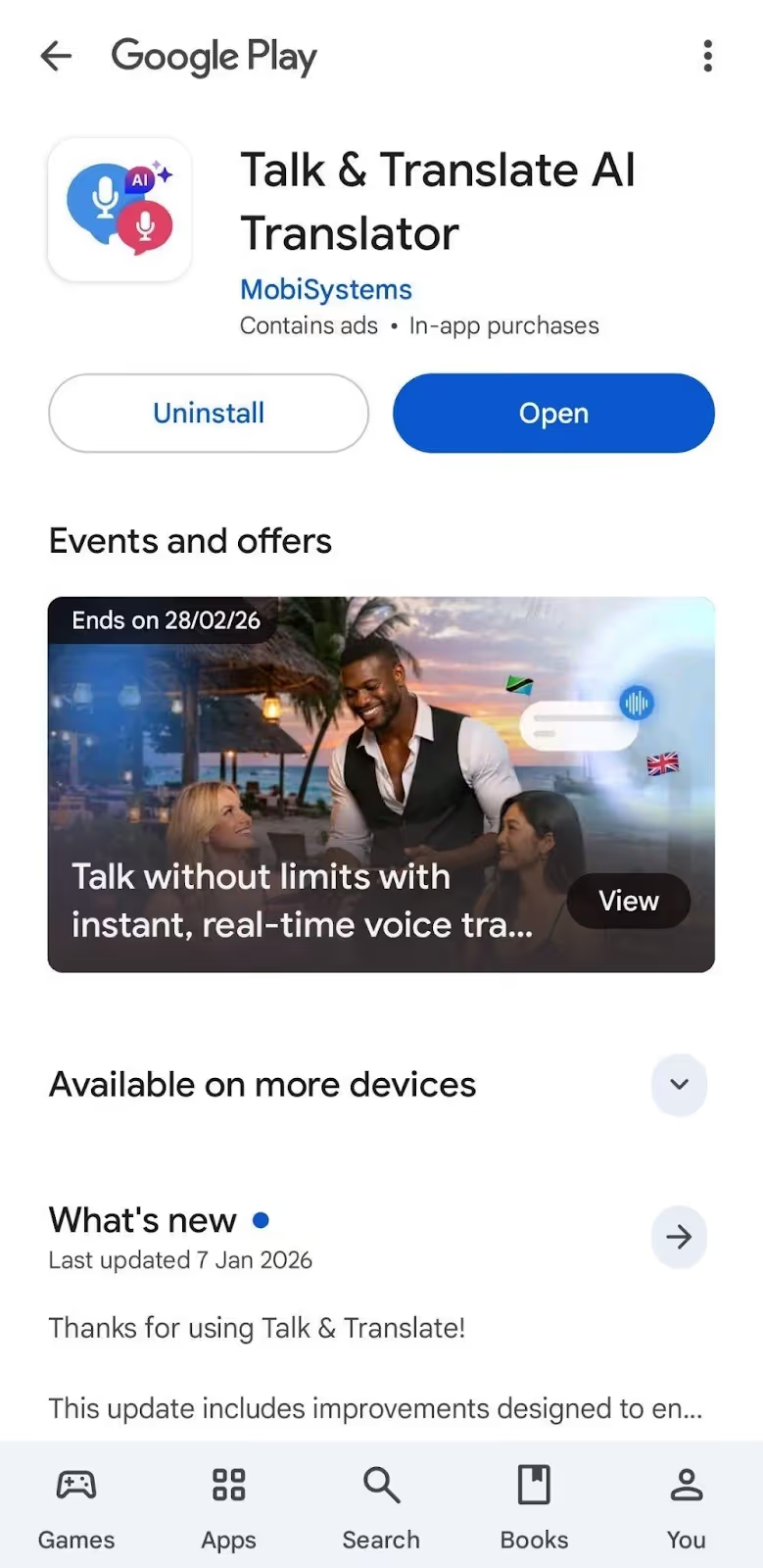
Talk & Translate AI Translator supports 103 languages and offers different translation models like GPT-4o-mini, GPT-5, etc. Talk & Translate AI Translator is good for travelers who need quick translations in multiple languages.
Talk & Translate AI Translator supports offline translation, but only in the paid subscription. The free version gives you five voice-to-voice translations and camera translations each, enough for trying them out.
Similar to Instant Voice Translate, you need to tap the mic before speaking for voice translations. Also, Talk & Translate AI Translator’s translation is not continuous. Pauses break the flow of the conversation, which makes it frustrating for longer discussions. Talk & Translate AI Translator also displays video ads, interrupting your workflow.
What are the Core Features of Talk & Translate AI Translator?
The core features of Talk & Translate AI Translator are text translation, voice translation, and offline mode.
- Text Translation: Textual translations with the AI Magic feature to fix grammar, set tone (friendly, professional, etc.), and adjust text length.
- Voice Translation: Voice-to-voice translation and voice-to-text translation in 103 languages.
- Offline Mode: Translate without internet by downloading language packs (paid subscription only).
What Makes Talk & Translate AI Translator Special?
Talk & Translate AI Translator stands out with these features:
- AI Magic feature that automatically fixes grammar, adjusts tone, and changes text length for better results.
- An offline translation mode that works without the internet by downloading language packs.
Why is Talk & Translate AI Translator Not the Right Fit?
Talk & Translate AI Translator might not be the right fit if you:
- Need continuous translation that doesn’t break conversations every time you pause to think.
- Want an ad-free experience without constant video ads interrupting every time you’re trying to get live translations.
- Need an automatic translation quality adjustment that switches modes based on your conversation complexity.
What are the Pricing Plans of Talk & Translate AI Translator?
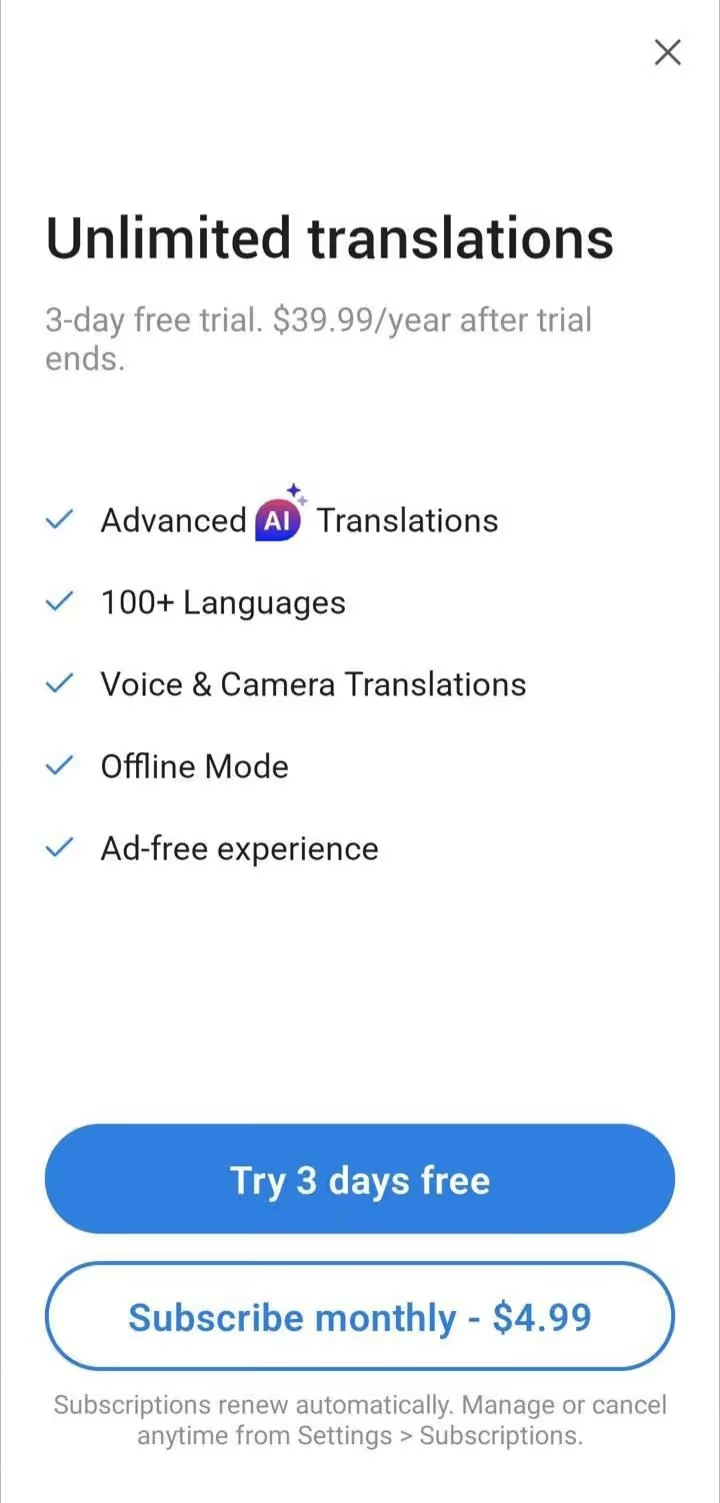
Talk & Translate AI Translator offers a free version, but it displays constant video ads. Talk & Translate AI Translator’s Pro version offers advanced AI translations, unlimited voice and camera translations, offline mode, ad-free experience, and more.
- Monthly: $4.99/month (after 3-day free trial ends)
- Yearly: $39.99/year (after 3-day free trial ends)
Translate - Language Translator: Great for Learning New Words Through Dictionary and Phrasebook
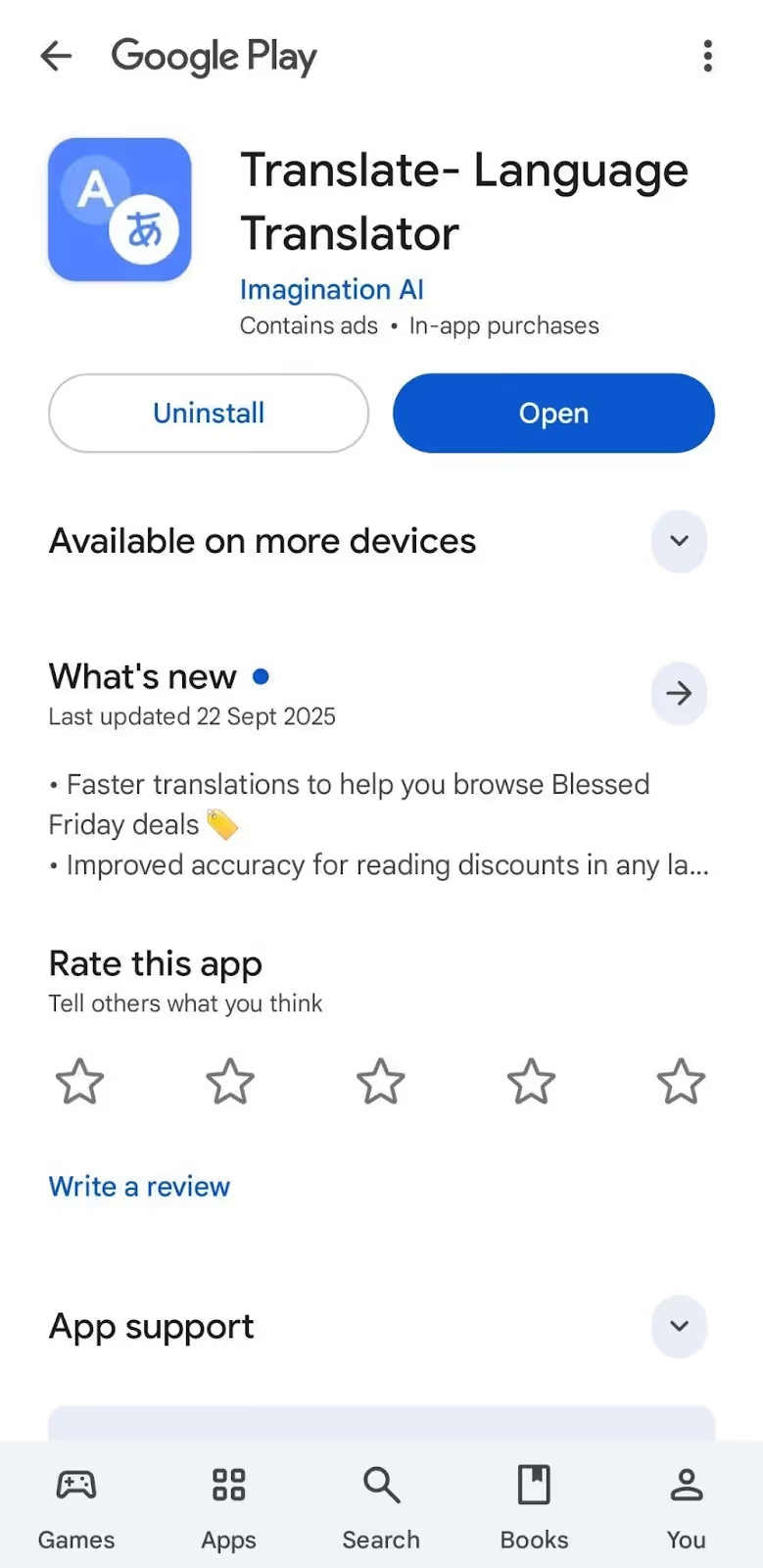
Translate - Language Translator supports 100+ languages for voice-to-text, text-to-text, and voice-to-voice translations. Translate - Language Translator comes with a dictionary to search specific words and their meaning, and a phrasebook with daily-life phrases.
Translate - Language Translator is useful for basic conversations, but similar to most live translation apps, you need to manually tap the mic button before speaking every time. When you pause, Translate - Language Translator treats it like you’re done talking, instead of waiting for you to complete.
Translate - Language Translator displays video ads frequently, which gets annoying when you’re trying to have a conversation and get quick, real-time translation.
What are the Core Features of Translate - Language Translator?
The core features of Translate - Language Translator include conversation translation, dictionary, phrasebook, and screen translator.
- Conversation Translation: Voice-to-voice and voice-to-text translation in over 100 languages.
- Dictionary and Phrasebook: Search words for their meaning and access common daily-life phrases.
- Screen Translator: Translate content on your screen (premium version or by watching ads in the free version).
What Makes Translate - Language Translator Special?
Translate - Language Translator stands out with these features:
- Built-in dictionary and phrasebook with common phrases for quick interactions with foreigners.
- The Screen Translator feature translates text directly on your phone screen from any app you’re using.
Why is Translate - Language Translator Not the Right Fit?
Translate - Language Translator might not be the right fit if you:
- Want continuous translation instead of manually tapping the mic button before speaking every single time.
- Need an ad-free experience without frequent video ads popping up and disrupting your real-time conversations.
- Want contextual translation that understands industry-specific terms instead of line-by-line translations.
What are the Pricing Plans of Translate - Language Translator?
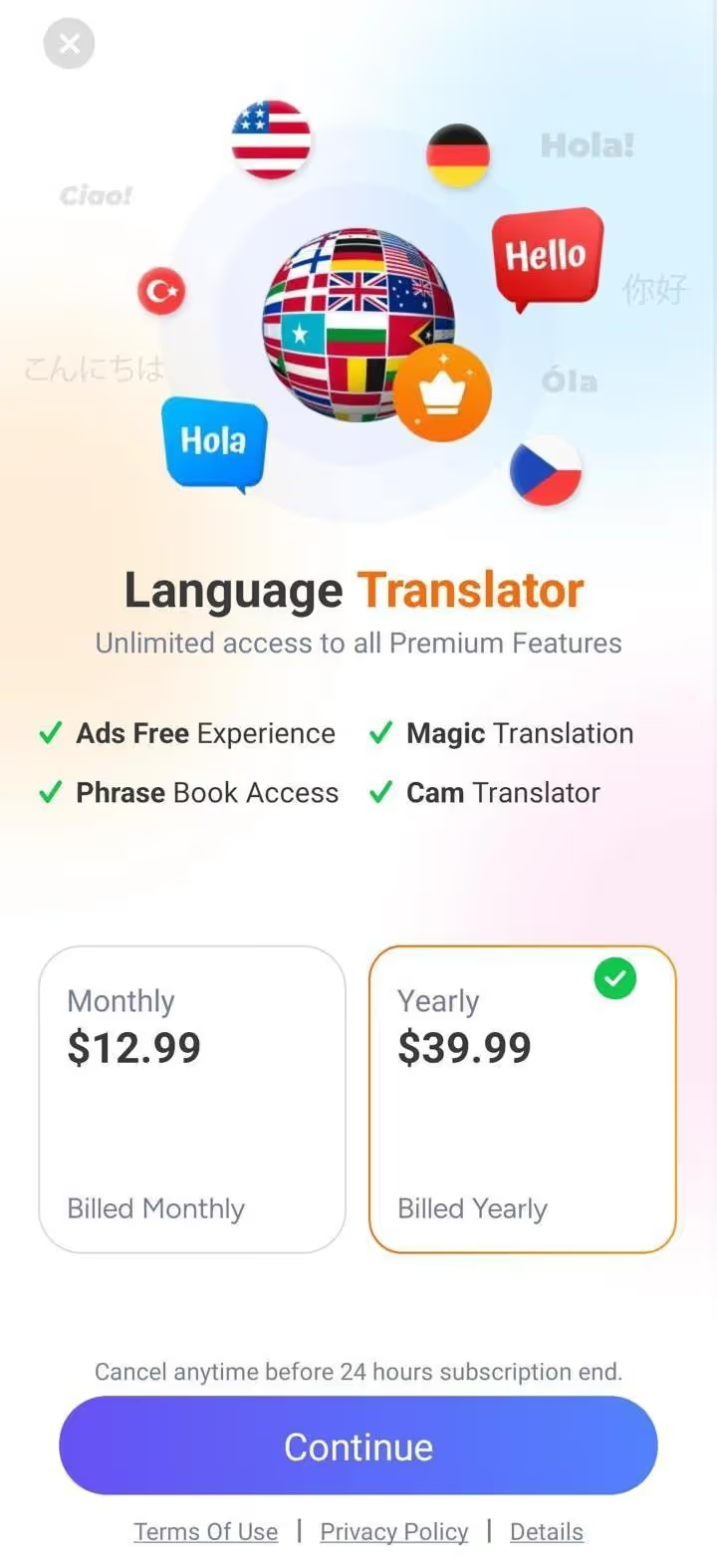
Translate - Language Translator offers a free version with voice and text translation, but it displays frequent video ads. Translate - Language Translator’s Premium subscription offers an ad-free experience, camera translation, and more.
- Monthly: $12.99/month
- Yearly: $39.99/year
How to Choose the Best Real-Time Translation App for Talking to Foreigners?
Choosing the best real-time translation app for talking to foreigners comes down to your needs and expectations during live translation, and your budget. Below is a quick breakdown:
- When you’re having detailed discussions or participating in multilingual group conversations and need a real-time translator app that won’t break your flow, JotMe mobile app is a solid choice.
- If you’re having quick tourist interactions like ordering food or asking for directions, Live Translator: AI translate and Instant Voice Translate are ideal.
- If you’re traveling in a remote area and need offline translation by downloading language packs, Talk & Translate AI Translator might be right for you.
JotMe mobile app outperforms the other live translation apps for talking to foreigners with multiple features, including continuous translation that keeps everything in one thread even with pauses, contextual understanding that gets idioms right instead of translating word-for-word, multilingual support for up to 10 languages at once, Generate Speech to type and play messages out loud, and more.
Try the JotMe mobile app today and experience seamless conversations without language barriers or pauses.
FAQs for the Best App for Talking to Foreigners
Is there an app that can translate someone talking in real time?
Yes, there are several apps that can translate someone talking in real time, including JotMe, Live Translator: AI translate, Instant Voice Translate, Talk & Translate AI Translator, and Translate - Language Translator. Among these AI interpreter apps, JotMe mobile app offers a natural conversation experience with continuous translation that doesn’t reset while pausing, contextual understanding, multilingual support, and more.
How to translate a foreign conversation?
To translate a foreign conversation in real time, download a live translation app like JotMe on your mobile. Next, set your Spoken Language and Translation language, and begin speaking to get the real-time translation of a foreign in-person conversation in your selected language.
What is the best language translator for Android?
The best language translators for Android include JotMe mobile app, Live Translator: AI translate, Instant Voice Translate, Talk & Translate AI Translator, and Translate - Language Translator. JotMe stands out as a better language translator for Android in terms of idiomatic understanding, continuous real-time translation in 45 languages, multilingual support of up to 10 languages at once, an ad-free version, and more.
Is Instant Voice Translate free?
Yes, Instant Voice Translate is free, and it also comes with paid plans, starting at $3.99/month. But Instant Voice Translate’s free version displays ads and creates a new chat when you take a pause while speaking. If you want an ad-free live translation app that keeps the conversation running in a single flow, you should try the JotMe mobile app. JotMe doesn’t stop the real-time translation when you pause, but just waits for you to speak and continue the translation from where it left off.
Is there an AI that can do simultaneous translation?
Yes, JotMe is an AI live translation app that can do simultaneous translation of up to 10 different spoken languages in your preferred language. JotMe provides multilingual support in English, Japanese, Spanish, French, German, Hindi, Russian, Portuguese, Italian, and Dutch.
Last updated on
April 14, 2026
Follow us on social media: