Guides
4 Best AI Interpreter Apps for In-Person Business Meetings

Viraj Mahajan
February 4, 2026

Awkward pauses and misunderstandings are typical with traditional translation apps in in-person cross-border meetings, client negotiations, or factory visits. So, selecting an AI interpreter app isn’t about features, but how it performs in real time.
With that in mind, we did a Google Search and shortlisted AI interpreters such as JotMe, Instant Voice Translate, Microsoft Translator, and Hi Translate - Chat translator. These live translation apps looked promising, so we tested them across several real-time scenarios.
Instant Voice Translate lets you translate even without an internet connection, but it lacks advanced features such as continuous translation. Meanwhile, Microsoft Translator provides free translations, but struggles to translate technical conversations.
Out of 10 apps we tested, the JotMe mobile app did well with its instant, contextually accurate translations that capture the tone, flow, and core meaning of conversations. JotMe also offers a continuous translation feature that ensures interruption-free translations during multilingual business meetings.
Here’s what each AI interpreter apps have to offer:
- JotMe mobile app provides accurate translations in 45+ languages. JotMe’s translations are continuous, so your translations don’t restart when you pause, and it helps maintain the conversation flow.
- Instant Voice Translate provides real-time translations and works without an internet connection. However, as per a user on Google Play Store, “the voice function of Instant Voice Translate sometimes doesn’t work.”
- Microsoft Translator provides free translations in 60+ languages, but its translations sometimes sound robotic.
- Hi Translate - Chat translator supports live translations in 130+ languages, but a user on the Google Play Store says, “The translations are inconsistent.”
In this article, we’ll walk you through the best AI interpreter apps for your in-person business meetings, including what each offers, so you can make an informed decision.
Quick Answer: Best AI Interpreter Apps for In-Person Conversations and Meetings
We have used AI interpreter apps in various real-world scenarios, such as casual conversations with multilingual colleagues, lengthy business meetings, and at airports and in hotel lobbies with high background noise. Based on that, these are the best AI interpreter apps suited for different scenarios:
- Best overall for live conversations: The JotMe mobile app is ideal for live conversations, as it uses advanced speech recognition technology to understand tone, flow, and emotions and provide contextually accurate translations.
- Best free, easy option: Microsoft Translator is a free-to-use voice-to-text translator, but its translations sometimes sound robotic. JotMe offers a free plan and has a simple, easy-to-use interface.
- Best for professional/business meetings: The JotMe mobile app is ideal for business meetings, as it accurately translates business-related terms and cultural nuances without requiring a custom glossary.
- Best for group conversations: The JotMe mobile app is well-suited for group conversations, especially when participants speak different languages. JotMe’s multilingual translation feature can translate up to 10 languages into your preferred language.
- Best lightweight for quick one-on-one chats: JotMe and Hi Translate - Chat translator takes around a few seconds to load, set up, and show real-time translations of conversations.
What are the Common Problems Professionals Face with AI Interpreter Apps?
Literal translations, inability to perform in noisy or multi-speaker environments, overly complex interfaces, and privacy concerns are common problems people face when using AI interpreter apps in in-person business meetings. These are detailed as follows:
- Literal Translations: In business meetings, professionals tend to use idiomatic expressions such as “let’s get the ball rolling,” “let’s kick off the project,” and similar. Traditional AI interpreters translate word for word, leading to misunderstandings and confusion.
- Misses Business Terminologies: Most traditional AI interpreter apps can’t recognize business-related terms such as dashboard, deliverables, KPI (Key Performance Indicators), follow-up, and similar ones. This results in incorrect translations and confuses meeting participants.
- Translation Delays: Many interpreter apps, such as SayHi and iTranslate, can take some time to provide translations. You might keep looking at the mobile screen while your colleagues wait for your input, which makes you appear disengaged and unprepared.
- Poor Performance in Noisy Environments: When testing the best AI interpreter apps, we’ve found many apps, such as Google Translate and Hi Translate, struggle to perform well in noisy environments. Some miss parts of the conversation, while others mishear what you say. That’s not suitable for business meetings or in-person conversations.
- Privacy Concerns: Privacy is also a major concern with using traditional translators in sensitive business meetings. Professionals don’t want a translation app that shares user data with third-party apps, lacks proper encryption, and contains malware, posing a risk of data loss. With so much sensitive information shared in business meetings, you cannot afford such a risk.
Quick Comparison of AI Interpreter Apps
Given the issues with traditional AI interpreter apps, it’s crucial to choose a reliable live translation app that preserves the tone, flow, and original meaning in translations, captures business-related terms, and performs well in noisy environments.
Upon testing, we sorted the four best live translation apps. Before we dig deep into the reviews, here’s a tabular comparison of the best real-time AI interpreters, so you have an idea of what each offers:
What are the Best AI Interpreter Apps for In-Person Conversations and Meetings?
JotMe, Instant Voice Translate, Microsoft Translator, and Hi Translate - Chat translator are the best AI interpreter apps for in-person conversations and meetings. Below, you’ll learn what each live translation app offers, alongside the individual use case, so you can make an informed choice.
JotMe
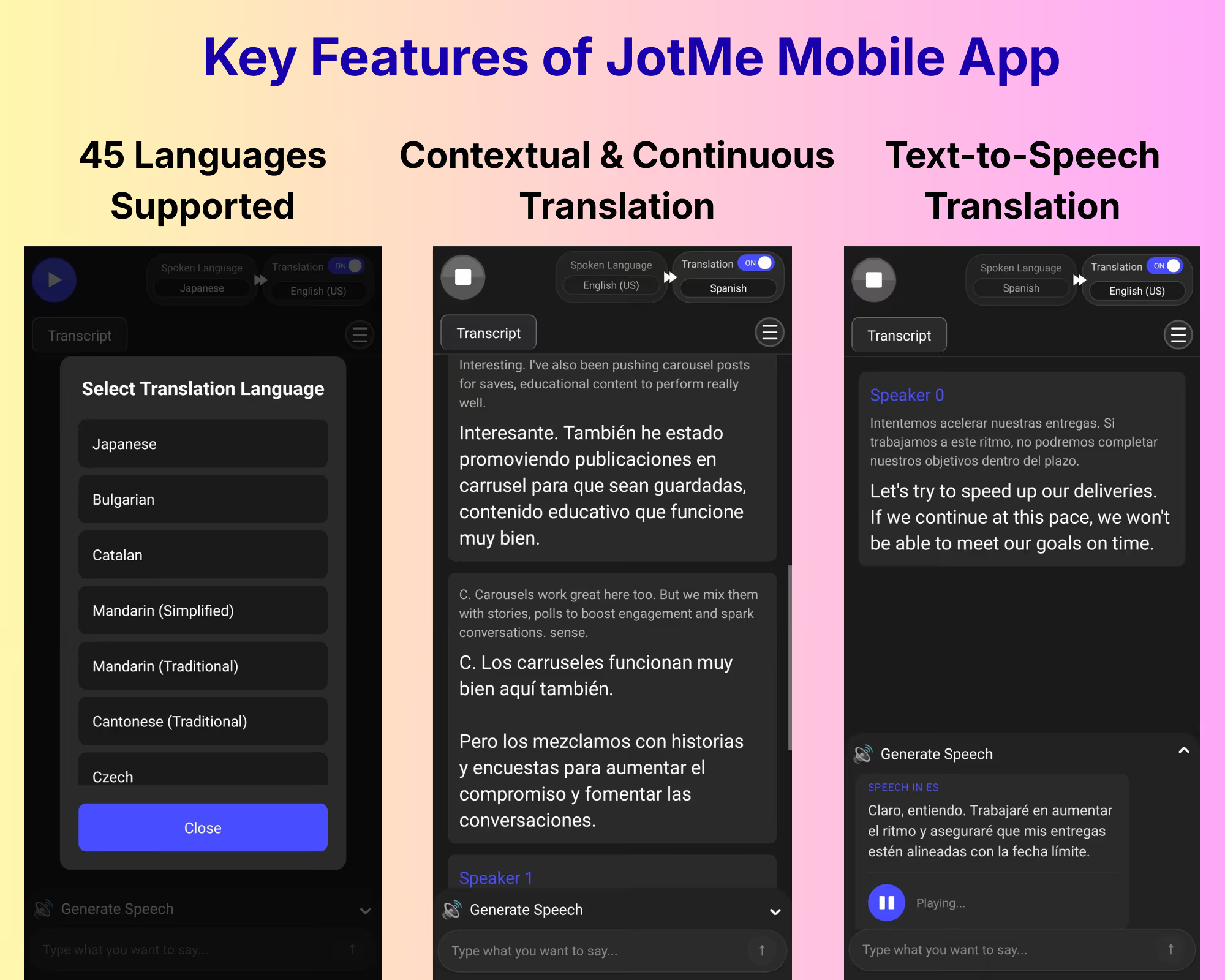
If you’re a business professional who travels internationally for client meetings, product demonstrations, or factory visits, the JotMe app is one of the best voice to text Android apps for live translation. JotMe consistently delivers smooth, instant translations in 45+ languages through its Android and iOS mobile apps.
Not only speed, but JotMe also provides contextually accurate translations. The live translation app uses a contextual translation engine to understand the tone, context, and flow, and preserves the core meaning in translations.
The JotMe mobile app also captures business-related terms to make real-time conversations feel more natural. The following are the key highlights when we tested JotMe in our meetings with Japanese-speaking colleagues:
- JotMe mobile app provided accurate Japanese to English live translations during our in-person meetings and product demonstrations. The live translation app accurately translated technical terms such as sprint, deliverables, and roadmap, as well as idiomatic expressions like “launch blast,” “let’s play it by ear,” and similar ones.
- The continuous translation feature in the JotMe mobile app doesn’t restart the translations even if you pause during a business meeting. Unlike traditional apps, JotMe doesn’t treat the pause as the end of the conversation and maintains the translation flow.
- JotMe's mobile app provides instant translations as you select languages and start speaking. This way, there aren’t any awkward pauses, even during fast-paced meetings.
- Additional JotMe mobile app features include text-to-speech to assist in communicating better with your Japanese or other language speakers.
Today, meetings are more virtual than in-person. If you need to communicate with international teams over voice or video calls, JotMe has a desktop app.
JotMe’s desktop app offers real-time contextual translation, provides instant answers to your queries, and generates a real-time summary to streamline your meeting and post-meeting workflows.
Who Should Use JotMe?
The JotMe mobile app’s contextually accurate translations and text to speech feature is suitable for professionals who attend international business meetings, manufacturing site visits, overseas training, conferences, and technical reviews.
Instant Voice Translate
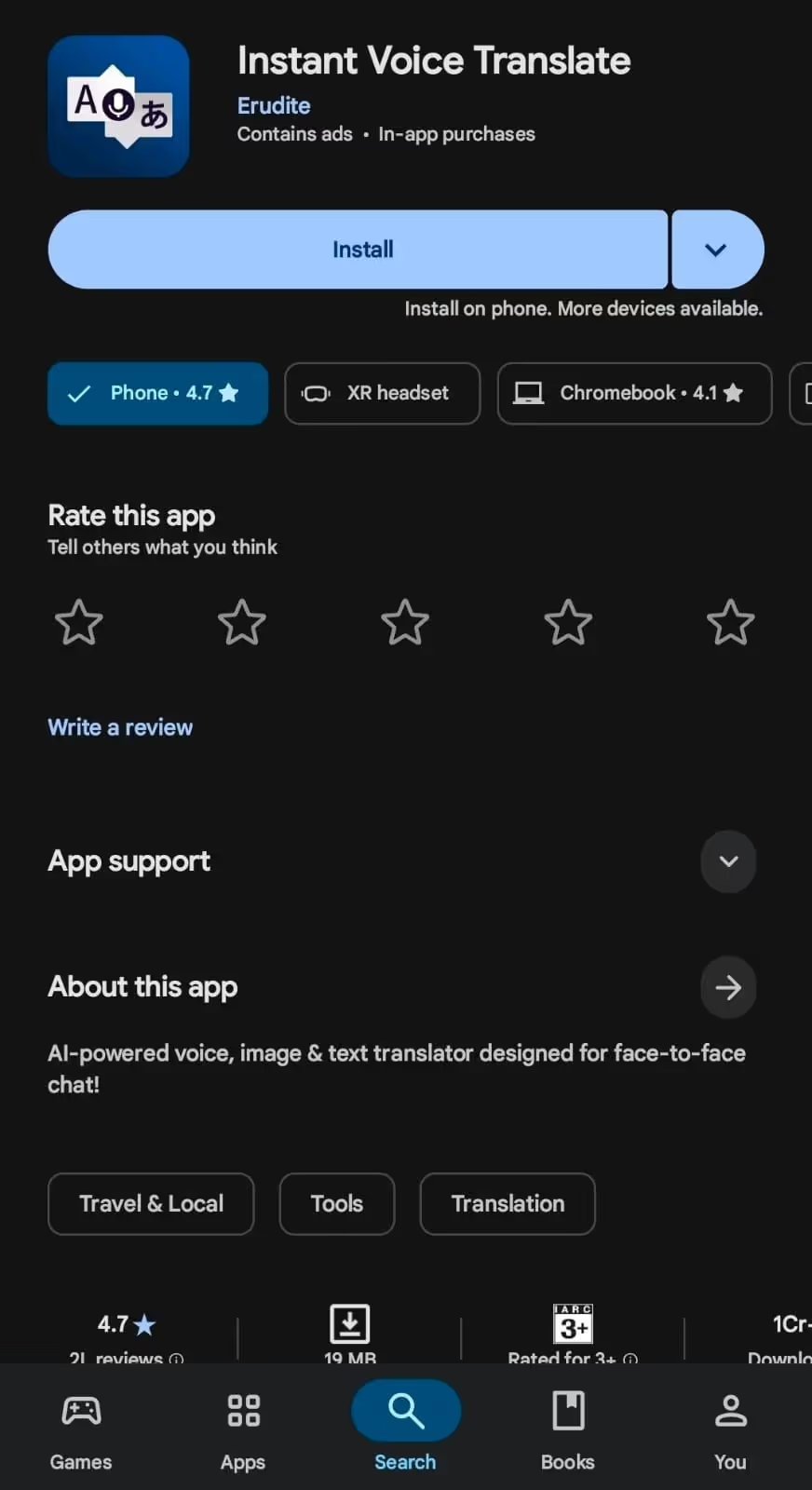
If you want a lightweight real-time mobile AI interpreter app to translate your in-person conversations and business meetings, Instant Voice Translate can be a decent option.
The Instant Voice Translate interface is simple and supports translations in 70+ languages. Set up the spoken and translation languages, tap the mic icon to speak, and the translations appear as you speak.
What we liked the most about Instant Voice Translate is its offline functionality. This means, even if you’re on an airplane or some place where there’s no access to the internet, your multilingual communication isn’t interrupted.
However, during testing, we found that Instant Voice Translate lacks a continuous translation feature. When you stop speaking, the live translation app marks the end of the speech and starts fresh when you speak again. This potentially ruins the flow of conversation.
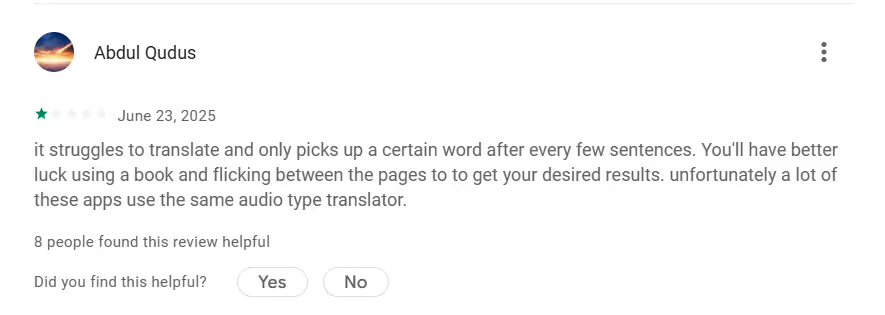
Moreover, a user on the Google Play Store reports that Instant Voice Translate may struggle to capture words. This is unsuitable, especially for high-end business meetings.
Who Should Use Instant Voice Translate?
Instant Voice Translate’s offline functionality is suitable for professionals who regularly meet clients, partners, or vendors from different languages, helping keep conversations natural and uninterrupted.
Microsoft Translator
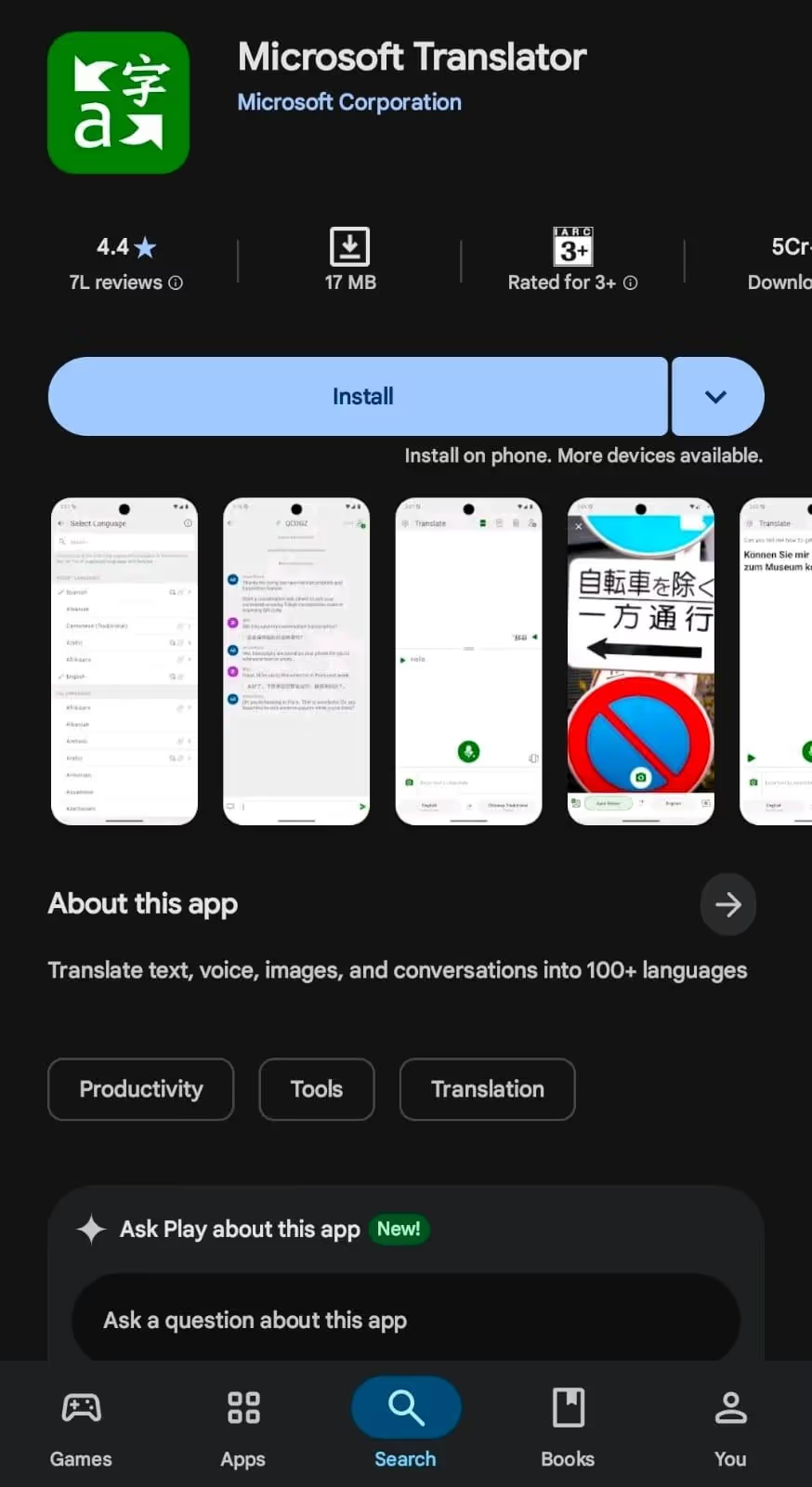
Microsoft Translator has been a go-to free AI interpreter app for people who need to quickly translate in-person conversations. The translation app offers a basic bilingual interface, supports 60+ languages, and doesn’t require you to log in.
However, during our half-yearly meetings with our Japanese-speaking colleagues, we found that Microsoft Translator struggles with idiomatic expressions and business-related terms.
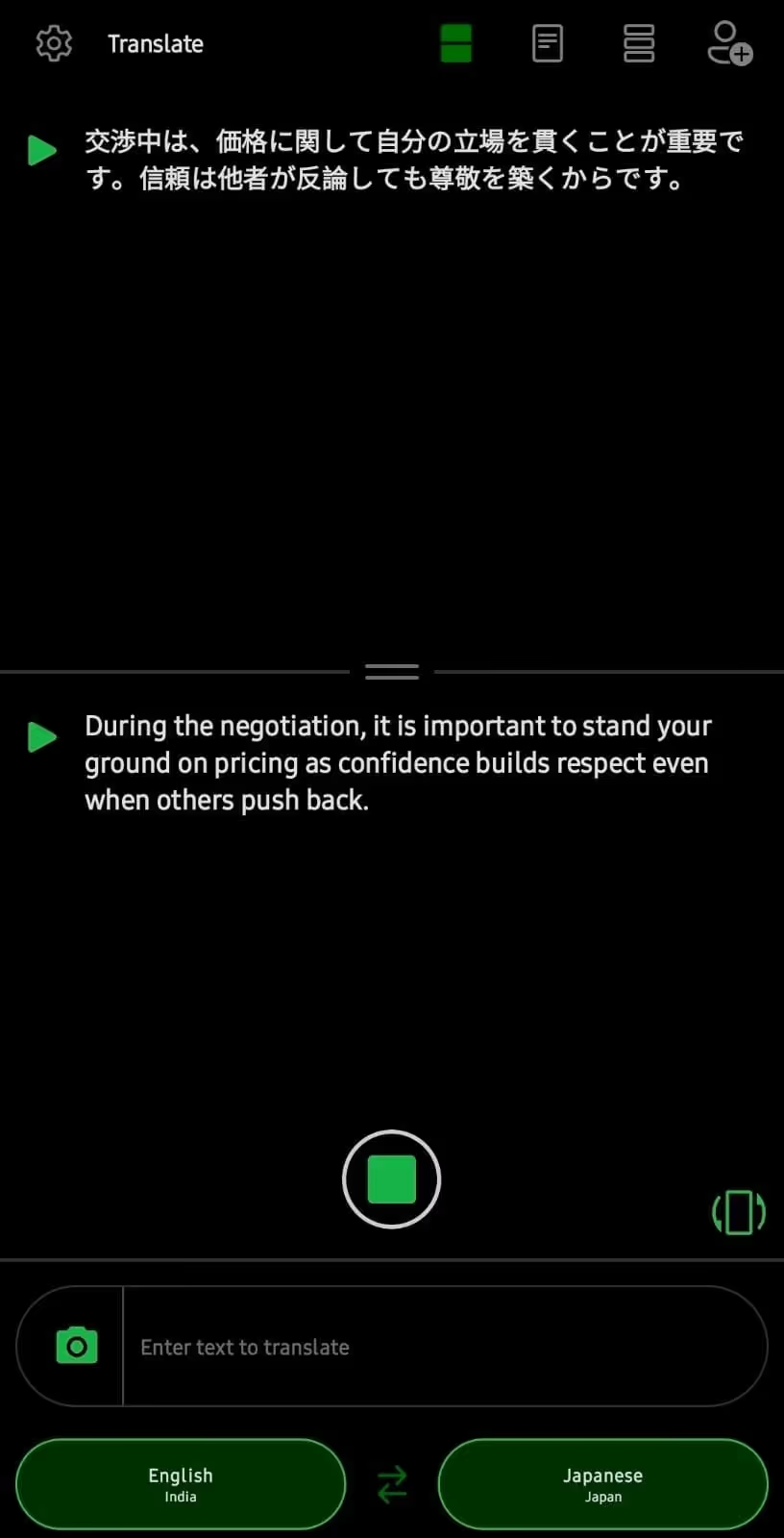
So, when someone says, “During the negotiation, it’s important to stand your ground on pricing, as confidence builds respect, even when others push back,” Microsoft Translator translates it as:
The translations are literal and lose the psychological and leadership tone of the original sentences. That’s not the case with the JotMe mobile app, which understands the tone, flow, and emotions involved to produce contextually accurate translations.
Who Should Choose Microsoft Translator?
Microsoft Translator lets you translate even without a login, which makes it suitable for business professionals who need a quick translation of their everyday conversations.
Hi Translate - Chat translator
Hi Translate - Chat translator is another easy-to-use, free AI interpreter app you can use in your business meetings. During testing, we were impressed by the live translation app's features.
To start, Hi Translate - Chat translator supports 130+ languages, includes an offline mode, and offers an advanced voice mode for voice-to-voice output. This is especially suitable for factory floors, boardrooms, or sites with poor connectivity, where fast translations are essential.
Hi Translate - Chat translator also has a high-accuracy recognition, which claims to improve translation accuracy by 20%. However, you must pay a subscription fee to access the feature. Not only that, translations from Hi Translate - Chat translator struggle with heavy technical jargon.
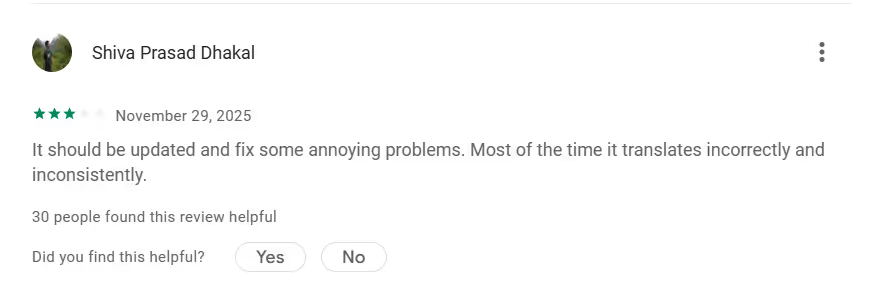
A user on Google Play Store mentions that Hi Translate- Chat translator needs an update, as most of the time its translations are inconsistent.
Who Should Choose Hi Translate - Chat translator?
Hi Translate - Chat translator’s quick and contextual translations are ideal for business professionals who need quick, casual, real-time translation during everyday meetings and chats.
Why Business Professionals Often Choose JotMe Over Traditional AI Interpreters
JotMe mobile app, with features such as real-time, contextual, continuous translation and text to speech, makes it an ideal choice for in-person business meetings. Here’s a detailed description of what JotMe offers:
JotMe’s Real-Time Contextual Translations
One of our Japanese-speaking colleagues complained that traditional word-for-word translation can distort meaning, and was impressed by the JotMe mobile app’s translations.
Thanks to JotMe’s advanced speech recognition technology, the translations were accurate, contextual, and didn’t compromise the tone, flow, or emotion of the conversation. JotMe even handled idiomatic expressions and domain-specific terms to ensure accurate translations.
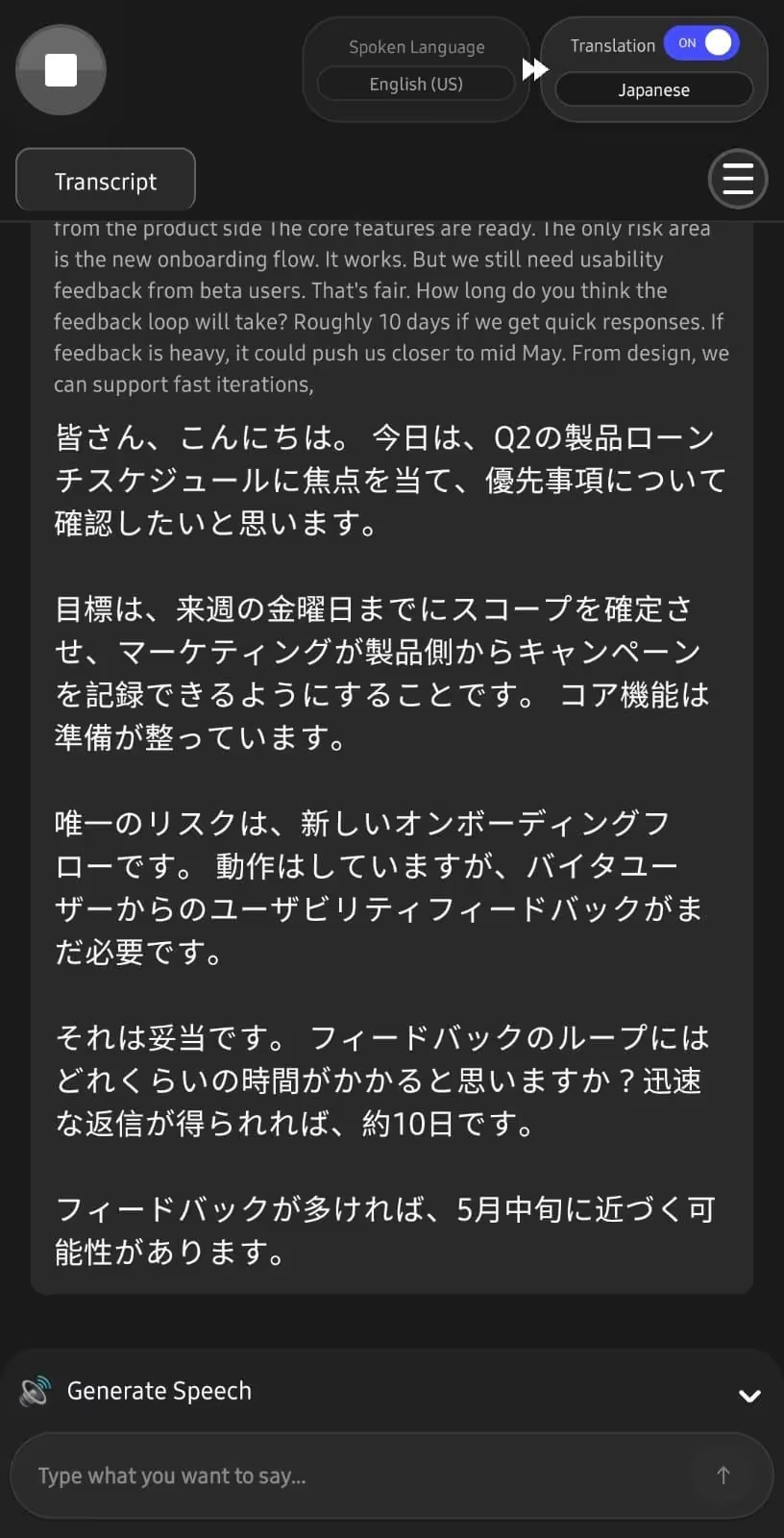
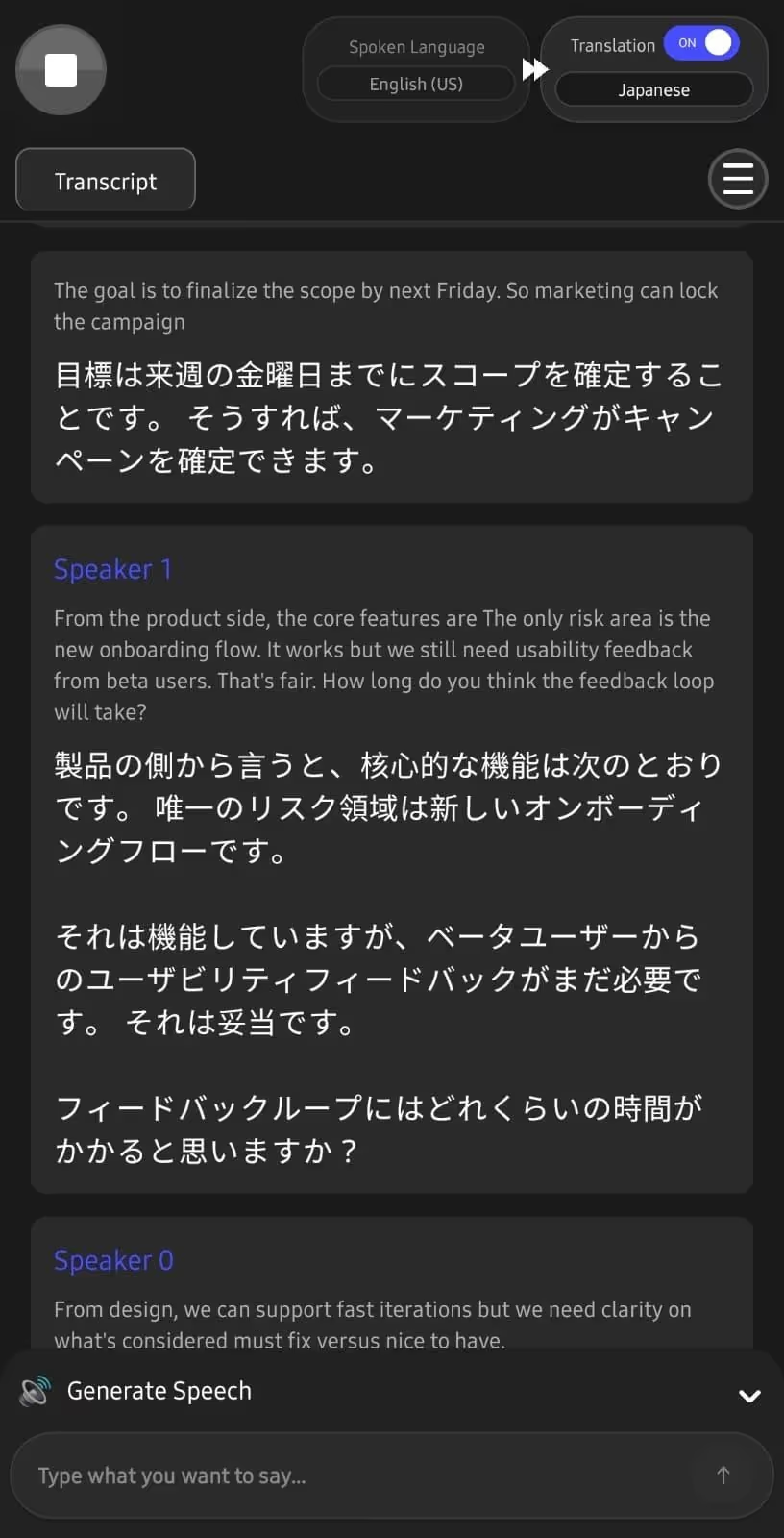
So, when determining the plan of action for next year, someone said, “From the product side, the core features are ready. The only risk area is the new onboarding flow.”
JotMe understood the tone, flow, and context to provide translations as:
On the other hand, the traditional translator’s translation was:
JotMe understands the meaning, tone, and flow, and provides contextually accurate translations that actually make sense.
JotMe’s Continuous Translations
Unlike popular free interpreter apps such as Microsoft Translator and Hi Translate - Chat translator, JotMe offers continuous translation. That is, when you pause, the JotMe mobile app doesn’t treat it as the end, so you can resume from the last conversation.
This not only maintains the conversation flow but also allows you to skim through it to find key points.
JotMe’s Generate Text to Speech
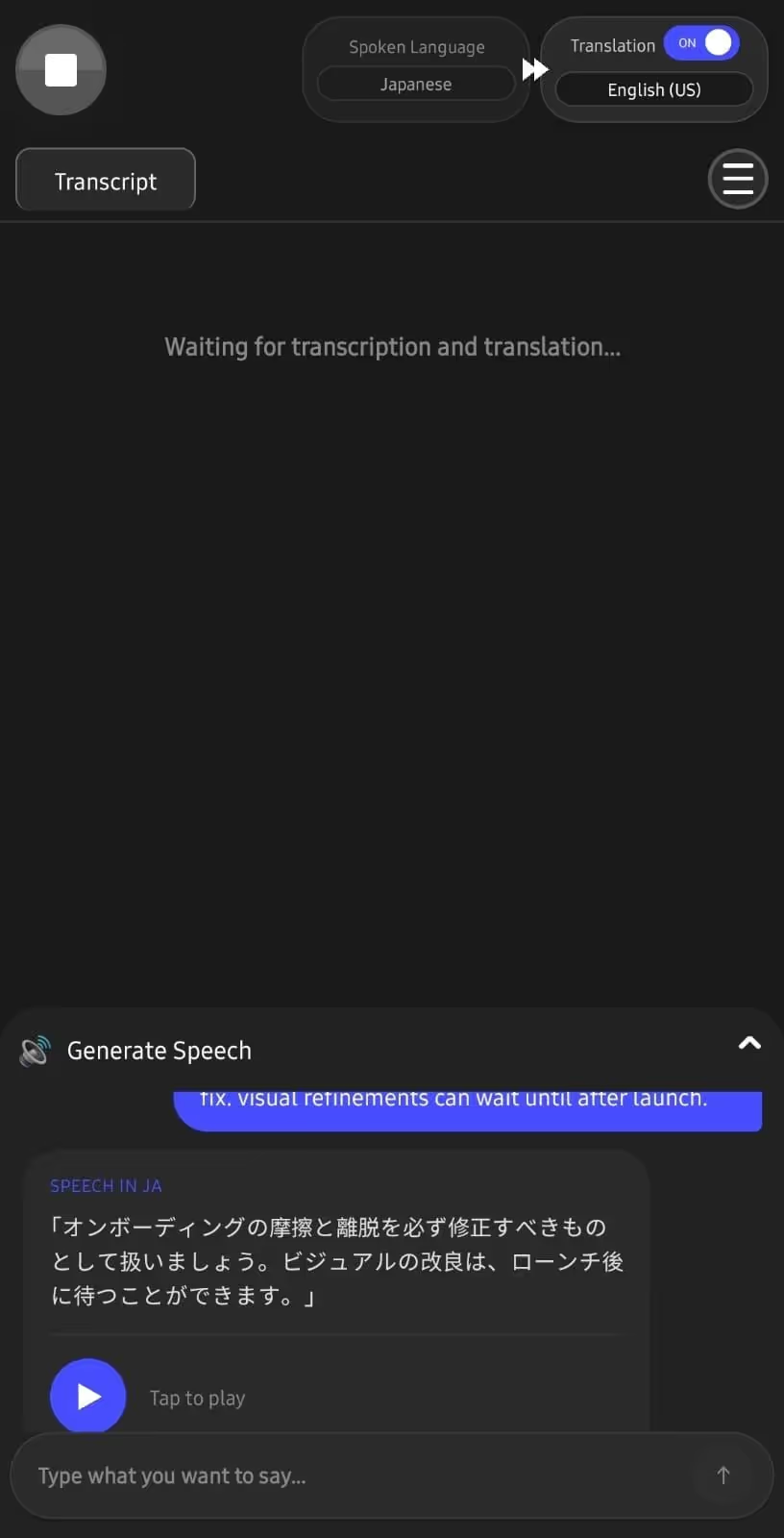
We used the JotMe mobile app to communicate with Japanese-speaking colleagues in their language. We could simply type the message in English, and JotMe would generate a text translation along with a speech that we could play.
This way, the listener received our message well and could respond accordingly.
JotMe Lets You Control Translation Accuracy
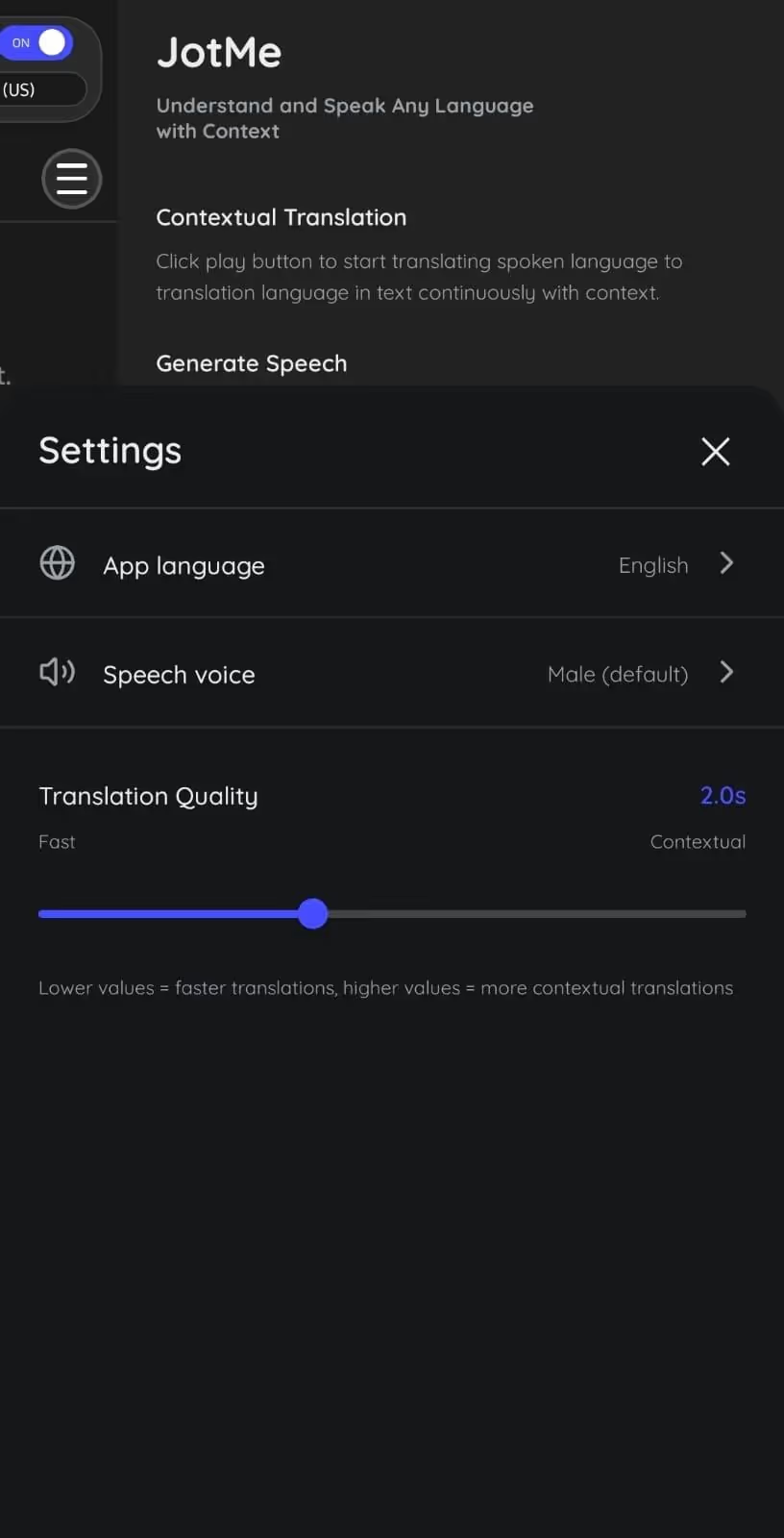
JotMe mobile app lets you choose the level of accuracy required during live meetings. You can switch between “Fast” and “Contextual” depending on your translation needs. For example, switch to “Contextual” for highly sensitive business meetings and to “Fast” for casual conversations.
Drag the slider to the extreme left to obtain instant translations, and to the extreme right to obtain contextually-accurate translations. Or, if you don’t want to go through the hassle, the JotMe mobile app has a smart AI adjustment feature that detects the conversation type and provides translations accordingly.
Conclusion: What is the Best AI Interpreter App?
Choosing the best AI interpreter app for in-person conversations and business meetings depends on your priorities. That is, whether you need the live translation app for casual in-person conversations or high-end sensitive meetings. Based on the test, here’s our opinion about the AI interpreters:
- JotMe mobile app is one of the best AI interpreter apps for preserving meaning, tone, and business-related terms in conversations. JotMe’s continuous translation and speech generation feature improves the communication experience.
- Use Instant Voice Translate if you need translation in places with an unstable network connection. There’s no continuous translation feature, but the translations are generally accurate.
- If you want a free AI interpreter app for in-person business meetings, Microsoft Translator is a good choice, but its translations can sound robotic.
If you need a reliable AI interpreter for your in-person business meetings, the JotMe mobile app is a great option, offering live contextual translations in 45+ languages. The reason is JotMe’s all-around performance in accuracy, convenience, and the features it offers.
Try the JotMe mobile app today and see how it streamlines your everyday and business-related conversations.
FAQs for Best AI Interpreter Apps
Are AI interpreter apps accurate for business meetings?
Yes, AI interpreter apps like JotMe are accurate for business meetings where conversations involve business-related terms and idiomatic expressions. JotMe’s contextual translation engine captures the tone, flow, and context to preserve the core meaning in translations.
Is there a free AI interpreter for real-time conversations?
Yes, AI interpreters like Microsoft Translator offer free translations for real-time conversations. Although translations are instant and accurate enough for casual conversations, Microsoft Translator may struggle with technical business conversations. On the other hand, AI interpreters like JotMe capture industry-specific jargon without requiring a custom glossary.
Do AI interpreter apps work offline?
Yes, AI interpreter apps like Instant Voice Translate work offline, making them usable in airplanes and other remote locations. Although convenient, Instant Voice Translate lacks a continuous translation feature, so when you pause, the translator treats it as a new conversation. This potentially interrupts the overall conversational flow.
Which AI interpreter app is best for international business travel?
JotMe is one of the best travel translation apps, thanks to its contextual and continuous translation, text to speech, and adjustable translation accuracy features. So, whether you’re just going for a trip or a business meeting, the JotMe mobile app can be your reliable companion.
Is Microsoft Translator good for professional meetings?
No, Microsoft Translator is known for its free translations and can handle casual conversations well. However, the live translation app may struggle with conversations that involve idiomatic expressions and technical jargon, and the translation may sound robotic.
Can JotMe translate technical terms?
Yes, JotMe uses advanced speech recognition technology to understand and translate technical terms such as “sprint,” “deliverables,” “execution,” and similar terms. The best part is, the JotMe mobile app doesn’t require you to create a custom glossary.
Last updated on
April 14, 2026
Follow us on social media: