Desktop-App für alle Calls auf Ihrem Computer

Mehrsprachige Transkription, Live-Sprachübersetzung, Notizfunktion, KI-Suche, Echtzeit-Zusammenfassung, benutzerdefiniertes Vokabular, KI-Besprechungsprotokolle, Audio-Aufzeichnungen und mehr.

Mobile App für Gespräche vor Ort

Live-Sprachübersetzung und KI-Sprachgenerierung für iPhone und Android.

Chrome-Erweiterung für Google Meet

Echtzeit-Transkription, Live-Sprachübersetzung, Notizfunktion, KI-Besprechungsprotokolle.
Zu Chrome hinzufügen
Sofortiger Test verfügbar

So installieren Sie JotMe auf einem Mac

Your JotMe for Mac download is on its way. Follow the three quick steps below to finish setup and start using AI live translation, transcription, and meeting notes across every call on your computer.

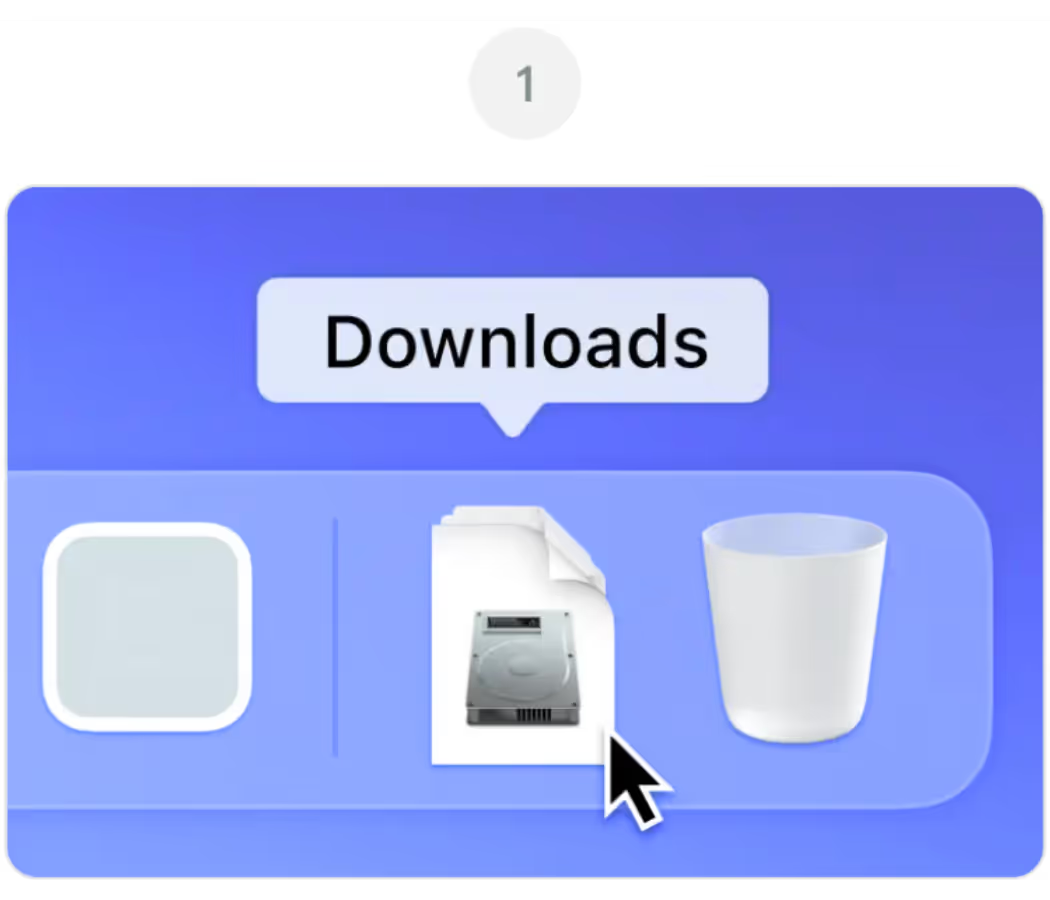
Offen JotMe.dmg von deinem herunterladbare Mappe

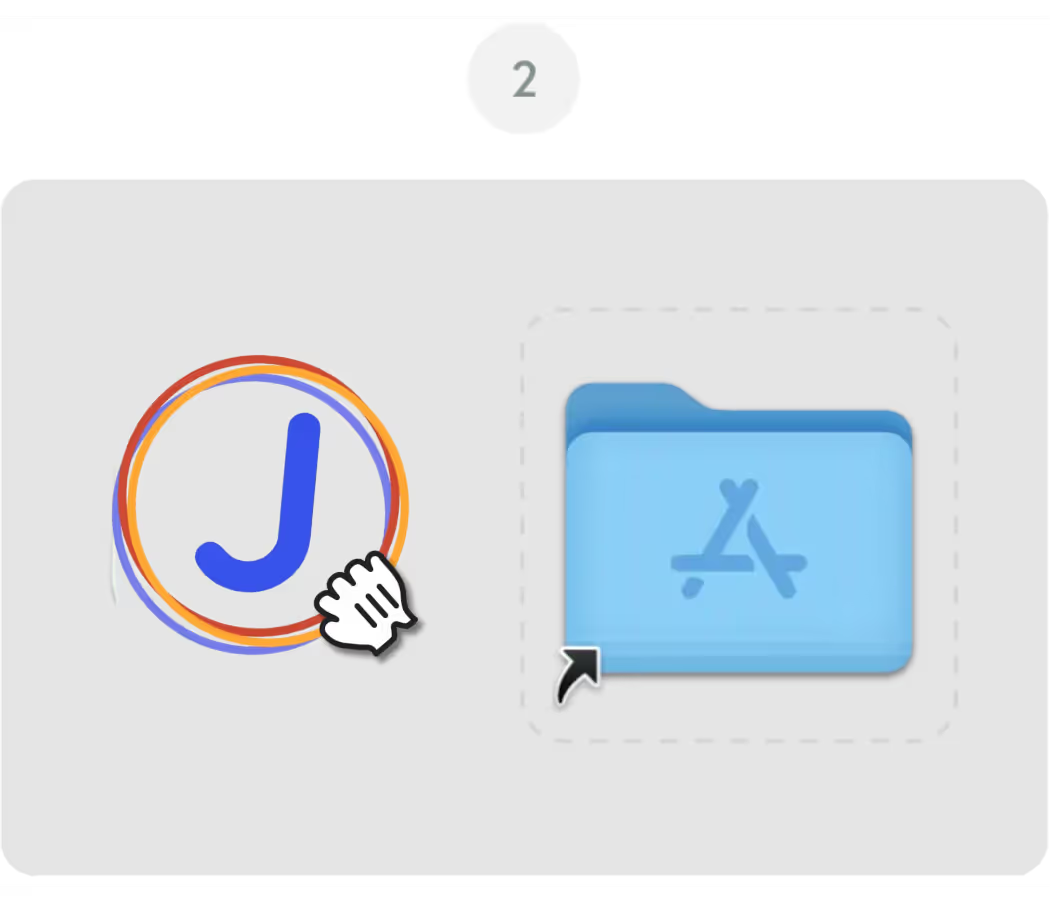
Ziehen Sie die JotMe-Symbol in dein Anwendungen Mappe

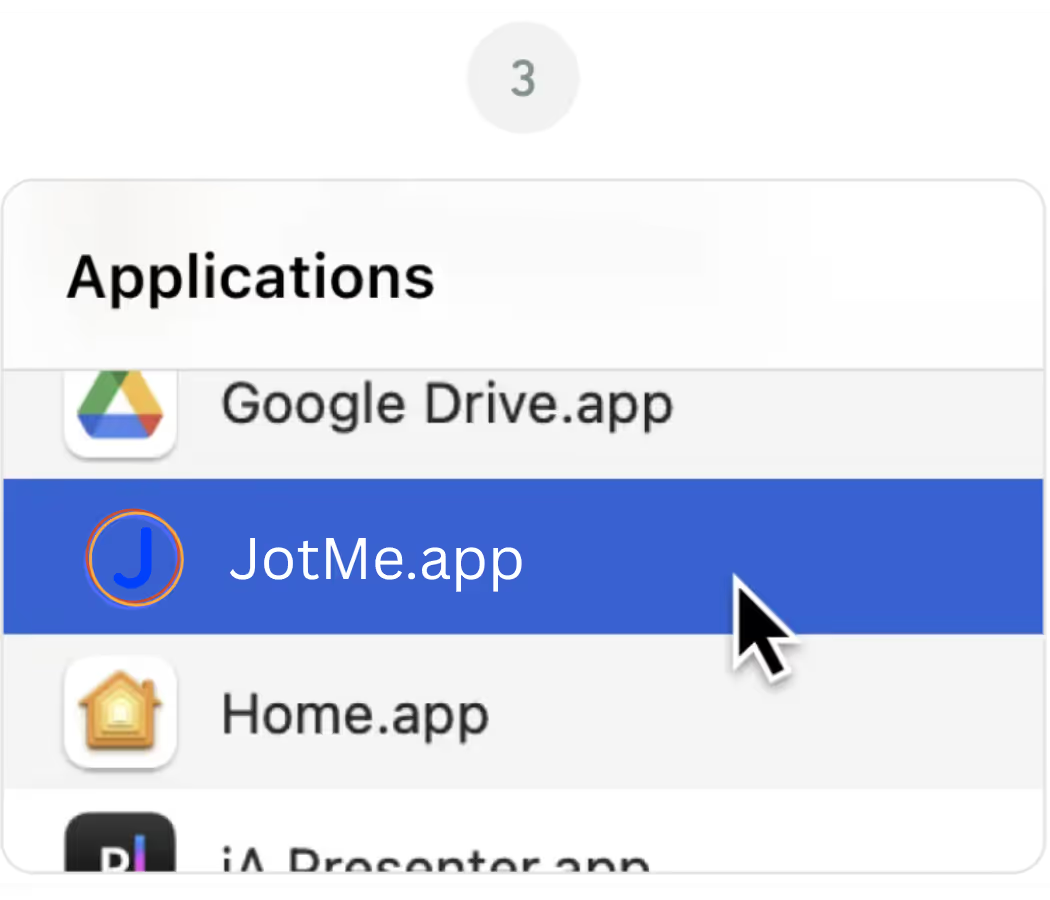
Öffne das JotMe-App von deinem Anwendungen Mappe

Desktop-App für alle Calls auf Ihrem Computer

Mehrsprachige Transkription, Live-Sprachübersetzung, Notizfunktion, KI-Suche, Echtzeit-Zusammenfassung, benutzerdefiniertes Vokabular, KI-Besprechungsprotokolle, Audio-Aufzeichnungen und mehr.

Mobile App für Gespräche vor Ort

Live-Sprachübersetzung und KI-Sprachgenerierung für iPhone und Android.

Chrome-Erweiterung für Google Meet

Echtzeit-Transkription, Live-Sprachübersetzung, Notizfunktion, KI-Besprechungsprotokolle.
Zu Chrome hinzufügen
Sofortiger Test verfügbar
Erneut herunterladen

Frequently Asked
Questions

1. The download didn't start automatically. What do I do?

keyboard_arrow_down

If the latest version of the JotMe Mac file didn't download automatically, click the "Download Again" button on this page. Check your browser's download settings if the issue continues, and make sure pop-ups and downloads from jotme.io are allowed.

2. Which Mac version do I need for JotMe?

keyboard_arrow_down

The main JotMe download on this page is built for Apple Silicon Macs (M1, M2, M3, M4, and later). If you're on an older Intel-based Mac, use the Download for Intel Mac option instead for the best performance.

3. macOS is blocking JotMe from opening. How do I fix it?

keyboard_arrow_down

If macOS shows a message about an unidentified developer, go to System Settings, then Privacy & Security, and click "Open Anyway" next to the JotMe entry. This is a standard macOS security prompt and only happens on the first launch.

4. Do I need to grant any permissions after installing JotMe?

keyboard_arrow_down

Yes. On first launch, JotMe will ask for microphone and screen recording permissions so it can capture meeting audio and provide live translation, transcription, and AI meeting notes. You can manage these anytime under System Settings, Privacy & Security.

5. Can I use JotMe on Mac and Chrome at the same time?

keyboard_arrow_down

Yes. The JotMe Mac app and the JotMe Chrome extension share the same account and dashboard, so you can switch between the desktop app for Zoom and Teams and the Chrome extension for Google Meet without losing your transcripts or settings.