Guides
5 Best Phone Call Translator Apps for Live Voice Call Translation (2026)

Viraj Mahajan
July 1, 2026
Quick answer: JotMe is the best voice call translator for multilingual meetings on Zoom, Microsoft Teams, Google Meet, and Webex. Owaa AI is the better choice when you need to translate a live phone call over the regular telephone network because the other person doesn't need to install an app or join a meeting.
Imagine this: An ops lead in Houston has a Monday call booked with a factory representative in Shenzhen. The representative speaks fast Mandarin, the kind that drops connector words once he gets comfortable.
Halfway through the conversation, he says something that gets translated as "we'll try." The ops lead takes it as a confirmation that the order is on track. The supplier meant something much less certain. Nobody realizes the misunderstanding until the deadline slips.
That single mistranslated line is the reason a phone call translator exists in the first place: not to simply swap words, but to understand the core meaning beneath the conversation.
Here is the deal:
Most phone call translators translate only words; a few of them interpret.
I have tested a few voice call translation apps and listed them in this article with an honest review of each. Before diving into the details, take a quick overview of each tool.
Notice the pattern across the three main native platforms: Teams, Google Meet, and Zoom. Each advertises 40-70 languages for captions, then quietly drops to 5 to 9 languages the moment you ask for spoken voice call translation instead of text on the screen.
What is a Phone Call Translator, and How is Interpretation Different From Translation?
A phone call translator is software that listens to a live voice call and converts each person's voice into the other person's language as they speak. The good voice call translator interprets, not just translates, the words.
Translation only renders the words. Interpretation carries meaning, intent, and context.
A live translation app will stay strictly literal and convert the words as they are spoken: "We'll try our best." This is accurate linguistically, but it does not tell you what the speaker actually intends in the business context. In many Chinese supplier conversations, however, this phrase is often a polite, non-committal response rather than a firm agreement.
An interpreter, on the other hand, goes beyond the words and considers intent, tone, and cultural usage. In context, they might render it as "We'll do what we can, but we can not guarantee it," or even signal that it is "a polite way of saying no commitment yet."
The key difference is that phone call translation preserves language, while interpretation preserves meaning. Simply understand this:
Can a Phone Call Translator Actually Translate Mobile Phone Calls?
Not all phone call translators translate mobile phone calls, even though many call translator lists make it seem like they do.
In reality, there are two different types of tools:
Some only translate text chats or voice messages after they are sent, while others can handle real-time spoken phone conversations. The problem is that many "best apps" lists mix the two types, which can be misleading if you are expecting live translation.
Camp 1: PSTN Dialers: These call translators connect to the actual phone network. You dial a real mobile or landline number, the call rings through normally, and the other person needs no app at all. Owaa AI is one of the clearest examples.
Camp 2: Web and Meeting Call Apps: These call translators run inside a browser or inside a meeting platform like Zoom, Teams, or Google Meet. These real-time voice call translators don't dial cellular numbers. JotMe fits here perfectly.
JotMe translates live voice via web calling, with calls running in a browser or in a supported meeting app, not native cellular or carrier dialing. If you need to call a regular phone number and the other end has no apps installed, use a PSTN dialer.
If your calls already happen on Zoom, Teams, Google Meet, or Webex, JotMe is built for exactly that, and it adds something a dialer can not: a searchable transcript, structured notes, and a single interface across every platform instead of a different tool per app.
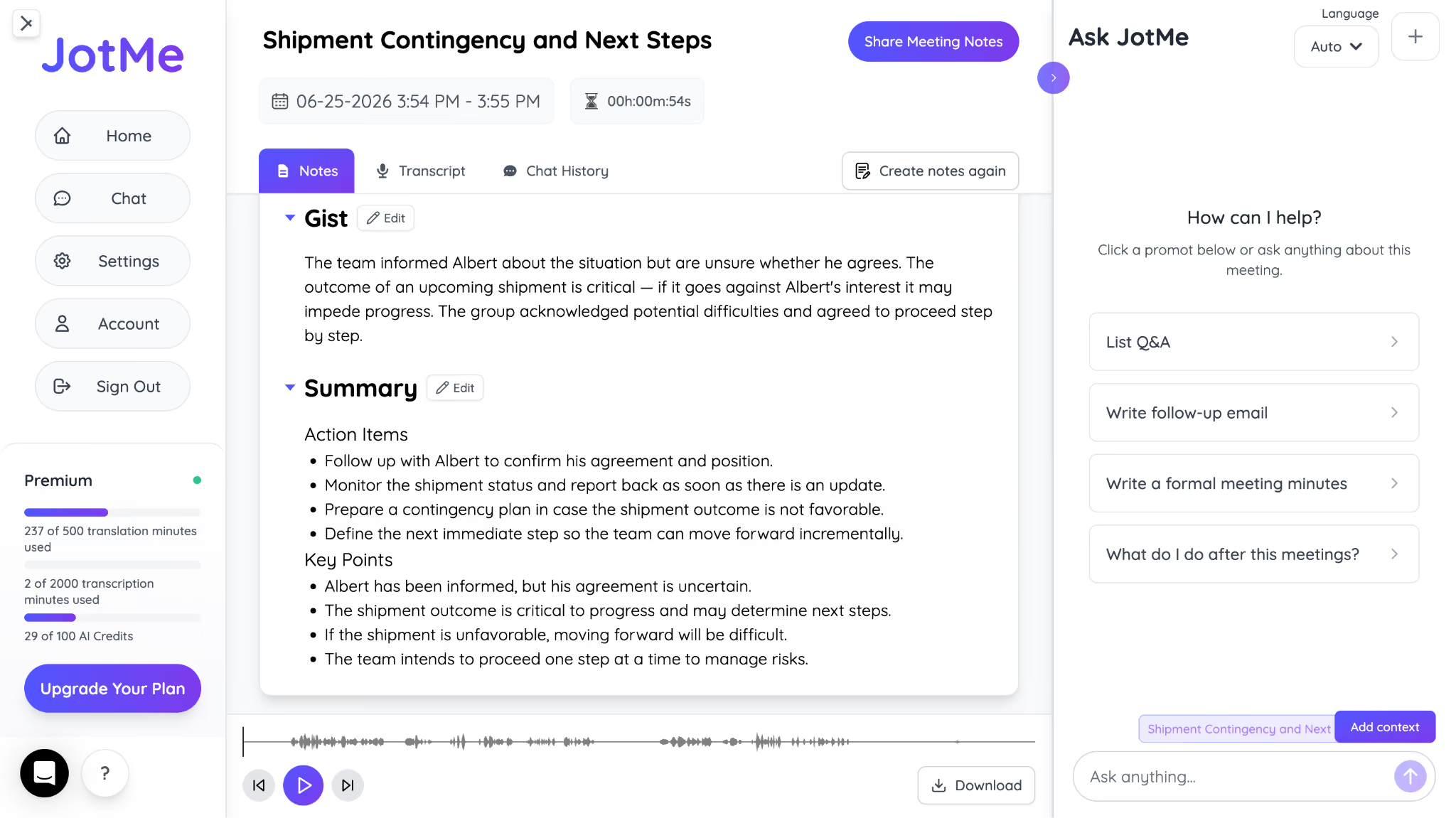
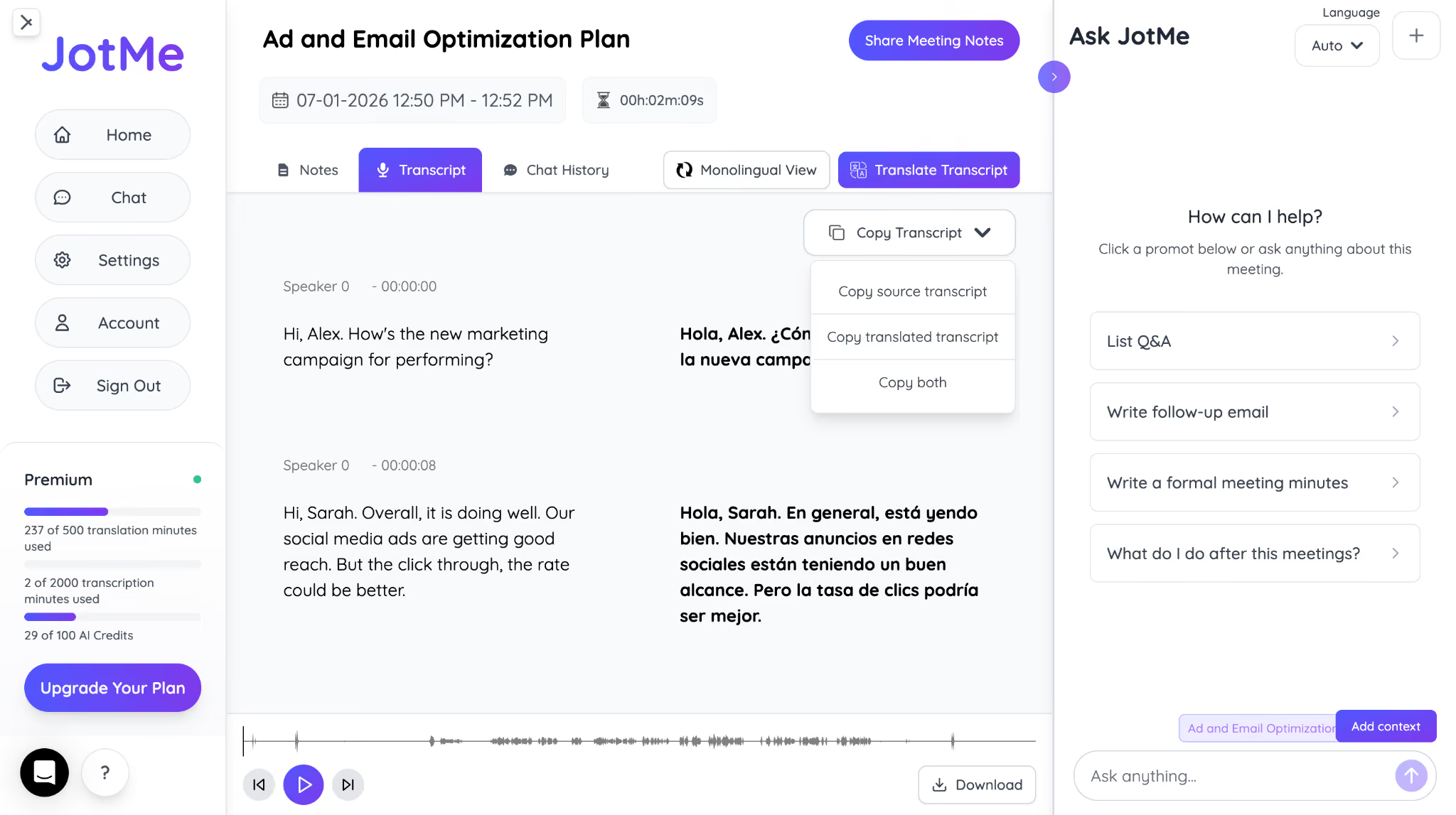
Here is what meeting notes look like on JotMe, with Gist, Summary, and Key Points:
How Do You Translate a Voice Call With JotMe (Web Calling)
You can translate a voice call with JotMe by running it as a web call in a browser tab or in a meeting platform such as Zoom, Google Meet, Microsoft Teams, or Webex. Here is how to translate a call in real time on your desktop:
Step 1: Open Zoom, Teams, Google Meet, or Webex as usual, and open JotMe's desktop app.
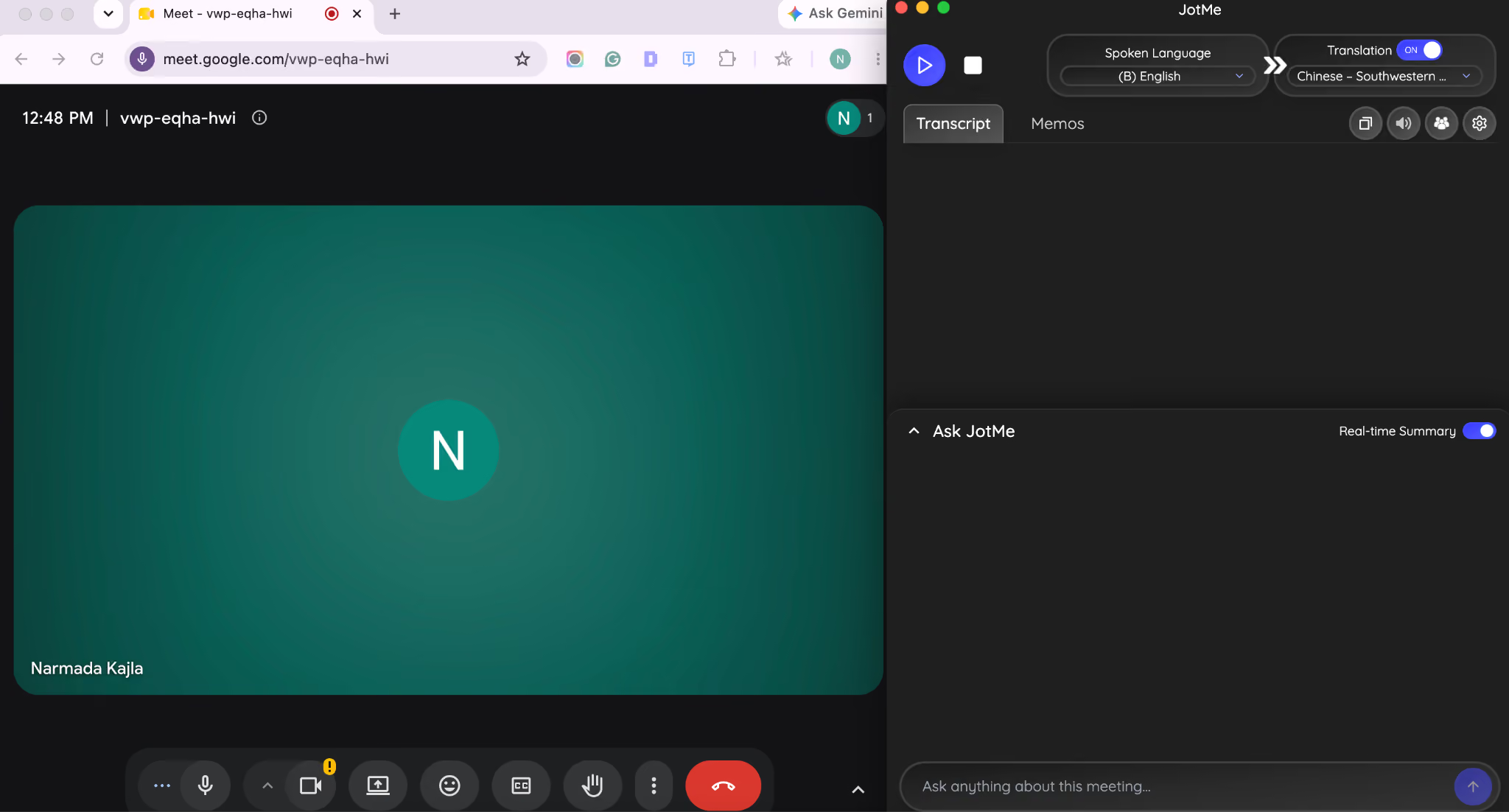
Step 2: Before starting your meeting, choose the spoken language and output language in JotMe and click the play button.
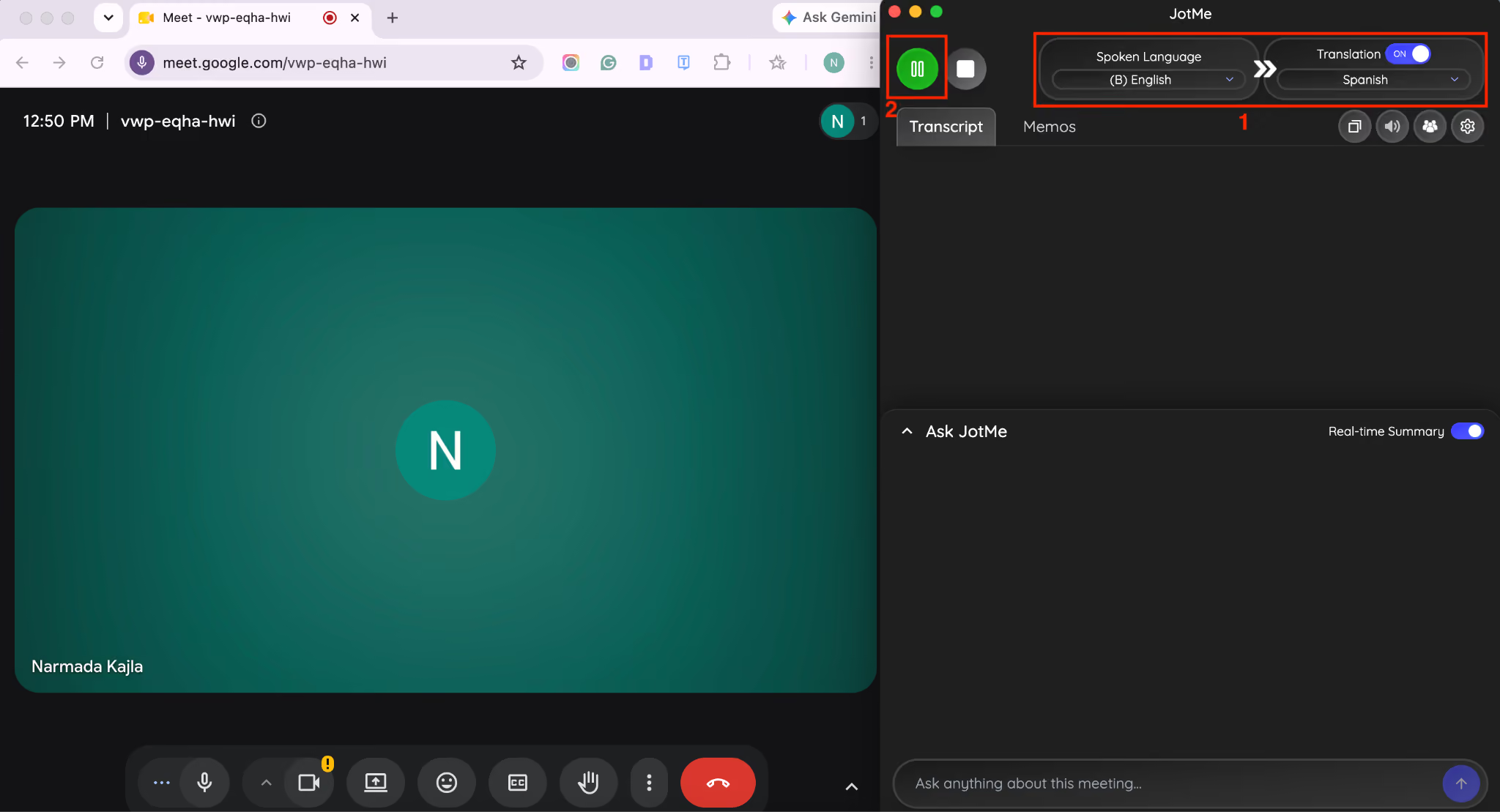
Step 3: Once you start speaking, you can see the live translation in your spoken language and the target language on screen. For example, you speak English, and the target language is Spanish. JotMe automatically starts call translation in Spanish with a latency of less than 2 seconds.
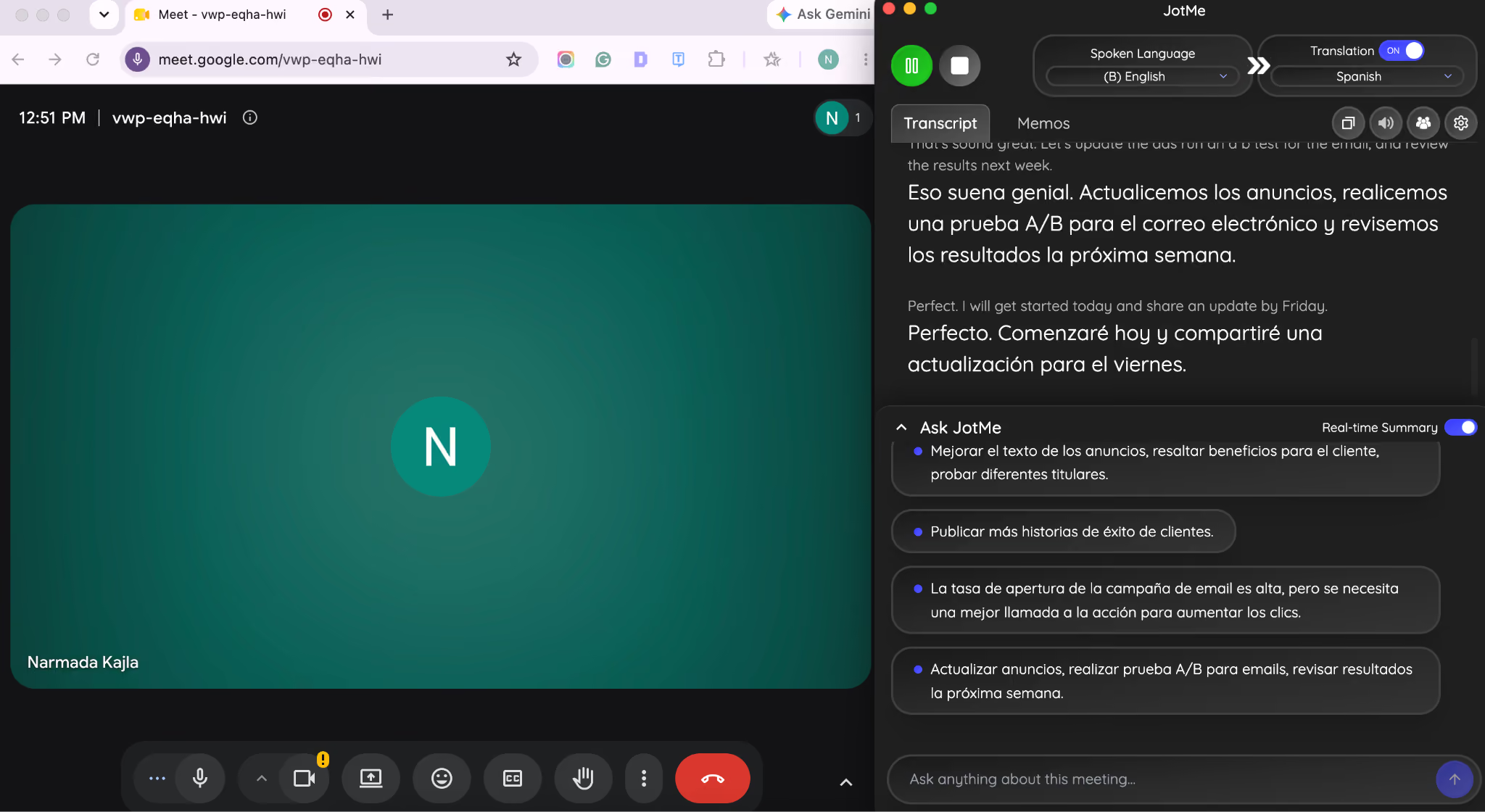
Step 4: At the end of the meeting, you automatically receive AI-generated meeting notes and a summary.
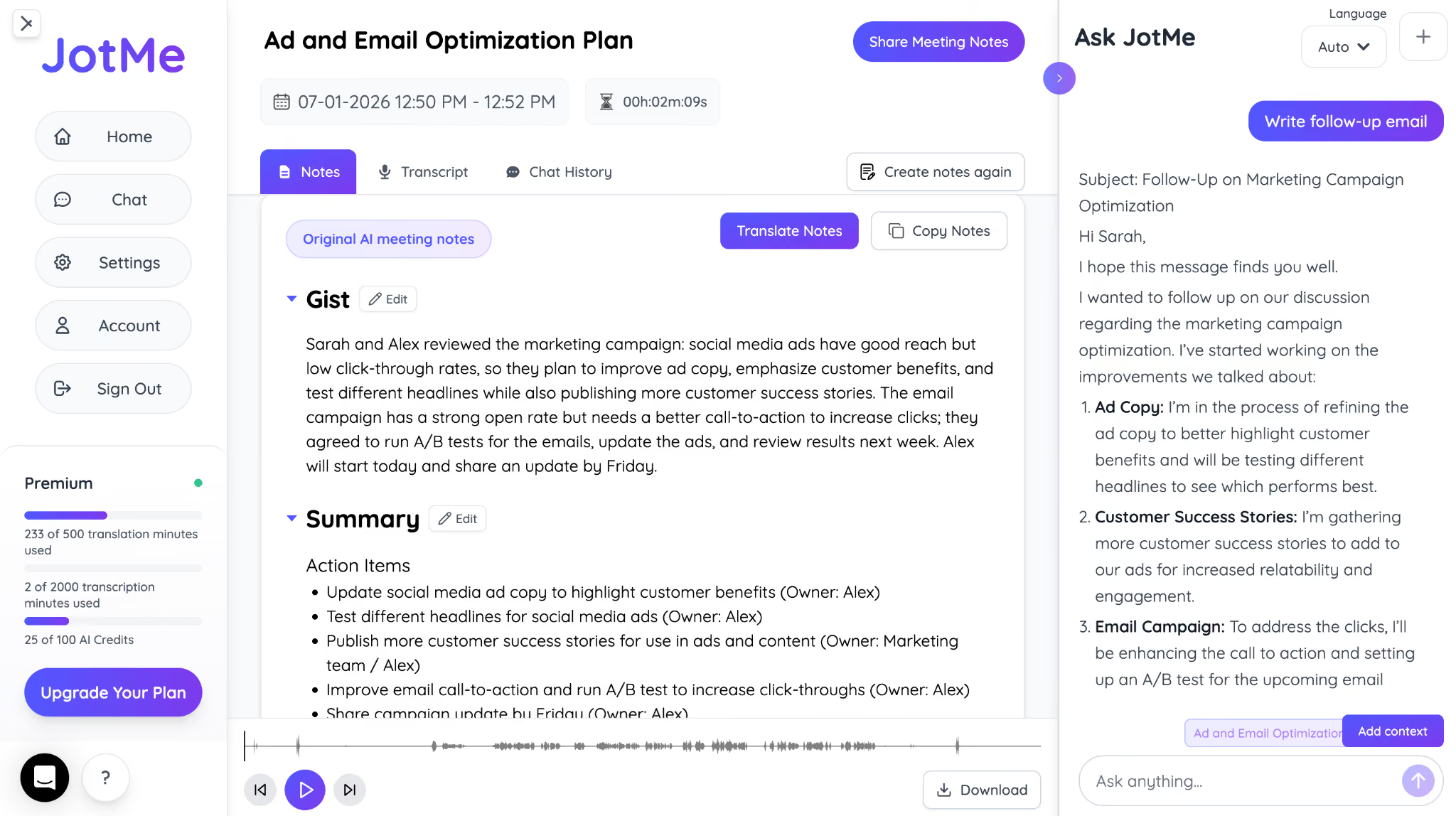
Step 5: If you want to copy and share the transcript, then JotMe makes it easier with a bilingual transcript and also lets you translate into 21 languages.
Which Are the Best Phone Call Translator Apps in 2026?
JotMe, Owaa AI, Microsoft Teams Translator, Google Meet Translation, Zoom AI Companion, and Interprefy are among the best phone call translation apps you can rely on in 2026. Below are the complete details of each voice call translator, along with users' reviews:
JotMe
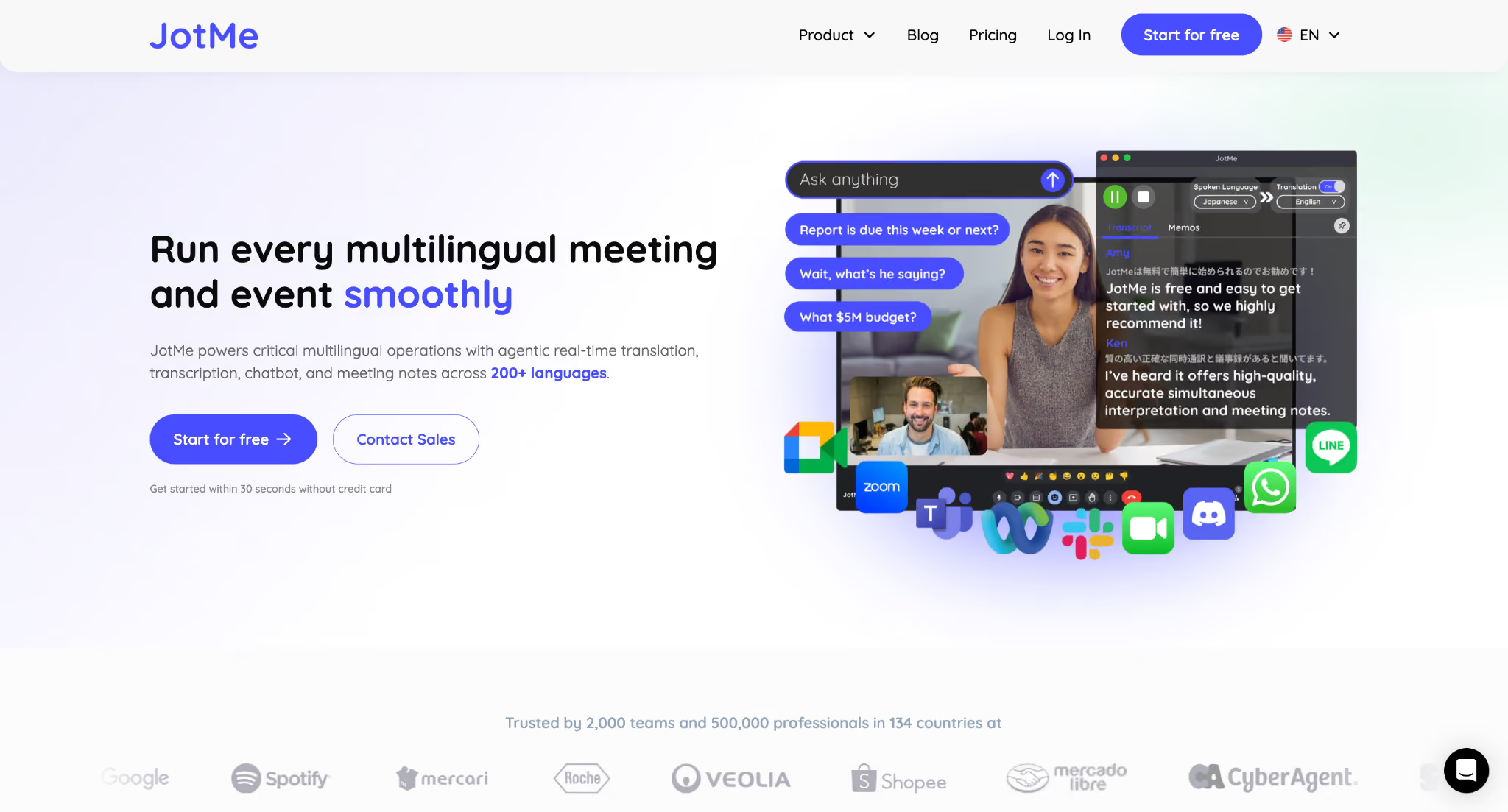
JotMe is built for businesses that hold customer meetings, supplier calls, and sales demos over Zoom, Microsoft Teams, Google Meet, or Webex. Instead of reviewing the recording later, you get live translation, a searchable transcript, AI meeting notes, and an AI meeting summary when the meeting ends.
Here is what using JotMe looks like:
Imagine you are a US sales representative pitching your software to a potential customer in Tokyo over Google Meet. You speak in English, while your prospect prefers to follow the conversation in Japanese.
Here, JotMe does its magic.
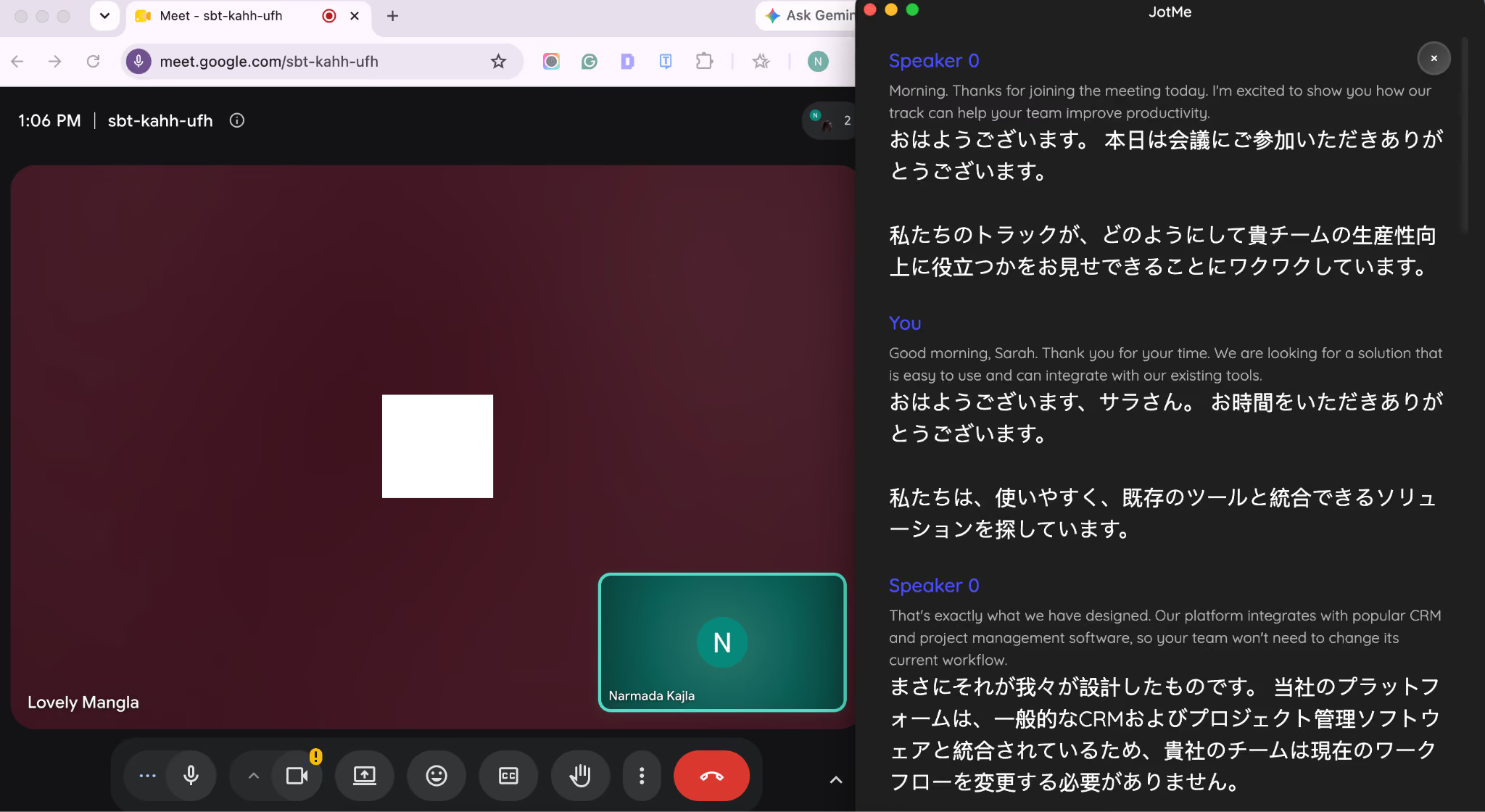
As you speak, JotMe provides real-time English-to-Japanese live translation on-screen, so your customer can read every sentence in Japanese while you continue speaking naturally in English. When your client replies, their answer appears instantly in English. It helps both sides keep the conversation flowing without stopping after every sentence. Here is what my conversation with my colleague and JotMe did for my job: it made it easy to convey my thoughts and understand him.
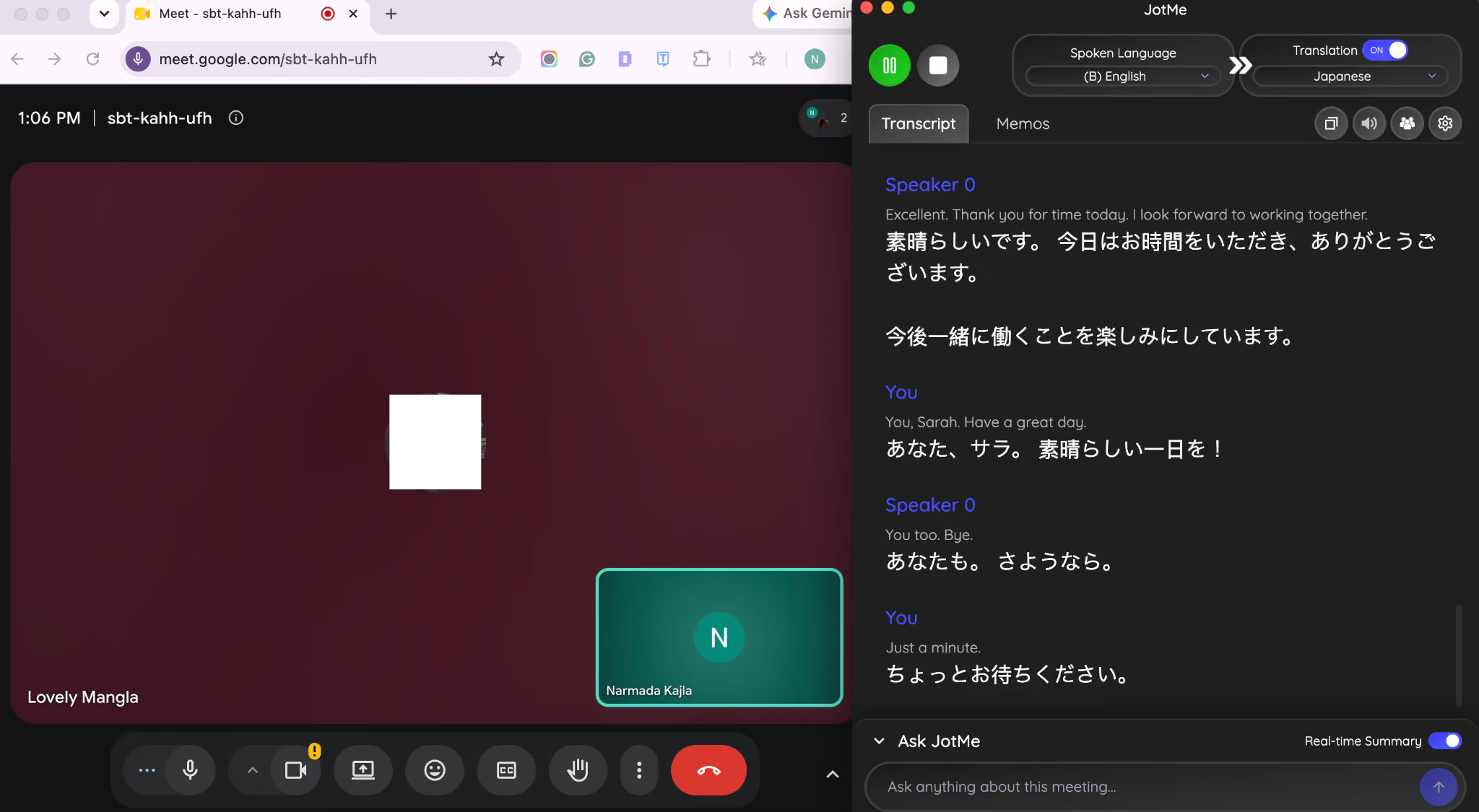
As JotMe translates audio to text in real time, you get a speaker-labeled transcript as the meeting unfolds. If someone mentions a launch date, pricing change, or delivery timeline, you don't have to scramble to write it down.
Once the meeting ends, JotMe automatically generates a concise summary, action items, and key decisions.
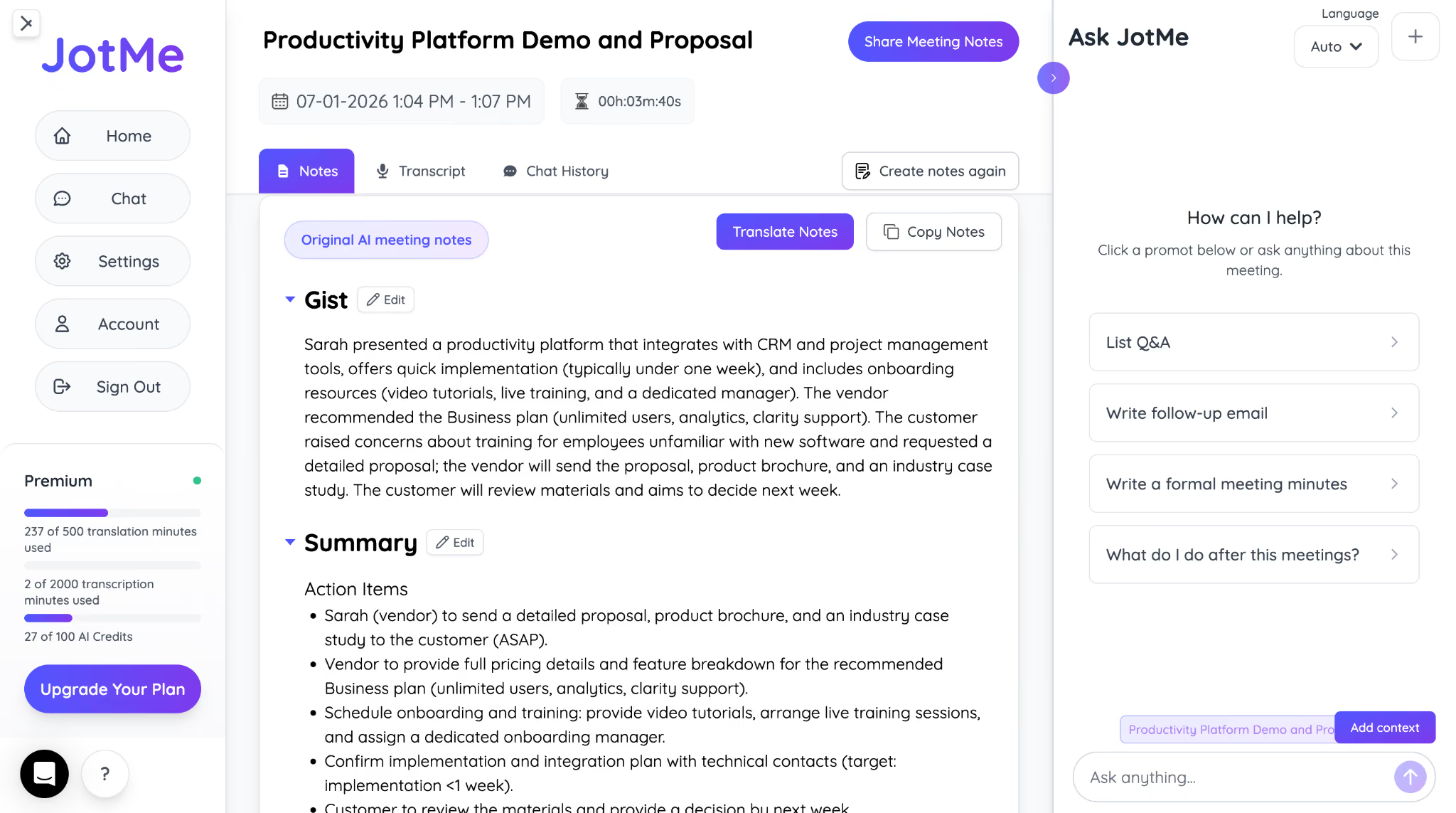
Instead of replaying a 40-minute call, you can simply ask, "What pricing plan did Ken show the most interest in?" and Ask JotMe pulls the answer directly from the transcript.
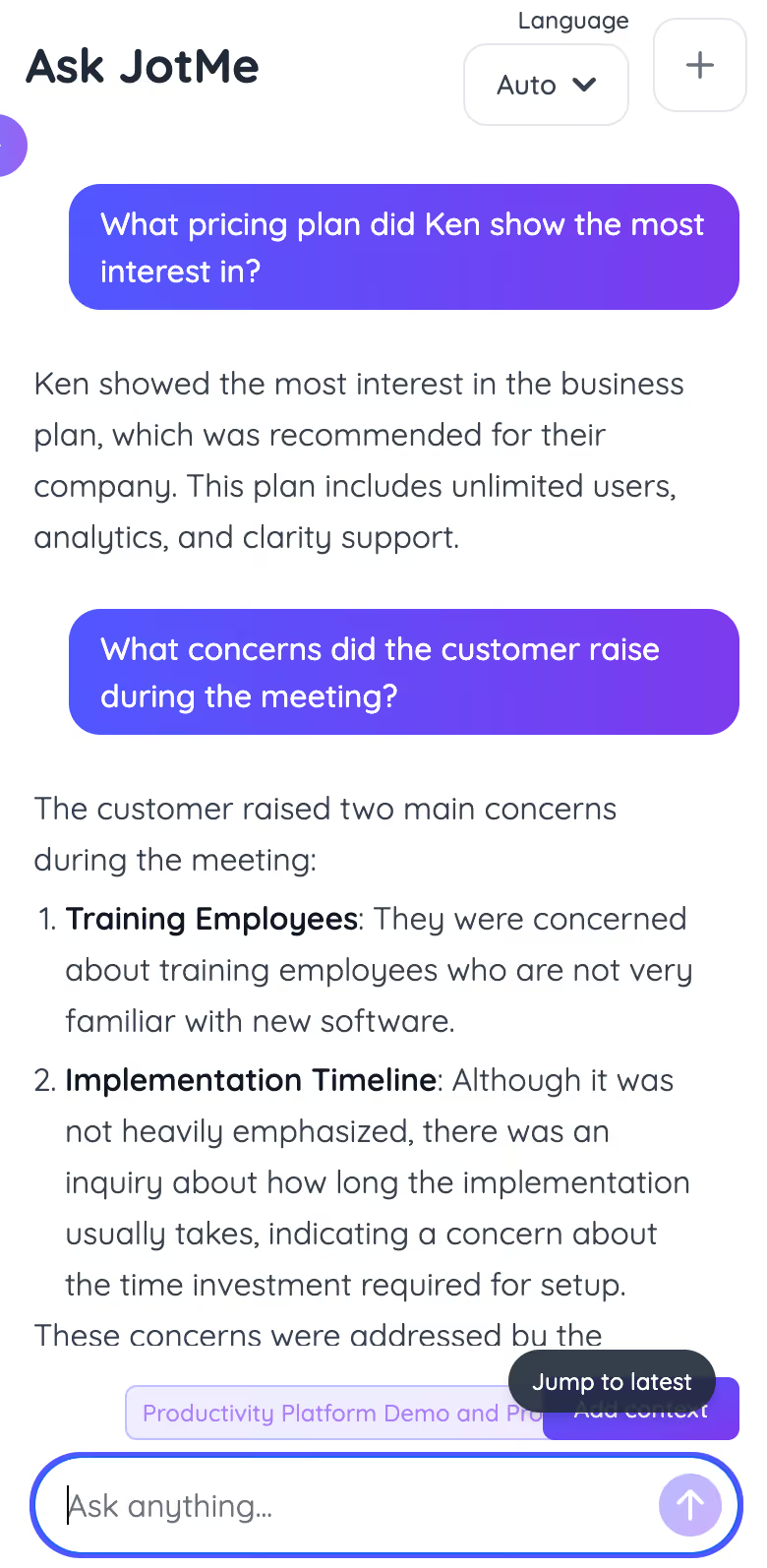
Bottom line: If your meetings depend on real-time communication across languages, JotMe combines live translation, transcription, and meeting notes into a workflow that keeps everyone on the same page without slowing the conversation.
JotMe Review
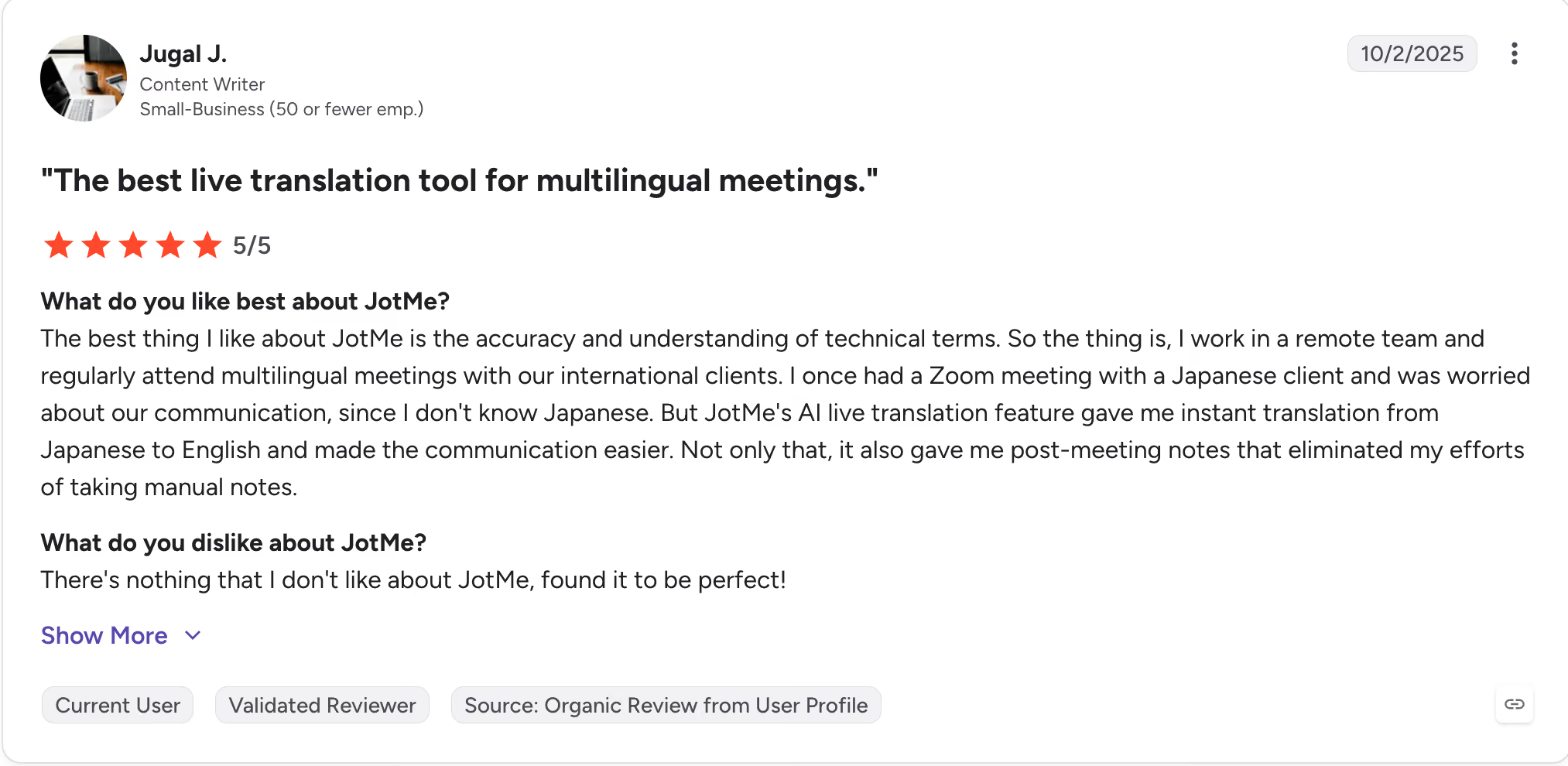
Users on G2 frequently praise JotMe for making multilingual meetings feel effortless. Many highlight its accurate live translation, strong handling of technical conversations, and AI meeting notes that eliminate manual note-taking.
Key Features of JotMe
- Custom Vocabulary: Add company names, product SKUs, and industry jargon that standard machine translation routinely mangles. On a logistics call, this matters more than almost any other feature, since a mistranslated shipping term changes the whole order.
- Ask JotMe: Ask a question about the call after it ends and get an answer pulled straight from the transcript, in your language.
- AI Live Translation Sharing: A share code, link, or QR code lets a teammate or in-person participant follow the live translation without creating a login.
- 1 to 3 Second Latency: Fast enough that a back-and-forth negotiation doesn't turn into an awkward staring contest waiting for the translation to land.
Owaa AI
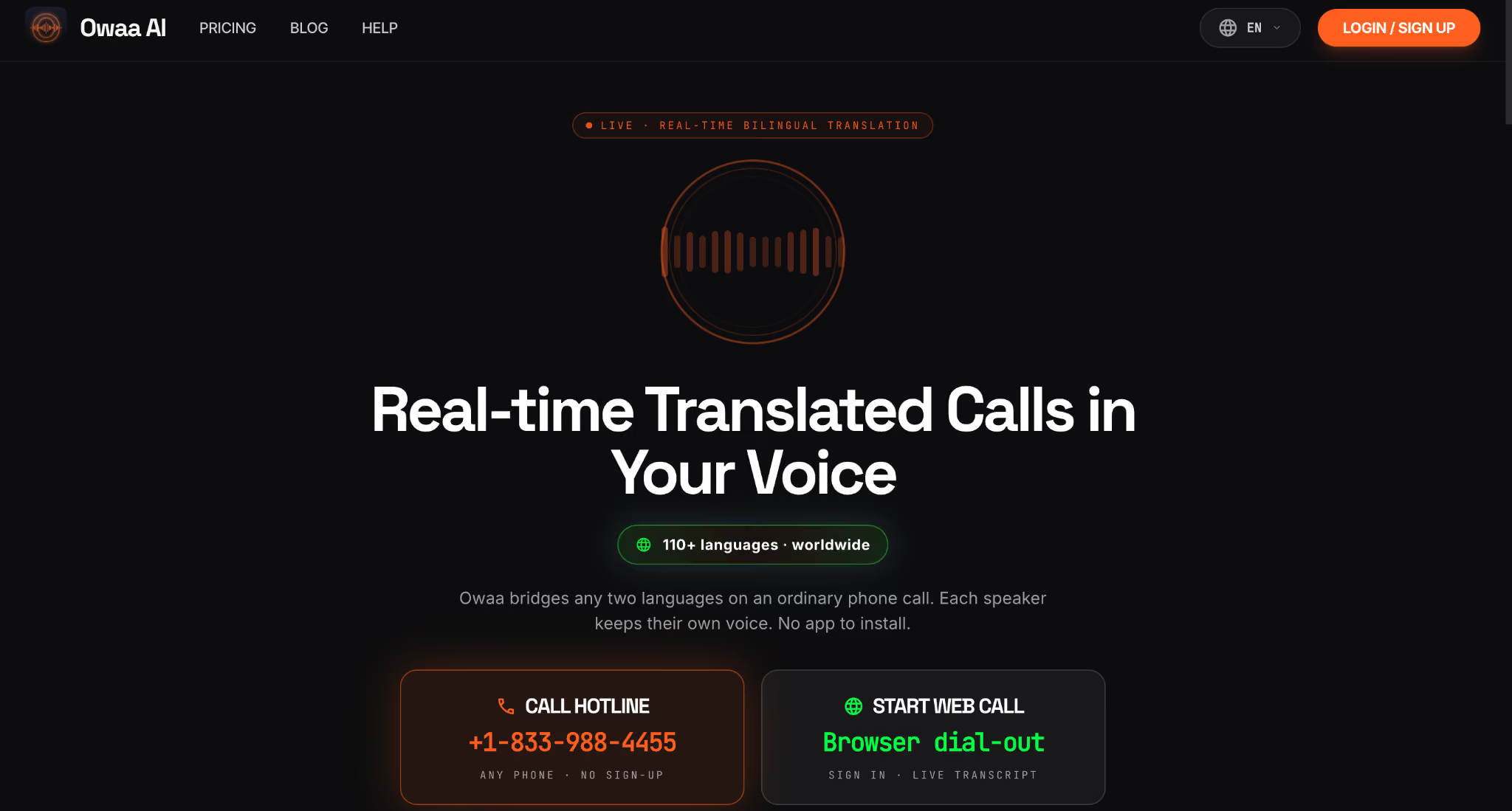
Picture this: you're calling a supplier in Vietnam to confirm tomorrow's shipment. They don't use Zoom, don't have a translation app installed, and only answer a regular mobile number. That's exactly where Owaa AI fits.
Instead of asking both sides to join a meeting, Owaa places the call through the regular phone network. Each person speaks in their own language while hearing the conversation translated in real time. The person you're calling doesn't need to install an app or create an account.
Here's what makes Owaa AI practical for everyday business calls.
Owaa AI also saves a transcript and recording of every translated call, so you can review pricing, delivery dates, or next steps without relying on memory. If you're traveling, calling an overseas customer, or working with suppliers who only answer phone calls, this becomes far more useful than a meeting-based translator.
Where Owaa AI beats JotMe: JotMe is designed for web meetings on Zoom, Teams, Google Meet, and Webex. Owaa only needs a phone number, making it the better choice when your conversation is over a traditional phone call rather than a meeting platform.
Microsoft Teams (Live Translated Captions)
Teams looks impressive on paper, and its live translation for Teams mostly delivers. Live Translated Captions support more than 50 languages, allowing participants to read translated text while someone speaks.
Here's the catch.
Live captions help you follow the conversation, but they are not automatically saved once the meeting ends. If you need a searchable transcript or meeting record, you will need to enable transcription separately before the meeting starts.
There is another limitation worth knowing.
Everything happens inside Microsoft Teams. If your customer, supplier, or partner prefers a regular phone call or another meeting platform, Teams' translated captions won't follow you there.
Microsoft Teams Review
G2 users appreciate that Microsoft Teams includes live captions alongside its meeting features, making conversations easier to follow during remote meetings. A common drawback is that captions alone don't create a searchable meeting record unless transcription is enabled separately.
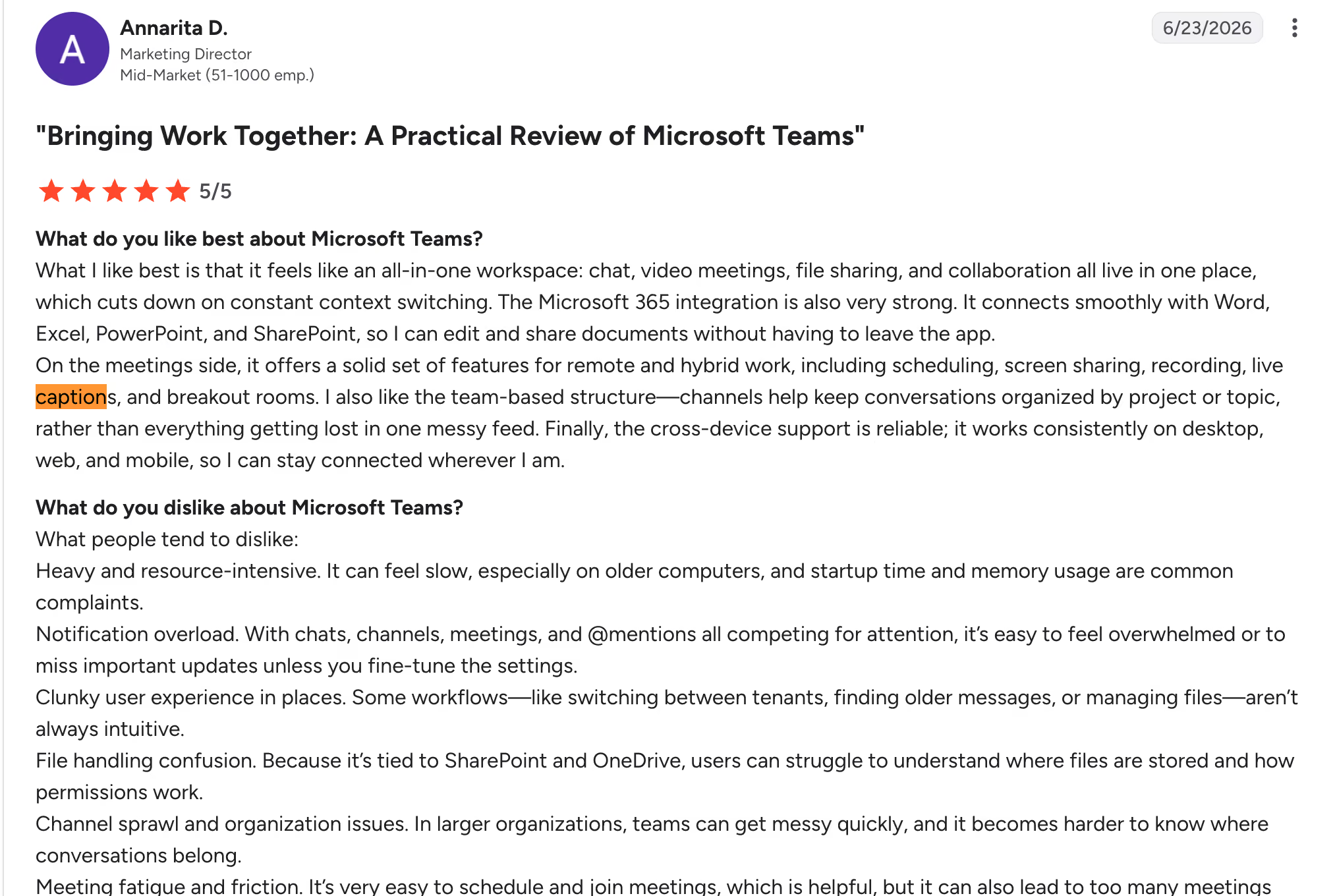
Bottom line: Teams is a solid option if your organization already uses Teams Premium or Microsoft 365 E5, and most of your multilingual meetings stay inside the Teams ecosystem.
Google Meet (Speech Translation)
Google Meet takes a simple approach to voice call translation. As people speak, Meet displays translated captions so participants can follow the conversation in their preferred language.
The biggest limitation isn't accuracy, it's flexibility.
Speech Translation currently supports English paired with Spanish, French, German, Italian, or Portuguese. The meeting also stays locked to one language pair at a time, so multilingual meetings with several languages quickly become difficult to manage.
Use Google Meet if your meetings consistently involve English and one supported language. If every meeting uses different language combinations, you will reach your limits fairly quickly.
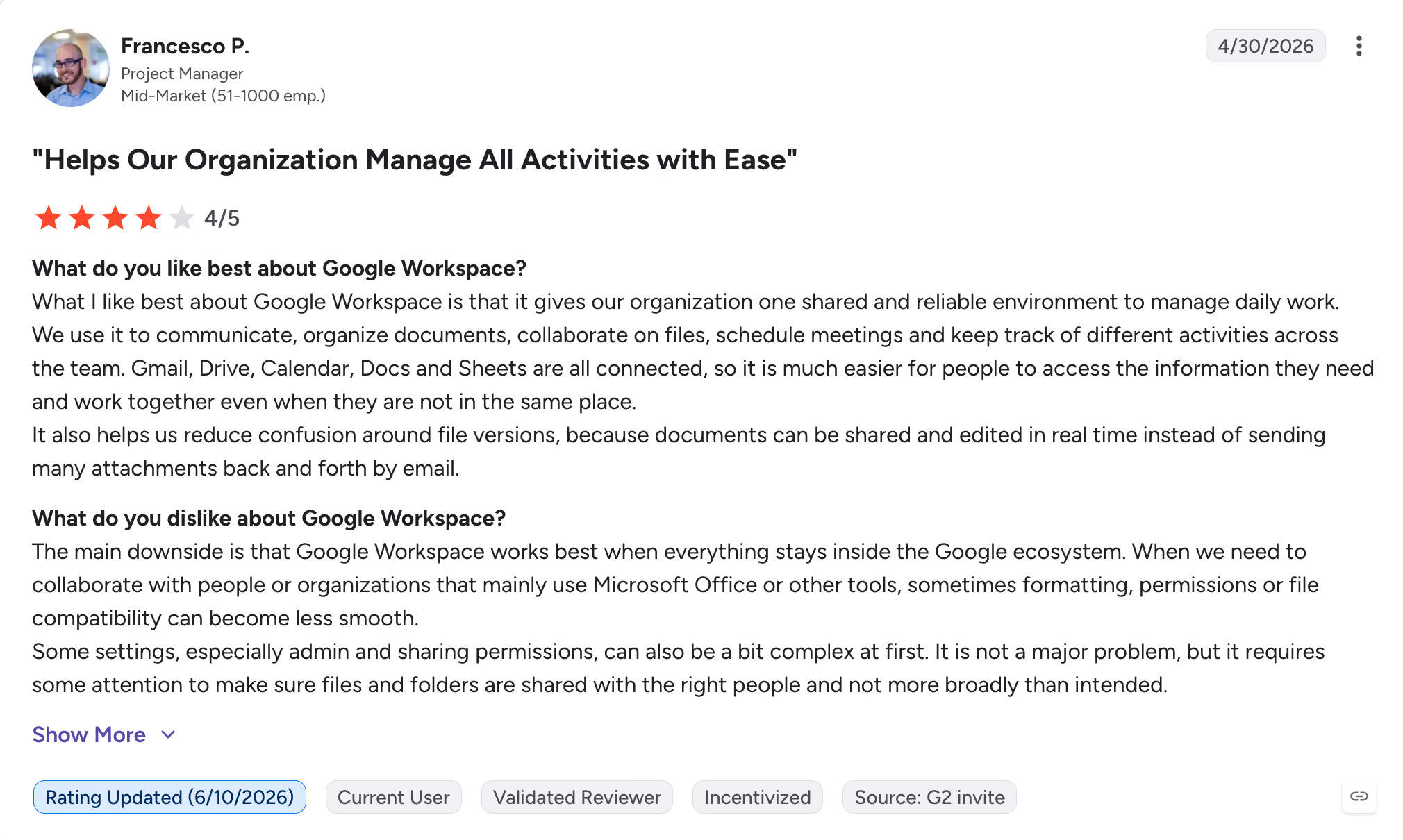
Google Meet Review
G2 reviewers praise Google Workspace for its connected apps and real-time collaboration, which simplify remote teamwork. The downside is that file compatibility and sharing permissions can become frustrating when working outside the Google ecosystem.
Zoom AI Companion
Zoom has expanded its translated captions considerably. AI Companion now supports voice-to-text translation across dozens of languages, making it easier for global teams to follow meetings without relying on a separate translation tool.
One limitation often catches first-time users in Zoom-translated captions.
Only the meeting host can enable translated captions for everyone. If you're joining someone else's meeting, you cannot turn the feature on yourself and must rely on the host's settings.
Another thing to consider is where you work. Translated captions are designed for Zoom meetings, so they won't help if your conversations move to regular phone calls or another meeting platform.
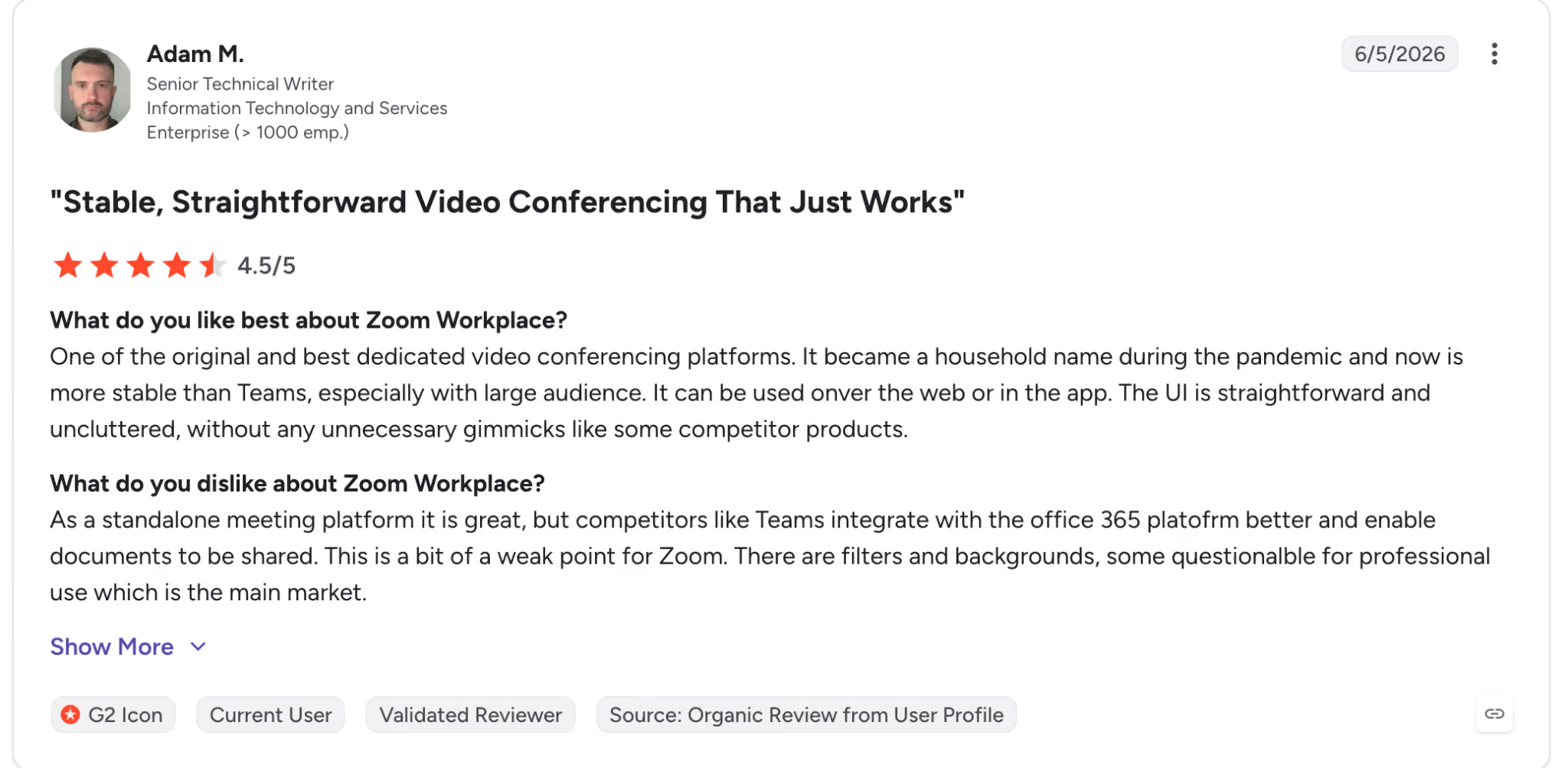
Zoom Review
Reviewers on G2 describe Zoom as a reliable meeting platform that "just works," with better stability than some competitors for large audiences. The biggest downside is its limited integration with document sharing and Microsoft 365 workflows.
Bottom line: Zoom AI Companion works well for teams already running multilingual meetings in Zoom, especially when everyone uses the same platform consistently.
Interprefy
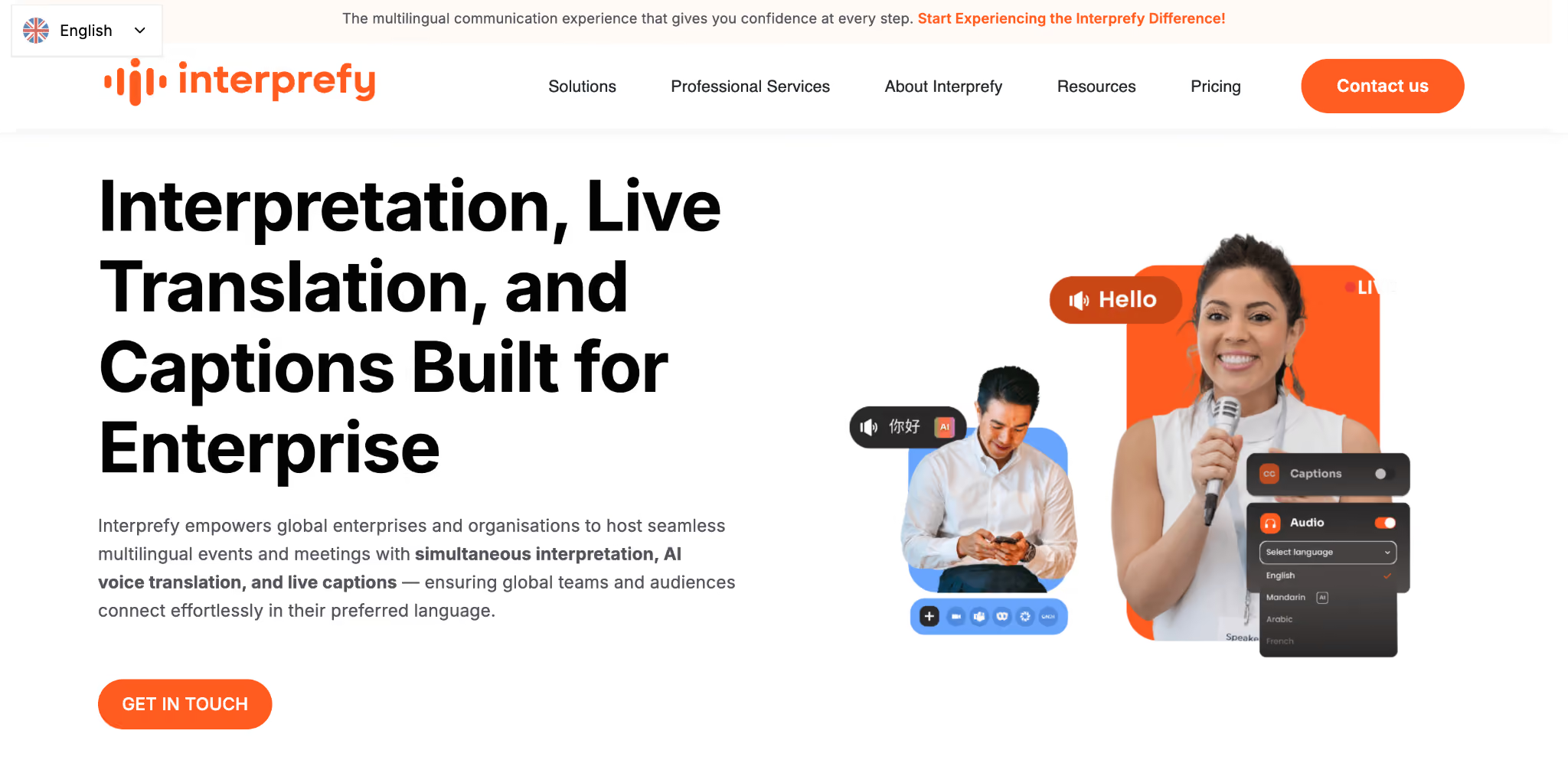
Interprefy solves a different problem from the rest of the tools on this list. It's designed for conferences, company-wide meetings, and live events where hundreds or even thousands of attendees need simultaneous translation captions.
As speakers present, Interprefy delivers speech-to-text translation in dozens of languages, with the option to combine AI translation and professional human interpreters for higher accuracy during critical sessions.
That enterprise focus also shapes the pricing.
Instead of a monthly subscription, pricing is customized for each event. That works well for conferences or global product launches, but it's difficult to justify for recurring supplier meetings or weekly client calls.
Interprefy Review
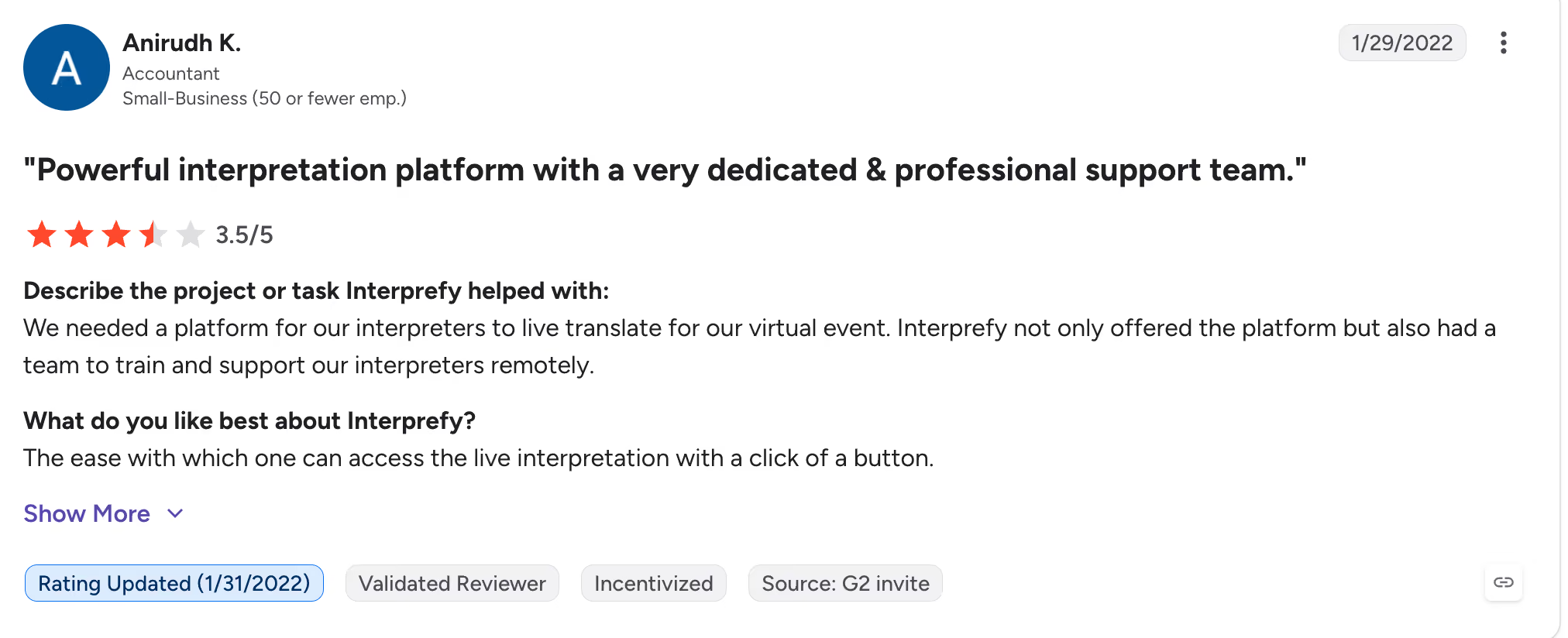
Rated 3.5 out of 5 on G2, reviewers say Interprefy makes live interpretation easy to access during virtual events and appreciate the dedicated support team that helps interpreters get set up before sessions begin.
Bottom line: Choose Interprefy for large, multilingual events. For everyday business meetings, you'll likely pay for far more infrastructure than you actually need.
When Should You Use a Live Voice Call Translator?
Use one any time a recurring business conversation depends on getting the meaning right, not just the words on the page. For companies working across borders, it's one of the simplest ways to reduce language barriers in the workplace before they lead to misunderstandings, delays, or expensive mistakes. Here's what that actually looks like across five common situations.
Supplier negotiations: Take that Shenzhen factory call from earlier. A misread "we'll try our best" isn't a small miss; it's the difference between thinking you locked in a price and finding out three weeks later that you didn't.
The best live translation catches the tone behind the phrase, not just the dictionary definition, so you walk away from the call actually knowing where you stand. It's also a practical tool for improving cross cultural communication in business, where indirect expressions and local communication styles can easily change the meaning of a conversation.
International client meetings: Imagine a client in São Paulo explaining a complaint about your product, switching between Portuguese and broken English as she gets frustrated. If your tool only catches half of what she says, she has to repeat herself, and now she's annoyed twice over: once about the product, once about not being understood. A translator who keeps up in real time means she only has to explain it once.
Customer support: A support agent fielding a ticket from a Spanish-speaking customer with a billing issue doesn't have time to paste sentences into Google Translate mid-call. One garbled response, and that single ticket turns into three: the original issue, a complaint about the support experience, and an escalation to a manager. Live translation keeps it at one.
WhatsApp voice calls: A lot of cross-border business, especially with smaller suppliers or freelancers, runs through WhatsApp voice notes and calls instead of formal meeting platforms. A family-run packaging supplier in Jakarta might only ever call you on WhatsApp. That call needs translation too, just through a tool built for messaging apps rather than a PSTN dialer or a meeting-platform translator.
Cross-border team meetings: Think of a product team with someone in Berlin, someone in Tokyo, and someone in Austin, none of them sharing a first language fluently enough to catch every nuance. Without one shared, translated record of the call, you end up with three different memories of what got decided, and the Slack thread afterward turns into a small argument about who said what.
These same communication skills also matter for professionals learning how to get international jobs, where collaborating confidently with global teams is often part of the role.
Are Free Phone Call Translator Apps Good Enough for Business Calls?
No, free language translator and general voice to text translation tools handle one speaker at a time, which breaks down when a real two-way conversation starts. There's no live two-way flow, and there are no notes to check later when someone disputes what was agreed.
Here's the number that actually changes the math. A human interpreter for a business call typically runs $50 to $150 per hour, depending on the language pair and subject expertise. Book one for that weekly Shenzhen call, and you're looking at thousands of dollars a year before anything else is covered. A subscription AI translator runs a fraction of that and works on demand, not on someone else's calendar.
The Takeaway: Free voice call translator tools are fine for asking a hotel clerk where the elevator is. They're not built for a call where a single wrong word can change the order.
What is the Real Cost of Language Barriers After the Call Ends?
The real cost shows up after you hang up, not during the call. A 90-minute multilingual call without proper interpretation often turns into 2 to 3 hours of follow-up emails clarifying what was actually said. A point that could have closed in 3 minutes on the call instead spawns three more emails and a second meeting nobody wanted to schedule.
This is where interpretation pays off past the sentence. Ask JotMe lets you ask a question about the call after it's over and get an answer in your own language, pulled from the transcript instead of your memory. Multilingual transcription automatically captures action items.
That is the spine running through this whole comparison: translation ends the sentence. Interpretation ends the task. A tool that only swaps words leaves you with a transcript to decode. A tool that interprets leaves you with a decision you can act on immediately.
7 Tips for Accurate Live Voice Call Translation
Accurate live voice call translation depends on more than the app you choose. A few simple habits before and during the call can significantly improve translation quality and help avoid costly misunderstandings.
- Reduce background noise before the call starts. Conversations are easier to translate when voices are clear, and there are fewer overlapping sounds.
- Don't expect every sentence to be translated word-for-word. Good interpreters and AI tools often rephrase expressions to preserve the speaker's intended meaning.
- If multiple people are in the meeting, make sure each speaker is identified. This keeps transcripts organized and makes AI-generated notes much more accurate.
- Have captions or a live transcription available as a backup. If the audio connection drops, you'll still be able to follow the conversation.
- Double-check the selected language pair before joining the call. Choosing the wrong source language can affect the entire translation.
- Speak in complete sentences instead of short fragments. Clear thoughts are easier for AI and human interpreters to understand accurately.
- Review the meeting notes before acting on decisions. It's the easiest way to confirm dates, prices, and commitments instead of relying on memory.
Bottom Line: Which Voice Call Translator is Right for You
Pick a PSTN phone call translator like Owaa AI when you need to call a mobile or landline number and the other person isn't using a meeting app. Pick JotMe when your calls already happen on Zoom, Teams, Google Meet, or Webex, and you want notes you can act on, not just a transcript to reread.
The best way to evaluate a phone call translator is to use it during a real business conversation. Run JotMe at your next meeting with an international client or supplier. After the call, compare how much time you save on note-taking, follow-up emails, and confirming what was actually agreed. That's where the value of real-time translation and AI meeting notes becomes obvious.
FAQs
How do you translate a voice call in real time?
Use a call translation tool built for live audio, not text translation. For calls on Zoom, Teams, or Google Meet, a web-calling translator like JotMe listens directly on your computer and translates as people speak. For a real mobile number, you need a PSTN dialer like Owaa AI instead.
Do you need web calling to translate a call with JotMe?
JotMe translates calls running inside a browser or a supported meeting platform such as Zoom, Google Meet, Microsoft Teams, or Webex. It doesn't dial cellular or landline numbers directly.
Can AI translate live phone calls?
Yes, through a PSTN dialer app like Owaa AI, which translates both sides of a real phone call in under half a second. For meeting platform calls, a web-calling tool like JotMe handles live translation instead.
Can I translate WhatsApp voice calls?
Yes, if you start your WhatsApp call on a desktop, then JotMe can easily provide video to text in real time in your preferred languages.
What is the best phone call translator app?
The best phone call translator app depends on the call type. For dialing a real number where the other side has no app, Owaa AI is the stronger pick. For business meetings already running on Zoom, Teams, or Google Meet, JotMe wins on meeting notes and the Ask JotMe feature.
Can Google Translate translate phone calls?
No. Google Translate supports text and in-person conversation modes on a single device, but it doesn't connect to the phone network and can't make or receive real calls.
What is the difference between translation and interpretation?
A translation service converts words from one language to another. Interpretation carries the meaning, tone, and intent behind those words, which matters most when a literal translation would miss what the speaker actually meant.
Which languages do voice call translator apps support?
JotMe covers 200+ languages and 39,000+ language pairs for live translation. Owaa AI covers 110+ languages for real phone calls. Built-in platform features like Teams, Meet, and Zoom currently support far fewer languages for spoken voice call translation than they do for text captions, so check the voice-specific list, not the caption list, before relying on one for a call.
Last updated on
July 29, 2026
Follow us on social media: