Desktop app for all the calls on your computer

Multilingual transcription, live translation, note-taker, AI search, real-time summary, custom vocabulary, AI meeting notes, audio recordings, and more.

Mobile App for in-person conversation

Live translation and AI speech generation for iPhone and Android.

Chrome extension for Google Meet

Real-time transcription, live translation, note-taker, AI meeting notes.
Add to
Chrome
A quick trial is available

Spanish to English Live Translation

Translate Spanish speech into English in real time, with live captions and AI-cloned voice for meetings, webinars, trainings, and events. JotMe handles regional accents and false friends across Spain and Latin America, with no bot joining the call.
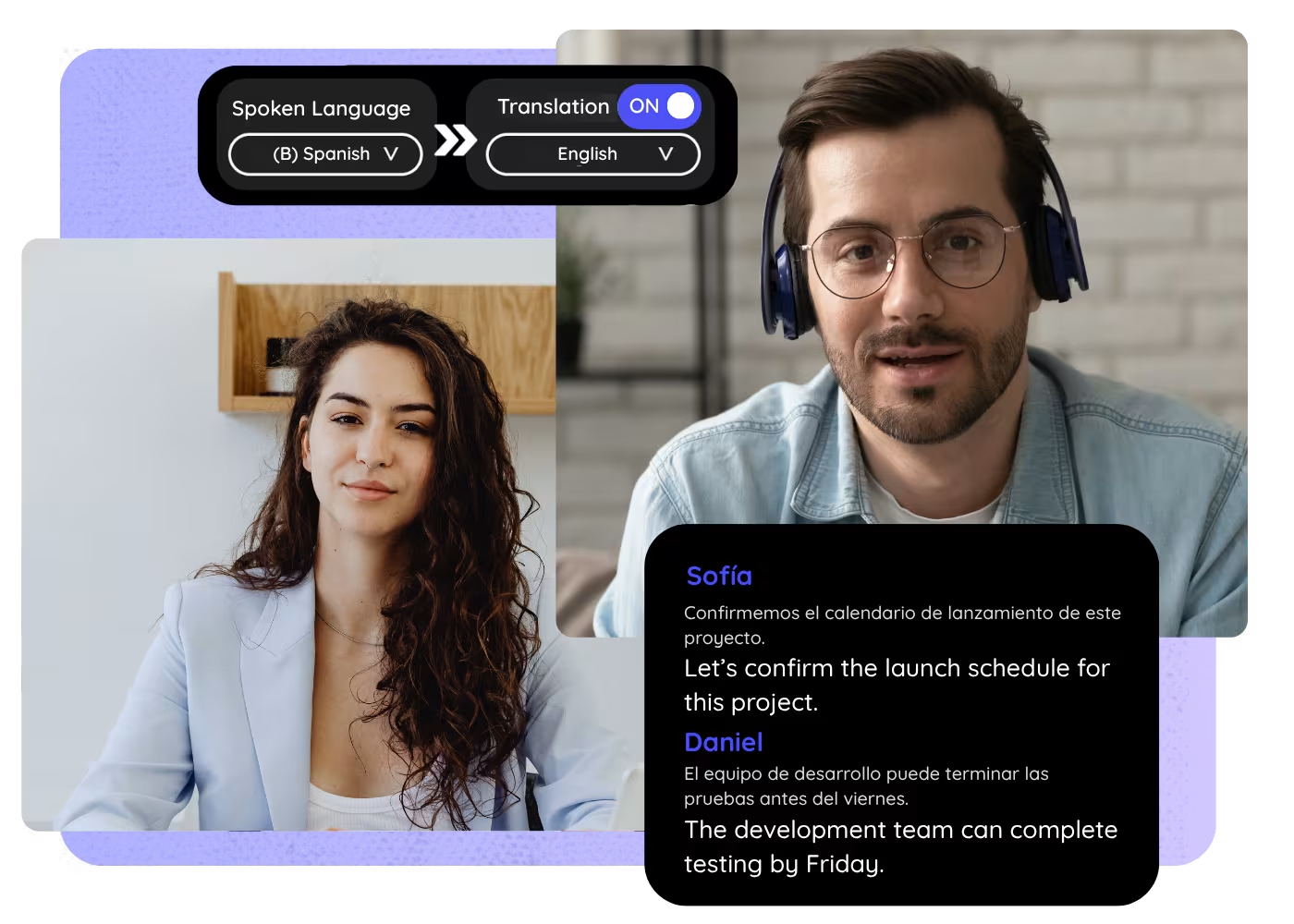
Spanish to English Live Translation

Trusted by 2,000 teams and 500,000 professionals in 134 countries at

Rated 4.7/5
GDPR Compliant
SOC 2 Type II (In Progress)

How to translate Spanish to English live

In 3 easy steps!

STEP 1

1. Open JotMe before your meeting

Launch JotMe on desktop or use the supported browser/meeting workflow before the call starts. No extra bot needs to join.
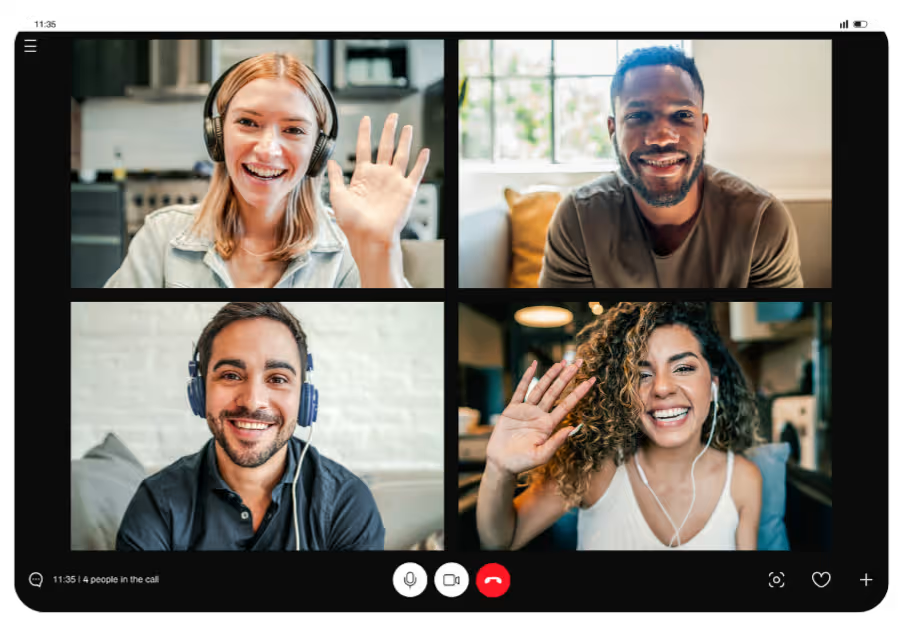
1. Open JotMe before your meeting
STEP 2

2. Select Spanish to English

Choose Spanish as the spoken language and English as the translation language. Use the page-specific demo if you want to test first.

2. Select Spanish to English
STEP 3

Share the translation if needed

Keep the English captions for yourself or share the live translation link so other attendees can follow along.

Share the translation if needed

See It in Action!

Spanish to English Live Translation for real business calls
LatAm operations and nearshore teams

Launch JotMe on desktop or use the supported browser/meeting workflow before the call starts. No extra bot needs to join.

Spain and Latin America customer calls

Choose Spanish as the spoken language and English as the translation language. Use the page-specific demo if you want to test first.

Supplier and field updates

Keep the English captions for yourself or share the live translation link so other attendees can follow along.

Frequently asked questions

Everything you need to know about running meetings and events with JotMe.

Can JotMe translate Spanish to English in real time?

Yes. Choose Spanish as the spoken language and English as the translation language, then JotMe shows live captions while the meeting continues.

Does it work with Latin American Spanish and Spain Spanish?

Yes. JotMe covers Spain and Latin American Spanish, including Mexican, Colombian, Rioplatense, Chilean, and Caribbean. Review critical legal or pricing terms from the saved transcript after the call.

Does JotMe join my meeting as a bot?

No. JotMe gives you live translation without adding a visible bot participant to the meeting.

Can I share the English translation with other people?

Yes. Use JotMe live translation sharing so attendees can open the English captions from a link or QR code.

Can I use this for webinars and events?

Yes. Use JotMe for meetings, webinars, trainings, conferences, and in-person conversations where Spanish needs to become English live.

Can I review the transcript after the call?

Yes. Keep the transcript and translation after the meeting so your team can confirm quotes, action items, and follow-up decisions.

What related tools should I use with this?

Start Spanish to English live translation

Run every meeting and event smoothly for your multilingual operations

Transcribe, interpret, translate, and turn every critical conversation into insights with context so everyone stays aligned across languages.

Spanish to English Live Translation

Translate Spanish speech into English in real time, with live captions and AI-cloned voice for meetings, webinars, trainings, and events. JotMe handles regional accents and false friends across Spain and Latin America, with no bot joining the call.

Get started within 30 seconds without credit card
Spanish to English Live Translation

Try Spanish to English live translation before installing anything. Speak or play a short sample and watch the English captions appear in real time. Open the full demo.

Trusted by 2,000 teams and 500,000 professionals in 134 countries at

Rated 4.7/5
GDPR Compliant
SOC 2 Type II (In Progress)

Try live translation

Select model, langauges, click start and start speaking. JotMe AI will improve the translation quality as you speak.

Why Spanish to English live translation is hard

Spanish is not one flat market. Spain Spanish, Latin American Spanish, Mexican Spanish, Colombian Spanish, Rioplatense Spanish, Chilean Spanish, and Caribbean Spanish can differ in vocabulary, pace, formality, and idiom. JotMe can cover regional Spanish variants and translate the meeting into English. JotMe listens to the meeting context, not just isolated words, so attendees can follow decisions, questions, and next steps while the conversation is still happening.

Context-aware captions

JotMe turns Spanish speech into English captions that weigh the topic, the speaker's intent, and regional wording, and catches false friends (falsos amigos) so the English carries the real meaning.

No bot in the call

JotMe runs as your translation layer, so your meeting does not get another visible participant just to provide captions.

Share live translation

Share English captions and AI-cloned voice by link, QR code, or on-camera subtitles, so teammates and attendees can follow on their own device, no app required.

Works across meeting platforms

Use JotMe with Zoom, Google Meet, Microsoft Teams, Webex, Slack huddles, YouTube, or in-person audio.

Keep the transcript after the call

Review the Spanish transcript and English translation after the meeting so owners, decisions, and follow-ups are easier to confirm.

Every Spanish accent, one clean English

JotMe covers Spain and Latin American Spanish, Mexican, Colombian, Rioplatense, Chilean, and Caribbean, and turns each into clear English captions live.

How to translate Spanish to English live

Set up JotMe once, choose Spanish as the spoken language and English as the translation language, then keep the captions open while the meeting runs.

STEP 1

1. Open JotMe before your meeting

Launch JotMe on desktop or use the supported browser/meeting workflow before the call starts. No extra bot needs to join.

1. Open JotMe before your meeting
STEP 2

2. Select Spanish to English

Choose Spanish as the spoken language and English as the translation language. Use the page-specific demo if you want to test first.

2. Select Spanish to English
STEP 3

Share the translation if needed

Keep the English captions for yourself or share the live translation link so other attendees can follow along.

Share the translation if needed

Spanish to English Live Translation for real business calls

Use JotMe when US teams working with Spain, Mexico, Colombia, Argentina, Chile, Peru, Central America, and LatAm nearshore partners need to follow Spanish live and act while the call is still on.

LatAm operations and nearshore teams

Translate Spanish standups, delivery reviews, and support escalations into English for US and global managers.

Spain and Latin America customer calls

Help English-speaking sellers and account teams follow Spanish customer needs, objections, regional vocabulary, and commitments live.

Supplier and field updates

Turn Spanish vendor, field, and logistics calls into English captions so action items stay captured.

Webinars and community events

Share English captions with attendees while the speaker presents in Spanish from Spain, Latin America, or a mixed regional audience.

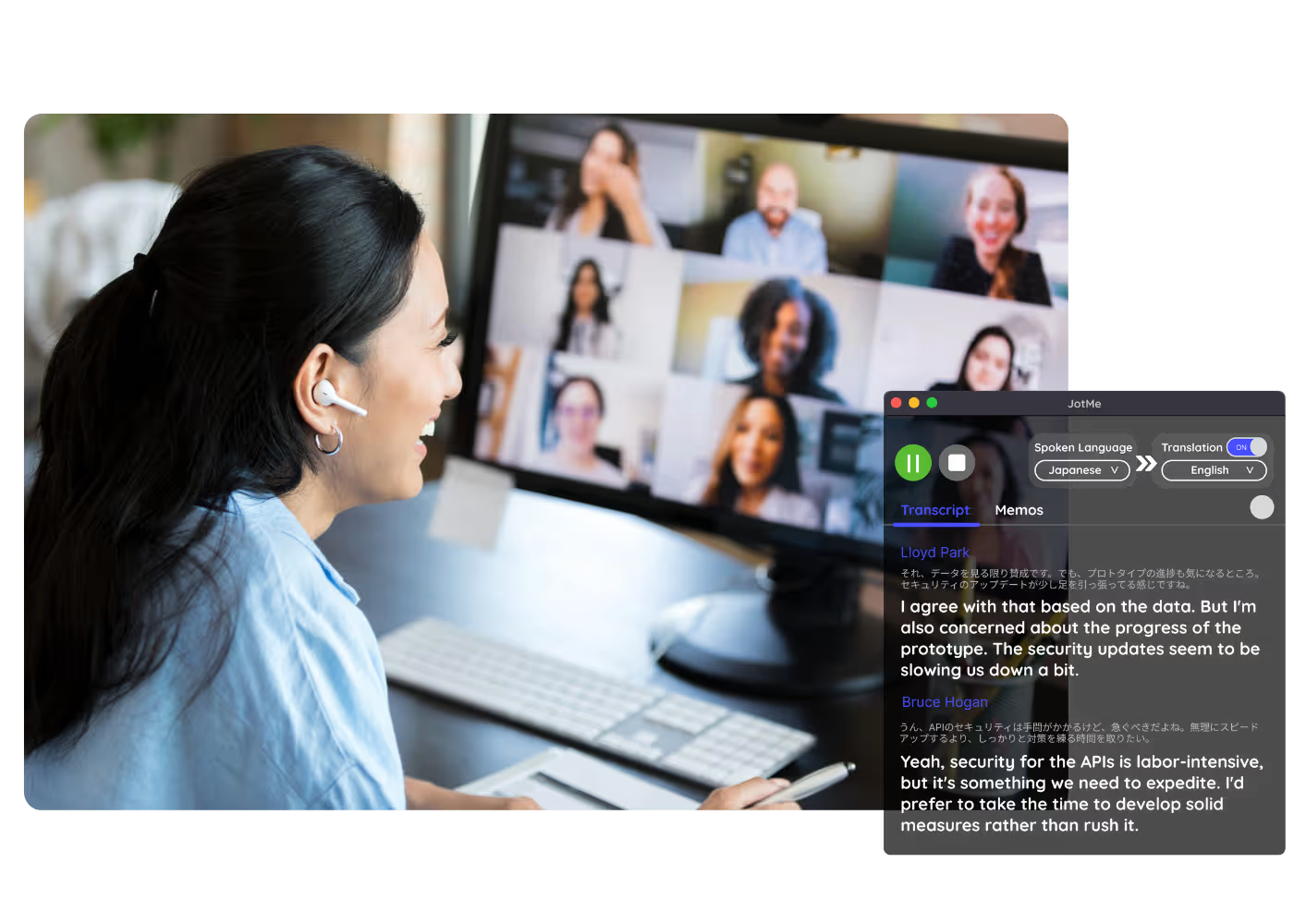
See Spanish to English live translation in action

Show a short Spanish business conversation and the English captions appearing in JotMe. Keep the clip focused on speed, clarity, regional nuance, and sharing.

500,000+ professionals run meetings and events smoothly with JotMe

See how they’re seeing results with JotMe in bridging multilingual operational gaps.

Rated 4.7/5
Rated 4.7/5
"As my job involves translation and bridging cultures, I have found this tool as a game changer to my daily work."
Adams
Operations Specialist / Tiktok
"Japanese was once a mystery to me, but this product made it clear and accessible with contextual understanding."
Stamatis
Consultant / Deloitte
"JotMe streamlines our multilingual meetings, ensuring seamless collaboration in our fast-paced work environment."
Cesar
Program Manager / Amazon
"This bilingual feature streamlines note-taking at work, saving time and boosting efficiency in both languages."
Yusuke
Sales Manager / NTT
"Essential for non-fluent speakers; simplifies complex meetings with real-time translation and accurate transcriptions."
Jesse
Software Freelancer
"The translation we've needed for years – now a reality with JotMe!"
Elston
CEO & Founder / Tiny.host
"As my job involves translation and bridging cultures, I have found this tool as a game changer to my daily work."
Adams
Operations Specialist / Tiktok
"Japanese was once a mystery to me, but this product made it clear and accessible with contextual understanding."
Stamatis
Consultant / Deloitte
"JotMe streamlines our multilingual meetings, ensuring seamless collaboration in our fast-paced work environment."
Cesar
Program Manager / Amazon
"This bilingual feature streamlines note-taking at work, saving time and boosting efficiency in both languages."
Yusuke
Sales Manager / NTT
"Essential for non-fluent speakers; simplifies complex meetings with real-time translation and accurate transcriptions."
Jesse
Software Freelancer
"The translation we've needed for years – now a reality with JotMe!"
Elston
CEO & Founder / Tiny.host

Frequently asked questions

Everything you need to know about running meetings and events with JotMe.

Can JotMe translate Spanish to English in real time?

Yes. Choose Spanish as the spoken language and English as the translation language, then JotMe shows live captions while the meeting continues.

Does it work with Latin American Spanish and Spain Spanish?

Yes. JotMe covers Spain and Latin American Spanish, including Mexican, Colombian, Rioplatense, Chilean, and Caribbean. Review critical legal or pricing terms from the saved transcript after the call.

Does JotMe join my meeting as a bot?

No. JotMe gives you live translation without adding a visible bot participant to the meeting.

Can I share the English translation with other people?

Yes. Use JotMe live translation sharing so attendees can open the English captions from a link or QR code.

Can I use this for webinars and events?

Yes. Use JotMe for meetings, webinars, trainings, conferences, and in-person conversations where Spanish needs to become English live.

Can I review the transcript after the call?

Yes. Keep the transcript and translation after the meeting so your team can confirm quotes, action items, and follow-up decisions.

What related tools should I use with this?

Start Spanish to English live translation

Use JotMe to translate Spanish meetings into English in real time, share captions and AI-cloned voice with attendees, and keep a transcript your team can review after the call.