







English to Chinese Live Translation
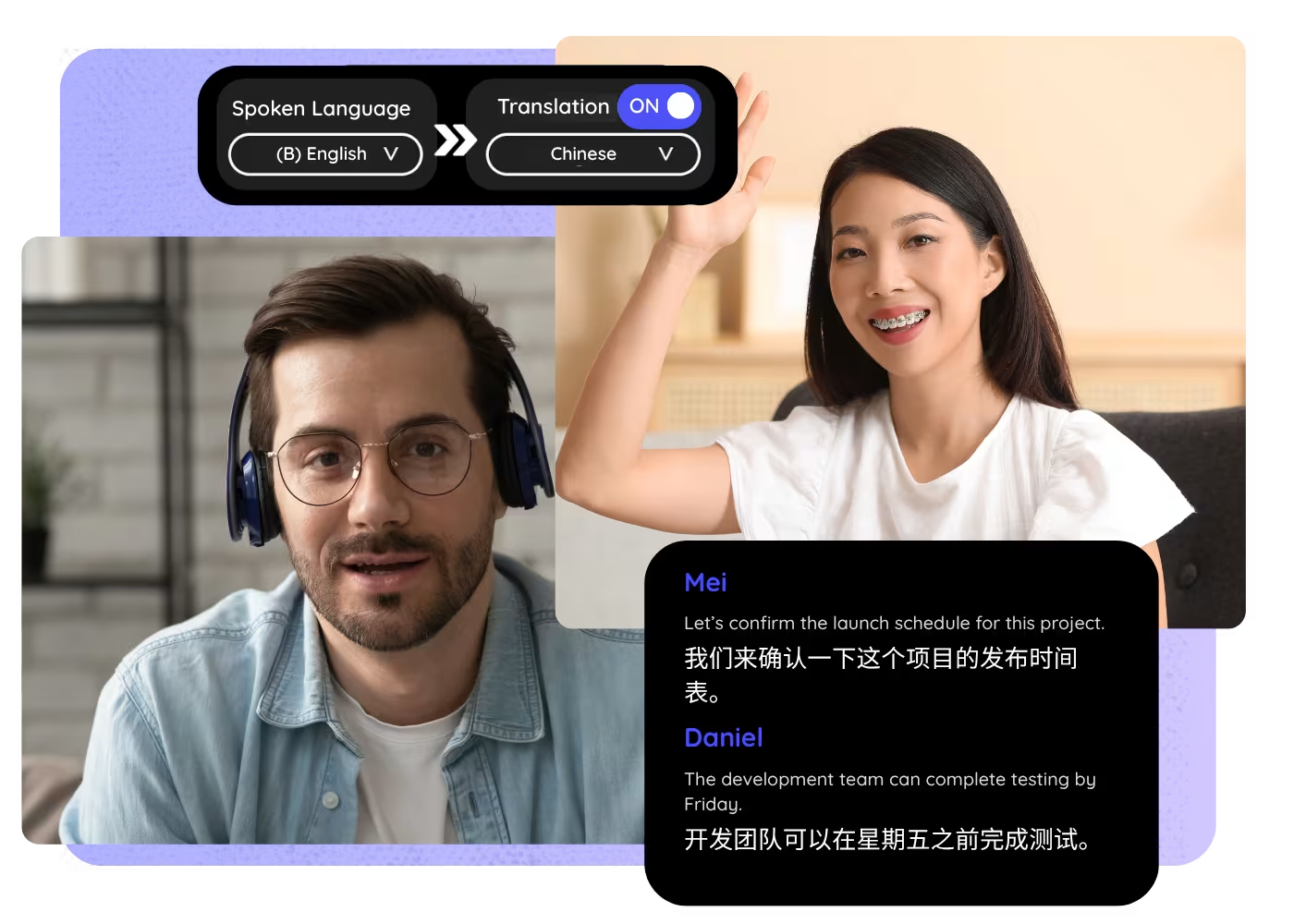
Translate English speech into Chinese in real time, with live captions and AI-cloned voice for meetings, webinars, and events. JotMe delivers natural Simplified or Traditional Chinese and keeps the meaning generic translators flatten, with no bot joining the call.
Trusted by 2,000 Teams and 500,000 Professionals Across 134 Countries



.avif)





.avif)


.avif)


.svg)
Rated 4.7/5


GDPR Compliant
.avif)
SOC 2 Type II (In Progress)
How to translate English to Chinese live
In 3 easy steps!
STEP 1
Open JotMe before your meeting
Launch JotMe on desktop or use the supported browser/meeting workflow before the call starts. No extra bot needs to join.

STEP 2
Select English to Chinese
Choose English as the spoken language and Chinese as the translation language. Use the page-specific demo if you want to test first.

STEP 3
Share the translation if needed
Keep the Chinese captions for yourself or share the live translation link so other attendees can follow along.

See It in Action!
English to Chinese Live Translation for real business calls
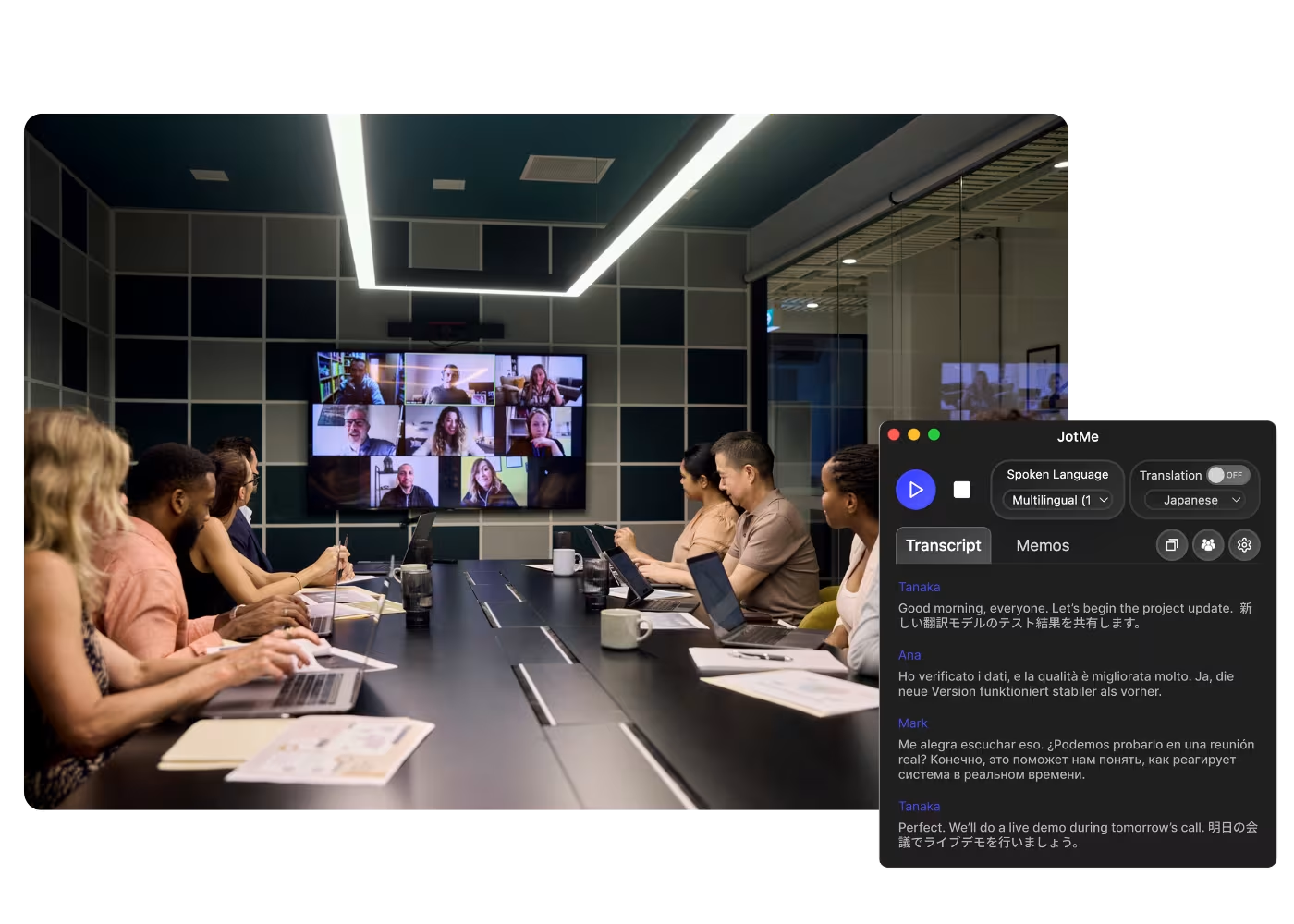
Global HQ announcements
Launch JotMe on desktop or use the supported browser/meeting workflow before the call starts. No extra bot needs to join.

Product training for Chinese markets
Choose English as the spoken language and Chinese as the translation language. Use the page-specific demo if you want to test first.
.avif)
Customer webinars and events
Keep the Chinese captions for yourself or share the live translation link so other attendees can follow along.
Frequently asked questions
Everything you need to know about running meetings and events with JotMe.
Can JotMe translate English to Chinese in real time?
Yes. Choose English as the spoken language and Chinese as the translation language, then JotMe shows live captions while the meeting continues.
Can JotMe cover Simplified, Traditional, Mandarin, and Cantonese Chinese?
Yes. JotMe delivers Simplified or Traditional Chinese, Mandarin phrasing, and Cantonese-aware wording. Set the output to match your audience, mainland, Taiwan, or Hong Kong, when you start the meeting.
Does JotMe join my meeting as a bot?
No. JotMe gives you live translation without adding a visible bot participant to the meeting.
Will it translate English idioms into natural Chinese?
JotMe uses the context to render English idioms, acronyms, and product terms as natural Chinese instead of a stiff literal caption. For public-facing copy, review the saved transcript for country-specific wording.
Can I use this for webinars and events?
Yes. Use JotMe for meetings, webinars, trainings, conferences, and in-person conversations where English needs to become Chinese live.
Can I review the transcript after the call?
Yes. Keep the transcript and translation after the meeting so your team can confirm quotes, action items, and follow-up decisions.
What related tools should I use with this?
Pair this page with Chinese to English Live Translation, Multilingual Transcription, AI Live Translation Sharing, and AI Meeting Notes for follow-up work.

Start English to Chinese live translation
.avif)
Run every meeting and event smoothly for your multilingual operations
Transcribe, interpret, translate, and turn every critical conversation into insights with context so everyone stays aligned across languages.
.avif)




.avif)







