Tips
How to Share AI Live Translation and Voice to Voice Translation with a QR Code?

Taka Shirasu
March 4, 2026
Conference, live events, panel discussions, annual shareholder meetings, presentations, lectures… the list goes on. And these occasions are special moments for the host.
As a host, you think about everything: lighting, slides, timing, and the guests you’re bringing. Some of you also think about how to include people from different backgrounds who speak different languages, because inclusivity is a key to success in today’s globalized world.
If you’re reading this, you’re probably looking for AI live translation for live events, or you’re curious how it actually works. And if you’ve tried other options, you might already know this: free tools like Google Translate are not reliable for live events. The UX is built for their own workflow and simple use cases like travel or one-shot translation, not for a real stage setting where people need to follow the conversation live.
Even if you stumble into “live event translation” solutions like Wordly, KUDO, or Interprefy, they almost always ask you to inquire first, and the bill often comes out around $5,000 to $10,000 USD. I know this because I tried to work with them when I worked for a Japanese corporation and needed live translation for our conference. I tried, but the technology wasn’t sophisticated enough. They basically take your voice, transcribe it, and translate it (often with a standard API like DeepL). That’s not bad engineering, but it didn’t give me the contextual translation I needed, as discussion can go technical and industry specific.
So I built JotMe two years ago, believing everything could be better, from pricing to the technology itself. Until now, we already had contextual live translation, where our AI follows the flow of the conversation and translates with meaning and intent, not just literal words. It changed the way the world views how important conversation can be translated in real-time, and I’m proud of that.
What was missing was flexible sharing. In July 2026, JotMe offers multiple ways to share contextual live translation depending on your event and audience. You can share translations through a QR code, a shareable URL, or even display translated subtitles directly on your webcam. For smaller interactive conversations, JotMe also supports voice-to-voice translation, allowing participants to hear translated speech in their preferred language while continuing to speak naturally.
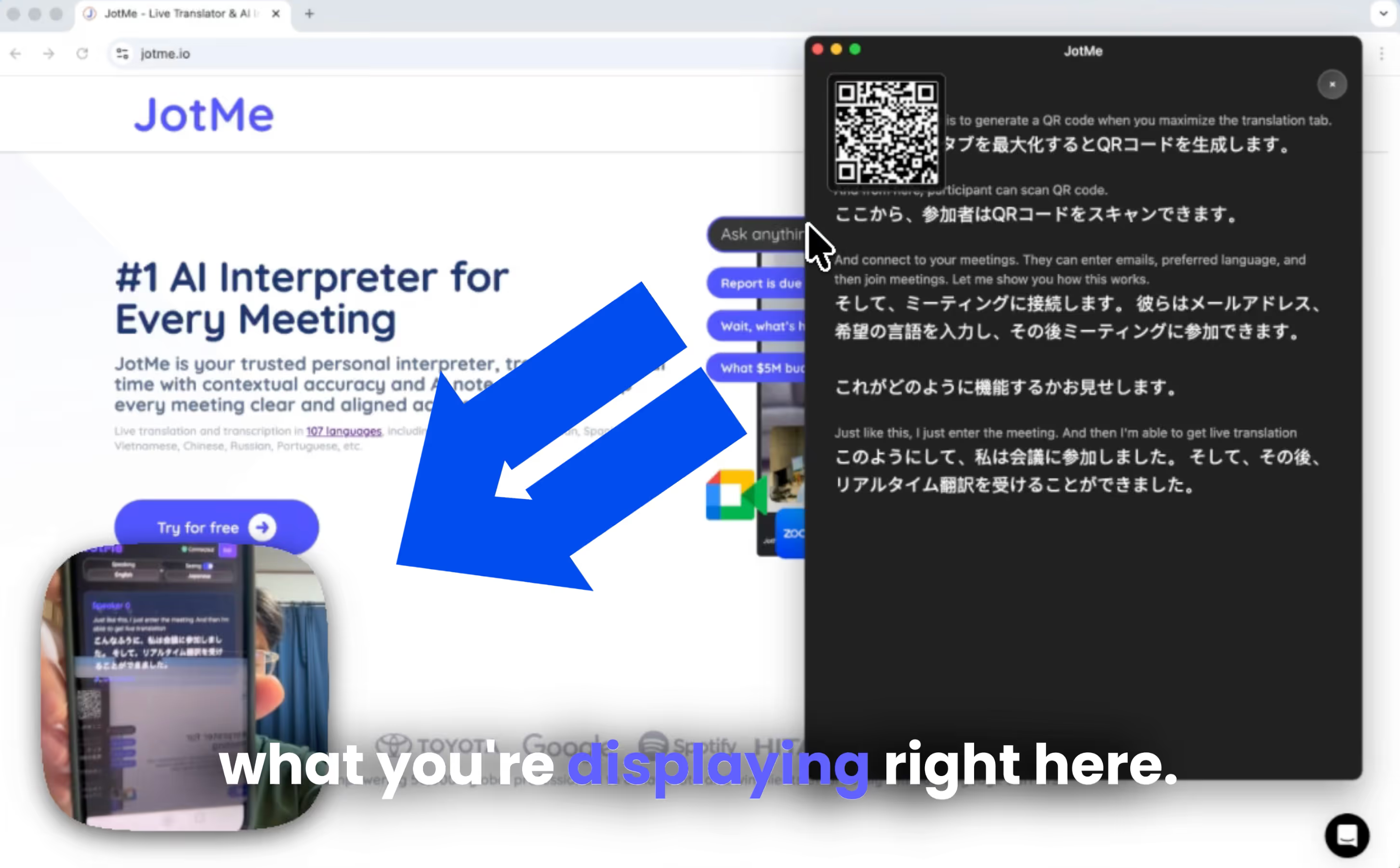
Here’s how it works: you open the desktop app, turn on QR code sharing, and maximize the transcription window. A QR code shows up on your screen. You then display that screen on the big monitor or projector at your event. Your audience scans the QR code and instantly joins the live translation. For one-on-one or small group conversations, voice-to-voice translation lets participants hear translated speech in their selected language for a more natural discussion.
And the billing? You’re sharing translation minutes, so the cost scales with your audience. Our billing is transparent, and it typically costs around $6 per hour to share among your audience. If you have a smaller event, you can also choose a monthly or annual subscription:
- $120/month for 2,000 minutes (33 hours)
- Or $60/month with annual payment (50% off)
The best quote depends on your usage, so the easiest way is to create an account and check JotMe pricing on the dashboard. JotMe is always free to try. You can download the desktop application from JotMe’s official website and test the translation quality first.
Now, let’s dive into how you can share contextual AI live translation with a QR code with your global team.
- Install the JotMe desktop app, log in, and ensure you have translation minutes and Premium access.
- Turn on QR sharing inside the app and display the generated QR code on your event screen.
- Attendees scan the QR code, choose their language, and follow the translation instantly in their browser. If you share voice to voice via QR code, then teammates will listen to the audio in their native language.
- JotMe automatically shares combined AI meeting notes, including summaries and transcripts, with participants after the meeting.
Alternatively, you can watch a YouTube tutorial on How to Share AI Live Translation with a QR Code With Your Audience.
What are the Prerequisites to Share Live Translation With QR Code?
First, download the JotMe desktop application from the official website. Our app is free to download and only takes a few minutes to set up. Once installed, simply log in to your account to get started.
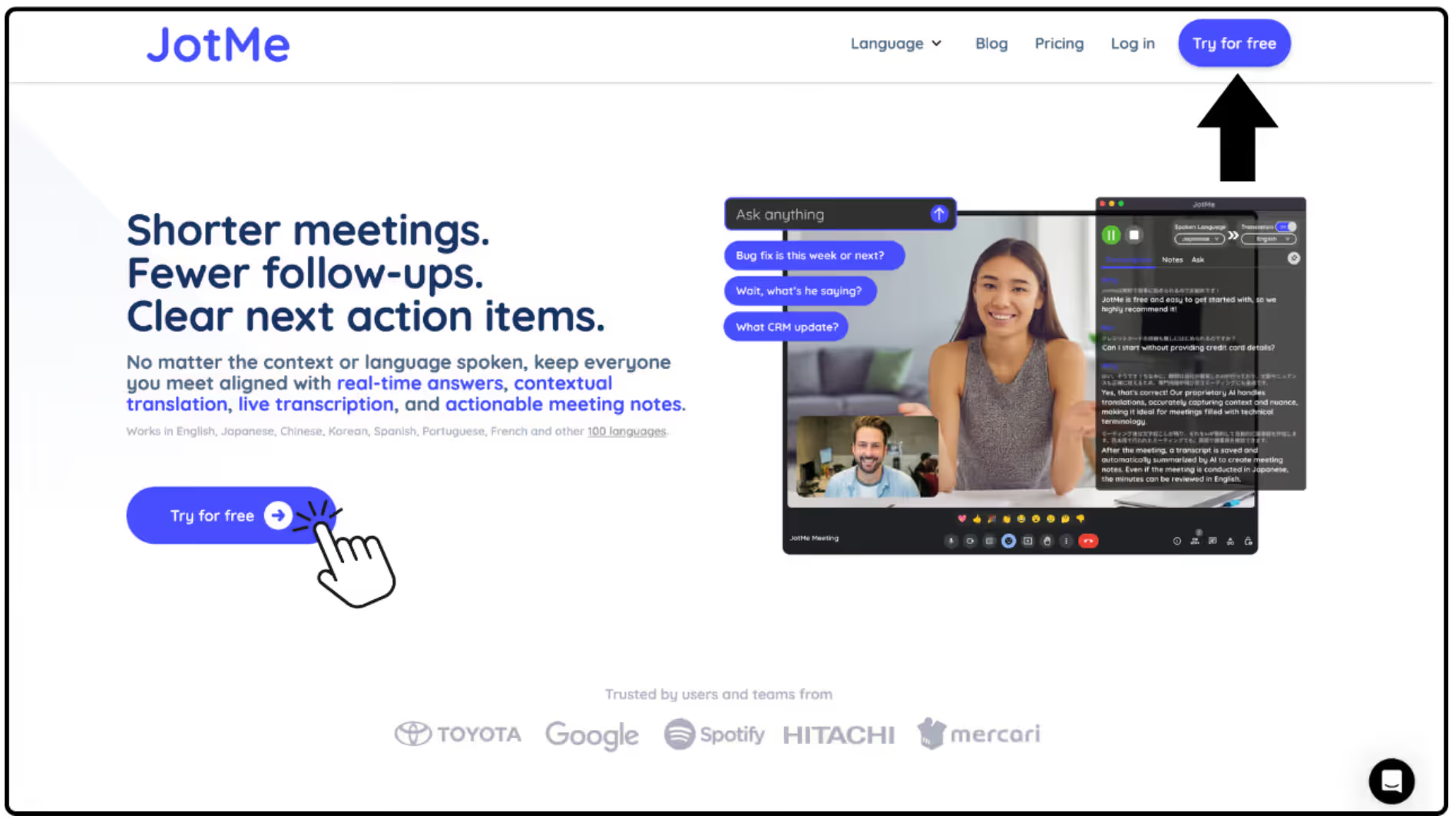
For sharing live translation with your audience, you’ll need translation minutes available in your account and a Premium subscription.
Before your event begins, make sure your microphone and audio input are set up correctly so JotMe can capture the speaker’s voice clearly.
How to Generate a QR Code For Sharing Live Translation?
Next, open the Share Translation menu inside the desktop application and turn on QR Code sharing. Once enabled, JotMe will generate a QR code automatically.
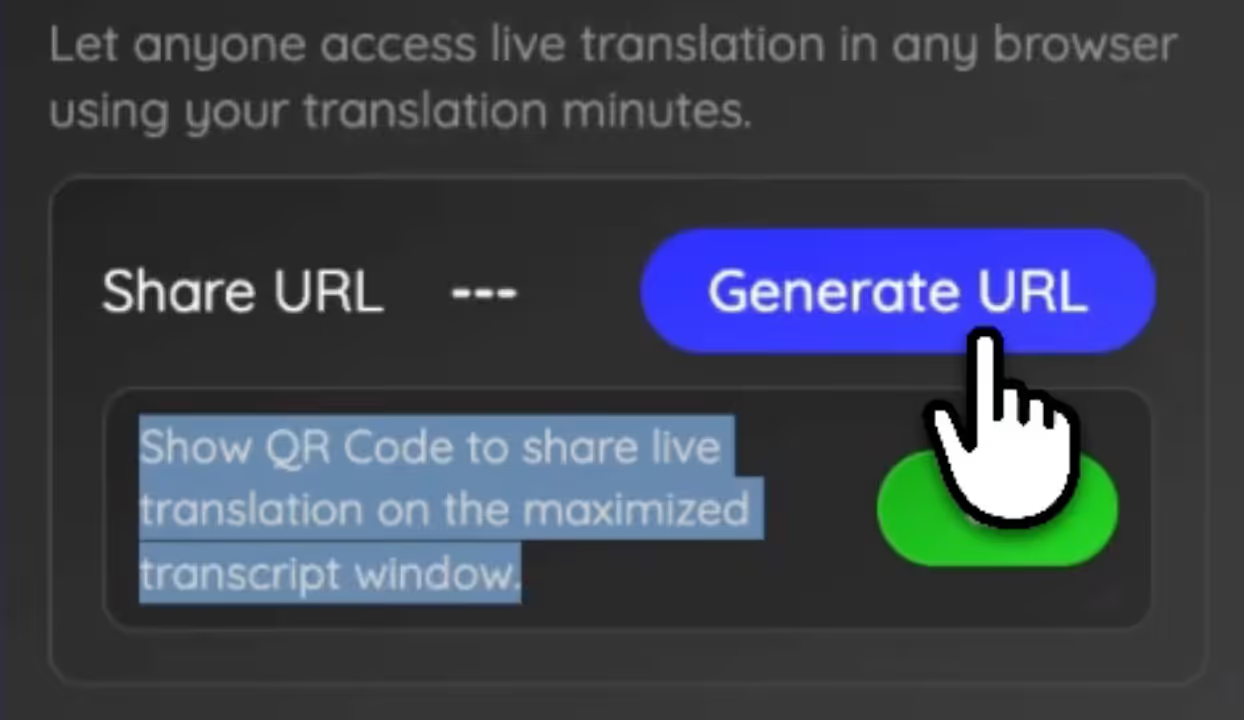
You can then display this QR code on your presentation screen, projector, or large monitor so your audience can easily scan it. The QR code appears when the host maximizes the transcript view in JotMe, making it easy to present the code clearly for participants to scan and join the live translation.
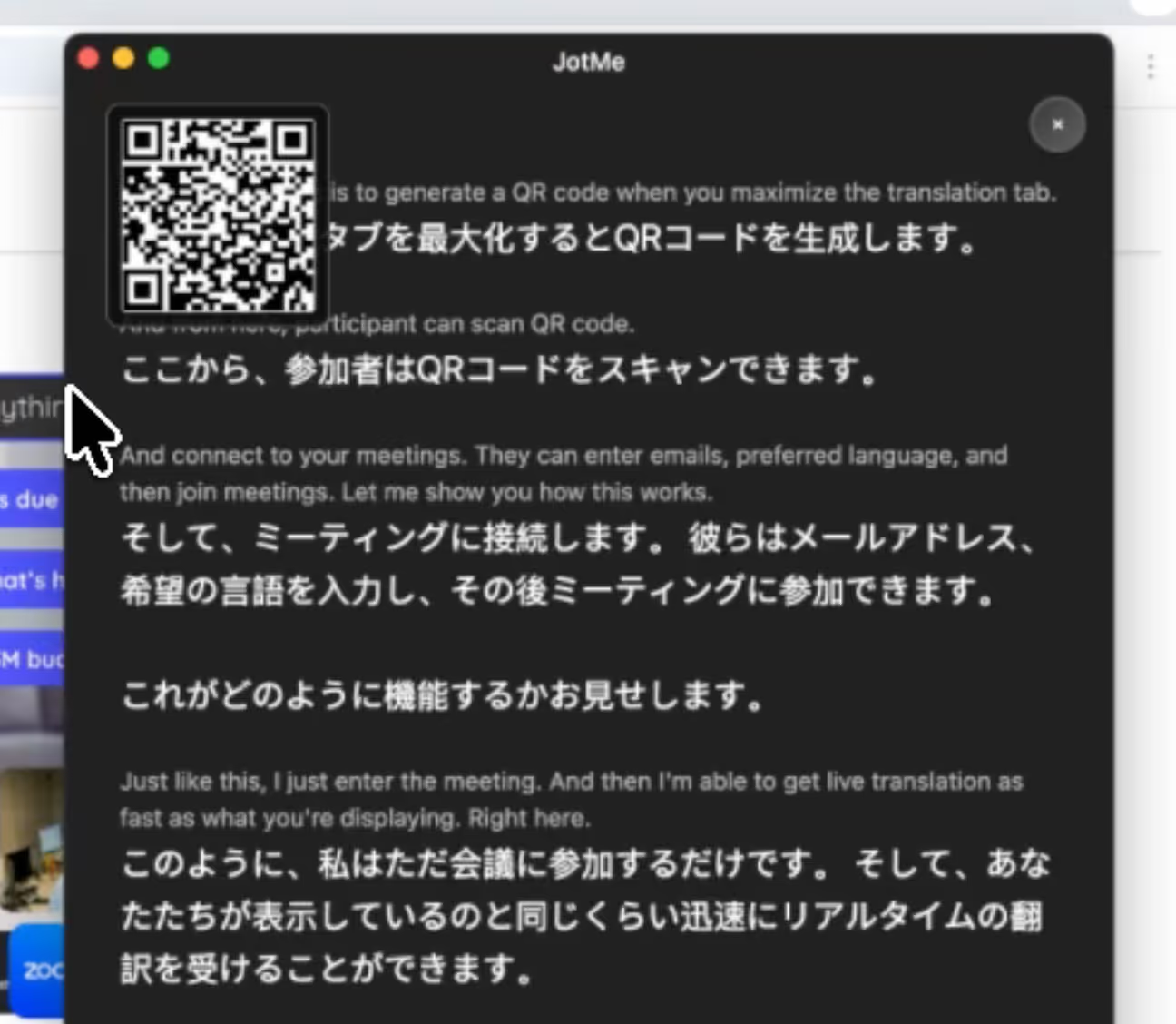
Once the QR code is visible on the big screen, audience members can simply open their phone camera and scan it. They’ll instantly join the live translation page in their browser.
What Makes JotMe’s QR Code Unique?
No installation.
No app download.
No account creation required.
How do Participants Access Live Translation?
When audience members scan the QR code, they will see a simple page asking for a few things:
- Email entry
- Preferred language selection
- Optional email consent for receiving the event summary
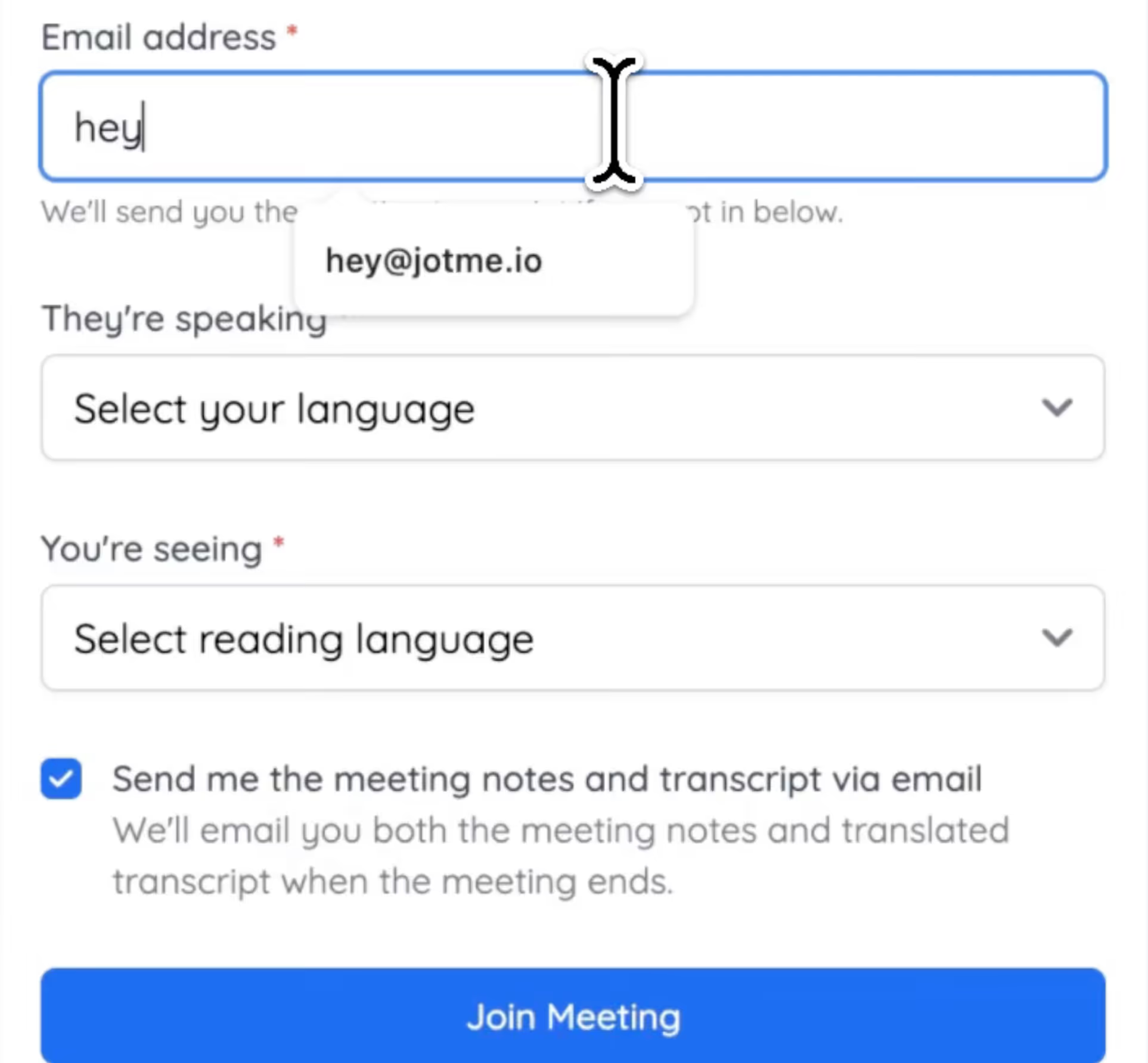
After entering all the details, they immediately start receiving live AI translation on their phone. The translation updates in real time as the speaker talks on stage.
Each audience member can choose the language they prefer. One person may follow in Spanish, another in Japanese, another in Korean.
This works especially well for:
- International conferences
- Global product launches
- Startup demo days
- Academic conferences
- University lectures
- Corporate shareholder meetings
- Panel discussions
Instead of struggling to understand the talk, the audience can follow along in their own language.
How to Set Voice to Voice Translation on JotMe
Here is the step-by-step guide to set up voice-to-voice translation and share via QU code:
Step 1: Open JotMe and click the Speaker icon on the upper right-hand side.
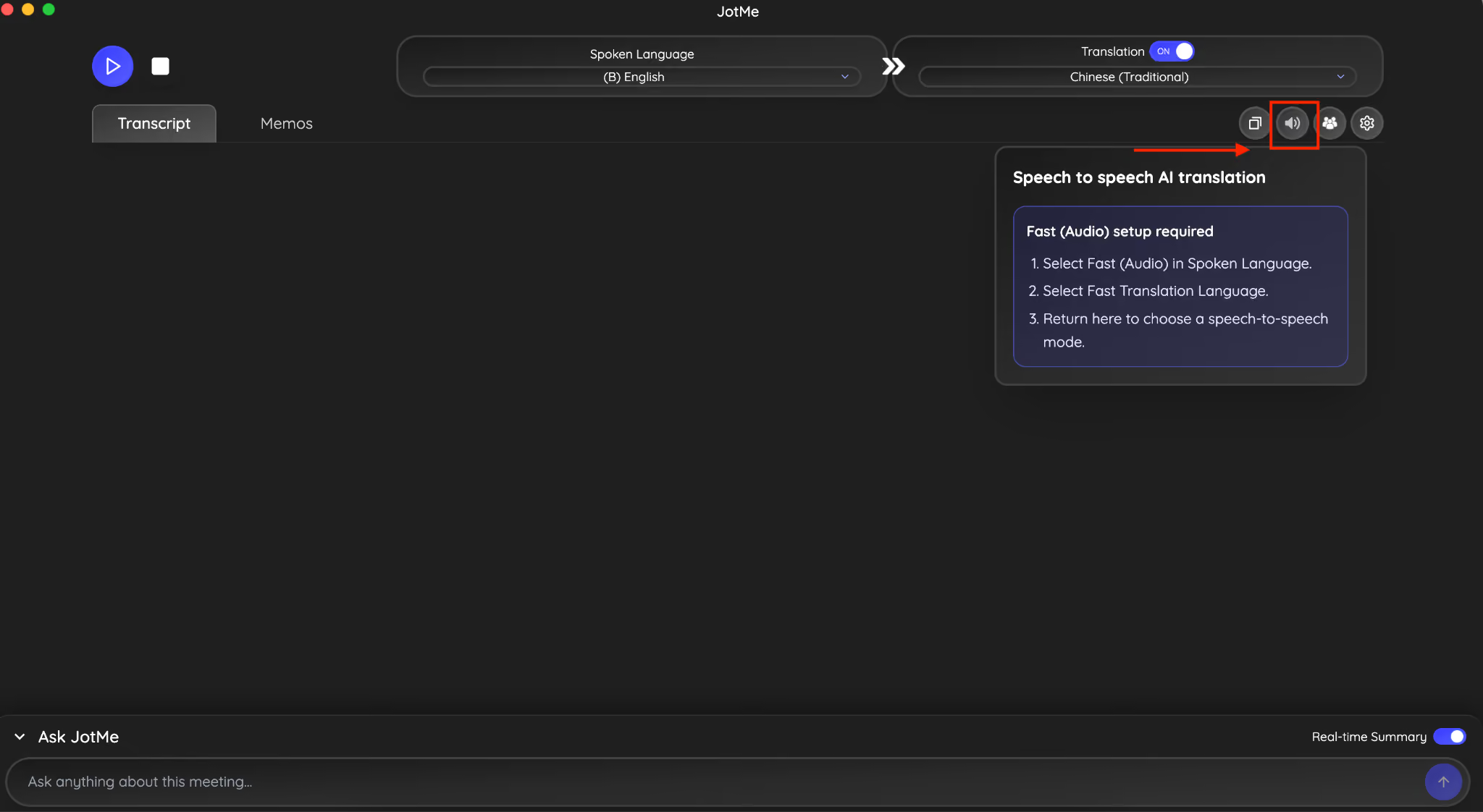
Step 2: Follow the given prompts and choose the Fast Audio option from the spoken language section.
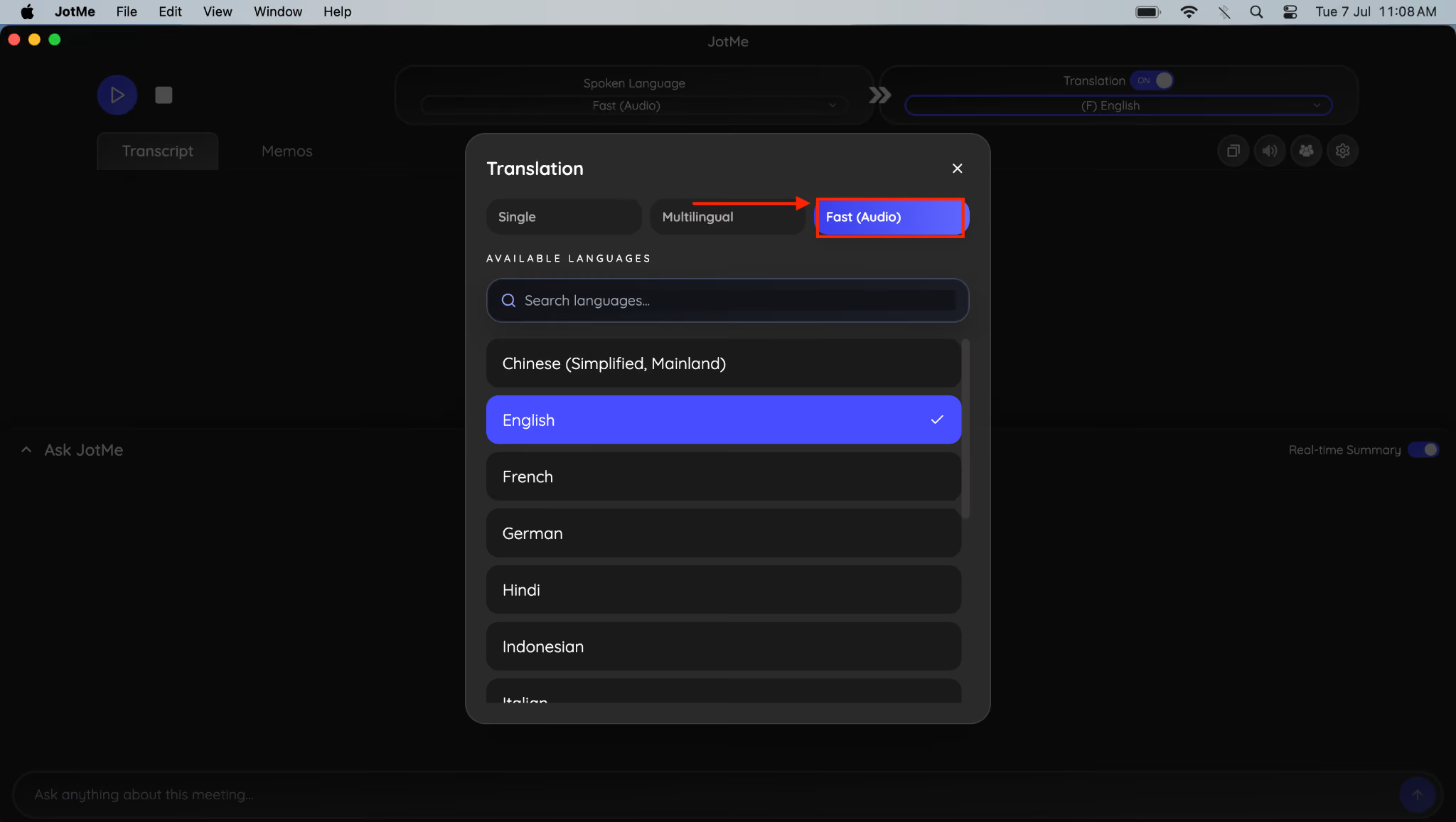
Step 3: Now, come again to the Speaker option on the right-hand side and set the speech-to-speech AI translation option.
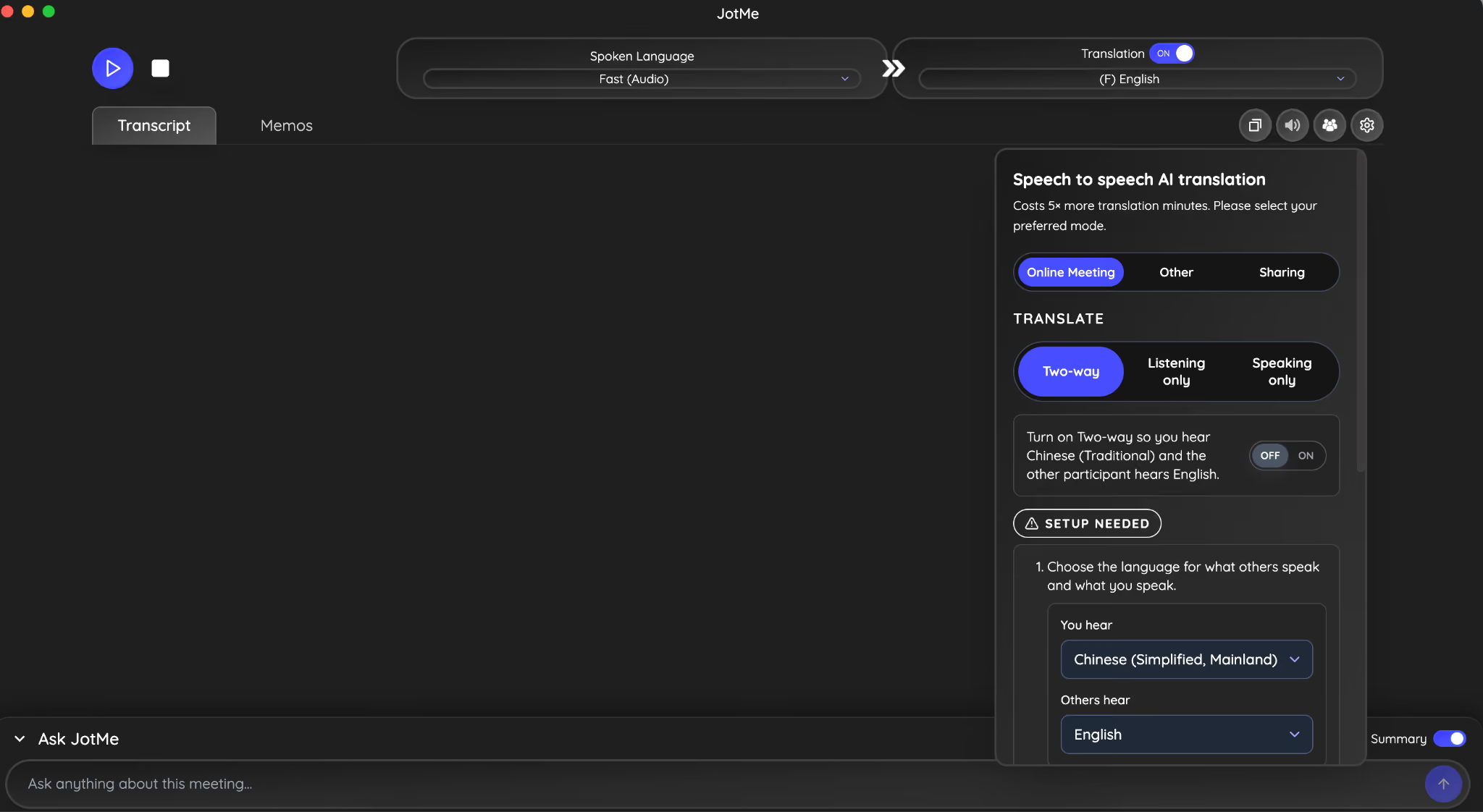
Step 4: Select the meeting type, translate option, and enable on two-way communication.
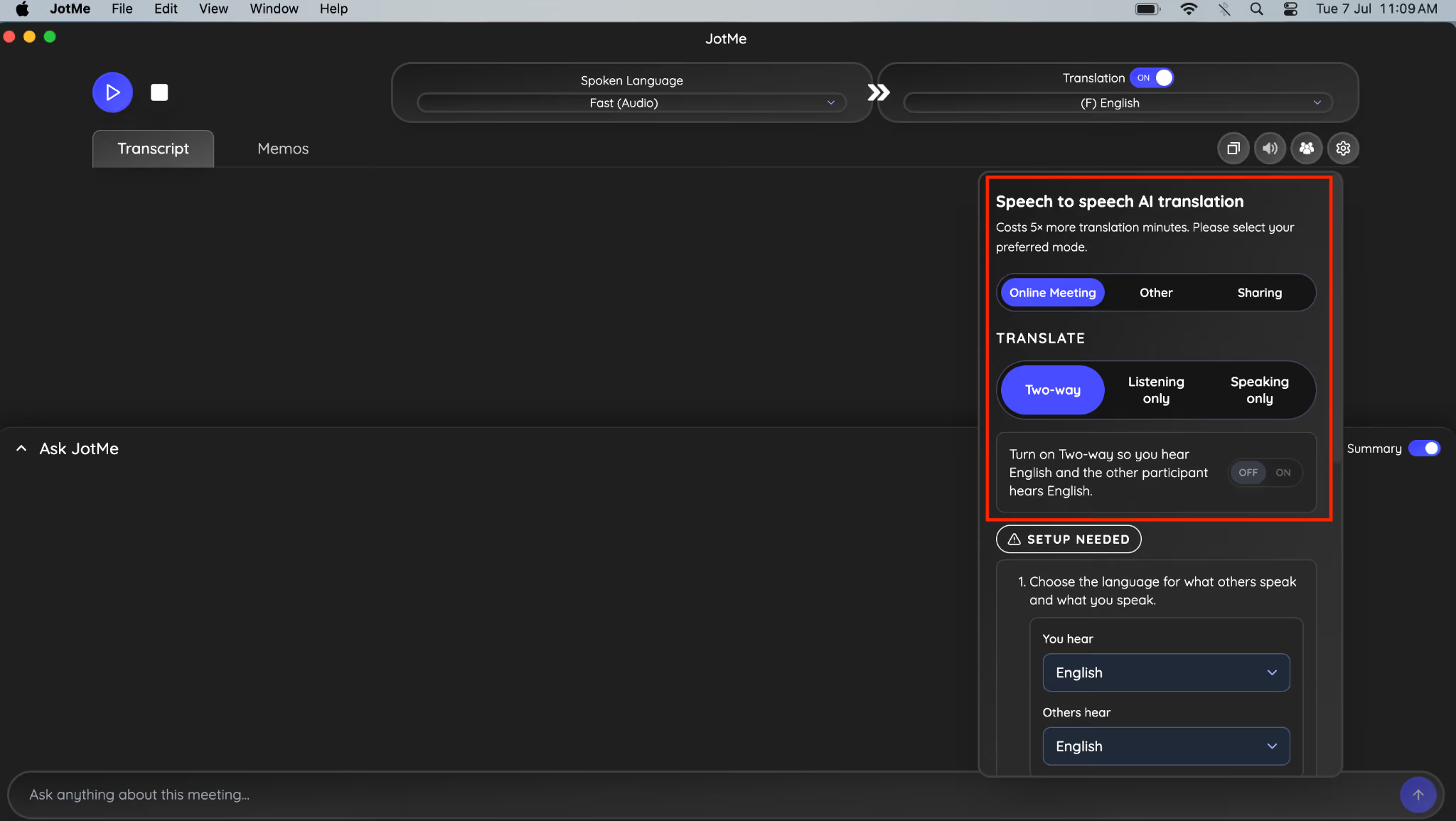
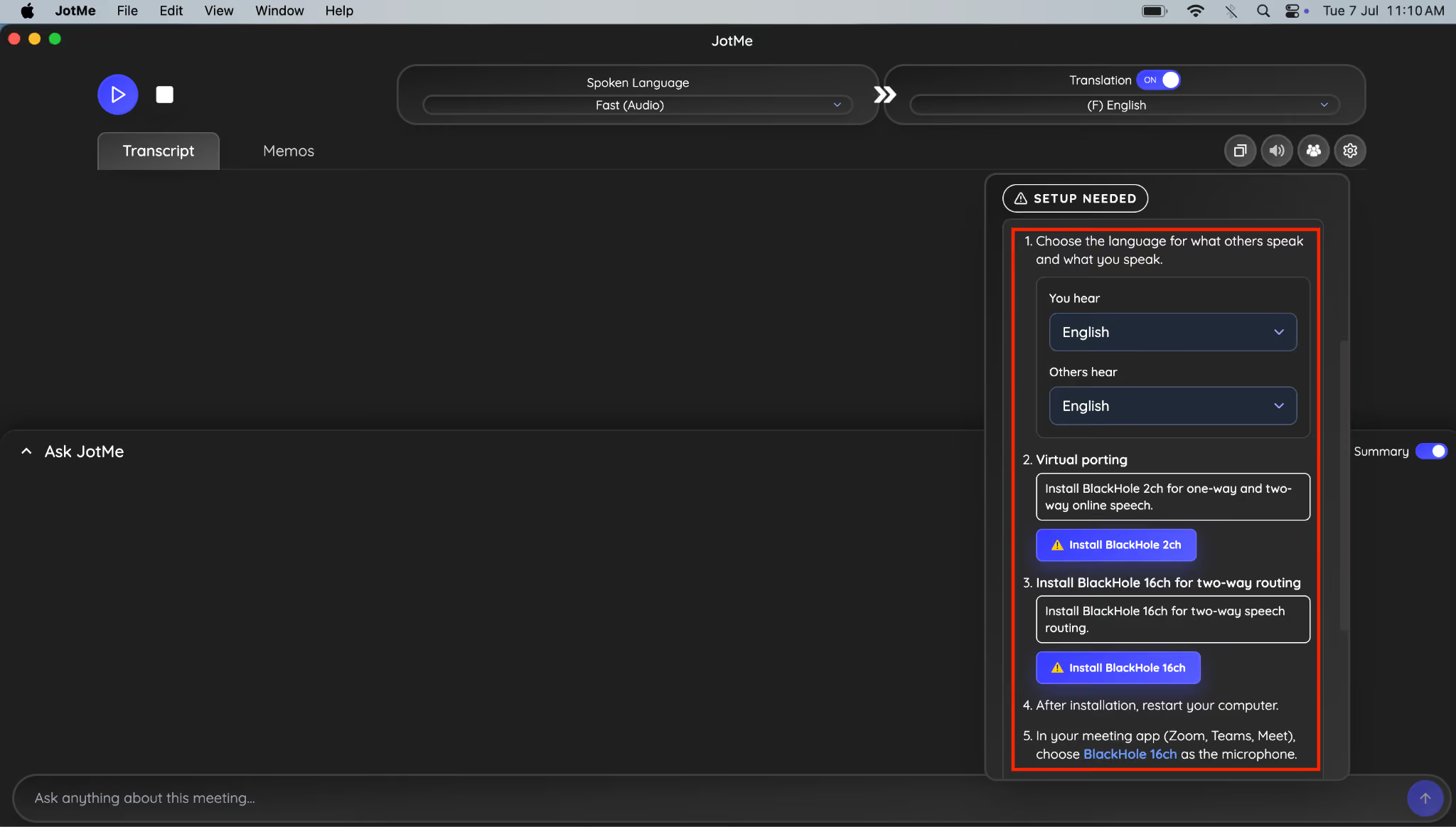
Step 5: Choose the language you hear, and your team member will listen. After that, install BlackHole 2ch and BlackHole 16ch.
Step 6: Once done, navigate to the sharing option next to the speaker icon.
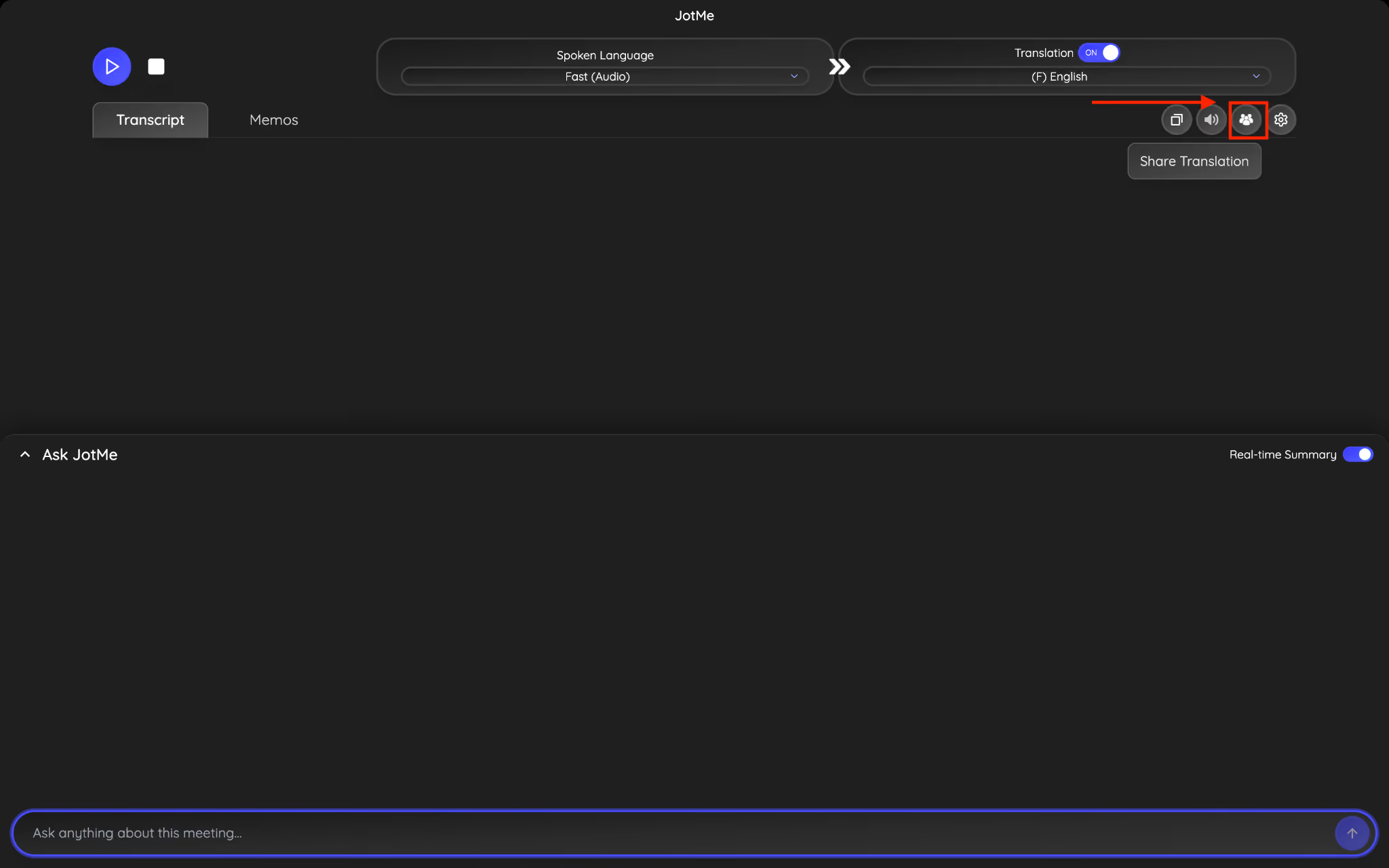
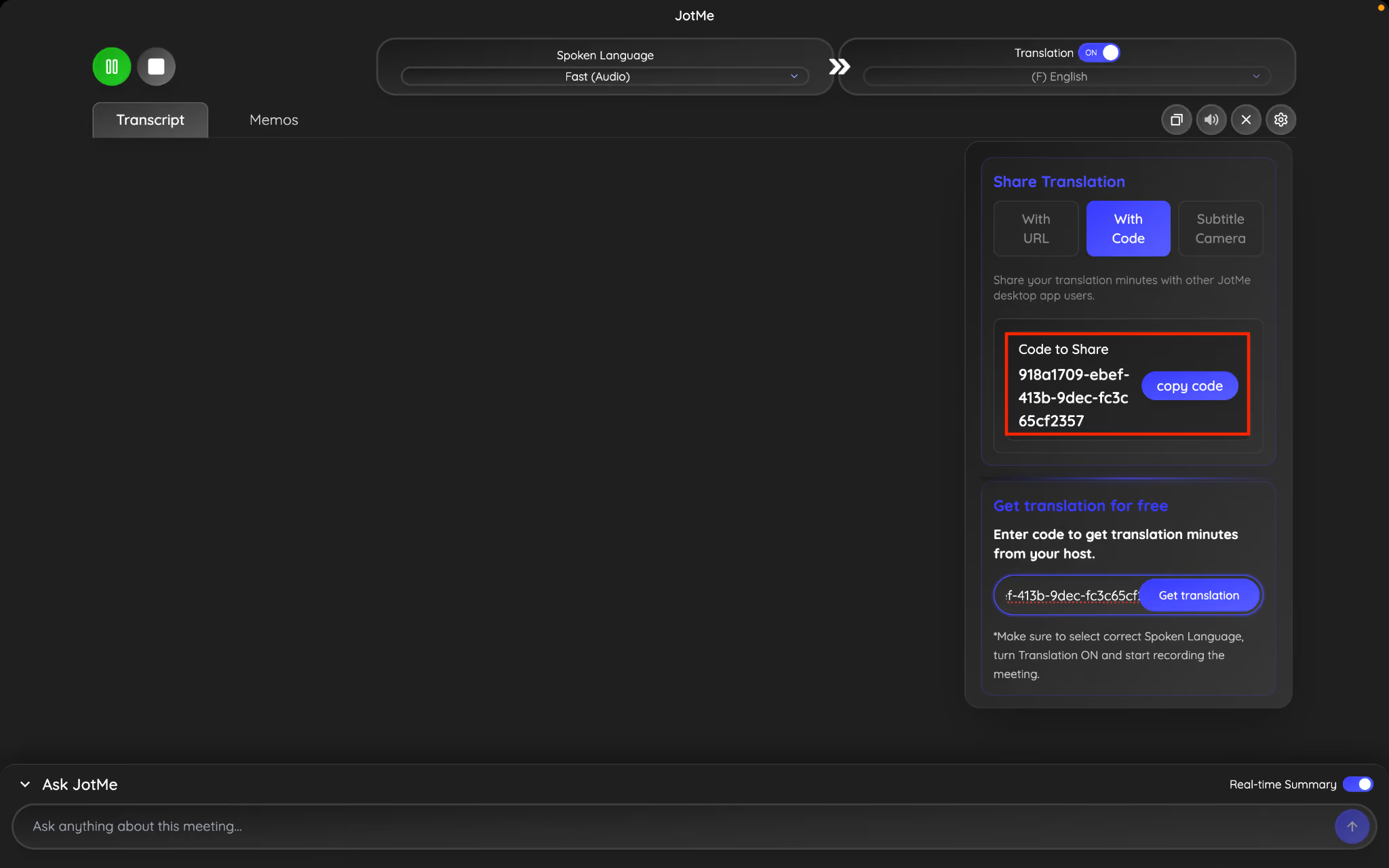
Step 7: Head to the QR code and click Generate code.
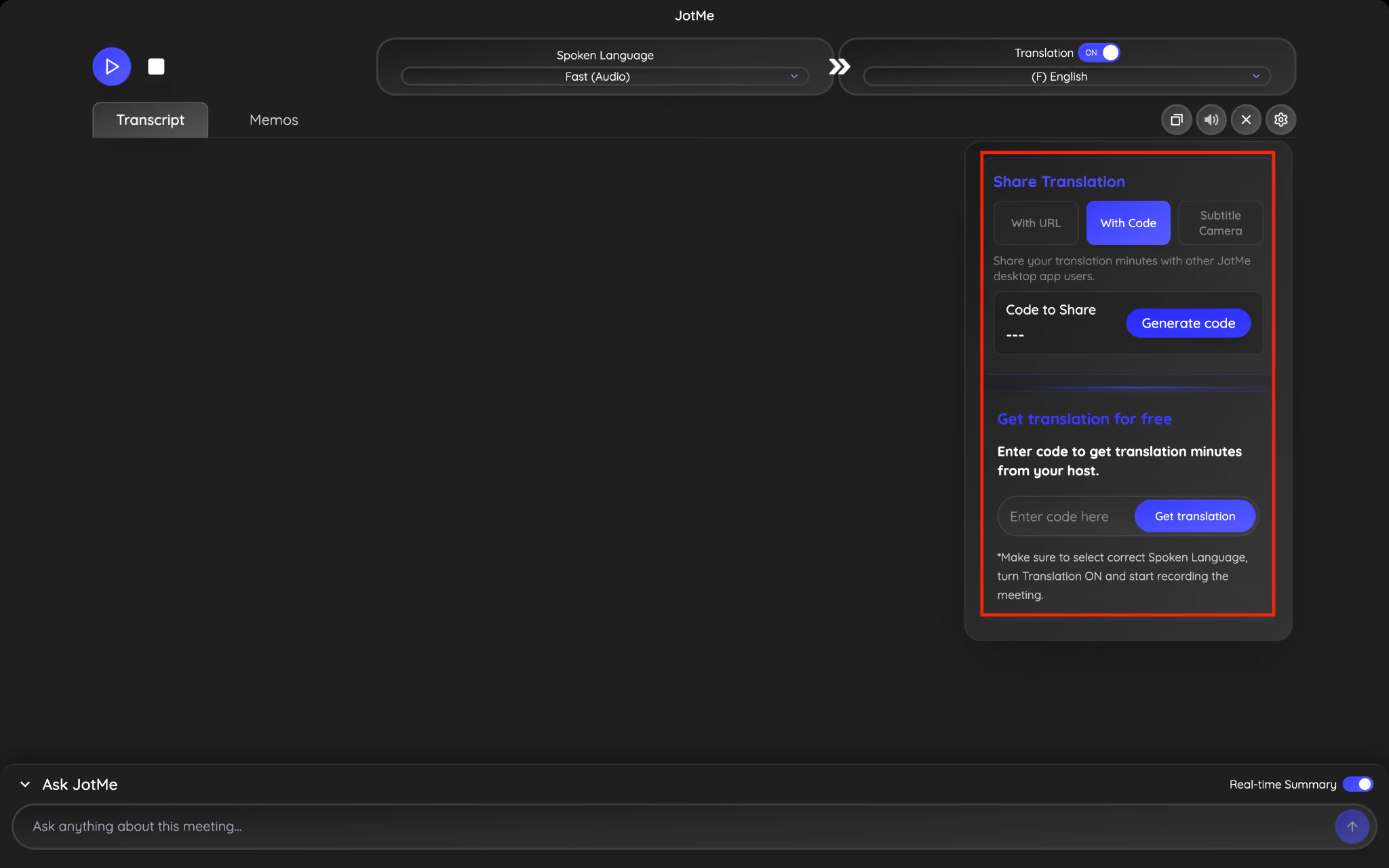
Step 8: Copy the code and share it with your teammate; they paste the code, choose their preferred language in which they want to listen to the voice, and they can listen to the translated voice without delay, along with live translation.
How to Share Post-Meeting Notes With a Multilingual Team?
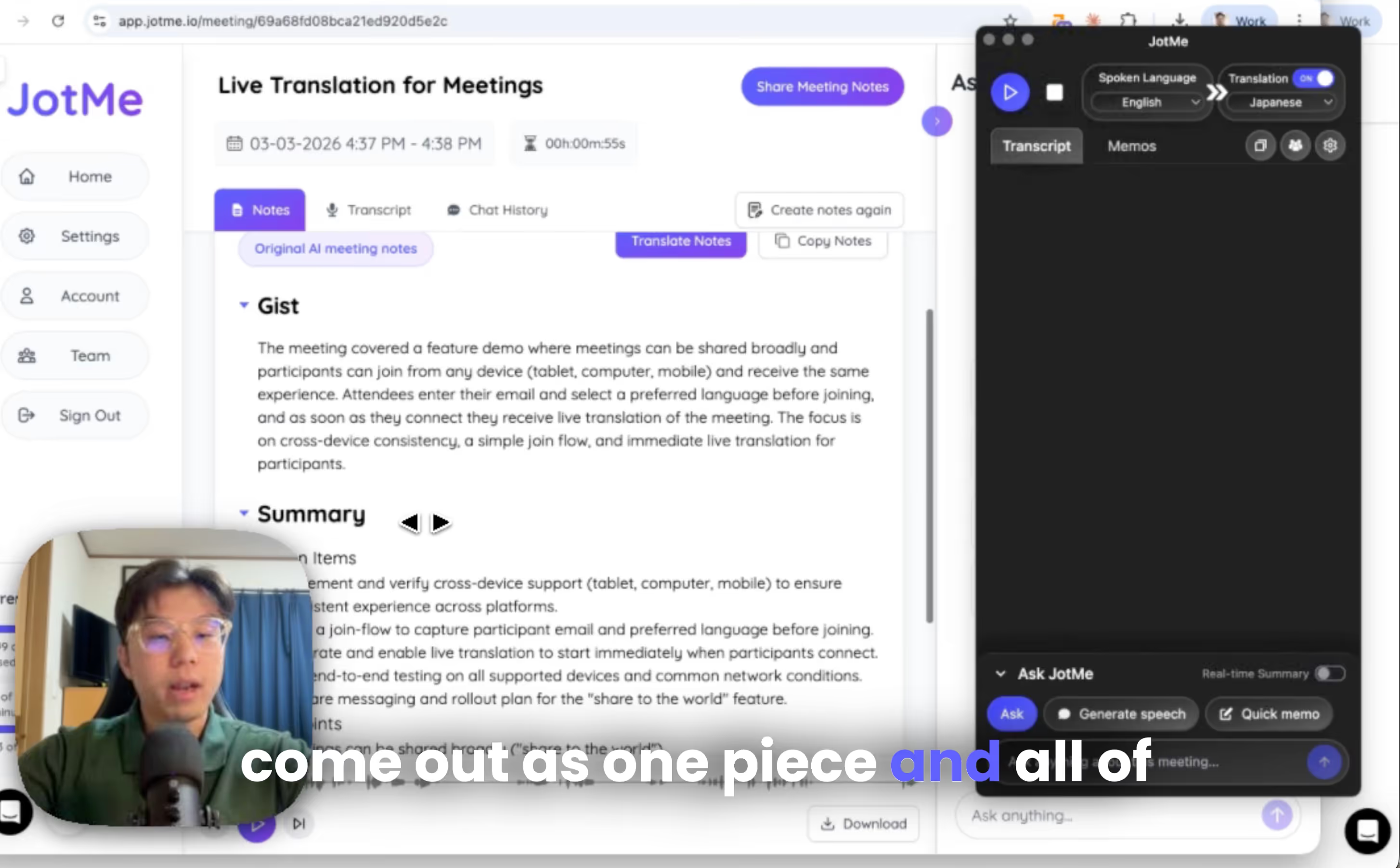
After the event ends, JotMe automatically generates AI meeting notes with a combined transcription. Participants receive the notes automatically, so hosts do not need to manually send them. You can still access the meeting record from the JotMe homepage to review the complete transcript and summaries.
What do post-meeting notes mean?
All live transcripts generated during the session are combined into one record.
For example:
- The speaker spoke in English
- Some audience members viewed Japanese translation
- Others viewed Korean or Spanish
The final record will contain the full transcription of what was spoken during the session, and you can also use the AI meeting notes translator to translate notes in over 13 languages.
Nothing gets lost.
If participants opted in with their email, they can also receive the event summary after the session.
Making Live Translation Sharing Simple with JotMe
Sharing contextual live translation no longer requires expensive interpretation equipment or enterprise-only services. Whether you choose QR code sharing for conferences, URL sharing for virtual events, webcam subtitle sharing for presentations, or voice-to-voice translation for interactive conversations, JotMe makes multilingual communication accessible without adding unnecessary complexity for participants.
If you want to try it yourself, download JotMe from: https://www.jotme.io/.
Or create an account and check the pricing options.
We’re always happy to hear feedback from event organizers, conference hosts, and companies running global events. If you have questions or enterprise inquiries, feel free to reach out: hey@jotme.io.
Maybe someday we’ll have a conversation about how wonderful the world will be! Talk to you then!
Last updated on
July 13, 2026
Follow us on social media:
![JotMe — Is Google Translate Accurate? [2026 Test]](/_webflow-assets/0d0512afc7b037d74dff536f22fed08f.avif)