Guias
23 melhores tradutores de voz para seu PC, Android e iPhone

Taka Shirasu
October 13, 2025
.avif)
Are you wondering which voice translation app is best for you and what the differences are?
By using a voice translation app, you can communicate smoothly with foreign language speakers without relying on a translator.
In this article, we will explain an overview of voice translation apps and how to choose the right one.
We will introduce various voice translation apps, including web conferencing tools with built-in voice translation, smartphone apps, dedicated translation devices, and apps that translate audio in real time on PCs, along with their features and recommendations.
Table of Contents
- What is a Voice Translation App?
- 5 Key Points for Choosing a Voice Translation App
- Does it support the languages you need?
- Does it offer high translation accuracy and speed?
- Is it suitable for your intended use?
- Is it affordable within your budget?
- Is it compatible with your device?
- Top 5 Web Conferencing Tools with Voice Translation – Recommended for Global Teams!
- JotMe, Google Meet Subtitle Translation, Microsoft Teams Subtitle Translation, Zoom Subtitle Translation, Webex Subtitle Translation
- Top 11 Free Voice Translation Apps for iPhone & Android
- Google Translate, Weblio English Translation, Papago, VoiceTra, Microsoft Translator, UDictionary, iTranslate Voice, Apple Translate, DeepL Translate, Notta, VoicePing
- Top 3 Voice Translation Apps with Dedicated Devices
- Cheetah TALK, Pocketalk, Langogo Genesis
- Top 4 Apps for Real-time Voice Translation on PC
- Fair Use Real-time Translation Tool, Dokotsu AI, Minutz, ZMEETING
- Conclusion
- Why JotMe is the Best Choice for Business Voice Translation
What is a Voice Translation App?
A voice translation app is an application that analyzes spoken language, transcribes it, and converts it into another language for text display or audio playback.
Even if you cannot accurately hear the speaker’s pronunciation, AI can transcribe and translate it correctly, making it possible to communicate in difficult foreign languages via text or AI-generated speech.
Traditional translation apps focused on translating written text, but advancements in AI speech recognition technology have made highly accurate voice translation apps possible. Some apps, such as VoiceAPP, now achieve a 97.6% speech recognition accuracy rate.
Beyond improved accuracy, the growing demand for voice translation apps is driven by global economic expansion, the need for skilled foreign IT professionals, and Japan’s increasing inbound tourism market.
Use Cases for Voice Translation Apps:
- Conducting business with foreign partners
- Communicating with foreign employees in Japan
- Navigating language barriers while working abroad
- Understanding foreign language classes better
- Talking with foreign friends
- Participating in online meetings with international attendees
Voice translation apps are not limited to smartphones like iPhone or Android. They are also available on dedicated translation devices, tablets, and PCs (desktop, Google Meet, Microsoft Teams, Zoom, etc.). Choose a voice translation app that best suits your needs.
5 Key Points for Choosing a Voice Translation App
With many voice translation apps available, knowing how to choose the right one is essential. This section explains the five key points to consider.
1. Does it support the languages you need?
Different apps support different languages.
Key factors to check:
- Bidirectional support – Ensure the app can recognize speech in one language and translate it into another.
- Check the supported languages on the app's website or catalog before purchasing.
2. Does it offer high translation accuracy and speed?Translation accuracy and speed vary by app.
- Some apps slow down translation to improve accuracy by analyzing context.
- Real-time conversation requires faster but less precise translation.
- Business meetings may prioritize accuracy over speed to avoid misunderstandings.
3. Is it suitable for your intended use?Choose an app based on your needs:For Business:
- Compatible with web conferencing tools
- Understands technical jargon and contextual meaning
- Can integrate with transcription for meeting notes
For Travel & Casual Use:
- Works offline
- Portable and easy to carry
- Can function well in noisy outdoor environments
4. Is it affordable within your budget?Voice translation apps have four main pricing models:
- Free
- Subscription-based (monthly/annual)
- Pay-per-use
- One-time purchase (buying the app or device upfront with no recurring costs)
For the best cost-performance, choose an app that fits your needs. Apps with free trials are recommended, but be cautious of services that make it difficult to cancel after the trial.5. Is it compatible with your device?Voice translation apps are available for:
- PC, smartphones, tablets, and dedicated translation devices.
- If you need on-the-go translation, opt for a smartphone or portable device.
- For web meetings, use an app that integrates with Google Meet, Teams, or Zoom.
Top 5 Web Conferencing Tools with Voice Translation – Recommended for Global Teams!
If you work in a global environment, you may need voice translation for:
- Internal meetings
- Discussions and instructions for foreign colleagues
- Communications with overseas offices
For these situations, web conferencing tools with built-in voice translation are highly recommended.
1. JotMe
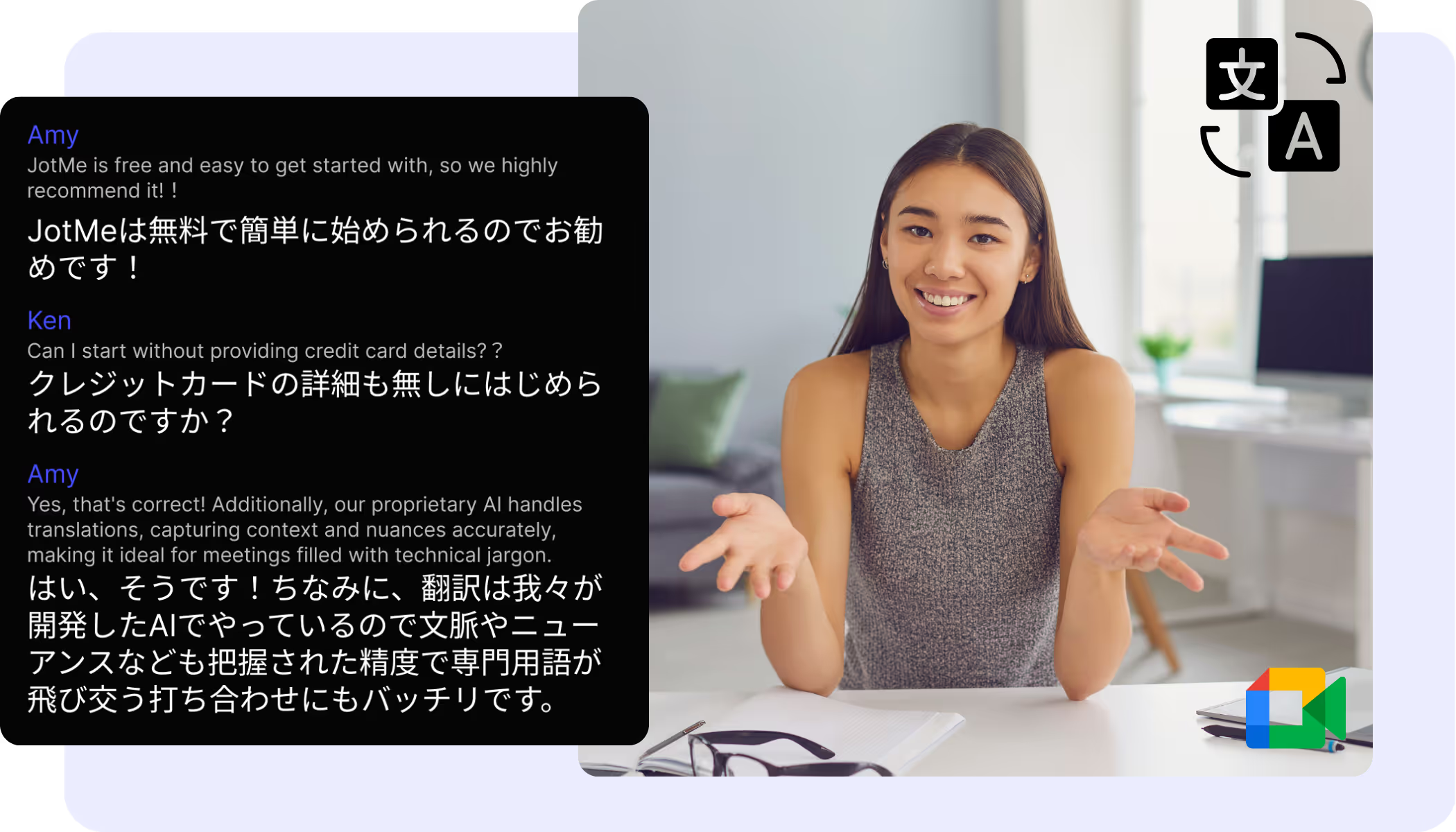
JotMe supports 77+ languages and specializes in high context language like Japanese translation.
Key Features:
✅ AI-powered real-time translation for 77+ languages
✅ Specialized translation that understands technical terms and context
✅ Cost-effective and high-performance compared to competitors
✅ Integrates directly with Google Meet for automatic translation
✅ Works on any platforms, Zoom, MS teams, Google Meet, Webex, Slack Huddles, etc
✅ AI-generated meeting notes and emails based on conversations
✅ Simple Chrome extension installation
🔗 Download JotMe for Chrome
📩 For inquiries: hey@jotme.io
2. Google Meet Subtitle Translation
If you have Google Gemini, you can use Google Meet’s built-in subtitle translation feature. It is best for casual translation needs.
Key Features:
✅ Subtitle-based translation for quick use
✅ Fast translation speed (but lacks deep context analysis)
Pricing:
- Gemini Business: $24/month (~3,780 JPY)
- Gemini Enterprise: $36/month (~5,670 JPY)
🔗 More details
3. Microsoft Teams Subtitle Translation
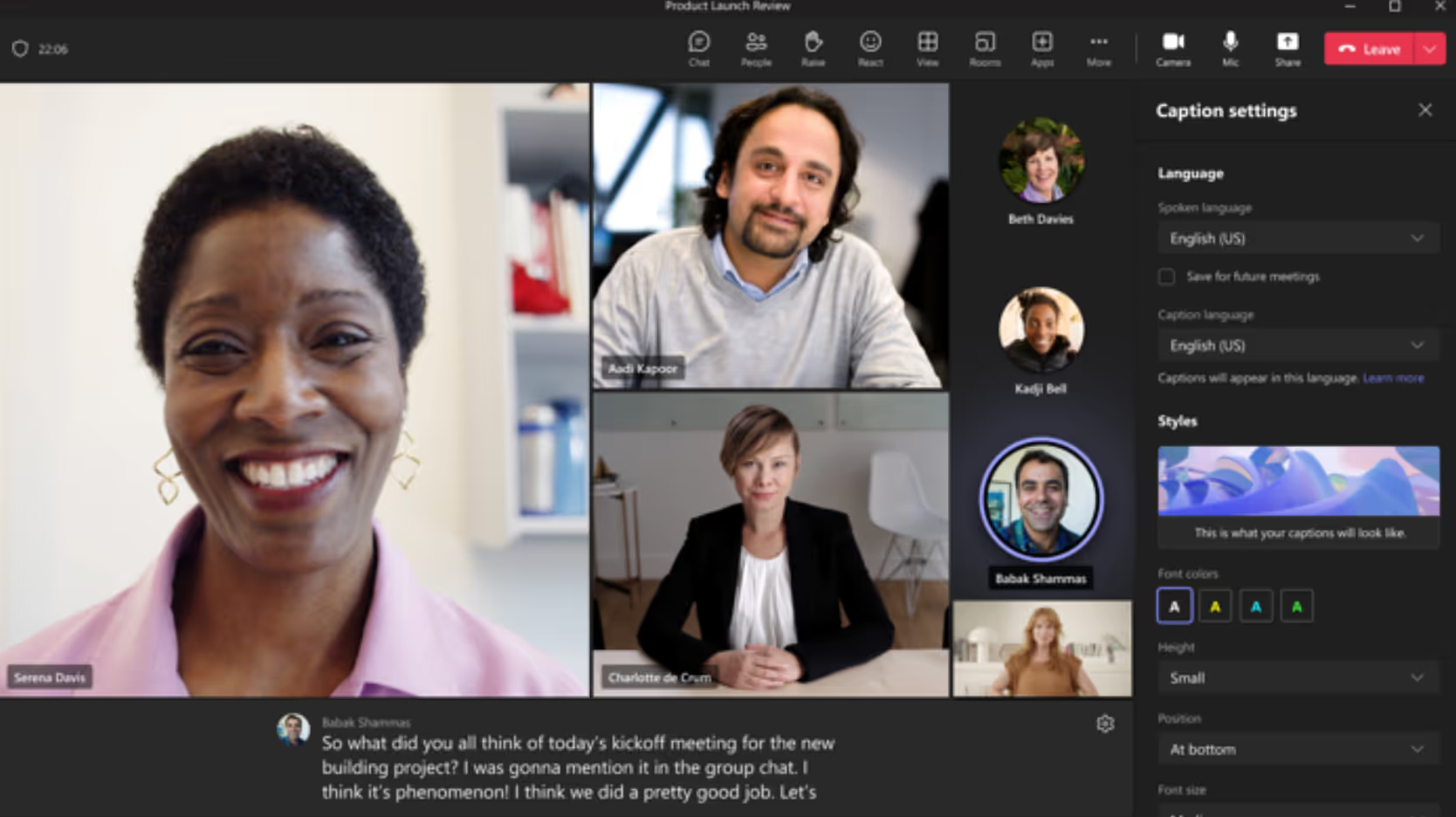
Microsoft Teams provides real-time voice translation and subtitle transcription to break language barriers in multilingual meetings. This feature is available with Teams Premium and supports 40+ languages.🎥 Watch DemoKey Features:✅ Real-time translation in 40+ languages
✅ Integrated chat, file sharing, and team collaboration tools
✅ Enterprise-level security with data encryption and authentication
✅ Seamless integration with Microsoft 365 (Outlook, Excel, etc.)Pricing:
- Pricing is available on Microsoft’s website, but access may be limited due to high demand.
🔗 Check pricing details
4. Zoom Subtitle Translation
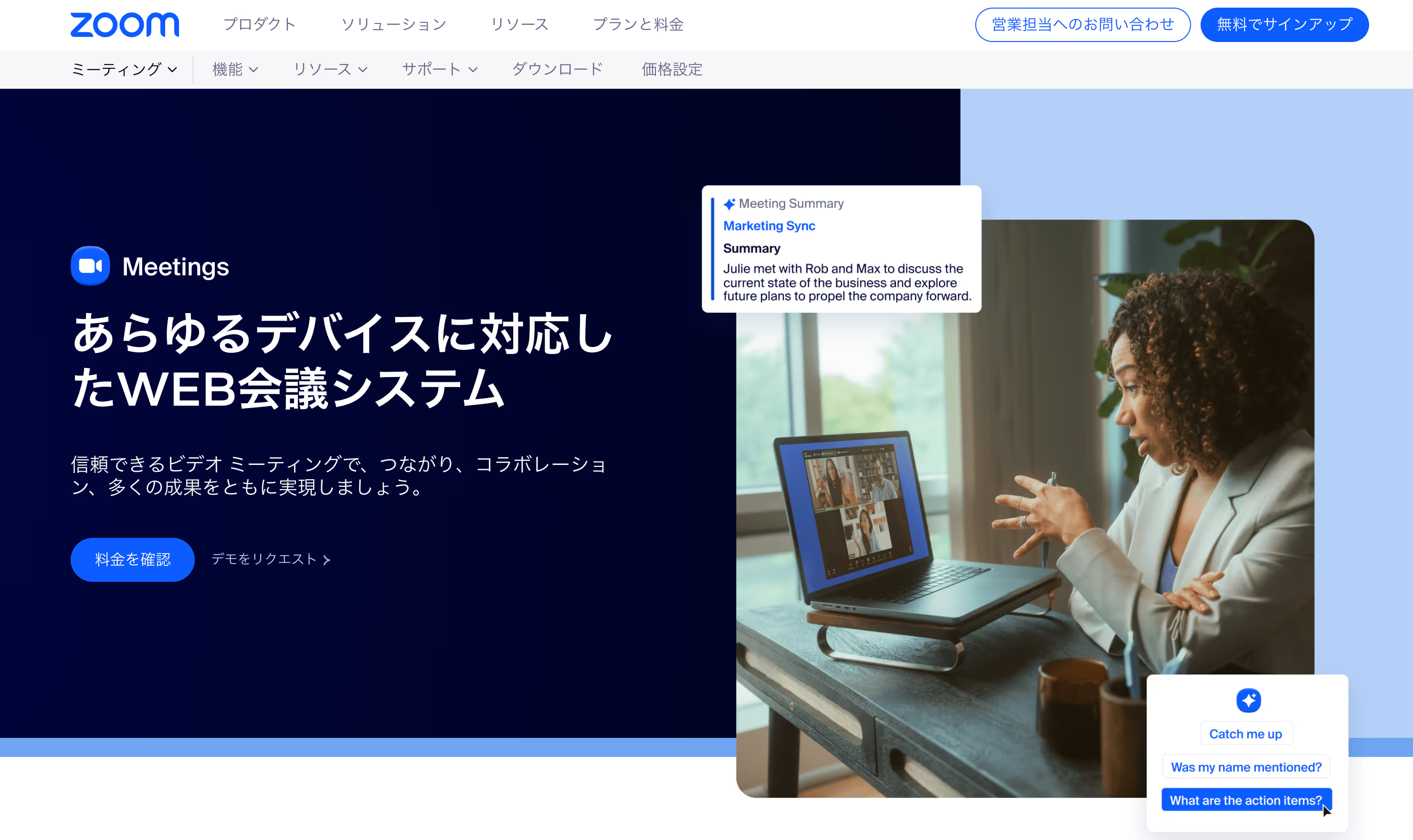
Zoom offers real-time AI translation, displaying meeting transcripts as subtitles during video calls. This feature is useful for webinars and corporate presentations.Key Features:✅ Real-time translation displayed as subtitles
✅ Supports 11 languages
❌ AI translation is not available for free accountsPricing:
- Business Plan: Starts at $18.32/month (~2,892 JPY)
- Translation add-on: Additional $5/month (~800 JPY)
🔗 Check pricing details
5. Webex Subtitle Translation
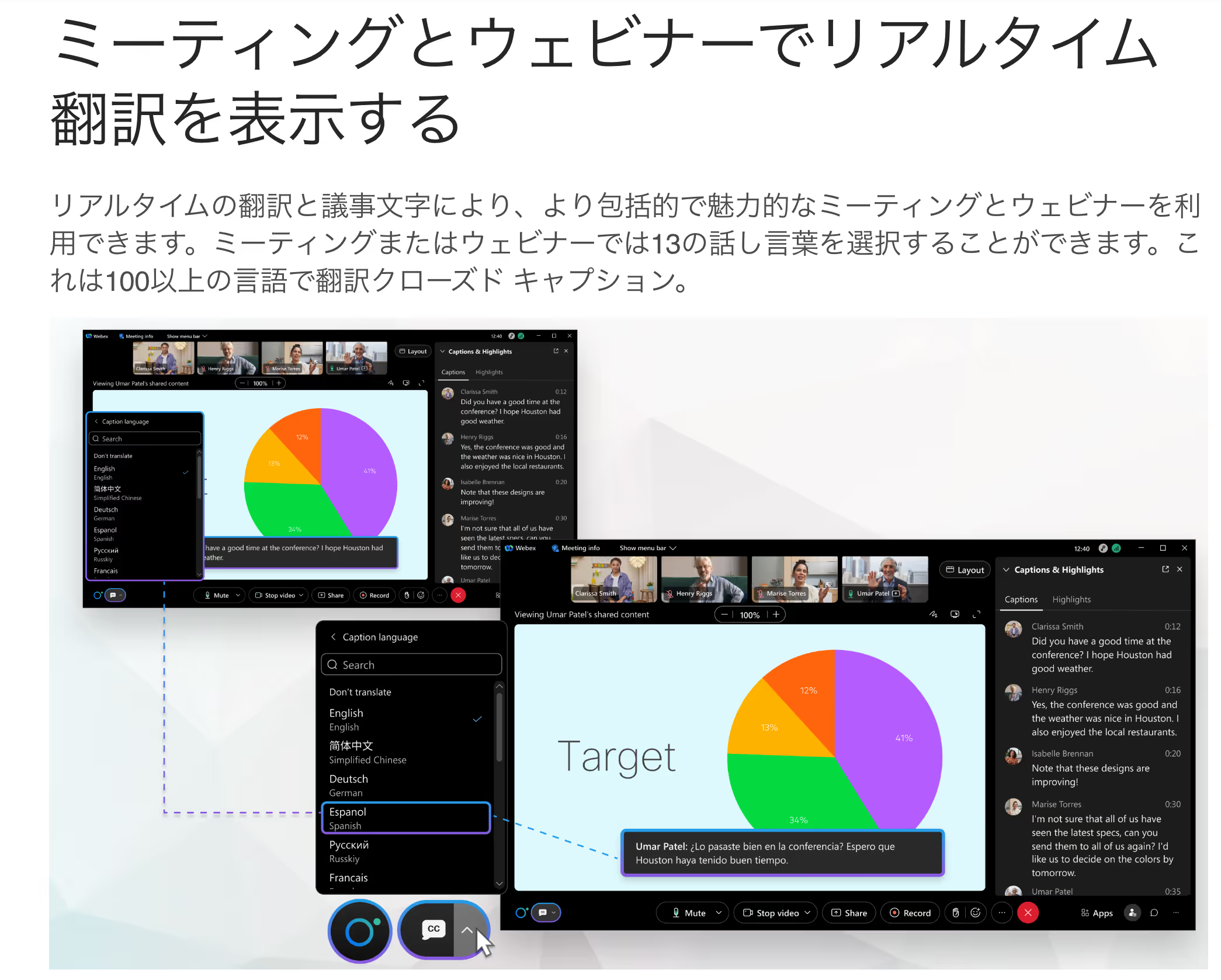
Webex Meetings, widely used by global corporations (including Apple), offers real-time AI-powered translation as a premium add-on.🎥 Watch DemoKey Features:✅ Translates from 13 languages into 108 languages
✅ Noise cancellation for better audio clarity
✅ Gesture recognition for non-verbal communication
✅ Simultaneous translation for up to 5 languages
✅ Customizable subtitle placement and font sizePricing:
- Webex Meet: Starts at $14.50/month (~2,300 JPY)
- Translation Add-on: Additional $30/month (~4,737 JPY) per user
🔗 Check pricing details
Top 11 Free Voice Translation Apps for iPhone & Android
A translation app reads text or voice data and converts it into a different language. Typically, these apps are downloaded onto an Android or iPhone rather than being used via a web browser.
Having a real-time voice translation app on your smartphone is incredibly useful for traveling abroad, communicating with foreigners living in Japan, or handling international interactions.
Here are 11 highly recommended free translation apps:
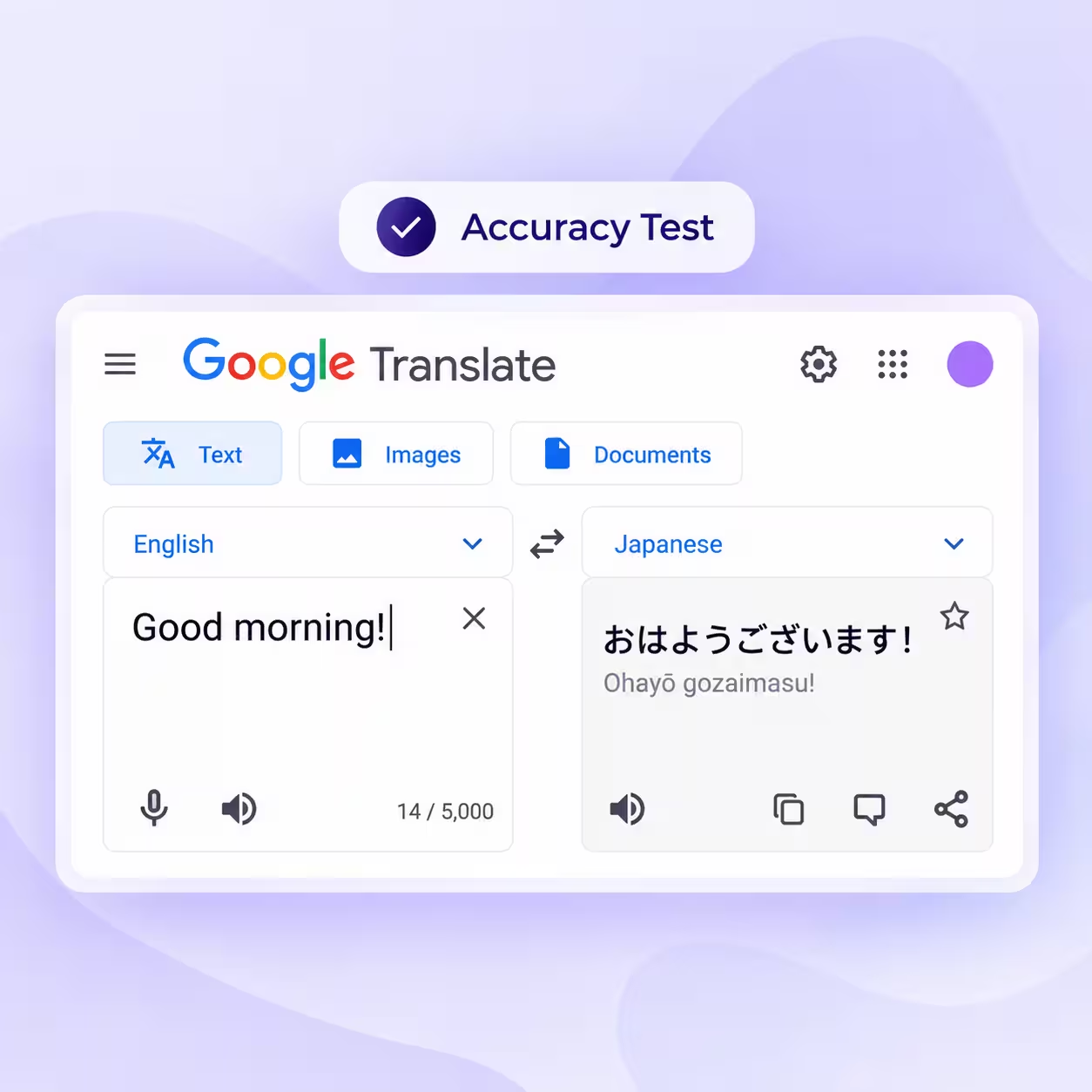
1. Google Translate
Google Translate is well known for its web browser version, but it also offers a dedicated mobile app.
Key Features:
✅ Supports 108 languages – one of the widest coverages in the industry
✅ High translation accuracy (especially improved since late 2016)
✅ Supports image translation – simply point your camera at text to translate instantly
✅ Offline functionality – available for 59 languages
Download Links:
📱 iPhone: App Store
📱 Android: Google Play
2. Weblio English Translator
Weblio, a well-known online encyclopedia, offers a translation app optimized for language learners.
Key Features:
✅ Specialized for English-Japanese translations
✅ Organize translations into folders for study
✅ Reads out text in fluent English for pronunciation practice
✅ Provides word meanings, synonyms, and definitions
Download Links:
📱 iPhone: App Store
📱 Android: Google Play
3. Papago
Papago is a powerful translation app developed by NAVER, the parent company of LINE.
Key Features:
✅ Supports text, voice, and image translation
✅ Handwritten translation support – write text manually for recognition
✅ **Works even with complex images containing text
Download Links:
📱 iPhone: App Store
📱 Android: Google Play
4. VoiceTra
VoiceTra is a highly reliable translation app recommended by disaster prevention authorities in Japan.
Key Features:
✅ Supports 31 languages
✅ Excellent speech recognition accuracy – even with imperfect pronunciation
✅ Clear and user-friendly interface
✅ Ideal for travelers and language learners
Download Links:
📱 iPhone: App Store
📱 Android: Google Play
5. Microsoft Translator
A powerful multilingual translation app developed by Microsoft.
Key Features:
✅ Supports 70+ languages
✅ Works offline
✅ Stores important phrases for quick access
✅ Compatible with text, image, and voice translations
Download Links:
📱 iPhone: App Store
📱 Android: Google Play
6. UDictionary Translator
UDictionary has over 100 million users worldwide and supports 108 languages.
Key Features:
✅ Includes an extensive dictionary with 44 languages
✅ Supports offline mode
✅ Ideal for both everyday use and language study
Download Links:
📱 iPhone: App Store
📱 Android: Google Play
7. iTranslate Voice
A voice-specific translation app supporting 40+ languages.
Key Features:
✅ Includes 250+ commonly used phrases
✅ Voice translation-focused (does not support text or image translation)**
Download Links:
📱 iPhone: App Store
📱 Android: Google Play
8. Apple Translate
Apple’s built-in translation app.
Key Features:
✅ Supports 11 languages
✅ Includes image and text translation
✅ Offers offline functionality and phrase storage
Download Links:
📱 iPhone: App Store
9. DeepL Translate
DeepL is known for exceptional translation accuracy, even for complex sentences.
Key Features:
✅ Supports text, voice, image, and file translation
✅ Provides alternative word choices for better accuracy
✅ Allows users to save favorite translations
✅ Totally free to use
Download Links:
📱 iPhone: App Store
📱 Android: Google Play
10. Notta
Notta is an AI-powered note-taking and translation app.
Key Features:
✅ Transcribes and translates speech into text
✅ Great for interviews, meetings, and lectures
✅ Paid plans required for long-duration transcription
Download Links:
📱 iPhone: App Store
📱 Android: Google Play
11. VoicePing
VoicePing offers real-time voice translation, transcription, and AI-generated meeting summaries.
Key Features:
✅ Optimized for international business travelers
✅ Provides voice and text translations in real-time
✅ AI-powered meeting summary feature
Download Links:
📱 iPhone: App Store
📱 Android: Google Play
Top 3 Voice Translation Apps with Dedicated Devices
For international travel or guiding foreign visitors in Japan, voice translation devices with dedicated hardware can be highly beneficial.
These dedicated translation devices offer:
✅ Simple operation
✅ Cloud-based translation engines for high accuracy
✅ Offline functionality (some models)
✅ Additional features like camera translation
Here are three highly recommended voice translation devices:
1. Cheetah TALK
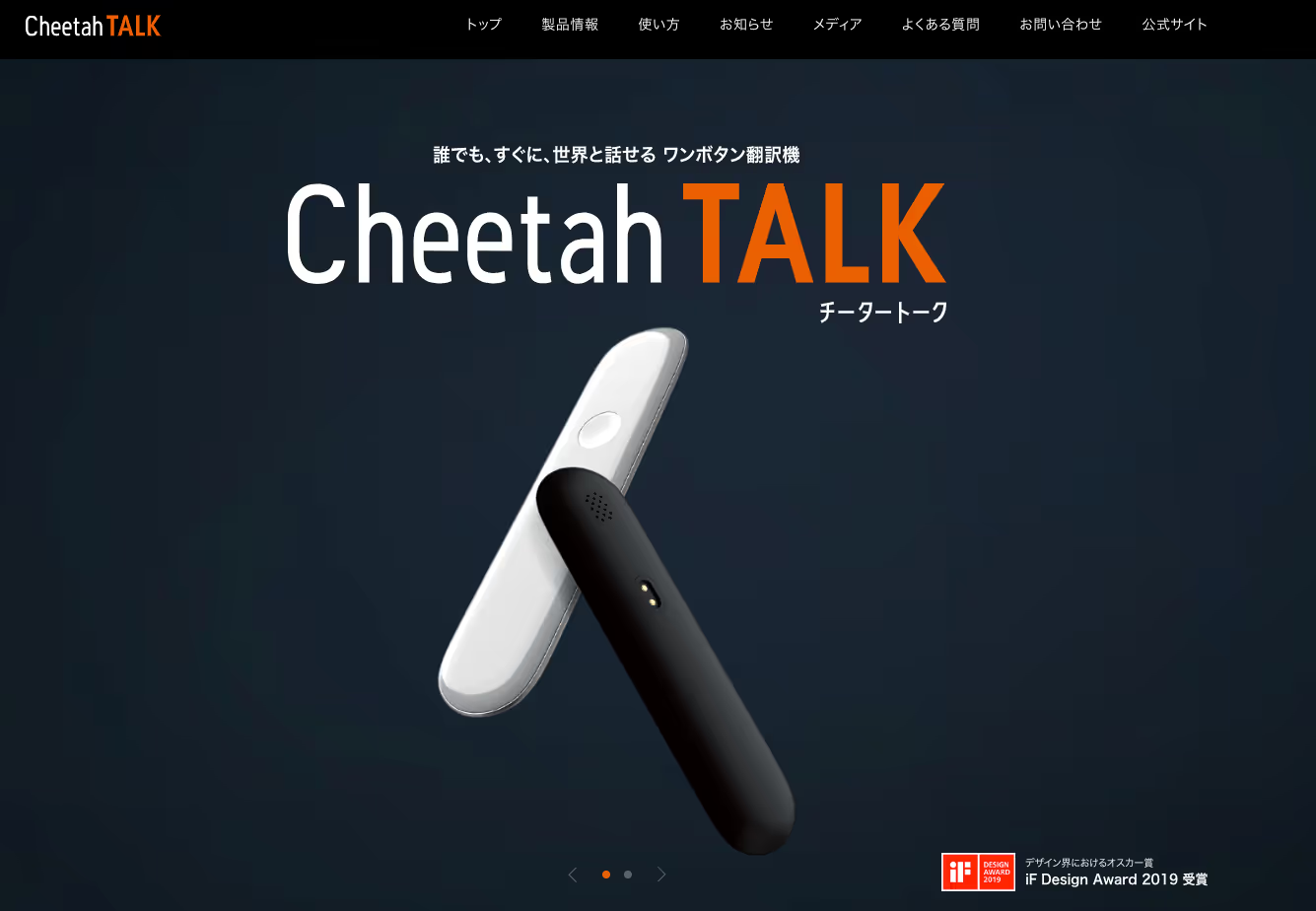
Cheetah TALK is an AI-powered translation device that automatically detects and translates languages.
Key Features:
✅ Supports 32 major languages
✅ Instant recognition and real-time translation
✅ Ultra-lightweight (only 39g)
✅ Up to 180 days of standby time and 24 hours of continuous use
✅ Can be used as a voice recorder
Pricing:
💰 11,000 JPY (~$75)
2. Pocketalk
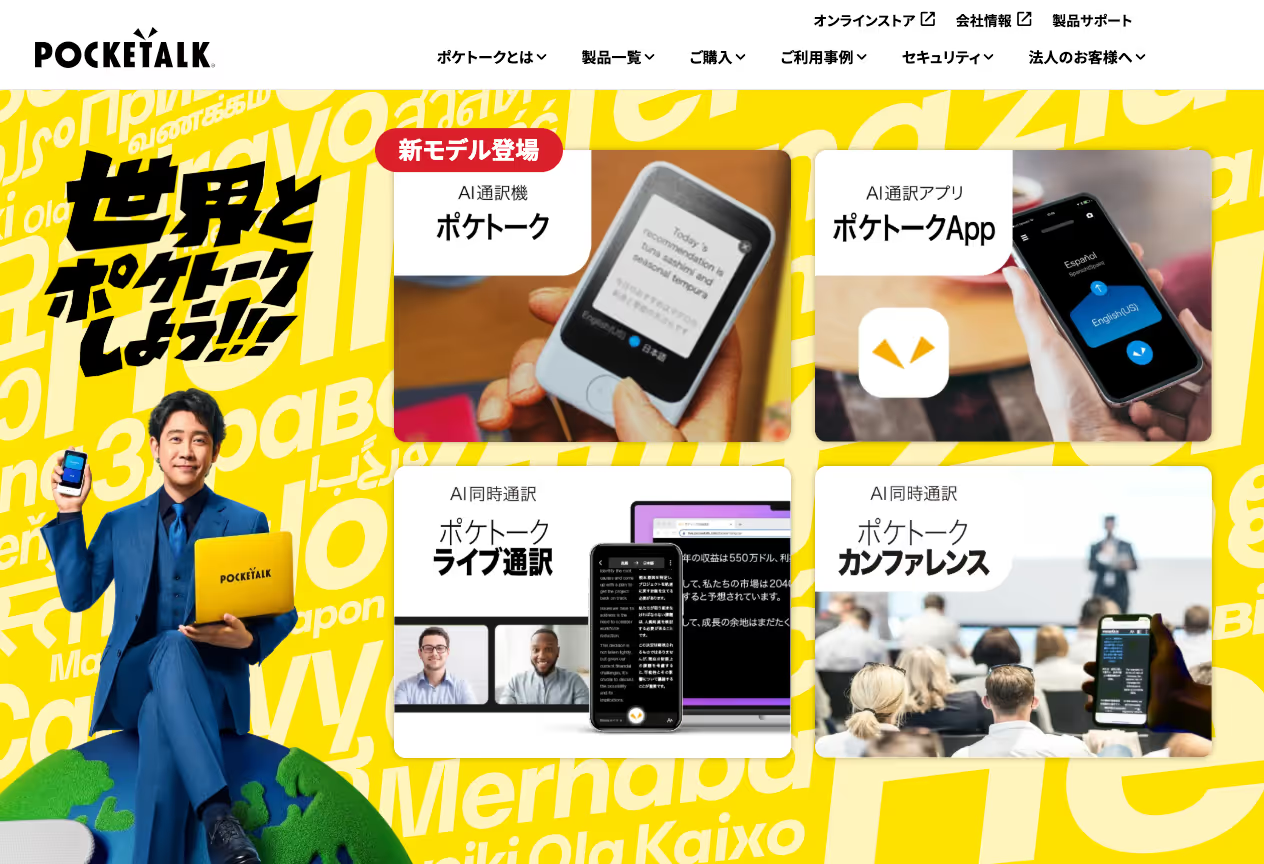
Pocketalk is a widely used translation device that allows seamless conversations between people who don’t share a common language.
Key Features:
✅ Real-time voice translation
✅ Translates between multiple foreign languages (e.g., English ↔ Chinese)
✅ Integrated pronunciation check for language learning
✅ Used by over 3,000 companies, including transportation, Wi-Fi rental, and retail industries
Pricing:
💰 Pocketalk S: 32,780 JPY (~$225)
💰 Pocketalk S Plus: 34,980 JPY (~$240)
3. Langogo Genesis
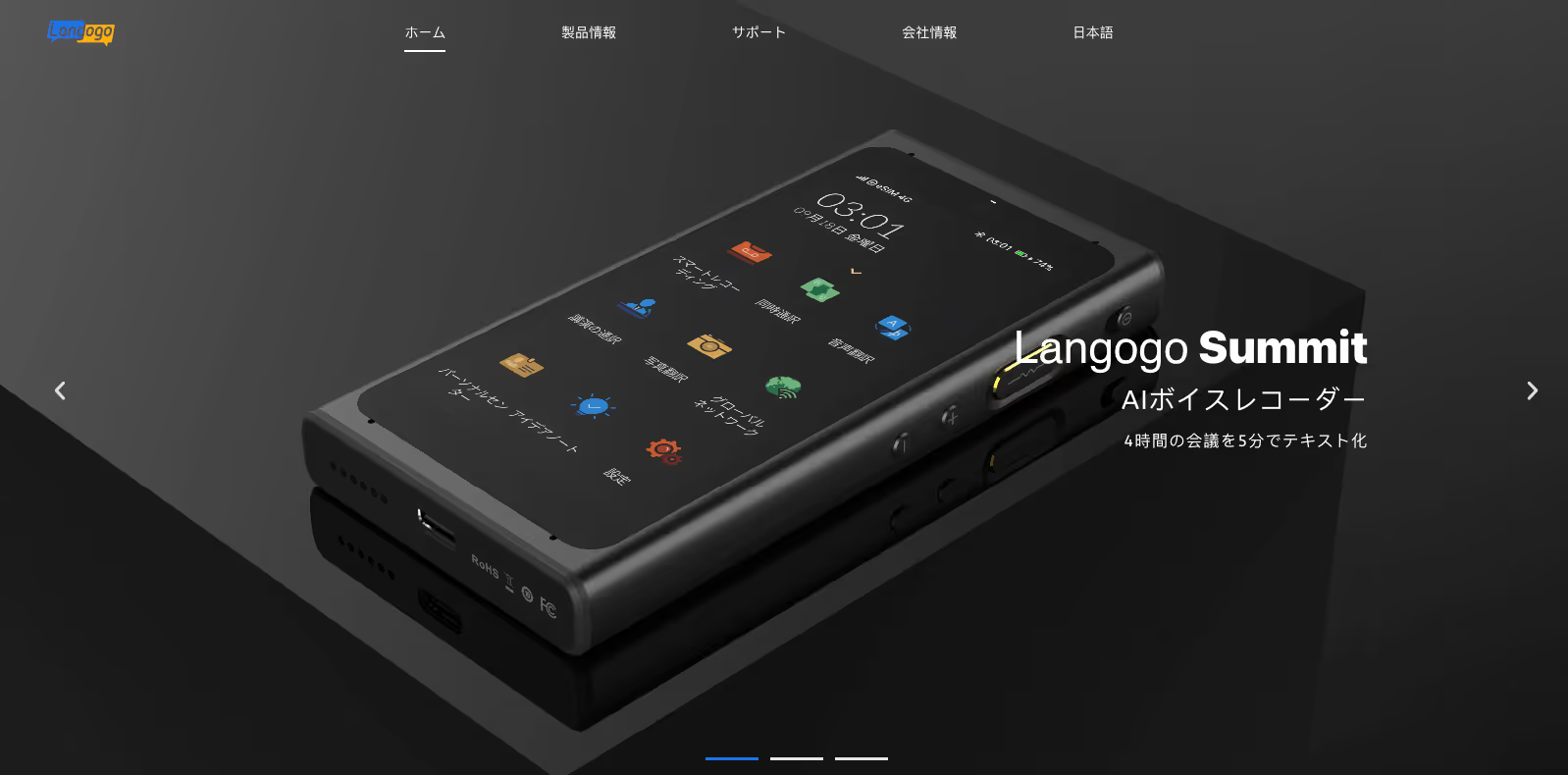
Langogo Genesis is a high-performance translation device designed for professional use.
Key Features:
✅ One-button two-way translation
✅ Translates in 104 languages
✅ 3.1-inch touchscreen for real-time text conversion
✅ Cloud-based translation synchronization
✅ Simultaneous interpretation mode
✅ Long battery life
Pricing:
💰 30,800 JPY (~$210)
Apps for Real-Time Voice Translation on PC (Software)
In addition to smartphone apps and dedicated devices, PC-based voice translation software allows for real-time translation during online meetings and business discussions.
These apps can be installed directly on your PC or used as browser-based solutions to integrate with tools like Google Meet and Microsoft Teams.
Here are four highly recommended PC-based translation tools:
1. Fair Use Real-Time Translation Tool

Fair Use is a real-time translation tool designed for web conferencing platforms like Microsoft Teams and Zoom.
Key Features:
✅ Supports 119 languages
✅ Speech recognition accuracy: 97.6%
✅ Converts voice to text in real time
✅ Compatible with Microsoft Teams
✅ Available as an app, browser extension, and desktop software
Pricing & Availability:
🔹 Contact the company for pricing details
2. Dokotsu AI
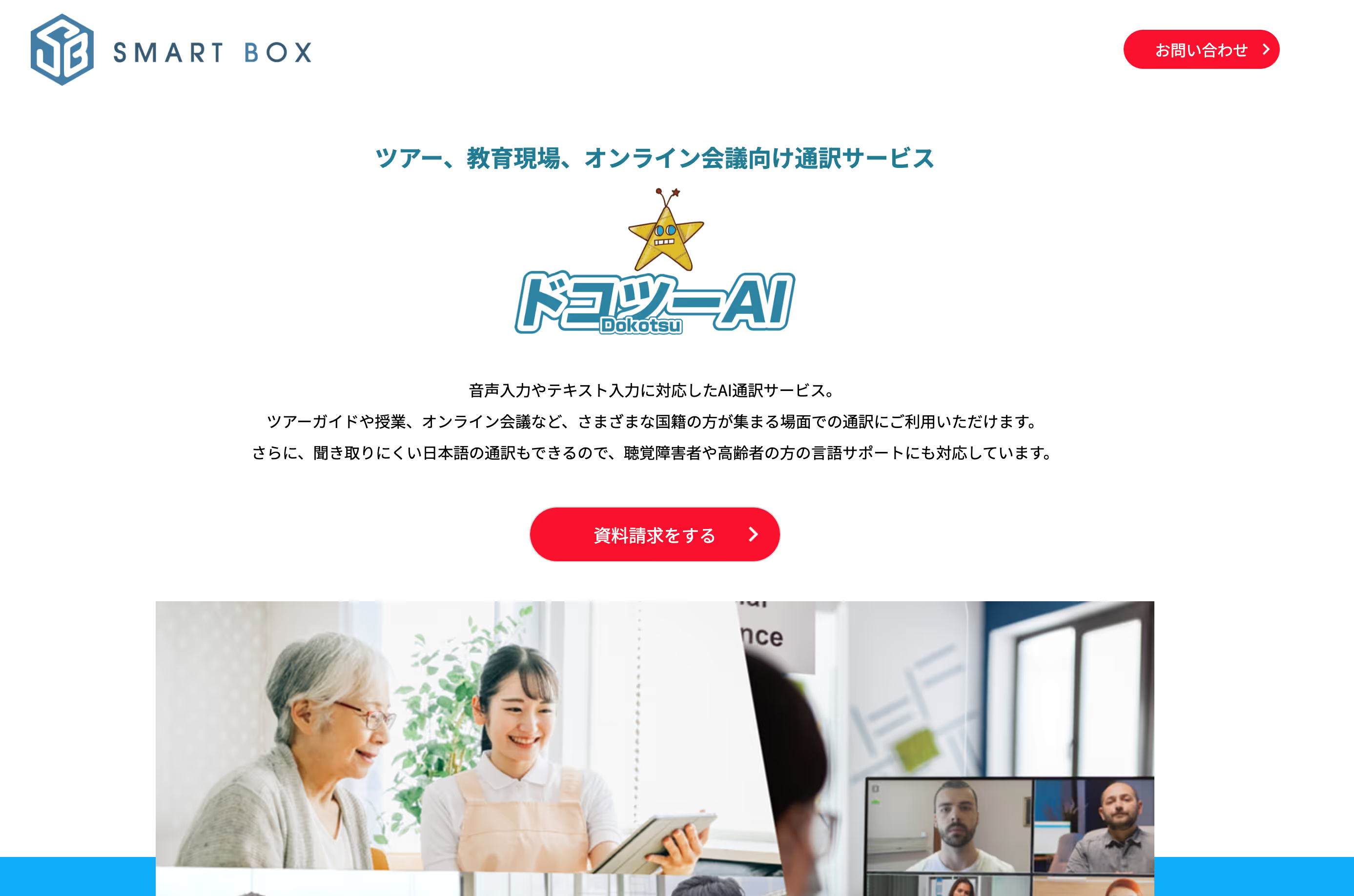
Dokotsu AI is an AI-powered voice translation tool primarily used by hospitals and government agencies in Japan.
Key Features:
✅ Supports 16 languages
✅ No need for the other party to install the app (host-only installation)
✅ Compatible with both PC and mobile devices
✅ Allows users to save frequently used phrases
Pricing:
💰 8,800 JPY (~$60) per user
3. Minutz

Minutz is an AI-powered translation tool designed for multilingual web conferencing.
Key Features:
✅ Automatically switches to the speaker’s language
✅ Live translation updates during meetings
✅ Supports 100+ languages
✅ AI-generated multilingual meeting notes
Pricing:
💰 Lite Plan (1 user): 10,000 JPY ($70) setup fee, 18,000 JPY ($125) per month
💰 Business Plan (10 users): 50,000 JPY ($350) setup fee, 50,000 JPY ($350) per month
4. ZMEETING
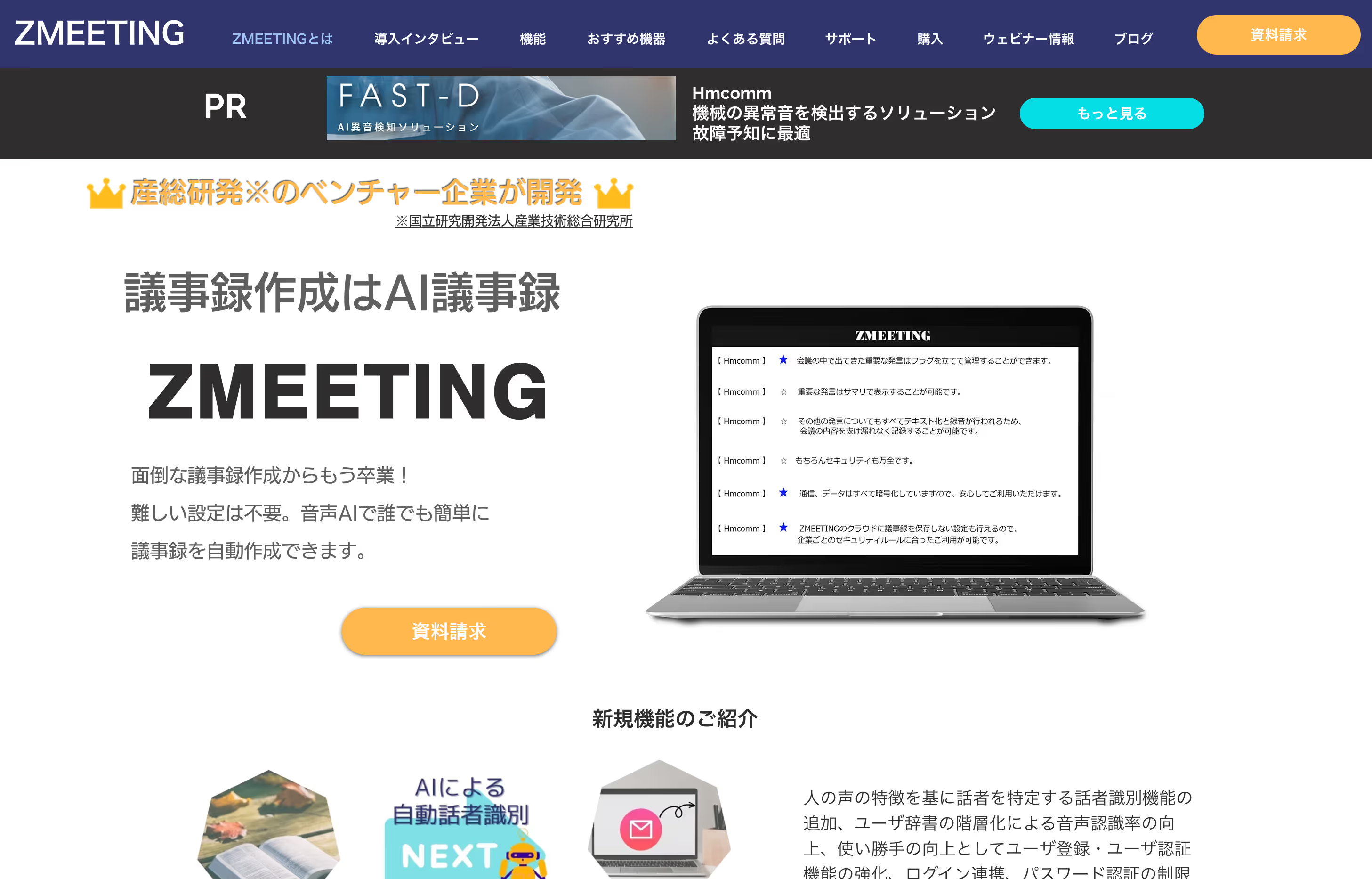
ZMEETING is a multilingual voice translation tool that integrates seamlessly with Zoom and other web conferencing platforms.
Key Features:
✅ Supports multiple languages with per-user language settings
✅ Real-time voice-to-text transcription
✅ Filler word removal (e.g., “um,” “ah”)
✅ Compatible with both online and offline meetings
✅ Over 90% speech recognition accuracy
Conclusion
With globalization and advancements in AI technology, voice translation apps are becoming increasingly important.
By using a high-accuracy, real-time voice translation app, you can communicate seamlessly with speakers of different languages, whether in person or online.
However, each voice translation app offers different features and functionalities.
The key to choosing the right app is selecting one that fits your specific needs and use cases.
For example:
- For web conferencing, accuracy, speed, ease of setup, and meeting note functionalities are critical.
- For travel, portable and offline-compatible translation devices are recommended.
Why JotMe is the Best Choice for Business Voice Translation
✅ Top Reasons to Choose JotMe
1️⃣ Industry-leading Japanese-English AI transcription & translation accuracy – Supports 77 languages with top-tier precision.
2️⃣ Lightning-fast processing speeds to improve efficiency.
3️⃣ Japan’s only AI meeting assistant that integrates directly with Google Meet.
4️⃣ AI-generated summaries of meeting notes.
5️⃣ Pode gerar documentos comerciais e e-mails com base nas discussões da reunião.📩 Para mais informações, entre em contato com: hey@jotme.io
.avif)
Last updated on
April 16, 2026
Follow us on social media: