Guides
13 Best Team Communication Tools in 2026

Narmada Kajla
September 9, 2026
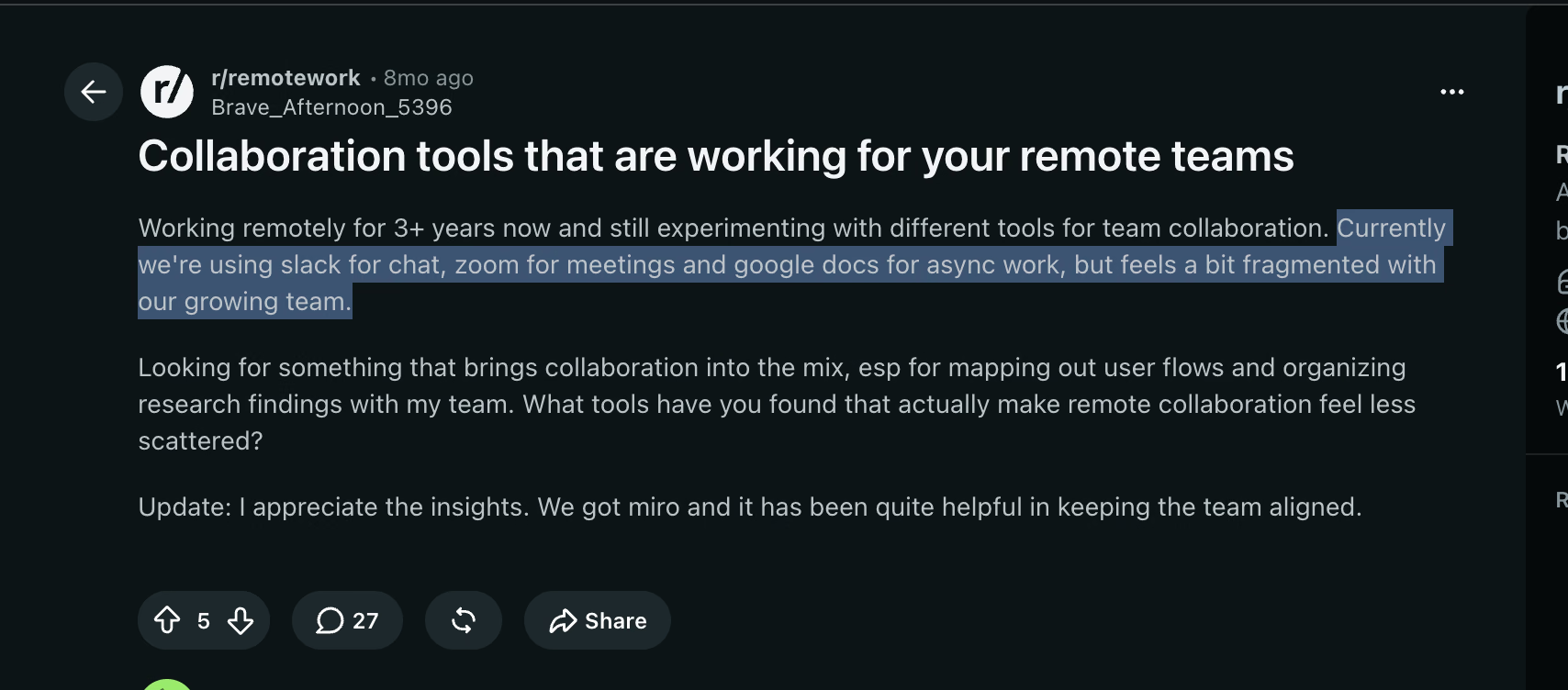
Eight months ago, somebody on r/remotework asked a question I had already argued about with myself roughly 40 times. Their team ran Slack for chat, Zoom for meetings, and Google Docs for async work, and the stack still "feels a bit fragmented with our growing team". Twenty-seven people replied. Almost nobody answered the actual question.
I have picked a collaboration tool for remote teams under that exact pressure, twice, once for a 9-person content team spread across three time zones and once for a client running suppliers in Japan and Korea. Both times the shortlist of collaboration tools for remote teams looked identical to every listicle on the internet, and both times the thing that broke was something no listicle mentioned.
So I spent six weeks running 13 communication tools for remote teams through real work: standups, client calls, handoffs, and one 68-minute vendor negotiation in Mandarin. Below is what held up, ranked as a working shortlist rather than a feature dump.
Best Collaboration Tools for Remote Teams Shortlist
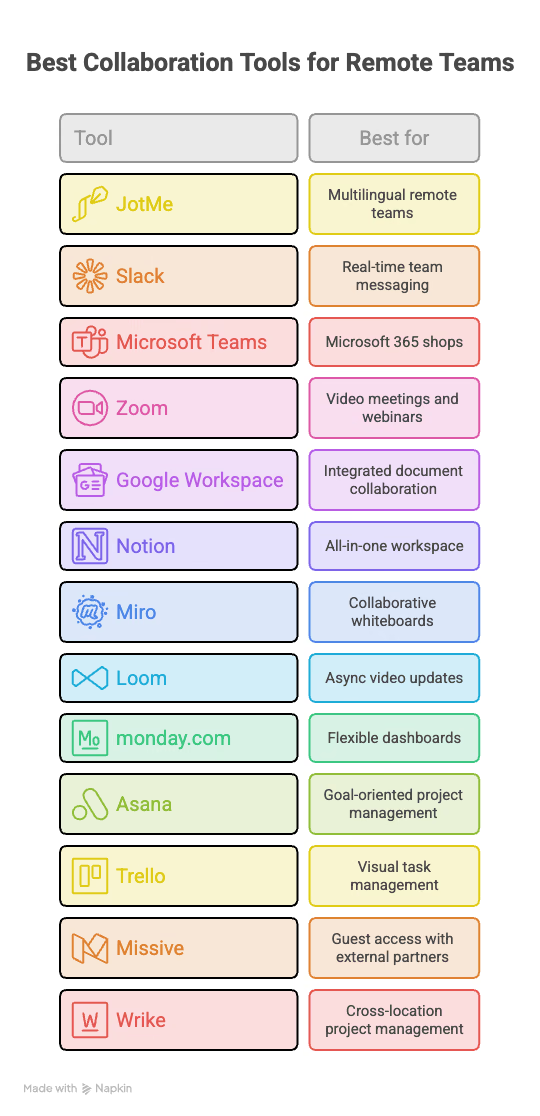
Here is the ranked list. Every communication tool for remote teams below stayed in my working week rather than a sandbox.
- JotMe: Best for multilingual remote teams
- Slack: Best for real-time team messaging
- Microsoft Teams: Best for Microsoft 365 shops
- Zoom: Best for video meetings and webinars
- Google Workspace: Best for integrated document collaboration
- Notion: Best all-in-one workspace
- Miro: Best for collaborative whiteboards
- Loom: Best for async video updates
- monday.com: Best for flexible dashboards
- Asana: Best for goal-oriented project management
- Trello: Best for visual task management
- Missive: Best for guest access with external partners
- Wrike: Best for cross-location project management
Why You Can Trust This Review
I run content and SEO for software teams, which means I used a collaboration tool for remote teams for about seven hours a day. Every tool below stayed in my actual workflow for a minimum of nine working days. I paid for the tiers I tested, except JotMe, whose Premium and Teams plans I have access to through client work. Where I could not verify a number against the vendor's own pricing page in September 2026, I say so.
Best Collaboration Tools for Remote Teams: Summary Table
Every collaboration tool for remote teams in this table offers a free tier or a trial, so you can test the fit before you pay. Prices reflect published annual rates checked in September 2026 and exclude promotional discounts.
Best Collaboration Tools for Remote Teams: Full Reviews
Here is the detailed breakdown of each collaboration tool for remote teams on my list, including where it fits, where it stops working, and the tradeoff you accept when you buy it.
1. JotMe: Best Collaboration Tool for Remote Teams Working Across Languages
Free plan available and Pro starts from $10/user/month billed annually.
JotMe opens this list because it fixes a failure that no other collaboration tool for remote teams here addresses. My client's Tuesday supplier call ran in Japanese and Mandarin. Slack held the follow-ups, Notion held the specs, Zoom carried the video, and every single one of those tools assumed all 6 people in the room already understood each other. They did not. The call ended, and 2 hours of email went into rebuilding what should have been settled in 3 minutes on the line.
JotMe handles agentic real-time translation, multilingual transcription, and AI meeting notes across 200+ languages. The company reports 2,000 teams and 500,000 professionals across 134 countries. What matters more than the count is the architecture: no bot joins your call. The desktop app captures system audio locally, so a Zoom participant list that said 6 people still said 6 people.
What the JotMe Desktop Home Screen Actually Does
The home screen pulls the next meeting, recent recordings, translated files, and chat threads into one view. The panel on the right is the part I did not expect.
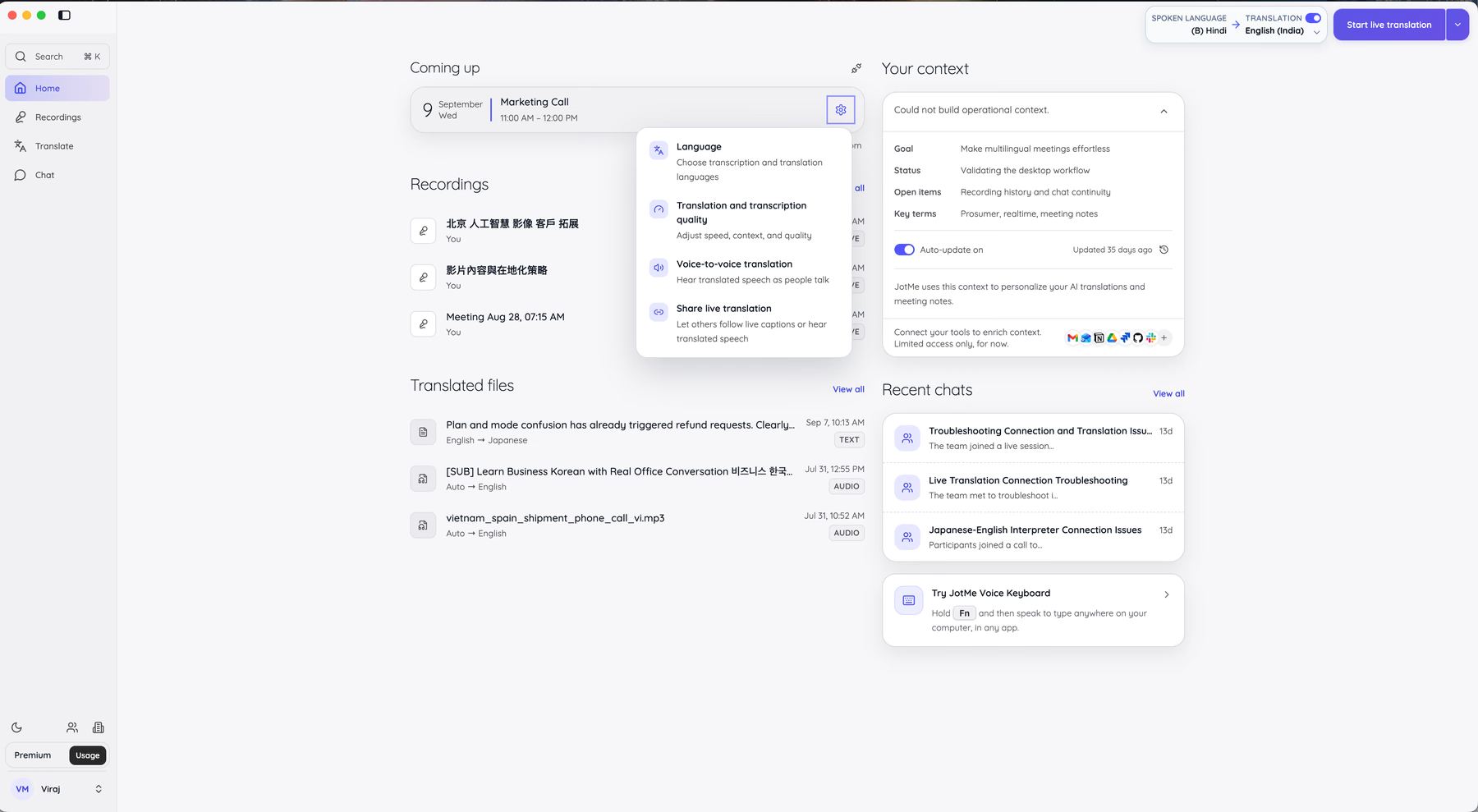
JotMe builds an operational context profile from your recent work: a goal, a current status, open items, and key terms. Mine listed my objective for multilingual meetings, my status as validating the desktop workflow, and my open items as recording history and chat continuity. Key terms picked up "prosumer", "realtime", and "meeting notes" from my own usage.
That profile feeds the translations. When my key terms include product vocabulary, JotMe stops guessing at them mid-call. The profile auto-updates, and you can connect Gmail, Notion, Drive, GitHub, and Slack to enrich it further. As a collaboration tool for remote teams, this is the closest thing I have used to a tool that learns the account before it learns the language.
Pro tip: Add your product names and internal acronyms as custom terms before your first live call. The Pro plan allows 20 custom terms and Premium allows 50. My client's part numbers came through clean only after I loaded them.
Choosing Between the Three Translation Models
JotMe gives you three recognition models, and picking the wrong one costs you either accuracy or minutes. This is the setting most reviews of any collaboration tool for remote teams skip entirely.
Basic covers the widest language list. The spoken-language column runs from Dutch and Dutch (Belgium) through five English variants, Estonian, Finnish, and French, and the translation-output column runs equally deep with regional variants such as Latvian (Latvia), Macedonian (North Macedonia), and Malayalam (India).
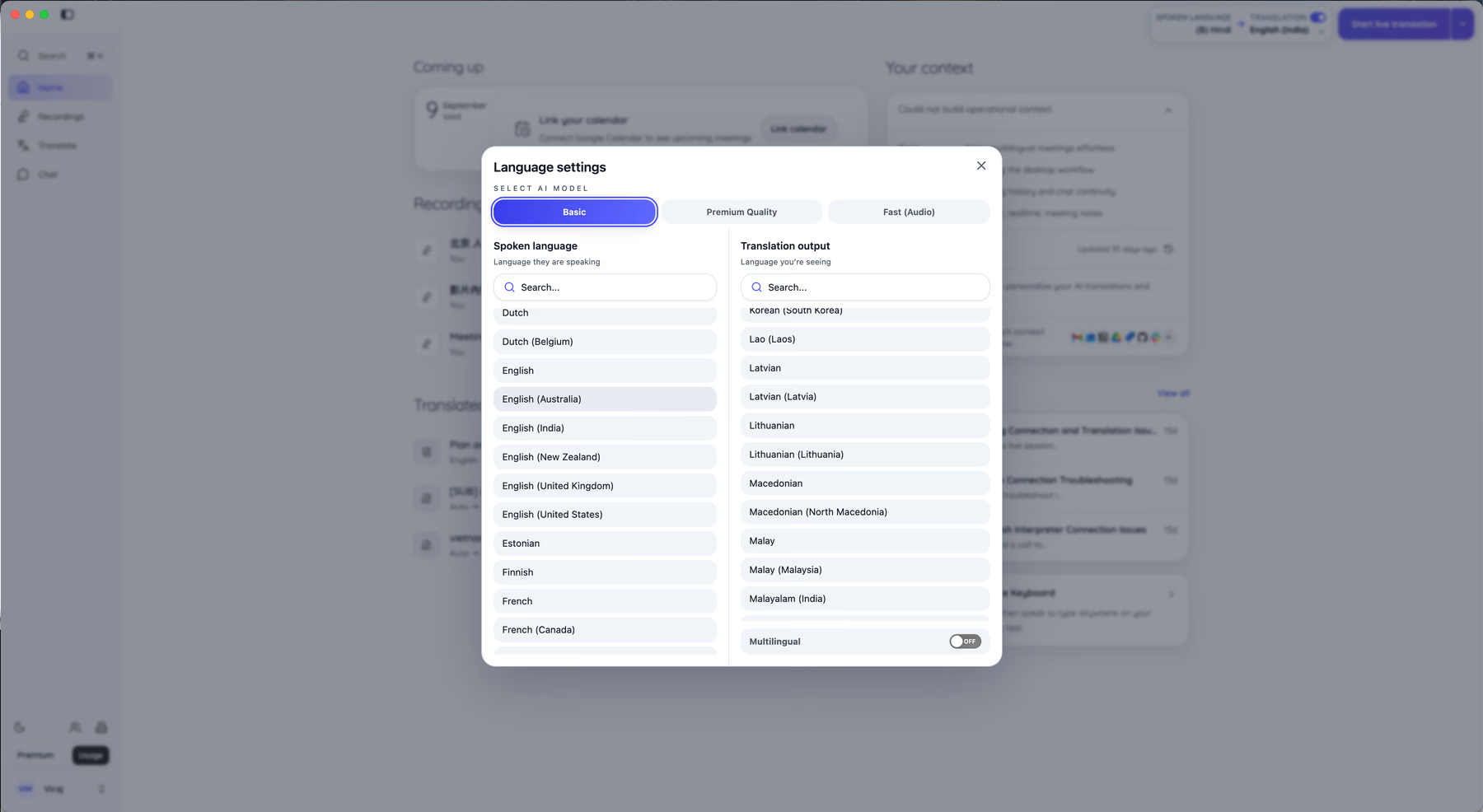
Premium Quality trades minutes for accuracy. JotMe states it delivers 2x better transcription and translation quality than Basic, at 2x minute consumption. I ran my Mandarin negotiation on Premium, and the difference showed up in the clause-level detail, specifically around conditional payment terms that Basic flattened.
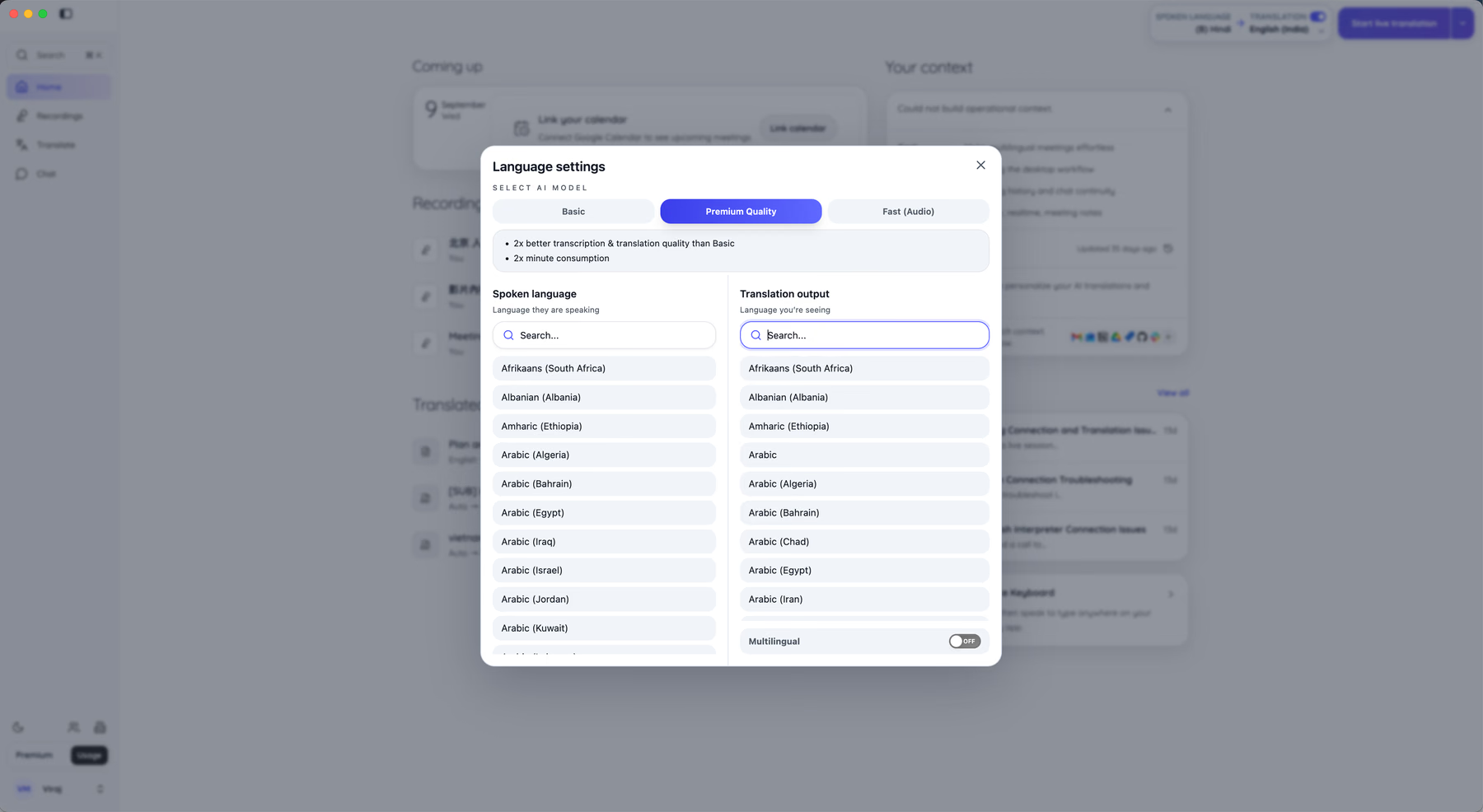
Fast (Audio) is the speed model. JotMe describes it as the fastest transcription and translation model, capable of transcribing 100+ languages simultaneously, with voice to voice translation available after setup at 5x metering. The translation output list narrows sharply here, down to a short set including Chinese (Simplified, Mainland), English, French, German, Hindi, Indonesian, Italian, Japanese, and Korean.
The rule I landed on: Fast (Audio) for internal standups where speed beats polish, Premium Quality for anything with money or a contract in it, Basic for languages the other two do not reach. A Multilingual toggle at the bottom of the output column handles rooms where people switch languages mid-sentence, which happened constantly on my Korea calls.
The Multilingual Chat Nobody Else on This List Offers
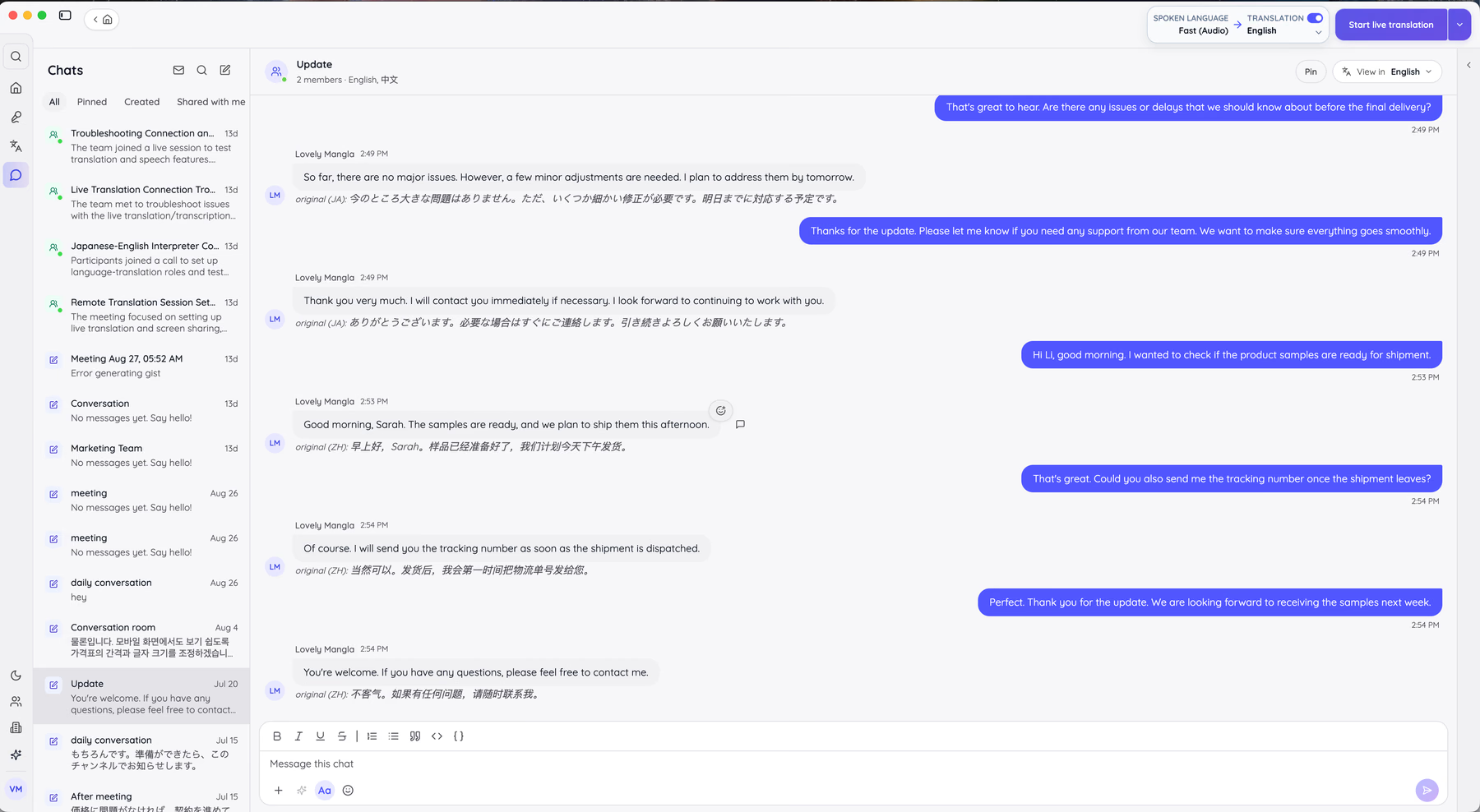
Every other communication tool for remote teams here treats chat as monolingual. You type English, your supplier reads English, and both of you paste into Google Translate in a second tab. JotMe Chat removes that tab.
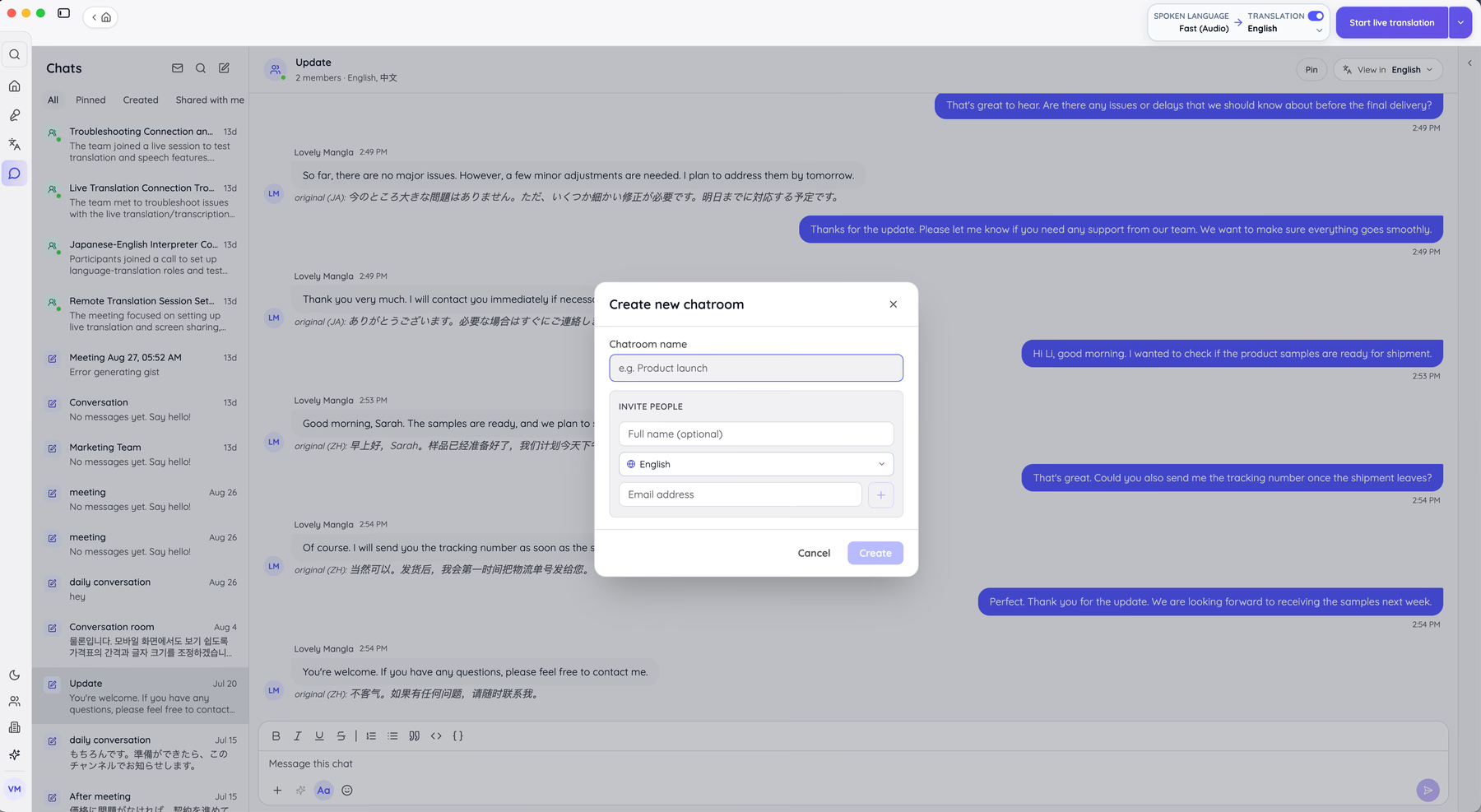
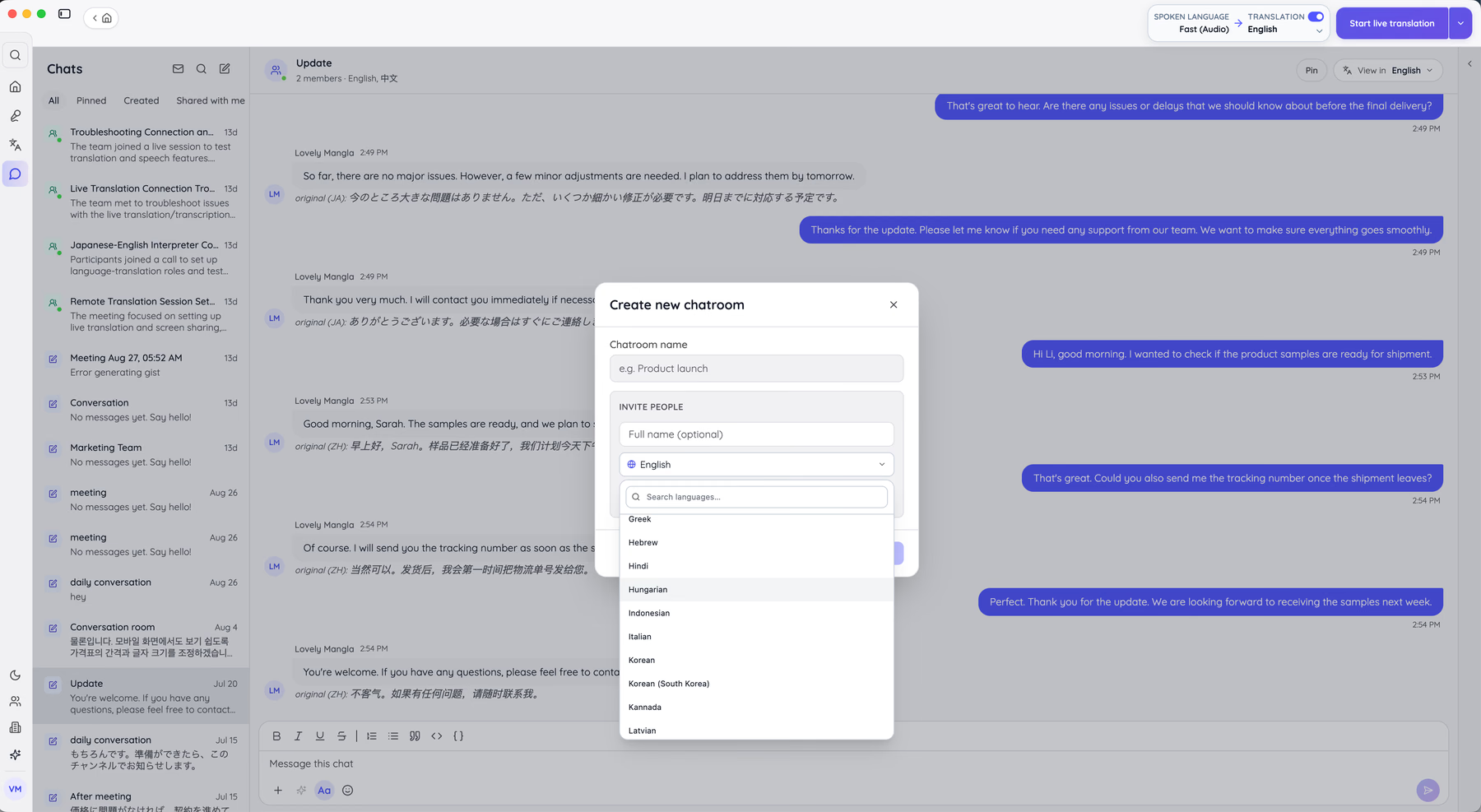
Creating a room takes a name and an invite. Each invited person gets their own reading language attached to their profile, chosen from a list that runs through Greek, Hebrew, Hindi, Hungarian, Indonesian, Italian, Kannada, Korean, Korean (South Korea), and Latvian.
Here is what that produces in practice. My shipment thread ran between an English speaker and a supplier writing in Chinese and Japanese. I read every message in English at the top, with the original text preserved underneath and labeled by language code.
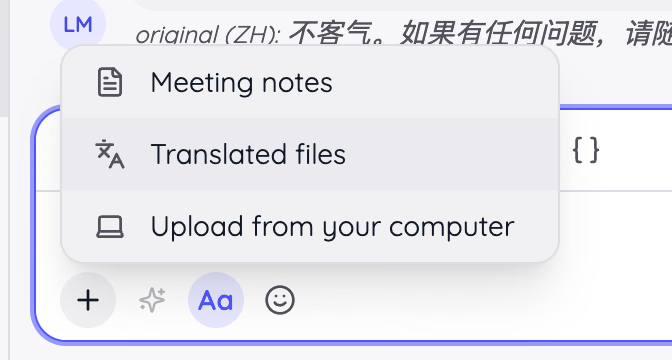
The composer also attaches meeting notes and translated files directly from your JotMe account, so the artifact from Tuesday's call lands in the thread without a download-upload round trip.
Where JotMe Fits as a Collaboration Tool for Remote Teams
Use it alongside your tracker and your chat app rather than instead of them.
JotMe's Best For
- Remote teams running meetings, negotiations, or support across two or more languages
- Managers and operations leads working with Japanese, Korean, or Chinese suppliers, partners, or clients
- Teams that need a written record of what each side actually understood, in each side's own language
- Anyone blocked by a no-bots policy on client calls
JotMe's Not Great For
- Monolingual teams that already have solid meeting notes
- Task boards, sprint planning, or dependency tracking, which JotMe does not attempt
- Teams wanting a video single tool to replace their whole stack
What Sets JotMe Apart
JotMe interprets rather than translating word-for-word. Google Translate maps text to text. JotMe's agents run in the background reading intent and context as the conversation develops, then carry that into the transcript and the notes. On my Mandarin call, "we can look at that" came through with the hedge intact rather than as agreement, which is the difference between a follow-up and a dispute.
The second differentiator is distribution. Share Live Translation pushes captions to everyone in the room by URL, code, or on-camera subtitles, so the person on the other side reads in their language without installing anything. My supplier's operations manager followed a call from a phone browser with no account.
The third is the middleman math. A conference interpreter runs into agency day rates that make a routine Thursday call impossible to justify. JotMe Premium runs $15 per user per month on annual billing. For teams that talk to non-English counterparts weekly, that gap is the entire argument. If real-time accuracy is your deciding factor, my breakdown of the best live translation apps goes deeper on the head-to-head testing.
Tradeoffs With JotMe
JotMe optimizes for language and meeting intelligence, so you give up project management entirely. There are no boards, no dependencies, no Gantt views. It runs alongside a general-purpose collaboration tool for remote teams such as Slack or Asana rather than replacing either. Minute pools also need watching: Premium Quality burns at 2x and audio-to-audio at 5x, so an unmanaged team will hit the ceiling faster than the headline number suggests.
JotMe Pricing
The Free plan gives 20 minutes of monthly live translation, 5 AI credits, 50 minutes of transcription, and access to your last 5 recordings. Pro runs $10 per user per month annually with 200 minutes of live translation, 20 AI credits, 500 minutes of desktop transcription, and unlimited transcription on the Google Meet Chrome extension. Premium runs $15 per user per month annually with 500 minutes of live translation, 50 AI credits, 2,000 minutes of transcription, unlimited recordings, and translation-minute sharing.
The Teams plan is where the numbers get interesting for anyone buying a collaboration tool for remote teams at scale.
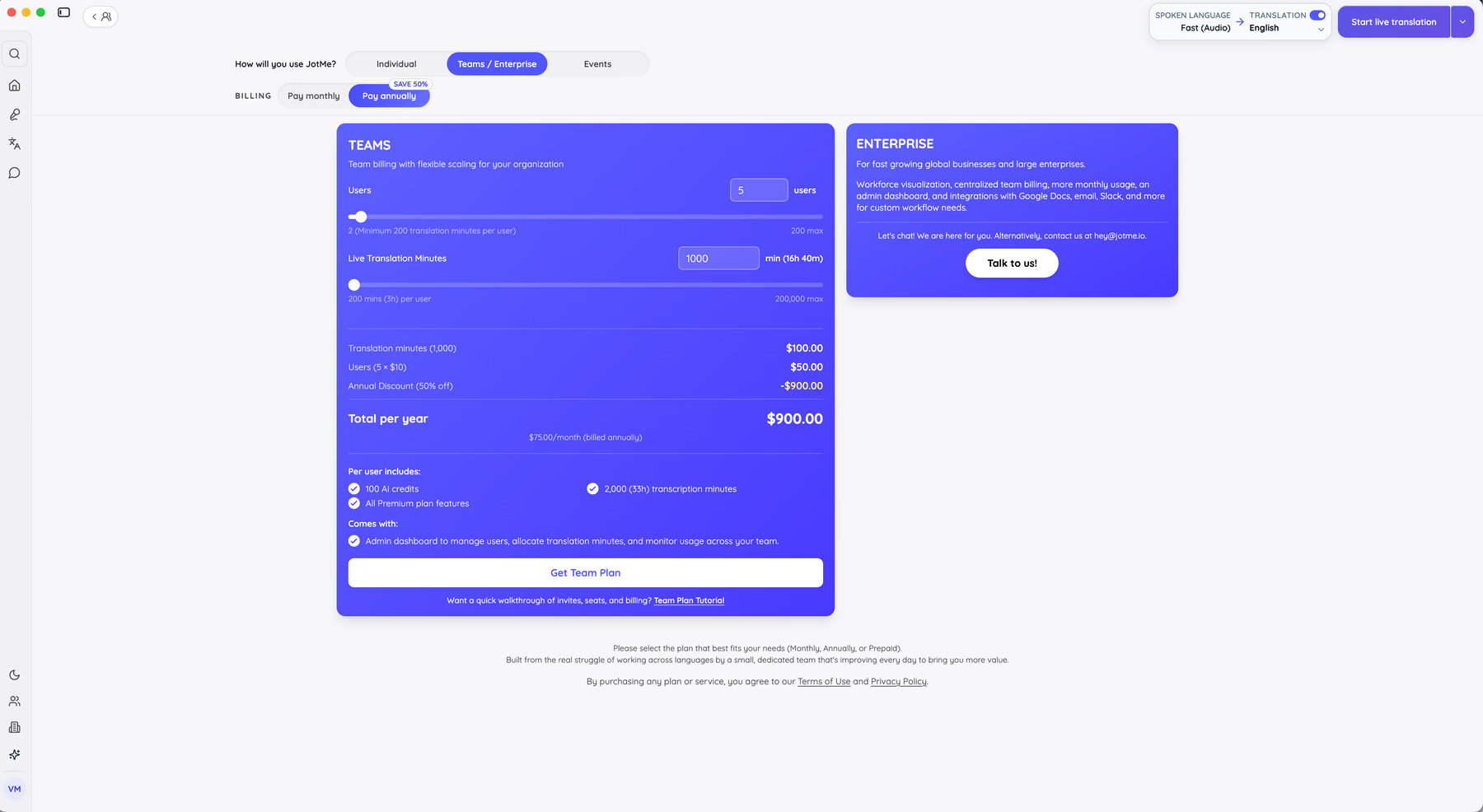
My configuration is 5 users and 1,000 live translation minutes, priced at $100.00 for the minutes plus $50.00 for the seats, which is $150.00 monthly and $1,800.00 across the year. The annual discount takes $900.00 off, landing at $900.00 per year, or $75.00 per month billed annually. Each seat carries 100 AI credits, 2,000 transcription minutes, and all Premium features, plus an admin dashboard for allocating minutes across the team. Full plan details live on the JotMe pricing page.
Pros
- Live translation, transcription, notes, and multilingual chat in a single app
- No bot joins the call, which keeps client and legal meetings clean
- Original text stays visible beneath every translated chat message
- Context profile improves accuracy on domain vocabulary over time
- Works across Zoom, Google Meet, Microsoft Teams, Webex, Slack, Discord, and WhatsApp
Cons
- No task or project management features
- Premium Quality and audio-to-audio consume minutes at 2x and 5x
- Fast (Audio) supports a much shorter translation output list than Basic
Setup runs about four minutes. The walkthrough on how to set up the JotMe desktop app covers installation through the first call, and JotMe's documentation handles the admin and billing questions.
2. Slack: Best Collaboration Tool for Remote Teams That Live in Chat
Free plan available and Pro starts from $4.38/user/month billed annually.
Slack remains the default chat layer for distributed work and the most widely deployed collaboration tool for remote teams anywhere, and my nine-person team ran on it for three years without seriously considering an alternative. Channels, threads, and DMs carry the day-to-day, and Slack Connect brings external partners into shared channels without granting them your whole workspace.
Search is what keeps Slack in place. Three years of decisions live in it, and I can find the message where we chose a vendor in about eight seconds. Huddles handle the quick audio call that would otherwise become a scheduled meeting.
Slack's Best For
- Teams that make decisions in writing and need those decisions findable later
- Cross-company collaboration through shared channels with clients or agencies
- Workflows that pull alerts from GitHub, Jira, or Drive into one stream
Slack's Not Great For
- Long-form documentation, which disappears into scroll
- Teams on a tight budget with a large headcount, since per-seat costs climb fast
- Anyone hoping the free plan works long term, given the 90-day history window
What Sets Slack Apart
Slack treats the channel as the unit of work rather than the task or the document. Compared with Microsoft Teams, which bundles chat into a wider productivity suite, Slack expects chat to carry the organization and integrates everything else into it. That focus is why the integration catalog runs deeper than any competitor here.
Tradeoffs With Slack
Slack optimizes for conversational speed, so you lose structure. Nothing enforces where a decision gets recorded, and important calls end up buried in a thread three people were watching. Every collaboration tool for remote teams needs conventions, and Slack needs them most. Teams that adopt it without channel naming rules rebuild the same chaos they left email for.
Pros
- Deepest integration catalog of any tool on this list
- Slack Connect handles external collaboration cleanly
- Search across full message history on paid plans
Cons
- Free plan hides messages after 90 days
- Pro and Business+ require a minimum of three users
- Notification volume needs active management on larger teams
3. Microsoft Teams: Best Collaboration Tool for Remote Teams Already on Microsoft 365
Free plan available and Essentials starts from $4/user/month billed annually.
Microsoft Teams is the cheapest collaboration tool for remote teams on this list, and for organizations already paying for Microsoft 365, it arrives at no additional cost. Chat, meetings, file storage through SharePoint, and co-authoring in Word and Excel all run in one window.
I tested Teams on a client account where the finance team refused to leave Excel. Editing a workbook inside the meeting, with three people typing, removed a weekly reconciliation call. As a collaboration tool for remote teams inside enterprise IT policy, Teams clears procurement in a way Slack often does not.
Microsoft Teams' Best For
- Companies with an existing Microsoft 365 license
- Regulated industries that need retention policies and eDiscovery
- Teams that co-author Office documents during meetings
Microsoft Teams' Not Great For
- Small teams that want a fast, lightweight chat app
- Organizations outside the Microsoft stack
- Cross-tenant guest collaboration, which stays clumsy
What Sets Microsoft Teams Apart
Teams treats the meeting and the document as the same object. A channel meeting saves its recording into the channel's SharePoint library automatically, and the transcript attaches to the meeting record. Slack expects you to link out to files. Teams expects the files to already be there.
Worth knowing before you commit: Microsoft documents that live captions do not get saved with the recording. On a bilingual call, the translated captions your team relied on vanish the moment the meeting ends, which is exactly where a dedicated language layer holds its seat. I covered this pattern in more depth when writing about remote tech teams inside Japanese companies.
Tradeoffs With Microsoft Teams
Teams optimizes for enterprise governance, so you accept an interface that carries the weight of that governance. Navigation across teams, channels, and tabs takes longer to learn than Slack, and admin restrictions frequently block the recording or transcription a user expects to have.
Pros
- Included with most Microsoft 365 business plans
- Strong compliance, retention, and admin controls
- Office co-authoring inside the meeting window
Cons
- Interface complexity slows new-user adoption
- Recording permissions restricted to host-organization participants
- Live captions are excluded from saved recordings
4. Zoom: Best Collaboration Tool for Remote Teams Running Large Meetings
Free plan available and Pro starts from $14.16/user/month billed annually.
Zoom stays on my list of collaboration tools for remote teams for one unglamorous reason: it works on bad connections. My supplier calls come from a Chennai warehouse office and a factory floor in Shenzhen, and Zoom degraded gracefully where two competitors dropped the call outright.
Breakout rooms, polls, and cloud recording make it the practical pick for all-hands sessions, training, and webinars. For a straight comparison of the meeting layer specifically, I broke down the field in my guide to video conferencing software.
Zoom's Best For
- All-hands meetings, webinars, and external client presentations
- Teams with participants on unreliable bandwidth
- Training sessions that need breakouts and recording
Zoom's Not Great For
- Persistent team chat between meetings
- Document collaboration
- Small teams unwilling to pay past the 40-minute group limit
What Sets Zoom Apart
Zoom centers the scheduled session rather than the ongoing conversation. Compared with Slack or Teams, where meetings emerge from chat, Zoom expects the calendar to drive the day. That focus produces the most reliable audio and video quality in this group, which is the only thing that matters when 200 people join a launch briefing.
Tradeoffs With Zoom
Zoom optimizes for the live session, so continuity between sessions disappears. Recordings pile up in a library nobody searches, and threaded follow-up moves to another tool. Any team using Zoom as its primary collaboration tool for remote teams will need a second app to hold the record.
Pros
- Most reliable call quality on constrained connections
- Breakout rooms, polls, and webinar tooling built in
- Broad integration support across calendars and CRMs
Cons
- 40-minute limit on group calls in the free plan
- Weak persistent chat and no real document layer
- Recording storage costs escalate quickly
5. Google Workspace: Best Collaboration Tool for Remote Teams Built Around Documents
14-day trial and Business Starter from $7/user/month billed annually.
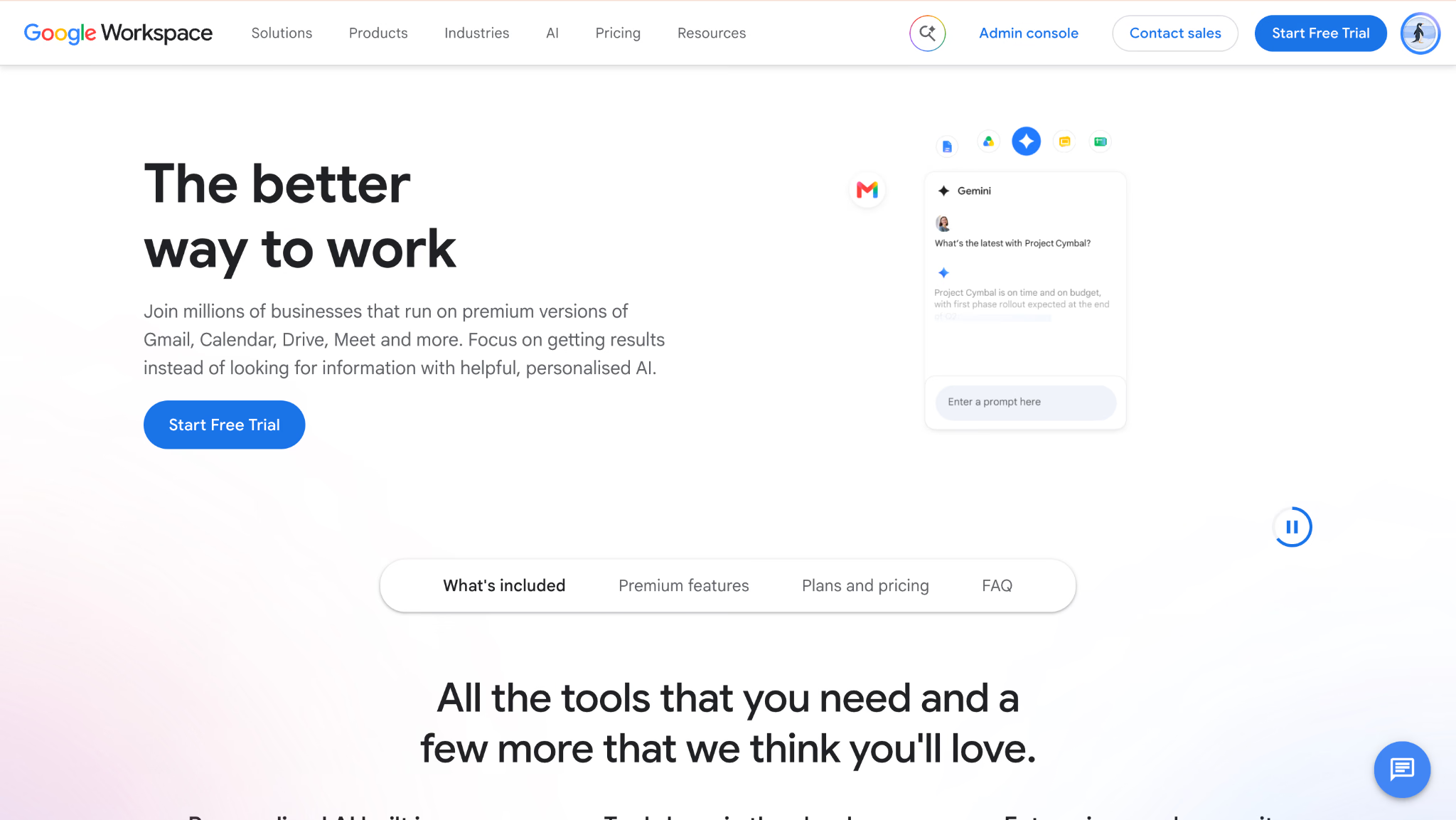
Google Workspace is the collaboration tool for remote teams that the r/remotework poster I opened with already had in the stack. Real-time co-editing in Docs, Sheets, and Slides remains the cleanest multiplayer editing experience available, and Drive, Calendar, Gmail, and Meet come attached.
My content team drafts every brief in a Doc with four cursors moving at once. Comment threads and suggestion mode do the editorial work that a chat app cannot.
Google Workspace's Best For
- Teams whose output is documents, sheets, and decks
- Organizations that want mail, calendar, storage, and video under one bill
- Editorial and research workflows built on comments and suggestions
Google Workspace's Not Great For
- Project tracking, which Google leaves to third parties
- Teams needing offline reliability
- Workflow automation beyond basic Apps Script
What Sets Google Workspace Apart
Google Workspace assumes the document is the meeting. Notion layers databases over pages; Google keeps the page primary and makes concurrent editing invisible. Ten people in one Doc still behaves better than any competitor I tested, and version history has saved my team from at least three self-inflicted disasters.
Tradeoffs With Google Workspace
Google Workspace optimizes for live content creation, so you give up structured project tracking and automation. Teams end up bolting a second collaboration tool for remote teams such as Asana or Trello onto it within a quarter, which means the "one bill" argument weakens as you grow.
Pros
- Best-in-class concurrent document editing
- Mail, calendar, storage, and video in one purchase
- Version history and comment threads that hold editorial context
Cons
- No native project or task management
- Offline mode remains limited
- Meet's translated captions vary in accuracy and plan availability
6. Notion: Best All-in-One Collaboration Tool for Remote Teams
Free plan available and Plus from $10/user/month billed annually.
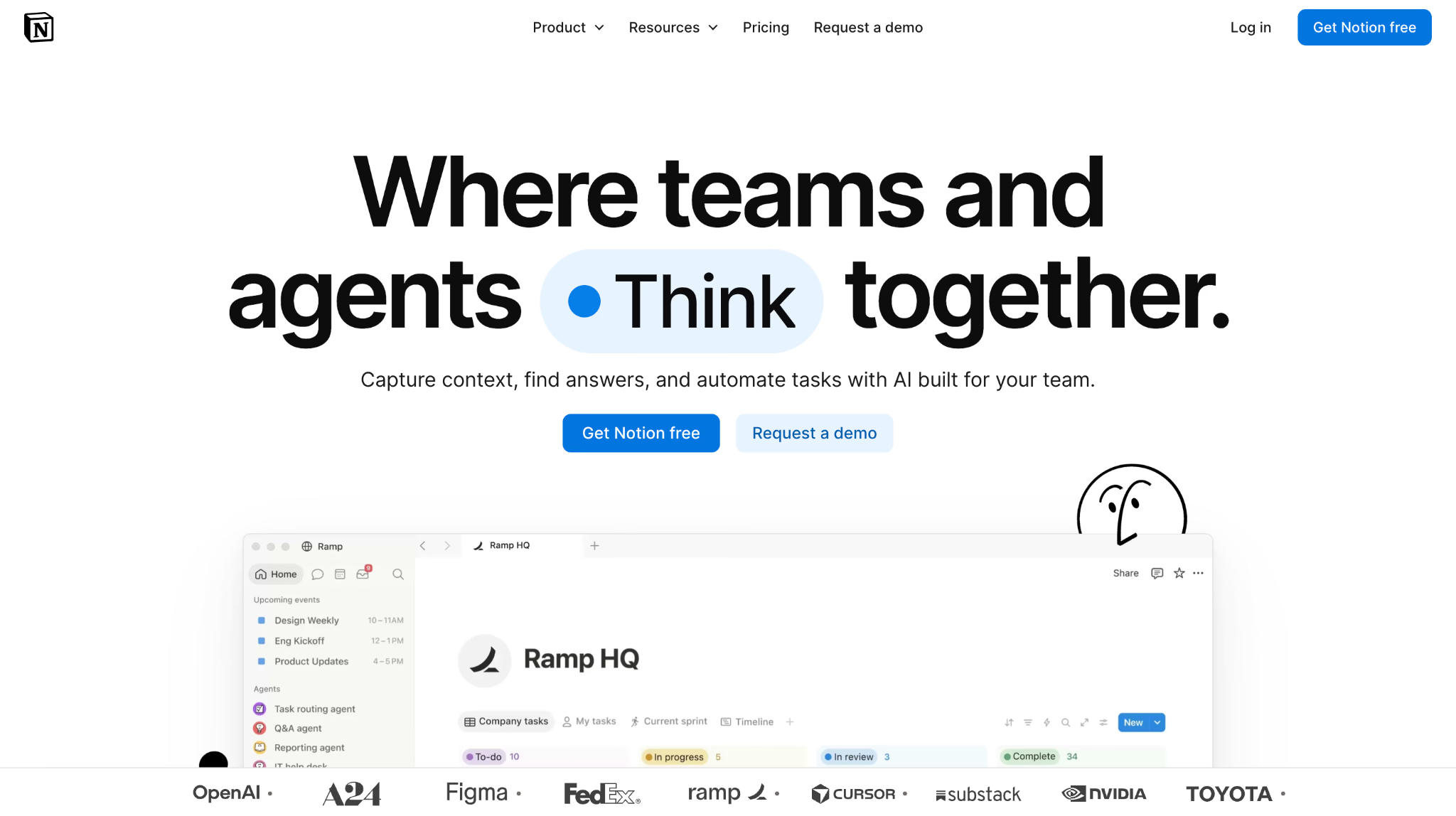
Notion replaced three tools on my team: the wiki, the content calendar, and the meeting-notes folder nobody opened. Pages nest into databases, databases render as boards or calendars, and everything links to everything.
The reason Notion works as a collaboration tool for remote teams is that context travels with the work. A campaign brief, its task board, its research notes, and its retro all live as connected pages rather than four links in a Slack message.
Notion's Best For
- Teams building a knowledge base alongside active project work
- Documentation-heavy operations such as agencies and consultancies
- Groups that want to design their own workflow rather than adopt one
Notion's Not Great For
- Task dependencies, critical paths, and resource loading
- Teams that need structure on day one
- Offline access
What Sets Notion Apart
Notion refuses to pick a shape for you. Confluence gives you a wiki, Asana gives you tasks, and Notion gives you blocks and expects you to assemble the thing you need. For a small remote team with one person willing to own the setup, that makes Notion the most adaptable collaboration tool for remote teams here.
Tradeoffs With Notion
Notion optimizes for flexibility, so you pay in setup time and drift. Without an owner, workspaces degrade into abandoned pages within two quarters. The learning curve is also real, and I lost most of a day to database relations before anything clicked.
Pros
- Docs, wikis, and databases in one connected workspace
- Strong templates and a large community library
- Generous free plan for individuals and small teams
Cons
- Needs a dedicated owner to stay organized
- Weak on dependencies and timeline views
- Limited offline access
7. Miro: Best Collaboration Tool for Remote Teams That Think Visually
Free plan available and Starter from $8/member/month billed annually.
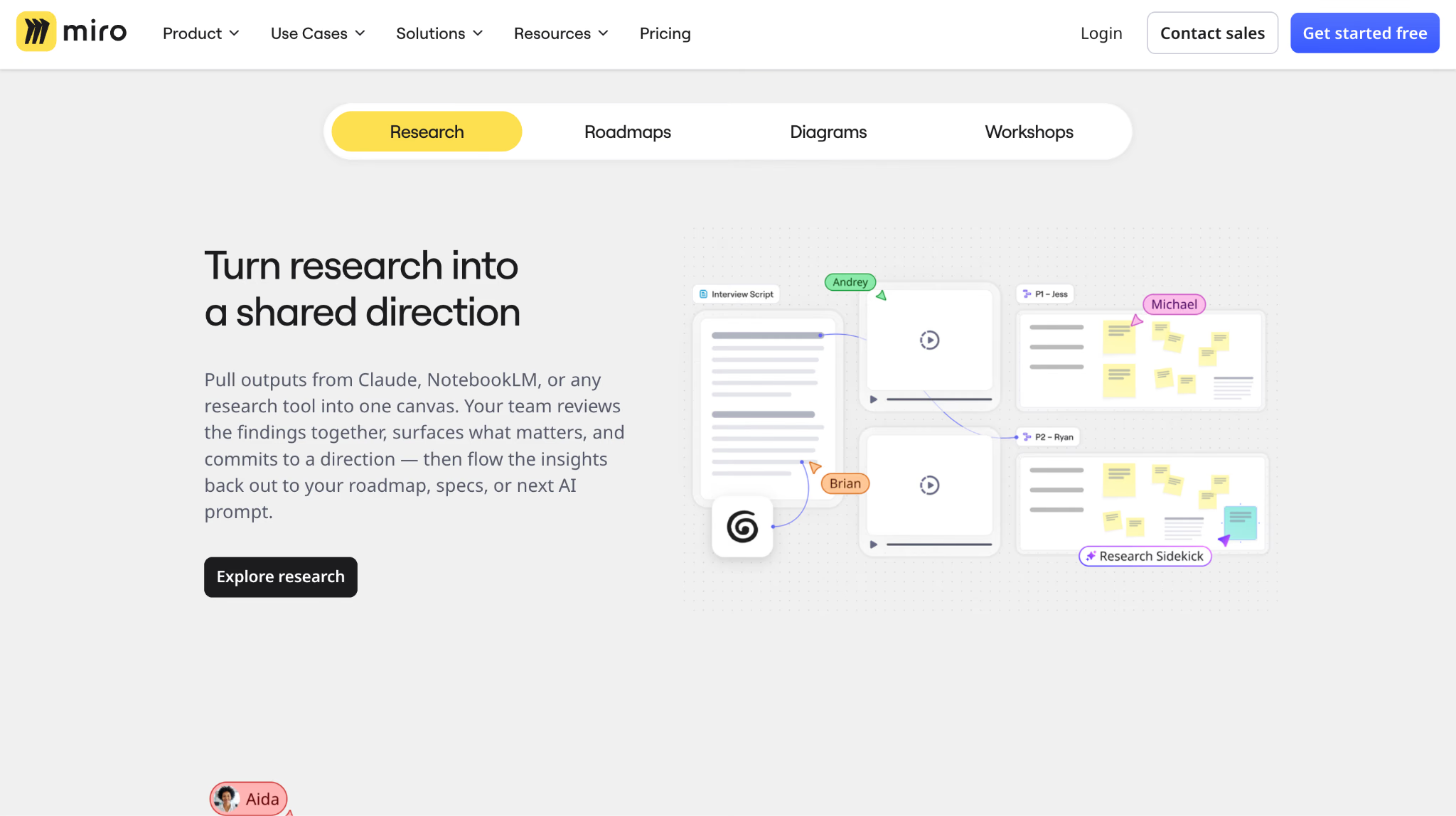
Miro solved the specific problem the r/remotework poster mentioned in their update: mapping user flows and organizing research with a team that cannot stand at the same whiteboard. It is also the one collaboration tool for remote teams on this list that replaces a physical object rather than a process. An infinite canvas, sticky notes, voting, and timers turn a workshop into something that actually finishes.
I ran a two-hour service blueprint session across Ujjain, Manila, and Berlin on Miro. The output was a single board everyone could annotate afterward rather than a photo of a wall nobody could read.
Miro's Best For
- Design sprints, retrospectives, and workshop facilitation
- Product and UX teams mapping flows and journeys
- Any session where the artifact is a diagram rather than a document
Miro's Not Great For
- Task tracking with owners and due dates
- Linear, document-centric work
- Teams on older hardware, since large boards get heavy
What Sets Miro Apart
Miro treats space as the organizing principle. Google Docs anchors discussion to text; Miro anchors it to position on a canvas. That difference is why a Miro retro produces clusters and themes while a Doc retro produces a list nobody reads twice.
Tradeoffs With Miro
Miro optimizes for open-ended visual thinking, so you lose enforcement. Deadlines and dependencies have nowhere to live, and a board full of decisions still needs somebody to move those decisions into a collaboration tool for remote teams that tracks work. Performance also degrades on very large boards.
Pros
- Infinite canvas with strong facilitation tooling
- Real-time and async collaboration both work well
- Deep template library for retros, blueprints, and roadmaps
Cons
- Large boards slow down noticeably
- No native task tracking
- Free plan caps editable boards
8. Loom: Best Collaboration Tool for Remote Teams Killing Status Meetings
Free plan available and Business from $18/user/month billed annually.

Loom is the only collaboration tool for remote teams here that removed meetings from my calendar rather than making them better. Record your screen and face, drop the link in Slack, and the 20-minute walkthrough becomes a 4-minute video people watch at 1.5x when it suits them.
For a team spanning eight time zones, that shift matters more than any feature. My Monday standup became a Loom on Friday afternoon, and the Monday hour went back to actual work.
Loom's Best For
- Async design reviews, bug reports, and product walkthroughs
- Onboarding, where a recorded process outlives the person who explained it
- Teams with fewer than four overlapping working hours
Loom's Not Great For
- Discussions that need back-and-forth
- Teams that will not watch a video without being nudged
- Budget-conscious groups, since per-creator seats add up
What Sets Loom Apart
Loom treats video as a message rather than an event. Zoom needs everyone present; Loom needs nobody present. Comments attach to timestamps, so feedback lands on the exact frame instead of "around the middle somewhere".
Tradeoffs With Loom
Loom optimizes for one-way explanation, so genuine debate has to happen elsewhere. Videos also accumulate without organization, and the free plan's 5-minute recording cap ends most real walkthroughs before they finish. Loom supplements a collaboration tool for remote teams rather than acting as the hub.
Pros
- Timestamped comments keep feedback precise
- Automatic transcripts make videos searchable
- Removes recurring status meetings outright
Cons
- Free plan caps recordings at 5 minutes and 25 videos
- Per-creator seat counts climb without close admin attention
- Poor fit for two-way discussion
9. monday.com: Best Collaboration Tool for Remote Teams That Report Upward
14-day trial and Basic from $9/user/month billed annually.
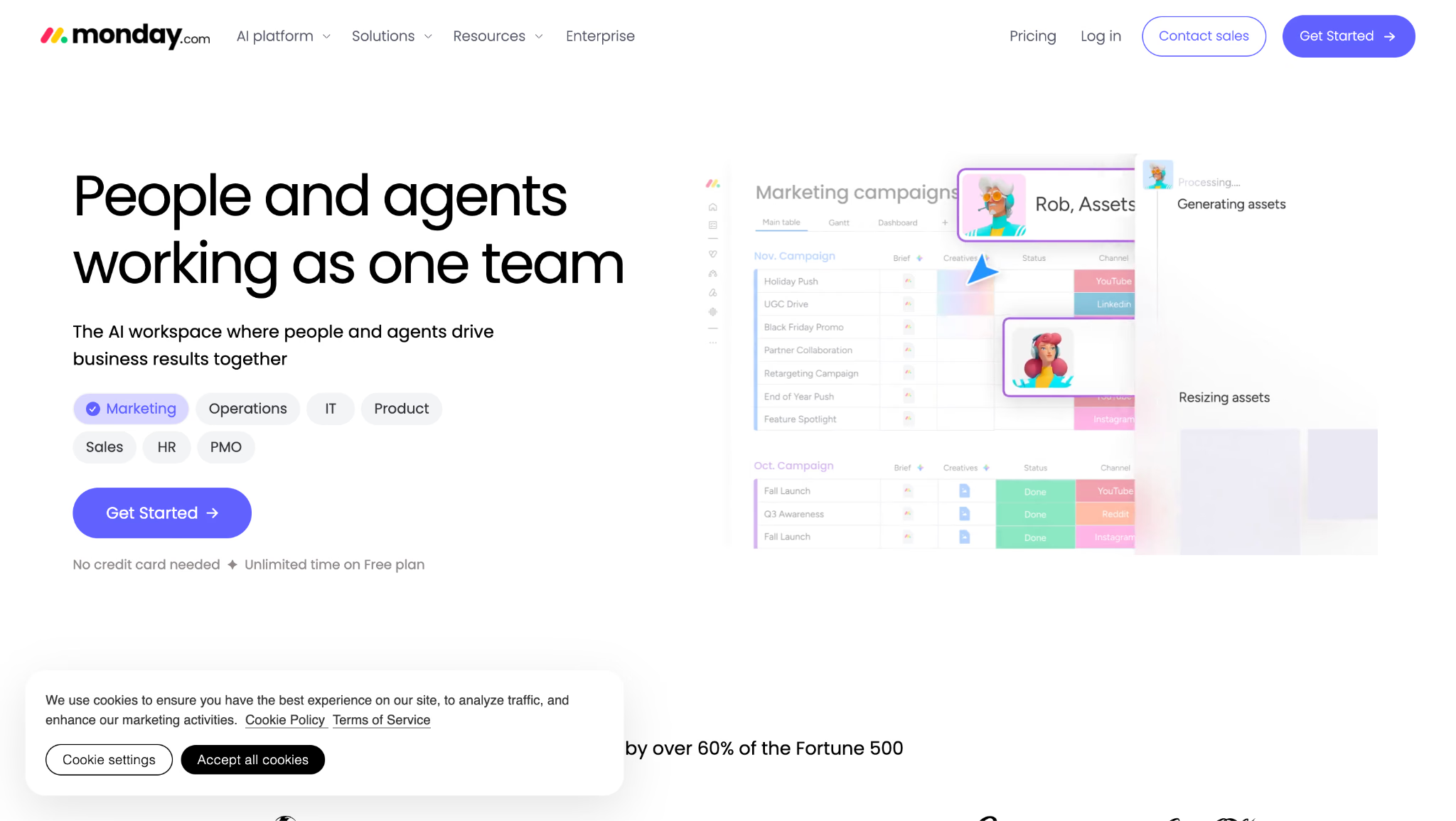
monday.com makes this list of collaboration tools for remote teams on dashboards alone. Leadership sees portfolio health, a writer sees this week's five items, and both views draw from the same boards without anyone building a separate report.
I set up a client's content operation on monday.com, and the weekly status email disappeared within a month because the dashboard replaced it.
monday.com's Best For
- Distributed teams where different roles need different views of the same work
- Cross-functional groups sharing workload visually
- Managers who spend Fridays assembling status reports
monday.com's Not Great For
- Teams needing strict process compliance and audit trails
- Organizations with layered approval chains
- Anyone wanting to start in 10 minutes with no configuration
What Sets monday.com Apart
monday.com expects you to build the workspace around how your team already works. ClickUp and Jira arrive with opinions; monday.com arrives with columns. For a remote team whose process is unusual, that adaptability wins.
Tradeoffs With monday.com
monday.com optimizes for visual customization, so you give up governance. Automation stays shallow compared with Wrike, and boards get messy fast when nobody owns the structure, which is the standing risk with any highly configurable collaboration tool for remote teams. The free and Basic tiers also withhold the views most teams assume are standard.
Pros
- Role-specific dashboards from a single source of truth
- Highly customizable boards and column types
- Strong mobile experience for field and travel work
Cons
- Boards degrade without an owner enforcing structure
- Basic plan excludes timeline and calendar views
- Limited depth in workflow automation
10. Asana: Best Collaboration Tool for Remote Teams Tracking Goals
Free plan available and Starter from $10.99/user/month billed annually.
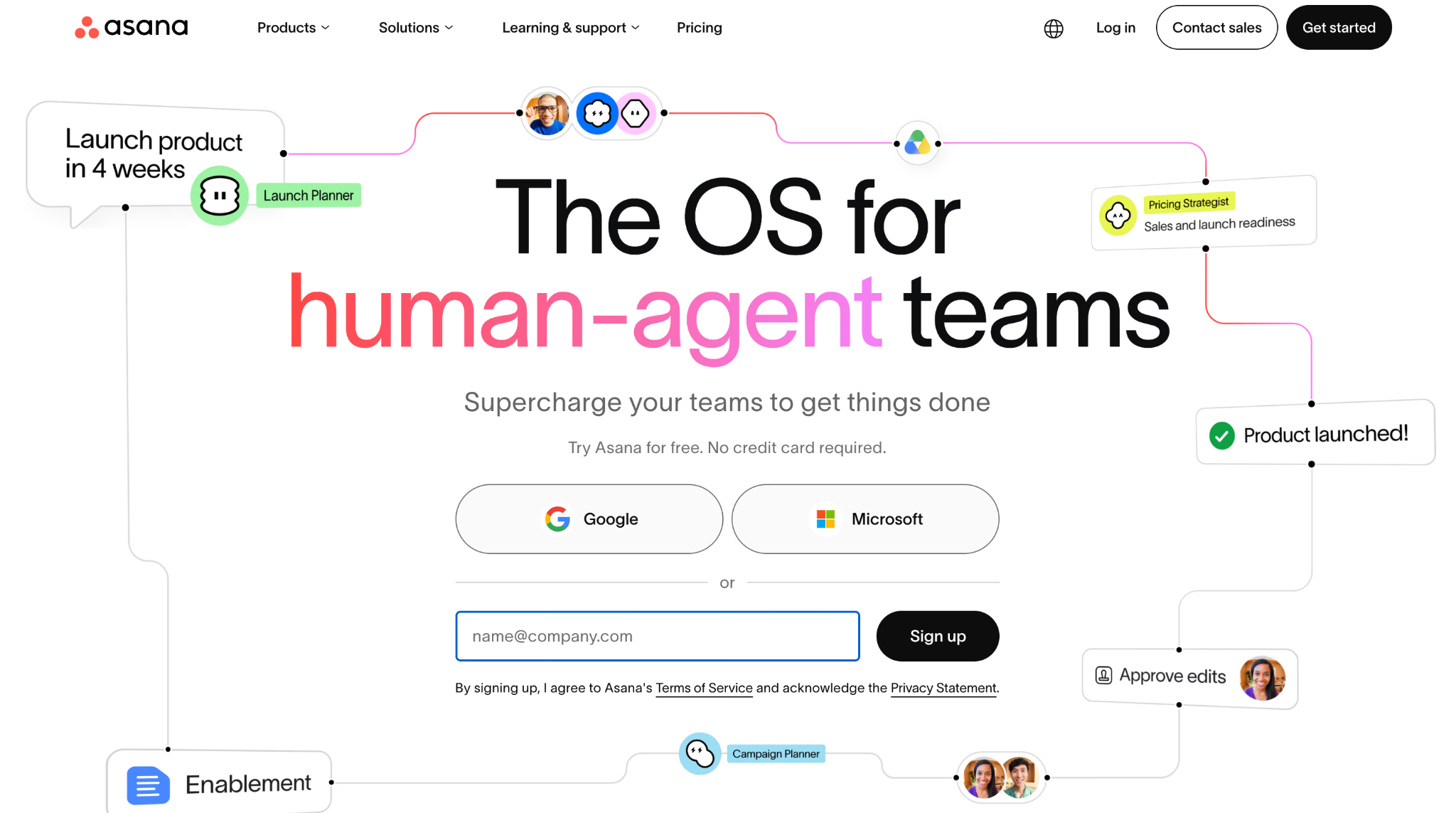
Asana connects daily tasks to quarterly objectives better than any other collaboration tool for remote teams I tested. Goals roll up from projects, and a manager can see whether this week's work moves the number that matters.
My team used Asana for a six-month editorial program with 340 deliverables. Rules handled the handoffs between writer, editor, and designer without anyone chasing anyone in Slack.
Asana's Best For
- Programs where tasks ladder up to measurable objectives
- Editorial, marketing, and operations teams with repeatable handoffs
- Groups that want automation without building it in code
Asana's Not Great For
- Very small teams, since paid plans start at two seats
- Budget buyers, given the jump to Advanced for portfolios and workload
- Visual thinkers who prefer a canvas
What Sets Asana Apart
Asana treats the task as the atomic unit and refuses to blur it. A task has one assignee and one due date, which sounds restrictive until you watch accountability stop leaking. Rules then move work between people automatically as statuses change.
Tradeoffs With Asana
Asana optimizes for structured accountability, so you accept rigidity. Teams wanting loose, exploratory work find it heavy, and several features small teams assume are standard, including workload and portfolios, appear only on the Advanced tier at $24.99 per user per month. Price the tier you will land on before you compare Asana against another collaboration tool for remote teams.
Pros
- Goals link daily work to quarterly outcomes
- Rules automate handoffs without scripting
- Free tier covers up to 10 users
Cons
- Portfolios and workload gated behind Advanced
- One assignee per task frustrates shared ownership
- Interface gets dense on large projects
11. Trello: Best Lightweight Collaboration Tool for Remote Teams
Free plan available and Standard from $5/user/month billed annually.
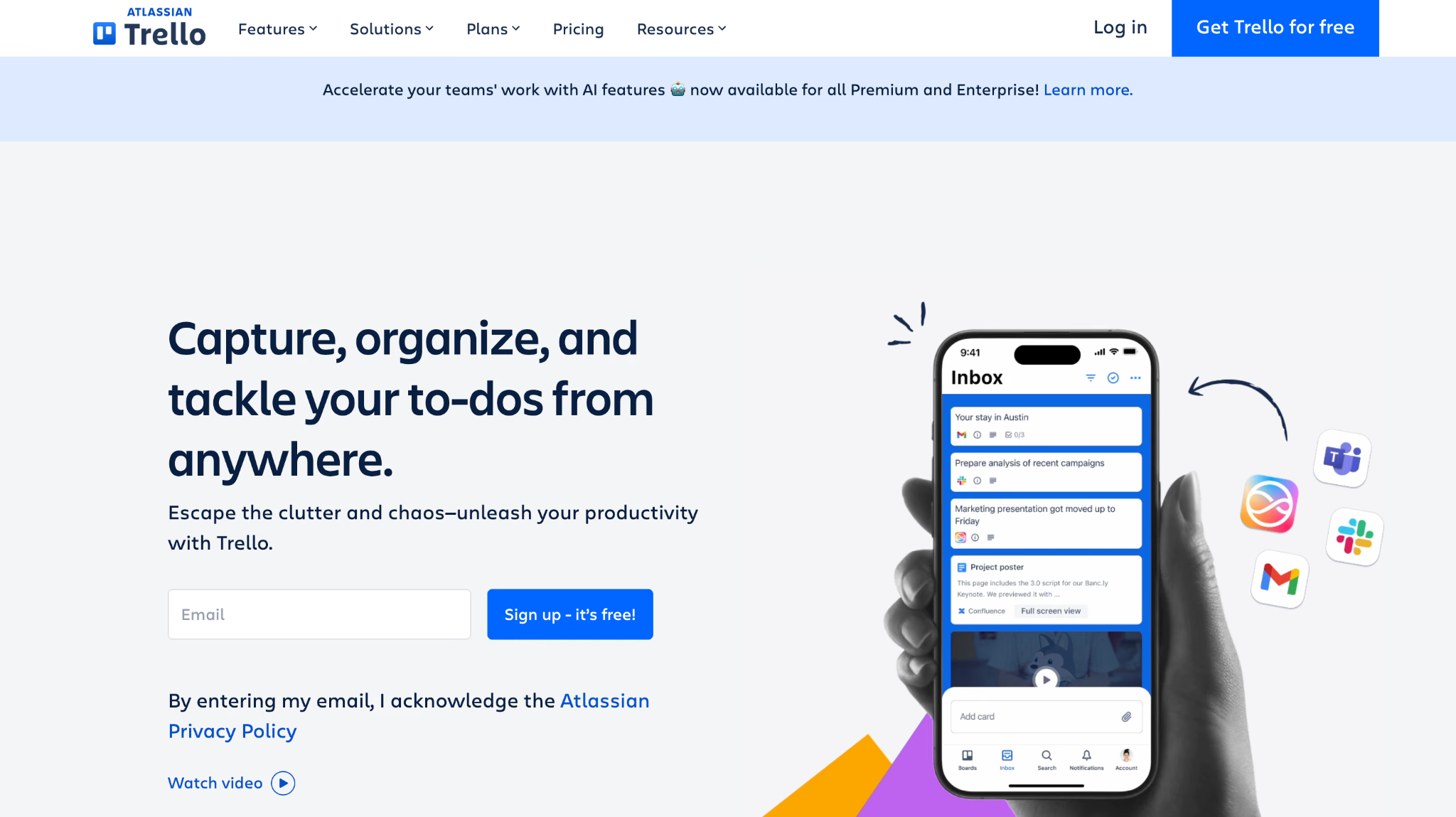
Trello is the tool I recommend when somebody asks for a collaboration tool for remote teams and clearly does not want a project management education. Boards, lists, cards, drag, done. A five-person team gets productive in an afternoon.
I still run my personal editorial pipeline on Trello because the ceremony cost is close to zero.
Trello's Best For
- Small teams and simple, linear workflows
- Content pipelines, hiring pipelines, and sprint boards
- Groups adopting their first shared tracker
Trello's Not Great For
- Dependencies and multi-project reporting
- Teams above roughly 20 people
- Resource planning and capacity views
What Sets Trello Apart
Trello keeps the model small on purpose. Jira asks you to define a workflow before you begin; Trello asks you to name three lists. That restraint is why adoption rarely fails, which matters more than any feature when you introduce a collaboration tool for remote teams to people who never asked for one, and Power-Ups let you add capability only when the team asks for it.
Tradeoffs With Trello
Trello optimizes for immediate usability, so you outgrow it. Boards with 200 cards become unreadable, reporting stays thin, and cross-board visibility needs paid Power-Ups that erode the price advantage.
Pros
- Fastest adoption curve of any tool on this list
- Cheapest paid tier at $5 per user per month
- Power-Ups add capability without upfront complexity
Cons
- Boards clutter quickly at scale
- Minimal reporting and no native dependencies
- Cross-project views require paid add-ons
12. Missive: Best Collaboration Tool for Remote Teams Working With Clients
Free plan available and Productive from $14/user/month billed annually.
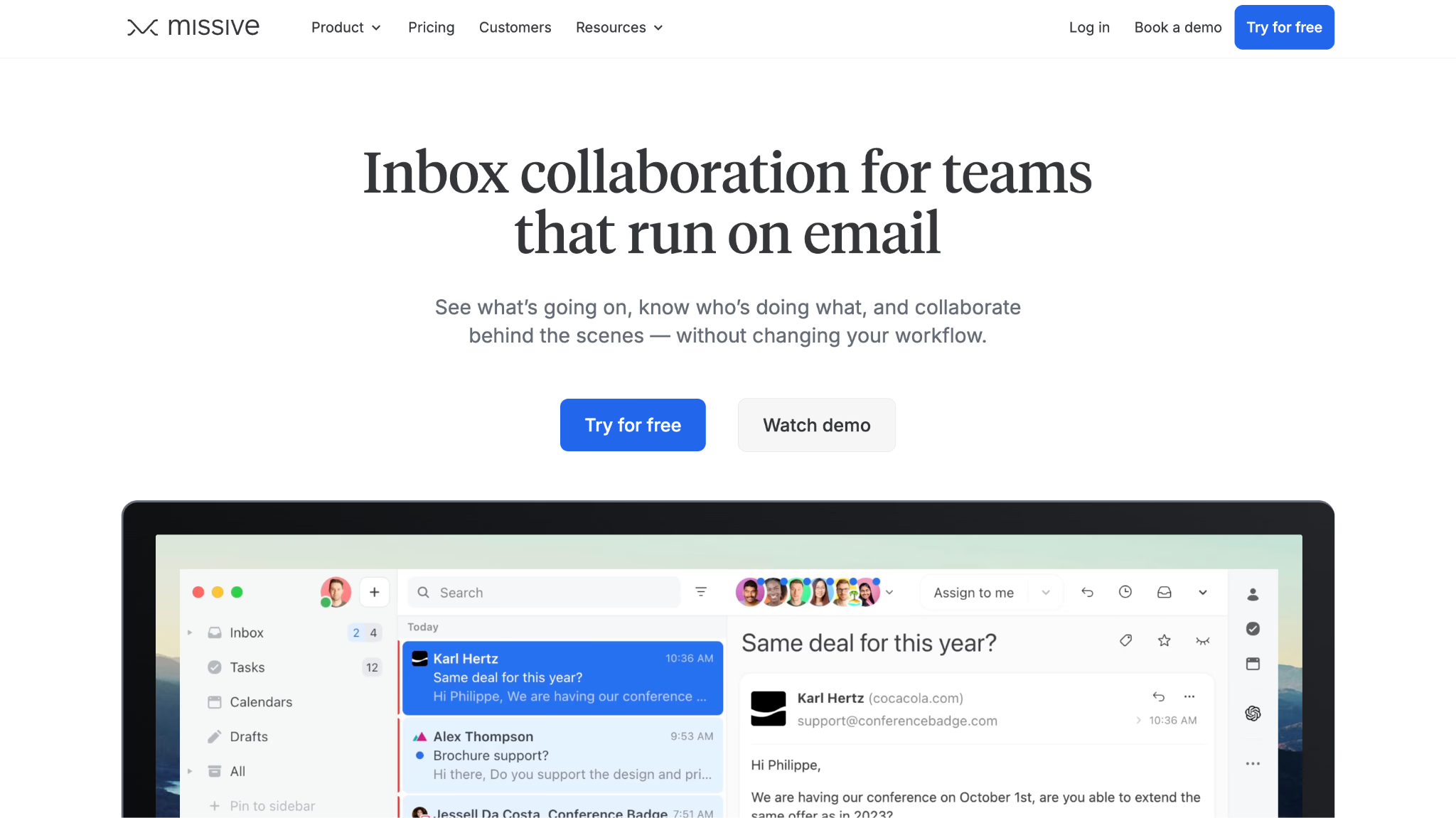
Missive is the only collaboration tool for remote teams here built around the inbox. It merges the shared inbox with team chat, which solves a problem agencies hit constantly: the client conversation lives in email while the internal conversation lives somewhere else, and the two never meet.
Internal comments attach directly to an email thread, so my team debated a scope question inside the client's own message without the client seeing a word of it.
Missive's Best For
- Agencies and service teams managing client threads
- Shared inboxes such as support@ and hello@
- Bringing external partners into a conversation with controlled visibility
Missive's Not Great For
- Teams that need project boards or Gantt views
- Groups wanting built-in video or voice
- Organizations without meaningful email volume
What Sets Missive Apart
Missive treats email and chat as one activity rather than two apps. Slack pushes you to abandon email; Missive assumes your clients never will. Guest access then brings an outside collaborator into a specific thread rather than your whole workspace.
Tradeoffs With Missive
Missive optimizes for the inbox, so project planning stays absent. Guest access also requires a paid plan, and there is no native calling, which means Missive pairs with a meeting-focused collaboration tool for remote teams rather than replacing one.
Pros
- Internal comments live inside the email thread
- Shared labels and merged conversations across channels
- Controlled guest access for clients and partners
Cons
- Guest access needs a paid plan
- No built-in video or voice calling
- No task dependencies or roadmap views
13. Wrike: Best Collaboration Tool for Remote Teams With Formal Approvals
Free plan available and Team from $10/user/month billed annually.
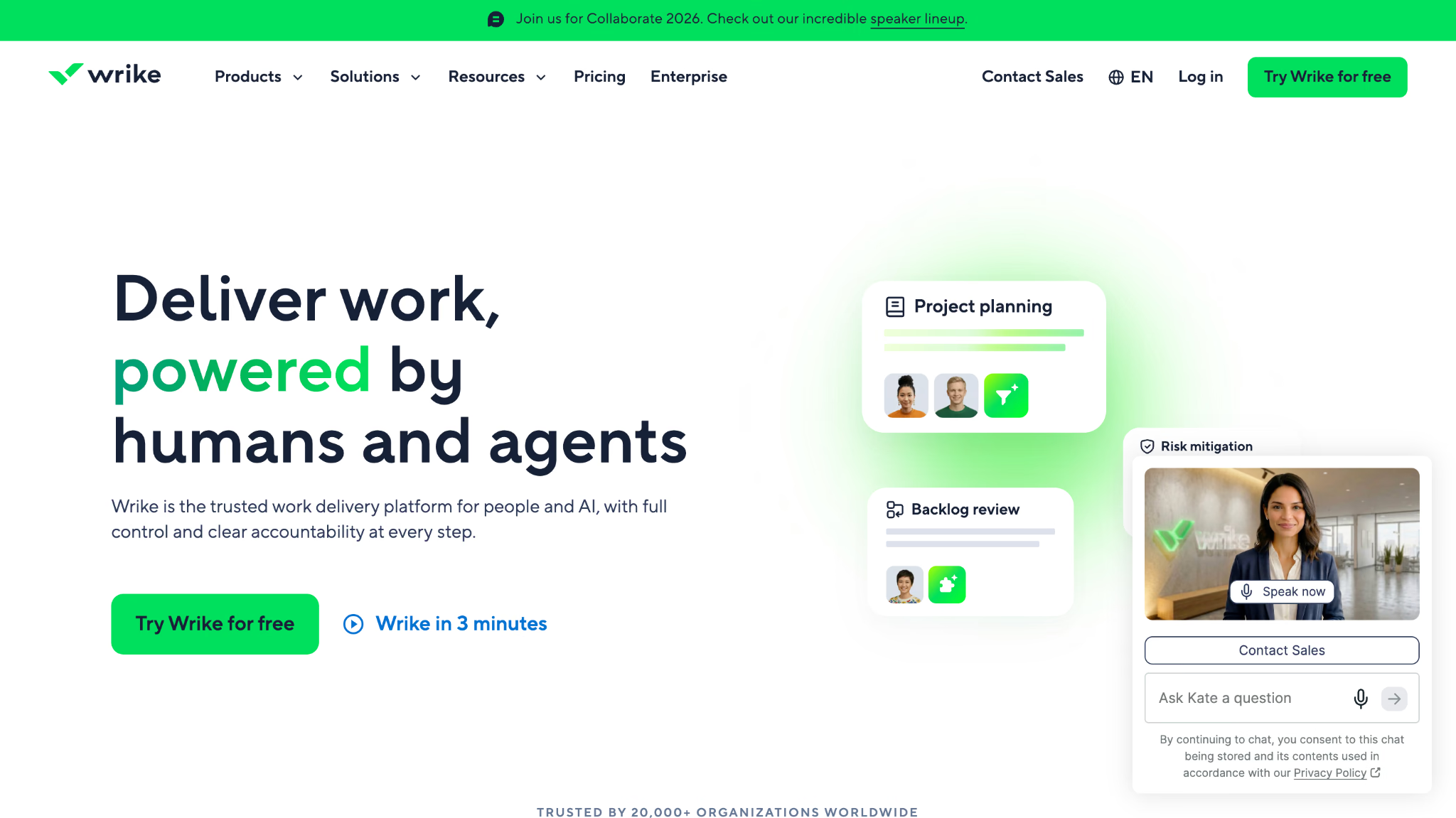
Wrike is the collaboration tool for remote teams I reach for when the work needs a paper trail. Request forms route intake, proofing captures markup on creative assets, and approvals record who signed off and when.
I used Wrike on a regulated client project where every asset needed legal review. The approval history alone justified the seat cost when an auditor asked who approved a claim in March.
Wrike's Best For
- Distributed teams with formal approval and review cycles
- Creative operations handling proofing on assets at volume
- Cross-time-zone projects with real dependencies
Wrike's Not Great For
- Small teams wanting something lightweight
- Groups unwilling to invest in configuration
- Teams that dislike process
What Sets Wrike Apart
Wrike delivers structure without Jira's engineering assumptions. Custom request forms turn ad-hoc asks into structured tickets, which stops the "quick favor" Slack message from becoming untracked work. For a remote team where informal nudges do not carry across time zones, that formality is the point.
Tradeoffs With Wrike
Wrike optimizes for accountable process, so you lose speed at the start. Setup takes real hours, spaces cap at 10 workflows each, and small organizations rarely use enough of it to justify the overhead of the most process-heavy collaboration tool for remote teams on this list.
Pros
- Proofing and approvals with a full audit trail
- Request forms structure intake automatically
- Workload views across individuals and teams
Cons
- Configuration-heavy setup
- 10 workflows per space
- Overkill for teams under about 15 people
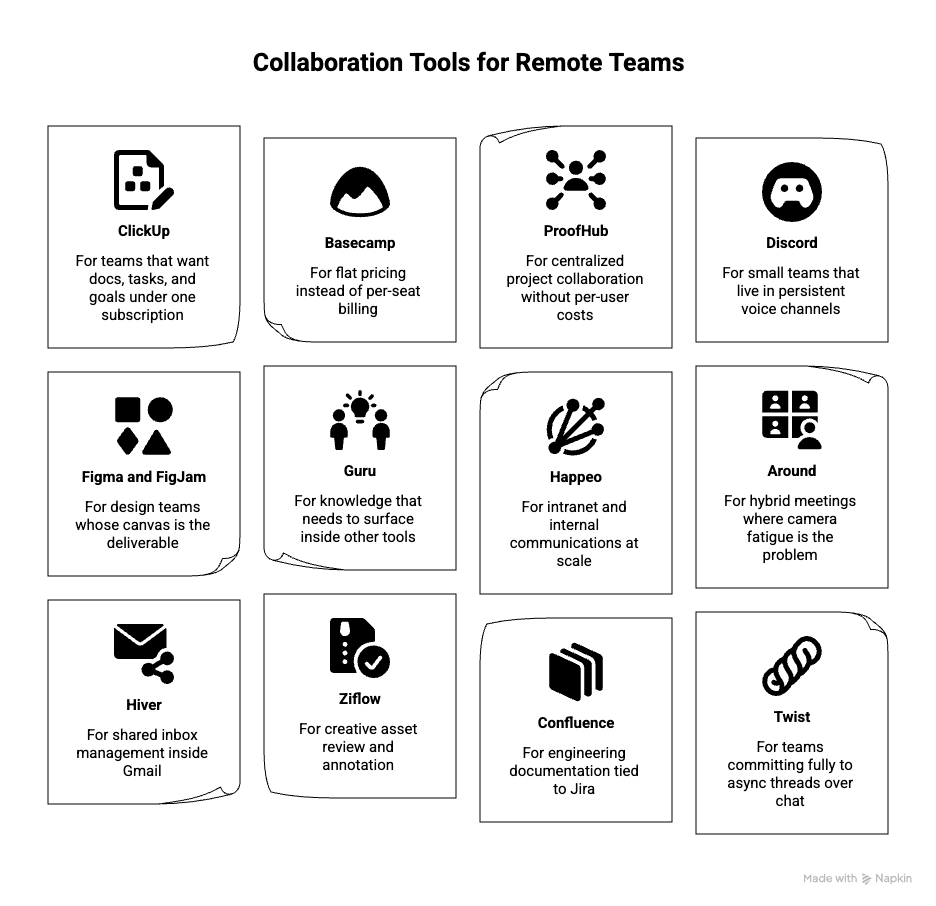
Other Collaboration Tools for Remote Teams Worth Checking
These collaboration tools for remote teams missed my top 13, mostly on scope or price, and several deserve a look depending on your situation.
- ClickUp: For teams that want docs, tasks, and goals under one subscription
- Basecamp: For flat pricing instead of per-seat billing
- ProofHub: For centralized project collaboration without per-user costs
- Discord: For small teams that live in persistent voice channels
- Figma and FigJam: For design teams whose canvas is the deliverable
- Guru: For knowledge that needs to surface inside other tools
- Happeo: For intranet and internal communications at scale
- Around: For hybrid meetings where camera fatigue is the problem
- Hiver: For shared inbox management inside Gmail
- Ziflow: For creative asset review and annotation
- Confluence: For engineering documentation tied to Jira
- Twist: For teams committing fully to async threads over chat
How I Evaluated Every Collaboration Tool for Remote Teams on This List
I scored each collaboration tool for remote teams on six core capabilities, from 0 for absent to 5 for excellent, then converted the total to a percentage. Anything below 65% dropped off the list before I wrote a word about it.
Core Functionality
- Real-time messaging: Channels, threads, and DMs that hold a sprint discussion without collapsing into one stream.
- File sharing and co-editing: Live document collaboration, previews, and version history that survive four people editing at once.
- Video and audio: Group calls with screen sharing and recording, so standups and demos do not require a second app.
- Task coordination: Assignees, due dates, and status tracking that live where the conversation already happens.
- Integrations: A catalog deep enough to connect Drive, Jira, or a CRM, plus API access when the catalog falls short.
- Async support: Threaded discussion, recorded updates, and notification controls for teams with no overlapping hours.
The Differentiators That Actually Separated Them
Scoring got every tool to a passing grade. Four things separated them once real work started running through each collaboration tool for remote teams I tested.
Language handling. Six of the 13 tools offer some form of captioning or translation. Only one carries meaning across a live negotiation and keeps the record in both languages afterward. If your team is monolingual, ignore this line. If it is not, this is the line that decides your purchase.
Guest and client access. Most projects involve somebody outside the payroll. I checked whether an external collaborator can join one thread rather than the entire workspace, and how much that costs.
Mobile parity. A tool that quietly drops features on mobile creates blind spots for people traveling or working from a phone. Trello, monday.com, and Slack held up. Two others did not.
Meeting artifacts. After every call, I asked one question: what survives? Zoom leaves a recording nobody opens. Teams leaves a transcript minus the live captions. JotMe leaves notes, a transcript, decisions, and action items in each participant's own language, which is the version my client's Osaka office could actually use.
How to Choose the Right Collaboration Tool for Remote Teams
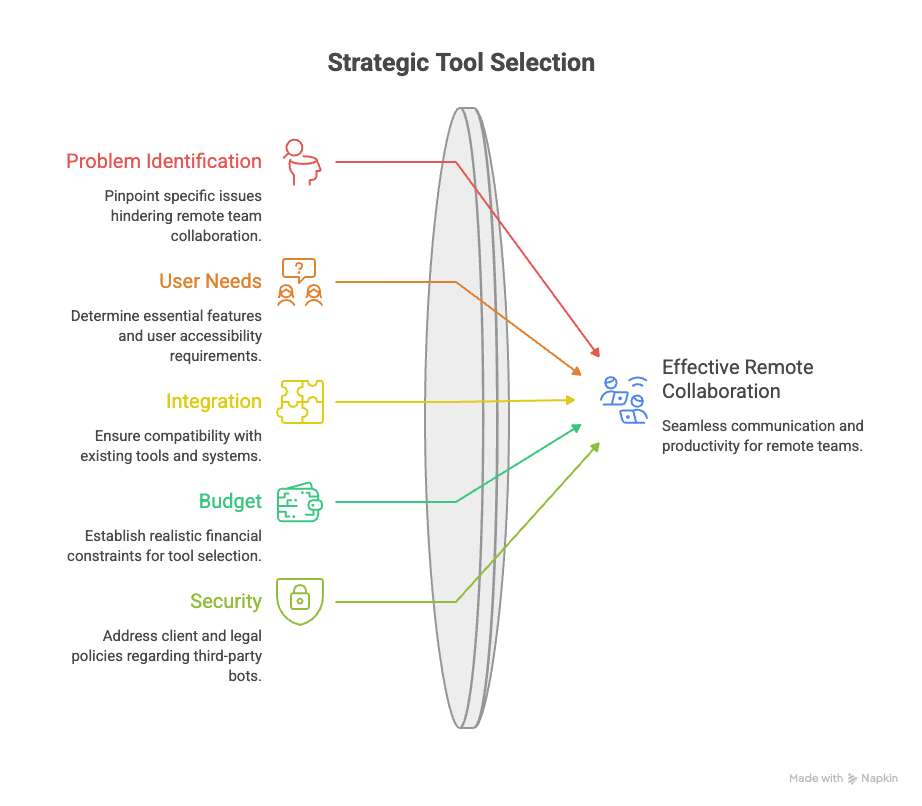
Answer these eight questions before you open a single pricing page for any collaboration tool for remote teams. Writing the answers down takes 15 minutes and saves a quarter of wasted rollout.
- What specific failure are you buying this to fix? Name the meeting or handoff that keeps breaking.
- How many people need access, and how many of those are external?
- Do your team members share a first language? If they do not, treat translation as a core requirement rather than a nice extra.
- What are the three features you genuinely cannot work without?
- Which tools does it need to connect to, and do those connectors already exist?
- Who owns setup and maintenance after the rollout email goes out?
- What is your realistic annual budget per seat, including the tier you will actually end up on rather than the one you sign up for?
- Does your client or legal policy prohibit third-party bots in meetings?
That last question eliminates more tools than people expect. Several meeting assistants join the call as a visible participant, which fails immediately on client and legal work. A collaboration tool for remote teams that captures audio locally clears that policy without a conversation with IT.
Trends Shaping Collaboration Tools for Remote Teams in 2026
- Language becomes infrastructure: Distributed hiring outpaced the tooling. Teams that recruited across Japan, Korea, and Latin America in 2024 and 2025 are now discovering that every collaboration tool for remote teams in their stack assumes a shared language, and translation is moving from an add-on to a requirement in the buying criteria.
- Bot-free meeting capture: Legal, healthcare, and enterprise procurement increasingly reject assistants that join as participants. Local audio capture is winning those accounts on policy grounds rather than features.
- Async video replaces the status meeting: Recorded walkthroughs with timestamped comments keep displacing recurring calls, especially on teams with under four overlapping hours.
- Agentic context over generic AI: Summaries are commoditized. What differentiates now is a tool that already knows your product vocabulary, your open items, and your counterparties before the call starts.
- Consolidation pressure on per-seat pricing: Finance teams are auditing overlapping subscriptions, and any collaboration tool for remote teams that duplicates an existing tool is losing renewals.
If AI capability specifically is what you are shopping for, the separate breakdown of AI tools remote teams use for writing, research, and interview prep covers that category rather than the collaboration stack reviewed here.
What Is a Collaboration Tool for Remote Teams
A collaboration tool for remote teams is software that lets people who work in different locations communicate, share files, coordinate tasks, and record decisions in one shared space. Common categories include chat apps, video conferencing, document co-editing, visual whiteboards, task trackers, and live translation tools for teams that work across languages.
Most organizations run three to five of these rather than one collaboration tool for remote teams. The stack usually settles into a chat layer, a meeting layer, a document layer, and a tracker, with a language layer added once the team crosses a border. Each collaboration tool for remote teams in that stack should own one job and stop there.
Features to Look for in a Collaboration Tool for Remote Teams
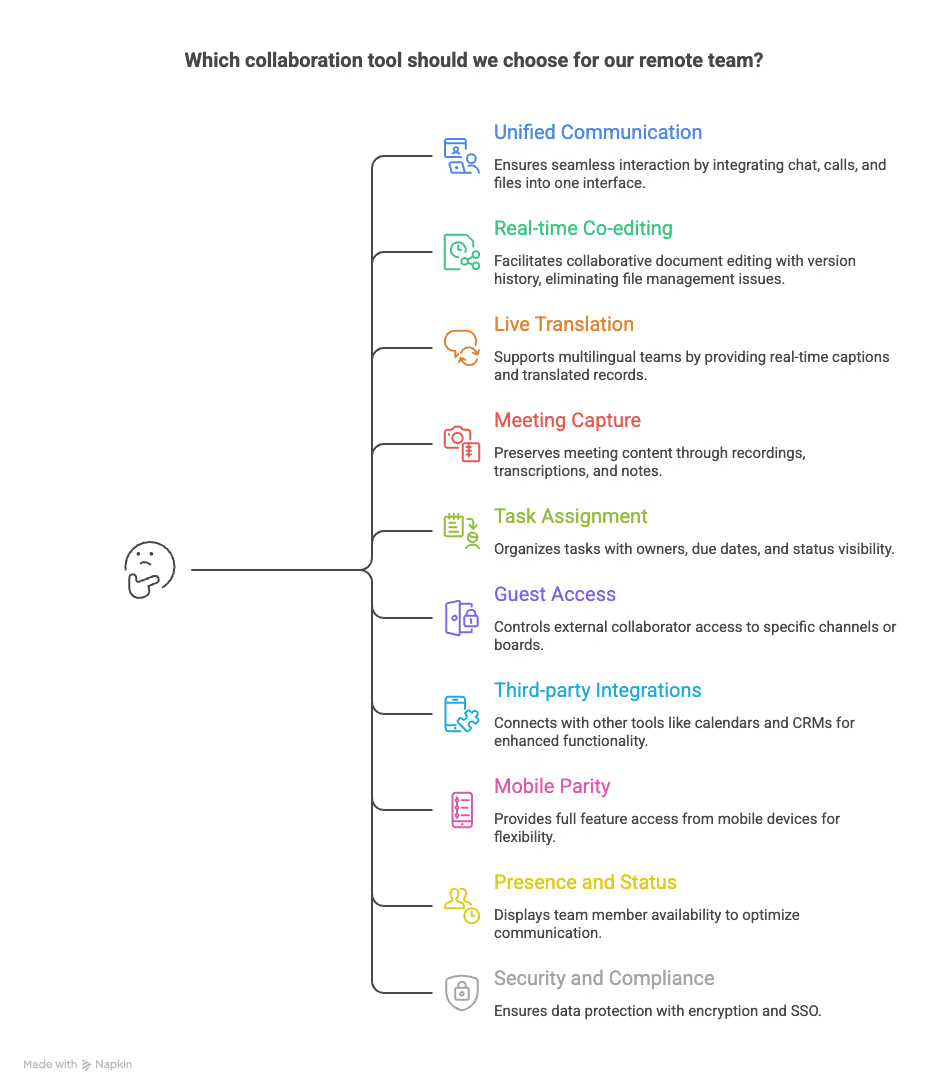
The list that matters depends on your team, and every collaboration tool for remote teams worth paying for covers these ten.
- Unified communication: Chat, calls, and files reachable from one window, so people stop losing context between four browser tabs.
- Real-time co-editing: Multiple cursors in the same document with version history, which removes the "final_v3_actual.docx" problem permanently.
- Live translation and multilingual records: Captions during the call and a written record afterward in each participant's language, for any team working across borders.
- Meeting capture: Recording, transcription, and notes that survive the session, including the captions people relied on during it.
- Task assignment: Owners, due dates, and status visible without asking anyone in chat.
- Guest access controls: External collaborators scoped to one channel, board, or thread rather than the full workspace.
- Third-party integrations: Connectors for calendar, storage, CRM, and code, plus an API for the gaps.
- Mobile parity: Full feature access from a phone, since remote work is rarely desk-bound.
- Presence and status: Visible availability so a colleague in another time zone knows whether to call or write.
- Security and compliance: Encryption in transit and at rest, SSO, and a documented stance on whether your data trains someone's model.
Note: Check the model-training question specifically. JotMe states that recordings and transcriptions are never used to train its models and never sold to third parties, and it is GDPR compliant with a SOC 2 Type II audit in progress. Several tools on this list are less explicit.
Benefits of a Collaboration Tool for Remote Teams
A collaboration tool for remote teams pays for itself in five places, and I have measured four of them on my own team.
- Decisions stop evaporating: A shared record means the choice made on Tuesday is findable on Friday, which removes the meeting held purely to re-establish what was already agreed.
- Fewer meetings: Async video, threaded discussion, and shared boards absorb the updates that used to require a call, and my own calendar lost 4 hours a week to this shift.
- Cross-border teams operate at the same speed as local ones: Live translation and multilingual notes remove the 2-hour email chain that follows every call where one side was guessing.
- Onboarding compresses: A new hire reads the workspace instead of interrupting six people, and recorded walkthroughs outlive the person who made them.
- Real cost savings: Travel, agency interpreters, and office overhead all shrink. For teams that would otherwise book interpretation, the arithmetic against a $15 per user monthly subscription is not close.
Costs and Pricing of Collaboration Tools for Remote Teams
Pricing for a collaboration tool for remote teams follows a predictable shape, and the trap is always the same: the tier you sign up for rarely stays the tier you need.
Three costs hide outside that table. Per-seat pricing scales with headcount rather than usage, so a 40-person team pays for 40 seats even when 12 people carry the work. Minimum seat counts inflate small-team bills, with Slack requiring three users and Asana requiring two on paid plans. And usage-metered features, including translation minutes and AI credits, run on a separate meter from seats entirely.
JotMe splits those two meters openly, which made budgeting easier than any other tool here: seats at $10 each and translation minutes purchased as a pool the admin allocates. My 5-seat, 1,000-minute configuration came to $900 per year.
Start With the Gap That Keeps Breaking
Pick the single failure that costs your team the most hours this month, then buy your collaboration tool for remote teams against that. If work slips between people, start with Asana or Wrike. If workshops fall flat, start with Miro. If your calls end with two sides holding different versions of the same agreement, the language layer is your gap, and no collaboration tool for remote teams built around task boards fixes it.
That last one is the gap I built this list around, because it is the one the standard stack never covers. Download JotMe and run it on your next cross-border call. The free plan gives you 20 minutes of live translation, which is enough to see whether the record it produces matches what you thought was agreed.
Frequently Asked Questions
What is the best collaboration tool for remote teams in 2026?
For a monolingual team, Slack plus Google Workspace covers most needs at around $14 per user per month combined. For any team working across languages, JotMe is the pick because it removes the failure the rest of the stack ignores: people leaving a call believing different things. Start by naming the specific breakdown you are fixing, then choose your collaboration tool for remote teams against that rather than against a feature list.
Can one collaboration tool for remote teams replace our whole stack?
No, and vendors claiming otherwise are selling you a compromise. Every organization I have worked with settled on three to five tools: a chat layer, a meeting layer, a document layer, and a tracker. The goal is removing overlap rather than reaching a single app. Two tools doing the same job is the actual waste.
How do remote teams handle meetings when members speak different languages?
Three approaches exist, and I have used all three. Hiring an interpreter delivers the highest fidelity at agency day rates that make routine calls impossible to justify. Relying on the strongest English speaker to translate creates a bottleneck and a single point of failure. Running a live translation tool such as JotMe during the call gives every participant captions in their own language and a written record afterward, at a fraction of interpreter cost. For recurring operational calls, the third option is the only one that survives a budget review, and it is why a language-aware collaboration tool for remote teams belongs in the stack.
Do collaboration tools for remote teams work without a bot joining the meeting?
Most AI meeting assistants join your call as a visible participant, which fails client, legal, and healthcare policies immediately. JotMe's desktop app captures system audio on your own machine, so the participant count never changes, and nobody installs anything. I tested this on a Microsoft Teams call where the participant list held steady at 2 while translation ran throughout.
What does a collaboration tool for remote teams cost per person?
Entry tiers run $5 to $10 per user per month, business tiers $10 to $20, and enterprise $20 to $30 or more. A realistic stack for a 10-person distributed team lands between $35 and $60 per person monthly across four tools. Budget for the tier you will end up on, since features small teams assume are standard, including Asana's workload views and Slack's compliance exports, appear only on higher plans.
How many collaboration tools should a remote team actually run?
For most remote teams, three to five core collaboration tools is a practical range. Fewer can push important conversations into scattered DMs, while too many create context switching and make it harder to know where decisions, files, and updates belong. Every additional tool adds another place to check, so review your stack regularly and remove tools that duplicate work already covered elsewhere.
Is a free collaboration tool for remote teams good enough to start with?
For a team under five people running short projects, yes. Slack, Trello, Notion, Miro, and JotMe all offer a working free tier, so you can trial a collaboration tool for remote teams without a purchase order. The limits that force an upgrade are predictable: Slack hides messages after 90 days, Loom caps recordings at 5 minutes, and JotMe's free plan includes 20 minutes of monthly live translation and live transcription. Free plans work as adoption tests rather than as the system of record for client work.
How do we get a remote team to actually adopt a new collaboration tool?
Pick one owner, migrate one real workflow rather than announcing a company-wide switch, and delete the tool it replaced within 30 days. Every failed rollout I have watched failed the same way: the old tool stayed alive "just for now," and the team split across both. Involve two or three skeptics in the selection so the loudest objections surface before the purchase.
Last updated on
September 15, 2026
Follow us on social media:
![JotMe — Is Google Translate Accurate? [2026 Test]](/_webflow-assets/0d0512afc7b037d74dff536f22fed08f.avif)