Guides
18 Best AI Live Translation Tools That We Tried in 2026

Viraj Mahajan
July 16, 2025

Updated 2026: This article was originally published in 2025 and updated in September, 2026 to reflect how AI live translation tools have actually evolved. We reviewed newly added features, pricing changes, and contextual live translation performance to keep this list relevant. The updated list includes tools like JotMe, Google Translate, Wordly, Interprefy, Maestra AI, Kudo, Talo, PolyPal, DeepL Voice, Apple Translate, Microsoft Translator, iTranslate, Naver Papago, Transync AI,BabelPhone, Immersive Translate, and Lara Translate.
What is the Best AI Translator for Live Translation?
The best AI translator for live meetings is JotMe because it combines real-time AI translation, live transcription, AI meeting notes, AI chat, pronunciation support, and cross-platform coverage for Zoom, Google Meet, Microsoft Teams, Webex, Slack, and mobile use. If you only need a free translation app for short travel conversations, Google Translate or Apple Translate may be enough; if you need a real-time translator for business meetings, classes, interviews, or webinars, a dedicated live translation tool like JotMe is a better fit.
In short: choose JotMe for professional AI live translation, Google Translate for quick free voice translation, Apple Translate for offline iPhone translation, Microsoft Translator for Teams, and Naver Papago for Korean, Japanese, Chinese, and Vietnamese conversations.
These recommendations did not come from marketing pages or feature comparisons alone. We tested top-ranking AI live translation tools in real-world situations, including live Zoom meetings, bilingual business meetings on Google Meet, and internal team calls on Slack, where every second mattered. What worked in theory often failed in practice. For instance, sometimes we faced issues with latency, while at other times we found dropped sentences or inconsistent tone. Only a few tools consistently got the job done.
Here’s what we found:
- At $10 per month, JotMe offers 20 AI credits, 500 minutes of monthly transcription, and a real-time AI translation feature in 200+ languages. Its contextual live translation preserves nuance while maintaining the original meaning.
- Wordly AI is a great live AI translation tool for those looking to conduct webinars and in-person meetings. The pricing is not mentioned on the website, but according to reports, it generally falls within the range of $0.08 to $0.30 per word.
- Kudo is an ideal tool for those who are looking for a human interpreter to join Zoom, Webex, and Microsoft Teams.
- Interprefy is ideal for interpretation, live translation, and live captions during virtual or in-person meetings.
- Boostlingo is ideal for hybrid interpretation, as it blends AI translation with professional human interpreters.
- Lara Translate is built for broader multilingual workflows, supporting 200+ languages for text, 70+ document formats, and 182 languages for interpreter use. It is available across web, mobile, and browser extensions.
Based on those tests, we shortlisted 18 AI live translation tools that actually delivered reliable performance in real conversations. Some worked better for multilingual meetings and webinars, while others were stronger for interpretation, hybrid events, or mobile-first conversations. In this guide, we’ll break down where each tool performs best, what platforms it supports, and which type of user it is most suitable for.
Quick Summary of the 18 Best AI Translation Tools (2026)
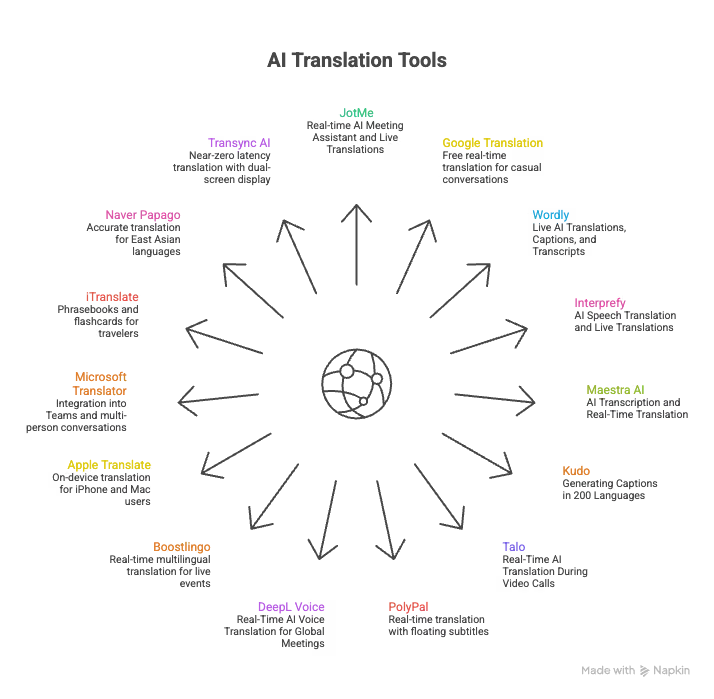
Before we go into detail about all the tools that we tried, here’s a quick summary of the AI translation tools that we recommend for personal and professional usage:
- JotMe: Real-time AI meeting assistant and contextual live translations in 200+ Languages
- Google Translation [Conversation Mode]: Known for free real-time translation for casual conversations
- Wordly: Ideal for Live AI Translations, Captions, and Transcripts
- Interprefy: Ideal for AI Speech Translation and Live Translations
- Maestra AI: Ideal for AI Transcription and Real-Time Translation
- Kudo: Ideal for Generating Captions in 200 Languages
- Talo: Known for Real-Time AI Translation During Video Calls
- PolyPal: Ideal choice for getting real-time translation with floating subtitles
- DeepL Voice: Real-Time AI Voice Translation for Global Meetings
- Boostlingo: Ideal choice for real-time multilingual translation for live events.
- Apple Translate: For iPhone and Mac users who value privacy, Apple Translate delivers on-device translation that processes everything locally, which integrates natively with AirPods.
- Microsoft Translator: For organizations running on Microsoft 365, Microsoft Translator integrates directly into Teams and supports multi-person conversation mode for up to 100 participants.
- iTranslate: For travelers who want to learn as they go, iTranslate combines 100+ language translations with phrasebooks and flashcards.
- Naver Papago: For anyone working with Korean, Japanese, Mandarin Chinese, or Vietnamese, Papago is one of the most accurate free language translator apps for East Asian languages.
- Transync AI: For individual users, students, and freelancers, Transync AI delivers near-zero latency real-time translation across 60+ languages with a dual-screen bilingual display.
- BabelPhone: Ideal for real-time phone call translation with live transcription and natural-sounding translated voice.
- Immersive Translate: Best for translating meetings, video subtitles, websites, images, and documents across 100+ language pairs.
- Lara Translate: A flexible choice for real-time interpretation plus text, document, image, and audio translation across 200+ languages.=
If you are someone who uses mobile application and are looking for best live translation apps on the go, you can check out our detailed guide on the same and choose from the seven real-time translation apps that are designed for beginners, students, and professionals.
Quick Comparison: Best AI Live Translation Tools at a Glance
Here’s a quick table comparison for all the recommended AI live translation tools on different parameters that would help you understand what tool offers what kind of functionality in real-world scenarios:
How We Picked the Best AI Live Translation Tools?
Choosing the right AI live translation tool isn’t just about the number of languages it supports. We tested each tool in real-time settings to find out how well it handled actual conversations, and not rehearsed demos that the sales team usually offers.
Here’s how we evaluated AI live translation tools:
Latency During Language Switching
We checked how quickly each tool could adapt to on-the-fly language changes. In one test, we started a Google Meet call in English, then toggled the translation to Chinese mid-conversation. JotMe began translating our English speech to Chinese almost instantly, with near-zero delay.
Language Support
Some tools, such as Kudo, advertise support for over 60 spoken languages. That’s impressive for sure! But there’s a catch. We couldn’t try it immediately. Instead, we had to request a demo through their sales team. In contrast, JotMe allowed us to sign up and start multilingual transcription and translation within minutes. This ease of access made a big difference for us.
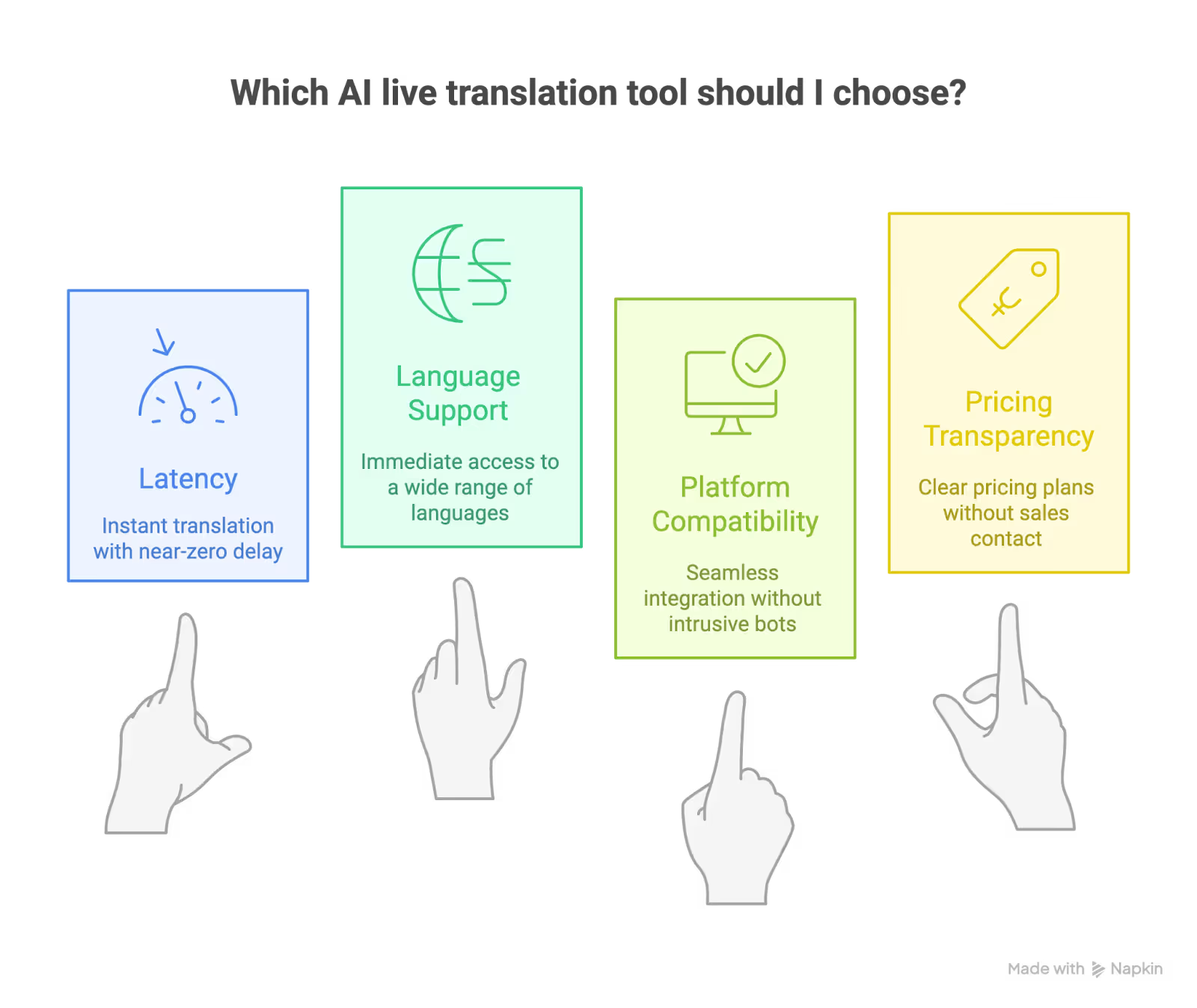
Platform Compatibility (Zoom, Google Meet, Webex, etc.)
Most tools claim platform-wide support, but the experience varies. Several of them added an external AI bot to the meeting, which felt intrusive. JotMe, on the other hand, began translating quietly as soon as our Zoom meeting started.
Pricing Transparency & Real Value
Price is one of the first things any user looks at, and many tools don’t make it easy. Wordly.ai and Interprefy asked us to contact their sales teams before sharing a quote. While we understand that enterprise solutions often work this way, it’s frustrating for individual users and small teams. In comparison, JotMe clearly lists its free and paid plans on the homepage, breaking down exactly what you get in each.
Tools for Contextual Translation
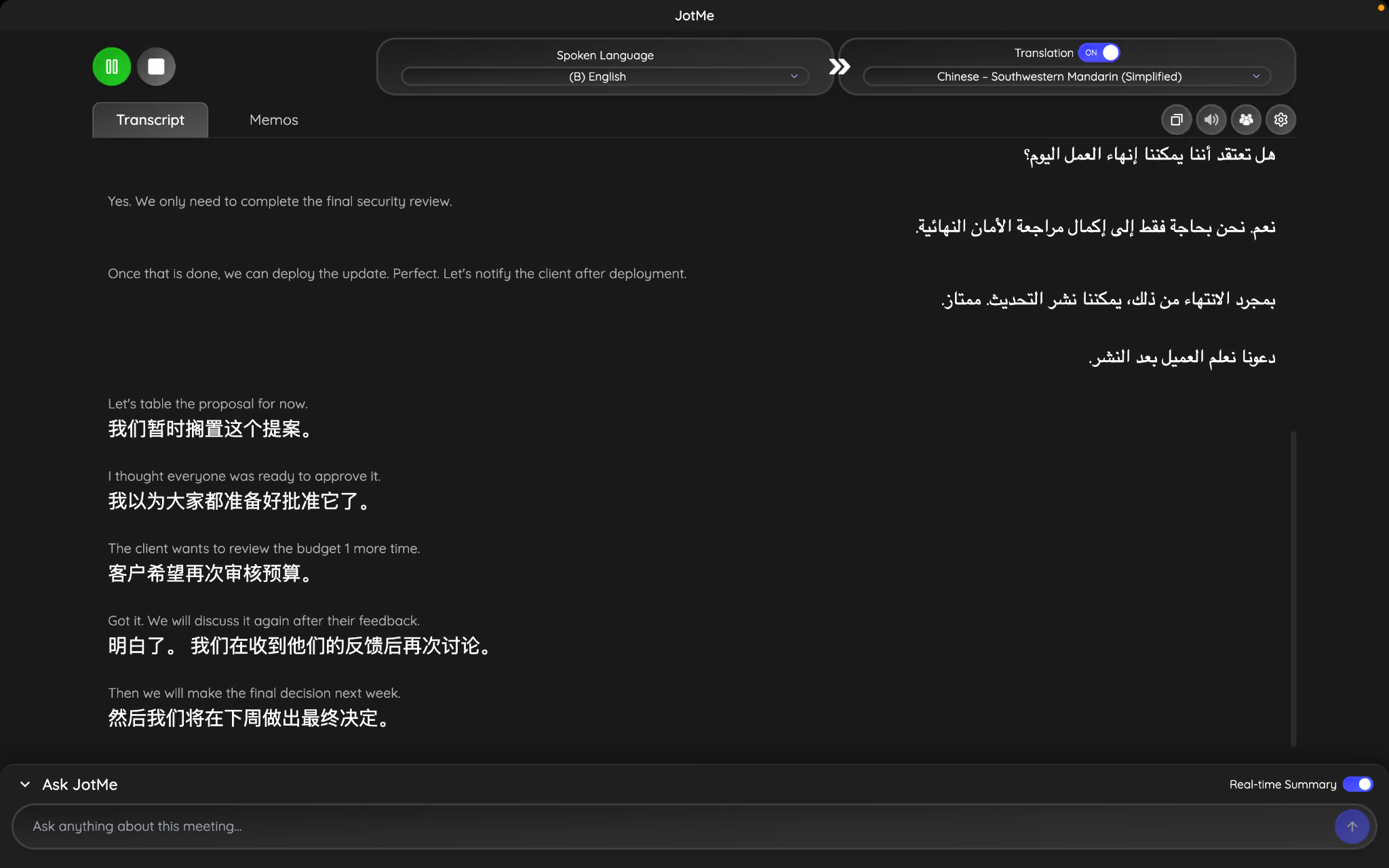
Before choosing an AI live translation tool, it's important to ask one question: Does it translate words, or does it translate meaning? That's where contextual translation comes in. Instead of translating every sentence literally, contextual translation understands the flow of a conversation, the speaker's intent, and how the meaning changes as more information is shared. This results in translations that feel more natural and are less likely to be misunderstood.
Let's table the proposal for now.
I thought everyone was ready to approve it.
The client wants to review the budget 1 more time.
Got it. We will discuss it again after their feedback.
Then we will make the final decision next week.
Desktop and Mobile Availability
We also evaluated whether these AI live translation tools worked seamlessly across both desktop and mobile environments. While many platforms were limited to web dashboards or desktop-only integrations, this created friction for users joining meetings on the go or switching devices mid-call.
JotMe stood out here by offering consistent live translation and transcription across desktop platforms and its mobile app. It allows you to follow conversations, review translations, or participate in multilingual meetings from anywhere without losing context.
Translation App vs Live Translation Tool: Which One Do You Need?
A translation app is usually built for short voice, text, or camera translations. A live translation tool is built for continuous speech, meeting audio, captions, transcripts, and follow-up notes. This distinction matters because many people search for the best translation app for live conversation when they actually need a real-time translation app that can listen in the background during a call.
For travel, menus, signs, and quick English-to-Spanish conversations, a free translator app such as Google Translate, Apple Translate, iTranslate, or Papago can work well. For online meetings, customer calls, lectures, interviews, or webinars, choose an AI live translation tool that supports your meeting platform and can keep translating without manual push-to-talk input.
What to Look for in a Translation App in 2026
Translation accuracy used to be the only metric that mattered. However, as the remote team and global travel expand, translation accuracy matters more than one can imagine. So, the real differentiator is what happens around the translation:
Which translation app works in real time during a live conversation?
JotMe and Transync AI work well in real time for live conversation. Google Translate's Conversation Mode works for short exchanges but is not built for extended meetings.
Which translation app handles text input?
Apple Translate, iTranslate, and Google Translate all accept voice, but none process live meeting audio in the background the way JotMe does.
Which translation app processes audio automatically?
Only dedicated real-time translation apps like JotMe and Transync AI handle continuous live audio without manual input.
Which translation app understands business jargon and contextual nuance?
JotMe's contextual engine is specifically trained for business language. General-purpose apps produce technically correct but tonally flat output in professional settings.
Which translation app works offline?
Google Translate, Apple Translate, Naver Papago, and iTranslate (Pro) all support offline mode. JotMe and Transync AI require an internet connection.
Which translation app integrates with different platforms?
JotMe works across Zoom, Google Meet, Teams, Webex, Slack, and more. Microsoft Translator integrates natively into Teams. Others work as standalone apps.
As you can see from these quick scenarios, the best translation app for you is the one that matches your specific use case, not the one with the most name recognition. There is a real possibility that the Google Translate mobile app works perfectly for your colleague but does not suit your requirements at all.
Best AI Live Translators in 2026 for Online Meetings, Classes, & Interviews
The top AI live translation tools in 2026 are: JotMe, Wordly, Interprefy, Maestra AI, Kudo, Talo, DeepL Voice, and Boostlingo. Each offers something unique: from live Zoom translations to multilingual captioning at global webinars.
Here’s a breakdown of how each one performed, what we liked, and where they work best.
JotMe: Real-time AI Meeting Assistant with Live Translation
Platforms Supported: Zoom, Google Meet, Microsoft Teams, Webex, LINE, and More.
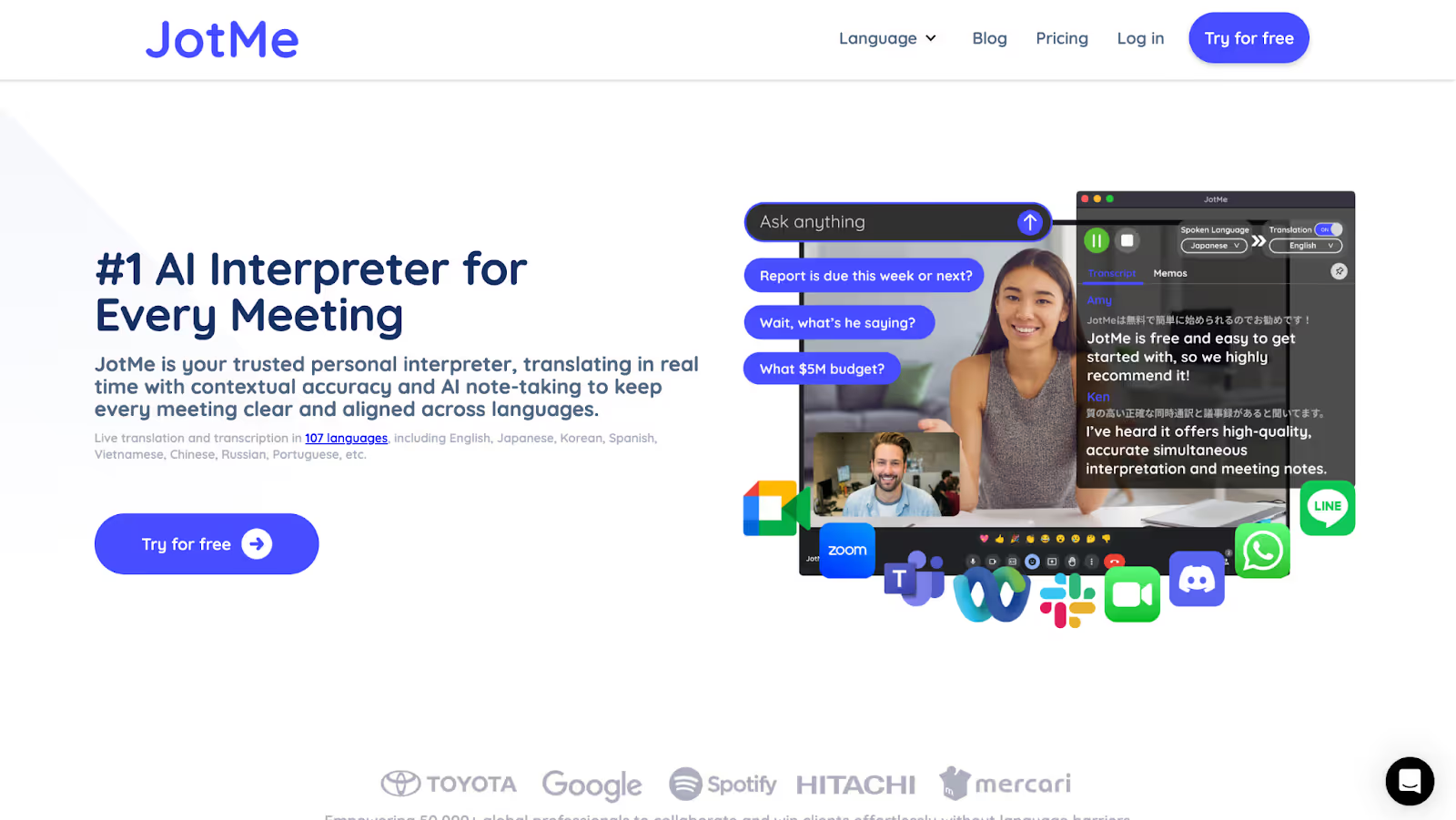
JotMe is the most reliable live AI translator we tested. It is simple to set up, fast to respond, and consistent across platforms such as Zoom, Google Meet, Microsoft Teams, Webex, and even Slack. It supports 77 languages on Chrome and 200+ languages for live translation, including Korean, Japanese, Arabic, Hindi, and German, and starts translating as soon as your meeting begins, without adding an extra bot or requiring host permissions.
This makes JotMe more than a meeting assistant. It works as an AI translator app for professional live conversation, especially when you need real-time AI translation, searchable transcripts, and multilingual meeting notes in the same workflow.
For users comparing a general translation app with a dedicated real-time translator, the key difference is continuity. JotMe can translate meeting audio as the conversation happens, then preserve the transcript, summary, and action items after the call. That makes it useful when the translation needs to become searchable meeting knowledge, not just a temporary caption.
Best for: JotMe is best for remote teams, international students, multilingual client calls, researchers, and fast-paced project teams who want more than just a translation layer, and are looking for full meeting recall, clarity, and follow-through.
JotMe Features for Students and Professionals
JotMe’s Live Translation
JotMe translates spoken content into your preferred language in real time, directly on your screen. The live translation tool adapts to quick shifts in language (we tested this mid-call), maintaining accuracy without lag. It doesn’t just swap words, but understands tone and context as well, especially in domain-specific conversations like engineering standups or investor pitches.
JotMe’s Live Transcription
Alongside real-time translation, JotMe also transcribes every spoken word into text. During our tests, we used it in a rapid-fire meeting where multiple speakers switched topics quickly. The live transcription tool kept pace with the conversation, without missing any keywords or phrases. It's handy for students, interviewers, and teams dealing with detailed technical discussions.
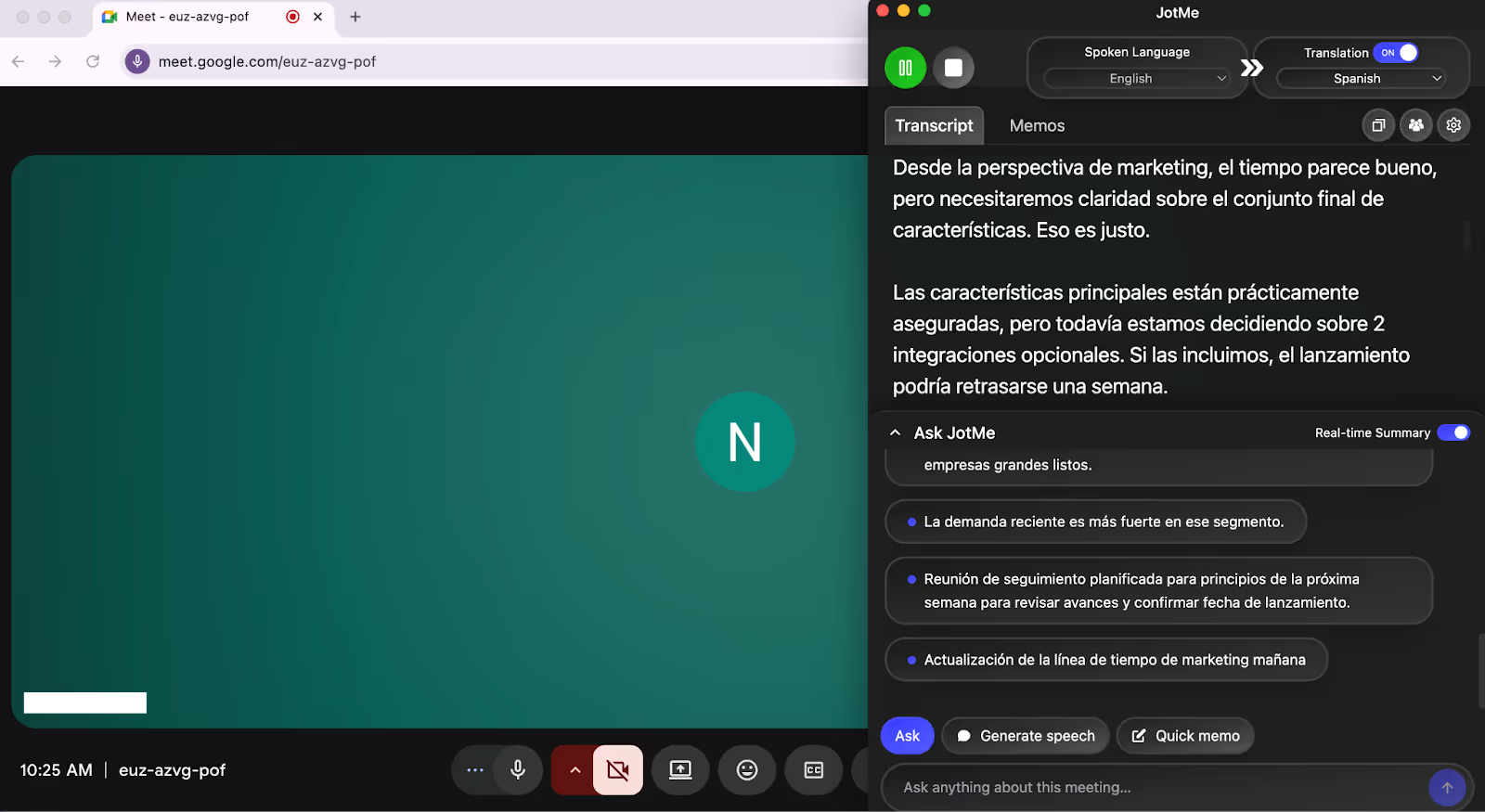
Note: All transcripts are saved in your dashboard for easy access, and you can search and revisit earlier points without losing critical context.
Google Meet Transcription by JotMe
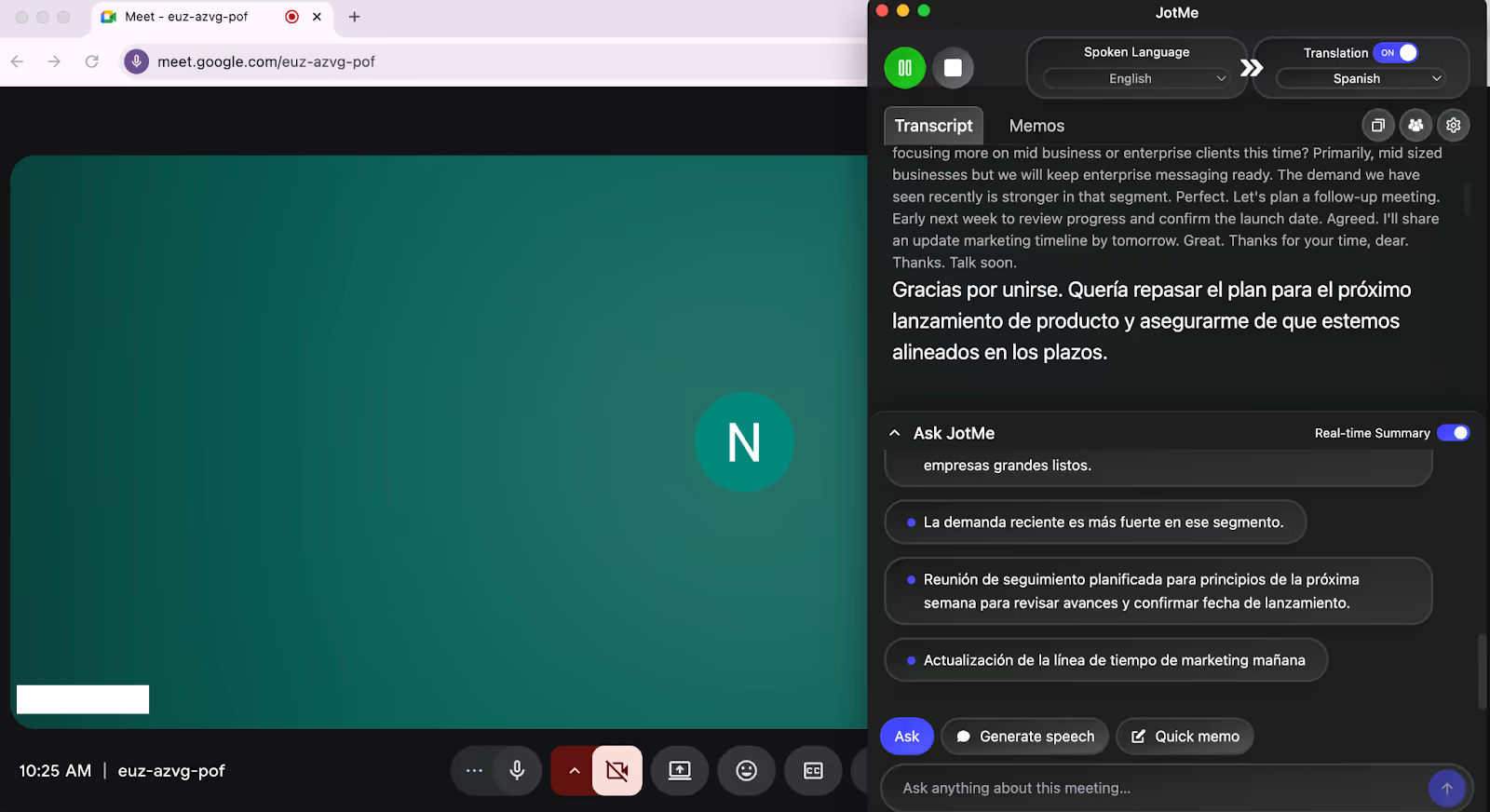
When we started a Google Meet with JotMe, we realized that it went beyond being just a real-time AI translation tool. JotMe also transcribes meetings in real time, directly inside Google Meet. We tested this by running a fast-paced conversation in English, and the tool instantly displayed both the spoken content and its Spanish translation, side by side.
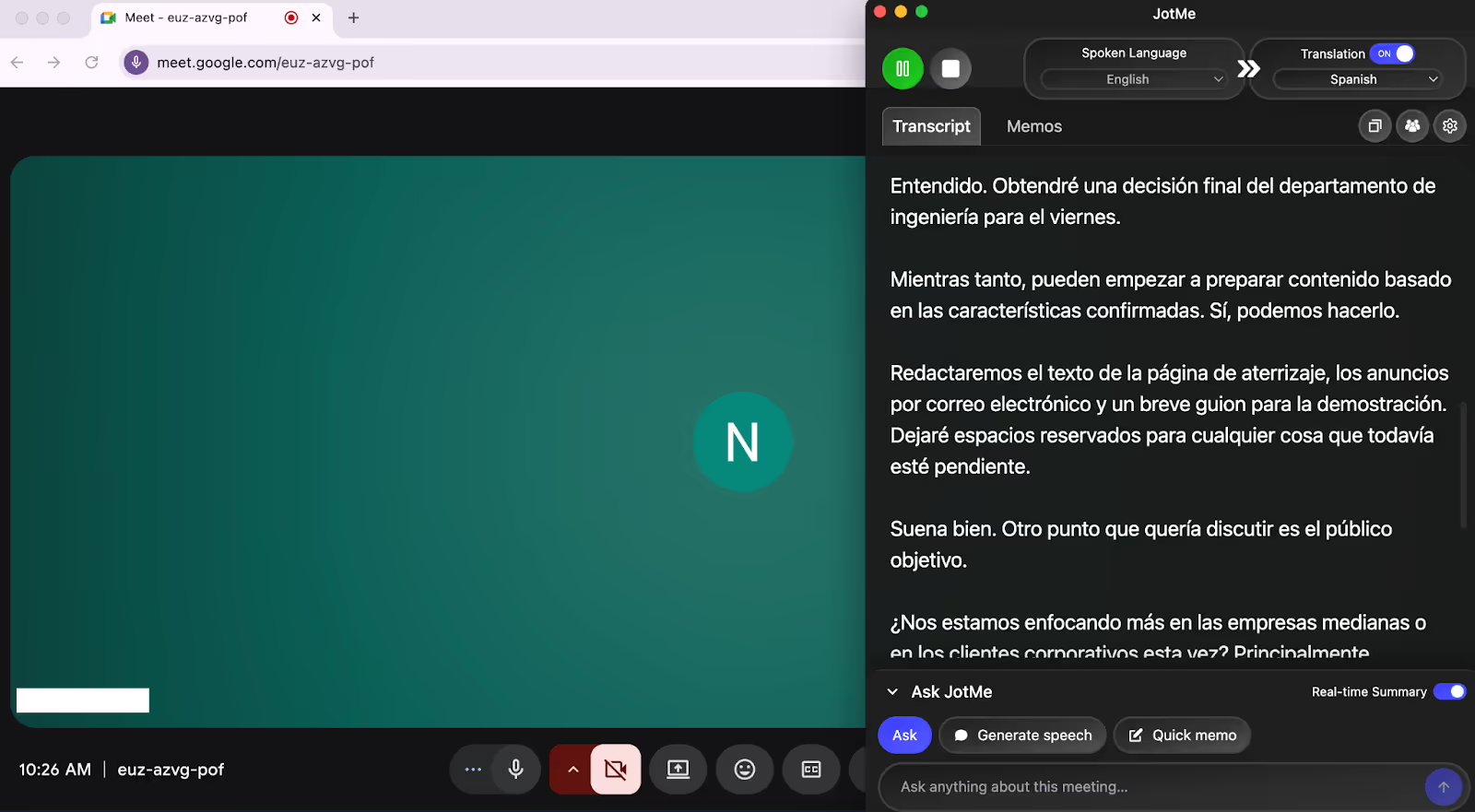
Another factor we want to highlight here is the JotMe Chrome extension, which pairs spoken and output language and gets started in under 30 seconds. The captions appear live, not as a separate bot but as an overlay, so the conversation remains seamless and private.
Sharing Live Translation via URL
For many online meetings, the simplest way to provide translation is through a shareable link. Inside JotMe, hosts can generate a live translation URL and send it to participants before or during the meeting so they can follow translated captions in their preferred language.
For example, a software company hosting a product training webinar for customers across Europe and Latin America may present in English, while attendees are more comfortable with Spanish, Portuguese, or French. By opening the translation link on their phone or laptop, participants can follow the discussion with live subtitles without interrupting the presenter.
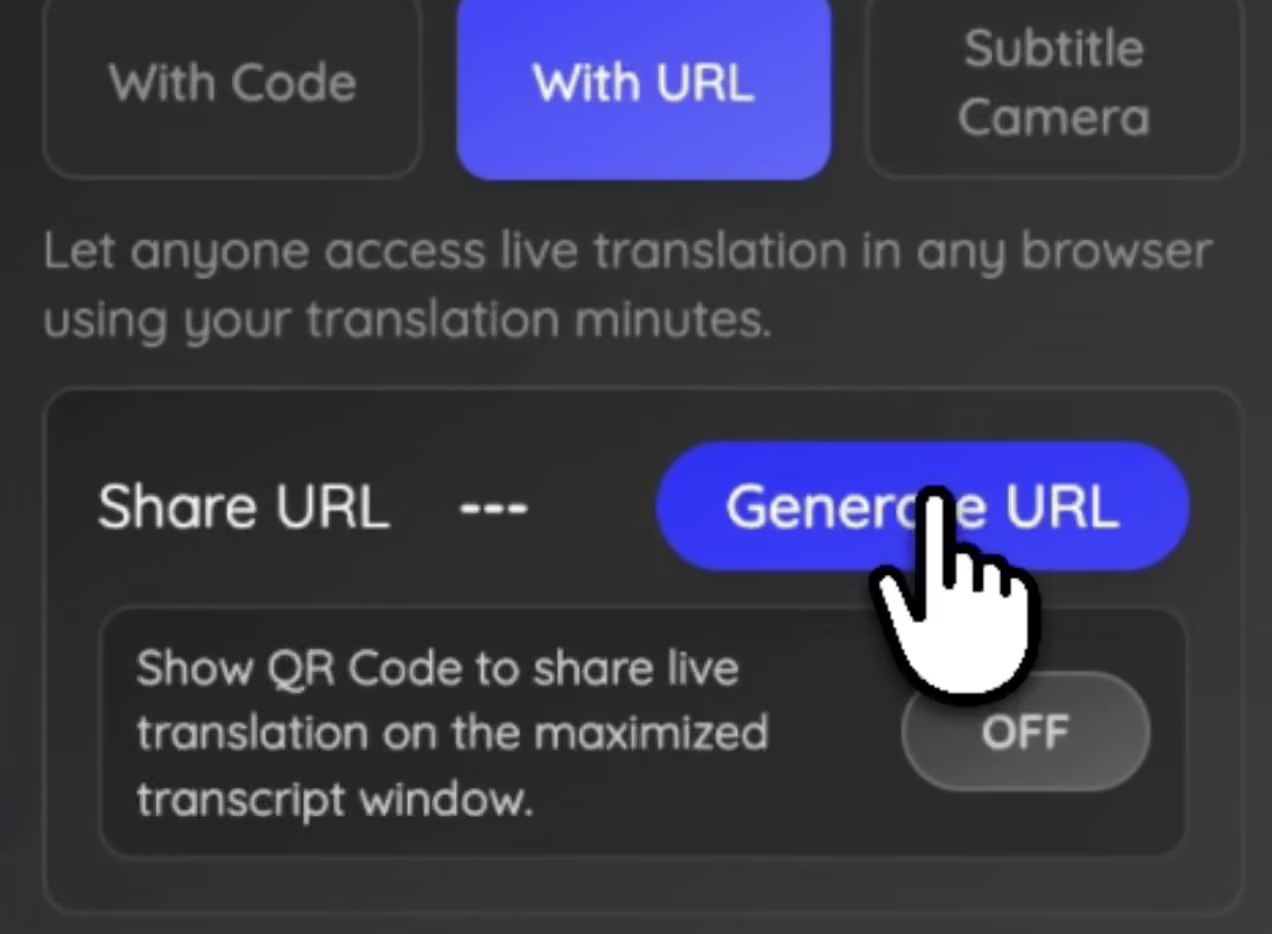
If you want to set this up for your own meetings, you can also see a step-by-step guide on how to share AI live translation with a URL.
Sharing Live Translation via QR Code
In hybrid or in-person events, sending links can sometimes slow things down. Participants may need to type the URL manually or search through emails to find it. To simplify this, JotMe added a QR code for sharing live translation. When the host maximizes the transcript view in the JotMe desktop app, a QR code appears on the screen. Hosts can then display this QR code on a presentation slide or event screen, allowing participants to scan it with their phones and instantly open the live translation page.
This approach works especially well during international conferences or corporate town halls. For instance, a global leadership meeting where executives are presenting the company strategy to employees from multiple regions. The presentation may be delivered in English, but many employees in the room may be more comfortable following in their native language.
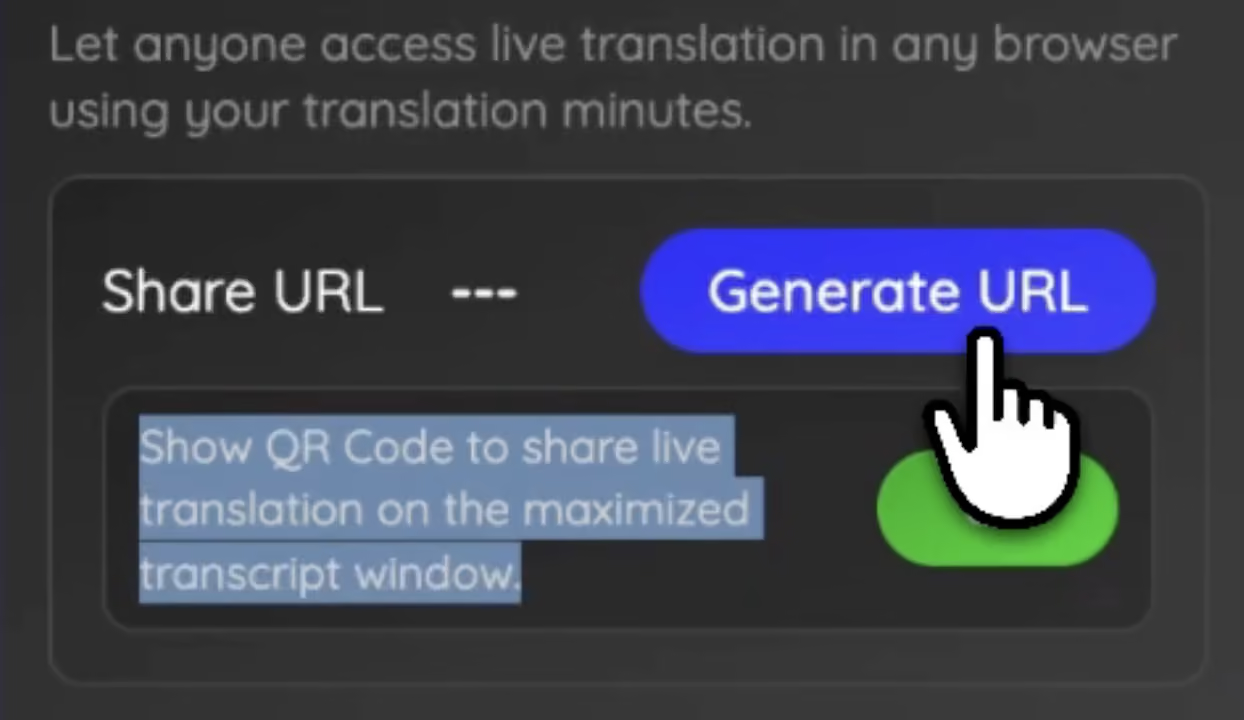
If you're organizing multilingual events, you can also see how to share AI live translation with a QR code.
Sharing Live Translation Through Your Web Camera
For large virtual meetings, even sharing a link can sometimes feel too much. Some participants may forget to open it, while others may not realize translation is available.
To make the experience even more seamless, JotMe recently introduced subtitle overlays directly on your webcam feed using OBS Studio together with JotMe. With this setup, the translated subtitles appear directly on the host’s video stream, so everyone in the meeting sees them automatically.
For example, a CEO hosting a quarterly global update for employees across Asia and Europe. Hundreds of employees join the meeting, often from different devices and time zones. If translation requires opening another link or tool, many participants might miss it. When subtitles appear directly on the video feed, employees simply watch the meeting normally while reading the translated captions in real time.
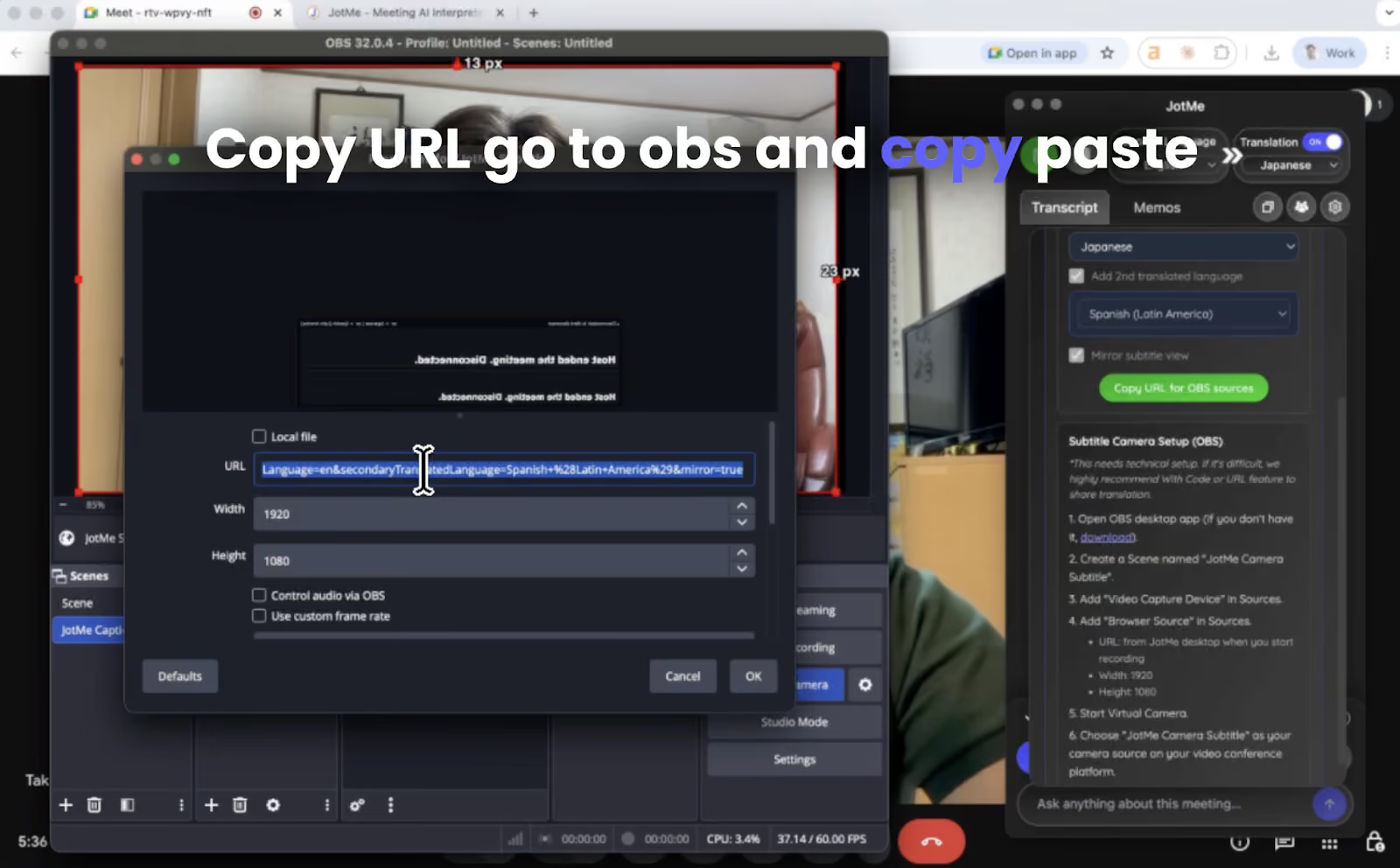
If you want to implement this setup, you can learn how to share AI live translation through your web camera.
JotMe’s AI Meeting Notes Translator
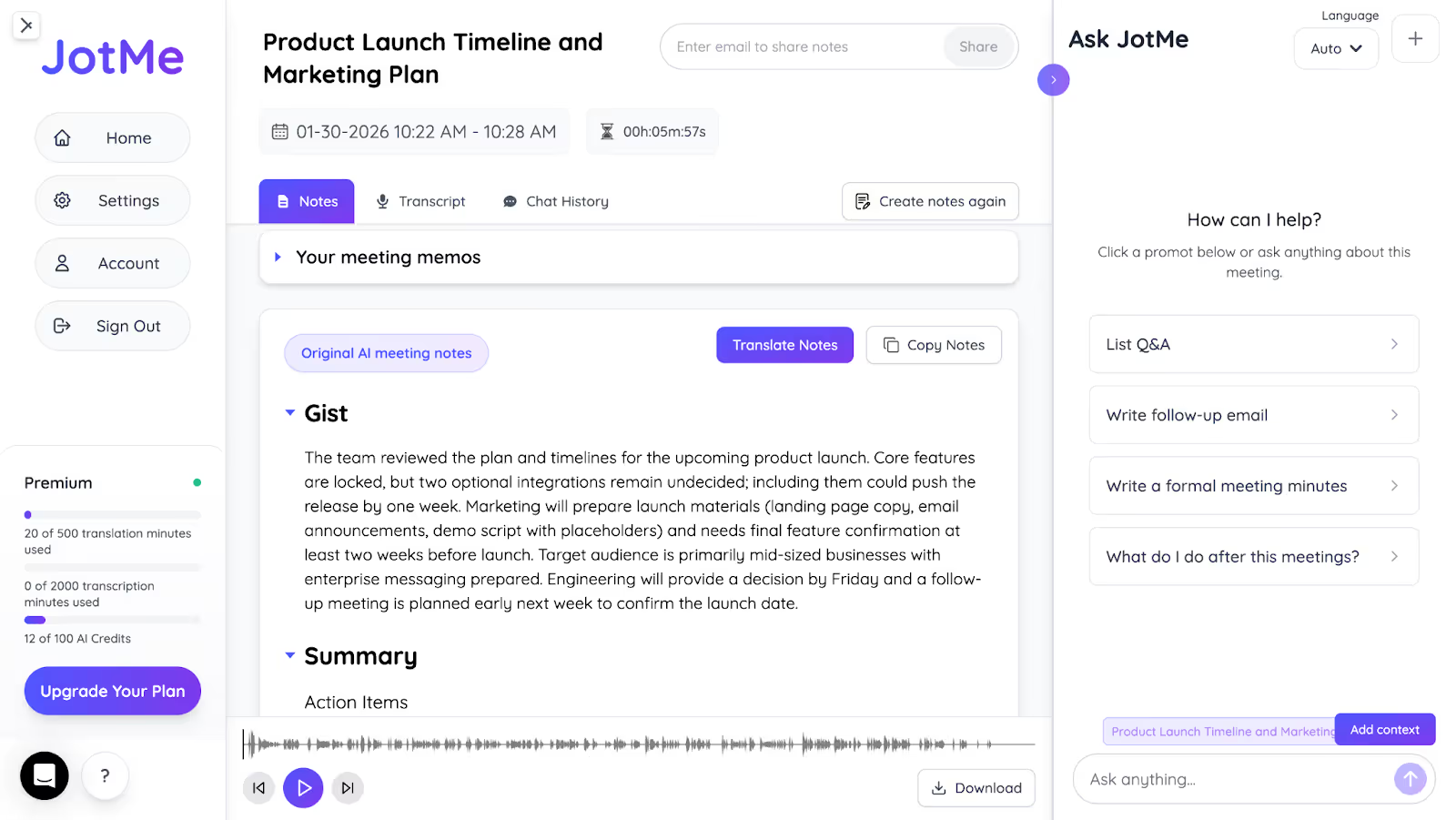
During our testing to understand the AI live translation capabilities of JotMe, we also found how it helps organize the meetings after they are concluded. With its AI Meeting Notes Translator, JotMe converts spoken conversations and transcribed content into context-aware, multilingual summaries. This means you don’t just get a word dump, but clear, structured meeting notes with action items, jargon clarification, and relevant highlights.
Additionally, JotMe allows teams to translate these meeting notes into 13 different languages, including English, Hindi, Japanese, and Portuguese. This makes it especially useful for multilingual teams who need to share outcomes and action items clearly across regions without rewriting or reinterpreting notes.
JotMe’s Contextual Translation
One of JotMe’s standout features that we loved is its contextual translation engine, which goes beyond basic word-for-word or sentence-by-sentence translation. Unlike traditional tools that translate each line independently, JotMe reads multiple sentences as a cohesive unit to preserve tone, flow, and meaning. This is especially useful in professional or emotionally nuanced communication, where intent matters as much as accuracy. For instance, consider this Japanese statement often heard during corporate apologies:
A traditional line-by-line translation might read:
A: We sincerely apologize for the prolonged inconvenience.
B: Internally, we initially recognized it as a minor issue, so the response took time.
C: From now on, we will strengthen detection systems and review workflows to prevent similar issues.
However, JotMe’s contextual translation delivers:
“I deeply regret the prolonged inconvenience this has caused you. Our initial assessment classified the issue as minor, which unfortunately delayed our response. We are taking this as a serious lesson and will reinforce our detection systems and reevaluate our internal workflows to ensure this doesn’t happen again.”
This output reads naturally, conveys empathy, and reflects how a real business leader might communicate in English, which makes JotMe a powerful tool for global teams, executive messaging, and high-stakes communication.
JotMe’s Post-Meeting Transcripts
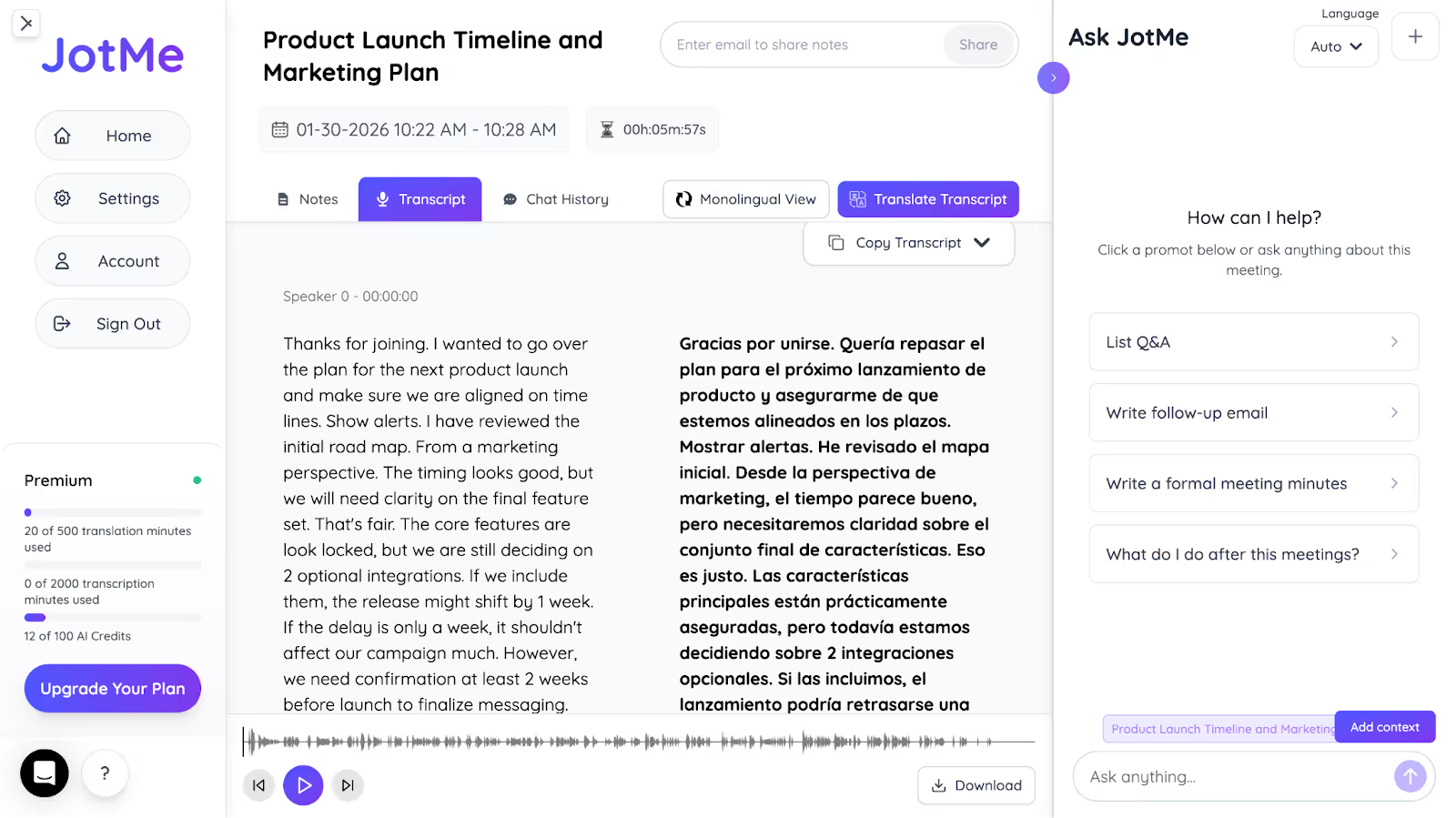
While testing JotMe’s live translation during a Zoom call, we noticed something even more useful. It automatically stores the full meeting transcript, organized by speaker and timestamp. The transcript was ready the moment the Zoom meeting ended. We could view it directly in the dashboard. Each line of dialogue was tagged with who said it and when, making it easy to review decisions or flag key moments.
We also saw that these transcripts could be translated into multiple languages for post-meeting review. During testing, we were able to switch between a monolingual view to read the transcript in a single language or a bilingual view that displayed both the original and translated text side by side, which made it easier to follow discussions across languages like Spanish and English.
Sharing Post-Meeting Notes with Your Team
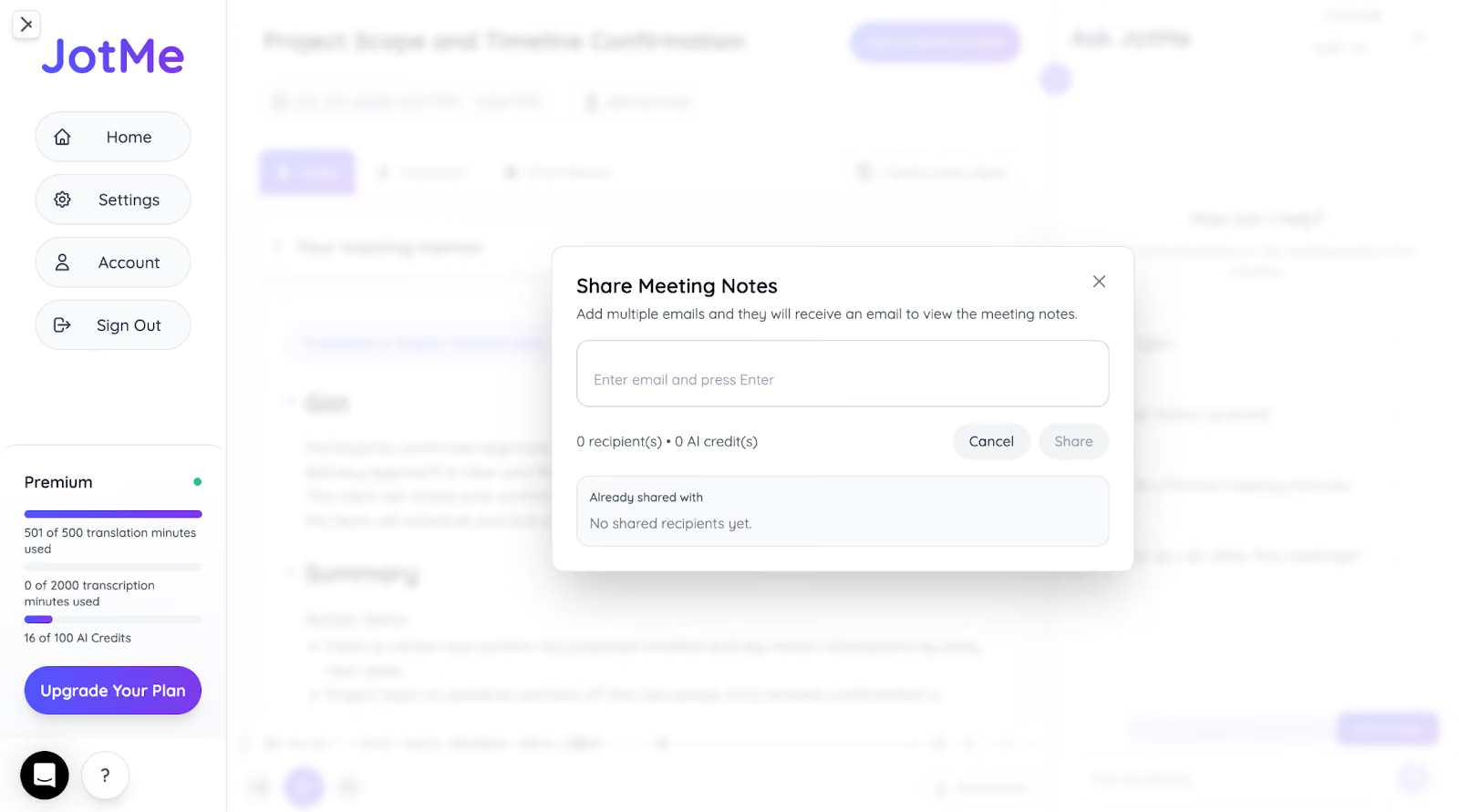
After a meeting ends, JotMe automatically generates AI meeting notes with transcripts and summaries combined in one place. If participants joined through a translation URL or QR code sharing, they can choose to receive meeting notes, and JotMe automatically sends the transcript and translated summary to their email once the session finishes.
For example, if a product planning discussion happens in English, teammates in other regions can review the translated summary, transcript, and key decisions later in their preferred language without needing a separate recap. If you only need to send a quick update, the summary can also be copied and shared in email, chat tools, or internal documents.
JotMe’s AI Chat
During live meetings, we tested JotMe’s AI Chat to ask questions related to what was being discussed in real time. We used it to clarify unfamiliar terms, summarize points, and reference earlier statements without leaving the meeting or searching externally, which helped us stay focused and engaged throughout the conversation.

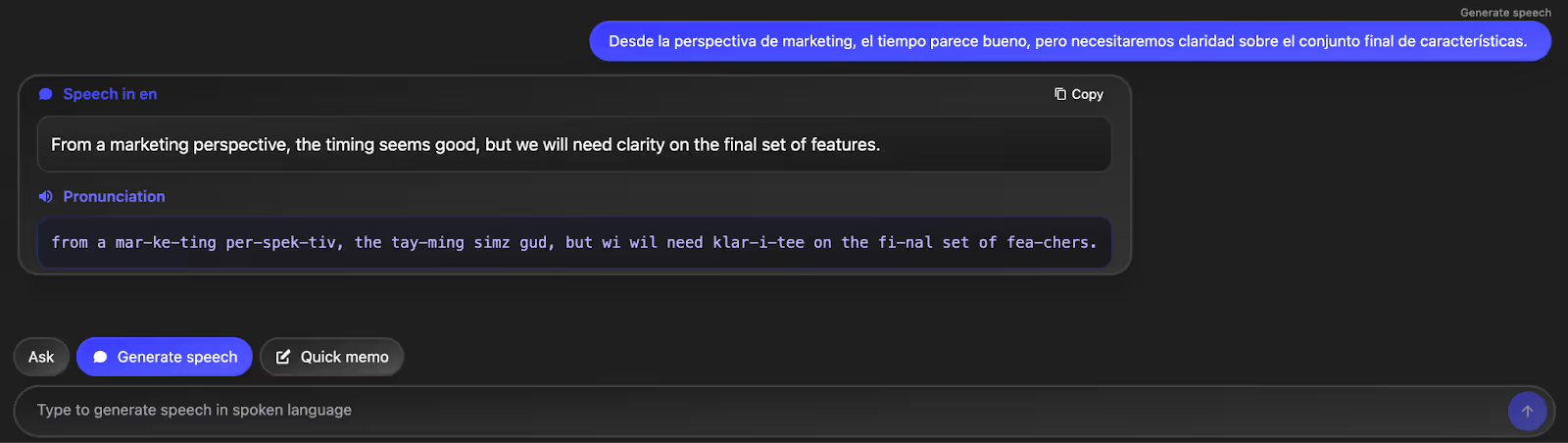
JotMe’s Real-Time Pronunciation
We also tested JotMe’s real-time pronunciation support during multilingual conversations. When speaking in English but needing to respond with a Spanish accent, we pasted our sentence into the chat and received clear pronunciation guidance. This made it easier to communicate naturally and confidently with Spanish-speaking participants.
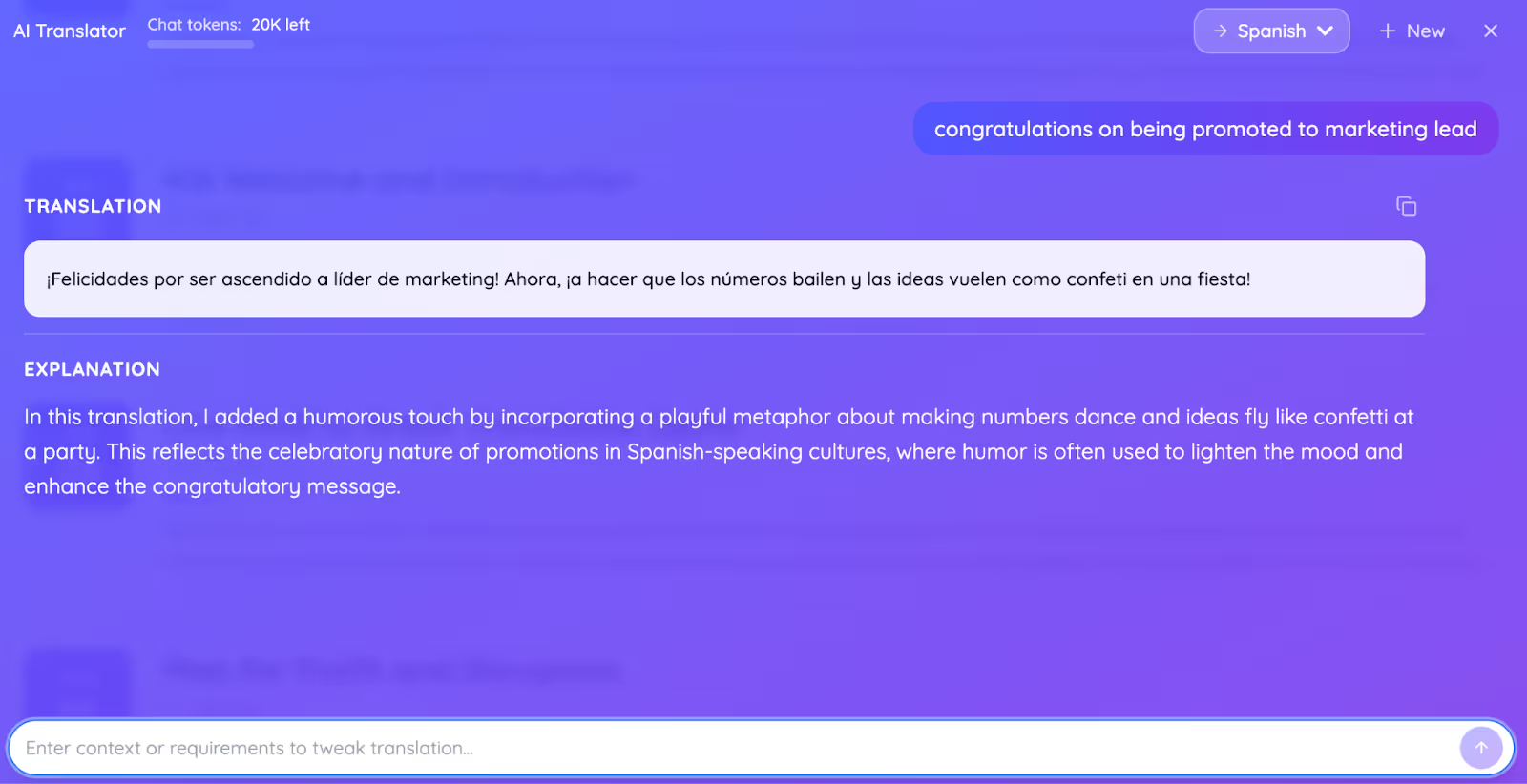
JotMe’s Text-to-Text Translation
While testing JotMe’s text-to-text translation, we found it useful beyond basic language conversion. We could paste any text, select a target language, and input a prompt for the tone: formal, informal, serious, or even playful. The output preserved context while clearly explaining meaning, making it useful for both professional and casual multilingual communication.
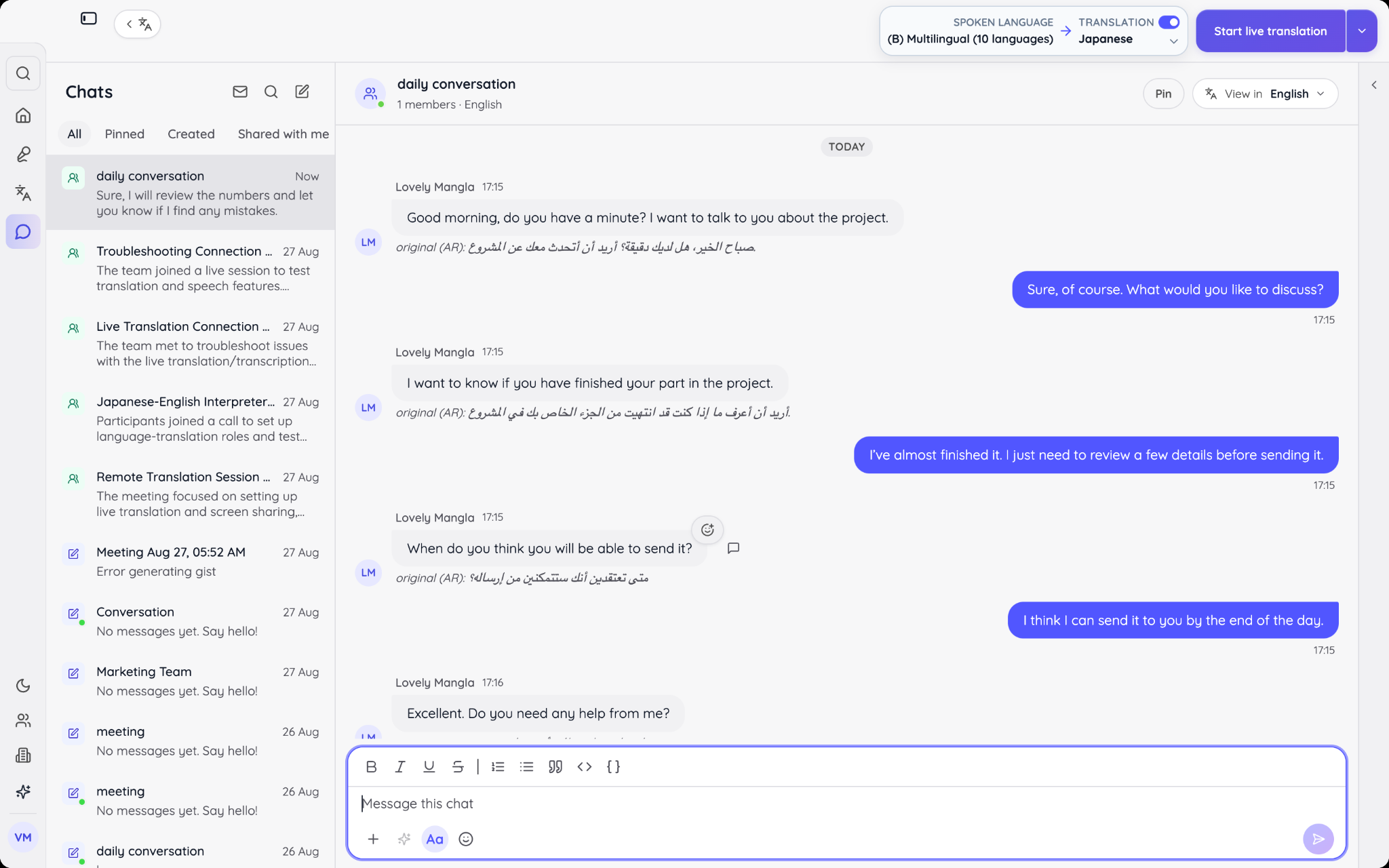
JotMe’s AI Chat
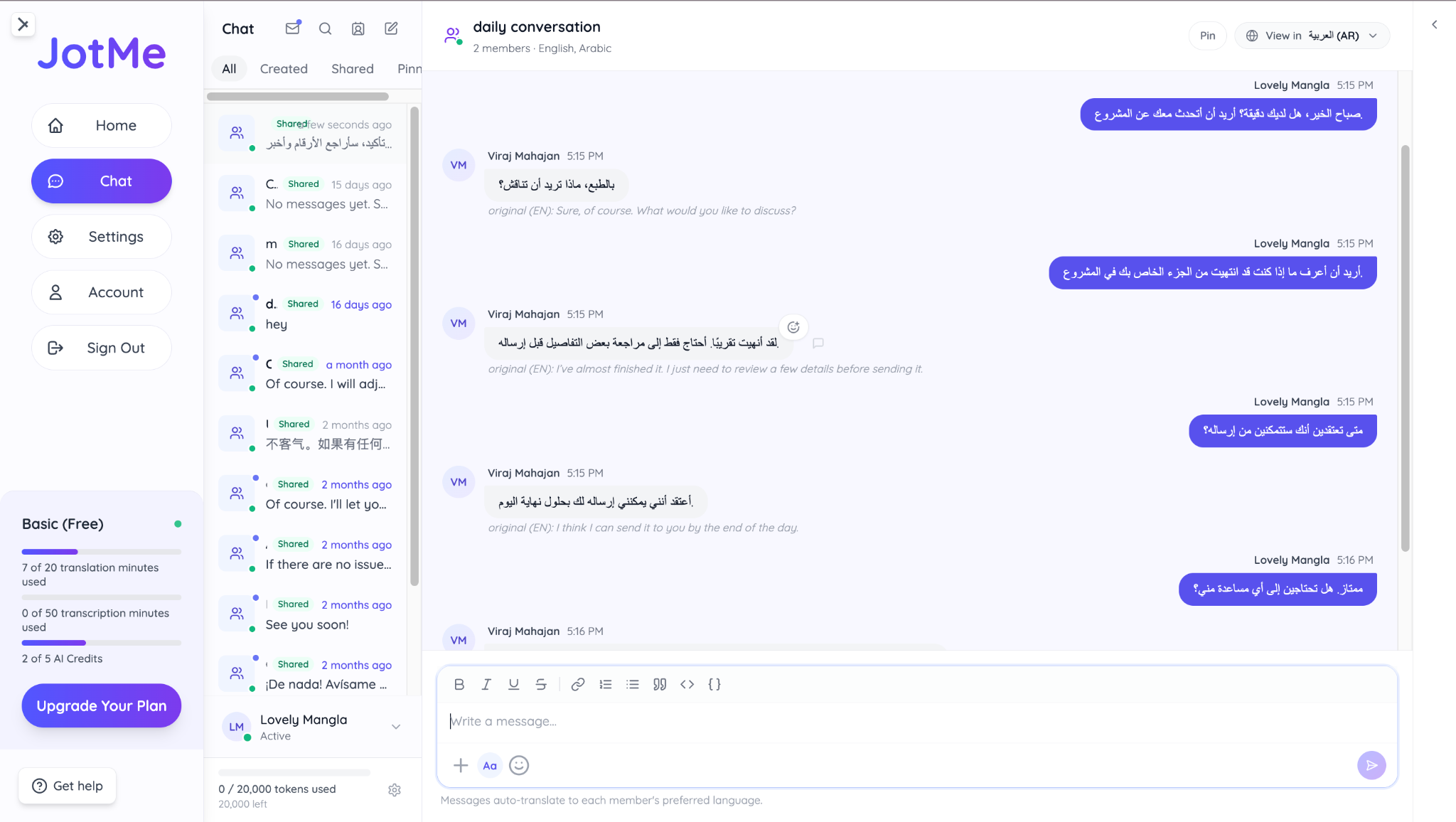
JotMe AI Chat lets teams communicate in different languages within the same conversation. Each member chooses the language they want to read, while the original message remains visible underneath the translation. This makes it easier for multilingual teams to discuss projects, negotiate with international clients, and keep important decisions in one searchable thread.
JotMe AI Chat supports 200+ languages and allows both account holders and guests to send and read translated messages. The chatroom owner can also set or change the reading language for individual members, making it easier to accommodate new clients, suppliers, or teammates as a project develops.
Here is conversation in English:
Conversation in Arabic:
JotMe Voice to Voice Translation
JotMe now supports voice-to-voice real-time translation, allowing people to speak naturally in their own language while hearing the translated conversation in real time. It supports 100+ spoken input languages and 13 voice output languages, including English, Chinese, Hindi, Japanese, Korean, Spanish, and more.
Imagine you are on a sales call with a Chinese-speaking customer. You speak in English, and JotMe translates your speech into Chinese audio in real time, so the customer can hear your message without waiting for a human interpreter.
When the customer responds in Chinese, JotMe translates their speech back into English for you. This English to Chinese voice translation makes the conversation feel more natural while keeping the original speech, translated text, and transcription available throughout the call.
Want to Get Multilingual Translation with Context?
With JotMe, you can translate conversations in real time without interrupting the flow. Start your next multilingual conversation and let JotMe handle the language barrier for you.
JotMe’s Mobile App
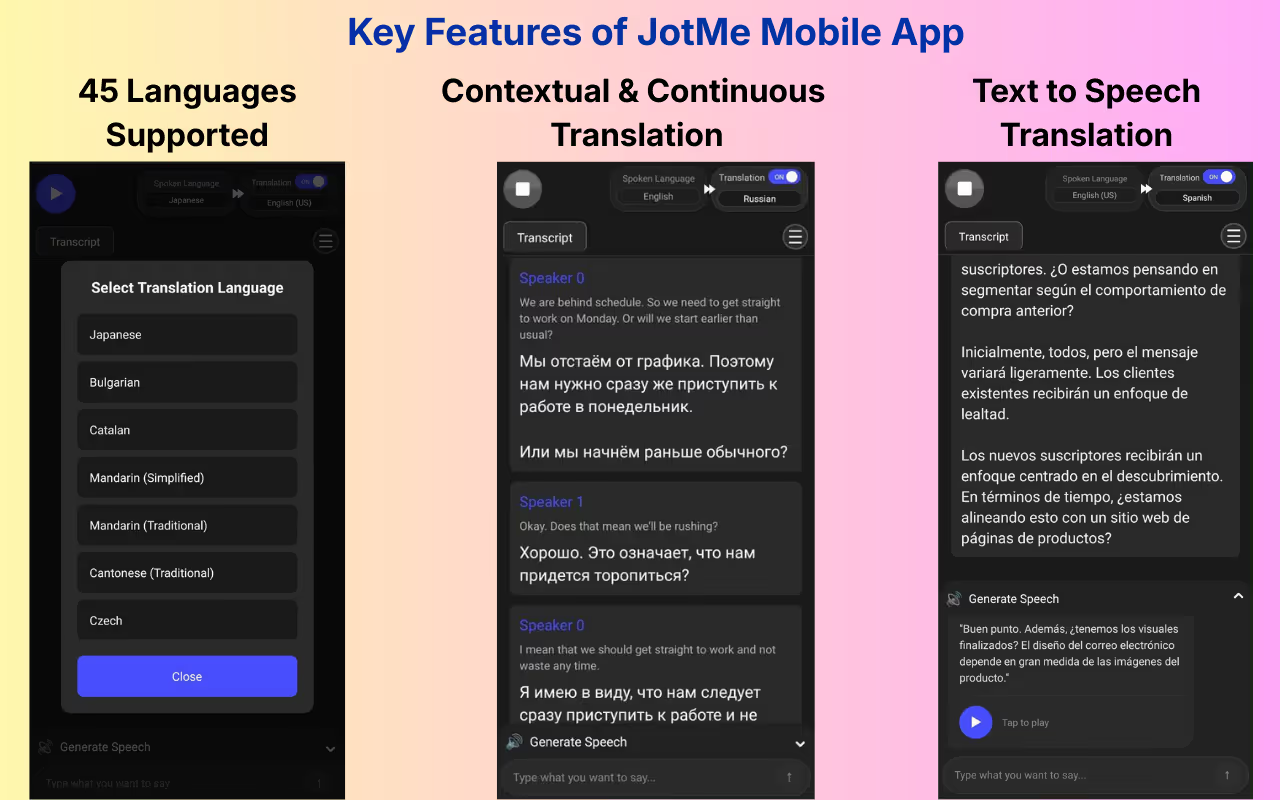
During testing, we also used Android and iOS JotMe’s mobile apps to handle real-time translation outside formal meetings, such as quick in-person conversations and on-the-go discussions. The app functions as a reliable voice-to-text app, making it especially useful when desktop access isn’t practical but accurate translation is still required.
Key Mobile App Features
- Live Contextual Translation: Delivers real-time translations that capture intent, tone, and nuance instead of literal word-for-word output.
- Multilingual Live Translation: It supports live translation across up to 10 languages simultaneously, allowing smooth conversations with people speaking different languages in the same setting.
- Continuous Chat-Based Transcripts: Displays translations in a chat-style format, split by speaker turns, making it easy to follow, review, or replay key parts of the conversation.
- Text-to-Speech Generation: Converts typed text into natural-sounding speech in the selected language, helping communicate clearly without worrying about pronunciation.
- Translation Accuracy Control: Mobile app lets you switch between fast translations for casual use and context-focused translations for high-stakes conversations, balancing speed and precision as needed.
Updated JotMe Pricing
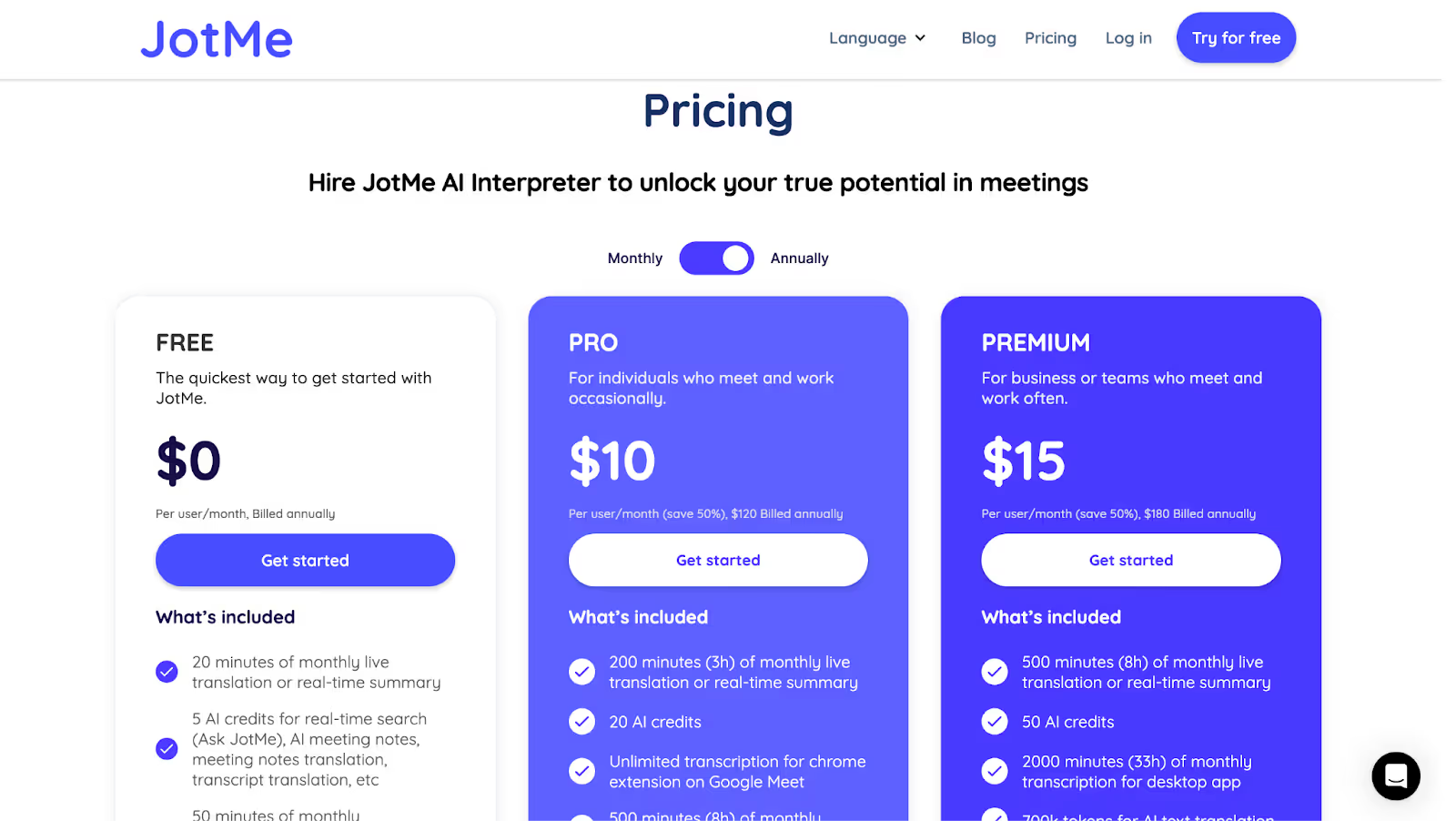
As of 2026, JotMe offers both free and paid plans, starting at $10 per month.
Free Plan
- JotMe Free Plan includes 20 minutes of live translation and 50 minutes of transcription per month, making it ideal for students or casual users.
Paid Plan:
- JotMe Pro Plan comes at $10 per month when paid annually. In JotMe’s paid subscription, you get 200 translation minutes and 500 minutes of transcription for the desktop app, including unlimited transcription for the Chrome extension.
- The JotMe Premium Plan costs $15 per month when paid annually. In JotMe’s premium subscription, you get 500 translation minutes and 2000 transcription minutes monthly, including unlimited transcription for the Chrome extension.
- JotMe’s prepaid mobile plan costs $50 as a one-time payment. It includes translation minutes valid for one month and is best suited for short-term or occasional use.
JotMe Pros
- Works great with Zoom, Meet, and Teams via Chrome extension.
- Offers both live translation and transcription, with searchable, stored transcripts.
- Free tier is available.
JotMe Cons
- The free plan is limited to 20 minutes of monthly translation.
Google Translate (Conversation Mode): Free Real-Time Translation for Casual Conversations
Platforms Supported: Android, iOS, Web (limited), Google Assistant, Pixel Buds
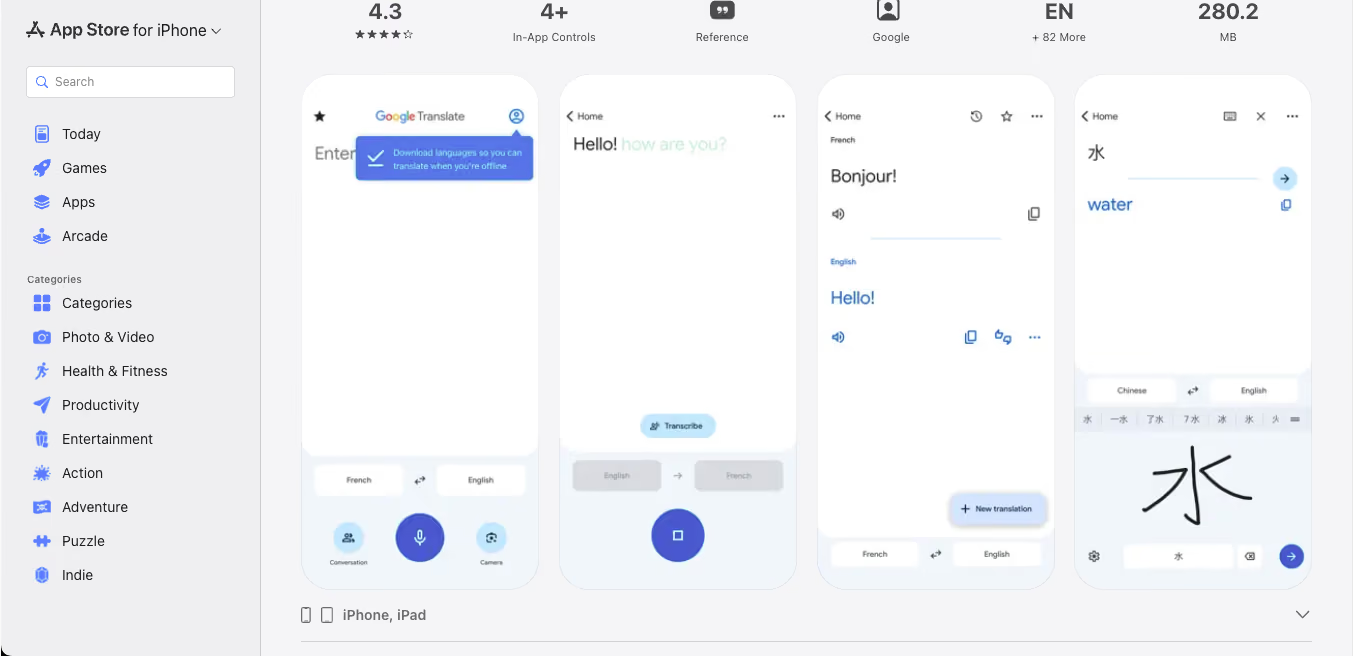
Google Translate is the default starting point for most people who need a translation tool, and its Conversation Mode is what makes it relevant for live, two-way communication. When we tested it, the flow felt simple. You open the app, tap Conversation or Live Translate, pick two languages, and start speaking. The app listens, transcribes, translates, and reads the output back aloud in the other language. It works best for short, in-person exchanges such as asking for directions, ordering food, or chatting with someone across a counter.
While Google Translate supports over 100 languages for text translation, its live conversation feature now works in 70+ languages, backed by Gemini AI models for improved accuracy and more natural back-and-forth flow. It also uses noise isolation to handle translation in cafes, airports, or other loud spaces.
If you are also interested, you can checkout our extensive list of Google Translate Alternatives for live conversations on both iOS and Android devices.
Best For: Travelers, casual learners, and anyone needing quick, in-person bilingual conversations without any setup or subscription. It is not designed for professional meetings, webinars, or multi-speaker video calls.
Key Features
- Conversation/Live Translate Mode: Supports back-and-forth real-time spoken translation in 70+ languages with both audio output and on-screen transcripts.
- Text, Camera, and Handwriting Translation: Translate typed text in 108 languages, images via camera in 94 languages, and handwritten characters in 96 languages.
- Offline Translation: Download language packs to use the app in 59 languages without an internet connection.
- Transcribe Mode: Continuously translates someone speaking a different language in near real-time, currently available in 8 languages.
Google Translate Pricing
Google Translate is completely free to use on both Android and iOS, with no subscription tiers, ads, or paywalls. The web version, mobile app, and all Conversation Mode features are available at no cost.
Google Translate Pros
- 100% free with no account required.
- Works across mobile, web, and Pixel Buds.
- Strong offline support for travel scenarios.
- Gemini-powered live conversation feels more natural than earlier versions.
Google Translate Cons
- Not built for professional meetings on Zoom, Google Meet, Microsoft Teams, or Webex.
- Conversation Mode is limited to two speakers and one device.
- No transcripts, summaries, or meeting notes after a conversation ends.
- Accuracy can drop with industry-specific jargon or complex business terminology.
Wordly AI: Ideal for Live AI Translations, Captions, and Transcripts
Platforms Supported: Zoom, Webex, Cvent, Microsoft Teams (via integration)
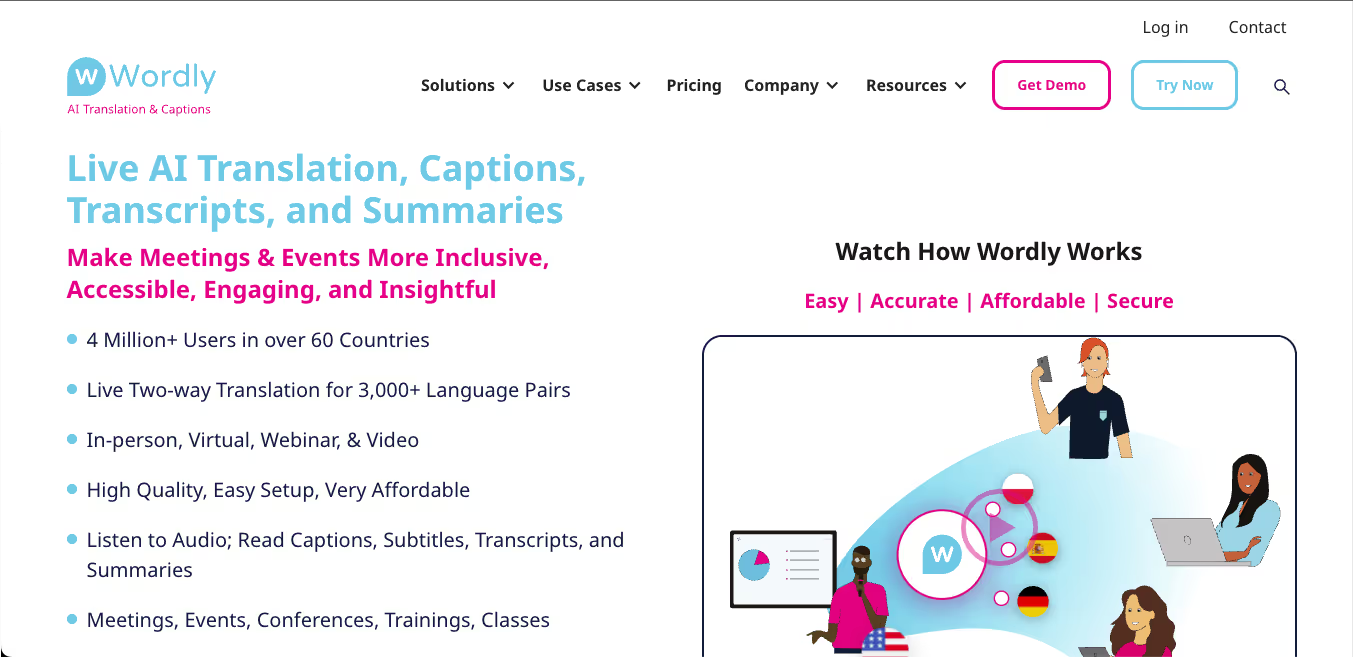
Wordly AI is built for scale. It supports real-time AI translation, transcription, captions, and summaries across dozens of languages and formats. What makes Wordly AI a worthy competitor to JotMe and Interprefy is its ability to be used during in-person meetings.
Best For: Enterprise event managers, webinar hosts, global conferences, educational summits, and any team running large multilingual events.
Key Features
- Simultaneous AI Interpretation: It supports two-way live translation across over 3,000 language pairs, making it ideal for multilingual panels.
- AI Summaries and Transcripts: It automatically generates session summaries and post-meeting transcripts in preferred languages.
- Glossary Customization: Users can boost, block, or replace specific phrases to match their company’s terminology (up to 3,000 phrases).
- Video Subtitling and Event API: Companies can integrate it with Cvent, Zoom, and custom APIs for live subtitles and multilingual captioning.
Worldly AI Pricing
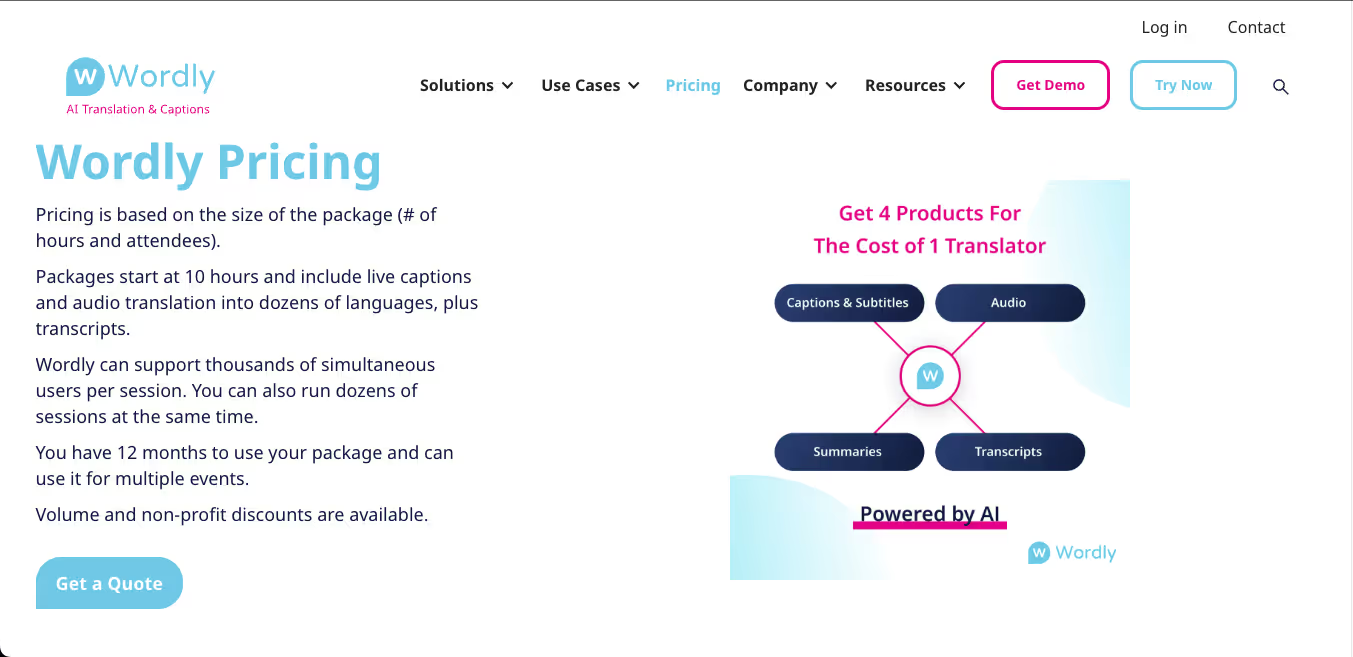
Wordly AI doesn’t offer upfront pricing on the site. Instead, packages begin at 10 hours of usage and scale by number of attendees. According to our research, you need to request a quote. The package includes translation, captions, and transcripts, all of which are valid for 12 months.
Wordly AI Pros
- Handles large-scale live events with ease.
- Works for virtual, in-person, and hybrid settings.
- Glossary control allows industry-specific phrasing.
Wordly AI Cons
- There’s no instant trial.
- Pricing lacks transparency, making it difficult for students or small teams to plan.
- Setup involves multiple moving parts (QR codes, access links)
Interprefy: Ideal for AI Speech Translation and Live Translations
Platforms Supported: Interprefy web platform, mobile app, and API integration
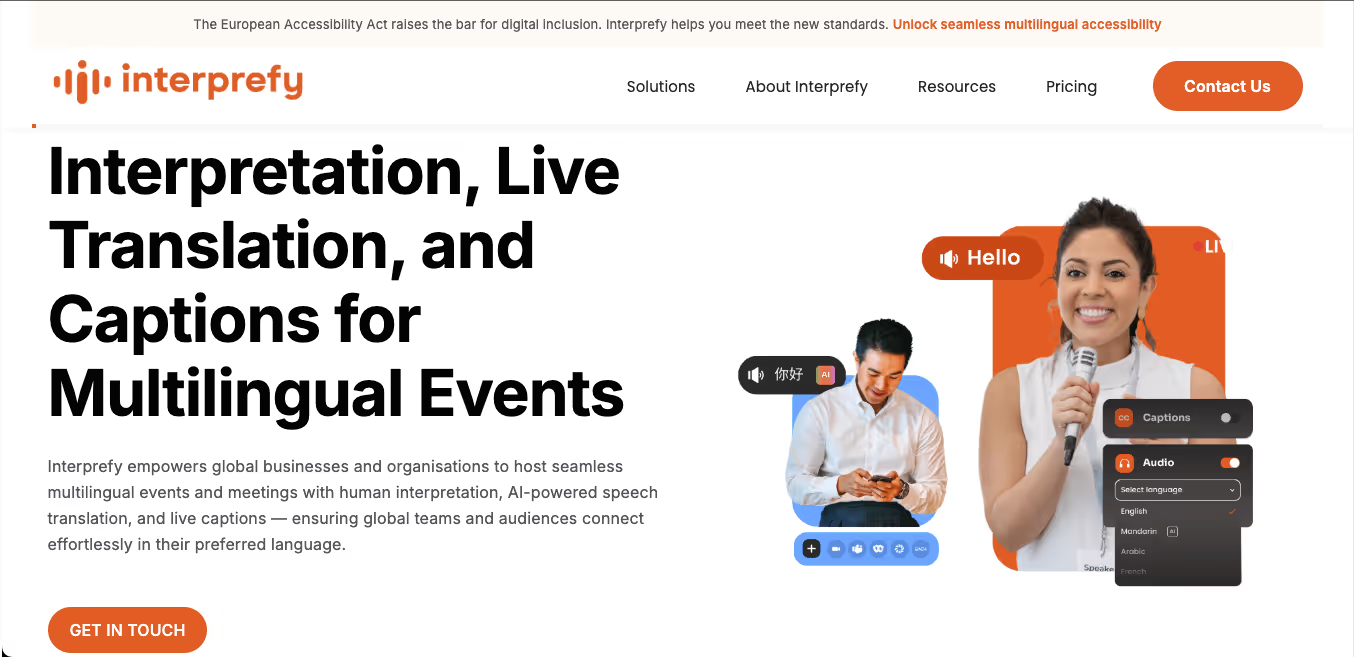
We tested Interprefy primarily for its AI-driven live translation and remote interpretation features. It was immediately clear that this platform is designed for large-scale, multilingual events. It may be ideal for those who are hosting a hybrid international webinar. However, for students seeking an AI interpreter and a live translator, the tool may be overly complicated.
Best for: Large enterprises and event organizers conducting multilingual webinars, hybrid summits, or in-person global town halls.
Key Features
- Remote Simultaneous Interpretation: In Interprefy, professional interpreters join virtually and deliver real-time translations.
- AI Speech Translation: It can convert spoken audio into translated captions or speech in multiple languages.
- Live Captions: Real-time captioning is also available during events to enhance accessibility and support multilingual audiences.
- Custom Integrations: The custom integration is available through their API and web SDK but may require technical support.
Interprefy Pricing
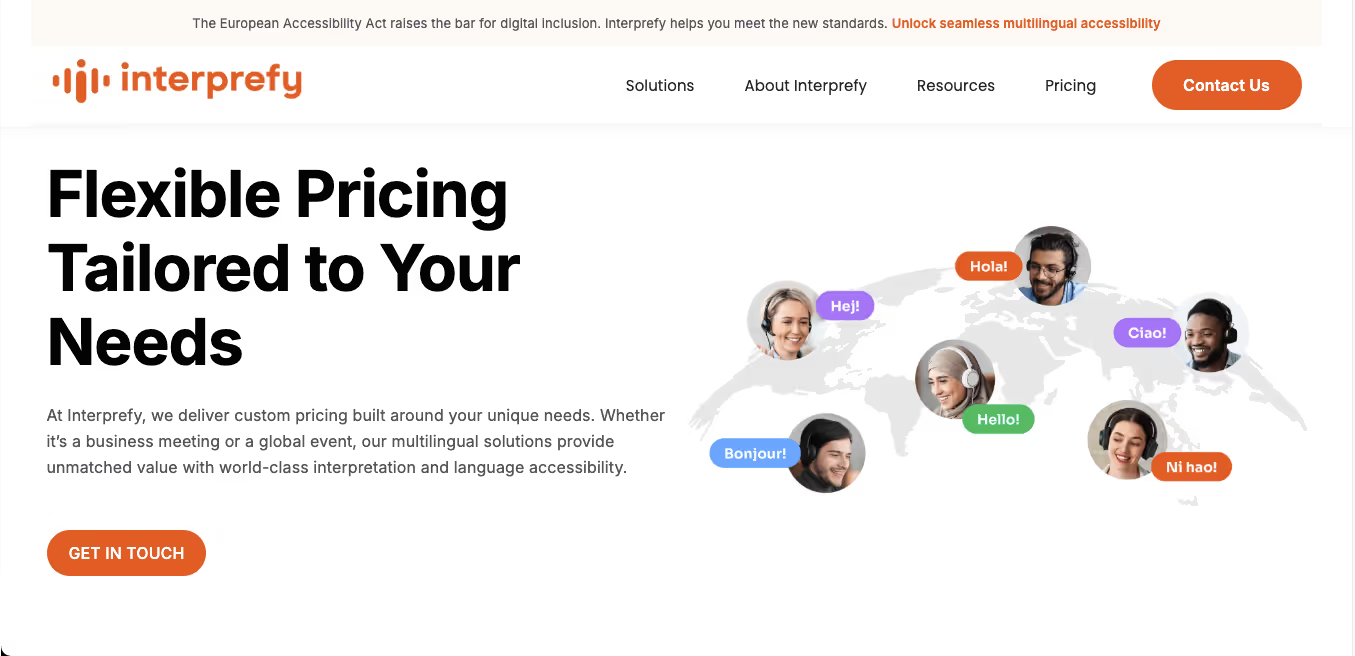
Similar to Wordly AI, Interprefy does not list public pricing. All plans are quote-based and created per event size, language needs, and format (hybrid, online, in-person).
Interprefy Pros
- You can combine real interpreters with AI-powered captions.
- Their virtual booths are built to reduce distractions.
- Works across virtual summits.
Interprefy Cons
- Budget planning is tricky.
- Some users (as seen on G2) mentioned technical hiccups with event platforms.
- Setup might feel overwhelming without prior experience.
Maestra AI: Ideal for AI Transcription and Real-Time Caption Translation
Platforms Supported: YouTube, TikTok, Slack, Zoom, OBS, vMix, and more
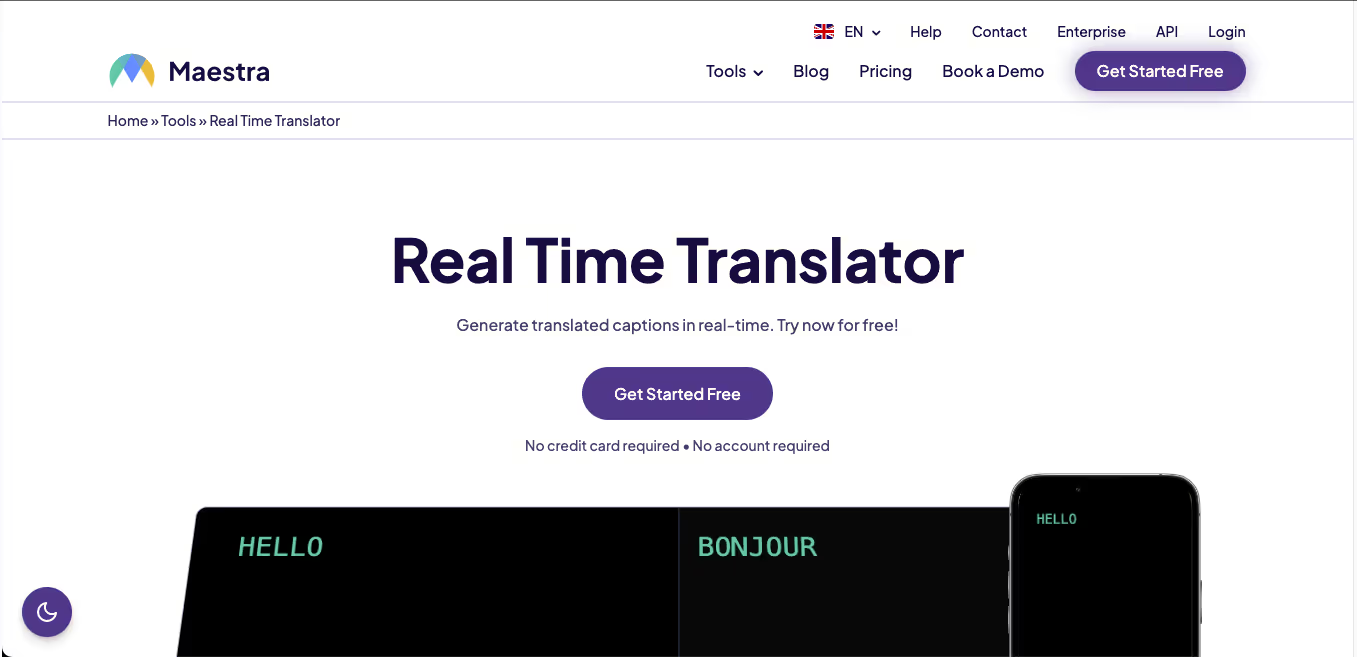
We tried Maestra AI for AI transcription and multilingual dubbing, and it’s clear to us that the tool is built with creators and educators in mind. The UI is clean, uploading files is quick, and their video translator supports over 125 languages. We tested a few demo clips using the subtitle generator and dubbing tool, and found that Maestra AI performed well when translating from English to other languages.
Best For: Creators, educators, and teams who need AI-powered transcription and fast multilingual voiceovers for video content.
Key Features
- AI Video Translator: This tool can translate videos into over 125 languages with real-time dubbing or subtitles, supporting various file formats, including MP4, MP3, AVI, MOV, M4A, and WAV.
- Voice Cloning & AI Voiceover: It can generate lifelike voiceovers in various accents and genders, making it ideal for video localization, tutorials, and explainers.
- Subtitle Generator: It can auto-generate subtitles with timestamps and supports 125+ languages.
- MaestraCloud Collaboration: It allows users to share projects, set team permissions, preview videos, and co-edit transcripts.
Maestra AI Pricing
Maestra AI offers flexible pricing plans to suit different user needs.
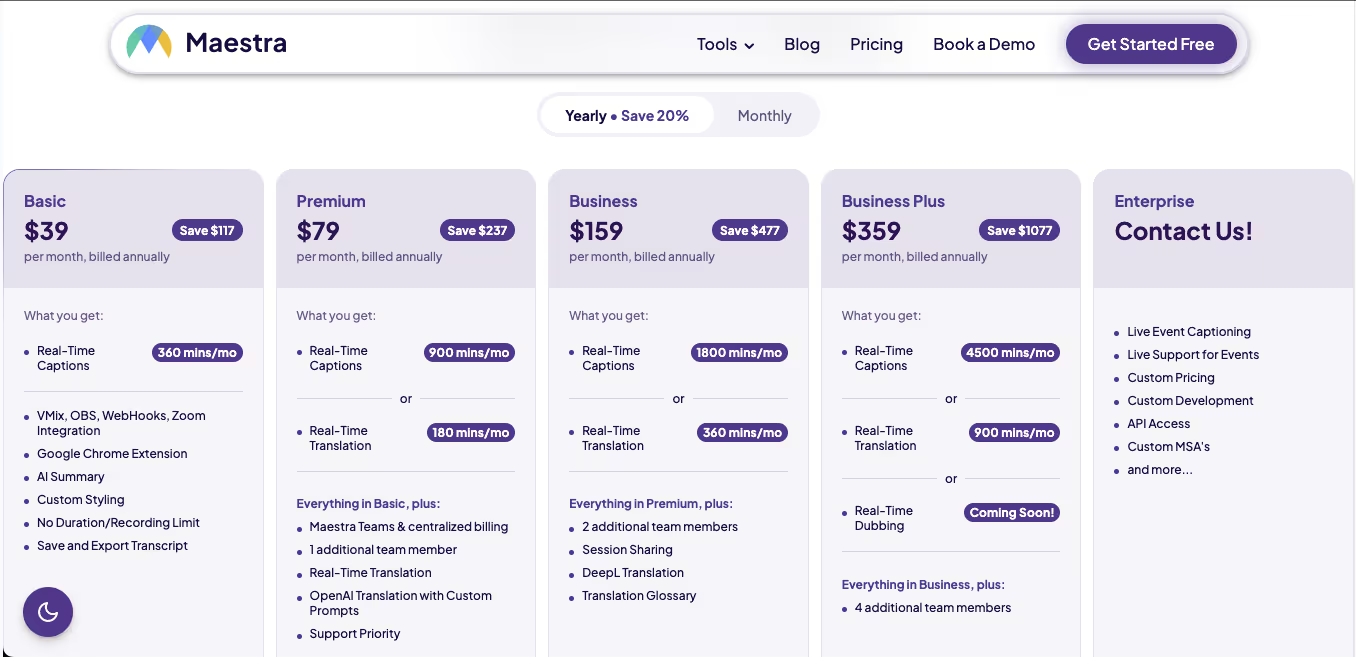
- Maestra Real-time’s Basic plan comes at $39 per month, which includes 360 minutes of real-time captions, but no translation.
- Maestra’s Premium plan is priced at $79 per month and offers 900 minutes of real-time captions and 180 minutes of real-time translation per month.
- Maestra Business plan is priced at $159 per month and includes 1800 minutes of real-time captions and 360 minutes of real-time translation per month
Maestra AI Pros
- Real-time subtitle and dubbing across 125+ languages.
- Smooth integration with Zoom and Slack.
- Drag-and-drop upload for translation.
Maestra AI Cons
- Translation accuracy tends to drop when converting from other languages into English.
Kudo: Best for Real-Time Interpretation During Hybrid Events
Platforms Supported: Zoom, Hopin, On24, Bizaabo (with embeddable widget)
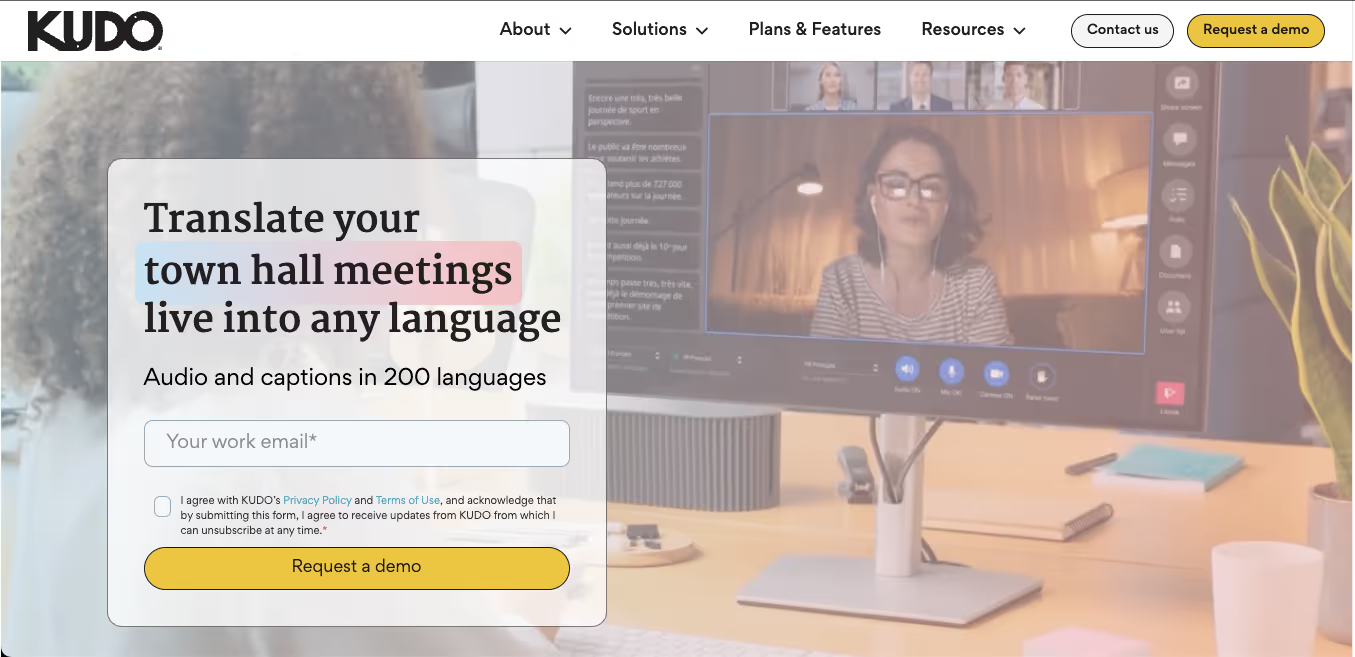
Kudo is known for real-time interpretation across multiple languages. Unlike traditional AI translation tools, Kudo isn't just focused on subtitles or transcription. It incorporates human interpreters and AI-driven live voice translations across various platforms. When you try Kudo, you will realize that the whole experience feels event-grade, meant for town halls, virtual summits, and enterprise-grade multilingual meetings.
Best For: Interactive group discussions, webinars, seminars, and events that need real-time, multilingual translation.
Key Features
- Real-Time AI Speech Translation: This real-time live translation supports 200+ spoken languages with live interpretation.
- Interpreter Marketplace: The tool allows you to instantly book human interpreters for your virtual, hybrid, or in-person events.
- Multilingual Widgets: The tool also provides an embeddable language selector for websites and webinars.
- Event Integration Kit: Kudo provides ready plugins for Zoom, Hopin, ON24, and more, which help large enterprises that are looking for an AI to interpret their meetings.
Kudo Pricing
Kudo’s pricing is more event-focused and use-case based, which makes sense for its enterprise-first model.
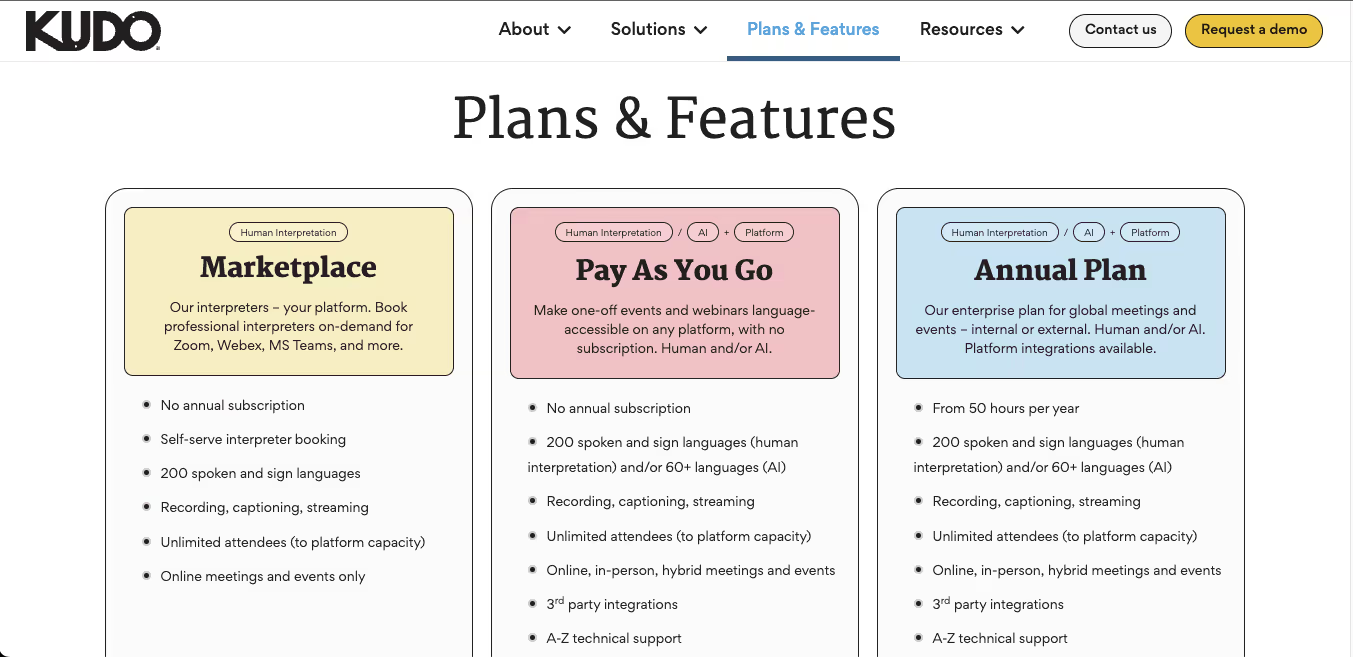
- Kudo’s Marketplace plan: It is an ideal option for quick interpreter bookings without any subscription. You simply choose your language, select a professional interpreter, and connect them via Zoom, Webex, or MS Teams.
- Pay-As-You-Go Model: Kudo’s pay-as-you-go model is ideal for one-off events or webinars. You don’t need a subscription, and it supports both human interpretation in 200 languages and AI voice translation in 60+ languages.
Kudo Pros
- Impressive live audio translation accuracy during events.
- It has a native pool of certified interpreters.
- Works with Hopin, Webex, and Microsoft Teams.
Kudo Cons
- No transparent pricing for all tiers.
- Not ideal for casual use
- Offers limited AI subtitles.
Talo: Known for Real-Time AI Translation During Video Calls
Platforms Supported: Zoom, Google Meet, Microsoft Teams
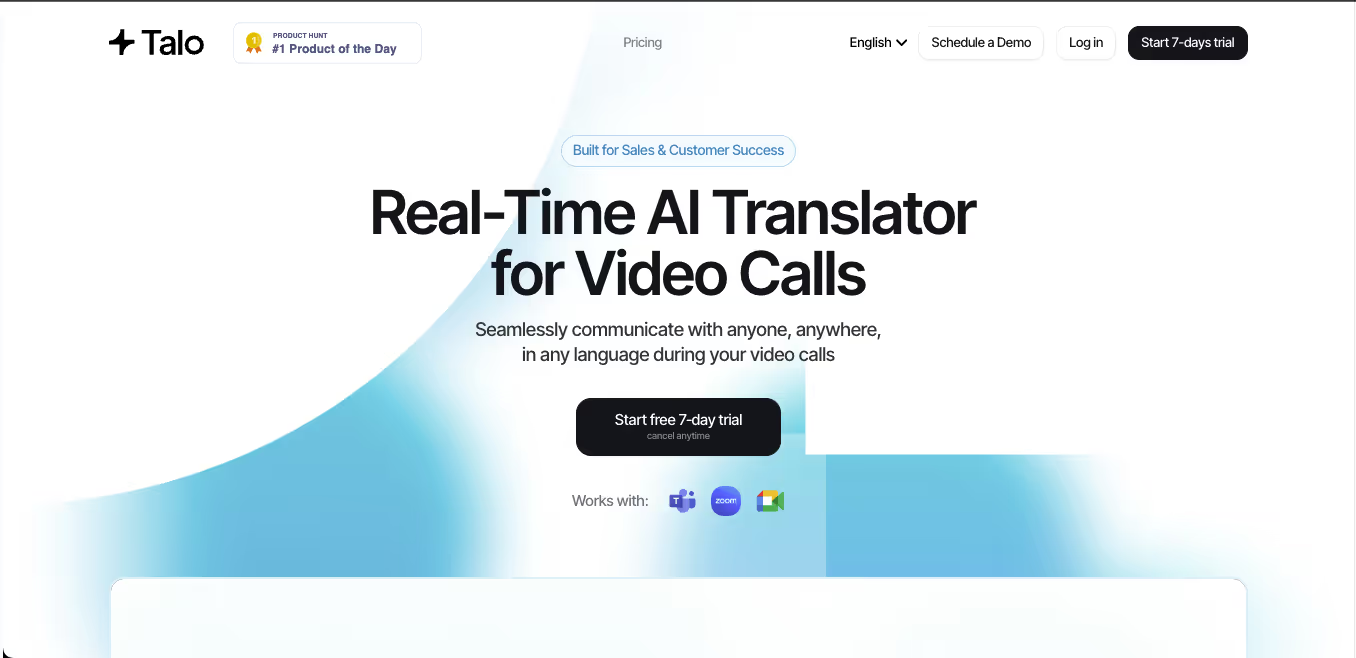
We tried Talo during a multilingual Google Meet call, and the real-time AI translation felt surprisingly natural. With one AI bot translating everything during the call, it was refreshingly frictionless. It picked up context quickly, and the clarity of voice output was great. We didn’t need to toggle or adjust anything during the meeting. The AI ran in the background, keeping up with accents, jargon, and even the speaker's speed.
Best For: Mid to large teams handling international sales, onboarding, or cross-border meetings who need a robust, secure, and fully integrated AI interpreter across Zoom, Meet, and Teams.
Key Features
- One AI Bot for All Speakers: Talo uses a single bot to translate every participant’s speech, and no separate accounts or setup are needed.
- Supports 60+ Languages: It offers instant, real-time translation across major global languages, including Korean, French, Spanish, Arabic, and more.
- Strong Security Compliance: Talo is built to meet SOC 2 and ISO 27001 standards, ensuring encrypted and confidential multilingual conversations.
- Direct Integration: It easily integrates with Google Meet, Microsoft Teams, and Zoom, and does not require the installation of any additional tools.
Talo Pricing
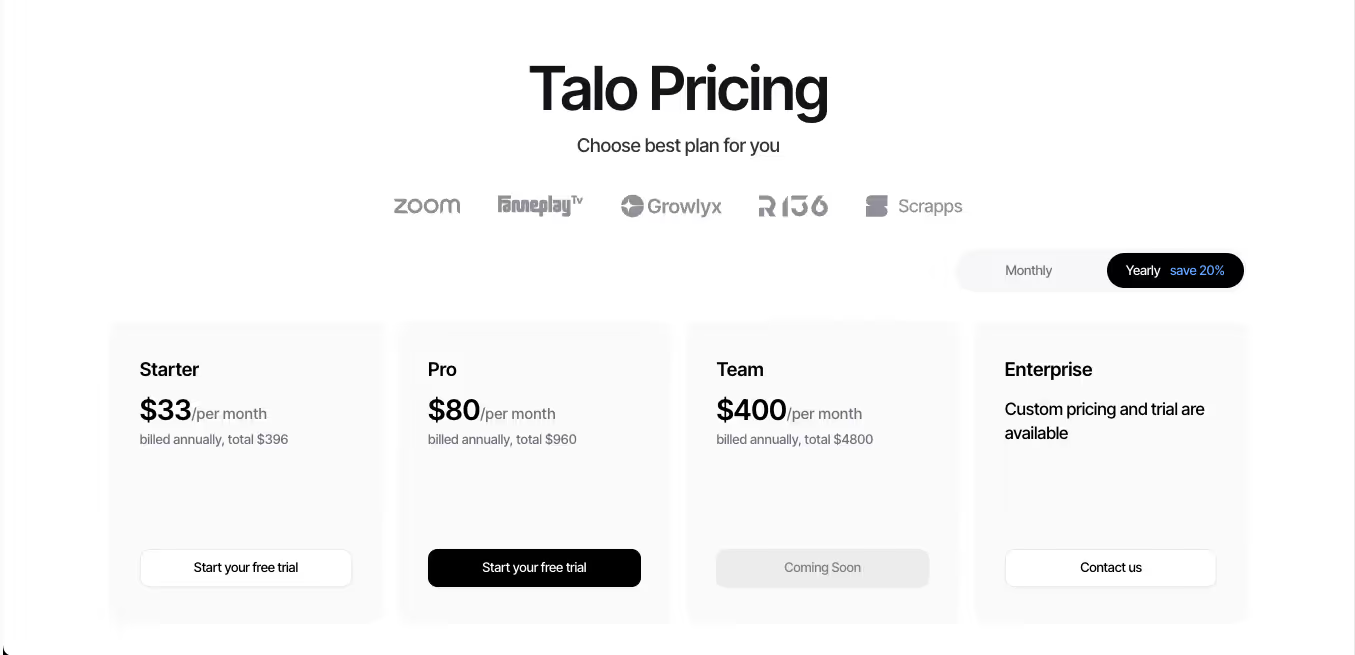
Apart from a 7-day free trial plan, Talo offers four pricing tiers: Starter, Pro, Team, and Enterprise.
Free Plan:
- Talo's free trial plan offers 20 minutes of live translation and auto-renews at the end of the subscription cycle.
Paid Plan:
- Talo’s Starter plan is priced at $33/month and includes 1,140 minutes per year for a single user.
- Talo’s Pro plan offers 4,800 minutes annually at $80 per month. Additional minutes in this plan are charged at $0.25 per minute.
- Talo’s Team plan is priced at $400/month and is ideal for 5 members and includes 30,000 minutes. Additional seats are charged at $100 each, and extra minutes cost $0.20/minute.
Talo Pros
- Requires minimal setup.
- High translation accuracy.
- Strong enterprise-grade security.
Talo Cons
- Pricing can feel steep for smaller teams.
- No browser-based version mentioned.
- Limited control for attendees over translation settings.
PolyPal: AI Live Translation and Subtitles for Lectures, Meetings, and Livestreams
Platforms Supported: iOS, Android, PC, Chrome Extension (works with Zoom, Skype, WhatsApp, YouTube, Twitch, TikTok, Instagram)
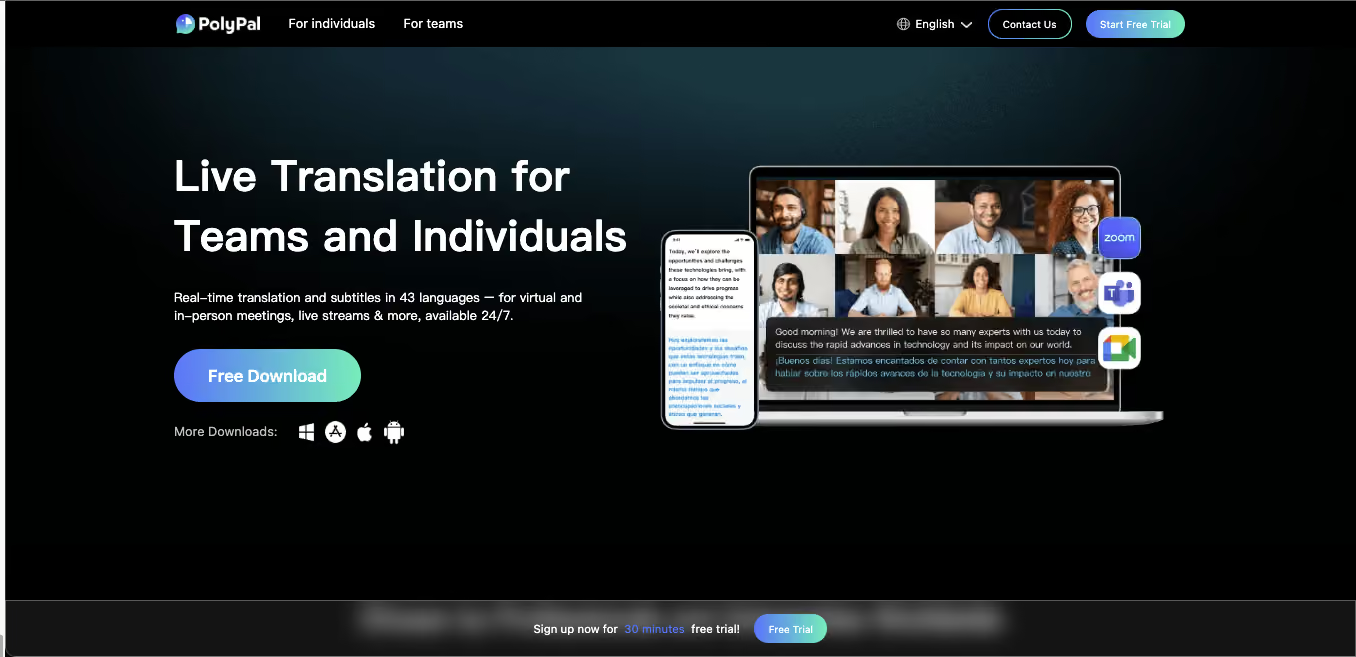
PolyPal is built by Shenzhen Timekettle Technologies, the same company behind the well-known Timekettle translator earbuds. The standalone PolyPal app brings that same live translation experience to your phone or laptop, focused on real-time subtitles for lectures, remote meetings, livestreams, and in-person conversations. During our research, we found that PolyPal positions itself as an all-in-one language assistant. It handles live subtitles, bilingual conversation translation, video and livestream captioning, photo translation, and post-session summaries in one app.
PolyPal supports 43 languages and 95 accents on the app itself, with coverage expanding to 138 languages when paired with the PolyPal P1 earbuds. It also includes AI noise cancellation, which helps with speech clarity in classrooms, airports, or cafes.
Best For: International students attending foreign-language lectures, professionals on cross-border calls, content creators following streams in another language, and travelers who want a single app for voice, photo, and text translation.
Key Features
- Real-Time Translation with Floating Subtitles: Displays live translated captions on top of any app, including Zoom, Skype, YouTube, TikTok, Twitch, and WhatsApp.
- Live Conversation Translation: Two-way spoken translation for face-to-face chats, lectures, and business discussions.
- Smart Summaries and AI Mind Maps: Post-session AI-generated summaries and visual mind maps that capture key points, decisions, and action items from long transcripts.
- Custom Glossary and Terminology: Let users teach the app-specific acronyms, industry terms, or project-specific jargon for more accurate output.
- Photo and Text Translation: Point your camera at a menu, document, or sign and get an instant overlay translation.
PolyPal Pricing
PolyPal offers a free trial with limited translation minutes, after which users move to in-app subscription plans. The exact pricing tiers are not publicly listed on the website and are shown within the app during checkout, with monthly and annual options available. Users who buy the PolyPal P1 earbuds receive 600 free translation minutes per month along with 6 months of PolyPal Premium access.
PolyPal Pros
- Covers both app-based and hardware-based translation through the Timekettle ecosystem.
- Floating subtitles work across almost any app or platform.
- Smart Summaries and mind maps add real productivity value beyond translation.
- AI noise reduction performs well in noisy environments.
PolyPal Cons
- Pricing is not transparent on the website.
- The app-only version is capped at 43 languages compared to 138 with the P1 earbuds.
- Not a dedicated meeting assistant like JotMe, so it doesn't integrate natively into Zoom or Google Meet with host-level controls.
- User ratings on Google Play are moderate (around 3.6 out of 5), suggesting occasional stability issues.
DeepL Voice: Real-Time AI Voice Translation for Global Meetings
Platforms Supported: Microsoft Teams (web, desktop, mobile), iOS, Android
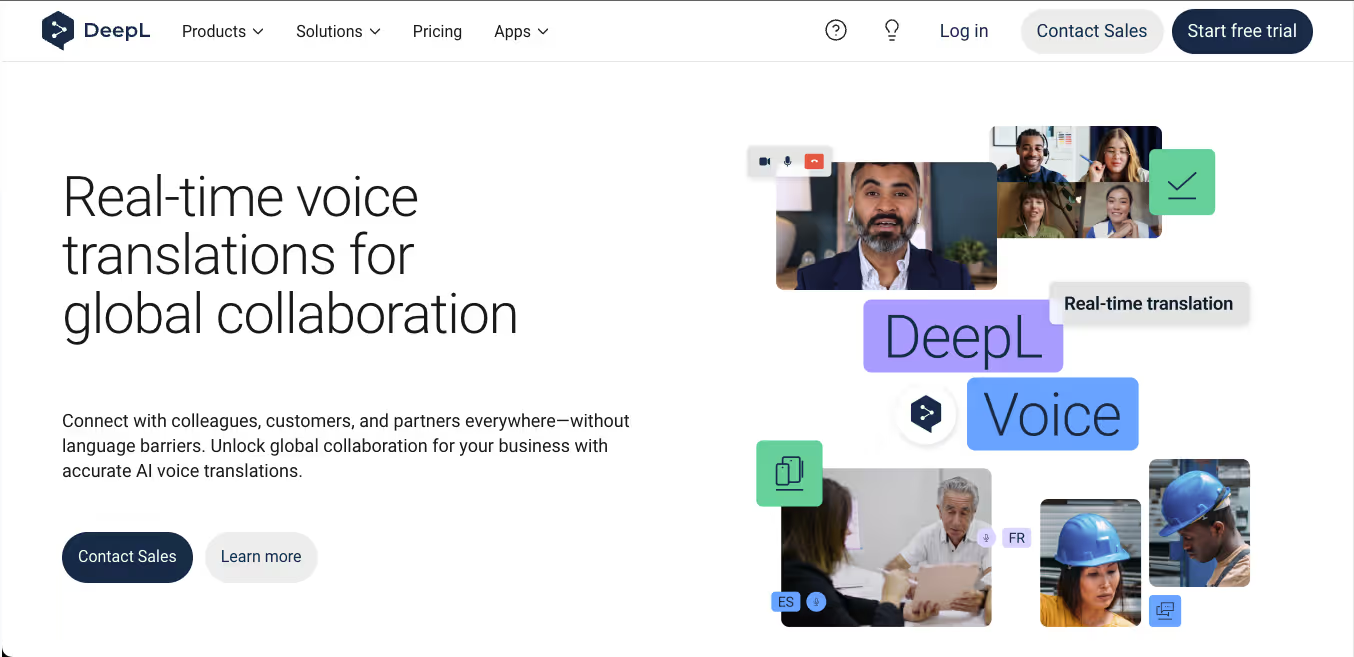
When we were researching DeepL Voice, we found out that this tool isn’t just another translation add-on. It’s a serious contender for real-time multilingual communication in business environments. DeepL Voice is designed for global meetings, where it enables instant voice translations and AI-generated translated captions across multiple spoken languages within the same session.
Best For: Enterprises, international teams, or hybrid workplaces looking to conduct real-time multilingual meetings with voice translation and captioning.
Key Features
- Real-Time Voice & Caption Translation: This tool converts spoken language into translated audio and captions in real time during meetings.
- Multi-Language Meeting Support: It allows participants to speak in their native language while hearing or reading translations in their preferred language.
- Simultaneous Transcription: In DeepL Voice, captions are not just translated. The captions are transcribed for reference and clarity.
- Microsoft Teams Integration: DeepL Voice is available as a plug-in for Microsoft Teams (business plan required).
DeepL Voice Pricing
DeepL Voice’s pricing details are not publicly disclosed. You need to contact the sales team to get a quote. Also, you will need a Microsoft Teams Business Plan and an active DeepL Voice for Meetings subscription to access this real-time translation feature.
DeepL Voice Pros
- Accurate and fluent real-time voice translations across 14 languages.
- Works inside Microsoft Teams across devices.
- Translates speech and provides AI-generated transcriptions in a go.
DeepL Voice Cons
- Limited to only 14 languages.
- Not available for use outside of Teams (e.g., Zoom or Google Meet).
Boostlingo: Hybrid AI & Human Interpretation for Multilingual Meetings
Platforms Supported: Zoom, Microsoft Teams, Google Meet, Webex
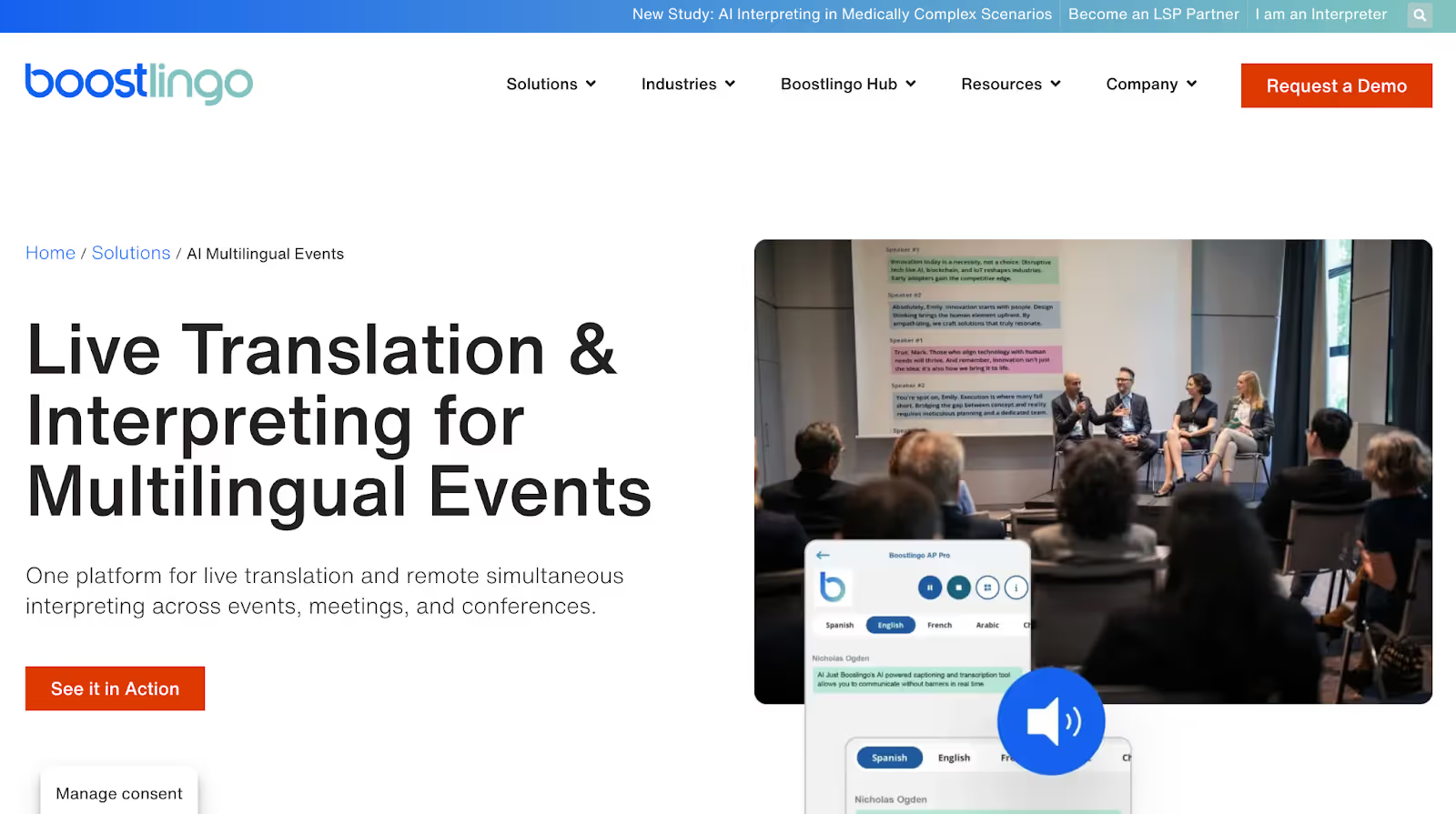
Instead of relying only on automated translation, Boostlingo blends AI-powered live captions with professional human interpreters. This makes it a strong option for organizations that need accuracy during important conversations.
Boostlingo is commonly used for large meetings, hybrid events, and multilingual discussions where mistakes are costly.
Unlike tools such as JotMe, Boostlingo does not offer a quick self-serve trial. Access to its Events platform requires contacting the sales team, which makes it less suitable for casual users but aligns well with enterprise needs.
Best For: Enterprises, global teams, healthcare and legal organizations, hybrid events, and multilingual meetings where accuracy matters more than speed.
Key Features
- AI Live Translation & Captions: Delivers real-time AI captions and translated text in 130+ languages, accessible via QR code on participants’ own devices.
- Professional Human Interpreters: Provides on-demand access to certified interpreters in 300+ languages for legal, medical, and high-stakes conversations.
- Hybrid AI + Human Interpretation: Lets teams combine AI translation for routine discussions and human interpreters for critical moments within the same meeting.
- Native Platform Integrations: Works directly with Zoom, Microsoft Teams, Google Meet, and Webex using built-in interpretation channels.
Boostlingo Pricing
Boostlingo does not offer a transparent pricing plan; you need to contact the sales team to get a quote based on your translation needs.
Boostlingo Pros
- Combines AI translation with professional human interpreters
- Supports 300+ languages on demand
- Works well for hybrid and large-scale meetings
Boostlingo Cons
- No instant trial or self-serve testing
- Pricing is not transparent
Other Recommended Best AI Live Translation Apps To Try
If your search is more app-focused than meeting-focused, narrow the choice by device and conversation type. iPhone users should start with Apple Translate for private offline translation, while Android users usually get the most familiar free experience from Google Translate. For English-to-Spanish voice translation, Google Translate, iTranslate, and Microsoft Translator are practical options for short exchanges; for business calls where tone and context matter, JotMe is stronger because it handles continuous live conversation and keeps the transcript afterward.
The easiest way to decide is to ask whether you need a quick translator app or a full live translation workflow. Free translation apps work well for travel, casual chats, and one-off phrases. But when conversations become longer, multilingual, or important enough that you need accurate context, searchable transcripts, and follow-up notes, real-time AI translators become far more useful.
Beyond the most popular options, there are also several underrated AI live translation apps worth trying. Some are designed for fast everyday conversations, while others focus on meetings, travel, multilingual content creation, or continuous live interpretation with better usability in specific situations.
Here are a few additional apps that are definitely worth trying before you pick one.
Apple Translate: Best Translation App for iPhone Users
Platforms: iOS, iPadOS, macOS only
Languages: Under 20
Free plan: Fully free, built-in
Pricing: Free
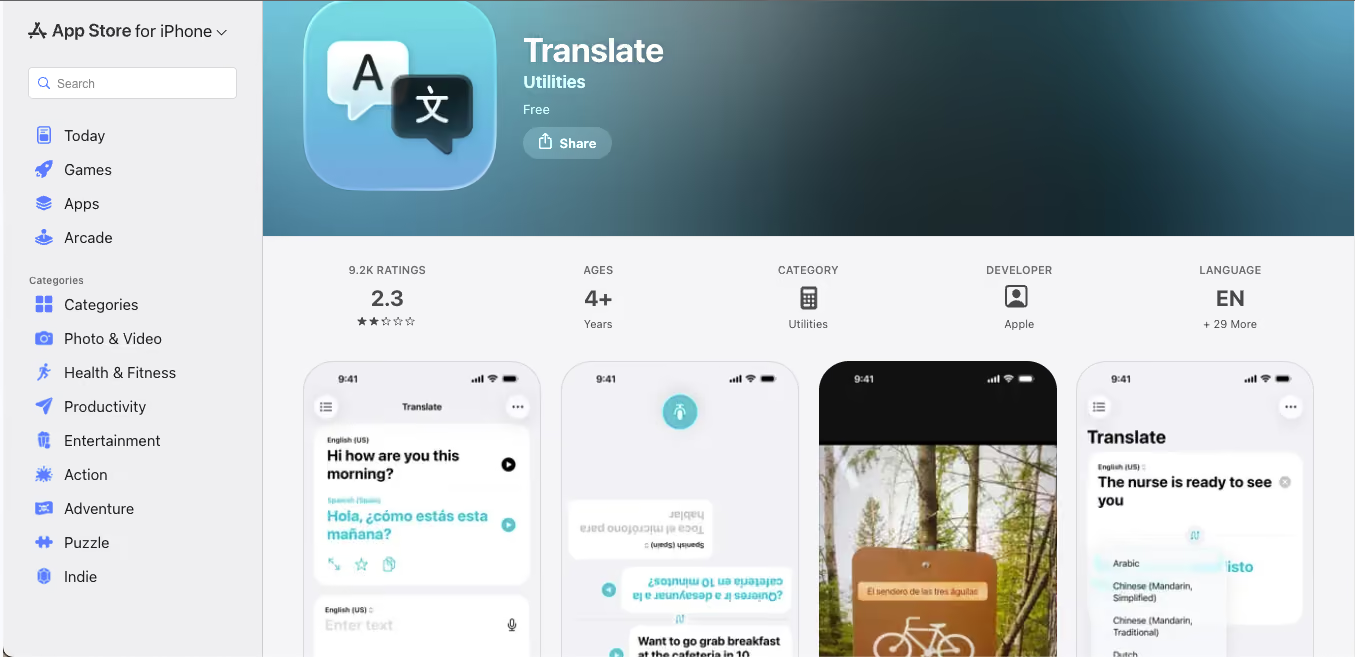
It is long established that Apple Translate is not trying to compete with Google Translate on language breadth. It has fewer than 20 supported languages, which is a significant limitation. What it does instead is offer a translation experience that is tightly integrated into the Apple ecosystem, privacy-preserving by design, and functional entirely offline.
Unlike most translation apps that send your audio to cloud servers for processing, Apple Translate performs translation on-device by default. For users who are conscious about where their voice data goes, this is a meaningful distinction. The app is available natively on iPhone, iPad, and Mac, and requires no download or setup. If you have an iPhone, you already have it.
The Apple Translation app also integrates with AirPods through Live Listen functionality on compatible models, allowing real-time translated audio to be delivered directly to your ears during a conversation, which has turned out to be a genuinely useful feature for face-to-face exchanges where holding a phone between two people feels awkward.
What Apple Translate Does Well?
Apple Translate is ideal for on-device processing, full offline capability, AirPods integration, privacy-first architecture, and Conversation Mode for face-to-face translation.
Where Apple Translate Falls Short in 2026?
Apple Translator has the smallest language library on this list by a wide margin. If you need to translate into or from a language outside Apple's supported set, this app cannot help you. Similarly, Android users have no access to it.
Apple Translate is Best For?
Apple Translate is best for iPhone-first travelers and language learners who want a clean, private, no-configuration translation experience within a supported language pair.
For the Apple Translation app's supported languages, it works beautifully. The moment your needs go outside that set, you need a different app. Check Apple's current language list before relying on it for an international trip.
FAQs About Apple Translate
How do you use Apple Translate?
To use Apple Translate, you will need to open the Translate app on your iPhone or iPad, select your source and target languages, then type or speak your input. For Conversation Mode, tap the two-person icon so both parties can speak into the phone alternately.
How do you use Apple Translate with AirPods?
To use Apple Translate with AirPods, you will need to enable Live Listen on compatible AirPods, open the Translate app, and activate Conversation Mode. Translated audio can be delivered directly through your AirPods.
How does Apple Live Translation work?
Apple Live Translation uses on-device AI to process speech and produce translated output in real time, entirely offline. It appears in the Translate app and integrates at the system level across Safari, Messages, and select third-party apps on iOS and macOS.
Microsoft Translator: Best Translation App for Microsoft 365 Teams
Platforms: iOS, Android, Web, Microsoft Teams (native)
Languages: 70+
Free plan: Free for personal use; API usage has usage-based pricing
Pricing: Free for the app; enterprise pricing for API and Teams integration
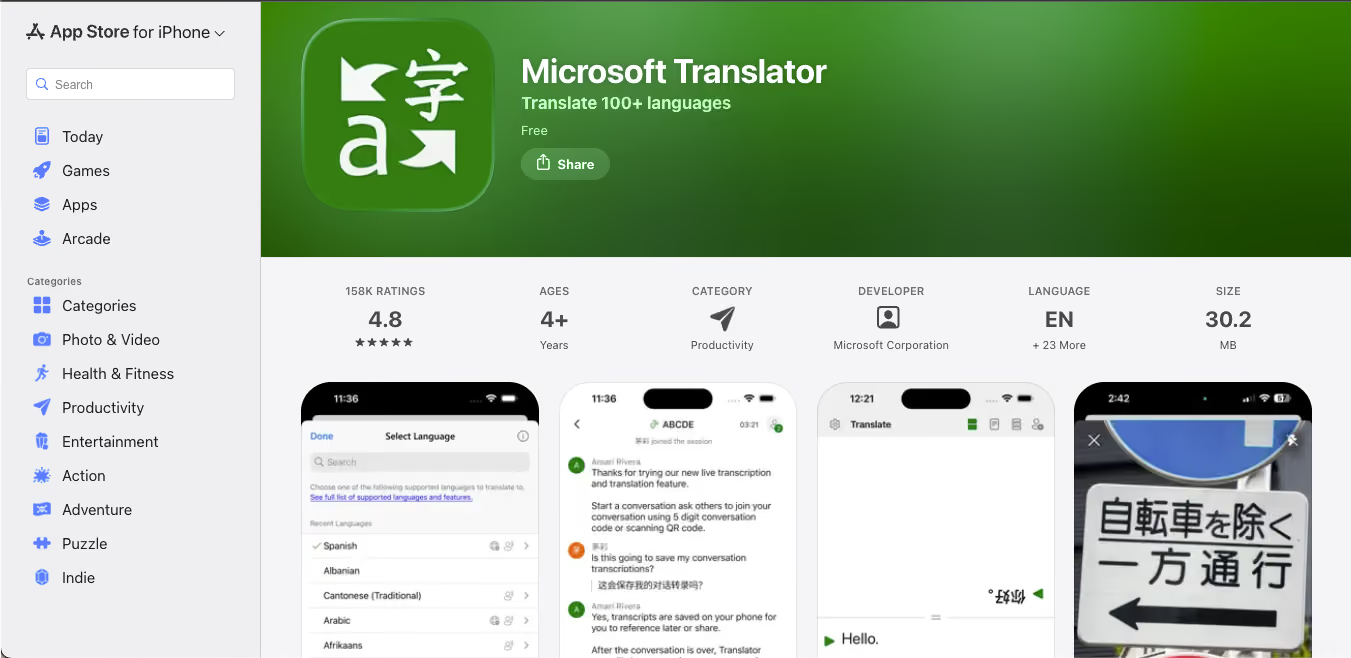
Microsoft Translator earns its place on this list primarily because of its native integration with Microsoft Teams. If your organization runs on Microsoft 365 and your meetings happen in Teams, Microsoft Translator is already partly embedded in your workflow. The multi-person Conversation Mode allows up to 100 participants to join a shared translation session, each seeing the conversation in their own language on their own device.
Microsoft Translator app also supports real-time speech translation and transcription, and the API integrates into custom business applications for teams that want to build multilingual workflows into their own software. For businesses already in the Microsoft ecosystem, this is the path of least resistance.
What Microsoft Translator does well?
Microsoft Translator app excels in native Teams integration, 100-person Conversation Mode, API flexibility for custom workflows, cross-platform app availability, and real-time speech translation.
Where Microsoft Translator Falls Short in 2026?
In Microsoft Translator, translation quality for East Asian languages lags behind both Google Translate and Naver Papago. For teams that need serious multilingual meeting translation beyond Teams, Microsoft Translator's built-in capabilities are thinner than they appear in the marketing.
Microsoft Translator is Best For
Microsoft Translator is ideal for enterprises already on Microsoft 365, remote teams running meetings in Teams, and those who need basic multilingual support without additional tooling.
If you are already using Teams, Microsoft Translator is the sensible default for a translation app in 2026. However, if your multilingual meeting needs are serious, where you require multiple languages simultaneously, contextual accuracy, and post-meeting summaries, then the Microsoft Translator app will not be enough on its own.
FAQs About Microsoft Translator
How do you translate on Microsoft Word?
To translate in Microsoft Word, open your document, go to the Review tab, and select Translate. You can translate the entire document or a selected section.
Can Microsoft Teams translate audio?
Yes, Microsoft Teams has built-in live captions and translation features for meetings, where participants can receive captions in a language different from the one being spoken. That being said, the depth of language coverage depends on your Microsoft 365 plan, which currently begins at $99.99/year.
Can Microsoft Teams translate in real time?
Yes, Microsoft Teams can translate in real time, but with limitations. For robust, multi-language simultaneous translation in meetings, a dedicated tool like JotMe or Transync AI provides broader coverage and greater accuracy.
iTranslate: Best Translation App for Travelers Who Want to Learn
Platforms: iOS, Android, Apple Watch
Languages: 100+
Free plan: Basic text translation only
Pricing: Pro subscription generally starts at $9.99 per month or $99.99 per year and is required for offline mode, voice conversations, and website translation.
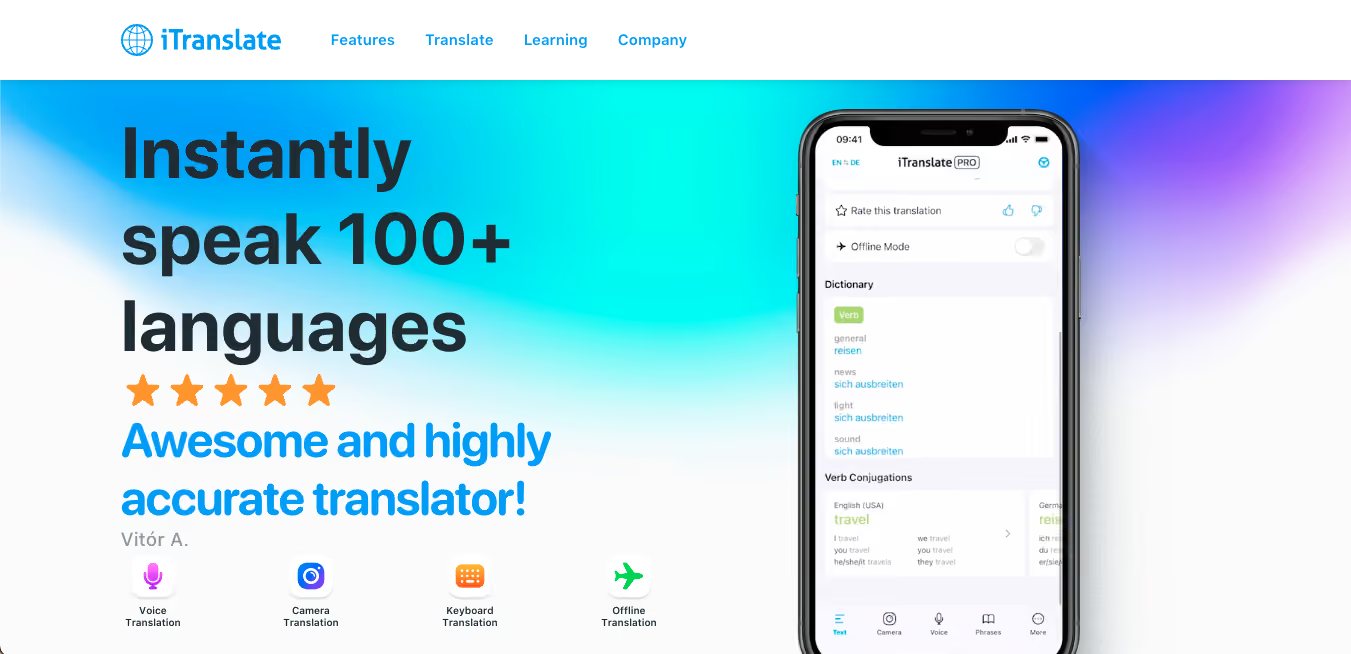
iTranslate has been around long enough to develop a feature set that goes meaningfully beyond translation. Where Google Translate and Apple Translate function purely as translation utilities, iTranslate positions itself as a companion for language learners who also need to translate.
The phrasebook in iTranslate lets you build a library of phrases relevant to your trip or study focus. The digital flashcard system reinforces vocabulary with audio pronunciation. Whereas the keyboard extension for iTranslate lets you translate directly within WhatsApp, iMessage, and Instagram without switching apps.
In iTranslate, the voice translator app's Converse feature supports back-and-forth voice translation in over 40 languages and is one of the smoother conversation-mode implementations available on mobile.
What iTranslate Does Well?
iTranslate is ideal as a language learning tool (phrasebook, flashcards, verb conjugation), voice conversation mode, keyboard extension for in-app messaging translation, Apple Watch support, and solid text translation across 100+ languages.
Where iTranslate Falls Short in 2026?
The free version of iTranslate is too limited to be genuinely useful because offline mode, voice conversation, and website translation all require a paid subscription. Billing practices have attracted repeated complaints from users, so it is recommended to read the subscription terms carefully before activating a trial.
iTranslate is Best for
iTranslate is best for travelers who want their translation app to double as a language learning tool and users who translate frequently within messaging apps.
iTranslate is a better language learning companion than a pure translation app. If you want to retain what you translate and build vocabulary as you go, the learning features genuinely differentiate it. But you need to pay to unlock the features that make it worthwhile.
FAQs on iTranslate App
Does iTranslate work offline?
Yes, iTranslate works offline, but only on the Pro plan that begins at $9.99 monthly. Offline mode at iTranslate supports eight language pairs and must be enabled before you lose internet access.
How does iTranslate work?
iTranslate processes text, voice, and camera input and returns translations via its AI engine. The built-in voice translation in iTranslate uses speech recognition to capture spoken input and produce translated audio output.
How much does the iTranslate app cost?
The iTranslate app is free for basic text translation. iTranslate Pro subscription generally ranges from $9.99 monthly or $99.99 annually and unlocks offline mode, voice conversation, and website translation.
Naver Papago: Best Translation App for Korean, Japanese, and Chinese
Platforms: iOS, Android, Web
Languages: 14
Free plan: Fully free
Pricing: Free; Papago Plus comes at $55.99/per member on a monthly basis
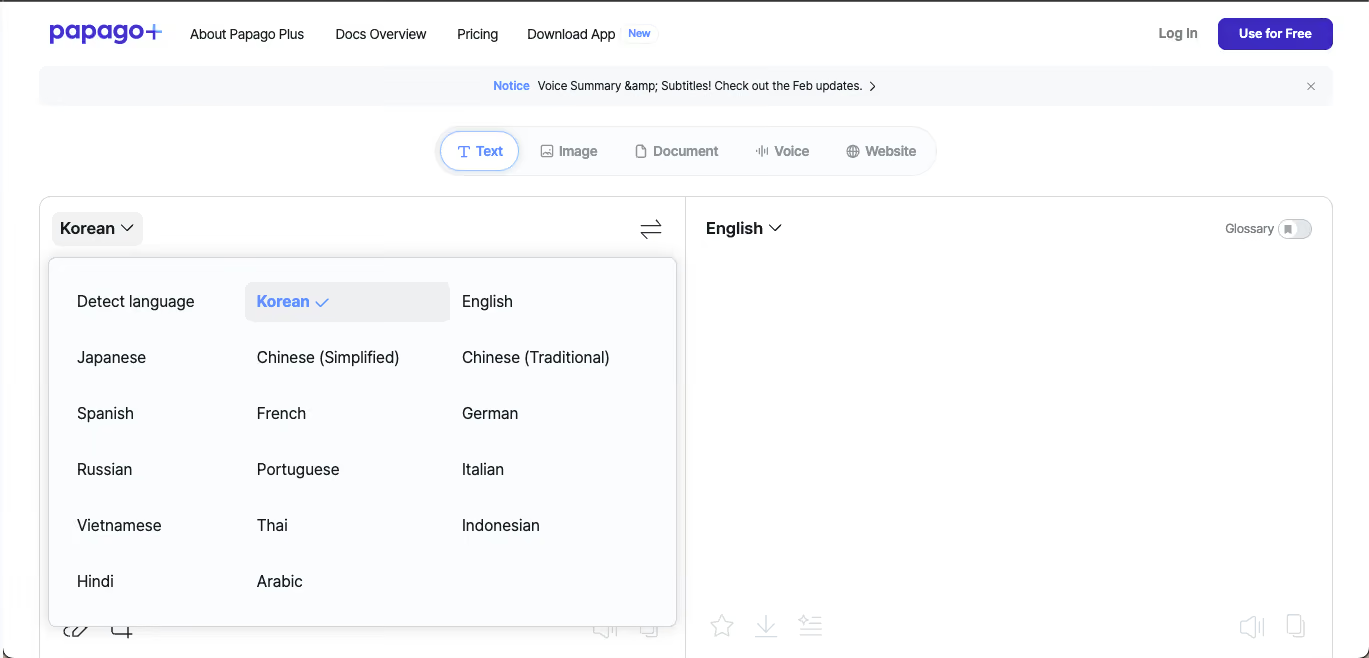
Naver Papago trades breadth for depth, and for East Asian languages, that trade is worth it. Papago was designed from the ground up with Korean, Japanese, Mandarin Chinese, and Vietnamese as the primary languages. The result is translation quality for those languages that outperforms both Google Translate and Apple Translate in most real-world tests.
According to Naver's own language research documentation, Papago's neural machine translation is trained on data weighted toward East Asian linguistic structures and context, which is exactly why it outperforms broader tools in this specific territory. The cultural nuance, like knowing when to use honorifics in Korean, understanding context-specific expressions in Japanese, is sharper than you will find in any general-purpose language translator app.
Papago supports text translation, voice translation, camera translation (including handwriting recognition for Chinese and Japanese characters), conversation mode for face-to-face exchanges, offline packs, and a website translation tool. It supports 14 languages in total, which is a deliberately narrow library. So, if you are working within that set, it is the best free translation app available for those language pairs.
What Papago Does Well
Papago has an unmatched accuracy for Korean, Japanese, Mandarin Chinese, and Vietnamese handwriting recognition, offline packs, and contextually aware translation like JotMe.
Where Papago Falls Short?
Papago only offers 14 languages. So, outside of its core East Asian focus, it offers no particular advantage over Google Translate or even Apple Translate, and it is not designed for remote teams and meetings.
Papago is Best for
Papago is best for travelers to South Korea, Japan, China, or Vietnam, businesses with Korean or Japanese-speaking partners, language learners studying East Asian languages, and anyone for whom accuracy in these specific languages is the priority.
Papago handles individual conversations well, but if your team needs ongoing Korean-English or Japanese-English translation across distributed meetings, JotMe handles live multilingual meeting sessions at a scale and depth that Papago's conversation mode is currently not built for.
If your next trip or project involves Korean, Japanese, or Chinese, Papago should be on your phone. It is the most accurate free translation app for those languages, by a noticeable margin.
FAQs About Papago Translate
How accurate is Papago?
For Korean, Japanese, Mandarin Chinese, and Vietnamese, Papago is consistently rated among the most accurate translation apps available. For languages outside its 14-language library, accuracy is comparable to other mid-tier or free tools, like Google Translate and Apple Translate.
What is the Papago app?
Papago is a free AI translation app developed by Naver Corporation. Papago supports text, voice, camera, handwriting, and conversation translation across 14 languages, with a focus on East Asian language accuracy.
Is the Papago app free?
Yes, Papago offers free features, but if you need to check text translation AI summaries or extra voice translation meetings, you will need to subscribe to the Papago Advanced plan, which costs $59.99 per user per month.
Transync AI: Best Real-Time Translation App for Individual Users and Students
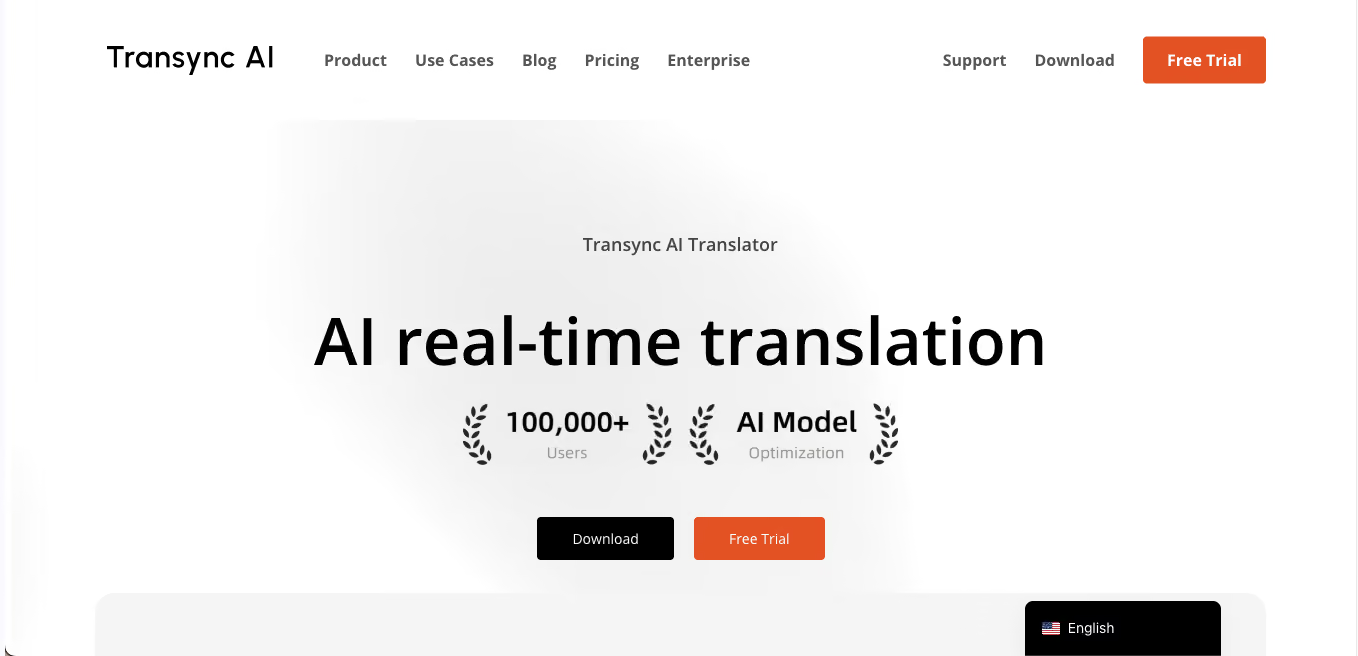
Platforms: iOS, Android, Windows, macOS
Languages: 60+
Free plan: 40-minute trial
Pricing: $8.99/month (10 hours of real-time translation); time card add-ons available
Transync AI is the newest entrant on this list, and it has built a strong early reputation in the individual real-time translation space. Its core technology is an end-to-end AI voice model designed to produce near-zero latency translation, which puts it ahead of many competitors on raw speed for live conversations.
Just like JotMe’s translation app, the standout design choice in Transync AI is the dual-screen bilingual display: the original spoken text appears on one side and the translated output on the other, simultaneously, letting you follow a conversation in real time without waiting for one to disappear before the other appears.
At $8.99/month for 10 hours of real-time translation, Transync AI is priced for individual users, students, freelancers, and international professionals who need a personal real-time translation companion rather than an enterprise-grade tool. Just like JotMe, Transync AI works on Zoom, Teams, and Google Meet, as well as in-person scenarios through the mobile app.
What Transync AI does well?
Transync AI offers near-zero latency, dual-screen bilingual display, automatic speaker and language detection, AI meeting minutes, clean mobile experience, and competitive pricing for individuals.
Where Transync AI Falls Short in 2026?
Transync AI requires screen sharing to capture audio in some setups, unlike JotMe, which captures device audio directly. The 40-minute free trial that Transync AI offers is generous for testing but limited for evaluation in longer meeting scenarios.
Transync AI is Best for
Transync AI is ideal for individual users, international students, freelancers, expat professionals, and travelers who need a personal real-time translation app without enterprise pricing.
Transync AI is the most accessible entry point for real-time meeting translation among individual users. If you are a student attending lectures in a second language or a freelancer closing deals with international clients, the pricing and real-time performance make it a compelling option.
FAQs About Transync AI
What is Transync AI?
Transync AI is a real-time AI translation app that uses end-to-end speech models to produce near-zero latency simultaneous interpretation across 60+ languages. Transync AI supports dual-screen bilingual display, automatic speaker detection, AI meeting minutes, and works across Zoom, Teams, Google Meet, and in-person scenarios.
How do you use Transync AI?
To use Transync AI, you need to download the app on iOS, Android, Windows, or Mac. Then sign up for the free 40-minute trial to test features, and then open the app during a meeting or conversation, select your languages, and Transync AI begins translating in real time.
Is there a free app that translates in real time?
Yes, there are several apps that offer free real-time translation with usage limits. JotMe translation app offers 20 minutes per month free with full real-time meeting translation features. Google Translate's Conversation Mode provides basic real-time voice translation for free with no monthly limit, though it is not designed for extended meeting use.
Can AI translate languages in real time?
Yes, apps like JotMe and Transync AI produce translated output in under a second from live speech, covering 60 to 200 languages depending on the tool. For major language pairs, the accuracy is sufficient for business meetings, client calls, and educational settings.
BabelPhone: Real-Time Translation for Phone Calls
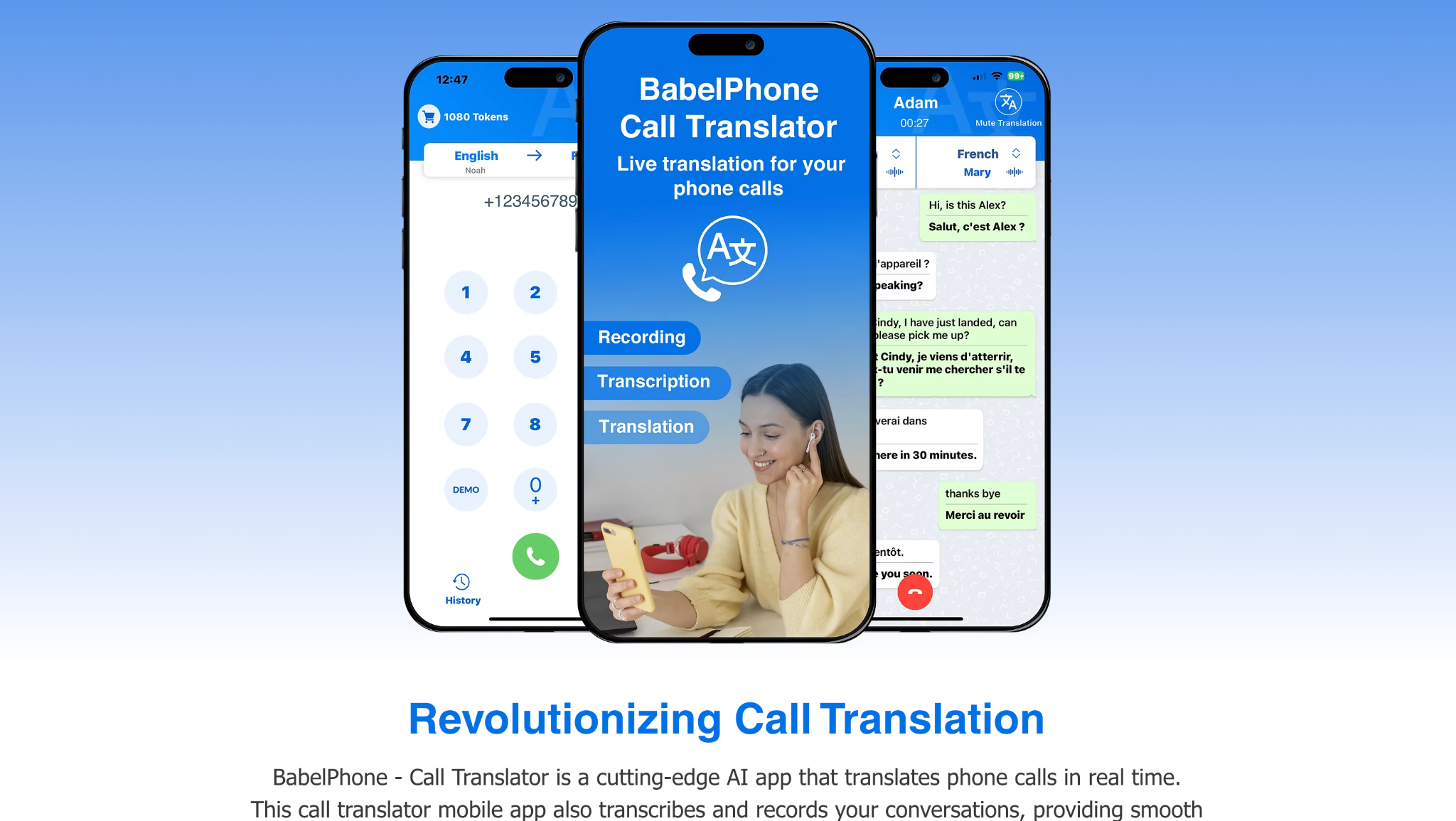
Platforms Supported: iOS, Mac (Apple Silicon)
BabelPhone is an AI call translator designed for people who need to communicate across languages during phone calls. Instead of putting a conversation on speaker and switching between a separate translation app, BabelPhone translates the call in real time, displays a live transcription, and plays the translated speech back in a natural-sounding voice.
When you use BabelPhone, you can choose the languages and regional variation before starting the call, then speak normally while the app handles the translation. It supports over 80 languages and more than 160 dialects and regions, making it useful for international calls where both people need to communicate without sharing the same language.
BabelPhone also keeps a record of previous calls, including their transcriptions, and lets you export a video containing the call recording, transcription, and translation. BabelPhone uses VoIP calls, so calls are routed through the app rather than your regular mobile carrier.
Best For: People who need real-time translation during phone calls, especially for international conversations. It is less suitable for meetings, webinars, or in-person conversations where you need multi-speaker translation.
Key Features
- Real-Time Call Translation: Translates both sides of a phone conversation as you speak, with translated voice output.
- 80+ Languages: Supports more than 80 languages and 150+ dialects and regions.
- Live Transcription: Displays the conversation as a live transcript while the call is happening.
- VoIP Calling: Calls are placed through the app rather than your regular mobile carrier.
BabelPhone Pricing
Free trial and in-app purcahse.
BabelPhone Pros
- Real-time translation works directly during phone calls.
- Supports 80+ languages and 160+ dialects and regions.
- Includes live transcription and translated voice.
BabelPhone Cons
- Primarily designed for phone calls rather than meetings or events.
- Currently supports outgoing calls rather than incoming calls.
- The app handles audio and phone-related data, so privacy should be reviewed before using it for sensitive conversations.
FAQs About BabelPhone
What is the best call translator app?
BabelPhone is a strong option for real-time phone call translation. It provides live transcription, translated voice, 80+ languages, and 160+ dialects and regions. For meetings and video calls, dedicated tools such as JotMe or Talo are better suited.
Which app can translate phone calls in real time?
BabelPhone can translate phone calls in real time using VoIP calls. It provides live transcription during the conversation and plays the translated speech back in a natural-sounding voice.
Immersive Translate: Real-Time Translation for Meetings, Videos, and More
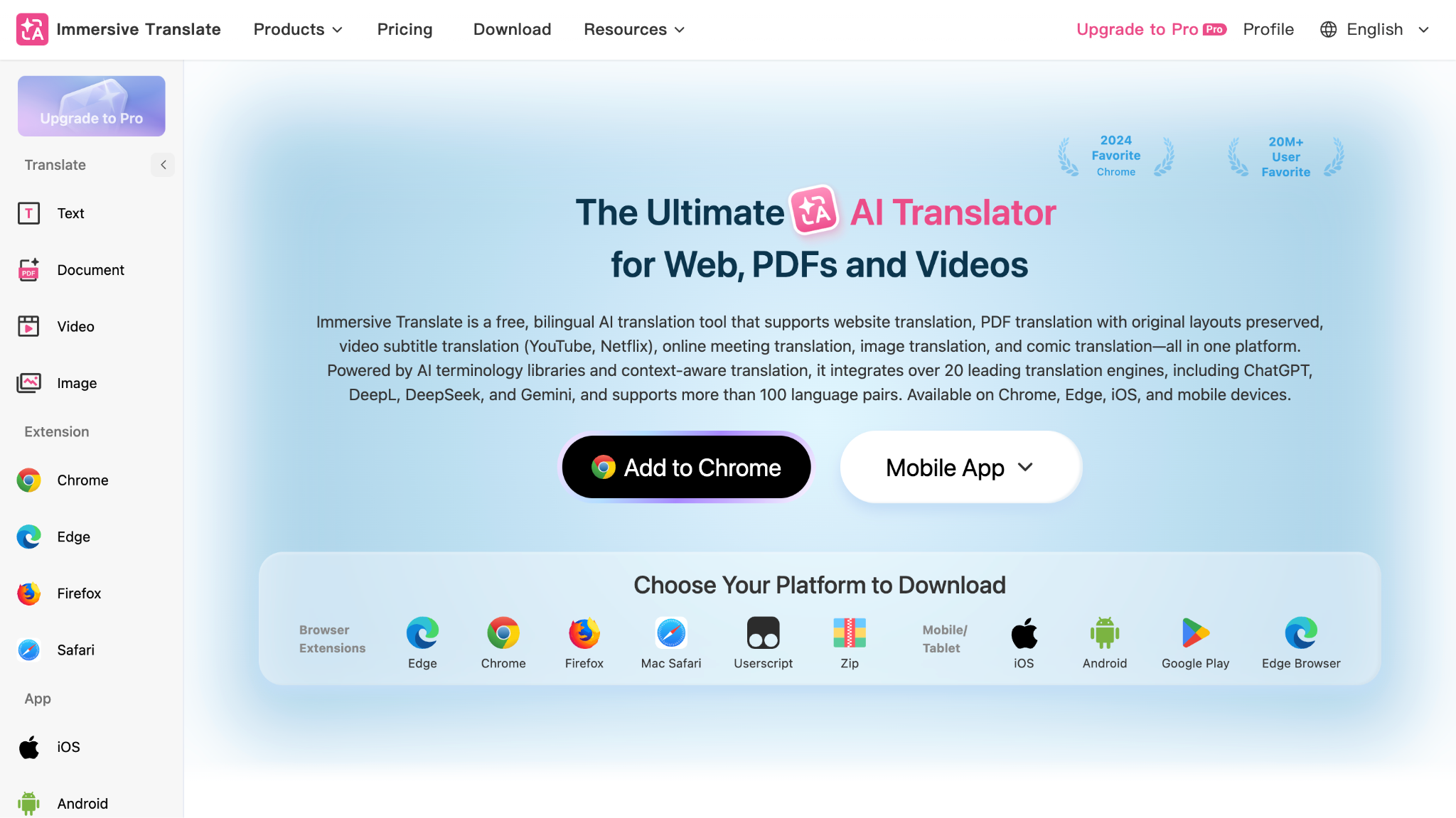
Platforms Supported: Chrome, Edge, Firefox, Safari, iOS, Android, Mac
Immersive Translate is an AI translation tool that covers more than live conversations. It can translate online meetings, video subtitles, websites, images, and documents, making it useful when you regularly switch between different types of multilingual content.
For live translation, Immersive Translate can display bilingual subtitles during meetings on Zoom, Google Meet, and Microsoft Teams. It can also translate video subtitles in real time across more than 100 video platforms, including YouTube, Netflix, and Prime Video. The tool supports more than 100 language pairs and works with 20+ translation engines, including ChatGPT, DeepL, DeepSeek, and Gemini.
It is also useful after a meeting or video ends. Immersive Translate can translate PDFs while preserving the original layout, and its PDF Pro version supports scanned documents, OCR, and paragraph-by-paragraph bilingual comparison.
Best For: People who need real-time translation across meetings, videos, websites, and documents rather than a tool focused on just one type of conversation. It is especially useful for international teams, students, and anyone who consumes content in multiple languages.
Key Features
- Real-Time Meeting Translation: Provides bilingual captions during Zoom, Google Meet, and Microsoft Teams meetings.
- Video Subtitle Translation: Translates subtitles in real time across 100+ video platforms, including videos that do not have original subtitles.
- 100+ Language Pairs: Supports translation across more than 100 language combinations.
- Website Translation: Provides side-by-side bilingual website translation while keeping the original page structure.
Immersive Translate Pricing
- Free: Free to use with unlimited web page, PDF, YouTube subtitle, e-book, image, and text translation, subject to fair-use limits.
- Personal: $9.99/month when billed annually, with 20M AI translation tokens/month and Pro features such as PDF Pro, layout-preserving PDF translation, image translation, and YouTube subtitle export.
- Team: $19.99/month when billed annually, with 50M advanced translation tokens/month plus access to premium AI models and Pro features.
- Free trial: Personal and Team plans include a 3-day free trial and can be canceled during the trial.
Immersive Translate Pros
- Supports real-time translation for major meeting platforms.
- Works across meetings, videos, websites, images, and documents.
- Supports 100+ language pairs and multiple AI translation engines.
Immersive Translate Cons
- Its large feature set can feel more complex than a dedicated meeting translator.
- Advanced scanned-PDF features require PDF Pro.
- It is better suited to bilingual subtitles and content translation than full meeting-assistant features such as AI notes and summaries.
FAQs About Immersive Translate
Is Immersive Translate safe to use?
Immersive Translate is generally safe for everyday translation, and its Android listing states that it does not share data with third parties. However, translation features may process content through different translation engines, so it is still worth checking the privacy settings and policies before using it for highly sensitive documents or conversations.
How to use Immersive Translate?
Install the Immersive Translate extension or app, open the content you want to translate, and select the translation option from the extension icon, floating button, or right-click menu. It can translate web pages, subtitles, images, PDFs, and other supported content, with bilingual translation available for many use cases.
Is Immersive Translate free to use?
Yes. Immersive Translate offers a free version with its core translation features, including webpage, video subtitle, and document translation. Some advanced capabilities, such as Pro image translation and certain PDF features, require a paid Pro membership.
Lara Translate: Real-Time Interpretation Across Text, Audio, and Documents
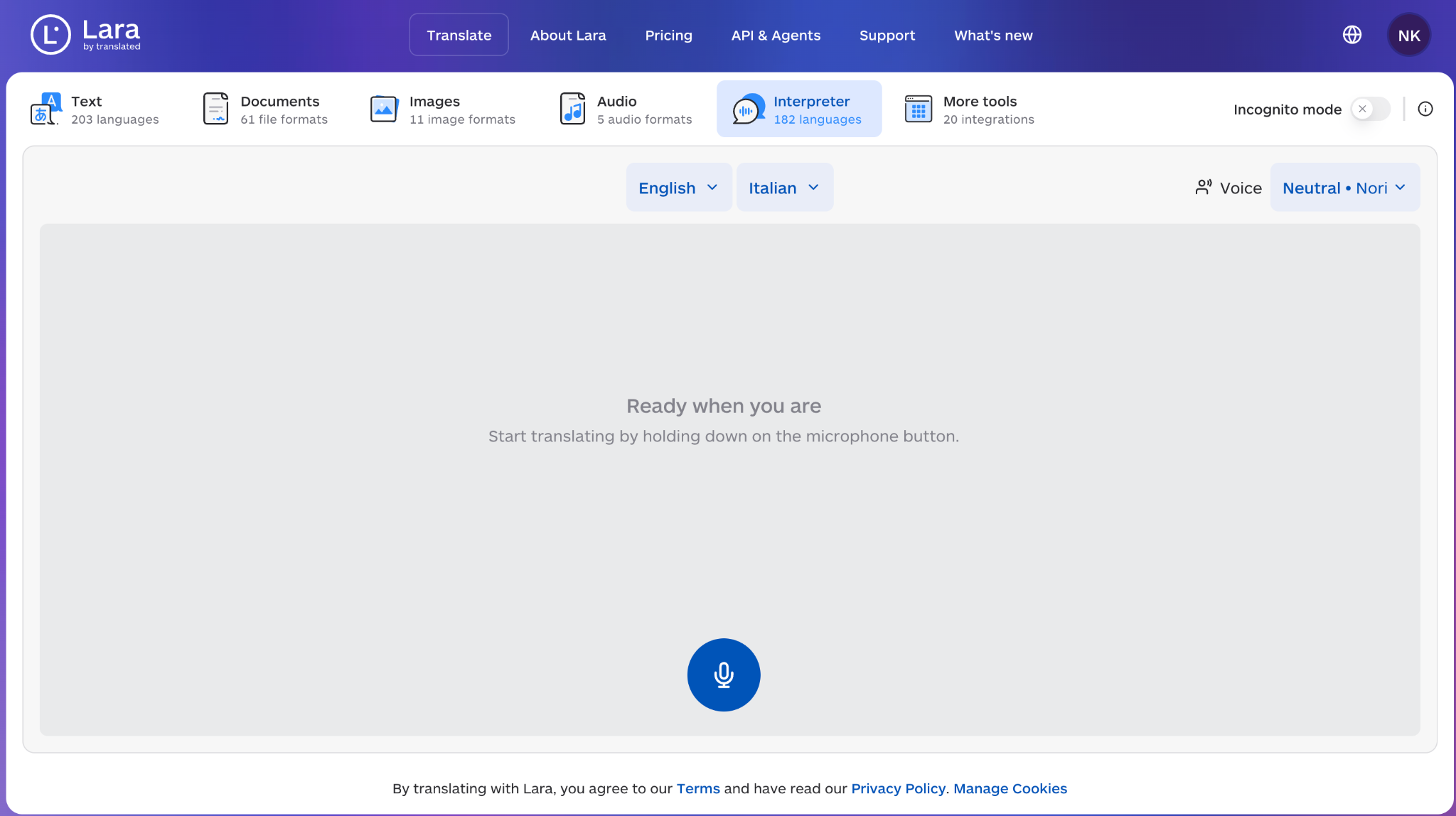
Platforms Supported: Web, iOS, Android, Chrome, Edge
Lara Translate is a broader AI translation platform that combines text, document, image, audio, and live interpreter features in one place. Rather than focusing only on meetings or conversations, it is designed for users who need to move between different types of multilingual content during their work.
For live communication, Lara includes a Voice Interpreter that provides real-time consecutive interpretation for meetings and conversations. The same platform can also translate documents, audio files, images, and text, so you do not need to move to a separate tool when the conversation turns into a document or another type of content.
Lara supports more than 200 languages for text translation, 70+ file formats, and its document translation preserves the original layout.
Best For: Professionals and teams that need one translation platform for live conversations as well as documents, audio, images, and written content. It is particularly useful when multilingual work continues beyond a single meeting.
Key Features
- Image Translation: Translate text inside images while preserving the visual presentation.
- Context-Aware Translation: Lets users add context and choose different translation styles to improve the result.
- Incognito Mode: Translations can be processed without storing content, according to Lara's current privacy features.
- Browser and Mobile Apps: Available through the web app, iOS, Android, Chrome, and Edge.
Lara Translate Pricing
Lara Translate has a free plan with 60,000 characters per month shared across its translation features. The Pro plan starts at $9.99/month when billed annually and includes 500,000 characters per month, while Team plans start at $29.99/month for 1.5 million shared characters.
Lara Translate Pros
- Combines live interpretation with text, document, image, and audio translation.
- Has a useful free plan with 60,000 characters per month.
- Available across web, mobile, and browser extensions.
Lara Translate Cons
- Its interpreter feature uses consecutive interpretation rather than the simultaneous meeting translation workflow offered by some dedicated live translation platforms.
- The shared character quota applies across all features.
- Heavy document or audio usage can consume the monthly quota quickly.
FAQs About Lara Translate
Can Lara Translate translate English?
Yes. Lara Translate supports English along with more than 200 other languages, including multiple English variants such as US, UK, Australian, and Canadian English. You can use it for text, documents, audio, images, and real-time interpretation.
What is Lara by Translated?
Lara is an AI translation platform developed by Translated, a language technology company. It provides translation for text, documents, images, and audio, along with a Voice Interpreter for real-time spoken interpretation. Lara currently supports 200+ languages and 70+ file formats, making it useful for both everyday translation and professional multilingual workflows.
Which AI Live Translation Tool Should You Choose?
- If you searched for the best AI translator and AI note taker, choose JotMe for meetings and DeepL/Google Translate for short text translation.
- If you searched for contextual live translation, choose JotMe because it preserves context, speaker intent, and meaning throughout the conversation instead of translating each sentence literally.
- If you searched for the best live translation app, choose JotMe for professional meetings, Wordly for webinars, and Interprefy for events.
- If you searched for the best real-time translation app, choose JotMe for continuous meeting audio and Transync AI for individual bilingual display.
- If you searched for a free translation app, choose Google Translate, Apple Translate, Microsoft Translator, or Papago depending on your device and language pair.
- If you searched for the best translation app for live conversation, choose JotMe for work calls and Google Translate for short casual conversations.
- If you search for a phone call translator, BabelPhone is the better fit. It provides real-time translated speech, live transcription, and support for 80+ languages.
- Immersive Translate is a good choice when you need to move between live meetings, websites, videos, images, and documents. Its PDF translation also supports preserved layouts and OCR for scanned files.
- Lara Translate is useful when you need to translate different types of content, including text, documents, images, audio, and interpreted conversations.
Choosing the right AI live translation tool ultimately depends on how and where you communicate. Some apps are built for fast text or travel translation, while others are designed for continuous multilingual conversations across meetings, webinars, and hybrid events.
To make the decision easier, here are some of the most practical AI live translation apps based on different real-world use cases.
Best Real-Time Translation Apps By Use Case
The best AI live translation app often depends on the type of conversations you handle, whether that is business meetings, webinars, multilingual events, travel conversations, or quick mobile translation.
- The best AI translator for meetings, webinars, and live multilingual events is JotMe, because it combines real-time translation, captions, AI notes, and multilingual meeting support in one workflow.
- The best live translation app for casual conversations is Google Translate. It is good for short conversations, although longer multi-speaker discussions can sometimes reduce translation consistency.
- Another best translation app for iPhone users is Apple Translate, but its language coverage and collaboration features are still relatively limited.
- Besides JotMe, another best real-time translation app for Microsoft Teams is Microsoft Translator, though it works best mainly inside the Microsoft ecosystem.
- The best free translation app for East Asian languages is Naver Papago, especially for Korean, Japanese, Chinese, and Vietnamese conversations, but it is more suited for personal use than enterprise meetings. For an enterprise solution, JotMe is the top choice.
- Another best voice translator app for events with interpreter support besides JotMe is Kudo or Boostlingo.
- The best app for live translation in webinars is Wordly or Interprefy, but if you want a simple setup, JotMe is still the best choice.
While these recommendations help narrow down the options by use case, the right choice still depends on the level of translation accuracy, meeting support, and multilingual collaboration you actually need.
If your priority is simple phrase translation or offline mobile use, free apps like Google Translate, Apple Translate, and Papago are usually enough. For phone calls, BabelPhone is a better fit, with real-time call translation, live transcription, and translated voice output. Lara Translate is another flexible option if you need real-time interpretation alongside text, audio, image, and document translation.
For business environments, the requirements change quickly. Long meetings, technical discussions, multilingual audiences, and post-meeting follow-ups often require live captions, speaker-aware transcripts, and context-aware translation instead of basic sentence conversion. Immersive Translate is useful when translation extends beyond meetings to videos, websites, images, and PDFs, while still supporting real-time bilingual captions for platforms such as Zoom, Google Meet, and Microsoft Teams.
Platforms such as Wordly, Interprefy, Kudo, and Boostlingo are strong choices for webinars, conferences, and enterprise-scale interpretation workflows. Some focus more on AI automation, while others combine AI with human interpreters for higher accuracy in high-stakes environments.
However, if you need an all-in-one platform that combines real-time AI translation, meeting transcription, multilingual captions, AI notes, and support across Zoom, Google Meet, Microsoft Teams, and Webex, JotMe offers the most complete workflow in a single tool. It is especially useful for international webinars, training sessions, global team meetings, and multilingual internal communication where conversations need to remain searchable and accessible after the meeting ends.
Try JotMe for free today and see how effortless live translation can be across 200+ languages.
FAQs on AI Live Translation
What is the best real-time AI translator?
JotMe is currently one of the most advanced real-time AI translation tools available in 2026, as it has added features like text-to-text translation, AI chat, real-time summary, and pronunciation generation. Also, unlike basic transcription apps, JotMe offers fully integrated real-time subtitles and live meeting translation across Zoom, Google Meet, MS Teams, and Webex. It supports 77+ languages on the Chrome extension, 200+ languages on the desktop app, offers human interpreter integration, and delivers meeting summaries post-call.
Can Google Translate translate in real time?
Yes, Google Translate can handle real-time translation in certain situations, such as voice conversations, camera input, and text detection, via its mobile app. The Conversation Mode allows two users to speak into the app, and it instantly translates their dialogue. However, Google Translate is not designed for professional meetings that occur in real-time.
What are the main PolyPal uses?
PolyPal is mainly used for live translation and real-time subtitles across four core scenarios. PolyPal also pairs with the Timekettle PolyPal P1 earbuds for hands-free, in-ear translation across 138 languages.
How do I use Google Translate in conversation mode?
To use Google Translate in Conversation Mode, you will need to open the Google Translate app on your Android or iOS device, select the two languages you want to translate between at the top, and tap the Conversation icon. Once you start speaking, the app listens, transcribes your speech, translates it, and plays the translation aloud in the other language.
What are the benefits of real-time translation?
Real-time translation breaks down language barriers instantly, allowing people from different linguistic backgrounds to communicate effectively. For international teams or brands, real-time AI translation is a necessity for effective communication.
Is DeepL Voice better than Google Translate?
DeepL is generally regarded as more accurate and natural-sounding than Google Translate for many European languages. It’s especially strong in translating documents (such as PDFs and Word files), offering better grammatical context and sentence structure. That said, Google Translate supports more languages (100+), while DeepL supports around 30+.
Is DeepL Voice better than ChatGPT?
DeepL is better if you need precise, structured translation of documents or paragraphs between specific language pairs. It is optimized for translation workflows and document fidelity. ChatGPT is better at conversational context, tone detection, and creative translation.
Does JotMe have a mobile app?
Yes. JotMe offers a mobile app that supports real-time translation on the go with a pay-as-you-go model. It’s ideal for short-term use, travel, and multilingual conversations without requiring a recurring subscription.
Does JotMe support live translation on Zoom and Google Meet?
Yes. JotMe works seamlessly with Zoom, Google Meet, Microsoft Teams, Webex, and other platforms. During testing, JotMe started translating as soon as the meeting began without adding an external bot or requiring host permissions, making setup fast and unobtrusive.
Can JotMe translate between Japanese and English in real time?
Yes. JotMe supports real-time Japanese and English live translation across desktop, mobile, and Chrome extensions. We tested bilingual conversations and found that JotMe handled natural speech, business terminology, and sentence context accurately, making it suitable for meetings, interviews, and presentations.
Can Google Translate voice translate in real time?
Yes, Google Translate can voice translate in real time through its Live Translate and Conversation Mode features on the mobile app. Using Gemini-powered AI models, it now supports back-and-forth live conversation in over 70 languages, with audio output and on-screen transcripts.
Can my phone translate a conversation?
Yes, your phone can translate a conversation in real time using JotMe. The JotMe mobile app, available on both iOS and Android, is designed for live bilingual and multilingual conversations on the go.
Is ChatGPT better than Google Translate?
Yes, for translating documents, content, and text where tone and nuance matter, ChatGPT often produces more natural-sounding translations than Google Translate. However, ChatGPT cannot translate in real time, does not process live audio, and requires text input, which makes it unsuitable as a live translation app for meetings or conversations.
What is the accuracy and latency of JotMe?
JotMe delivers context-aware translations with an average latency of around 3–4 seconds. In our testing, this delay felt minimal and did not interrupt conversation flow, while accuracy remained consistently high across different accents, speaking speeds, and professional use cases.
Can ChatGPT translate in real time?
No, as of March 2026, ChatGPT does not support real-time audio translation. It processes text input and returns text output, which means it cannot listen to a live conversation and produce instant translations. For real-time voice translation, you need a dedicated real-time translation app like JotMe or Transync AI.
What is contextual live translation?
Contextual live translation is an AI-powered translation method that understands the context, speaker intent, and flow of a conversation in real time. Instead of translating each sentence literally, it adapts translations as the discussion evolves, making conversations more natural and accurate.
What are the benefits of AI translation?
AI translation makes communication faster, more accessible, and easier to scale across different languages. Unlike traditional translation workflows, AI can process large amounts of text or speech in seconds, making it useful for meetings, customer support, travel, business communication, and multilingual content. It can also reduce translation costs and provide real-time translation without requiring a human interpreter for every conversation.
Will AI eventually replace language translators?
AI is unlikely to completely replace language translators. It can already handle many repetitive translation tasks quickly and at a lower cost, but professional translators still play an important role when a translation requires cultural understanding, creative judgment, specialized knowledge, or careful attention to context. AI is more likely to change how translators work by handling routine tasks while humans focus on reviewing, editing, localizing, and improving the final translation.
Last updated on
September 11, 2026
Follow us on social media: