Guides
5 Google Translate Alternatives for Live Conversations on Mobile

Viraj Mahajan
February 3, 2026
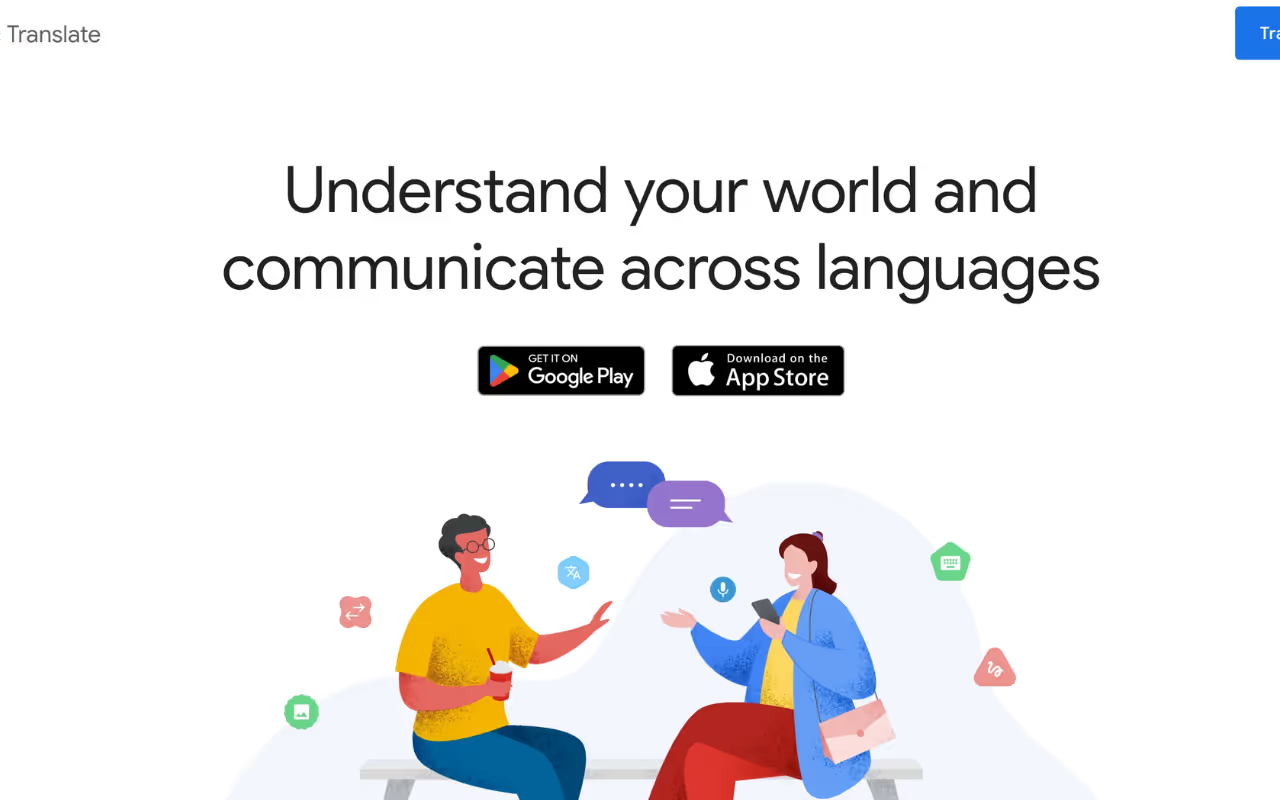
Have you ever been in a conversation using Google Translate and had to restart because someone had to pause to think? While Google Translate’s mobile app offers live back-and-forth voice translation of conversations, it still struggles with the conversation flow. Google Translate works fine for translating basic phrases, but it falls apart when you're discussing a lengthier topic that requires context.
JotMe’s mobile app fixes these issues with continuous voice-to-text translation that doesn’t stop when you pause, contextual understanding that picks up on the tone and industry-specific terms, and Generate Speech that lets you type a message and play it out loud in the speaker’s language.
If you’re looking for alternatives to Google Translate for live voice conversations on mobile, here are five options that we’ve reviewed:
- JotMe’s mobile app understands context and tone to deliver accurate translations in 45 languages, with Fast and Contextual modes that you can switch between based on your needs.
- Microsoft Translator provides free voice translation in 100+ languages, but treats each pause as the end of your conversation, forcing you to scroll through multiple chats to understand the full discussion.
- Talking Translator handles 90 languages with voice-to-voice and speech-to-text translation, but breaks the conversation flow by requiring you to tap the mic every time someone speaks.
- Live Voice Translator includes camera translation for reading signs and menus in 60+ languages and a Phrasebook for common travel phrases, but disrupts conversations with video ads.
- Easy Translate stands out with support for 200+ languages and the ability to translate entire documents like PDFs and Word files, not just conversations. But Easy Translate is filled with disruptive ads and requires tapping before speaking each time.
How we Picked The 5 Alternatives to Google Translate?
We picked the 5 alternatives to Google Translate by testing each app with real-world scenarios that we actually use while trying to communicate across different languages. Here’s what we tested:
- Conversation flows during pauses (Does it start a new chat every time you pause?)
- Understanding of idioms and technical terms (Can it translate idioms correctly or misunderstands them?)
- Ease of use during live conversations (Do you need to tap buttons constantly, or can you just talk naturally?)
- Ad interruptions (Do ads pop up and ruin the conversation flow?)
- Offline functionality (Can you use it without the internet?)
- Multilingual group conversations (Does it translate multiple spoken languages at once?)
5 Best Google Translate Alternatives on Mobile
After testing the best Google Translate alternatives, we scored them based on translation accuracy, language support, conversation continuity, average response latency, hands-free usability, and whether they interrupted the flow with ads or constant tapping. We found which apps work best for specific situations, like natural conversation flow, offline translation, and multilingual group chats. Check out the best live translation apps for specific situations below:
Best Google Translate Alternative for Natural & Continuous Translation: JotMe
While most live translation apps treat silence/pause as the end of the chat, JotMe keeps the conversation going even when you pause.
- Once you begin the live translation in the JotMe mobile app, the conversation stays in one continuous thread, allowing you to follow conversations without losing context. This can be useful when you’re in the middle of an important conversation, like a business discussion, or trying to understand directions from a local while traveling.
Best Google Translate Alternative for Multilingual Group Chats: JotMe
When you’re in a group conversation where everyone’s speaking a different language, JotMe can translate multiple languages at once.
- JotMe’s mobile app can provide live voice-to-text translation of up to 10 different spoken languages simultaneously into your preferred language, including English, Japanese, Spanish, and more, by setting the Spoken Language to Multilingual.
Best Google Translate Alternative with Highest Language Support: Easy Translate
When you’re dealing with a less common language, Easy Translate offers a wide range of language support in over 200 languages.
- While Easy Translate offers live voice and text translation in 200+ languages, it does fall short in terms of accuracy. Easy Translate’s accuracy is decent, but not as strong as JotMe when it comes to understanding context and tone.
Best Google Translate Alternative for Low-Data / Budget Phones: JotMe
If you’re using a budget phone or trying to keep your data usage low while traveling, JotMe is a suitable Google Translate alternative.
- JotMe’s Android app runs on Android 6.0 and up, which means it can work on phones as old as 2015. JotMe’s download size is also the smallest here, so if you have an older phone lying around with decent internet access, JotMe is a solid choice.
- Live Voice Translator and Easy Translate might provide more features, but they eat up your phone’s data and battery with camera translation and frequent video ads. This can cause your phone to lag, especially if you’re using an older device, which would not be suitable for quick live translation.
Best Google Translate Alternative for Offline Voice Translation: Talking Translator and Easy Translate
When you’re traveling and don’t have reliable internet access, the real-time translation apps, like Talking Translator and Easy Translate, offer offline translation. These AI live translation apps allow you to download language packs and continue translating even without a connection.
- Talking Translator supports offline translation with downloaded language packs, but it only works for text-to-text translation, and the accuracy drops slightly compared to online mode.
- Easy Translate offers offline translation for 200+ languages once you download the required packs, but you need a subscription to unlock that feature.
Quick Comparison of the Best Mobile Alternatives to Google Translate for Voice Conversations
Before diving into the details of the AI live translation apps to translate voice to text, here’s a quick comparison of the best alternatives to Google Translate. This table highlights the differences in language support, continuous translation, speech generation, and more to help you choose the best live translation app.
What are the Better Alternatives to Google Translate for Live Voice Conversations in 2026?
The better alternatives to Google Translate for live voice conversations in 2026 include JotMe, Microsoft Translator, Talking Translator, Live Voice Translator, and Easy Translate. These AI live translation apps offer real-time voice translation for mobile users, but differ in accuracy, continuous translation support, and more. These Google Translate alternatives are described in detail below:
JotMe Mobile App: Ideal for Continuous Translation of Lengthy Conversations
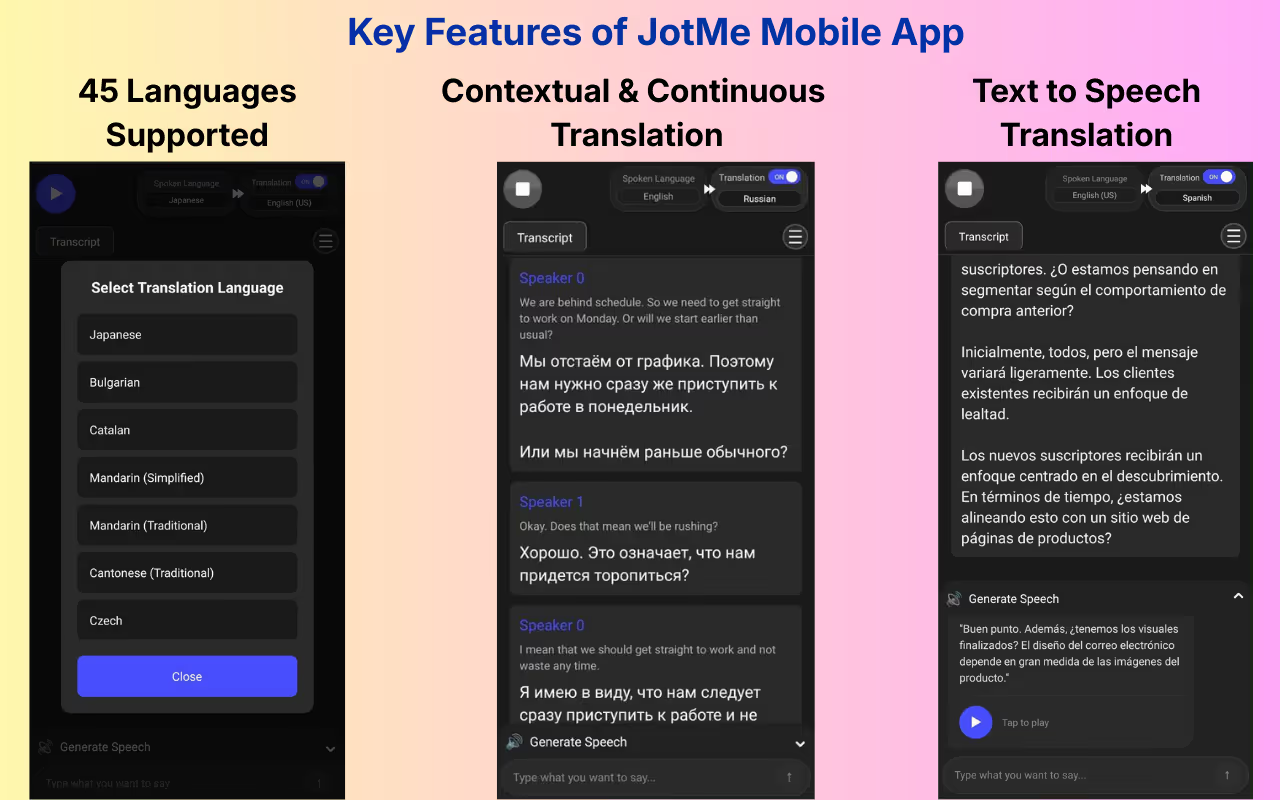
JotMe’s Android and iOS mobile apps support 45 languages for live voice-to-text translation with continuous conversation flow. Whether you’re participating in multilingual study groups or having lengthy conversations while traveling, JotMe is ideal for getting continuous and contextual, real-time translation that doesn’t reset when you pause while speaking.
JotMe provides accurate, live translation by understanding the tone, context, and technical terms without any delay. JotMe also allows you to switch between Fast and Contextual modes, depending on whether you need instant translations or detailed accuracy.
With JotMe, you can get live translation of up to 10 spoken languages simultaneously in your preferred language, which is useful when you’re in an international study group or traveling through foreign cities.
If you want real-time summaries, AI meeting notes, AI answers to your queries, etc., during your live virtual meetings, check out the JotMe desktop app.
What are the Key Features of JotMe’s Mobile App?
The key features of JotMe’s mobile app include live contextual translation, continuous translation, Generate Speech, translation quality setting, and multilingual support. These features are discussed in detail below:
JotMe Mobile App’s Live Contextual Translation
JotMe’s mobile app doesn’t just translate words, but it understands what is actually being said. When you’re having a conversation with someone in a different language, JotMe picks up on the context, tone, and even technical terms to provide accurate translation in real time.
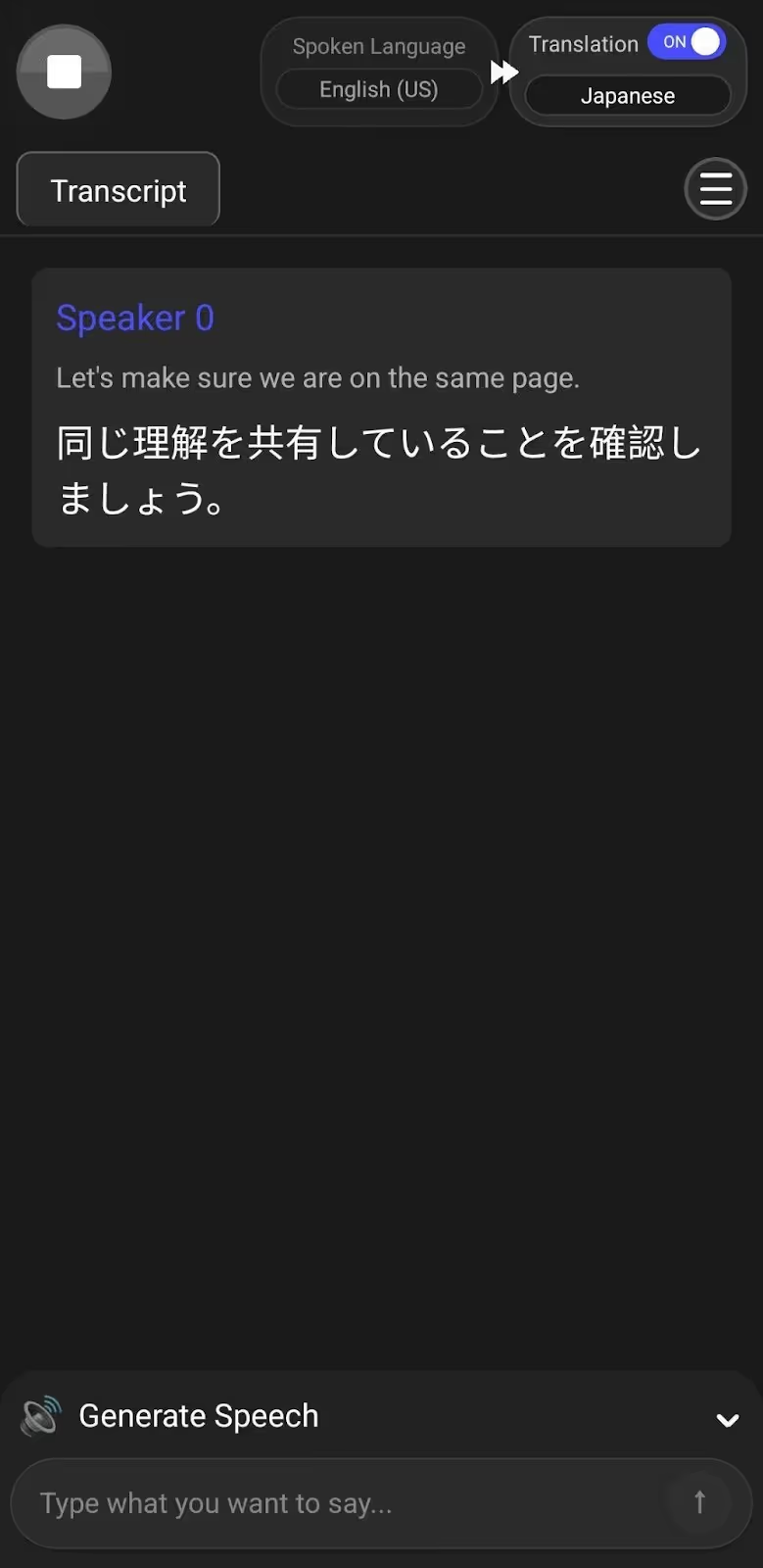
If you’re a business professional having an in-person conversation with international clients discussing industry jargon, JotMe translates those terms contextually without losing the meaning of your conversation.
Google Translate often provides word-for-word translations, especially when it comes to translating idioms. We tried translating the following English sentence into Korean with the idiom “get the ball rolling”:
“Now that everyone’s here, let’s get the ball rolling on the new product launch plan and decide our next milestones before Friday.”
Google Translate’s word-for-word translation delivered this:
Here:
means “get the ball rolling,” when we actually meant “let’s get started.”
However, JotMe’s contextual translation feature delivered the same statement as:
Where:
means “start a discussion,” capturing the actual meaning of the idiom.
JotMe Mobile’s Continuous Translation
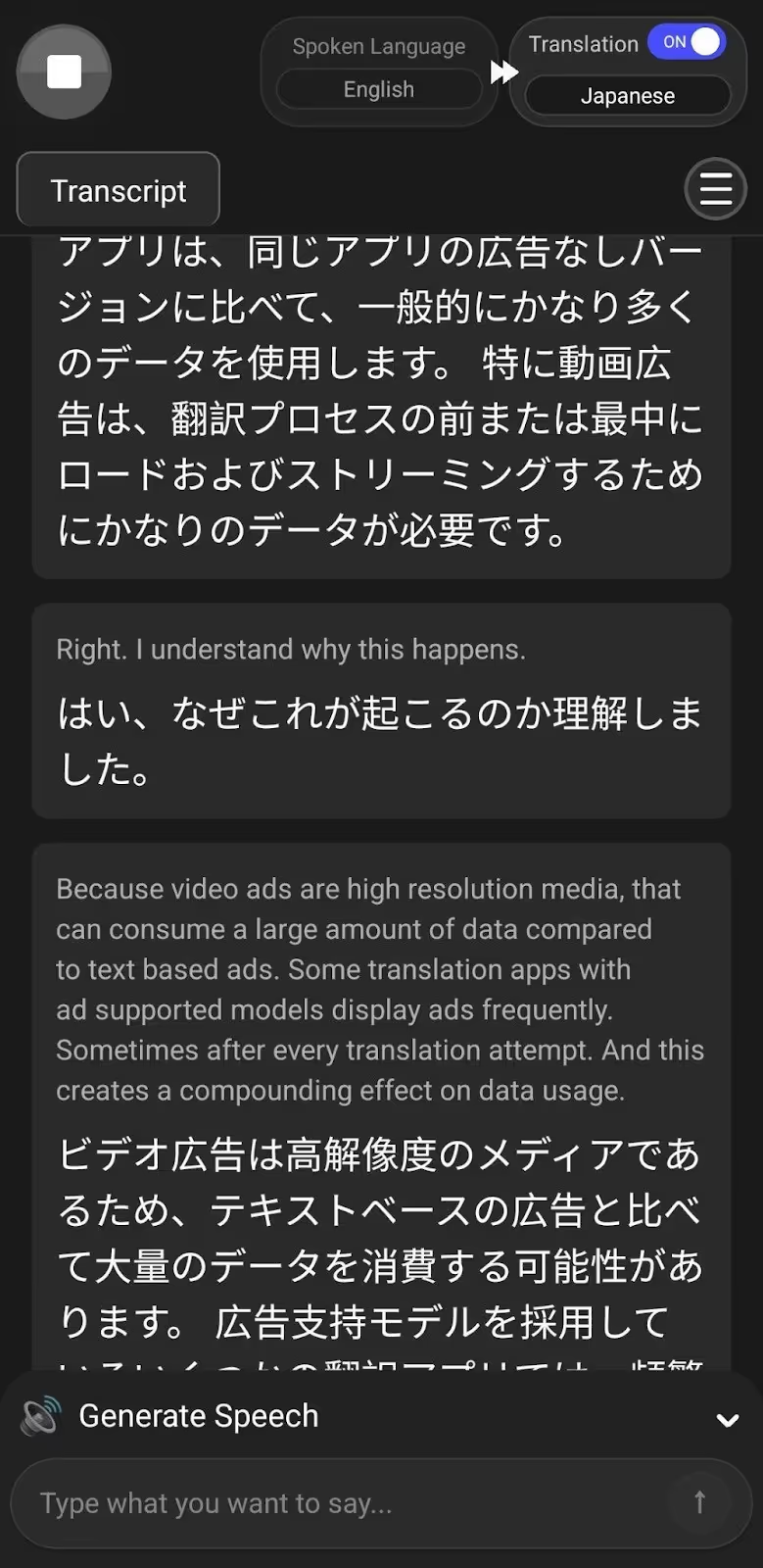
Unlike most apps, JotMe doesn’t stop the real-time translation or start fresh when you have to pause while speaking. When you enable live translation on the JotMe mobile app, it keeps going even when you pause.
This feature is extremely helpful when you’re having longer conversations with locals while traveling to get directions. For students studying abroad, this feature lets you follow entire lectures or group discussions without losing the thread every time someone pauses.
Generate Speech in the JotMe Mobile App
If you want to say something out loud in a language you don’t speak, JotMe’s Generate Speech feature lets you type what you want to say in your language and speak it out loud in the other person’s language.
We were testing English-to-Japanese live translation in the JotMe mobile app with one of our Japanese teammates. Our teammate simply typed a message in Japanese, and JotMe instantly generated the speech in English for us. This helped us respond quickly without any confusion.
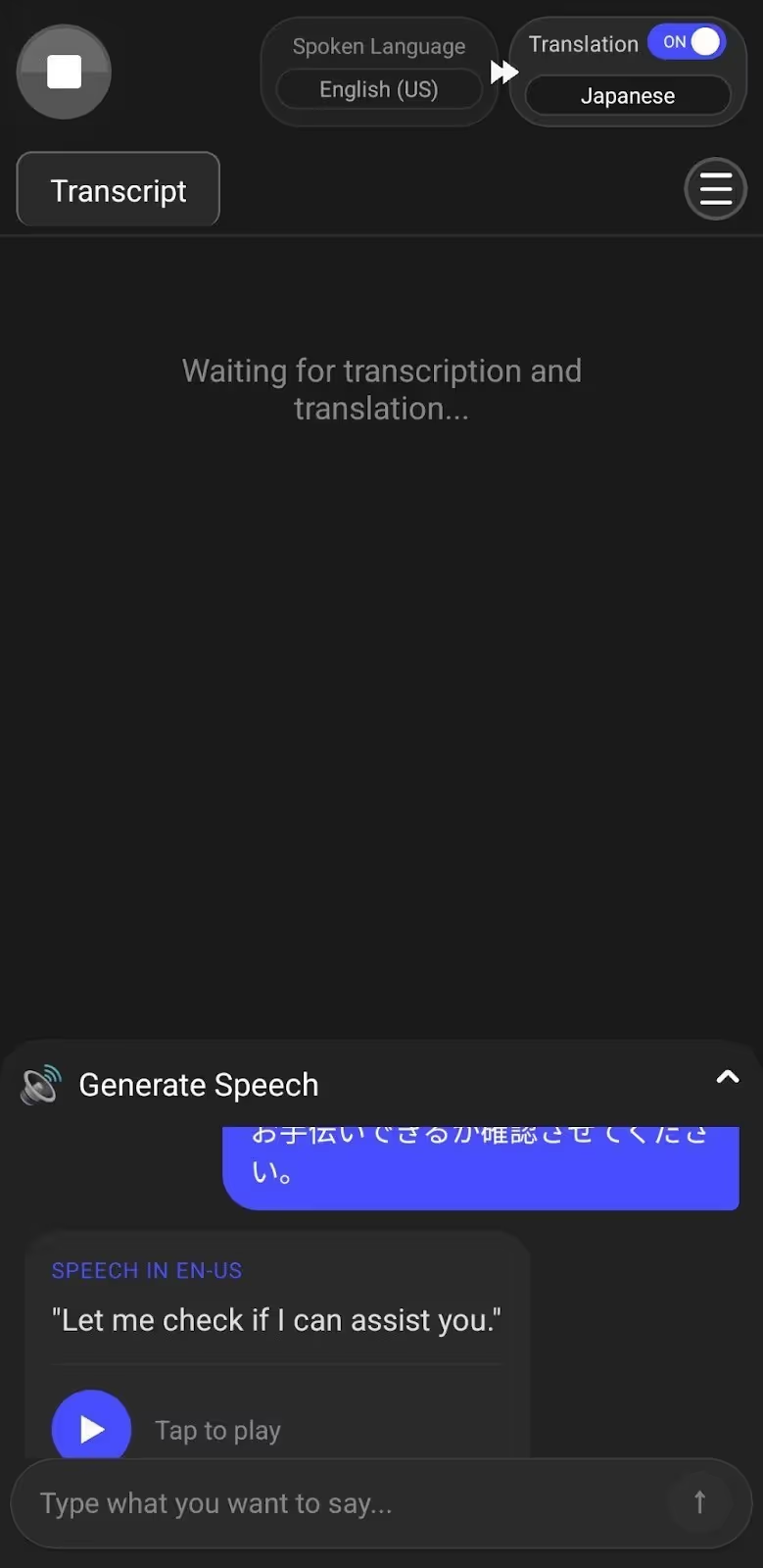
Business professionals might find JotMe’s Generate Speech feature helpful to communicate important details accurately, like confirming meeting times, addresses, or specific requirements, without worrying about miscommunication.
JotMe’s Translation Quality Setting and Multilingual Support
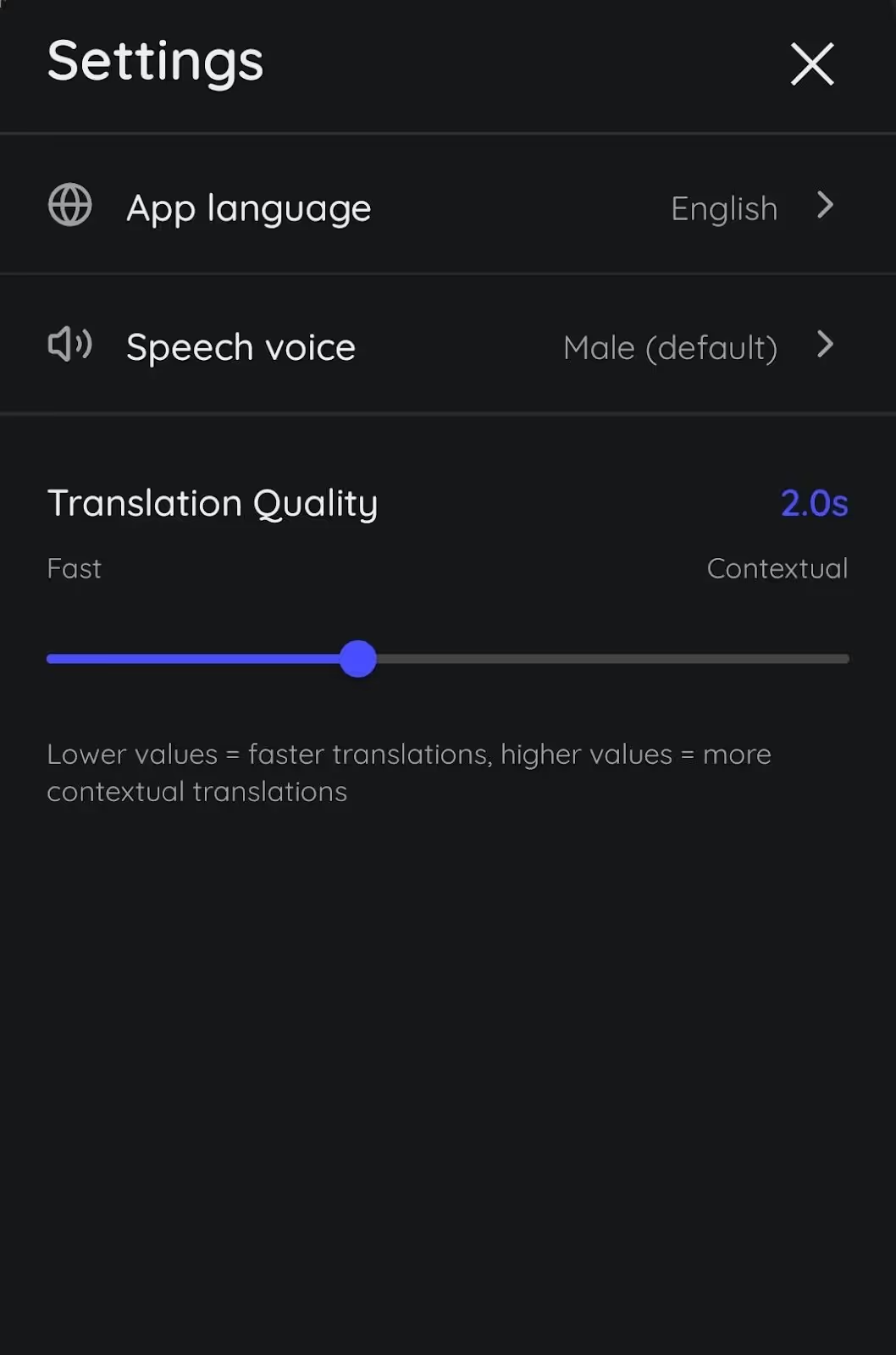
The JotMe mobile app gives you control over how you want your translations delivered. You can switch between Fast and Contextual modes, depending on your needs.
If you’re in a quick back-and-forth conversation while traveling, Fast mode will help you get translations instantly. But when you’re in a more detailed discussion, like negotiating a business deal, Contextual mode takes a bit longer but delivers accurate, real-time translation by understanding what’s being said.
JotMe mobile app also offers a Smart AI Adjustment feature, which automatically adjusts the translation quality by understanding the conversation flow. So JotMe will automatically move the slider to Fast mode when you’re having a quick conversation, and if you’re having an important and detailed discussion, the slider will move to Contextual mode.
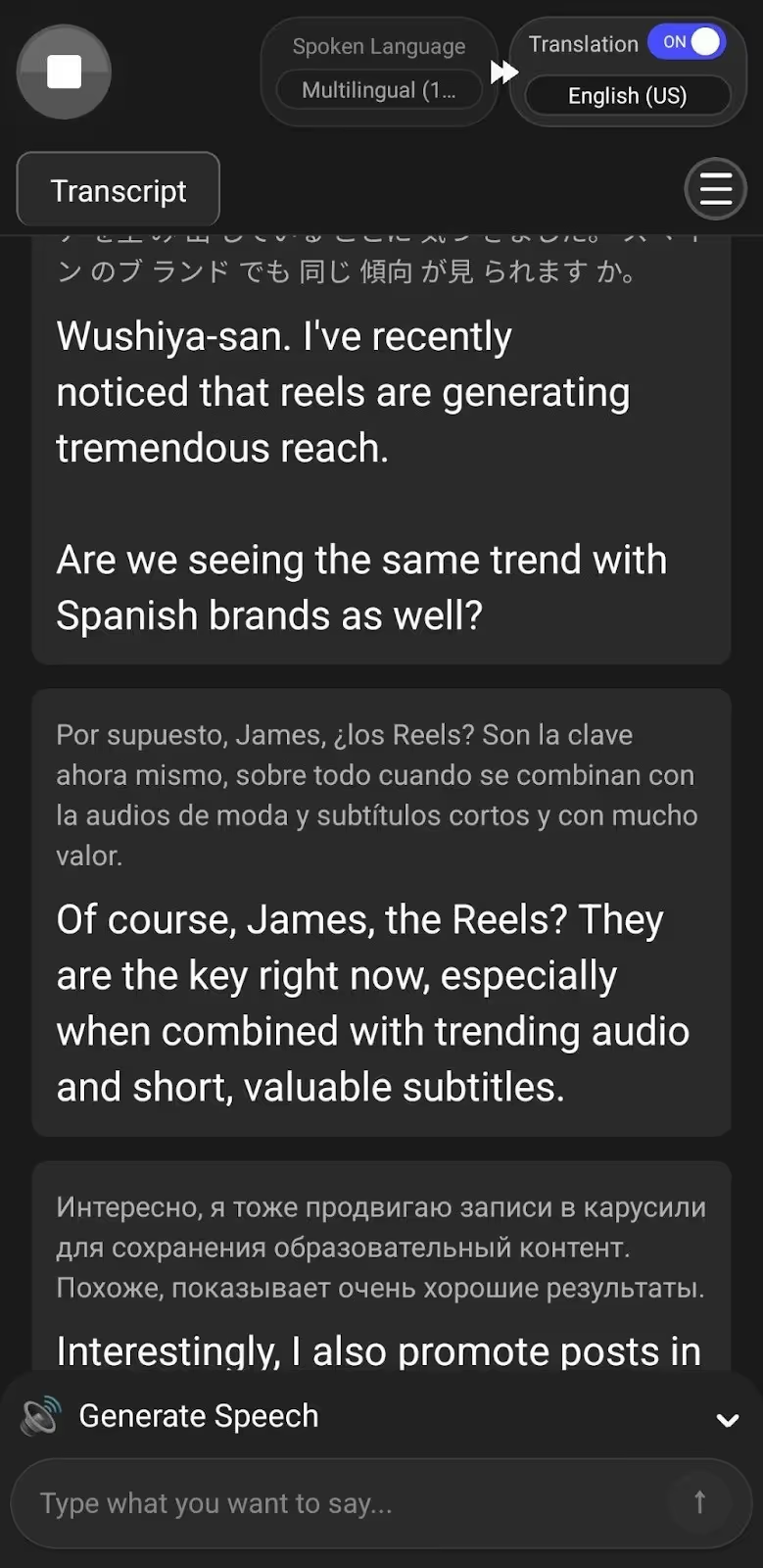
Other than that, JotMe can transcribe up to 10 languages simultaneously for live translation in your selected language, including English, Japanese, Spanish, French, etc. If you’re a student in an international study group where everyone speaks different languages, JotMe’s multilingual translation feature can be useful.
We used JotMe’s multilingual translation feature while discussing Instagram Reels with Japanese, Spanish, and Russian speakers, and JotMe effortlessly translated these languages into English simultaneously.
What Pricing Plans does the JotMe Mobile App Offer?
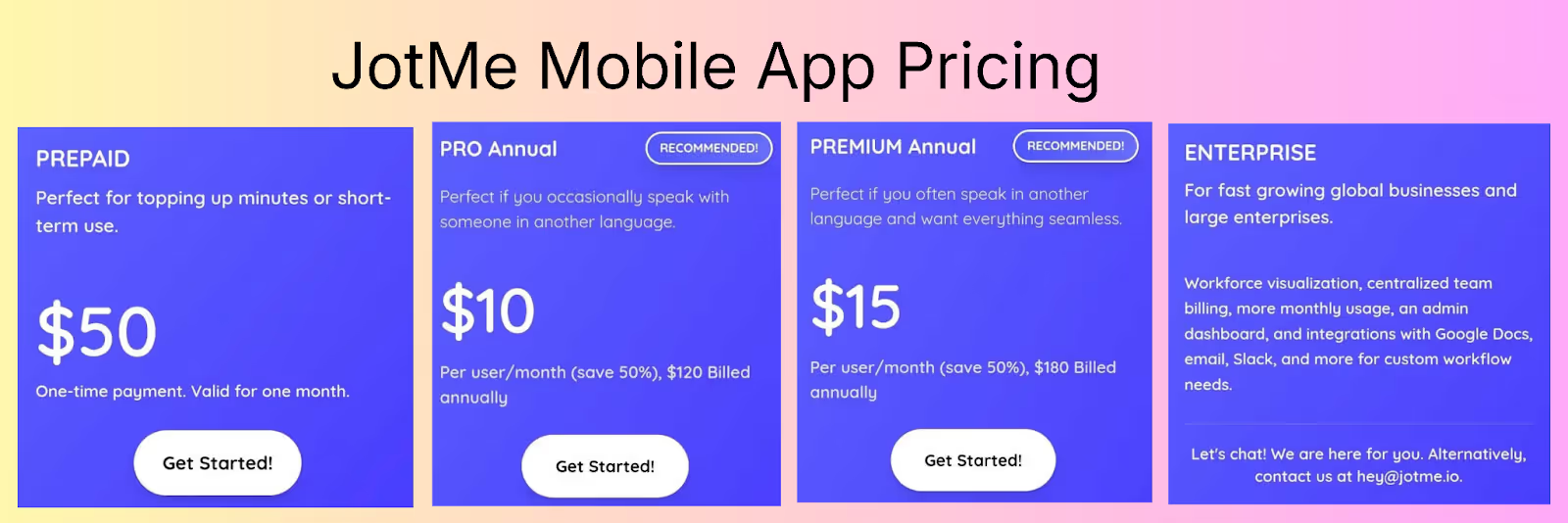
The JotMe mobile app offers a free monthly plan with 20 minutes of live translation and 50 minutes of transcription, along with 5 AI credits. For more translation minutes or AI credits, JotMe mobile app offers the following pricing plans:
- JotMe mobile’s Pay as you go (Prepaid) plan costs $50 that offers 500 live translation minutes valid for one month.
- JotMe’s Pro plan, priced at $10/month (billed annually), comes with 200 live translation minutes, 500 transcription minutes, 20 AI credits for speech generation, and more.
- The Premium plan costs $15/month (billed annually) and offers 500 minutes of live translation, 2000 minutes of live transcription, 50 AI credits for speech generation, and more.
- JotMe’s Enterprise plan is for fast-growing global businesses and offers unlimited monthly transcription, additional monthly live translation minutes and AI credits, centralized team billing, and more.
What are the Use Cases of the JotMe Mobile App?
JotMe’s mobile app is great for multilingual group discussions, international business meetings, and extended conversations while traveling.
Microsoft Translator: Known for Real-Time Translation of Conversations in 100+ Languages
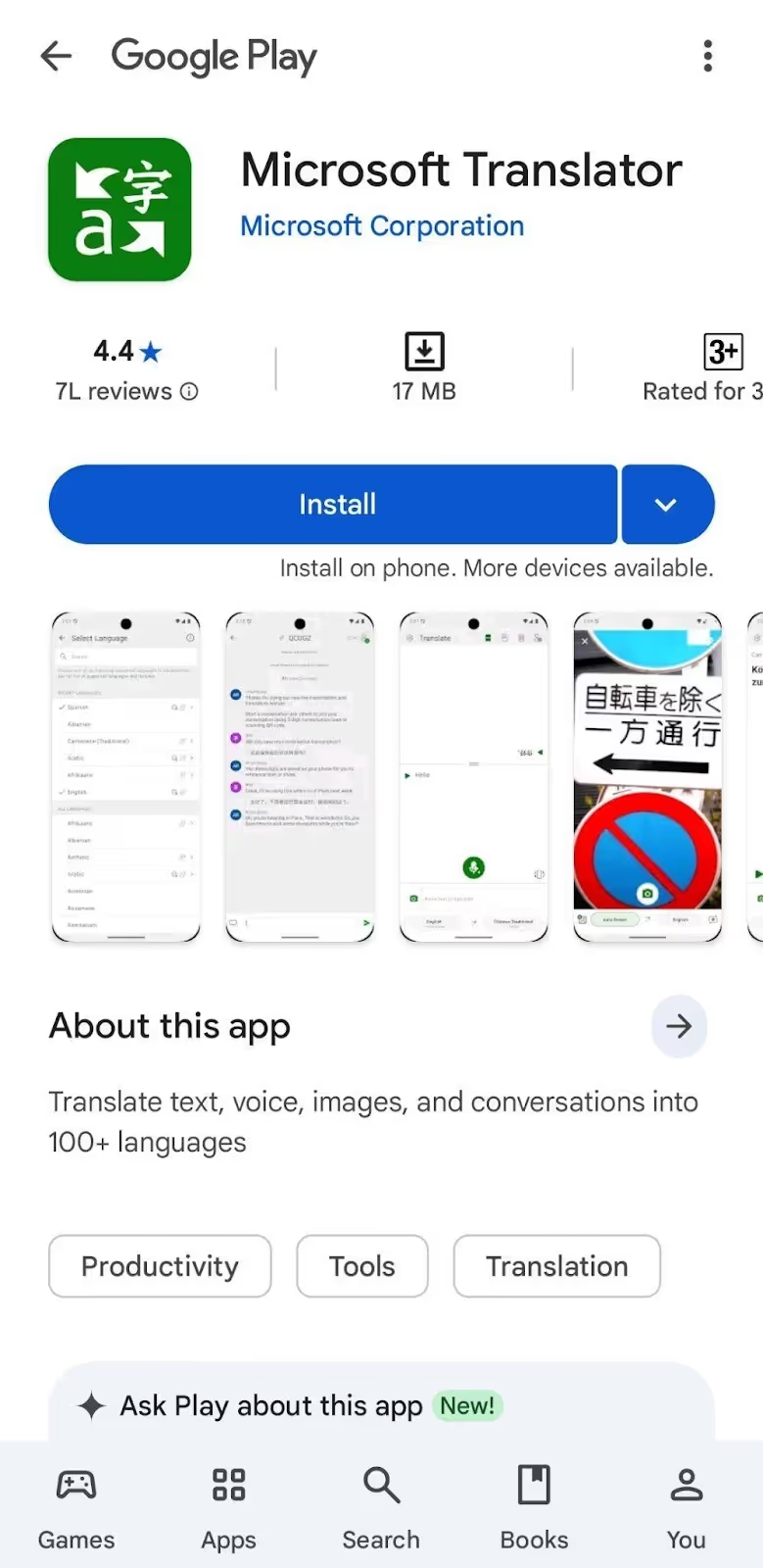
Microsoft Translator supports over 100 languages for voice-to-text translation and text-to-text translation with a manual playback option. Microsoft Translator is ideal for quick chats when you’re traveling and need to understand what someone’s saying in a different language.
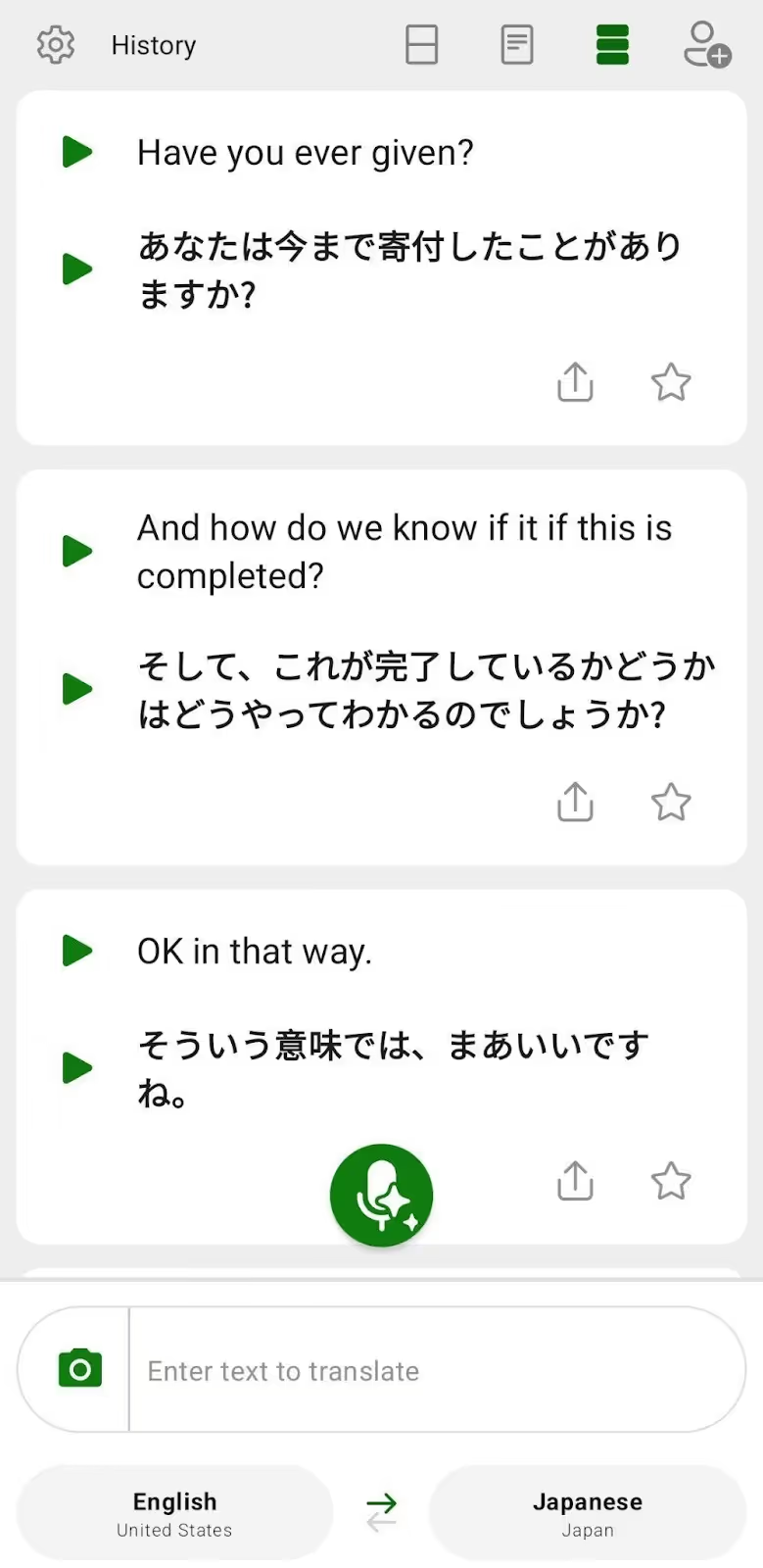
However, Microsoft Translator doesn’t support continuous translation. When you pause to think, Microsoft Translator treats it like you’re done talking and starts a new chat. So, if you’re having a longer conversation, you’ll need to scroll up constantly to understand the entire point of your conversation.
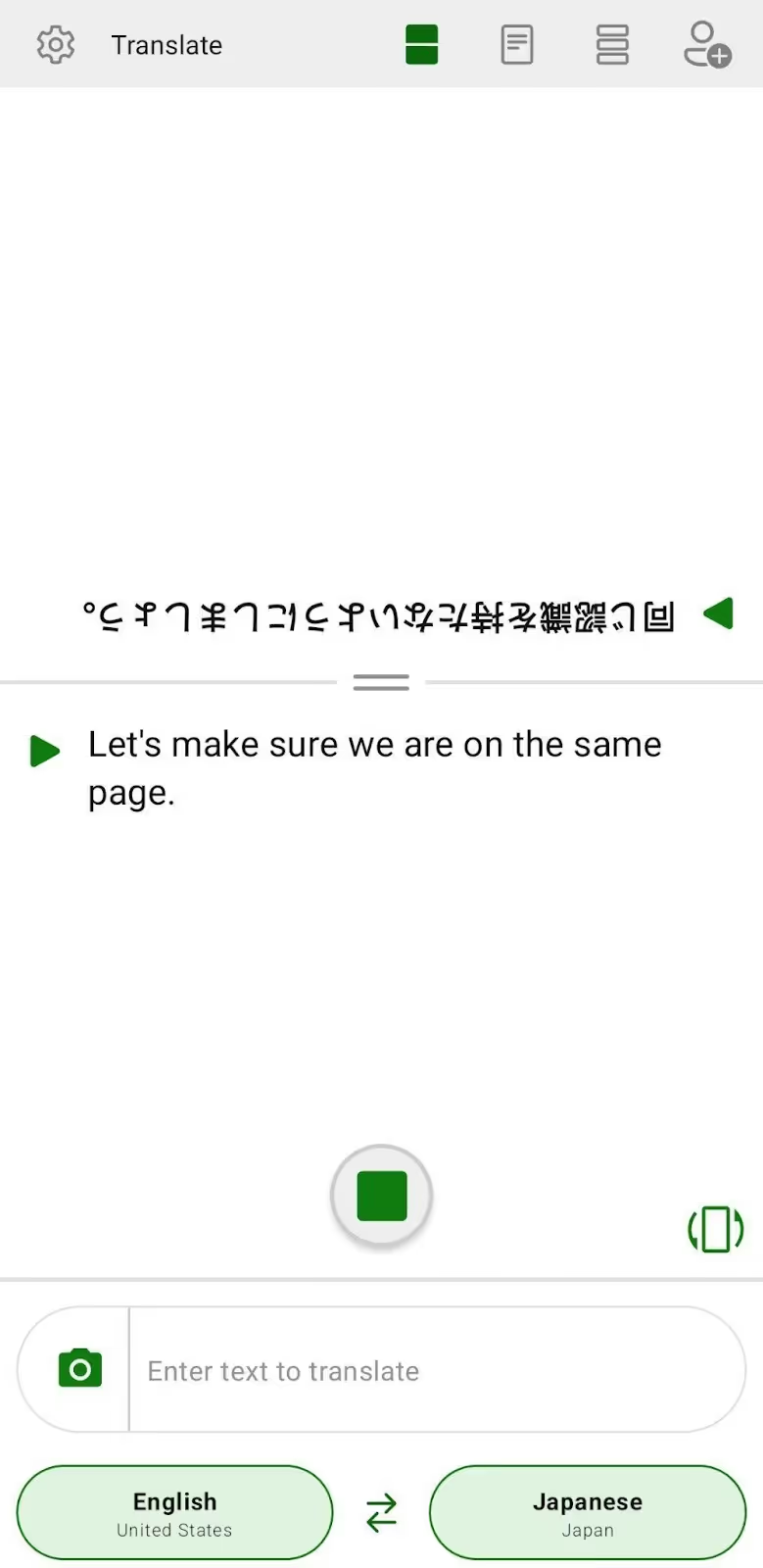
When we used Microsoft Translator to translate English to Japanese, we found that it didn’t catch the idiom correctly and gave the wrong translation. We tried translating the sentence:
“Let’s make sure we are on the same page.”
Microsoft Translator gave this result:
which actually means “don’t get on the same page.”
However, when we used JotMe to translate the same sentence, we got the correct translation:
What Pricing Plans does Microsoft Translator Offer?
Microsoft Translator is free to use on mobile devices for voice, text, and camera translation, and it works fine for simple phrases and everyday situations.
What are the Use Cases of Microsoft Translator?
Microsoft Translator is ideal for quick tourist interaction, short classroom conversations, and brief client communication.
Talking Translator: Good for Quick Voice-to-Voice Real-Time Translation
Talking Translator covers 90 languages and supports voice-to-voice and voice-to-text real-time translation. Talking Translator is a great fit for students practicing pronunciation or business professionals needing quick translations during meetings. However, you need to tap the Mic icon at the bottom every time you speak.
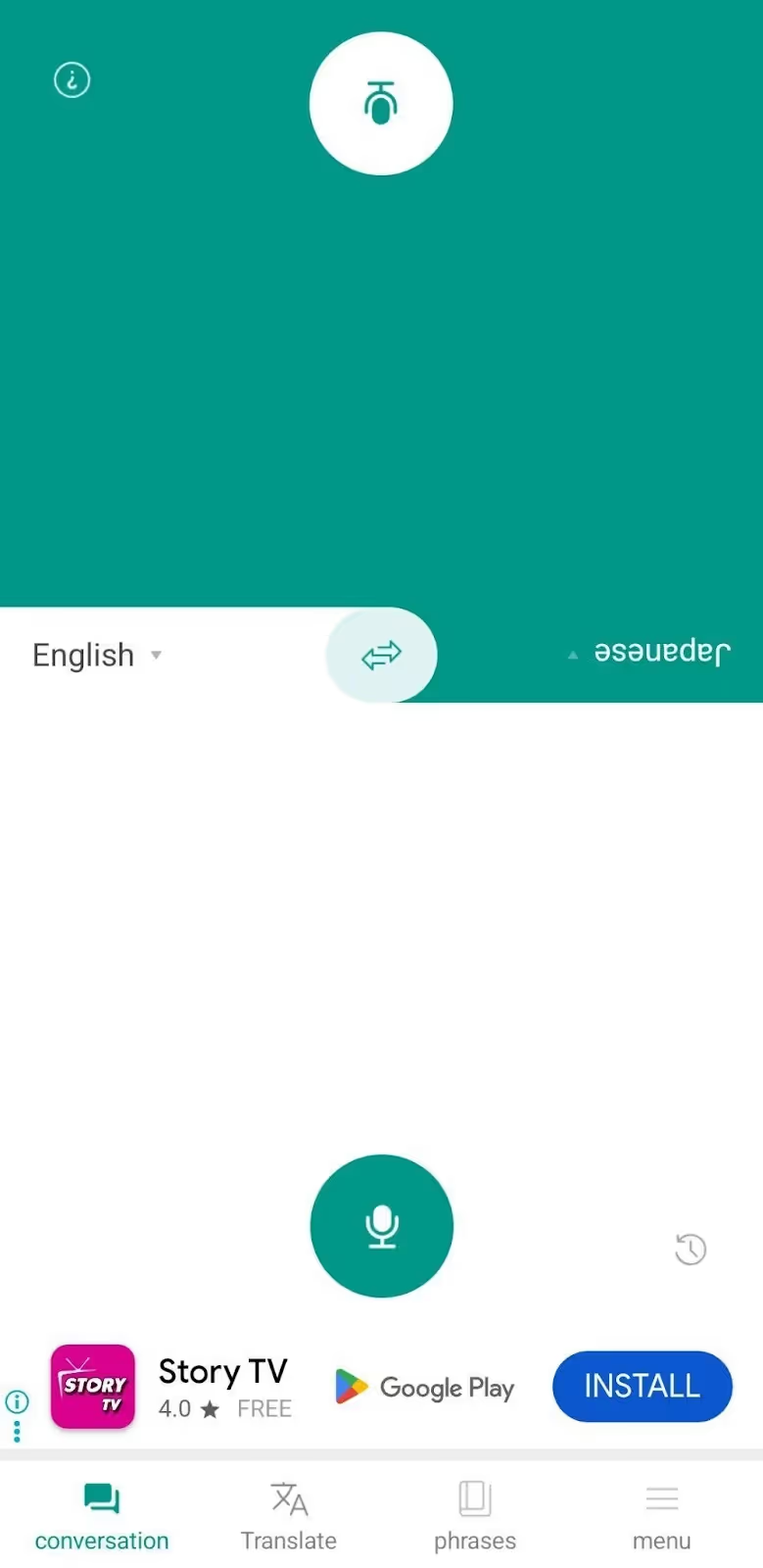
Plus, Talking Translator does not offer continuous translation like you’d get with JotMe, which breaks the conversation flow. Talking Translator doesn’t save the live translation in one continuous thread, and you need to check the Conversation History for previous chats. Talking Translator also displays ads, which can be distracting during important conversations.
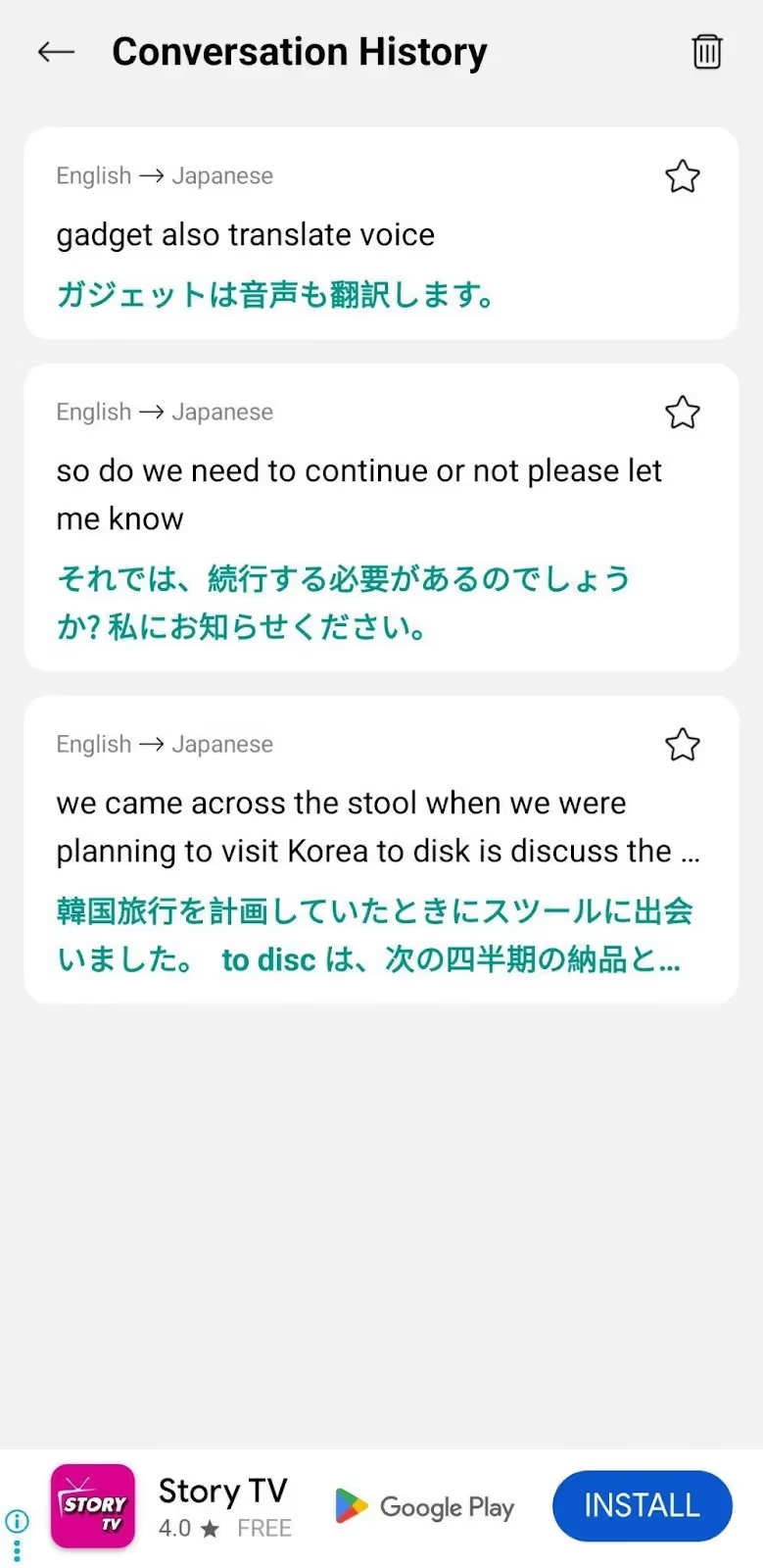
What Pricing Plans does Talking Translator Offer?
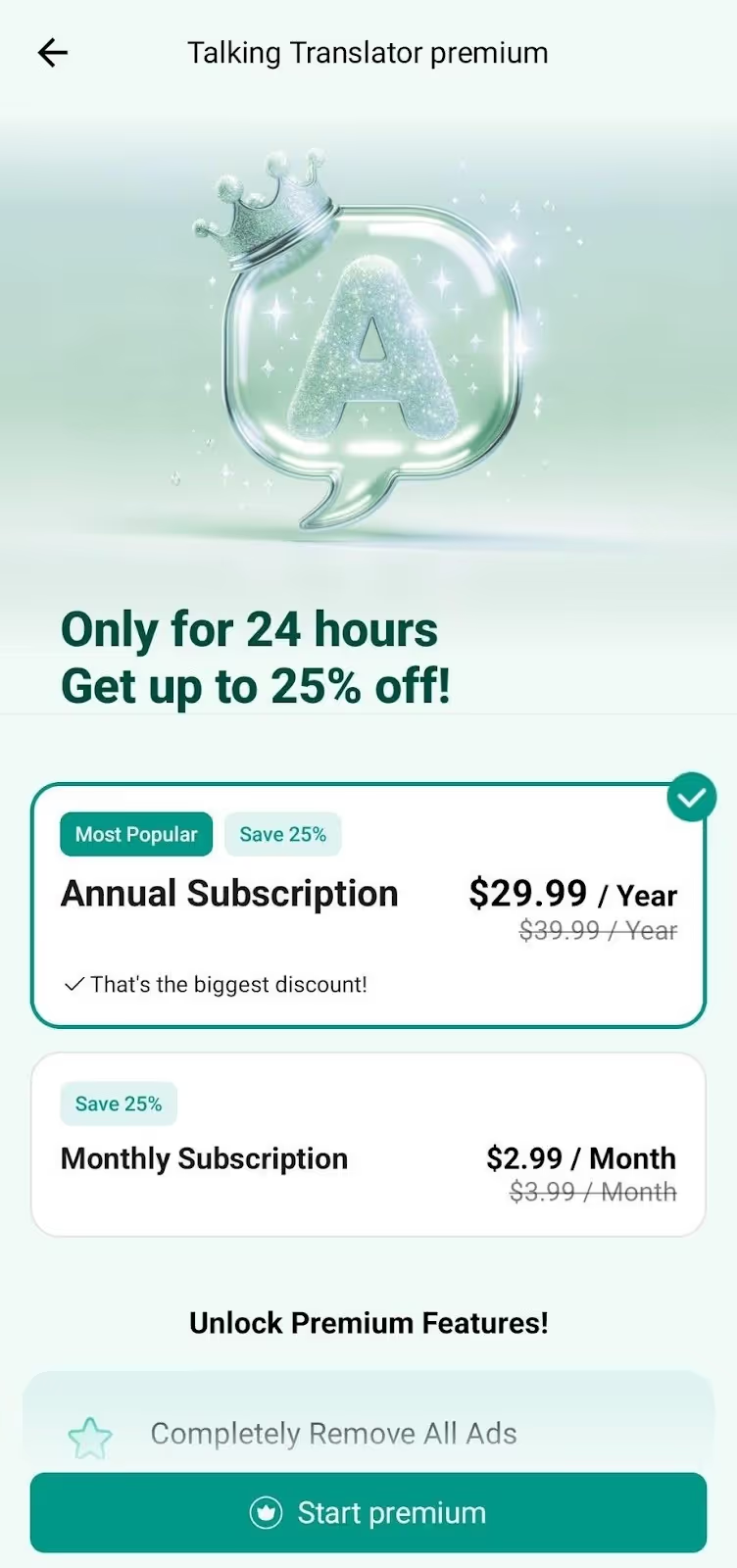
Talking Translator offers a free version for voice-to-voice, text-to-text, and voice-to-text translation, but it comes with ads. Other than that, it offers a Premium plan with monthly and yearly payment options.
- Talking Translator’s Premium plan costs $2.99/month or $29.99/year, and completely removes all ads, offers unlimited offline translation, customized translation voice gender and speed, ad-free translation keyboard, and more.
What are the Use Cases of the Talking Translator App?
Talking Translator is good for shopping experiences, classroom note-taking, and one-on-one business conversations.
Live Voice Translator: Ideal for Camera Translation and Learning Essential Phrases
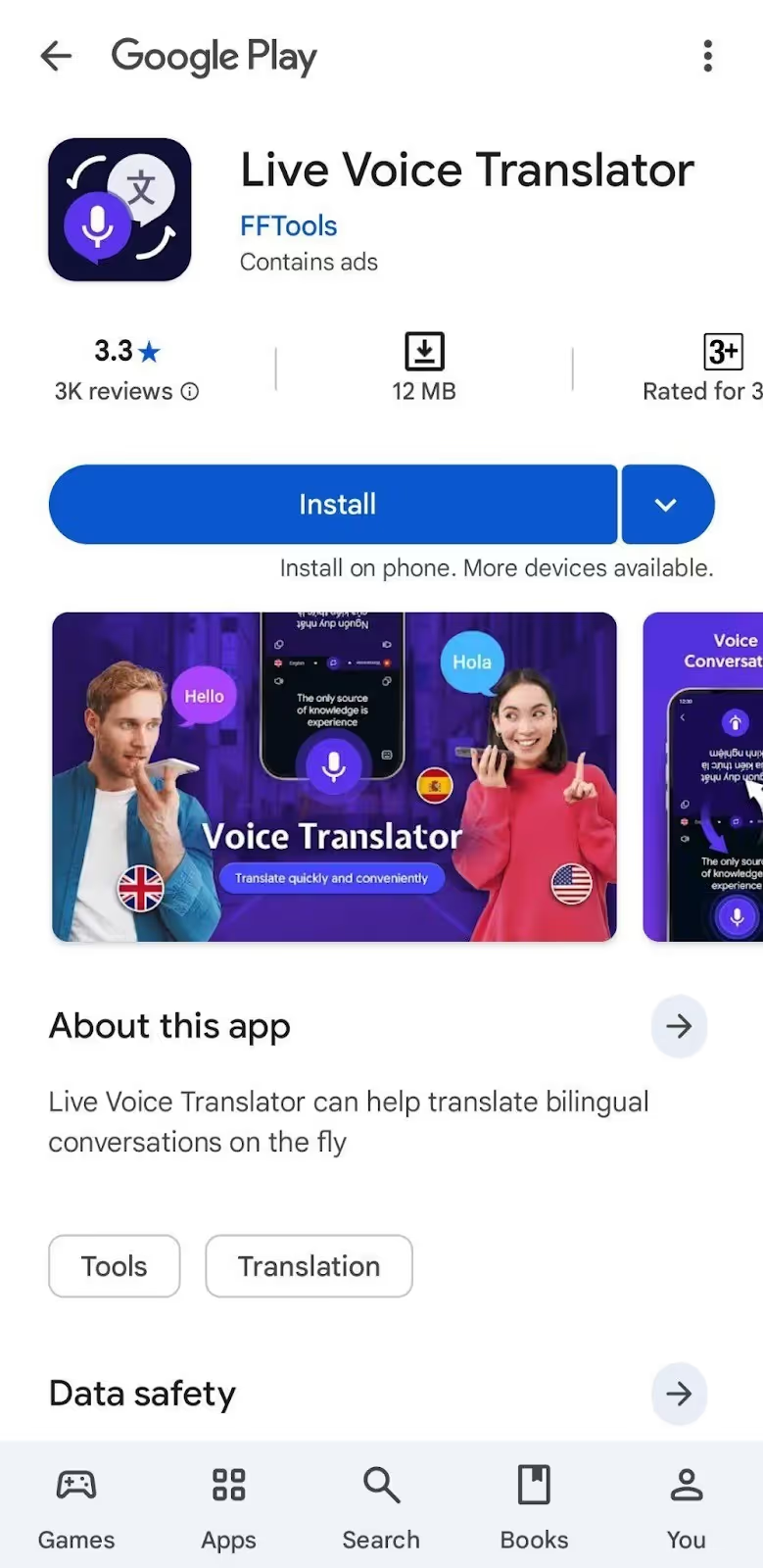
Live Voice Translator works with 60+ languages for live voice conversations and offers a Phrasebook with essential phrases for certain situations. Live Voice Translator offers camera translation, too, so you can translate menus or signboards while traveling.
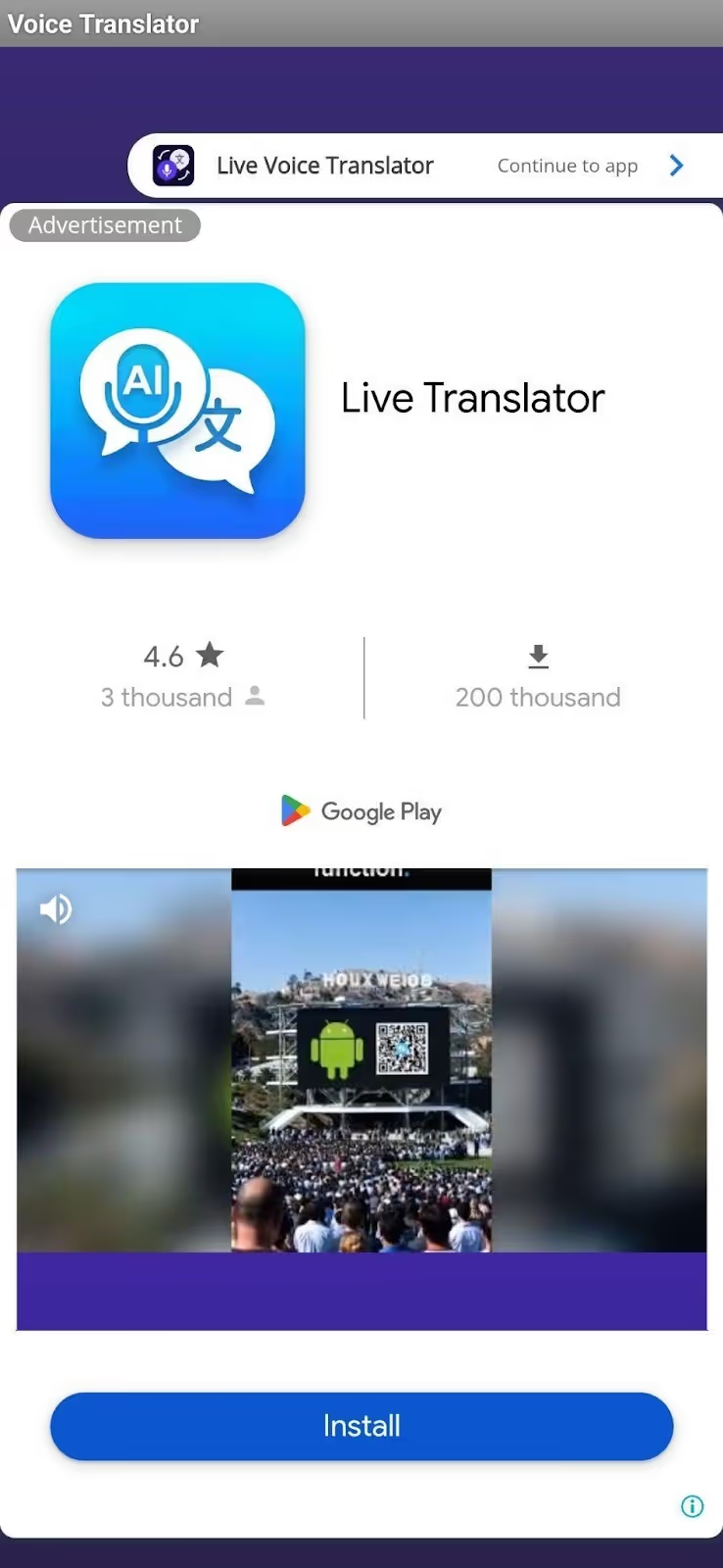
Similar to Talking Translator, you’ll need to click on the Mic button each time before speaking. Another annoying part of Live Voice Translator is that after every other click, it features a video ad. This can be frustrating when you’re trying to have a basic conversation or translate something quickly.
What Pricing Plans does Live Voice Translator Offer?
Live Voice Translator doesn’t offer any pricing plan and is free on mobile devices for live voice conversations, camera translation, and more. However, Live Voice Translator features constant ads that make the experience pretty frustrating.
What are the Use Cases of Live Voice Translator?
Live Voice Translator is right for navigating foreign cities, reading campus materials, and informal cafe meetings.
Easy Translate: Good for Document Translation with 200+ Language Support
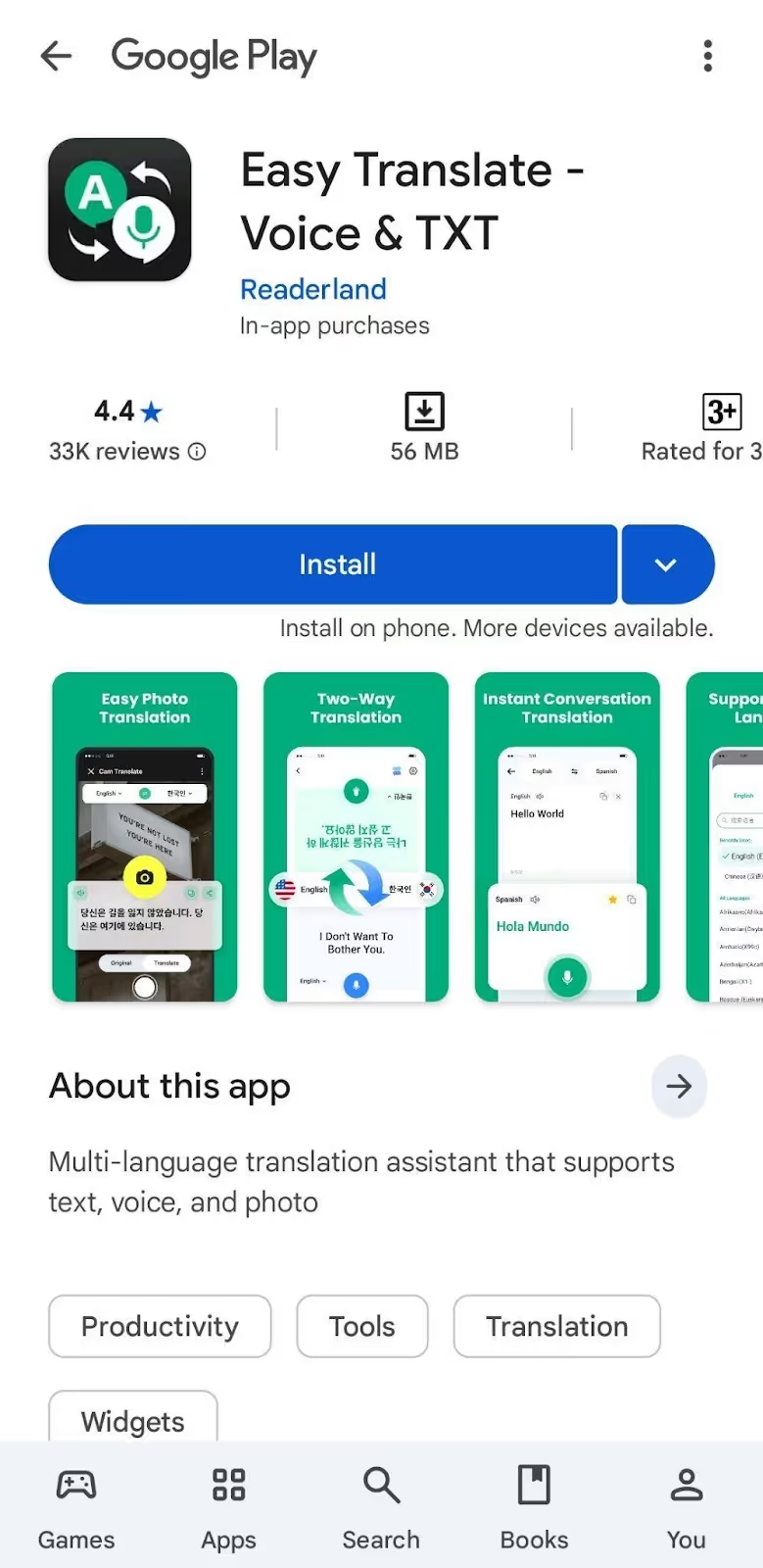
Easy Translate supports over 200 languages for in-person conversations, including voice-to-text translation with a manual playback option, text translation, camera translation, document translation (.pdf, .docx, .csv, etc.), and more. Easy Translate can be a good choice for students working with study materials or business professionals handling international documents.
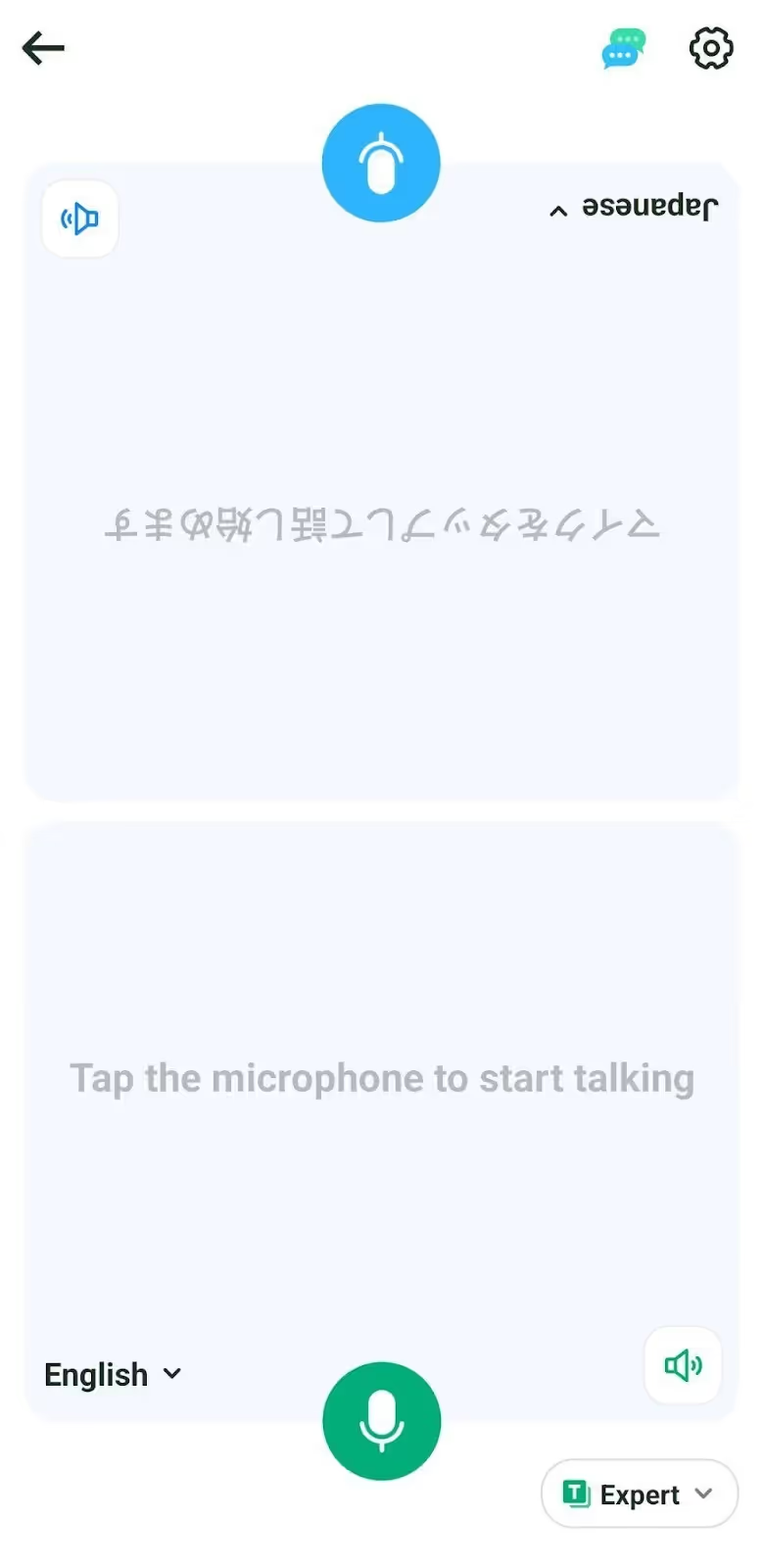
Just like Live Voice Translator, the conversation flow gets disturbed because Easy Translate requires you to tap the mic icon every single time you need to speak. Easy Translate also features video ads that pop up frequently and slow down your workflow. However, JotMe’s mobile app doesn’t feature any ads and keeps the conversation going once you’ve enabled it.
What Pricing Plans does Easy Translate Offer?
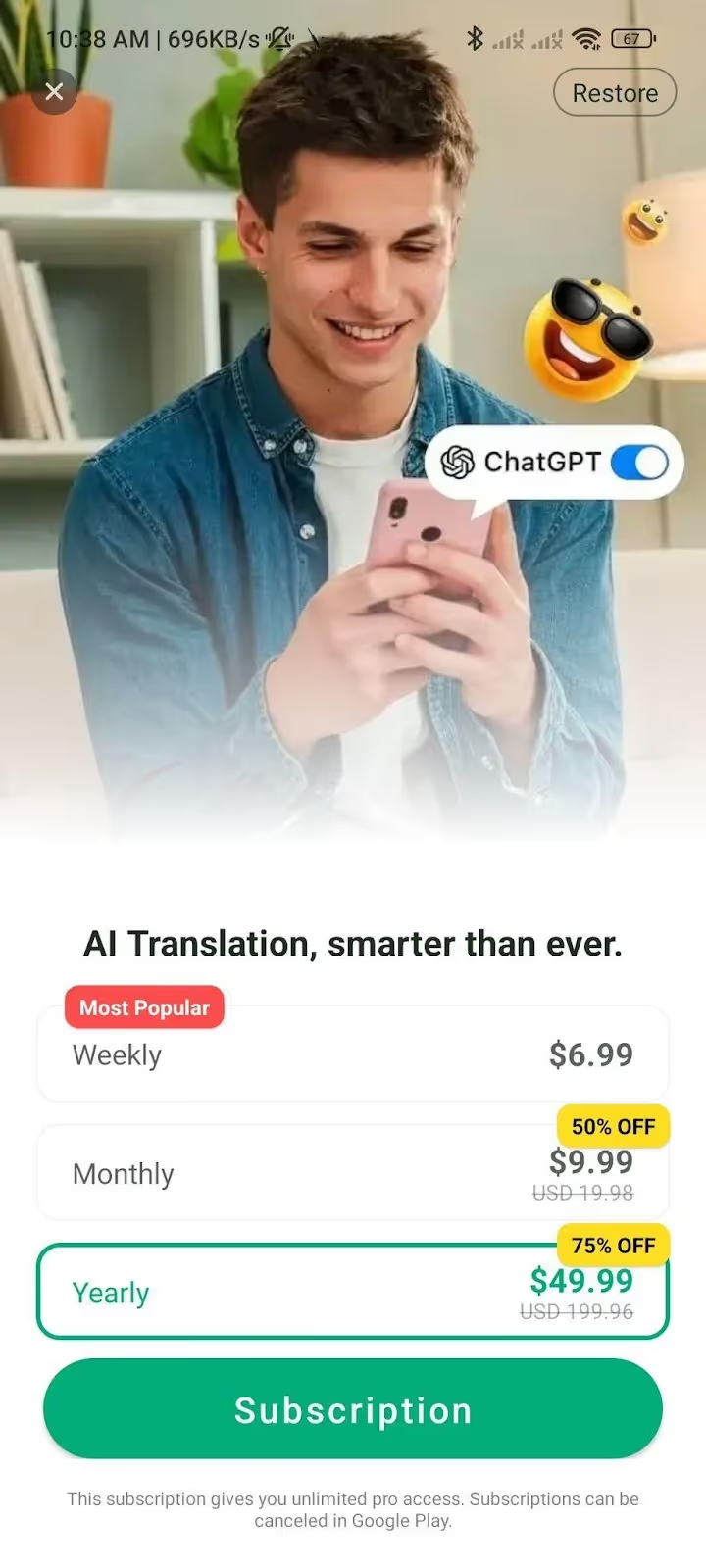
Easy Translate offers a free version for voice-to-text translation, document translation, keyboard translation, etc., but it comes with ads. The pricing plans come with weekly, monthly, and yearly payment options.
- Easy Translate’s subscription costs $6.99/week, $9.99/month, or $49.99/year and offers an ad-free experience, unlimited offline mode, an AI language coach for language learners, and more.
What are the Use Cases of the Easy Translate Mobile App?
Easy Translate is a good fit for translating academic documents, business contracts, and reading foreign-language materials.
Which Google Translate Alternative Should You Choose for Live Voice Conversations?
Choosing the right Google Translate alternative for live voice translation depends on whether you need continuous translation for business discussions, quick translations for travel, or multilingual support for group conversations. Here’s how you can decide:
- Use JotMe’s mobile app when you are negotiating with international clients, learning a new language, or having extended conversations while traveling. JotMe’s continuous and contextual translation keeps conversation flowing naturally without pausing.
- If you need live translation while traveling to order food or ask for directions in 100+ languages, go with Microsoft Translator.
- If you need camera translation to read signs and menus or translate documents, Live Voice Translator and Easy Translate might be right for you.
If you need a reliable Google Translate alternative for live voice conversations on mobile that delivers accurate, continuous translation in 45 languages without ads or constant tapping, JotMe’s mobile app is ideal for in-person conversations/discussions. Whether you are closing deals abroad, studying in a multilingual environment, or just exploring a new city, JotMe makes conversations effortless.
Try the JotMe mobile app today and experience how it can make your international conversations seamless by understanding what’s being said.
FAQs for Google Translate Alternatives for Mobile
Is there a better translator app than Google Translate?
Yes, there are several better translator apps than Google Translate, including JotMe, Microsoft Translator, Talking Translator, Live Voice Translator, and Easy Translate. Most of these AI live translation apps fall short in terms of accuracy and understanding of idioms, and require constant tapping to speak.
JotMe mobile app stands out with its understanding of context instead of translating word-for-word, continuous live translation, an ad-free mobile version, the Generate Speech feature, and its ability to switch between Fast and Contextual translation modes according to your needs.
Does Microsoft Translator cost money?
No, Microsoft Translator doesn’t cost money and is free to use on mobile devices. Microsoft Translator offers voice translation, text translation, camera translation, and more, in over 100 languages. But Microsoft Translator doesn’t support continuous translation.
If you want continuous voice-to-text translation without interrupting the flow of your conversations, you should try JotMe’s mobile app. The JotMe mobile app not only offers continuous translation but also lets you Generate Speech from text, set translation quality, and more.
Are there any hands-free, real-time, voice translation apps?
Yes, JotMe and Microsoft Translator are hands-free, real-time, voice translation apps that don’t require tapping every time you have to speak. However, Microsoft Translator doesn’t support continuous translation, and you need to juggle between multiple chats to understand the whole discussion.
If you want continuous translation without having to check any chat history, you must try JotMe’s mobile app. JotMe doesn’t stop the live translation when you pause; it just waits for you to speak and continues delivering the real-time translation from where it stopped.
How do I get live translation on my phone?
To get live translation on your phone, you can use real-time translator apps like JotMe, Microsoft Translator, Easy Translate, and more. These AI interpreter apps offer real-time voice-to-text, text-to-voice, and text-to-text translations.
The JotMe mobile app outperforms the other apps when it comes to accuracy, speech generation, setting translation quality, and continuous translation. You simply need to download the JotMe mobile app and set the Spoken Language and Translation language to get the live translation.
Is Google Translate 100% correct?
No, Google Translate or any other AI live translation app is not 100% correct. Google Translate often provides word-for-word translations and struggles with industry-specific terminology.
However, if you need accurate translations for live voice conversations on mobile, you can use the JotMe mobile app. JotMe understands the tone, context, and even industry-specific terms to deliver high-quality translations in real time in 45 languages.
Is there a translation app that can be used without the internet?
Yes, Talking Translator and Easy Translate are live translation apps that can be used without the internet. However, Talking Translator only supports text-to-text translation in its offline mode and Easy Translate requires a paid subscription for offline use.
Last updated on
April 14, 2026
Follow us on social media: