Resources
WhatsApp Update 2026: Every New Feature Explained

Viraj Mahajan
July 10, 2026
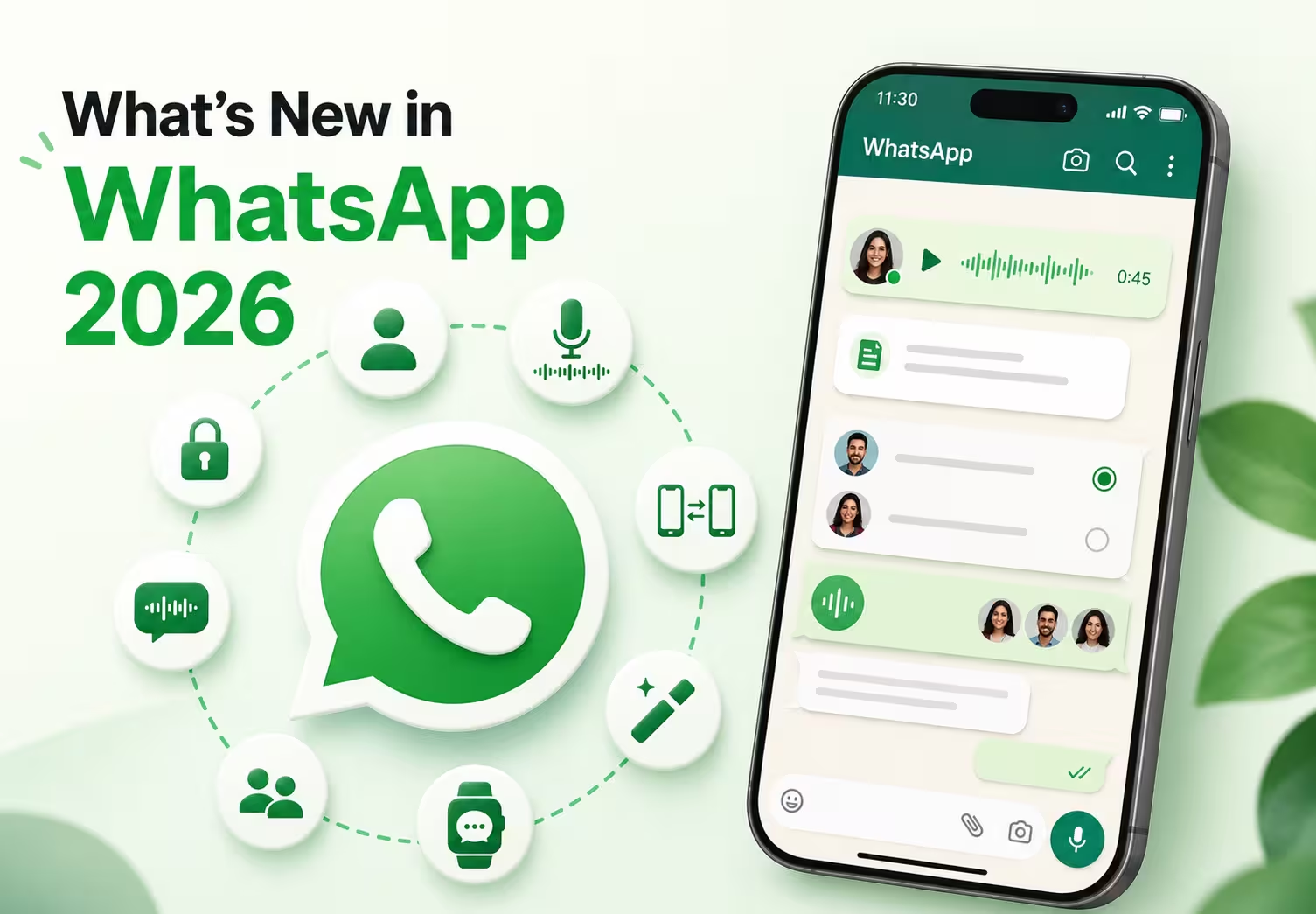
July 28, 2026 WhatsApp Update: WhatsApp Web Calling Is Now Available
WhatsApp has introduced a new update that allows users to make and receive audio and video calls directly from WhatsApp Web without downloading the desktop app. The update brings browser-based calling for individual and group calls, along with features like screen sharing, reactions, and call history.
You can read the official announcement here:
WhatsApp continues to add new features to make messaging, calling, and communication more private, flexible, and convenient. In 2026, WhatsApp updates introduced improvements, including browser-based calling, usernames, multiple-account support on iPhone, voice message transcripts, voice chats, cross-platform chat transfer, AI-powered tools, and better smartwatch controls.
This guide covers every major WhatsApp update in 2026, explaining what changed, how to use each feature, and why it matters in everyday conversations. While WhatsApp now makes calling easier through features like Web Calling, it still does not provide built-in live translation for multilingual voice conversations.
If you also use WhatsApp Desktop or WhatsApp Web to communicate with international clients, remote teams, or customers, you'll also see where WhatsApp's built-in features fall short and where tools like JotMe can help. JotMe works alongside WhatsApp on Web and desktop by providing real-time translation during voice calls, helping participants communicate naturally without switching between separate translation apps.
Quick Overview of the Latest WhatsApp Updates
- Web Calling: Make and receive WhatsApp audio and video calls directly from WhatsApp Web without downloading the desktop app. Access features like screen sharing, reactions, and call history from your browser.
- Usernames: One of the biggest WhatsApp updates in 2026 is usernames. It connects with people using a unique username instead of sharing your phone number.
- Multiple Accounts on iPhone: Use two WhatsApp accounts on the same iPhone and switch between them without logging out.
- Voice Message Transcripts: Convert voice messages into text so you can read them when listening isn't convenient.
- Voice Chat in Groups: Start or join drop-in audio conversations without placing a traditional group call.
- Cross-Platform Chat Transfer: Move your chats, photos, videos, and other data between iPhone and Android more easily.
- AI Writing Help: Get AI-powered suggestions to draft or reply to messages directly in WhatsApp.
- AI Photo Editing: Edit photos with AI by removing objects, changing backgrounds, or applying different styles before sending them.
- Wear OS Chat Management: Read, reply to, and manage WhatsApp conversations directly from compatible Wear OS smartwatches.
Can I Call on WhatsApp Browser
Yes, you can now make and receive WhatsApp audio and video calls directly from your browser. On July 28, 2026, WhatsApp announced Web Calling, allowing users to make one-on-one and group calls through WhatsApp Web without downloading the desktop app.
The update brings features like screen sharing, reactions, a dedicated Calls tab, call history, and favorites to WhatsApp Web. Your calls remain end-to-end encrypted, with no time limits or extra charges.
However, WhatsApp Web still does not offer built-in real-time translation for multilingual calls. If you communicate with people in different languages, tools like JotMe can help by providing live captions, AI-powered translations, and post-call summaries during WhatsApp Web calls.
Why it matters
- Make WhatsApp calls directly from your browser.
- No desktop app installation required.
- Add real-time translation support for multilingual conversations.
How Will WhatsApp Usernames Change User Privacy
WhatsApp usernames let you connect with new people without sharing your phone number, giving you more control over your privacy. Instead of exchanging phone numbers, you will be able to share a unique WhatsApp username to start conversations while keeping your personal number hidden.
You can reserve your preferred username before the full rollout begins later this year. If you are a creator, business, or organization, you can also claim the same username you already use on Instagram or Facebook if available. However, one thing to note is that usernames are currently accessible only through the WhatsApp mobile app and not on desktop or web.

Why it matters
- Better privacy when chatting with new people
- Easier networking at events or in communities
- Less need to share your personal phone number
Can I Get a Transcript of a Voice Note on WhatsApp
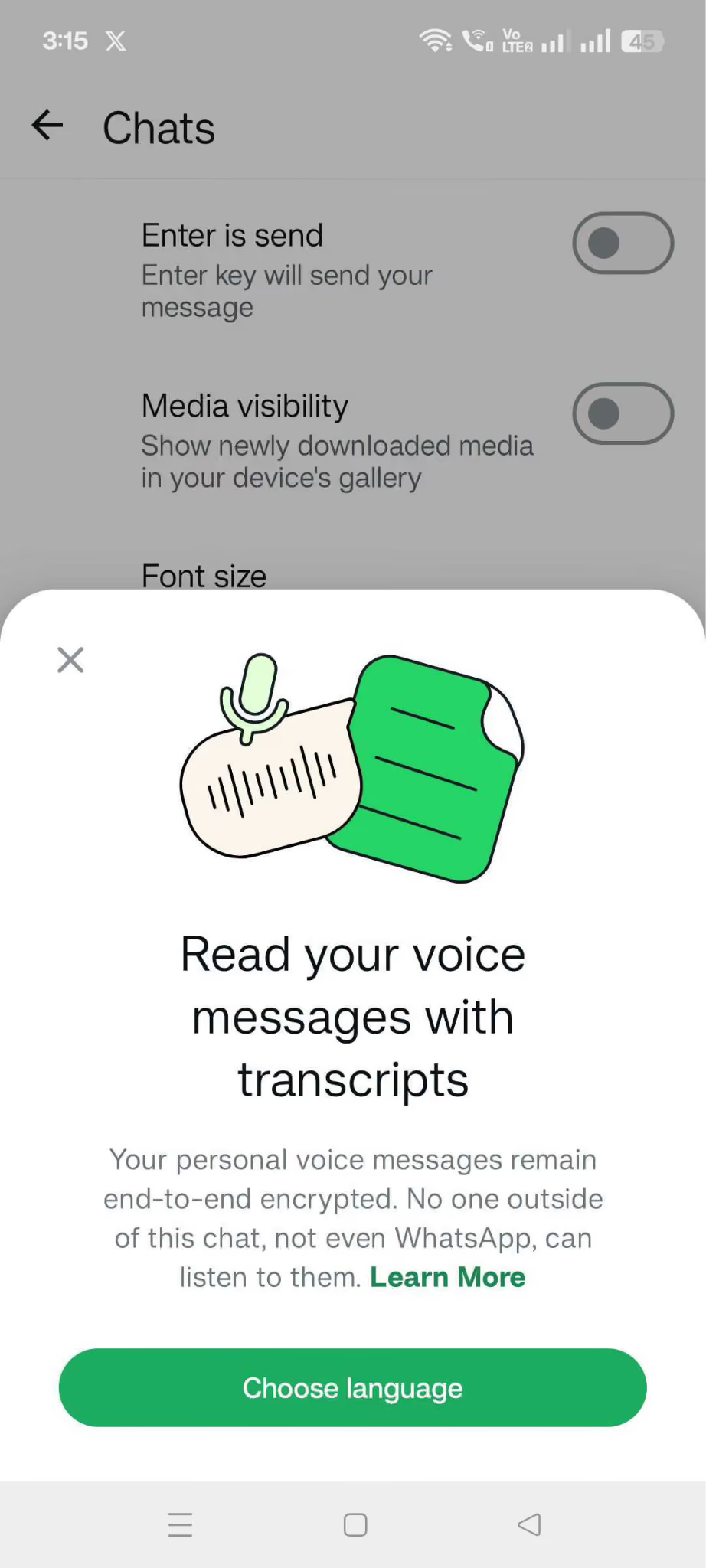
Yes, the new WhatsApp Voice Message Transcript feature allows you to get a transcript of voice notes. It converts voice messages into text, allowing you to read them instead of playing the audio. To enable voice note transcripts, go to WhatsApp Settings → Chats → Voice Message Transcripts, then choose your preferred transcription language.
When you receive a voice message, you can long-press it and select “Transcribe” to view the text.
WhatsApp says these transcripts are generated directly on your device, meaning your voice messages are not sent to third-party services for transcription.
Why it matters
- Read voice messages when you cannot play audio.
- Quickly understand long voice notes.
- Keep conversations private with on-device processing.
WhatsApp’s built-in voice transcription currently supports only a limited number of languages, including English, Spanish, Portuguese, and Russian. One more thing to highlight here is that WhatsApp voice transcription is available on mobile apps, and you cannot access the feature on the web or on the desktop WhatsApp app.
So here is the main concern: if you are working on the laptop all the time, then voice note translation would not work on the desktop and web. Second, if you take a client call on WhatsApp, you have to take manual notes. Here, JotMe can be the best option for live voice translation during calls with 200+ languages supported, including Japanese, Chinese, Spanish, and more.
JotMe offers multilingual live translation and after-call AI notes so you do not write manually and stay focused during the call.
How to Have 2 WhatsApp Accounts on iPhone
To use two WhatsApp accounts on one iPhone, open WhatsApp Settings, tap Add Account, and sign in with your second phone number. Once both accounts are added, you can switch between them from within the app without logging out.
Two WhatsApp accounts on an iPhone let you keep your personal and work conversations separate while switching between accounts with just a few taps.
WhatsApp has supported multiple accounts on Android for some time, and the feature has now rolled out for iPhone. To make switching easier, WhatsApp also displays your profile picture in the navigation bar so you can quickly see which account you are using.
Why it matters
- Keep work and personal chats separate.
- Switch between accounts in seconds.
- Great for freelancers, business owners, and professionals.
How do I Enable Voice Chat on a WhatsApp Group
To start a Voice Chat in a WhatsApp group, open the group conversation in the WhatsApp mobile app, swipe up from the bottom of the chat, and tap Connect. Unlike a traditional group call, Voice Chat doesn't ring every member. Instead, it creates a live audio conversation that group members can join or leave whenever they're available.
Once started, the voice chat remains pinned at the bottom of the group conversation, allowing members to join, leave, or rejoin the discussion at any time. As of July 14, 2026, Voice Chat is available through the WhatsApp mobile app and isn't supported on WhatsApp Web or WhatsApp Desktop.
Why it matters
- Talk with group members instantly without interrupting everyone.
- Join conversations only when you are available.
- Makes large group discussions feel more casual and flexible.
How to Transfer WhatsApp Chats from iPhone to Android
To transfer your WhatsApp chats from an iPhone to an Android phone, install WhatsApp on your new Android device and follow the on-screen prompts to transfer your chat history. During setup, scan the QR code displayed on the Android phone with your iPhone and follow the instructions to begin the transfer. Your messages, photos, videos, and other supported data will move directly to your new device.
WhatsApp now supports cross-platform chat transfers, making it much easier to switch between iPhone and Android without losing your conversation history.
Why it matters
- Upgrade to a new phone without losing chats.
- Reduce the hassle of switching between operating systems.
How to Write With AI on WhatsApp?
WhatsApp update now includes AI Writing Help.
If AI Writing Help is available for your WhatsApp account (currently available in limited countries like the US), you can use it to rewrite messages before sending them.
- Open the WhatsApp conversation where you want to send a message.
- Type your draft in the message box.
- Press and hold the text you've written to open the editing options.
- Select Rewrite from the available menu.
- Choose the writing style that best matches the tone you want.
- Review the AI-generated suggestions and pick the version you prefer.
- Make any final edits, then send the message.
AI Writing Help can rewrite your text in different styles to make it sound more professional, friendly, supportive, or polished without leaving WhatsApp. AI Writing Help feature availability varies by region, language, and account, so you may not see the feature even if you've updated to the latest version of WhatsApp.
Why it matters
- Save time replying to messages.
- Get writing suggestions without switching apps.
How to Use AI Photo Editing in WhatsApp
You can now edit photos directly inside WhatsApp before sending them by following these steps:
- Open any individual or group chat in WhatsApp.
- Tap the Camera or Attach icon and choose the photo you want to edit.
- Tap Restyle with AI.
- Select one of the available options, such as Filters, Style, or Edit.
- Filters to apply AI-powered filters.
- Styles to give your photo a different artistic look.
- Edit to describe the changes you want, such as removing the background, replacing it, or animating the image.
- Review the AI-generated result and send the edited photo if you're happy with it.
Using Meta AI, you can remove distracting objects, change backgrounds, or apply different styles without opening another editing app. Since these AI features are rolling out gradually, they may not be available to everyone yet.
Why it matters
- Edit images faster.
- Share polished photos without using another app.
Can You Use WhatsApp on a Wear OS Smartwatch?
Yes, you can use WhatsApp on compatible Wear OS smartwatches to stay connected without reaching for your phone. The latest WhatsApp update introduces improved chat management features, making it easier to read conversations, reply to messages, and manage chats directly from your smartwatch.
These improvements are designed for users who want to keep up with messages while walking, commuting, or exercising. WABetaInfo first reported the new chat management features before the wider rollout.
Why it matters
- Reply faster from your watch.
- Manage conversations on the go.
- Stay connected without unlocking your phone
What These WhatsApp Updates Mean for Cross-Language Communication
WhatsApp updates make everyday conversations easier with features like usernames, account switching, storage controls, chat transfers, and voice message transcripts. However, one challenge remains: cross-cultural communication.
Imagine you're working with your first international client over WhatsApp Web. You speak English, while your client is most comfortable speaking Chinese. WhatsApp makes it easy to exchange messages and start a voice call, but understanding each other is still difficult. During meetings, you may pause to copy messages into a text translation tool or ask someone to repeat what they said. That interrupts the flow of the conversation and slows down the discussion.
This is where JotMe naturally complements WhatsApp. When you're using WhatsApp Desktop or WhatsApp Web for voice calls, JotMe provides real-time translation, helping both participants communicate in their preferred language without constantly switching to a separate translation app.
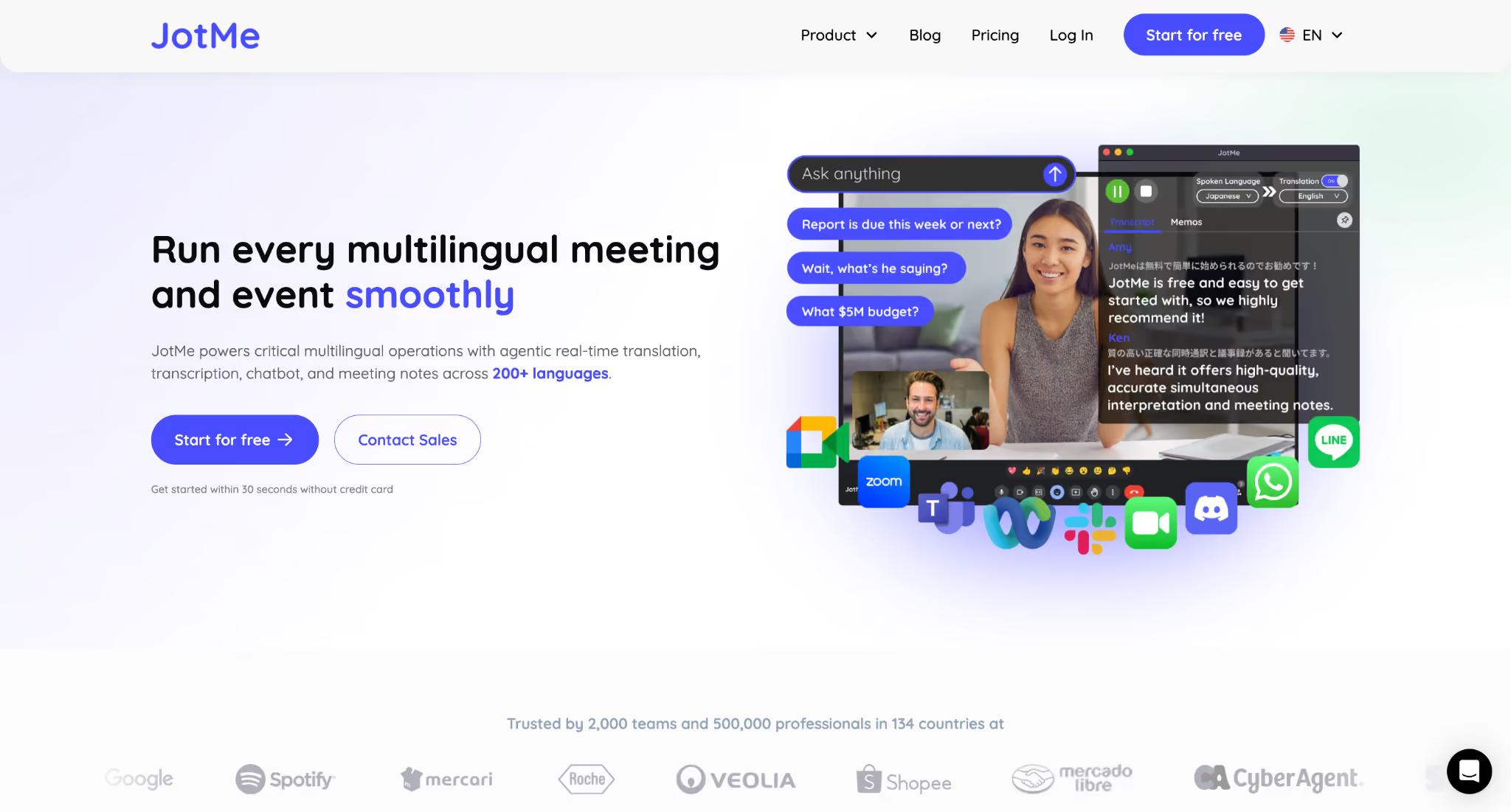
JotMe provides live translation in more than 200 languages, helping both people follow the conversation in real time.
If you speak in English, your client can receive the translated conversation from English to Chinese. When your client responds in Chinese, you see a live English translation. The conversation feels much more natural because you can continue speaking instead of stopping to translate every sentence. Here is how it works:
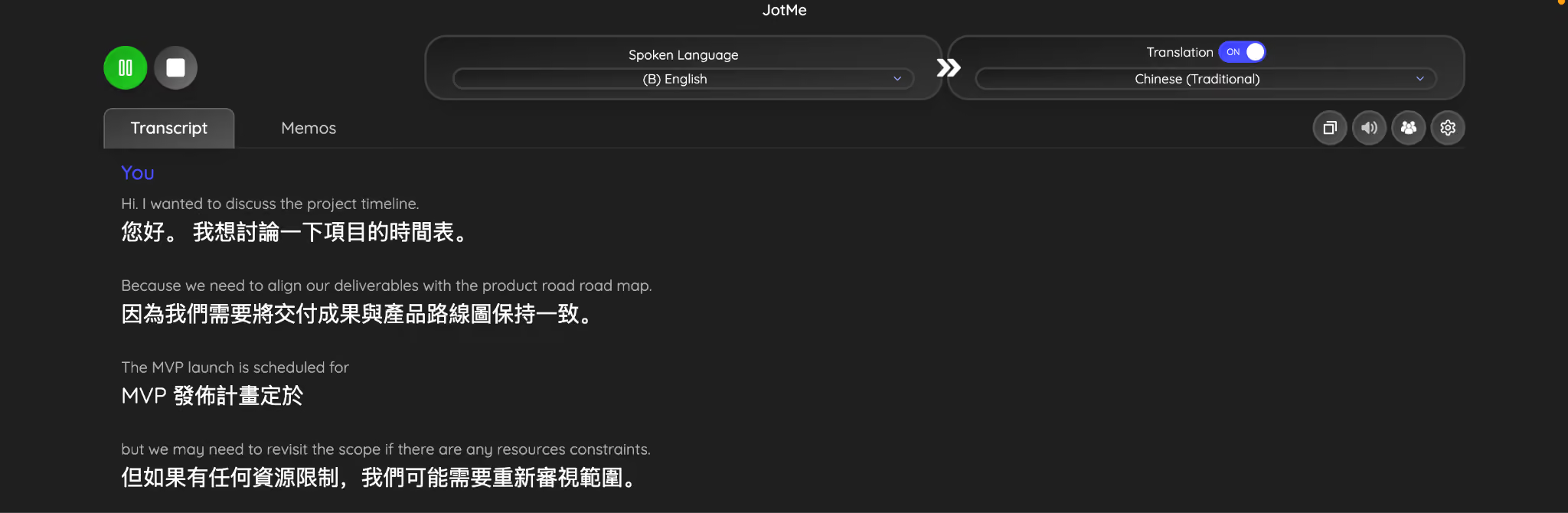
JotMe also works as a voice translator, making multilingual conversations smoother for client meetings, remote teams, and international collaboration. Each participant can continue speaking naturally while listening to translated speech in their preferred language.
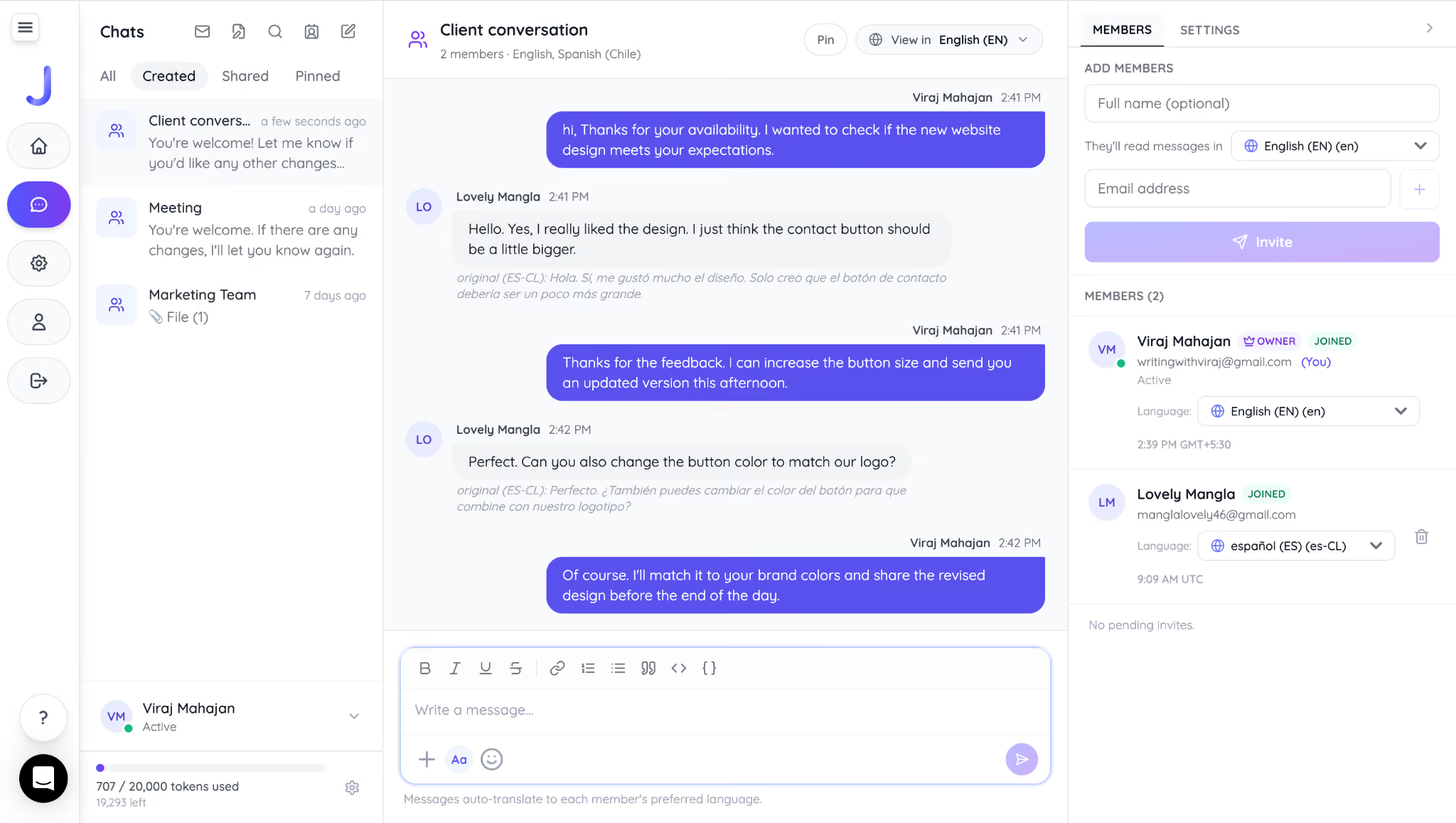
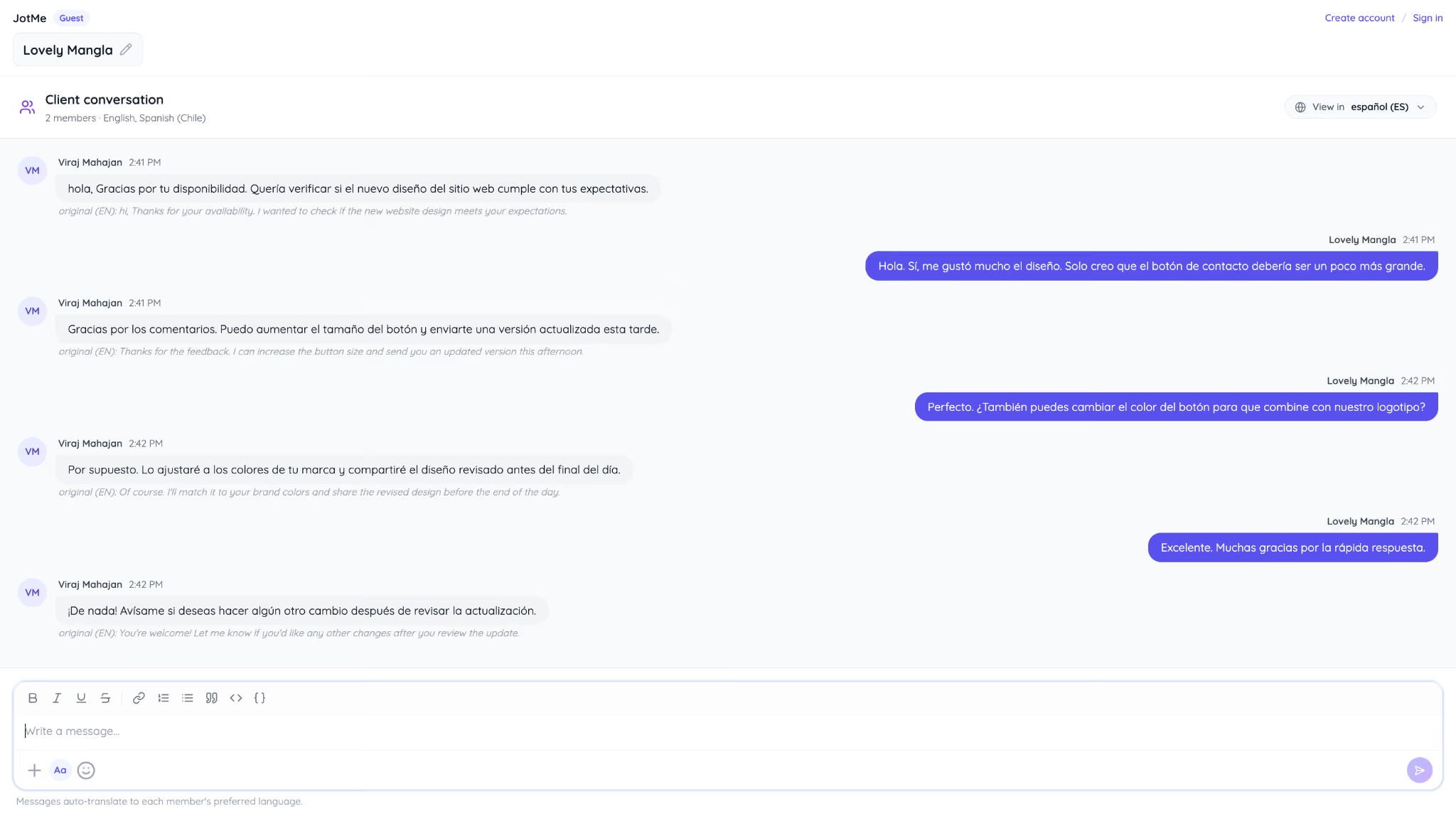
The conversation usually continues after the call, and that's where JotMe AI Chat becomes useful. You can type your message in English, and your client receives it in Chinese. When your client replies in Chinese, you read the response in English. Everyone communicates in the language they're most comfortable using, without constantly switching between translation apps. This is how JotMe Chat shows messages in English to me:
How client get in Spanish:
For businesses working with international customers, freelancers managing overseas projects, or families staying connected across countries, this combination helps remove one of the biggest barriers that WhatsApp on the web alone doesn't yet address: real-time multilingual communication.
How Do the Latest WhatsApp Updates Benefit Businesses?
WhatsApp updates in 2026 make communication more private, more flexible, and easier to manage for businesses and everyday users. Features like usernames help businesses connect with customers without immediately sharing personal phone numbers, while multiple accounts make it easier to separate work and personal conversations on one device.
The new WhatsApp Web Calling update also makes it easier for businesses to connect with clients and teams by allowing audio and video calls directly from the browser.
However, businesses working with international clients or remote teams may still face language barriers when using WhatsApp Web or WhatsApp Desktop, as WhatsApp does not provide built-in real-time translation for voice conversations.
For users who need multilingual transcription support, JotMe works alongside WhatsApp on desktop and web by providing real-time translation and helping teams communicate more naturally across different languages.
Frequently Asked Questions
How do I update WhatsApp?
To update WhatsApp, open the Google Play Store on Android or the App Store on iPhone, search for WhatsApp, and tap Update if a newer version is available.
Why have I not received the latest WhatsApp update?
You may not have received the latest WhatsApp update because Meta rolls out new features gradually. Even if you've updated to the newest version of WhatsApp, some features may take days or weeks to reach your account depending on your country, device, operating system, and the phased rollout schedule. If you're using the latest version of the app, the feature will appear automatically once it's available for your account.
Does everyone get new WhatsApp features at the same time?
No, WhatsApp rolls out most new features gradually, so availability can vary by country, device, operating system, and app version. Even after updating WhatsApp, you may need to wait a few days or weeks before a new feature appears on your account.
Will WhatsApp updates affect my chats or media?
No, updating WhatsApp does not delete your messages, photos, videos, or documents. Your chat history remains intact after an update. However, it's a good idea to back up your chats to Google Drive or iCloud before updating or switching to a new phone.
Does WhatsApp translate messages automatically?
No, WhatsApp does not automatically translate messages or voice calls. If you regularly communicate with people who speak another language, you may need a separate translation tool.
Last updated on
July 29, 2026
Follow us on social media: