Tips
How Do You Translate Video Online With AI and Save $8,000 Per Video Dubbing

Viraj Mahajan
August 13, 2026
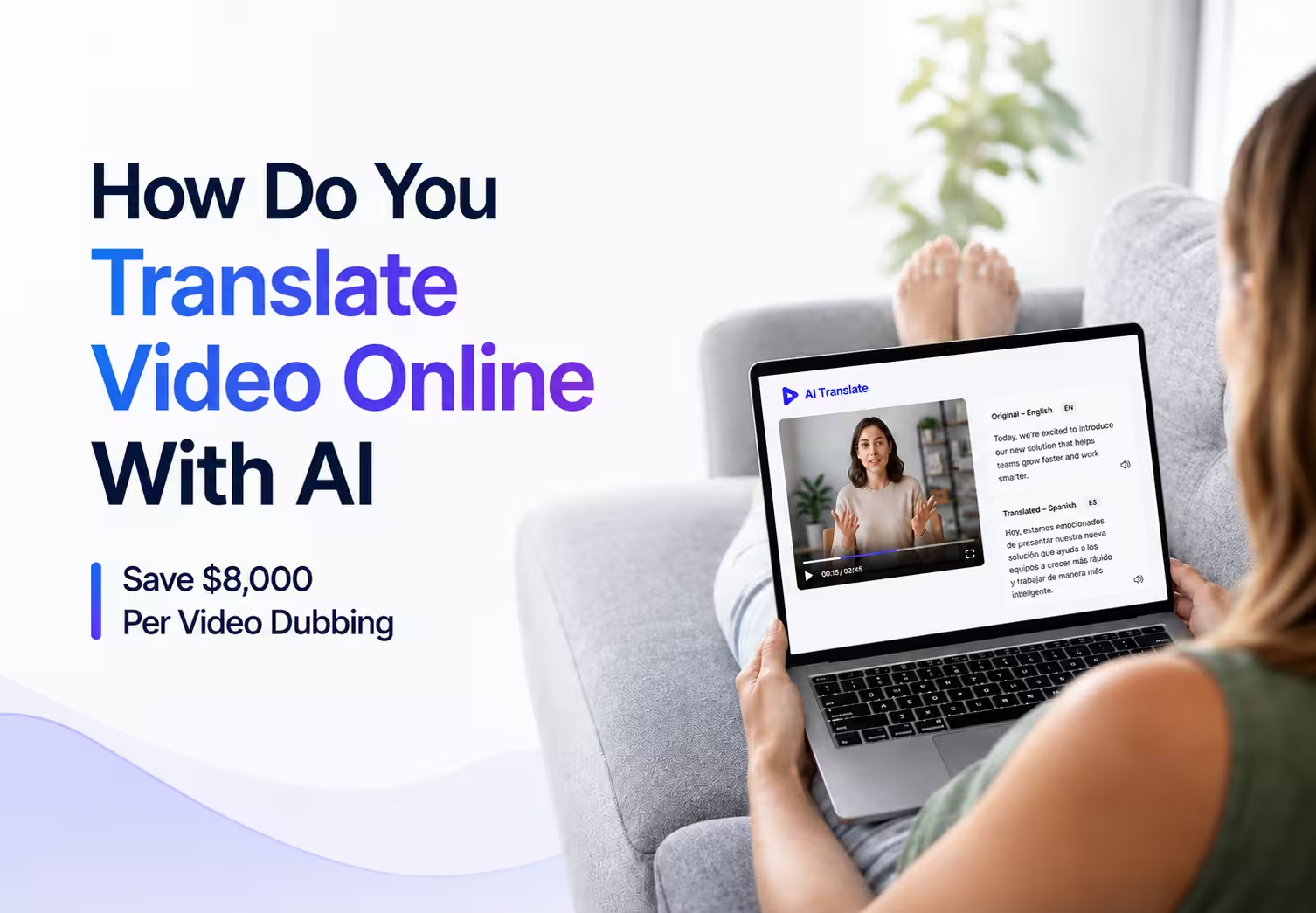
You translate video online by opening JotMe, selecting Translate video from the tab bar, uploading an MP4, MOV, or AVI file, and choosing an output language. JotMe dubs the video in the original speaker’s voice, keeps every visual untouched, and hands back a finished file in 200+ languages instead of a flat, robotic voiceover glued on top of the original audio.
Most tools that claim to translate video only swap the on-screen captions or hand back a translated transcript, and the few that attempt real dubbing often flatten the speaker’s tone or miss the context, so the video ends up saying something close but not quite right.
A traditional dubbing studio solves that problem for $200 to $500 an hour, and a full project in one language routinely costs $8,000 to $40,000.
This guide runs the same 36-second video through five tools that claim to translate video, including JotMe, to show how to translate a video the right way, then breaks down what a professional dub actually costs against running the same job through AI.
Quick Comparison: Five Video Translation Tools Tested On The Same Video
Here is the quick comparison of video translation tools to help you make the right choice:
Key Takeaways
- What JotMe Does With Video: JotMe translates video by dubbing the spoken audio in the original speaker’s voice, generating matching captions, and leaving every visual exactly as filmed.
- Supported Formats: The Translate video tab accepts MP4, MOV, AVI, M4V, MKV, MPEG, MPG, WEBM, WMV, and 3GPP files, so most footage from a phone or an editing timeline works without conversion.
- The Real Cost: Video translation runs on translation minutes at 20 times the file length, so a 1-minute video uses 20 translation minutes from the plan.
- What Sets It Apart: JotMe reads the whole video for context before it starts to translate, so idioms, technical terms, and tone land the way a native speaker would actually say them.
Can JotMe Translate Video Files
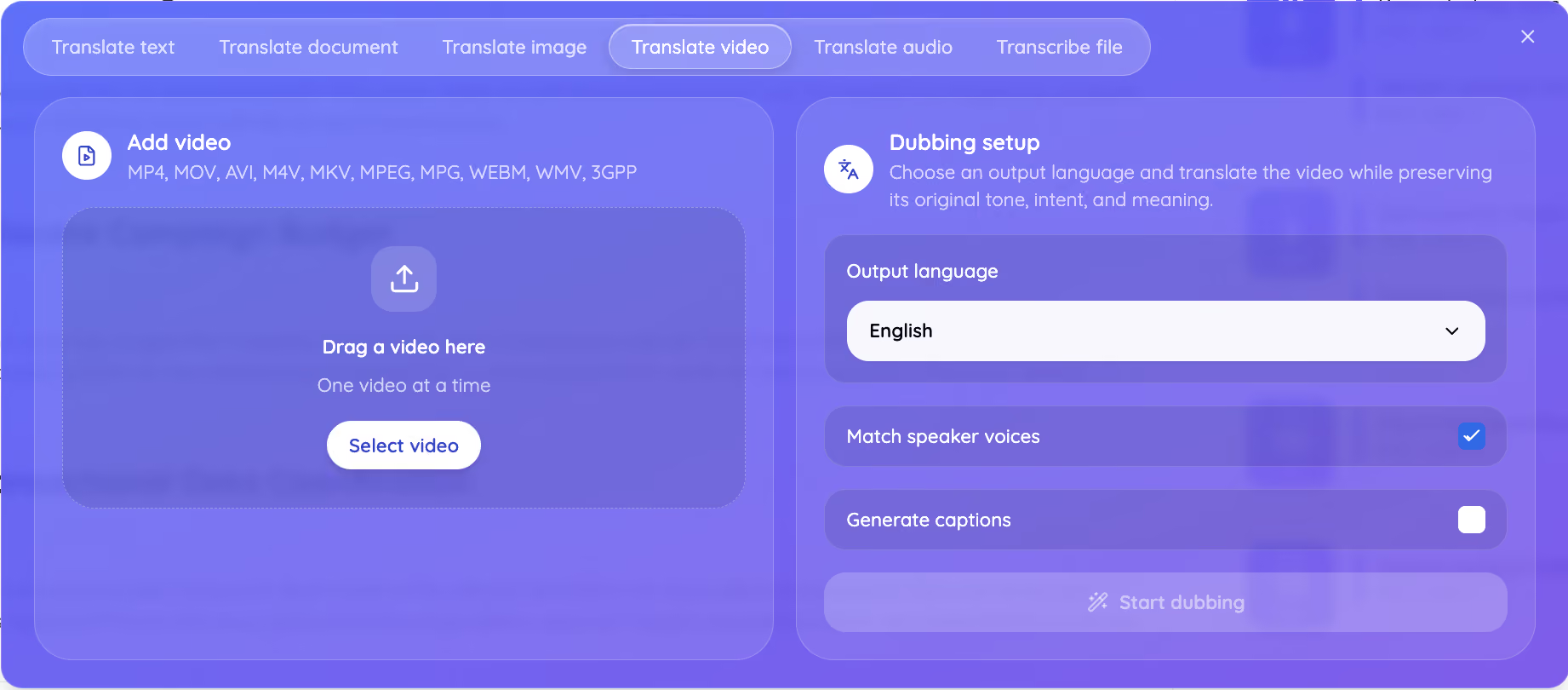
Yes, JotMe can translate video files through its dedicated Translate Video tab, and it accepts MP4, MOV, AVI, M4V, MKV, MPEG, MPG, WEBM, WMV, and 3GPP formats.
Anyone who needs to translate video for a client update, a course module, or a product demo can drag the file straight into this tab without installing anything first, which is the fastest way to see how to translate a video without opening a second app.
JotMe can translate a video in 200+ languages, using the same contextual engine across every one of them. JotMe runs through the JotMe web app and a desktop app, so the process to translate video stays identical whether the file lives on a laptop, a phone, or a shared drive. The Translate Video tool handles the whole job in one tab: upload, contextual translation, dubbing, and captions.
How Do You Translate A Video With JotMe
This is how to translate a video with JotMe in five steps, from opening the Translate video tab to downloading the dubbed file:
Step 1: Open JotMe and select Translate Video from the tab bar, next to Translate text, Translate document, Translate image, Translate audio, and Transcribe file.
Step 2: Drag your video into the panel or click Select video. Upload MP4, MOV, AVI, and get the video translated without converting the file to a different format first.
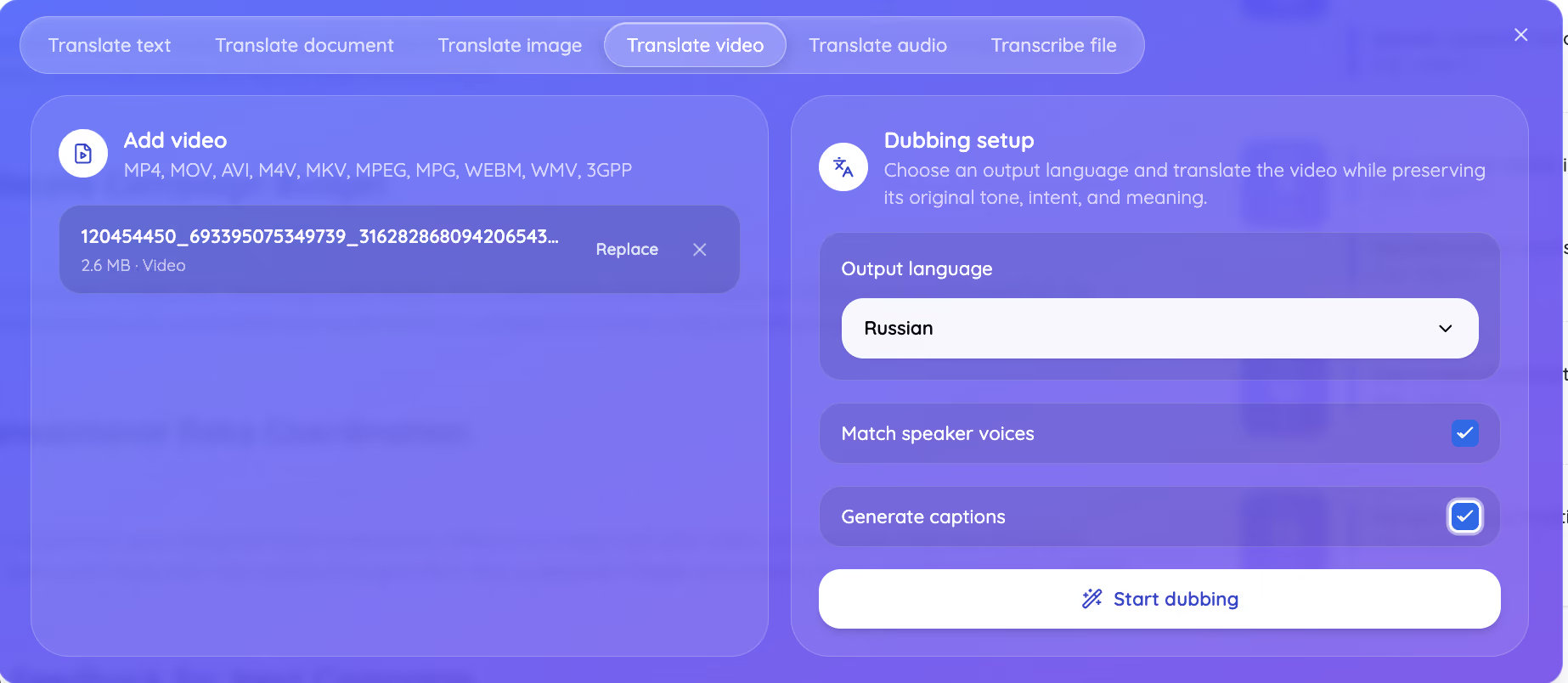
Step 3: Choose the output language from 200+ languages, then decide whether to match the original speaker’s voice and generate captions alongside the dub.
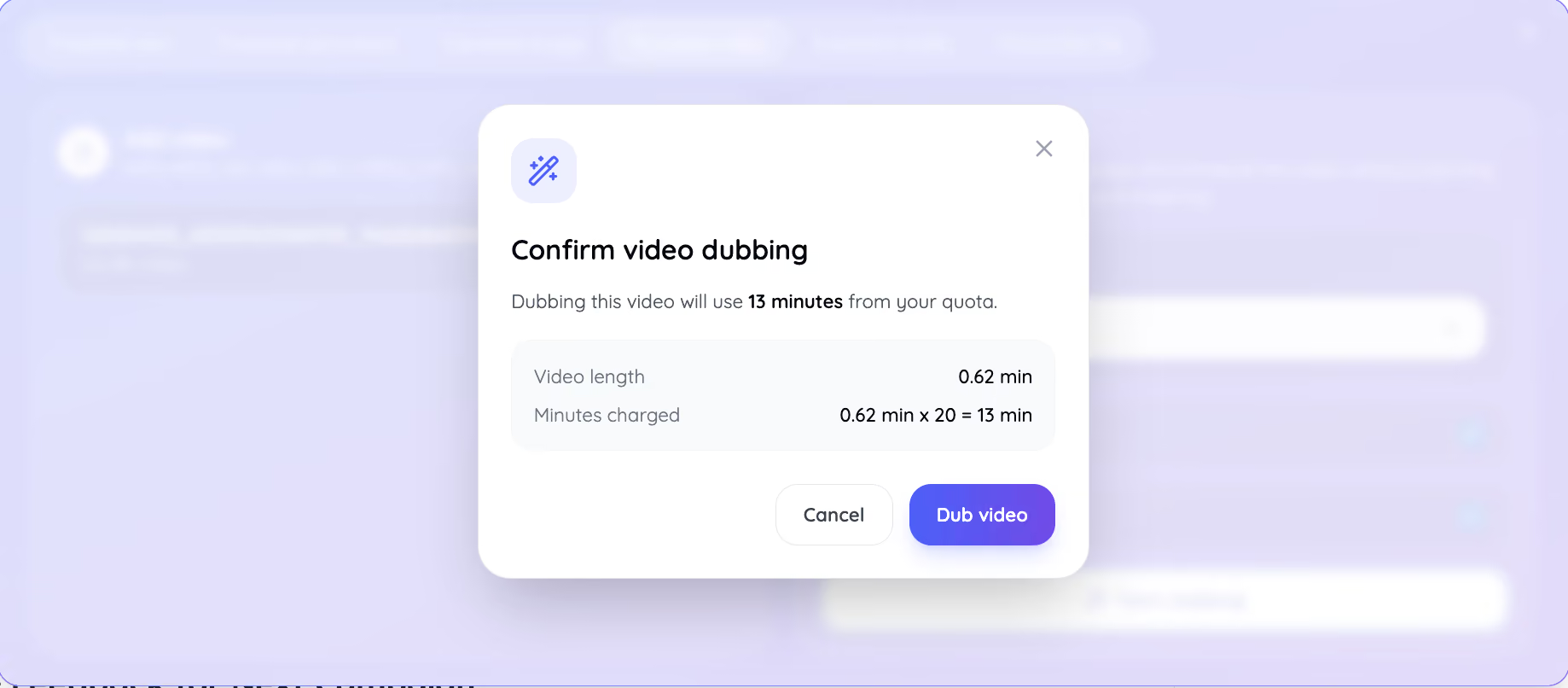
Step 4: JotMe shows the exact number of translation minutes the job will use before it starts dubbing, so there is no surprise on the credit count once the video finishes.
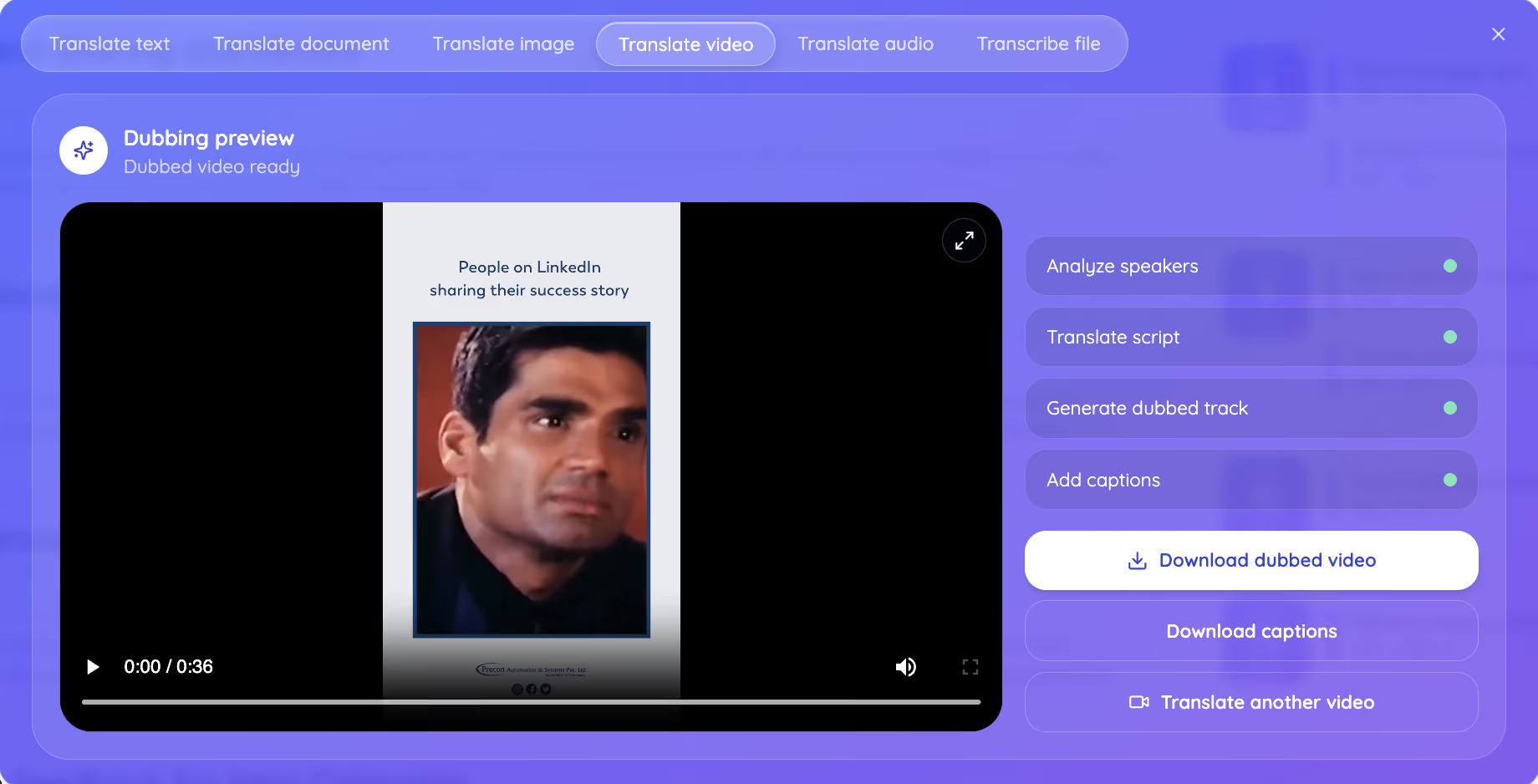
Step 5: Download the dubbed video once it finishes, or preview it first to check the lip sync and tone against the original file.
Anyone who wants the full walkthrough before their first upload can follow the step-by-step on how to use the JotMe walkthrough, which covers every tab, not only the one used to translate video.
How Does JotMe Compare To Other Tools That Translate Video
Out of five tools tested on the same 36-second file, a LinkedIn success-story ad originally recorded in Hindi, JotMe was the only one that fully dubbed the audio, matched the speaker’s voice and emotion, synced the lips, and carried the meaning across languages instead of translating it word for word. Testing how to translate a video across five tools surfaced one clear gap: dubbing.
HappyScribe: Transcription Without A Dub
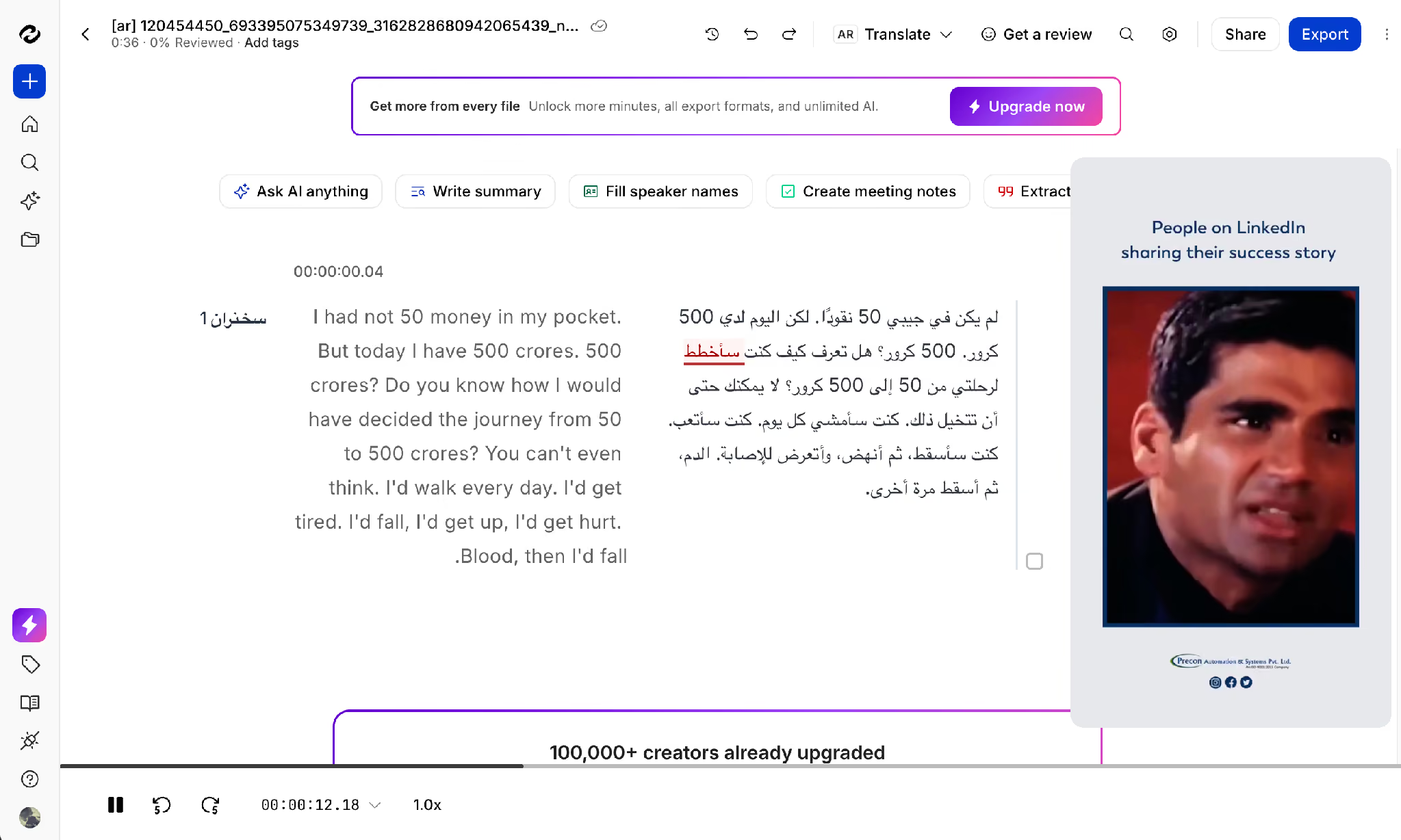
HappyScribe accurately transcribed the video from Hindi to English, with the transcript appearing nearly 100% accurate in our test. It then translated the generated text into Arabic. However, it only worked at the transcript level and did not translate or dub the original video. The final output was an Arabic transcript placed alongside the original untranslated video file. Downloading the translated files also required creating an account first.
Clideo: Captions, Not A Translated Video
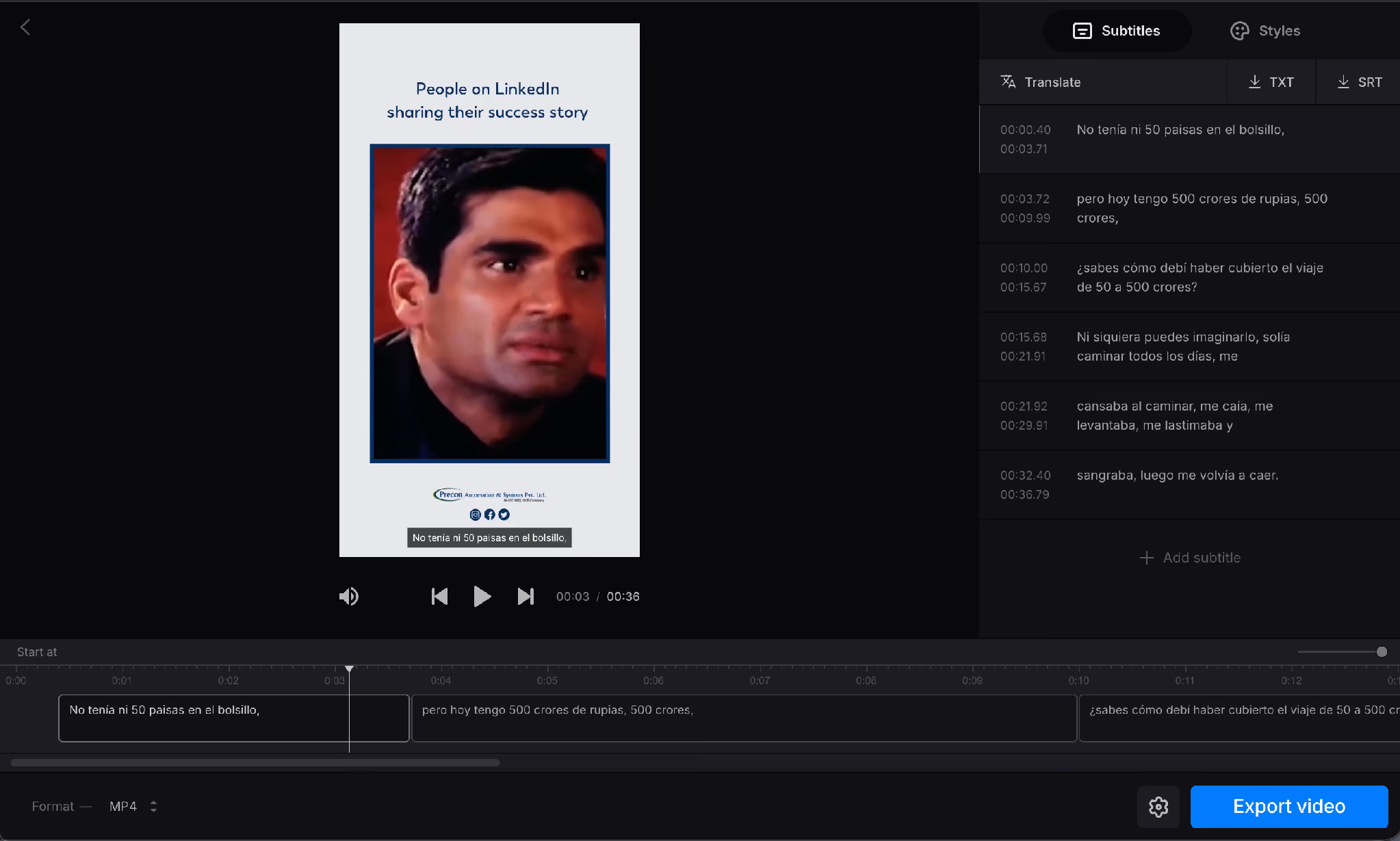
Clideo translated the on-screen subtitle text into Spanish almost instantly, no account required. The speed is real, but Clideo edits captions, not the video. The narrator kept speaking Hindi in the exported file, which makes this closer to a live AI subtitle translator for videos than a tool that can translate video in the dubbing sense.
ElevenLabs: Strong Dubbing, Behind A Sign-Up Wall
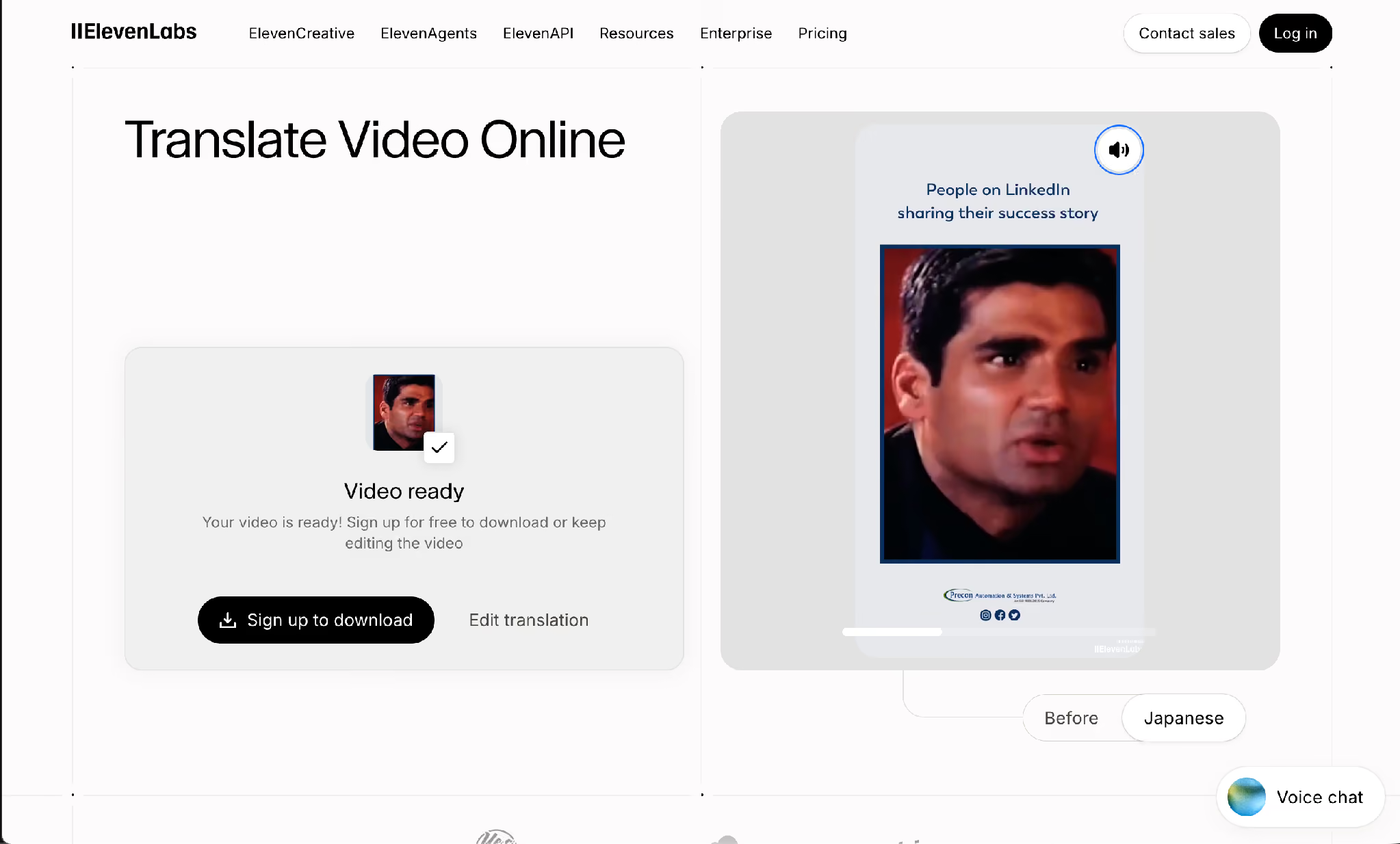
ElevenLabs took longer to process the video, but it delivered a complete dubbing experience. It translated the video into Japanese, generated a dubbed voice that closely matched the original narrator’s tone and style, and provided a before-and-after toggle to compare the original and translated versions in real time. However, downloading the final dubbed video required creating an account first.
HeyGen: Accurate But Slow, With A Watermark
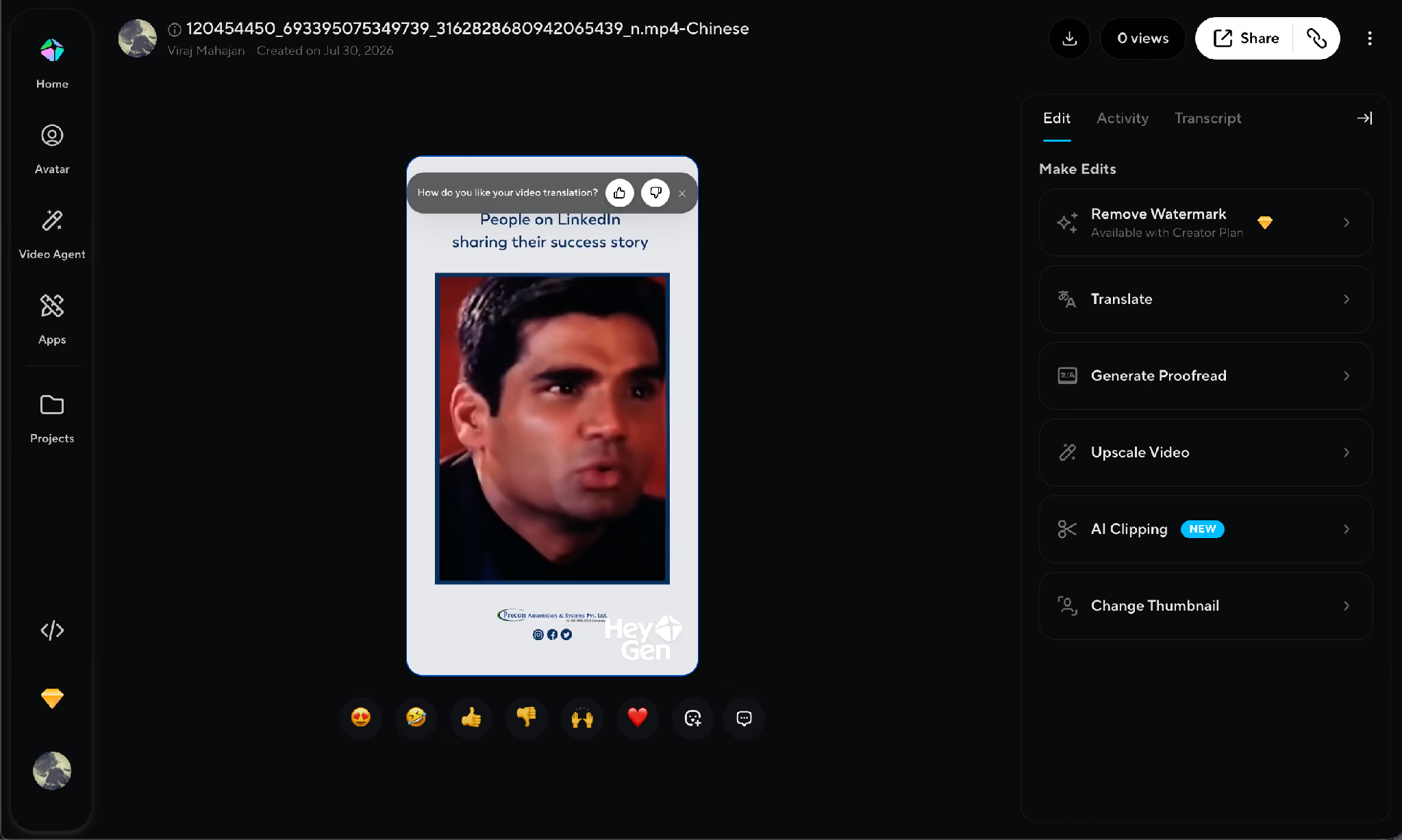
HeyGen also required signing up before the upload would even start. For a 36-second clip, it took close to 5 to 8 minutes to translate the video from Hindi to Chinese. The dubbing itself was accurate, and HeyGen threw in an upscaling option, but the free-tier export carried a watermark across the video.
JotMe: A Context-First Approach to AI Video Translation
JotMe dubbed the same file into Russian in under two minutes, matched the original narrator’s voice, kept the emotional weight of the story, and synced the lips to the new audio, something none of the other four tools attempted. This kind of AI video translation stands apart from a captions-only tool because the output is spoken audio, ready to play without a viewer reading along.
- The Translate video tab reads the whole clip for context first, the same architecture behind JotMe’s image translator and its Translation Blocks view, which pairs every source line with its translation for full transparency.
- Applied to video, that same contextual engine is why a JotMe dub reads as if it were recorded by a native speaker of the target language rather than translated after the fact.
- That contextual layer also carries technical vocabulary correctly, which matters once the source video moves past a testimonial ad.
A corporate training clip that touches Medicine, Software Development, Manufacturing, Academic Research, Import-Export Trade, or Environmental Science keeps its specific terminology instead of getting flattened into a generic paraphrase.
JotMe never saves the uploaded video to a server, which makes it usable for official contracts, corporate videos, university lectures, and legal training material where the source footage cannot leave a private system.
How Many AI Credits Does It Cost To Translate A Video
Translating a video with JotMe costs translation minutes, not a flat credit fee, and the rate is 20 times the length of the file.
Since JotMe charges based on translation minutes rather than the number of videos, your plan determines how much content you can translate each month. The table below breaks down the credits, image translations, and video/audio minutes included in each plan.
The rule in one line: every minute of source footage uses 20 translation minutes from the plan, so a 36-second test clip like the one in this guide uses roughly 13 minutes.
How Much Does It Cost To Dub A Video With A Studio Versus JotMe
A traditional dubbing studio in the United States generally charges $200 to $500 per hour of studio time, or $25 to $60 per finished minute of audio for a full-service package.
A full-length project in a single language routinely lands between $8,000 and $40,000 depending on cast size and complexity.
Independent voice artists charge less but still land at $20 to $50 or more per finished minute, while general AI dubbing tools range from $0.24 to $7.00 per minute depending on the platform and the plan tier.
JotMe folds that cost into its translation minutes, so a creator gets professional translation in minutes instead of booking studio time and waiting on a delivery date.
No voice artists or dubbing studios required for a creator who needs a video translated on the same day it was recorded, and the difference shows up fastest for anyone who needs to translate video content on a weekly schedule rather than once a year.
When Should You Use JotMe Instead Of A Free Video Translator
Use JotMe instead of a free video translator once the dubbed file needs to reach real people instead of only yourself. A free video translator that only swaps captions is enough for a quick, personal check of what a video says. This section covers how to translate a video for three situations where a free tool falls short.
Anyone comparing a free video translator option against JotMe will notice the free tools stop at captions, while JotMe finishes the job with a dub. Creators who translate videos with AI for the first time often assume dubbing means losing quality, but that is not the case with JotMe. JotMe is the better fit once the dubbed file has to go out to real people, whether that is a client, a professor, or an audience on another platform.
- Corporate Training Rolled Out Across Offices: A company recording one onboarding video and needing it to translate video content into eight languages for regional teams gets a native-sounding dub in each language instead of eight separate studio bookings.
- Creators Localizing For A Global Audience: A YouTube creator can translate YouTube video content into a handful of languages and publish to each region without recording the script five separate times.
- University Lectures For International Students: A professor can translate a video lecture into a student’s first language while keeping the technical terminology intact, which matters more in a chemistry or engineering course than in casual content.
Short-form creators publishing on TikTok face the same problem at a faster pace, and the TikTok translation tool applies the same dubbing engine to vertical video. Anyone whose main channel is video already knows this workflow matters most for a YouTube video translator that keeps the creator’s own voice rather than replacing it with a generic narrator.
What Else Can You Translate With JotMe
JotMe covers six tabs beyond the one used to translate video: Translate text, Translate document, Translate image, Translate video, Translate audio, and Transcribe file. A user working across formats in one project, say a video with an accompanying script and a set of on-screen graphics, can move between the tabs without leaving the tool.
Anyone who needs a written record of a video before deciding whether to translate video to text at all can start with JotMe’s video-to-text tool, which produces a transcript first.
Creators focused specifically on YouTube can read the full guide to translating a YouTube video to English for platform-specific steps. The full JotMe homepage lists every tab in one place for anyone who has not tried the tool yet.
Should You Hire A Studio Or Translate Video With JotMe?
A studio still makes sense for a big-budget feature film or a series with a large cast, where the $8,000 to $40,000 per-language cost buys a full production team. For everything else, from a corporate training video to a YouTube upload to a university lecture, JotMe’s Translate video tab covers the same ground for a fraction of the cost and the wait.
This guide has walked through how to translate a video five different ways, from a free subtitle tool to a full dub. The next step is the same one used throughout this guide: open JotMe’s Translate video tab, upload the file, and let JotMe do in minutes what a studio would schedule for weeks.
FAQs
Can ChatGPT Translate A Video?
No, ChatGPT cannot directly translate a video or add dubbed audio. It can describe a video’s content if given a transcript or generate a translated script, but it has no built-in way to process video files, dub audio, or sync speech to the original footage the way a dedicated tool like JotMe does.
How Can I Translate Text From A Video?
Run the video through JotMe’s Translate video tab and turn on Generate captions alongside the dub, or use the Transcribe file tab first to pull a written transcript, then translate that text into the target language. A user based outside the US who needs to translate video to English for a client report can follow the same steps in reverse language order. Either route works to translate text out of a video without dubbing the audio.
Can I Translate Videos On My Phone?
Yes, JotMe works through a browser on a phone the same way it does on a desktop, so uploading a video, choosing the output language, and downloading the dubbed file all happen without a separate app.
How Can I Translate My Video?
Open JotMe, select Translate video, upload the file, and choose the language the audience needs. That single upload is how to translate a video without hiring outside help, since JotMe handles the translation, the dubbing, and the caption generation from one file, so there is no separate step to translate video after the fact.
Can I Translate A Video In Real Time?
File-based dubbing through the Translate video tab happens after the video is recorded, not live. For a meeting or a live event that needs translation as it happens, JotMe’s live translation tool is the correct feature instead of the file translator covered in this guide.
How To Translate Speaking In A Video?
Upload the file to JotMe’s Translate video tab and turn on Match speaker voices. JotMe reads the spoken audio for context, translates it, and regenerates it in a voice close to the original speaker rather than replacing the narration with a flat computer voice.
Last updated on
August 13, 2026
Follow us on social media:
![JotMe — Is Google Translate Accurate? [2026 Test]](/_webflow-assets/0d0512afc7b037d74dff536f22fed08f.avif)