Resources
Discord Update 2026: New Features and Changes

Narmada Kajla
July 11, 2026
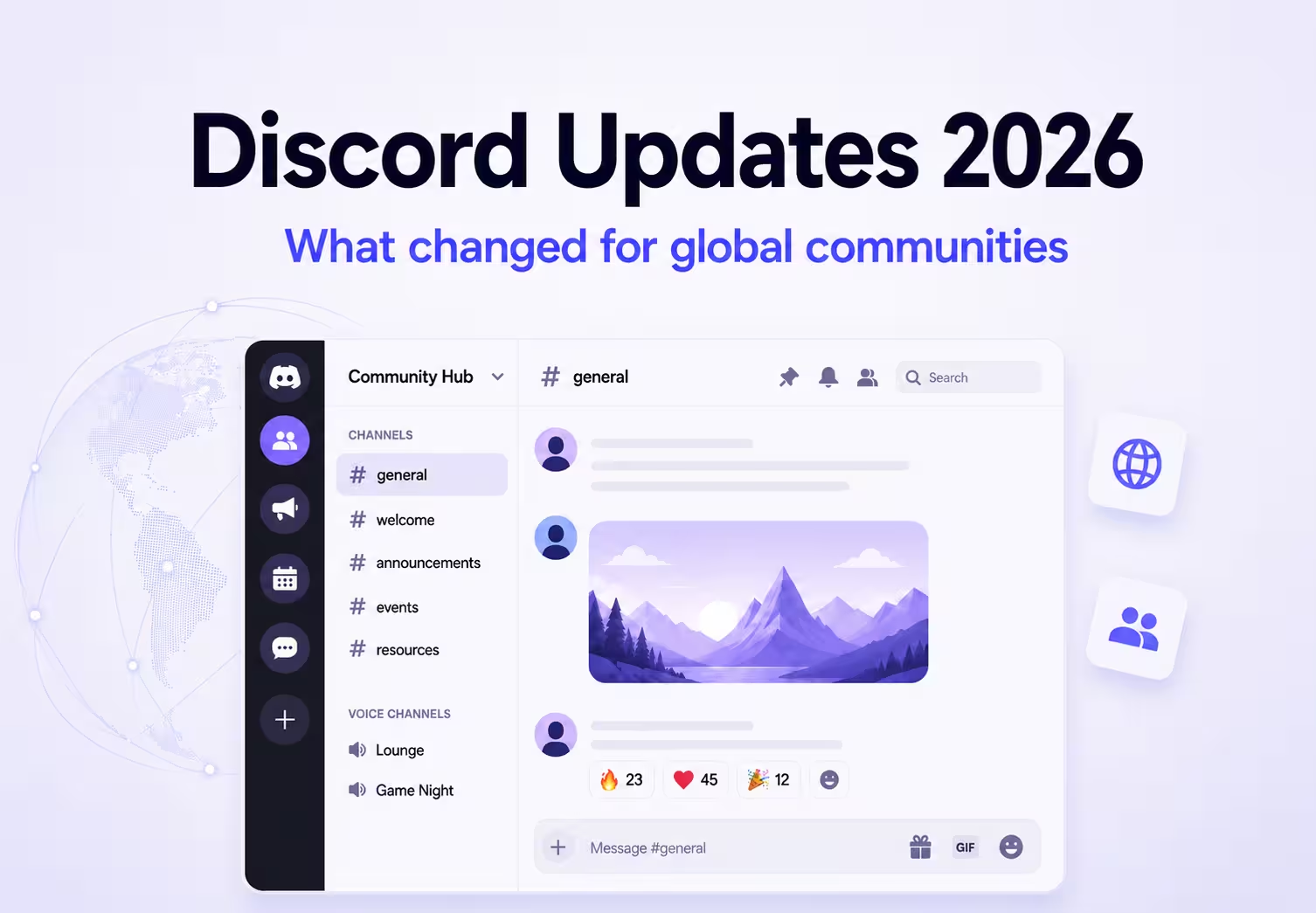
Discord updates in 2026 focus on making communities safer, more connected, and easier to manage across devices. New features like teen-by-default age verification, Meta Quest support, GDC gaming tools, and mobile improvements change how people interact on the platform.
However, as Discord communities continue to become more global, one challenge remains: real-time conversations across different languages. Text translation tools can help with messages, but voice channels, Stage events, and VR conversations still need a better solution.
This is where JotMe helps by providing real-time voice translation in 200+ languages, allowing international communities to communicate naturally without language barriers.
In this guide, you will find the Discord update in 2026, why it matters, and how it affects servers with members from different countries and time zones.
Let’s take a quick overview of each Discord update before diving deep into the details:
- Teen-by-Default Age Verification: Discord now starts accounts with teen-safe settings and requires age verification to access adult features.
- Discord on Meta Quest: Discord is now available as a native VR app on Meta Quest headsets for servers, chats, and voice calls.
- GDC 2026 Gaming Tools: Discord added new gaming features, including account linking, game profiles, in-chat purchases, and playable experiences.
- AI Moderation Bug Fix: Discord fixed a moderation error that wrongly banned thousands of users and added safeguards to prevent similar issues.
- Mobile Updates: New mobile features include Tap to React, improved navigation, faster uploads, and safer calling options.
- Pinned Chats and Voice Updates: Users can pin important DMs and channels and see who is already in a voice channel before joining.
- Riot Account Linking: Players can connect Discord with Riot games to find friends and invite teammates directly from League of Legends and VALORANT.
What Does Discord's "Teen by Default" Policy Mean
Discord's "Teen by Default" policy means every new account starts with teen-safe settings, and users must verify their age to access certain adult features and age-restricted content.
Instead of reading private messages, Discord estimates age using signals like account age, device information, and activity patterns. If the system cannot confidently verify a user's age, Discord may ask for additional verification through a facial age scan or an ID check handled by a third-party verification provider.
Teen by Default update gives younger users a safer default experience while allowing verified adults to access more flexible settings.
Why it matters for global servers
- One consistent safety baseline applies everywhere, regardless of country
- Mixed-age international communities get built-in protection without custom age gates
- Verified adults keep full flexibility
About the backlash: Discord's update disclosed in October 2025 that a third-party vendor breach may have exposed sensitive data, including ID photos, for around 70,000 users going through age-related appeals. This fueled some of the backlash against the Discord age-verification update you may have seen online, with privacy advocates questioning facial scans and ID checks as safety measures. Discord's global rollout follows similar checks it already ran in the UK and Australia last year.
Can You Use Discord on Meta Quest
Yes, you can use Discord on Meta Quest through its native VR app, which is available directly from the Horizon Store. You do not need sideloading or browser workarounds to access Discord in VR.
The Meta Quest version lets you view your servers, send direct messages, join group chats, and participate in voice calls using the headset's built-in microphone. You can also join video chats with your Meta Avatar and stream your Quest gameplay directly to Discord.
To share your Meta Quest activity with Discord friends, make sure your Horizon Active Status is set to Online or Joinable from your Horizon Profile settings. Some new users may also be eligible for a free month of Discord Nitro.
Why it matters for global servers: International gaming and hangout servers that already meet in voice or stage channels now have VR as another way to connect.
VR makes language barriers even more noticeable because users communicate through live voice conversations instead of text. In a headset, stopping to type a transcript or switching between apps can interrupt the experience. Discord's built-in translation options also focus on text messages and do not support real-time voice conversations.
For international gaming groups and VR communities, JotMe fills this gap by offering Discord live translation in 200+ languages. Members can keep speaking their preferred language while following the conversation naturally without leaving the VR experience.
What New Gaming Features Did Discord Announce at GDC 2026
In a recent Discord update, a batch of tools was announced at GDC 2026 to connect Discord communities directly to gameplay.
- Smarter account linking: Link Discord and in-game accounts from within Discord, now native on iOS and Android
- Game Stats Widgets: Show achievements and stats on your Discord profile, starting with Wuthering Waves and Marvel Rivals
- Discord Social Commerce: Buy or gift in-game items without leaving a chat, now with Xbox support
- Claim your game: Developers get one verified, official server instead of scattered fan servers
- Instant Play Quests: Launch a playable game version inside Discord through cloud streaming, no install needed
Why it matters for global servers
- Claimed, verified servers give international fan communities one canonical place to gather
- Instant Play Quests let new players anywhere try a game before downloading it
- Persistent chat history and richer presence help friends across time zones stay in sync
How Discord Updated Its AI Moderation System in 2026
Discord updated its AI moderation system in 2026 after a bug caused automated enforcement tools to skip the human review process. This mistake resulted in more than 8,000 accounts being wrongly banned between May and July 2026.
The issue affected users who shared harmless images that the system mistakenly identified as violations, including spreadsheets, chessboards, game textures, and plain white or grey backgrounds. Discord later reviewed the affected cases, restored the wrongly banned accounts, and added additional safeguards to improve the accuracy of its moderation process.
Why it matters
- Discord confirmed all affected accounts are being restored
- Global gaming and creative servers sharing screenshots or game assets were hit hardest
- Discord says it is building better safeguards against a repeat
What New Mobile Features Did Discord Add in 2026
June 2026 Discord update brought a round of mobile-first changes:
- Tap to React: double-tap a message to react instantly with a preset emoji
- Your Bar: a new navigation bar that puts your profile front and center
- Call confirmation prompt: before ringing a whole DM or group chat
- Faster iOS photo uploads: about 17% smaller files, 12% lower latency
- Wishlists on mobile: save and browse Shop items from your phone
Why it matters for global servers
- Faster uploads help members on slower connections, common across regions
- The call confirmation prompt cuts accidental pings across time zones
What New Organization Features Did Discord Add in 2026
Discord's update added new organization features in 2026 that make it easier to manage busy servers, find important conversations, and join voice chats at the right time. Users can now pin DMs, group DMs, and channels so they stay at the top of long lists.
Discord also improved voice channel visibility by showing who is already in a voice channel before you join. Along with this, the new Game Profile page lets users view game screenshots, supported platforms, reviews, and links to official game servers.
Why it matters for global servers
- Large multi-language servers get easier to navigate with pinned channels
- Seeing who is in voice channel helps members across time zones judge when to join
How to Link Your Riot ID to Discord
You can link your Riot account to Discord through the account linking feature introduced in Discord's 2026 update. Once connected, you can view your Discord friends list inside League of Legends and VALORANT and invite them to your party directly from the game client.
This integration makes it easier to stay connected with teammates without switching between Discord and Riot games. It also helps gaming groups organize matches faster by bringing friend lists and invitations into one place.
Why it matters for global servers: Squads spread across regional game servers can queue up together without switching apps.
Does Discord Have a Translator? What It Can and Can't Do
No, Discord does not have a built-in translator. What you'll find instead is a Discord translation app in the App Directory, simply called Translator, that any server can add. It supports 100+ languages and works in two ways: react to a message with a flag emoji, or use a slash command, and it posts a translated version of the text.
Discord’s Translator works well for what it does. But it comes with real limits:
- Text only: It translates messages, not spoken conversation.
- No voice or stage channel support: A live raid callout or a stage AMA can't be translated this way, since there's no message to react to.
- Manual, one message at a time: Someone still has to react or run a command for every message, which does not scale in a fast-moving chat.
If your community mainly chats through text channels, the Discord Translator app covers the basics. But if you want to transcribe a Discord call, then Discord Translator does not work.
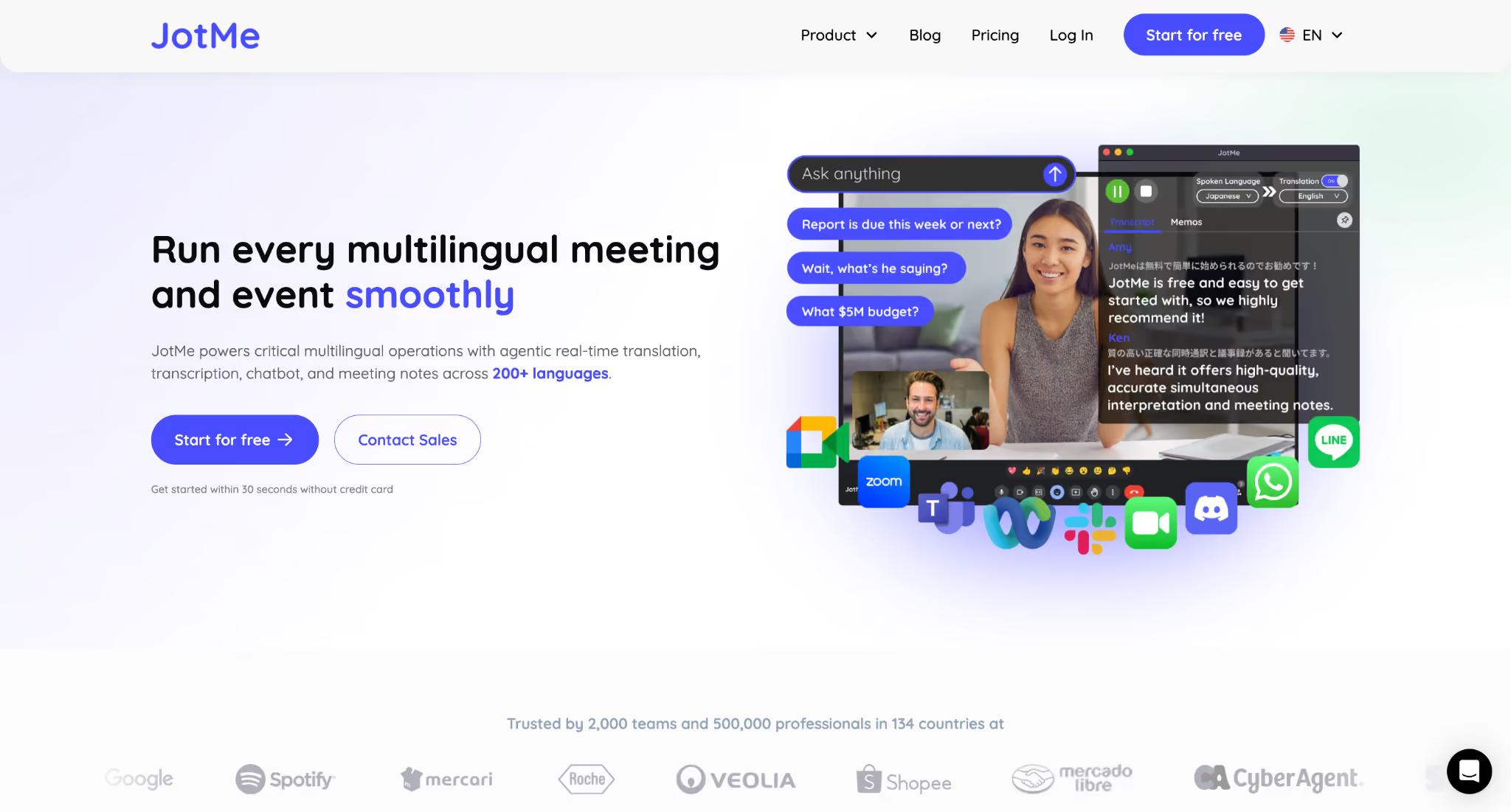
This is where JotMe plays the main role. JotMe handles both text translation and also translates Discord calls. You can not only translate written messages between members, but JotMe also removes the biggest limitation Discord has today by translating spoken conversations as they happen.
Whether your community is hanging out in a voice channel, hosting a Stage event, or using Discord on Meta Quest for VR, everyone can keep speaking their preferred language while following the conversation in real time. Here are some core translation features of one of the best Discord translation bots that really help:
Live Translation
Instead of asking people to repeat themselves or type summaries into chat, JotMe translates conversations in real time.
Imagine you are hosting a Discord Stage event for your international gaming community. A guest creator answers questions in Spanish, moderators ask follow-up questions in English, and community members join from Brazil and Japan. Instead of stopping after every response for someone to interpret or relying on English-to-Spanish translation manually, everyone keeps speaking naturally while JotMe translates the conversation in real time.
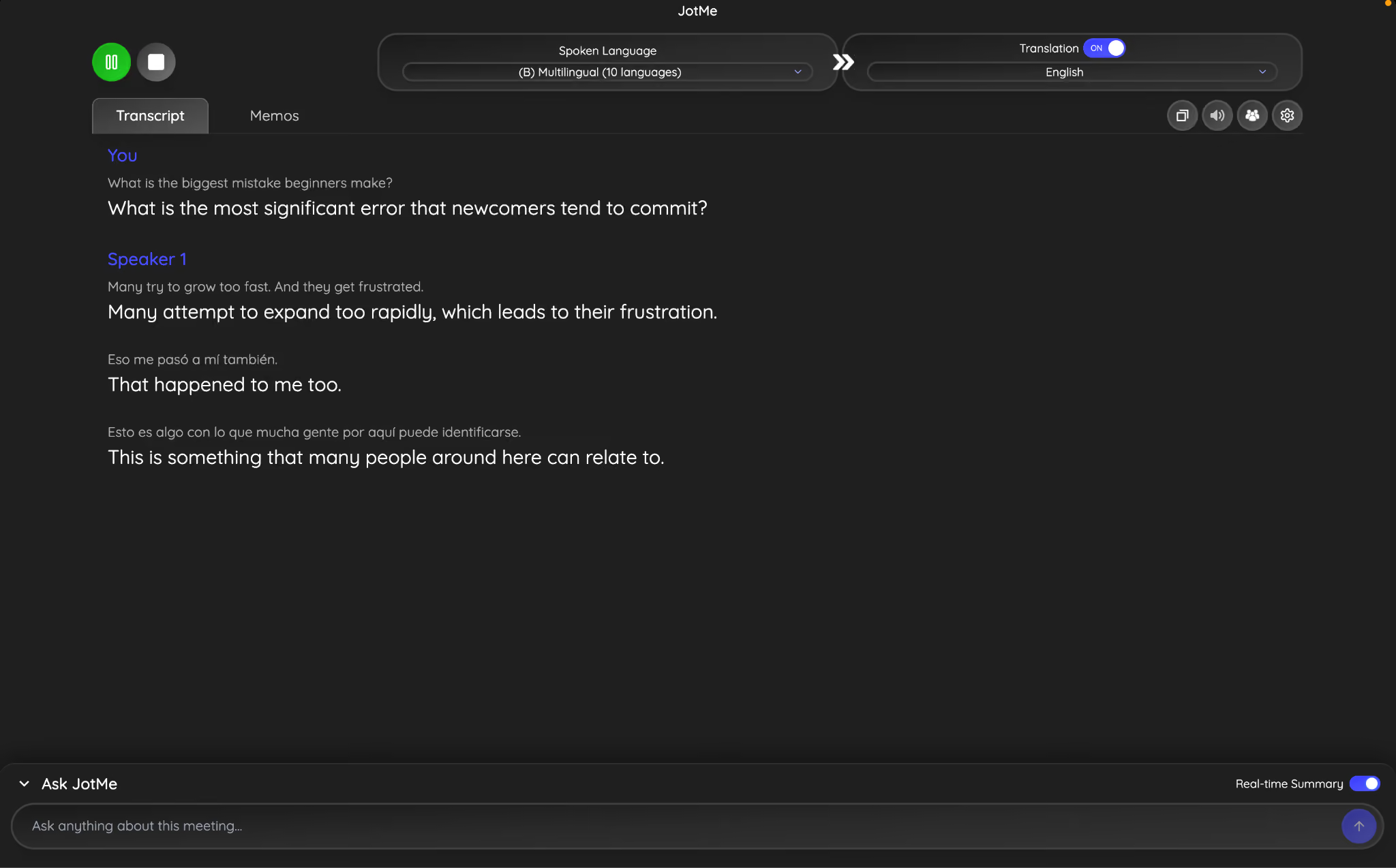
Voice-to-Voice Translation
Sometimes reading translated captions is not practical, especially when everyone is focused on gameplay or wearing a VR headset. JotMe can translate voice-to-voice, making conversations feel much more natural.
If you are playing VRChat or another multiplayer VR game through Discord on Meta Quest, you are constantly talking while moving around. Opening a translator or reading text overlays isn't realistic. With a voice translator, you keep talking as you would usually, and other players hear the conversation in their own language without interrupting the experience.
AI Chat for Multilingual Text Conversations
Discord conversations rarely end when the voice channel closes. After a raid, tournament, or community event, people usually jump into a text channel to share screenshots, discuss strategy, schedule the next session, or continue chatting.
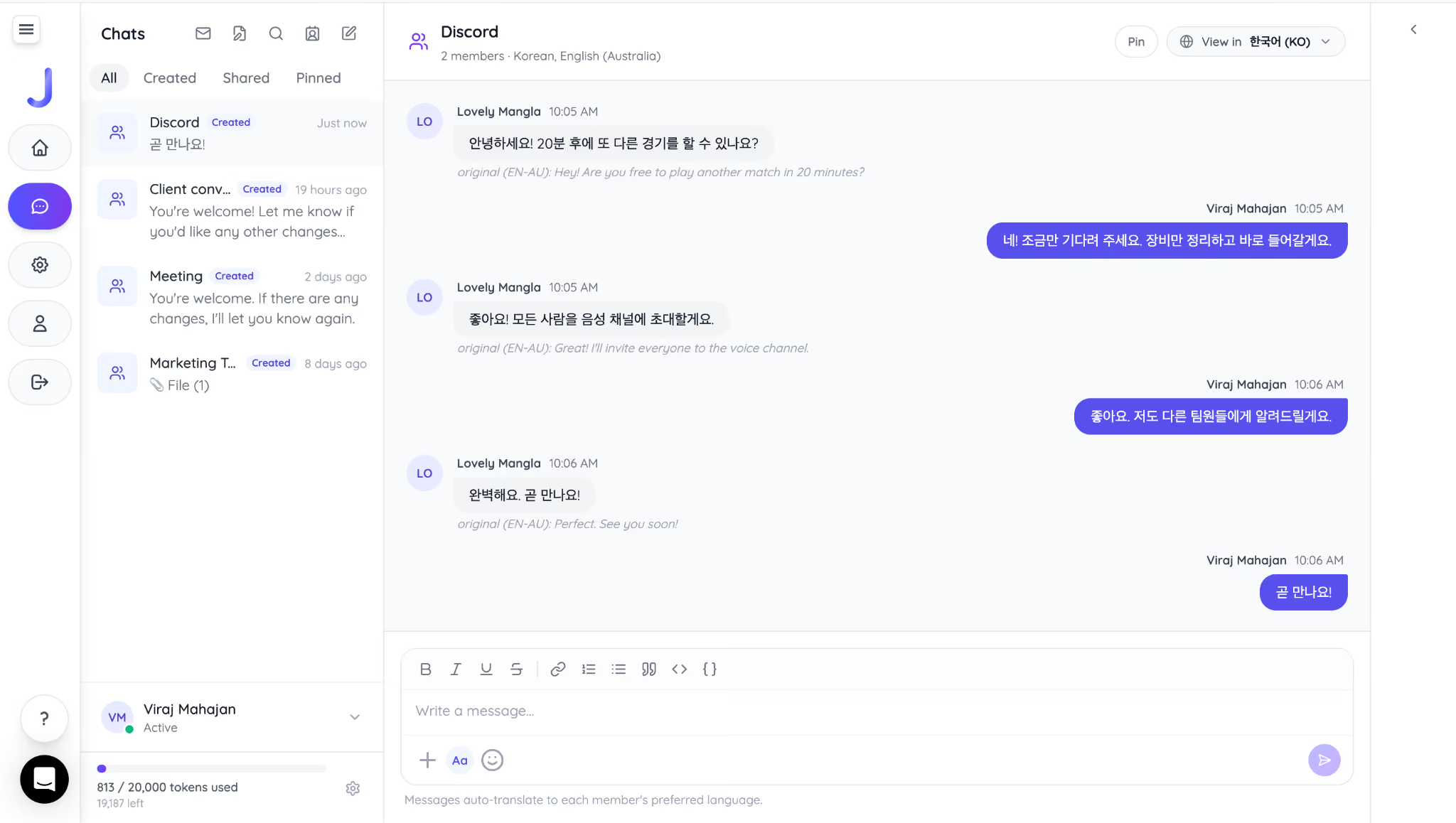
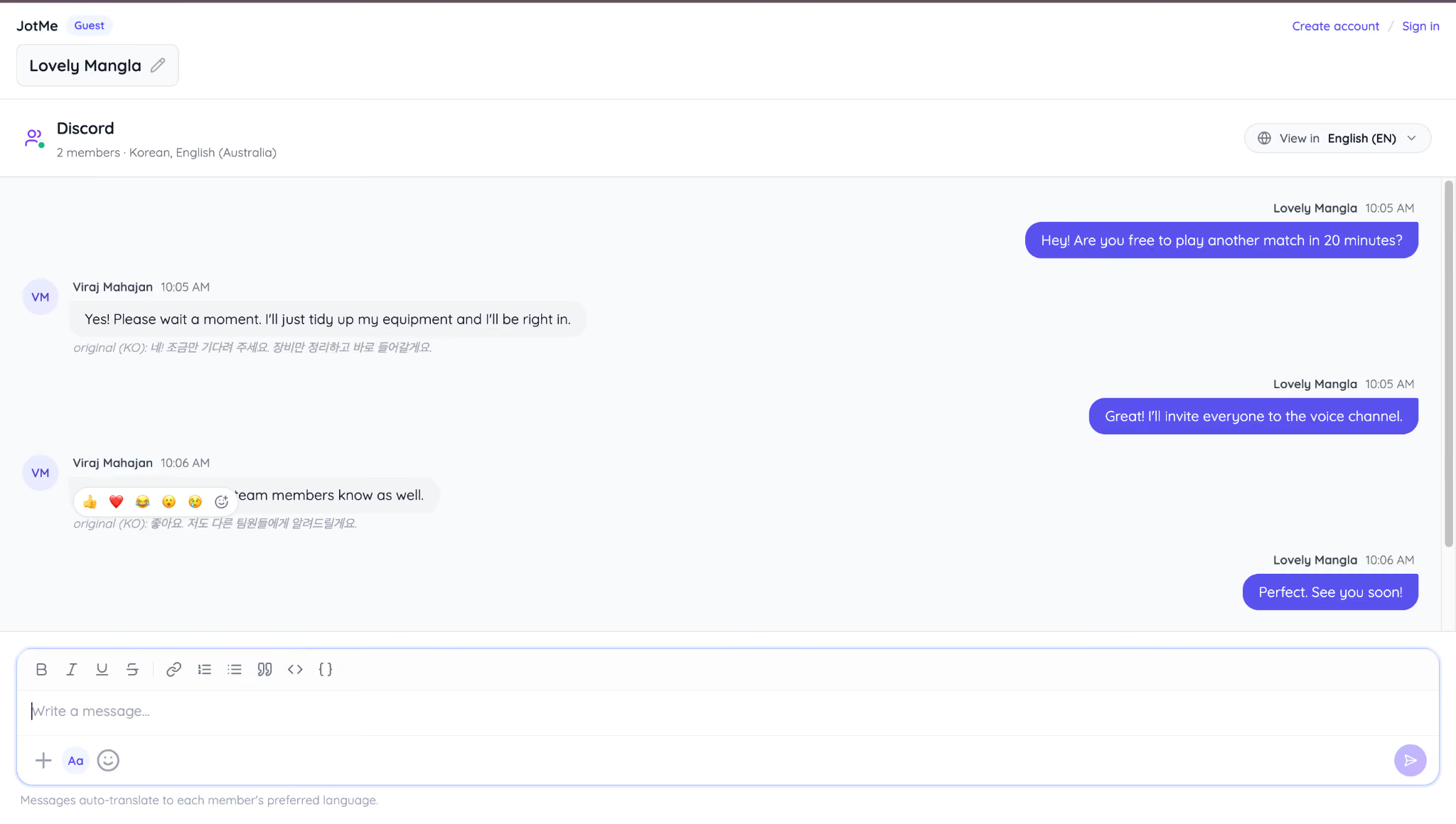
JotMe AI chat carries translation into those conversations, too. You write your message in your own language, your teammates receive it in theirs, and their replies come back translated automatically. Instead of copying messages into a separate translation tool or asking a bilingual person to help, the conversation continues naturally within your community.
Here is how JotMe translates English chat into Korean:
Another teammate, Lovely, got a Korean message in English on her side:
For international gaming guilds, creator communities, fan servers, and coaching groups, this means you don't have to choose between text translation and voice translation.
What Discord Updates 2026 Mean for Your Community
Discord's 2026 updates make communities safer, easier to manage, and more connected across mobile, desktop, and VR. Features like age verification, improved gaming integrations, mobile enhancements, and better server organization help communities create a smoother experience for members around the world.
However, one challenge remains. Discord still does not provide built-in translation for live voice conversations, making it difficult for multilingual communities to communicate naturally during voice channels, Stage events, or VR sessions. JotMe fills this gap with real-time voice translation and multilingual chat, helping every member participate in the conversation using the language they are most comfortable with.
Frequently Asked Questions
How do I update Discord on PC?
Discord updates automatically when you close and reopen the desktop app. If an update is available, you'll see it downloaded and installed during startup. If Discord doesn't update, download the latest version from the official website and reinstall it without deleting your account or servers.
How do I stop Discord from launching updates?
You can't permanently disable Discord's automatic updates on the official desktop app. Discord installs updates automatically to apply security fixes and new features. If you're waiting for an update to finish, let it complete before launching the app instead of interrupting the process.
Why does Discord update so often?
Discord releases frequent updates to fix bugs, improve performance, patch security issues, and add new features across desktop, mobile, and web. Many updates are small background patches, while larger releases introduce features like new gaming tools, safety improvements, or mobile interface changes.
How do I check for Discord updates?
On Windows and macOS, Discord automatically checks for updates whenever you launch the desktop app. If you think you're running an older version, completely close Discord and reopen it. The app will check for and install any available updates before loading.
How do I fix the "Update Failed" error in Discord?
If Discord gets stuck on Update Failed, try these steps:
- Check that your internet connection is stable.
- Completely quit Discord and reopen it.
- Run Discord as an administrator (Windows).
- Temporarily disable antivirus or firewall software if it's blocking the update.
- If the problem continues, uninstall Discord and install the latest version from the official website.
Last updated on
July 29, 2026
Follow us on social media: