Guides
8 Best Discord Translator Bots That We Tried for Text Channels in 2026

Viraj Mahajan
March 18, 2026

Brief Answer: The 8 best Discord translator bots for text translation in 2026 are iTranslator, Discord Translator, RitaBot, Translator Bot, MohCitrus, BabelBot, Talksy, and HephBot Translate. All eight read and translate typed messages well, and a couple of them now offer limited, paid, or beta voice features worth knowing about before you rely on them for a live call. If you need dependable real-time translation for a Discord voice call, the JotMe desktop app runs alongside Discord and delivers live translated captions for the whole conversation, in any voice call, not just the ones where an admin has installed and paid for a specific bot.
A Discord translator bot sits near the top of the search results whenever someone tries to solve a language problem on Discord. The term “Discord Bot” has a global volume of 145,800 monthly searches on Semrush, and believe it or not, the search makes sense.
Discord hosts hundreds of thousands of multilingual communities, from international gaming clans and remote work servers to language learning groups and global fan communities. Language barriers show up constantly. And the instinct to search for a Discord bot is the right one, at least for text.
The problem is that most articles and tools about Discord translation stop at text bots. They list the same five options, explain how to add them to a server, and move on. Hardly anyone would tell you that when you are in a voice channel with teammates from Brazil, Japan, and Germany, every single one of those bots goes completely silent. Even the Discord TTS bot is used for text-to-speech and not for voice-to-text.
This article does two things:
- It gives you an honest, retested breakdown of the best Discord translator bots available right now for text channel translation.
- It clears up the confusion around whether Discord has its own built-in translator.
- It shows you how to actually add one of these bots to your server.
- It explains what to use when you need real Discord auto translate for voice calls, which is a different problem that needs a different kind of tool.
By the end, you will know exactly which solution to reach for depending on what you actually need.
What Does a Discord Translator Bot Actually Do?
Before picking a Discord translation bot, it is important for you to understand what a Discord translation bot can and cannot do, because the gap between expectation and reality is where most people run into trouble.
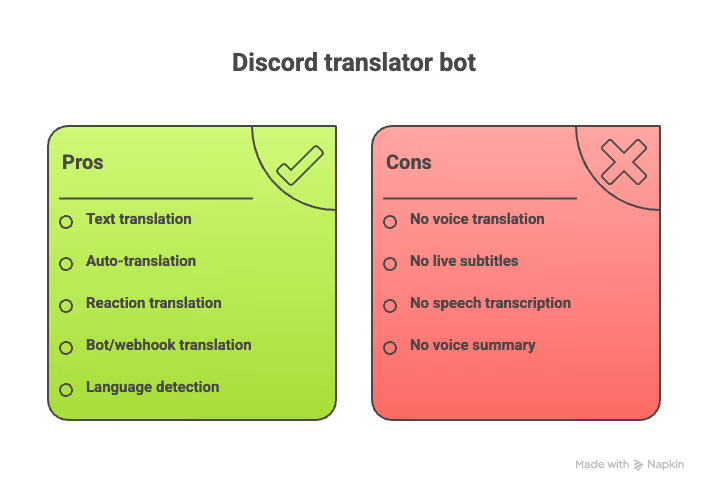
What can a Discord translator bot do in 2026?
- A Discord translator bot can translate text messages in any channel it has access to
- The Discord bot can auto-translate every message in a specific channel into one or more target languages
- The Discord bot lets users react to a message with a flag emoji to get a translation in that language
- The bot translates messages from other bots and webhooks
- The Discord bot can detect the source language automatically
- The bot can link two language-specific channels, so a message in one appears translated in the other
- On a small number of paid or beta tiers, transcribe and translate live speech in a voice channel and post the result as text in that channel's chat
What Cannot a Discord Translator Bot Do as of 2026?
- Play back a translated voice in real time so you can simply listen through a headset (MohCitrus is the one exception, and it is in beta)
- Provide continuous, word-for-word live subtitles the way a dedicated voice tool does
- Work without a server admin installing it, agreeing to its permissions, and in most voice cases, paying for it
- Summarize a voice conversation into notes once the call ends
If you have been using Discord for your voice communications, you will know that this is not a design flaw in any specific bot. Bots operate through Discord's API and have access to message data, but not audio data.
Voice translation requires a tool that captures your system audio and processes it in real time, which is a fundamentally different architecture. Keep this distinction in mind as you read through the bot comparisons below. The bot you choose for your text channels will not help you when you jump into a voice call.
Quick Comparison: 8 Best Discord Translator Bots With JotMe
Use this table to get a fast side-by-side view before reading the detailed breakdowns below.
NOTE: The last row is JotMe, which we include separately because it is not a bot at all. It is a desktop app that solves the voice translation problem that every bot on this list leaves unaddressed.
8 Best Discord Translator Bots For Text Channels in 2026
Each bot below handles text translation well. Where they differ is in features, pricing model, language count, and how well they scale with server size. Read the breakdown that matches your server's needs.
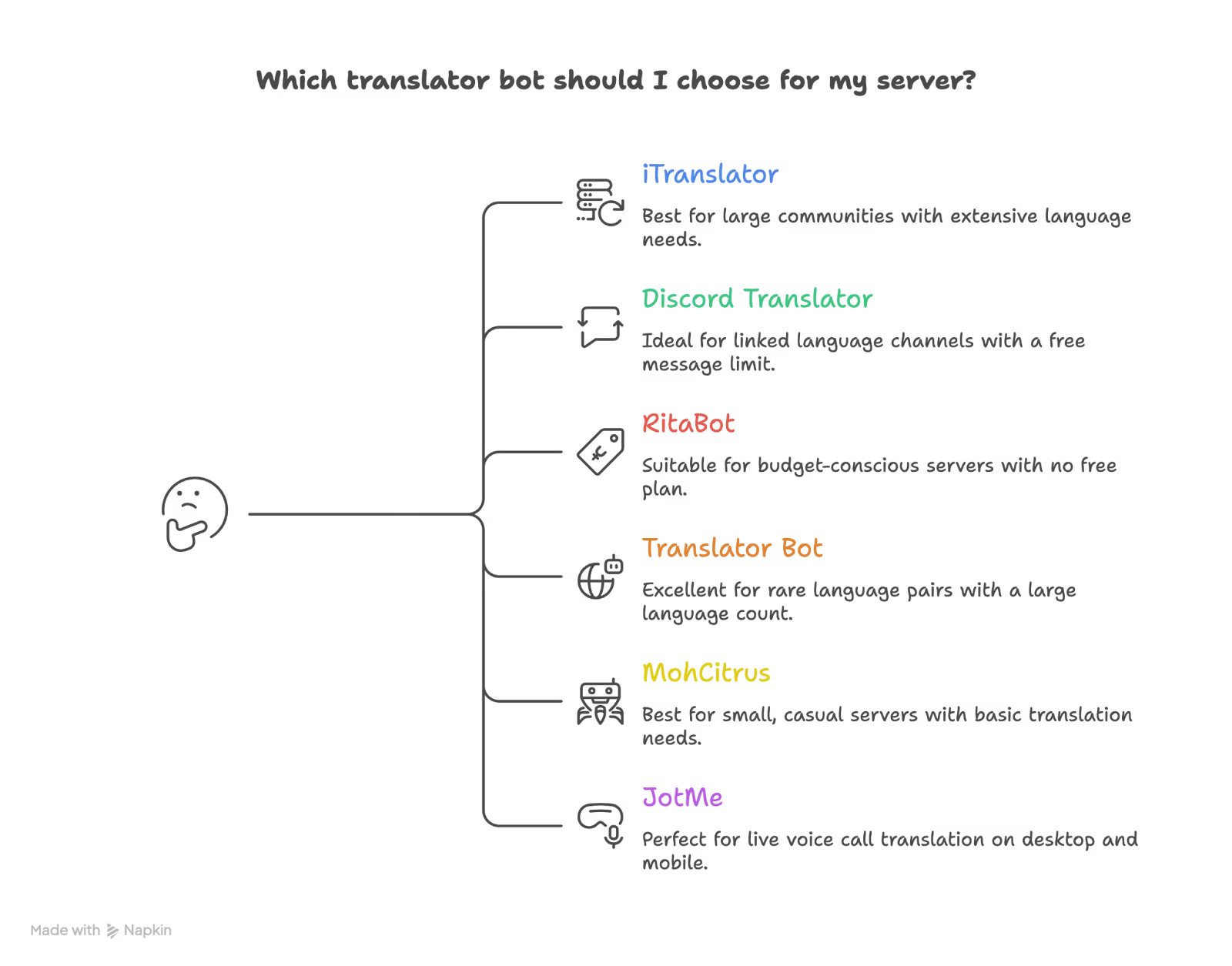
iTranslator: Best Free Discord Translator Bot for Large Servers
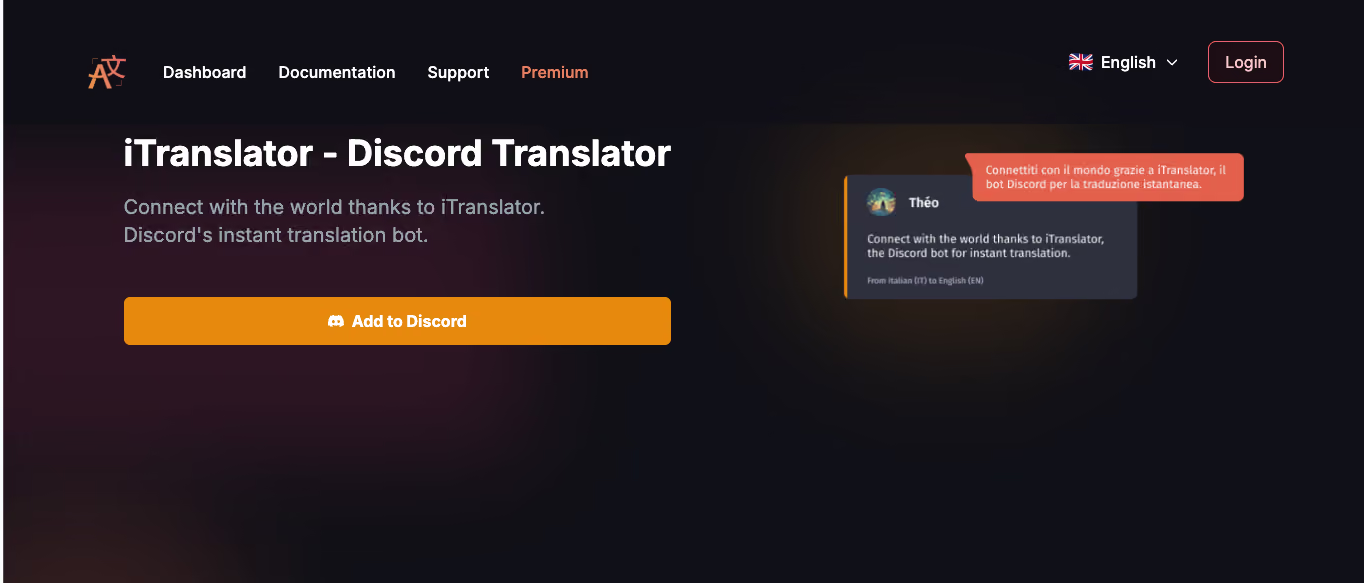
iTranslator consistently ranks as the most widely used Discord translator bot, and for good reason. It offers a genuinely free experience without a hard paywall, which makes it the default choice for server moderators who want Discord auto-translate without committing to a paid plan.
Key Features of iTranslator
- Auto-translate for roles, users, and channels
- Flag emoji reaction translation: react to any message with a country flag to get an instant translation
- Translates messages from other bots and webhooks
- Role-based translation settings so you can restrict who triggers translations
- Auto-erase feature removes original messages after translation to keep channels clean
- User-installable app, so it works even in servers where the bot itself is not installed
- Advanced admin statistics dashboard
- Pro AI plan adds OpenAI-powered text-to-speech and speech-to-text tools
Free vs. Premium
The free tier gives you 10,000 characters before you hit the limit, or you can run /checkvote to vote for the bot and reset your quota at no cost. Free access covers 30 languages. The Premium plan runs about €8.32/month and unlocks 109+ languages plus unlimited translations. The Pro AI plan runs about €24.99/month and adds an improved AI translation engine along with OpenAI text-to-speech and speech-to-text tools.
Best For:
- Large gaming or community servers with active text channels
- Moderators who need role-based translation controls
- Servers that want bot-to-bot message translation
- Anyone who wants a translator bot for Discord with no mandatory payment
iTranslator Discord Bot’s Limitation:
The free tier's language count dropped to 30 in the current version, down from what earlier listings advertised, so smaller or rarer languages now require Premium. The Pro AI speech tools are text-to-speech and transcription utilities, not a live, continuously streaming translation of an ongoing voice channel conversation.
Discord Translator: Best for Auto-Translating Linked Language Channels
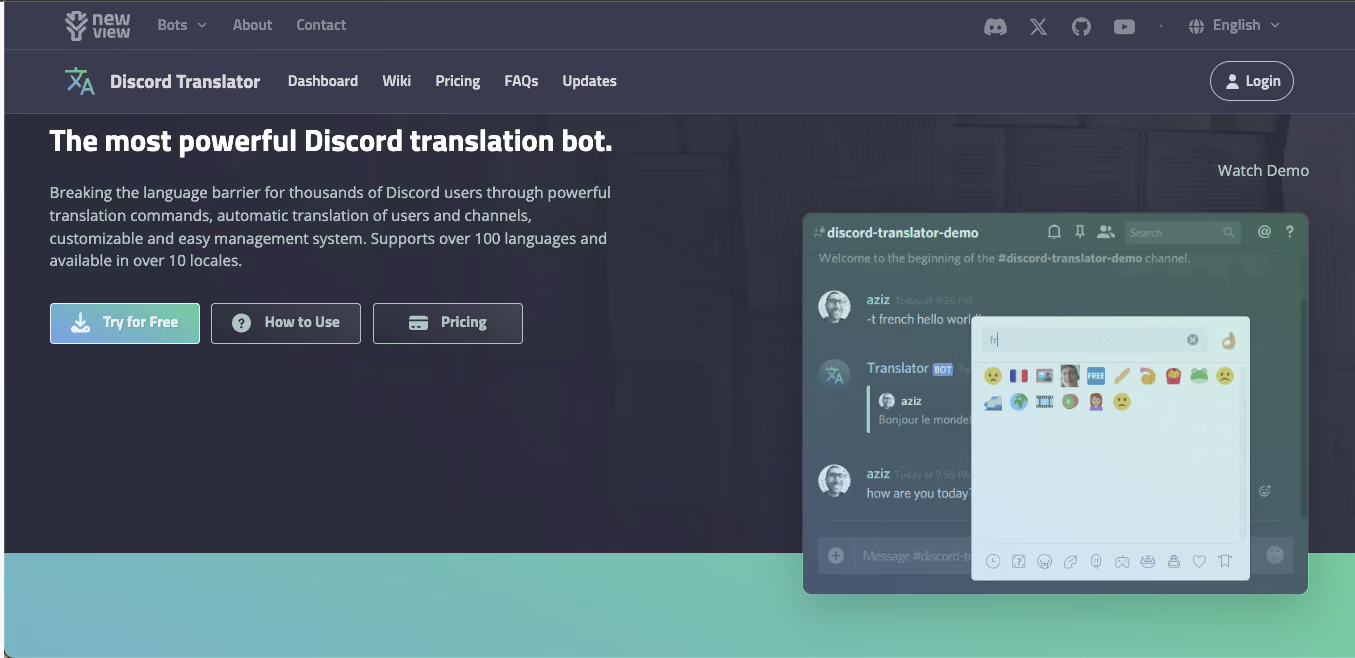
Discord Translator, available through nvu.io, takes a different approach to multilingual server management. Instead of translating everything for everyone, it lets you link language-specific channels together so that a message posted in the Spanish channel automatically appears translated in the English channel, and vice versa.
This creates a clean, organized experience for servers that support distinct language communities under one roof.
Key Features
- Auto-translate specific users or specific channels
- Link two language channels so messages appear simultaneously in both, translated
- Flag emoji reaction translation for on-demand translations
- 100+ languages supported
- 10+ translation display styles, including plain text, embed, and webhook formats
- Custom prefix support for slash commands
- Automatically deletes related translations when the original message is deleted
- Supports translation of other bots and webhooks
Pricing
Discord Translator offers a free trial that covers the first 100 messages [a total of 5,000 characters] with no reset option. After that, you purchase a one-time Premium Plan for $10, which provides 200,000 total characters and roughly ~4,000 translations.
Best For:
- Multilingual servers that want dedicated channels per language community
- Servers that prefer a one-time payment over a recurring subscription
- Server owners who want fine-grained control over which users or channels get auto-translated
Limitation:
The primary limitation of using the nvu.io’s Discord Translator is that the free trial runs out after 100 messages, and for high-traffic servers, the base $10 pack depletes faster than advertised.
RitaBot: Best Budget Subscription Bot for Active Discord Servers
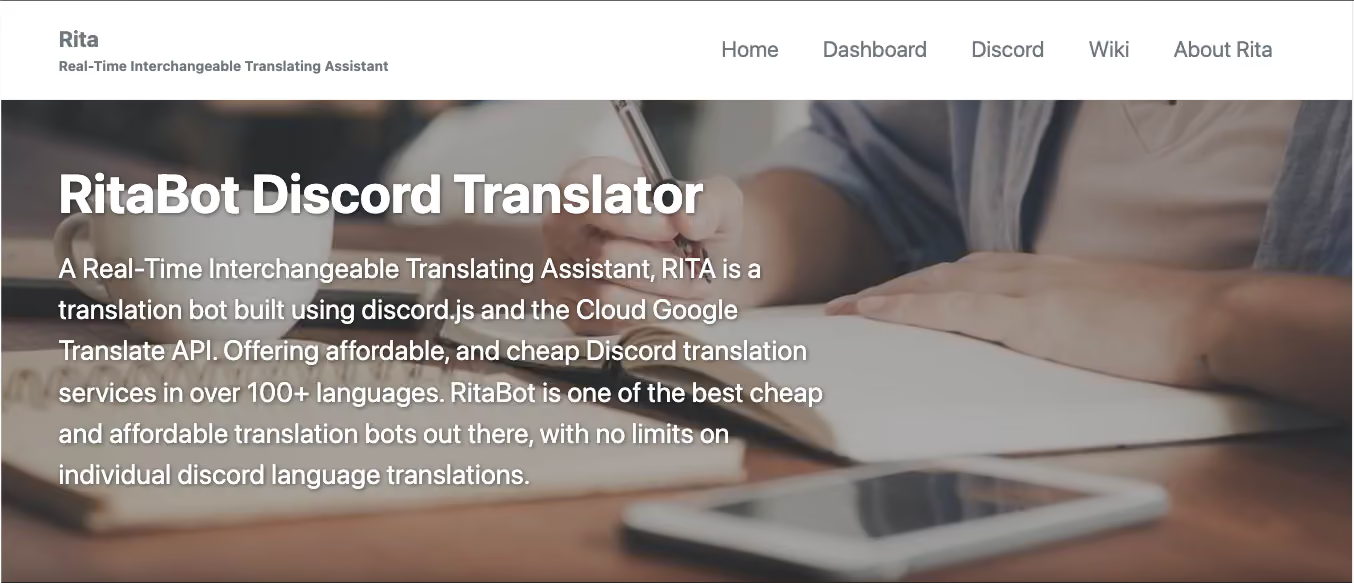
RitaBot started as an open-source project and has since evolved into a paid service built on the Google Cloud Translate API. It positions itself as one of the more affordable and privacy-conscious options in the Discord translation bot space, which makes it worth considering for servers that want a clean, subscription-based model without character-count anxiety.
Key Features
- Google Cloud Translate API backbone: the same engine that powers one of the world's most-used translation services
- Automatic channel translation: set it up once, and every message translates automatically
- Flag emoji reaction translation for manual lookups
- Thread support: translates conversations inside Discord threads, not just top-level messages
- It offers 100+ languages
- Database access restricted to specific staff members
- No character throttling within your subscription tier
Pricing
RitaBot requires a paid subscription to use. Flag-reaction-only translation starts around $2.99/month, and automatic channel translation tiers scale up from there depending on how many channel and language combinations you configure, reaching into the mid-teens per month for larger setups. Every tier includes unlimited individual translations, so a busy server does not get throttled mid-month once it is on a plan.
Best For:
- Servers with high daily message volume that need translation, that do not throttle
- Admins who want thread-level translation, not just channel-level
- Anyone who values privacy controls in how their translation data is handled
Limitation:
There is no free tier, as RitaBot requires a paid subscription from the start. At the same time, the translation quality of this Discord Translator bot is dependent on the Google Translate backend, which handles common languages well but can struggle with lower-resource languages.
Translator Bot (Discord App Directory): Best for 200+ Language Support
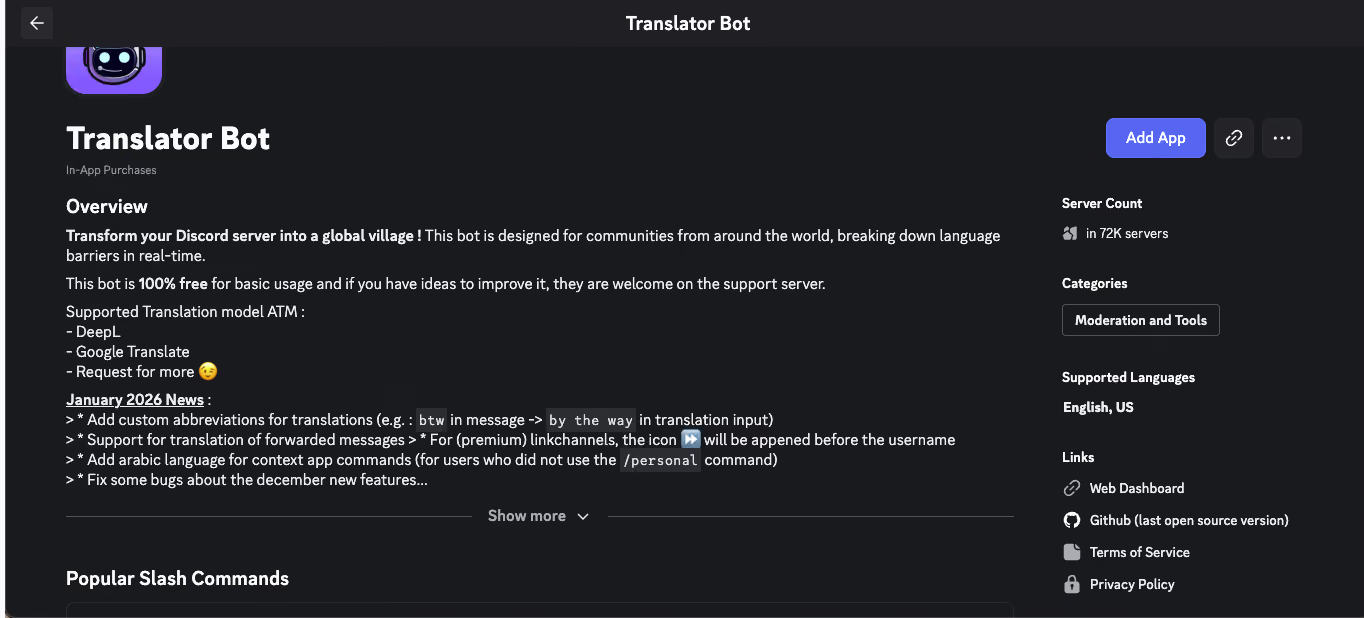
The Translator Bot available directly through Discord's official App Directory stands out for one reason above all others: it supports over 200 languages, more than any other bot on this list. If your server brings together speakers of languages that the more mainstream bots don't cover reliably, this is where you start.
Key Features
- 200+ languages, the widest library in this list
- Channel-specific language assignment, so each channel can have its own target language
- Auto-translation without manual setup once a channel's default language is set
- Slash command and right-click "Apps → Translate" menu support
- A private, personal-only translation view so results show only to the person who requested them
Best For:
- Servers with speakers of rare, regional, or underrepresented languages
- Communities that specifically need language pairs not covered by 100-language bots
- Anyone who wants to add a Discord translation bot directly from Discord's native app directory without visiting a third-party website
Limitation:
The feature set is leaner than iTranslator or Discord Translator. There is less administrative depth, fewer output styles, and a smaller support community around it.
MohCitrus: Best No-Setup Free Bot for Small Discord Servers
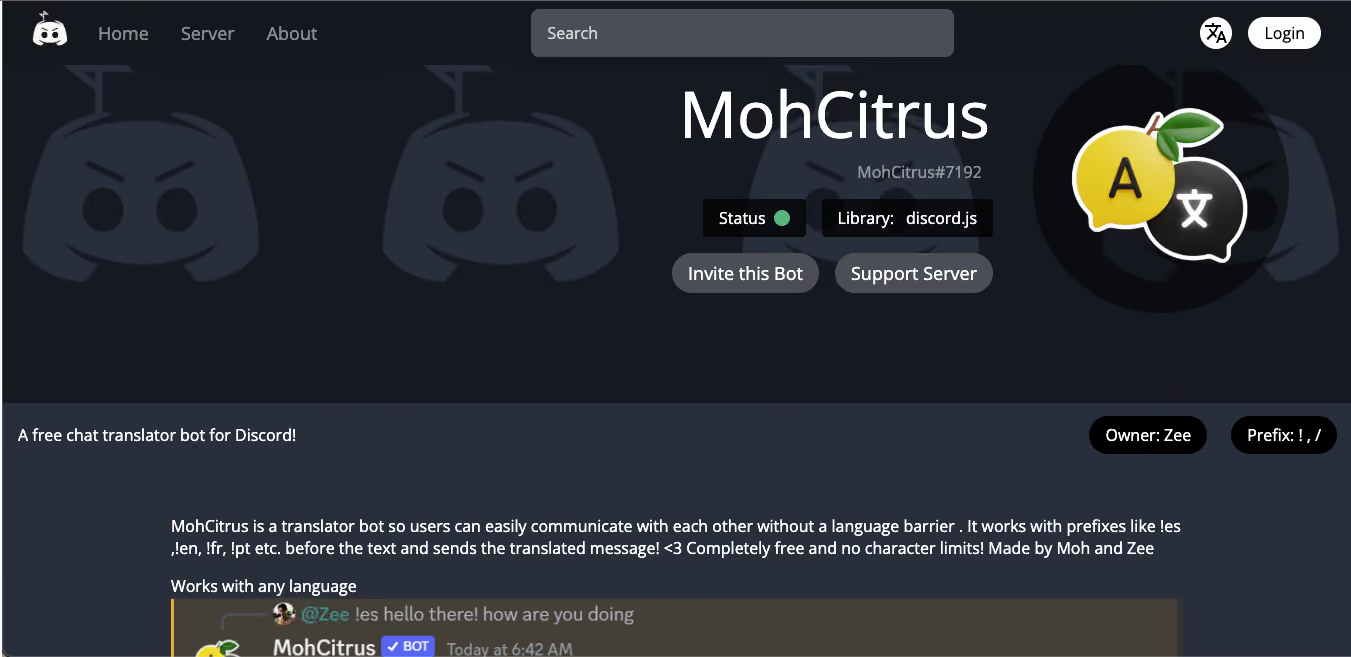
MohCitrus takes the opposite approach to complexity. Where other bots offer dashboards, role configs, and linked channel architectures, MohCitrus gives you a simple prefix command and gets out of your way. It is the translator bot for Discord that you add in two minutes and start using immediately without touching a single setting.
Key Features
- Type !es Hello everybody and get the Spanish translation instantly, no slash menu required
- /translate for a single language, /dualtranslate to hit two languages at once for bilingual servers
- React with a flag emoji to get the translation
- /setup builds a persistent auto-translate bridge for a channel, with a natural webhook appearance so translated messages look like the user posted them
- 100+ languages through a choice of Google, DeepL, or Azure translation engines
- A real web dashboard with analytics, custom terms, and per-channel rules
- Beta feature: join a voice channel and MohCitrus translates between two languages in real time, in an AI voice matching the speaker, so an English speaker hears Spanish replies in English
Best For:
- Small servers or friend groups who need occasional translation help
- Servers that want a translator bot for Discord without admin overhead
- Users who communicate in a small set of common languages and don't need 100+ language support
Limitation:
The voice feature is explicitly in beta. That means it can change, break, or get pulled behind a paywall once it leaves beta, and it currently supports translating between two languages at a time rather than an entire multilingual voice channel.
BabelBot: Best for AI Translation Quality and Media Files
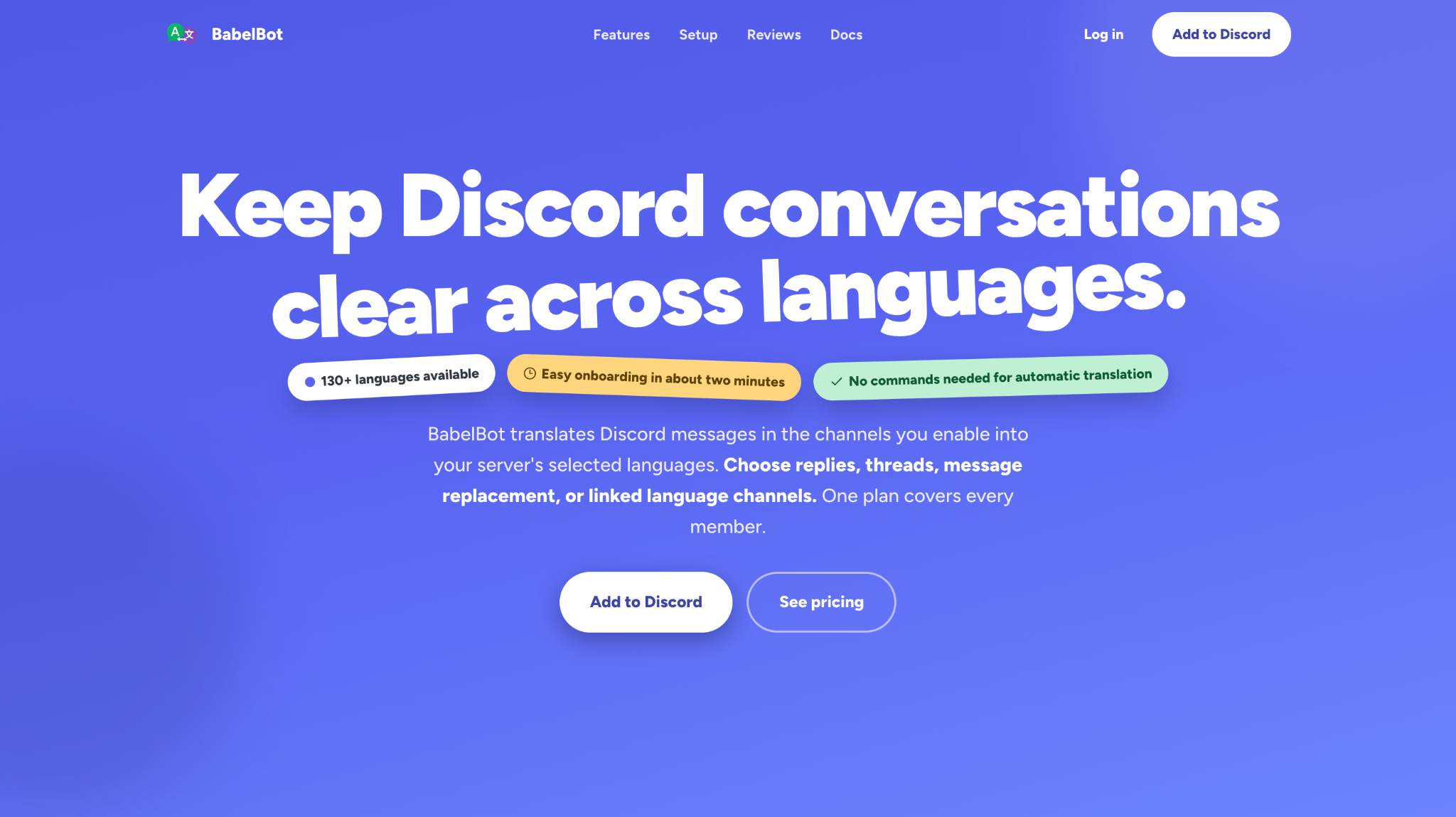
BabelBot runs translation through modern AI models rather than a bare machine-translation API, and it is the most feature-dense bot on this list, covering text, images, PDFs, and a genuine (if limited) live voice option.
Key Features
- AI-powered translation across 130+ languages, using recent chat context so results read naturally instead of word-for-word
- Reply, thread, or inline webhook delivery, the webhook option posts translations under the original speaker's name and avatar
- Custom words and glossary terms to keep server names, game terms, and slang from getting mistranslated
- Media translation on paid plans: supported PDFs up to 50 MB, images, video attachments, and audio files
- Live voice chat translation on Ultra and Founder Access: an admin enables it, a member runs /voice start, and BabelBot joins the channel, transcribes each speaker, and posts translated text into that channel's chat while the call runs. It does not play translated audio back
- User-installable app for DMs and servers without BabelBot installed
Pricing
The free plan includes 2 target languages, a 100-translation AI trial, then 50 AI translations per month, with unlimited translation for already-supported languages after that. Pro runs about €9.99/month per server with a metered AI allowance. Ultra adds live voice chat translation, more languages, and higher limits. Founder Access is a €199 one-time payment for a single server, covering up to 10 target languages, unlimited bridge connections, media translation, and live voice chat translation.
Best For: Servers that want AI-quality translation, need to translate attachments and not just chat text, or want a taste of voice-channel translation without leaving Discord.
Limitation: Live voice translation only posts text captions in the channel's chat. It does not speak the translation back to you, and it is locked behind the Ultra or Founder Access tiers.
Talksy: Best Personal Bot That Follows You Across Servers
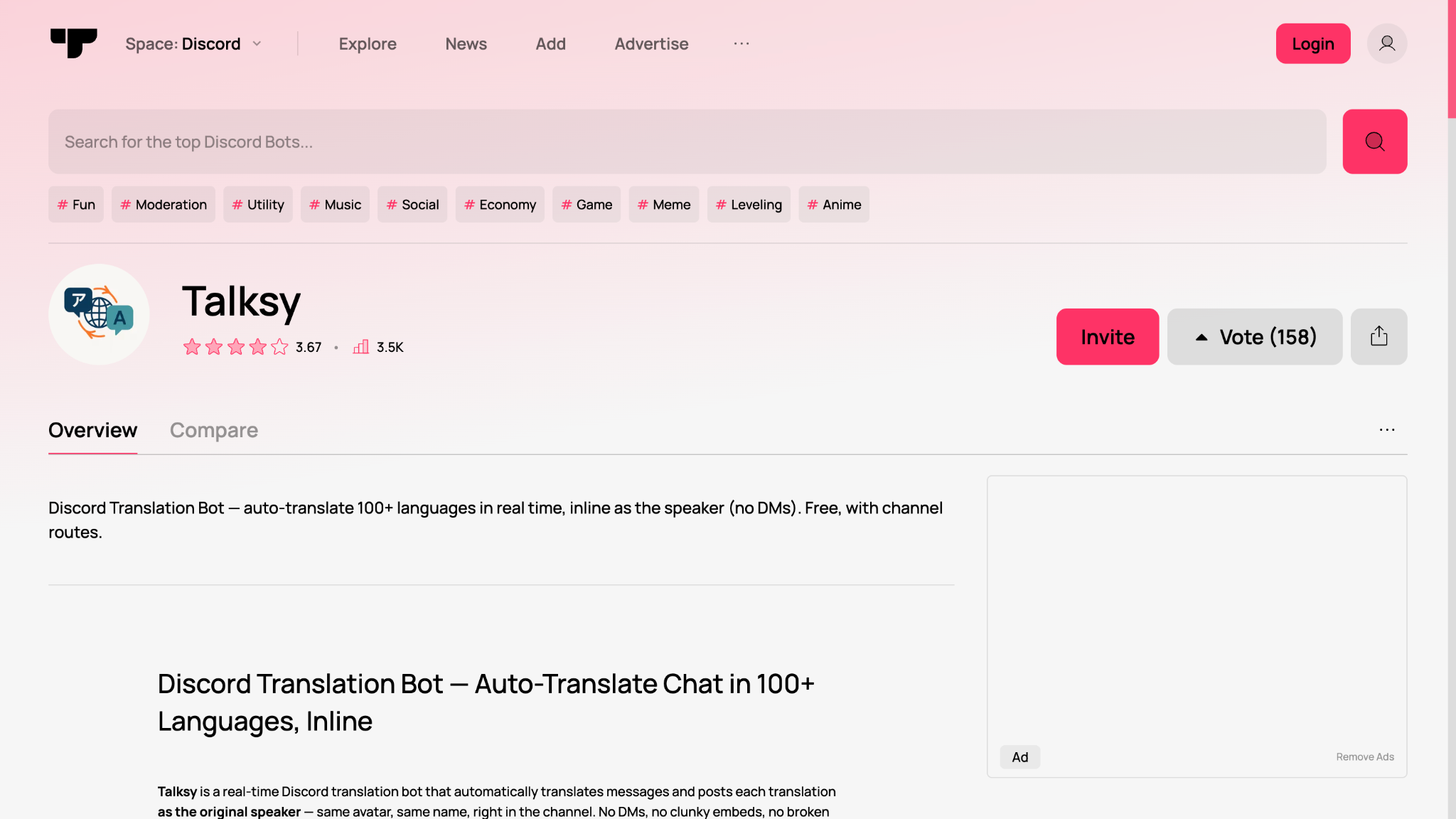
Talksy is built around the Discord account, not the server. Most bots on this list need to be installed per server by an admin. Talksy can be installed to your own account and then works in DMs and any server you join, whether or not that server has Talksy installed.
Key Features
- Inline webhook translation, posts as the original speaker with their name, avatar, and a small flag, so the conversation flow never breaks
- /translate works anywhere, even in servers without Talksy installed, via the user-install app
- Right-click → Apps → Translate Message context menu
- Per-server glossary terms so game names, usernames, and in-jokes stay untranslated
- Channel routes for auto-translating a channel or linking two channels together
- Stealth mode, deletes the original message and leaves only the translated version
- AI-based translation with language auto-detection, available on the free tier, not locked behind Pro
Pricing
Free usage includes 100 automatic translations, 100 manual /translate commands, and 50 flag-reaction translations per month, plus one channel route and 30 glossary terms, across 100+ languages. Talksy Pro costs about €8.99/month, removes those caps, and, unlike most bots here, the subscription is tied to your account rather than a single server, so it follows you everywhere you use Talksy.
Best For: People who are active across multiple Discord servers and want one subscription that works everywhere, and anyone who wants translations to read like a normal message rather than a bot reply.
Limitation: Talksy has no live voice feature. Server-wide setups also depend on one Pro member unlocking routes and glossary terms for everyone, rather than the server itself holding the subscription.
HephBot Translate: Best Truly Free Bot for Unlimited Channel Mirroring
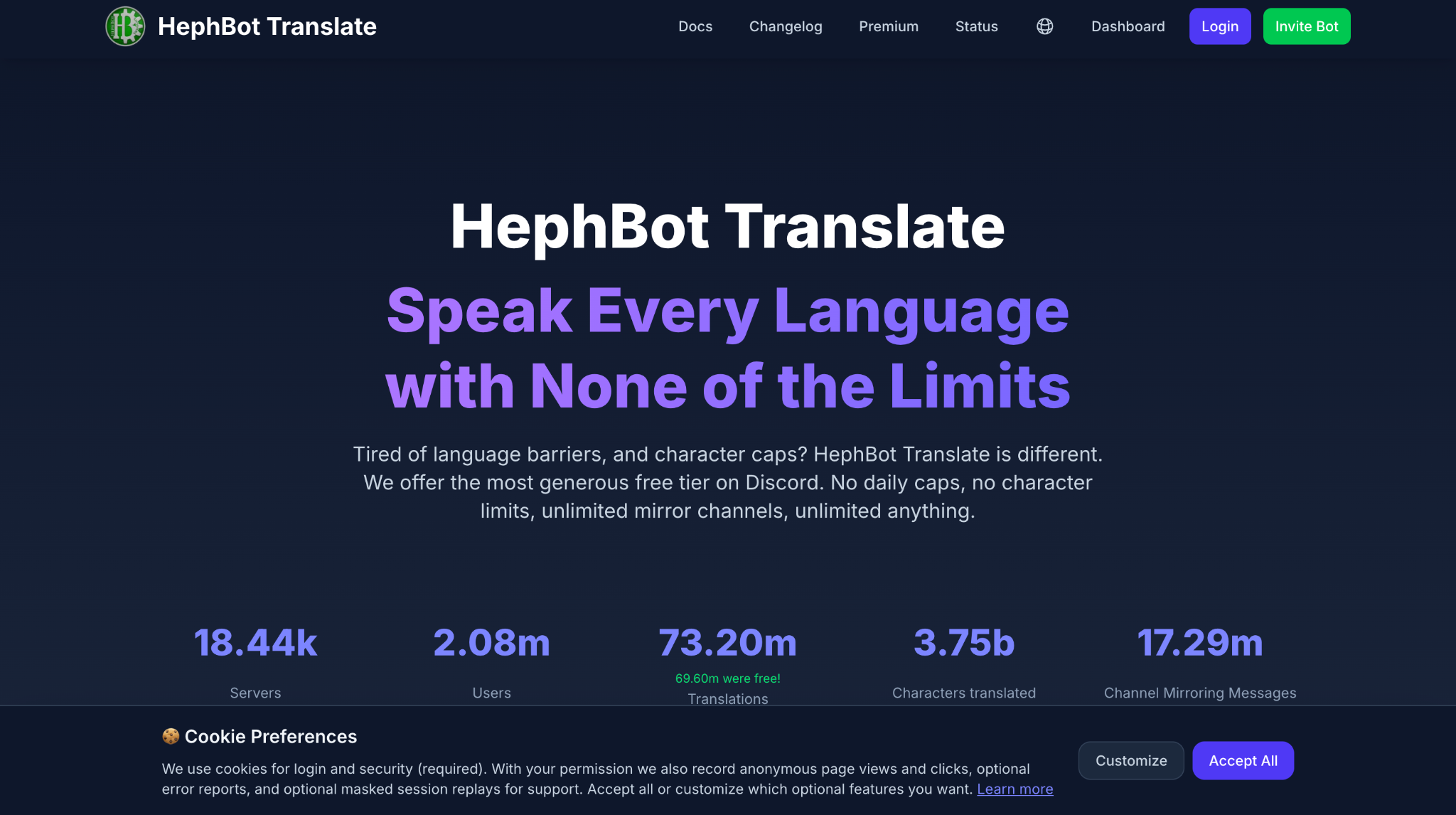
HephBot Translate runs on self-hosted infrastructure and uses that to offer something rare in this category: every core feature is unlimited and free, permanently, with no character caps or daily limits.
Key Features
- Truly unlimited translations, no character limits, no daily caps
- Seamless channel mirroring, links multiple channels into one unified multilingual conversation with real-time message sync and support for attachments and embeds
- Webhook system posts mirrored translations under the original author's name, not as a bot reply
- Flag reaction and right-click context menu translation
- Full customization dashboard: auto-delete timers, source language display, ignored channels, and more
- Optional Premium tier unlocks large language model translation for slang, typos, and cultural nuance, with a choice between bring-your-own-key billing or a managed subscription
- Auto-Setup, a paid convenience feature that automatically builds and maintains mirrored channel structures across languages
Pricing
All core features are free forever, funded by the bot's own hardware rather than translation-API resale. The optional Premium tier is for LLM-quality translation and the Auto-Setup convenience feature, not for unlocking basic functionality.
Best For: Servers that want genuinely unlimited free translation and channel mirroring without hitting a paywall on core features, and admins who want BYOK control over which AI provider handles premium translations.
Limitation: There is no live voice translation, and admins have to invite the bot with the right channel permissions manually since Auto-Setup, which handles that automatically, sits behind Premium.
Discord Translator vs. JotMe: Which One Do You Actually Need?
The accurate comparison is between Discord's third-party App Directory translator apps and a desktop tool such as JotMe. Discord Translator, for example, is developed by nvu.io and is available through Discord's App Directory; it is not a built-in Discord translation feature.
Use a Discord Translator Bot If:
- Your server communicates primarily through text channels, and you want automatic background translation
- You manage a large multilingual community and need translations to appear inline without anyone doing anything manually
- You want flag emoji reactions so members can request translations on individual messages
- Your server runs separate channels for different language groups, and you want those channels linked
- You need moderation-integrated translation, where translation and content filtering happen together
Use JotMe (Desktop App) for Discord If:
- You are on a voice call with people who speak a different language and need live translated captions
- You want a full transcript of what was said during a multilingual Discord call
- You need AI-generated meeting notes and summaries after the call ends
- You host language practice sessions and want participants to have real-time translation support
- You coordinate an international team on Discord and need the call translated and recorded for people who missed it
The most complete Discord translation setup combines both. A Discord translation bot runs in your text channels to handle written communication. JotMe runs in the background during voice calls to handle spoken communication. Together, they cover every communication channel Discord offers.
Common Problem Every Discord Translator Bot Has (And Cannot Fix)
At this point, you have five solid options for Discord auto-translate across your text channels. Each one handles messages well. Each one integrates cleanly with Discord's server architecture. And every single one of them stops working the moment you join a voice channel.
This is not a criticism of any specific bot.
It is a structural fact about how Discord bots work. As mentioned above, Discord Bots communicate with Discord through its API, which gives them access to message data, channel metadata, member lists, and server configurations. It does not give them access to audio streams.
When you press the mic button and start talking in a voice channel, every Discord translation bot on this page effectively goes offline. They cannot hear you. They cannot hear your teammates. There is nothing to translate because no text exists.
Discord today is not just a gaming platform. International remote teams use it as their primary meeting tool. Language learning communities host voice practice sessions on it daily. Gaming clans coordinate across five time zones and three languages every single night. For all of these use cases, a Discord translator bot solves the wrong problem. You do not need text translation. You need live voice translation that works in real time during the call.
That is a different problem, and that’s why it requires a different kind of tool.
How to Translate Discord Voice Calls in Real Time with JotMe
JotMe is not a Discord translator bot. It does not appear in your server's member list, it does not require admin permissions, and it does not sit in your text channels. It is a desktop application that runs alongside Discord on your computer and translates what it hears through your system audio in real time.
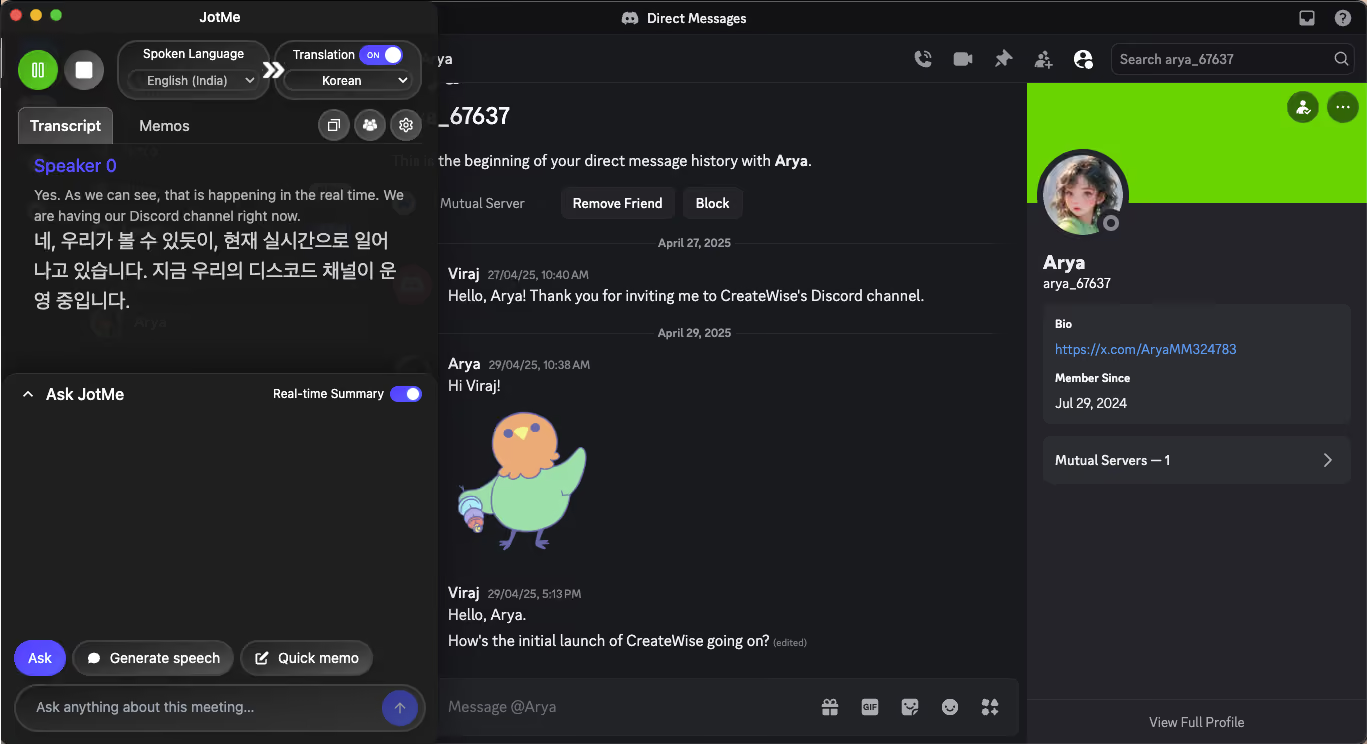
When you run JotMe alongside Discord, it captures the audio from your voice call and delivers live translated captions directly on your screen. You see what the other person says, in your language, as they say it.
How to Set Up JotMe to Translate Discord Voice Calls
Here’s how you can fully use JotMe as a voice translator in real-time:
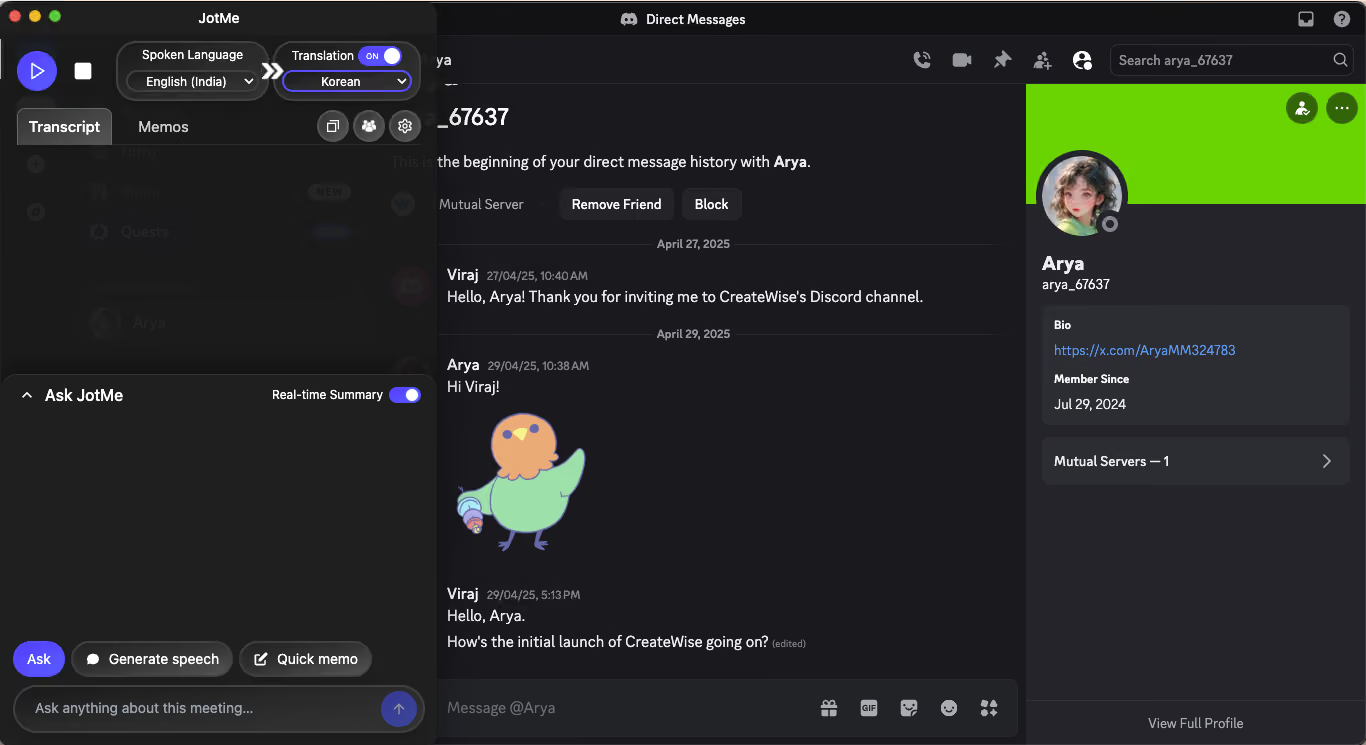
Step 1: Download Discord & JotMe Desktop Apps
Download and install the Discord desktop app and the JotMe desktop app. The browser version of Discord does not support system audio capture, so the desktop app is essential.
Step 2: Use JotMe for Live Translation
Open Discord and join a voice channel or start a direct call. Right from here, you can launch JotMe, toggle the Translation switch on, select the language being spoken and the language you want to read, press Play, and the live translation begins immediately.
Key JotMe Features for Discord Voice Calls
- Real-time translated captions in 45 languages: Live subtitles appear on your screen as the conversation happens.
- Contextual translation: JotMe processes the meaning of what is said, not just the words. Gaming callouts, technical jargon, and idiomatic expressions translate more accurately because the engine understands context.
- Translation in bullet points: After the call, JotMe organizes the conversation into clean, translated bullet points so you can review what was discussed without reading through a full transcript.
- AI meeting notes: JotMe generates a summary of the call's key decisions and action items automatically when the session ends.
- Shareable translation minutes: The host generates a code that other participants use to access live translation through their own JotMe session. Participants can join the live translation feed without a paid account.
Who Can Use JotMe on Discord
- International gaming teams that need live callout translation during competitive play
- Remote teams that run their daily standups and team calls on Discord
- Language learning servers where members practice speaking in a foreign language and want real-time support
- Content creators who run multilingual community calls and need post-call transcripts
What to Choose for Discord Voice Calls in 2026
Discord translation has changed considerably, and the right tool now depends on whether you need text translation, bot-based voice translation, or voice translation without a bot.
For text channels, iTranslator, Discord Translator, RitaBot, Translator Bot, MohCitrus, HephBot Translate, and other Discord translation apps can handle different combinations of automatic translation, flag reactions, linked channels, and language coverage.
For voice channels, the situation is different. Some specialized Discord apps can now join voice channels and translate speech, while text-focused bots still cannot translate a live conversation.
That is where the distinction between a Discord translation bot and a desktop translator becomes important. JotMe does not join your server as a bot. It runs on your computer, captures Discord audio locally, and provides live translation across 200+ languages. It can also provide voice-to-voice translation when you want the translated speech spoken aloud rather than displayed only as captions.
So, if you need Discord auto-translate for written messages, choose a text-focused Discord translator bot. If you want to add a translator to Discord that can handle voice, check whether the specific app supports voice channels. And if you want live voice translation without adding a bot to your server, JotMe is an alternative to consider.
Try JotMe and translate your next Discord voice call in real time.
FAQs
Does Discord have auto-translate?
Discord does not have a universal auto-translate feature that automatically translates every message or conversation. You can use translation apps from the Discord App Directory to translate text messages, channels, or other supported content. The exact features depend on the app you choose.
How do I add a translator to Discord?
Open the Discord App Directory and search for a translator app. Select the app you want to use, choose your Discord server, review the permissions, and authorize it. You may then need to complete the setup through commands or the app's dashboard.
Is there a free translator bot for Discord?
Yes, some Discord translator bots offer free translation features or free core plans. However, features and limits vary between bots. Text translation is more commonly available for free, while advanced features such as voice translation may require a paid plan.
Can Discord translate voice conversations?
Some specialized Discord apps can join voice channels and provide voice translation, but ordinary text-focused translator bots do not translate voice conversations. If you want voice translation without adding a bot to your server, JotMe offers a separate desktop-based approach.
Last updated on
September 15, 2026
Follow us on social media: