Guides
AI Meeting Assistant: 13 Tools for Smarter Meeting Workflows [2026]

Viraj Mahajan
September 10, 2026
![JotMe — AI Meeting Assistant: 13 Tools for Smarter Meeting Workflows [2026]](/_webflow-assets/11bb855cba373d281ff877aaa6bfe8c0.avif)
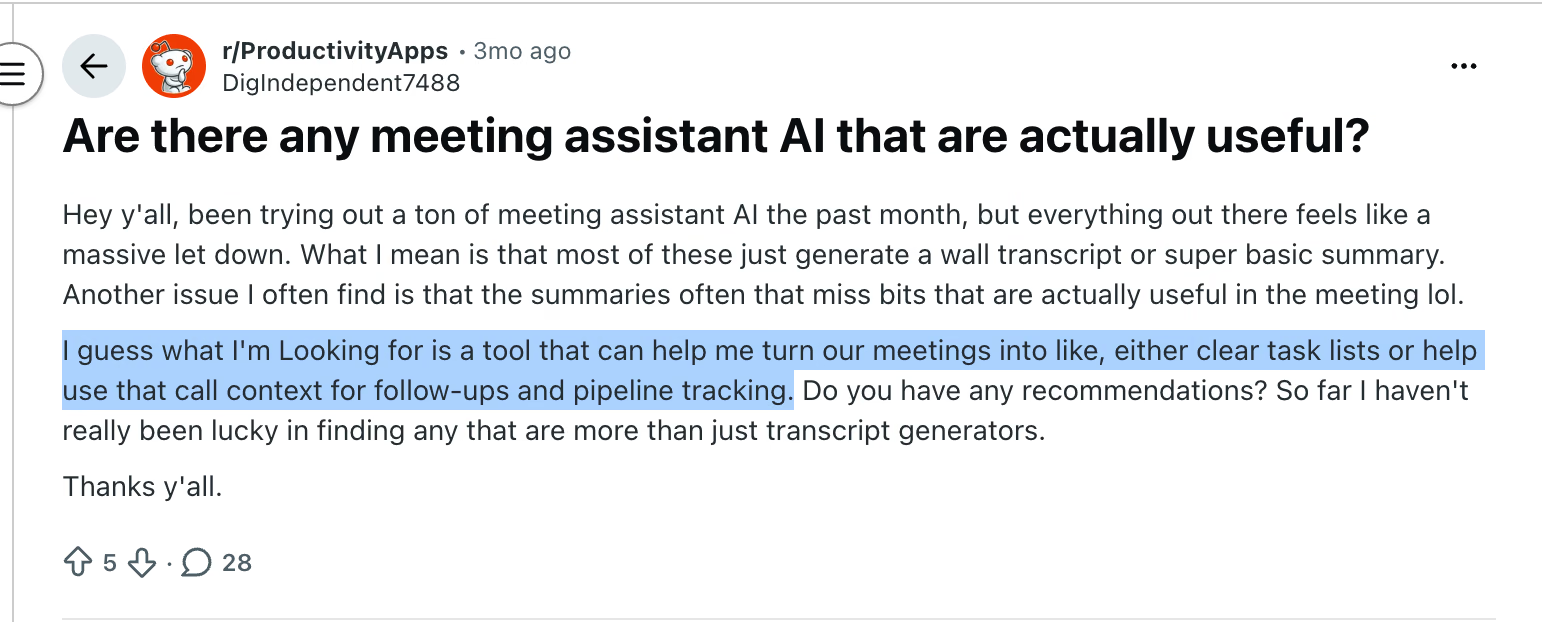
"Are there any meeting assistant AIs that are actually useful?" That question appeared on Reddit after the poster tried several tools and kept receiving long transcripts or thin summaries instead of decisions, task lists, and usable follow-ups. It captures the problem with choosing an AI meeting assistant in 2026: almost every product can record and summarize, but far fewer make the next part of your work easier.
I compared 13 options by looking past the polished recap and examining capture method, transcript access, action-item quality, live help, collaboration, language support, and pricing. JotMe stood out for multilingual meetings because it supports the conversation while it is happening and can turn the same meeting into translated notes afterward. The other tools earn their place for narrower strengths, from CRM intelligence and meeting search to noise cancellation and a genuinely useful free plan.
The Best AI Meeting Assistants
- JotMe for live multilingual meetings and translated AI notes
- Fireflies.ai for collaboration and topic tracking
- Granola for combining human and AI notes
- Avoma for conversation analytics
- Calendly for combining meeting scheduling and note-taking
- tl;dv for AI-powered meeting search
- Krisp for improving audio quality
- Equal Time for inclusive meetings
- Otter.ai for asking questions about your meetings
- Fellow for data privacy and security
- MeetGeek for AI voice agents
- Notta for multilingual mobile transcription
- Fathom for a free option
What Makes the Best AI Note Taker for Meetings
An AI meeting assistant records or captures a conversation, converts the audio into a searchable transcript, and uses AI to produce summaries, decisions, action items, answers, or workflow updates. The best AI note taker for meetings preserves enough source context that you can verify its output and use it without replaying the entire call.
The category appears under several labels. I treat AI meeting transcription, meeting recording software, AI note-taking, and an AI note-taking app as inputs to the same workflow. The best AI meeting note taker must do more than capture words. A dependable AI meeting assistant also has to produce a handoff that survives comparison with the recording.
How I Evaluated and Compared the AI Meeting Apps
The Reddit discussions supplied a better test than the usual checklist. One commenter suggested judging an AI meeting assistant by the handoff: does it preserve decisions, owners, dates, open questions, and enough context to write the follow-up? Another proposed an even harder test. Use a meeting in which a decision changes midway through the call, then check whether the tool captures the final commitment instead of the earlier suggestion.
That is how I approached this best AI meeting assistant tools comparison 2026. I looked at the complete path from joining the meeting to doing something useful with the recording. For JotMe, I also reviewed a real multilingual desktop recording, its original and translated notes, the audio-linked meeting page, comments, sharing permissions, and the pricing controls shown in the supplied screenshots.
I used six criteria.
For every AI meeting assistant, I asked the same question: what useful work happens after the transcript exists?
The best AI note taking app for meetings should not win because it produces the longest recap. I treated AI meeting minutes as a deliverable, not a feature name: they should preserve the final decision, the responsible person, the due date, and the evidence needed to check all three.
- Simple capture: The AI meeting assistant should connect to the meetings people already use. A bot can be convenient, but a bot-free desktop recorder is valuable when guests reject recording bots, the platform is unsupported, or the call happens in person.
- Reliable source material: A useful AI meeting transcription needs speaker labels, accessible audio or video, timestamps where available, and a transcript that remains available after the summary appears. The transcript is the evidence layer. The summary is an interpretation of it.
- Useful AI output: I looked for decisions, owners, dates, action items, custom notes, meeting-aware chat, and follow-up drafts. A polished paragraph that flattens every statement into the same level of importance is still weak meeting notes software.
- Live value: Most AI notetakers wake up after the meeting. The stronger products also help during it through live transcription, translated captions, participation metrics, search, noise cancellation, or an AI agent that can answer questions.
- Organization and collaboration: The best meeting note taking app should make it easy to find a past call, comment on a passage, share the right version, and control who can view or edit it. If a team cannot locate a decision three weeks later, accurate transcription alone has not solved the problem.
- Pricing that matches the meter: AI meeting tools charge by minutes, recordings, storage, AI credits, seats, or some combination of these. I checked what the entry price actually measures because a cheap plan with a short recording limit can cost more than a higher flat fee in regular use.
I also checked how each product describes its own limits and compared those claims with current public user discussions. Product documentation can show what a feature is designed to do. User reports are better at exposing the awkward parts, such as bot admission failures, unclear storage limits, speaker attribution errors, or a summary that sounds decisive but missed the decision.
Before adopting any AI meeting assistant, I recommend using one messy internal call as a test case. Keep the audio, include at least two speakers, mention a date, assign an owner, change one decision halfway through, and use one company-specific term. Then compare the transcript, summary, action list, and follow-up against the recording. The JotMe documentation is a useful example of the level of setup detail you should expect before running this kind of test.
The bottom line: Transcription accuracy is only the first gate. The winning AI meeting assistant is the one whose handoff you can trust, verify, and move into your actual workflow.
Do I Need an AI Meeting Assistant
You need an AI meeting assistant when recovering meeting context costs more than capturing it. That usually happens when you meet across platforms, manage many client or research calls, work across languages, or need decisions to move into a CRM, project board, or follow-up email.
Start with the features already included in your video conferencing plan. Zoom, Microsoft Teams, and Google Meet now provide some combination of transcription, summaries, chapters, action items, and AI recap features on eligible plans. If every meeting happens on one platform and basic notes are enough, another AI note taking app may add expense without removing meaningful work.
A separate AI meeting assistant makes more sense in five situations:
- Your meetings happen across Zoom, Google Meet, Microsoft Teams, Webex, phone calls, uploaded recordings, and physical rooms.
- You need one searchable history instead of scattered recaps inside several conferencing products.
- You need specialist capabilities such as live translation, conversation analytics, bot-free recording, CRM field updates, inclusive-meeting metrics, or cross-meeting AI search.
- You frequently invite clients or partners who will not admit a visible recording bot.
- You need a free AI meeting assistant because your conferencing subscription does not include a reliable meeting note taker.
The best AI notetaker for one person may still be a poor AI note taker for teams. A team product needs permissions, durable search, ownership controls, and a predictable way to share or export the result.
Language is an especially important dividing line. Transcription tells you what was said in the language that was spoken. Translation helps people understand it in another language. An AI meeting assistant that supports fifty transcription languages may still produce summaries in fewer languages, and it may offer no translated captions during the call.
That difference matters in a multilingual sales call. English notes delivered after a Japanese call can help the English-speaking manager, but they do not help that manager respond accurately while the customer is speaking. JotMe addresses both stages with live translation and post-meeting notes, while Notta is stronger when the main need is flexible multilingual capture across desktop, mobile, and uploaded files.
Bot tolerance is the other early filter. Bot-based AI meeting assistants can identify speakers from participant metadata and can join scheduled calls automatically. They can also sit in a waiting room, display an unfamiliar name to a client, or violate a company's meeting policy. Bot-free tools capture device or system audio, so they usually work across more meeting platforms and feel less intrusive. Their tradeoff is that speaker identification may need more checking.
For a distributed team, the purchase should fit the rest of the tool stack. An AI meeting assistant that sends clear work into Slack, Notion, a CRM, or a task manager is more valuable than one that creates an archive nobody opens. If you are reviewing the broader stack, this guide to AI tools for remote teams helps place meeting capture alongside communication and collaboration tools.
Use the AI meeting assistant if it passes a simple test: after one real call, can you send the action list, verify the critical wording, find the final decision, and prepare the next step without watching the full recording? If the answer is yes, the tool is saving work. If the answer is no, you bought a transcript with nicer formatting.
The best AI Meeting Assistants at a Glance
Pricing changes quickly, as no AI meeting assistant keeps the same limits forever. I checked the listed public pages in September 2026, but teams should verify usage limits, regional taxes, minimum seats, and annual billing before purchasing.
Top 13 AI Meeting Assistants: Detailed Overview
The best AI meeting assistants include JotMe, Fireflies.ai, Granola, Avoma, Calendly, tl;dv, Krisp, Equal Time, Otter.ai, Fellow, MeetGeek, Notta, and Fathom, each with strengths suited to different meeting workflows and priorities.
JotMe: Best for Multilingual Meetings and Contextual Translation
AI meeting assistant platforms: Zoom, Google Meet, Microsoft Teams, Webex, LINE, any desktop meeting platform, in-person meetings, uploaded audio and video, iOS, Android, and a Chrome extension for Google Meet
JotMe pros
- Bot-free capture works across meeting platforms because the desktop app listens to system audio.
- Live translation, voice-to-voice translation, shareable captions, AI notes, and meeting-aware chat cover the meeting before and after it ends.
- Original and translated notes can coexist, with comments and view, comment, or edit permissions for recipients.
JotMe cons
- Translation minutes, transcription minutes, AI credits, and storage limits differ by plan, so frequent users must understand more than one meter.
- The Chrome extension is limited compared with the desktop app, and the broadest workflow requires installing the full application.
- A bot-free recording can require more care with speaker labels than a bot that reads participant identities directly.
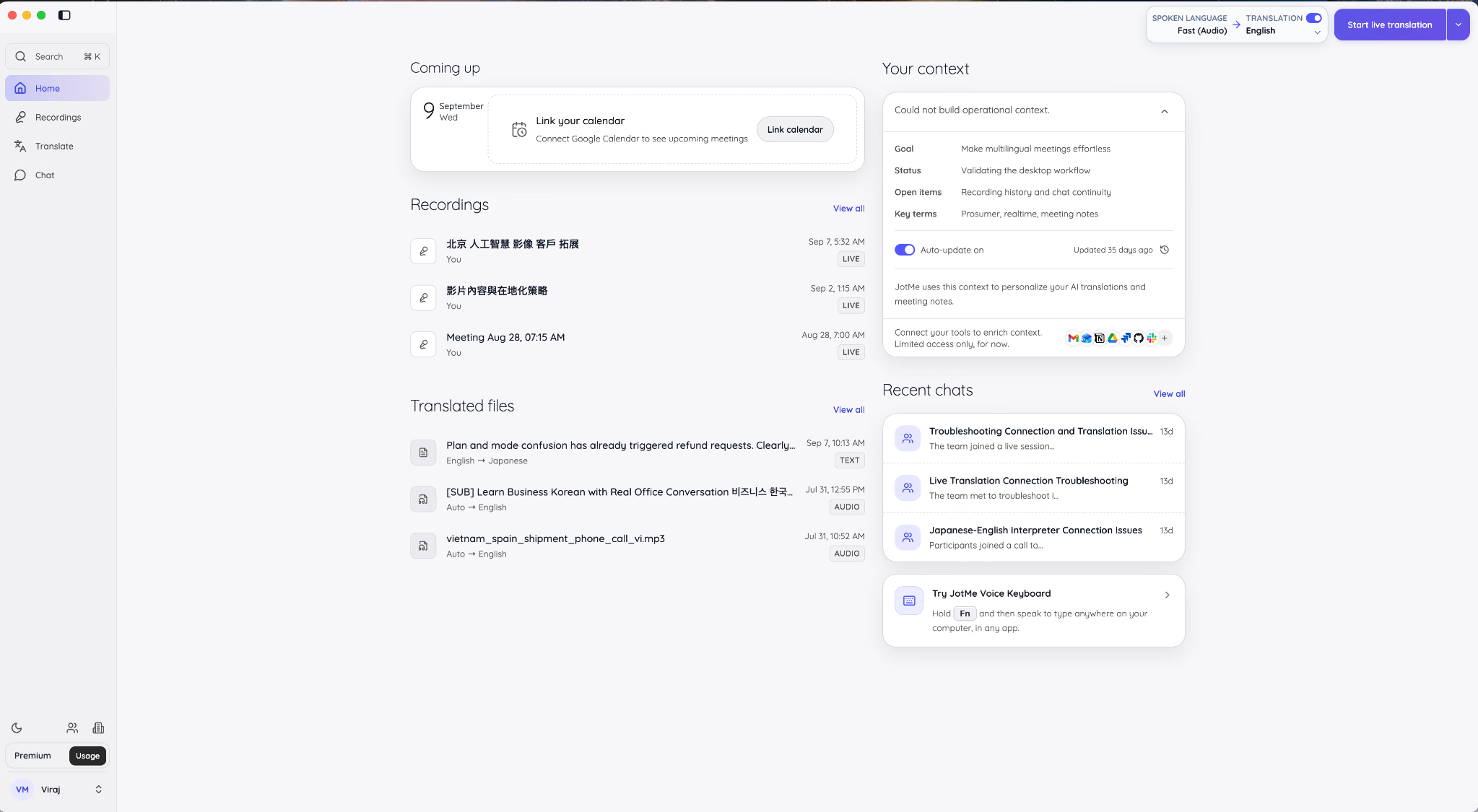
JotMe is the best AI meeting assistant in this comparison when people need to understand one another during a multilingual meeting, then leave with a record they can read in their own language. Most meeting transcription and summary AI tools begin with recording and end with a recap. JotMe starts one step earlier by translating the live conversation.
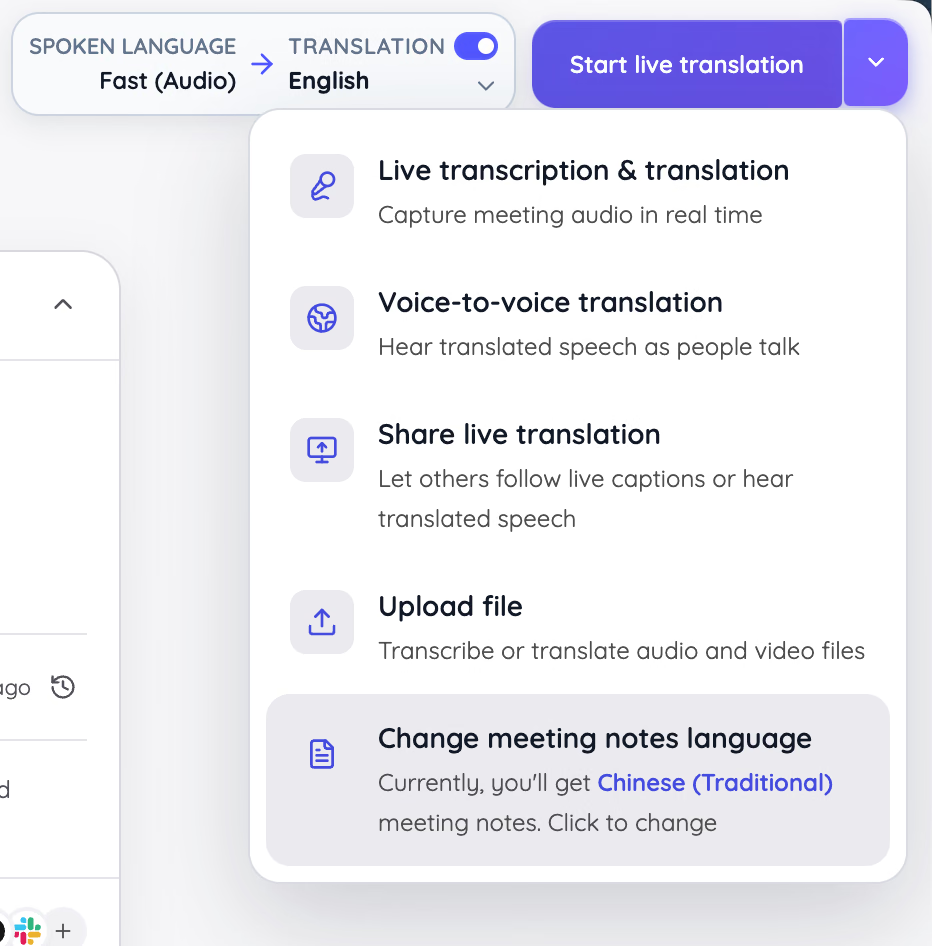
That distinction became obvious in the current desktop flow. The Start live translation menu separates five jobs that competing products often scatter across several screens: live transcription and translation, voice-to-voice translation, shared live translation, uploaded-file transcription, and the language used for meeting notes.
The capture method also changes the social feel of the call. JotMe runs on the user's computer, so it does not add a Notetaker participant to Zoom, Meet, Teams, or Webex. Clients do not have to admit a bot, and participants do not need a plug-in. For consultants, sales teams, and international operations staff, that removes the awkward minute spent explaining why a silent robot is waiting in the lobby.
Bot-free does not mean consent-free. Recording and transcription laws still depend on the participants and jurisdiction. JotMe simply removes the visible bot and platform dependency from the technical workflow.
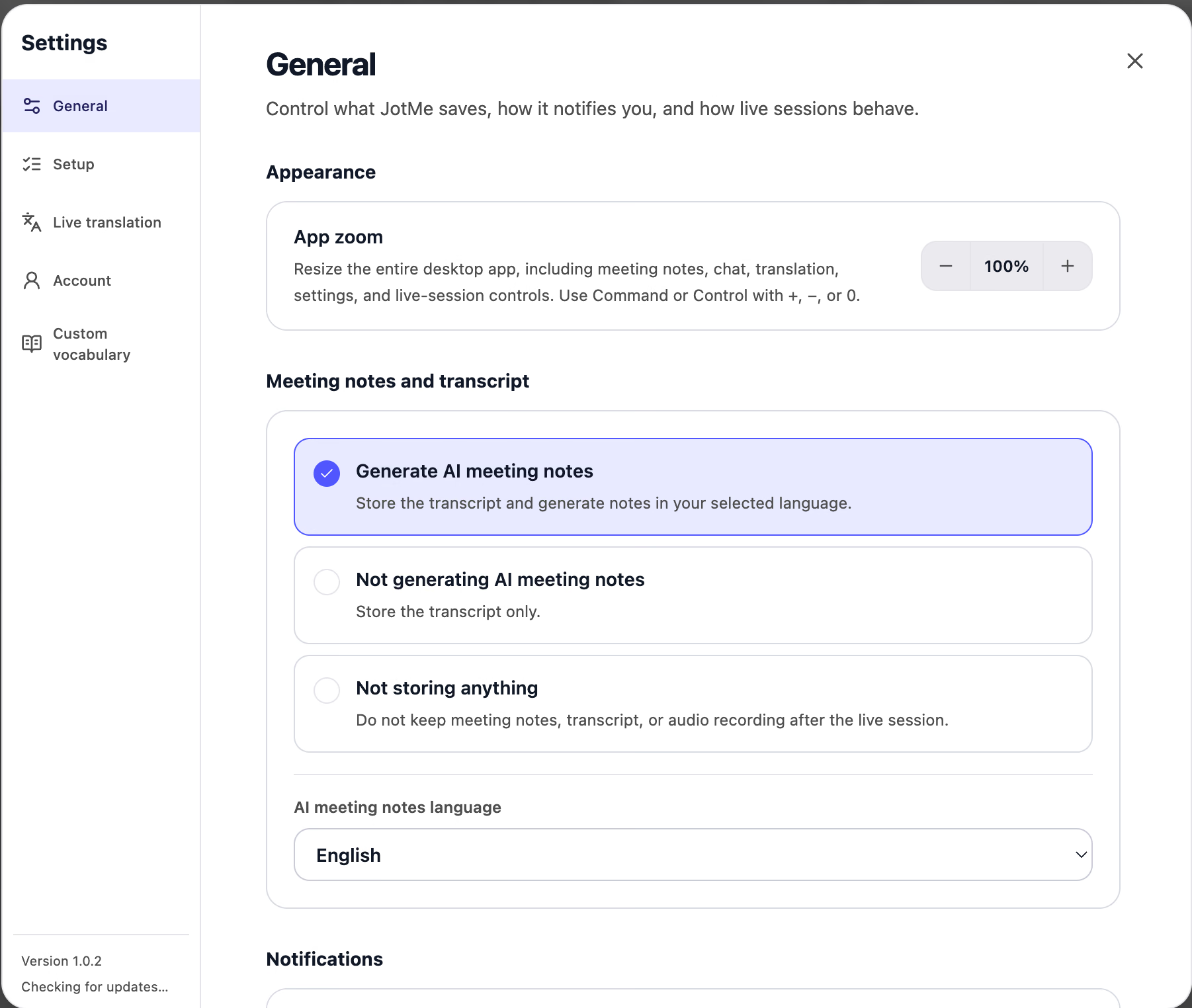
JotMe lets the user choose how much is stored after a live session. In the settings shown below, I could generate AI meeting notes and retain the transcript, store the transcript without generating notes, or store nothing after the session. The same panel controls the AI meeting notes language. That is a more useful privacy control than a single global record toggle because a sensitive call and a routine weekly sync do not need the same retention behavior.
The post-meeting page is where JotMe moves beyond being a live translator. In the multilingual recording I reviewed, the AI meeting assistant produced a short gist, a longer summary, action items, and key points beside the original audio. The action list named people and preserved quantities from the conversation, while the audio player remained on the same screen for verification.
This is important because the Reddit criticism is correct: an action item without an owner or context can create more work than it removes. JotMe's AI meeting notes give the transcript a structured layer rather than hiding the source behind a confident summary.
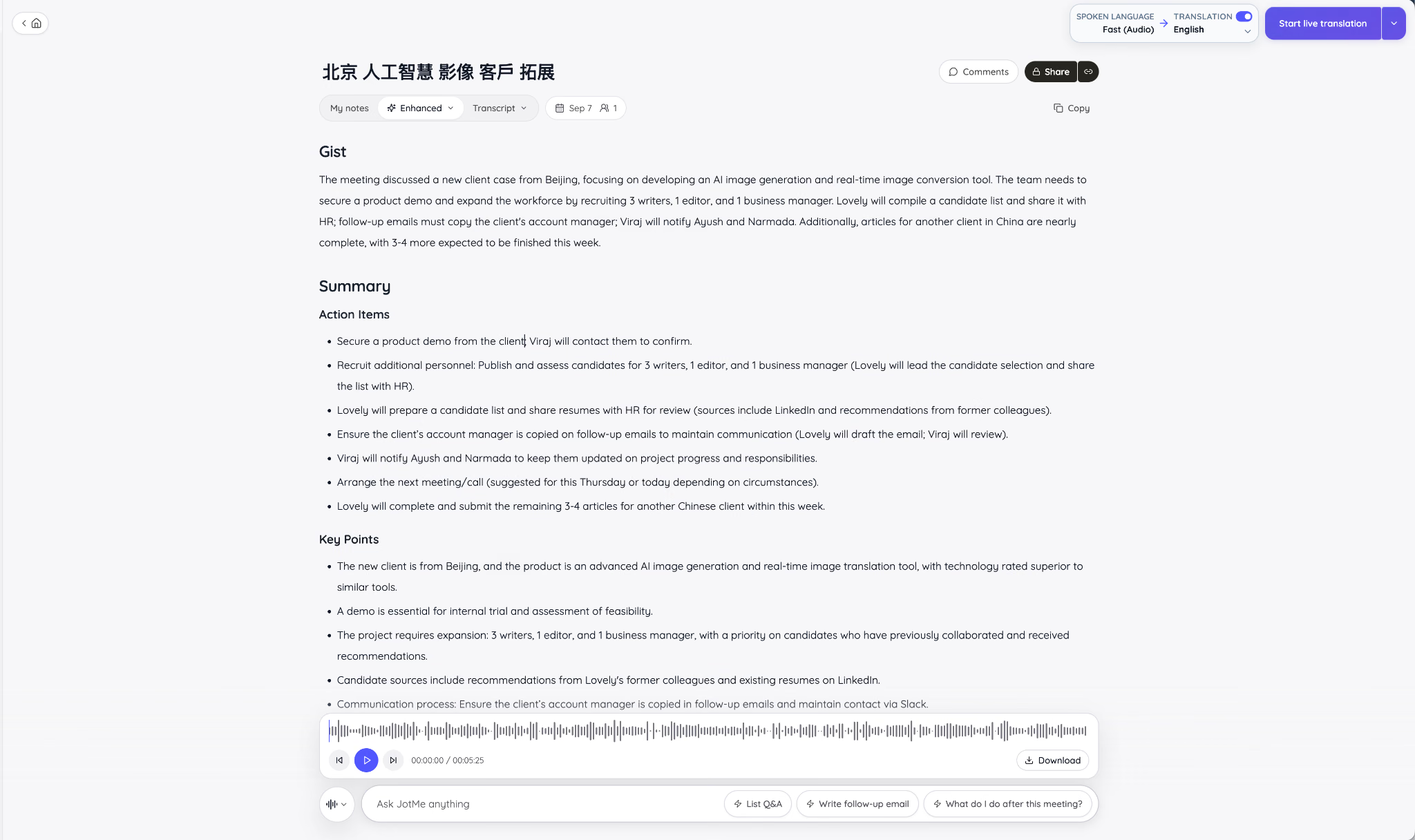
The Ask JotMe field adds another layer. Suggested prompts include listing questions and answers, writing a follow-up email, and asking what to do after the meeting. Because the chat sits under the notes and audio for that specific meeting, I can ask for a missing detail without searching a separate knowledge base or pasting a transcript into another chatbot.
That is the key distinction: AI-powered meeting notes become more useful when the same screen keeps the source, the structured output, and the next question together.
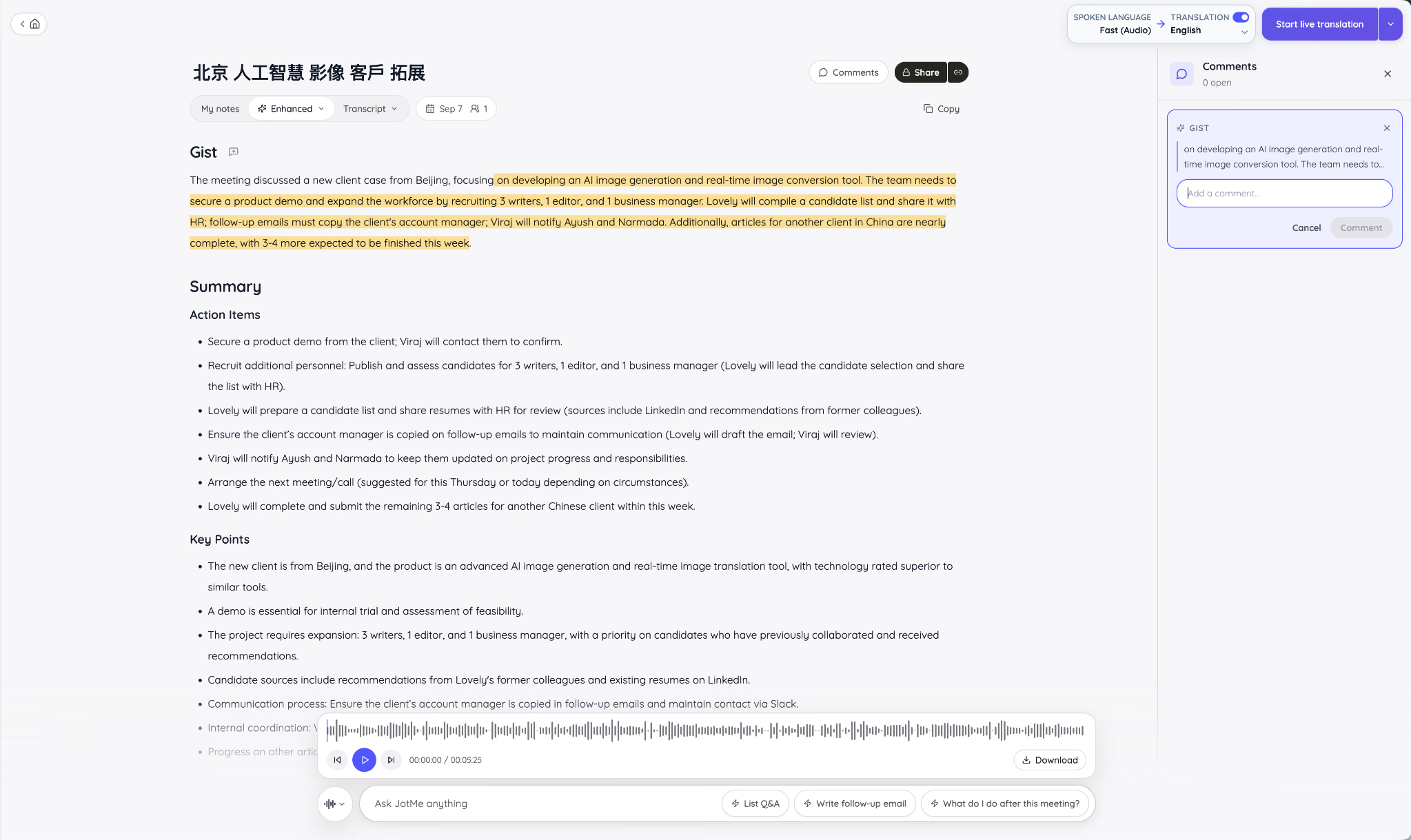
Collaboration is unusually granular for an AI note taker. I could highlight a passage and attach a comment to that exact part of the gist. That gives a manager a way to challenge an interpretation or ask for evidence without starting a disconnected Slack thread.
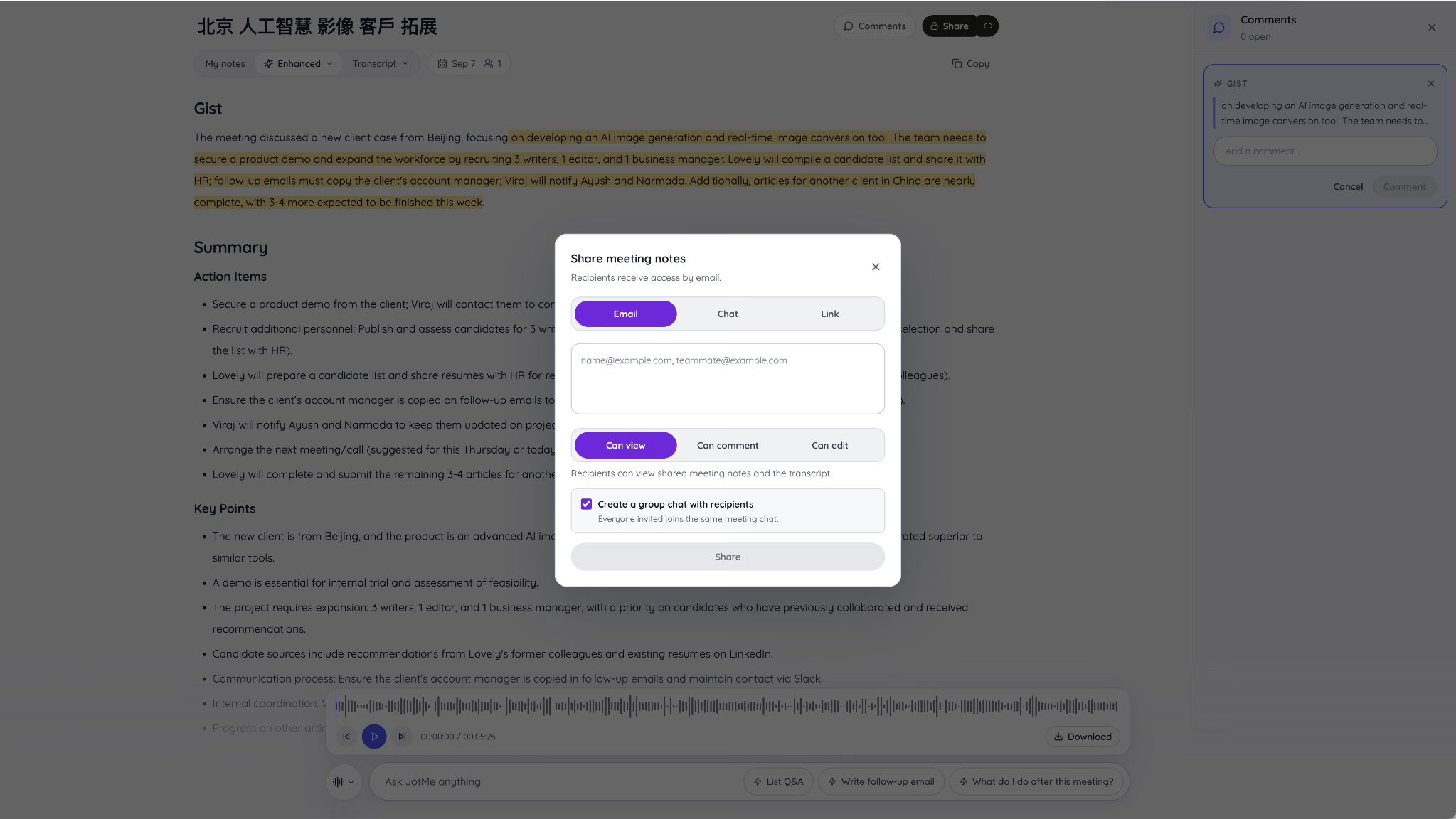
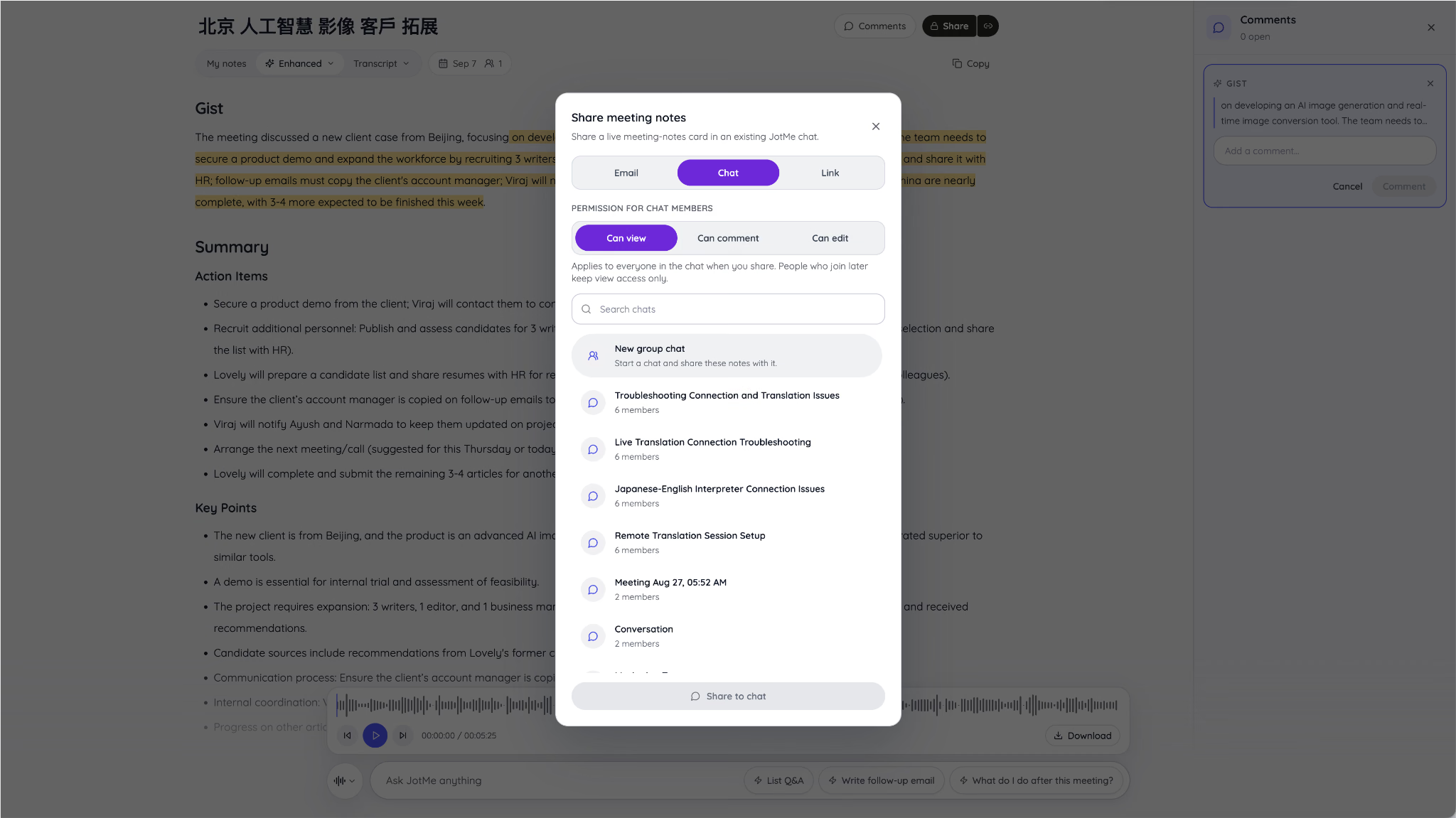
Sharing also follows the work instead of treating every recipient the same. The meeting owner can send notes by email, place them in a JotMe chat, or share a link. Each route supports view, comment, or edit access, and an email share can create a group chat for the recipients.
For an existing team conversation, the Chat tab places a live meeting-notes card inside a selected JotMe chat. This matters when the same group meets repeatedly. The notes become part of the ongoing conversation instead of an isolated document that disappears into email.
The language workflow is the strongest reason to choose JotMe over a general AI note taker for meetings. Its current language page lists more than 200 languages and dialects for desktop live translation and transcription, with more than 39,000 possible source-target combinations. The Chrome extension supports a smaller set, and JotMe's AI notes page separately advertises automatic notes in 21 languages, so teams should check the exact feature and surface in the current language list rather than treating one headline number as universal.
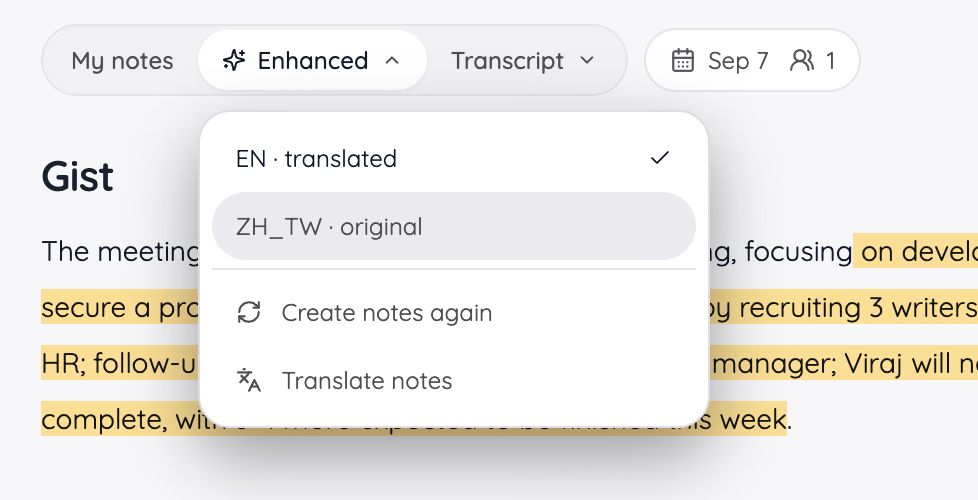
The notes interface makes the distinction tangible. The Enhanced menu can display the translated English notes, return to the original Traditional Chinese, regenerate the notes, or translate them again. This is useful when an English-speaking manager needs the action list, but a Chinese-speaking colleague wants to verify the original wording.
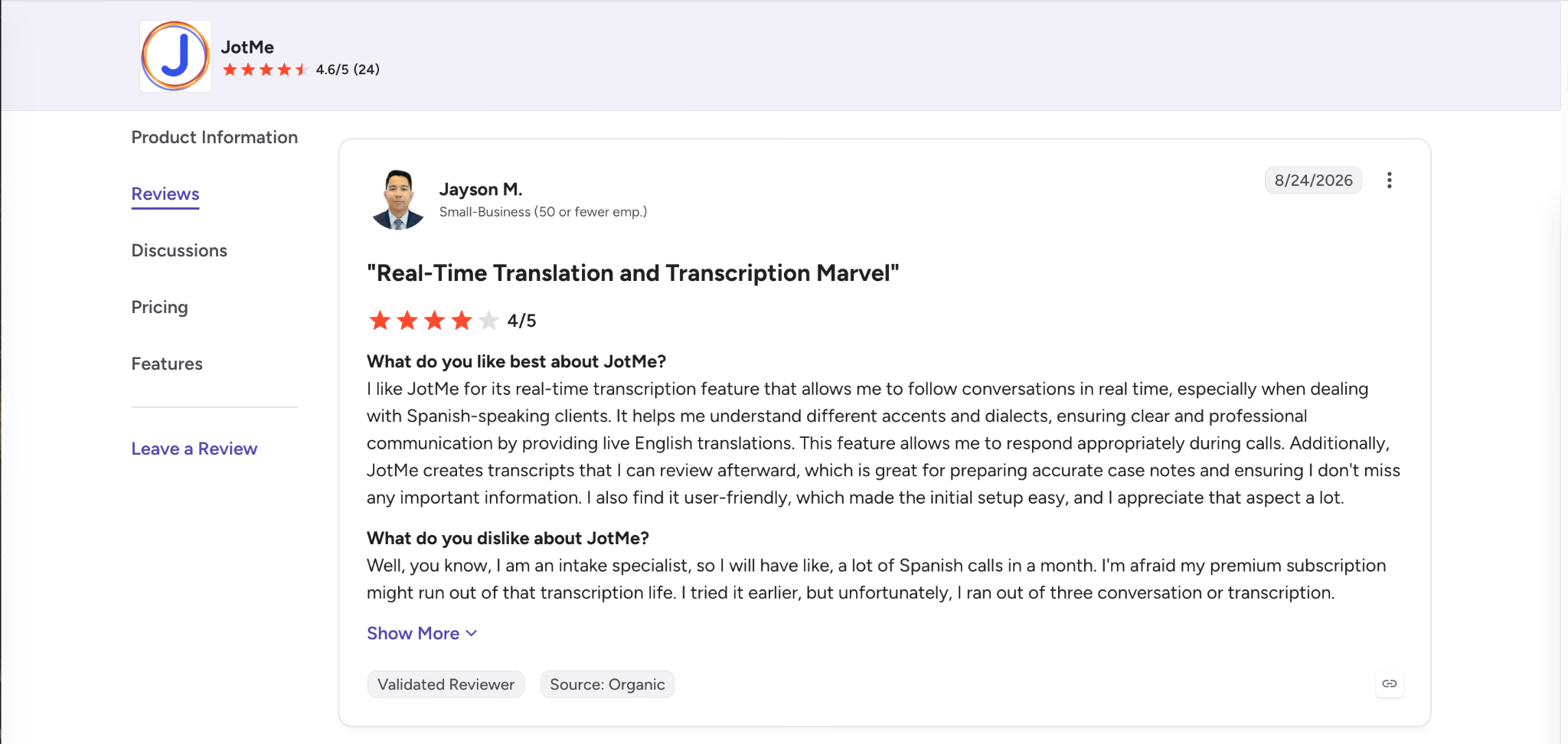
The independent review screenshots add useful caveats. One G2 reviewer described real-time English translation as valuable during Spanish client calls and liked having a transcript for case notes, but worried about exhausting the plan's transcription allowance.
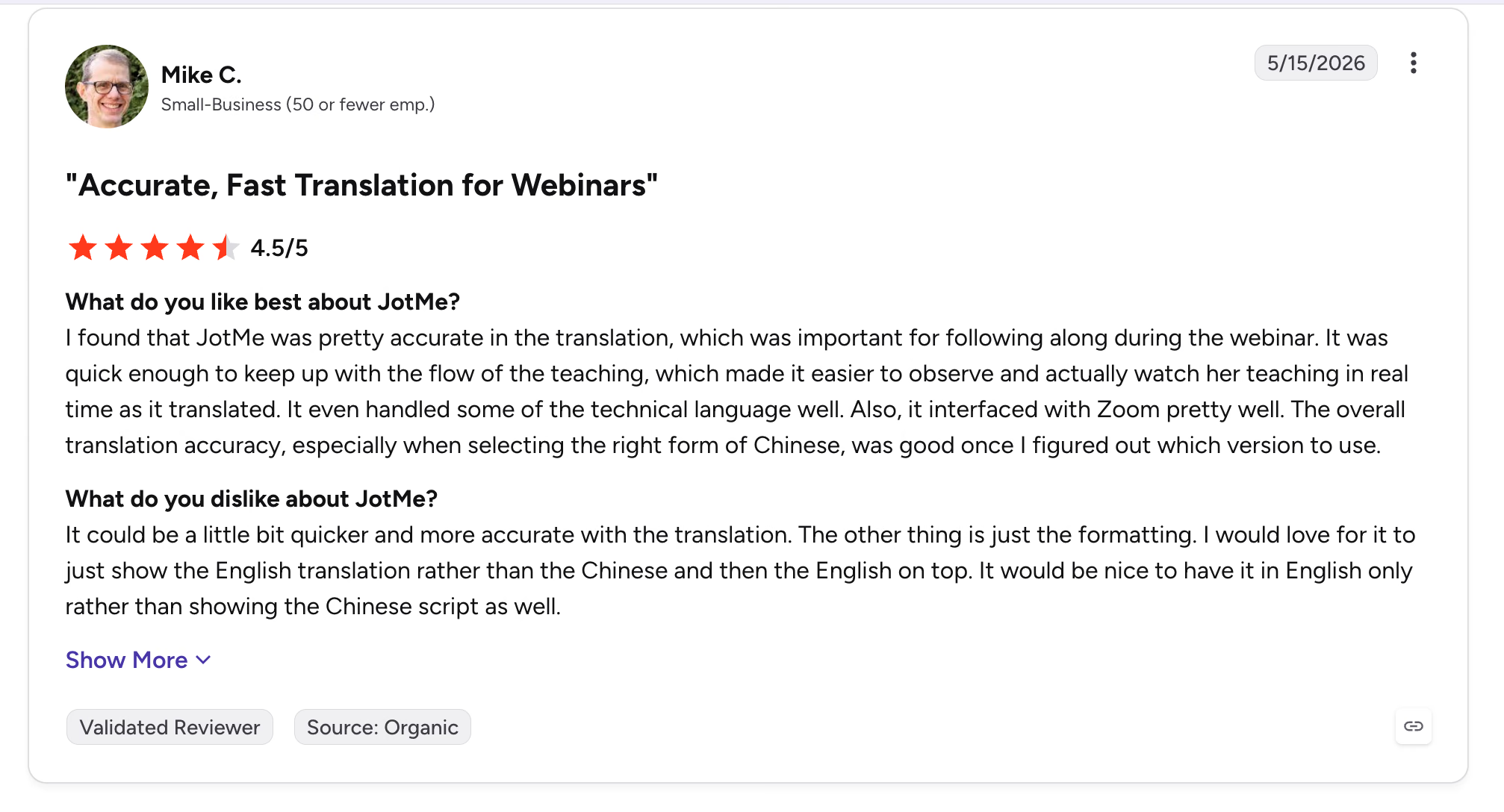
Another praised translation during a technical webinar and its Zoom workflow, while asking for faster output and a cleaner English-only view.
A third liked live translation that corrected itself as the conversation developed, but flagged the cost of separate devices for larger workshops.
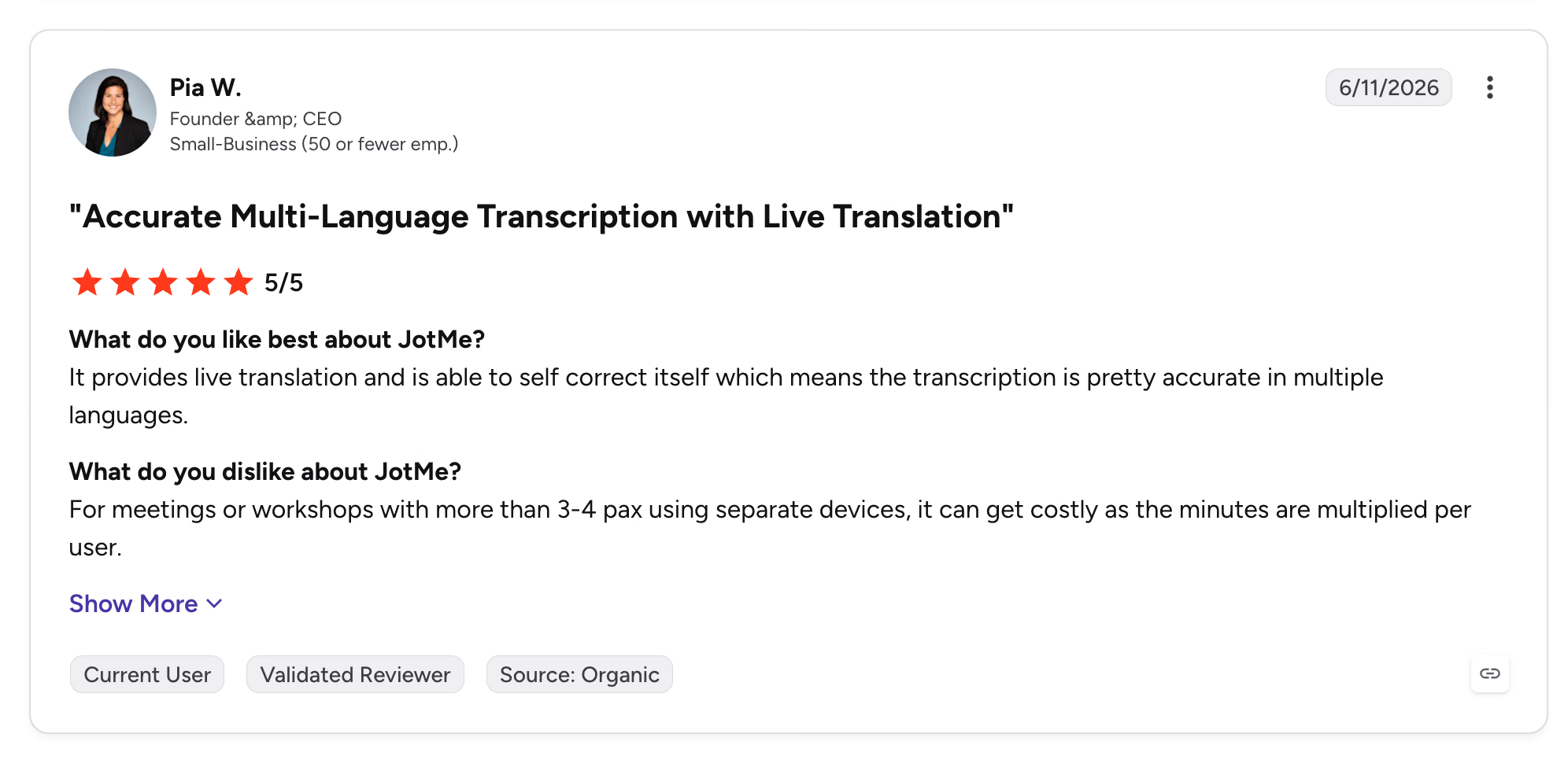
Those are credible tradeoffs. JotMe's plan page uses separate allowances for live translation, desktop transcription, AI credits, custom vocabulary, and stored meeting history. The free plan currently includes 20 monthly live-translation or real-time-summary minutes, 50 transcription minutes, and 5 AI credits. Annual individual plans begin at $10 per month, while the higher tiers increase each allowance rather than replacing the meter with one unlimited bucket.
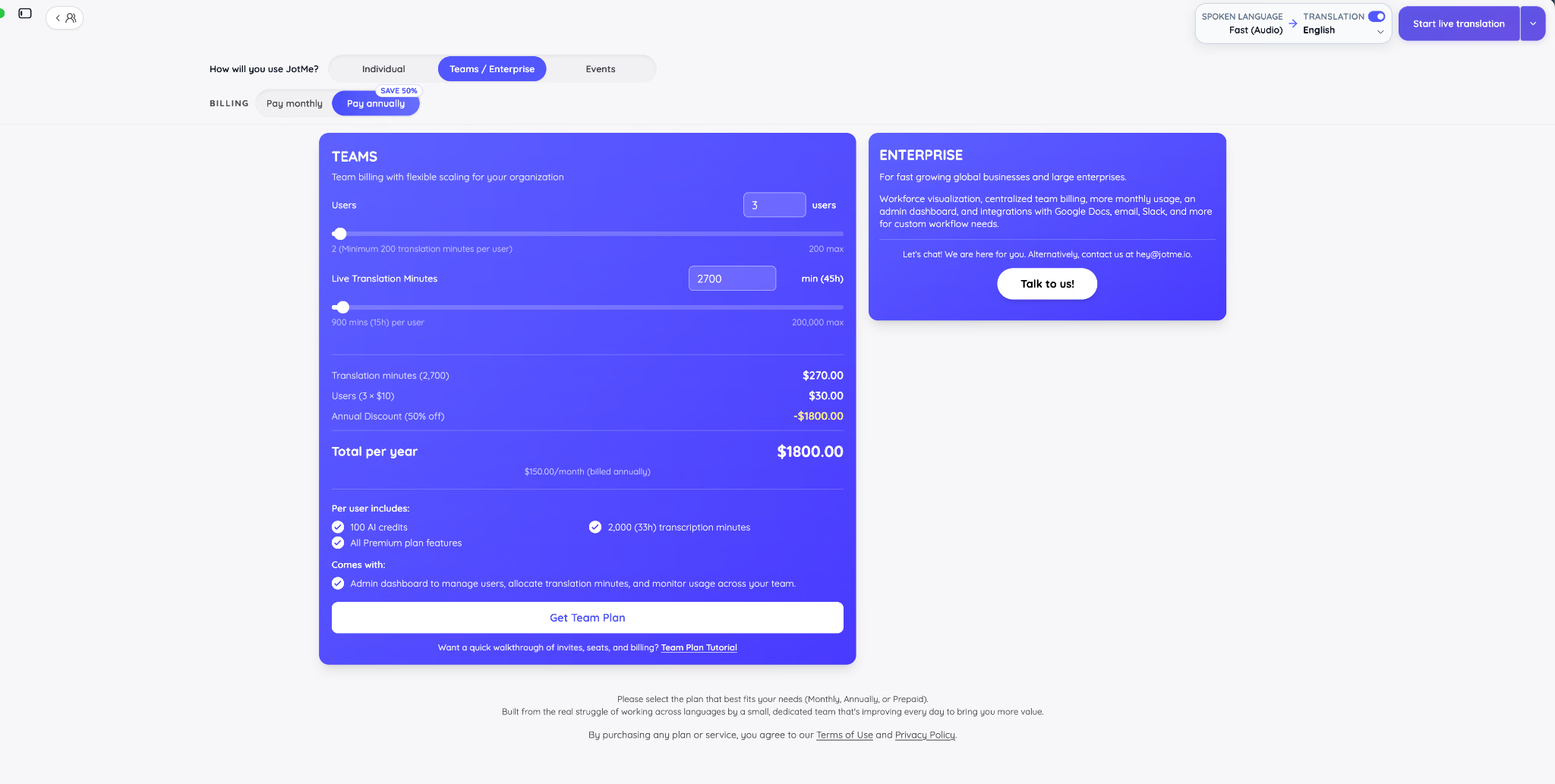
JotMe AI meeting assistant price: Free plan available. Pro costs $10/user/month when billed annually or $20 monthly. Premium costs $15/user/month annually or $30 monthly. Team pricing scales with users and translation minutes; see JotMe pricing for the live calculator.
Bottom line: Choose JotMe when the meeting itself crosses languages, and you need one AI meeting assistant for live understanding, translated notes, source verification, and controlled sharing. Choose a simpler AI note-taker if every participant already shares a language and all you need is a recap.
Fireflies.ai: Ideal for Collaboration, Transcription, and Topic Tracking
AI meeting assistant platforms: Zoom, Google Meet, Microsoft Teams, Webex, GoTo Meeting, Skype, Dialpad Meetings, Lifesize, Jitsi, uploaded media, mobile, and desktop
Fireflies.ai pros
- AskFred answers questions across meeting transcripts, and topic trackers surface dates, questions, tasks, objections, and custom terms.
- Soundbites, comments, reactions, and team workspaces make it easier to share evidence instead of forwarding an entire recording.
- Native CRM, project, storage, and collaboration integrations suit teams with high meeting volume.
Fireflies.ai cons
- The visible meeting bot can be awkward on sensitive external calls or can wait for admission.
- Its dense dashboard takes longer to learn than a focused note-taking app.
- Some advanced AI workflows use separate credits, especially at higher tiers.
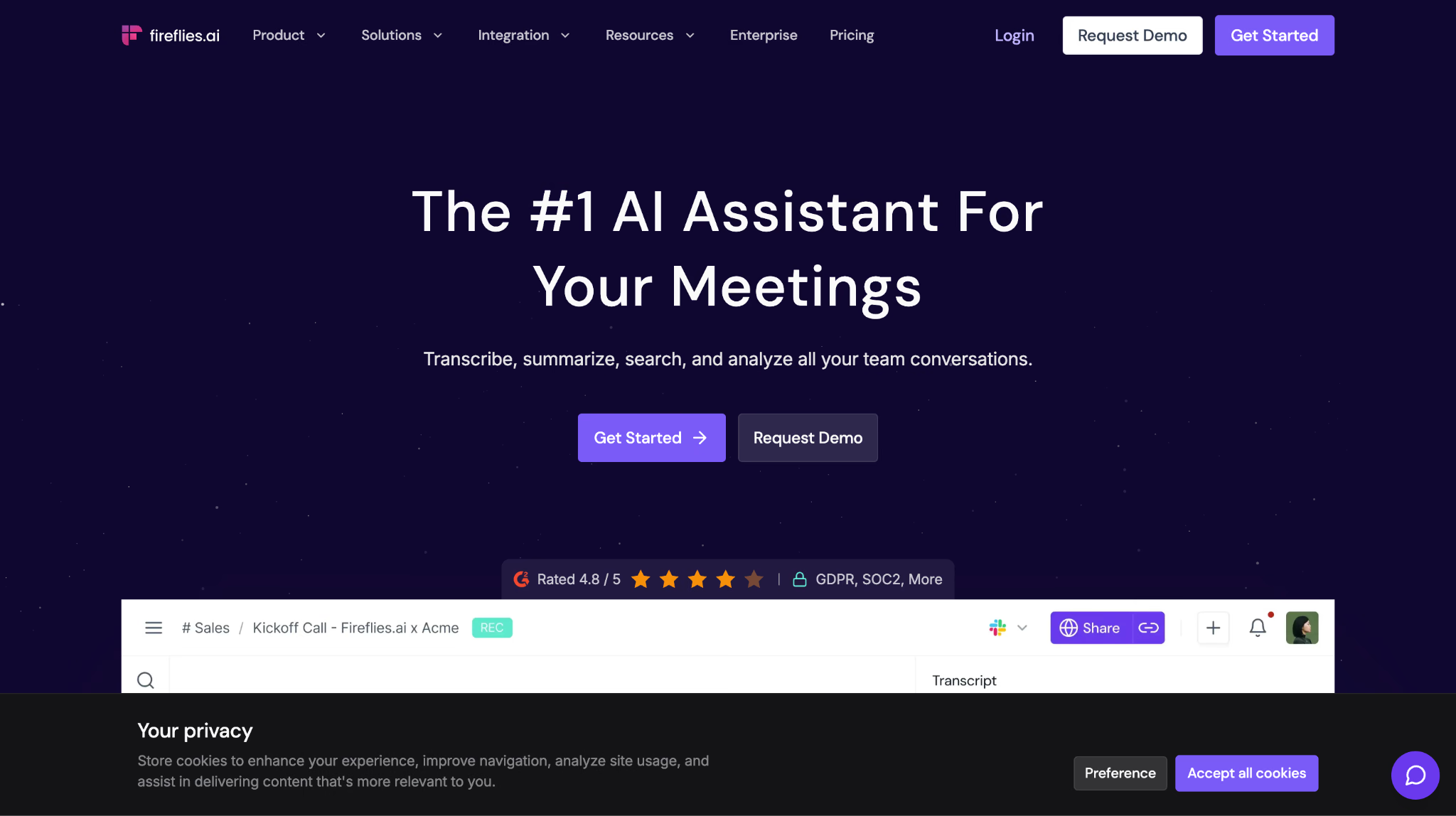
Fireflies.ai is the best AI meeting assistant here for teams that need a searchable, collaborative library rather than personal notes. Once a call is captured, Fireflies labels speakers, creates a summary, extracts questions and tasks, and sorts moments into topics that can be searched across meetings.
The topic system is the practical difference. A customer-success leader can create trackers for renewal risk, feature requests, pricing objections, or a competitor's name. Instead of asking each account manager to remember what came up, the AI meeting assistant gathers every matching moment into a reviewable stream.
AskFred turns that archive into a conversational research layer. You can ask what a customer objected to, which next step was assigned, or how a topic changed across calls. The answer is useful because the underlying transcript and recording remain available for verification.
Collaboration is built around small pieces of evidence. A user can turn a critical moment into a soundbite, comment on the meeting page, react to a passage, or share a recap automatically. This is more usable than sending an hour-long recording to a colleague and adding, "The important part is somewhere after minute 37."
The tradeoff is interface weight. Fireflies has grown from an AI meeting transcription tool into a large meeting intelligence product, and the dashboard reflects that. New users may need time to understand channels, playlists, trackers, apps, AI credits, and workspace controls.
Fireflies.ai AI meeting assistant price: Free plan with unlimited transcription and a limited storage pool. Pro starts at $10/seat/month billed annually; Business starts at $19; Enterprise starts at $39.
Bottom line: Fireflies.ai fits a team that wants meeting topics, clips, comments, and CRM-ready records in one place. It is more of an AI meeting assistant than an individual needs if the only requirement is a clean summary after two calls a week.
Granola: Ideal for AI-Enhanced Notes With Your Own Meeting Context
AI meeting assistant platforms: Any meeting platform through device audio, with apps for macOS, Windows, iPhone, and Apple Watch
Granola pros
- Bot-free capture works across meeting platforms without adding a participant.
- The live notepad lets a user write sparse human notes, then enriches them with transcript context.
- Chat works within one meeting or across meeting history, and custom templates shape the final output.
Granola cons
- Granola does not provide video recording or playback.
- Speaker attribution can need correction because the app captures local device audio rather than participant metadata.
- The free plan limits access to older meeting history.
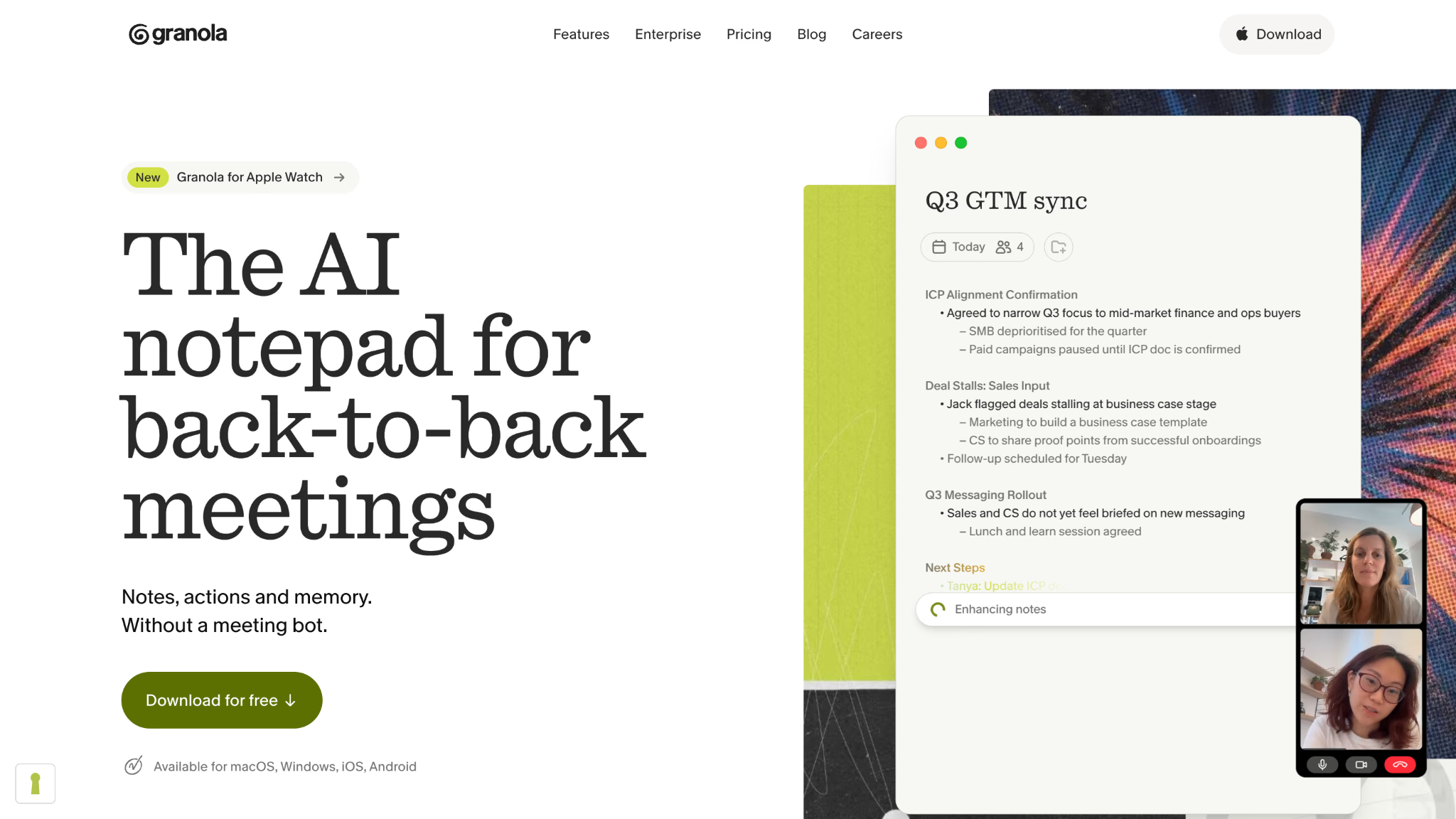
Granola is the best AI meeting assistant for people who still want to think on the page. It does not ask you to stop taking notes. It lets you capture the few phrases that matter to you, then uses the transcript to complete the missing context after the call.
That workflow creates a different result from a generic AI meeting summary. A product manager can type "onboarding drop-off" during a research interview, for example. Granola can expand that fragment into a fuller note based on the surrounding conversation while preserving the user's choice of what deserved attention.
The meeting capture is bot-free. Granola listens through the device, so it can work with almost any conferencing product and does not need admission to the room. This also makes it appropriate for calls where a client dislikes recording bots. As a Reddit user comparing Zoom and Granola noted, the meeting-scoped chat is convenient, but exact speaker context may sometimes need correction.
Granola's AI chat works at two levels. The meeting view answers questions about the conversation in front of you. Cross-meeting chat searches the wider history, which is useful for asking what a client has said about pricing across several calls or what commitments remain open from a project.
The missing video is the clearest constraint. If facial reactions, screen demonstrations, or visual evidence matter, choose an AI meeting assistant that records video. Granola is strongest when the written record and the user's own thinking matter more than replay.
Granola AI meeting assistant price: Basic is free with unlimited meetings and limited meeting history. Business costs $14/user/month and adds unlimited history, advanced models, integrations, API access, and centralized administration. Enterprise pricing starts higher and is customized.
Bottom line: Pick Granola when manual notes are part of how you listen and think. Pick another AI note taker app when video playback, precise automatic speaker attribution, or a hands-off bot is essential.
Avoma: Ideal for Conversation Intelligence and Meeting Analytics
AI meeting assistant platforms: Zoom, Google Meet, Microsoft Teams, Webex, dialers, and CRM-connected calls
Avoma pros
- Detailed talk-time, monologue, topic, keyword, competitor, and performance analytics help managers coach customer-facing teams.
- Structured notes, scorecards, playlists, and CRM integrations connect individual calls to deals and accounts.
- Only recorder seats are paid, while view-only collaborators can access shared material.
Avoma cons
- The feature set can feel heavy for users who only need automated meeting minutes.
- Revenue intelligence, coaching, and other advanced functions can require add-ons beyond the base AI meeting assistant plan.
- The starting price rises quickly when several people need recording seats.
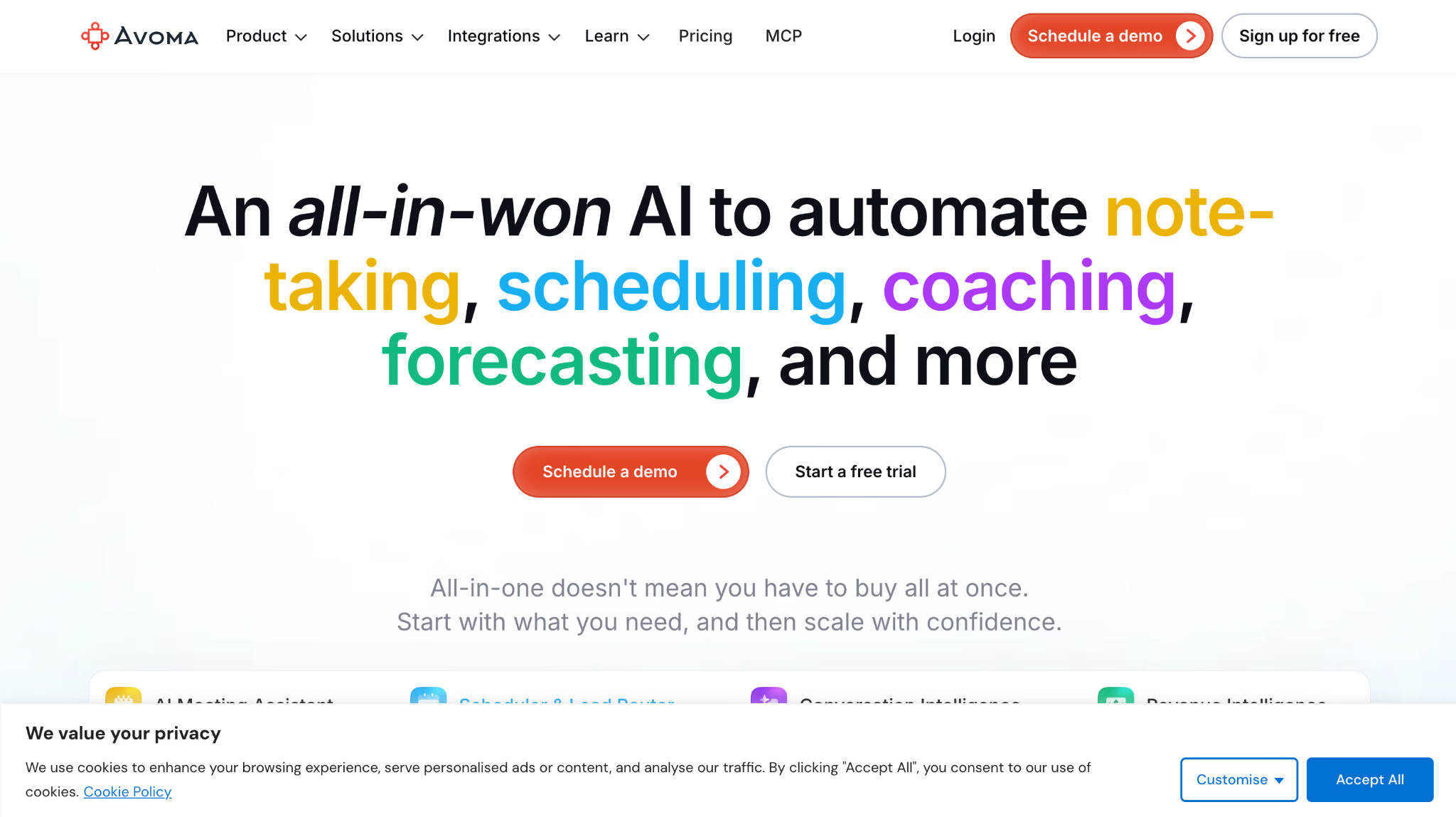
Avoma is the best AI meeting assistant for teams that want to improve how conversations happen, not merely remember them. Its analytics measure talk ratios, continuous monologues, filler words, topics, competitor mentions, and other patterns that a manager cannot reliably review across dozens of calls by hand.
The value appears when several meetings need to be compared. A single talk-to-listen ratio says little in isolation. Across a sales team, the same measure can show whether top performers ask more questions, whether discovery calls become demos too early, or whether one rep repeatedly dominates the conversation.
Avoma connects those observations to revenue work. Notes and call data can sync with Salesforce, HubSpot, Pipedrive, Copper, and related systems, while scorecards give managers a repeatable coaching format. A user can inspect a deal, open the related call, verify what the buyer said, and see whether the next step reached the CRM.
This makes Avoma more specialized than a basic meeting notes app. Its dashboards and add-ons reward consistent team use. A solo consultant who wants transcripts and follow-up emails will pay for analytical depth they may never use.
Avoma AI meeting assistant price: A 14-day unrestricted trial is available. Paid AI meeting assistant plans start at $19/recorder/month billed annually, with free view-only collaborators. Optional revenue and coaching products add to the price.
Bottom line: Avoma is the better choice when meeting data needs to improve sales, customer success, or research conversations across a team. It is excessive if your main goal is simply to record meeting notes and find action items.
Calendly: Meeting Scheduling With AI-Powered Notes
AI meeting assistant platforms: Zoom, Google Meet, Microsoft Teams, GoTo Meeting, and Webex
Calendly pros
- Scheduling, attendee history, meeting recaps, and next steps live in one relationship record.
- Notetaker can capture eligible meetings even when they were not booked through a Calendly link.
- Callie can search meeting and contact context and help with scheduling through natural-language requests.
Calendly cons
- Calendly's current AI products are initially limited to English-language accounts.
- Notetaker and Callie require eligible Plus plans or add-ons on top of core scheduling.
- The AI suite is newer than the mature transcription products in this list.
Calendly is the best AI meeting assistant for people whose meeting problem begins before anyone joins the call. The product already knows who booked, which event type they chose, the routing answers they supplied, and the prior scheduling history. Notetaker adds the recap to that existing context.
This produces a useful contact timeline. A recruiter can see when an interview was booked, open the recap, review next steps, and return to the same contact record before the next conversation. A sales team can preserve the path from routing form to discovery call instead of keeping scheduling information in one product and call notes in another.
Callie extends that record through chat. The assistant can answer questions about meetings and contacts, surface recaps, help prepare for a meeting, and handle some scheduling work through email. It is less about deep transcript analysis than reducing the number of places a user must search.
The limitation is maturity and language. Calendly introduced Notetaker and Callie in 2026, and the rollout began with English-language accounts. Teams choosing an AI meeting assistant for multilingual calls should look elsewhere until language support expands.
Calendly AI meeting assistant price: Calendly has a free scheduling plan. Standard starts at $10/seat/month billed annually, while Notetaker and Callie are available through eligible Plus plans or AI add-ons. Verify the current bundle because the new plan structure is still rolling out.
Bottom line: Calendly makes sense when booking, relationship history, and post-meeting follow-through belong in the same system. Choose a dedicated AI meeting assistant when transcription depth, multilingual output, or conversation analytics matter more than scheduling.
tl;dv: Ideal for Searchable Insights Across Multiple Meetings
AI meeting assistant platforms: Zoom, Google Meet, and Microsoft Teams
tl;dv pros
- Unlimited recording and transcription on the free tier make it easy to build a searchable meeting library.
- Multi-meeting reports can search recurring topics, objections, and customer signals across calls.
- Clips, highlights, templates, and CRM connections fit research and sales workflows.
tl;dv cons
- Live capture normally uses a visible bot, which can be blocked or left waiting for admission.
- The free plan limits AI notes and queries even when recording and transcription remain unlimited.
- The strongest cross-meeting analysis and workflow controls sit on paid plans.
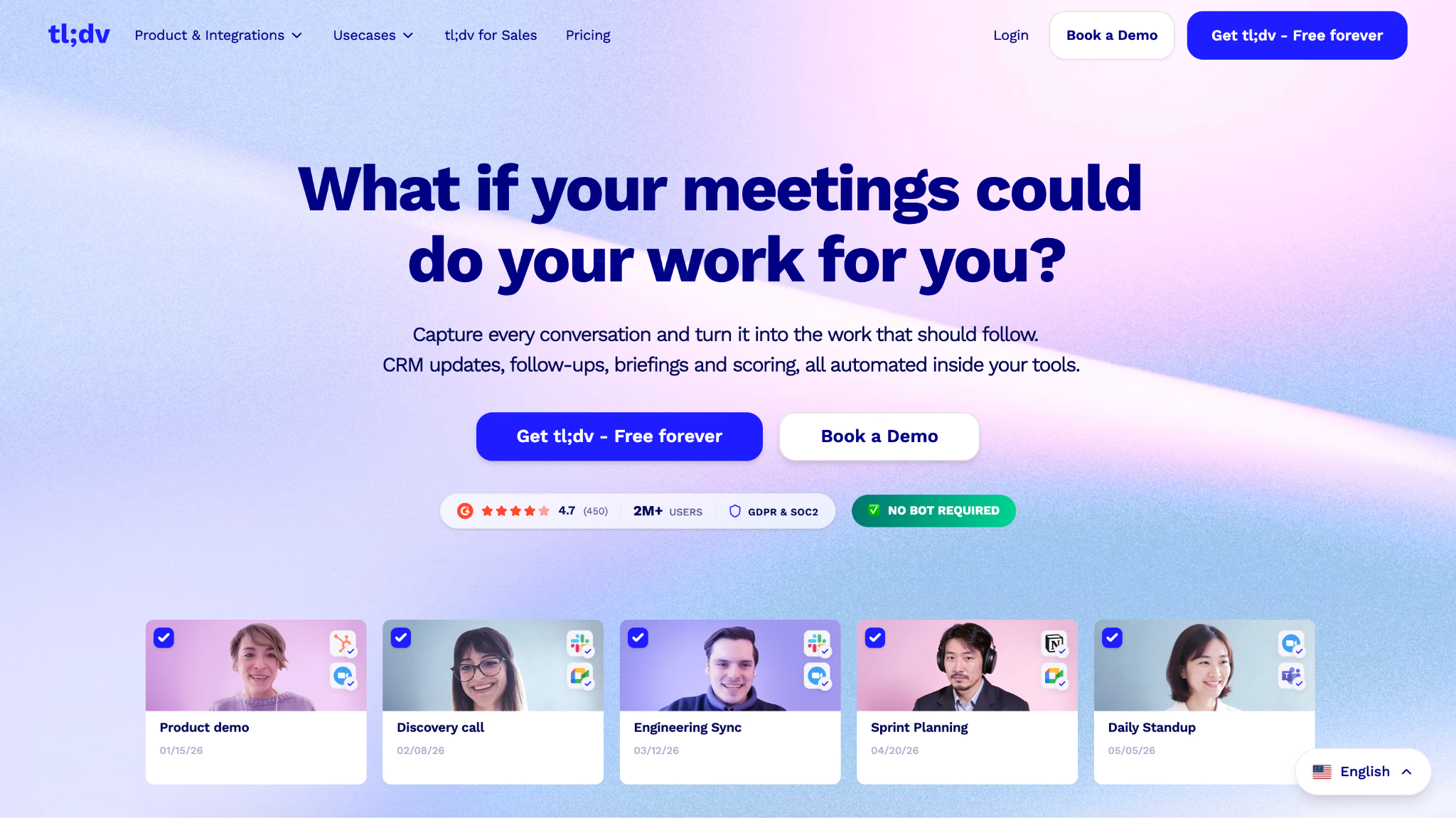
tl;dv is the best AI meeting assistant for asking one question across many calls. Instead of opening ten recordings and searching each transcript, a user can create a multi-meeting report for a customer request, objection, competitor, or theme.
This is particularly useful in research. Suppose a product team interviews twenty customers about onboarding. The AI meeting assistant can group every mention of setup friction, pull the supporting moments, and produce a recurring report as new interviews arrive. The analyst still verifies the clips, but the first pass no longer requires twenty browser tabs.
tl;dv also treats video as evidence. Users can create short clips, timestamp important moments, and share a focused excerpt. That helps a designer hear the customer's tone or lets a sales manager review the exact objection instead of relying on a summary bullet.
The generous free plan has an important qualifier. Recording and transcription can be unlimited, but AI notes, questions, and multi-meeting intelligence are metered. A team evaluating the free AI meeting note taker should test the AI allowance, not only the recording allowance.
Bot reliability is the other practical risk. A visible tl;dv participant must be admitted, and Zapier's testing notes that the bot can sometimes fail to join when service demand is high. For a call that cannot be repeated, keep a fallback recording method.
tl;dv AI meeting assistant price: Free plan available with unlimited recording and transcription plus limited AI use. Pro starts at $18/user/month billed annually; Business starts at $29; Enterprise is custom.
Bottom line: Choose tl;dv when the question is spread across a library of video meetings. Choose a bot-free AI meeting assistant if external guests, platform restrictions, or admission failures make a visible recorder risky.
Krisp: Ideal for AI Meeting Notes With Noise Cancellation
AI meeting assistant platforms: Any desktop meeting app, online and in-person conversations, and outbound phone calls
Krisp pros
- Bot-free capture works across conferencing platforms and in physical rooms.
- Noise cancellation, echo removal, and accent conversion improve the audio before transcription.
- Unlimited note taking, audio and video recording, AI notes, and action items are bundled in the Core plan.
Krisp cons
- There is a free trial rather than a permanent free plan for regular use.
- Teams seeking deep CRM intelligence or multi-meeting analytics may outgrow its meeting layer.
- Local audio processing still uses some computer resources during calls.
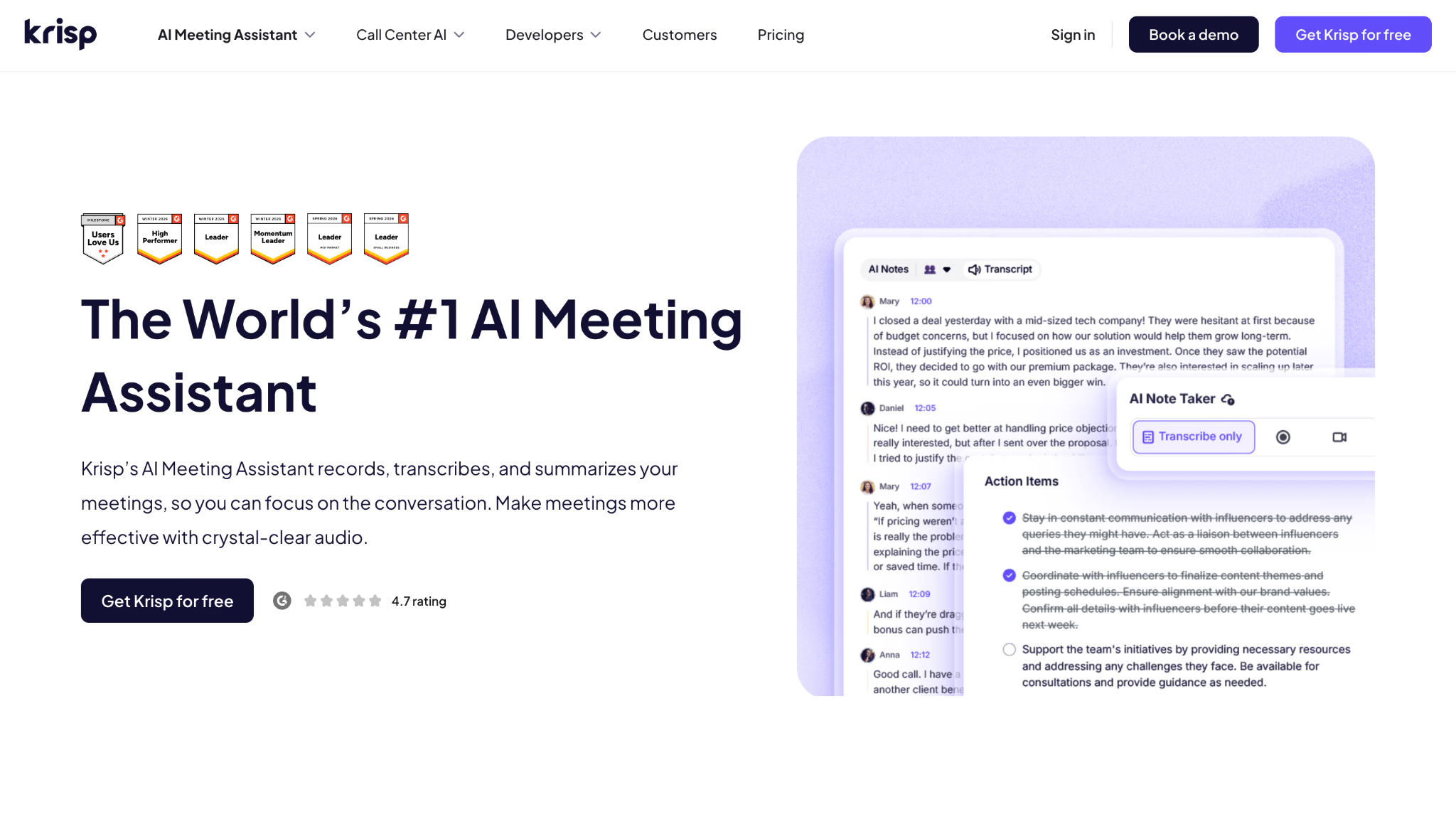
Krisp is the best AI meeting assistant when poor audio is the reason transcripts fail. Other AI note taking tools process the words they receive. Krisp first removes background noise and echo, then creates the transcript and notes from a cleaner signal.
A transcription model cannot reliably recover a product name buried under keyboard noise or two people speaking beside a loud air conditioner. Better input improves the odds of better speaker separation, fewer missing phrases, and more dependable meeting minutes.
Krisp runs as an audio layer on the computer, so it works without inviting a bot. A user selects Krisp as the microphone or speaker in the meeting app and keeps using Zoom, Teams, Meet, or another platform normally. The same desktop product supports in-person meetings, while the mobile app extends capture beyond the laptop.
The AI meeting assistant includes transcription, notes, action items, recording, sharing, and chat, but audio remains the distinctive advantage. If your recordings already sound clean and the real need is CRM analysis or cross-meeting research, another product will provide more depth.
Krisp AI meeting assistant price: Seven-day free trial. Core costs $8/user/month billed annually or $16 monthly. Advanced costs $15/user/month billed annually or $30 monthly. Enterprise pricing is custom.
Bottom line: Krisp is the practical choice for noisy home offices, open workspaces, accented customer calls, and any workflow where transcript quality begins with signal quality. It is less compelling if audio is already clean and advanced meeting intelligence is the priority.
Equal Time: Ideal for Meeting Participation and Inclusion Insights
AI meeting assistant platforms: Zoom, Google Meet, and Microsoft Teams
Equal Time pros
- Live speaking-time percentages expose participation imbalance while the meeting is still happening.
- Inclusion scores, monologue tracking, attendance, questions, and topic metrics give facilitators concrete signals.
- Post-meeting reports combine participation analytics with summaries and action items.
Equal Time cons
- The interface feels dated beside newer AI notetakers.
- Its strongest value is narrow, so teams may still need another tool for deeper search, translation, or CRM automation.
- Public product and pricing information is less current and detailed than the documentation from larger competitors.
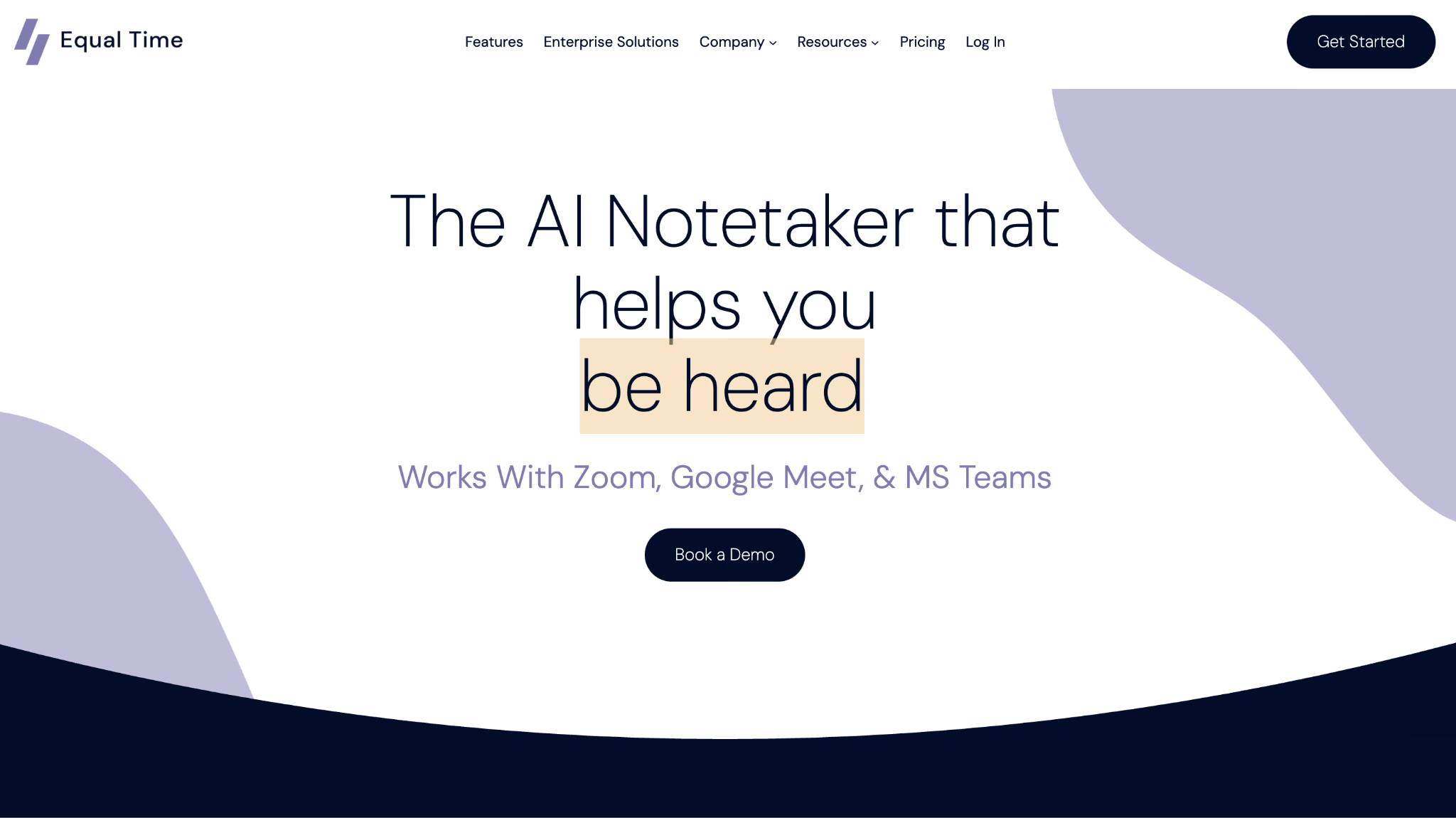
Equal Time is the best AI meeting assistant for a facilitator who needs to see who is getting airtime and who is being left out. The live sidebar shows each participant's speaking share, an inclusion score, monologue counts, and a group balance chart.
These metrics turn a vague feeling into something a meeting leader can act on. If two people consume 78% of the conversation, the facilitator can pause and invite the rest of the room before the meeting ends. A summary delivered thirty minutes later cannot repair that participation gap.
Afterward, Equal Time reports speaking time, attendance, questions, sentiment, and participation patterns beside the standard summary. This can help managers review recurring team dynamics, especially in remote groups where silence is difficult to interpret.
The narrow focus is also the limitation. Equal Time is less useful as an all-purpose meeting notes AI if the team needs multilingual live captions, an account-wide knowledge assistant, or detailed CRM automation. Its public site also appears less actively maintained than many competitors, so confirm current integrations and pricing during a trial.
Equal Time AI meeting assistant price: Zapier's April 2026 comparison lists a free plan with 40 minutes of transcription per meeting and paid plans from $15/month billed annually. Verify the live offer with Equal Time before purchasing.
Bottom line: Use Equal Time when the meeting outcome depends on balanced participation. Choose a broader AI meeting assistant when inclusion analytics are a secondary interest rather than the core problem.
Otter.ai: Ideal for AI Transcription and Conversational Search
AI meeting assistant platforms: Zoom, Google Meet, Microsoft Teams, web, macOS, Windows, iOS, Android, and uploaded audio or video
Otter.ai pros
- AI Chat can answer questions within one meeting or across a wider meeting history.
- Live transcripts support collaboration, speaker identification, comments, playback, and mobile capture.
- Workspaces and channels help teams organize meeting knowledge around projects or groups.
Otter.ai cons
- Technical vocabulary can require custom terms and transcript correction.
- The Pro plan caps meetings at 90 minutes and monthly transcription at 1,200 minutes.
- Its language coverage is smaller than multilingual specialists such as JotMe or Notta.
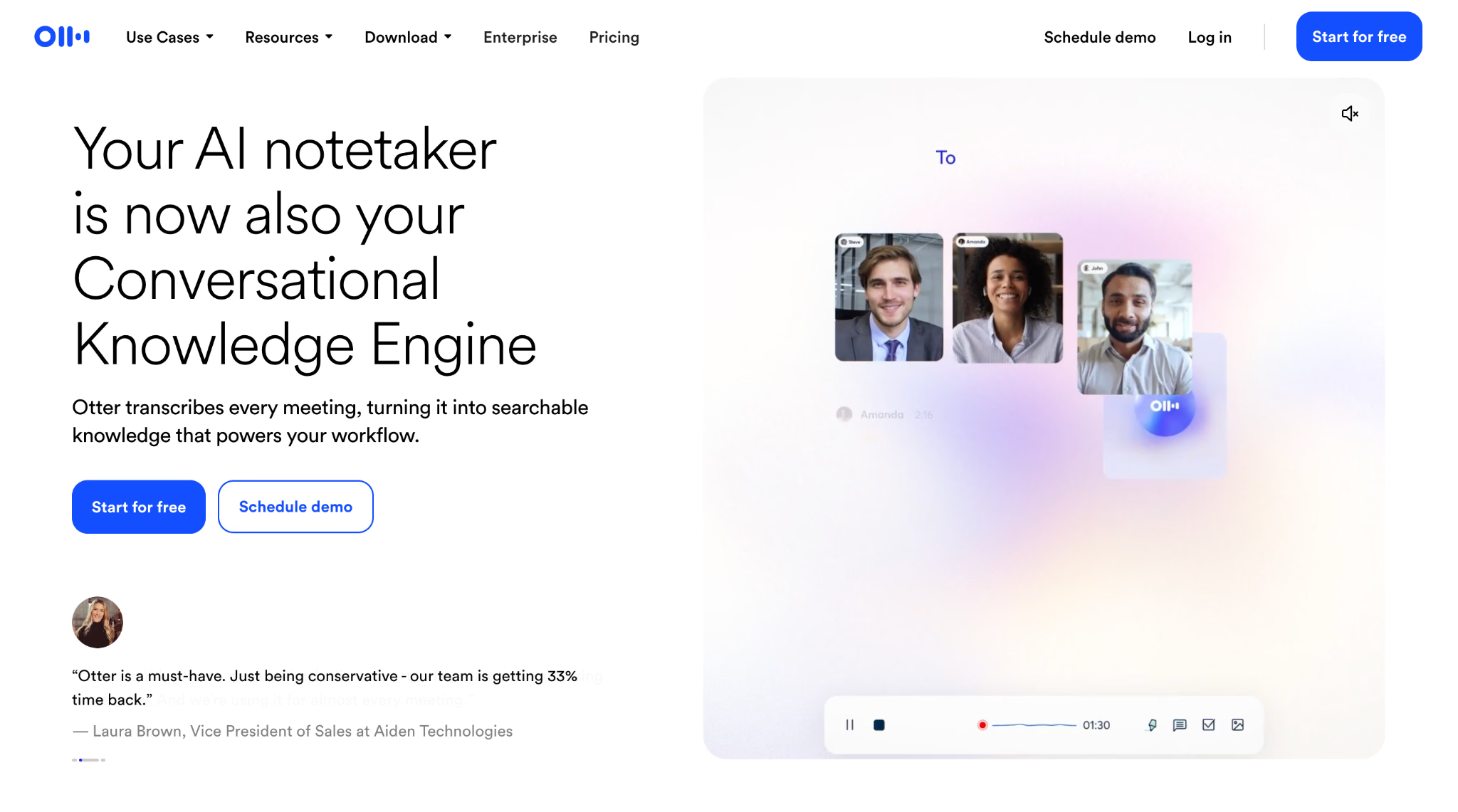
Otter.ai is the best AI meeting assistant for people who want a familiar chat interface over their meeting history. A user can ask whether they were assigned work, what the team decided, which deadlines were mentioned, or how a topic developed across calls.
The meeting-level chat is useful when you missed part of a call. Instead of searching every instance of your name, ask Otter what was assigned to you and then open the supporting passage. The account-level chat expands this to recent meetings, topics, and outstanding work across the workspace.
Otter also offers flexible capture. Its Meeting Agent can join Zoom, Meet, and Teams automatically, while the desktop and mobile apps can record other conversations. Uploaded files receive the same searchable transcript treatment, which makes Otter a practical meeting recorder app for lectures, interviews, and in-person discussions.
As an AI meeting assistant, Otter is most useful when its searchable transcript matters more than preserving every visual detail from the call.
The main weakness is specialist language. Product names, technical abbreviations, and accented speech can expose errors, and the supported-language set is much smaller than tools built for multilingual transcription. Team vocabulary helps, but a buyer should test actual domain terms before trusting automated meeting minutes.
Otter.ai AI meeting assistant price: Basic is free with 300 monthly transcription minutes. Pro starts at $8.33/user/month billed annually and includes 1,200 monthly minutes with a 90-minute per-meeting limit. Business starts at $19.99/user/month billed annually with a higher allowance.
Bottom line: Otter is a strong general-purpose AI meeting assistant for live transcription, mobile capture, and conversational search. Look elsewhere when real-time translation or highly specialized language coverage is the deciding factor.
Fellow: Ideal for Meeting Management, Notes, and Team Follow-Through
AI meeting assistant platforms: Zoom, Google Meet, Microsoft Teams, Slack Huddles, web, and desktop
Fellow pros
- Meeting agendas, personal notes, AI recaps, decisions, and assigned action items live in one meeting series.
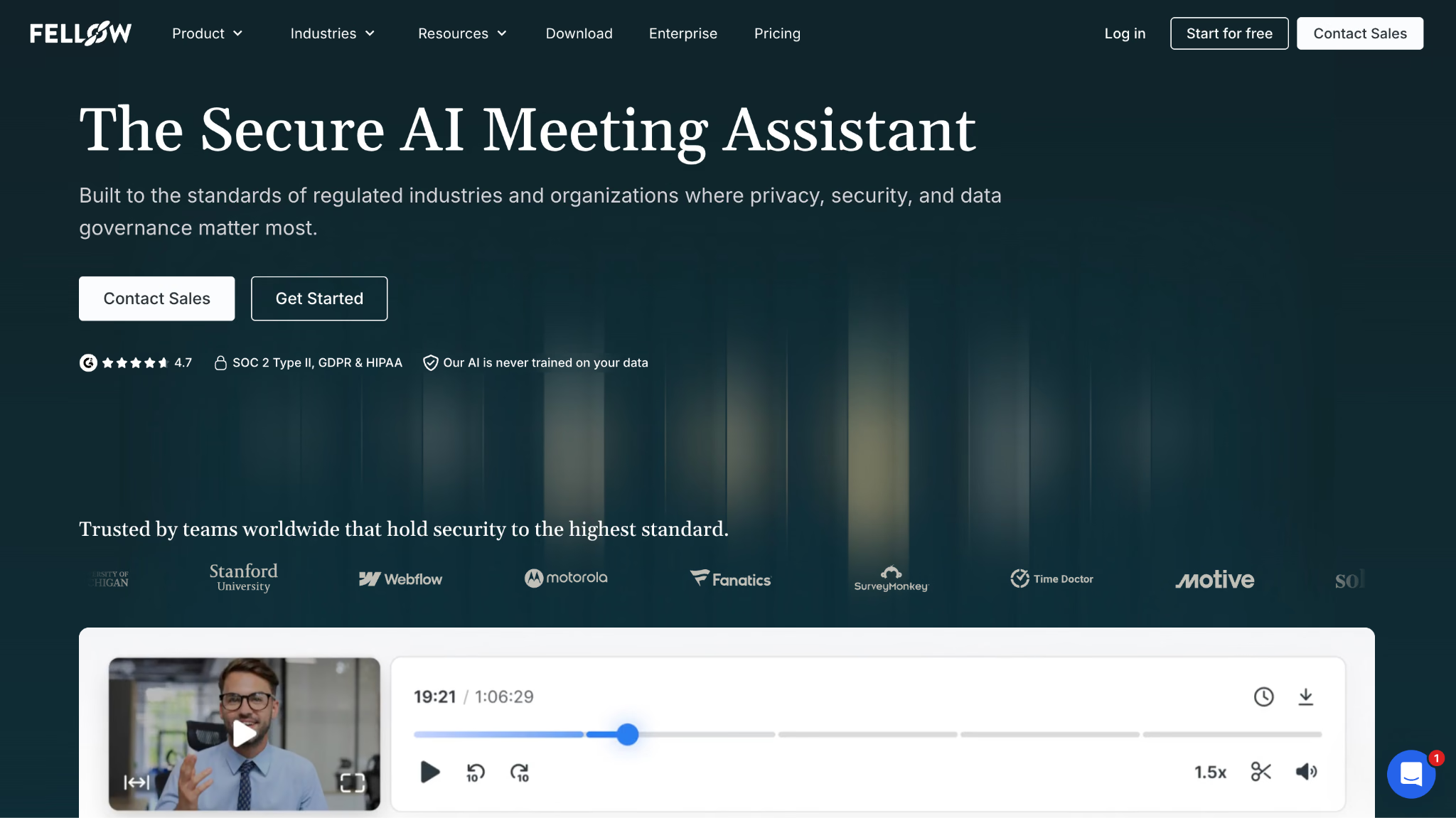
- Public security documentation, role controls, templates, and enterprise administration suit sensitive organizations.
- Current documentation lists transcription in 93 languages and both bot and botless recording options.
Fellow cons
- The free plan includes only five lifetime AI meeting recordings per user.
- Useful collaboration, project management, CRM, and unlimited recording features require higher tiers.
- The product has more process and workspace structure than a solo user may want.
Fellow is the best AI meeting assistant for teams that want governance around the whole meeting cycle. It begins with an agenda, carries human notes and discussion prompts into the meeting, then stores the recording, transcript, summary, decisions, and action items in the same series.
That continuity is useful for recurring one-on-ones, leadership reviews, and project meetings. A user does not have to reconstruct last week's commitments from a detached transcript because the agenda and prior action items are already part of the next meeting.
Fellow also publishes detailed security and trust information and offers enterprise controls such as SSO, domain management, user provisioning, retention, and transcript redaction on eligible plans. Meeting access defaults and administrative policies matter when the recordings contain legal, financial, health, or personnel information.
The AI note taker supports automatic joining rules, and Fellow now promotes botless desktop recording as another option. Its current help center lists automatic transcription and summarization in 93 languages, but language support should still be tested with the team's accents and domain vocabulary.
The free plan is for evaluation rather than sustained recording. Five lifetime recordings per user disappear quickly, and the plan exposes only a short window of searchable note history. Paid plans add monthly or unlimited AI credits, stronger integrations, and organization-wide controls.
Fellow AI meeting assistant price: Free plan for teams up to 10 users with five lifetime AI recordings per user. Paid plans begin around $7/user/month billed annually, while Business and Enterprise tiers unlock unlimited recording, CRM connections, and advanced controls.
Bottom line: Fellow suits organizations that treat meetings as governed team processes with agendas, permissions, and accountable follow-through. A lighter AI meeting assistant will be faster for someone who wants personal notes without workspace administration.
MeetGeek: Ideal for AI Meeting Automation and Voice Agents
AI meeting assistant platforms: Zoom, Google Meet, Microsoft Teams, other web meetings, desktop, browser, mobile, in-person, uploaded files, and API capture
MeetGeek pros
- Users can choose a meeting bot, bot-free desktop or browser capture, or mobile recording.
- AI voice agents can participate in structured calls, while Meeting Skills can trigger work after a meeting.
- More than 100 transcription languages, global search, analytics, API access, and automation cover a broad set of workflows.
MeetGeek cons
- Voice agents can be slower or less predictable than a silent recorder in unscripted conversation.
- The expanding set of Skills, agents, analytics, and integrations creates more setup work.
- The free plan includes only three hours of transcription per month and shorter audio retention.
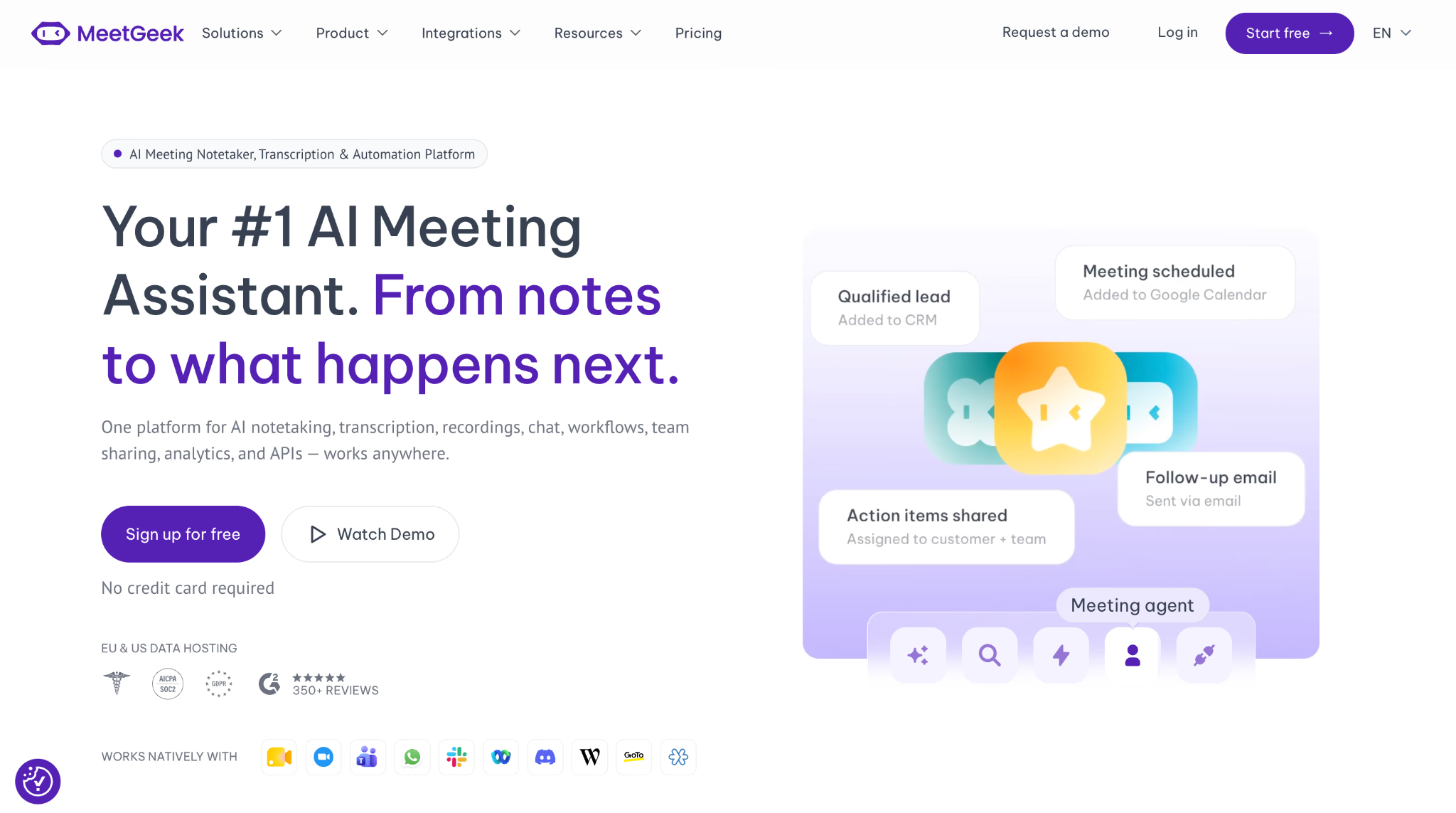
MeetGeek is the best AI meeting assistant for teams ready to let the assistant speak or act, not only listen. Its voice agents can run structured interactions such as screening interviews, standups, or qualification calls from a set of instructions.
An AI agent for meetings needs a narrower job than a human facilitator. The more specific the script, escalation path, and stopping rule, the easier it is to evaluate whether the agent helped.
That makes agent design important. A vague prompt can produce an awkward facilitator that interrupts at the wrong time or fails when participants phrase an answer unexpectedly. A useful voice agent needs an explicit objective, question order, allowed follow-ups, escalation rule, and clear ending.
MeetGeek also covers conventional AI meeting notes. It records, transcribes, summarizes, extracts action items, and supports chat and analytics. Teams can capture with a bot, the desktop app, a browser extension, or mobile, which reduces dependence on one conferencing platform.
Meeting Skills handle the post-call layer. A skill can draft an email, extract tasks, update a CRM, flag churn language, or push selected information into another system. This directly addresses the Reddit complaint that most meeting assistant software stops after producing a document.
Voice agents remain the highest-risk feature in the category because people must interact with them naturally. Test a MeetGeek agent with interruptions, off-topic questions, silence, and incomplete answers before putting it in front of a candidate or customer.
MeetGeek AI meeting assistant price: Basic is free with three transcription hours per month. Pro costs $9.99/user/month billed annually and includes 20 hours, integrations, AI agents, and workflows. Business costs $17/user/month billed annually with unlimited transcription.
Bottom line: MeetGeek is the most flexible choice when a team wants bot or bot-free capture plus agents that can participate and trigger work. A simpler AI meeting assistant is safer when every meeting is unstructured and human-led.
Notta: Ideal for Multilingual Transcription Across Meetings and Devices
AI meeting assistant platforms: Zoom, Google Meet, Microsoft Teams, Webex, macOS, Windows, Chrome, iOS, Android, in-person recording, and uploaded files
Notta pros
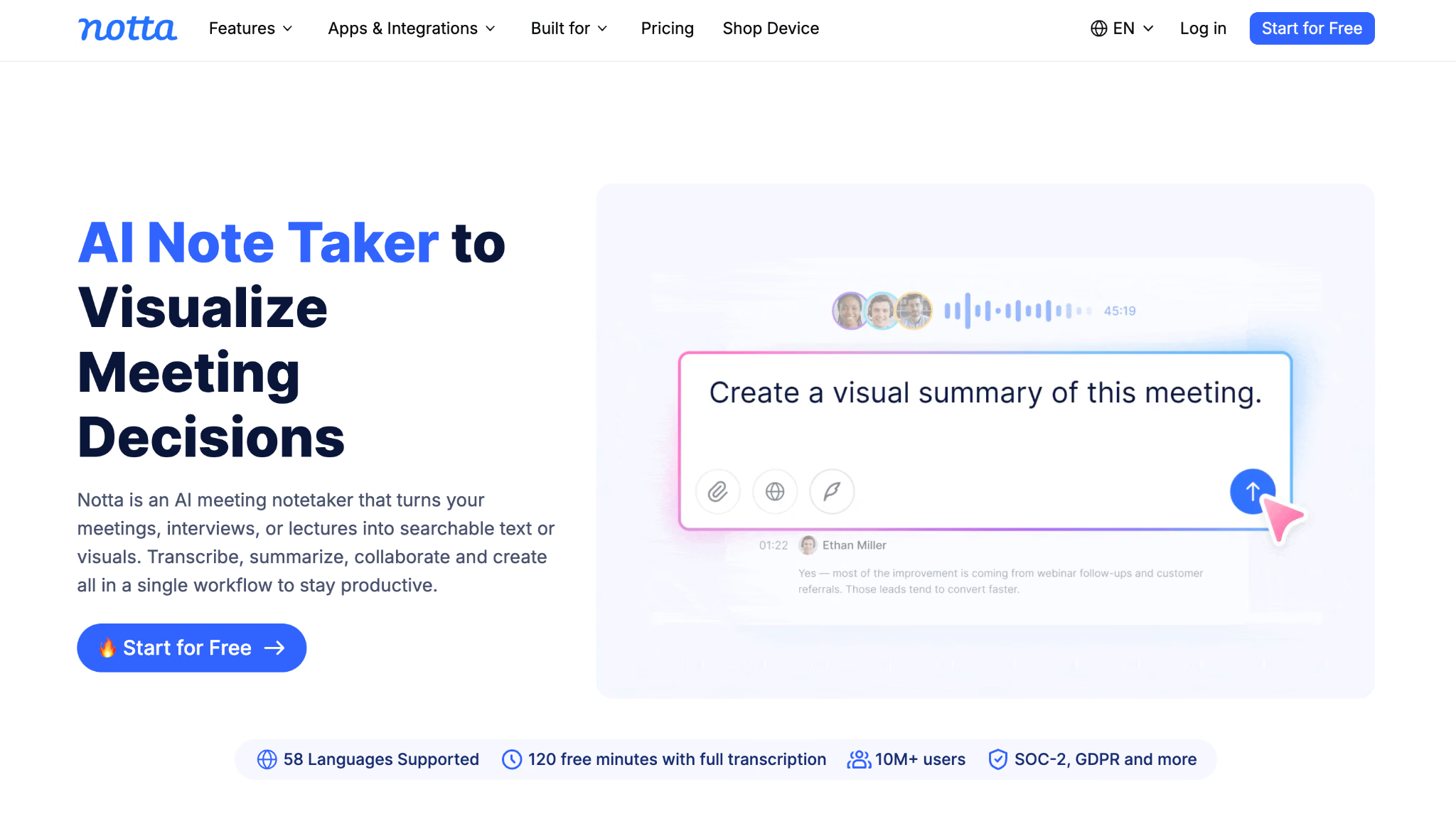
- Transcription in 58 languages and broad desktop, browser, mobile, and file-upload support suit mixed capture environments.
- Live recording, speaker identification, searchable transcripts, templates, summaries, exports, and integrations cover the standard AI note-taking workflow.
- The mobile apps make it practical for interviews, lectures, field research, and in-person meetings.
Notta cons
- The free plan's 120 monthly minutes look generous until the three-minute maximum per recording is considered.
- Translation and AI output language coverage is not identical to transcription coverage.
- Teams that need live translated participation should distinguish post-call transcript translation from real-time interpretation.
Notta is the best AI meeting assistant for users who collect conversations in many places and languages. It can send a bot to major video platforms, record from a computer or phone, process uploaded audio and video, and sync the resulting transcripts across devices.
The mobile workflow is its advantage over desktop-first AI note taking software. A researcher can record an interview in a physical room, a manager can capture an unplanned conversation from a phone, and both can review the same searchable material later on a computer.
Notta's official site currently lists 58 transcription languages, with speaker identification, vocabulary customization for English and Japanese, and exports to tools such as Google Drive, Notion, Slack, Salesforce, and other work systems. AI summaries and templates turn the transcript into a more concise record.
Buyers should inspect language coverage at the feature level. A product may transcribe a language without supporting the same language for translation, summary generation, or live captions. This is where Notta and JotMe serve related but different needs. Notta is a flexible multilingual recorder and AI note taker app. JotMe is stronger when people must understand translated speech or captions during the meeting and share translated notes afterward.
The free tier also needs context. It includes 120 transcription minutes each month, but a maximum of three minutes per recording makes it suitable for testing clips rather than capturing regular meetings. Pro raises the per-recording maximum to five hours and adds exports and a much larger monthly quota.
Notta AI meeting assistant price: Free plan with 120 minutes per month and a three-minute limit per recording. Pro starts at $8.17/month billed annually with 1,800 minutes and up to five hours per recording. Business starts at $16.67/user/month billed annually.
Bottom line: Choose Notta for multilingual transcription across phones, desktops, meeting platforms, and uploaded files. Choose JotMe when the primary problem is live cross-language understanding rather than capture alone.
Fathom: Ideal for Free Meeting Recording, Transcription, and AI Summaries
AI meeting assistant platforms: Zoom, Google Meet, Microsoft Teams, and bot-free Mac capture in beta
Fathom pros
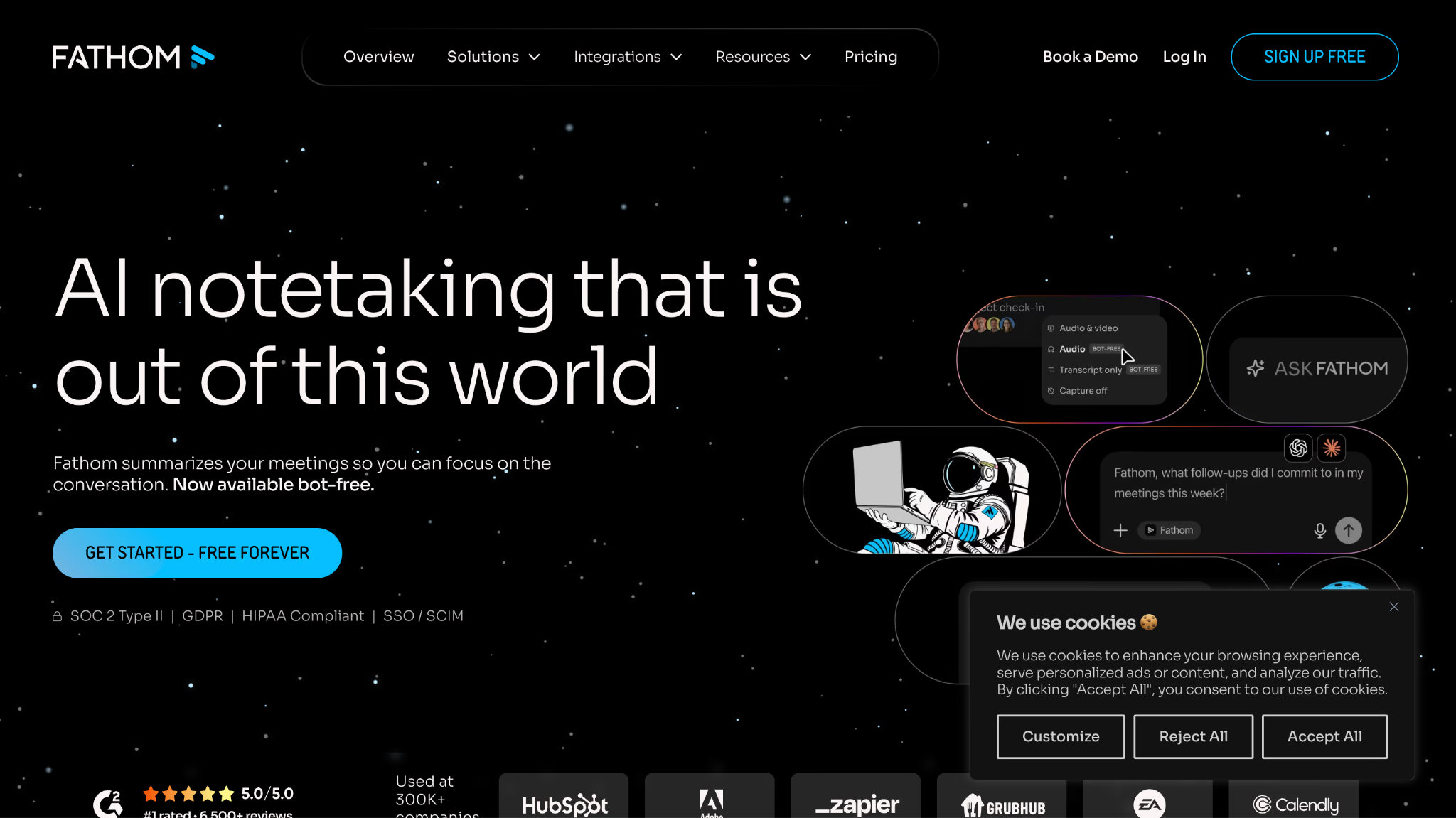
- The free individual plan includes unlimited recordings, transcriptions, instant summaries, clips, and search.
- Sharing is simple, and copied notes keep useful formatting when pasted into another tool.
- Paid plans add action items, richer summaries, cross-meeting search, collaboration, CRM sync, and coaching.
Fathom cons
- The most useful structured action items and advanced summaries require paid plans.
- Some users report more capture quirks on Google Meet and Microsoft Teams than on Zoom.
- Team search, controls, and CRM automation require a paid team subscription with minimum seats.
Fathom is the best free AI meeting assistant for an individual who wants to test the category without rationing every call. The free plan records and transcribes unlimited meetings, produces instant summaries, supports clips and playlists, and makes meetings searchable.
That makes Fathom the best free AI meeting note taker here for high-volume personal capture, provided its supported meeting platforms match the way you work.
The low-friction sharing stands out. A user can cut a short clip around a customer comment, place several clips in a playlist, or share the full meeting. When text is copied into a document or message, it preserves formatting, which removes a small but persistent cleanup task.
Fathom's free AI meeting note taker is generous, but the plan line matters. Advanced summaries, AI-generated action items, the conversational assistant, keyword alerts, cross-meeting search, and team administration sit on paid plans. The free version is best for personal recall and simple sharing rather than a managed company knowledge base.
Capture reliability also depends on the platform and method. Fathom has historically felt strongest on Zoom, while Google Meet and Teams can introduce small quirks. The current pricing page advertises a choice between bot capture and bot-free capture for Mac in beta, so users with strict bot policies should test that path on their own setup.
Fathom AI meeting assistant price: The individual Free plan includes unlimited recordings and transcripts. Premium costs $16/month billed annually. Team costs $15/user/month annually with a two-user minimum, and Business costs $25/user/month annually.
Bottom line: Start with Fathom if price is the main barrier and your meetings happen on its supported platforms. Upgrade or change the AI meeting assistant when you need multilingual live help, regulated controls, deep analytics, or complex workflow automation.
Choose an AI Meeting Assistant That Fits Your Workflow
An AI meeting assistant earns its place when it reduces the distance between conversation and action. The transcript should remain available as evidence, the notes should separate discussion from decisions, and the action list should name owners and dates whenever the call did. The right AI meeting assistant should also fit the way your team actually joins, reviews, and shares meetings. That is the practical standard I use when I evaluate AI for meetings.
My recommendation is to test two products with the same difficult meeting instead of opening free accounts for all thirteen. Choose the specialist that matches your largest constraint, then compare it with the strongest general-purpose or free option. For multilingual meetings, test JotMe against your real language pair. For a general English workflow, compare the relevant specialist with Fathom or Fireflies.
If JotMe fits your meetings, download JotMe and run one call with a changed decision, a company-specific term, and a clear assignment. Then verify the gist, action items, translated notes, and source audio before inviting the wider team.
Frequently Asked Questions About AI Meeting Assistants
Can an AI Meeting Assistant Replace a Human Note-Taker?
An AI meeting assistant can handle much of the repetitive work a human note-taker does, including capturing discussions, organizing important points, and preparing a first draft of the meeting record. However, it should not completely replace human judgment for important meetings. A person should still verify decisions, names, deadlines, and sensitive information before the notes become an official record.
How Accurate Are AI Meeting Assistants?
Accuracy depends on factors such as audio quality, background noise, accents, overlapping speech, and industry-specific terminology. A good AI meeting assistant can produce highly usable transcripts, but no tool should be treated as perfectly accurate. For important meetings, review critical names, numbers, commitments, and decisions against the original recording before sharing them.
Can an AI Meeting Assistant Remember Information From Previous Meetings?
Some AI meeting assistants can search or reference information from multiple past meetings, while others keep conversations primarily separated by meeting. Cross-meeting memory is useful when you need to trace how a decision developed, check what a client previously said, or find an unresolved commitment without remembering which meeting contained it. Check the tool's memory and search scope before relying on it as a long-term knowledge base.
Can an AI Meeting Assistant Create Follow-Up Emails?
Some AI meeting assistants like Jotme can turn meeting context into a follow-up email based on the discussion, decisions, and next steps. This can reduce the time spent turning notes into a message after the call. However, review AI-generated emails before sending them, especially when they contain commitments, customer information, deadlines, or sensitive details.
Are AI Meeting Assistants Safe for Confidential Meetings?
They can be, but security depends on how each provider handles meeting data. Before using an AI meeting assistant for confidential conversations, check its data retention, encryption, access controls, model-training policy, and compliance documentation. Organizations should also confirm that the tool meets their internal security requirements and any applicable industry regulations.
What Happens to the Meeting Data After an AI Meeting Assistant Processes It?
The answer varies by provider. Depending on the service, recordings and transcripts may be stored for a defined period, retained until the user deletes them, or handled according to an organization's retention policy. Before choosing an AI meeting assistant, check whether you can delete recordings and transcripts, control retention, restrict access, and understand where the data is processed or stored.
How Long Should You Test an AI Meeting Assistant Before Choosing One?
A short demo is usually not enough to judge an AI meeting assistant. Test it across several real meetings with different speakers, audio conditions, meeting lengths, and types of discussion. Compare its transcript and outputs with the recordings, then check whether the information remains useful when you need to retrieve it later. A trial period of at least one to two weeks gives you a better picture of everyday reliability.
Last updated on
September 17, 2026
Follow us on social media:
![JotMe — Is Google Translate Accurate? [2026 Test]](/_webflow-assets/0d0512afc7b037d74dff536f22fed08f.avif)