Resources
Zoom New Features 2026: AI Companion for Multilingual Meetings

Lovely Mangla
July 11, 2026

Zoom's new features in 2026 are increasingly focused on turning meetings and conversations into completed work. My Notes now works across desktop and mobile, ZoomMate brings agentic search, workflows, and AI content creation into a single work surface, and a beta Voice Translator adds live spoken translation to meetings.
This guide covers every major Zoom new features 2026 release, what it does, and how it holds up when a meeting isn't running in English. As its voice translation is in beta and live translation struggles with accuracy, you can combine it with JotMe to get both text and voice translation in real time.
Quick Overview of Zoom's new features:
- My Notes on Mobile: An AI note-taking feature that records meetings, creates summaries and AI meeting notes, and extracts action items directly from your phone.
- AI Companion 3.0: A centralized AI workspace that lets you search across connected apps, generate content, and automate everyday tasks.
- Memory Improvements: AI Companion remembers your preferences and communication style to deliver more personalized responses over time.
- Realistic and Stylized Avatars: Digital avatars that mirror your expressions and movements, allowing you to participate in meetings without appearing on camera.
- Voice Translator (Beta): Translates your speech into another language during meetings using AI-generated voice translation.
- Deepfake Risk Detection: Detects potentially AI-generated audio or video during meetings and alerts participants.
- New Zoom Chat Experience: A redesigned chat interface with richer formatting, inline images, tables, code blocks, and improved collaboration tools.
- ZoomMate: A new AI work companion that connects meeting context with agentic search, automated workflows, connected business systems, and AI-generated documents, presentations, spreadsheets, and other deliverables.
How to Use Zoom My Notes
To use Zoom My Notes, open the My Notes tab in the Zoom Workplace app, start a note before or during your meeting, and let Zoom automatically transcribe the conversation while you add your own notes. After the meeting, you can review AI-generated summaries, action items, and transcripts from Zoom Hub or Zoom Canvas.
My Notes works on both desktop and mobile and can also capture notes for in-person conversations and meetings held on platforms like Google Meet, Microsoft Teams, and Webex. Your notes remain private unless you choose to share them.
In August 2026, Zoom expanded My Notes beyond meetings where you are personally present. Users can now set up the My Notes bot and send it to third-party meetings on Google Meet or Microsoft Teams when they cannot attend. The bot can announce itself to meeting participants with a disclaimer when it joins, allowing the meeting to be captured for later review.
If your team regularly collaborates across multiple languages, Zoom My Notes alone may not capture every conversation accurately. In that case, using the best AI notetaker with built-in live translation can help preserve context across different languages. JotMe is one such AI note taker, offering live translation, multilingual transcripts, and AI meeting notes in more than 200 languages.
What are the Benefits of Using Zoom AI Companion for Businesses
Zoom AI Companion helps businesses save time by bringing meeting insights, connected apps, AI content creation, and workflow automation into a single workspace. Instead of switching between multiple tools to find information or complete routine tasks, teams can ask the Zoom AI Companion to retrieve data, generate content, and automate follow-up work.
Zoom AI Companion 3.0 connects with business apps such as Salesforce, Google Drive, ServiceNow, Workday, and Confluence, allowing users to search across connected platforms from one place. It also introduces AI Docs, AI Sheets, and AI Slides, enabling teams to create documents, spreadsheets, and presentations directly from meeting conversations.
Beyond content creation, Zoom AI Companion can draft follow-up emails, update CRM records, trigger automated workflows, and work with custom AI agents to handle repetitive business tasks.
How Do Zoom's Memory and Workflow Improvements Benefit Teams
Zoom's memory and workflow improvements help teams spend less time on repetitive tasks, keep important information organized, and automate follow-up work after meetings. By remembering user preferences and supporting more advanced workflows, Zoom makes collaboration faster and reduces manual effort.
AI Companion now uses persistent memory to remember your work preferences and communication style, allowing it to generate more personalized responses over time.
Zoom has also expanded its workflow automation with more powerful tools through ZoomMate. Users can create workflows, automate follow-up actions, and connect tasks across business systems without manually moving information between applications. ZoomMate can also use natural-language instructions to help create workflows and attach them to meetings, allowing actions such as sending meeting summaries or creating project tasks to happen automatically after a meeting.
What is an Avatar in a Zoom Meeting
A Zoom avatar is a digital version of yourself that mimics your facial expressions and head movements in real time, allowing you to participate in meetings without turning on your camera. Zoom offers 25 built-in avatars to choose from, giving users different styles while preserving their privacy during calls.
The latest Zoom updates also introduce more realistic avatars with built-in authentication to help prevent misuse. Beyond live meetings, the same avatar technology works in Zoom Clips, allowing you to create presentation videos from slides without recording yourself on camera each time.
How to Use Voice Translator for Zoom Meetings
To use Zoom Voice Translator, sign in to the Zoom desktop app, join a meeting, click More in the meeting controls, select Voice Translator, and choose your preferred speaking language. Once enabled, participants hear an AI-generated spoken translation instead of relying only on translated captions.
Voice Translator lets you speak in your language while others hear an AI-generated translation out loud, instead of reading captions. Zoom began rolling this out in beta form starting in March and April 2026.
The limits, based on Zoom's own beta notes:
- Supports only five languages: English, Chinese, French, Japanese, and Spanish
- Only available to paid Zoom Workplace accounts on US-based clusters
- Requires a Business Plus, Enterprise Essentials, Enterprise Plus, or Enterprise Premier plan
- Translated audio plays only after the speaker pauses, so it works more like sequential interpretation than true simultaneous translation
- Zoom itself says translation quality varies depending on the language pair, audio quality, and how clearly someone speaks
If your meetings involve international clients or multilingual teams, Zoom live translation may not be enough. Voice Translator currently supports only five spoken languages, so conversations in languages such as German, Korean, Arabic, or Hindi fall back to translated captions instead of live voice translation. In these situations, JotMe offers a more flexible solution for Zoom live translation.
Instead of limiting voice translation to a handful of languages, JotMe provides live speech translation across 200+ languages and 39,000+ language pairs. It works alongside Zoom rather than replacing it, making it useful for organizations that need broader language coverage without waiting for Voice Translator to expand beyond its current beta limitations.
What is Zoom Deepfake Risk Detection
Zoom Deepfake Risk Detection is a security feature that helps organizations identify AI-generated audio and video during meetings. Instead of automatically ending a call, it analyzes media in real time and alerts participants when it detects signs of synthetic or manipulated content, allowing them to verify a person's identity before making important decisions.
To strengthen meeting security, Zoom also supports identity verification and deepfake detection through integrations with third-party security partners. Organizations can use tools that verify participants are real people, detect AI-generated voice or video manipulation, and display identity verification badges during meetings. For businesses with advanced security needs, Zoom also supports custom deepfake detection solutions through its developer platform.
What Are the Benefits of Zoom Chat
Zoom Chat helps teams collaborate more efficiently by making conversations easier to read, organize, and act on without leaving the Zoom Workplace app. The redesigned chat experience brings modern messaging features that improve communication across desktop, mobile, and web.
Messages now support richer formatting, including inline images, tables, code blocks, and improved link previews, making it easier to share information in a clear and structured way. Zoom has also introduced a cleaner compose experience and a more consistent interface across devices, so users can switch between desktop, mobile, and web without learning a different layout.
What is ZoomMate?
ZoomMate is Zoom's AI-powered work companion designed to take work beyond meeting summaries and help turn conversations into completed tasks. Launched on June 1, 2026, ZoomMate combines conversational AI, agentic search, workflow automation, and AI content creation inside Zoom Workplace.
Instead of simply telling you what happened in a meeting, ZoomMate can use meeting and workplace context to help find information, create deliverables, and execute follow-up actions. It can search across Zoom and connected business applications, automate workflows, and generate documents, presentations, spreadsheets, and other work products.
ZoomMate is built around three main capabilities: finding information, taking action, and creating content. Its agentic search can retrieve information from connected systems, while workflows can handle follow-up tasks such as creating tasks, updating records, or coordinating actions across business applications.
This makes ZoomMate different from traditional meeting AI features. A meeting summary tells you what was discussed; ZoomMate is designed to help turn those discussions into the next steps and finished work.
What Are the Limitations of Zoom Voice Translator
Zoom Voice Translator makes multilingual meetings more accessible, but it still has several limitations. It currently supports only five spoken languages: English, Chinese, French, Japanese, and Spanish. The feature also remains in beta and is available only on eligible Business Plus and Enterprise Zoom Workplace plans.
As a result, organizations working with languages such as German, Korean, Arabic, or Hindi cannot use Zoom's built-in live voice translation. In these cases, participants must rely on translated captions instead of hearing the conversation in their preferred language.
For teams that regularly collaborate across multiple languages, an AI meeting translation tool can help fill these gaps. JotMe is one such tool that works alongside Zoom, providing Zoom live translation in more than 200 languages and 39,000+ language pairs, regardless of the meeting host's Zoom plan.
Compared with Zoom Voice Translator, JotMe offers:
Continuous live translation: On a call between an English speaker and a Japanese speaker, a language pair that Voice Translator does technically support, JotMe offers live translation through longer stretches of speech instead of waiting for a pause before playing the audio back.
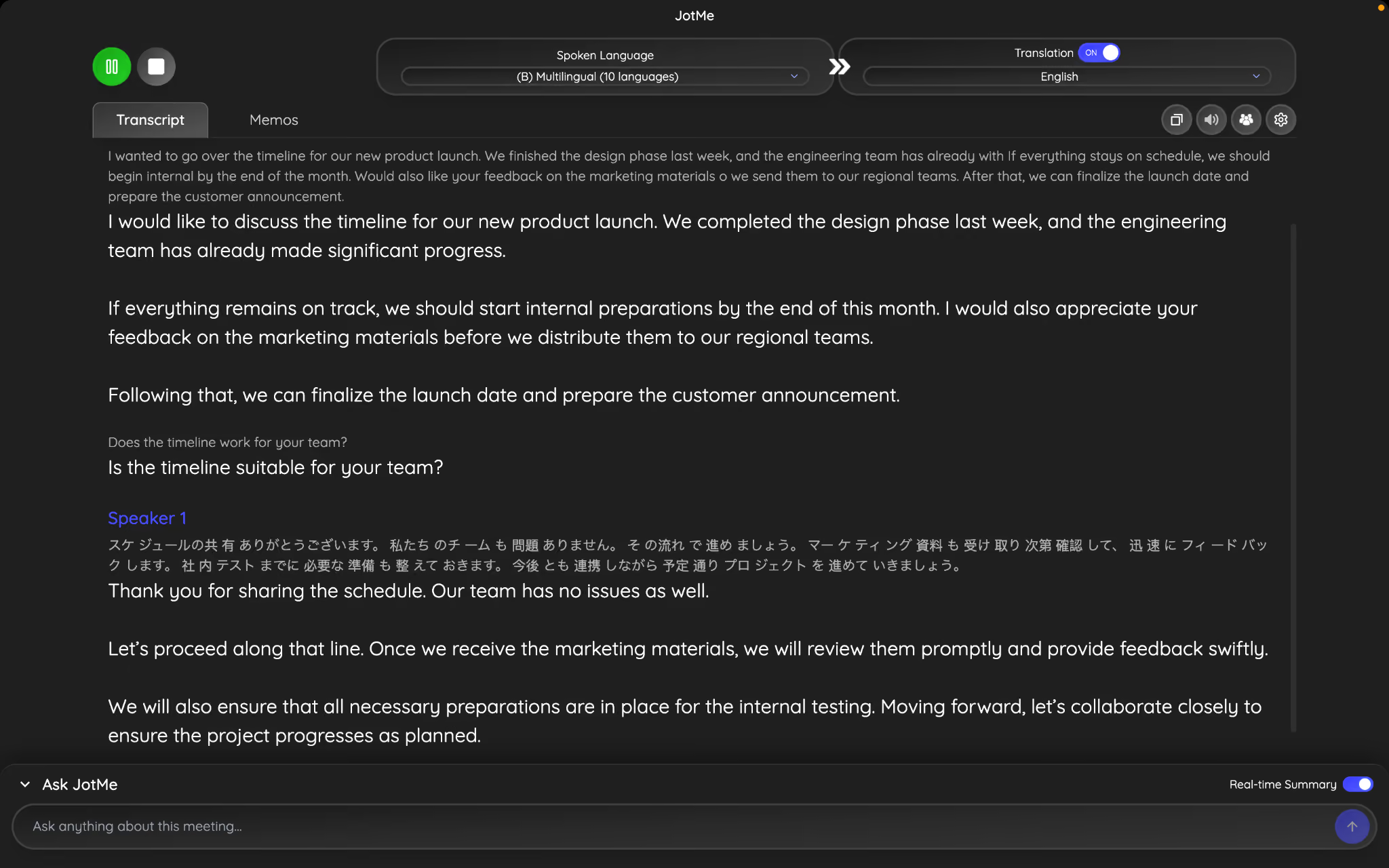
Covers 200+ languages: On a call with a Korean-speaking vendor, a language outside Zoom's five-language beta entirely, JotMe comes as the best call translation option.
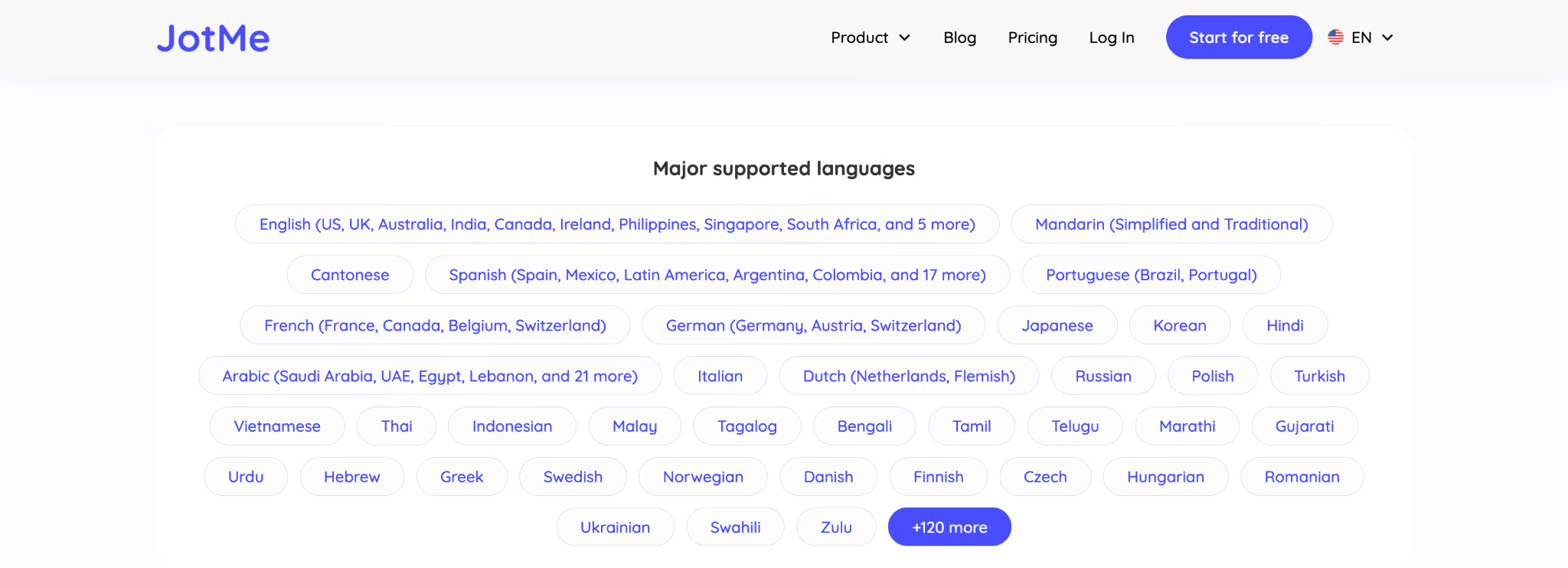
Notes that match the source language: Where My Notes can blur details in a mixed-language meeting, JotMe keeps a live translated transcript running next to the original, so nothing gets lost in the summary. After a call with a supplier in China, JotMe lets you share an English transcript with your manager, while the supplier keeps a Chinese copy, both generated from the same conversation.
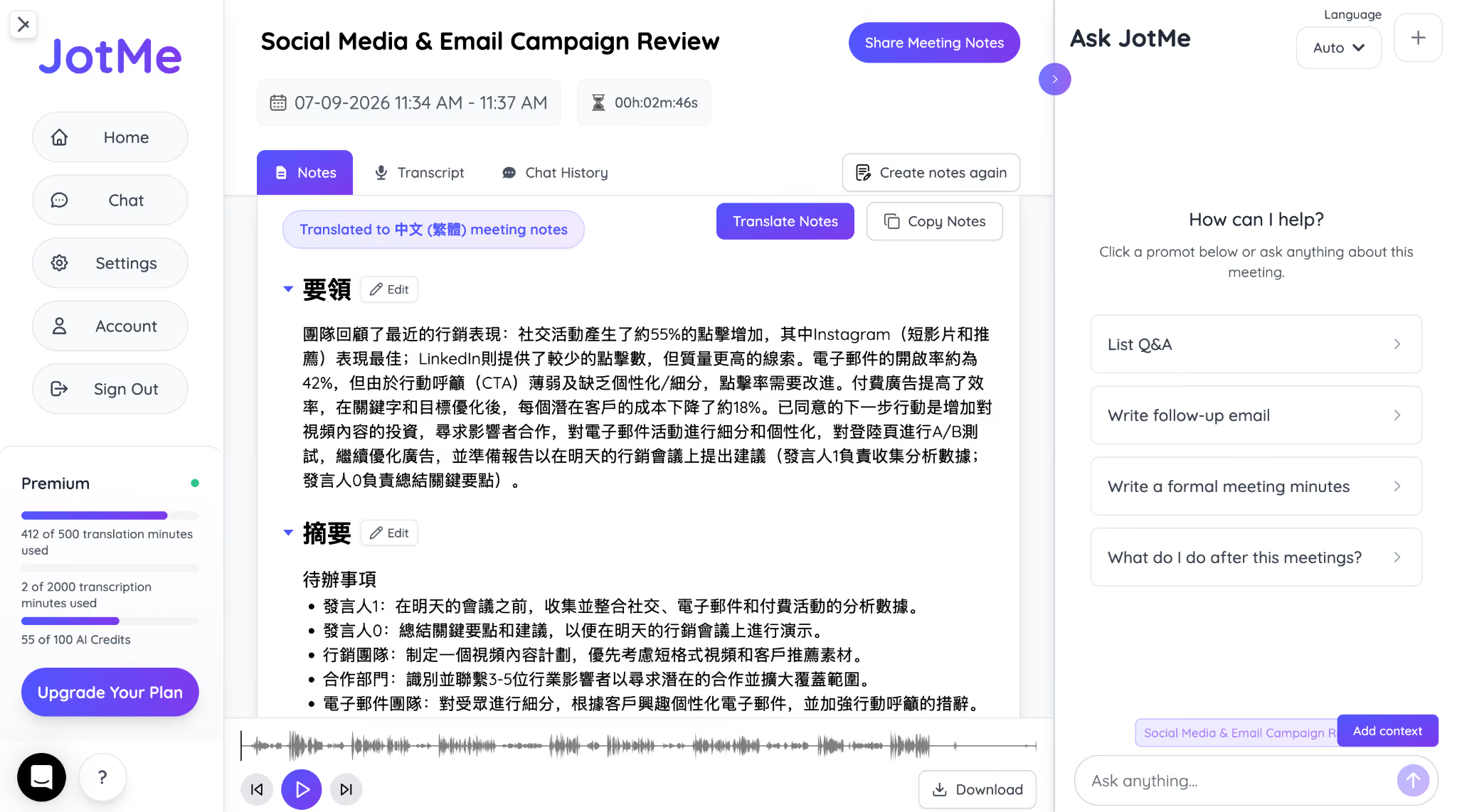
JotMe AI Chat for follow-ups: Once a Zoom call ends, JotMe's AI Chat lets you keep messaging a contact in your own language while they read and reply in theirs. This text to text translation does not let the conversation stall the moment the meeting window closes.
For teams running regular meetings in a language outside Zoom's current five-language Voice Translator beta, JotMe fills that gap without waiting on Zoom's rollout schedule.
What Do Zoom's 2026 Updates Mean for Businesses
Zoom's 2026 updates increasingly move beyond meeting assistance toward AI-powered work execution. My Notes makes it easier to capture and organize conversations, while ZoomMate connects meeting context with search, workflows, connected applications, and AI-generated deliverables.
However, Zoom’s Voice Translator is still in beta, supports only five spoken languages, and is limited to eligible Business and Enterprise plans. For organizations that regularly work with international clients or multilingual teams, these limitations may leave communication gaps.
In those cases, pairing Zoom with an AI meeting translation tool like JotMe extends Zoom's capabilities by providing live translation across more than 200 languages. Together, they help businesses communicate more effectively across languages while taking advantage of Zoom's latest AI innovations.
FAQs
Do I need a paid Zoom plan to use AI Companion?
Yes, most AI Companion features require an eligible Zoom Workplace paid plan. However, feature availability varies, with advanced capabilities such as Voice Translator and AI Productivity Suite tools limited to specific Business and Enterprise plans.
Can Zoom AI Companion summarize meetings I didn't attend?
Yes, if meeting transcripts or recordings are available and your organization has access to AI Companion, it can generate summaries, identify action items, and answer questions about the meeting without requiring you to watch the entire recording.
Does Zoom AI Companion work with Microsoft Teams or Google Meet?
Yes, some Zoom AI Companion features, such as My Notes, can capture notes from meetings held on Google Meet, Microsoft Teams, and Webex. However, features like Voice Translator and AI Companion workflows are designed specifically for Zoom Workplace.
Can I turn off Zoom AI Companion during meetings?
Yes, you can turn off Zoom AI Companion during meetings. Organizations and meeting hosts can control whether AI Companion features are enabled. Depending on your organization's settings, you can disable AI features such as meeting summaries, transcription, or AI assistance when they aren't needed.
Is Zoom AI Companion secure for business meetings?
Yes, Zoom AI Companion is secure for business meetings. Zoom includes enterprise security controls for AI Companion, including admin controls, memory management, and integrations with identity verification and security tools. Organizations can also decide which AI features are available to users based on their security and compliance requirements.
Can Zoom Voice Translator replace a human interpreter?
No. Zoom Voice Translator is designed for everyday multilingual conversations and not professional interpretation. Translation quality depends on the language pair, audio quality, and how clearly participants speak, so a human interpreter may still be necessary for legal, medical, or high-stakes business discussions.
Can ZoomMate work with third-party applications?
Yes, ZoomMate can connect with third-party applications and search or act across connected business systems. In August 2026, Zoom added connectors for Canva, Coda, Zendesk, Asana, Box, and Microsoft Teams.
Last updated on
September 21, 2026
Follow us on social media: