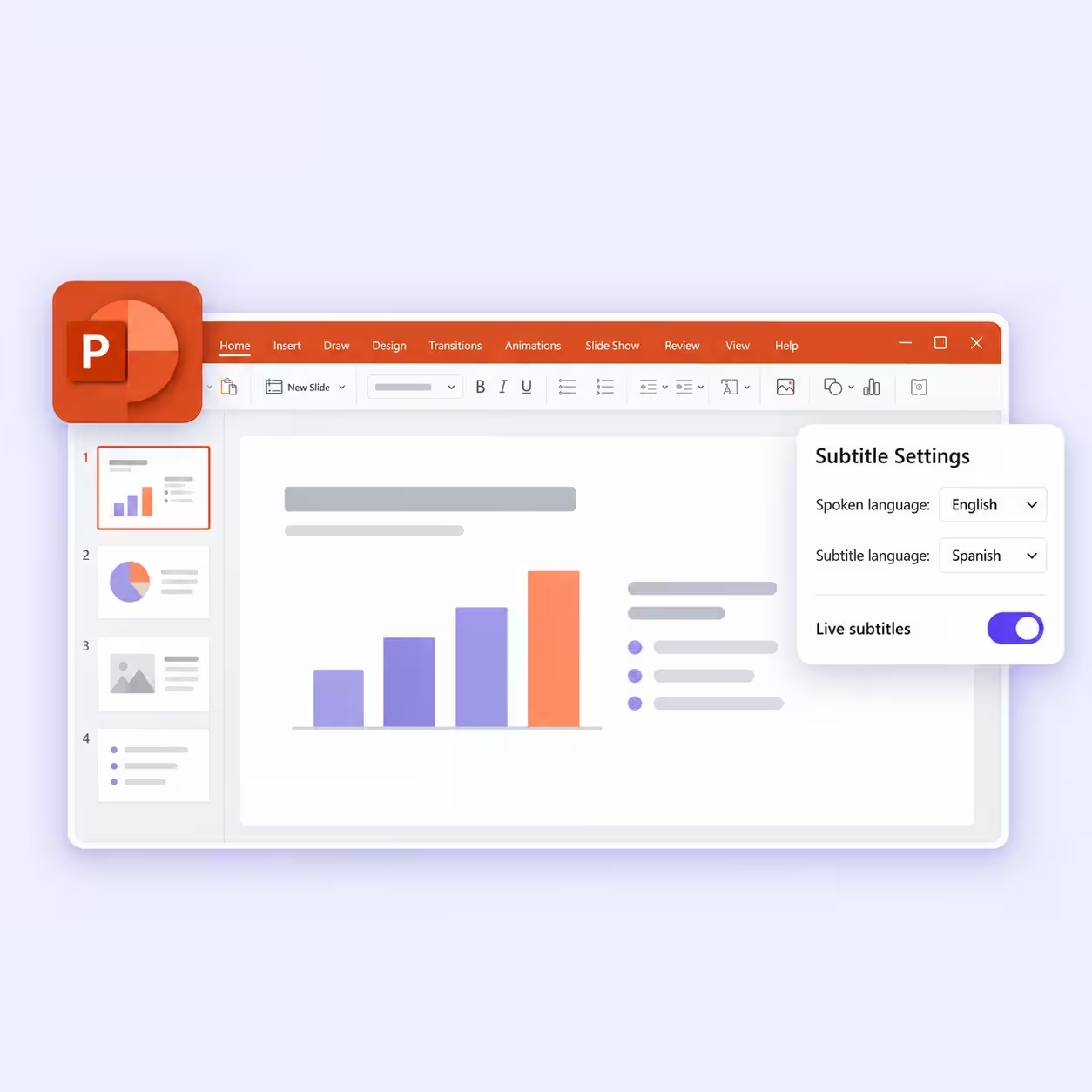
Maestra AI vs JotMe: Which Translates Meetings Accurately?

Viraj Mahajan
October 28, 2026
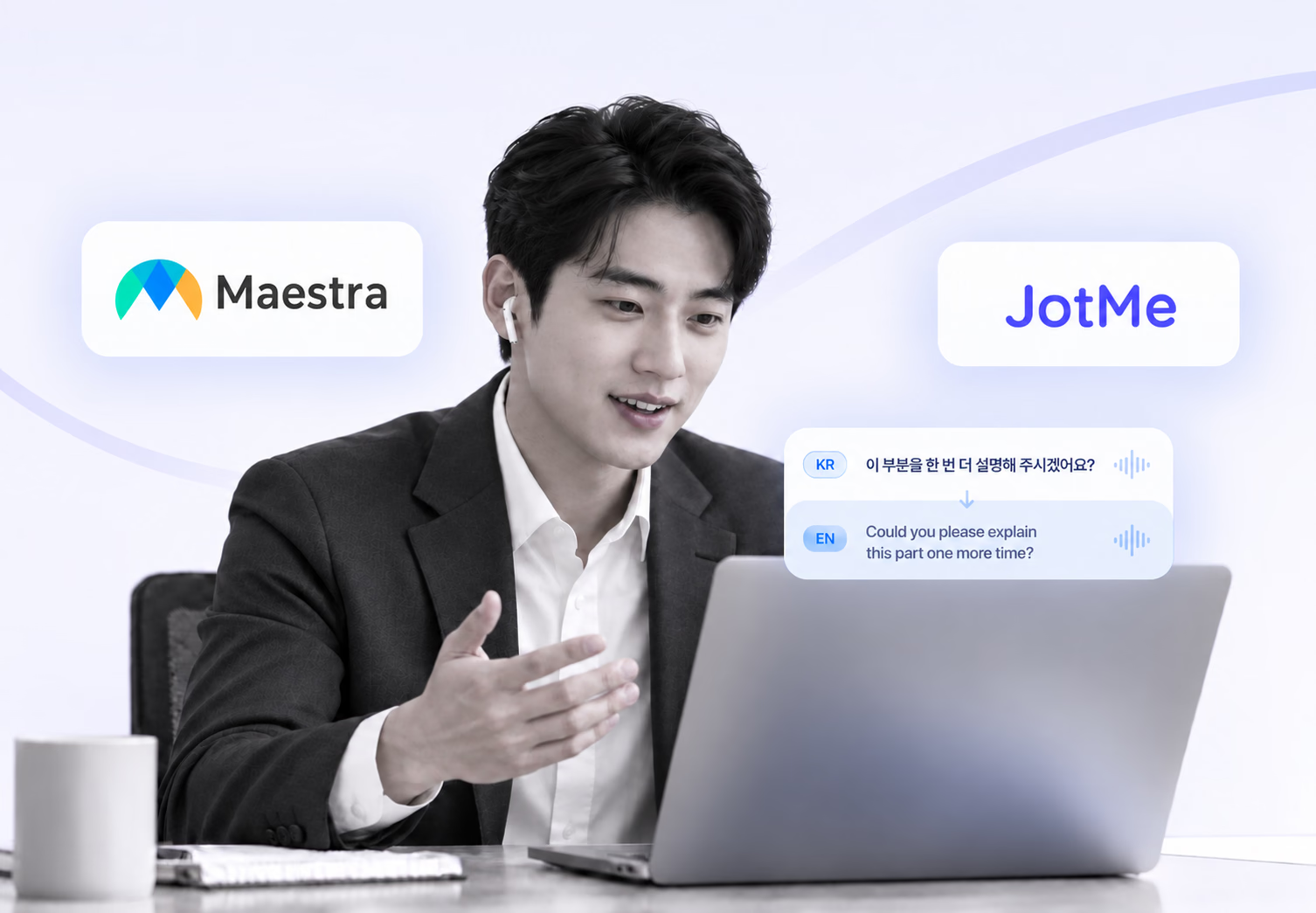
Quick Answer
Maestra AI is a browser-based tool for transcription, subtitles, voiceover, and dubbing, with live captions and translation in 125+ languages. JotMe is a live translation app for desktop and mobile that covers meetings, events, files, and messages in 200+ languages, with multilingual transcription and AI meeting notes built in. In our Korean-to-English live test, Maestra AI misheard "this quarter" in a cost sentence, while JotMe translated the same line correctly. For multilingual meetings and events, JotMe is the better Maestra AI alternative.
Are you someone who constantly uses AI tools for meetings, events, and even note-taking during in-person meetings? Are you someone who uses the highly recommended Maestra AI to translate meetings?
Then you are in the right place, as today we are going to compare Maestra AI with JotMe in a real-time online meeting. Maestra AI handles recorded video well, so many teams only discover its weak spot during their first live meeting with a Korean or Japanese partner. The live translator opens in a separate browser tab beside your call. As per our results:
- Maestra’s $49 Meetings plan then caps each session at 75 minutes and two languages, so a long supplier call can outlast the session.
- When a single misheard phrase changes a cost target, your team spends the next two days rebuilding the decision over email.
- We gave Maestra AI and JotMe the same Korean business sentences and compared the English captions each tool printed on screen.
Key Takeaways
- Test result: Maestra AI misheard the Korean phrase 이번 분기 ("this quarter") in a cost sentence, and the English caption carried the error; JotMe translated the same line correctly.
- Why JotMe held the meaning: JotMe updates its translation as context builds during the conversation, which keeps a time frame such as "this quarter" attached to the right cost target.
- Language coverage: JotMe supports 200+ languages for live translation and transcription, while Maestra AI lists 125+.
- Best fit for Maestra AI: Subtitles and dubbing for recorded video, plus live captions for streams that run through OBS or vMix.
- Best fit for JotMe: Live meetings and events in your own language, with file translation and AI meeting notes in the same app.
- Live translation price: JotMe Pro costs $20 per user per month, or $10 on annual billing, with 200 live translation minutes, while Maestra’s Meetings plan costs $49 per user per month with 75-minute sessions.
If you already use Maestra and want a reason to switch for meetings, the test result below gives you that reason.
Follow Your Next Korean Meeting in English
JotMe shows live captions in your language during the call and hands you a bilingual transcript with AI notes when the call ends. Get started within 30 seconds, with no credit card.
Quick Comparison: Maestra AI vs JotMe Live Multilingual Translation
Maestra AI fits teams that localize recorded video and caption live streams. JotMe fits professionals who need to follow and join meetings in another language and then reuse the transcript and notes. The table compares both tools on the features that decide a live multilingual meeting.
| Feature | Maestra AI | JotMe |
|---|---|---|
| Main job | Transcription, subtitles, voiceover, and dubbing for recorded video, plus live captions | Live translation for meetings and events, plus multilingual transcription and AI meeting notes |
| How it runs | Browser app with no installation, plus a Chrome extension | Desktop app for Mac and Windows, iPhone and Android apps, a Chrome extension, and a web app |
| Meeting capture | Zoom, Google Meet, and Teams on the Meetings plan; OBS and vMix on the Organizations plan | Desktop app hears system audio alongside Zoom, Teams, Google Meet, Webex, and other meeting apps, with no bot in the call |
| Languages | 125+ for transcription and live speech translation | 200+ for live translation and transcription, and 21 for AI meeting notes |
| Output languages at once | Two per session on Meetings, three on Organizations, 5 on Events | Up to three translation languages in a single session |
| Two-way voice | AI voice cloning and pro voices on the $19 Personal plan | Two-way speech-to-speech with the Fast (Audio) model |
| Custom terms | Custom dictionary from the $39 Basic transcription plan | Custom vocabulary on every plan (5 on Free, 20 on Pro, 50 on Premium) plus account context |
| Audience sharing | Room link and QR code for up to 50 viewers on the $449 Organizations plan | URL or QR code, plus live camera subtitles |
| Live translation entry price | $19 per month on Personal (15-minute sessions); $49 per user per month on Meetings (75-minute sessions) | $20 per user per month, or $10 on annual billing (Pro, 200 live translation minutes) |
| Free option | Free live transcription; real-time translation free for the first 10 minutes | Free plan with 20 live translation minutes each month |
For live meetings, the meeting capture and entry price rows decide most switches, and JotMe live translation comes out ahead on both. If you want a wider field than these two tools, our roundup of the best live translation apps compares more options side by side.
Maestra AI vs JotMe AI Translation & Transcription
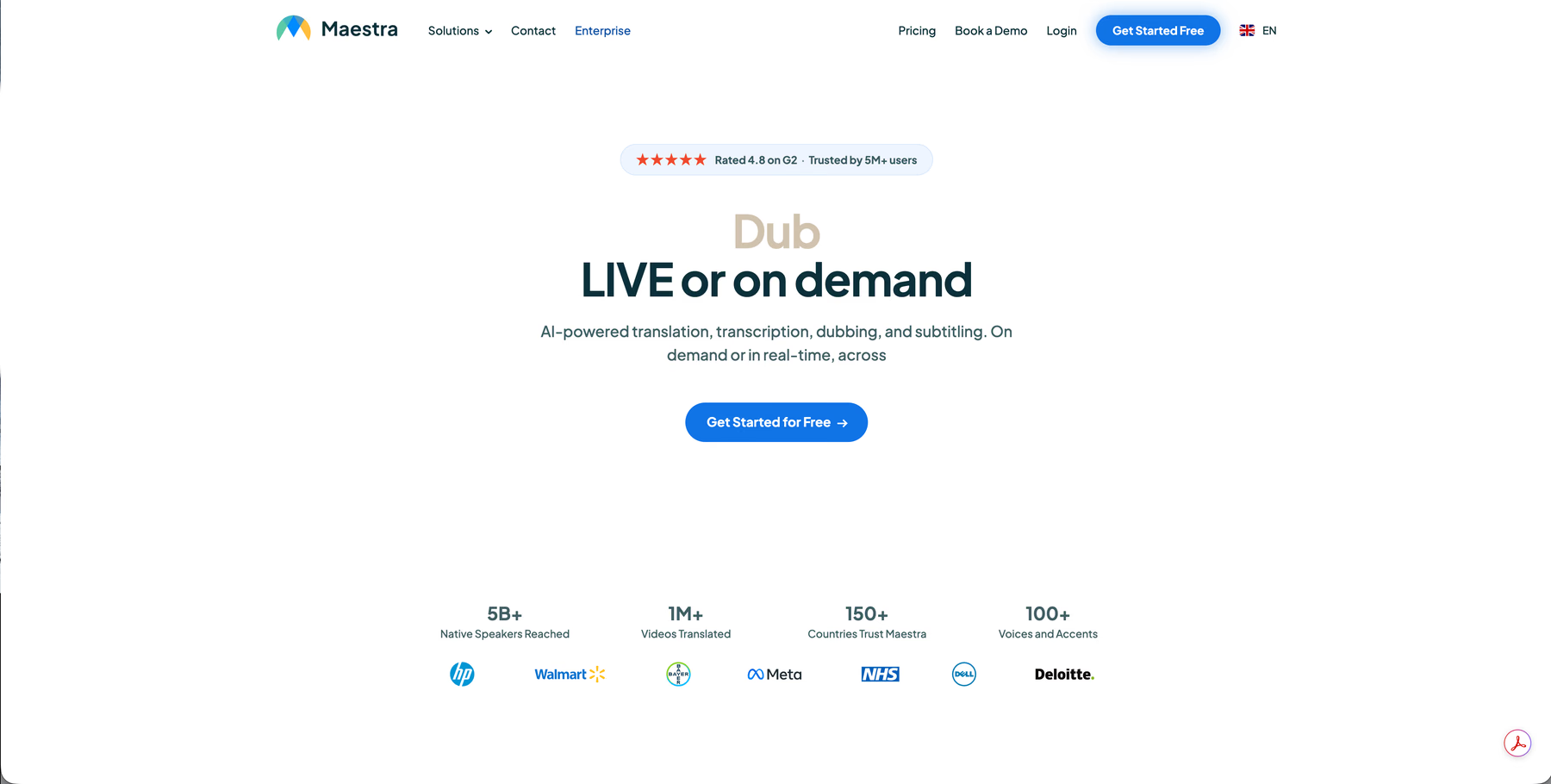
Maestra AI and JotMe both translate and transcribe speech, and each tool grew out of a different job. Maestra AI starts from the file, with a homepage headline that reads "Dub LIVE or on demand" and copy that covers AI translation, transcription, dubbing, and subtitling for on-demand media and real-time sessions.
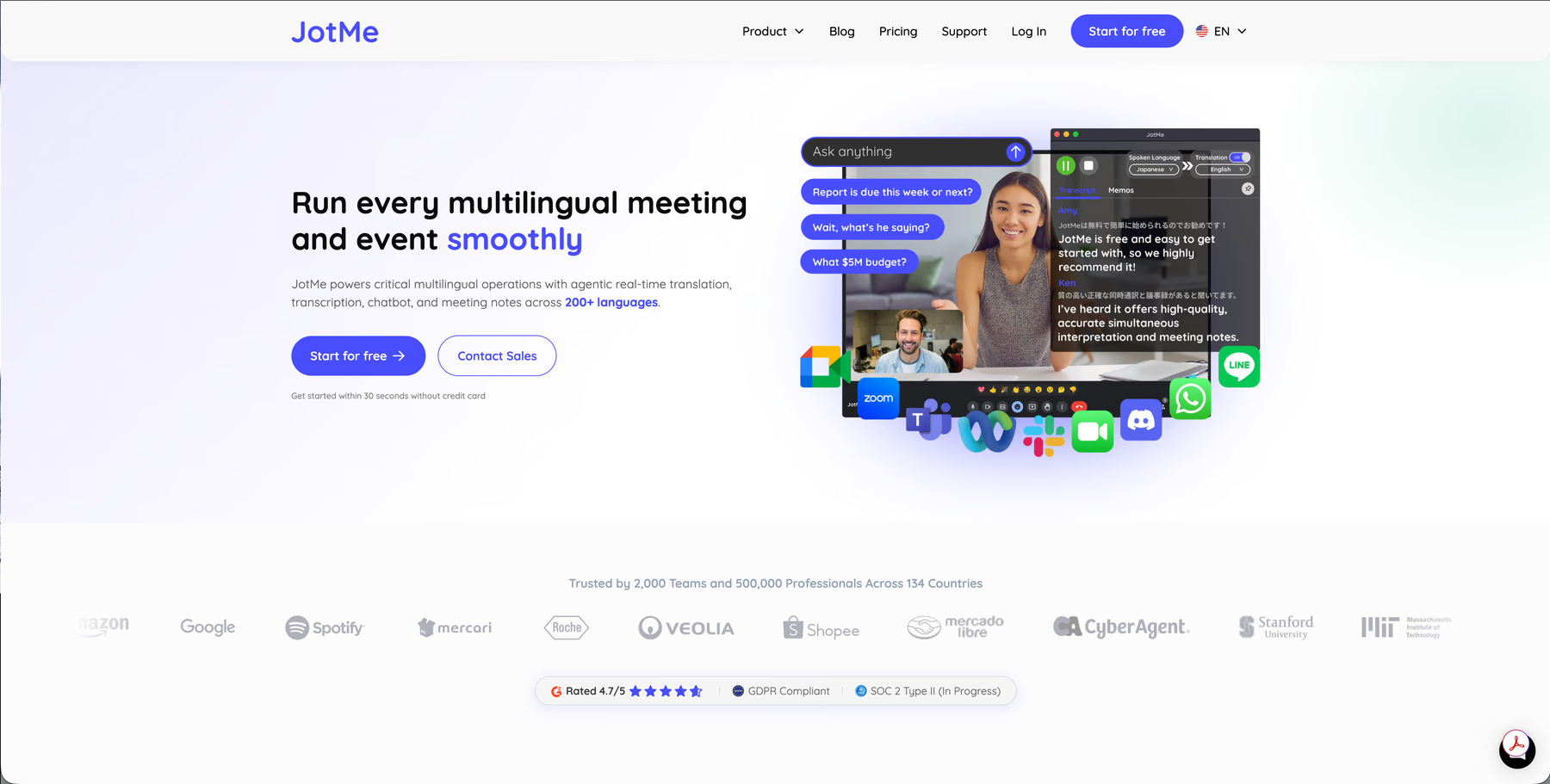
JotMe works from the live conversation outward.
It promises to run every multilingual meeting and event smoothly, with accurate real-time translation, transcription, a chatbot, and meeting notes across 200+ languages.
In daily use, a Maestra user uploads a finished video and gets subtitles or a dubbed track back. A JotMe user opens the app before a call and reads the other side in English while people speak. After the call, the same user reviews the transcript and AI notes.
Platforms Supported by Maestra AI
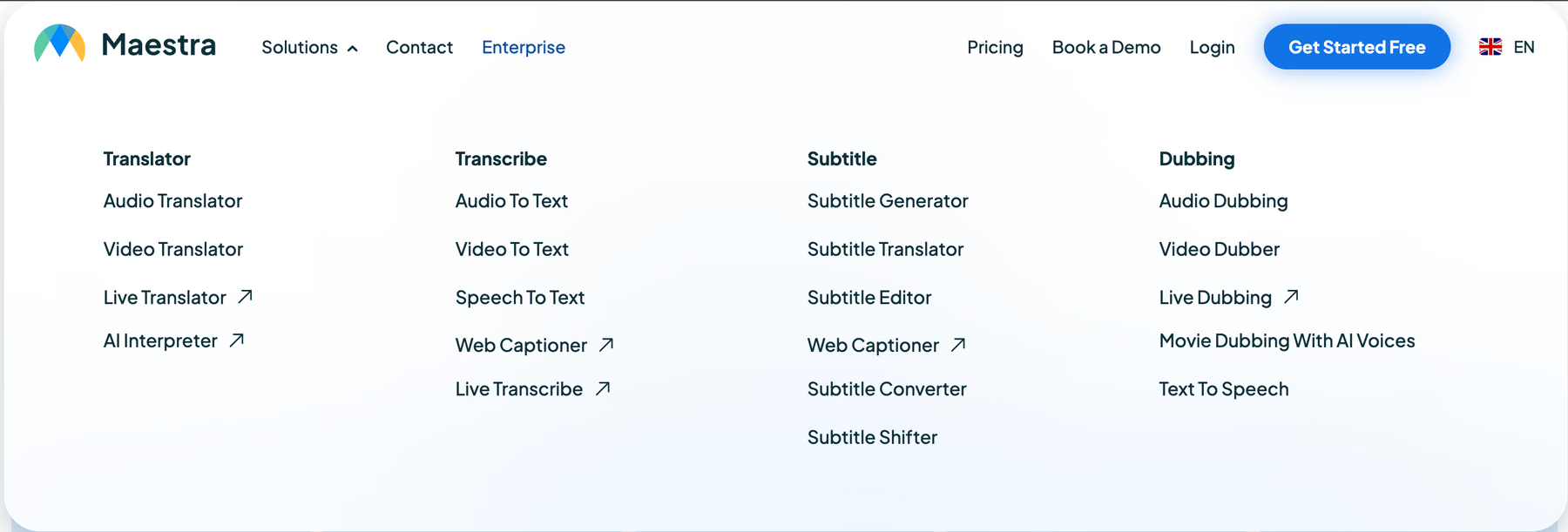
Maestra AI runs in a web browser, so it works on any Windows or Mac computer with nothing to install. For live meetings and streams, it connects through 5 integrations and a Chrome extension:
- Web browser: You upload audio or video from any computer for transcription, subtitles, voiceover, and dubbing.
- Zoom: Translated captions show up inside the Zoom meeting once the host turns on captions and copies a caption API token into Maestra. If you join as a regular participant, you need that token from the host before you can start.
- Microsoft Teams: Maestra Live connects to Teams meetings for live captions and translation.
- Google Meet: The $49 Meetings plan connects Maestra to Google Meet, Zoom, and Microsoft Teams, with each session capped at 75 minutes and two languages. For Webex, Maestra lists no direct integration; use its Chrome extension or a separate browser tab.
- Chrome extension: It transcribes and translates any audio playing in a browser tab, which covers web-based calls and online videos.
- OBS and vMix: These broadcast tools come with the $449 Organizations plan and add live captions to streams on YouTube or Twitch.
- Desktop and mobile apps: Maestra mentions no app you can install for live translation, so every live session runs inside a browser tab.
Maestra also lists no integration for calling apps such as KakaoTalk or WhatsApp. KakaoTalk is the default messenger for most Korean business contacts, so if your supplier calls you there, Maestra has no way into that call.
Platforms Supported by JotMe
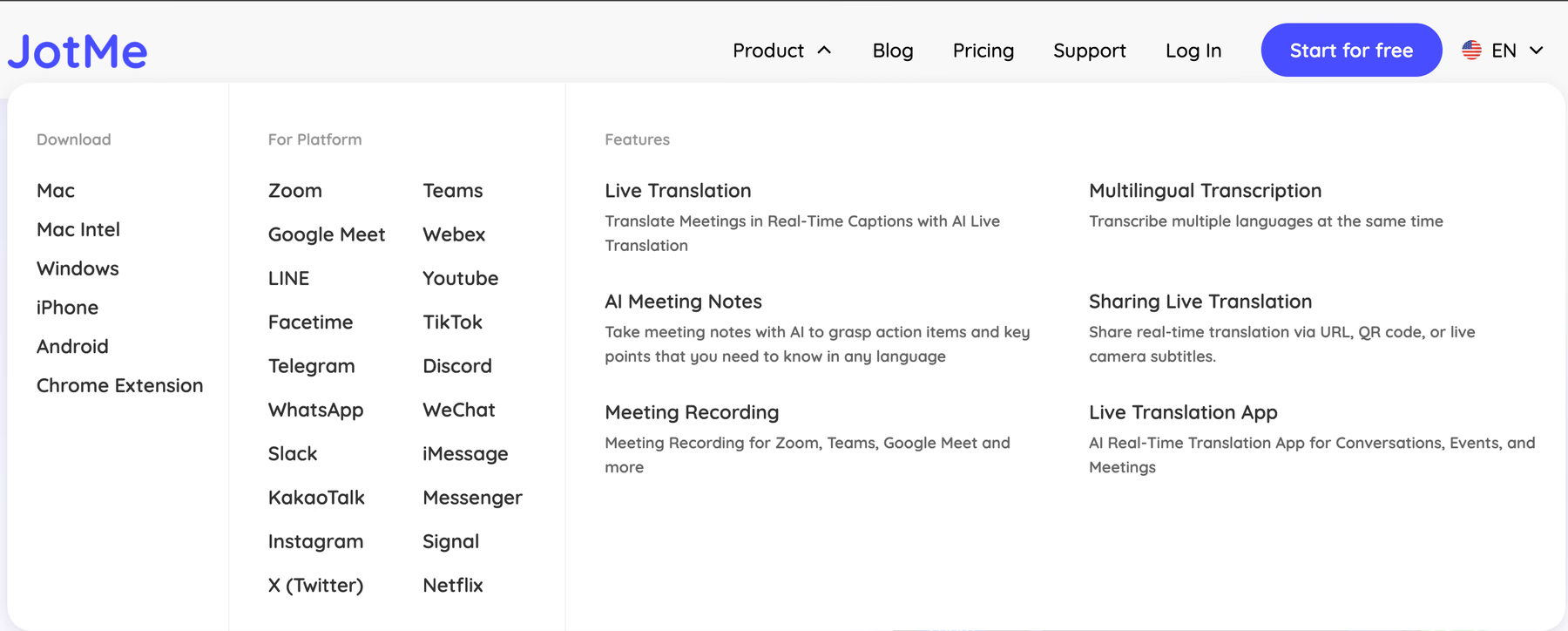
JotMe runs as a desktop app on Mac and Windows, with mobile apps for iPhone and Android and a Chrome extension for Google Meet. The desktop app translates any audio that plays on your computer, so it covers far more than the big meeting apps:
- Mac and Windows desktop app: JotMe listens to your microphone and to your computer’s audio, so you read both sides of the call in your own language. No bot joins the meeting, and the host doesn’t have to give you permission or a caption token.
- KakaoTalk, LINE, WhatsApp, WeChat, and FaceTime: Calls on these apps get the same live translation as a Zoom meeting, so a supplier who prefers KakaoTalk never has to move to Zoom for your sake.
- YouTube and Netflix: JotMe translates videos and recorded webinars while they play.
- Chrome extension: It transcribes and translates Google Meet calls in 77+ languages inside the browser, and the Pro plan includes unlimited Google Meet transcription.
- iPhone and Android: The JotMe translation app translates in-person meetings and factory visits from your phone.
- Web app: Your recordings and AI notes stay available from any browser after the call.
If your Korean supplier calls on KakaoTalk tonight and moves to Zoom tomorrow, JotMe captions both calls in English from the same app.
Languages Supported by Maestra AI
Maestra AI transcribes and translates speech in 125+ languages, and its dubbing library offers 100+ AI voices and accents. Every Real-Time plan comes with unlimited use, so the limits are how long each session runs and how many languages you can use in it:
- Personal ($19 per month): Live translation for everyday conversations, with each session capped at 15 minutes.
- Meetings ($49 per user per month): Two languages per session inside online meetings, with each session capped at 75 minutes.
- Organizations ($449 per month): Three languages per session for up to 50 viewers, with sessions of up to three hours.
- Events (from $799 per day): Up to 5 languages per session across three rooms of up to 100 viewers each, with no session limit.
In practice, these limits decide which plan you need. A call with a Korean supplier and a Japanese partner needs a third language, which moves you from the $49 Meetings plan to the $449 Organizations plan. On the Meetings plan, a 90-minute negotiation hits the 75-minute limit before the call ends.
Languages Supported by JotMe
JotMe supports 200+ languages for live translation and transcription and covers 39,000+ language pairs, so a Korean speaker and an English reader need no relay language in between. The Language settings panel lets you pick the spoken language, Korean (South Korea) in our test, and up to three translation outputs that appear on screen at the same time.
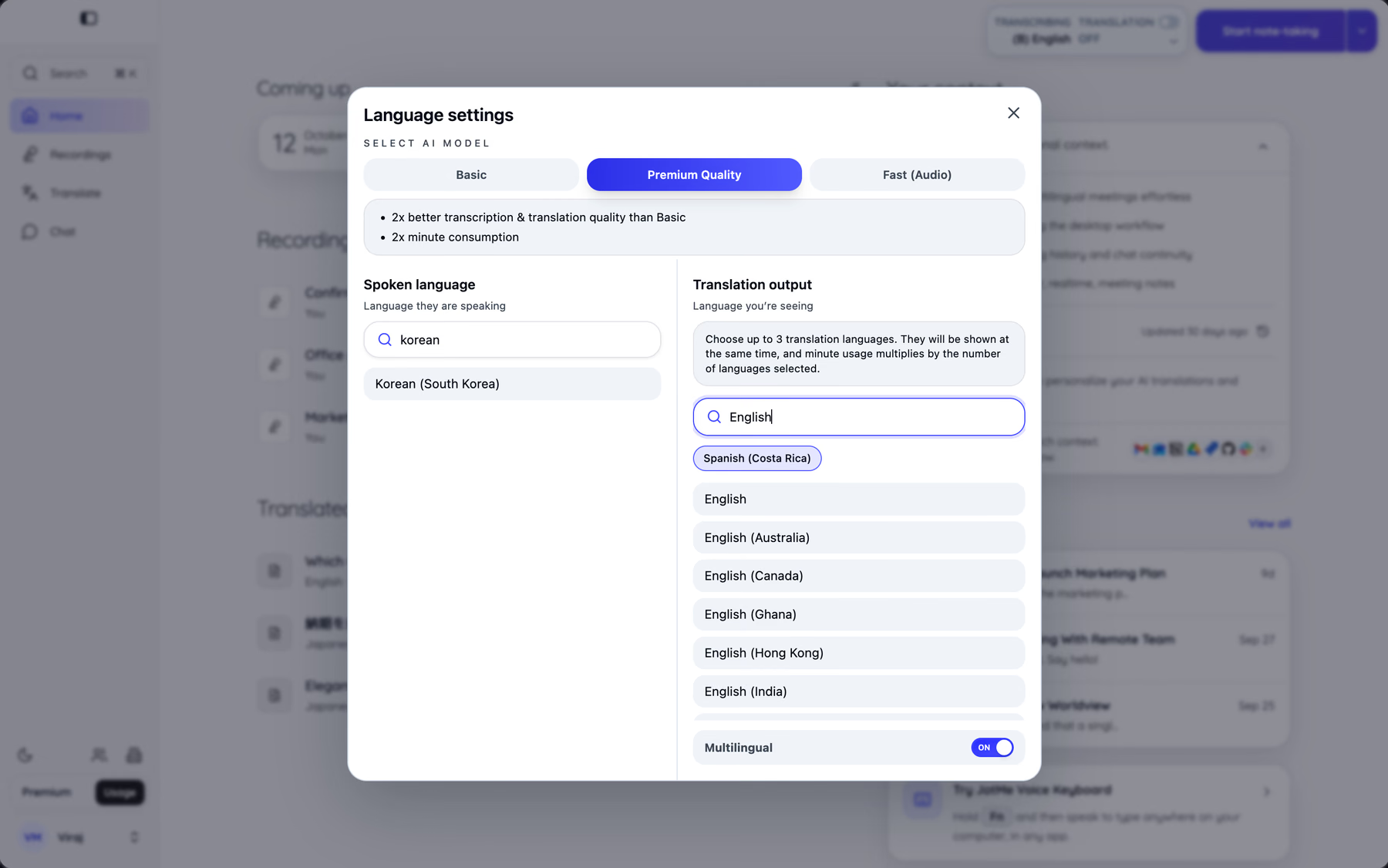
The output list carries regional variants such as English (Australia), English (Canada), English (Ghana), English (Hong Kong), and English (India), and a Multilingual switch covers calls where speakers change languages in the middle of a meeting. JotMe gives you a choice of AI models for live sessions:
- Basic: Standard caption and translation quality at the normal minute rate.
- Premium Quality: JotMe rates it at double the transcription and translation quality of Basic, at double the minute use.
- Fast (Audio): Recognizes 100+ spoken languages with no source language selected and produces translated speech, at 5 times the minute use.
AI meeting notes come out in 21 languages, and the JotMe documentation lists the spoken language counts for each model.
Run the Same Test on Your Own Language Pair
Install JotMe and set the spoken language before your next supplier call. The Free plan includes 20 live translation minutes every month, which is enough for a real meeting test.
Maestra AI: Live Translation Test Result
Maestra AI translated the meeting openers well and then misheard the single phrase that set the time frame for a cost target. We ran a Korean-to-English live caption test on both tools, with a Korean speaker reading the exact same sentences into each tool. The opening round used meeting openers, and the business round used lines from a typical supplier call.
| Round | Korean Line (Topic) | Maestra AI English Caption |
|---|---|---|
| Openers | Opening the meeting and stating its purpose | Good |
| Openers | Asking everyone for their opinion on an agenda item | Good |
| Openers | Moving on to the next steps | Good |
| Business lines | A cost line for this quarter (이번 분기) | Misheard "this quarter," so the translation came out wrong |
| Business lines | Changing the API integration approach | Good overall |
| Business lines | The uptime percentage stated in the contract's SLA | Good overall |
We can see that the overall output is good, with a problem that outweighs the rest of the run.
In the cost line, the speaker said 이번 분기 ("this quarter"), and Maestra AI transcribed the phrase incorrectly before translating it.
A live caption that hears the wrong Korean has nothing correct left to translate, so the English line on screen carried the mistake straight to the reader.
A slip in a greeting costs nothing, while a wrong time frame on a cost target sends an operations lead into budget planning with the wrong number. Somebody catches the error days later, and the fix turns into two or three hours of email with the supplier over a point the call could have settled in three minutes.
JotMe AI: Accurate AI Translation Live Results
JotMe translated the same Korean lines correctly, including the cost line where Maestra AI misheard "this quarter." JotMe updates its translation continuously as the conversation adds context, so a phrase that sounds unclear on its own settles into the meaning that the rest of the sentence supports.
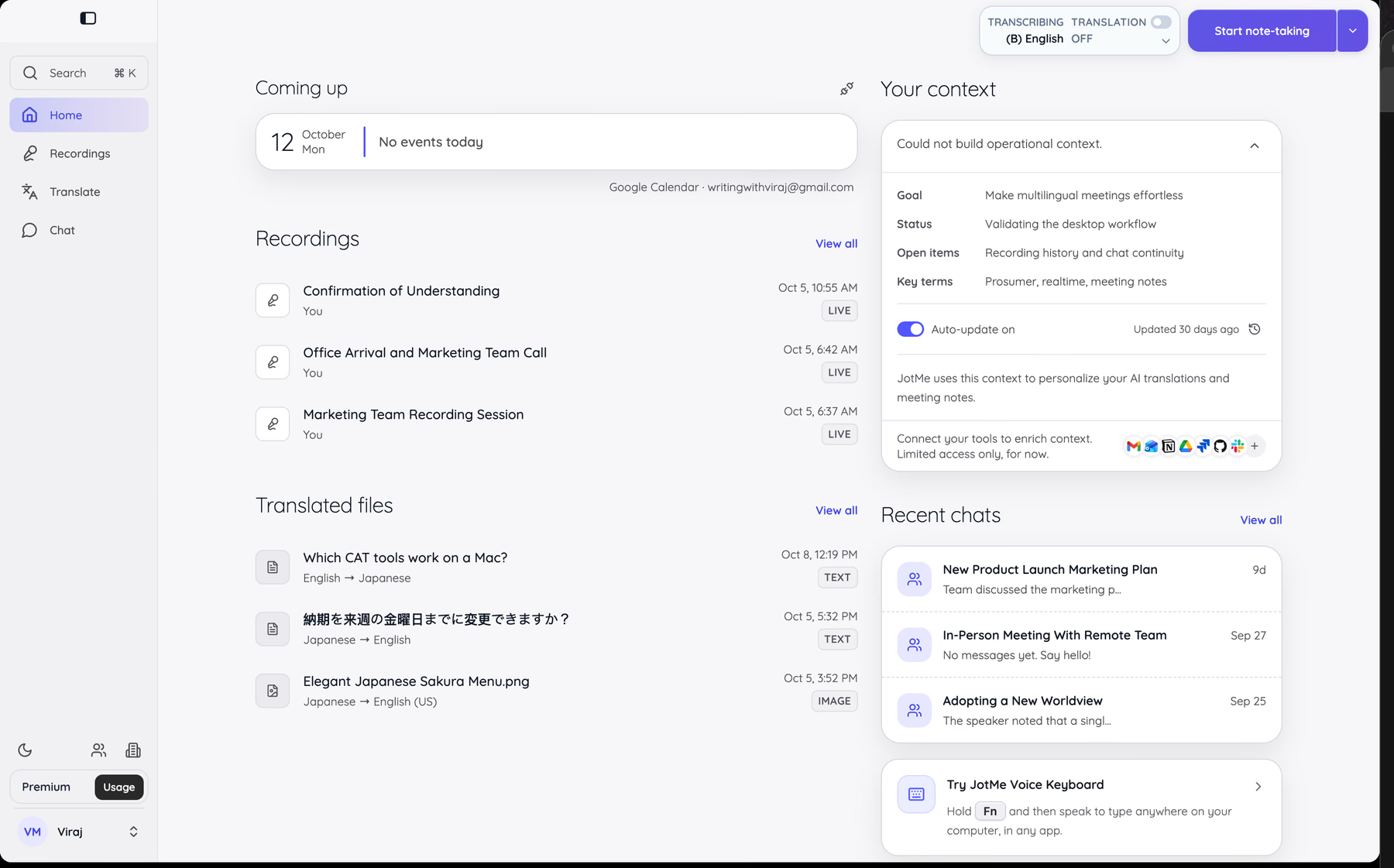
For an English-speaking manager working with Korean or Japanese suppliers, that correction determines whether the call ends with a decision or a week of clarifying emails. JotMe also builds account context over time. The "Your context" panel on the Home screen stores the goal, status, open items, and key terms behind your work, and JotMe uses that context to personalize AI translations and meeting notes.
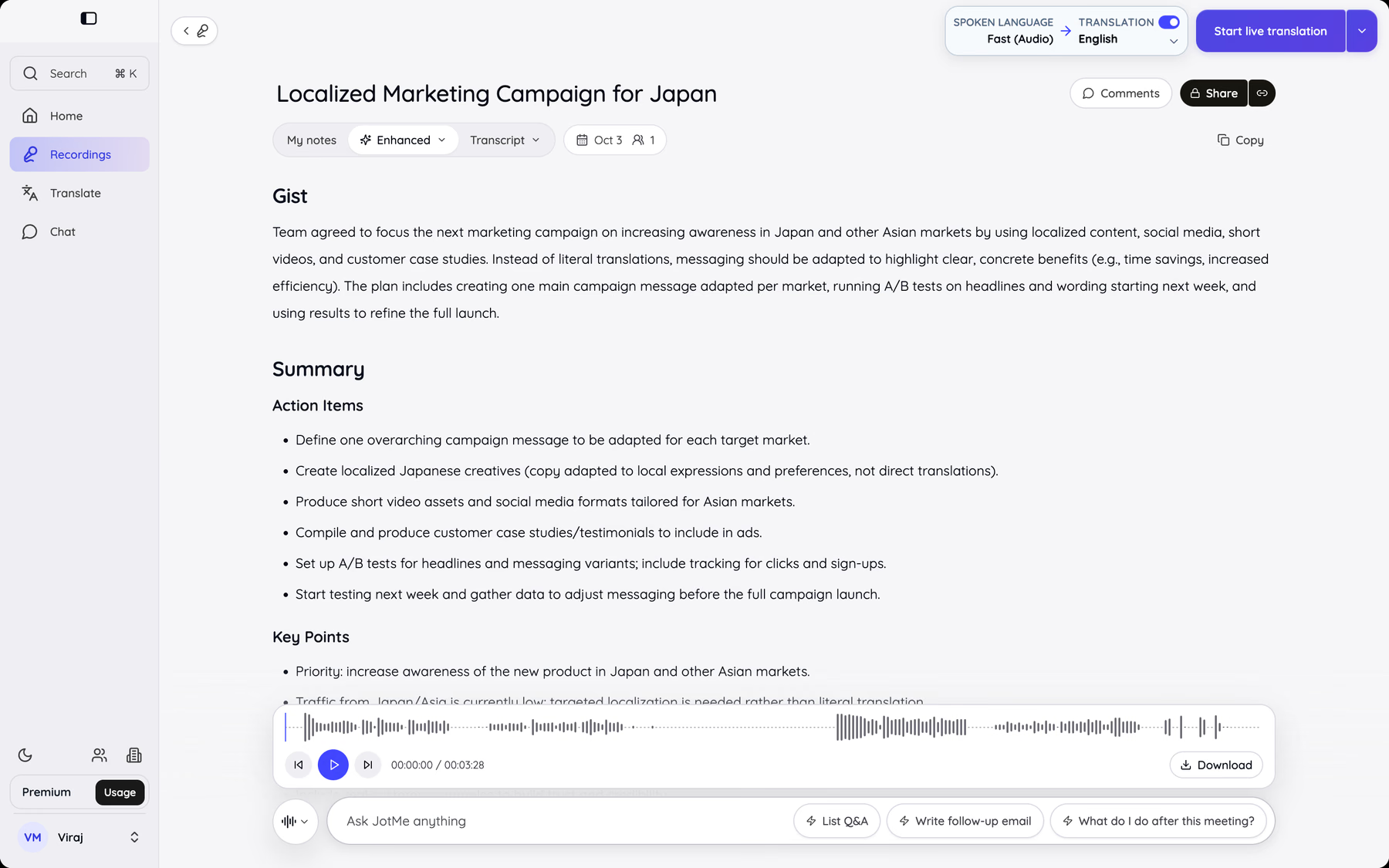
After the call, the recording keeps both languages side by side under speaker labels and timestamps you can search later. The example comes from a separate English-Japanese marketing call, and every JotMe recording follows the same format: the original speech on the left and its translation on the right.
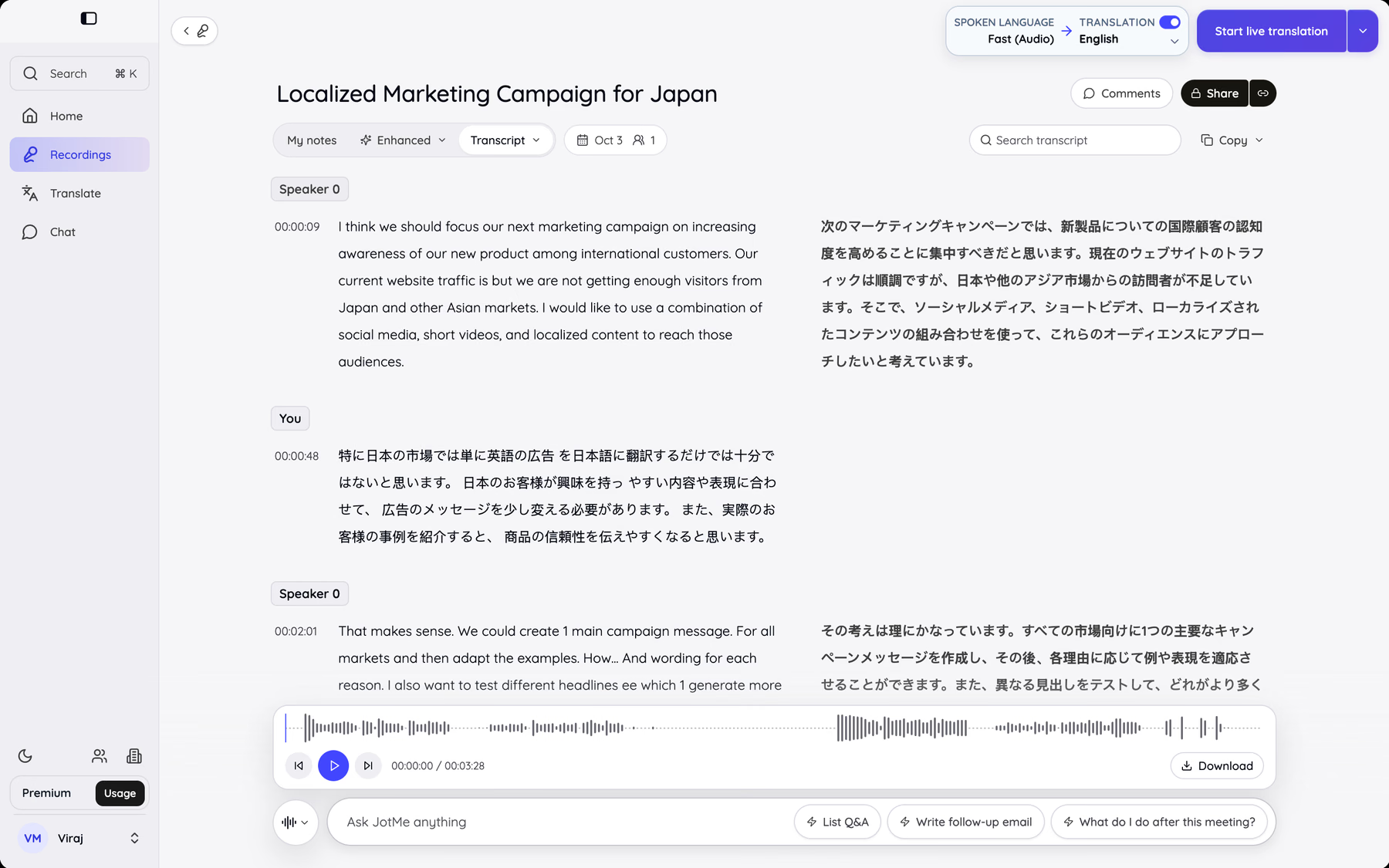
The AI notes view turns the same recording into a Gist, a Summary, Action Items, and Key Points. The Ask JotMe bar underneath offers prompts such as "Write follow-up email" and "What do I do after this meeting?" The follow-up message to your supplier then comes straight from the transcript of the call.
Pro Tip
Add your supplier's product names and acronyms such as SLA to JotMe's custom vocabulary before the call. Keep each entry to three words or fewer and set its importance to 5 for terms that speech recognition often misses. For Korean calls where every number matters, switch the AI model to Premium Quality, which JotMe rates at double the quality for double the minutes used.
What Customers Say About Maestra AI?
Maestra AI holds a 4.8 rating on G2, and the reviews we pulled praise the file workflow more than live translation.
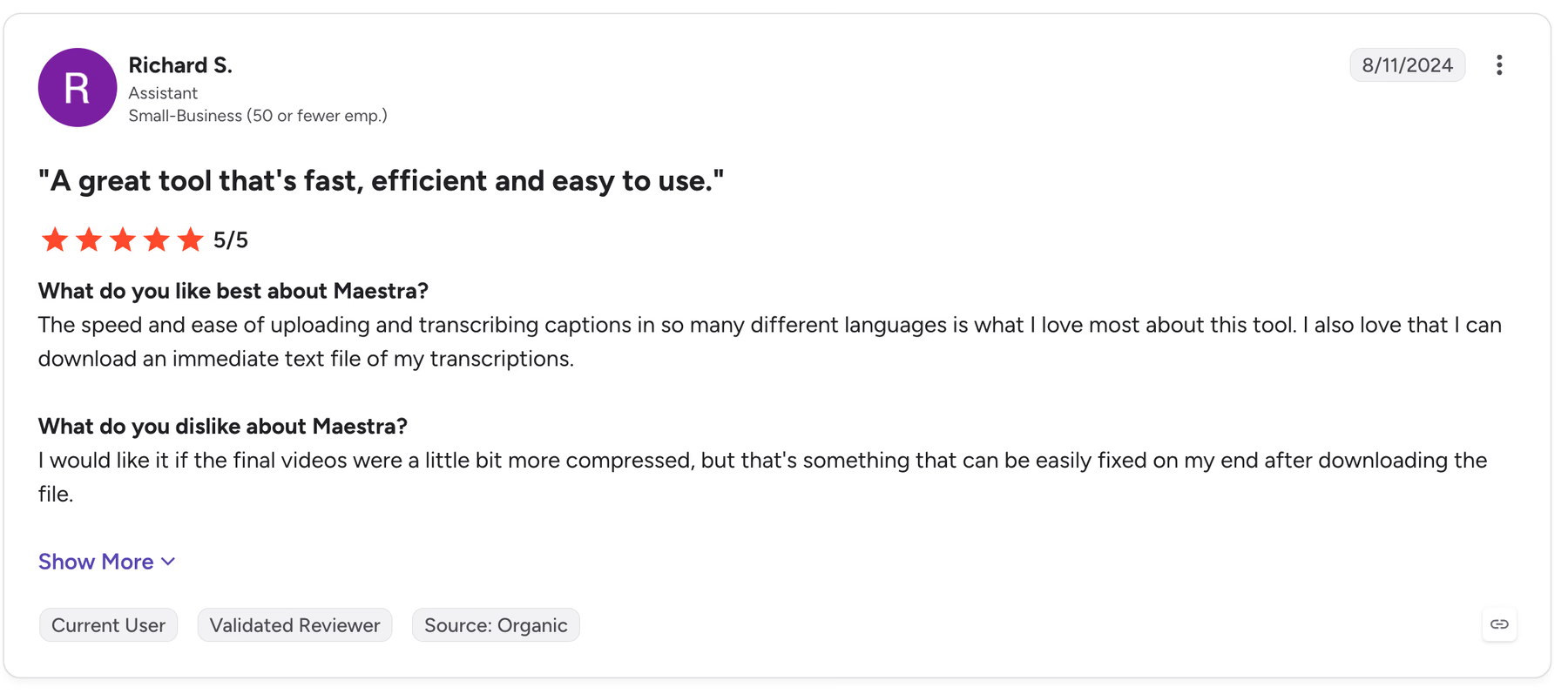
Richard S., an assistant at a small business, gave Maestra 5 out of 5 in August 2024 for the speed of uploading and transcribing captions in many languages and for the instant text file download. His only complaint concerned file size, since he wanted the final videos more compressed.
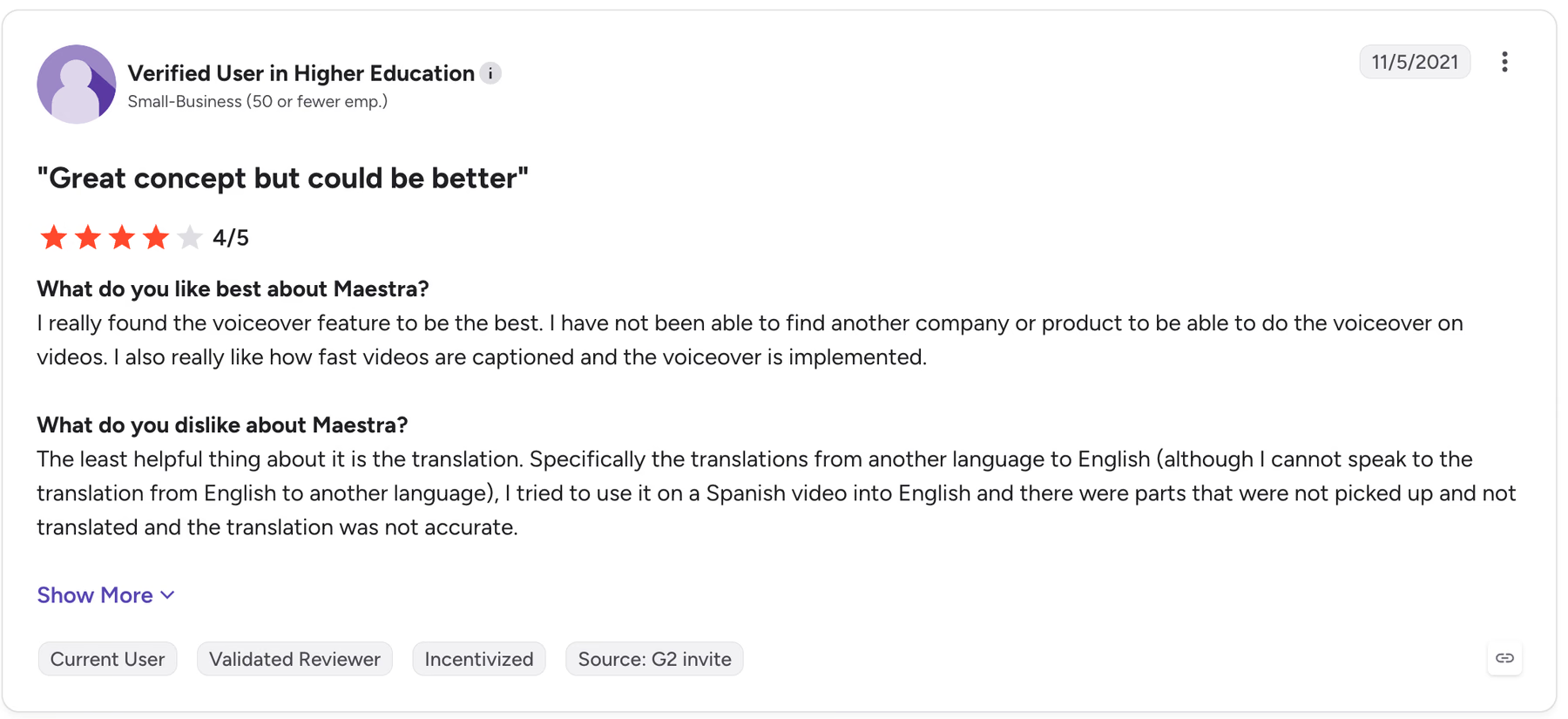
A verified reviewer in higher education rated Maestra 4 out of 5 in November 2021. The reviewer named voiceover as the best feature and translation as the weakest, especially into English: when they ran a Spanish video into English, Maestra skipped parts of the speech and the translation came out inaccurate. The review dates from 2021 and came through a G2 invite, so weigh it against newer feedback, but it points to the same weakness our Korean test exposed.
What Customers Say About JotMe?
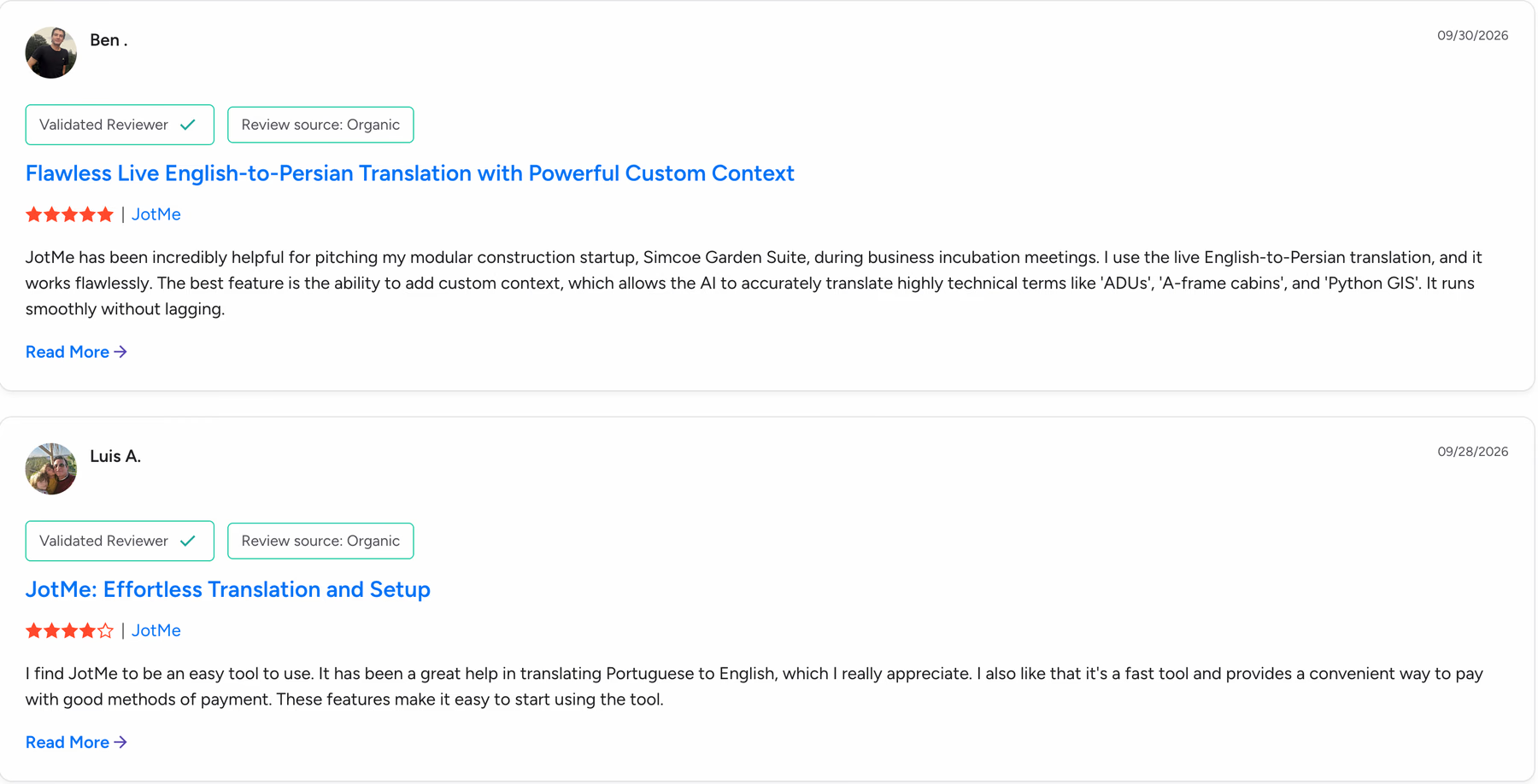
JotMe's newest reviews, all from late September 2026, describe live translation in a specific language pair, the same job our Korean test measured.
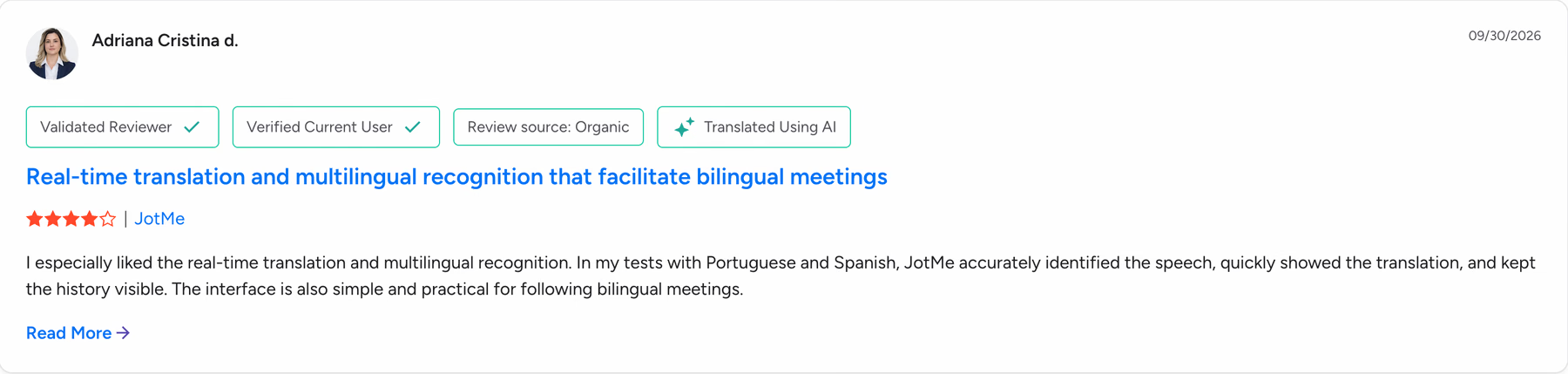
Adriana Cristina D. tested JotMe with Portuguese and Spanish and gave it 4 stars. She noted that JotMe identified the speech accurately and kept the translation history visible. She called the interface simple and practical for following bilingual meetings.
Ben uses JotMe's live English-to-Persian translation to pitch his modular construction startup, Simcoe Garden Suite, in business incubation meetings, and he gave it 5 stars. He singled out custom context, which helps JotMe translate technical terms such as ADUs and Python GIS correctly, and he reported no lag. Luis A. uses JotMe for Portuguese to English and gave it 4 stars, describing it as fast and easy to start with convenient payment methods.
Why Choose Maestra AI for Meetings and Events?
Maestra AI makes sense when your meetings and events end up as video. If you record a webinar and need subtitles or a dubbed version with 100+ voices and accents, Maestra handles the whole job inside a single browser account.
- Live stream captions: OBS and vMix integrations put live captions on streams such as YouTube and Twitch.
- Room links for audiences: The Organizations plan gives you your own room link and QR code for up to 50 viewers at once.
- Event support: The Events plan, from $799 per day, adds setup help, day-of support, unlimited rehearsals, and three rooms of up to 100 viewers each.
- Post-event cleanup: Subtitle editing and timing tools let you correct captions after the event ends.
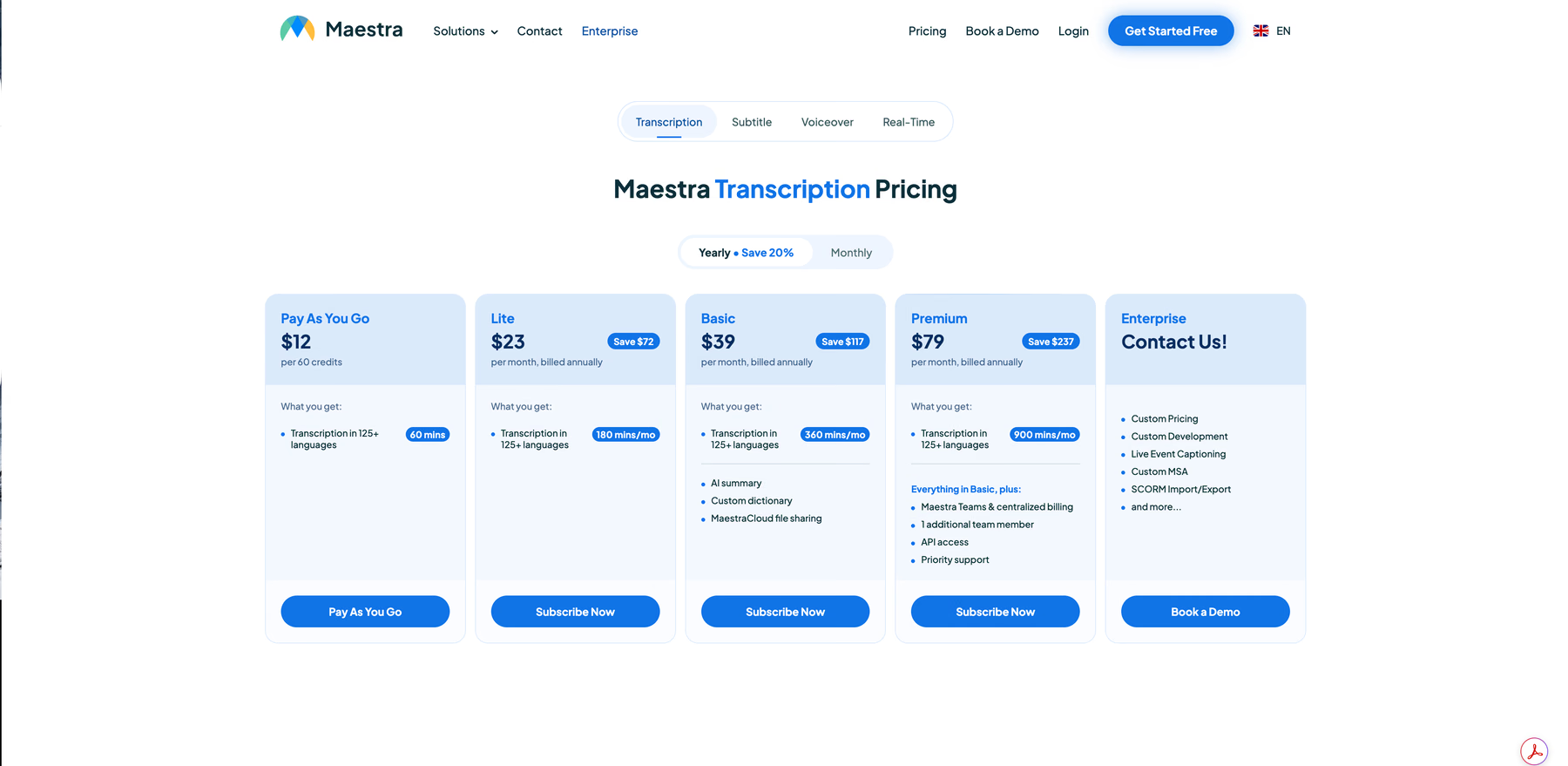
- Pay-as-you-go transcription: $12 buys 60 credits with no monthly fee.
Live meetings expose the gaps, since the $49 Meetings plan caps each session at 75 minutes and two languages, and a third language costs $449 a month on Organizations. If recorded video is your main job, compare Maestra against these live AI subtitle translators for videos before you renew.
Why Choose JotMe AI Translation for Meetings and Events?
JotMe sums up its promise as "Work in any language," and in practice that covers the live meeting, the event, the files that follow, and the messages in between.
Accurate AI translation in meetings: Before a Zoom, Teams, Google Meet, or Webex call, pick the spoken language in JotMe and read live captions in your language as people talk. When a line slips past you, type a question into Ask JotMe during the call, such as "Wait, what's he saying?" or "What $5M budget?" from the homepage demo, and JotMe answers from the live transcript.
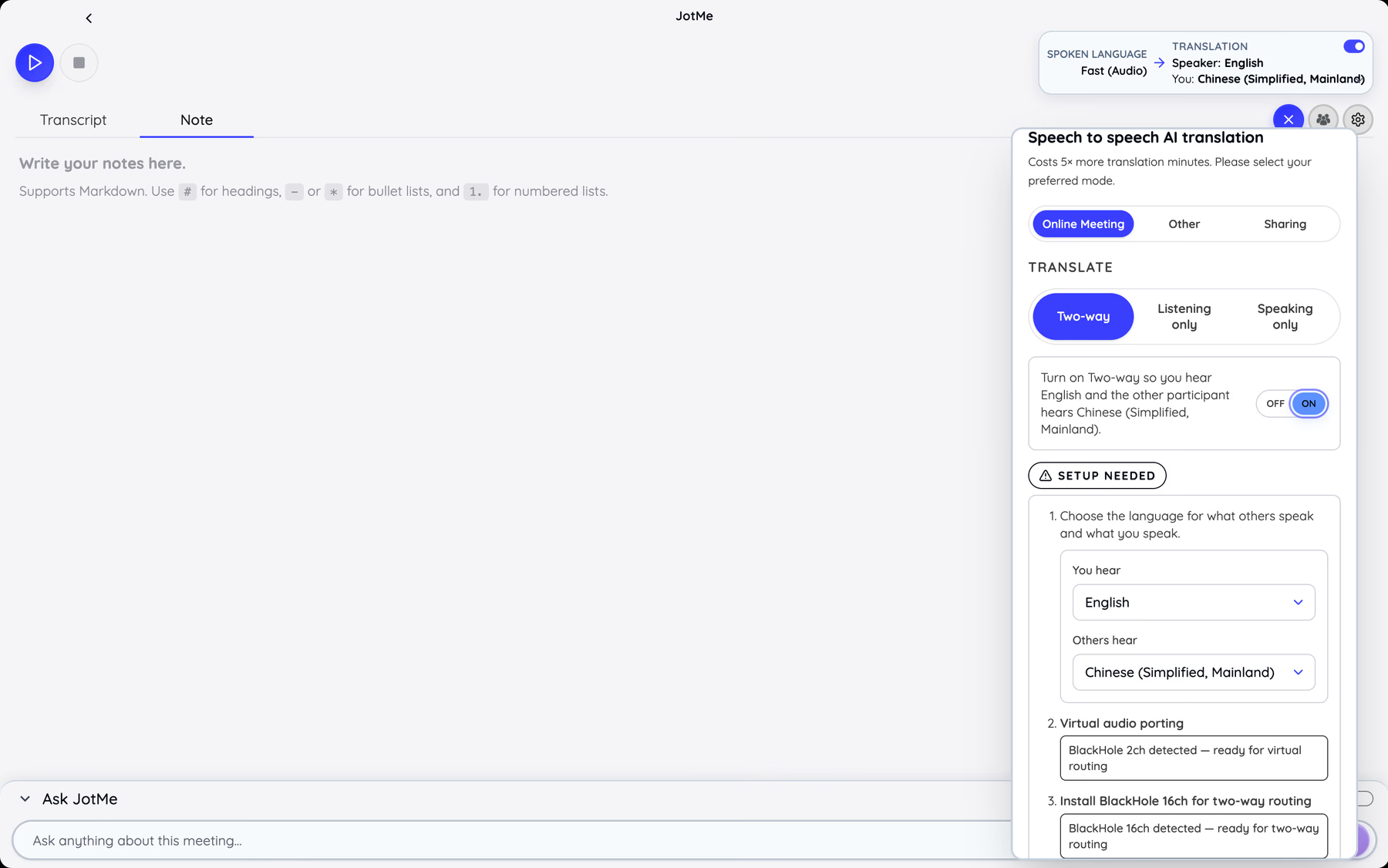
Two-way voice for calls where everyone speaks: Speech-to-speech AI translation lets you hear English while the other participant hears Chinese (Simplified, Mainland) in the same call. Two-way mode suits a negotiation, and Listening only mode suits a call where you only need to follow along. Voice translation costs 5 times more translation minutes than captions, and on a Mac it routes audio through the BlackHole 2ch and BlackHole 16ch virtual audio drivers, which JotMe detects during setup.
Live translation for events: Event hosts share JotMe's live translation by URL or QR code, and they can turn on live camera subtitles for a video feed. The Premium plan includes sharing translation minutes for this setup. Run a rehearsal with the venue's real microphones and screens before the event day, since room audio has a large effect on caption quality.
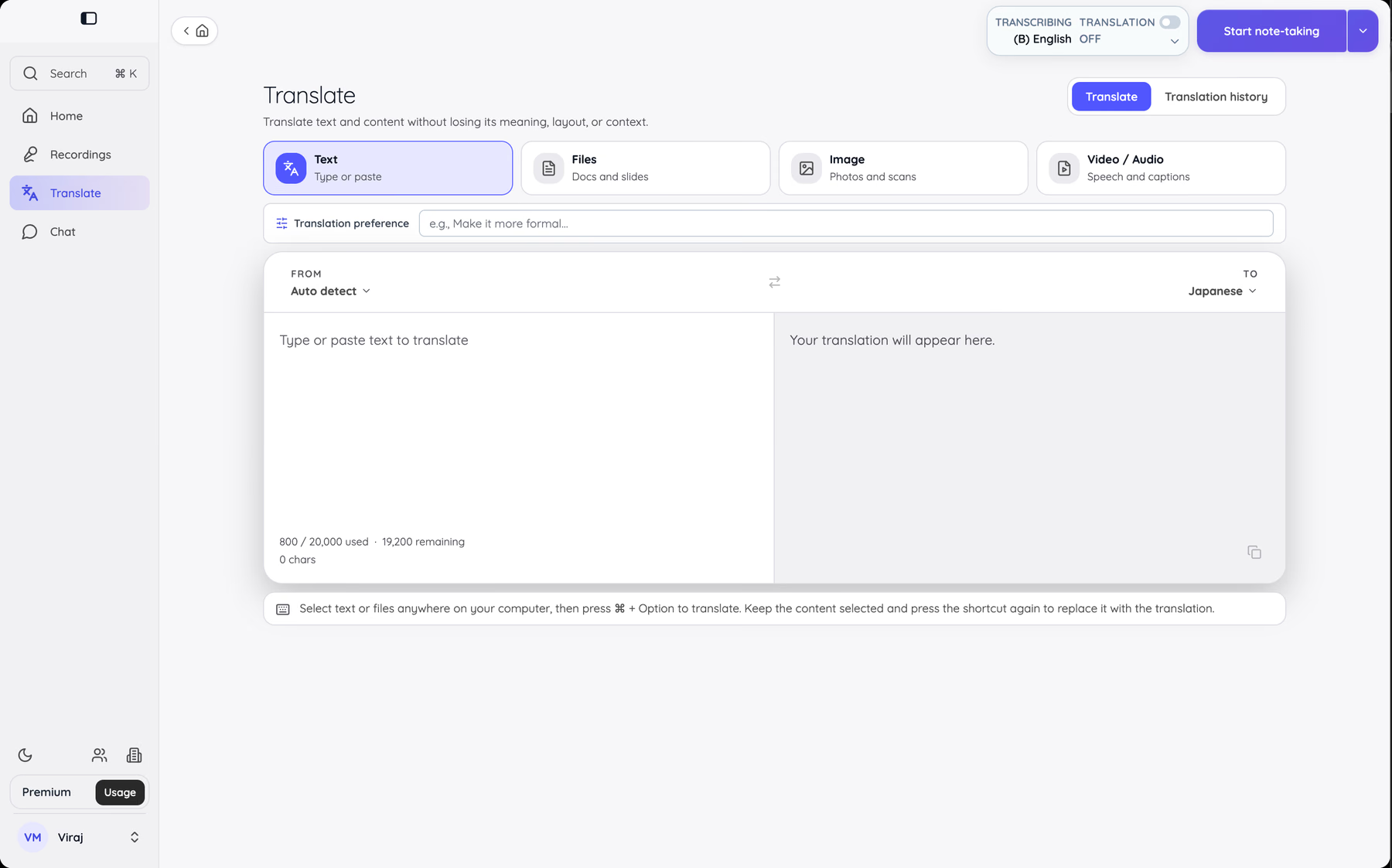
AI translation for files and messages: The Translate tab handles text, files such as docs and slides, images such as photos and scans, and video or audio with captions. A Translation preference field takes instructions such as "Make it more formal." For messages, select text in Slack or KakaoTalk and press Command + Option to translate it; press the shortcut again and JotMe replaces your selection with the translation.
Multilingual transcription and a note-taker for everyday work: The Home screen pulls your Google Calendar into a Coming up list and keeps recent recordings and translated files on the same screen. Every session becomes a meeting recording with a bilingual transcript, and JotMe writes AI meeting notes from it in 21 languages. Transcription minutes run separately from live translation minutes, with 500 a month on Pro and 2,000 on Premium. The JotMe Voice Keyboard adds dictation, so you hold Fn and speak to type in any app on your computer.
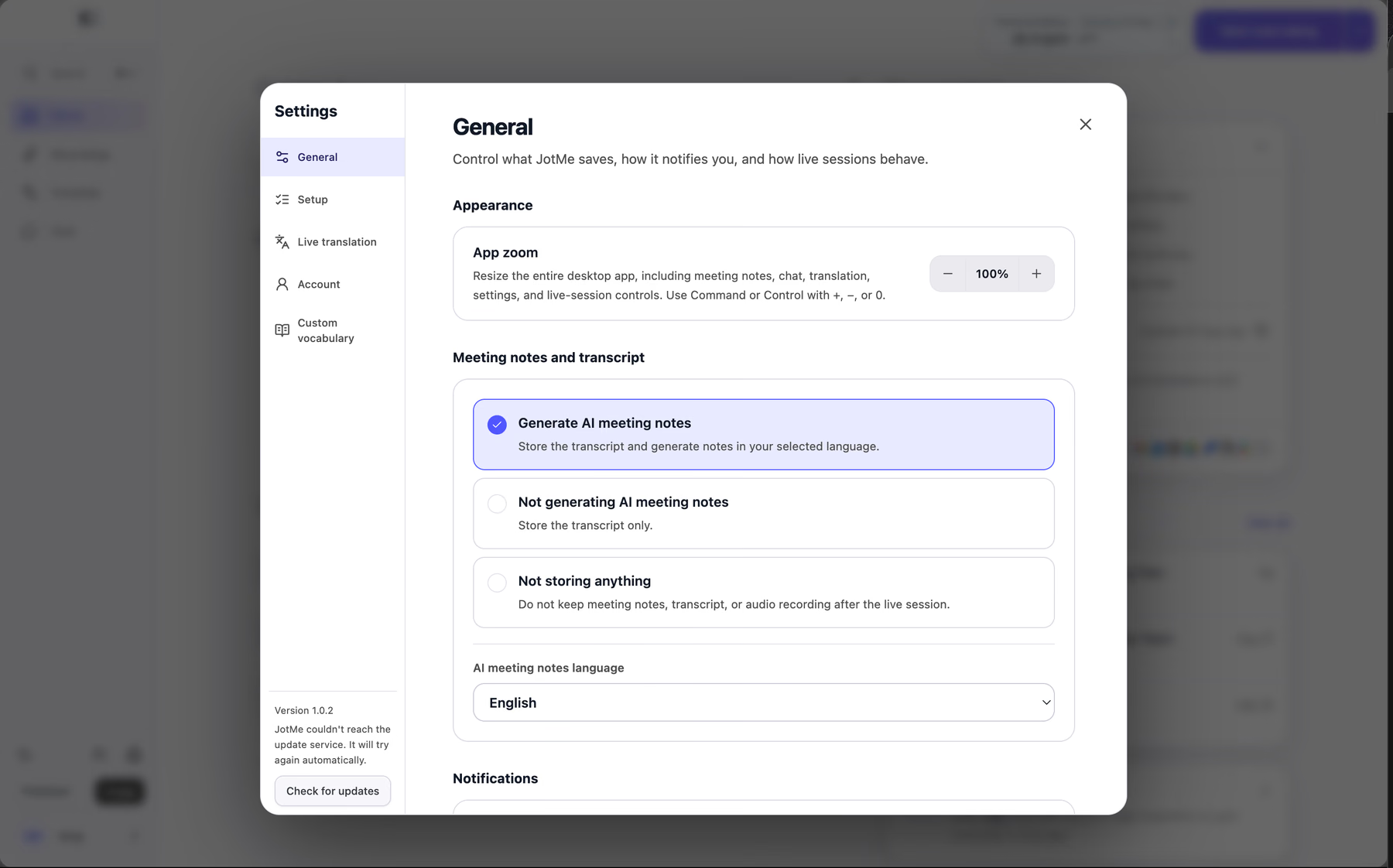
In Settings, you decide what JotMe keeps. The first option stores the transcript and generates AI notes in the language you pick, and the "Not storing anything" option makes JotMe keep nothing once the live session ends.
Is JotMe the Best Maestra AI Alternative in 2026?
Yes, for live multilingual meetings and events, JotMe is the stronger pick among the best Maestra AI alternatives. JotMe Pro costs $20 per user per month, or $10 on annual billing, against $49 per user per month for Maestra’s Meetings plan. Many Maestra alternatives compete on dubbing and lip sync, while JotMe competes on the live meeting itself.
| Plan | Price | Live Translation Included |
|---|---|---|
| Maestra Personal | $19 per month | Unlimited use, 15-minute sessions |
| Maestra Meetings | $49 per user per month | Unlimited use, 75-minute sessions, two languages per session |
| Maestra Organizations | $449 per month | Unlimited use, three-hour sessions, three languages, up to 50 viewers |
| Maestra Events | From $799 per day | No session limit, 5 languages, three rooms of up to 100 viewers each |
| JotMe Free | $0 | 20 live translation minutes each month |
| JotMe Pro | $10 per user per month on annual billing | 200 live translation minutes each month |
Maestra’s transcription plans run from $23 to $79 per month on yearly billing, with 125+ languages on every tier.
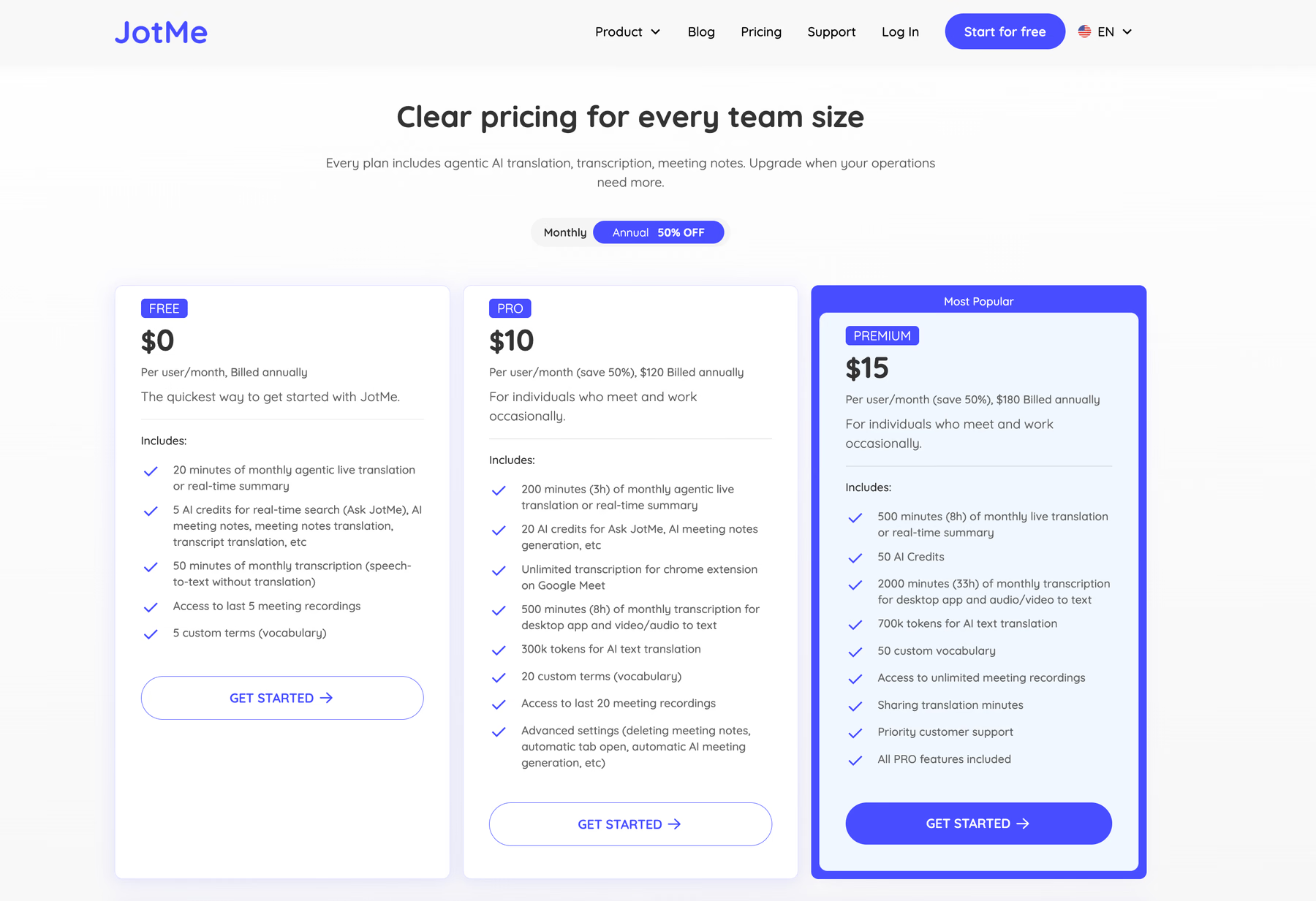
Teams that share a budget can pool minutes on the JotMe team plan, where admins allocate minutes and track usage across anywhere from two seats up to 200. Use this table to match the tool to the job you run most often:
| If Your Main Job Is | Better Fit |
|---|---|
| Following and joining live meetings in another language | JotMe |
| Running a multilingual event with an audience on phones | JotMe |
| Translating documents, slides, images, and messages | JotMe |
| Subtitling and dubbing recorded video | Maestra AI |
| Captioning a live stream through OBS or vMix | Maestra AI |
If your Maestra account mostly runs live meetings today, move those meetings to JotMe first and keep Maestra for video dubbing until your next renewal. Install JotMe and run your next Korean call on the Free plan's 20 live translation minutes. For more options in this category, see our tests of the best speech translation tools.
FAQs
What Is Maestra AI?
Maestra AI is a browser-based AI tool for transcription, subtitles, voiceover, and dubbing, with a separate Maestra Live app for real-time captions and translation. It supports 125+ languages and connects to Zoom, Microsoft Teams, OBS, and vMix for live sessions.
Is Maestra AI Free?
Maestra AI offers free live transcription, and its real-time translation stays free for the first 10 minutes before you need a paid upgrade. Paid transcription starts at $12 for 60 credits on pay as you go, and live translation plans start at $19 per month on Personal, with sessions capped at 15 minutes. JotMe's Free plan includes 20 live translation minutes and 50 transcription minutes every month.
Is Maestra AI Safe for Business Meetings?
Maestra states that live sessions stay private unless you choose to share them. For confidential supplier or client calls, check where each tool stores audio and transcripts before the meeting. JotMe lists GDPR compliance with SOC 2 Type II in progress, and its "Not storing anything" setting discards everything once the live session ends.
How Accurate Is Maestra Translation for Korean Meetings?
In our Korean-to-English live test, Maestra translation handled the meeting openers and most business lines well, yet it misheard the Korean phrase for "this quarter" in a cost sentence and printed a wrong English caption. JotMe translated the same line correctly. For calls where numbers and dates drive decisions, test both tools on your own audio before you commit.
What Are the Best Maestra AI Alternatives?
The best Maestra AI alternatives depend on the job you use Maestra for. For live multilingual meetings and events, JotMe offers 200+ languages with two-way voice and AI meeting notes from $10 per user per month on annual billing. For recorded video, dubbing-focused tools compete more directly with Maestra's subtitle and voiceover features.
Can JotMe Translate a Zoom Meeting if I Am Only a Participant?
Yes, the JotMe desktop app hears your computer's system audio, so any participant can read live translated captions without a host token or a meeting bot.
Does JotMe Work for In-Person Events?
Yes, JotMe's iPhone and Android apps translate in-person conversations, and event hosts share live captions with the audience by URL or QR code. Run a rehearsal with the venue's microphones and speakers first, since room audio sets the limit on caption accuracy.
Last updated on
October 28, 2026
Follow us on social media:
![JotMe — Is Google Translate Accurate? [2026 Test]](/_webflow-assets/0d0512afc7b037d74dff536f22fed08f.avif)