Resources
How to Translate PDF in Any Language [Step-by-Step Guide]

Narmada Kajla
July 25, 2026
![JotMe — How to Translate PDF in Any Language [Step-by-Step Guide]](/_webflow-assets/37e08a289df5390d06f59bb1871681ed.avif)
You translate PDF files into any language by opening JotMe, selecting Translate document, uploading your file, and choosing an output language. JotMe reads the whole document for context, keeps the original formatting, and returns a translated PDF in 200+ languages, so the result reads the way a native speaker would have written it.
Most people reach for a free PDF translator, get the words swapped one by one, and then spend an hour fixing the parts that changed meaning. This guide walks through how to translate a PDF step by step, compares Google Translate PDF against the JotMe PDF translator on the same file, and shows exactly what each translation costs. JotMe works as an AI-powered document translation platform for PDFs, Word file, research paper work, and technical documentation, so the same flow covers a contract, a lab report, and a pitch deck.
Key Takeaways
- The JotMe PDF document translator handles files through the Translate document tab, which accepts PDF, DOCX, PPTX, XLSX, HTML, HTM, TXT, XLF, XLIFF, SRT, IDML, XML, JSON, DITA, and MIF files up to 100 MB.
- JotMe applies contextual translation in documentation, so when you translate PDF to English or any other language, the file keeps cultural terms, technical vocabulary, and intent rather than swapping words one at a time.
- A PDF up to 50,000 characters costs 10 AI credits, and every additional 5,000 characters adds 1 credit.
- JotMe saves no document to a server, which makes it safe for contracts, research papers, and unpublished work.
Can JotMe Translate PDF Files Into Any Language?
Yes, JotMe translates PDF files into 200+ languages, and the same tab handles 15 file types beyond PDF. You reach the PDF document translator from the translate bar inside JotMe, then pick Translate document.
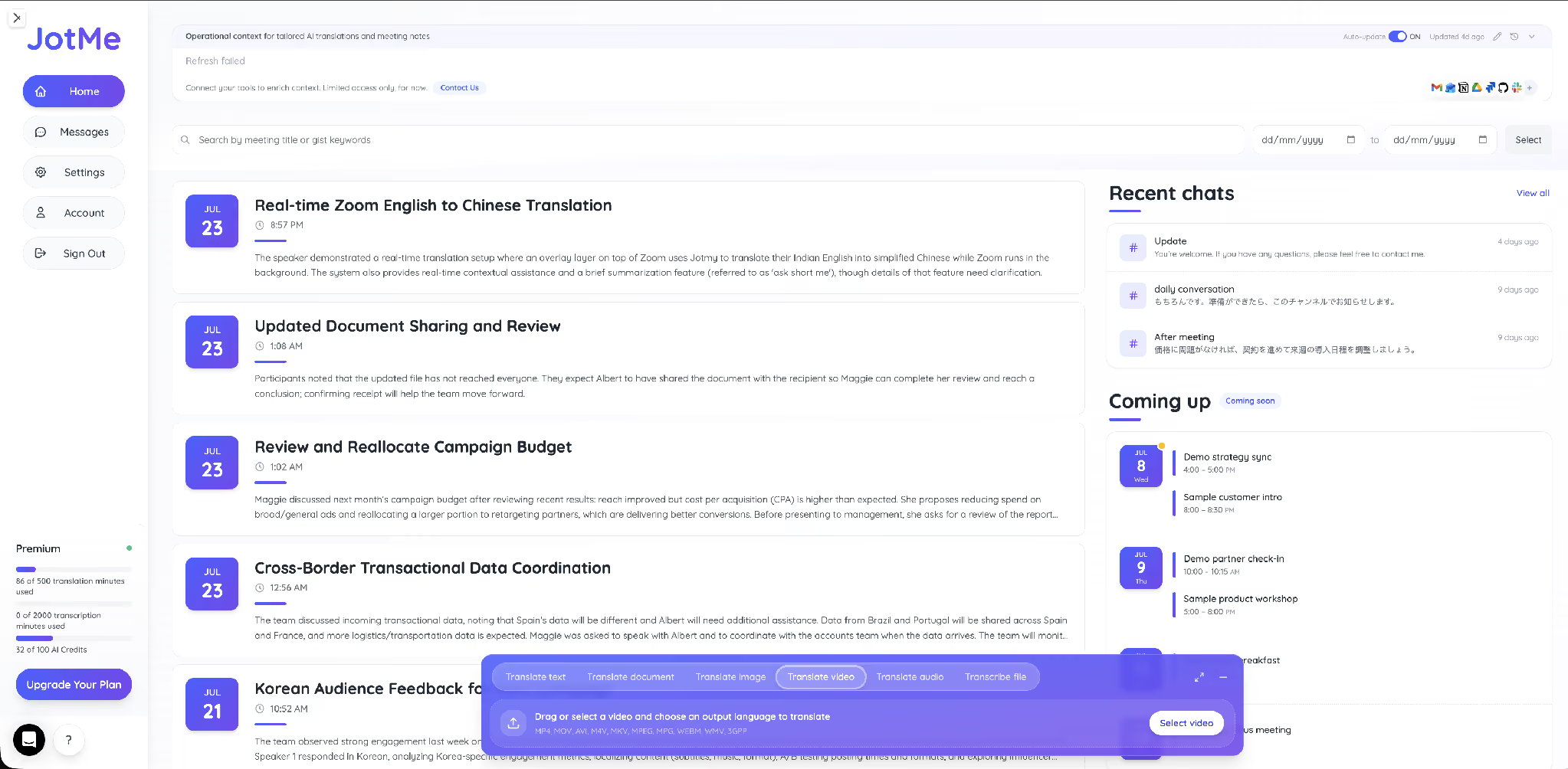
The panel accepts PDF, DOCX, PPTX, XLSX, HTML, HTM, TXT, XLF, XLIFF, SRT, IDML, XML, JSON, DITA, and MIF files up to 100 MB. That range covers a scanned contract, an InDesign layout, a subtitle file, and a developer string file in one online PDF translator rather than four separate tools.

Direction never limits you either. You translate PDF to English from a Spanish supplier quote, run an English to Hindi translate in PDF job for a regional team, or translate PDF to Spanish for a client in Madrid, all from the same screen. Teams that also need spoken output pair this with English to Spanish live translation for their meetings.
How to Translate a PDF With JotMe: Step-by-Step
Here is how to translate a PDF in 6 steps, and the whole run takes under 2 minutes for a standard document. The screenshots below follow one real file from upload to download.
Step 1: Open JotMe and find the translate bar
Go to app.jotme.io and open the translate bar from your home view. The bar carries 6 tabs: Translate text, Translate document, Translate image, Translate video, Translate audio, and Transcribe file.
Step 2: Select Translate document and upload your PDF
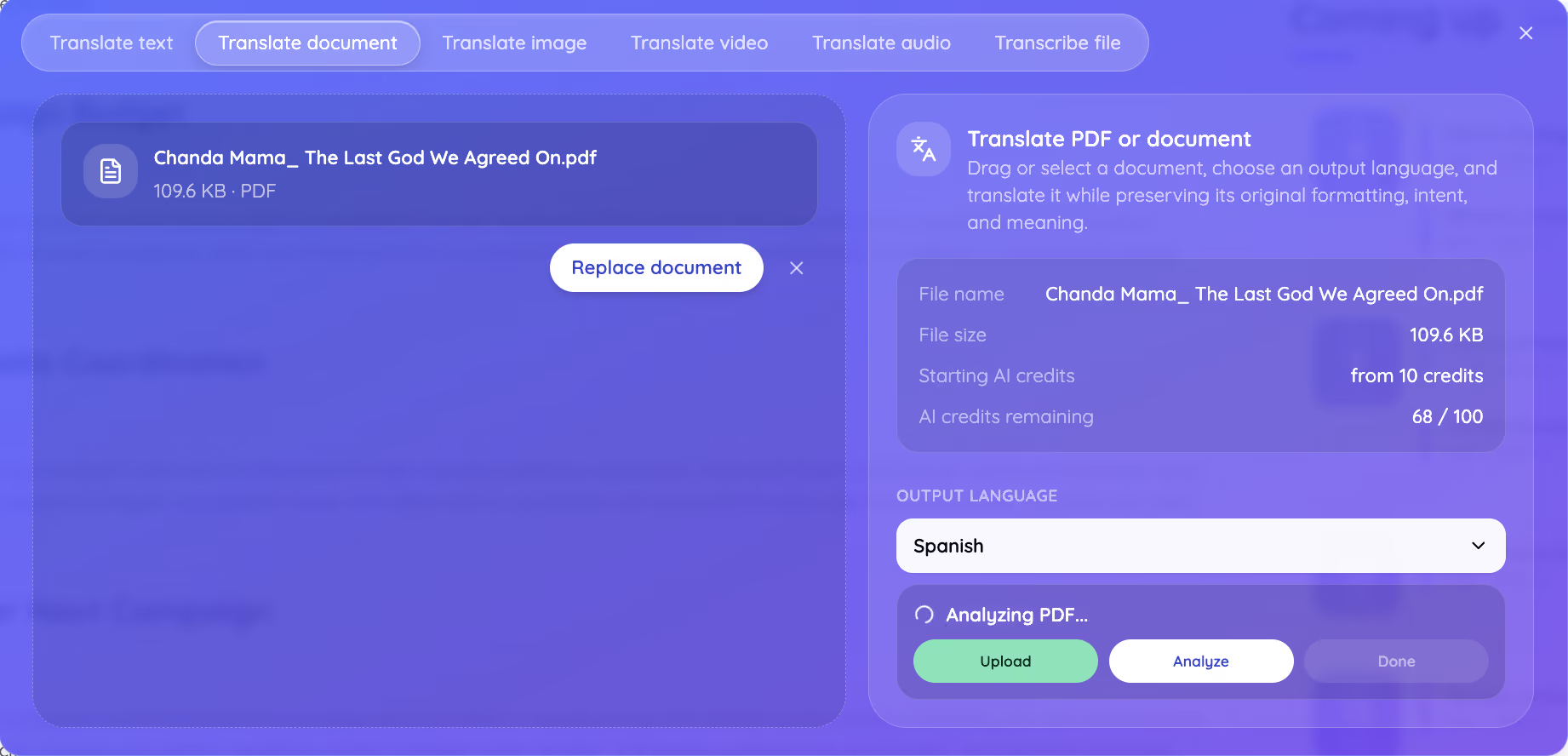
Click Translate document, then drag your PDF into the panel or click Select document. The PDF document translator shows the file name, the file size, the starting AI credit cost, and how many AI credits you have left, so you know the price before anything runs.
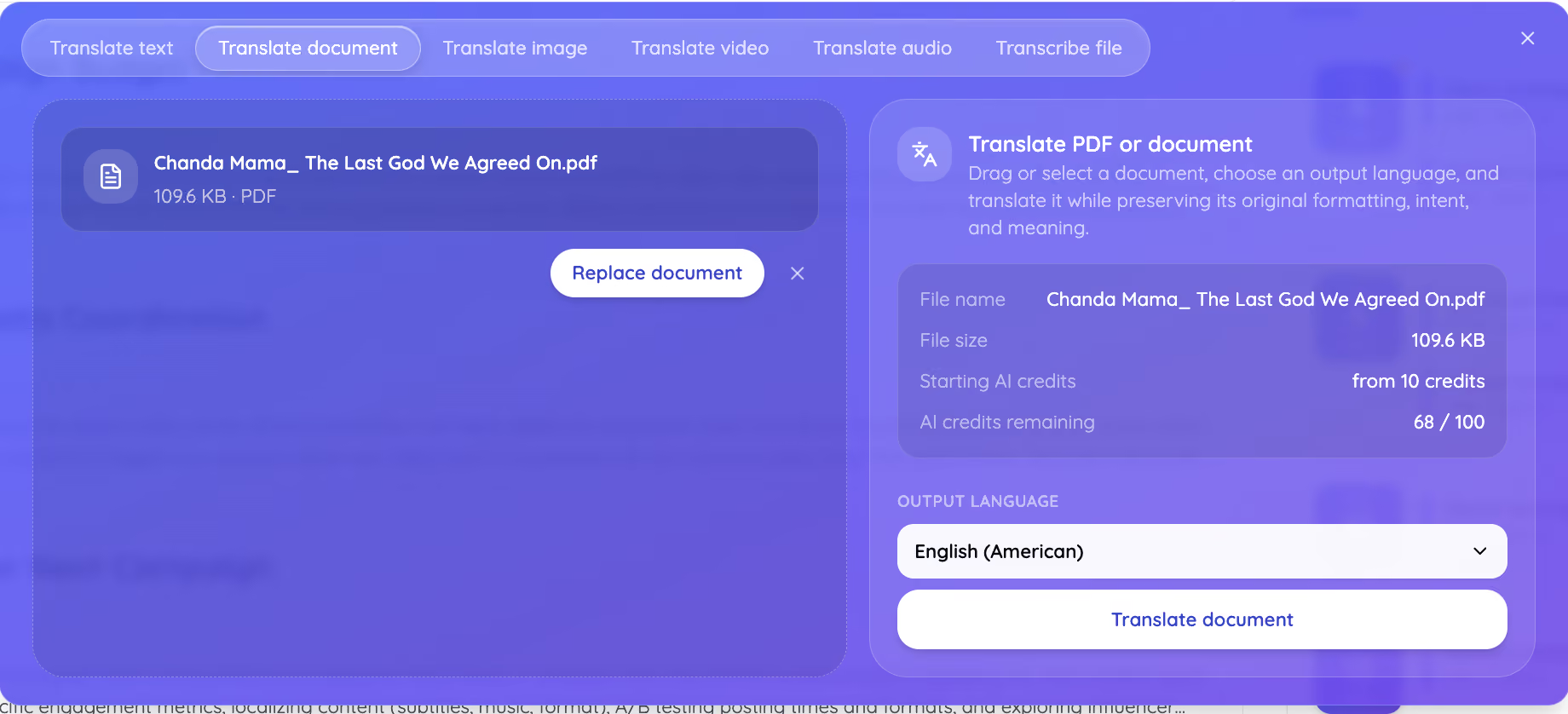
Step 3: Choose your output language
Open the Output language menu and search from 200+ languages. To translate PDF to Spanish, type Spanish and select it. To translate PDF to English, pick English (American) or your preferred English variant, and JotMe applies the right spelling conventions.
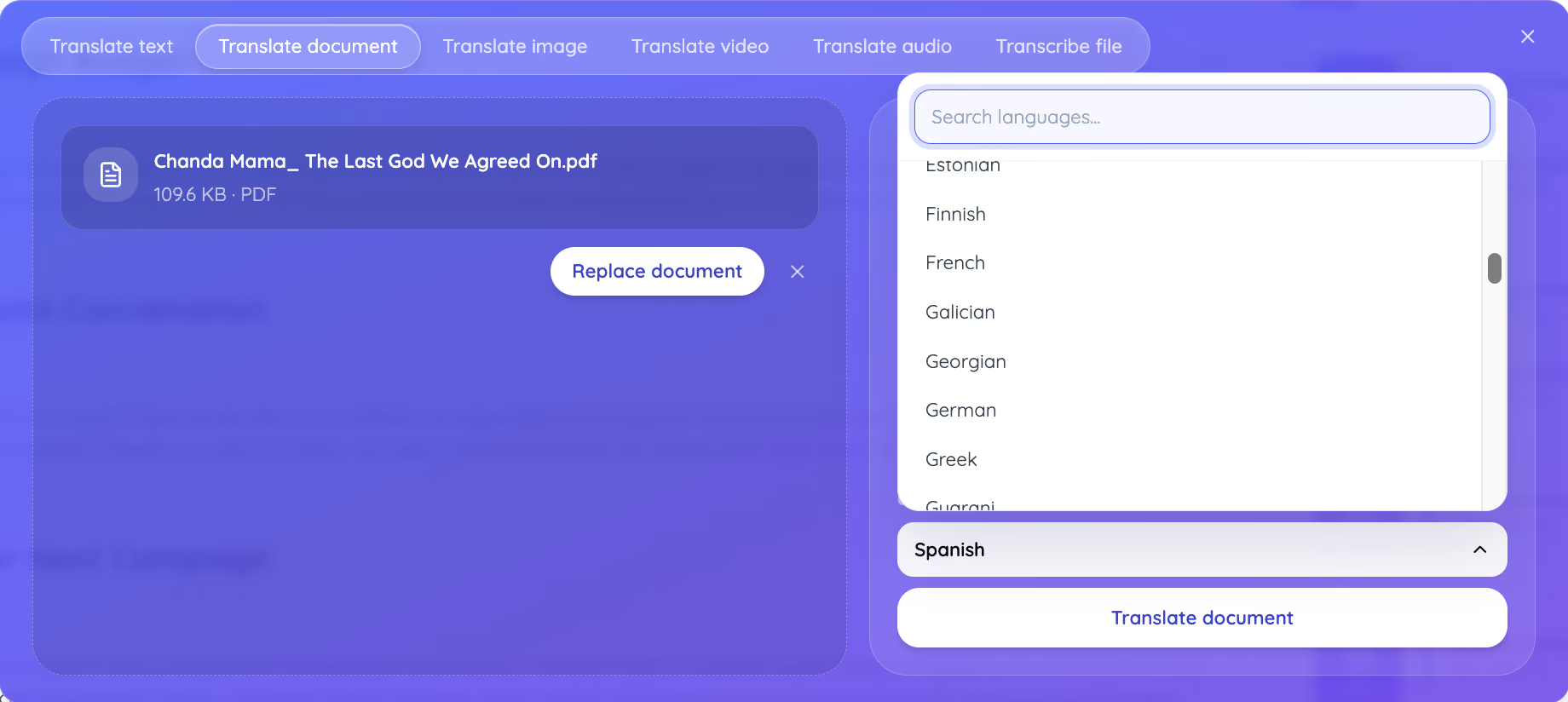
Step 4: Confirm the translation and check the price
Click Translate document, and JotMe shows a confirmation with your output language and the exact pricing rule, which starts at 10 credits for up to 50,000 characters and adds 1 credit per additional 5,000 characters. Click Confirm and translate to run it.
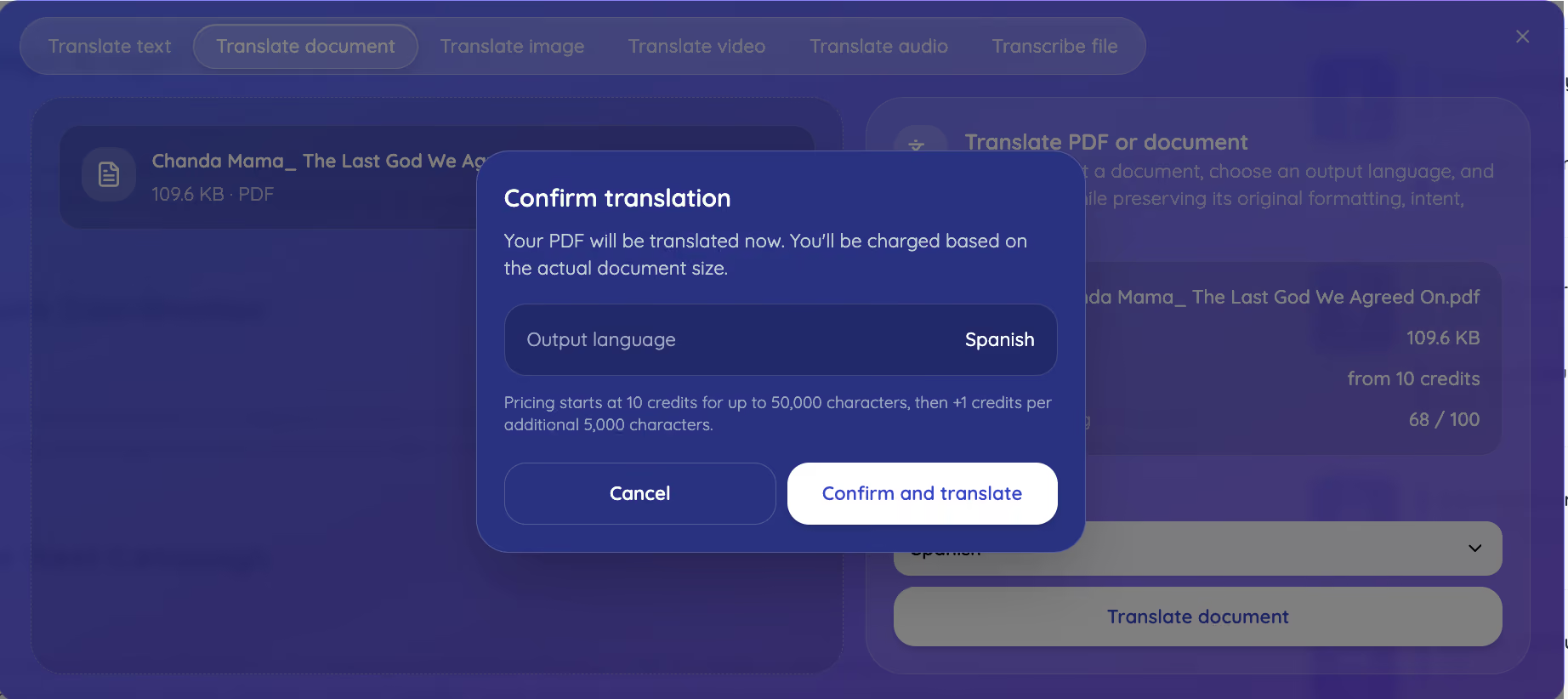
Step 5: Let JotMe analyze the PDF
JotMe reads the document before translating it. This analysis step is what separates a PDF document translator from a word swapper, because JotMe builds an understanding of the subject, the terminology, and the tone across the whole file before it writes a single translated line.
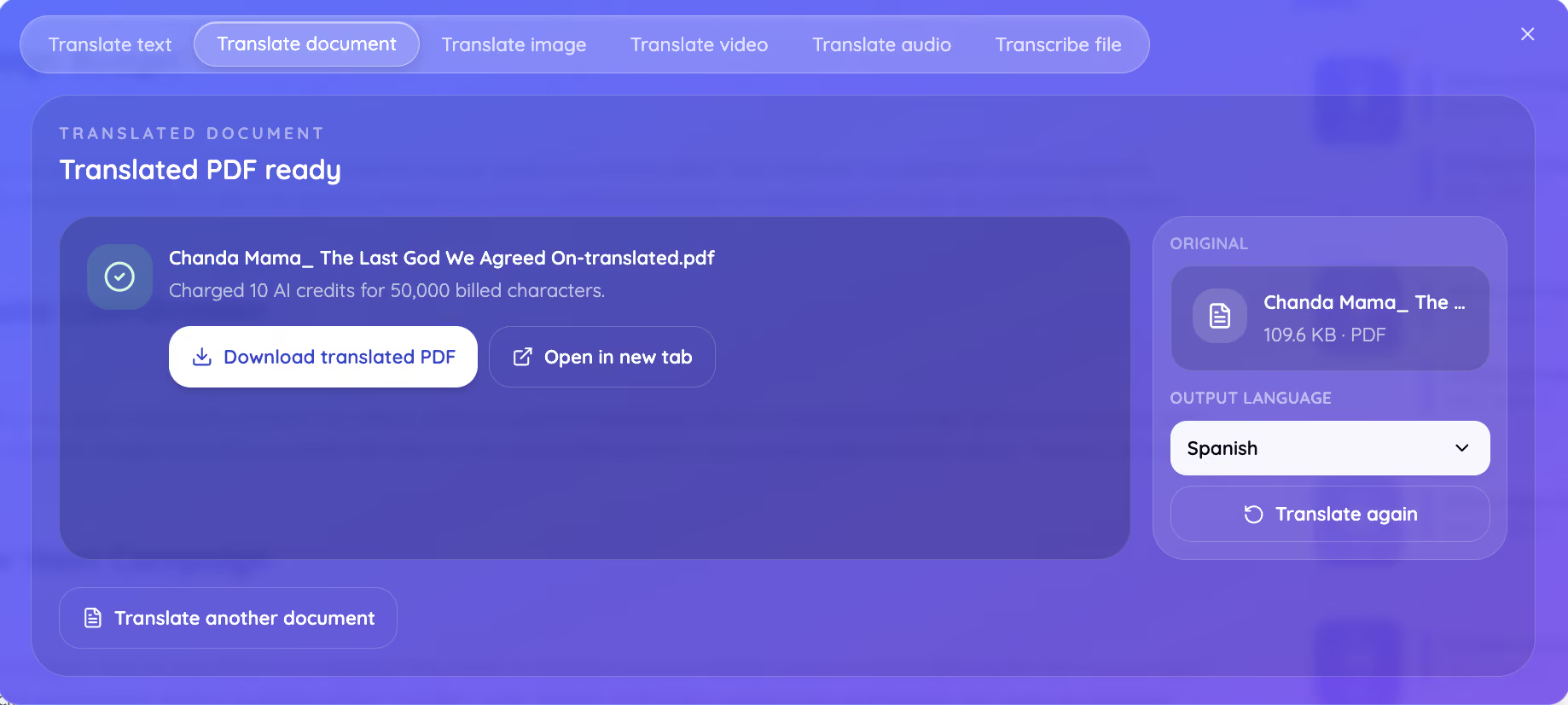
Step 6: Download your translated PDF
JotMe returns a finished file with the original formatting intact. You download the translated PDF, open it in a new tab to check it against the original, translate the same file again into another language, or move straight to another document. This 109.6 KB PDF cost 10 AI credits for 50,000 billed characters.
Google Translate PDF vs. JotMe PDF Translator: Quick Comparison
Google Translate PDF handles quick comprehension well and costs nothing, and the JotMe PDF translator handles work that another person will read, because it keeps meaning that a literal engine drops. The test below ran the same file through both.
What Google Translate PDF Does Well
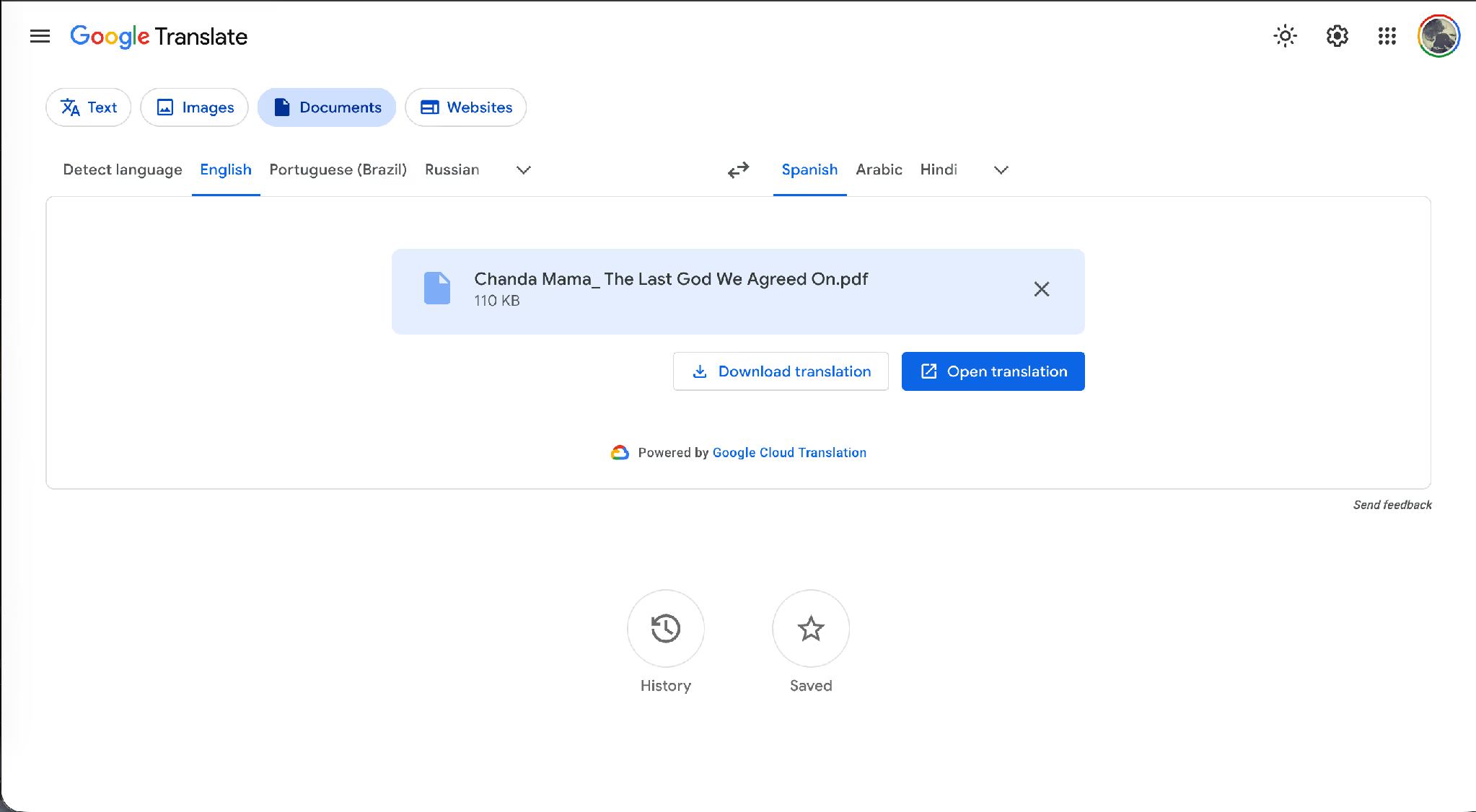
Google Translate takes a document upload, detects the source language, and returns a translated file in seconds at no cost. It accepts DOCX, PDF, PPTX, and XLSX up to 10 MB, and it covers a wide language list, so an English to Hindi translate in PDF job runs there in a few clicks.
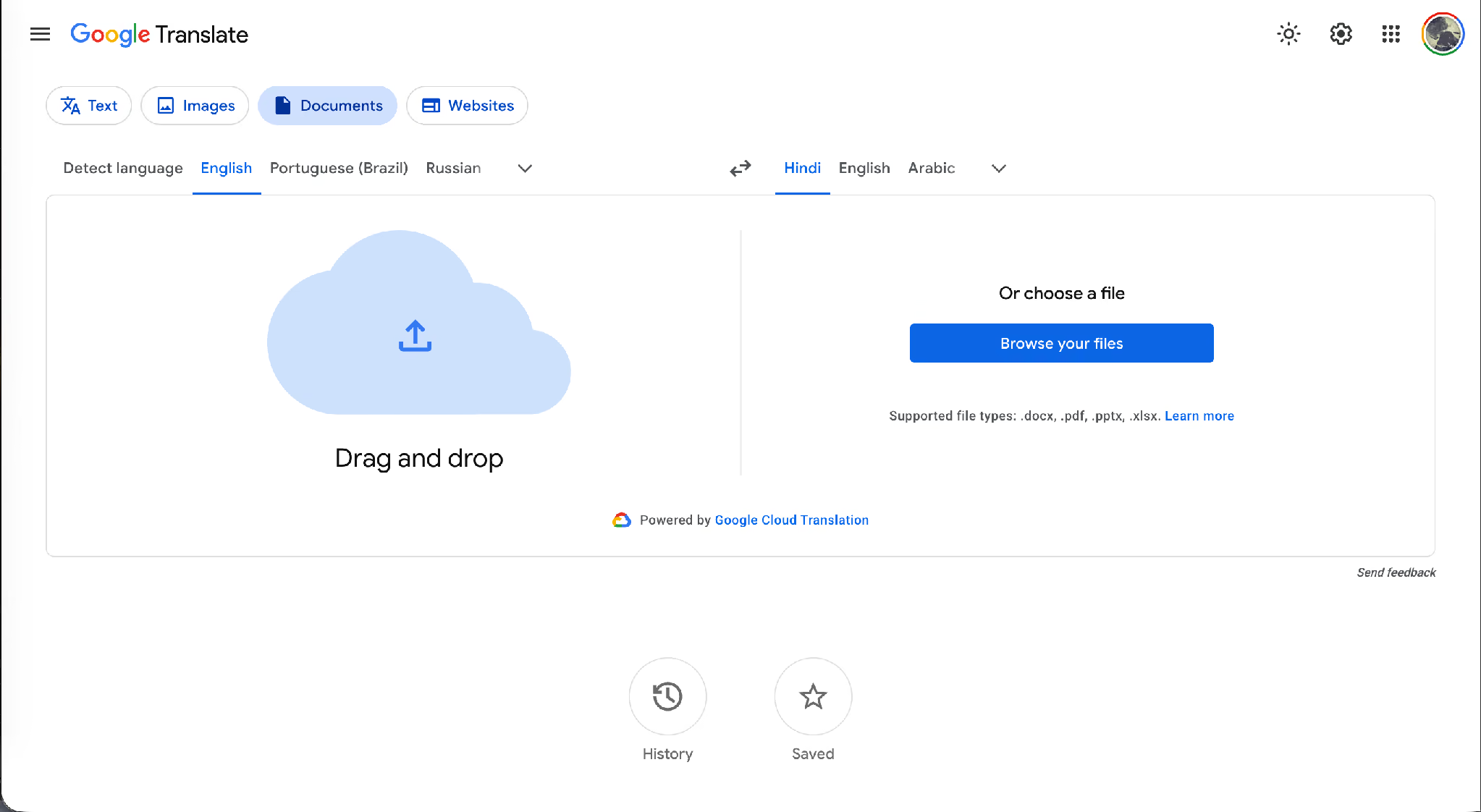
Once the file uploads, you download the translation or open it in a browser tab.
Where Google Translate PDF Breaks Down
We ran a personal essay through both tools, English to Spanish, and the outputs split in two places that matter. Here is the original English.
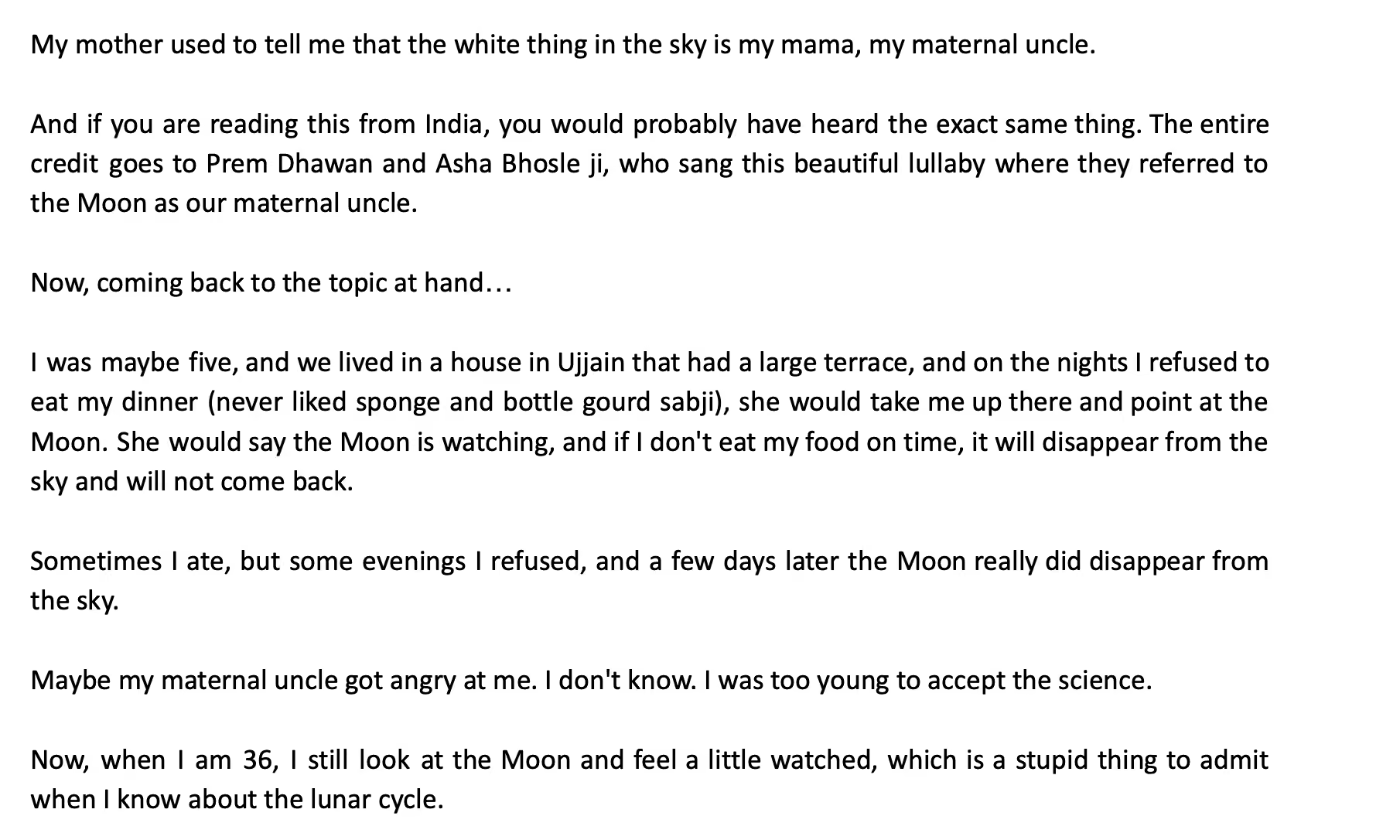
The opening line reads: "My mother used to tell me that the white thing in the sky is my mama, my maternal uncle." In Hindi, mama means maternal uncle, and the sentence explains that immediately after.
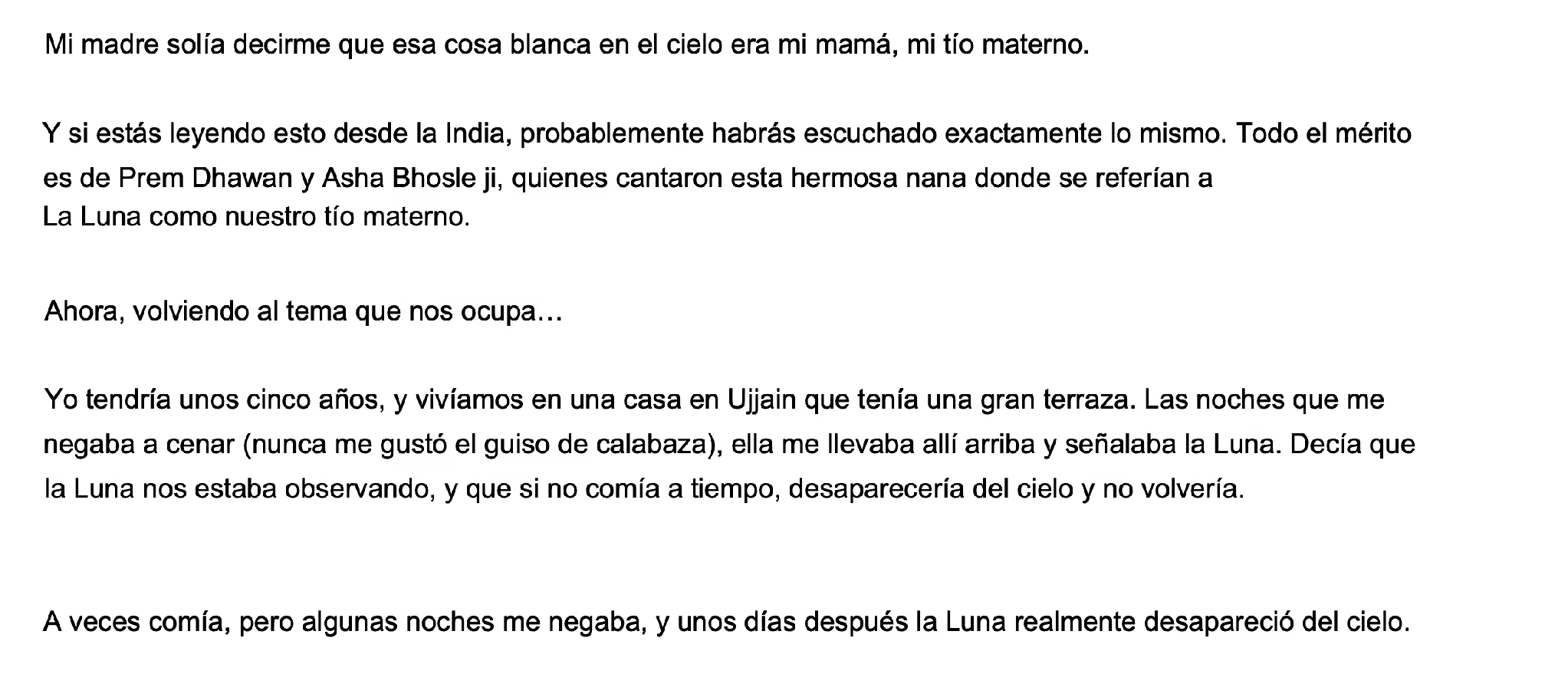
Google Translate returned this.
JotMe returned this.
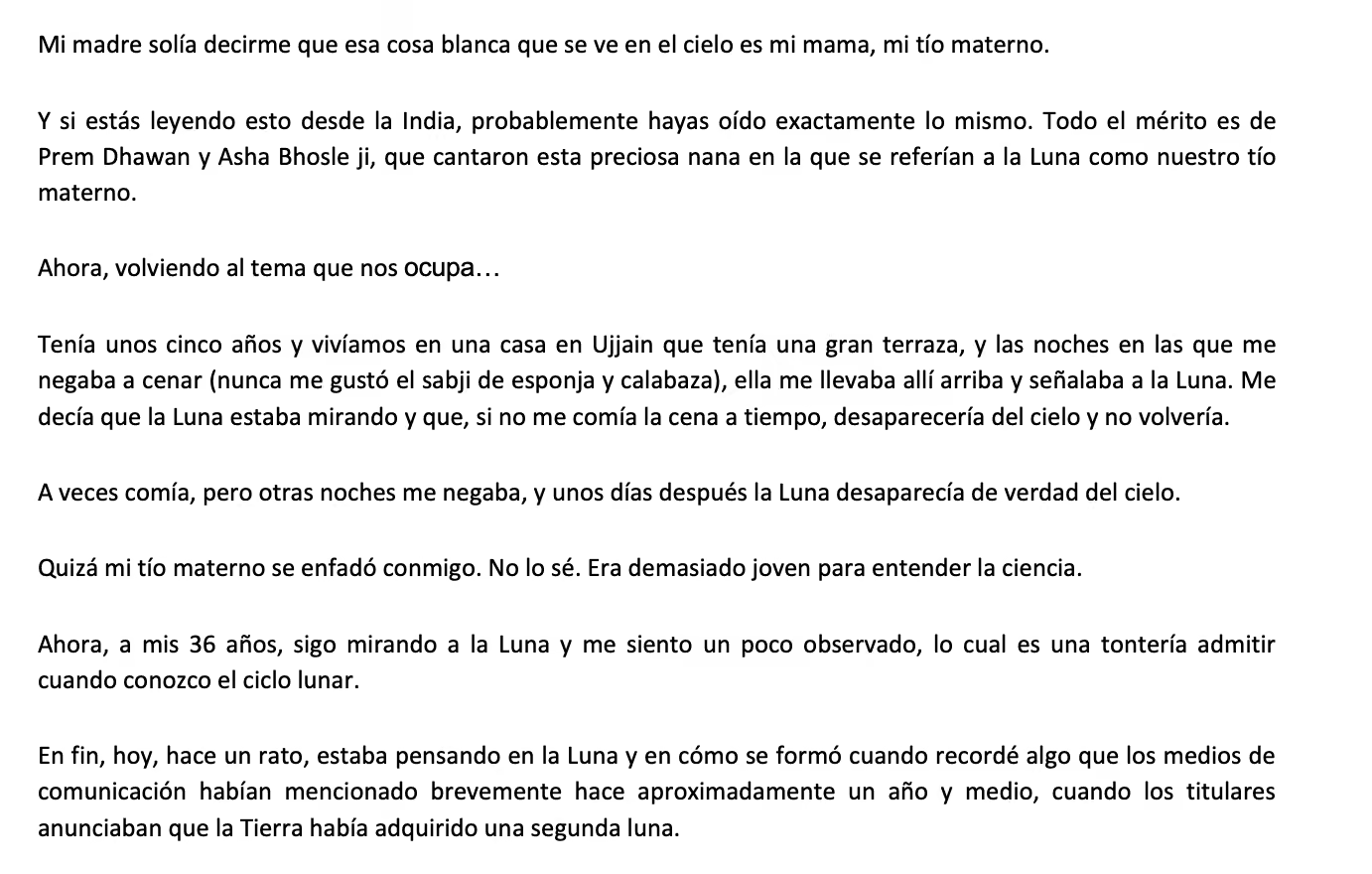
That gap decides which tool fits which job. A quick read of a foreign invoice suits a free PDF translator. A research paper, a contract, or anything a colleague or client will read needs contextual translation in documentation. We break the wider field down in our guide to Google Translate alternatives.
How Does JotMe Handle Technical Terms in a Translated PDF?
The JotMe PDF document translator reads your whole document first, then translates each section against that understanding, which is how it keeps technical vocabulary correct instead of translating terms literally. The analysis step in Step 5 exists for exactly this reason.
This matters most where one word carries a fixed meaning inside a field, and a general engine picks the everyday sense instead.
- Biology and life sciences. Terms like monosaccharide, nucleotide, and nucleic acid keep their scientific form rather than turning into descriptive phrases.
- Chemistry. Compound names, reaction terms, and unit conventions hold their meaning across the document.
- Finance. Words like acquisition, commission, provision, and security carry a specific accounting sense that shifts if translated by the everyday definition.
- Nanotechnology and engineering. Material names, scale units, and process terms stay consistent from the abstract to the conclusion.
JotMe also draws on context and terminology from your previous work, so the vocabulary your team already uses carries into the next translated PDF. The result reads as though a native speaker in that field wrote the document first, rather than as a translation of an English original.
Is It Safe to Translate Confidential PDFs Like Contracts and Research Papers?
Yes. JotMe saves no document to a server, so your file gets translated and returned without being stored. That single design choice decides whether a tool suits confidential work at all.
It makes the JotMe PDF document translator usable for the documents most teams cannot put through a public translator: signed contracts and commercial agreements, unpublished research papers ahead of peer review, patent drafts and technical specifications, financial statements before disclosure, and legal filings under privilege. Teams handling this material usually run everything through legal review before touching an online PDF translator, and no-storage handling removes that blocker.
How Many AI Credits Does It Cost to Translate a PDF?
JotMe costs 10 AI credits to translate PDF to English, Spanish, or any other language when the document runs up to 50,000 characters, and every additional 5,000 characters adds 1 credit. JotMe bills on the character count inside the document rather than the file size, so a text-heavy 2 MB PDF can cost less than a 10 MB file full of images.
JotMe shows the running cost before you commit, and the confirmation screen states the rule in the product itself, so nothing gets charged without you seeing the number first.
Your monthly AI credit allowance sets how many documents you translate.
The free tier covers one image translation rather than a full document, so anyone testing the PDF document translator on real files should start on Pro. For everyday text snippets that need no document at all, our free language translator guide covers the no-cost options.
What Are the Best Use Cases for a PDF Document Translator?
The strongest use cases share one trait: another person reads the translated file and acts on it, so accuracy carries real cost when it slips. Most teams translate PDF to English for inbound documents and outward into their customer languages for everything they publish.
- Research papers and academic work. Translate PDF submissions, literature reviews, and lab reports while the terminology stays intact for peer reviewers.
- Contracts and legal documents. Translate PDF to English from a foreign counterparty, or translate PDF to Spanish for a client, with the obligations reading the same in both files.
- Financial reporting. Move quarterly statements and audit documents between languages without accounting terms drifting.
- Technical manuals and product documentation. Ship the same manual across markets with consistent terminology from page 1 to the end.
- Regional and government paperwork. Run an English to Hindi translate in PDF job for local teams, or handle immigration and compliance documents that need precise wording.
Teams that translate documents also tend to run multilingual meetings, and our guide to English to Spanish translation for Microsoft Teams covers that side of the same workflow.
Which PDF Translator Should You Use for Your Next Document?
The decision comes down to who reads the file next. When you only need the gist of a foreign document for yourself, a free PDF translator does the job in seconds and costs nothing, and there is no reason to reach for anything heavier. That covers a quick invoice check, a news article, or a page you simply want to understand.
The moment a colleague, a client, a reviewer, or a regulator reads the translated file, the standard changes. A single flattened word turned a mother into a maternal uncle in the test above, and the same class of error costs far more inside a contract clause or a methods section. JotMe reads the whole document first, keeps technical and cultural terms intact, preserves your formatting, and saves nothing to a server. Open app.jotme.io and translate PDF to English, Spanish, or Hindi on your next document to see the difference against your current setup.
FAQs
How to translate a PDF without paying anything?
Google Translate handles free PDF translator work for files up to 10 MB across DOCX, PDF, PPTX, and XLSX, which suits quick comprehension. For a translated PDF that another person will read, JotMe applies contextual translation and starts at 10 AI credits per document.
How to translate a PDF and keep the original layout?
Yes. JotMe preserves the original formatting, intent, and meaning when you translate PDF to English, so headings, paragraph structure, and document flow survive the translation.
What is the largest PDF JotMe accepts?
JotMe accepts documents up to 100 MB, which is 10 times the limit Google Translate applies to document uploads.
How do I translate PDF to Spanish or Hindi?
Upload the file under Translate document, open the Output language menu, and search for Spanish or Hindi. The same flow covers an English to Hindi translate in PDF job and a translate PDF to Spanish job without changing anything else.
Does JotMe store my PDF after translating it?
No. JotMe saves no document to a server, which is why teams use it for contracts, research papers, and other confidential material.
How many AI credits does a PDF translation use?
A document up to 50,000 characters uses 10 AI credits. Every additional 5,000 characters adds 1 credit, so a 61,000-character PDF uses 13 credits.
Last updated on
July 28, 2026
Follow us on social media:
![JotMe — Is Google Translate Accurate? [2026 Test]](/_webflow-assets/0d0512afc7b037d74dff536f22fed08f.avif)