Resources
Google Meet New Features for Multilingual Global Teams [July 2026]

Viraj Mahajan
July 11, 2026
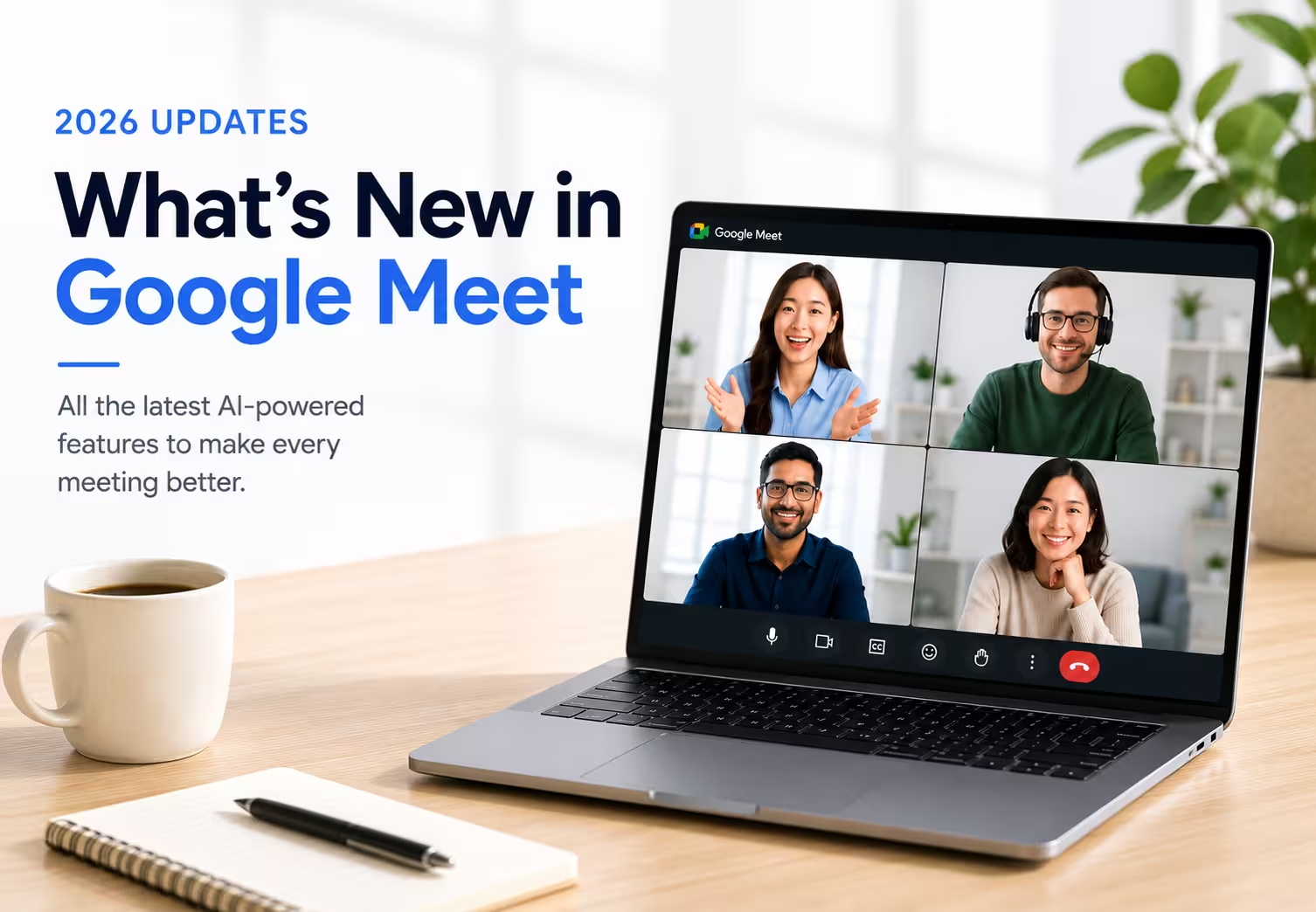
Google Meet's new features continue to expand Meet with AI-powered collaboration tools throughout 2026. From live speech translation and smarter meeting notes to easier room connections and new admin controls, each Google Meet new feature aims to simplify hybrid work. These updates genuinely help teams that meet in a handful of supported languages.
The gap shows up the moment your team steps outside the limited languages. Google Meet Speech Translation covers only five language pairs, and the Decisions section in AI notes works in English alone, so a call in Japanese, Hindi, or Arabic gets none of these benefits.
To cut this language gap, JotMe comes in. JotMe translates speech across 200+ languages, so no meeting depends on which languages Google decided to support first.
This article tracks every Google Meet update as it rolls out, explains what each one does, and points out where JotMe is the ideal live translation tool for multilingual teams.
Quick Overview: Google Meet 2026 Updates
- Speech Translation: Plays an AI voice translation over the speaker in near real time, so participants hear the conversation in their own language instead of reading captions.
- Automatic Language Detection: Notices the language being spoken and prompts you to switch if it doesn't match your meeting's set language, so transcripts, captions, and notes stay accurate. Covers English, French, German, Italian, Japanese, Korean, Portuguese, and Spanish.
- Customizable AI Meeting Notes: Lets you turn the Summary, Decisions, Next Steps, and Details sections on or off for each meeting. The Decisions section, which sorts outcomes into Aligned, Needs Further Discussion, Disagreed, or Shelved, works in English only.
- Consent Controls for Notes and Recording: Requires participants to agree before a meeting starts recording, transcribing, or taking notes automatically. Not tied to any language.
- Connect Room: Detects nearby Meet hardware through ultrasound and lets you join with a tap, no meeting code needed, even when several rooms sit close together.
- Full HD Video from Room Hardware: Sends 1080p video from ChromeOS meeting room hardware automatically during Spotlight mode, on large screens, or when someone pins the room.
- Safeguarded Guest Admit Flow: Sorts join requests into two queues, so requests that need extra verification default to Deny until a host reviews them.
- Recording Download Default Change: Allow anyone watching a new recording to download or copy it by default, unless an admin turns that permission off.
Does Google Meet Offer Real-Time Speech Translation?
Yes, Google Meet added real-time speech translation on the web on January 27, 2026, and reached Android and iOS on April 8, 2026. Speech Translation plays an AI-generated voice translation over a speaker's audio in near real time, keeping their tone and pace instead of flattening it into a robotic voice.
Languages at launch: English paired with Spanish, French, German, Portuguese, and Italian. Only one language pair can be active per meeting, and conference room hardware can hear a translation, but its own speech won't be translated.
Google Meet's new feature, Speech Translation, is most useful for meetings within these supported language pairs: English paired with Spanish, French, German, Portuguese, and Italian.
However, if your meeting includes Japanese, Chinese, Korean, Arabic, Hindi, or other unsupported languages, JotMe can be the right choice.
JotMe complements Google Meet with live voice translation across more than 200 languages, helping multilingual teams communicate naturally even when Meet's built-in Speech Translation isn't supported.
How Does Google Meet's Automatic Language Detection Work
Google Meet's automatic language detection identifies the primary language being spoken during a meeting and suggests updating the meeting language if it doesn't match your current settings. This helps improve the accuracy of transcripts, captions, and AI meeting notes.
Google Meet’s automatic language detection checks the spoken language once during the meeting. If it detects a mismatch, Google Meet displays a prompt after about 30 seconds, allowing you to switch to the correct language. At launch, Automatic Language Detection supports English, French, German, Italian, Japanese, Korean, Portuguese, and Spanish.
Can Google Meet Take Notes for Me?
Yes, Google Meet's "Take Notes for Me" feature automatically captures meeting discussions, generates an AI summary, identifies action items, and records key decisions, reducing the need for manual note-taking. The April 2026 Google Meet update also lets meeting hosts customize AI notes by turning the AI Summary, Decisions, Next Steps, and Details sections on or off for each meeting.
The new Decisions section organizes meeting outcomes into categories such as Aligned, Needs Further Discussion, Disagreed, and Shelved, making it easier for teams to review what was agreed upon after the meeting.
However, at the launch of Google Meet AI note taker, the Decisions section is currently available only in English. While meetings conducted in Spanish, Hindi, and other supported languages can still generate AI summaries and action items, they do not yet receive the same structured decision tracking.
To provide a more consistent experience across languages, JotMe generates AI meeting notes in 21+ languages from a live translated multilingual transcript, allowing every participant to review summaries and action items in their preferred language after the meeting.
How to Manage Consent in Google Meet
To manage consent for AI notes, recordings, and transcripts in Google Meet, administrators can require participants to explicitly approve these features before they start during a meeting. This consent control, introduced in May 2026, applies to automatic note-taking, meeting recordings, and live transcription.
Manage consent feature helps organizations comply with privacy and data protection requirements by making consent part of the meeting experience instead of relying on verbal notifications. It gives participants greater transparency while allowing administrators to enforce organization-wide consent policies.
How to Join a Google Meet Room Without a Meeting Code
To join a Google Meet room without entering a meeting code, use the new Connect Room feature on a supported device. It automatically detects nearby Google Meet hardware using ultrasound proximity detection and prompts you to join the correct meeting room.
Connect Room can also distinguish between multiple nearby meeting rooms, making it easier to connect to the right device. This feature reduces the time spent entering meeting codes and is especially useful in offices with multiple conference rooms.
How to Get 1080p Video in Google Meet
To use 1080p video in Google Meet, join a meeting from supported ChromeOS-based meeting room hardware. Google Meet automatically enables Full HD video when higher-quality video is needed, such as during Spotlight mode, when someone pins the meeting room, or when content is displayed on larger screens.
Because full HD video from room hardware works automatically, organizations benefit from clearer video without changing settings or requiring administrators to configure anything.
How to Protect Google Meet Meetings from Unknown Guests
To improve meeting security, Google Meet automatically separates guest join requests into different review queues. Requests that require additional verification are placed in a separate queue and default to Deny, allowing hosts to review them more carefully before granting access.
This update adds an extra layer of protection for organizations that frequently invite external participants while helping trusted attendees join meetings with fewer interruptions.
How Do Google Meet's New Recording Permissions Benefit Teams
Google Meet's new recording permissions make it easier for teams to access, share, and collaborate on meeting recordings. Starting with the April 30, 2026, update, viewers can download or copy newly created recordings by default unless an administrator disables those permissions.
For everyday collaboration, recording permission reduces delays caused by permission requests and makes it easier to distribute recordings for training, onboarding, or project follow-ups. Organizations with strict security or compliance requirements, however, should review their admin settings to ensure recordings remain accessible only to authorized users.
What Are the Limitations of Google Meet's Built-in Translation
Google Meet's 2026 updates make multilingual meetings more accessible, but some AI features are still limited by language availability. Speech Translation tool in Google Meet currently supports five language pairs. Automatic Language Detection recognizes eight languages without translating them, and the Decisions section in AI meeting notes is available only in English.
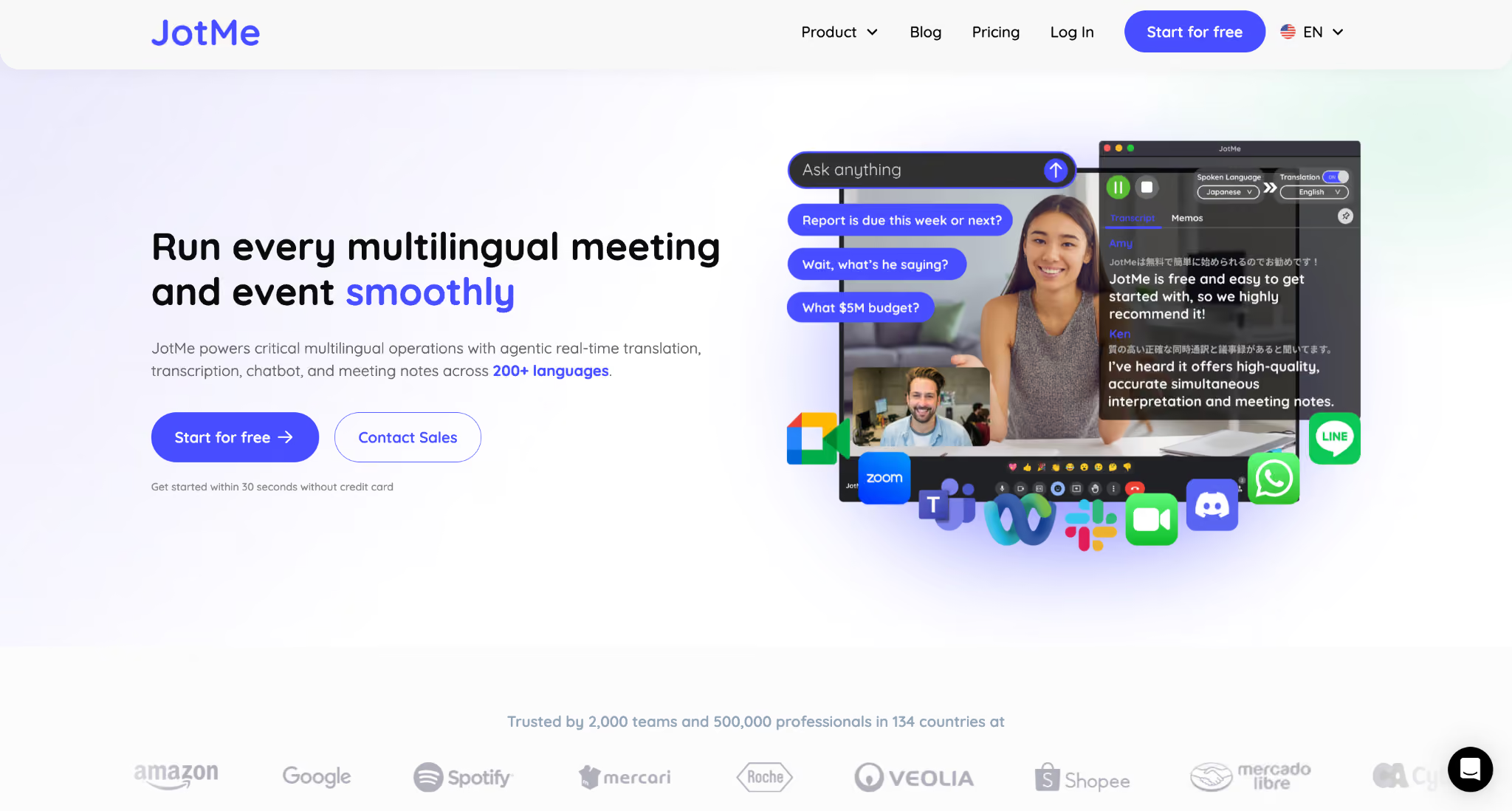
For teams that regularly collaborate across a wider range of languages, a dedicated translation tool can help bridge those gaps. JotMe works alongside Google Meet, providing live speech translation, multilingual AI meeting notes, and AI-powered follow-ups without replacing your existing meeting workflow.
Say if you are on a call with a client in Tokyo. Google Meet's Speech Translation would not help, since Japanese is not one of its five supported languages. With JotMe’s voice-to-voice translation running, you speak English, and your client hears it in Japanese, and when they reply, you hear it back in English, in something close to real time.
If you do not want voice translation, then the simple context-based live translation works seamlessly. You speak, and JotMe will show live English to Japanese and Japanese to English translation within 1 second.
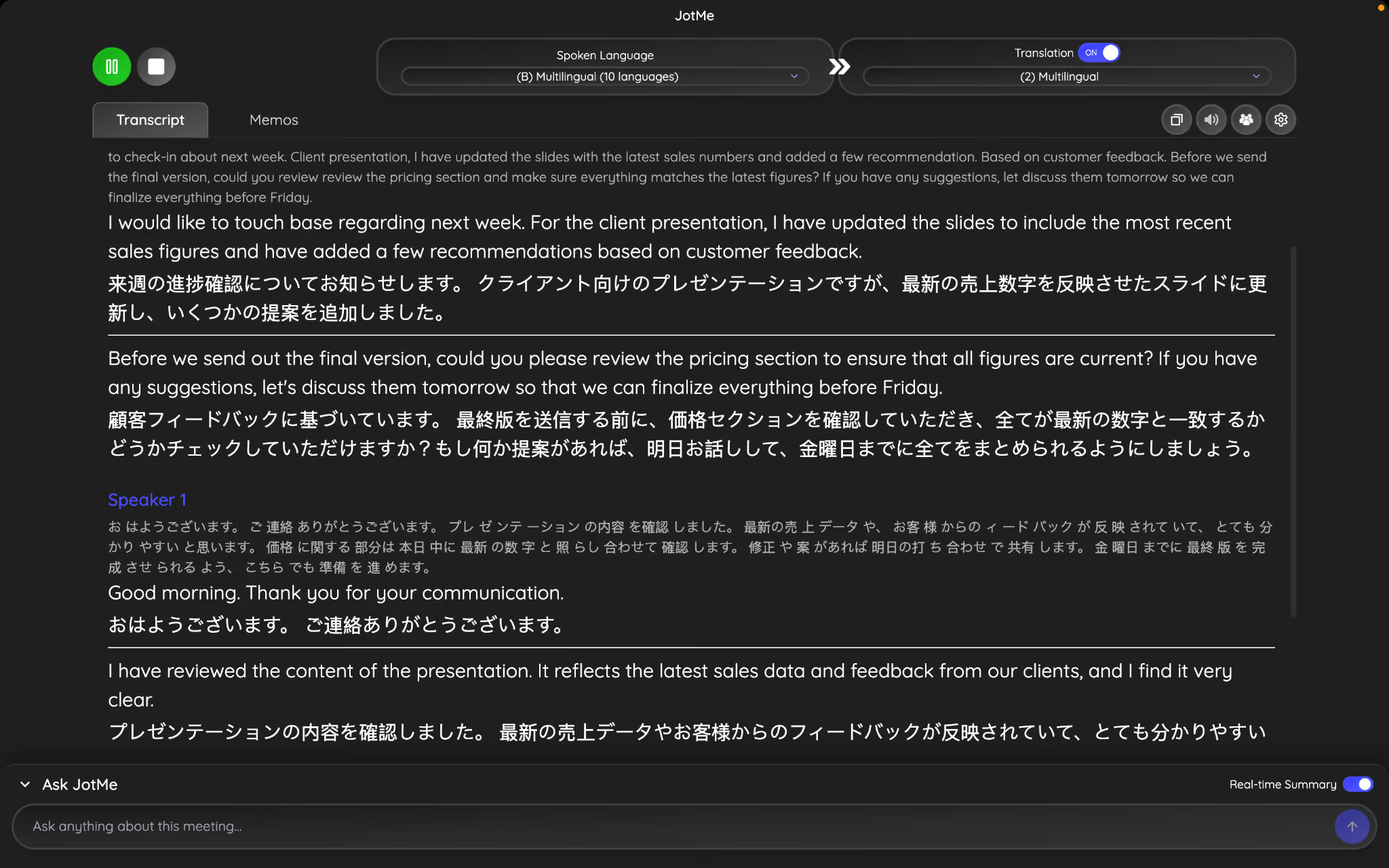
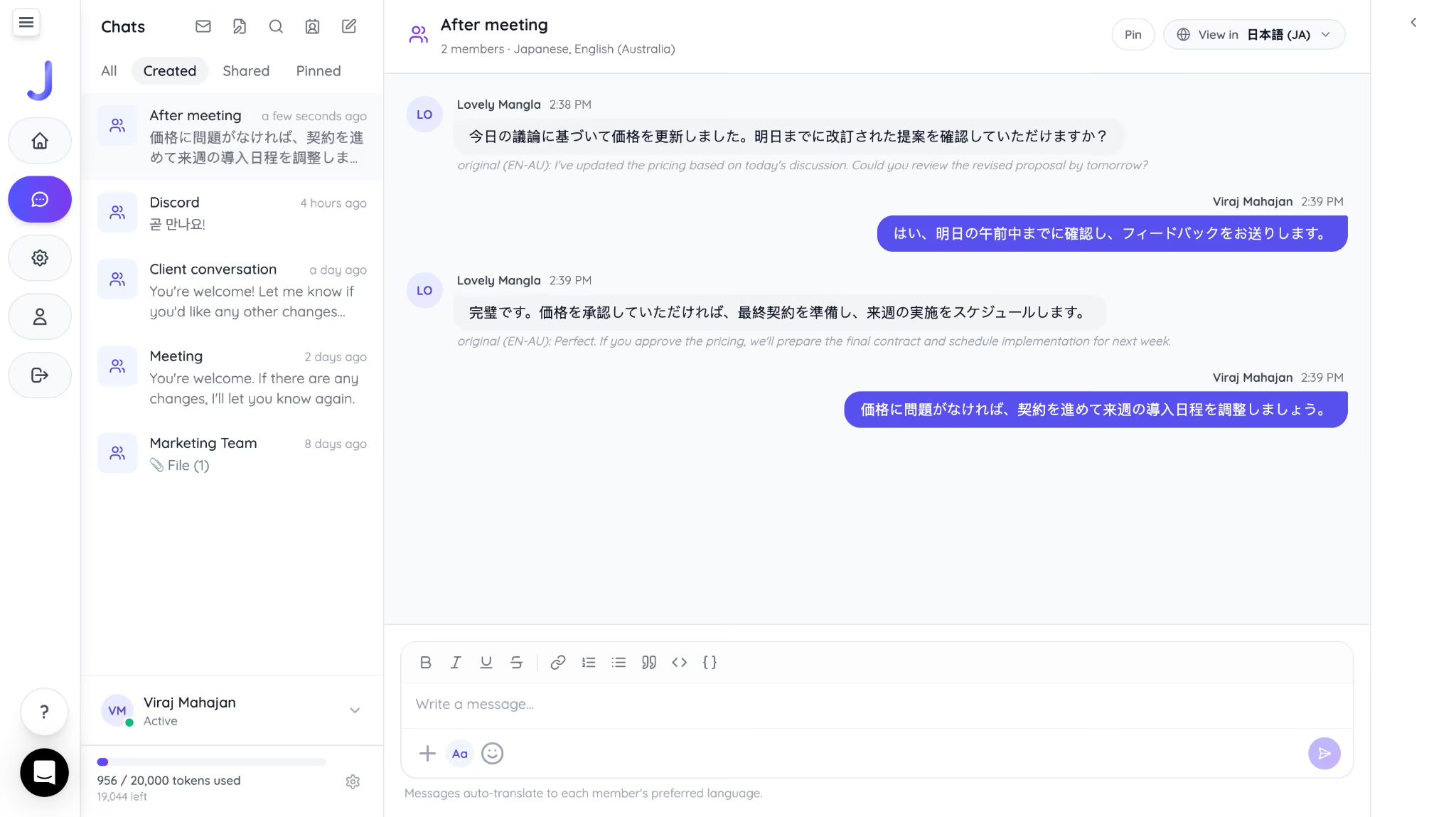
The same applies after the meeting ends. If you need to send a written follow-up, JotMe's AI Chat lets you type in Japanese while your client reads it in English, and their reply comes back to you in Japanese automatically. This way, you don't need to open a separate text translation app or wait for my contact to do the same.
See how JotMe AI Chat translates client’s message in Japanese:
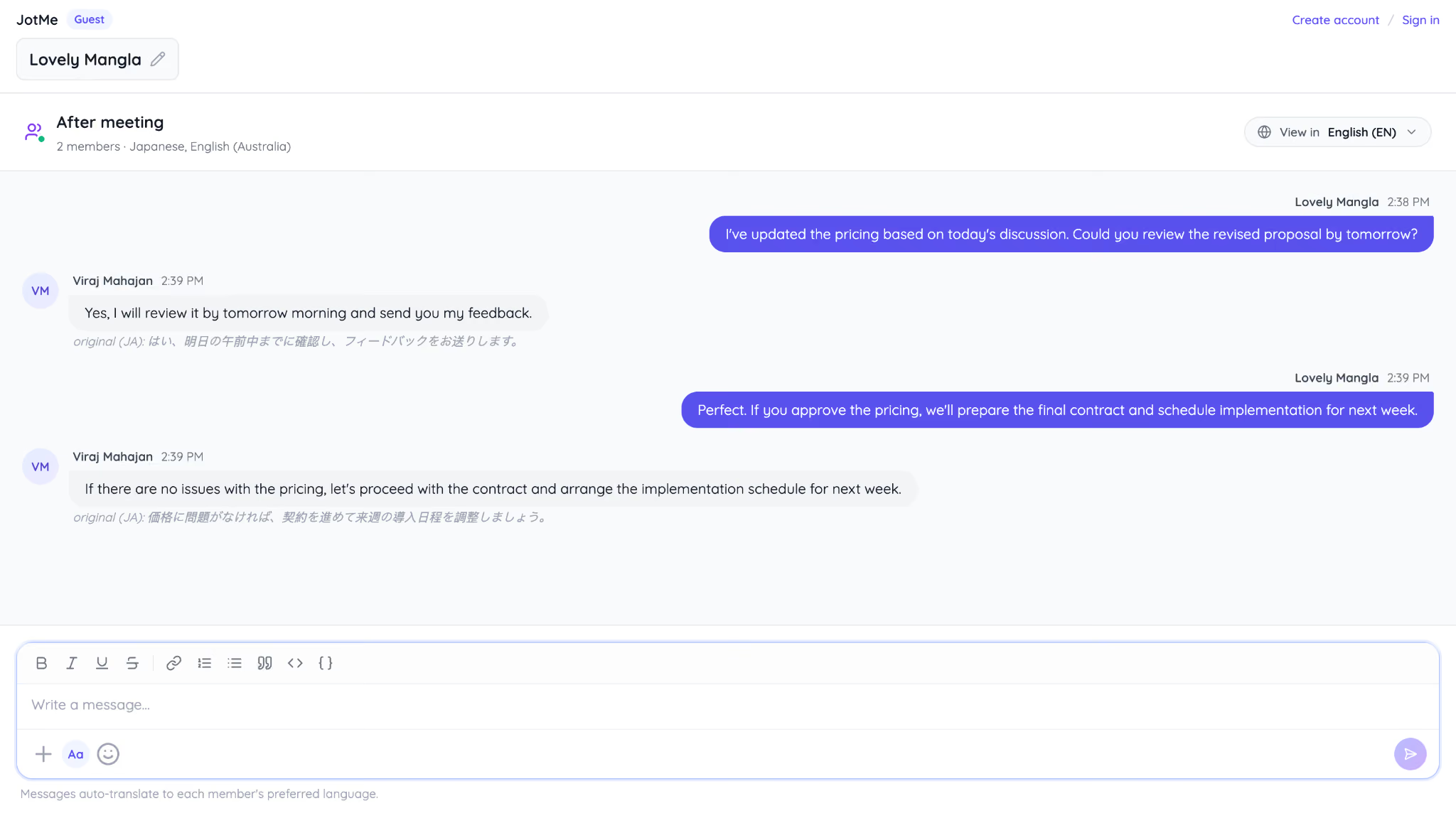
Here is how the client gets a message automatically in English:
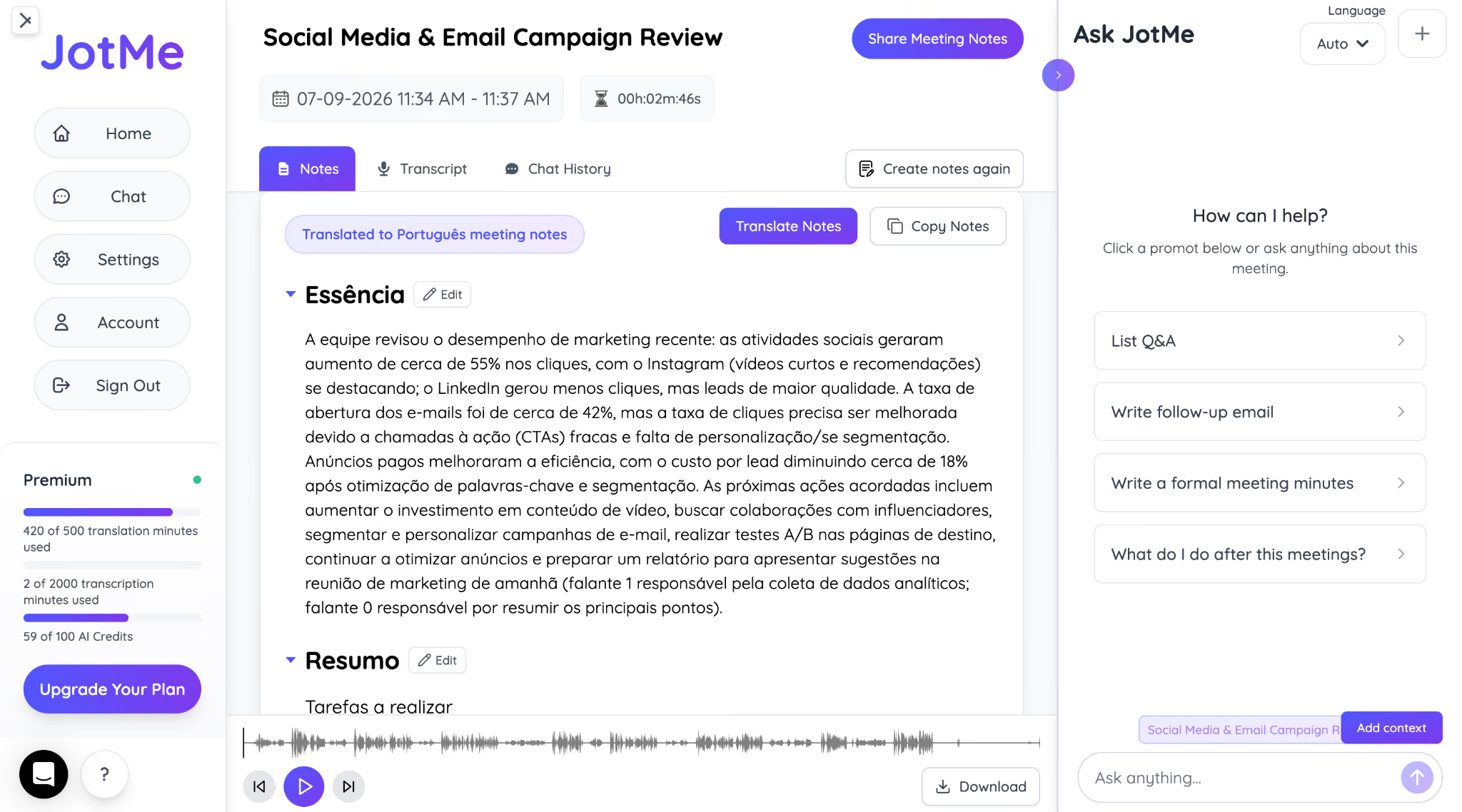
For meeting notes, JotMe keeps a live translated transcript running next to the original conversation. On a call with a supplier in São Paulo speaking Portuguese, you can walk away with an English summary while your supplier keeps their own copy in Portuguese, both pulled from the same conversation.
For teams meeting regularly in a language outside Meet's current five-pair Speech Translation coverage, JotMe closes that gap without waiting for Google's next monthly rollout.
Should Businesses Upgrade to Google Meet's New AI Features
For most businesses, Google Meet's new feature makes it a more capable collaboration platform. AI meeting notes, smarter language detection, improved security controls, and workspace enhancements help reduce manual work and simplify day-to-day meetings.
However, businesses that regularly communicate across multiple languages should be aware of the current limitations. While Google continues to expand its AI capabilities, some multilingual features are still rolling out gradually and aren't yet available for every language or Workspace edition.
For organizations with global customers, partners, or distributed teams, pairing Google Meet with an AI meeting translation tool such as JotMe can help maintain smoother multilingual communication while taking advantage of Google's latest AI updates.
Frequently Asked Questions
Can Google Meet translate meetings in real time?
Yes, Google Meet supports real-time Speech Translation for supported language pairs. However, the feature is currently limited to a small number of languages and requires an eligible Google Workspace plan. So, you can use JotMe, which offers 200+ languages along with live voice translation and AI chat.
Does Google Meet AI use meeting recordings to generate notes?
No. Google Meet's Take Notes for Me feature generates AI meeting notes during the meeting itself. Depending on your Workspace plan and settings, recordings can also be used for later review, but note-taking doesn't require participants to manually create notes.
Can guests use Google Meet AI features?
Guest participants can benefit from AI features that are enabled by the meeting organizer, but access to features such as AI meeting notes, Speech Translation, and recordings depends on the host's Google Workspace edition and organization settings.
Does Google Meet support multilingual meetings?
Yes. Google Meet includes features such as translated captions, Speech Translation for supported languages, and Automatic Language Detection. The availability of each feature depends on the language and your Google Workspace edition.
Is Google Meet free for 3 hours?
Yes. Google Meet now allows free users to host one-on-one meetings for up to 24 hours and group meetings for up to 3 hours. Some AI features, recording, and advanced collaboration tools require a paid Google Workspace subscription.
Last updated on
July 29, 2026
Follow us on social media: