9 Best Translation Earbuds for Business, Travel, and Lectures

Viraj Mahajan
October 27, 2026

Quick Answer
The best translation earbuds depend on your phone and where you talk. Timekettle W4 Pro leads for business calls, Vasco Translator E1 for work meetings, Samsung Galaxy Buds3 Pro for lectures, and ANFIER M3 for offline travel. Every pair relies on a translator app for earbuds on your phone, so check phone compatibility before you buy.
Business calls
Timekettle W4 Pro
$449
Work meetings
Vasco Translator E1
$389
Two-way talks
Timekettle WT2 Edge
$279.99
iPhone users
Apple AirPods Pro 3
$249
Lectures
Samsung Galaxy Buds3 Pro
$249.99
Offline travel
ANFIER M3
$99.98
Already own good headphones? JotMe is translation software, and its Mac and Windows app plays live voice translation through the headphones you use today, so you have no new earbuds to buy.
Which translator app for earbuds can you trust when a client call or a lecture runs in a language you don't speak? The answer starts with the app, because every pair of translation earbuds on our list sends your voice to a translator app for earbuds on your phone, and that app sets your language list and decides whether anything works offline. The hardware then decides comfort and battery life. For most buyers, the best earbuds for translation in 2026 are the Timekettle W4 Pro for business calls, the Vasco Translator E1 for work meetings, the Samsung Galaxy Buds3 Pro for lectures, and the ANFIER M3 for offline travel.
Here is what each pair costs on its brand's own store as of October 14, 2026:
- Timekettle's W4 Pro costs $449 and translates phone calls and online meetings in 52 languages through open-ear buds.
- Vasco's Translator E1 costs $389 and connects up to 10 devices in 51 languages for group meetings.
- Timekettle's WT2 Edge costs $279.99 and lets two people talk hands-free, with no buttons to tap, in 43 languages.
- Apple's AirPods Pro 3 cost $249 and translate 10 languages on an iPhone 15 Pro or later with Apple Intelligence.
- Samsung's Galaxy Buds3 Pro cost $249.99 and stream lecture translations in 22 Galaxy AI languages.
- Google's Pixel Buds Pro 2 cost $229 and translate 40 languages with a Gemini-enabled Android phone.
- EarFun's Air Pro 4+ costs $99.99 and adds AI translation to lossless-audio earbuds.
- If you travel without mobile data, ANFIER's M3 costs $99.98, includes an 8-language offline package, and requires no subscription.
- If you already own AirPods Pro 2 and only need Spanish or French, you get the same Live Translation at no extra cost on an iPhone 15 Pro or later.
- If you want open-ear comfort for city walks, Soundcore's AeroFit 2 costs $79.99 and translates 100 languages through the Soundcore app.
But for us, when we evaluated the best translation earbuds for you, price was only the first filter we considered. We even matched each pair to the job it handles best and listed the limits that brands mention only in their support pages.
Who Should Read This Article
Our comparison helps four kinds of readers:
- Business travelers: You meet suppliers or clients abroad and want translation earbuds for meetings that keep both hands free.
- Leisure travelers: You want the best earbud translation for taxis and hotel desks without passing your phone around.
- Students and conference attendees: You follow lectures or keynotes in another language and need one-way translation in your ear.
- Managers who already own good headphones: You run multilingual calls from a laptop and want to know whether a translator app for earbuds on your computer covers the job before you buy new hardware.
Why This Article Is Different?
Most roundups of translation earbuds stop at the spec sheet. We checked every price and language count against each brand's own store and support pages on October 14, 2026, along with the phone each translator app for earbuds needs. Specs that appear only in third-party reviews stayed out. We also list the limits brands mention only in their FAQs, such as Soundcore's translation switching off during phone calls and Samsung's Interpreter skipping whatever the speaker said while you had it paused.
We also ran a live voice translation session on JotMe, our translation app for Mac, Windows, iPhone, and Android, because many readers already own headphones that can handle voice translation without new hardware. Where a brand publishes latency or accuracy figures, we label them as the brand's claims, since we didn't measure those numbers in a lab.
Quick Comparison for Best Translation Earbuds
Use this table to shortlist the best earbuds for translation by price and translation direction. Two-way means the app translates both sides, usually while people take turns speaking.
| Tool Name | Cost | Language Support | One-Way or Multiway Translation | Best For |
|---|---|---|---|---|
| Timekettle W4 Pro | $449 | 52 languages and 106 accents online, 13 offline pairs | Two-way conversations and calls, plus one-way listening | Business calls and online meetings |
| Apple AirPods Pro 3 | $249 | 10 languages | Two-way with an iPhone 15 Pro or later | iPhone users who travel |
| Google Pixel Buds Pro 2 | $229 | 40 languages | Two-way Conversation mode, plus one-way Listening mode | Android users |
| Samsung Galaxy Buds3 Pro | $249.99 | 22 Galaxy AI languages | One-way Listening mode, plus two-way Conversation mode | Lectures and conference talks |
| EarFun Air Pro 4+ | $99.99 | No count published; pick your pair in the EarFun Audio app | Two-way Face-to-Face, plus one-way Real-Time | Budget travel |
| Timekettle WT2 Edge | $279.99 | 43 languages and 96 accents online, 13 offline pairs | Two-way simultaneous for two people, or Touch mode for 6 people with three pairs | Real-time two-person talks |
| Soundcore AeroFit 2 | $79.99 | 100 languages | Two-way Face-to-Face, plus one-way Real-Time | Open-ear travel |
| ANFIER M3 | $99.98 | 144 languages and accents online, 8 offline | Two-way Touch, Speaker, and Free Talk modes | Offline travel |
| Vasco Translator E1 | $389 | 51 languages | Multiway, up to 10 devices | Work meetings and groups |
The EF English Proficiency Index 2025, built on 2.2 million test takers, found speaking to be the weakest English skill in over half of the 123 countries and regions it measured.
Translation earbuds aim straight at that spoken gap. People buy them in the first place for 6 reasons:
- Hands-free conversation: Your phone stays in your pocket while the translator app for earbuds does the work, so you keep eye contact with the person in front of you.
- Private listening: The translation plays in your ear, so a hotel lobby or a client's office doesn't hear every line twice.
- One-way listening for lectures and tours: Listening modes stream the speaker's words into your ear in your language while you take notes.
- Travel confidence: In a Global Rescue survey of more than 1,600 of its members in October 2025, 54% said they had used real-time translation apps during international travel.
- Phone calls abroad: Pairs such as the Timekettle W4 Pro translate calls with a local business that speaks only its own language.
- Faster supplier conversations: Translation earbuds for meetings let you settle a question on the spot, before it turns into a chain of follow-up emails.
Best Translator Earbuds to Try in 2026
Good translation earbuds cut the awkward wait of handing your phone across a table. Each pair still works only as well as the translator app it relies on, so we judged the app and hardware as a single product. Check out the best translator earbuds to try for multilingual meetings, events, travel, and offline events.
Best Translation Earbuds for All: Timekettle W4 Pro
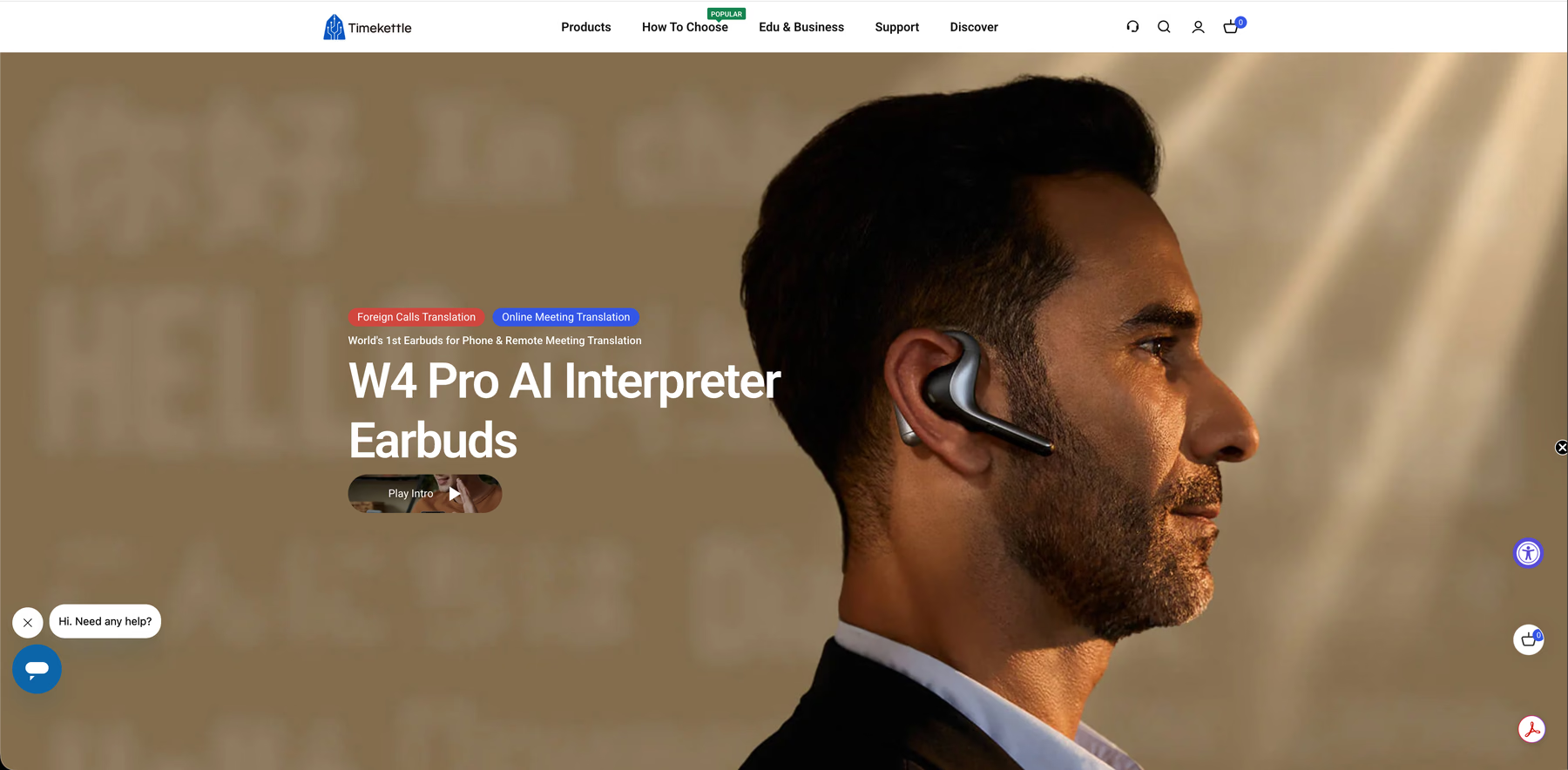
Timekettle aimed the W4 Pro at the conversations most translation earbuds skip: phone calls and online meetings. On a call, only you wear the earbuds, and the other person hears your translated speech without installing anything. The open-ear fit keeps you aware of the room, and the Timekettle app, which serves as the earbuds' translator app, saves audio and text so you can export an AI memo after a client meeting. Offline translation covers 13 language pairs in One-on-One and Listen & Play modes.
Timekettle's product page says two pairs come free with coupons and the rest cost $10 per pair or require a subscription, but it also promises unlimited downloads, so confirm the offline terms with Timekettle before a trip.
Key Features:
- Voice call translation: Two-way translation on phone calls, with only you wearing the earbuds.
- Online meeting subtitles: Translated subtitles for virtual meetings on your phone or tablet.
- 52 languages and 106 accents: Online coverage, plus 13 offline language pairs for One-on-One and Listen & Play modes.
- 6 hours of translation per charge: Up to 20 hours with the case, and a 10-minute charge adds about an hour.
Price: $449 on Timekettle's US store.
Best Earbuds With Live Translation for iOS Users: Apple AirPods Pro 3
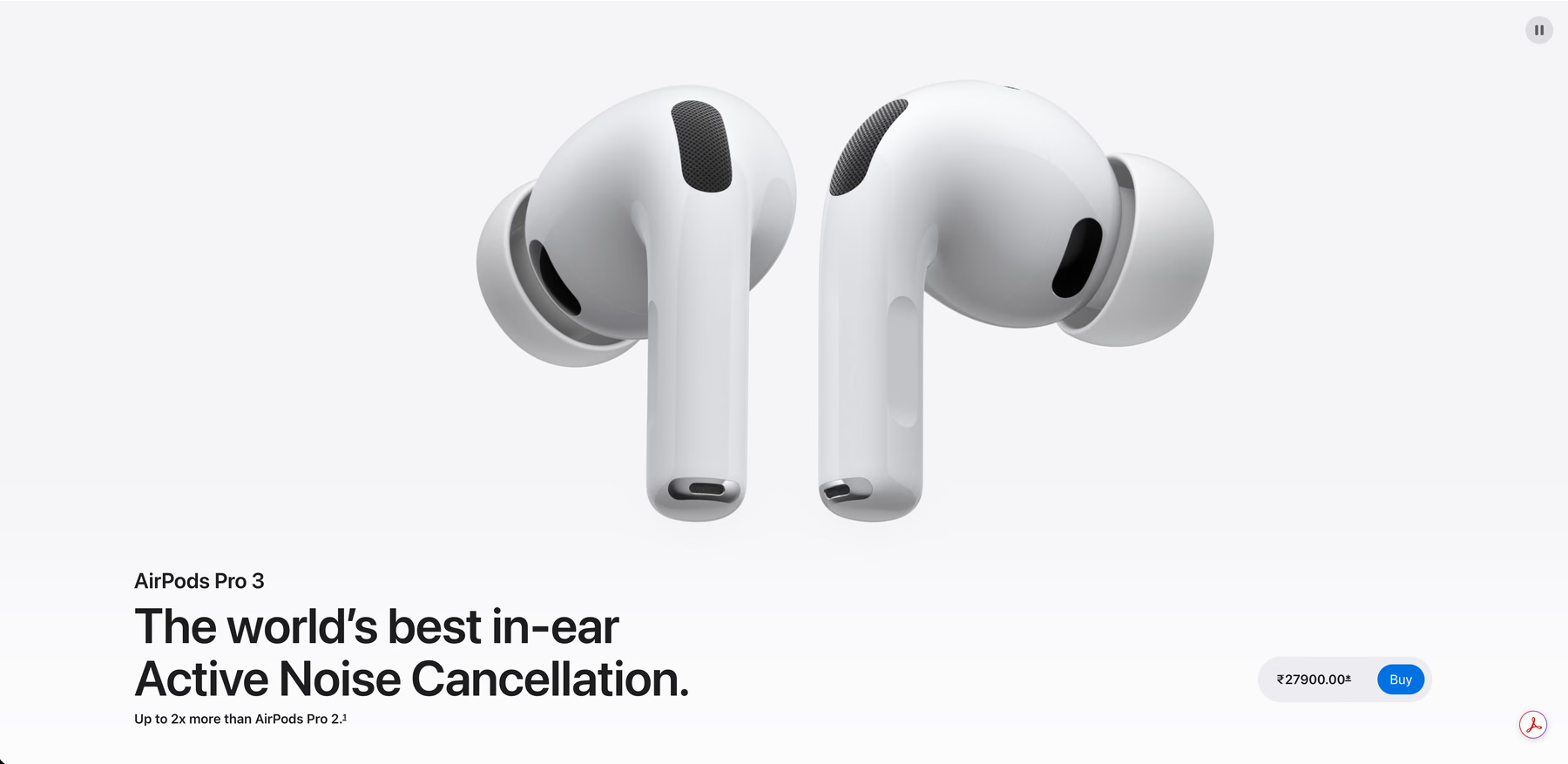
Apple delivers Live Translation on the AirPods Pro 3 through its own Translate app, so iPhone owners get a translator app for earbuds from the same company that makes the phone. After you download both language models, all processing happens on your iPhone, which keeps the conversation on your device.
The catch is reach: Live Translation covers 10 languages and needs an iPhone 15 Pro or later with Apple Intelligence turned on. When the other person has no AirPods, your iPhone shows your words as text or plays them through its speaker.
Key Features:
- 10 languages: Apple lists Mandarin Chinese (Simplified and Traditional), English, French, German, Italian, Japanese, Korean, Portuguese, and Spanish.
- On-device processing: Translation runs on your iPhone once you download the language models.
- Older AirPods qualify: AirPods Pro 2 and AirPods 4 with ANC get the same Live Translation feature.
- 8 hours of listening with ANC on: Apple rates the noise cancellation at twice the strength of AirPods Pro 2 and publishes no separate translation runtime.
Price: $249 on Apple's US store.
Best Earbuds With Live Translation for Android Users: Google Pixel Buds Pro 2
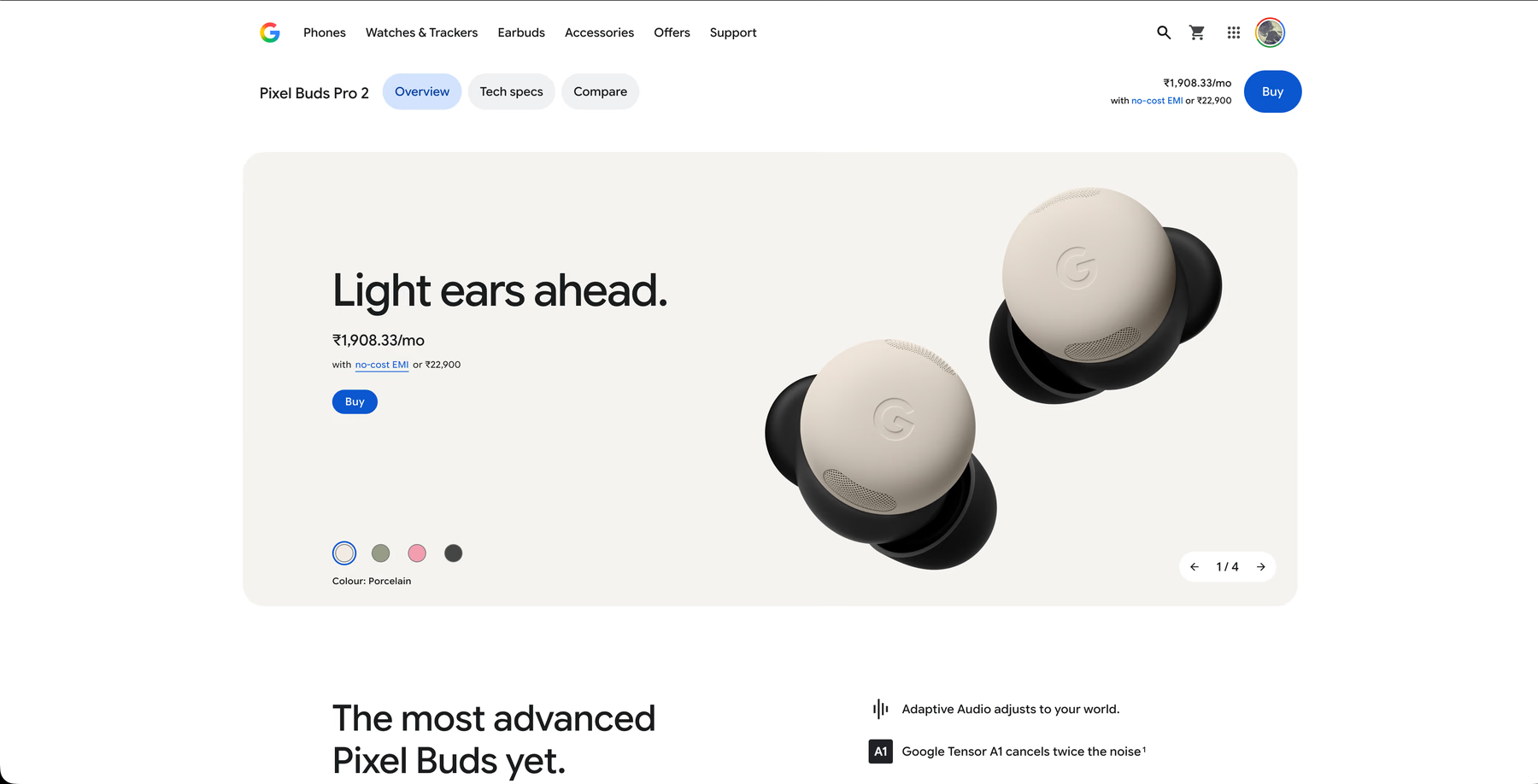
Google turns the Pixel Buds Pro 2 into translation earbuds through Google Translate and Gemini. Press and hold a bud, or say "Hey Google, translate for me," and Listening mode streams the translation into your ear while your phone stays in your pocket. Conversation mode voices your replies through the phone speaker and plays the other person's translation privately in your earbud, with noise cancellation switching on automatically.
Google's translator app for earbuds needs a Gemini-enabled Android phone and an internet connection, so iPhone owners and travelers without data should look elsewhere.
Key Features:
- 40 languages: Google's Pixel Buds support page lists 40, with Chinese limited to Mandarin.
- Hands-free start: A touch-and-hold gesture or a voice command starts translation without taking out your phone.
- Tensor A1 chip: Google rates the noise cancellation at twice the strength of the previous Pixel Buds Pro.
- 8 hours of listening with ANC on: Up to 30 hours with the charging case, with no separate translation runtime from Google.
Price: $229 on the Google Store in the US.
Best Translator Earbuds for Lectures: Samsung Galaxy Buds3 Pro
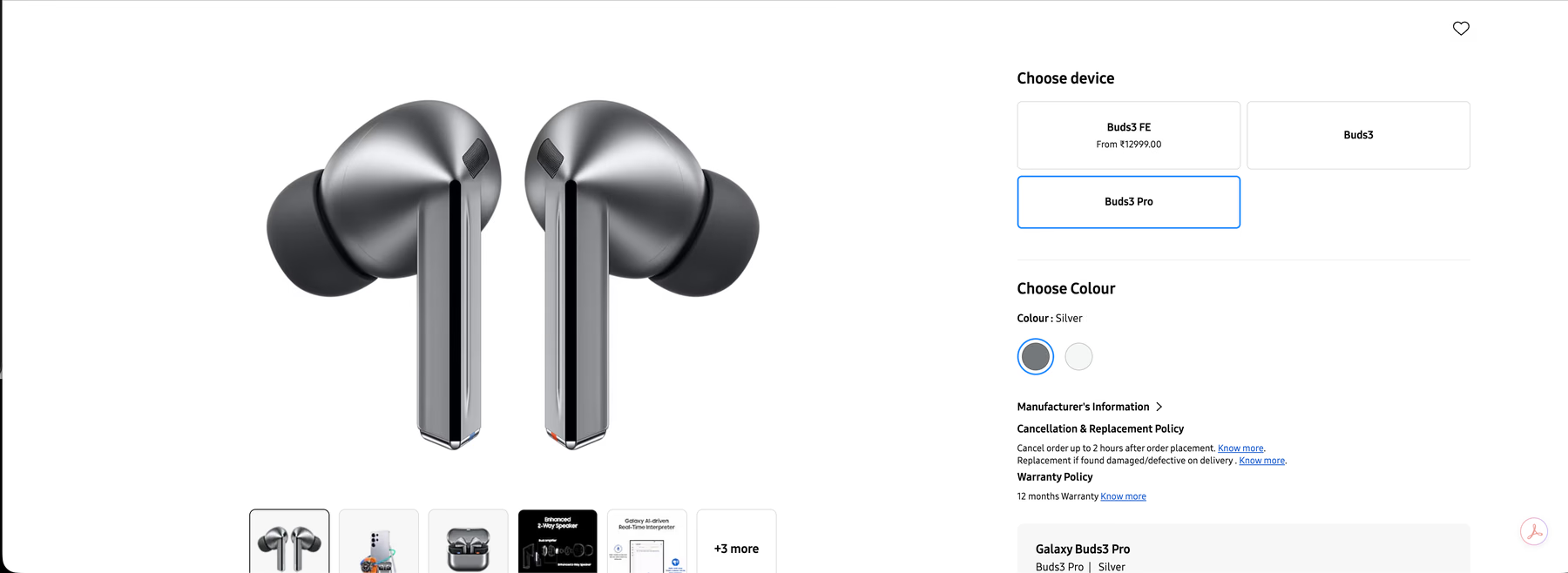
Samsung built Interpreter's Listening mode for one-way audio such as lectures and conference talks, which makes the Galaxy Buds3 Pro our pick for students and conference attendees. Galaxy AI Interpreter acts as the translator app for earbuds and plays the translation in your buds while the speaker keeps going.
Two cautions matter in a lecture hall: Interpreter works only on select Galaxy phones and tablets, and when you pause it, it resumes from where you left off, so you lose whatever the lecturer said during the pause.
Key Features:
- Gesture-based listening mode: Pinch and hold the earbuds, and Interpreter keeps translating while the speaker talks.
- Conversation mode: Point your phone's microphone at the other person and short-press the buds to hear their words in your language.
- 22 Galaxy AI languages: Samsung's October 2025 Galaxy AI update raised the total to 22 languages.
- Free language downloads: English and Spanish come preinstalled on US devices, and you download other languages at no cost.
Price: $249.99 on Samsung's US store.
Best Budget Translation Earbuds: EarFun Air Pro 4+
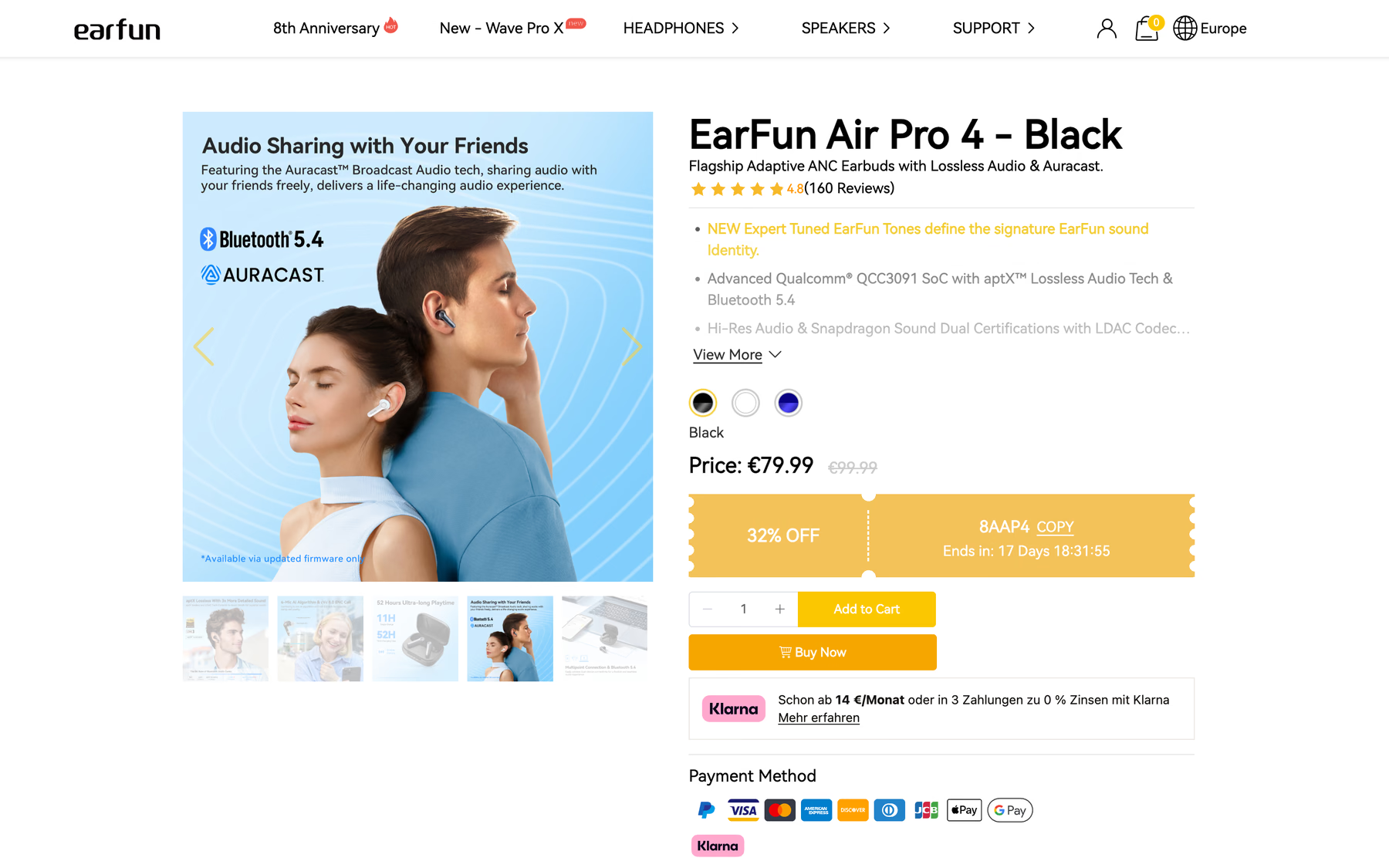
EarFun added AI translation to the Air Pro 4+ through a firmware update, which adds a translator to a pair of lossless-audio earbuds under $100. The EarFun Audio app works as the translator app for earbuds, with Face-to-Face mode for turn-taking chats and Real-Time mode for longer one-way speech such as presentations and lectures.
You need app version 20.1.36 on Android or 20.5.5 on iOS before the feature appears, and EarFun does not publish a language count, so open the app and confirm your pair before you travel.
Key Features:
- Face-to-Face mode: Turn-taking translation for a two-person conversation.
- Real-Time mode: One-way translation for lectures and guided tours.
- aptX Lossless and LDAC: High-resolution audio for music between conversations on compatible Android phones.
- 8 hours of listening with ANC on: Up to 12 hours with ANC off and 54 hours in total with the case, per EarFun.
Price: $99.99 on EarFun's US store.
Best Earbuds That Translate in Real Time: Timekettle WT2 Edge
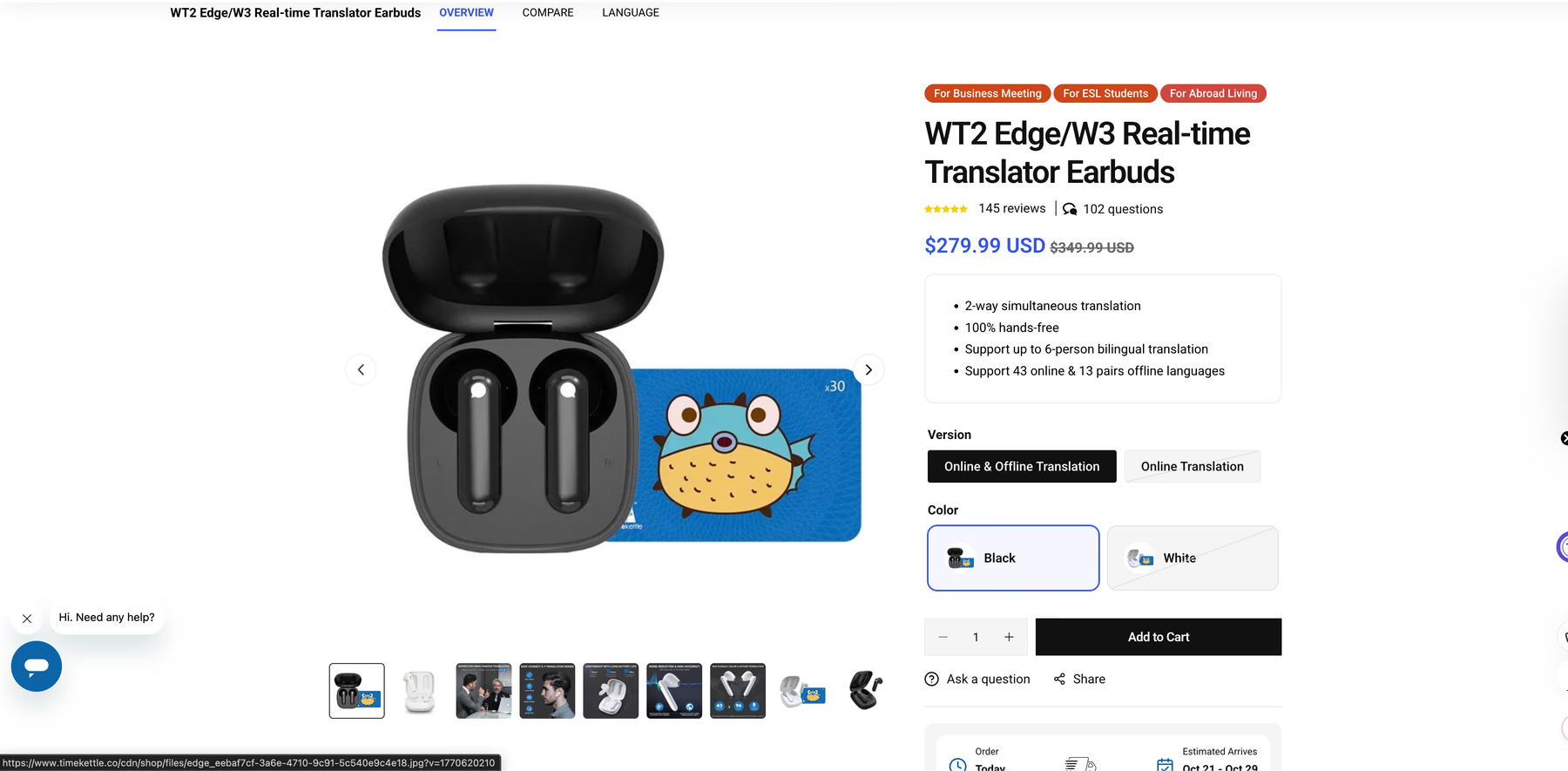
The WT2 Edge from Timekettle suits conversations where both people want to talk without tapping anything. Each person wears a single earbud, and bi-directional simultaneous mode translates both sides as you speak, with Timekettle claiming a latency of 0.5 seconds. The Timekettle translator app for earbuds stores offline packs for 13 language pairs, and every one of them involves English or Chinese. Group use gets expensive, since a 6-person conversation in Touch mode needs three pairs, and each charge gives about three hours of translation.
Key Features:
- Two-way simultaneous translation: Both people talk freely, with no buttons to press.
- 43 languages and 96 accents: Online coverage, plus 13 offline pairs on the Online & Offline version.
- Up to 6 people: Touch mode for 6 people needs three pairs of earbuds.
- About three hours per charge: Up to 12 hours with the charging case.
Price: $279.99 for the Online & Offline version on Timekettle's US store, down from $349.99.
Best Open-Ear Translation Earbuds for Travel: Soundcore AeroFit 2
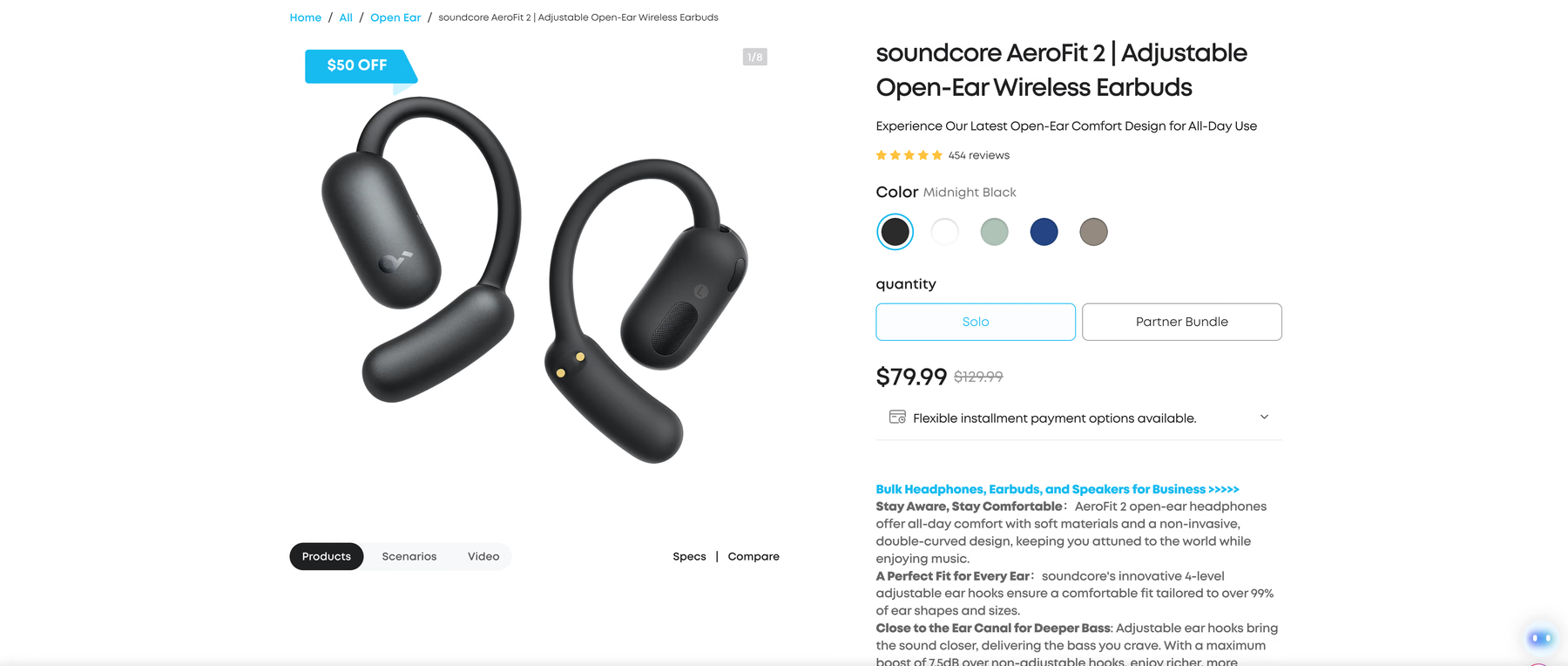
Soundcore added AI translation to the AeroFit 2 through the Soundcore app, and the open-ear hooks let you hear traffic and station announcements while you walk through a new city. In Face-to-Face mode, the earbuds capture your voice, and your phone plays the translation, while the phone's microphone picks up the other person and sends their translation to your ears. Real-Time mode covers listening-only situations such as lectures and webinars. Plan around two limits: translation stops during phone calls, and it won't run while Dual Connections is on.
Key Features:
- 100 languages: AI translation inside the Soundcore app, version 3.8.7 or later.
- Face-to-Face and Real-Time modes: Two-way chats for travel and one-way listening for lectures or webinars.
- Smartphone-only translator app for earbuds: The feature runs on phones, with no support for PCs or tablets.
- 4-level adjustable ear hooks: Soundcore says the hooks fit over 99% of ear shapes and sizes.
Price: $79.99 on Soundcore's US store, down from $129.99.
Best Offline Translator Earbuds: ANFIER M3
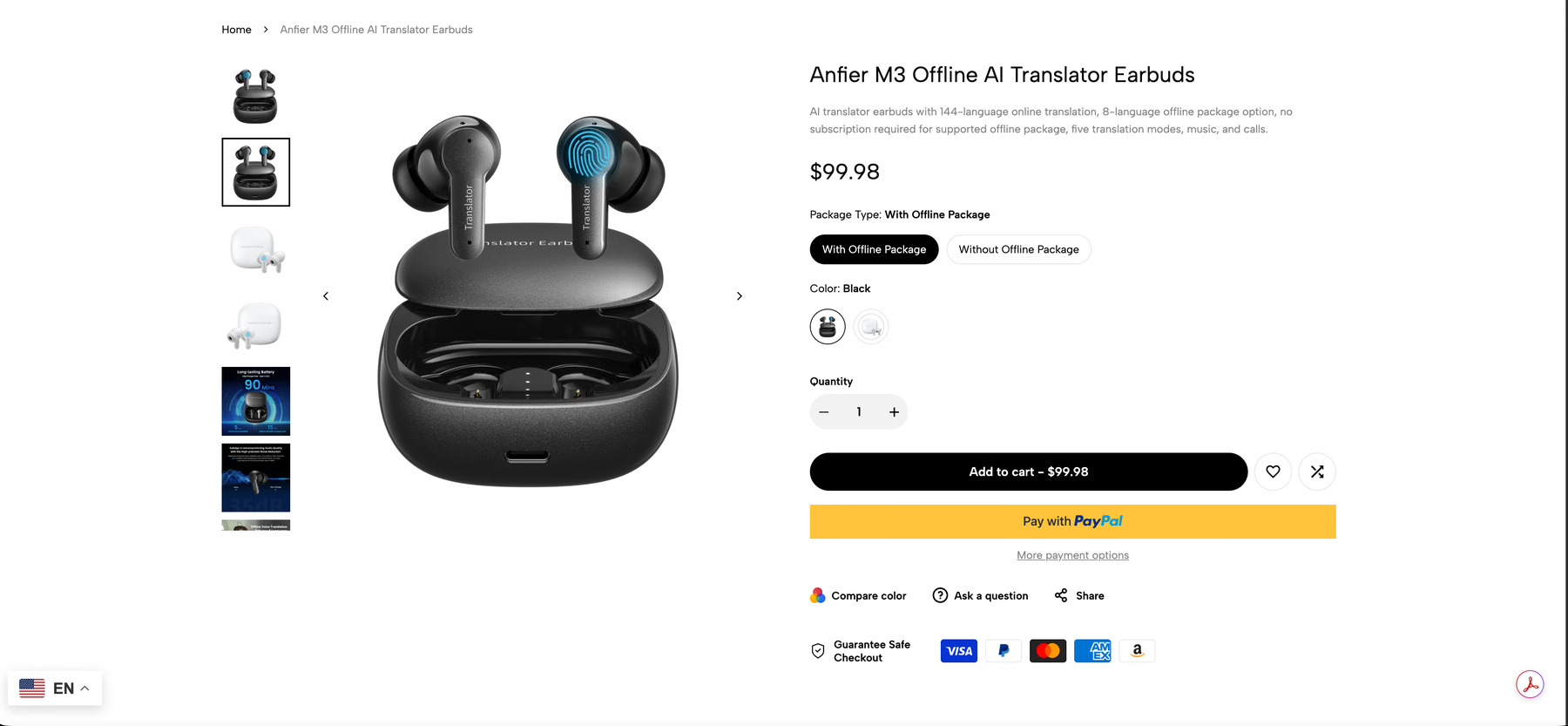
ANFIER sells the M3 with an optional offline package, which makes it our pick for flights and rural trips where your data plan stops working. ANFIER doesn't name the 8 offline languages on its product page, so confirm your pair before you fly. Online, the M3 covers 144 languages and accents through ANFIER's companion translator app for earbuds, and ANFIER charges no subscription for the supported offline package. Between conversations, the M3 works as regular Bluetooth earbuds for music and calls.
ANFIER publishes no battery figure on its product page and warns that several people talking at once hurts accuracy, so treat the M3 as a one-on-one translator.
Key Features:
- 5 translation modes: Touch, Speaker, Free Talk, Offline, and Photo Translation.
- 8-language offline package: ANFIER charges no subscription for the supported offline package.
- 144 languages and accents online: Available through ANFIER's companion app.
- Music and calls: The M3 doubles as everyday Bluetooth earbuds.
Price: $99.98 with the offline package, or $89.98 without it, on ANFIER's store.
Best Translator Earbuds for Work Meetings: Vasco Translator E1
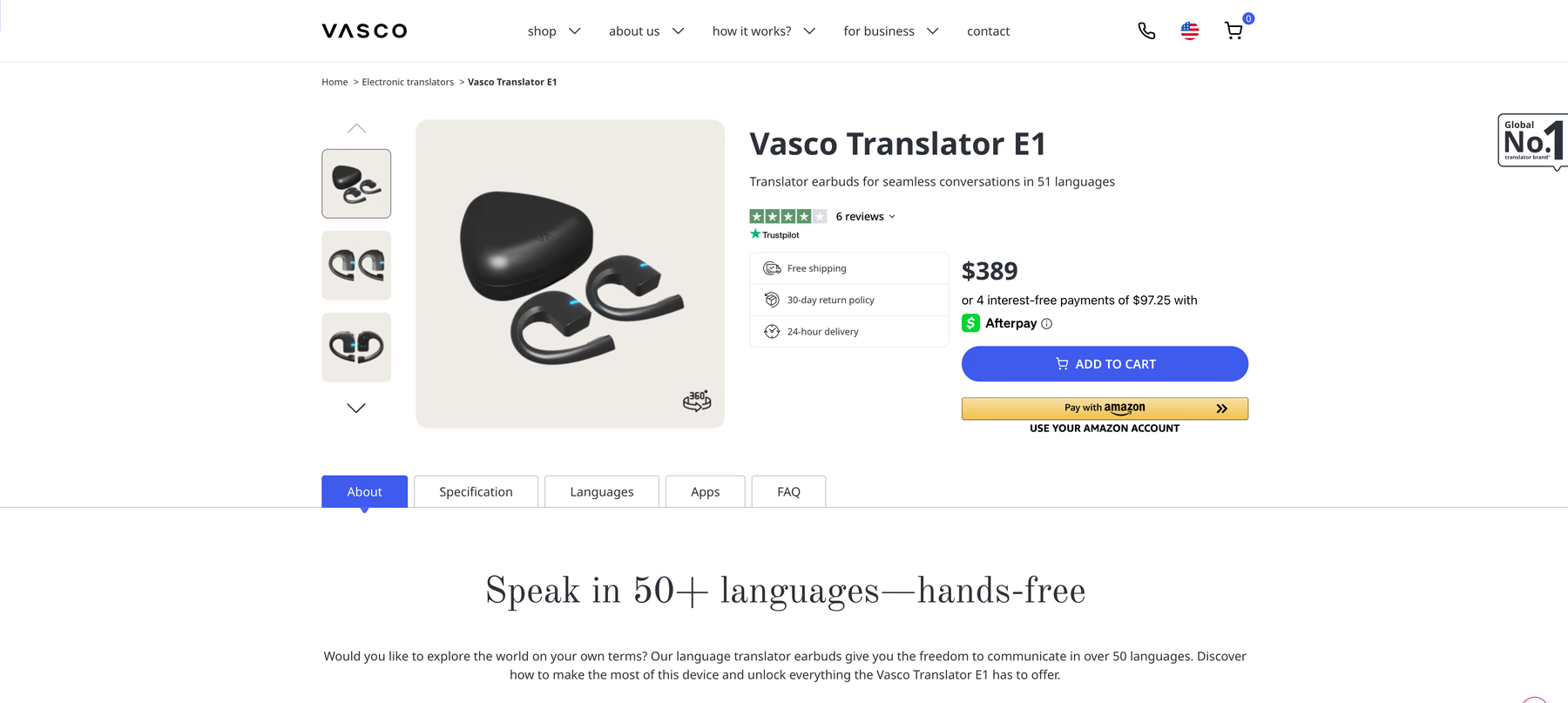
Vasco planned the Translator E1 around group conversation, which makes it our pick among translation earbuds for meetings. Through the free Vasco Connect app, up to 10 devices join a single conversation in 51 languages, and a colleague can use a phone in place of a second earbud when someone joins unexpectedly. The open-ear pieces rest outside the ear canal, so nobody pushes a shared earbud into their ear.
The earbuds carry no internet of their own, so translation runs through your phone, or through a Vasco handheld translator that adds free lifetime internet for translations in nearly 200 countries. Vasco built the E1 as a dedicated translator, and its FAQ confirms the earpieces don't play music or take phone calls.
Key Features:
- Group conversations: Up to 10 devices through the Vasco Connect app.
- 51 languages: Vasco's US product page lists 51 supported languages.
- Phone mode: A smartphone stands in for the second earbud during unplanned conversations.
- 5 modes: Earbuds, Loudspeaker, Automatic, Group Communication, and Screen-off Translation.
Price: $389 on Vasco's US store, with free shipping and a 30-day return policy.
Already own earbuds?
Hear Every Call in Your Language Through the Headphones You Own
JotMe is translation software for Mac, Windows, iPhone, and Android. It translates live speech in 200+ languages, and on Mac and Windows it plays the translated voice in supported languages through your own headphones. After the session, you keep the transcript and AI meeting notes.
JotMe captures your computer's audio, so no bot joins your Zoom or Teams call.
How We Chose and Tested Translation Earbuds
We started with the translation earbuds you can order today on their brands' own US or EU stores and kept the 9 that match the three use cases in our title. Then we scored every pair against the same checklist and ranked the best earbud translation options by the job each one handles:
- Official price: We took every price from the brand's own US store on October 14, 2026.
- Language support: We used the count on each brand's own support page or product page, and where a brand's pages disagreed, we say so in that product's section.
- Translation direction: We checked whether the other person needs their own hardware to join the conversation.
- Phone lock-in: We noted every translator app for earbuds that works with only a single phone brand.
- Offline behavior: We recorded which modes work without data and what offline packs cost.
- Battery: We used translation runtime where the brand publishes it and labeled every other figure as listening time.
- Noise handling: We compared microphone and noise-cancellation claims with each brand's own advice for loud rooms.
We didn't run lab tests for latency or accuracy on the hardware, so any latency figure in this comparison, such as Timekettle's 0.5 seconds, comes from the brand itself. For JotMe, we ran our own bilingual English and Mandarin session, and you can see the results in the JotMe section below. Even the best translation earbuds still need a quiet enough room and a supported phone, which brings us to the gaps.
When Translation Earbuds Are Simply Not Enough?
Even the best earbuds for translation do their strongest work in a face-to-face chat with a single person in a reasonably quiet room. Business conversations rarely stay that simple, and the gaps show up in 8 places:
- Your phone picks your earbuds: AirPods translation needs an iPhone 15 Pro or later, and Galaxy Interpreter needs a Galaxy phone, so a team with mixed phones ends up with mixed tools.
- Your call plays on a laptop: A translator app for earbuds usually translates what your phone's microphone hears, and Soundcore's translation stops completely during calls. Timekettle's W4 Pro covers online meetings, though only as subtitles on a phone or tablet beside your laptop.
- Every extra person needs hardware: A 6-person WT2 Edge conversation needs three pairs, and sharing a W4 Pro means handing a client your second earbud.
- Short language lists: AirPods Live Translation covers 10 languages and leaves out Hindi and Vietnamese.
- Batteries end before the workday: The WT2 Edge gives about three hours of translation per charge, and the W4 Pro gives 6.
- Offline comes with conditions: Timekettle's W4 Pro page lists two free offline pairs before a $10-per-pair charge, and ANFIER's offline package covers 8 unnamed languages.
- Noise pulls the phone back out: Apple and Soundcore both suggest moving the phone closer to the speaker in loud rooms, which ends the hands-free promise in a busy trade-show hall.
- Nothing to review afterward: Apart from Timekettle's AI memo and EarFun's saved transcripts, the pairs on our list leave you with no searchable record of what both sides agreed.
JotMe closes these gaps from the software side. Instead of adding another pair of translation earbuds, JotMe runs voice-to-voice real-time translation on the Mac or Windows computer where your meeting already plays, and you hear the translated speech in whatever headphones you connect. Because JotMe uses your computer's audio, the headphones you wear for Zoom today become your translation earbuds for tomorrow's meetings.
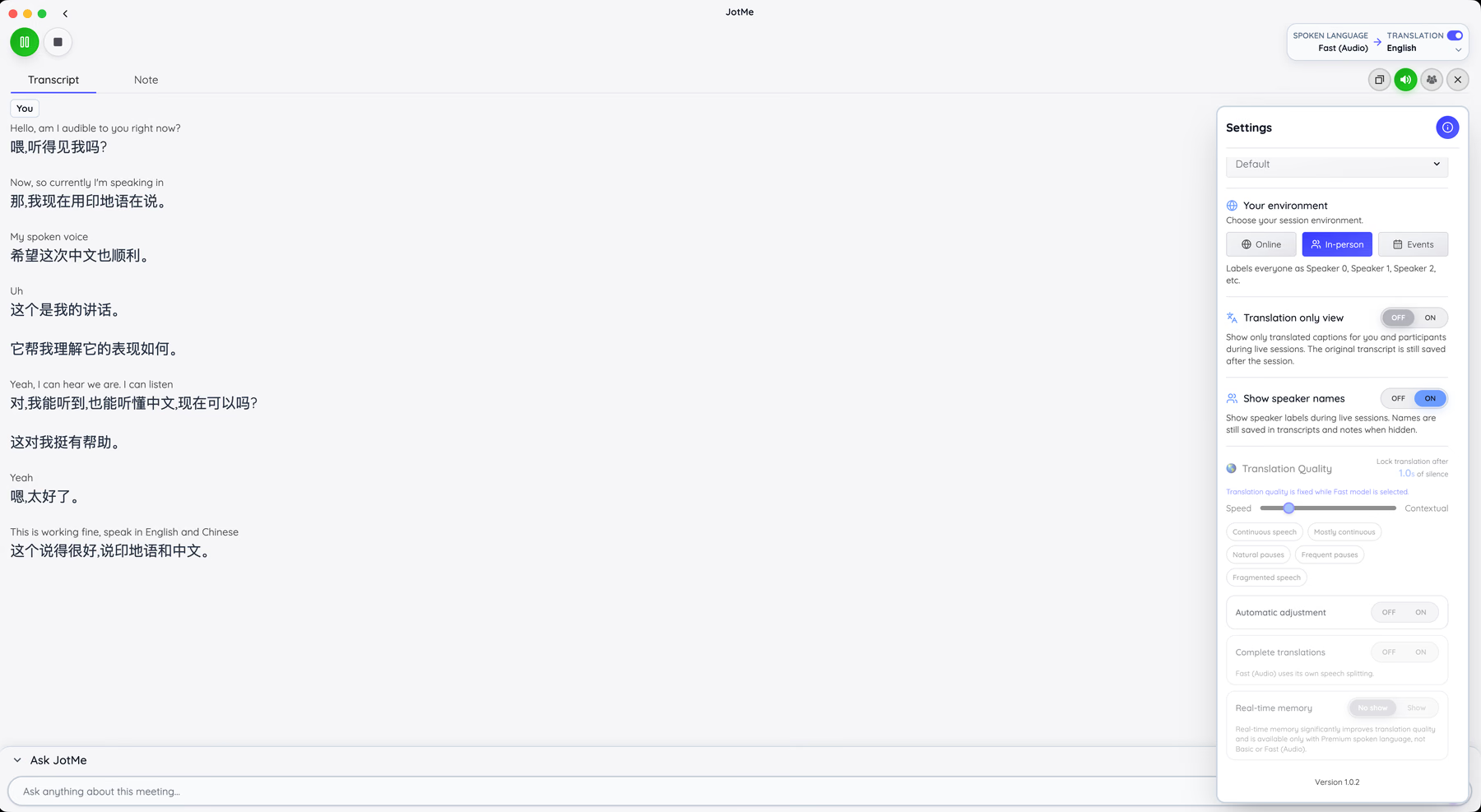
In-person mode uses your computer's microphone with no extra audio setup. Two-way voice translation inside Zoom or Microsoft Teams on a Mac needs a short setup before your first call: JotMe installs the free BlackHole virtual audio drivers for you, you pick them as the microphone and speaker in your meeting app, and you restart once if a device doesn't appear.
Tips to Use Translation Earbuds
A few habits make any translator app for earbuds more accurate:
- Download language packs before you fly: AirPods Live Translation needs both language models on your iPhone, and the offline modes on Timekettle and ANFIER need their packs installed before you lose signal.
- Update the app and firmware first: EarFun's translation appears only on app version 20.1.36 for Android or 20.5.5 for iOS, and Soundcore needs version 3.8.7 or later.
- Speak in short, complete sentences: The best earbud translation still depends on clear speech, so pause after each thought and let the translation finish.
- Bring the phone closer in loud rooms: Apple and Soundcore both recommend it, since the phone's microphones help the earbuds pick up the speaker.
- Turn off dual connection: Soundcore's translation won't run while the earbuds connect to two devices at once.
- Match the mode to the room: Use listening mode for lectures and tours, and conversation mode for a one-on-one talk.
- Charge between sessions: Timekettle rates the W4 Pro at 6 hours of translation against 12 hours of music, so even the best earbuds for translation can run down faster than the box suggests.
- Rehearse before a client call: With translation earbuds for meetings, run a 5-minute test with a colleague in the same language pair you plan to use.
Choose JotMe For All Voice Translations
If most of your multilingual conversations happen on calls, the best earbuds for translation are often the ones already in your bag. JotMe works as a translator app for earbuds and headphones you already own. It runs on Mac, Windows, iPhone, and Android, and on your computer it plays live voice translation through your current headphones, so you buy no new hardware and pair no new device.
We built JotMe for English-speaking managers and operations leads who work directly with suppliers and clients in Japan, Korea, China, and other markets, without a bilingual colleague in the middle. For them, the best earbud translation setup is the one that runs on the laptop where the call already happens.
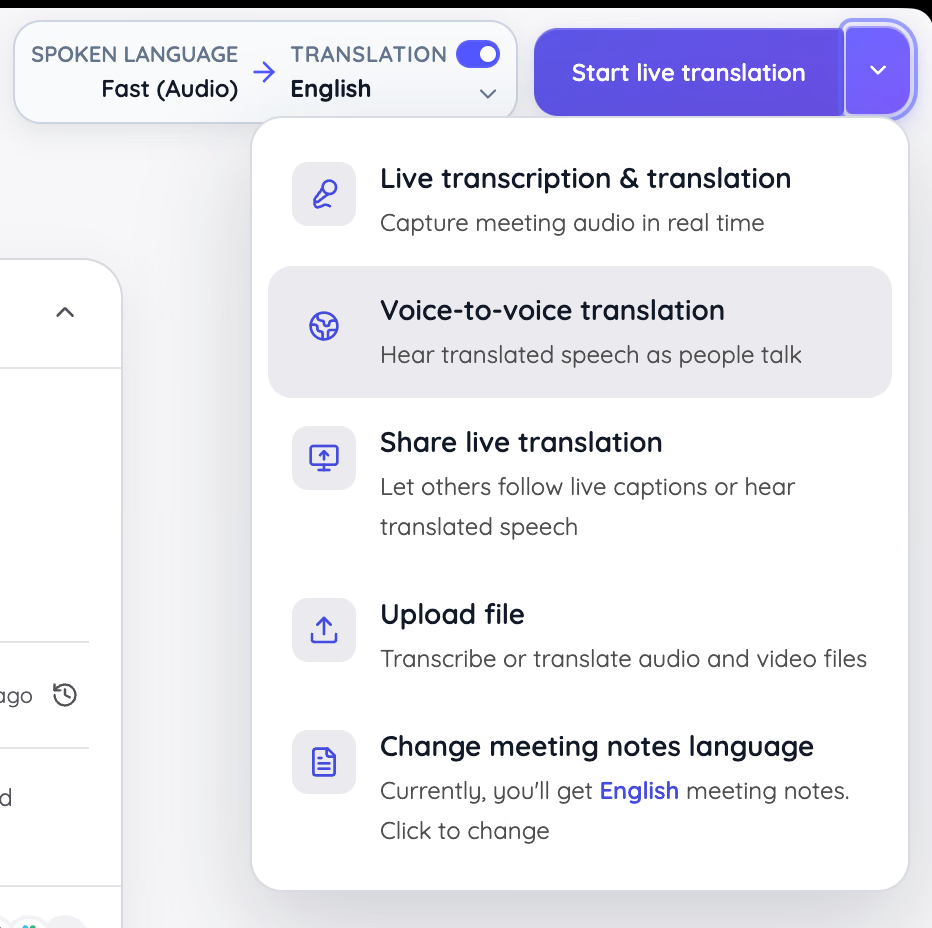
Choose voice-to-voice translation before the session starts, and JotMe speaks the translation into your headphones as people talk. Online Meeting mode works alongside your Zoom or Teams call, and you decide whether JotMe translates in a single direction or both ways at once.
For a factory visit or a trade-show booth, Other mode uses your computer's microphone with no virtual audio at all. Sharing lets guests follow the translation in their own browsers by link or QR code, so the people across the table need no hardware either.
We tested JotMe on October 14, 2026, in a two-minute session where we switched between English and Mandarin mid-conversation. JotMe kept both languages in a single transcript with the Chinese translation beside each English line, and after we stopped, it wrote an English summary with action items and key points.
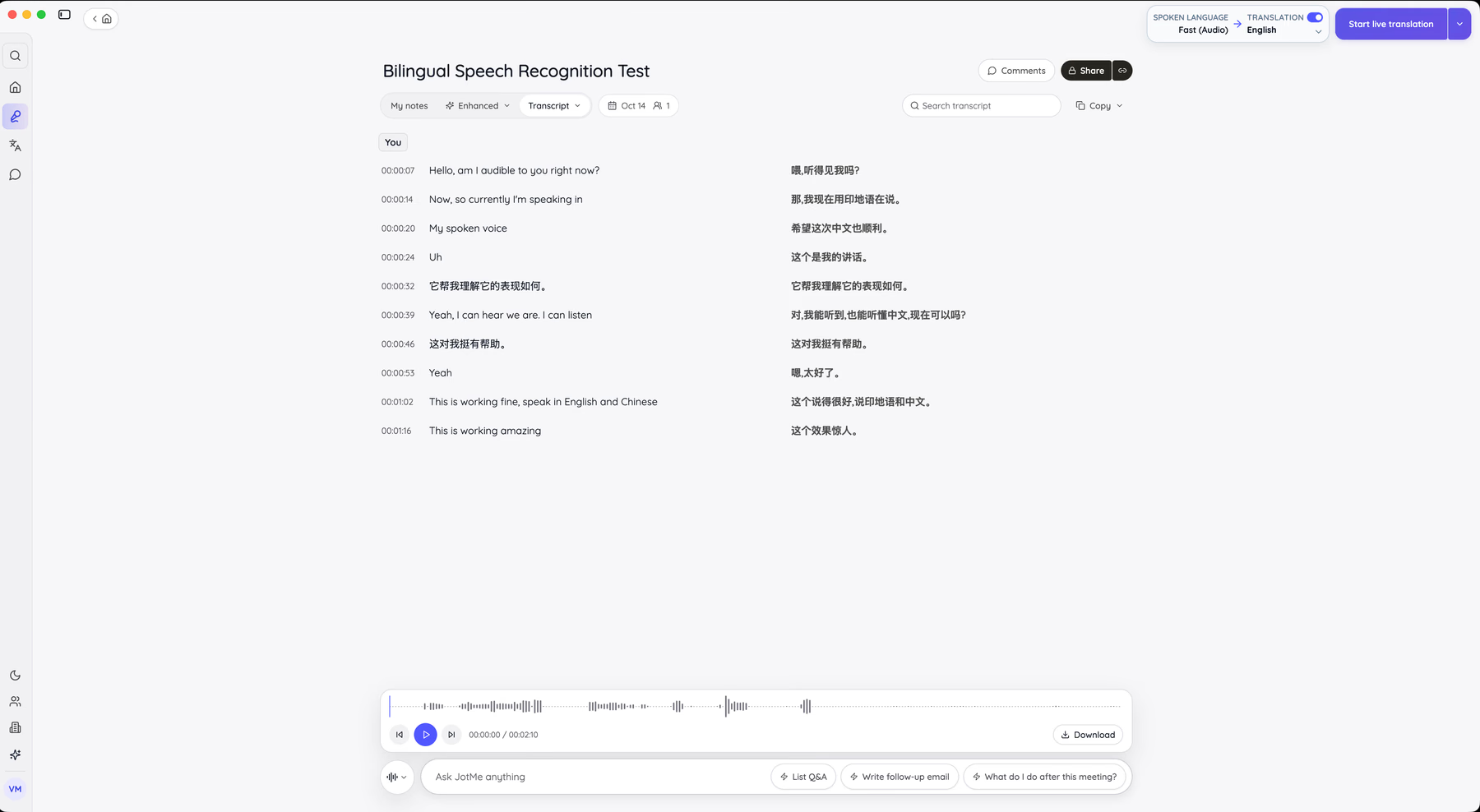
As you can see, JotMe easily generated the multilingual transcript of the recorded session that you can edit, share, and use AI for the next steps.
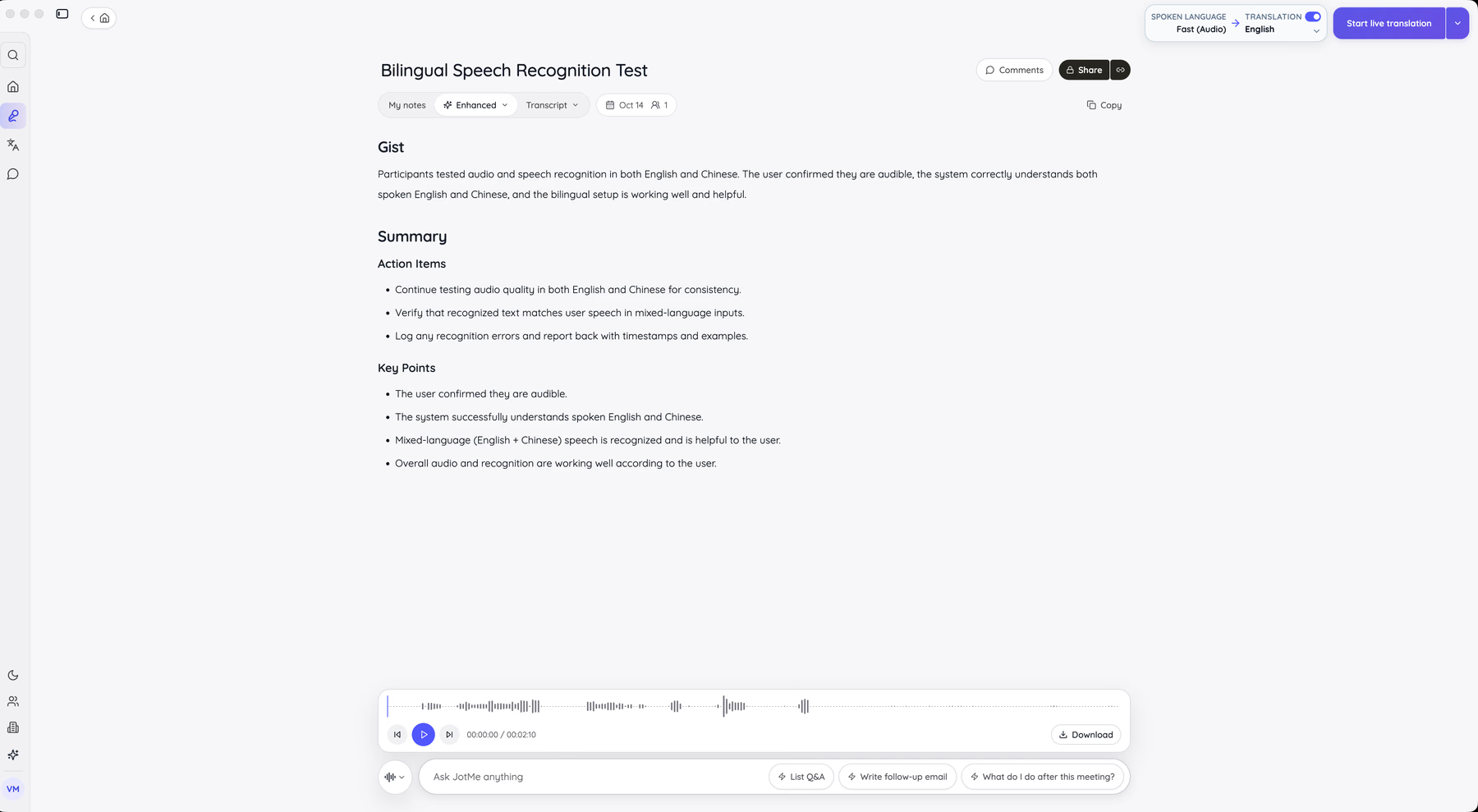
That record keeps the delivery date you agreed on in a searchable transcript, so nobody has to rebuild the call from memory in a follow-up email. JotMe's core job is accurate live translation, and our live translation for meetings captures your computer's audio, so no bot joins the call.
JotMe translates live speech in 200+ languages and plays the translated voice in supported languages, and the speech-to-speech setup guide covers the audio routing for two-way calls on Mac and Windows.
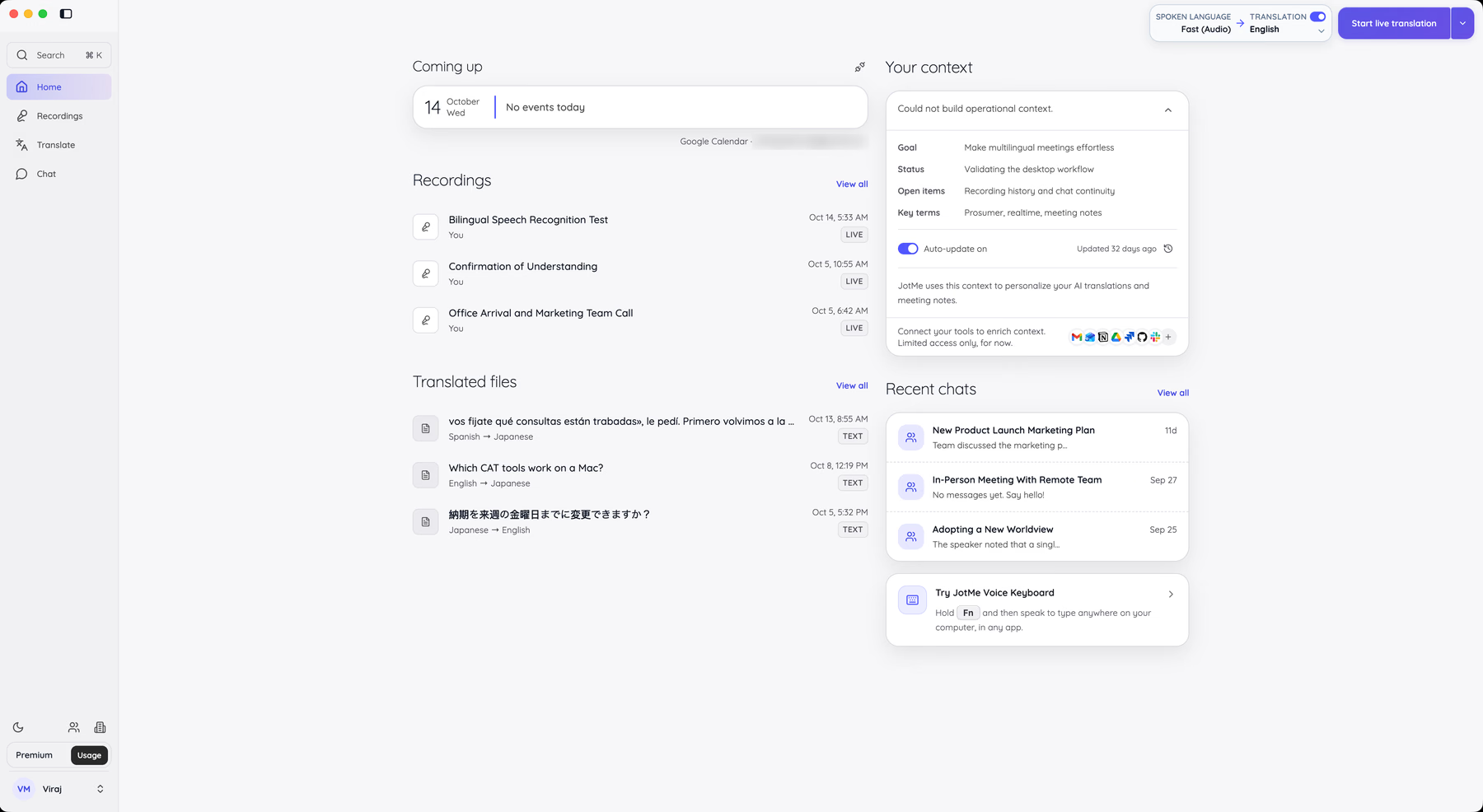
If you want to hear JotMe before you install anything, our free browser voice translator runs voice translation without a sign-up.
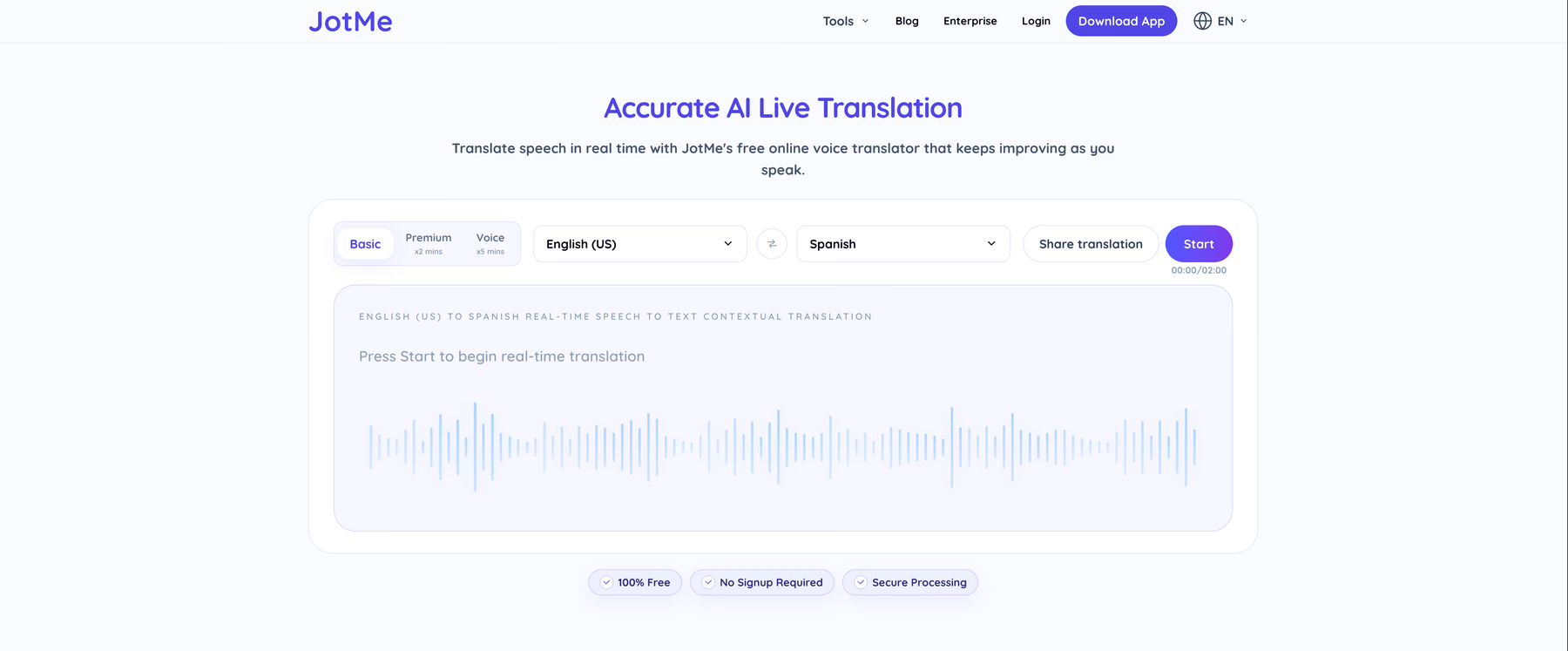
JotMe has a free plan, and paid plans start at $10 per user per month on annual billing. Voice-to-voice translation uses 5x the translation minutes of captions, so pick a plan with room if you talk through translated voice every day.
Buy translation earbuds if you travel often and talk face to face with a single person at a time. If your conversations happen on calls, download JotMe and start your next meeting with the headphones you already own.
FAQs
How Do Translation Devices Work?
Translation devices capture speech with a microphone, convert it to text with speech recognition, translate that text, and read the result aloud with text-to-speech. Translation earbuds split the job between hardware and software: the earbuds handle the microphone and speaker, while a translator app for earbuds on your phone or a cloud server handles recognition and translation. Offline modes depend on language packs stored on the phone or device, which is why offline lists cover far fewer languages than online ones.
What Are the Best Examples of Translation Devices?
Translation devices fall into three groups. Translation earbuds such as the Timekettle W4 Pro and Vasco Translator E1 deliver translation into your ear. Handheld translators such as the Vasco V4 give you a pocket device with its own screen and speaker. Software such as JotMe turns the computer or phone you already own into a translator app for earbuds, which makes it the most flexible example for anyone who already owns headphones.
What Are the Earbuds That Translate in Real Time?
The Timekettle WT2 Edge translates both sides of a conversation at the same time, and Timekettle claims a latency of 0.5 seconds. The Timekettle W4 Pro, Vasco Translator E1, Apple AirPods Pro 3, Google Pixel Buds Pro 2, and Samsung Galaxy Buds3 Pro also translate in real time through each brand's own app. For the best earbud translation on calls with headphones you already own, JotMe handles real-time voice translation on your computer.
How Does an AI Voice Translator Work?
An AI voice translator listens to speech, recognizes the words, translates the meaning in context, and speaks the result in a synthetic voice. Context decides quality, and JotMe's translation keeps improving as the conversation goes on, with the option to speak the translation in your own cloned voice in supported languages. JotMe follows the same process as a translator app for earbuds, though it runs on your computer or phone and plays through the headphones you connect.
How to Translate Your Voice Into Different Languages?
The quickest route is a voice translator that speaks for you. With JotMe, it takes 4 steps:
- Open JotMe's free browser voice translator or the JotMe desktop app.
- Choose your spoken language and the language you want to hear.
- Select voice translation and press Start.
- Speak in short sentences, and JotMe plays your words in the target language.
If you prefer translation earbuds, open the brand's translator app for earbuds and start its conversation mode with your language pair selected.
Last updated on
October 27, 2026
Follow us on social media:
![JotMe — Is Google Translate Accurate? [2026 Test]](/_webflow-assets/0d0512afc7b037d74dff536f22fed08f.avif)