Guides
Translate English to Thai: Top 6 Translation Apps I Reviewed in 2026

Viraj Mahajan
May 27, 2026
.avif)
Earlier this year, I needed to translate English to Thai during a business meeting in Krabi, and what worked for the vendor at the street market fell apart the moment money was on the table. I had gone to Thailand to finish a chapter of my novel and then walked into a meeting with a Thai logistics head who was keen to help me export my spice business into Thailand, Vietnam, Cambodia, and the neighboring corridor. Google Translate handled the casual exchanges around food and directions. The business conversation was a different terrain altogether.
I ran into three specific issues in that room:
- Real-time pace in a back-and-forth business meeting where Google Translate’s type-and-paste flow could not keep up
- Context loss as the conversation moved mid-sentence across logistics, government licenses, and partnerships
- Industry terminology around export compliance, import duties, and cross-border trade that did not translate cleanly
When I came back home, I rebuilt my workflow around six translation apps that actually held up. The list below is the result, ranked by where each one fits in my day-to-day workflow with Thai partners and suppliers.
TL;DR: Top 6 English to Thai Translation Apps in 2026
If you need to translate English to Thai right now, here are the six apps I tested that actually delivered results:
- JotMe: JotMe’s app moved past Google Translate the moment context started to matter. While Google Translate translated English to Thai word-for-word, JotMe preserved context across topic shifts and returned a Thai version that read the way I had spoken.
- Naver Papago: Naver Papago, Naver’s neural translation app built around Korean and East Asian languages, was the only other tool with a real grasp of regional Asian grammar and politeness particles, which mattered once the conversation turned formal.
- QuillBot: QuillBot handled the email side of my workflow. It polished my English drafts and translated them to Thai cleanly, well past what Gmail’s built-in Gemini assist could do.
- iTranslate: iTranslate worked well for short phrases and ground signage in Krabi, with a clean voice mode and offline packs that earned their place during cab rides and market runs.
- ChatGPT: Live conversation was the wrong use case here. For long-form work where I could take five minutes to read the Thai output carefully before sending, ChatGPT gave me a translation I could trust.
- OpenL Translate: OpenL Translate, an AI translation tool with strong document support, handled Thai-specific politeness particles correctly and produced clean DOCX, PDF, and PPTX output for the longer files that came after the meeting.
How Did I Evaluate the Best Translation App for English to Thai?
According to Thailand’s Ministry of Labor, Thai workers are now active in 139 countries globally, with Taiwan, South Korea, Japan, Israel, and Malaysia drawing the largest numbers in that order. That data point reshaped how I tested. English is the international language for most of these professionals, but each of them also handles one of those host-country languages day to day, which means a translation app has to do more than handle tourist phrases.
I went past a basic accuracy check and ran each app against four criteria that matched the way my own work actually unfolded:
- Real-time bidirectional translation in a live business meeting: Could the app handle two-way conversation without breaking the flow or asking me to press a button between every speaker turn?
- Context retention across topic shifts within a single conversation: When the discussion moved from logistics to licenses to partnerships within the same minute, did the translation maintain the thread or reset?
- Accuracy on industry and regional terminology: Did the app handle export compliance, import duties, and the specific Thai business vocabulary that comes with cross-border trade?
- Workflow fits across mobile app, document translation, and follow-up email handling: Could the app work after the meeting, too, for contracts, summaries, and email replies?
Each of the six apps below cleared at least three of these four bars. JotMe is the one that cleared all four, which is why it leads the list.
Which Are the Top 6 English to Thai Translation Apps for Travelers and International Workers?
The shortlist below moves from the app I used during the business conversation itself to the ones that took over my workflow once the meeting ended. JotMe led because it passed every test, and the other five each earned their place at specific moments during the live meeting.
JotMe
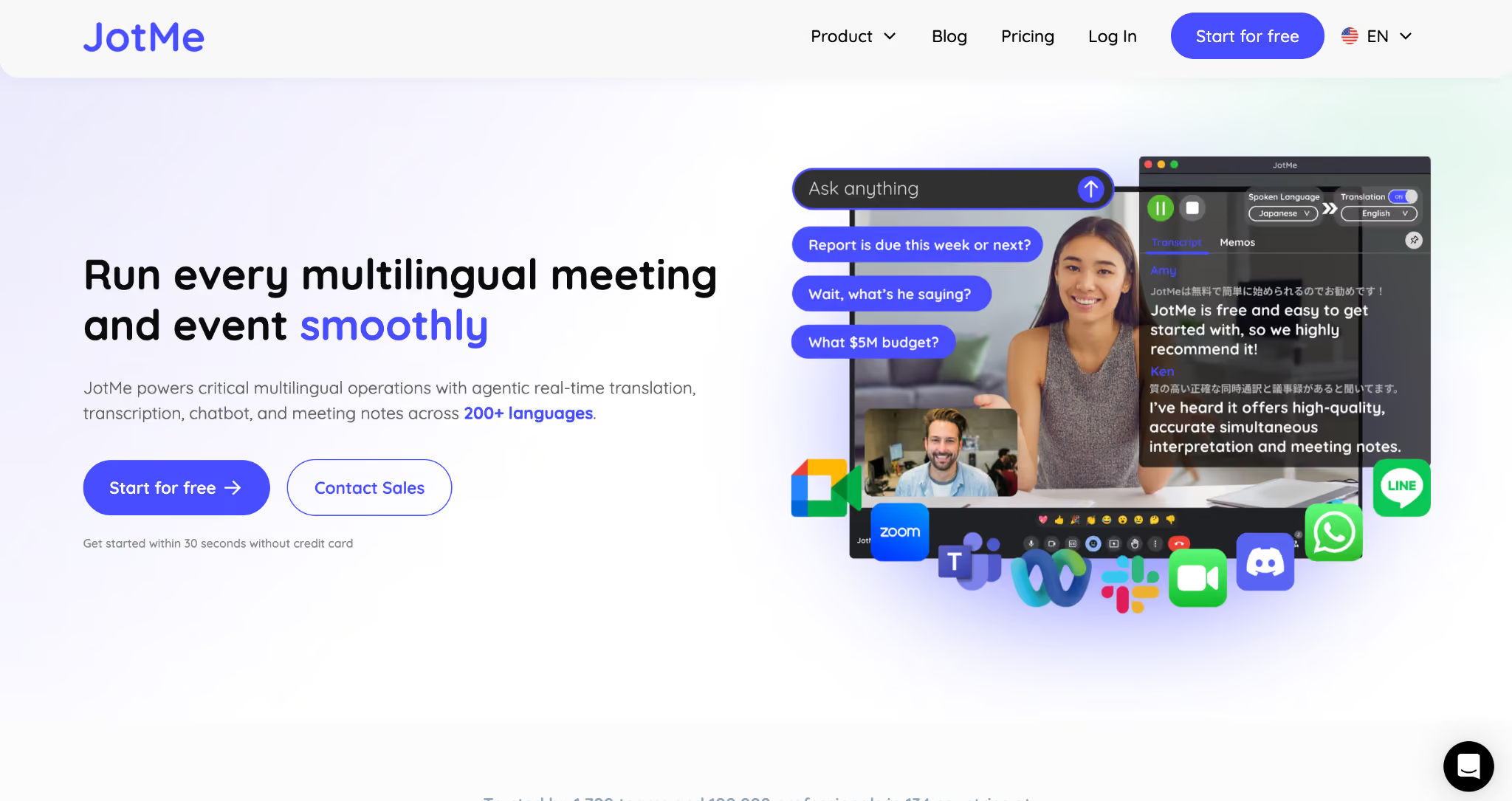
JotMe is the live translation and AI meeting notes app I now keep open during every cross-border conversation. JotMe runs quietly in the background of Zoom, Google Meet, Microsoft Teams, and Webex, and translates English to Thai in real time without joining the call as a separate bot. JotMe supports 200+ languages across 39,000+ language pairs, and 21 languages for AI meeting notes. For an English-speaking manager working with Thai partners or suppliers, JotMe handles the three-minute version of a cross-border conversation that would otherwise sprawl across two hours of follow-up emails.
Key Features
- Real-time English to Thai translation that runs continuously in the background of Zoom, Google Meet, Microsoft Teams, Webex, Slack, and WhatsApp, without requiring a bot to join the meeting
- Continuous context-aware translation, with latency typically around 0.3 to 1.5 seconds, so meaning carries across topic shifts inside a single conversation.
- AI-generated meeting notes in 21 languages, with English transcripts of Thai-spoken segments delivered post-meeting, alongside translated captions.
- Free plan available with 20 live translation minutes, 50 live transcription minutes, and 5 AI credits, with no credit card required at signup
- GDPR-compliant infrastructure with SOC 2 Type II in progress, which matters for enterprise teams handling commercial conversations
Why JotMe Is the Best English to Thai Translation App in 2026
I tested JotMe on the exact business case that had failed me in Krabi. I opened JotMe’s free English-to-Thai live translation page, which promised that the translation context would keep improving the longer I spoke. The page lived up to that promise.
Here is the speech I gave in English, exactly as I would have given it to a Thai logistics partner across the table:
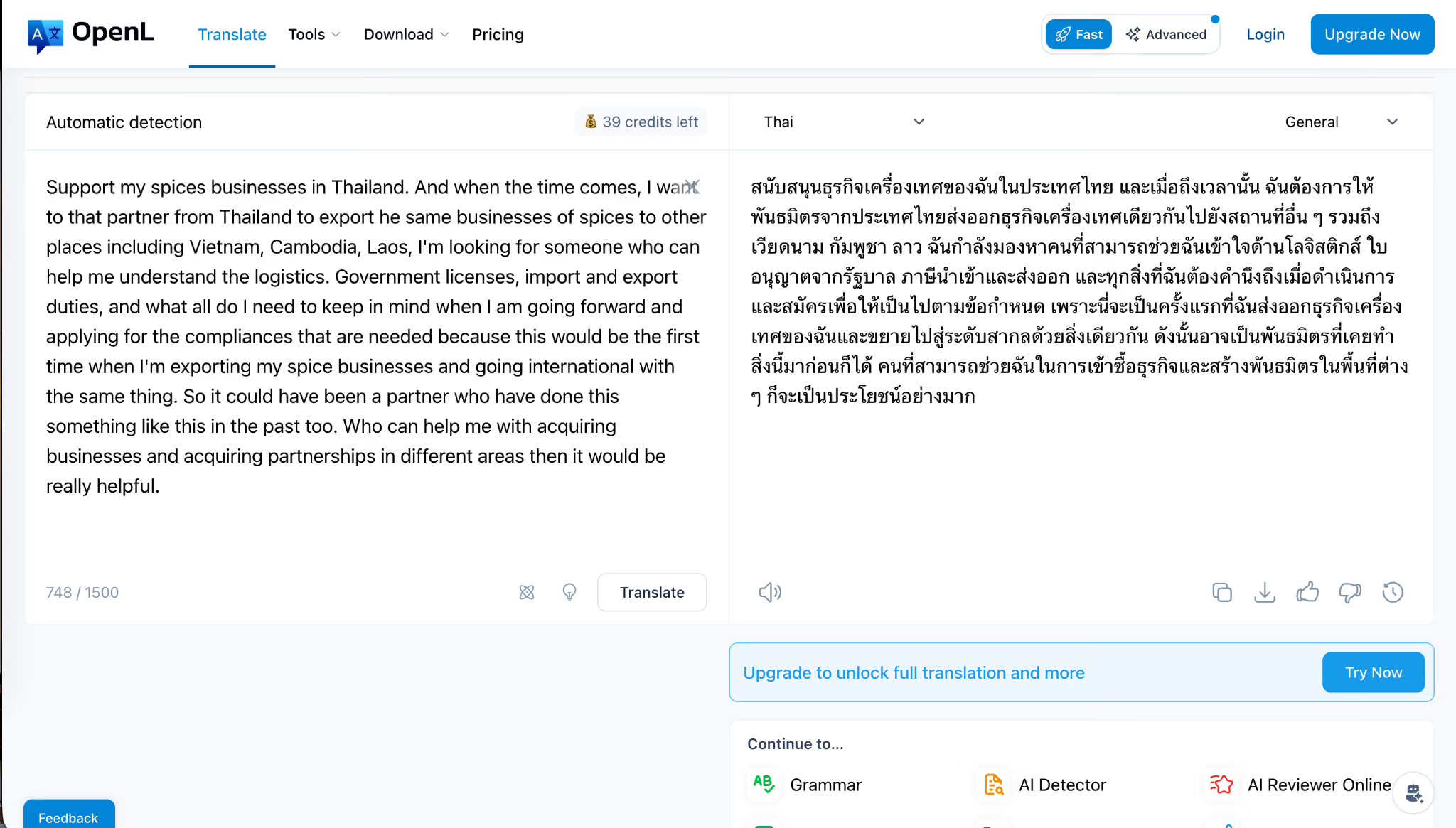
Support my spice business in Thailand. And when the time comes, I want that partner from Thailand to export the same spices business to other countries, including Vietnam, Cambodia, and Laos. I’m looking for someone who can help me understand the logistics. Government licenses, import and export duties, and what all do I need to keep in mind when I am going forward and applying for the compliances that are needed, because this would be the first time when I’m exporting my spice business and going international with the same thing? So it could have been a partner who has done something like this before, too. Who can help me acquire businesses and acquire partnerships in different areas? Then it would be really helpful.
Notice how the content shifts mid-conversation.
- I started on a partnership pitch.
- Jumped into export logistics
- Dropped into compliance
- Then I circled back to the partnership.
The whole monologue lasted around forty seconds, and most translation apps would have either stalled or returned a Thai version that read like three different speakers stitched together.
JotMe handled it like this:
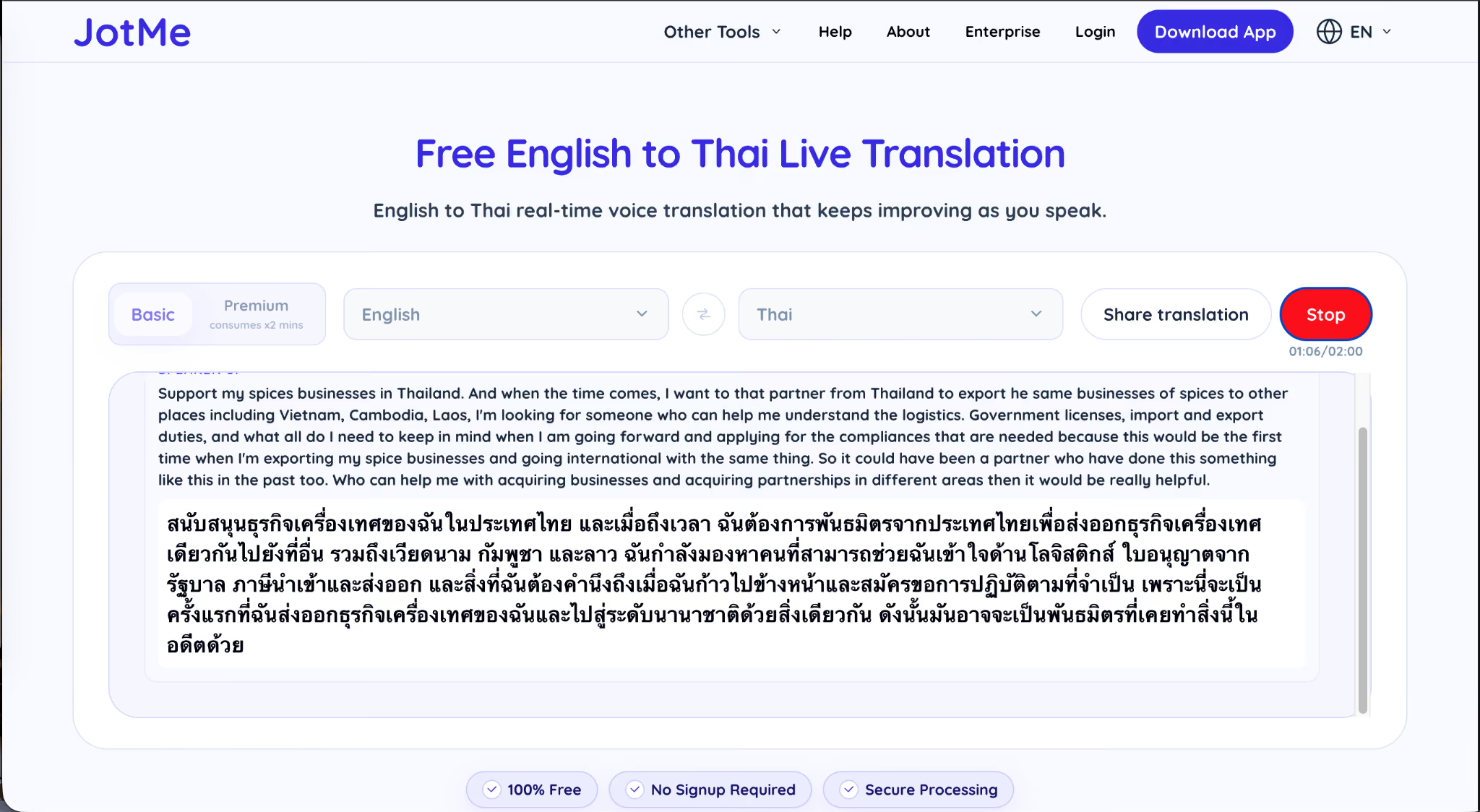
The translation held the thread across all three topic shifts.
A Thai friend I asked to read it back confirmed that the commercial intent to export spices was intact, the request for a partner with prior export experience came through clearly, and the politeness register remained business-appropriate throughout.
That is the layer Google Translate never reached for me, and it is the reason JotMe became the default in my workflow for any English to Thai conversation that matters.
Naver Papago
Naver Papago is a neural machine translation app from the South Korean internet company Naver, originally built for Korean and East Asian languages. Papago supports 14 languages, including Thai, Vietnamese, Indonesian, and the major European and East Asian options. It is one of the top translation tools I trust most for short, in-person exchanges where I need the politeness register to land correctly, especially when the other speaker is Thai, Korean, or Japanese.
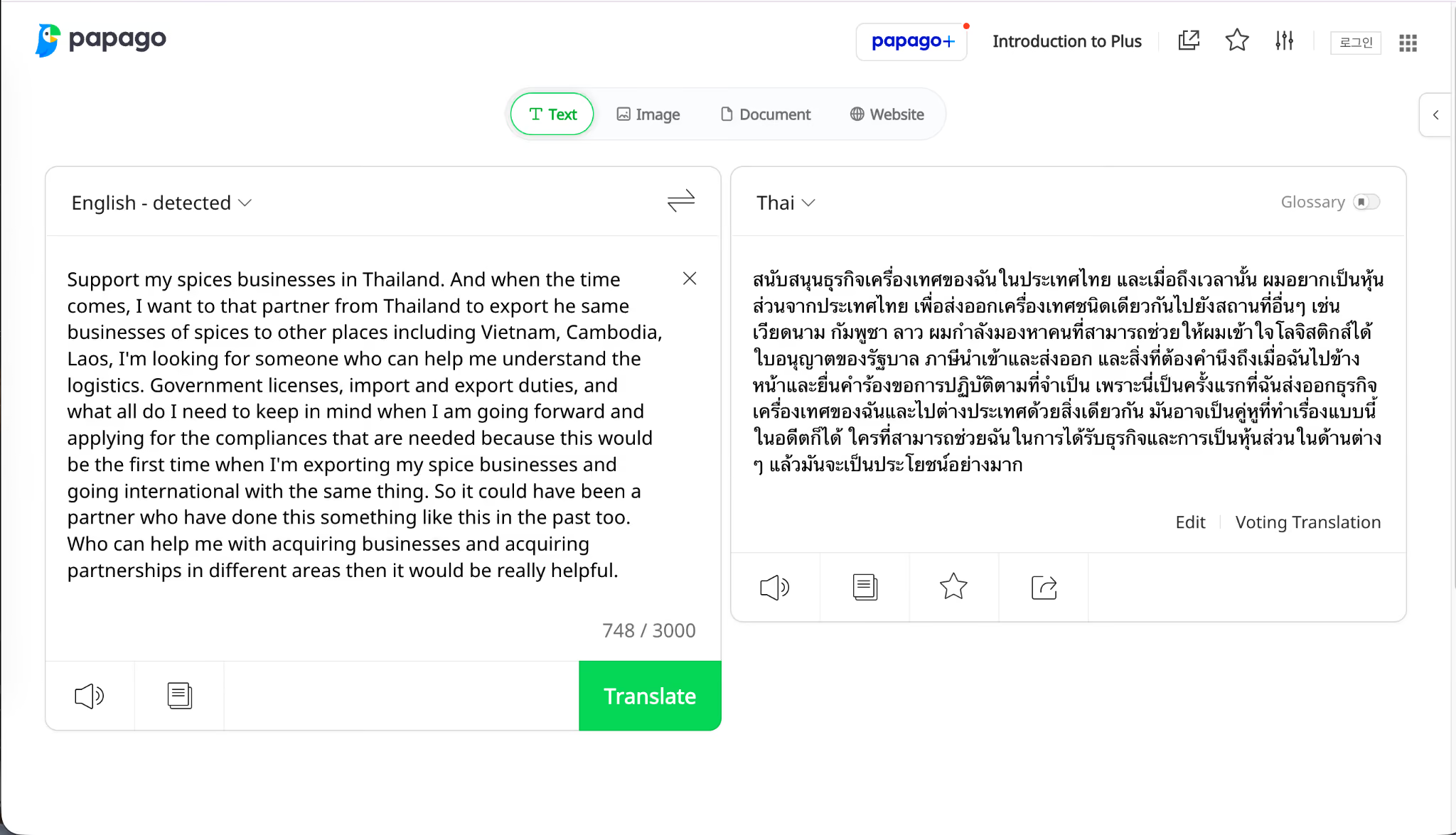
Key Features
- Voice translation with real-time text and audio output for conversations between English and Thai, with speech recognition active on Thai
- Image translation that recognizes printed text in photos, useful for menus, contracts, and signage
- Offline translation through downloadable language packs, which kept Papago working in the Krabi areas with a weak data signal
- Conversation Mode for simultaneous two-way dialogue, where each speaker uses their own language and the app translates in both directions.
- Handwriting translation and a built-in dictionary that surfaces alternate meanings beyond the first-pass result
QuillBot
QuillBot is an AI writing and translation app from Course Hero, best known for its paraphrasing and grammar-checking features. The translation feature supports 52+ languages, including Thai, and provides text, document, and email translation in a single interface. QuillBot became my default for cleaning up business emails I needed to send in Thai after the meeting, where the original English draft was already careful and the Thai output needed to match that care.
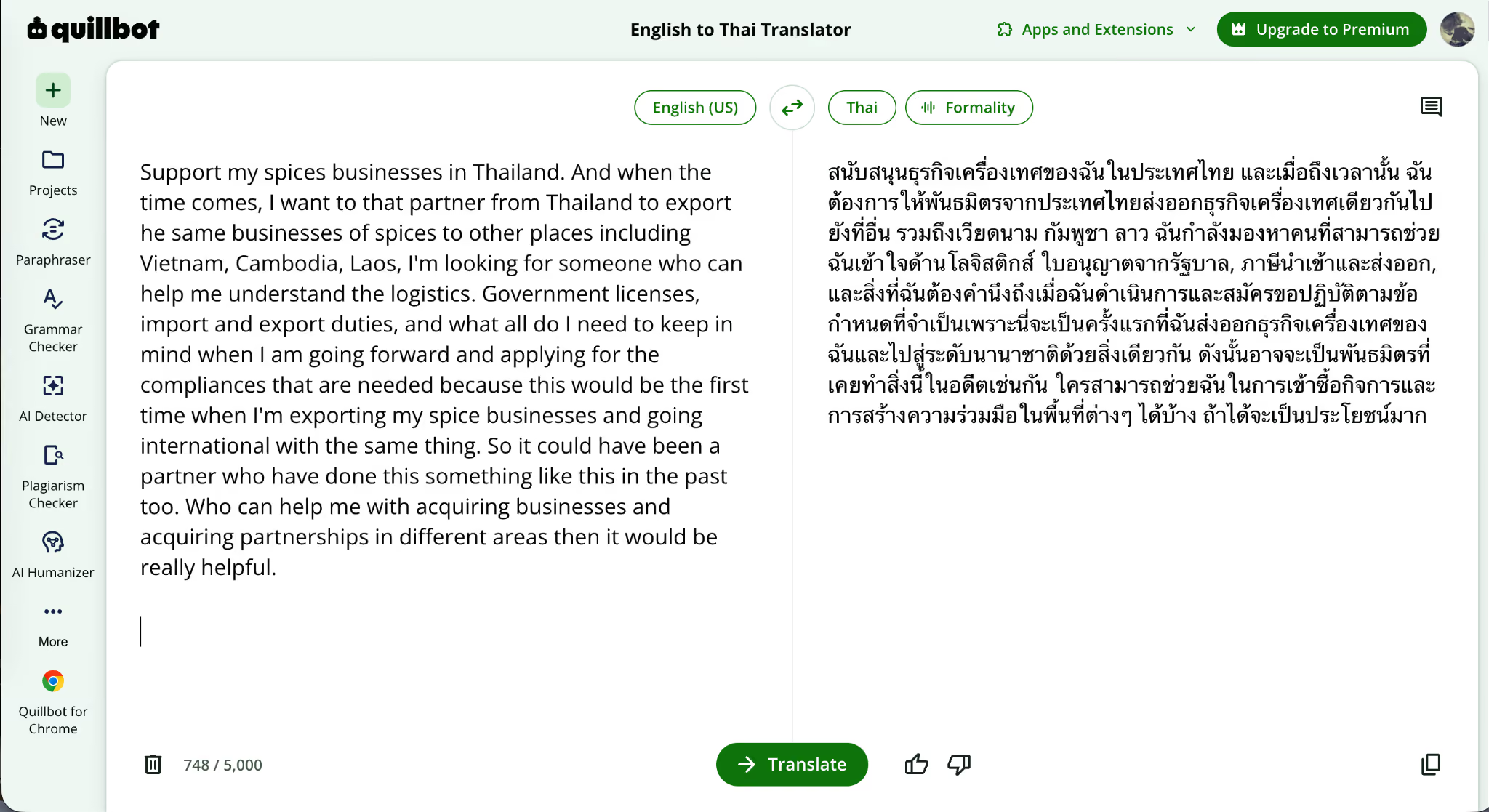
Key Features
- Text, document, and email translation across 52+ languages, including Thai, with no daily usage limits on the free tier
- Context-aware translation that takes sentence and paragraph structure into account, going past word-by-word output
- Integrated Paraphraser and Humanize AI to refine the translated text further once the first pass is done.
- Tone and style preservation, which keeps a professional English draft reading professional once translated into Thai
- Privacy posture: QuillBot states it does not store or sell user data, which matters for confidential business correspondence
iTranslate
iTranslate is a voice, text, and camera translation app available on iOS and Android, with support for over 100 languages, including Thai. It is the app I lean on for everyday travel translation: market signs, taxi conversations, restaurant menus, and the kind of short two-way exchanges where a phone-based translator is the simplest tool to keep handy. But if you are looking for more languages, including English to Arabic translation and Traditional Chinese, then you can even check out JotMe’s Android/iOS mobile applications.
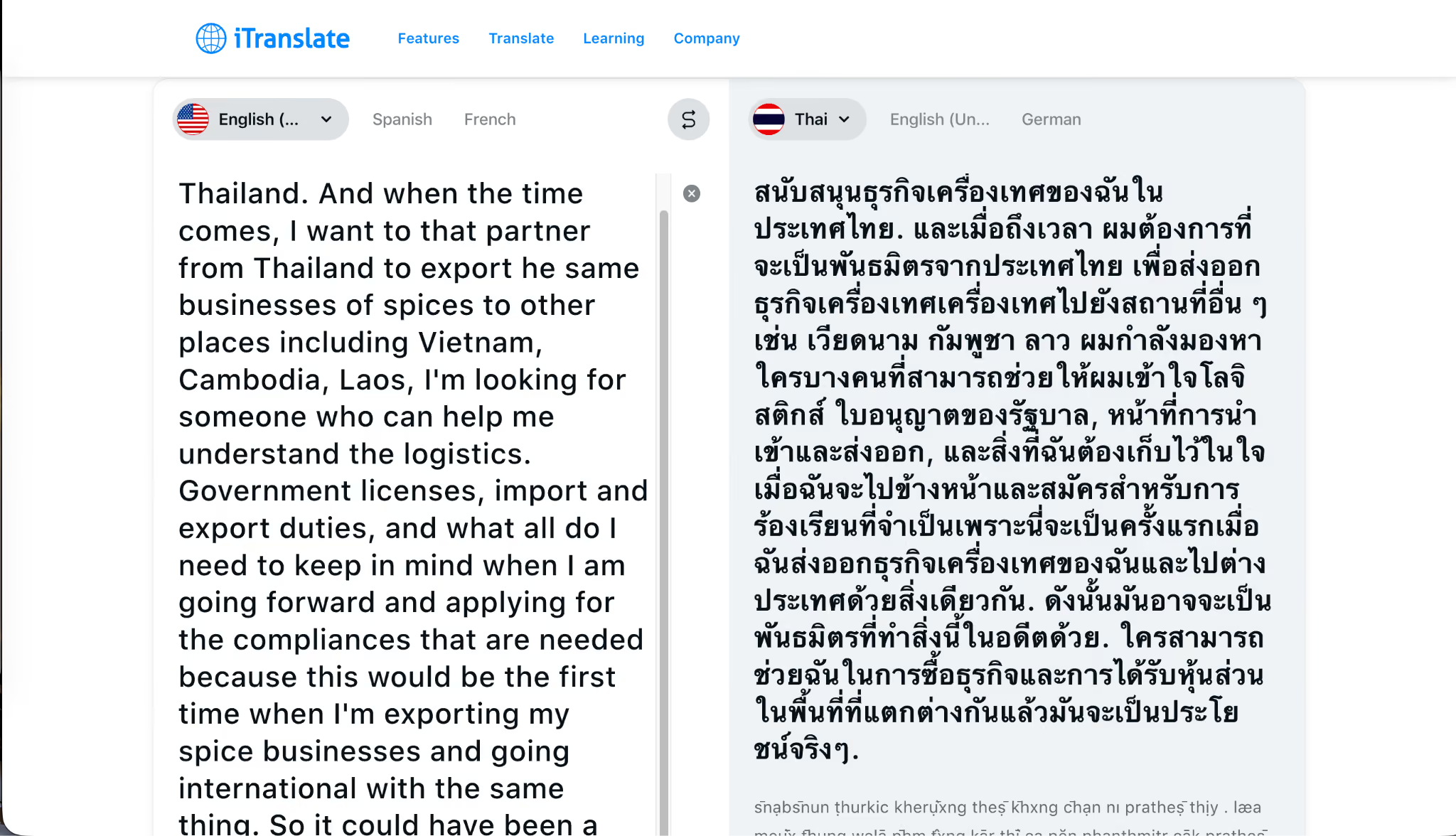
Key Features
- Voice to text translation across 100+ languages, including Thai, with real-time speech recognition and audio playback for pronunciation practice
- Camera translation for printed text in menus, signs, and cards, available on the premium tier
- Conversation Mode for two-person dialogue, with each speaker holding their phone in their own language
- Offline mode through downloadable language packs, available in a subset of languages on the premium tier
- Regional dialect options and alternative translations are useful when the literal first-pass output does not match the local register.
ChatGPT
ChatGPT is OpenAI’s GPT-5.5 chatbot, released in April 2026, with translation handling across 58+ officially supported languages, including Thai. Live conversation was the wrong use case for ChatGPT in my tests. For long-form work where I could take five minutes to read the Thai output carefully before sending, it became the most useful app in my post-meeting workflow.
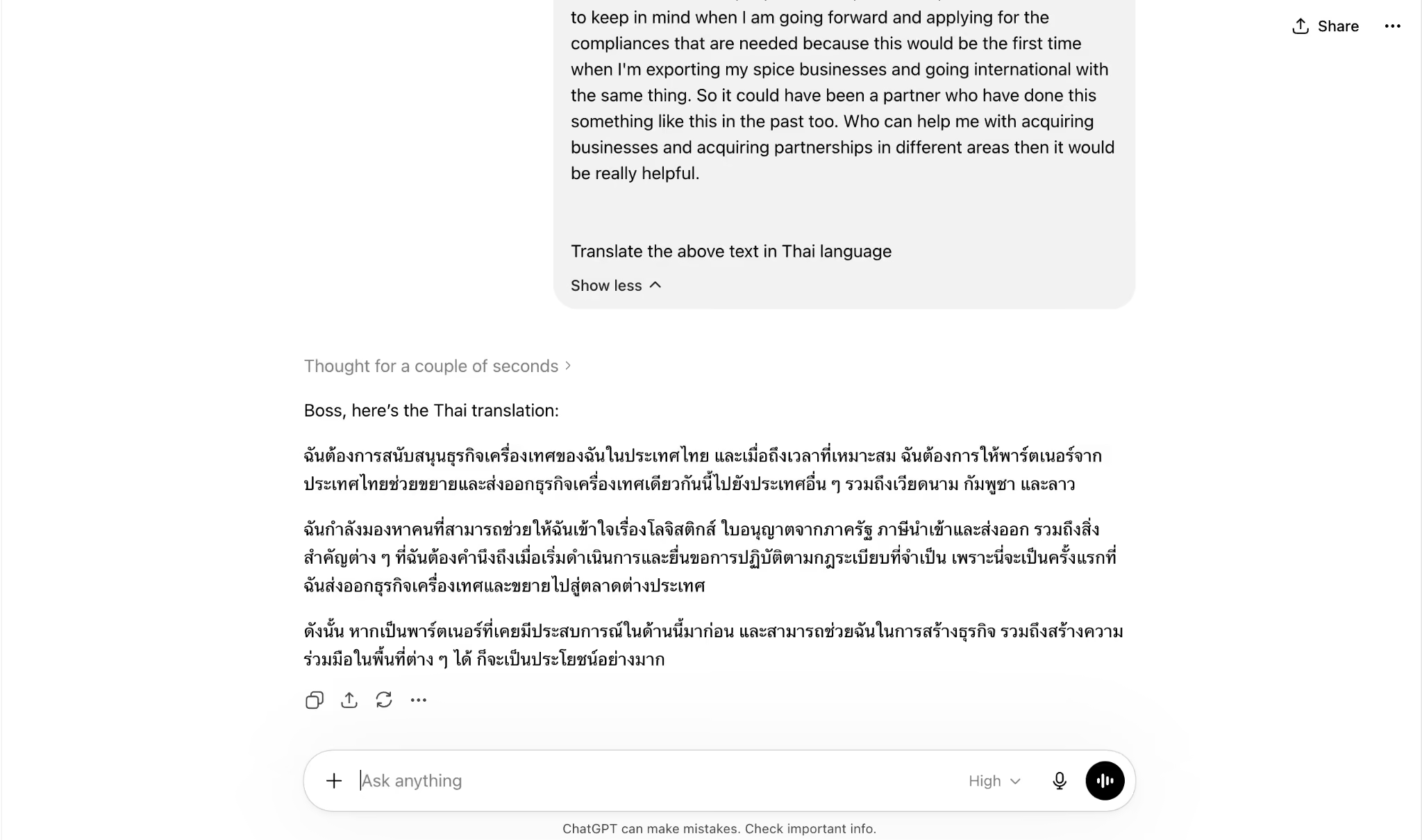
Key Features
- ChatGPT transcribes audio across 58+ officially supported languages, including Thai, with text, voice, and image input.
- Document-level translation for long contracts, summaries, and email drafts, where the model holds the entire document in context before generating the Thai output
- Tone control through prompt instructions is useful when you need the same Thai output in a casual register for a partner versus a formal register for a government office.
- Multi-language translation in a single prompt, where the source document mixes English, Thai, and other languages
- Limitations to know: technical terminology can drift between sentences in the same document, and regional dialect variations need explicit prompting
OpenL Translate
OpenL Translate is an AI text translation app for text, images, documents, and speech, with support for over 100 languages, including Thai. It earned the last place on my list because the document translation handling is genuinely strong, especially for PDFs and DOCX files that retain their formatting after translation. The text-to-text speed runs slower than the others on this list, which is the trade-off for the richer document workflow.
Key Features
- Text, image, audio, and document translation across 100+ languages, including Thai, with politeness particles (Khrap, Ka) and tonal context handled correctly for Thai output
- Document translation for PDF, DOCX, PPTX, XLSX, CSV, EPUB, and SRT files with original formatting preserved
- 1,500-character free tier translation limit, with paid plans supporting up to 100,000 characters per translation
- 30 free trial credits per day for new users, accessible without signing in
- Education discount of 30% for students and teachers with a verified .edu email
Why I Skipped DeepL for English to Thai Translation?
DeepL, the Cologne-based AI translation app known for its enterprise-grade accuracy in European languages, announced Thai support in June 2025, bringing its total supported languages to 36. The launch was initially API-only, with early access for the Thai language pair. In April 2026, DeepL extended Thai support to its Voice-to-Voice product for real-time spoken translation across all 24 official EU languages, plus Vietnamese, Thai, Arabic, Norwegian, Hebrew, Bengali, and Tagalog, bringing DeepL Voice to 40 languages.
The promise was there on paper. The reality on my test runs was different.
Problems I ran into:
- The web translator could reportedly not auto-detect Thai when I pasted Thai text into the input box. It kept defaulting to German on the source side, even after I corrected it multiple times.
- Thai is still limited to DeepL Pro and next-generation API models with restrictions on file translation and glossaries, which means the document workflow I had built around DeepL on European languages did not transfer to Thai.
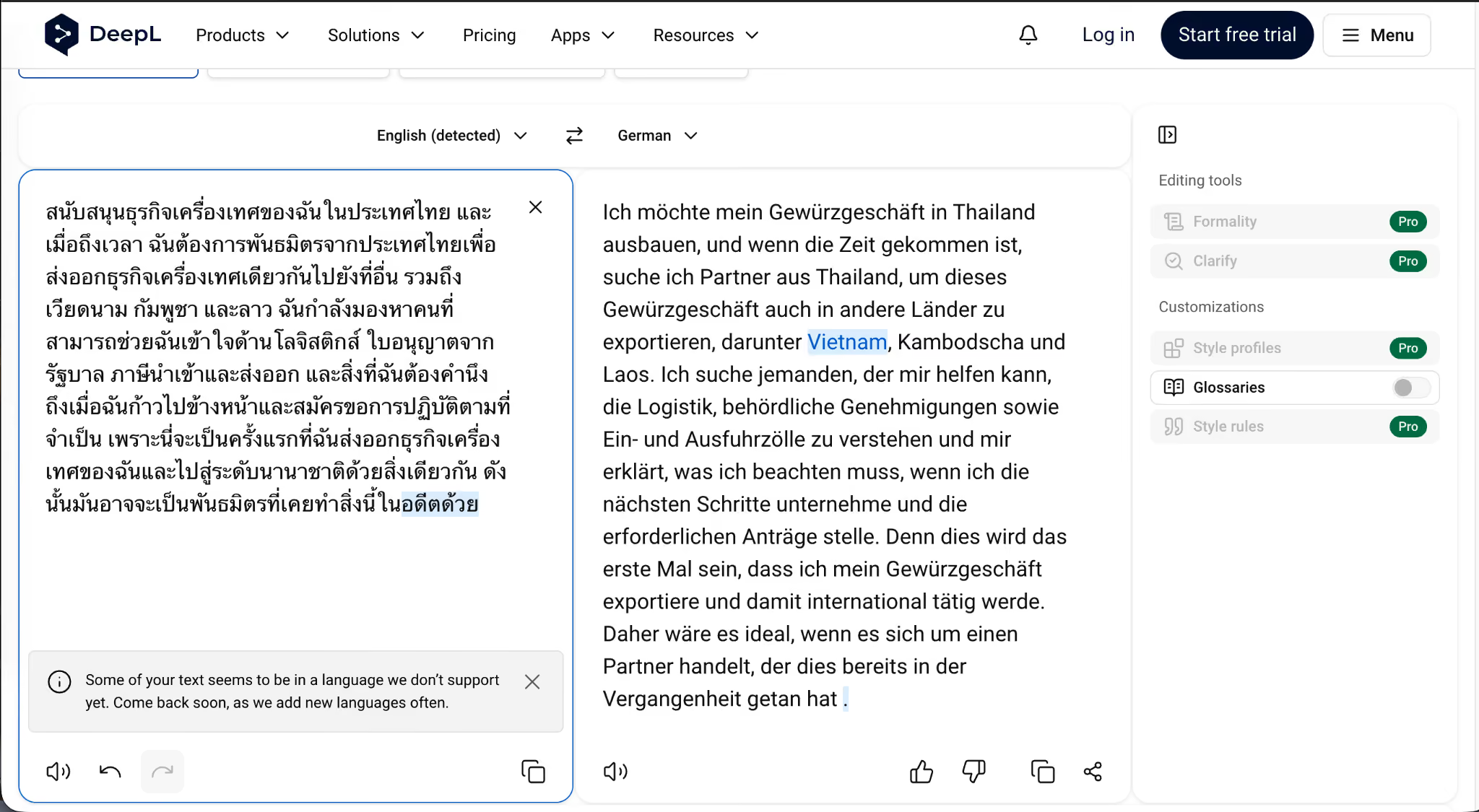
DeepL may be the right call for a French to German contract or a Spanish to English report. For English to Thai in 2026, the experience reportedly did not match the marketing.
How Do the Top 6 English to Thai Translation Apps Compare?
The table below maps the six apps across five attributes I tested: live conversation handling, the no-bot architecture that matters during sensitive meetings, language coverage, document translation, and the use case each one fits best.
Which English to Thai Translation App Should You Use in 2026?
For a live business conversation between an English-speaking manager and a Thai partner, supplier, or client, where the meeting runs for 40 minutes, and topics shift within the same conversation, JotMe is the only app on this list that meets all 4 of my test criteria. The real-time English to Thai meeting translation runs continuously, context carries across topic shifts, industry-specific vocabulary holds up, and post-meeting AI notes keep the conversation from disappearing after the call ends.
For email and document workflows that follow the meeting, QuillBot and OpenL Translate take over. QuillBot owns the email layer where tone and style preservation matter most. OpenL Translate is the one I pick for long PDF and DOCX files, where formatting has to stay intact alongside the translation.
For on-the-ground travel translation across signage, menus, and short two-way exchanges, iTranslate and Naver Papago split the work. Papago has the edge on East Asian politeness and dialect handling. iTranslate covers a broader language list and includes offline packs for low-signal areas of Thailand.
For long-form contract translation that needs human-level review before sending, ChatGPT remains the most useful tool. The output quality justifies the slower pace, and the ability to hold an entire document in context is something none of the live translation apps can match yet.
The pattern is straightforward.
JotMe is the workflow anchor for English-speaking managers, MDs, and operations leads working with non-English-speaking partners in Thailand and across Southeast Asia. The other five apps map to specific moments before, around, or after the live conversation. Together, they replace the $350-per-hour translation agency that used to be the only middleman option for serious cross-border business.
FAQs
What is the best free app to translate English to Thai in 2026?
JotMe is the best free app for live English to Thai translation in 2026, especially for business meetings on Zoom, Google Meet, Microsoft Teams, or Webex. The free plan offers 20 live translation minutes, 50 live transcription minutes, and 5 AI credits without a credit card. For text-only translation, QuillBot and OpenL Translate both offer generous free tiers with no daily limits on text input.
Can JotMe translate English to Thai in real time during Zoom meetings?
Yes. JotMe translates English to Thai in real time during Zoom, Google Meet, Microsoft Teams, and Webex meetings, with a latency of around 1.5 seconds. JotMe runs quietly in the background and does not need to join the call as a separate bot, keeping the meeting private and avoiding notifying other participants that a translation tool is active.
Does Google Translate work for English to Thai business conversations?
Google Translate works for short, casual exchanges between English and Thai, like vendor banter or basic directions. For longer business conversations that move across topics like logistics, compliance, partnerships, and licensing within the same minute, Google Translate often loses the thread because it processes each phrase independently rather than carrying context across the conversation. JotMe and ChatGPT both handle the contextual layer better.
Which English to Thai translator handles politeness particles correctly?
OpenL Translate handles Thai politeness particles, such as Khrap (used by male speakers) and Ka (used by female speakers), correctly, applying the appropriate ending based on detected context. Naver Papago also handles East Asian politeness registers well, though its Thai support is shallower than its Korean and Japanese accuracy. JotMe carries a politeness register naturally during live conversation when the speaker uses formal English.
Can ChatGPT translate English to Thai documents?
Yes. ChatGPT translates English to Thai and Thai to English across the entire document when you upload a file or paste text into the prompt. It handles long contracts, meeting summaries, and multi-language source documents in a single prompt. The trade-off is speed: live translation is the wrong use case here, but for long-form work where you can read the output carefully before sending, ChatGPT’s output quality justifies the slower pace.
Does Naver Papago support the Thai language?
Yes. Naver Papago supports Thai across text translation, voice translation, image translation, conversation mode, and offline language packs. Thai is one of 14 languages on Papago, alongside Korean, Japanese, Chinese (Simplified and Traditional), Spanish, French, Vietnamese, Indonesian, Russian, German, Italian, English, and Arabic. Papago’s strength in Thai shows up in everyday spoken exchanges, especially when the politeness register matters.
What is the best app to translate English to Thai with pronunciation?
iTranslate offers the strongest English to Thai translation with pronunciation, with audio playback for both source and target text, and a clean voice mode. Naver Papago also provides Thai pronunciation through its voice translation feature, with speech recognition active on Thai. OpenL Translate includes pronunciation guides for Thai text on its desktop and mobile interfaces.
How do I translate an English email to Thai professionally?
For professional English to Thai email translation, QuillBot handles the workflow end to end. Paste the English draft into QuillBot, translate to Thai, then run the result through the integrated Paraphraser and Humanize AI to refine phrasing. The tone and style of the original English carry into the Thai output, which keeps the email reading professional rather than mechanical. ChatGPT is the backup for emails that need a longer context window.
Which English to Thai translator works offline?
Naver Papago offers the strongest offline support for English to Thai translation through downloadable language packs. iTranslate also offers offline mode through its premium tier, with Thai included in the offline language list. Most other apps on this list require an active internet connection, though they recover well from poor connectivity. For travel scenarios in Thailand where the data signal drops, Papago is the safer default.
Last updated on
August 4, 2026
Follow us on social media: