Tips
How to Do English to Thai Translation During Live Meetings

Viraj Mahajan
January 5, 2026

Quick Answer: To perform real-time English to Thai translation, you can use a reliable platform like JotMe. Install JotMe, open your meeting, launch JotMe, select your languages, and click Play to receive accurate real-time translations.
Do your Thai-speaking colleagues pause to decode the meaning of the conversation that happens in English rather than follow it? Or do they make mistakes because they misunderstood the instructions provided during the meeting? In either scenario, you need a reliable live interpreter like JotMe for real-time English to Thai translation during meetings.
Unlike traditional apps that swap word-for-word, JotMe analyzes conversations, understands context, meaning, and tone to provide precise translations. Moreover, JotMe acts as your personal AI assistant that answers your queries, provides real-time summaries, and pronunciation guidance in one simple tool. This way, your Thai-speaking colleagues can participate in meetings without any pauses or workflow interruptions.
Here’s how to use JotMe to perform English to Thai language translation in real time:
Step 1: Install JotMe on your device and join your meetings.
Step 2: Set the spoken and translation languages.
Step 3: Press Play and start the meeting.
Step 4: Obtain real-time summaries with JotMe.
Where Can I Find a Reliable English to Thai Translator App?
With the market full of options, we understand how overwhelming it can be to find the best English to Thai translation app. For instance, one tool may provide an AI Meeting Summary, while another lets you share translations with participants. Therefore, it’s crucial to keep an eye on certain features during the process:
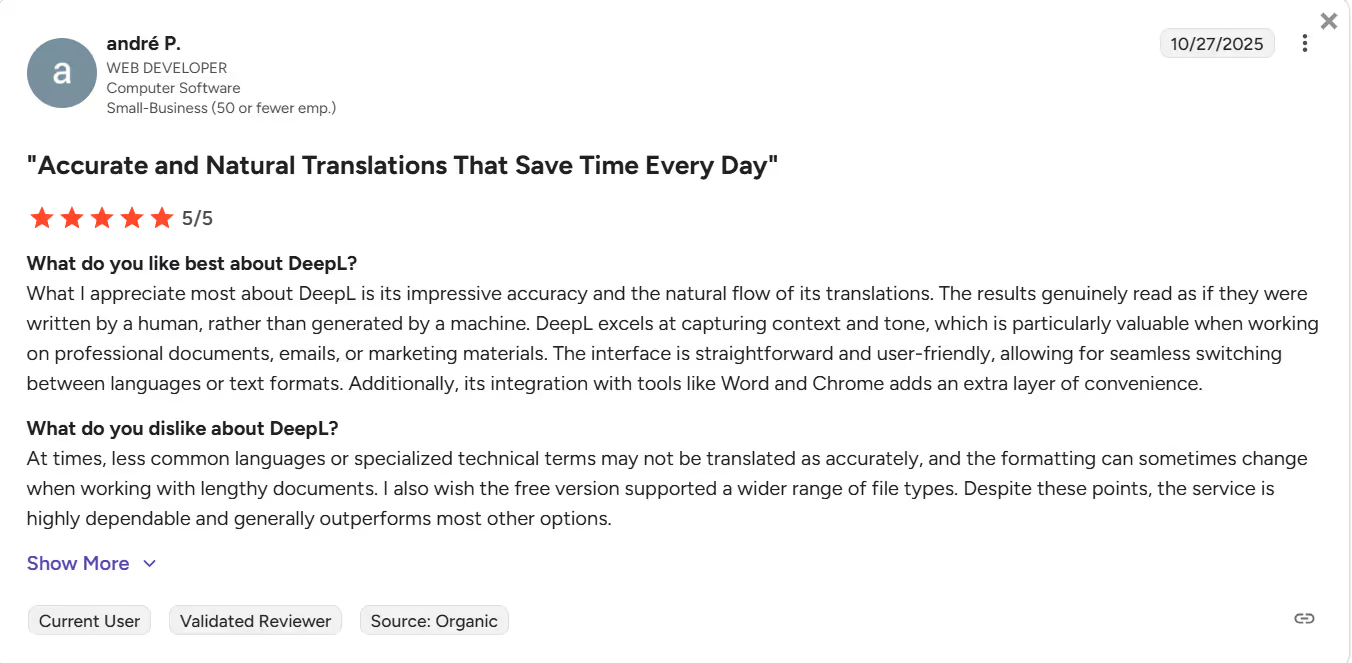
Accuracy: This was our top criterion when we began seeking a reliable English to Thai live translation app. A tool like DeepL is generally accurate, and the results read as if a human wrote them. However, according to a G2 user, it struggles with less common languages or specialized technical terms. You need to create a custom glossary to improve the accuracy.
Meanwhile, JotMe understands the tone, meaning, and flow to provide contextually accurate translations. It even captures idiomatic expressions and cultural nuances to ensure natural output. That’s something missing from most AI translation tools.
Platform Compatibility: Most live translators support major video conferencing platforms, including Zoom, Google Meet, and Microsoft Teams. However, there’s a catch. Some platforms, such as Talo, use a bot that provides translation as soon as someone speaks. However, this may feel intrusive and somewhat interrupting during client meetings.
JotMe, on the other hand, opens quietly in the background and provides real-time translation. You also don’t need to integrate JotMe with any video conferencing platforms or work through a complex setup.
Free Plan: We also checked whether the English to Thai translation apps offer a free plan. Although platforms like DeepL, Papago, and Talo have a free plan, you must register with a credit card. Most individuals and students may not have access to it, and many professionals may be reluctant to use theirs. JotMe, however, offers a free plan with 20 live translation minutes, 50 live transcription minutes, and 5 AI credits, so you can test the features before switching to the paid plan.
Other Features: Although real-time, accurate translation was our primary priority, we also assessed whether the tools offer additional features such as AI meeting notes, real-time pronunciation, and similar. JotMe offers all of these and more, making it a top real-time translation tool.
Here’s a comparison table of JotMe with other popular available tools:
How to Translate English to Thai for Free Online?
To live translate English to Thai online, install JotMe, launch the app, sign up, set the languages, press play, and start the meeting. Here are the detailed steps to follow:
Step 1: How to Install JotMe?
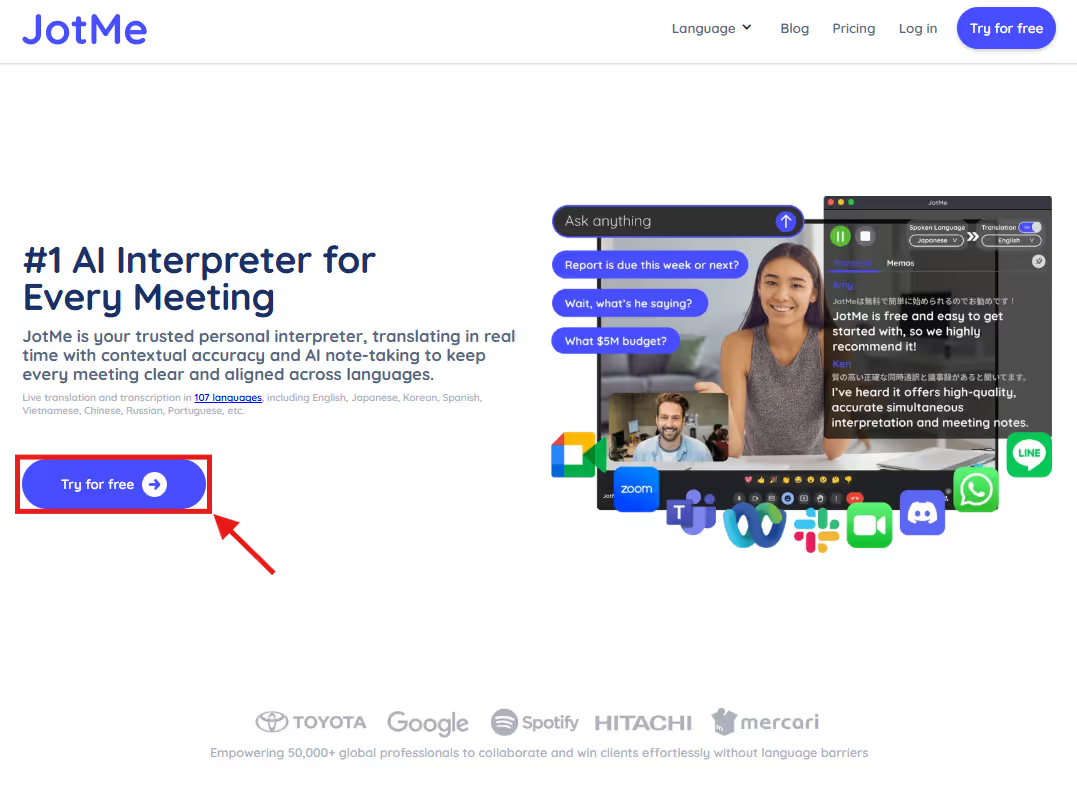
Head over to JotMe’s official website and click “Try for Free” to download the app on your device. Follow the prompts to install JotMe, open the video conferencing tool (such as Zoom, Google Meet, or Microsoft Teams), and create or join the meeting.
Step 2: How to Set Languages on JotMe?
Launch JotMe, and it will appear on the right side of the screen. Then, toggle the “Translation” option if it's turned off, and set “Spoken Language” to English and “Translation Language” to Thai.
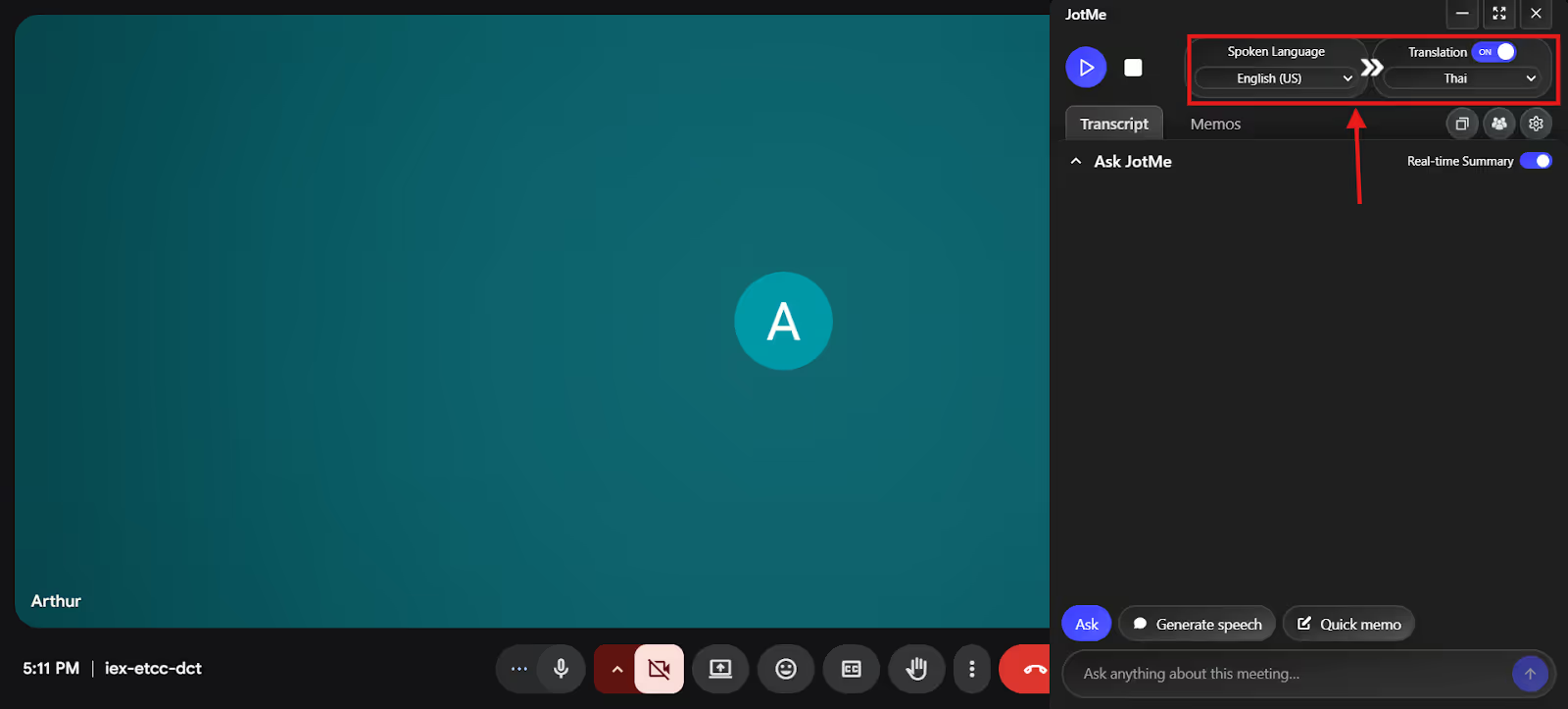
If there are participants who don’t speak English, you can select the “Multilingual” option from the “Spoken Languages” dropdown menu. It translates up to 10 languages into Thai simultaneously.
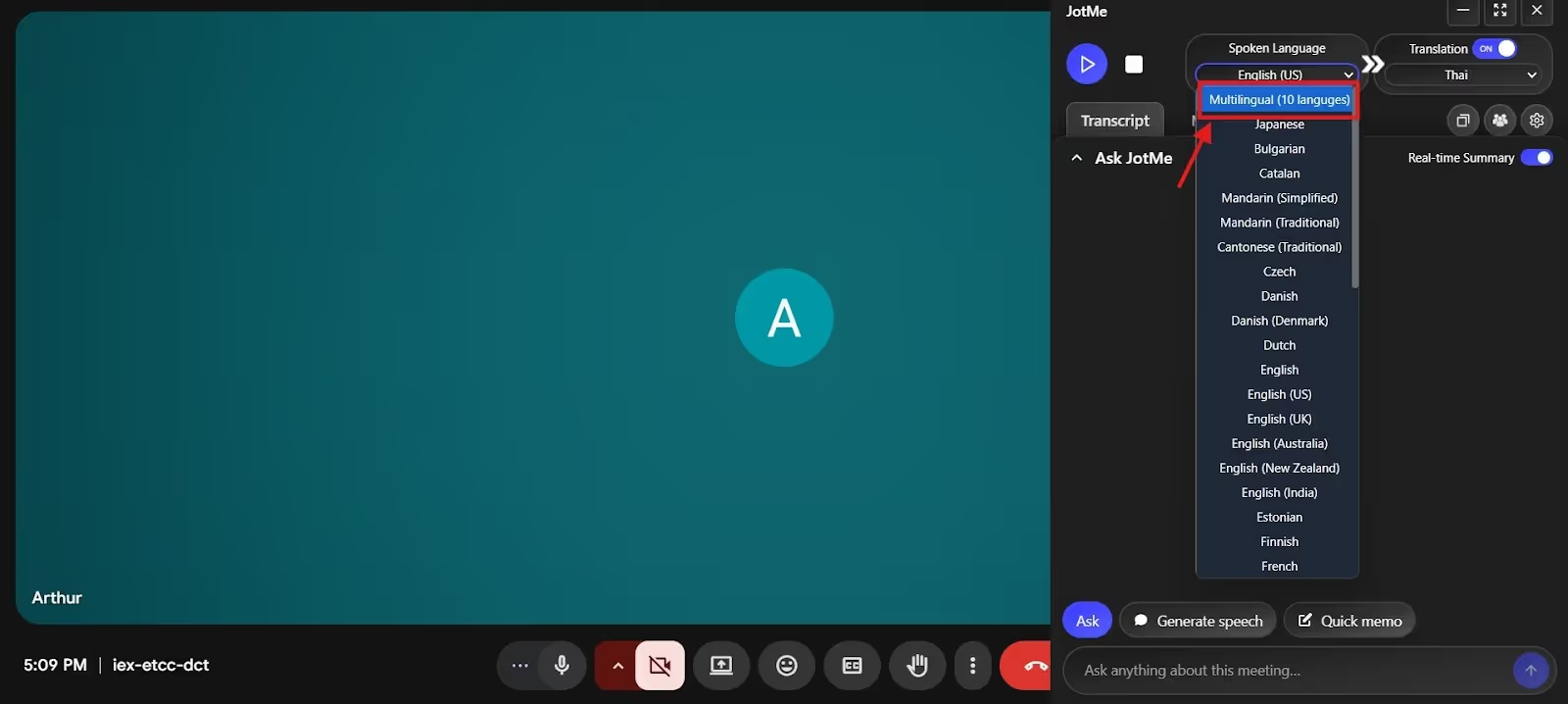
Step 3: How to Start a Real-Time Translation on JotMe?
After setting the languages, press “Play” to start speaking. JotMe will listen to your conversations and provide contextually accurate translations in real time.
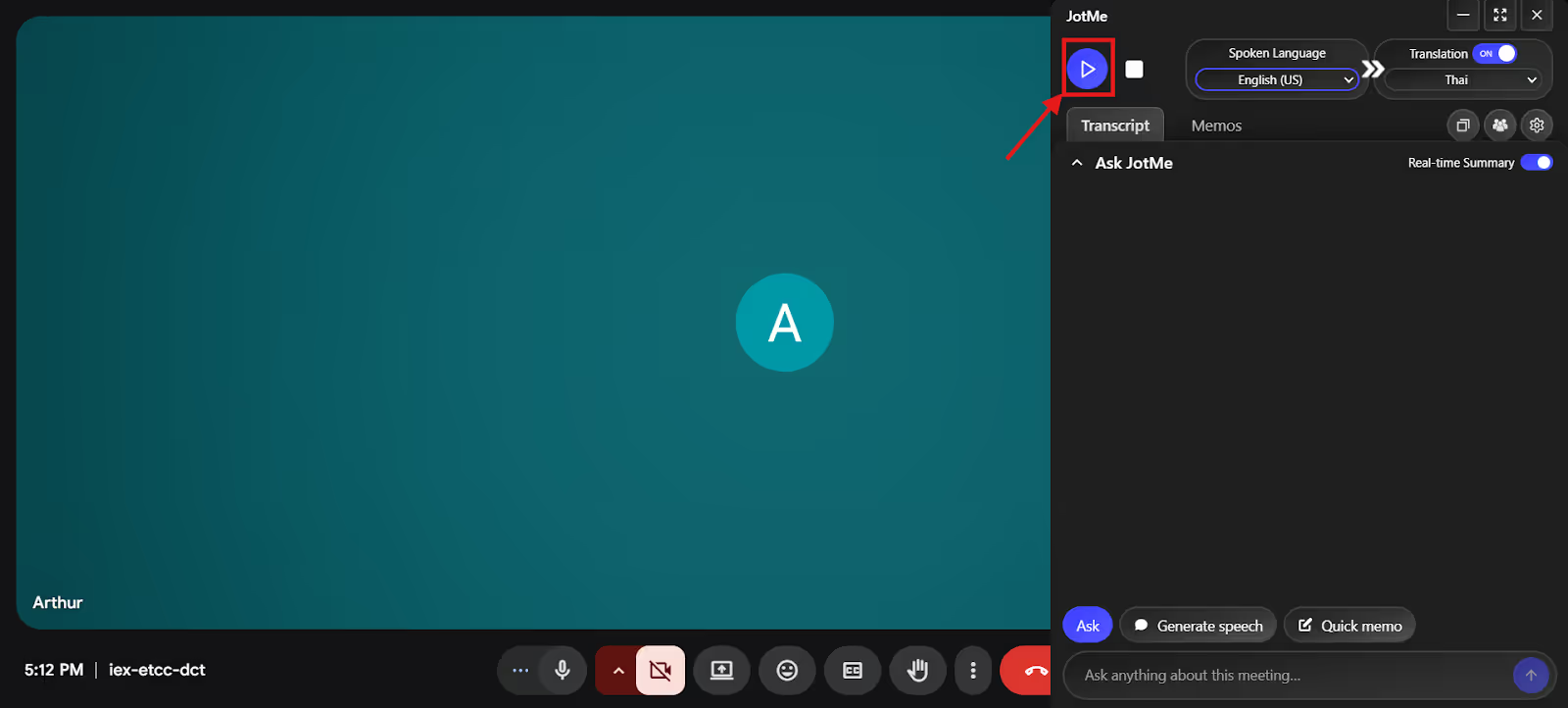
Step 4: How to Obtain a Real-Time Summary With JotMe?
As you toggle the “Real-Time Summary” option at the bottom, JotMe provides a bulleted summary of the conversation as it unfolds. This is especially helpful if someone zones out in the midway or needs a recap of the discussions during a lengthy meeting.
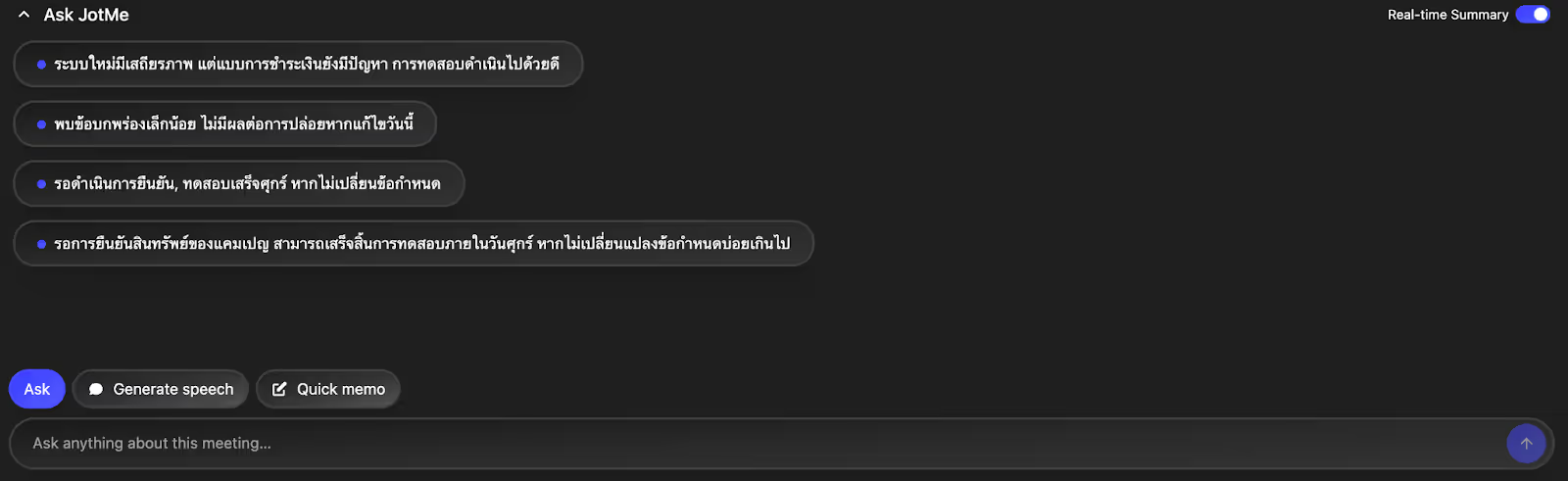
What Makes JotMe a Good English to Thai Translation App?
JotMe is a reliable live English to Thai translation app with live contextual translation, AI Ask, post-meeting notes, and a shareable translation minutes feature. Here is a detail into JotMe’s key features:
Real-time Contextual Translation
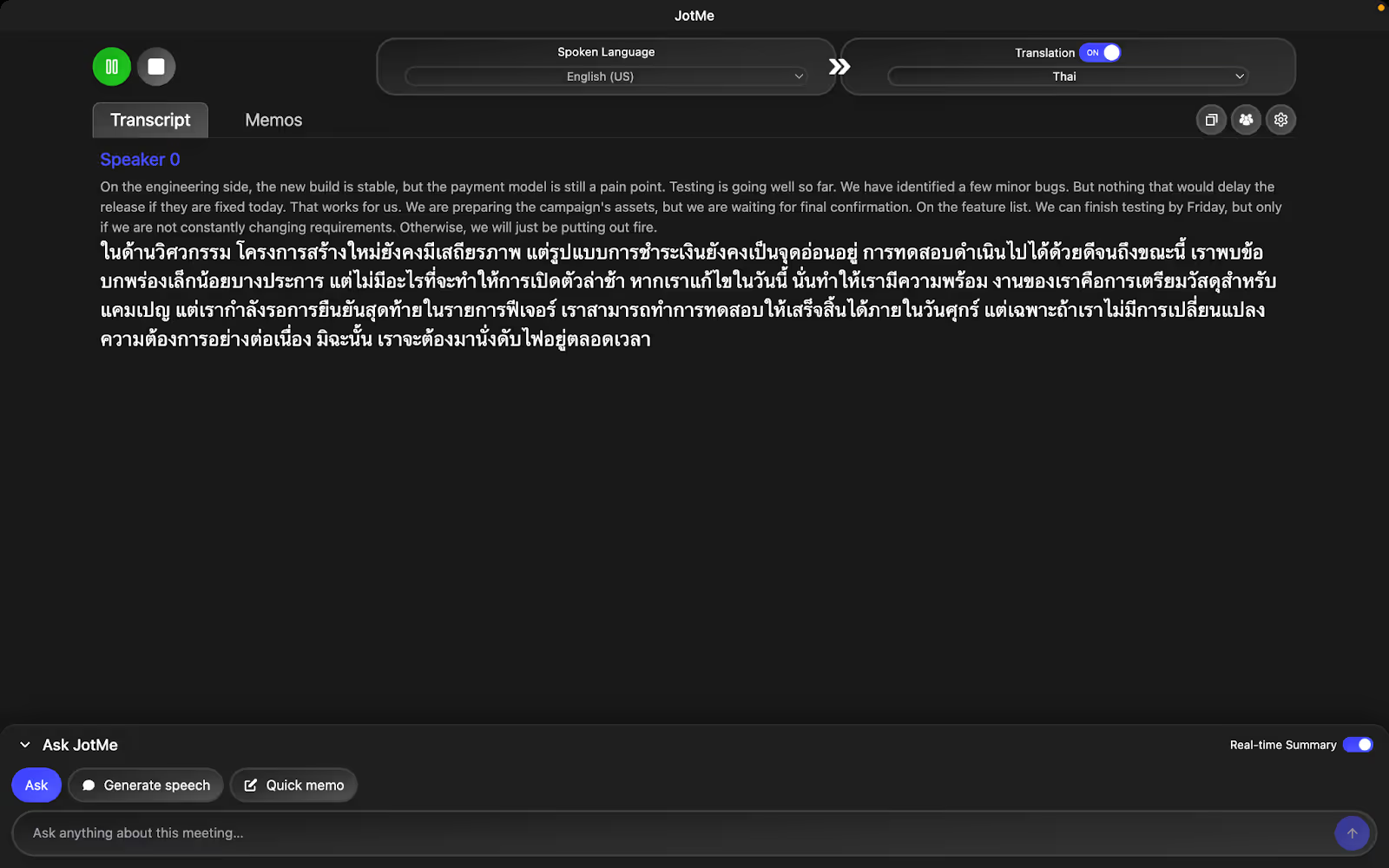
What sets JotMe apart from the crowd of so-called best live translation apps is its real-time contextual translation feature. Rather than just word-for-word replacements, JotMe uses its advanced multilingual speech recognition technology to analyze the tone, flow, and idiomatic expressions to maintain naturalness in translations. With JotMe, our Thai-speaking colleagues no longer need to pause the meeting to ask for clarification or check the chat, and are clear about the deliverables.
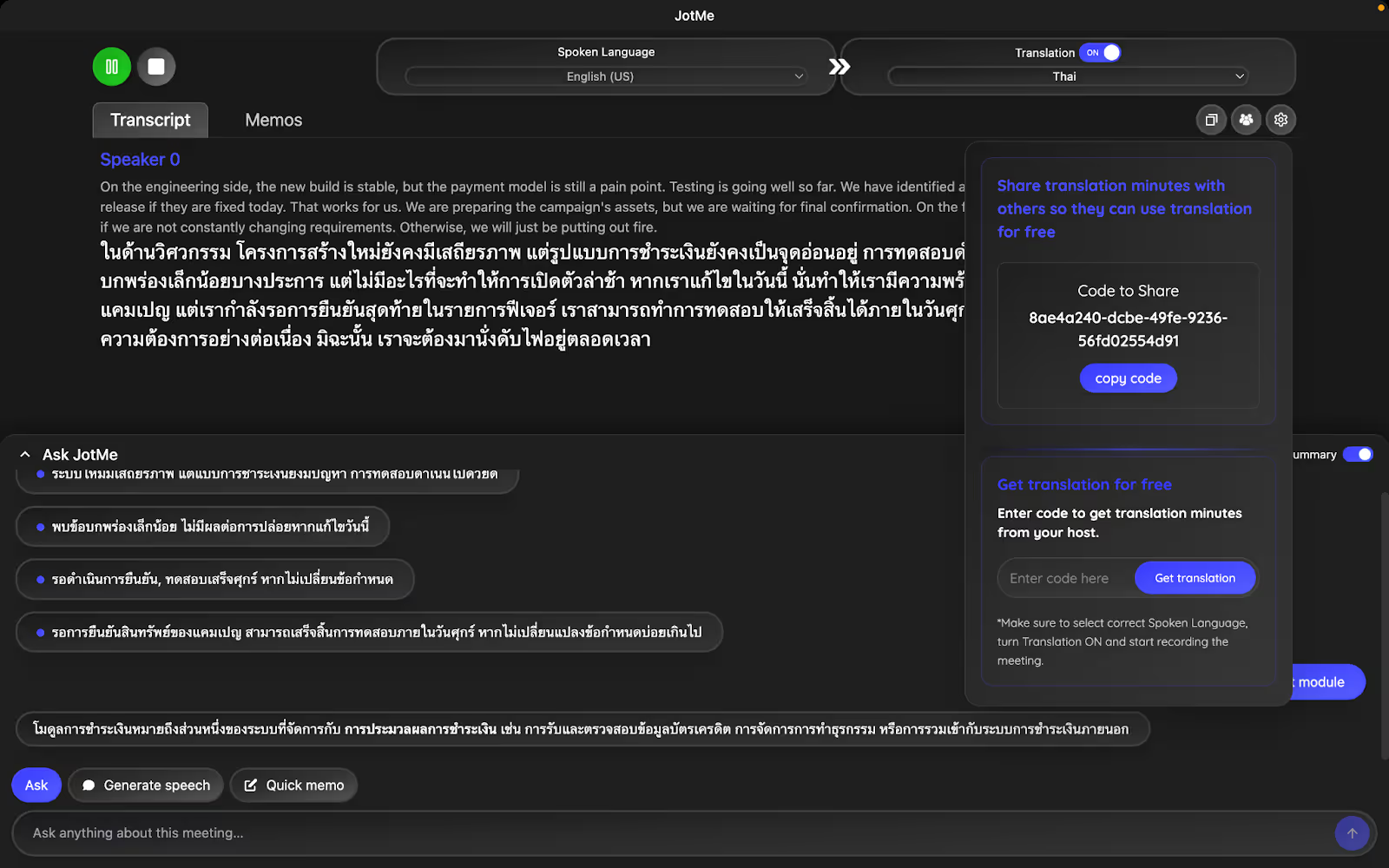
Here’s an example of a conversation in English: “We can finish testing by Friday, but only if we are not constantly changing requirements. Otherwise, we'll just be putting out fires.”
Literal translation came out as:
Meanwhile, JotMe translates as:
The traditional translator translated “putting out fires” as it is in Thai, which can sound strange or misleading. On the other hand, JotMe understood the context and translated as “otherwise, we will have to constantly deal with immediate problems.” This clearly conveys the correct meaning and sounds professional and meeting-appropriate.
AI Ask
Having a question during a business meeting is common, but switching tabs or asking for clarification can disrupt the meeting's flow. In such scenarios, you can try out JotMe’s AI Ask feature. Head over to the input box, type in your question, and obtain answers in real-time. The answers are also concise, making them easy to understand.

Post-Meeting Notes
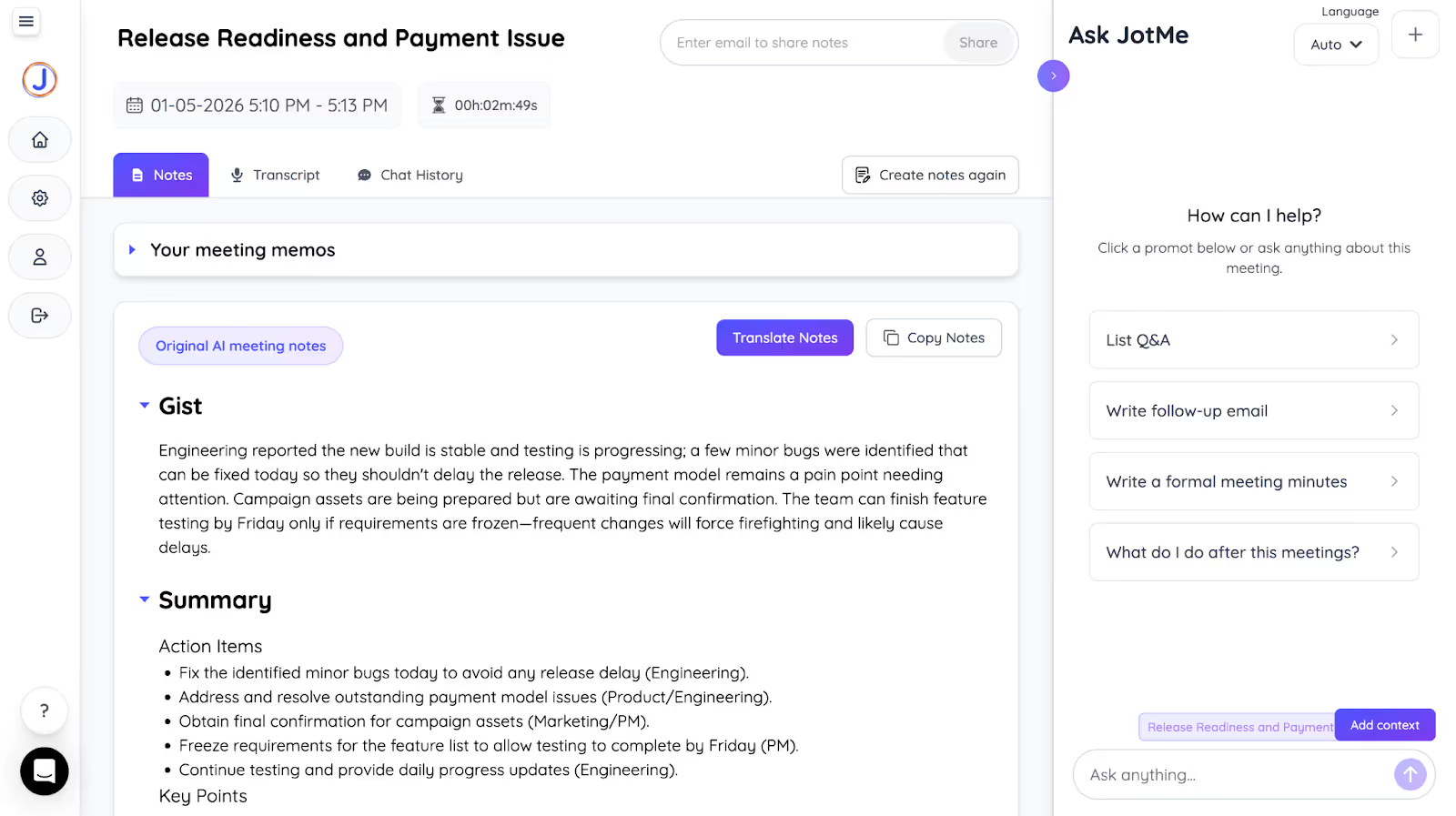
Providing input and taking notes simultaneously during a meeting can be a hassle. JotMe is one of the best AI note-takers that automatically prepares meeting notes for you. In our Zoom meetings, JotMe divided summaries into Gist, Action Items, and Key Points. This served as a reference point for future meetings and allowed sharing meeting details with those who weren’t present.
Shareable Translation Minutes
Another unique feature of JotMe is that it allows you to share translation minutes via a unique code with our clients and colleagues who don’t have a JotMe paid plan. They can use the translation minutes to record the meeting, translations, and transcriptions.
Conclusion: Which Translation Service Offers the Most Accurate English to Thai Results?
JotMe is the platform that offers the most accurate real-time English to Thai translation. It uses advanced speech recognition technology to understand the tone, flow, and context, and preserves the core meaning in the translations. JotMe streamlines business communication and eliminates misunderstandings caused by translation errors. Not only live translation, but JotMe also provides answers to your questions in real time, integrates with most video conferencing platforms without any complex setup, and includes meeting summaries to share via email. Try JotMe for free and see how it transforms your business communication.
JotMe is currently available on desktop and will soon launch a mobile app that enables on-the-go translations. Sign up here if you want to be among the first to use the app.
FAQs
How to get professional English to Thai translation services remotely?
You can use JotMe to access professional English to Thai translation services remotely. Its translations are contextually accurate, the interface is simple, and it integrates with most platforms like Zoom, Google Meet, MS Teams, and more. It also offers additional features like AI Ask, post-meeting summaries, real-time pronunciation, and more.
Which is the best AI translator for Thai?
JotMe is one of the best AI translators for Thai. To start, JotMe understands the core meaning and cultural nuances of a sentence to provide real-time contextual translation. Moreover, it offers meeting-centric features, such as AI Ask, AI meeting summaries, and more, that set it apart as an excellent meeting companion.
Is Google Translate good for Thai?
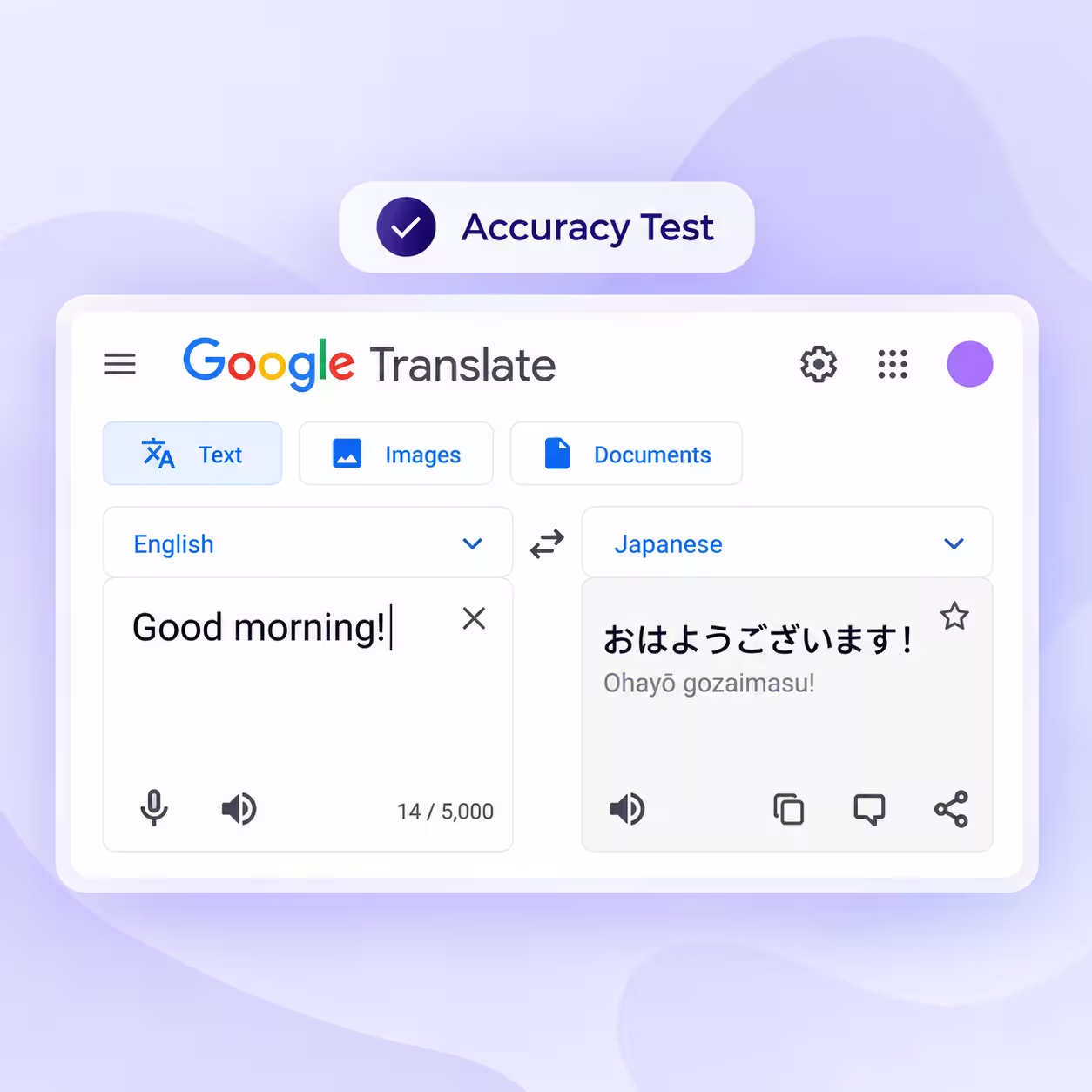
No, Google Translate isn’t effective for Thai translations, as it may not capture the tone, context, and cultural nuances, which can lead to misinterpretation. If you want a reliable app that preserves the true meaning in translation, opt for JotMe.
How to use an AI assistant to translate English text to Thai?
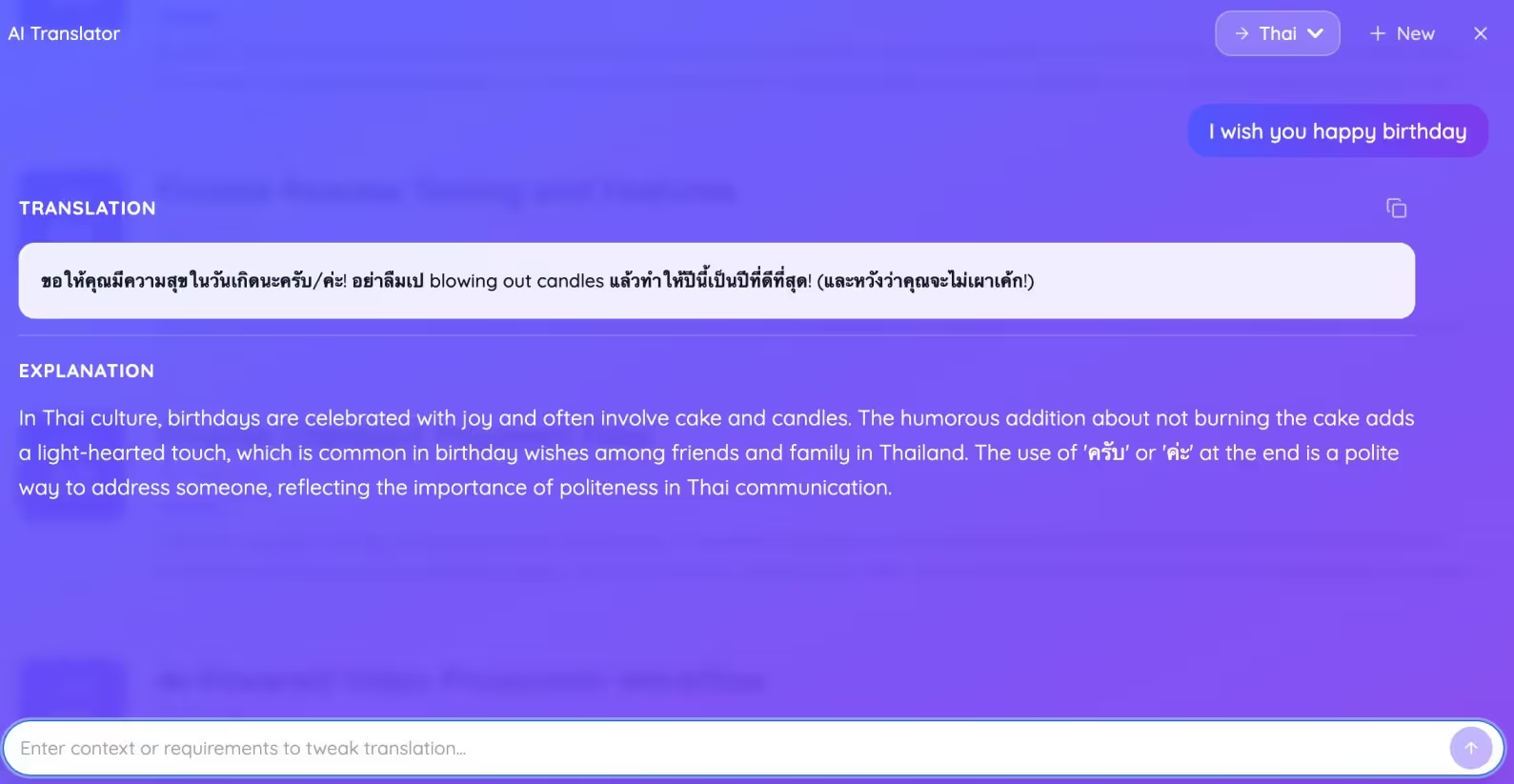
Create an account on JotMe, and at the bottom of the dashboard, you’ll find the “AI Translator” window. Here, type the text you want to translate, specify any tone and style requirements, choose your target language, and press Enter. JotMe will provide text translation within seconds, along with an in-depth explanation.
For example, you want to send a birthday wish to a colleague in Thai, write “I wish you happy birthday,” and request to add a humorous tone. JotMe will provide a Thai translation alongside an explanation in English language.
Last updated on
April 14, 2026
Follow us on social media: