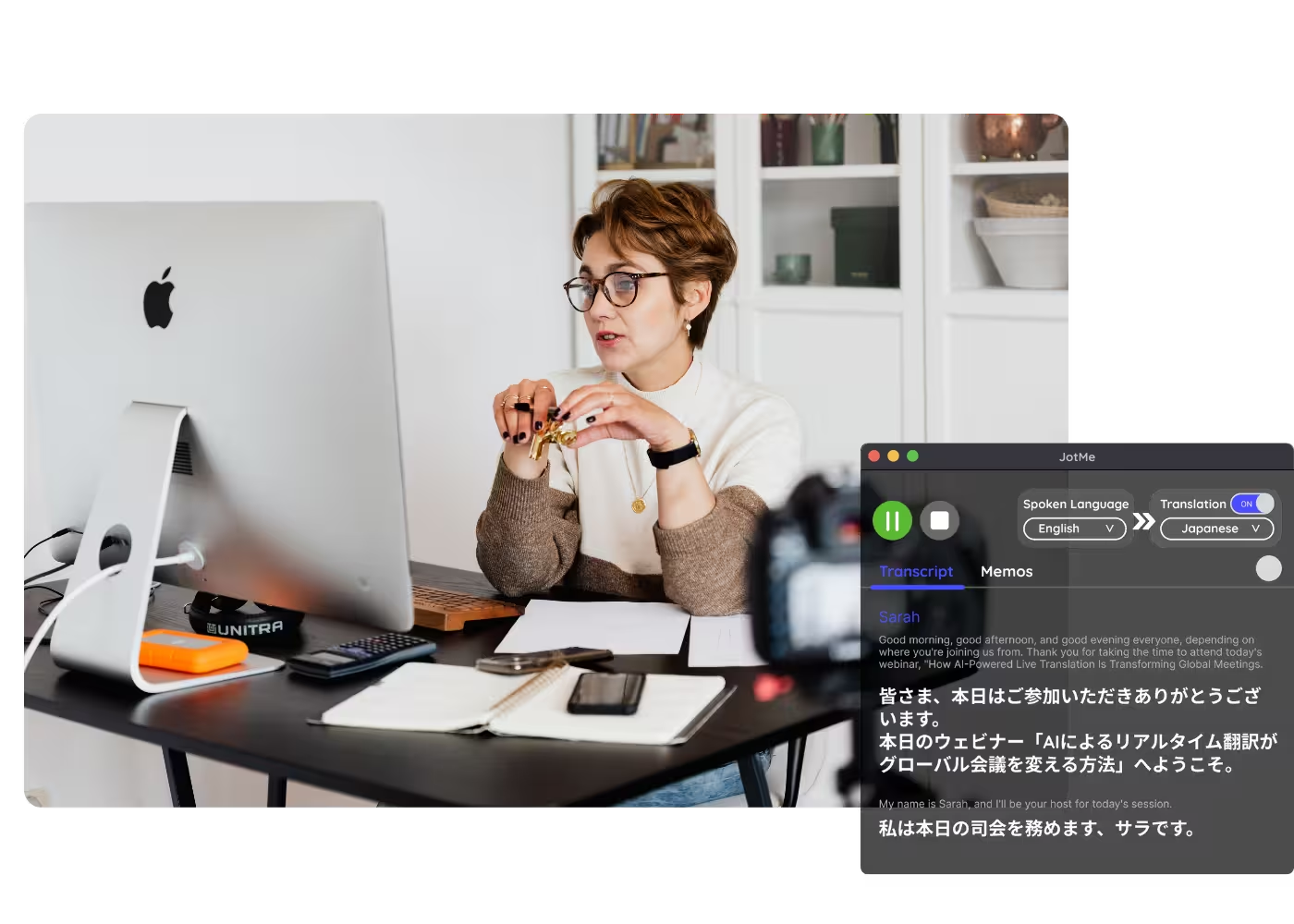
Desktop app for all the calls on your computer

Multilingual transcription, live translation, note-taker, AI search, real-time summary, custom vocabulary, AI meeting notes, audio recordings, and more.

Mobile App for in-person conversation

Live translation and AI speech generation for iPhone and Android.

Chrome extension for Google Meet

Real-time transcription, live translation, note-taker, AI meeting notes.
Add to
Chrome
A quick trial is available

Live Translation old

Translate live meetings and events into real-time captions and AI-cloned voice across 200+ languages.

Trusted by 2,000 teams and 500,000 professionals in 134 countries at

Rated 4.7/5
GDPR Compliant
SOC 2 Type II (In Progress)

AI-Powered Real-Time Caption Translation in 200+ Languages

Sitting through a meeting in a language you don't understand is frustrating, and most machine translation tools miss the context, tone, and industry meaning that real conversations depend on. JotMe's AI live translation is built differently. It reads full sentences together, understands your domain knowledge, and delivers accurate real-time translation across Google Meet, Zoom, Microsoft Teams, and Webex. With support for 200+ languages and 39,000+ language pairs, JotMe handles live meeting translation far beyond what basic tools offer, making it a reliable Google Translate alternative for business meetings, client calls, and global team discussions. It's free to start, and no credit card is required.

How Do I Get Live AI Translation?

In 3 easy steps!

STEP 1

1. Download the desktop app, mobile app, or Chrome extension

Desktop app for Mac and Windows, mobile app for Android and iPhone, and a Chrome extension for Google Meet (limited features).

1. Download the desktop app, mobile app, or Chrome extension
STEP 2

2. Set your spoken language

Choose the language people speak. JotMe supports 200+ languages across 39,000+ language pairs with multiple models.

2. Set your spoken language
STEP 3

3. Set your translation language

Pick the language for your captions and voice. For example, Japanese-to-English, set this to English.

3. Set your translation language

See It in Action!

Live AI translation for every multilingual moment

Multilingual internal meetings

Desktop app for Mac and Windows, mobile app for Android and iPhone, and a Chrome extension for Google Meet (limited features).

International external meetings

Choose the language people speak. JotMe supports 200+ languages across 39,000+ language pairs with multiple models.

In-person conferences & live events

Pick the language for your captions and voice. For example, Japanese-to-English, set this to English.

Frequently asked questions

Everything you need to know about running meetings and events with JotMe.

How accurate is JotMe's live translation?

Accuracy improves as the meeting progresses. The agentic AI uses what's already been said (participants, domain, intent) to translate meaning, not words. Domain terms keep their professional meaning.

Which languages are supported?

200+ languages for live translation, covering 39,000+ language pairs. Strongest on enterprise-critical pairs like English, Japanese, Mandarin, Spanish, and Korean.

Does a bot join my meeting?

No. JotMe captures your system audio, so no bot joins the call and no plugin is needed for participants.

Which platforms does it work with?

Zoom, Google Meet, Microsoft Teams, Webex, LINE, and in-person. One install works everywhere.

Is my conversation private and secure?

Encrypted in transit and at rest. GDPR and SOC 2 Type II (auditing) compliant. Never sold or used to train AI models, and you own your data.

How much does it cost?

Free to start in 30 seconds, no credit card. Upgrade when your operations need more.

The easiest, most reliable live translation, in captions and AI-cloned voice.

Run every meeting and event smoothly for your multilingual operations

Transcribe, interpret, translate, and turn every critical conversation into insights with context so everyone stays aligned across languages.

Live Translation old

Translate live meetings and events into real-time captions and AI-cloned voice across 200+ languages.

Get started within 30 seconds without credit card

Select a model and your languages, hit start, and speak. JotMe's AI sharpens the translation as the conversation continues. Open the full demo.

Trusted by 2,000 teams and 500,000 professionals in 134 countries at

Rated 4.7/5
GDPR Compliant
SOC 2 Type II (In Progress)

Try live translation

Select model, langauges, click start and start speaking. JotMe AI will improve the translation quality as you speak.

Real-time translated captions and AI-cloned voice, built for accuracy

Everything you need for accurate live translation and share it with anyone.

Fastest AI voice cloning

Translate voice-to-voice with the fastest cloning model available today. Your words, in your own voice, in another language.

Share live translation

Share captions and AI-cloned voice via link, QR code, or on-camera subtitles. Anyone can follow, no app required.

Context-aware translation

JotMe preserves speaker intent and meaning as the conversation evolves, so translation keeps its context, unlike literal machine translation.

Auto language detection

Automatically detects 100+ languages with the fast model. The multilingual basic spoken-language model detects 10+ languages for easy access.

Custom dictionary

Improve accuracy by adding industry-specific terms or defining custom replacements.

Speaker diarization

Automatically separates and labels multiple speakers.

How Do I Get Live AI Translation?

Download the app, set your languages, and get fast, accurate translation. Learn more.

STEP 1

1. Download the desktop app, mobile app, or Chrome extension

Desktop app for Mac and Windows, mobile app for Android and iPhone, and a Chrome extension for Google Meet (limited features).
1. Download the desktop app, mobile app, or Chrome extension
STEP 2

2. Set your spoken language

Choose the language people speak. JotMe supports 200+ languages across 39,000+ language pairs with multiple models.

2. Set your spoken language
STEP 3

3. Set your translation language

Pick the language for your captions and voice. For example, Japanese-to-English, set this to English.

3. Set your translation language

Live AI translation for every multilingual moment
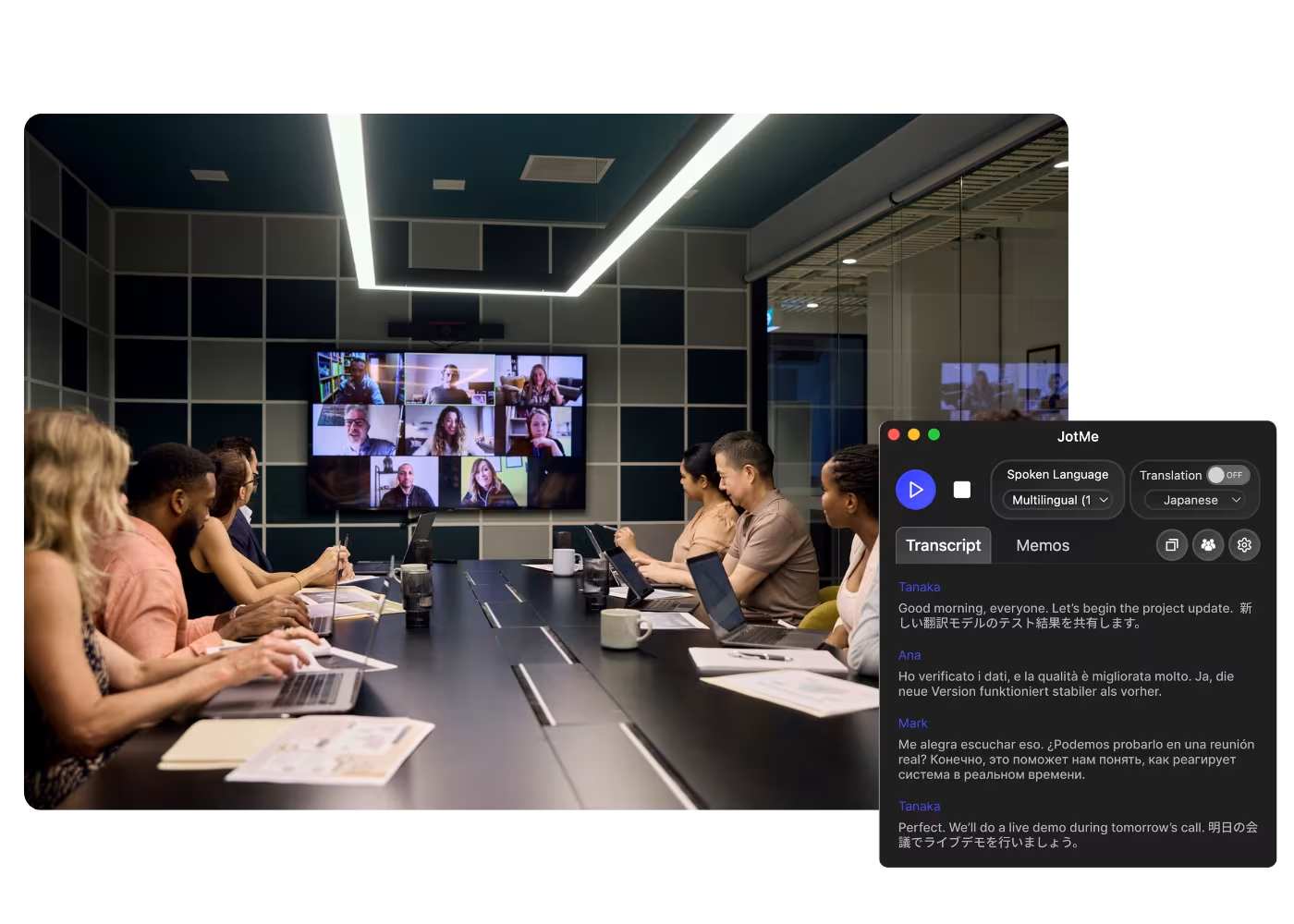
From internal operations to client relationships to live events, JotMe keeps every multilingual conversation aligned, during and after.

Multilingual internal meetings

From team meetings to 1-on-1s, everyone communicates with context in their own language.

International external meetings

Meet clients, partners, investors, and vendors in any language. Share live translation with them, with no account, no install, nothing to set up on their side.

In-person conferences & live events

From large events to small conferences, everyone follows along in their own language, right from their own phone.

Webinars

Share translation by on-camera subtitles or link so every attendee stays on the same page.

See JotMe live translation in action

Watch a real speech get translated live: captions appear, your voice speaks in another language, and attendees follow along in their own language, on their own screens.

Frequently asked questions

Everything you need to know about running meetings and events with JotMe.

How accurate is JotMe's live translation?

Accuracy improves as the meeting progresses. The agentic AI uses what's already been said (participants, domain, intent) to translate meaning, not words. Domain terms keep their professional meaning.

Which languages are supported?

200+ languages for live translation, covering 39,000+ language pairs. Strongest on enterprise-critical pairs like English, Japanese, Mandarin, Spanish, and Korean.

Does a bot join my meeting?

No. JotMe captures your system audio, so no bot joins the call and no plugin is needed for participants.

Which platforms does it work with?

Zoom, Google Meet, Microsoft Teams, Webex, LINE, and in-person. One install works everywhere.

Is my conversation private and secure?

Encrypted in transit and at rest. GDPR and SOC 2 Type II (auditing) compliant. Never sold or used to train AI models, and you own your data.

How much does it cost?

Free to start in 30 seconds, no credit card. Upgrade when your operations need more.

The easiest, most reliable live translation, in captions and AI-cloned voice.

Context-aware, auto language detection, translation sharing, custom dictionary, and more, for every use case.