Guides
10 Best Russian Translation Apps I Tried in 2026 For Meetings & Events

Viraj Mahajan
May 22, 2026
.avif)
Brief Answer: The best Russian Translation Apps for meetings, events, and students are JotMe, Google Translate, DeepL, Microsoft Translator, Yandex Translator, Reverso Context, Lara Translate, Maestra, Transync AI, and iTranslate. If you are looking for a Russian translation app to translate English to Russian for your live meetings, you should check out JotMe, which offers 39,000+ language pairs, including Russian to English, English to Russian, and more.
Russian translation is one of those problems that look solved on the surface and fall apart the moment you actually need them. I have spent the last few weeks running real meetings, real documents, and real travel-style conversations through every Russian translation app I could get my hands on, and the gap between what these tools promise and what they actually deliver is wider than most reviews will admit.
The reason there are so many Russian translation apps on the market right now is simple. Semrush data shows the global search volume for the keyword "Russian Translation" sits at 82.3K, which signals consistent demand from three very different audiences: students working through Russian coursework, travelers heading into Russia, Belarus, Kazakhstan, or Kyrgyzstan (the four countries where Russian holds official status), and business executives running cross-border conversations with Russian-speaking counterparts at firms like Gazprom, Rosneft, Lukoil, Nornickel, and Novatek. Each group has its own definition of "good translation," and most apps are built for only one of them.
In this article, I will walk you through the best Russian translation app that I tried across live meetings, document workflows, and quick text lookups, with honest notes on what worked, what failed, and what I would actually pay for.
What Makes Russian Hard To Translate?
Russian breaks most translation engines because it does not behave like English. Three things matter more than any other when you are evaluating a Russian Translation App, and very few articles bother to explain them.
- Morphological Richness: A single Russian noun can take twelve different forms depending on case, number, and gender, and a verb can carry information about aspect, tense, person, gender, and number all inside one word. English needs an entire clause to express what Russian fits into a suffix. Tools that flatten this nuance produce translations that are technically correct and emotionally dead.
- Вы versus ты Problem: Russian has two ways to say "you," and the choice between them carries social weight. Вы is the formal register used in business meetings, with strangers, and with anyone senior to you. Ты is informal, used with friends, family, and children. Get this wrong in a sales call, and the room cools instantly. Most translation tools default to one register and stay there regardless of context.
- Aspect Pairs: Russian verbs come in perfective and imperfective forms, and the difference between them is whether an action is completed or ongoing. The same English sentence "I read the book" maps to two different Russian sentences depending on whether you finished it. Translation engines that miss this end up producing grammatically valid Russian that means something different from what the speaker actually said.
A good Russian translation app handles all three. A weak one handles none.
TL;DR
After checking over 21 apps in 2026 that claimed to translate English to Russian or Russian to English, here is what I quickly found:
- With GDPR compliance and SOC II in process, JotMe offers real-time translation in Russian from 200+ languages. With as low as $20/month, users get 300k tokens for AI text translation and unlimited transcription on the Google Chrome Extension for Google Meet.
- With a global search volume of 112.4M, Google Translate remains the best choice for English to Russian text translation, but even after Gemini's integration, the Google Translate English to Russian still performs poorly when it comes to live translation in any language.
- DeepL offers a team plan that comes at ~$28.74/user per month and provides 20 file translations and 5 glossaries.
- Microsoft Translator is ideal for those already on the Microsoft Suite, but at $99.99/year, getting 50,000 characters for standard text translation is not viable for large enterprises that frequently use real-time translation tools.
- With 10+ million downloads on Google Play, Yandex Translation has always positioned itself as the best Russian Language Translator for students and travelers. However, Yandex has always faced concerns regarding data privacy and potential geopolitical bias in sensitive topics.
- Reverso Context is one of the best Russian document translators that I have tried in 2026. For ~$91/year, Reverso Context not only translates large documentation but also integrates with Netflix and YouTube so students can interact with on-screen subtitles.
- Lara Translate has a global search traffic of 3.6M, and for all the right reasons. For $11.99/month, Lara Translate provides 1 million text translation characters monthly, along with document translation of 100 pages.
- Maestra AI positions itself as an AI-powered translation and transcription tool, but for $23/month, it only supports transcription in 125+ languages.
- Transync AI is a real-time two-way interpretation tool for Russian language learners. However, the Personal Premium plan starts at $8.99/month and offers only 60 languages.
- For Android and Apple users, iTranslate is recognized as a one-stop solution for on-the-go language translation. From text translation to camera translation, iTranslate is a notable Russian Language Translator for meetings and on-the-go conversations.
Quick Comparison: 10 Best Russian Translation Apps in 2026
Before we move forward and learn about the grounds, I checked and evaluated all the mentioned Russian to English translation apps. Here is a quick comparison table to help you understand how the applications perform across different grounds.
How I Evaluated The Best Russian Translation Apps?
JotMe has conducted 300,000+ meetings, and around 6.47% of them are from users who speak Russian. That sample size gave me a starting point. I got in touch with several of these customers to understand how they use Russian translation apps in their day-to-day work, what frustrates them, and what they wish existed.
On top of those conversations, I built three test scenarios I ran every tool through:
- Live scenario: Speaking live on Zoom and Google Meet with a Russian-speaking business colleague.
- Text scenario: Translating a text passage from English to Russian.
- Document scenario: Uploading a PDF and getting it translated into Russian.
The criteria I used to judge each Russian translation app were the following:
- Accuracy for idioms and grammar
- Context awareness (full-sentence understanding versus word-for-word substitution)
- Speech recognition and pronunciation quality
- Offline capability and supported file formats (PDF, DOCX)
- Privacy posture (data retention policies, on-device processing)
- Extra features like conjugation tables, example sentences, flashcards, and API availability
10 Best Russian Translation Apps I Used For Meetings & Events In 2026
What follows is the full review of every Russian translation app I tested, ranked by how they performed across my three test scenarios. The order reflects real-world usefulness in business and meeting contexts, where most readers actually need translation to work.
JotMe: All-In-All Best Translation Tool For Multilingual Meetings And Events
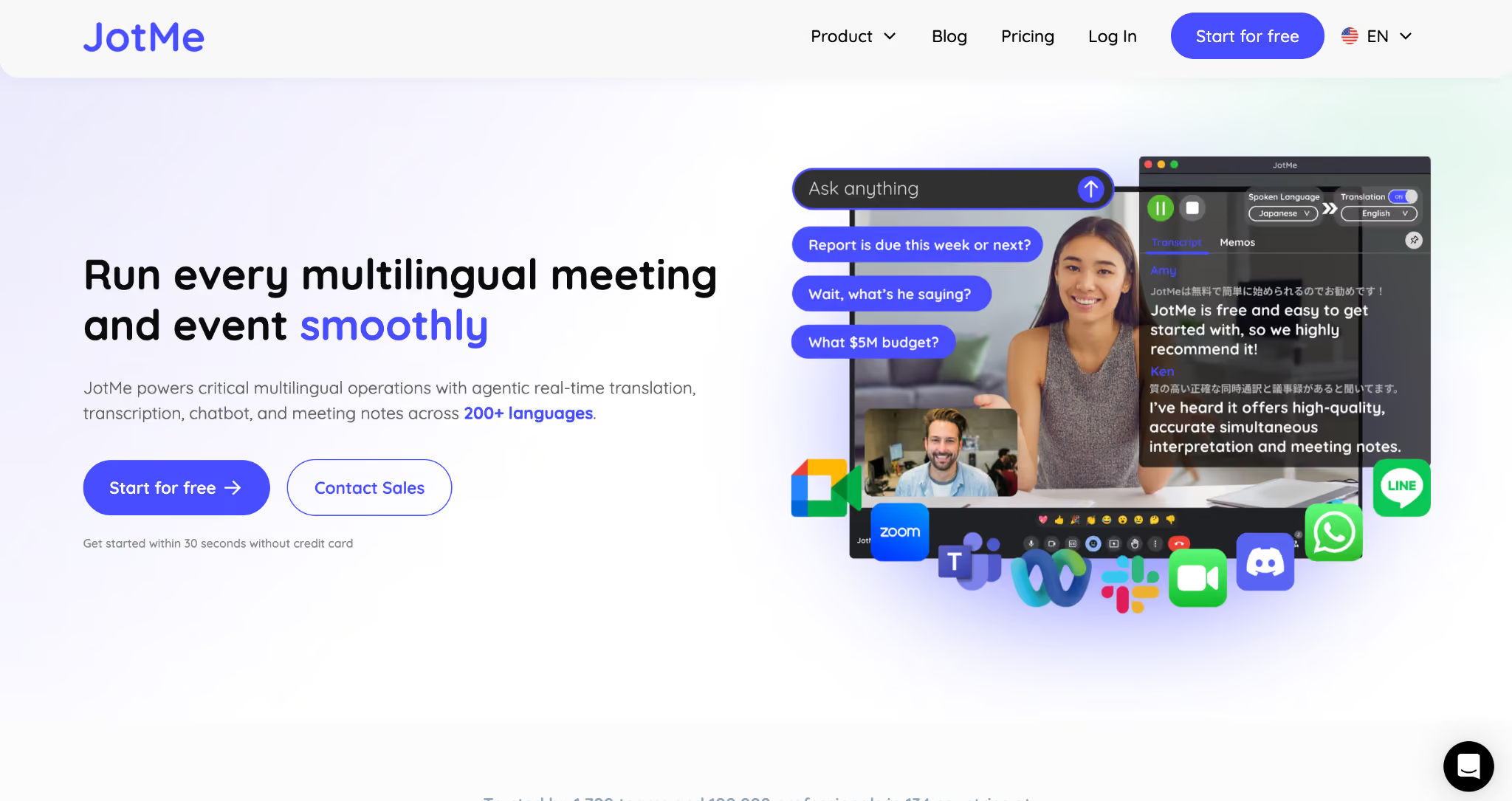
JotMe is built specifically for live multilingual meetings, which is the scenario where most Russian translation apps quietly fall apart. JotMe; Russian to English translator, supports 200+ languages with 39,000+ language pairs, runs on Zoom, Google Meet, and Microsoft Teams through a Chrome Extension, and generates AI meeting notes in 21 languages, including Russian. It is the only tool I tested that combined live captioning, contextual refinement, and agentic post-call cleanup in a single workflow.
The pricing model is also unusually buyer-friendly. JotMe offers a free-forever account with no credit card required, and the paid tier starts at $20/month, which gets you 300k tokens for AI text translation and unlimited transcription through the Chrome Extension on Google Meet.
Here is how JotMe performed on my test validation:
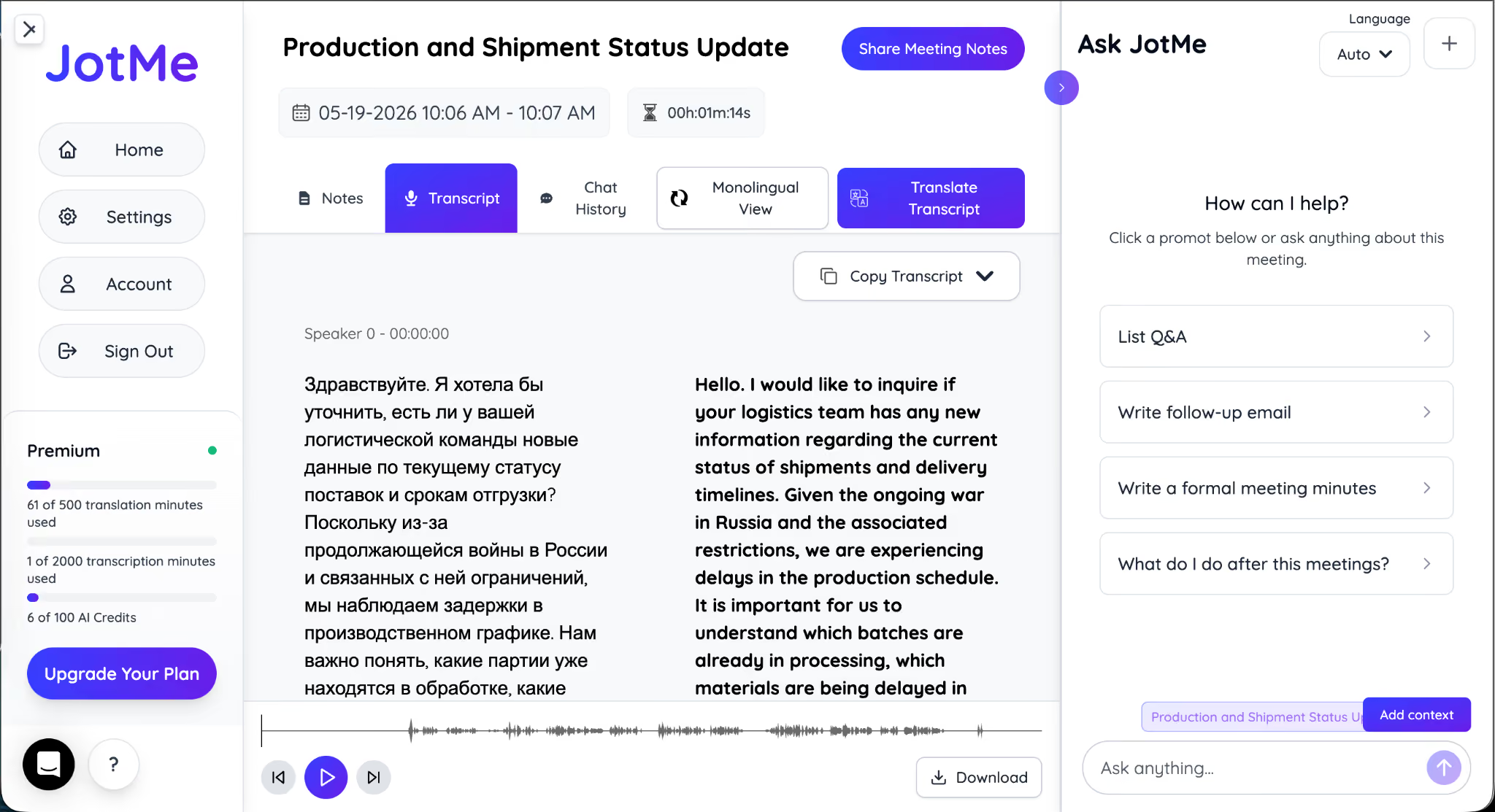
I created a scenario in which my customer spoke only Russian, and I wanted the text translated live into English.
My customer said:
Here is how JotMe translated Russian into English:
Hello. I would like to inquire if your logistics team has any new information regarding the current status of shipments and delivery timelines. Given the ongoing war in Russia and the associated restrictions, we are experiencing delays in the production schedule. We need to understand which batches are already being processed and which materials are experiencing transportation delays. Can you also provide an updated forecast on production timelines? This way, we can adjust our internal plan in advance to inform clients and minimize potential operational risks.
After enabling Russian to English translation in JotMe for the Zoom meeting, it first started listening directly from the system's audio and started doing basic translation.
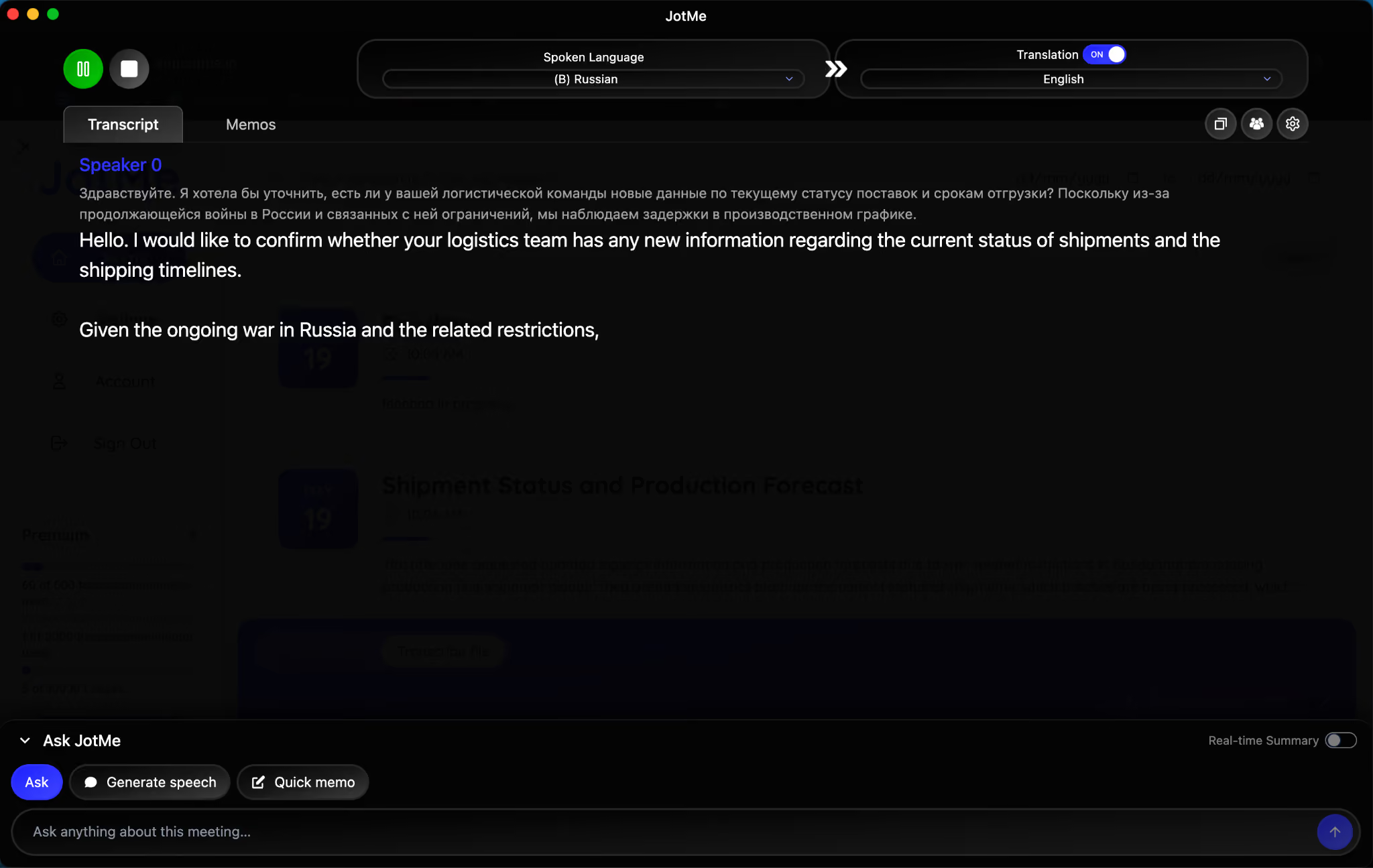
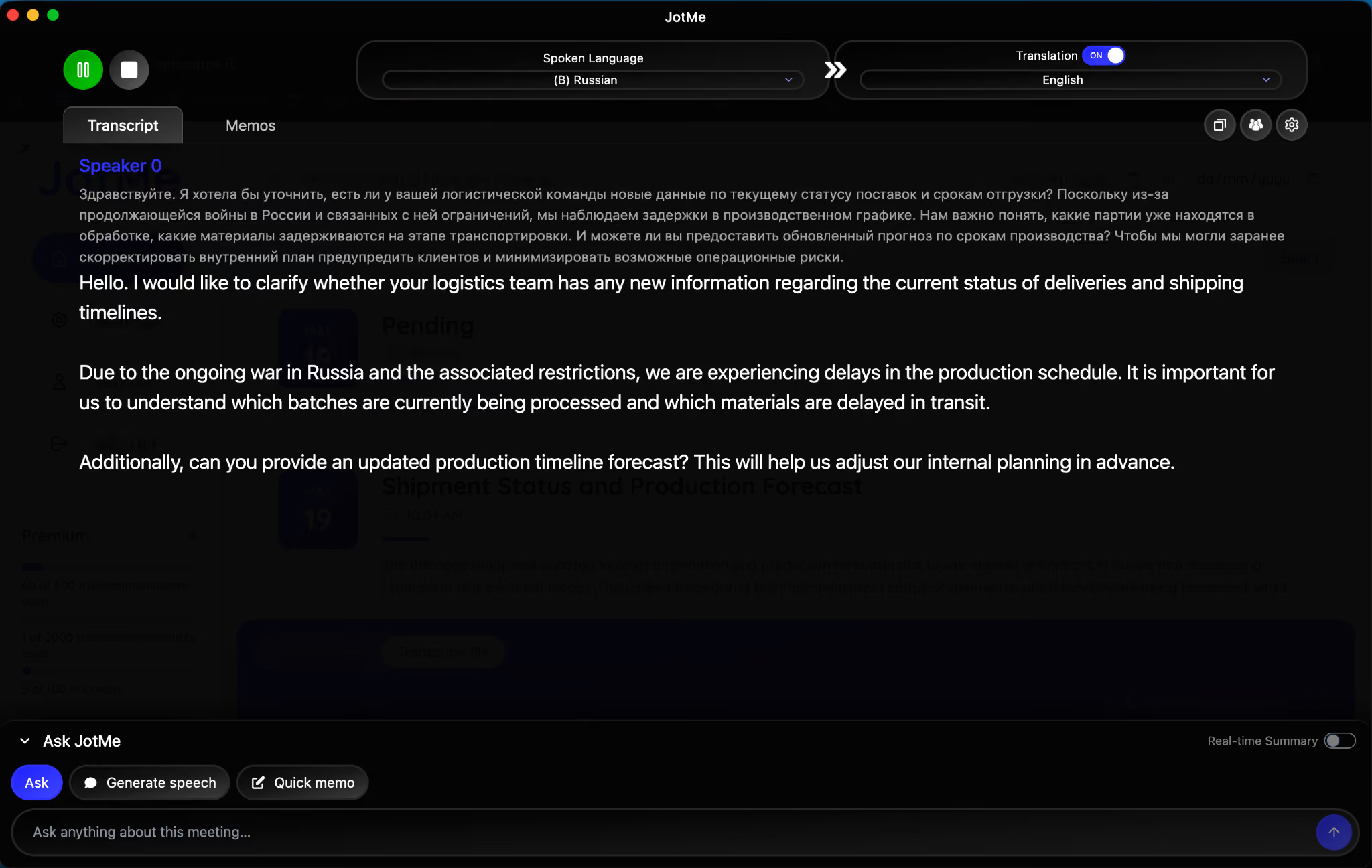
However, as the conversation progressed, JotMe caught the nuances of the meeting and then changed the previously translated text into more refined, contextually rich sentences.
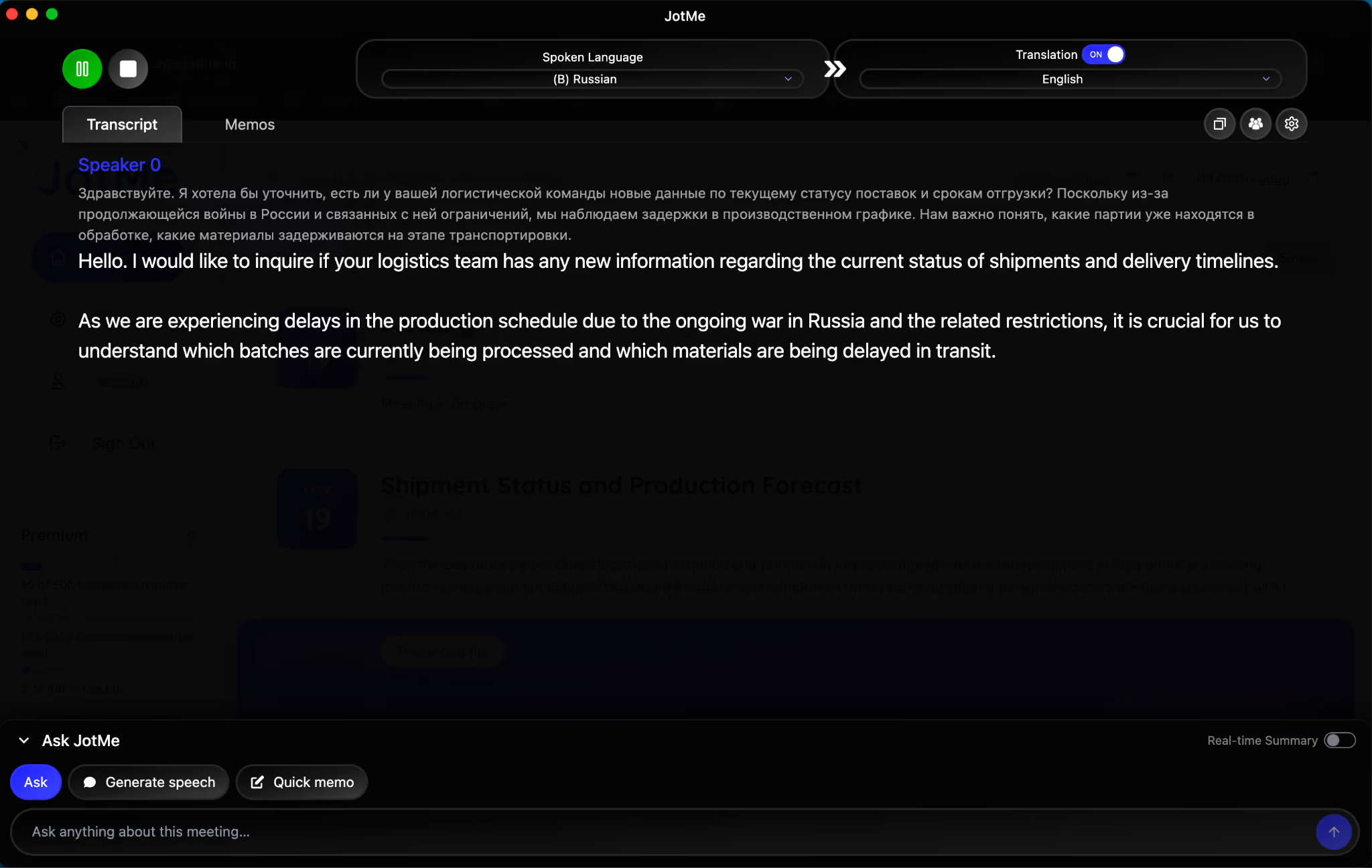
As the conversation came to an end, JotMe's agentic AI reviewed the entire conversation within seconds and made changes where it found them suitable to make it more relevant.
Now, once this was done, I checked JotMe's free Russian to English text translation to see how it would perform under the same scenario, and here is what I found:
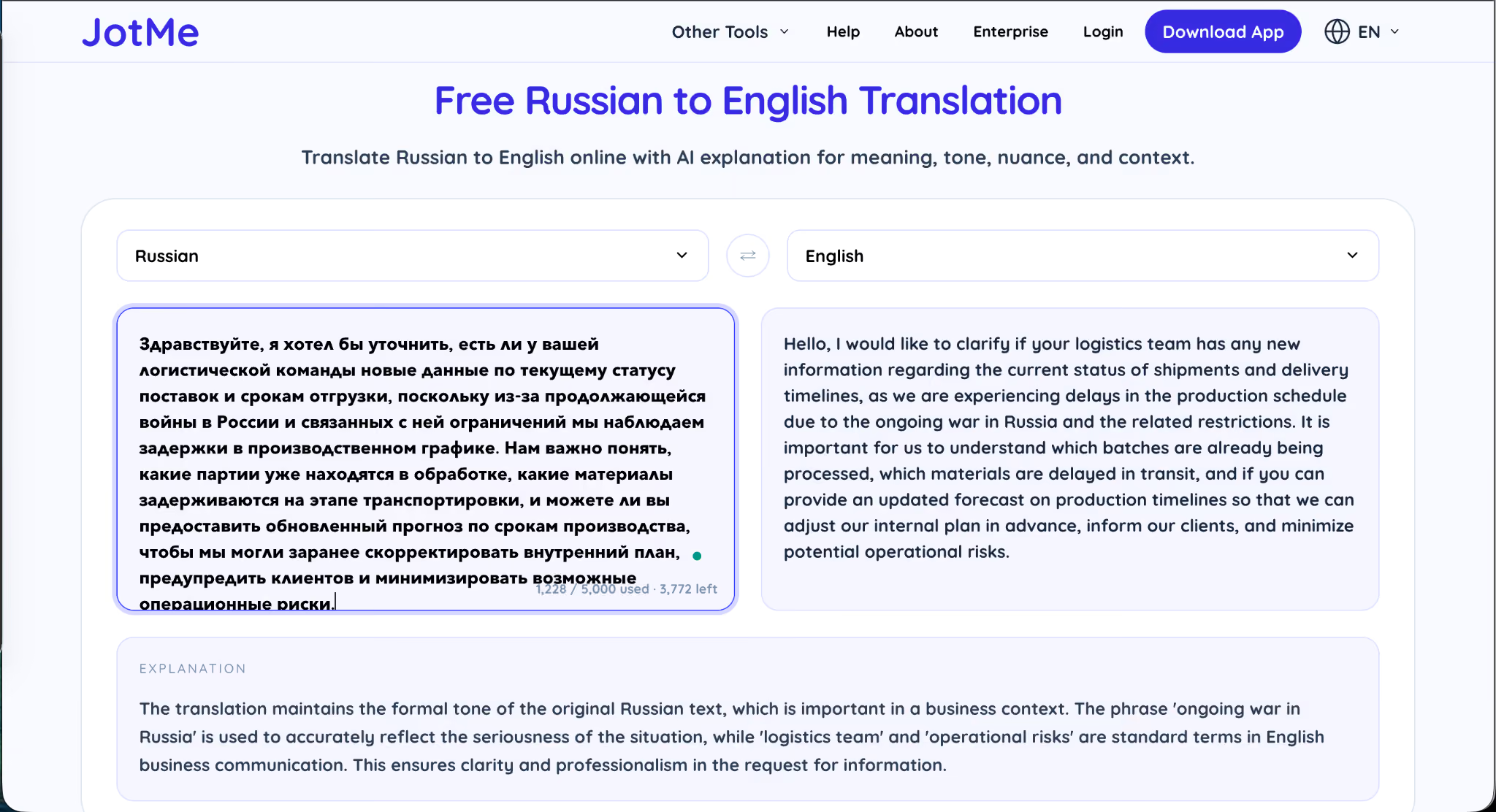
As you can see in the screenshot above, it not only translated the Russian text into English with high accuracy but also provided an explanation of the content. Something that a non-Russian speaker would appreciate.
Key Features Of JotMe
- Real-time live translation across 200+ languages with 39,000+ language pairs
- AI meeting notes generation in 21 languages, including Russian.
- Chrome Extension that works natively on Google Meet
- Free-forever account with no credit card required to start.
- Contextual refinement that improves accuracy as the conversation progresses
- Agentic post-call AI that reviews and refines the full transcript automatically
- Free Russian to English text translator with built-in explanations
- GDPR compliant and SOC II in process
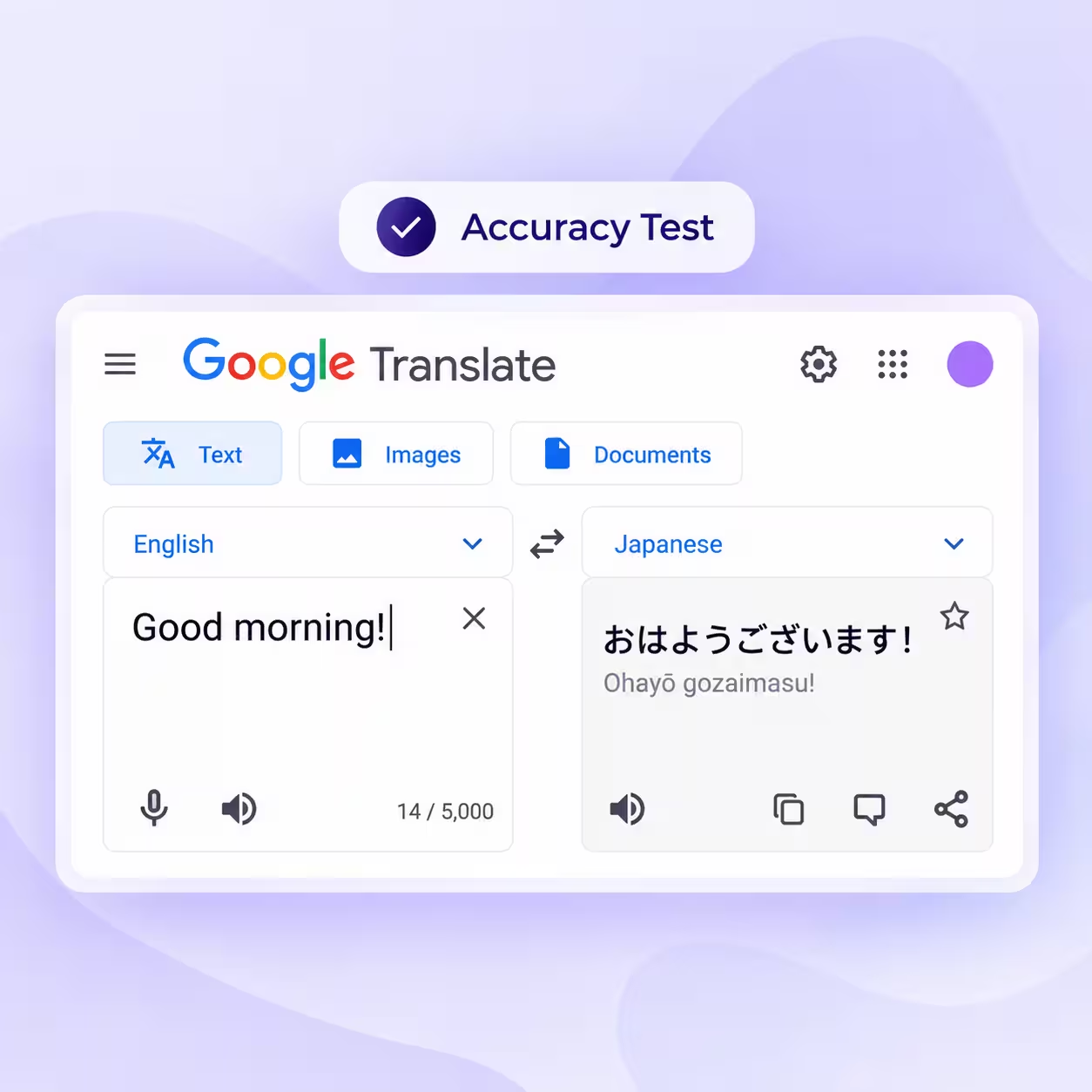
Google Translate: The Default Choice For Quick Russian Text Lookups
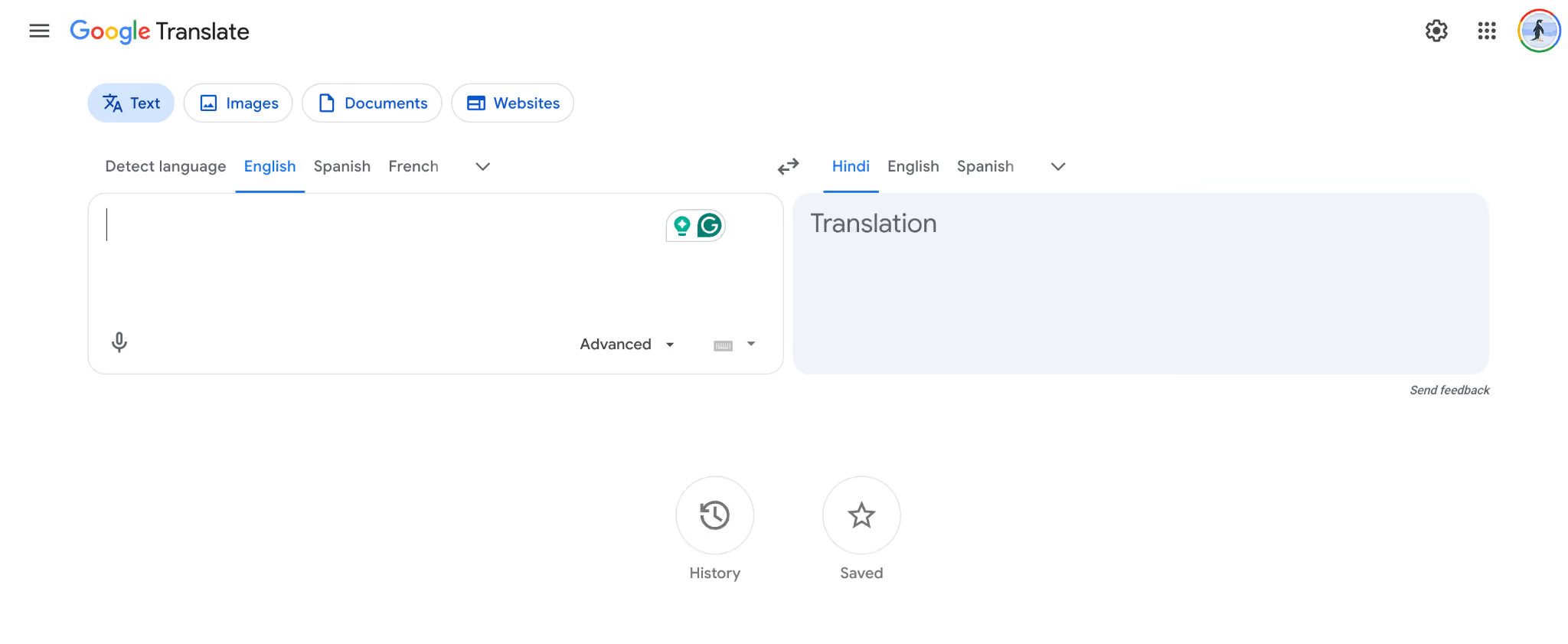
Google Translate is the most recognizable name in this category and the default option for anyone who needs to translate a Russian word, sign, or short paragraph in under five seconds. It supports 133+ languages, offers Cyrillic OCR via the camera, works offline with downloadable language packs, and now sits within the broader Gemini ecosystem. For text-level Russian to English translation, it is genuinely good.
For live conversation, however, Google Translate is a different story. Its conversation mode exists but feels built for tourist exchanges rather than business meetings, and it does not integrate with Zoom, Teams, or Google Meet in any meaningful way.
My Test Results:
When I gave the same Russian text to Google Translate to translate, it simply translated it. There was no context awareness, no nuanced understanding, no live assistance, and no overall explanation of the kind JotMe provided.
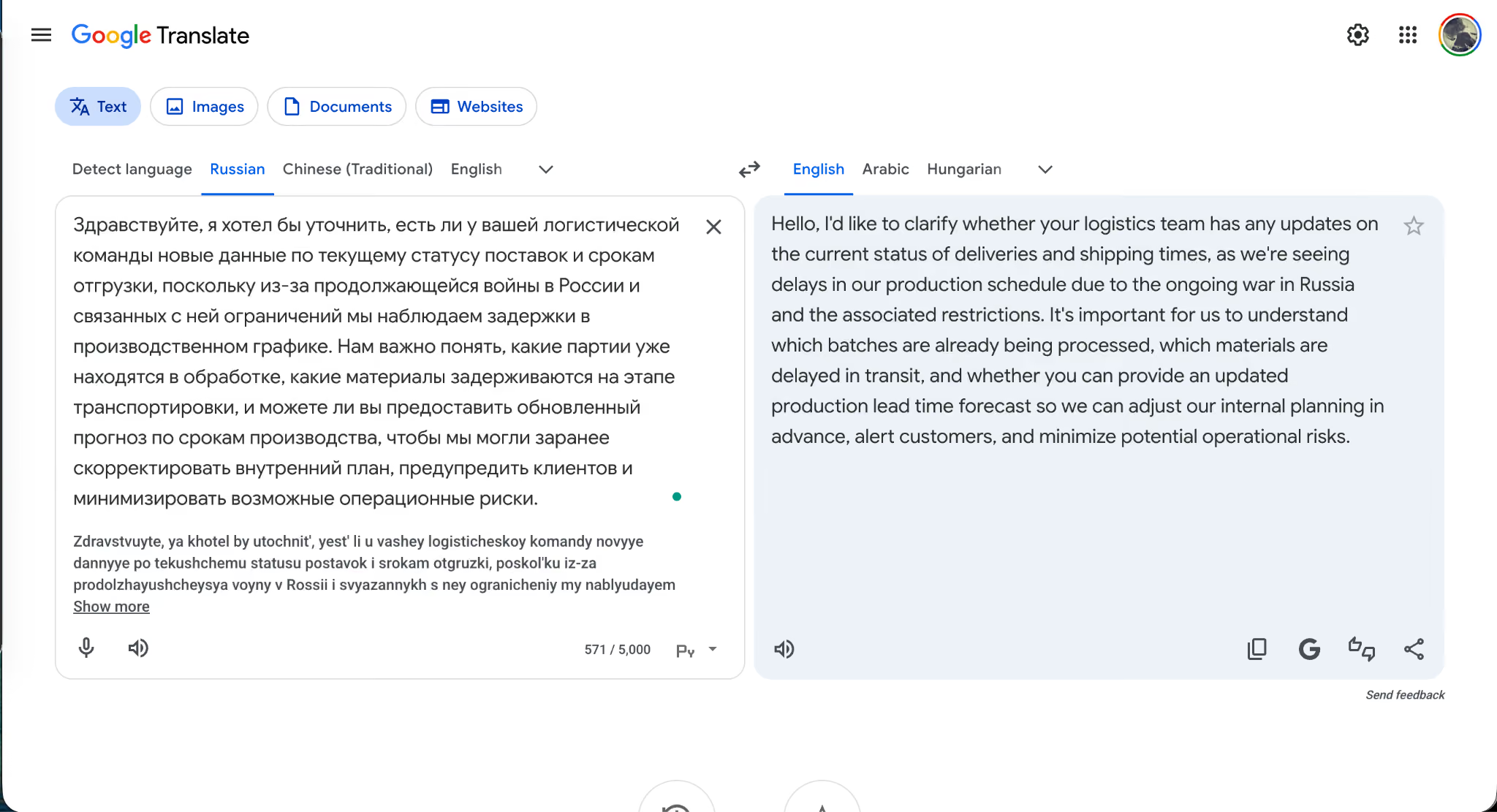
The translation was technically correct on most clauses, but the output read flat, and the formality register defaulted to neutral, which would be a problem in an actual business setting.
Key Features Of Google Translate
- 133+ supported languages, including Russian
- Cyrillic camera OCR for signs, menus, and printed text
- Offline Russian language pack for travel scenarios
- Conversation mode for short two-way voice exchanges
- Handwriting input for Cyrillic script
- Gemini integration for text-based queries
- Completely free
Issues I Found With Google Translate
The output is stiff on anything beyond simple syntax, and the live conversation mode is not built for sustained business dialogue. There is no contextual refinement, no meeting integration, and no register control for formal versus informal Russian.
DeepL: Best For Formal Written Russian Documents
DeepL is the tool I would reach for if I had to translate a Russian contract, legal text, or formal business document into English, or vice versa. Its neural machine translation engine is trained heavily on formal writing, and the output reads more naturally than any other text-only translator I tested. That strength becomes especially noticeable in formal English to Russian translations, where accuracy, tone, and phrasing matter. The Team plan comes in at approximately $28.74/user per month and includes 20 file translations and 5 glossaries, which is genuinely useful for technical and legal Russian where terminology consistency matters.
The catch is that DeepL is purpose-built for written translation. There is no live conversation mode worth using, no meeting platform integration, and the tool over-formalizes casual Russian input, which can sound out of place in conversational contexts.
My Test Results:
DeepL handled the formal logistics paragraph well and produced clean, business-appropriate English. The register matched the source. The vocabulary remained accurate, including terms like "production schedule" and "operational risks."
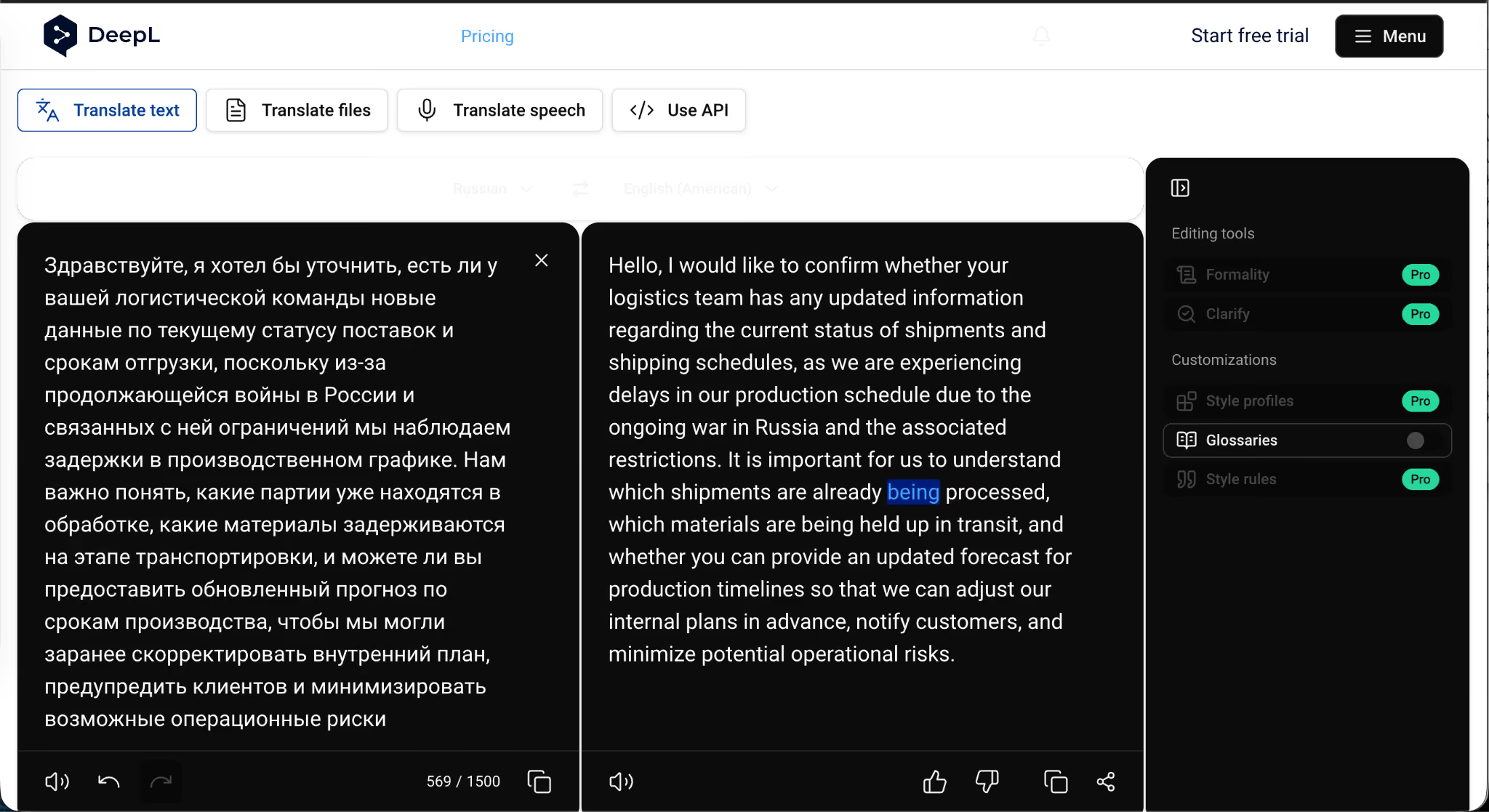
The bigger problem appeared during signup. DeepL advertises a 30-day free trial, but when I tried to access it, I was required to provide a credit card upfront. That is a friction point worth flagging for anyone who just wants to test the tool before committing.
Key Features Of DeepL
- Neural machine translation engine optimized for formal Russian.
- Document translation supporting PDF, Word, and PowerPoint (Pro)
- Glossary feature for technical terminology consistency
- Tone selection for formal or informal register
- 30+ supported languages, including Russian
- Available on Web, macOS, Windows, iOS, and Android
Issues I Found With DeepL
The 30-day free trial requires credit card details, which JotMe avoids by offering a free-forever tier with no card required. DeepL also over-formalizes casual Russian input, has no usable live translation, and provides no meeting platform integration.
Microsoft Translator: Best For Teams Already on the Microsoft Suite
Microsoft Translator is the natural fit for organizations that already run on the Microsoft 365 ecosystem. It integrates natively with Microsoft Teams, supports 100+ languages, including Russian, and offers a group conversation mode that lets up to 100 participants read live captions in their own language. For internal meetings inside a Microsoft-first company, the issues are low. The pricing model of Microsoft Translator is the part I struggle with.
Even though Microsoft Translator is free with Microsoft 365, at $99.99/year, you get 50,000 characters for standard text translation, which is not viable for large enterprises running frequent live translation workflows. The per-character ceiling makes it feel built for occasional use rather than sustained business operations.
My Test Results:
When I used MS Word for Microsoft Translator, it handled the logistics paragraph with reasonable accuracy and preserved the formal register, which it does well by default. The Teams integration meant I did not need to install anything separately, and the live captions worked acceptably for short exchanges.
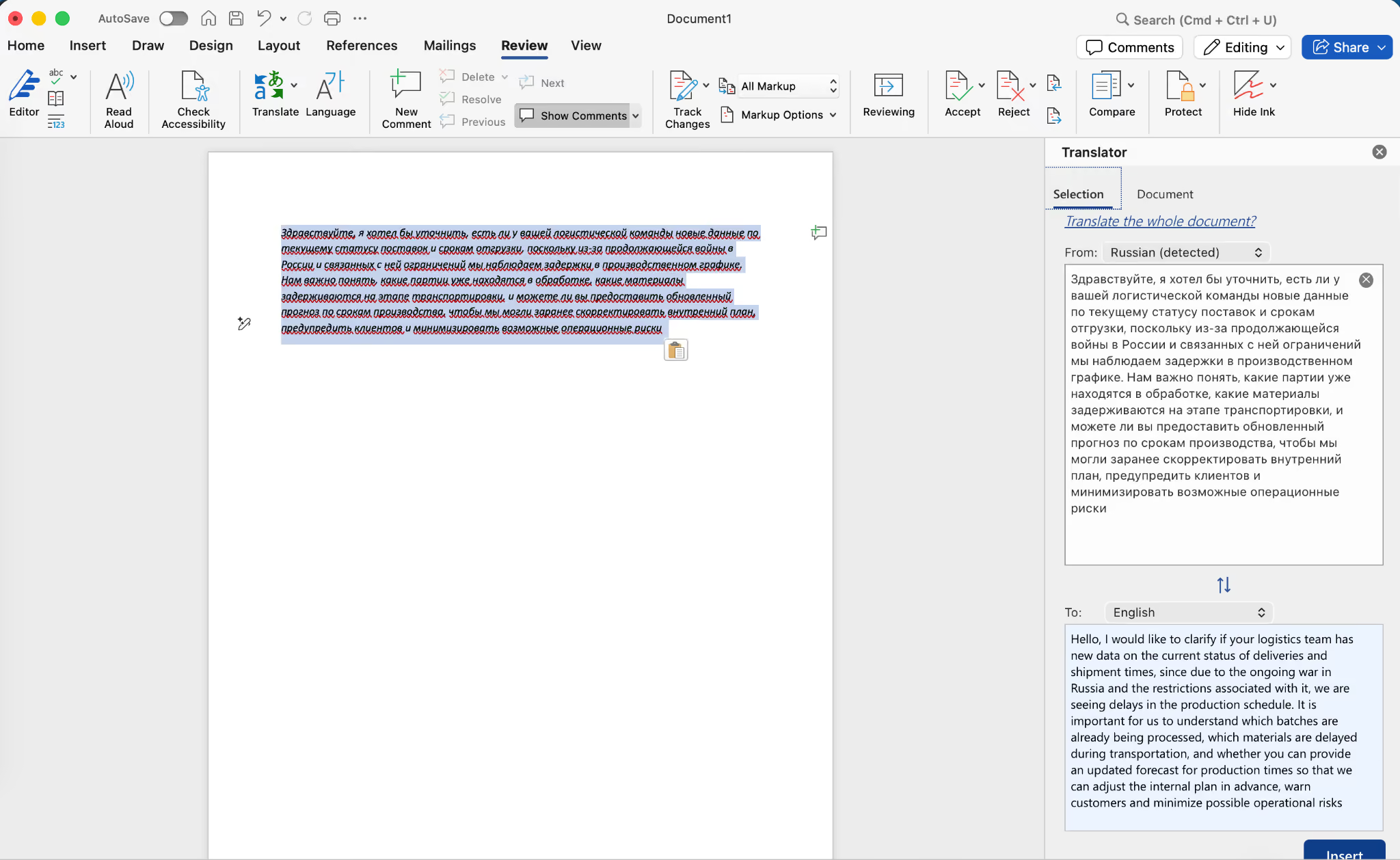
The morphological nuance was weaker than what I saw from Yandex or DeepL, and the interface felt less intuitive than Google Translate or iTranslate for quick text lookups.
Key Features Of Microsoft Translator
- Live group conversation translation for up to 100 participants
- Native Microsoft Teams and Microsoft 365 integration
- Offline Russian language pack via downloadable resources
- Speech-to-text and voice translation for Russian
- Phrasebook for common Russian expressions
- 100+ supported languages
Issues I Found With Microsoft Translator
The 50,000-character cap at $99.99/year is too restrictive for enterprises that regularly run live translation. Morphological accuracy on dense Russian input is weaker than Yandex or DeepL, and the tool is only practical for organizations already standardized on the Microsoft Suite.
Yandex Translator: Best Free Russian Specialist For Students And Travelers
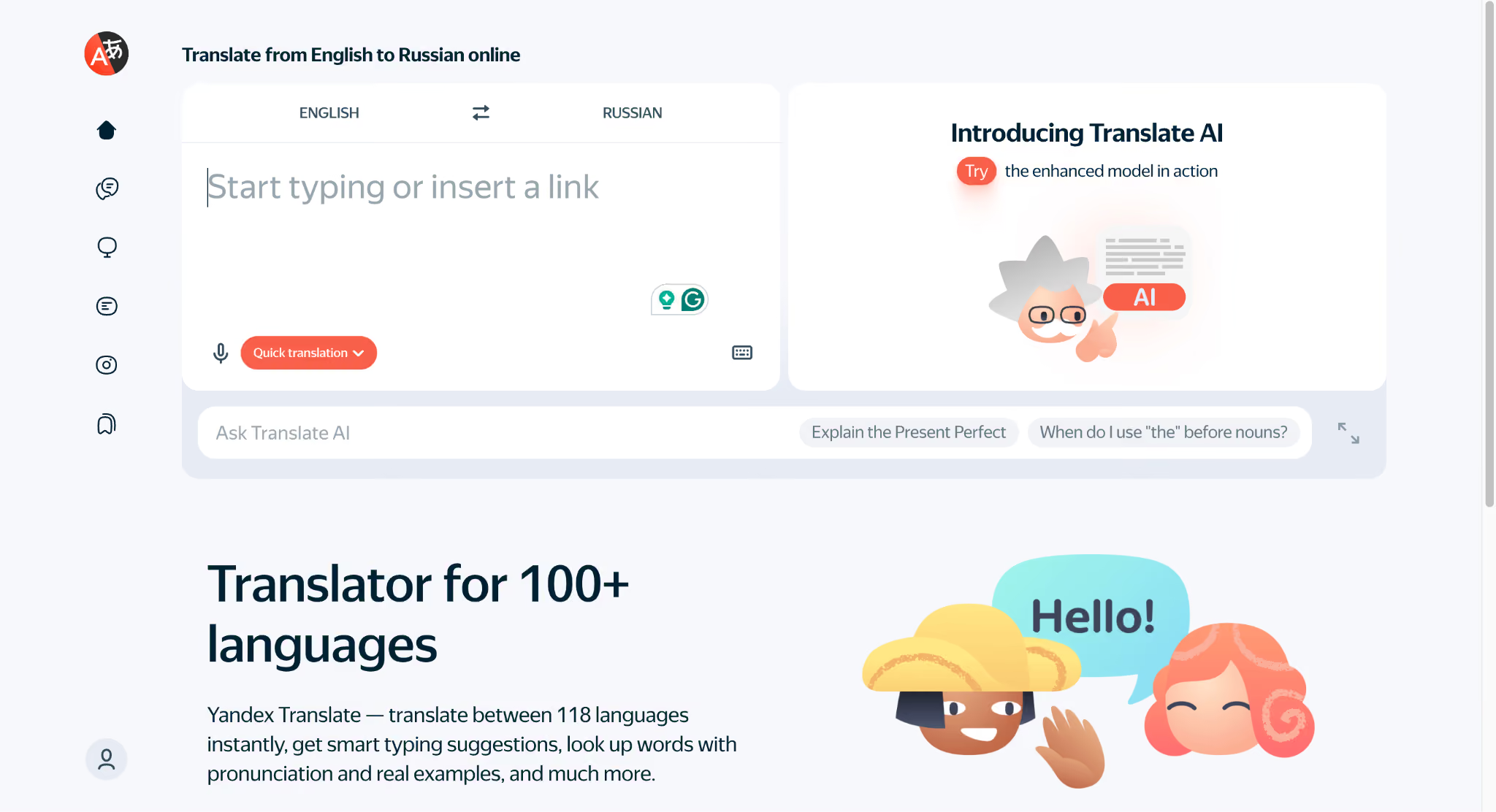
Yandex was built around Russian, and the morphological depth of its output shows it. With 10+ million downloads on Google Play, it has long been positioned as the best Russian Language Translator for students and travelers, and that positioning is well-earned. Yandex supports 102 languages, including Russian national minority languages like Bashkir, Tatar, and Chuvash, which no other tool on this list covers. Offline mode works reliably, and camera OCR handles Cyrillic well.
That said, Yandex carries baggage that Western users need to consider. The platform is Russian-owned, and users across multiple regions have raised concerns about data privacy and potential geopolitical bias in sensitive topics.
My Test Results:
The translation itself was clean. Yandex handled Russian morphology more accurately than Google did with the same input, and the formal register was preserved. The friction point came when I tried to access the explanation feature. I was prompted to create an account just to read it, which significantly slowed the workflow.
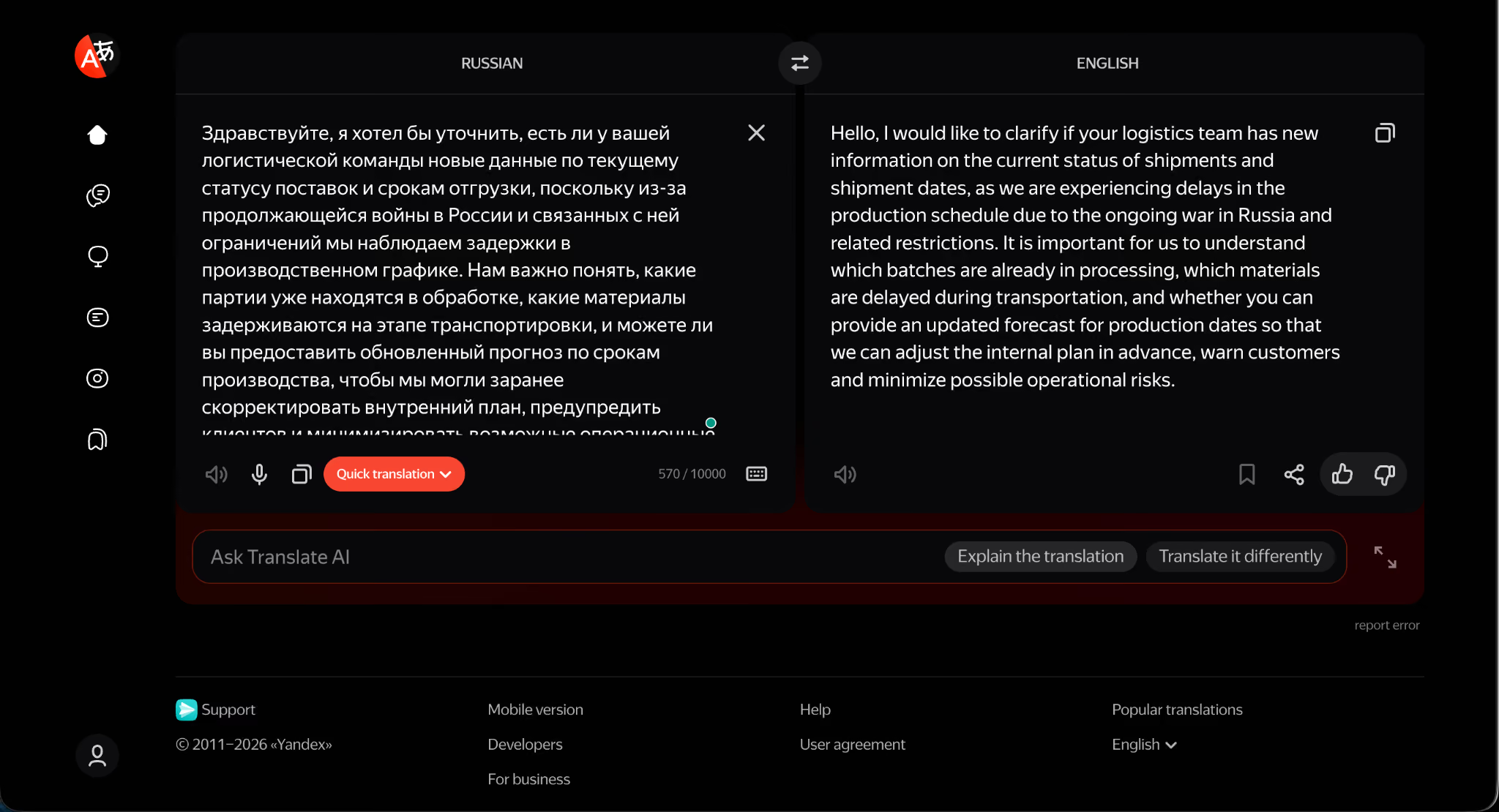
For students and travelers who are willing to create an account and are comfortable with the data privacy trade-off, Yandex remains one of the strongest free options for Russian text translation.
Key Features Of Yandex Translator
- 102 languages, including Russian national minority languages (Bashkir, Tatar, Chuvash)
- Hybrid SMT and NMT engine optimized for Russian morphology
- Offline Russian language pack
- Camera translation for signs, menus, and printed Cyrillic text.
- Integrated dictionary with translation examples
- Voice and text translation across Web, iOS, and Android
Issues I Found With Yandex Translator
Yandex prompted me to create an account just to access the explanation feature for the translated text, which is a hard stop for users concerned about data privacy. The Russian ownership also raises questions about data residency and potential geopolitical bias on sensitive topics, both of which are worth weighing before using the tool for business communication.
Reverso Context: Best Russian Document Translator With Contextual Examples
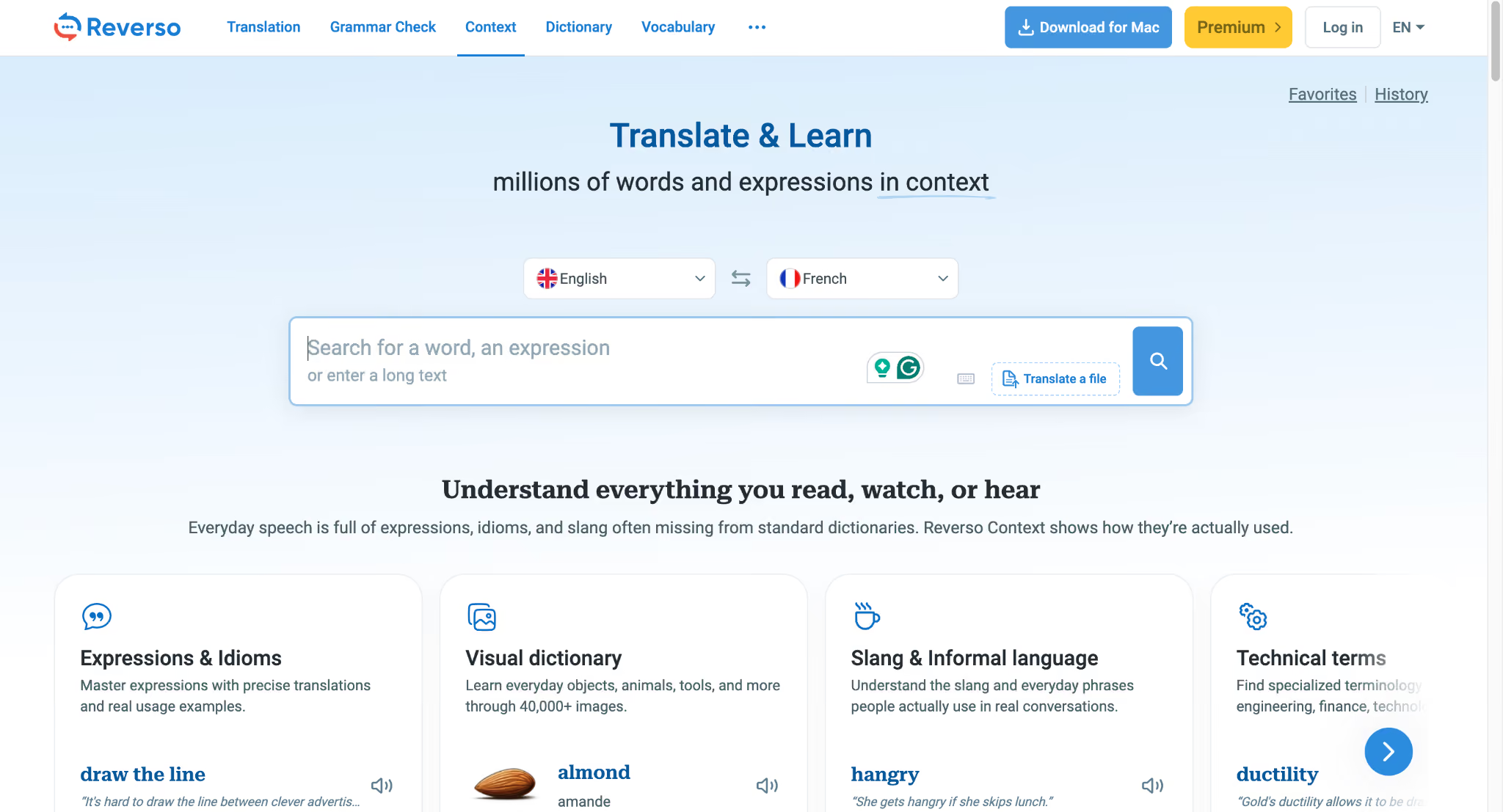
Reverso Context is the tool I would recommend to Russian language learners and to anyone who needs to see how a word actually behaves in real sentences. Its database of contextual bilingual examples is drawn from books, films, and websites, meaning the example sentences are real usage rather than synthetic constructions. For a language as polysemous as Russian, that distinction matters more than most reviews acknowledge. Reverso Context also handles document translation well, and at approximately $91/year, it integrates with Netflix and YouTube so students can interact with on-screen subtitles directly.
My Test Results:
Reverso Context translated the logistics paragraph competently and surfaced helpful contextual examples for several of the more nuanced phrases. The conjugation tools were genuinely useful when I checked specific Russian verbs from the source.
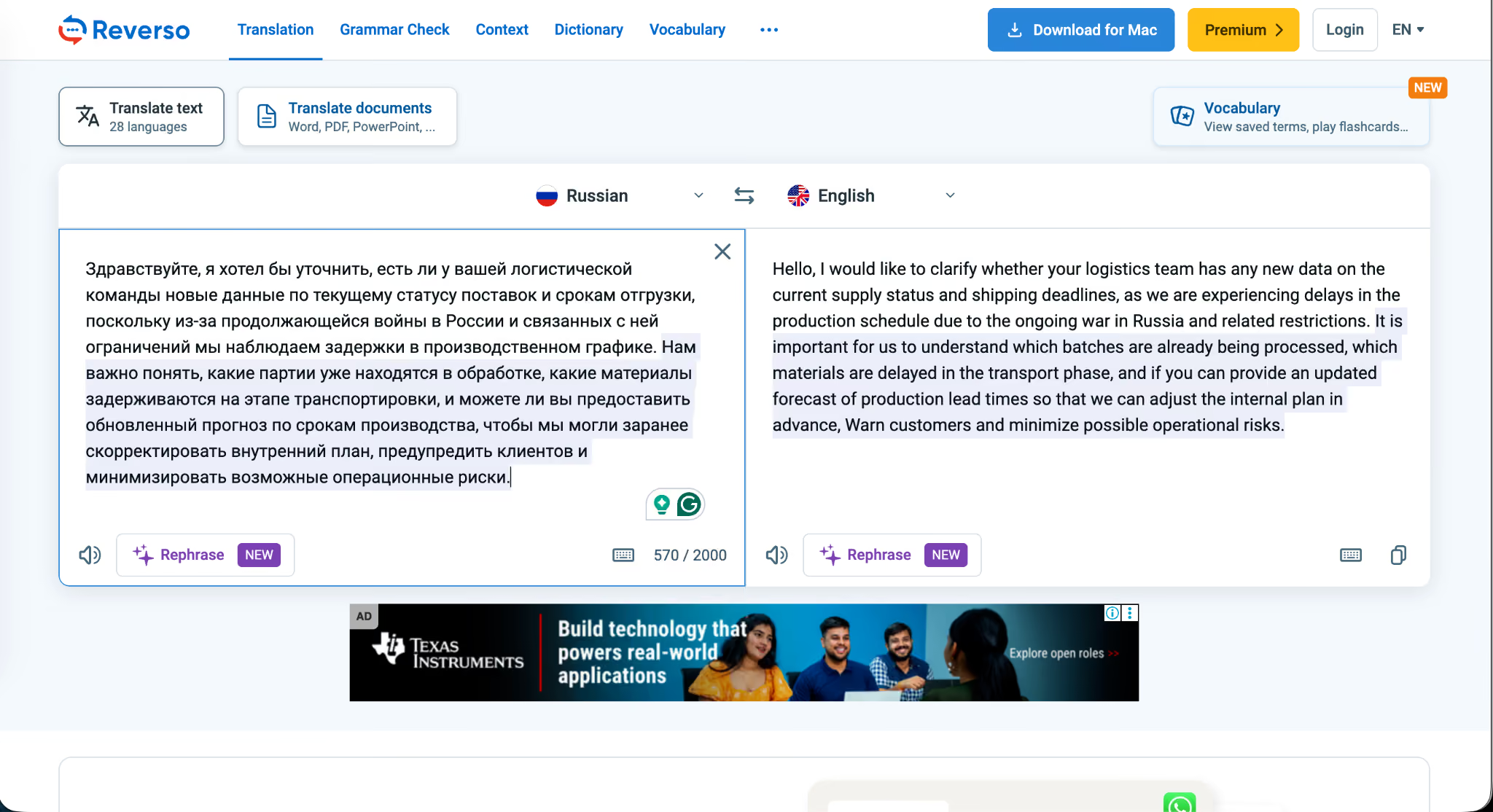
The reading experience was disrupted by ad density. Free-tier users get hit with a heavy ad load that breaks the focus required for serious translation work, and that alone would push me toward the paid version if I used this tool daily.
Key Features Of Reverso Context
- Contextual translation with real bilingual sentence examples
- Russian verb conjugation and grammar reference tools
- Voice input and pronunciation playback
- Offline dictionary access
- Document translation supporting large file uploads
- Netflix and YouTube subtitle integration for language learners
- Available on Web, iOS, and Android
Issues I Found With Reverso Context
The free tier has a high ad density that disrupts the reading flow during longer translation sessions. The tool is also not built for live voice translation, which means it cannot replace a meeting-focused Russian Translation App for business use.
Lara Translate: Best For Document-Heavy Russian Translation Workflows
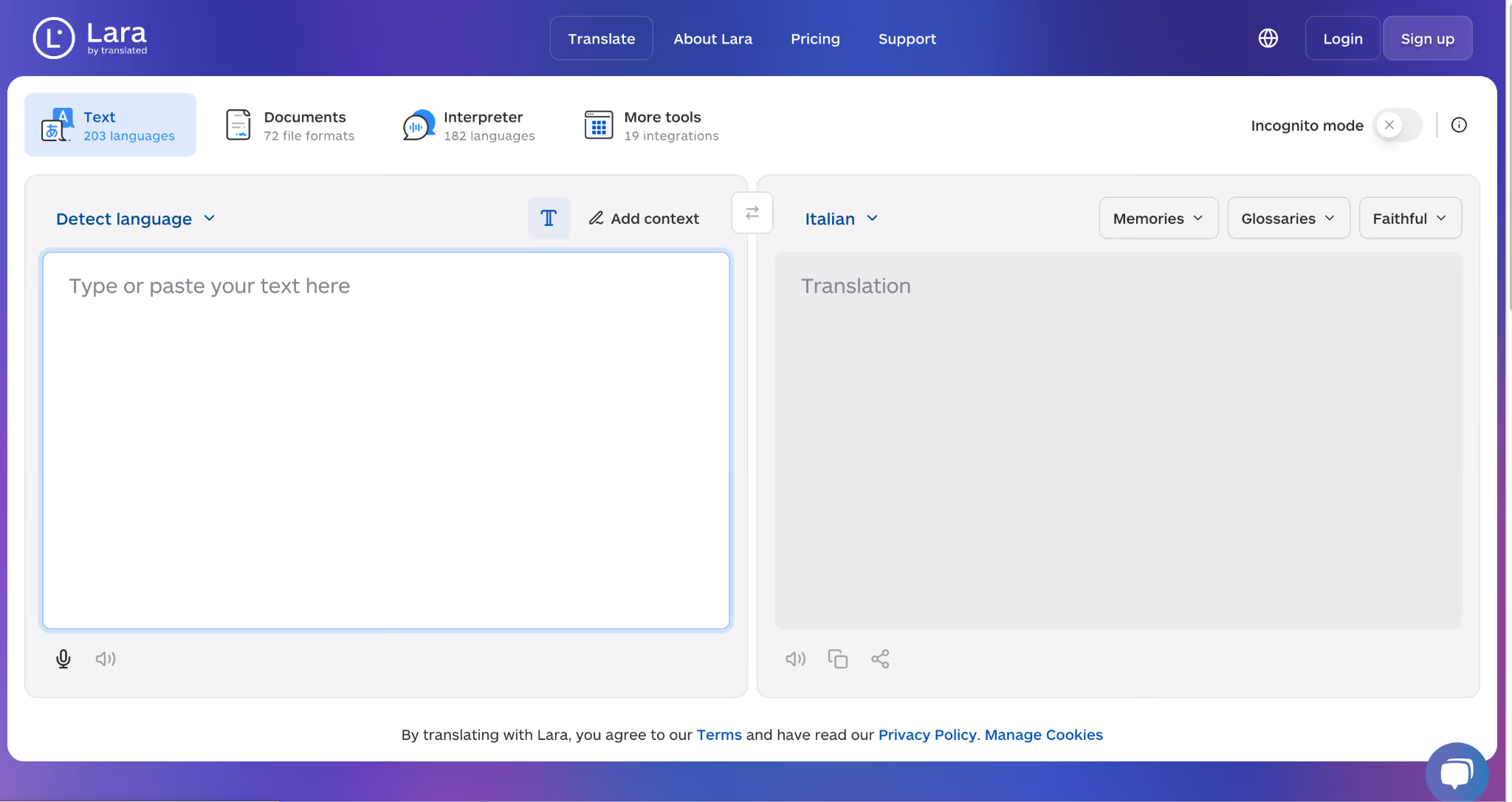
Lara Translate has been growing fast, with a global search traffic of 3.6M, and the reasons become clear once you use it. At $11.99/month, Lara provides 1 million text translation characters and up to 100-page document translation, which is one of the more generous quotas in this price range. The tool supports Russian text and document workflows well, lets you dictate input directly in Russian, and offers glossaries and translation memories that help maintain terminology consistency across long projects.
My Test Results:
Lara handled the logistics paragraph with high accuracy and preserved the formal register naturally. The dictation feature worked smoothly when I tested it in Russian, and the glossaries and memories panel made it clear this is a tool built for serious translation work rather than casual lookups.
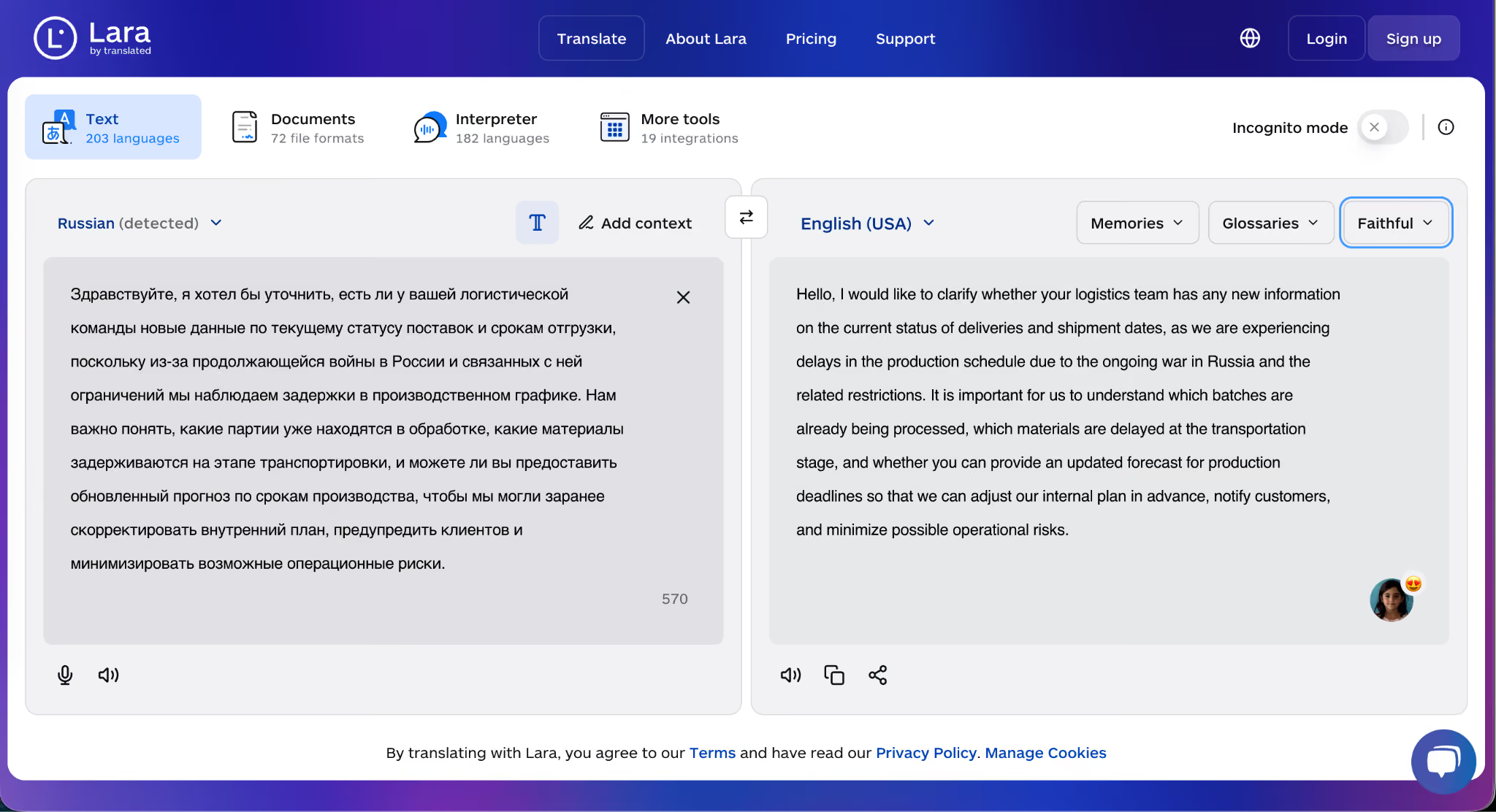
The limitation is live assistance. Lara does not offer real-time meeting translation, so it cannot serve as a Zoom or Google Meet companion like JotMe or Maestra can.
Key Features Of Lara Translate
- 1 million text translation characters per month at the entry tier
- Document translation for up to 100 pages
- Russian dictation input
- Glossaries and translation memories for consistency
- Multiple supported languages with Russian as a core pair
- Clean interface oriented around longer translation projects
Issues I Found With Lara Translate
Lara lacks a live assistance feature, which rules it out for users who need real-time Russian translation during meetings or events. The tool is optimized for document and text-heavy workflows rather than live conversation.
Maestra AI: Best AI Transcription Tool With Live Russian Translation Support
Maestra AI has positioned itself as an AI-powered translation and transcription tool, and at $23/month, it supports transcription in 125+ languages along with live voice translation. The live feature worked well during my tests, and Maestra demonstrated contextual awareness of Russian input in a way that resembled JotMe's, though the language coverage and meeting integration depth differ.
My Test Results:
The live feature performed well, and, just like JotMe, Maestra demonstrated contextual awareness of the logistics paragraph. The translation read cleanly, and the formal register was preserved through the exchange.
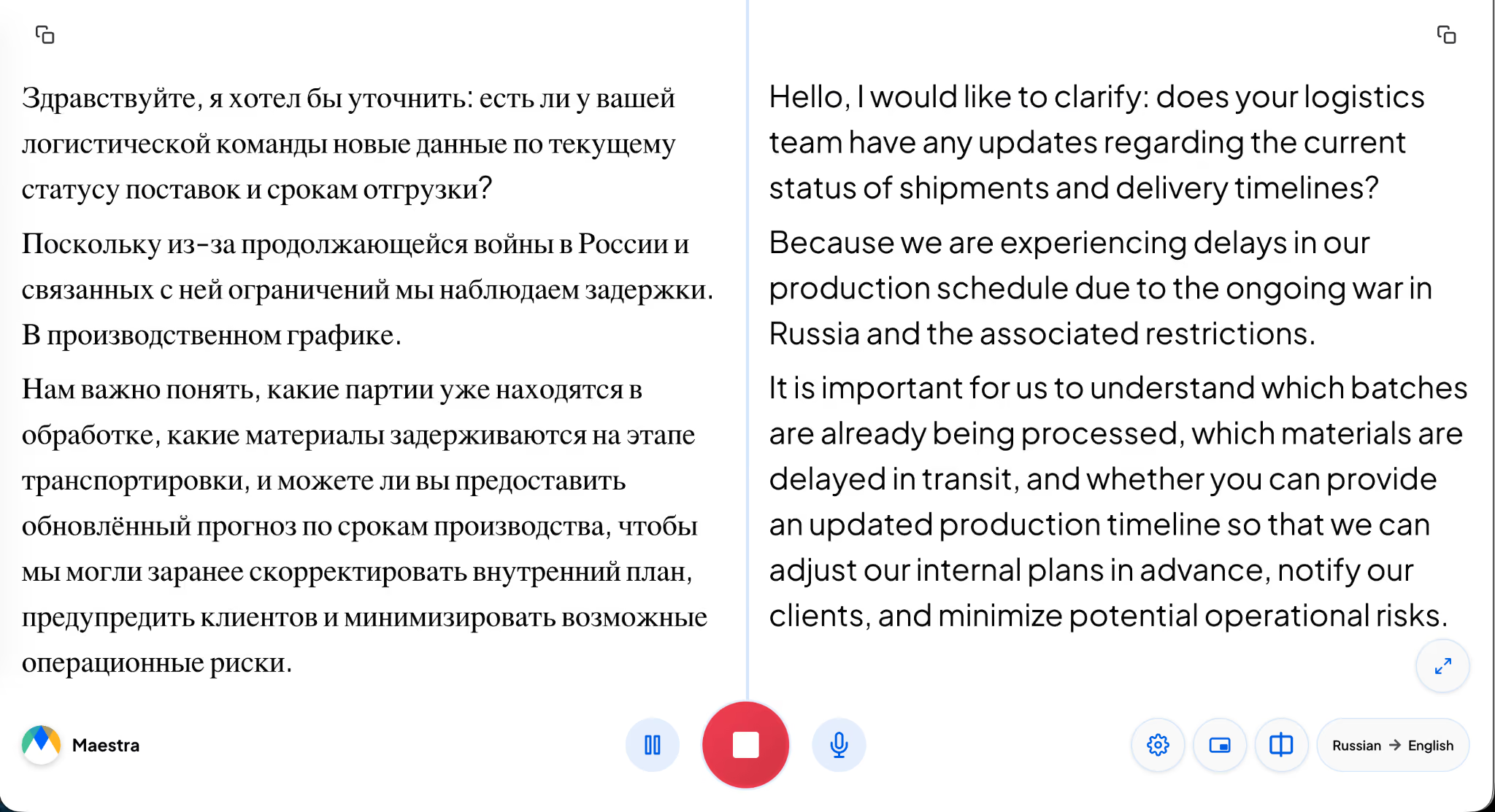
Where Maestra falls behind is in raw breadth. Maestra covers 125+ languages for transcription, while JotMe covers 200+ languages with 39,000+ language pairs. For organizations operating across more language combinations, that gap is consequential.
Key Features Of Maestra AI
- Live voice translation and captions in 125+ languages
- Two-way conversation mode with multi-speaker diarization
- Browser-based delivery with no installation required
- Shareable sessions via link or QR code
- Integrations with Zoom, Microsoft Teams, OBS, YouTube, and Slack
- Contextual awareness of extended Russian input
Issues I Found With Maestra AI
Maestra's language coverage at 125+ for transcription is narrower than JotMe's 200+ languages with 39,000+ language pairs, which limits its utility for organizations running translation across a wider language mix. The free trial is also capped at 10 minutes, which is a tight window for evaluating a live meeting tool.
Transync AI: Real-Time Two-Way Russian Interpretation With Formality Detection
Transync AI is one of the few tools on this list that explicitly handles Вы versus ты formality detection in Russian, which alone earned it a spot in my testing rotation. The Personal Premium plan starts at $8.99/month and offers real-time two-way interpretation across 60 languages, with meeting summaries for Zoom, Teams, and Google Meet. For Russian language learners and small teams running occasional Russian meetings, the pricing is approachable.
My Test Results:
The translation quality on the logistics paragraph was solid, and the formality detection worked as advertised, picking up the Вы register and maintaining it through the response. The friction point was access. Even though Transync AI offers a free tier, it would not let me perform any operation until I created an account.
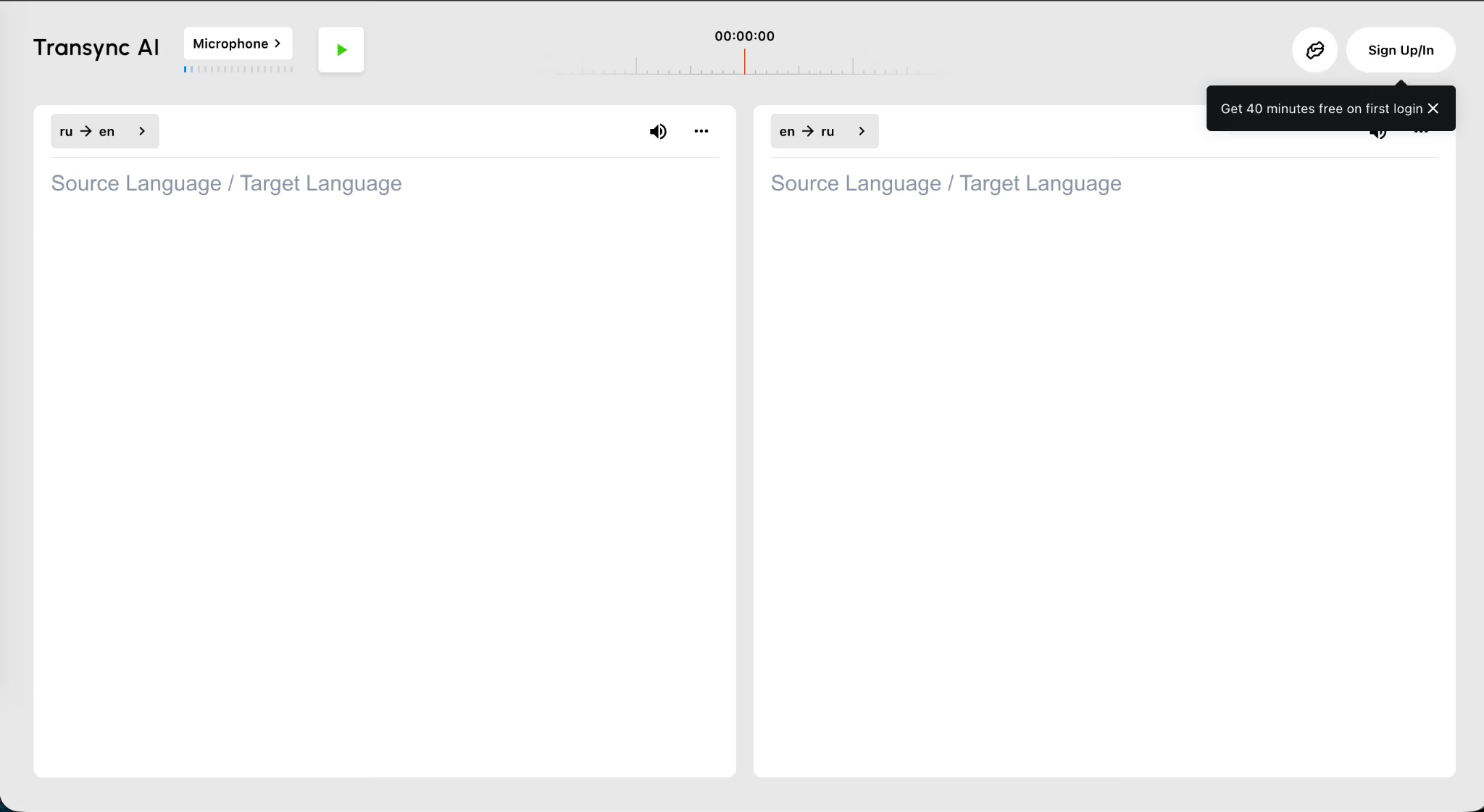
As someone conscious of how my data is shared, I did not provide it to it, which meant I could not achieve the same test depth as I did on JotMe and Maestra.
Key Features Of Transync AI
- Simultaneous interpretation in 60+ languages with natural voice playback
- Context-aware Вы versus ты formality detection for Russian
- AI-generated meeting summaries for Zoom, Teams, and Google Meet
- Dual-screen subtitles displaying source and target text simultaneously
- Real-time B2B meeting support
Issues I Found With Transync AI
The free tier is gated behind a mandatory account creation, which is a barrier for users who want to evaluate the tool before sharing their data. Language coverage at 60+ is also significantly narrower than JotMe's 200+ languages with 39,000+ language pairs.
iTranslate: Best Russian Translation App For Apple And Android Mobile Users
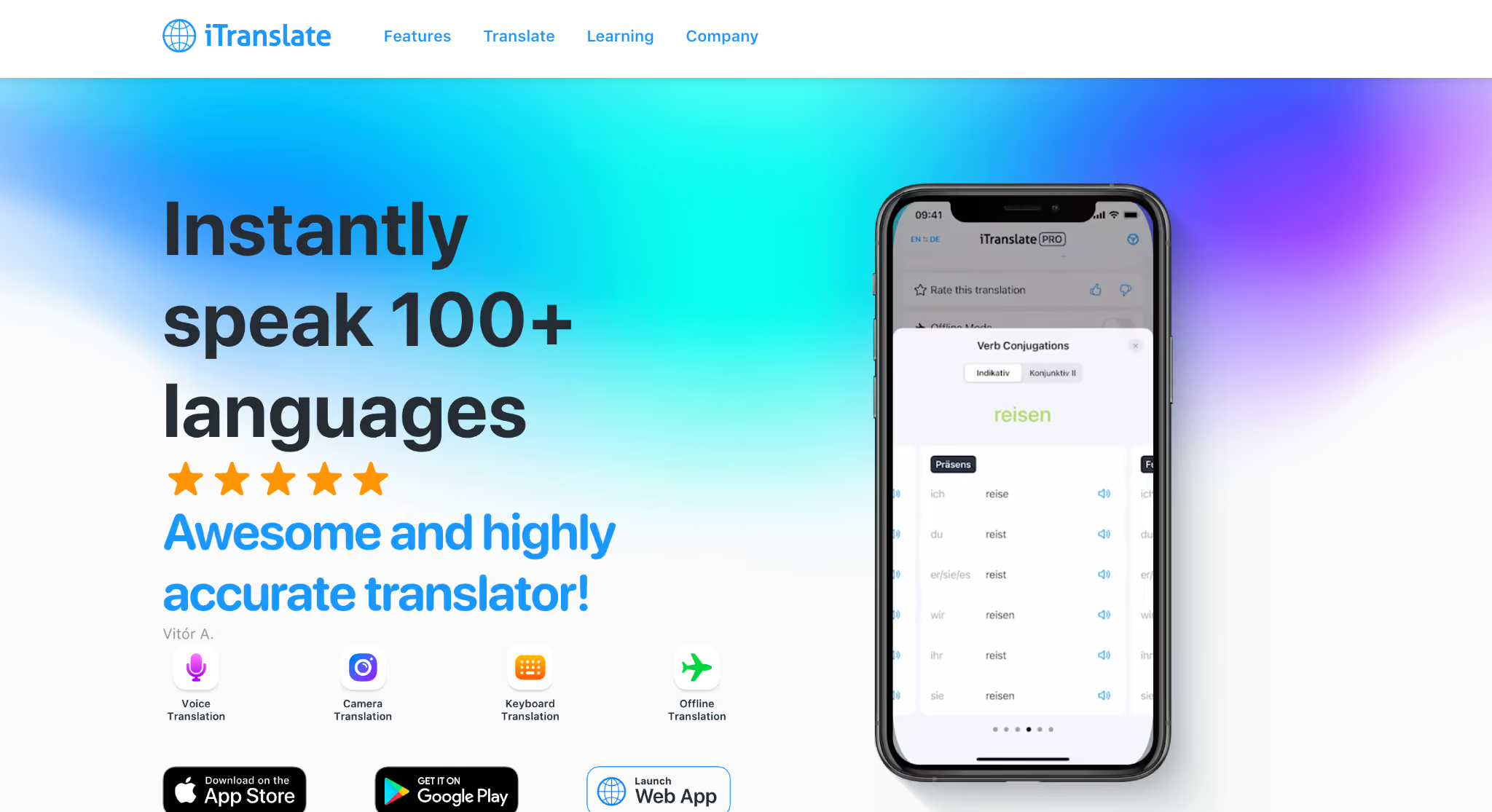
iTranslate is built for mobile, and for users who need Russian to English translation across their iPhone, Apple Watch, and Safari browser, it is one of the cleaner options on the market. The app supports 100+ languages with voice, text, and conversation modes, and the Apple Watch integration plus Safari extension make it the most frictionless iOS experience for on-the-go Russian translation. From text Russian to English translation to camera translation, iTranslate handles the basics well.
My Test Results:
iTranslate did a decent job on the logistics paragraph. The text-level translation was acceptable, the voice input worked smoothly for short Russian phrases, and the conversation mode handled simple back-and-forth exchanges. For mobile travel scenarios and quick lookups, it is reliable.
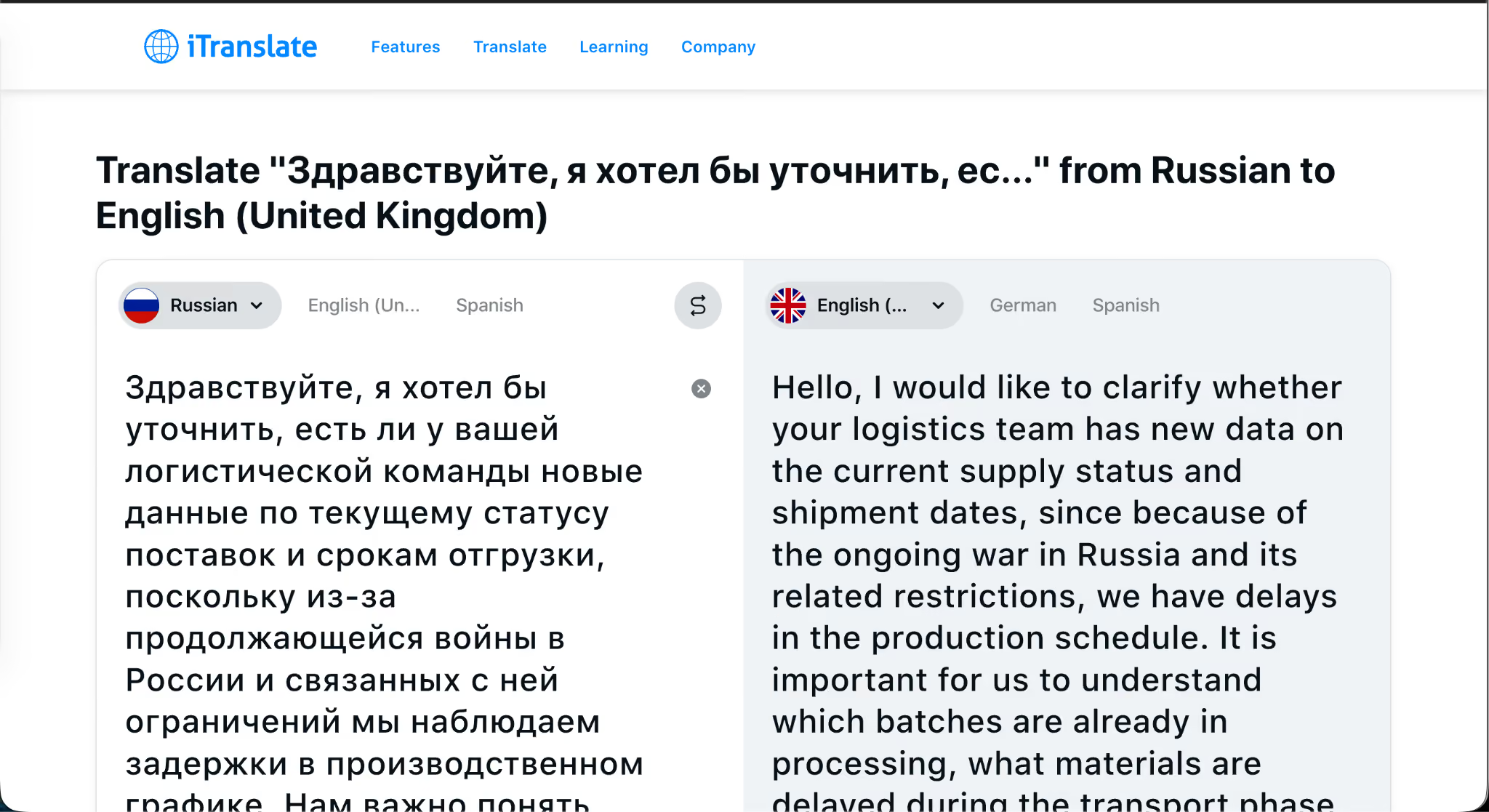
Where iTranslate slips is on extended Russian voice input, where accuracy starts to drop, and on meeting integration, which is nonexistent. This is a mobile-first Russian to English translation tool, and that focus is both its strength and its ceiling.
Key Features of iTranslate
- 100+ languages with voice, text, and conversation modes
- Offline translation for 40+ languages on the Pro tier
- AR camera translation on Pro
- Verb conjugations and phrasebook
- Apple Watch integration is unique to iTranslate.
- Safari extension for in-browser translation
- Keyboard extension for multilingual messaging
Issues I Found With iTranslate
The accuracy of extended Russian voice input drops noticeably, and the tool lacks native integration with the meeting platform. Camera and offline features are also locked behind the Pro tier at $9.99/month.
Russian Script And Formality Cheat Sheet
A few quick references to help you read translation output critically and catch the errors most apps make.
Ё versus Е: The letter ё (yo) is often written as е (ye) in informal Russian, but the two represent different sounds. Apps that normalize ё to е can change the meaning of words, especially proper nouns. Все (vse, "everyone") and всё (vsyo, "everything") are not the same word.
When to use Вы: Default to Вы in business meetings, with anyone older than you, with anyone senior in title, in first introductions, in formal emails, and with strangers. A Russian Translation App that does not surface this distinction is not safe for business use.
When to use ты: Use ты with friends, family, children, and only with colleagues after they have explicitly invited you. Defaulting to ты in a business setting reads as disrespectful or aggressive.
Polite imperatives: Russian requests use Пожалуйста (please) plus the formal imperative form. Direct imperatives without softening can land as commands rather than requests, a common translation pitfall.
Stress matters: Russian stress is mobile, and the same spelling can have different meanings depending on where the stress falls. Замо́к (zamok, "lock") and за́мок (zamok, "castle") are spelled identically. Voice translation tools that mishear stress can flip the meaning entirely.
Why Human Interpreters Fall Short in Russian To English Translation?
Human interpreters are still the gold standard for high-stakes Russian translation, but they come with structural limitations that make them impractical for most modern business workflows.
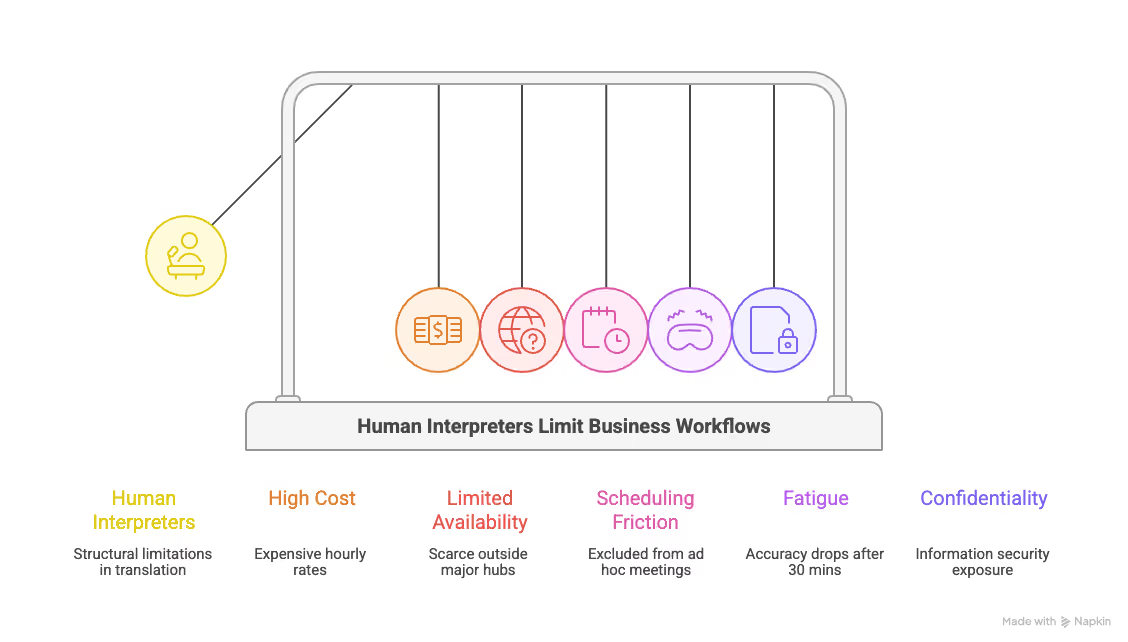
Cost: Certified Russian interpreters charge between $75 and $150 per hour for consecutive interpretation, and simultaneous interpretation runs higher. For a team running weekly Russian meetings, the annual cost quickly reaches the high five figures.
Availability: Outside of major metropolitan hubs, certified Russian interpreters are scarce. Booking one for a same-day Zoom call is functionally impossible in most cities.
Scheduling friction: Modern business meetings are scheduled with hours of notice, not weeks. Human interpreters need to be booked, briefed, and confirmed, which excludes them from any ad hoc meeting workflow.
Fatigue: Simultaneous interpretation is cognitively exhausting, and accuracy drops after roughly 30 minutes of sustained work. Professional standards require two interpreters working in shifts for any session over an hour, which doubles the cost.
Confidentiality: Adding a third human to a sensitive business conversation creates a non-trivial information security exposure. Many enterprises completely restrict interpreters from confidential meetings.
A Russian translation app like JotMe does not replace a human interpreter for treaty-level diplomacy or courtroom testimony. For everything else, the math has shifted.
Who Should Use A Russian Translation App?
The audience for the Russian translation app is broader than most people realize. Russian remains one of the most widely spoken languages globally, with an estimated 258+ million speakers and hundreds of millions more using it across business, education, media, and cross-border communication. That reach is exactly why demand for reliable real-time translation tools continues to grow.
Here are the five groups I had in mind while testing the Russian translation to English:
- Sales and business development teams working with Russian-speaking enterprises like Gazprom, Rosneft, Lukoil, Nornickel, and Novatek. Cross-border B2B conversations live or die on tone, and these teams need formality detection more than raw word accuracy.
- Eastern European founders and operators running Russian-speaking standups, customer calls, and internal reviews while serving an English-speaking investor base. Live meeting translation is non-negotiable here.
- Students studying Russian literature, history, or political science, who need context-aware translation that preserves register and idiom rather than producing stiff English equivalents.
- Journalists and researchers covering CIS-region news, OSINT, and primary-source Russian documents, where precision on technical and political vocabulary determines whether the output is publishable.
- Logistics and supply chain coordinators managing shipments through Russian-speaking corridors, where misreading a single phrase about delivery timing can cost a quarter.
If you fall into any of these groups, the right Russian translation app is the one that fits your specific scenario, not the one with the biggest marketing budget.
Tips For Choosing The Right Russian Translation App
Before you commit to a Russian translation app, run through this short checklist:
- Download offline language packs before you travel. Russia spans 11 time zones, and mobile data coverage drops sharply outside major cities. Set up offline mode before you leave the airport.
- Cross-reference two apps for any critical phrase. Yandex and DeepL are trained on different corpora and make different errors. Running the same input through both takes 30 seconds and catches mistakes that only become obvious after the damage is done.
- Default to the formal register in any business context. When in doubt, use Вы. Switching to ты later is easy. Recovering from a misjudged ты at the start of a meeting is much harder.
- Test your live translation tool before the actual meeting. Run a five-minute mock conversation with a Russian-speaking colleague before relying on any live Russian Translation App in a high-stakes call. Latency, microphone handling, and formatting all behave differently in real meeting conditions.
- Watch for ё versus е errors in proper nouns. If a translation app is normalizing ё to е, double-check any names, places, or technical terms before sending the output to a counterparty.
- Check data residency policies before sharing sensitive content. Russian-owned tools like Yandex come with data privacy tradeoffs that matter for legal, financial, and government workflows.
- Match the tool to the scenario. DeepL for contracts. Reverso for learning. JotMe for live meetings. Google Translate for travel signs. No single tool wins every category, and the right answer depends on what you are actually doing.
The best translation setup depends on context, not hype. Whether you need to translate English to Russian for business communication or handle Russian to English translation during meetings, choosing the right tool for the job will save time, reduce mistakes, and make conversations smoother.
Bottom Line: Why JotMe is a One-Stop Russian Translation App For All?
Across every test scenario I ran (live meetings, document translation, and quick text lookups), JotMe was the only Russian Translation App that delivered on all three without forcing me into a tradeoff. The combination of 200+ languages with 39,000+ language pairs, 21-language AI meeting notes, native integration with Zoom, Google Meet, and Microsoft Teams, free-forever access with no credit card required, and the agentic post-call AI that refines transcripts in seconds, made JotMe feel built for the work modern teams are actually doing.
The timing also aligns with broader market demand. According to Mordor Intelligence, the global translation services market is projected to grow from USD 64.99 billion in 2026 to USD 97.65 billion by 2031, driven by real-time localization needs, multilingual collaboration, and AI-powered translation workflows. That shift is exactly why tools that combine live translation, meeting intelligence, and workflow automation are becoming essential for global teams.
Other Russian to English translation tools on this list win specific categories. DeepL for formal documents. Yandex for Russian morphology depth. Reverso for language learners. iTranslate for mobile travel. But if the question is which Russian translation app you should pick for live business meetings and events in 2026, JotMe is the answer I keep coming back to.
The starting tier at $20/month gets you 300k tokens for AI text translation and unlimited transcription in the Google Meet Chrome Extension, a price point that most alternatives cannot match for the feature set on offer.
Frequently Asked Questions
What Is The Best Russian Translation App For Business Meetings?
JotMe is the best Russian Translation App for business meetings. It offers real-time translation across 200+ languages with 39,000+ language pairs, integrates with Zoom, Google Meet, and Microsoft Teams through a Chrome Extension, and generates AI meeting notes in 21 languages, including Russian.
Which Russian Translation App Is Free And Has No Credit Card Requirement?
JotMe offers a free-forever account with no credit card required. Google Translate and Yandex Translator are also free, though some advanced features on Yandex require an account.
Is Google Translate Accurate For Russian?
Google Translate is accurate for short English-to-Russian translations, standard Russian text, and travel-level phrases. It struggles with morphologically complex Russian input, formal register matching, and live business conversation, where it falls behind tools built specifically for meeting workflows.
Which Russian Translation App Handles Formal And Informal Speech Automatically?
JotMe, Transync AI, and Maestra AI handle formal and informal Russian register through context-aware translation. JotMe goes further by refining its translation as the conversation progresses and running an agentic post-call review of the full transcript.
What Is The Most Accurate Russian To English Translator?
JotMe is the most accurate Russian translation app for live meetings. DeepL is the most accurate for formal written Russian. Yandex is the most accurate for Russian morphology and minority languages.
How Much Does A Russian Translation App Cost?
Free options like Google Translate, Yandex Translate, and JotMe's free tier are available. Paid tiers range from $8.99/month for Transync AI Personal Premium to $99.99/year for Microsoft Translator, with JotMe starting at $20/month for the entry paid tier.
Can A Russian Translation App Replace A Human Interpreter?
Modern AI Russian translation apps like JotMe handle live conversation, formal register, and contextual nuance well enough for day-to-day cross-border work. For treaty-level diplomacy, courtroom testimony, and other high-stakes settings, human interpreters remain the standard.
Which Russian Translation App Works Offline?
Google Translate, Yandex Translator, Microsoft Translator, and iTranslate Pro all offer offline Russian language packs. Download the offline pack before traveling, especially if you are heading into Russia, Belarus, Kazakhstan, or Kyrgyzstan, where mobile coverage can drop unexpectedly.
Does JotMe Support Russian To English Live Translation On Zoom?
Yes. JotMe supports live Russian to English translation on Zoom, Google Meet, and Microsoft Teams through a no-bot architecture. The tool also generates AI meeting notes in Russian as one of 21 supported note languages.
What Is The Best Russian Translation App For Students?
Reverso Context is the best Russian Translation App for students because of its contextual bilingual examples pulled from real books, films, and websites. Yandex Translator is a strong second choice for students working with Russian literature and minority-language coursework. For live events, webinars, and online classrooms, the best Russian translation app remains JotMe.
Which Russian Translation App Is Best For Document Translation?
DeepL is best for formal Russian document translation, with native support for PDF, Word, and PowerPoint. Lara Translate is a close alternative at $11.99/month with 100-page document translation support and built-in glossaries.
Are Russian Translation Apps Safe For Confidential Business Data?
Safety depends on the tool. JotMe is GDPR-compliant and SOC II in process, which is the standard most enterprises require. Yandex Translator reportedly raises Russian data-residency concerns that may be material for legal, financial, or government workflows. Always check the data retention policy before sharing sensitive content with any Russian translation app.
Last updated on
August 6, 2026
Follow us on social media: