Guides
5 Best English to German Translators for Windows & Mac That We Tried [Honest Review]

Viraj Mahajan
November 28, 2025

Planning to expand your business in Germany, and stressing about the language barrier? Or collaborating with German colleagues who are not fluent in English, and you need a reliable AI interpreter to ensure they understand the right message? JotMe can help you with that! It is a live translation tool that eliminates the issues in cross-border collaboration by providing quick, accurate, and contextual live English to German translations.
JotMe supports 45 languages on the desktop app and 77 languages in the Chrome extension for Google Meet. Not only that, JotMe can provide quick answers, instant summaries, and automatic post-meeting notes to help you streamline communication with German-speaking colleagues and work smarter.
There are tons of functional live English to German translators available, and choosing the right one can be overwhelming. To save you from the stress, we have tested various live translation tools and have listed the top five. Here’s what we have learned about these tools:
- JotMe offers real-time translation in 77 languages via the Chrome extension and 45 languages in the desktop app, along with AI ask, real-time summary, meeting notes, and more, for $15/month.
- DeepL Voice offers multilingual translation, but a user on G2 says, “Everything seems very good, but sometimes, this lags a lot and doesn't have very good customer support to help us.”
- Wordly AI can translate live calls with multiple participants simultaneously, and is great for live webinars and in-person meetings.
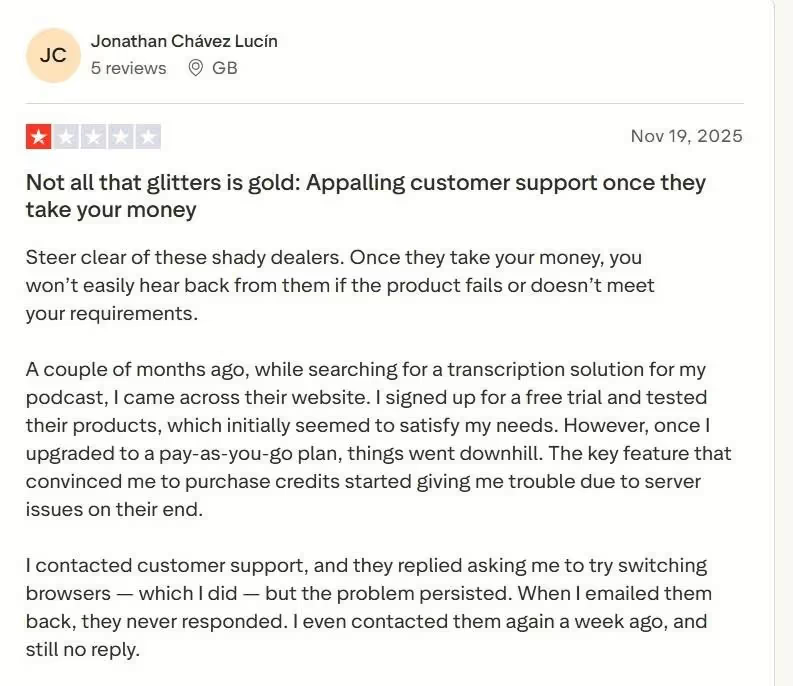
- Maestra AI offers automatic translation and dubbing in 125+ languages, but a user on Trustpilot says, “When I emailed them back, they never responded. I even contacted them again a week ago, and still no reply.”
- Kudo is known for handling large-scale conferences and events with added support for human interpretation.
Quick Comparison of English to German Live Translation Tools
When we were testing the live English to German translation apps, our primary focus was on output accuracy, language support, AI features, and more. Take a quick look at the comparison of the best tools before learning about them in detail.
What is the best English-to-German translation software?
The best English to German translation software includes JotMe, DeepL Voice, Wordly AI, Maestra AI, and Kudo. Each tool has its own strengths, as some offer contextual translation for online meetings, while others are suited for large events or conferences. Let’s learn more about these tools.
JotMe
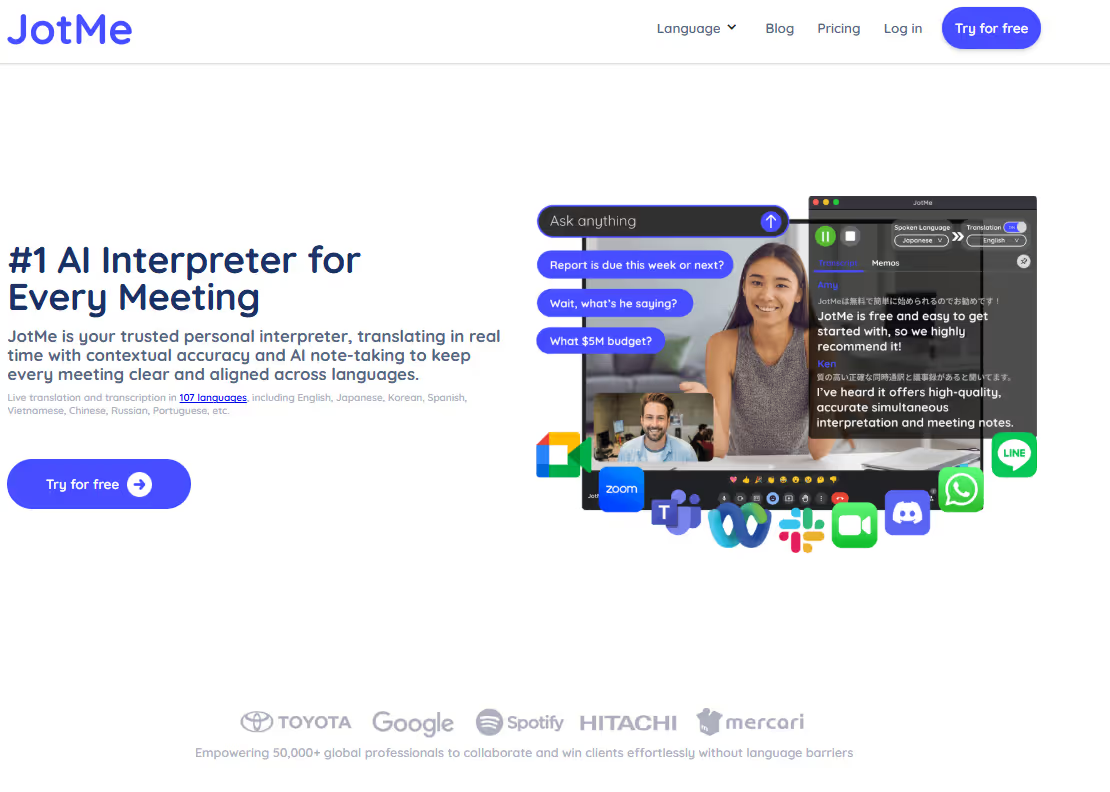
If you have German-speaking colleagues or students, you need a live AI interpreter to help you communicate effortlessly. In our tests, JotMe impressed us most for accuracy and real-time translation speed. Aside from that, other reasons include:
- No Latency: JotMe starts translating as soon as we start our meeting. There was no latency or lag, which enabled the conversation to flow smoothly.
- Integrates with Most Platforms: Be it Google Meet, MS Teams, Zoom, YouTube, or any other app, JotMe provides translations in real-time.
- More than a Translation Tool: Aside from accuracy, its AI real-time summary provides a quick overview of the meeting or lecture, while the AI Ask feature provides instant responses to your queries. It’s like having an expert by our side during the meetings.
JotMe’s mobile app on Android and iOS is launching very soon. Sign up here to get added to the waitlist and be among the first to live translate from English to German on the go.
JotMe Key Features
JotMe’s key features include live contextual translation, AI Ask, real-time summary, text-to-text translation, and post-meeting notes. Learn about these in detail below:
Live Contextual Translation
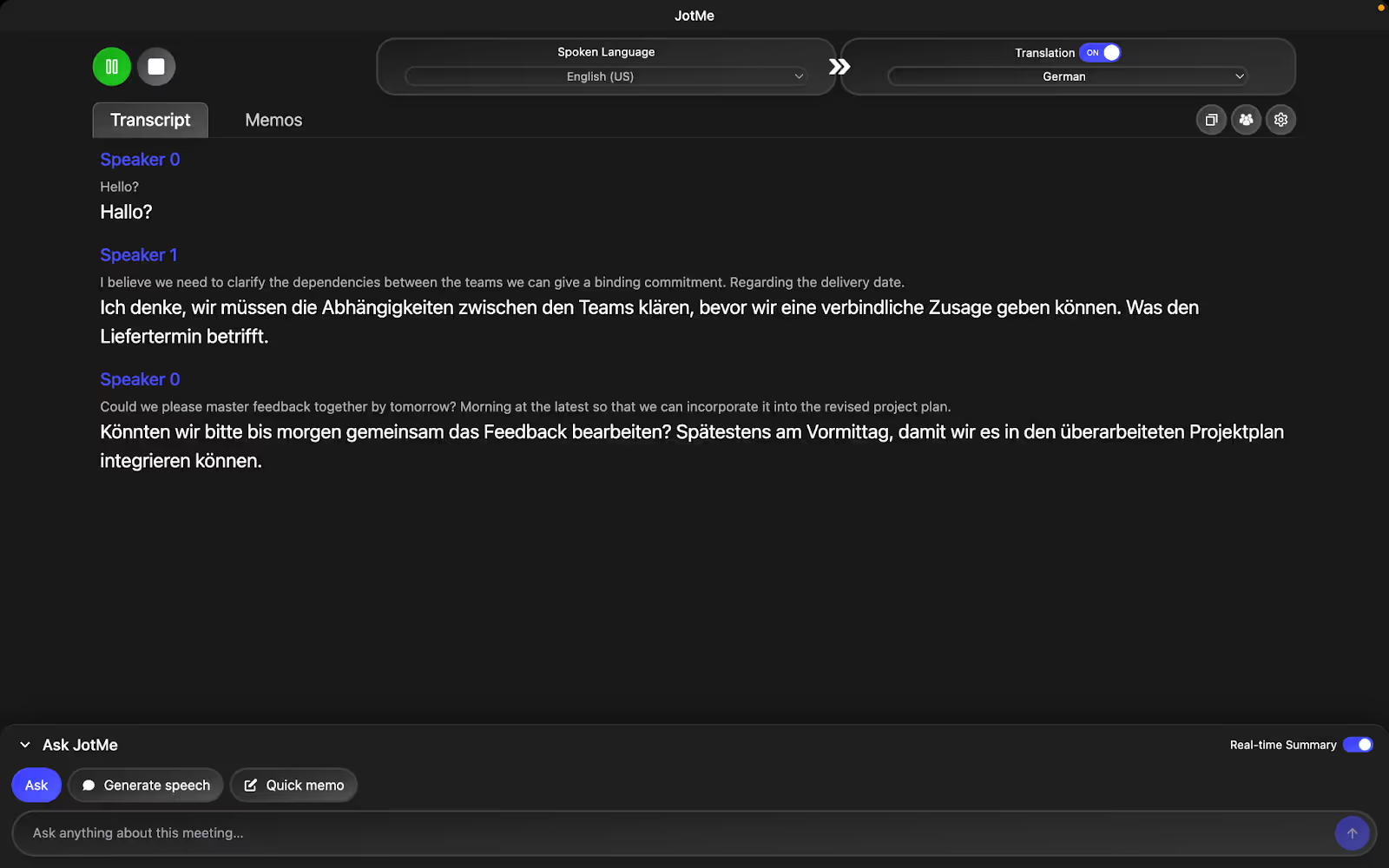
Have you tried those live translation tools that provide literal translations during lectures or meetings, only to end up confused? Well, JotMe doesn’t fall into such a category of tools. In our weekly meeting with the German clients, JotMe used Natural Language Processing (NLP) and speech recognition to analyze the conversation's context, nuance, and tone, delivering a contextually accurate live translation.
For example, during the meeting, someone said, “Mash the feedback together” while discussing an email campaign. Rather than translating it literally as “to crush the feedback into one lump,” JotMe understood the context and translated it correctly to “Feedback bitte zusammengefassten Rückmeldung bündeln.” It instantly knew we meant summarizing, not crushing the feedback.
Our conversation:
“Could we please mash the feedback into one lump by tomorrow morning at the latest so that we can incorporate it into the revised project plan?”
JotMe’s contextually accurate translation:
Könnten wir das Feedback bitte bis spätestens morgen früh zu einer zusammengefassten Rückmeldung bündeln, damit wir es in den überarbeiteten Projektplan einarbeiten können?
AI Ask
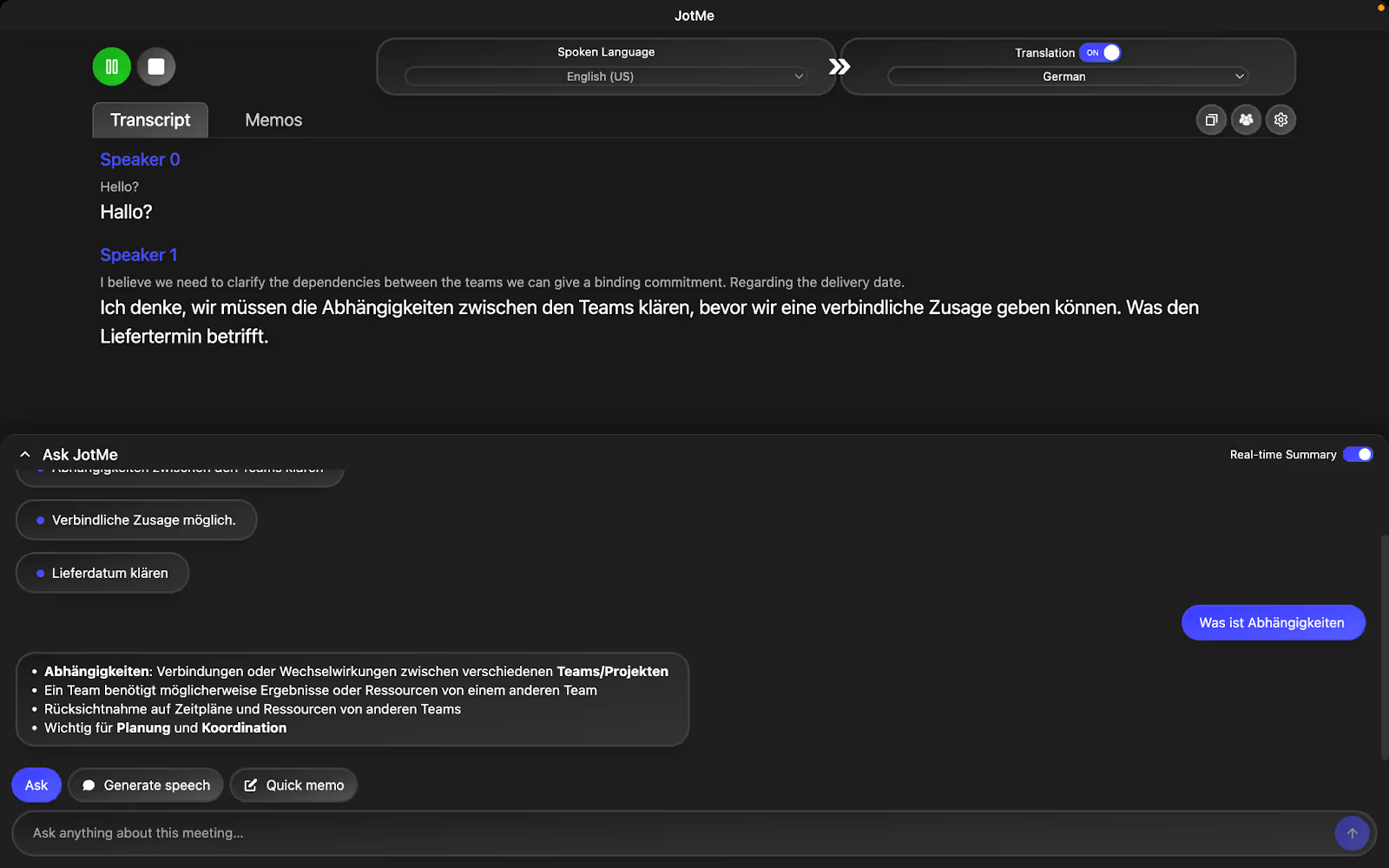
During our meeting last week, one of our German clients couldn’t understand a few translation terms, so rather than switching to Google search, they used the Ask JotMe feature. They asked, “Was ist Abhängigkeiten (Dependencies)?” and JotMe clearly explained that it’s a relationship between tasks, processes, or resources that cannot start or function without another. It was amazing how quick and accurate the response was, allowing the client to remain engaged in the meeting and provide the necessary feedback.
Real-time Summary
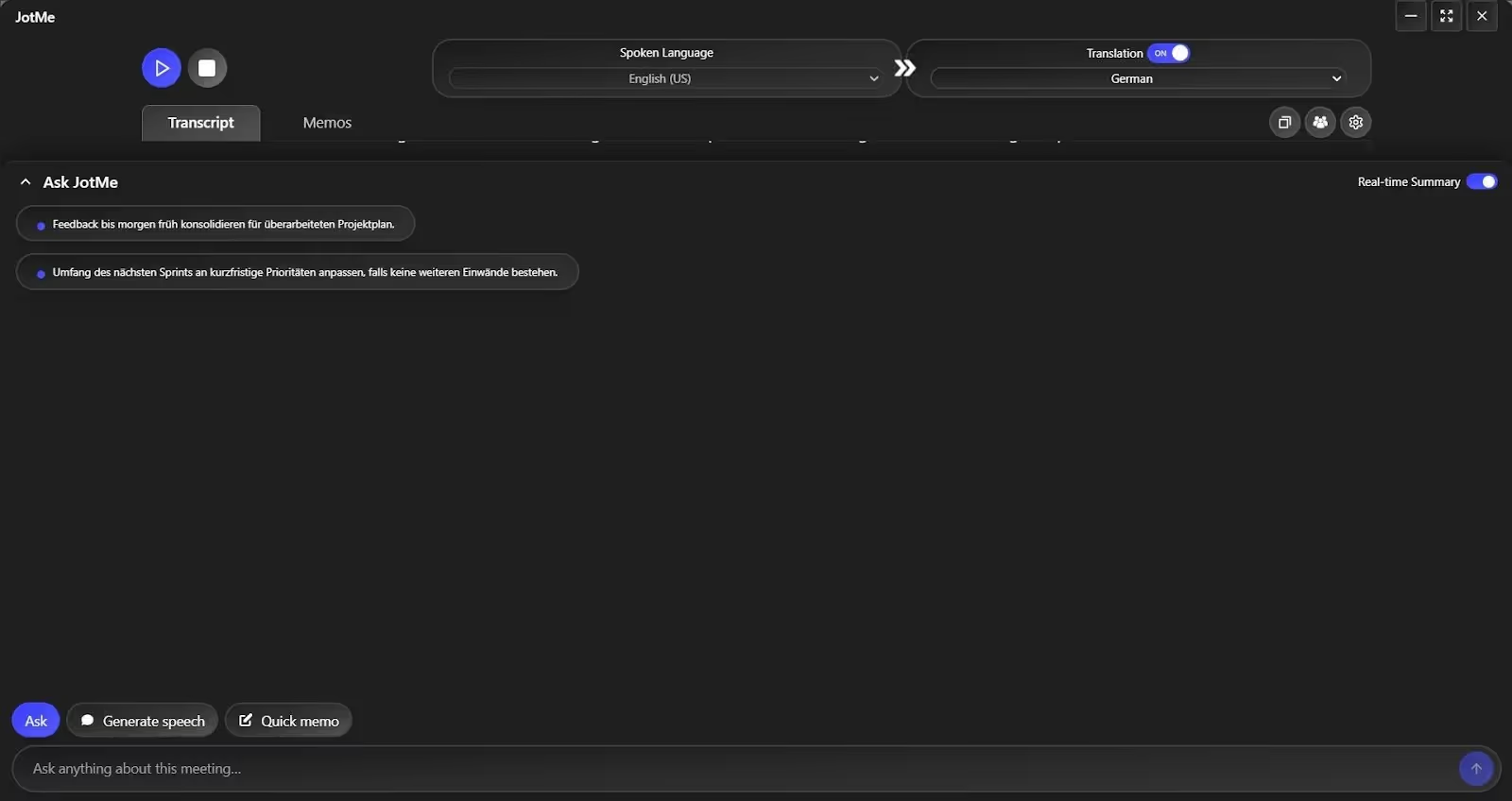
In long technical meetings, people often get lost in translations. If you’re one of them, you will find the real-time summary feature of JotMe useful. Toggle this, and JotMe displays easy-to-read highlights of the conversations as you speak. You no longer have to wait until the meeting ends to get summaries and deliverables.
AI Translator
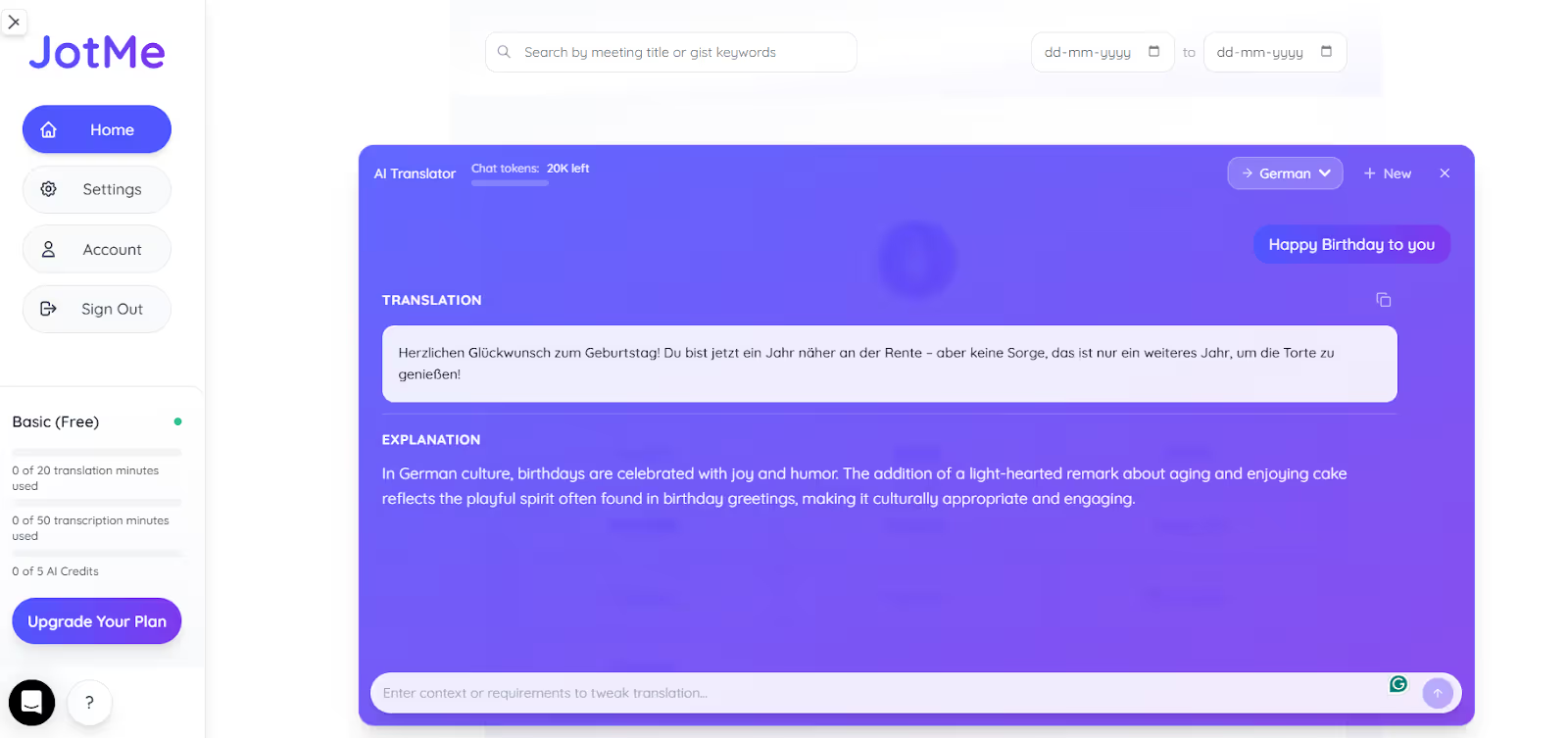
JotMe also includes a text-to-text translation feature that lets you send a message to your colleagues in German and add a playful twist. For instance, if you want to send a birthday wish to your German friend with a touch of humor, type the message and request, “Add humor to the message.” The translations are accurate, fast, and context-aware.
For example:
- Input: Happy Birthday to you
- Request: Add a touch of humor to the message.
- Translation: Herzlichen Glückwunsch zum Geburtstag! Du bist jetzt ein Jahr näher an der Rente – aber keine Sorge, das ist nur ein weiteres Jahr, um die Torte zu genießen!
Post-Meeting Notes
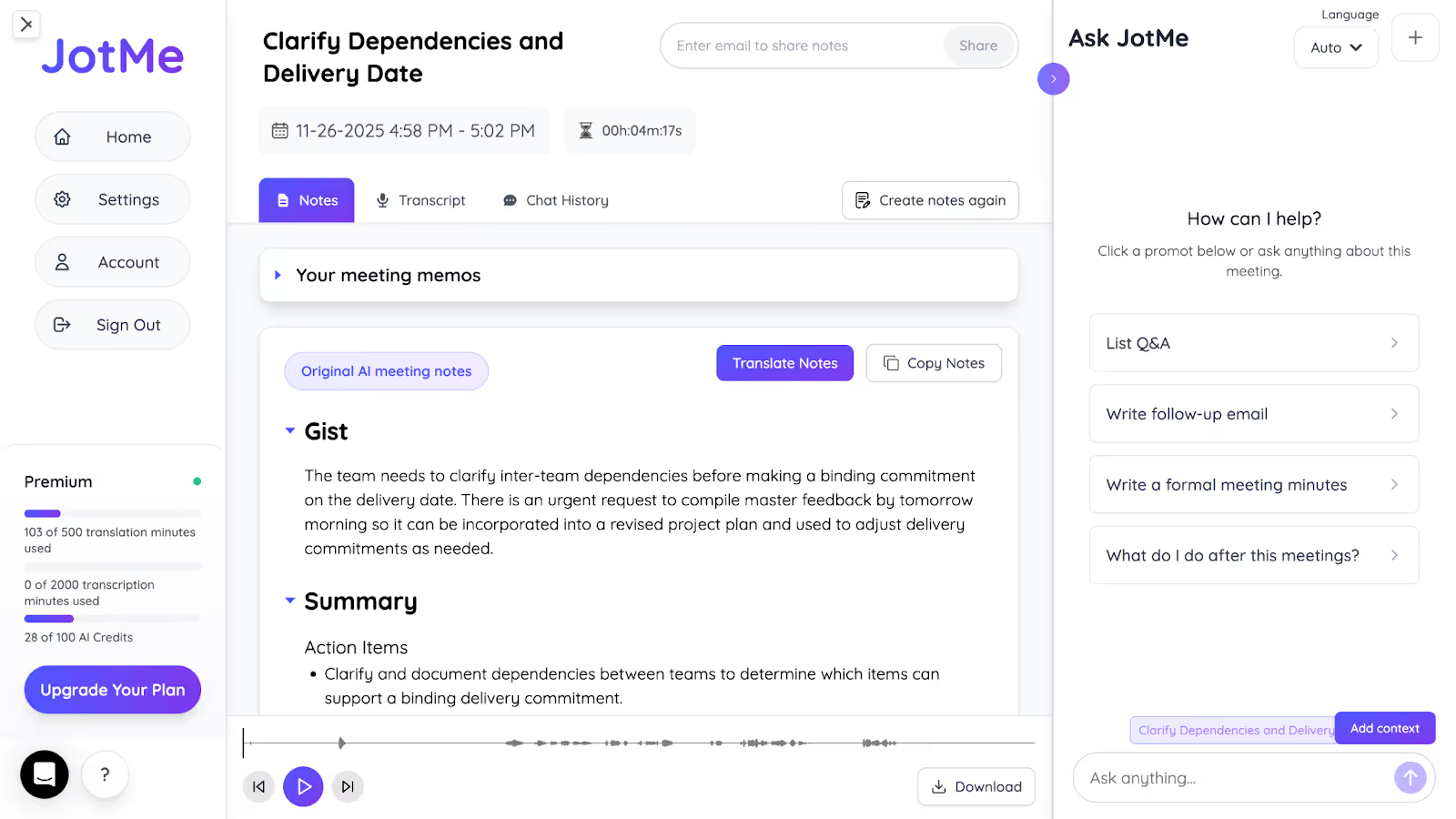
As soon as our meeting ends, JotMe generates AI meeting notes and a summary highlighting the action items from our discussion. It eliminated the effort of taking manual notes. We can also use its “multilingual view” to translate the notes into 13 languages, including German, and share them with your German colleagues.
JotMe Pricing
Aside from the free plan, JotMe offers three paid plans: Free, Pro, and Premium.
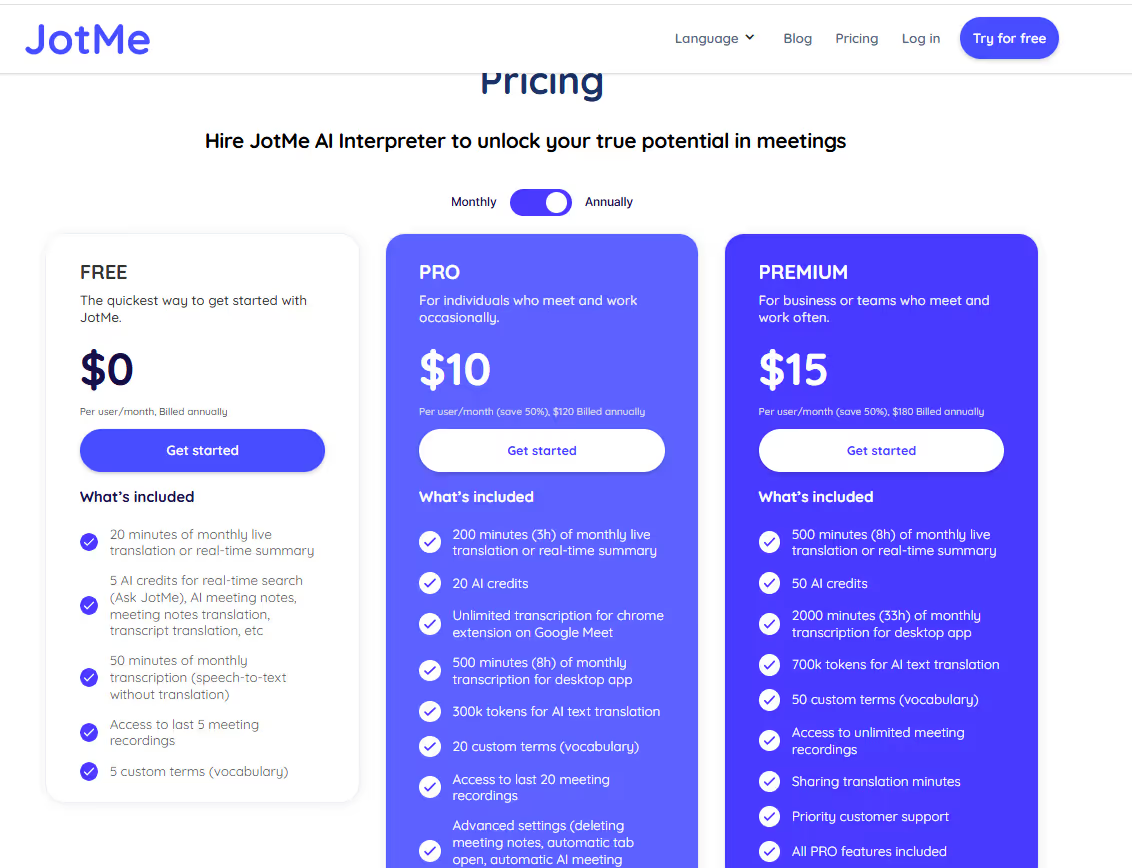
- The free plan offers 20 minutes of monthly translation, 50 minutes of monthly transcription, and 5 credits.
- The Pro plan provides 200 translation minutes, 500 transcription minutes, and 20 AI credits at $10/month if billed annually.
- JotMe’s Premium plan costs $15/month and includes 500 minutes of translation, 2000 minutes of transcription, and 50 AI credits if billed annually.
Pros
- Offers an AI Ask to provide instant answers to your queries.
- Provides a Chrome extension for Google Meet that provides instant live translation.
- Works silently in the background without requiring a bot to translate your virtual events and meetings.
Cons
- As of now, only the desktop version is available, but its mobile app will be released very soon.
JotMe Review
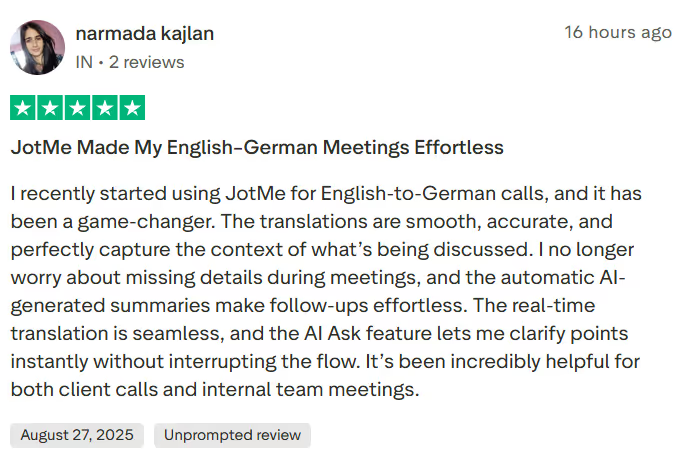
A user on Trustpilot was all praise for JotMe, noting that it has simplified their English to German calls They mentioned context-aware, accurate translation, alongside features such as AI ask and AI summaries to be incredibly helpful for client calls.
DeepL Voice
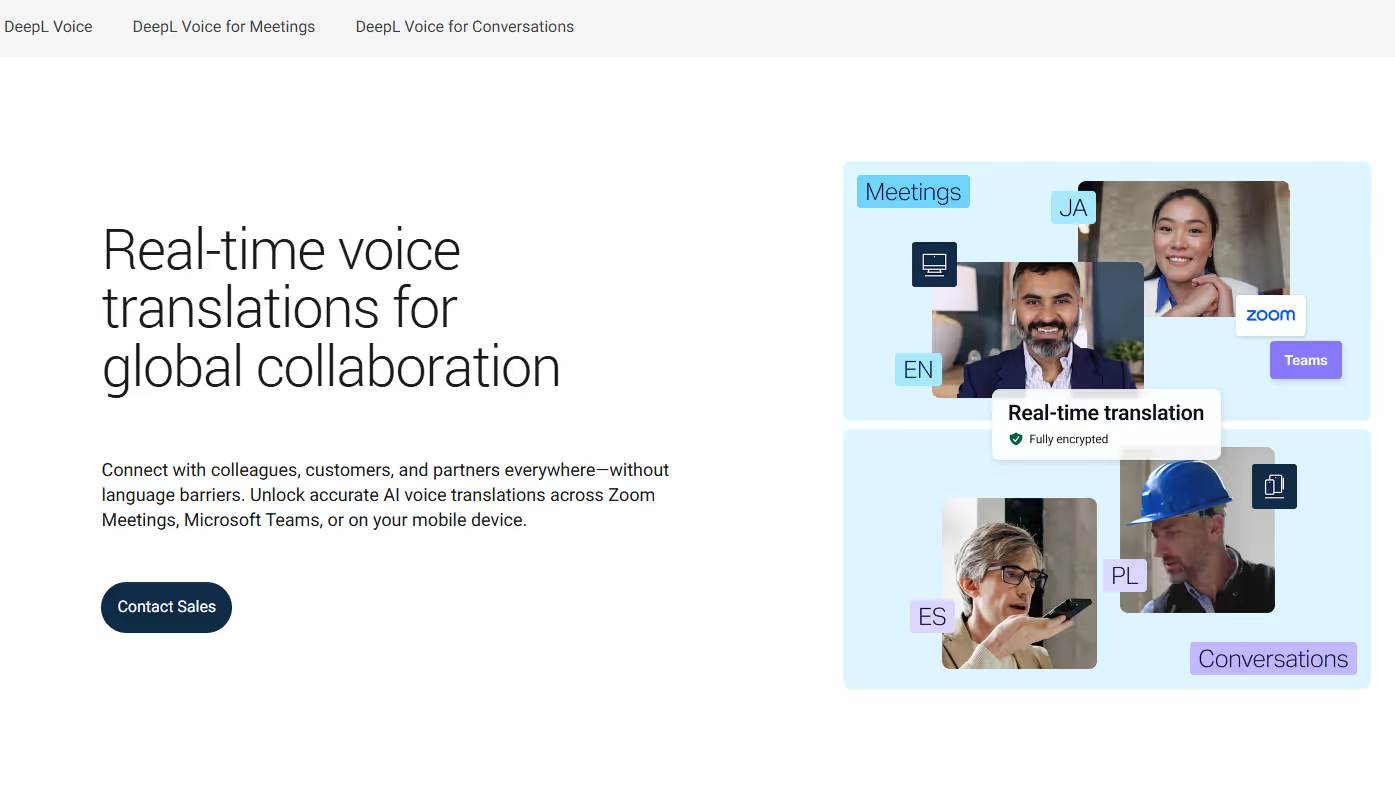
We were running a marketing campaign last month and were looking for a reliable English to German translator. DeepL Voice caught our eye for its support for custom vocabulary in legal, finance, and technical domains. This is important when discussing software updates with our German-speaking engineers. Also, it performs live translation in 30+ languages, including German, French, Spanish, Japanese, and more. Be it your course books, notes, deliverables, or feedback regarding campaigns, it accurately translates them into German.
Pricing
DeepL Voice hasn’t disclosed its pricing plans on its official website. You need to connect with their sales teams to discuss pricing tailored to your translation needs.
Pros
- You can create a custom glossary to improve translation accuracy.
- Supports both virtual and in-person events.
Cons
- Enterprise subscription works with a minimum of 50 users, making it unsuitable for smaller teams.
- Limited customization options for voice tone and language preferences.
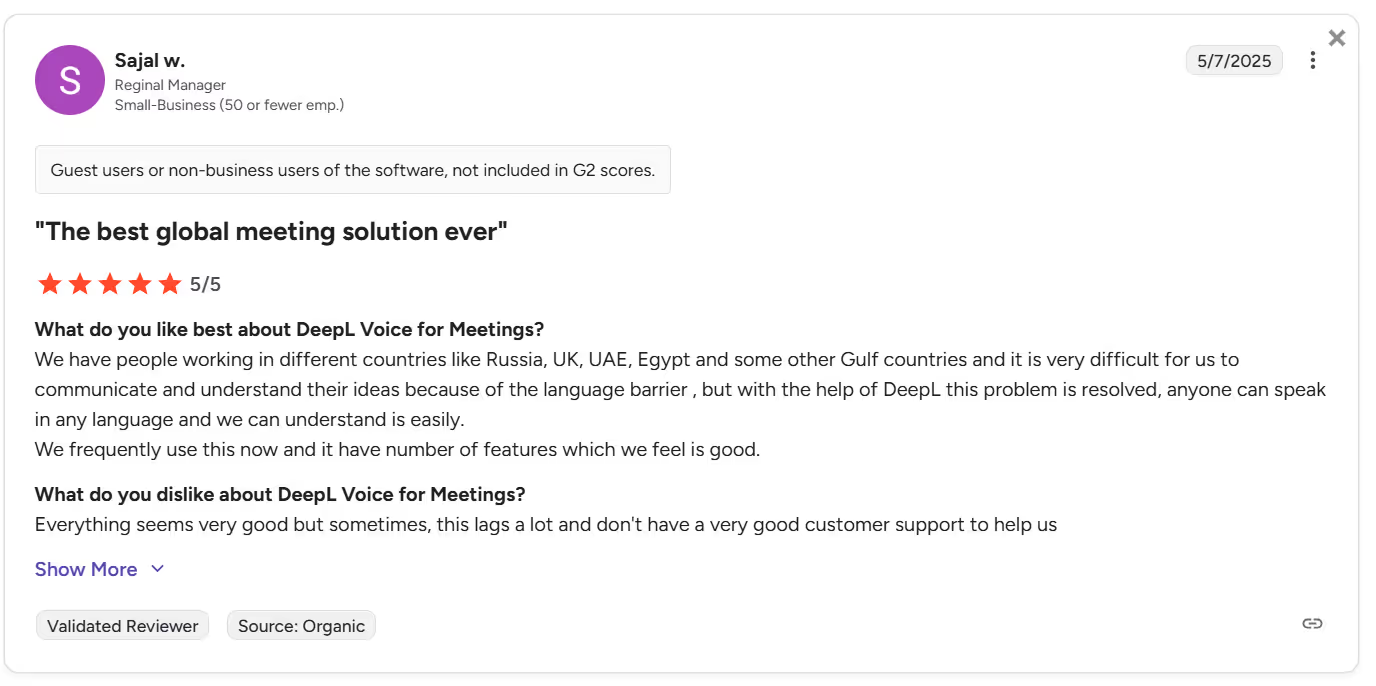
- According to a G2 user, the tool sometimes lags, and their customer service isn’t great.
Review
A G2 user has reported multiple lags and that DeepL doesn’t have good customer support to help them.
Wordly AI
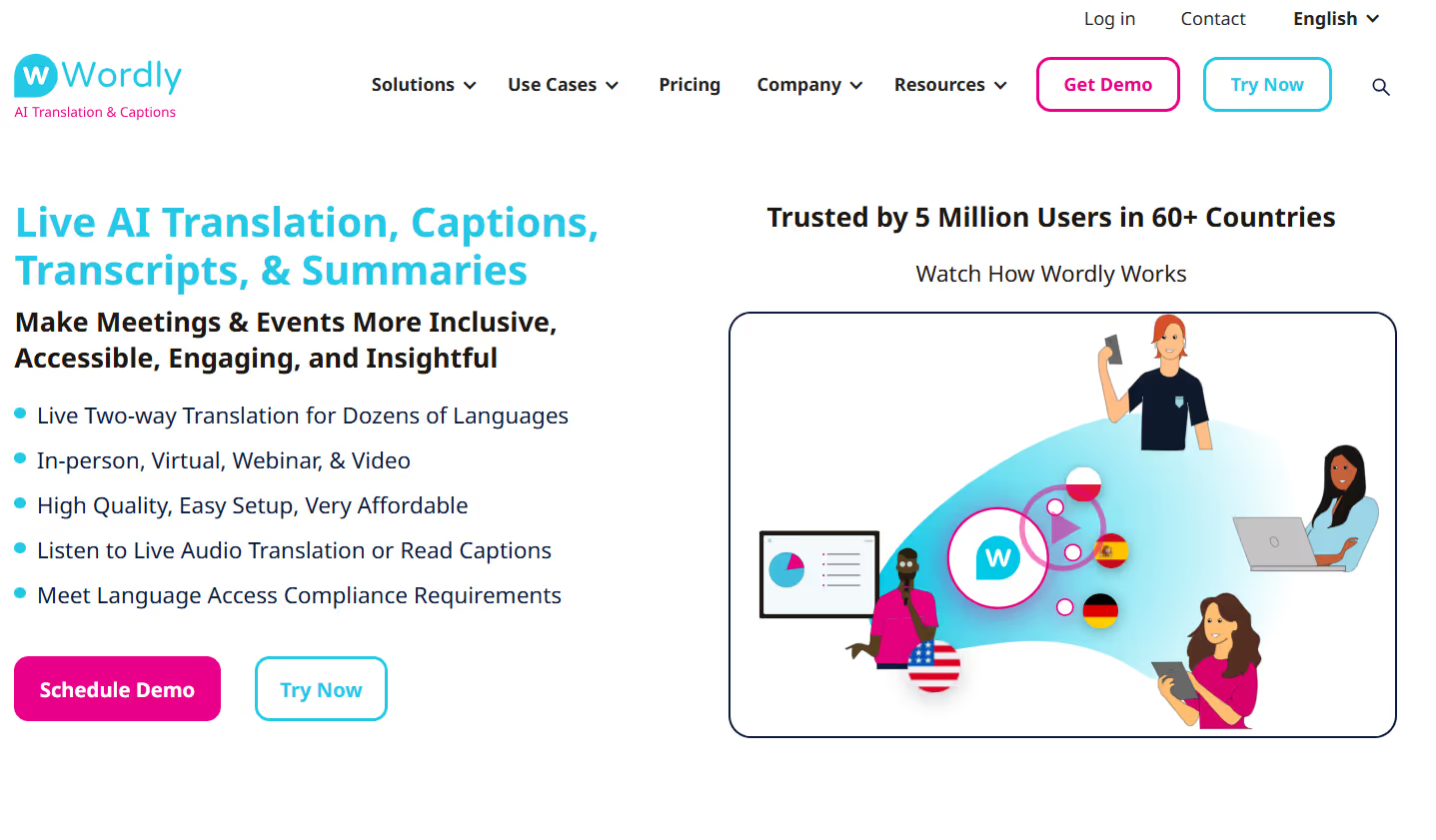
Wordly AI can be a reliable English to German translator if you are an online lecturer and hundreds of students attend your classes every week. Its two-way language translation for dozens of languages makes it suitable for in-person webinars and international conferences. However, to try it out, you must schedule a demo, which can be time-consuming.
Pricing
Wordly AI isn’t transparent about its pricing policies, and you must “Get a Quote” from their team.
Pros
- Can handle multiple participants at once.
- Supports up to 3,000 language pairs.
Cons
- Doesn’t have a transparent pricing policy.
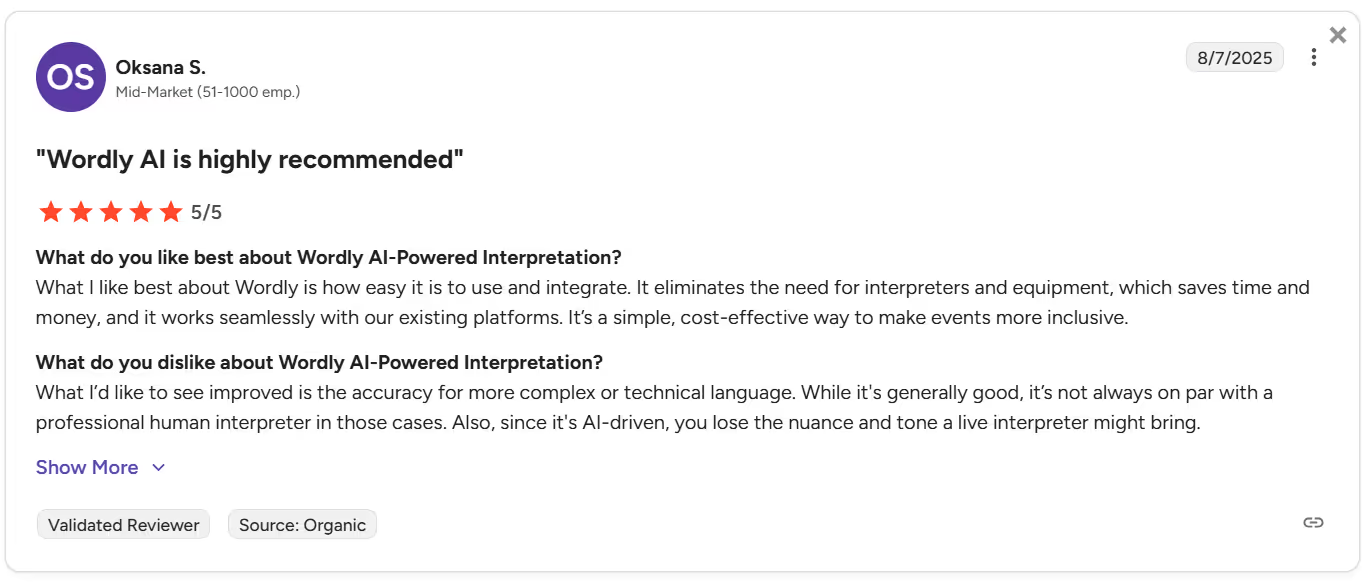
- A user on G2 wishes that the accuracy of more complex, technical language could be improved.
- Not suitable for individual users or small teams.
Review
A user on G2 was impressed by the AI interpreter's accuracy. Besides, the translations aren’t contextual, and you lose the nuance and tone.
Maestra AI
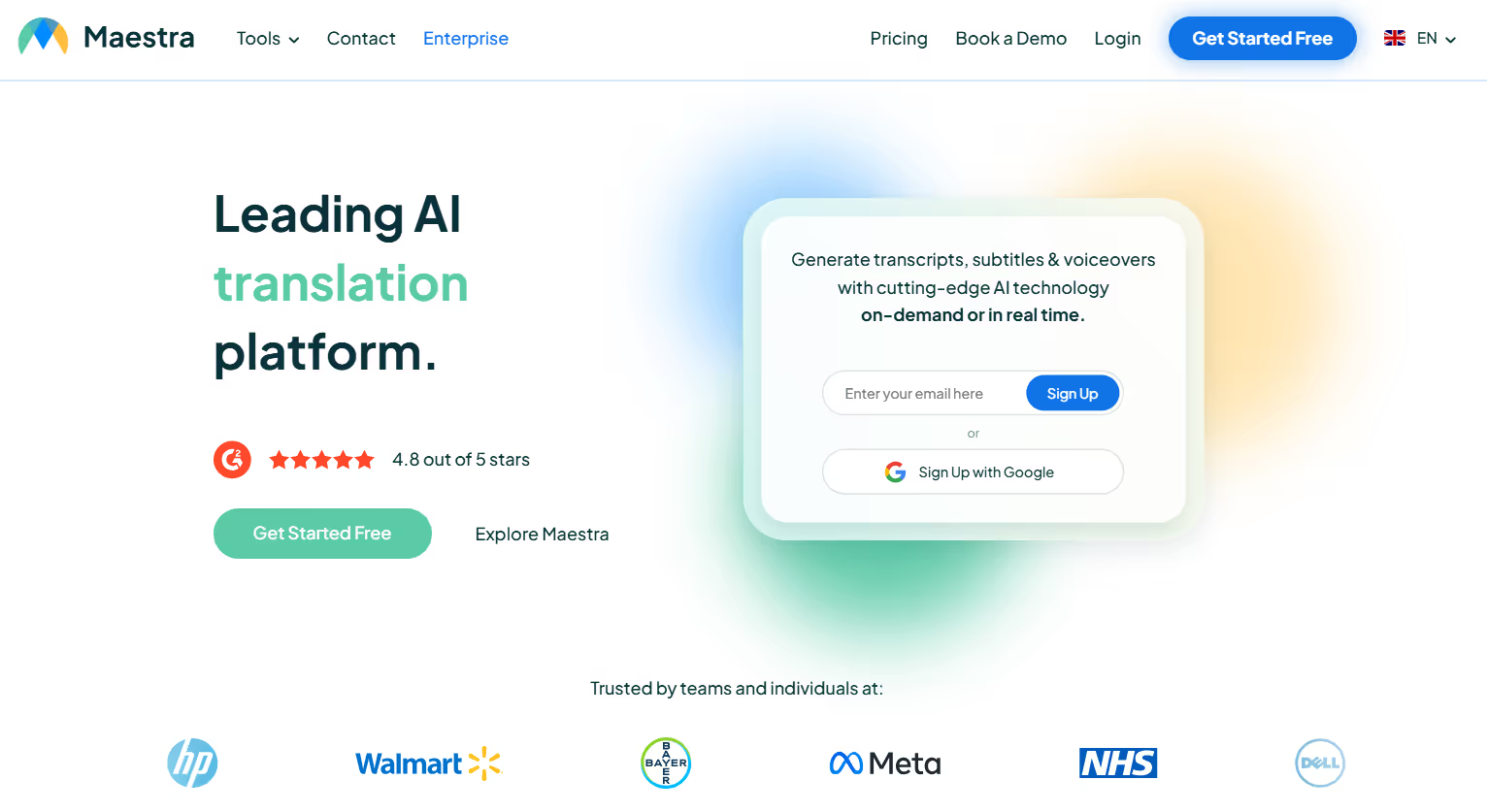
Maestra AI provides a bilingual translation window without the hassle of installing an app. Just access the Maestra AI live translation window, set the speaker and translation language, and the translation appears as you speak. The UI is clean, but it lacks advanced features such as AI summary, AI ask, and more. Also, you must speak clearly for Maestra AI to record the conversations.
Pricing
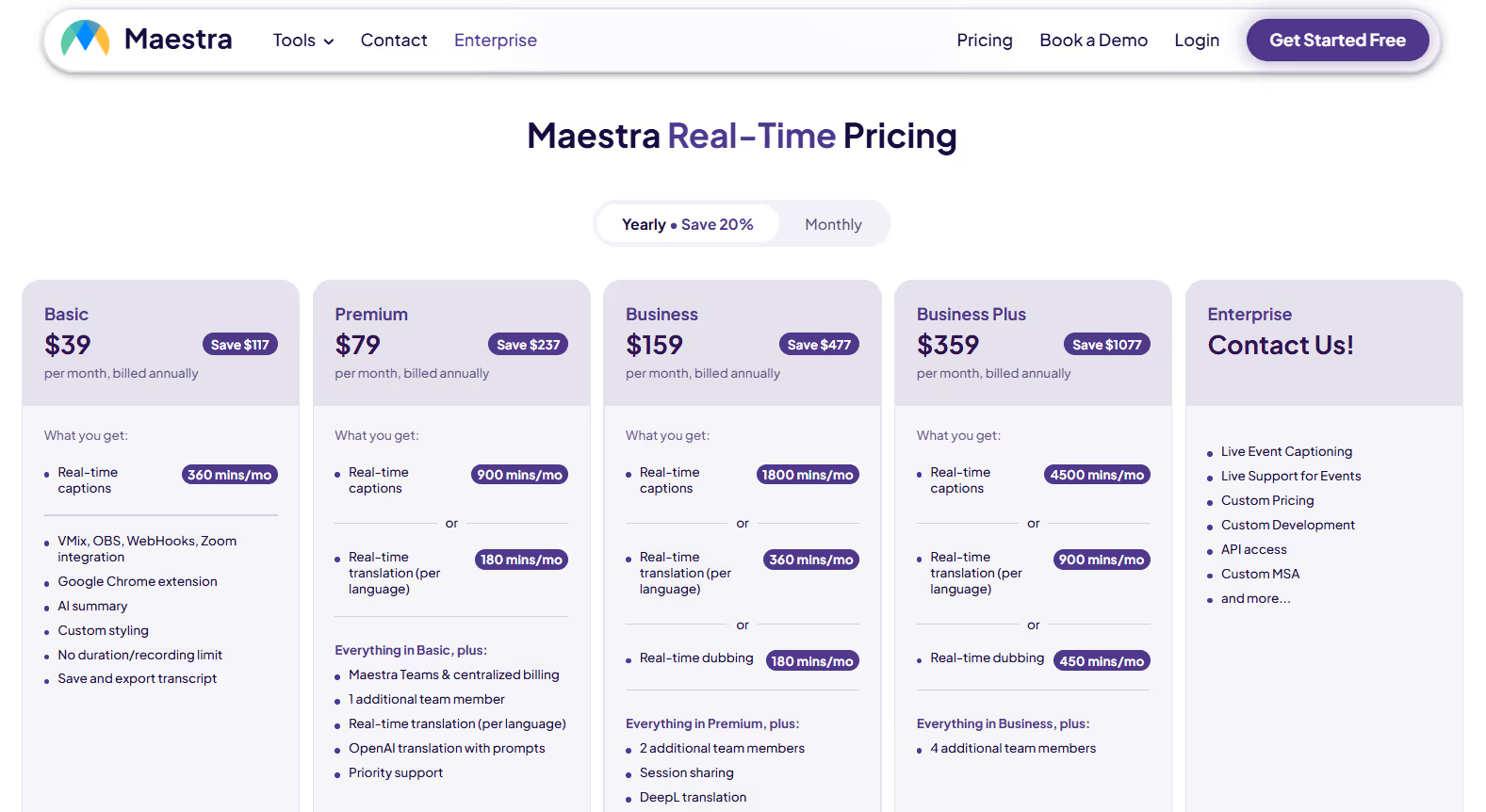
Aside from its free plan that offers two minutes of translation, there are many premium plans that you can try out:
- The real-time Basic plan costs $39/month if billed annually and includes 360 minutes of real-time captions.
- Maestra AI’s Premium plan costs $79/month if billed annually and includes 900 minutes of real-time captions and 180 minutes of live translation.
- The Business Plan at $159/month (billed annually) gets you 1800 minutes of real-time captions and 360 minutes of real-time translation per month.
Pros
- Offers real-time translation and dubbing in 125+ languages.
- Web-based interface offers a seamless translation experience.
Cons
- Speaker must speak clearly to ensure an accurate translation.
- A user on Trustpilot found the customer support less helpful.
- Premium plan can be expensive for individual users.
Review
A user on Trustpilot was disappointed that Maestra AI’s customer support didn’t respond to their emails, and the problem persisted.
Kudo
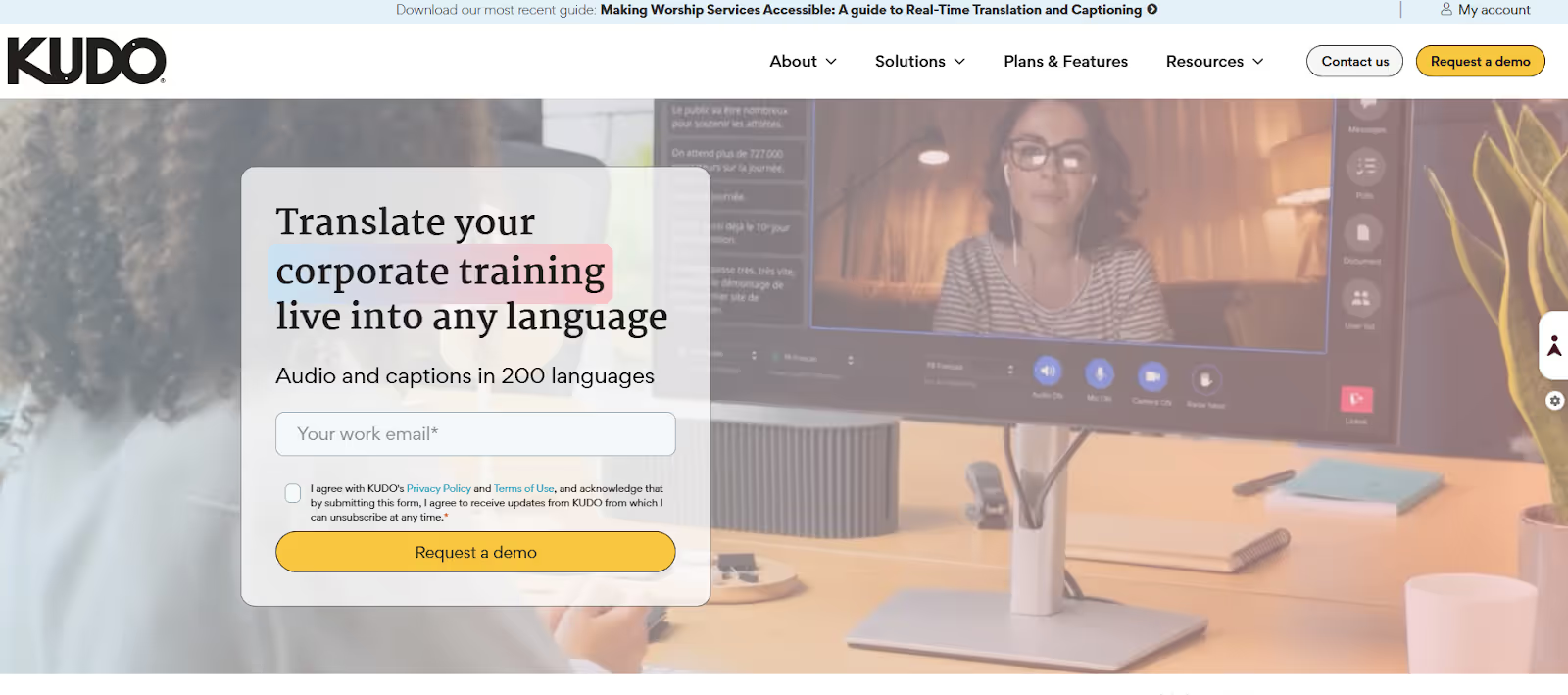
If you hold meetings with your German-speaking software developers often, technical jargon is likely to come up. In such instances, Kudo can be an accurate English to German translator. Its focus for professional interpretation, achieved through both AI speech translation and human interpreters, ensures you never get lost in jargon. Also, support for 200 spoken and sign languages is handy when you’ve a large team. Kudo, however, seems to lag on video conferencing platforms like Zoom and may require frequent restarts.
However, we needed to request a demo to try out the tool, and approval can take up to a few days. JotMe, on the other hand, has a clear pricing structure and is easy to get started with.
Pricing
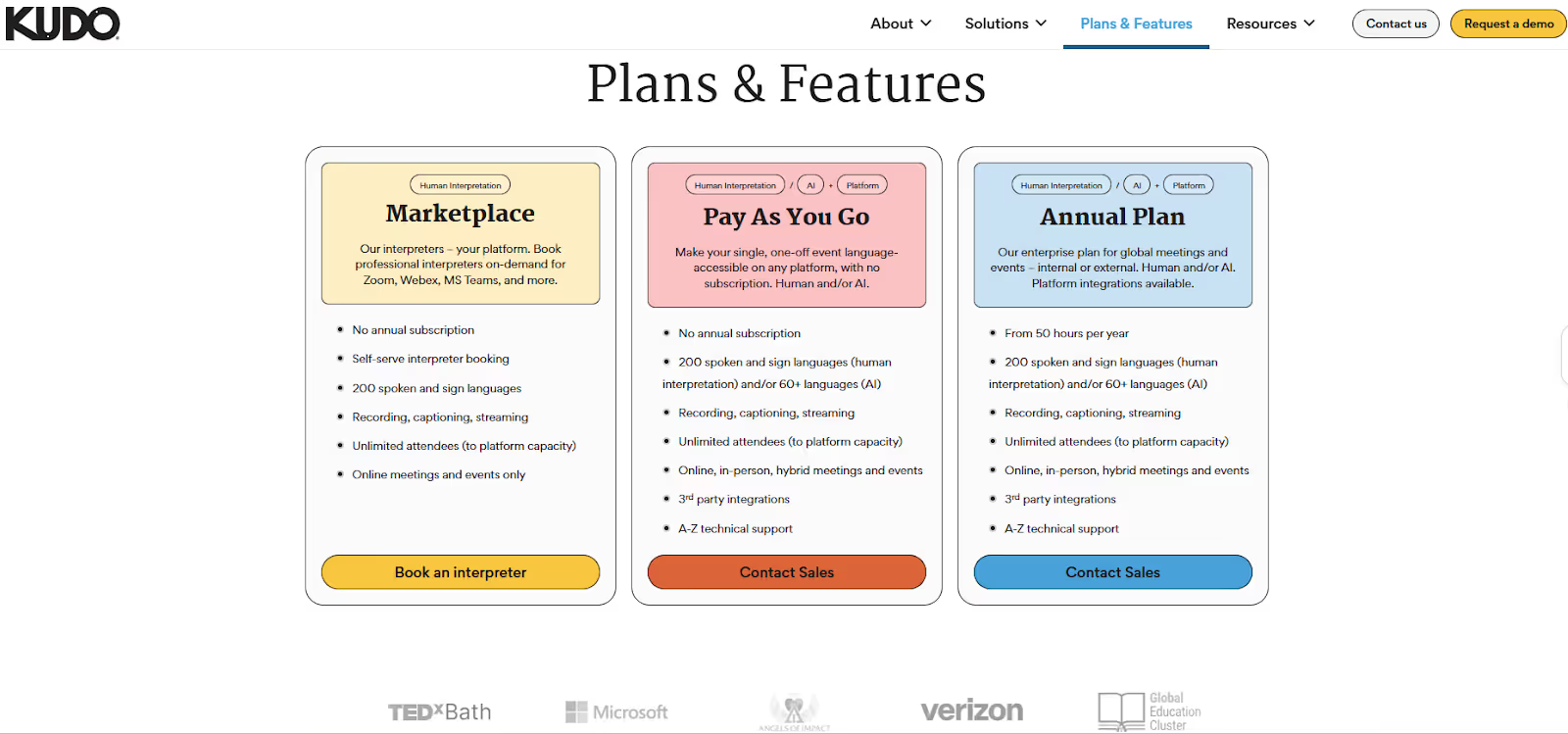
Kudo offers three options for its users, but they haven’t been transparent about the prices:
- Kudo’s Pay-As-You-Go involves interpreter booking without an annual subscription.
- Kudo’s Marketplace offers human interpretation in 200 spoken and sign languages, with support for unlimited attendees.
Pros
- Supports both AI-based translation and human interpreters.
- The marketplace plan supports 200 spoken and sign languages.
Cons
- Pricing of Kudo lacks transparency.
- Kudo seems to lag on video conferencing platforms like Zoom, according to a G2 user.
- More enterprise-focused, making it unsuitable for individual users and small teams.
Review
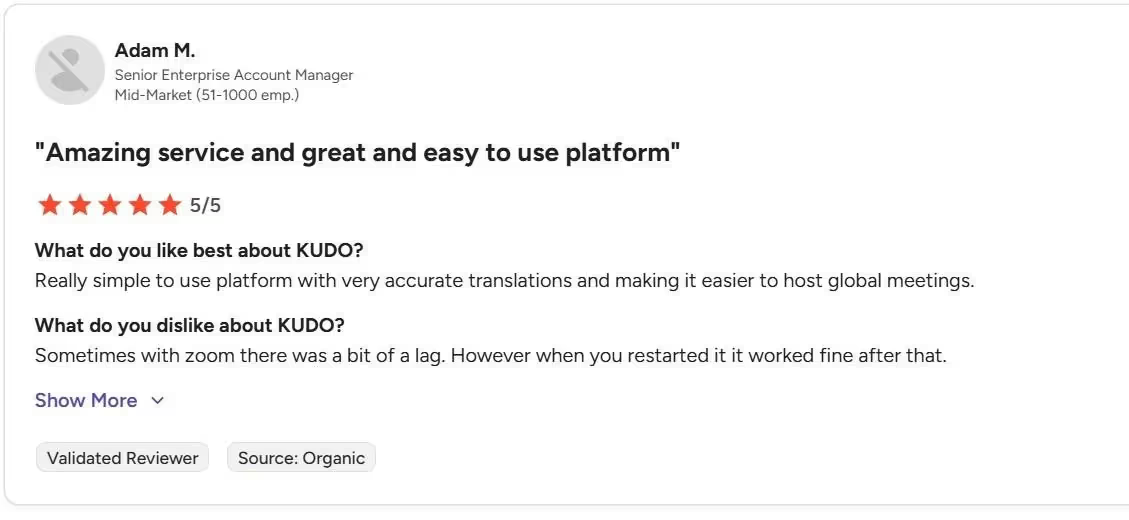
A user on G2 reported that Kudo sometimes lags with Zoom and may require a restart to run smoothly.
How to Live Translate From English to German with JotMe?
To live translate from English to German with JotMe, you first need to install JotMe on your desktop, set the spoken and translation languages, and start the call to begin live translation. Here are the detailed steps to translate from English to German in real time:
Step 1: How to Set Up JotMe?

Open JotMe's official website or JotMe’s German page in your browser and click the “Try for free” button to download the app on your Mac or Windows device. Next, run the setup and follow the on-screen prompts to install the app.
Step 2: How to Enable English to German Translation in JotMe?
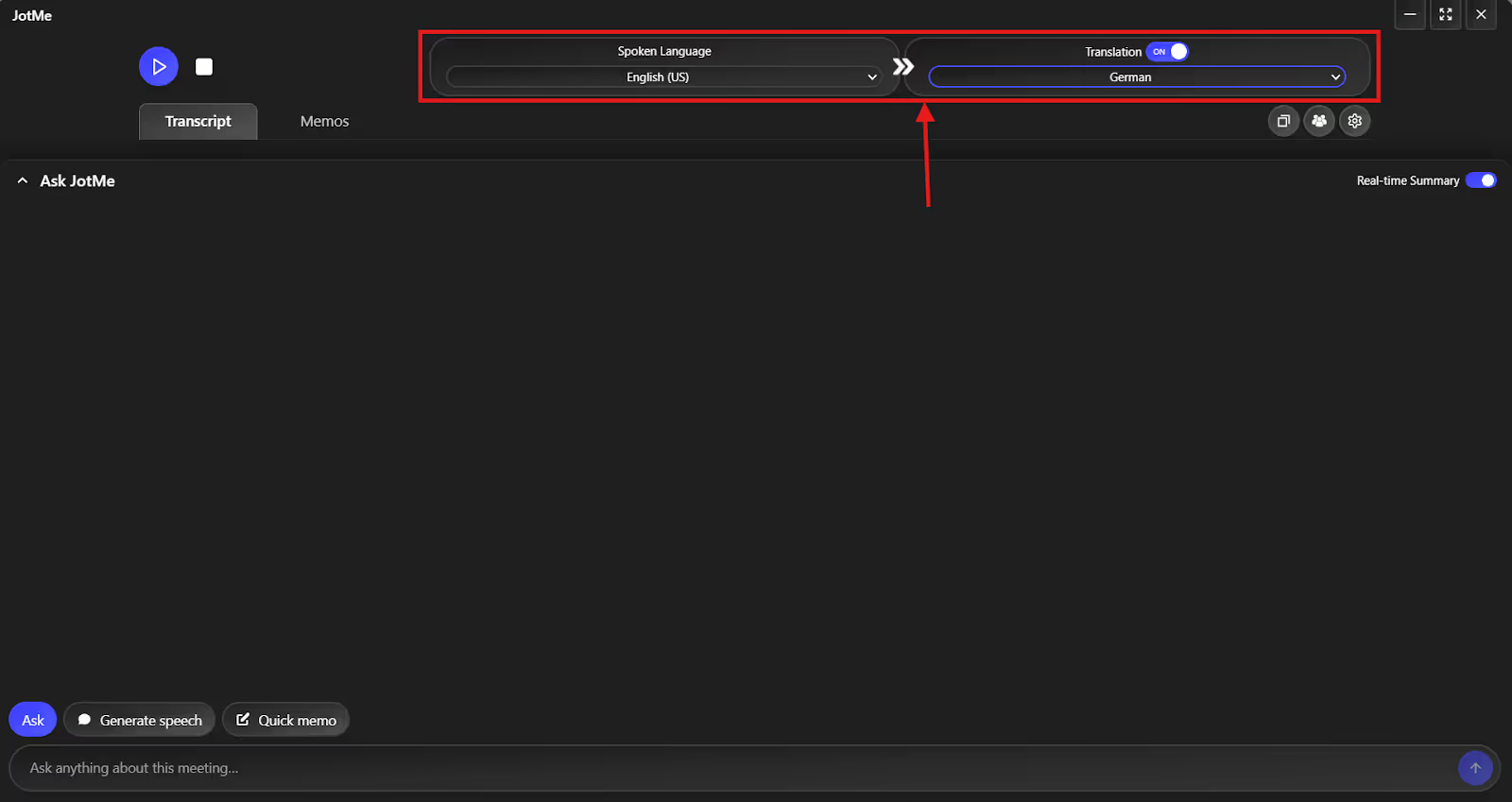
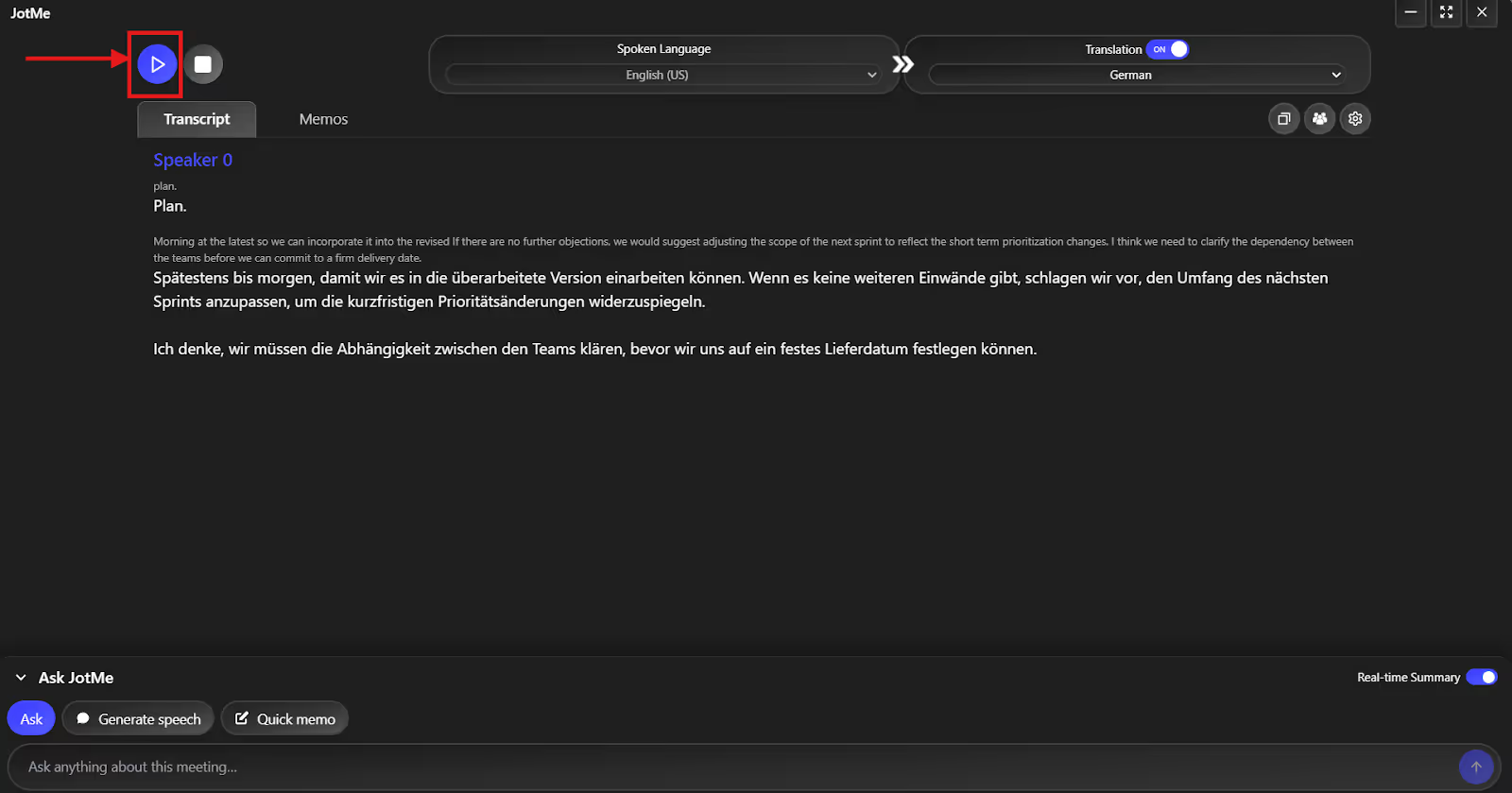
Start the meeting on Zoom, Google Meet, or MS Teams via their desktop app or web browser. Next, open the JotMe app, and set the “Spoken Language” as English and “Translation Language” as German.
Step 3: How to Begin Real-Time Live Audio Translation With JotMe?
Now that the languages are set, tap the “Play” button in the JotMe window to start conversing and begin real-time audio translation.
Conclusion: What is the Most Accurate German Translator App?
JotMe is one of the most accurate English to German translator apps we have tested so far. It understands the conversations and maintains the context and tone in the translation and multilingual transcription. Here’s how each tool performs in terms of accuracy:
JotMe is an ideal choice for someone who needs hassle-free real-time English to German translation and multilingual transcription. At $15/month, JotMe delivers contextual translations, understands industry jargon, and streamlines meetings with features like AI Ask, real-time summaries, and post-meeting notes. Download JotMe now and experience how accurately and effortlessly it translates live English calls into German.
FAQs
Which is the best German translator app?
JotMe is one of the best German live translation apps, thanks to its context-based translations in 45 languages on desktop and 77 languages in the Chrome extension. Plus, it doesn’t require a bot to join your meetings.
What is the live translation app for German to English?
Many live translation apps for German to English are available, such as JotMe, DeepL Voice, Maestra AI, and Kudo. However, JotMe outclasses them all with its speed, precision, and AI features.
Is Google Translate for German accurate?
Google Translate provides word-for-word translation, which may confuse native users. It’s therefore crucial to choose a reliable English to German translator that uses speech recognition and NLP to ensure accurate translation. It understands domain-specific terms without missing context or affecting the flow of conversation.
Is the DeepL app free?
DeepL Voice hasn’t been transparent about its pricing, so you must contact their sales team for a quote. If you want a reliable, contextually accurate English-to-German translator with a flexible pricing plan, try JotMe.
Last updated on
April 14, 2026
Follow us on social media: