JotMe Desktop

컴퓨터에서 모든 통화를 할 수 있는 데스크톱 앱
실시간 음성 인식, 동시통역, 메모, AI 검색, 실시간 요약, 다국어 회의록, 사용자 지정 용어집, 오디오 녹음 등 다양한 기능이 하나로.

JotMe Mobile

대면 대화를 위한 모바일 앱
아이폰 및 안드로이드용 실시간 번역 및 AI 음성 생성.

JotMe Chrome Extension

Google Meet용 Chrome 확장 프로그램
실시간 음성 인식, 실시간 번역, 노트 작성, AI 회의록 생성 지원.
에 추가
크롬

How to install JotMe on Mac

Your JotMe for Mac download is on its way. Follow the three quick steps below to finish setup and start using AI live translation, transcription, and meeting notes across every call on your computer.

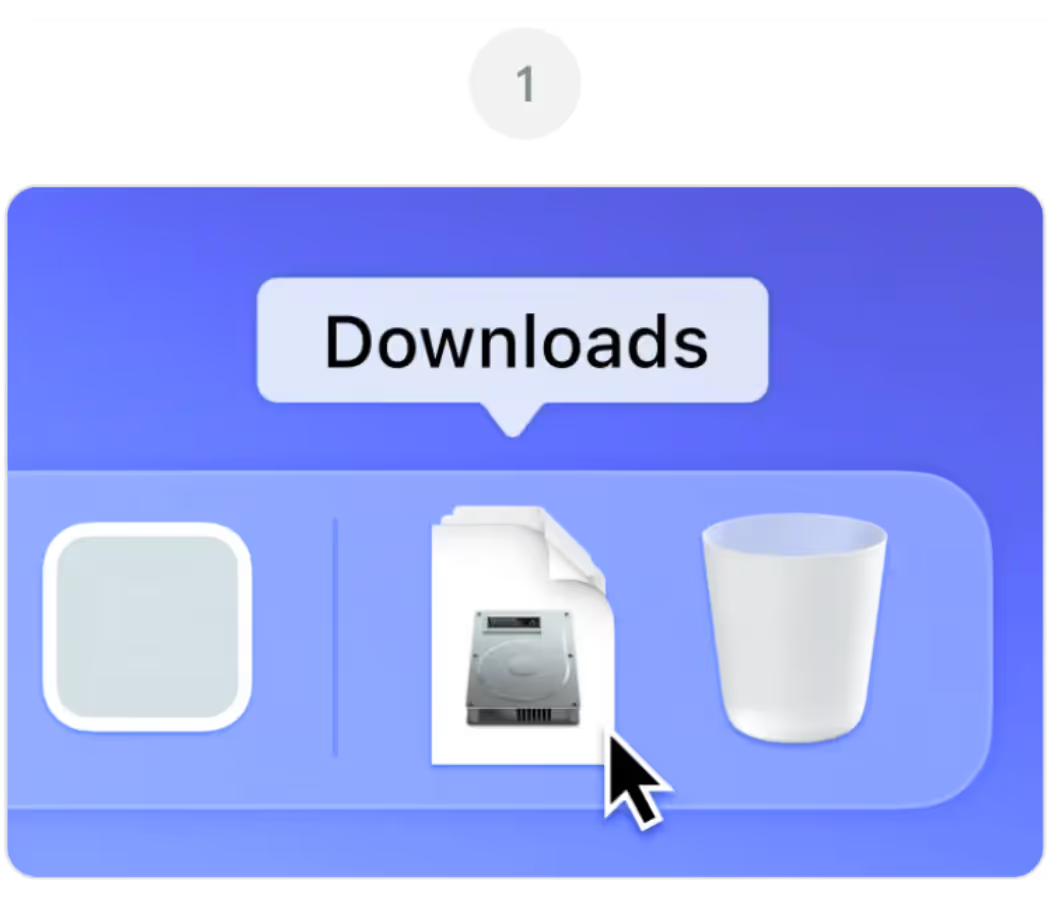
Open JotMe.dmg from your Downloads folder

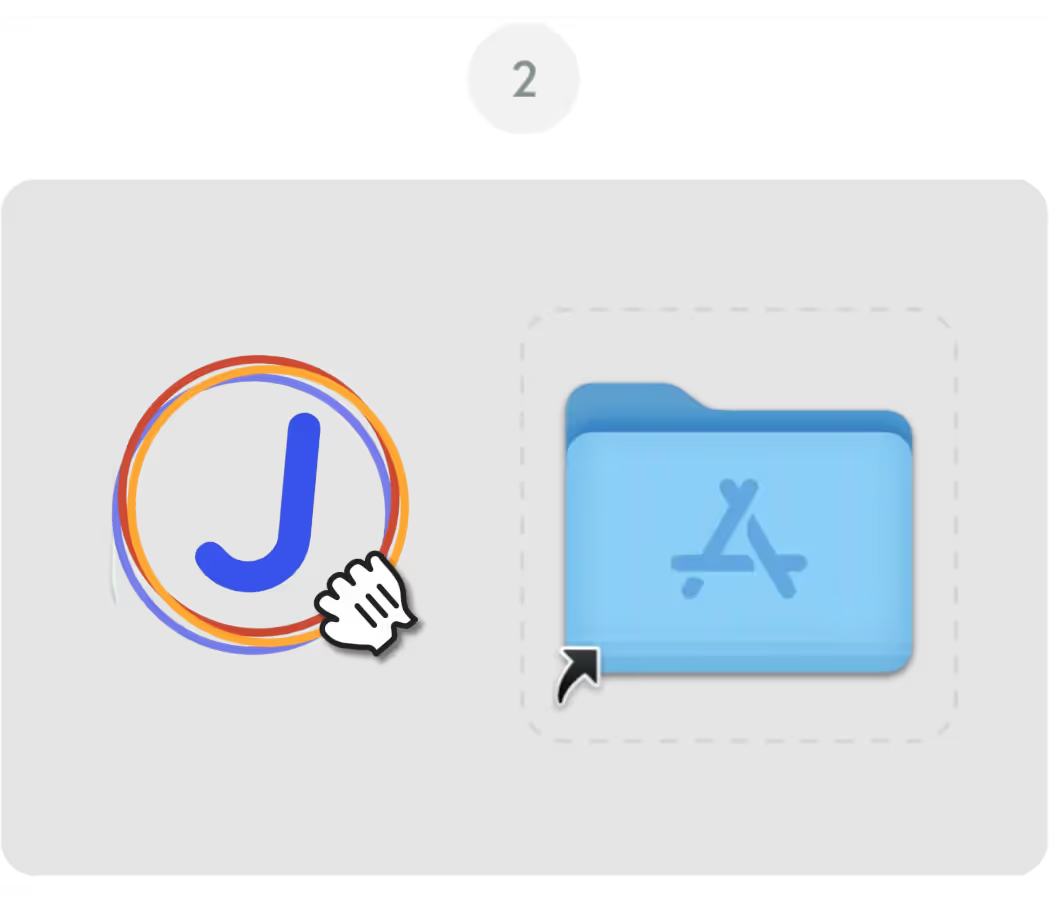
Drag the JotMe icon into your Applications folder

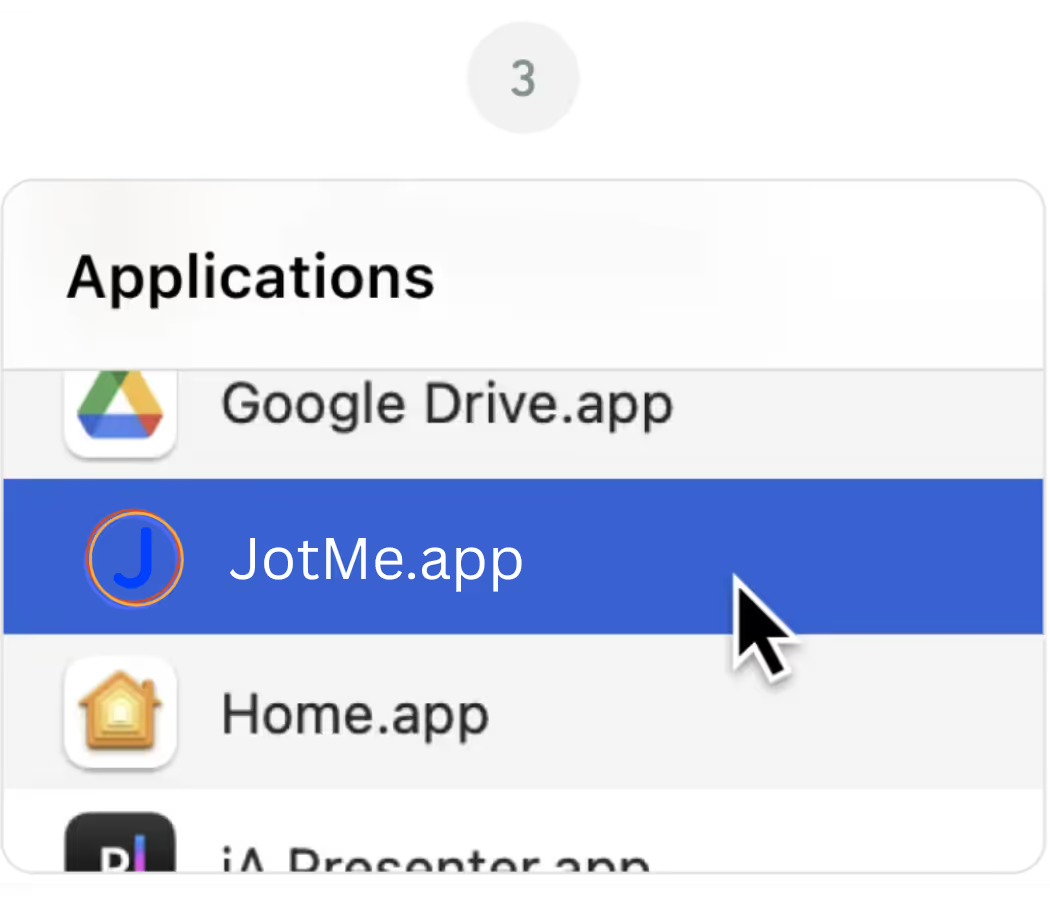
Open the JotMe app from your Applications folder

JotMe Desktop

컴퓨터에서 모든 통화를 할 수 있는 데스크톱 앱
실시간 음성 인식, 동시통역, 메모, AI 검색, 실시간 요약, 다국어 회의록, 사용자 지정 용어집, 오디오 녹음 등 다양한 기능이 하나로.

JotMe Mobile

대면 대화를 위한 모바일 앱
아이폰 및 안드로이드용 실시간 번역 및 AI 음성 생성.

JotMe Chrome Extension

Google Meet용 Chrome 확장 프로그램
실시간 음성 인식, 실시간 번역, 노트 작성, AI 회의록 생성 지원.
에 추가
크롬
Download Again

Frequently Asked
Questions

1. The download didn't start automatically. What do I do?

keyboard_arrow_down

If the latest version of the JotMe Mac file didn't download automatically, click the "Download Again" button on this page. Check your browser's download settings if the issue continues, and make sure pop-ups and downloads from jotme.io are allowed.

2. Which Mac version do I need for JotMe?

keyboard_arrow_down

The main JotMe download on this page is built for Apple Silicon Macs (M1, M2, M3, M4, and later). If you're on an older Intel-based Mac, use the Download for Intel Mac option instead for the best performance.

3. macOS is blocking JotMe from opening. How do I fix it?

keyboard_arrow_down

If macOS shows a message about an unidentified developer, go to System Settings, then Privacy & Security, and click "Open Anyway" next to the JotMe entry. This is a standard macOS security prompt and only happens on the first launch.

4. Do I need to grant any permissions after installing JotMe?

keyboard_arrow_down

Yes. On first launch, JotMe will ask for microphone and screen recording permissions so it can capture meeting audio and provide live translation, transcription, and AI meeting notes. You can manage these anytime under System Settings, Privacy & Security.

5. Can I use JotMe on Mac and Chrome at the same time?

keyboard_arrow_down

Yes. The JotMe Mac app and the JotMe Chrome extension share the same account and dashboard, so you can switch between the desktop app for Zoom and Teams and the Chrome extension for Google Meet without losing your transcripts or settings.