Guides
Best Voice-to-Text Transcription App in 2026: Wispr Flow vs. JotMe

Viraj Mahajan
February 27, 2026
Brief Answer: For drafting emails or notes using your own voice, dictation tools like Wispr Flow work well. For meetings in multilingual or remote team settings where you need real-time transcription and translation of other speakers, AI live translation tools like JotMe work better.
Many voice-to-text dictation tools help you save time by using voice to draft your messages and business emails, but they convert only your speech into text. When multiple people who speak different languages are involved in your meetings, you need real-time voice-to-text transcription tools to capture and display spoken words from all speakers.
Wispr Flow is a powerful voice-to-text dictation app that converts your speech into formatted text across different apps on Mac, Windows, and iPhone. Wispr Flow supports 100+ languages and works across Gmail, Slack, Notion, etc. However, Wispr Flow transcribes only what you say and doesn’t translate your speech into another language or follow what other speakers say during a meeting. The text also appears only after you stop speaking, not while you dictate.
JotMe’s desktop app provides real-time voice-to-text transcription and translation during virtual meetings by capturing system audio continuously as you speak, handles up to 10 different spoken languages at once, and works without a bot. JotMe also offers a mobile app for real-time transcription and translation of in-person conversations in 45+ languages.
Below is a quick look at what both the voice-to-text transcription apps offer:
- Wispr Flow is a voice-to-text dictation tool for Mac, Windows, and iPhone that converts speech into polished text in 100+ languages and is ideal for drafting emails and contracts using your voice. Wispr Flow offers a Command Mode for translating or customizing the tone of selected text using voice and costs $12/month (billed annually).
- JotMe is a real-time voice-to-text transcription and translation tool with a desktop app for virtual meetings and a mobile app for in-person conversations. JotMe’s desktop app supports live transcription and translation in 45+ languages, text translation in 127 languages, AI meeting notes, and more, making it ideal for remote teams that attend multilingual meetings regularly.
What is the Difference Between Dictation and Real-Time Transcription?
Dictation converts only your own voice into text when you speak into an app, while real-time transcription captures and displays spoken words from all speakers during live conversations. If you only need to type faster using your voice, dictation is ideal. But for multilingual meetings with multiple speakers, you need real-time transcription.
Here’s a quick look at the difference between dictation and real-time transcription:
Quick Comparison of the Best Voice-to-Text Transcription Tools: Wispr Flow and JotMe Desktop App
Both Wispr Flow and JotMe’s desktop app offer voice-to-text transcription, but they are built for different use cases. Wispr Flow focuses on app-based dictation across Mac, Windows, and iPhone, while JotMe provides real-time transcription and translation during meetings (virtual and in-person).
Check out the table below to compare the features of Wispr Flow and JotMe to choose the right voice-to-text transcription tool.
JotMe Desktop App: Ideal for Real-Time Voice-to-Text Transcription and Translation in Virtual Meetings
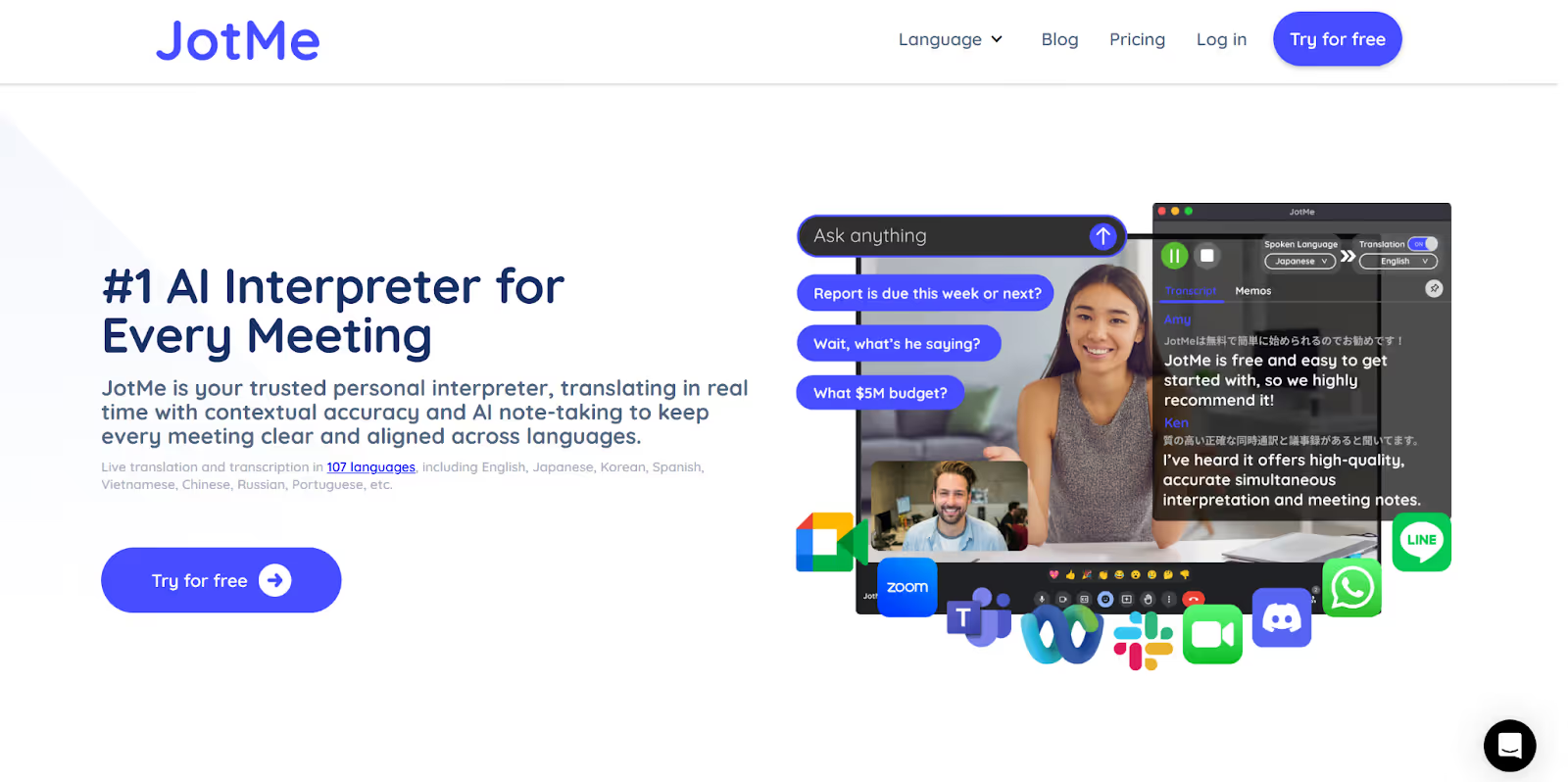
JotMe's desktop app offers continuous voice-to-text transcription and translation for virtual meetings in 45+ languages in real time, AI meeting notes and summaries, AI Translator for text-to-text translation in 127 languages with explanations and tone customization, and more.
JotMe doesn’t share your data and meeting content with third-party tools or use it for model training, so your conversations stay confidential. Where human interpreters might cost around $100/hour, JotMe’s desktop app helps you reduce real-time translation costs by providing affordable pricing plans at $10/month and $15/month (billed annually).
JotMe also offers a mobile app for in-person conversations with features like real-time voice-to-text transcription and translation, Generate Speech from text in the speaker’s language, and more.
What Features Does the JotMe App Offer?
JotMe’s desktop app offers features like contextual and continuous translation and transcription, multilingual transcription of 10 languages simultaneously, and multilingual meetings transcription and translation. Take a look at the features of the JotMe app in detail:
JotMe Desktop’s Contextual and Continuous Translation and Transcription
Unlike traditional word-for-word translators, JotMe’s desktop app uses advanced speech recognition that understands the tone, flow, industry jargon, and context of your conversations to provide contextual and continuous translation and transcription in real time in 45+ languages.
Once you begin the live translation in JotMe’s desktop app, it automatically detects when you start speaking without having to press any keyboard shortcuts. JotMe’s real-time transcription and translation appear on your screen in real time. When you pause mid-sentence, JotMe waits and picks up right where you left off.
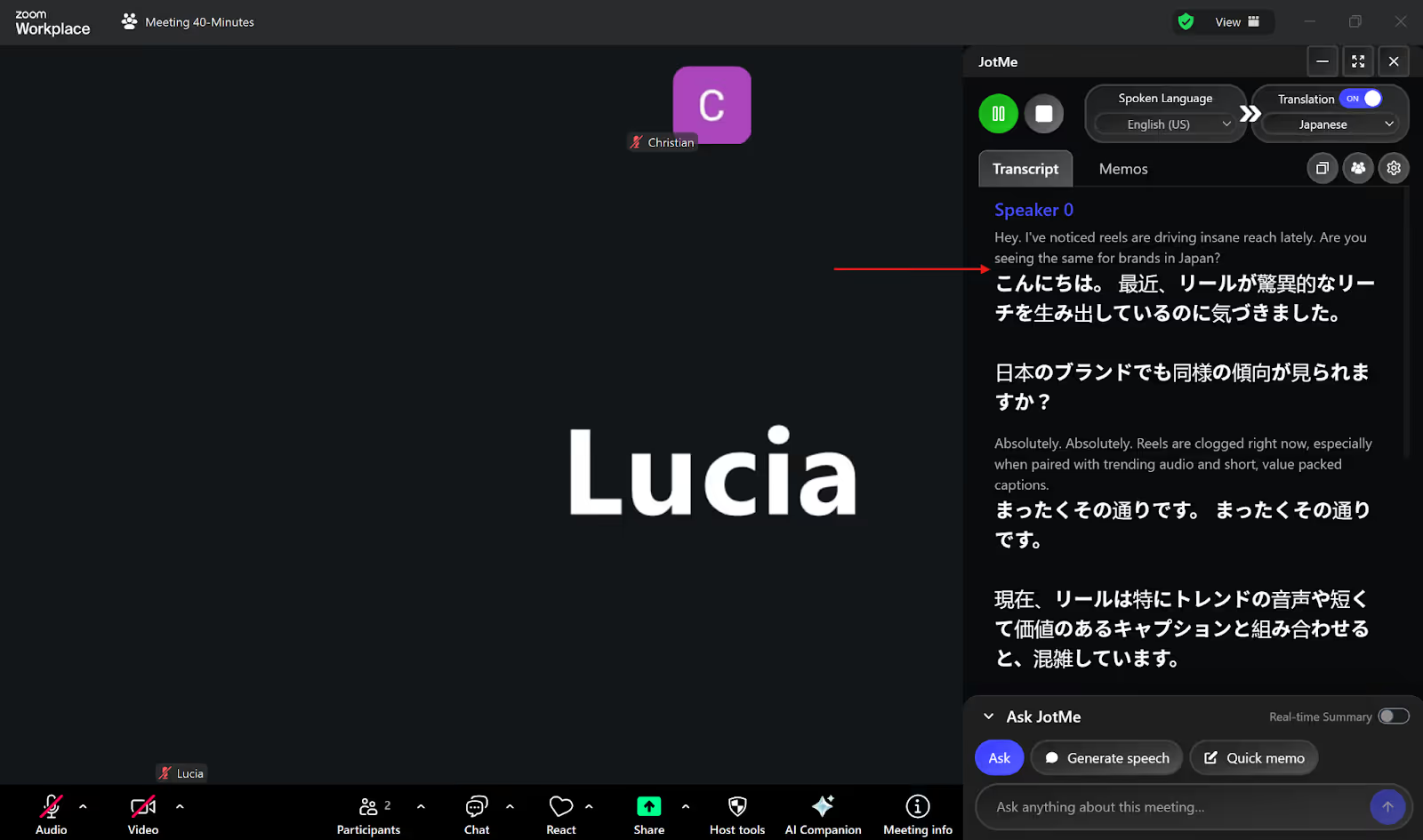
We tried the JotMe desktop app during a Zoom call with our Japanese client, where we discussed Instagram branding. JotMe began the real-time transcription and translation instantly as we began speaking.
JotMe’s Multilingual Meetings Transcription and Translation
JotMe's desktop app allows you to communicate globally by providing multilingual transcription of up to 10 languages at once, including English, Japanese, Portuguese, Dutch, etc., and translating them into your preferred language in real time during virtual meetings.
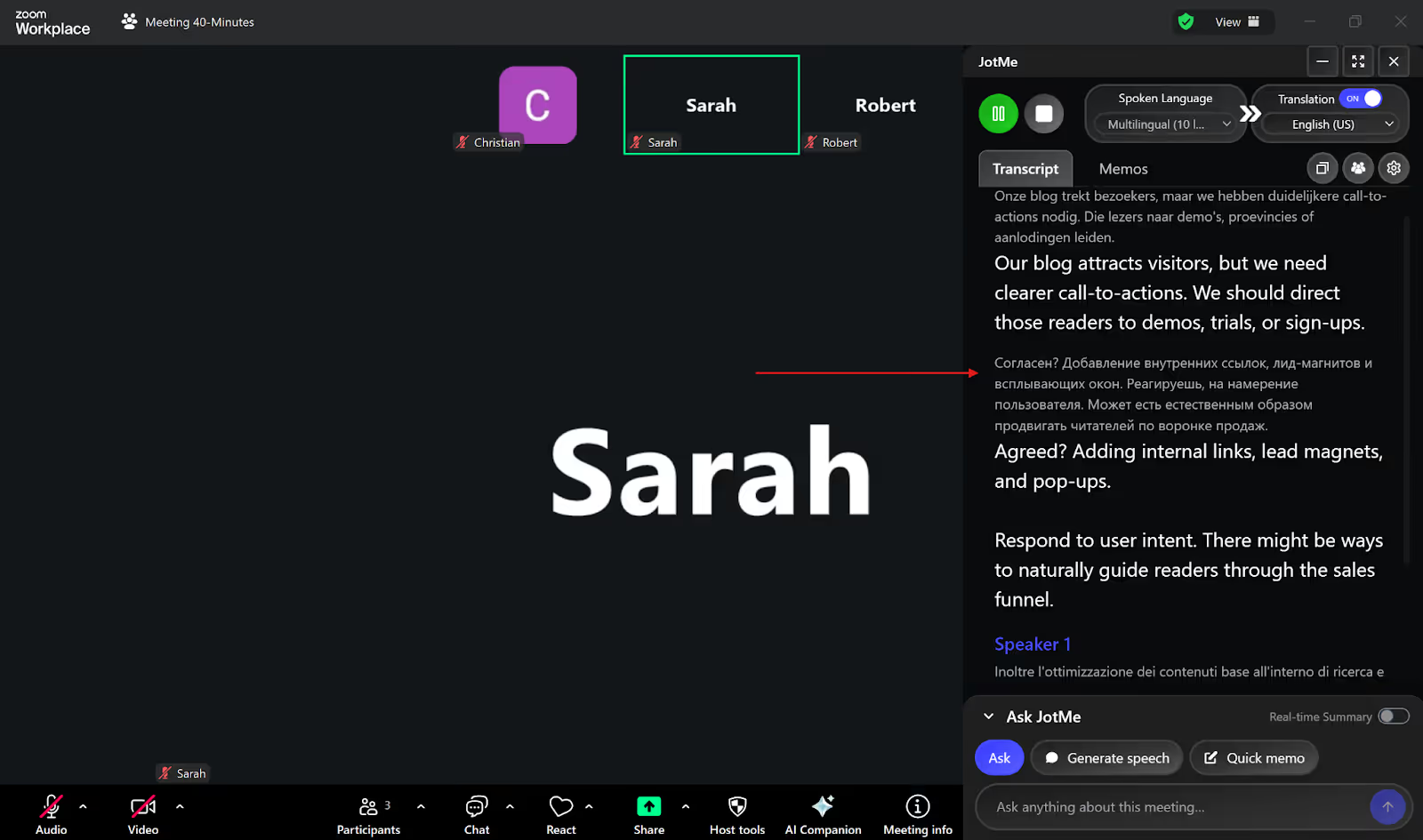
JotMe offers cross-platform translation without bots on Zoom, Microsoft Teams, Google Meet, Webex, LINE, Slack, and more. JotMe’s desktop app uses a bot-less translation setup that detects speech directly from your system to provide real-time translation, making sure that your meetings are not disrupted by a bot.
We had a multilingual Zoom call to discuss the blog conversion strategy with Dutch, Russian, and Italian speakers. We used JotMe desktop’s multilingual transcription feature, and it accurately delivered real-time transcription and translation of these languages.
JotMe Desktop’s AI Translator
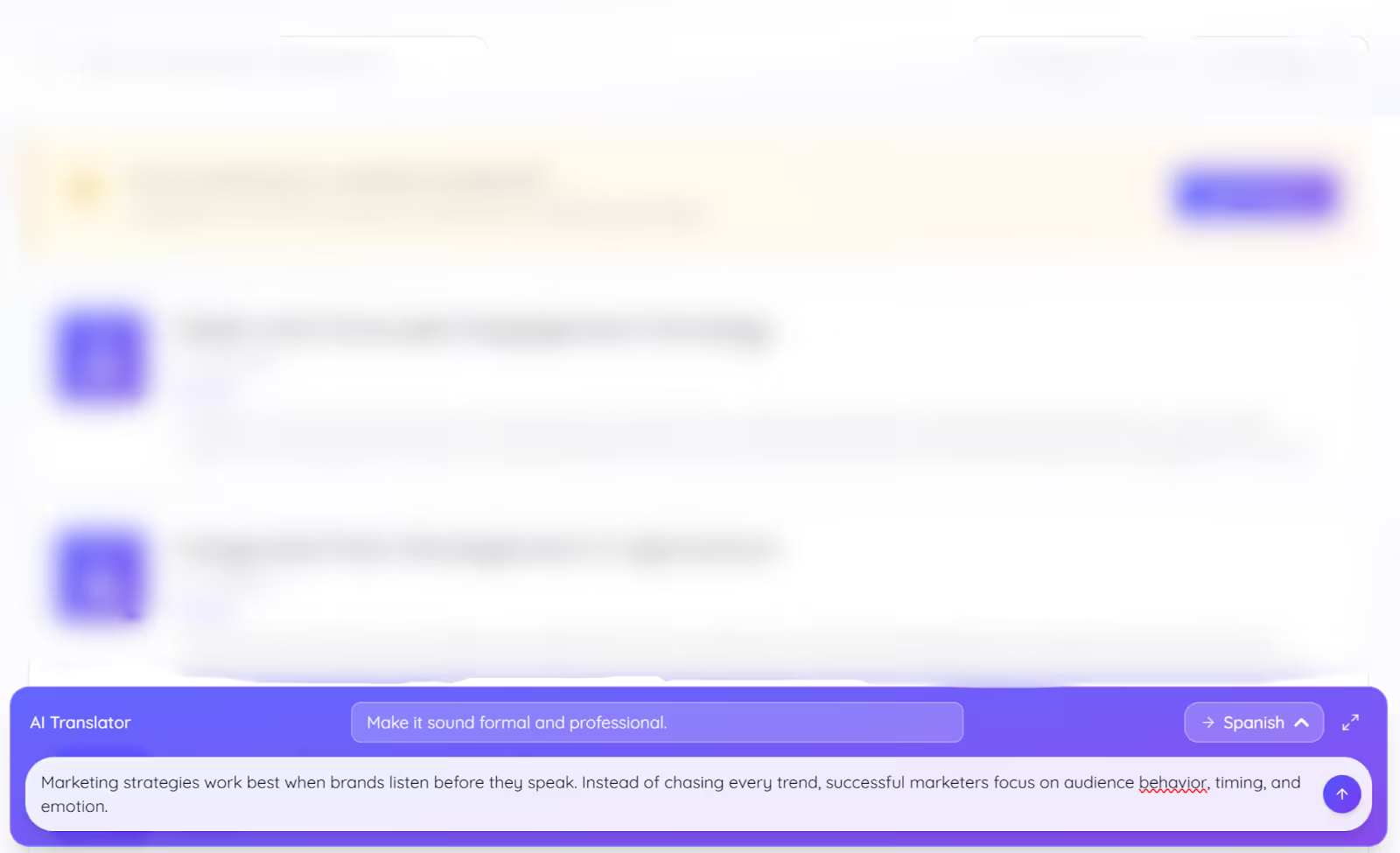
JotMe’s desktop app offers an AI translator for text-to-text translation in 127 languages. JotMe desktop’s AI Translator allows you to add a prompt using the “Request” feature to customize the tone of your translation output to formal, casual, sarcastic, polite, etc.
JotMe desktop’s AI Translator can be useful for business professionals drafting contracts in another language to customize the tone of the output.
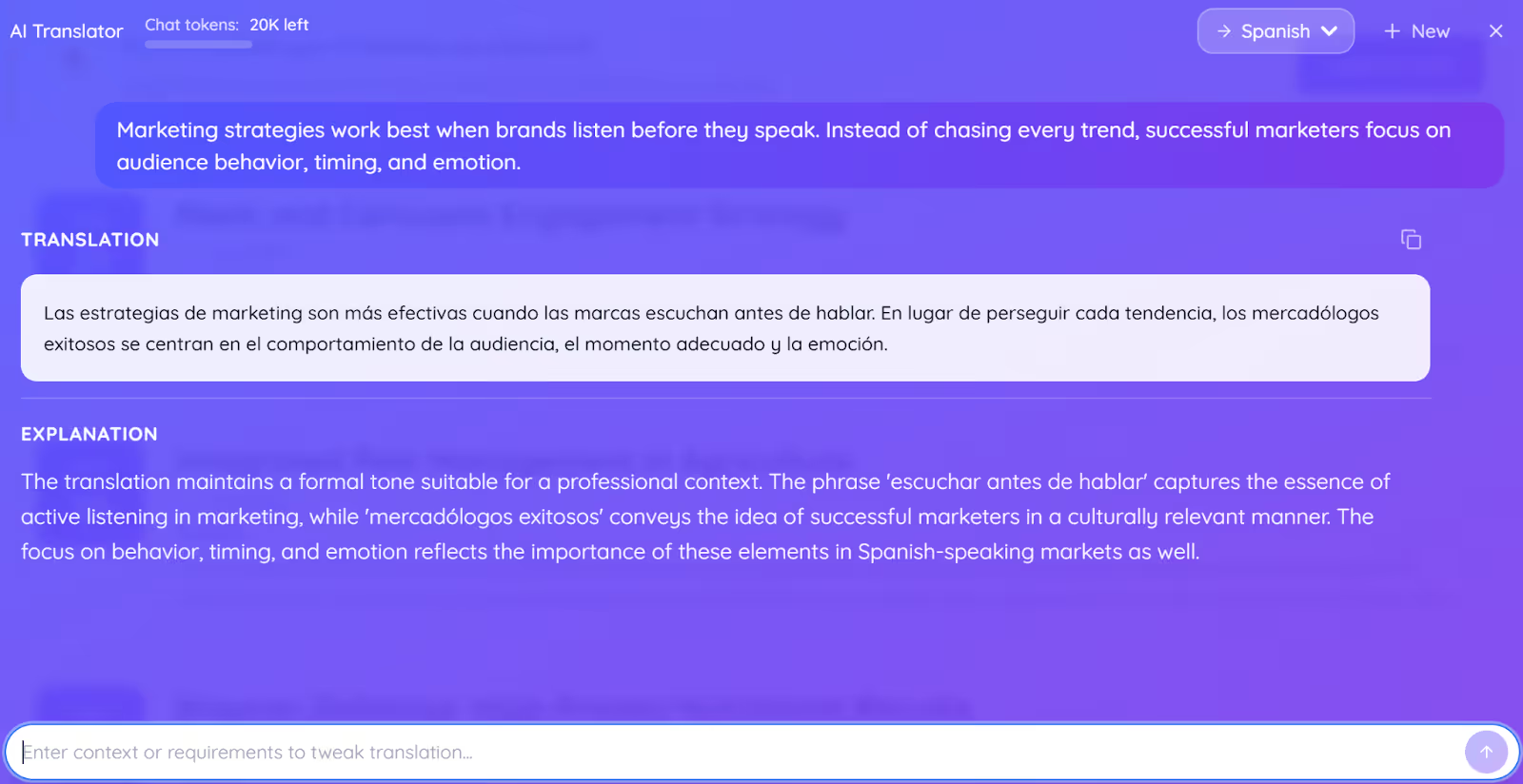
JotMe's AI translator also provides an explanation alongside each translation that describes why certain phrases or terms are used in a specific way, helping you understand the intent behind the translated message.
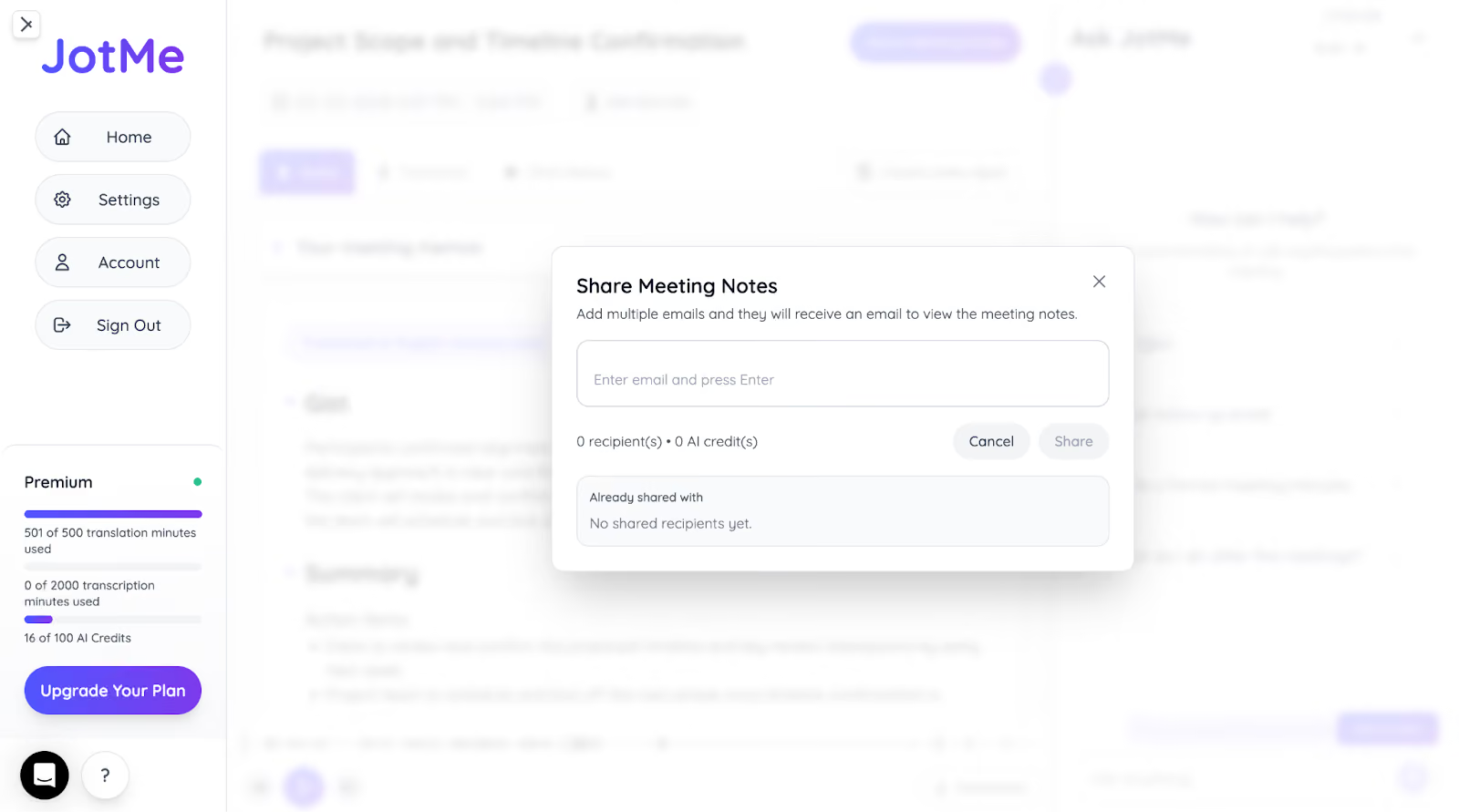
JotMe’s Post-Meeting Notes Sharing
JotMe automatically generates AI meeting notes after a meeting ends, combining the transcript and summarized discussion points in one place. These notes make it easier for teams to review the key outcomes of the meeting without going through the entire recording or transcript.
If participants joined the meeting through a shared translation link or QR code, they can choose to receive the meeting notes once the session ends. JotMe then sends the transcript and translated summary to their email so they can review the discussion later in their preferred language.
For example, if a product planning discussion happens in English, teammates in other regions can revisit the translated summary, transcript, and key decisions afterward without needing a separate recap. The summary can also be quickly copied and shared in email updates, chat tools, or internal documentation.
JotMe Mobile App for In-Person Conversations
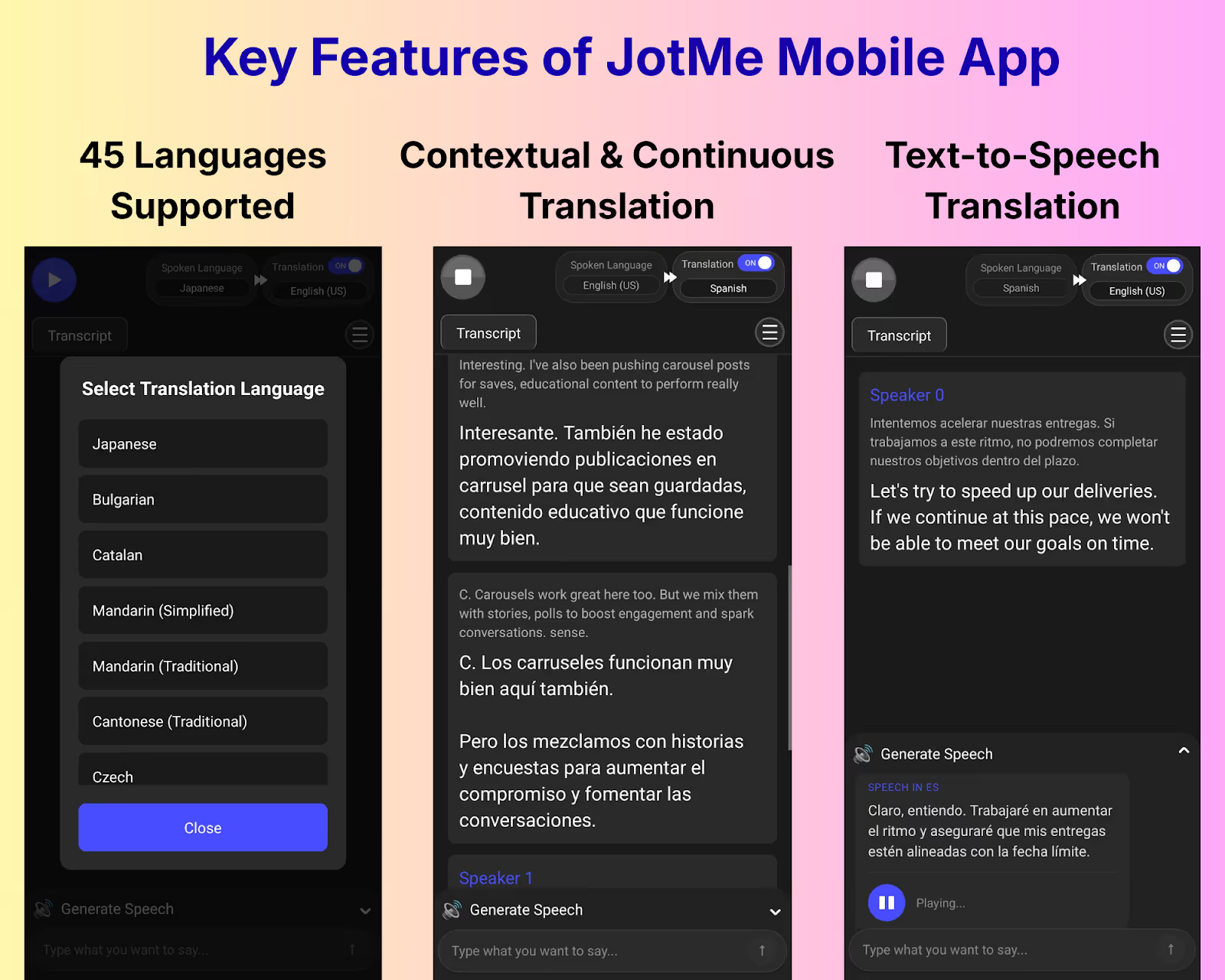
JotMe offers a mobile app for iOS and Android devices, designed for live translation of in-person conversations. JotMe's mobile app supports speech-to-text, text-to-text, and text-to-speech in 45 languages, making it ideal for travel use and communicating with someone who speaks a different language.
What Makes JotMe’s Desktop App Special?
JotMe desktop app stands out with these features:
- A bot-less translation setup that detects speech directly from your system and doesn’t interrupt your calls.
- Multilingual transcription of up to 10 languages at once and their real-time translation into your preferred language.
- An AI Translator that explains why certain words or phrases are used in a specific way, which can be useful when dealing with industry jargon.
When JotMe Desktop App Might Not Be the Right Fit?
JotMe desktop app might not be the right fit when you:
- Only need a dictation tool to type into apps like Gmail or Slack with voice.
Wispr Flow: Ideal for Quick Voice-to-Text Dictation Across Desktop and iPhone Apps
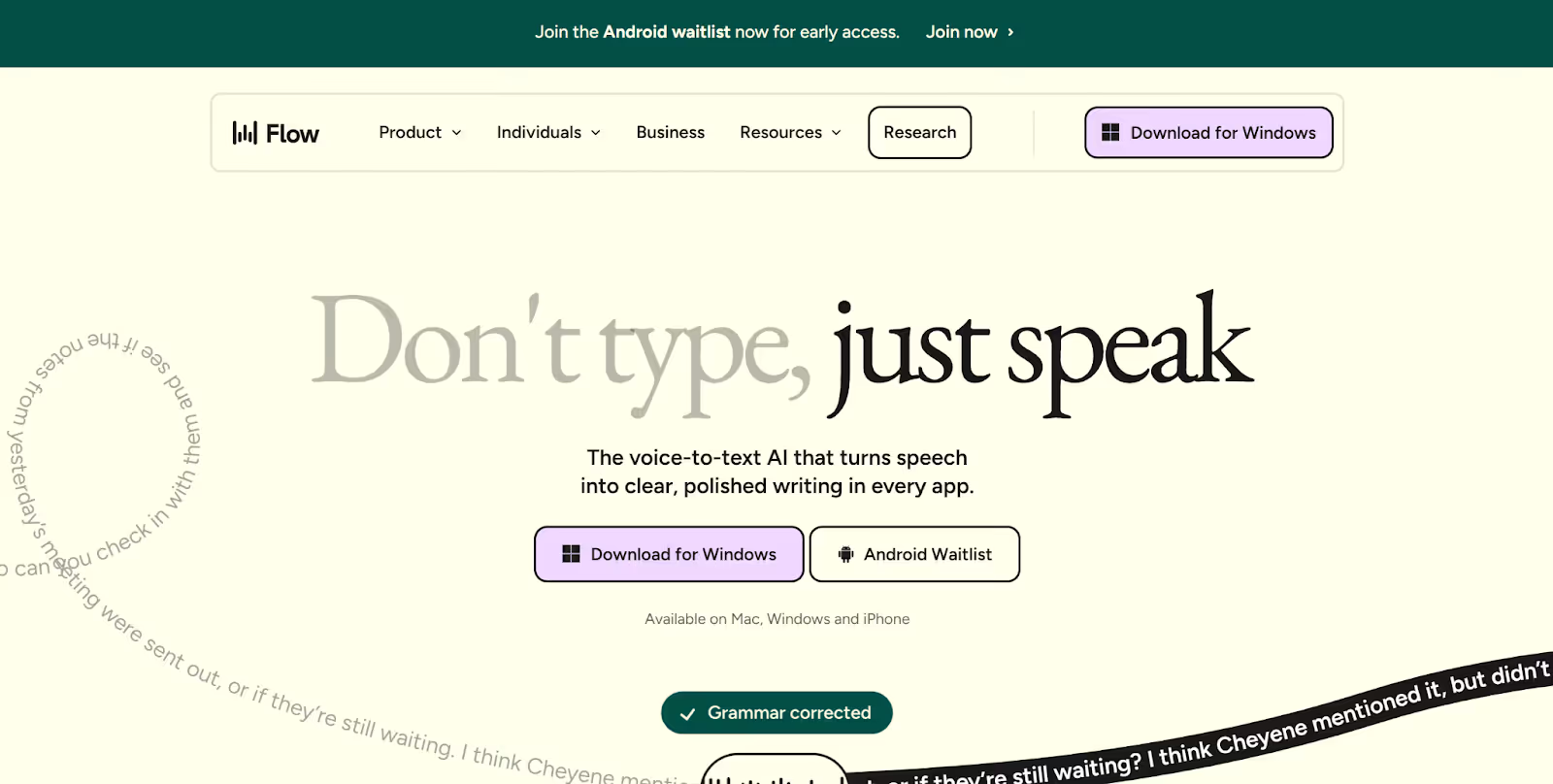
Wispr Flow is a voice-to-text dictation app that turns your speech into polished and formatted text across any application on your Mac, Windows, or iPhone. Wispr Flow supports 100+ languages and works in apps like Gmail, Slack, Notion, and more.
However, Wispr Flow works only as a dictation tool and not a meeting tool. Unlike JotMe, Wispr Flow does not provide live translation or transcription of other speakers during virtual or in-person meetings.
If you attend multilingual meetings (virtual or in-person) and need to understand what others are saying in real time, you can use the JotMe app for real-time transcription and translation in over 45 languages.
What Features Does Wispr Flow Offer?
Wispr Flow offers several features like voice-to-text dictation in any app, Command Mode for translation and customization of selected text, support for 100+ languages, and an iPhone app. Check out Wispr Flow’s features in detail below:
Wispr Flow’s Voice-to-Text Dictation Across Apps
Wispr Flow offers voice-to-text dictation in different applications on your desktop or iPhone, including Gmail, Slack, Notion, etc. To start dictating, you press and hold a keyboard shortcut. Once you release the key, Wispr Flow processes your speech and displays the formatted text in the text field you are in.
We used Wispr Flow to dictate our email instead of typing, and it effortlessly converted our words into formatted text once we were done speaking.
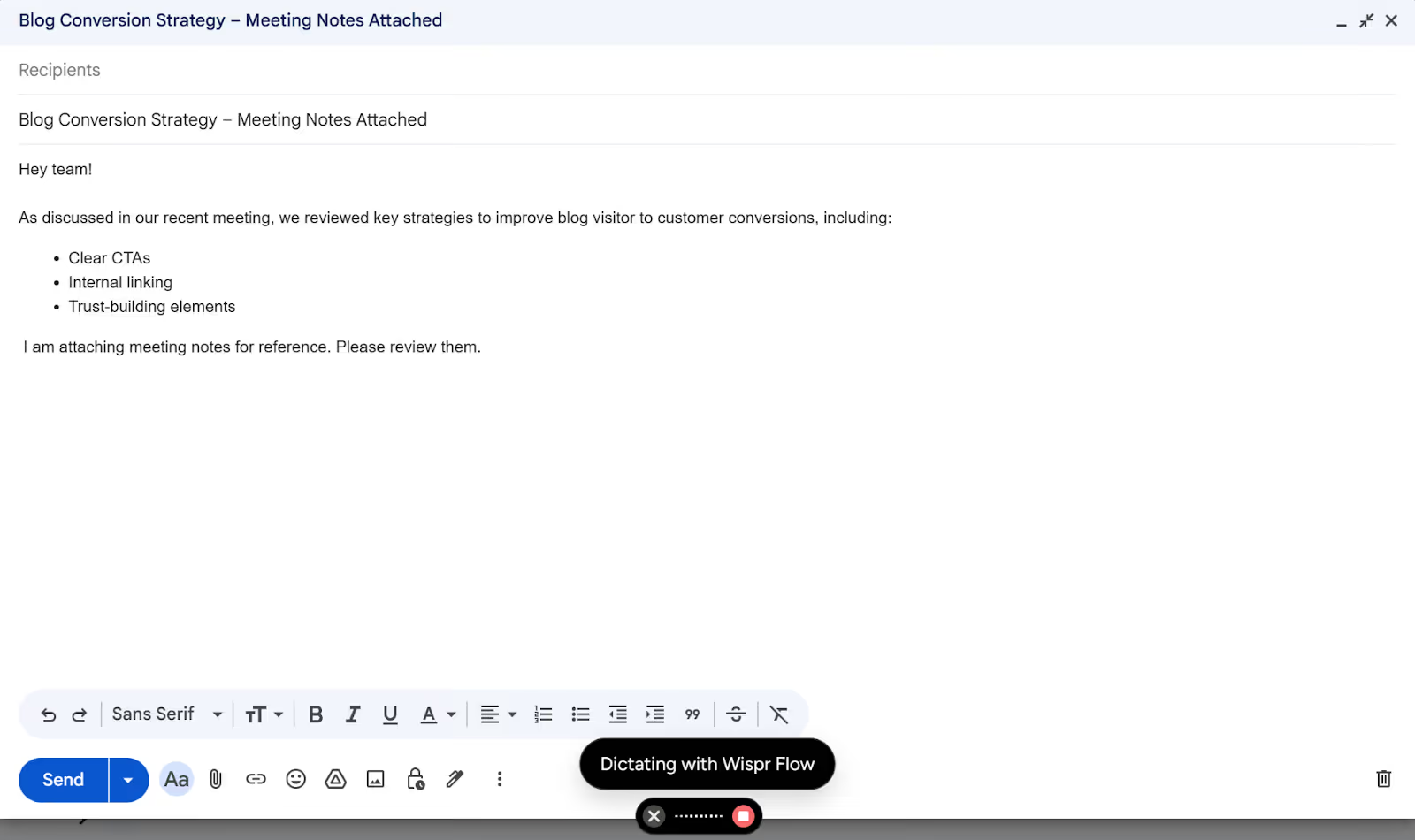
Wispr Flow requires you to press a keyboard shortcut every time you want to dictate, which can get tedious for longer inputs. The transcribed text also appears only once you release the shortcut key and you won't see anything on the screen while you are speaking. This makes it difficult to catch a mistake while dictating a longer paragraph or detailed email for your remote teammates.
On the other hand, JotMe automatically detects when you start speaking and displays the transcriptions in real-time as you speak without any keyboard shortcuts.
Wispr Flow’s Command Mode for Translation and Customization
Beyond basic dictation, Wispr Flow offers a Command Mode that lets you translate or customize selected text using your voice. You simply need to select the piece of text and speak a command in the Command Mode, like "make this more formal" or "translate this to Japanese." Wispr Flow will rewrite the selected text according to your voice command.
We used Wispr Flow’s Command Mode to translate English to Japanese in Notepad. We selected the text we wanted to translate, ran the Command Mode, and gave a voice command, “Translate this selected sentence in Japanese.” Wispr Flow translated the English statement into Japanese while also preserving the context of idioms.
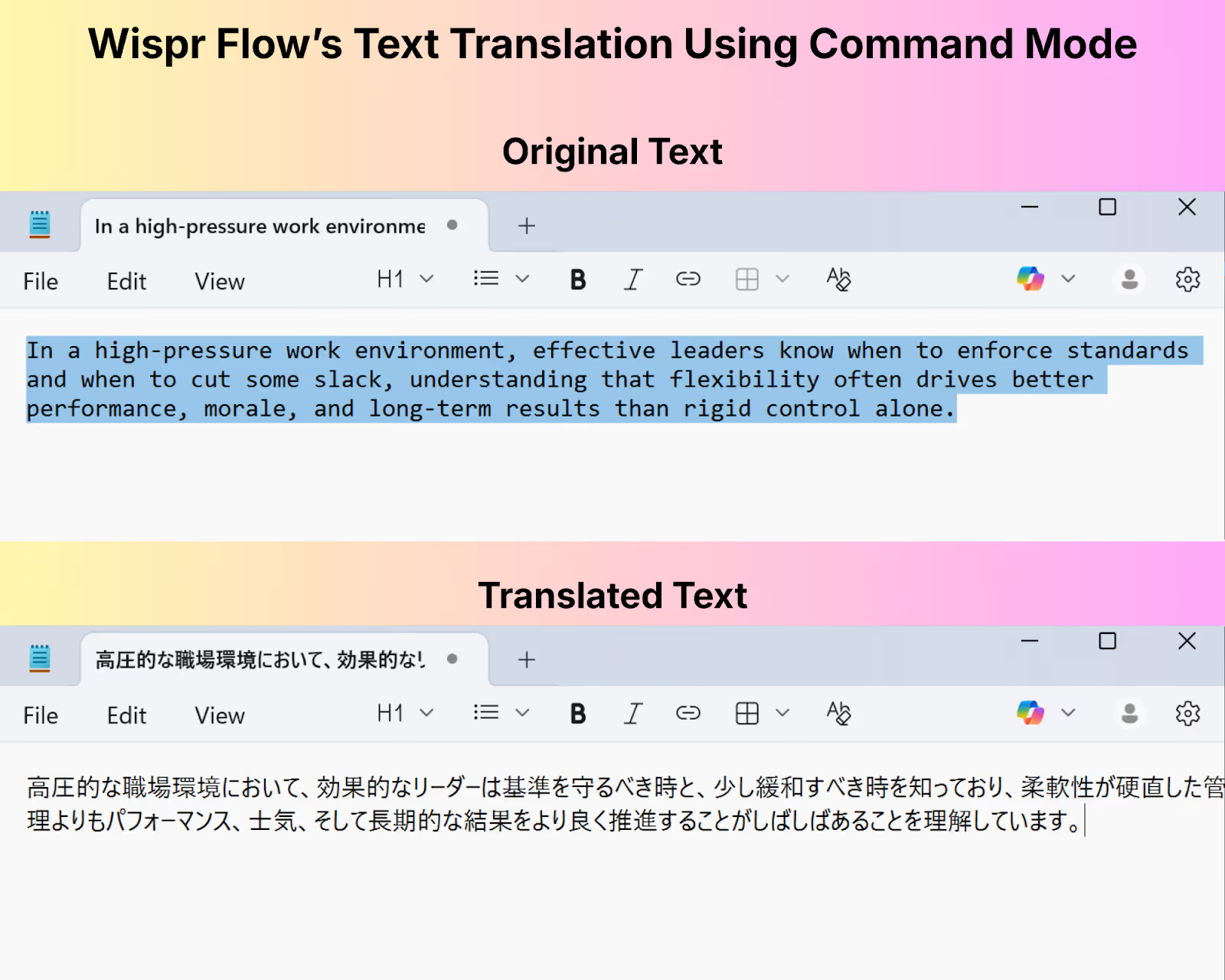
However, Wispr Flow replaced the selected text with the Japanese translation and didn’t provide the translation separately. This can make it difficult for users to access the original statement to check for mistakes. Also, Wispr Flow's Command Mode is only available in its paid Pro plan and not in the free version.
Wispr Flow Supports 100+ languages for Voice-to-Text Dictation
Wispr Flow supports dictation in over 100 languages and it can automatically detect which language you are speaking in, so you can switch between languages without changing any settings.
Wispr Flow's AI automatically removes filler words, adds punctuation, and adjusts the formatting based on the app you're using.
We tried Wispr Flow’s multilingual support feature in Notepad by dictating our speech into three languages, including German, English, and Spanish. Wispr Flow automatically detected the spoken languages and captured the words accurately.
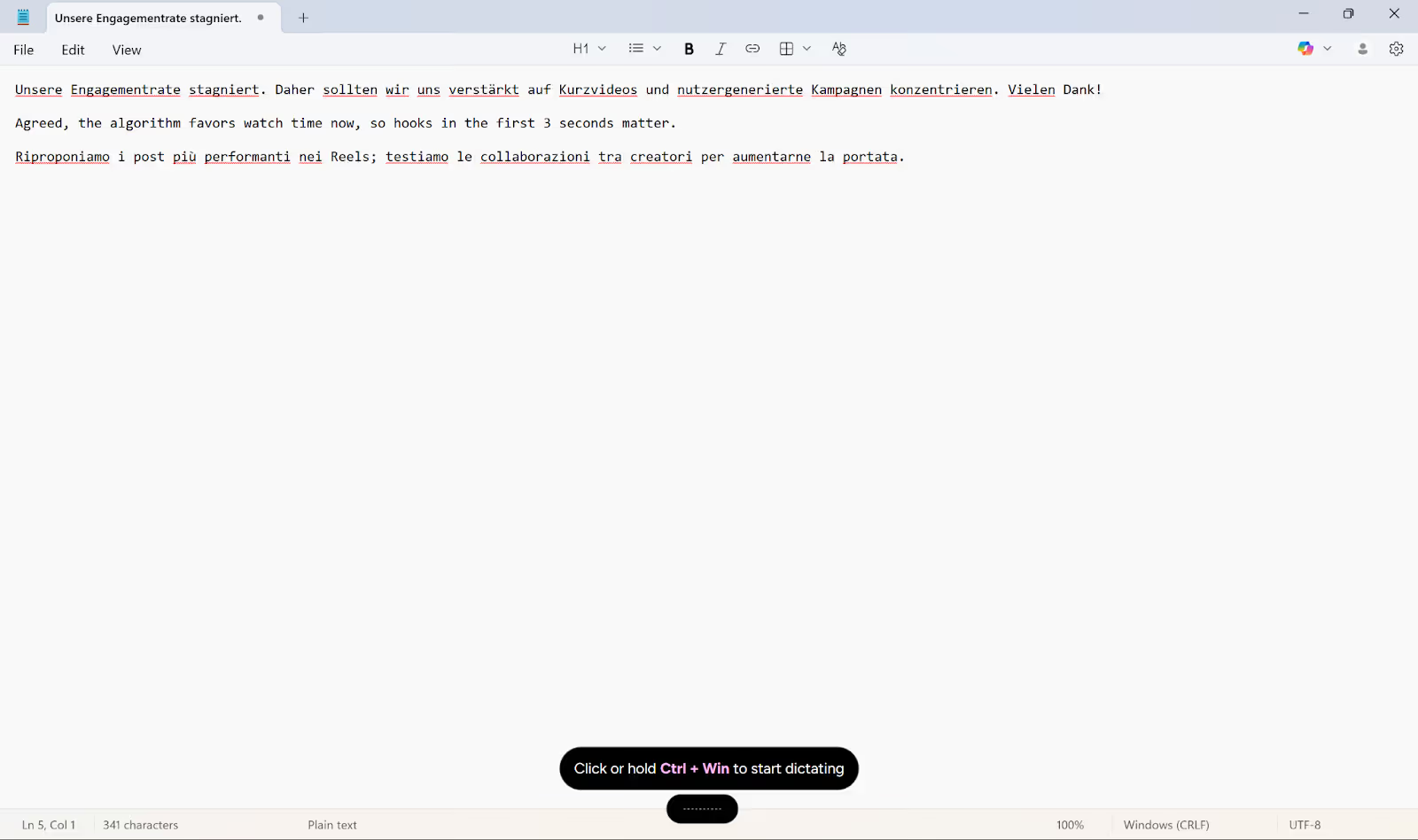
However, Wispr Flow only transcribes in the language you are speaking and does not translate your speech into another language. For live multilingual translation, JotMe's desktop app offers real-time voice-to-text transcription and translation across 45+ languages.
Wispr Flow’s iPhone App
Similar to its desktop app, Wispr Flow provides an iPhone app with an AI voice keyboard that offers voice-to-text dictation across email, notes, messaging apps, etc.
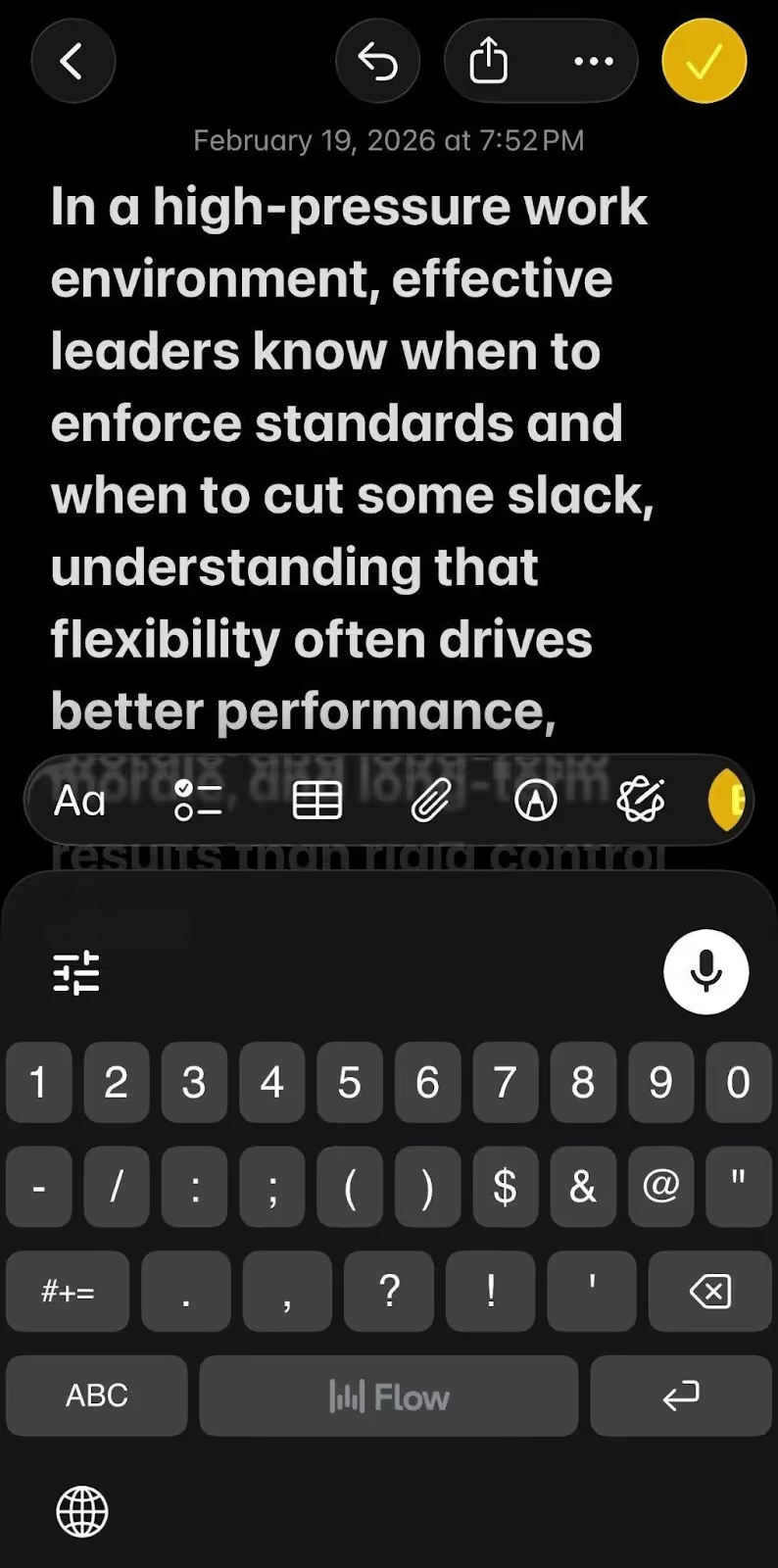
Wispr Flow does not currently have an Android app. On the other hand, JotMe offers both an iOS and an Android app and makes it accessible to users across both mobile platforms.
What Makes Wispr Flow Special?
Wispr Flow stands out with these features:
- Voice-to-text dictation that works across different apps on your Windows, Mac, or iPhone without switching between tools.
- Automatic language detection that switches between languages mid-dictation without any manual settings change.
When Wispr Flow Might Not Be the Right Fit?
Wispr Flow might not be the right fit if you:
- Need live translation during meetings, since Wispr Flow only transcribes what you speak and doesn’t translate speech into another language.
- Need to see text appear on screen while speaking, as Wispr Flow displays the transcribed text only after you stop the dictation.
- Want voice-to-text dictation on Android, since Wispr Flow has a mobile app only for iPhone currently.
What Pricing Plans do JotMe’s Desktop App and Wispr Flow Offer?
JotMe’s desktop app and Wispr Flow offer pricing plans starting at $10/month (billed annually) and $12/month (billed annually), respectively. JotMe desktop’s plans are minutes-based and Wispr Flow’s plans are word-count based. Below is a quick breakdown:
- JotMe’s desktop app provides a free monthly plan with limited translation and transcription minutes and AI credits so you can try its advanced features before investing in its paid plans, starting at $10/month (billed annually).
- Wispr Flow provides the Flow Pro plan free for 14 days and once it ends, you can either continue with the Flow Basic (free) plan or buy the Flow Pro plan at $12/month (billed annually).
How Much Does the JotMe Desktop App Cost?
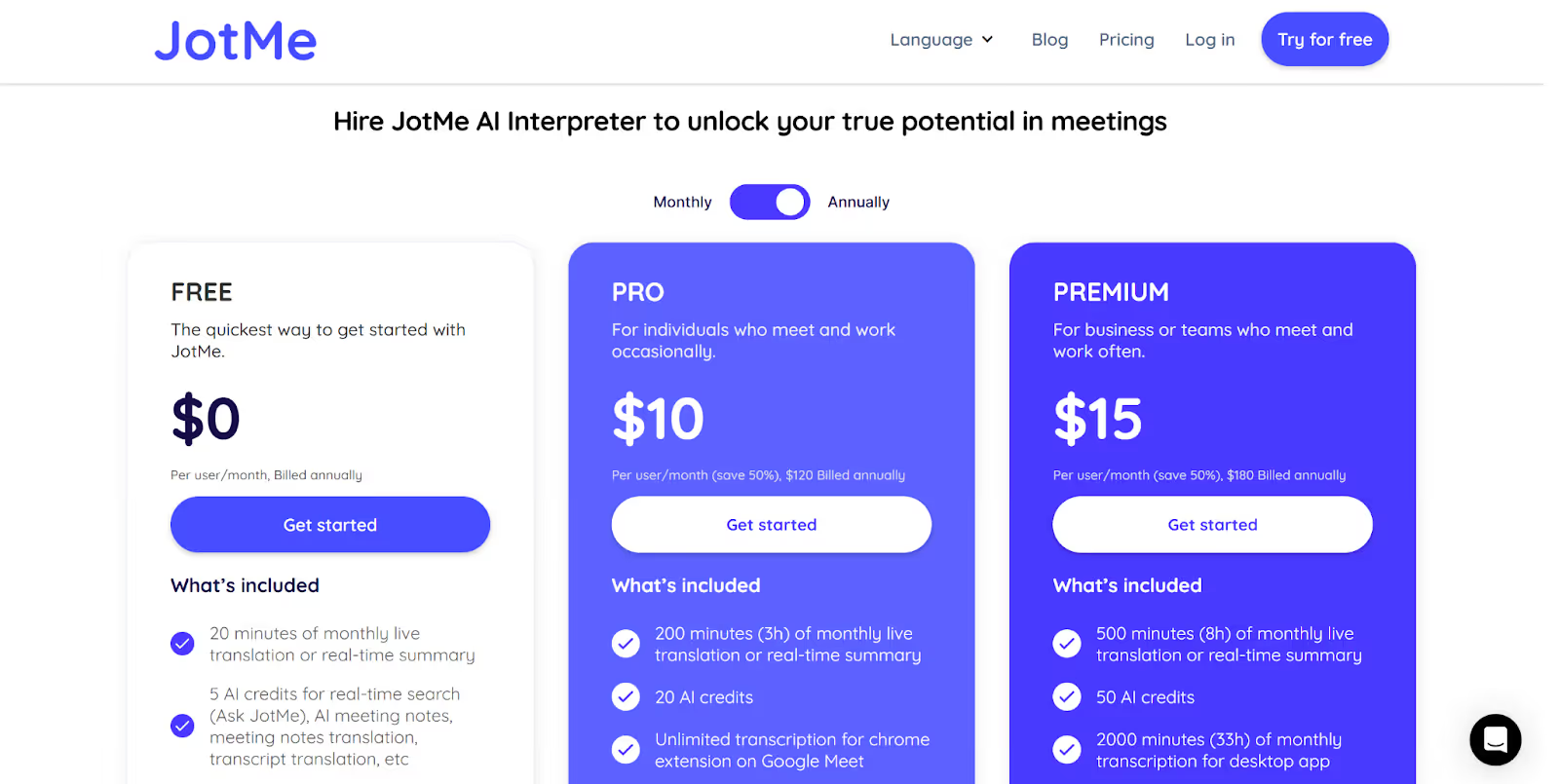
JotMe’s desktop app provides a free monthly plan to try its features with 20 live translation minutes, 50 transcription minutes, and 5 AI credits for AI meeting notes and summaries, transcript translation, and more.
Once you’ve tried the free version, you can buy any of the following pricing plans of the JotMe desktop app:
- Pro ($10/month, billed annually): 200 minutes of live translation, 500 minutes of transcription, 300k tokens for AI text translation, 20 AI credits, etc.
- Premium ($15/month, billed annually): 500 minutes of live translation, 2,000 minutes of transcription, 700k tokens for AI text translation, 50 AI credits, priority customer support, and more.
- Enterprise (Contact JotMe’s Team): Unlimited monthly transcription, additional minutes of monthly translation and AI credits, and more.
How Much Does Wispr Flow Cost?
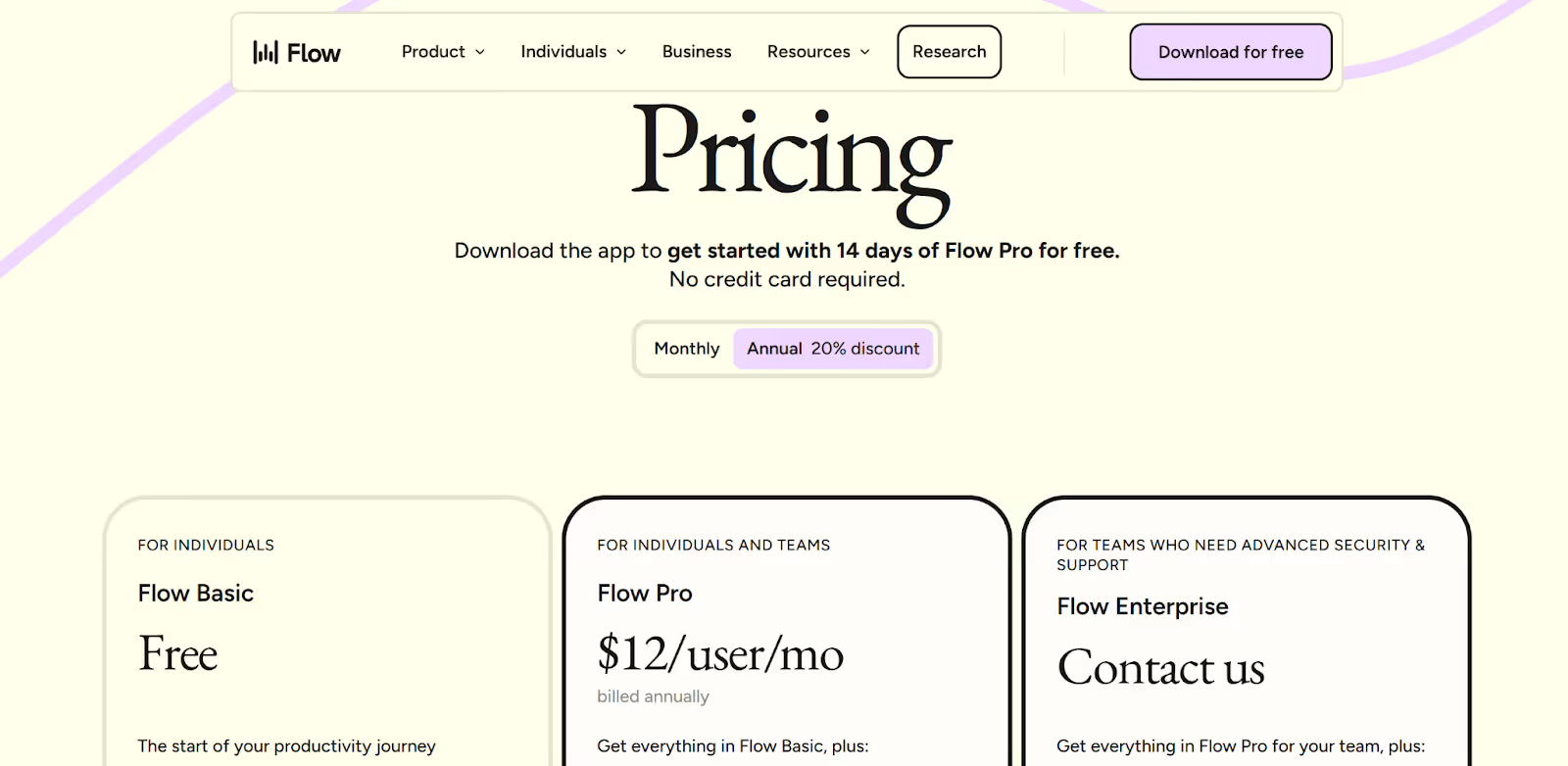
Wispr Flow offers 14 days of Flow Pro for free, after which you can pay for the paid plans or continue with the Flow Basic (Free) plan. Take a look at the pricing plans of Wispr Flow below:
- Flow Basic (Free): 2,000 words per week on Mac or Windows and 1,000 words per week on iPhone for voice-to-text dictation.
- Flow Pro ($12/user/month, billed annually): Everything in Flow Basic plus unlimited words per week on Mac, Windows, and iPhone, Command Mode for translating or customizing text tone, and more.
- Flow Enterprise (Talk to Sales Team): Everything in Flow Pro for your team plus dedicated support, advanced security, bulk pricing discounts, and more.
What are the User Reviews of JotMe and Wispr Flow?
Users praise JotMe for its real-time context-aware meeting translation and transcription, particularly in professional and multilingual environments. On the other hand, users like how Wispr Flow replaces traditional keyboard input with voice-to-text dictation that works across apps on desktop and iPhone.
What are Customers’ Views on JotMe?
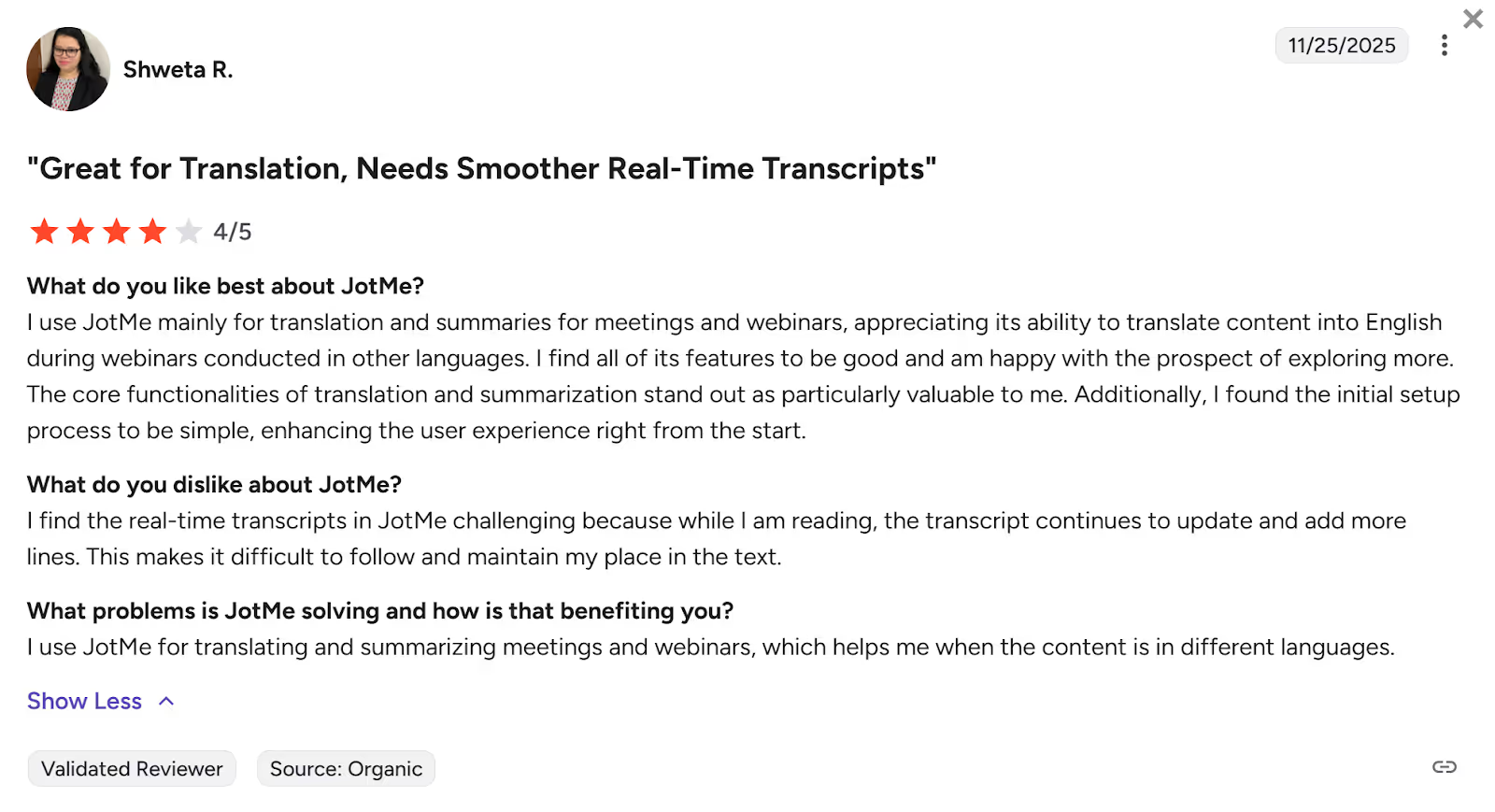
G2 users found that JotMe enhances the user experience right from the start with a simple initial setup process. They said, “The core functionalities of translation and summarization stand out as particularly valuable.”
Users found the JotMe desktop app’s translations accurate. But they found the real-time transcripts challenging as they continue to update and add more lines while reading, making it difficult to follow conversations.
What are Customers’ Views on Wispr Flow?
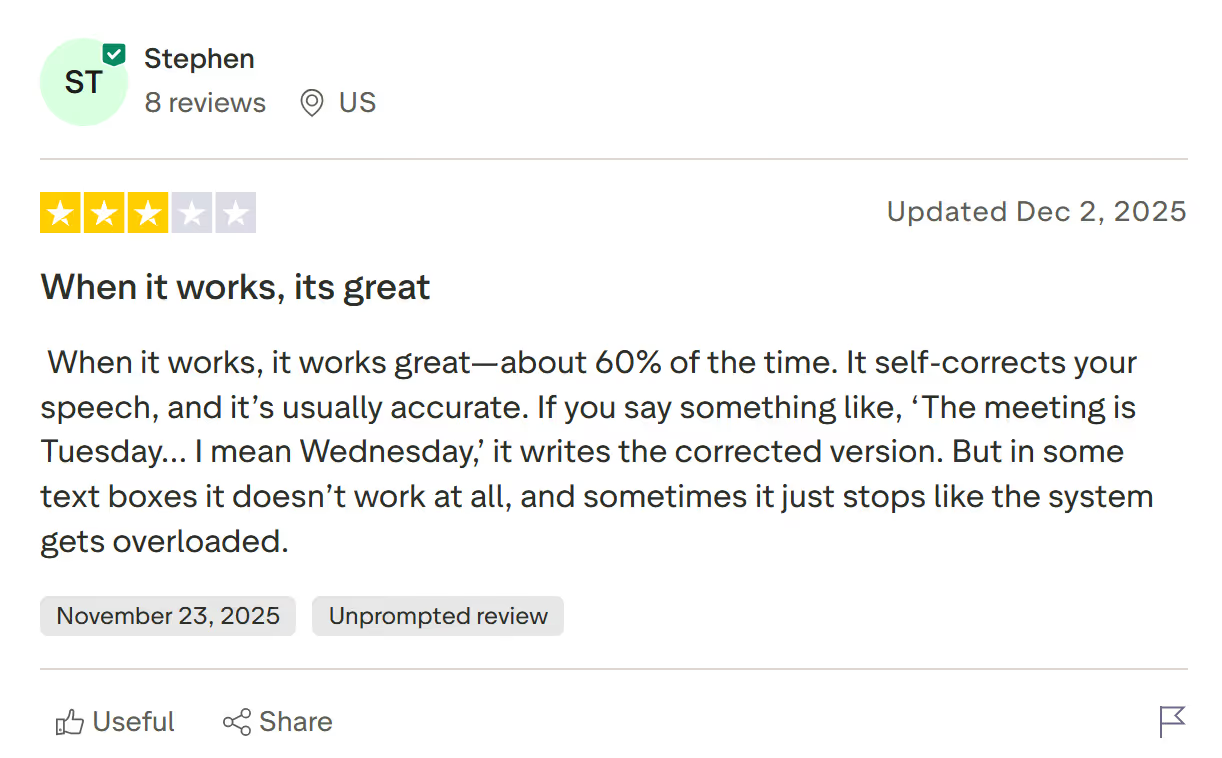
Some Trustpilot users said that Wispr Flow works great and writes the corrected version when you make a mistake. They found that “It self-corrects your speech, and it’s usually accurate.”
However, users have found that Wispr Flow doesn’t work at all in some text boxes. Multiple users on Trustpilot have said that the customer support team never replied to them.
Wispr Flow vs. JotMe: Which Voice-to-Text Transcription App Should You Pick?
Picking the right voice-to-text transcription app depends on what you want the tool to actually do for you and your budget. Below is a quick breakdown of which voice-to-text transcription app you should choose:
- Choose Wispr Flow for quick and accurate voice-to-text dictation for daily writing, drafting emails to international clients, and messages in any app on Mac, Windows, or iPhone.
- Choose the JotMe desktop app for real-time voice-to-text transcription and translation during virtual meetings with international teams or clients speaking different languages.
Among the Wispr Flow alternatives, JotMe’s desktop app stands out as the better voice-to-text transcription tool for communication in multilingual meetings. JotMe’s desktop app has a simple setup that teams can get started with quickly and its speech recognition works accurately even in noisy environments.
JotMe’s desktop app supports 45+ languages and offers additional features like AI meeting notes and summaries, multilingual transcription, and more. Try the JotMe desktop app today and explore how it makes communication easier in virtual meetings with its real-time voice-to-text transcription and translation.
FAQs for the Best Voice-to-Text Transcription App
Does Wispr Flow work on mobile?
Yes, Wispr Flow works on iPhone with a Flow keyboard for voice-to-text dictation across notes, emails, and messaging apps. However, Wispr Flow’s Android app isn’t available yet. On the other hand, JotMe offers a mobile app for both Android and iOS devices. JotMe’s mobile app supports real-time voice-to-text translation and transcription in 45 languages, text-to-speech translation (Generate Speech feature), multilingual transcription, and more, for in-person conversations.
How much does Wispr Flow cost per month?
Wispr Flow’s Flow Pro plan costs $15/month or $12/month when billed annually and offers unlimited words per week for voice-to-text dictation across your devices, translation and tone customization of selected text using Command Mode, and more.
What are the alternatives to Wispr Flow?
The alternatives to Wispr Flow include JotMe, Speechify, Otter.ai, Letterly, and Willow Voice. Wispr Flow provides voice-to-text dictation across different apps, but doesn’t offer real-time transcription during meetings like JotMe’s desktop app and Otter.ai. JotMe’s desktop app stands out as a better alternative to Wispr Flow by providing real-time transcription and translation of virtual meetings in 45+ languages, along with additional features like AI meeting notes and summaries, text-to-text translation in 127 languages, tone customization using a prompt, and more.
Does Wispr Flow do text-to-speech?
No, Wispr Flow doesn’t do text-to-speech. Wispr Flow is a voice-to-text dictation tool that converts your spoken words into text across different applications. However, JotMe lets you convert your written text to speech with its Generate Speech feature and read the text aloud. JotMe’s Generate Speech feature is useful during in-person conversations where you need the other person to hear the translated output and ease communication.
Last updated on
April 14, 2026
Follow us on social media:
![JotMe — Is Google Translate Accurate? [2026 Test]](/_webflow-assets/0d0512afc7b037d74dff536f22fed08f.avif)