Guides
5 Best English to Japanese Live Translation Tools for Medium to Large Teams [Tested in 2026]

Viraj Mahajan
October 10, 2025

Brief Answer: The best English-to-Japanese live translation apps are JotMe, Kudo, Maestra AI, Talo, and DeepL Voice. JotMe delivers contextual translation in over 107 languages, including Japanese, with meeting notes, AI Q&A, and zero bot intrusion.
Are you struggling to find a live English-to-Japanese translation tool that actually works in meetings and webinars? The reality is, while plenty of options promise real-time language support, most fall short, either missing critical context or causing frustrating delays.
So, we rolled up our sleeves and put more than 20 English-to-Japanese live translators to the test, using everything from common business dialogue to technical and native-level Japanese discussions. After sorting through hype, we narrowed our list to five standout tools with features you'll actually use and accuracy you can trust.
- JotMe delivers accurate real-time English-to-Japanese live translation in 107 languages for just $9 a month, plus it integrates with Zoom, Google Meet, and more.
- Kudo connects you with live, industry-trained interpreters for events and webinars if you need a human touch.
- Maestra AI offers flexible pay-as-you-go pricing and advanced perks like AI voice cloning.
In this article, you will find the strengths and the quirks of each platform. From rapid-fire meeting summaries to industry-specific vocabulary, these tools bridge the gap between English and Japanese live translation, offering speed, privacy, and accuracy. This way, you can focus on your conversation, not your translator.
Summary of Each English-to-Japanese Live Translation Tool
Before getting deep into each tool, below is a concise snapshot of what each platform offers for English-to-Japanese live translation:
- JotMe: Real-time, context-aware translation in 107 languages with instant meeting summaries and AI Q&A.
- Kudo: Hybrid human+AI interpretation for professional events, supporting 60+ languages.
- Maestra AI: Pay-as-you-go voice translation, automatic subtitling, and video localization in 125+ languages.
- Talo: Seamless AI-driven live translation for video calls with intuitive browser and desktop integration.
- DeepL Voice: Instant speech-to-text translation with high-quality neural models, optimized for English-Japanese pairs.
Best English to Japanese Live Translation: Quick Comparison
Below is a side-by-side comparison of the five top English-to-Japanese live translation tools, highlighting key features such as AI real-time translation, meeting notes, translation sharing, language support, and more.
How Do We Select the Best Live Translation Tools?
Finding the right English-to-Japanese live translation tool isn't just a matter of features on a list. After putting over 20 contenders through real-world meetings, we learned that what makes a translator great comes down to a handful of practical, game-changing details. Here's how we separated the tools that truly help from those that just look good on paper:
- How Well Does It Really Translate: Anyone can promise accuracy, but we tested these apps with everything from everyday chats to industry-specific Japanese terms. The best tools didn't just swap words; they ensured that every conversation made sense and felt natural.
- How Fast and Smooth Is the Experience: Waiting for translations to catch up is the fastest way to kill a conversation. We paid close attention to lag and glitches, favoring apps that kept translations flowing in real time, even as speakers switched languages or topics.
- How Easily Can You Plug It Into Your Meetings: No one wants a complicated setup or strange bots popping into confidential calls. We looked for tools that simply connect with Zoom, Google Meet, Teams, and more—no lengthy installs or privacy worries.
- Does It Offer Helpful Extras: The top picks did more than just translate. Features like automatic meeting notes, bullet-pointed recaps, and easy transcript sharing proved particularly useful during team calls and follow-ups.
- Is the Pricing Clear and Worth It: No surprises here; a transparent, flexible billing setup matters. We favored tools with straightforward plans, free tiers, or no hidden charges, so you get what you pay for without budget shocks down the road.
By weighing these factors, we landed on a shortlist of live English-to-Japanese translation tools that work seamlessly in actual meetings without slowing anyone down.
Best English-to-Japanese Live Translation Apps for Students and Remote Teams
According to HubSpot's State of AI Report 2025, 51% of employees are eager to use AI and automation in their roles, indicating just how ready people are to rely on smart tools in their everyday work. Remote teams of students who may miss important things due to language barriers can also benefit, as English-to-Japanese live translation apps like JotMe make information accessible with accuracy. So, let's explore the top 5 tools one by one.
JotMe
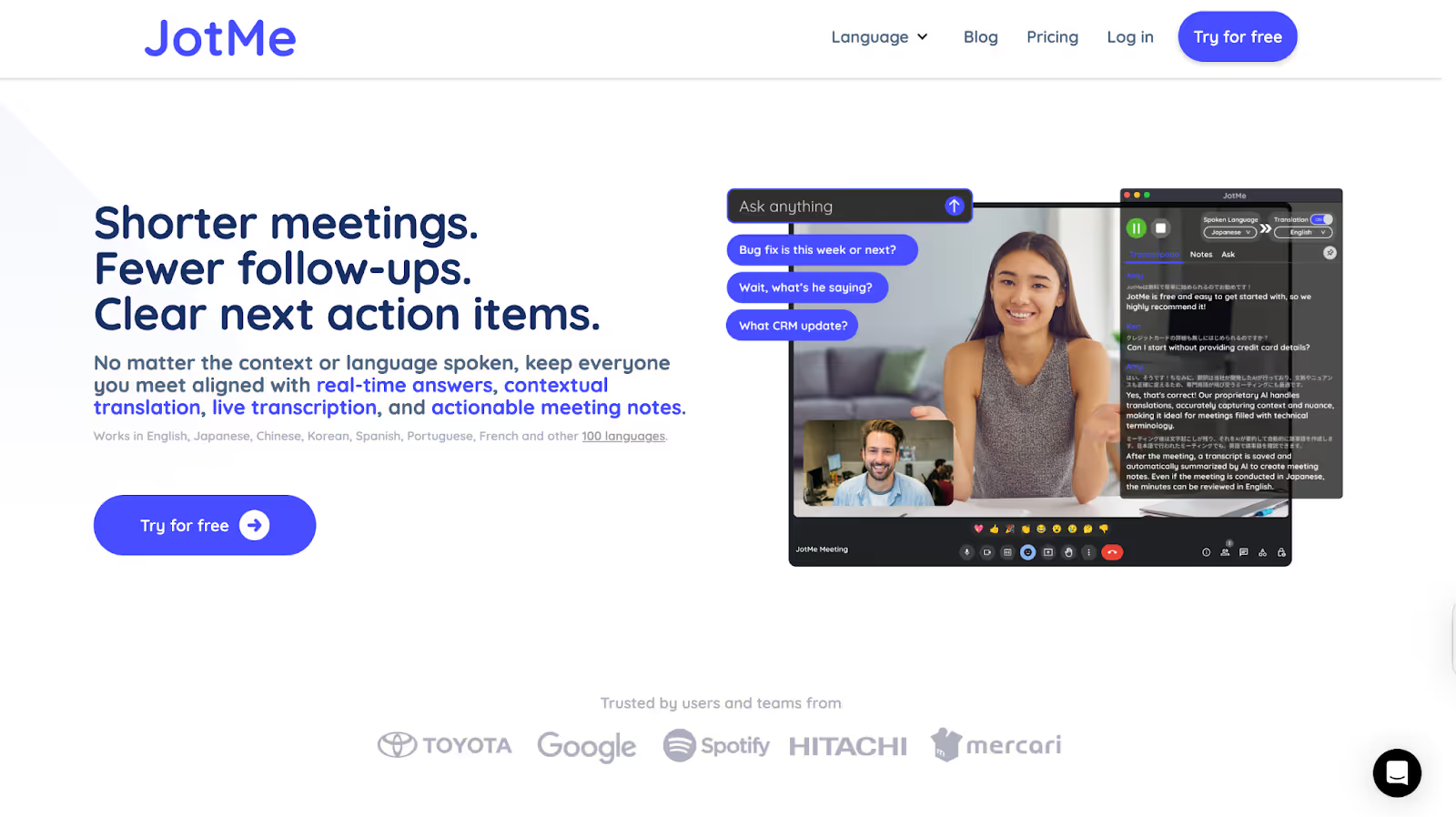
Out of all the tools we tested, JotMe was one of those that genuinely stood out. During a Google Meet session, when we wanted to communicate our weekly blog plan to our Japanese client, JotMe accurately provided real-time translation immediately. It feels like having a reliable assistant constantly working alongside us, translating contextually and even answering our questions on the fly.
JotMe supports AI-powered real-time translation in 107 languages, including Japanese, and comes packed with features such as live transcription, AI meeting notes, and AI insights during calls, meeting recordings, and more. Plus, it works seamlessly on platforms like Zoom, Teams, Google Meet, Webex, Slack, and beyond without needing any bots to join your meetings.
Supported Platforms: Zoom, Line, Google Meet, Teams, Slack, Webex, Discord, and more.
JotMe Key Features
Contextual Translation

During a recent project review held in English, JotMe translated the conversation live into Japanese. What stood out was how well it handled industry-specific terms and subtle shifts in tone. Instead of giving word-for-word outputs, the translations felt natural and easy to follow. That’s because JotMe uses advanced NLP and speech recognition to understand the full context of the discussion, not just the individual lines. As a result, even when complex ideas were shared, the Japanese translations stayed accurate and clear, helping everyone stay aligned in real time. What’s more, you will also get neatly organized bilingual meeting notes on Google Meet, helping you plan for future meetings.
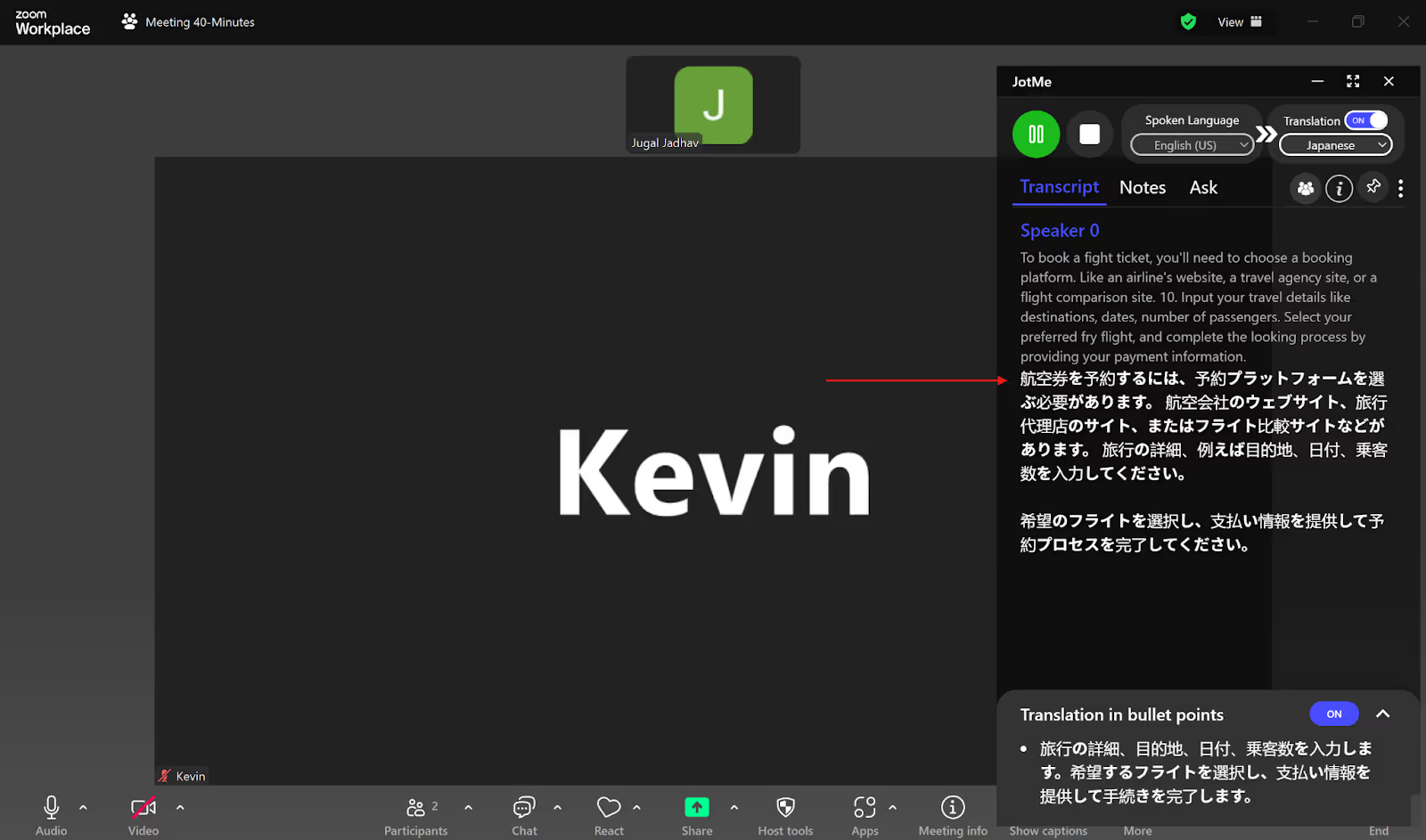
Not only this, but if by chance you mispronounce any word, the contextual translation feature of JotMe understands the word and makes it right. For example, in the translation below, one of us said ‘fight’ instead of ‘flight,’ and the Japanese translation still translated it correctly to flight!
Sharing Translation Minutes
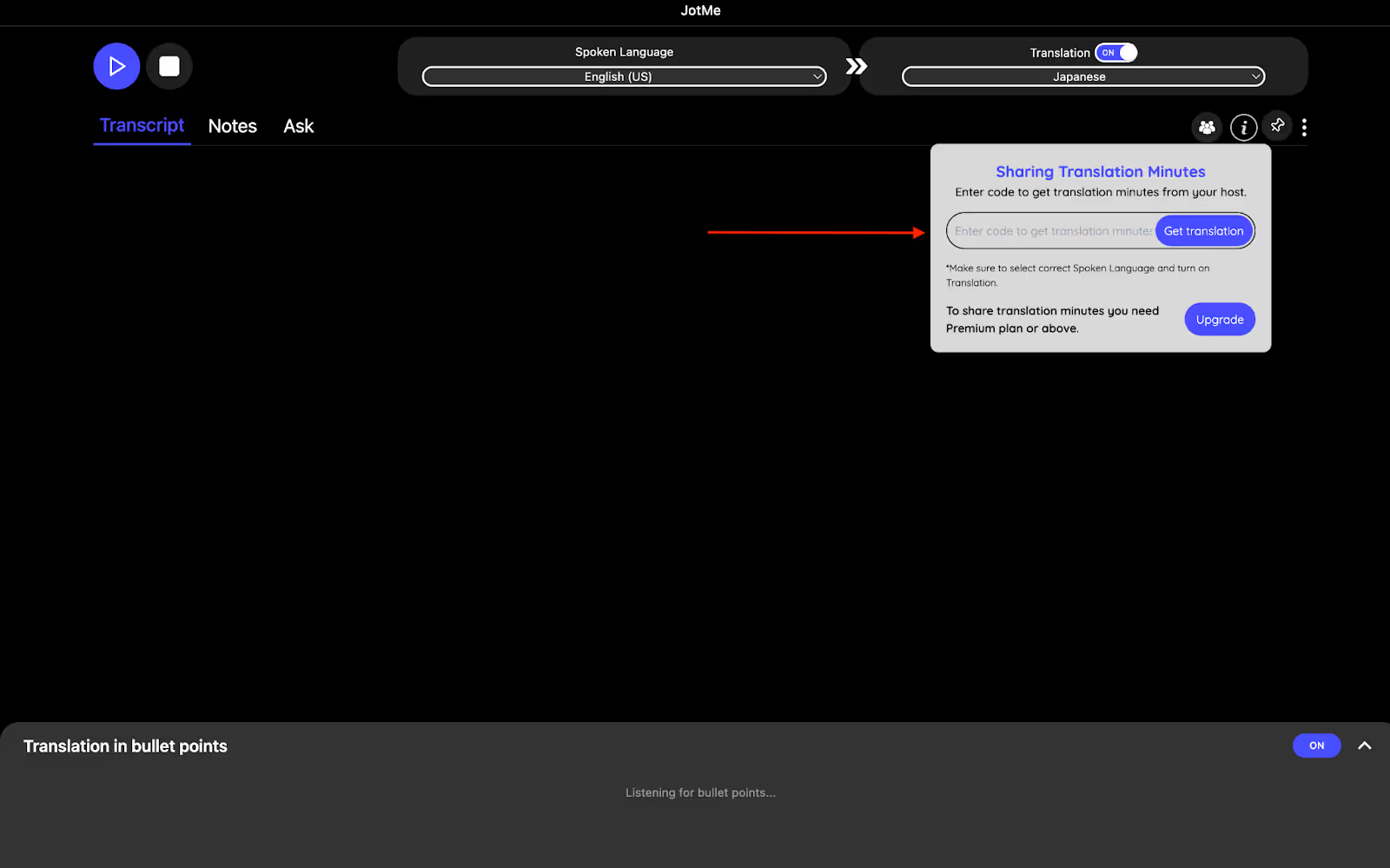
What sets JotMe apart is its sharing translation option. This option allows everyone to access the live meeting translations without needing a paid plan. An access code is generated when recording and translation are turned on, which participants can use to follow along in real time. This way, meeting notes, translations, and transcripts remain accessible to everyone, with no extra costs or additional signups required.
AI Insights & Translation in Bullet Points
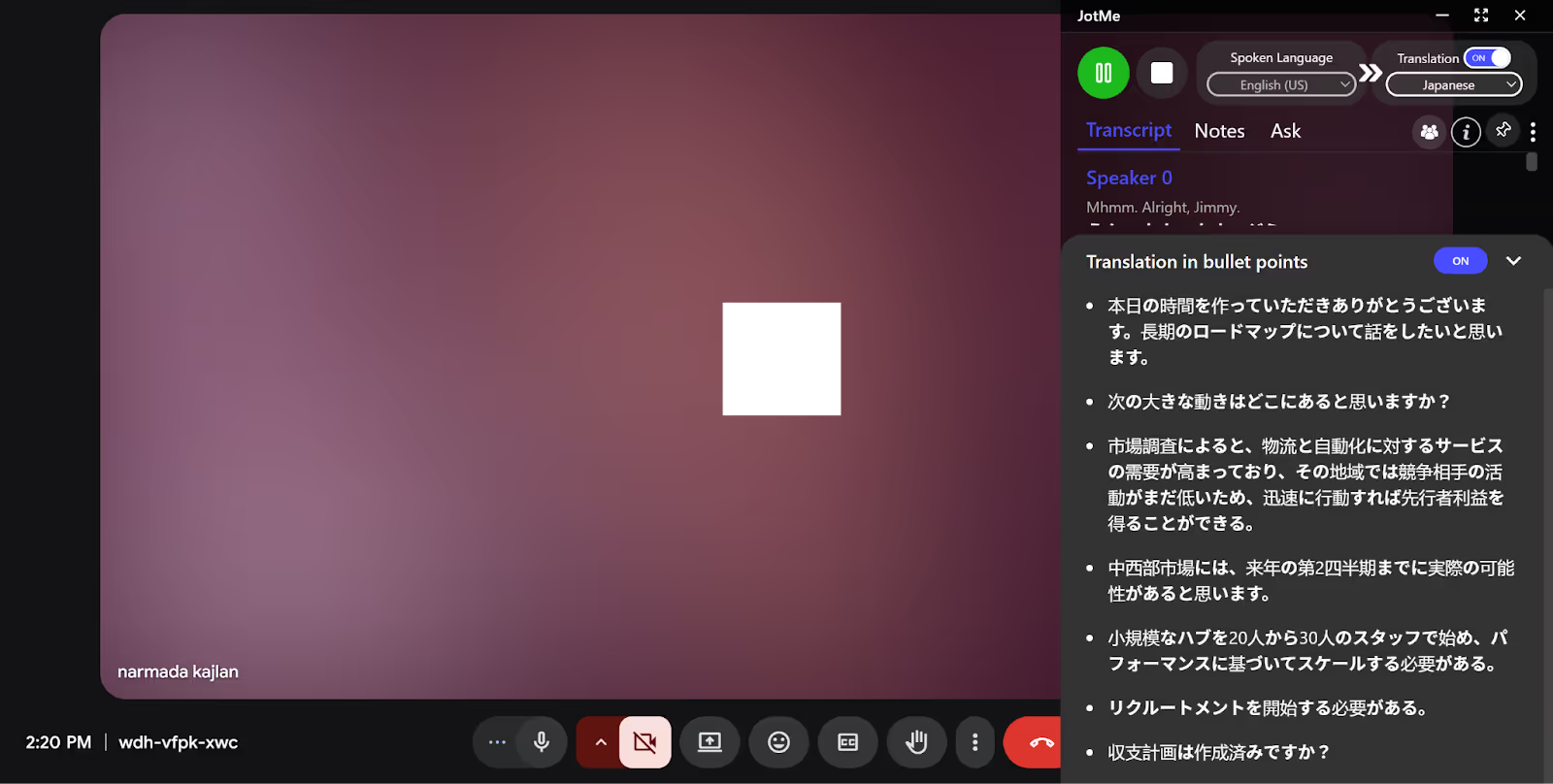
During our test, JotMe's bullet-point translation really impressed us. While discussing strategies for anger management in English, the live translation neatly organized key points into bullet lists in Japanese. The AI insights gave us quick context about meeting priorities and answered questions instantly. This makes understanding and taking action on meeting content easier for everyone involved.
Multilingual Translation
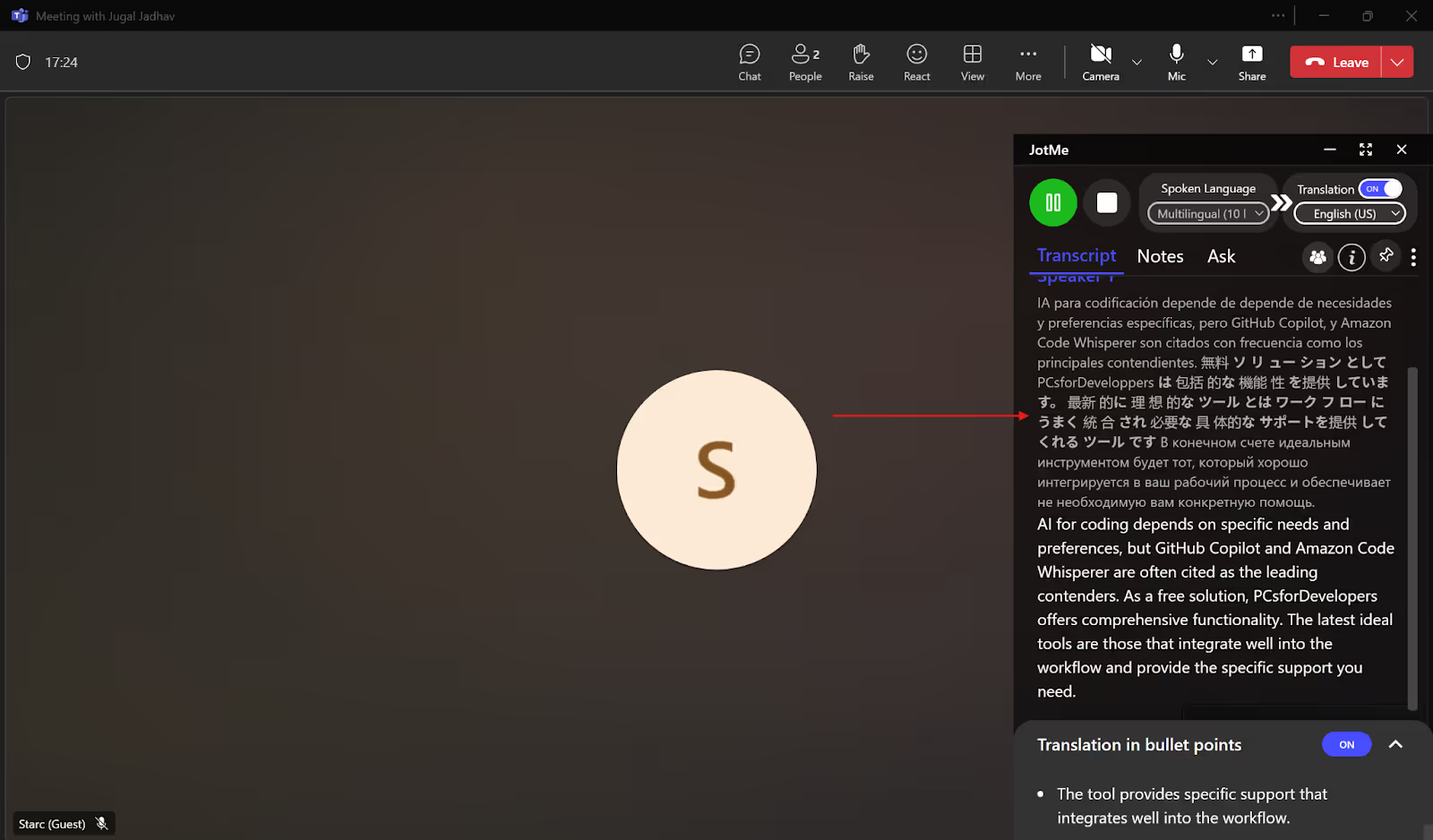
JotMe can do simultaneous real-time translation of up to 10 languages, including Japanese, English, Spanish, Russian, French, etc., into your preferred language. For this, you need to set the “Spoken Language” to Multilingual and the “Translation” language to your desired output language. JotMe will automatically detect the language spoken in your meetings and provide the live translation in your selected language. JotMe also offers a multilingual transcription option that will transcribe your multilingual meetings with ease. These two features combine and prove to be extremely helpful when you have a Teams meeting with your global team or clients who speak different languages.
JotMe Pricing
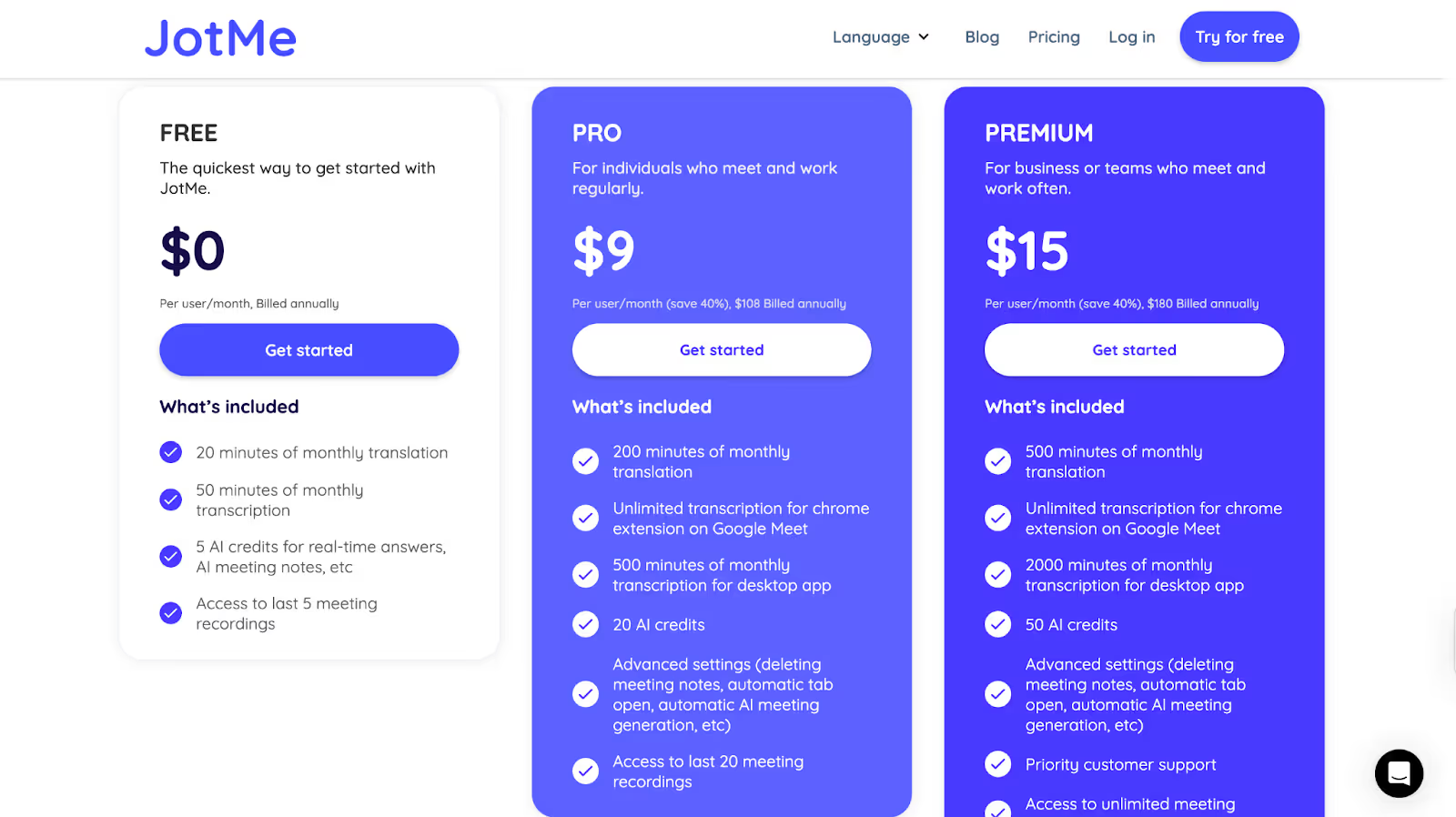
JotMe offers a flexible mix of plans that let you choose the plan as per your preference and budget:
- Free Plan: 20 minutes of translation and 50 minutes of live transcription per month, plus 5 AI credits for real-time Q&A, no credit card required.
- Pro Plan: $9/month (billed annually) includes 200 minutes of translation, 500 minutes of transcription, and 20 AI credits, with unlimited Google Meet Chrome extension use.
- Premium Plan: $15/month (billed annually) provides 500 minutes of translation, 2,000 minutes of transcription, 50 AI credits, and unlimited meeting recordings.
Pros
- Includes AI-generated meeting notes, bullet-point summaries, and instant answers
- Sharing translation minutes allows access for other participants without needing a paid plan
- Free plan available with no payment info needed
Cons
- A mobile app isn’t available yet
Kudo
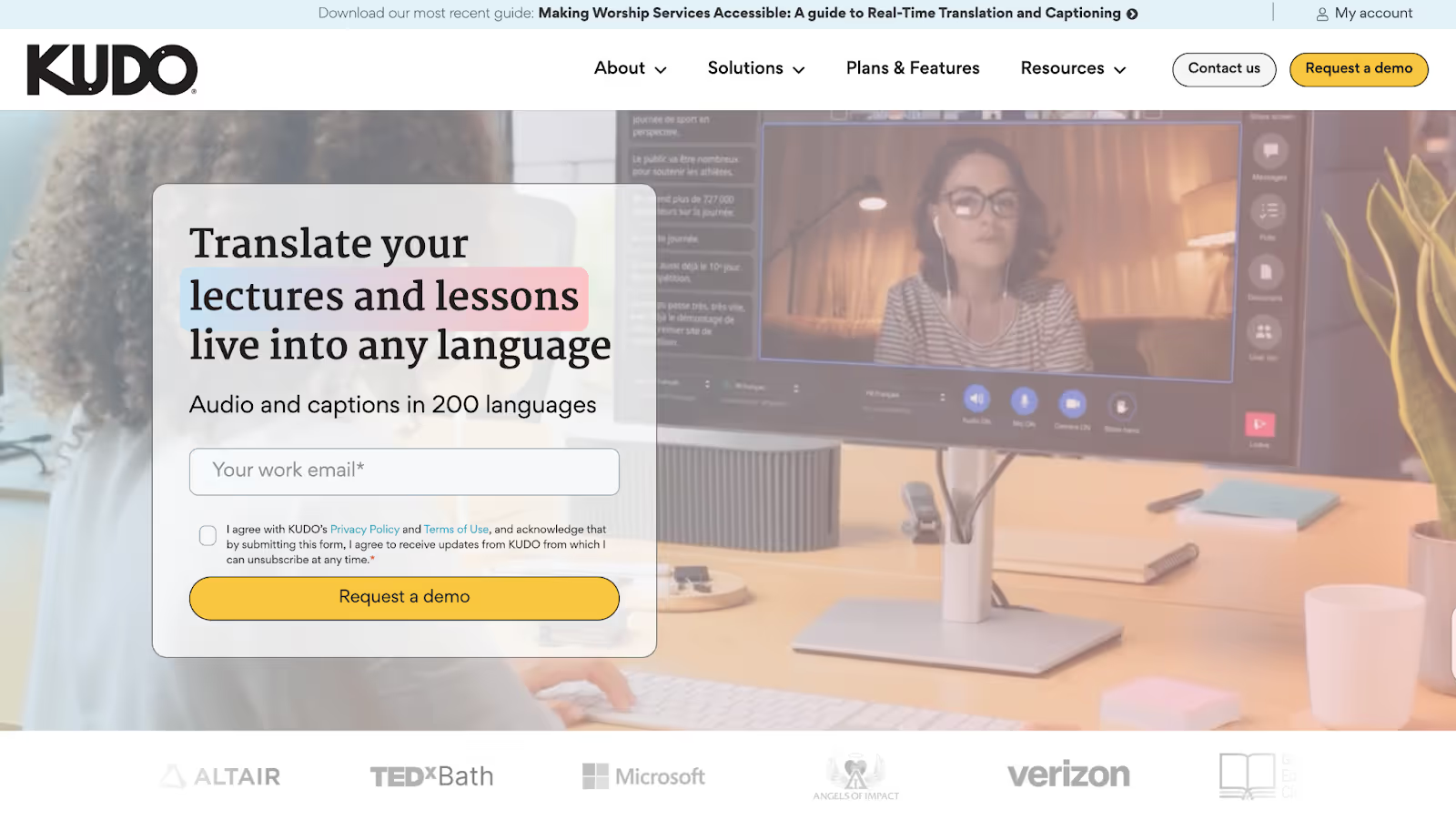
When it comes to live English-to-Japanese translation, Kudo works particularly well for hybrid and large-scale events. If you've got a global town hall or virtual summit on the calendar, Kudo makes it easy for everyone to stay on the same page. It does this by combining real-time captions with a network of professional human interpreters, so everyone can follow the conversation naturally, without missing a single detail.
Supported Platforms: Hopin, Zoom, Microsoft Teams, On24, Bizaabo.
Kudo Key Features
- AI Speech Translated Captions: Real-time subtitles in Japanese and English with Kudo's AI-powered translation.
- Certified Interpreters On Demand: Need the human touch? Connect with Kudo's global network of professional interpreters.
- Remote Simultaneous Interpretation (RSI): Let interpreters work from anywhere. Participants can simply join from their device and hear live audio in their preferred language.
- Easy Integration: You can add Kudo directly into Microsoft Teams or embed it on any platform with a quick setup.
Kudo Pricing
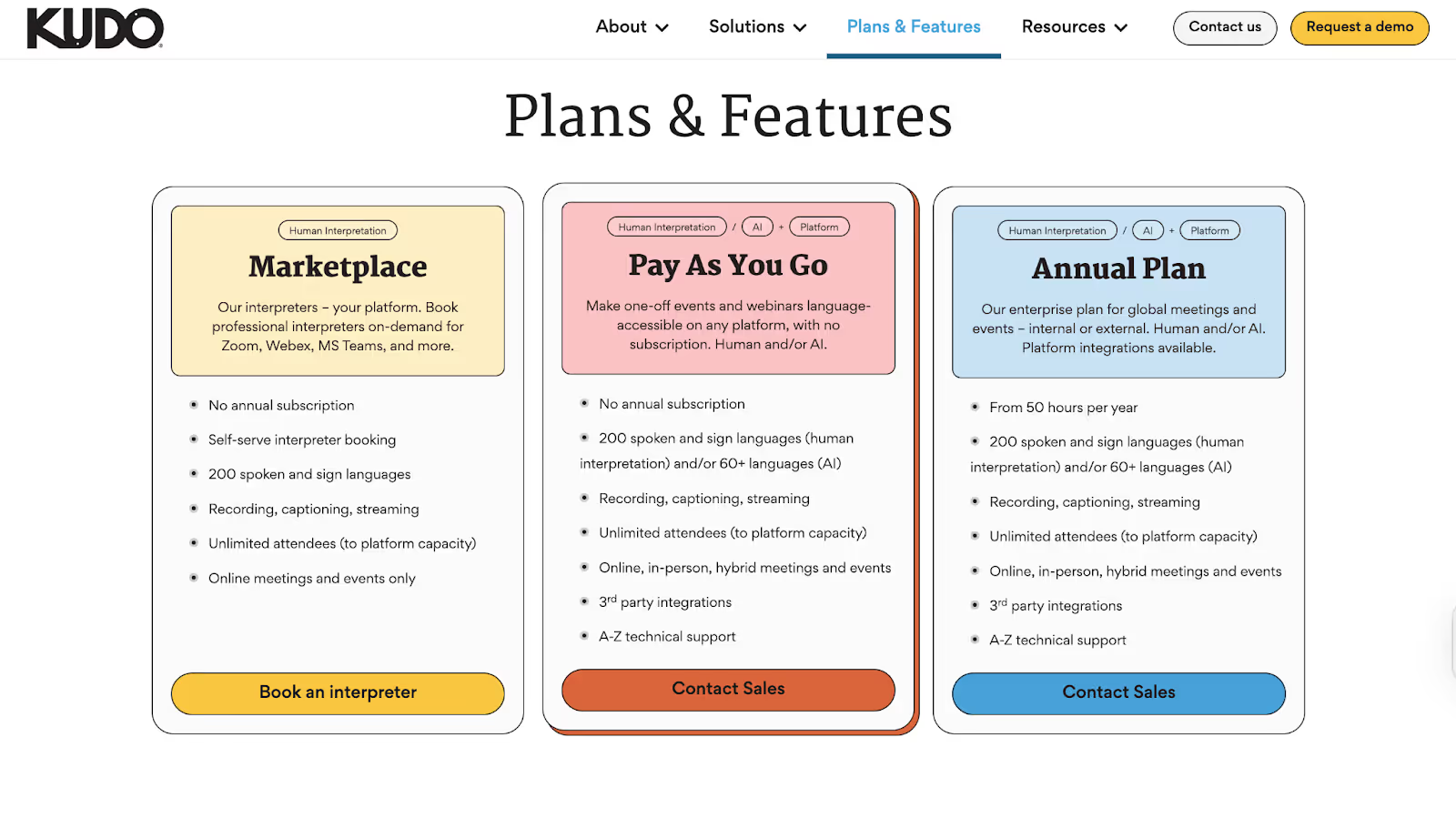
Kudo offers organization-wide annual licenses tailored to usage. Costs depend on factors such as the number of meetings, session lengths, and interpreter requirements. You can choose:
- Technology Only: AI captions and translation engine
- Interpreter Marketplace: Book professional interpreters by event
- Full-Service: End-to-end support with custom glossaries and project management
Pros
- Combines AI and live human interpretation for the highest accuracy
- Enables continuous, no-pause translation
- Native integration with Teams and an embeddable widget for all major platforms
Cons
- Licensing fees are custom-quoted; there are no transparent pricing tiers
- Overkill for casual users or small teams without frequent multilingual events
- The audio quality is not good, and sometimes the interpretation sounds unclear, as a G2 user says
Maestra AI Pricing
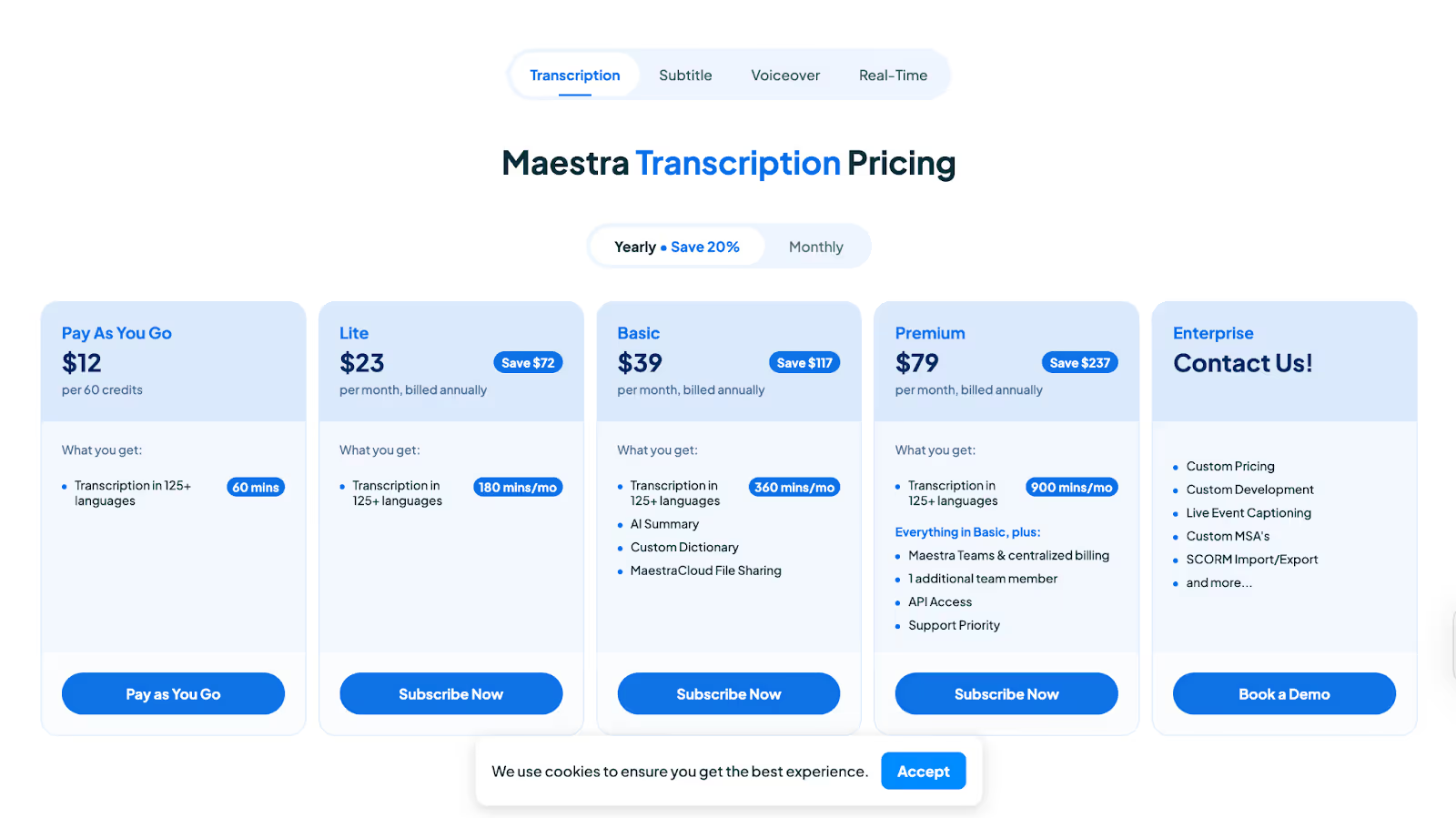
- Pay As You Go: $12 for 60 minutes, no ongoing commitment
- Lite: $23/month (billed annually) for 180 minutes/month
- Basic: $39/month (billed annually) for 360 minutes/month, AI summaries, custom dictionary, cloud file sharing
- Premium: $79/month (billed annually) for 900 minutes/month, everything in Basic plus Maestra Teams, API access, and priority support
- Enterprise: Custom; includes live event captioning, advanced integrations, and more
Pros
- Converts speech to text, subtitles, and voiceovers in 125+ languages
- Collaboration and team features are built in, so everyone stays on the same page
- Versatile export options for transcripts, audio, and video projects
Cons
- Advanced features (like voice cloning) have a learning curve, and some users find them costly (G2)
- Real-time translation minutes can run out fast on lower tiers
- Slightly complicated user interface and platform navigation.
Talo
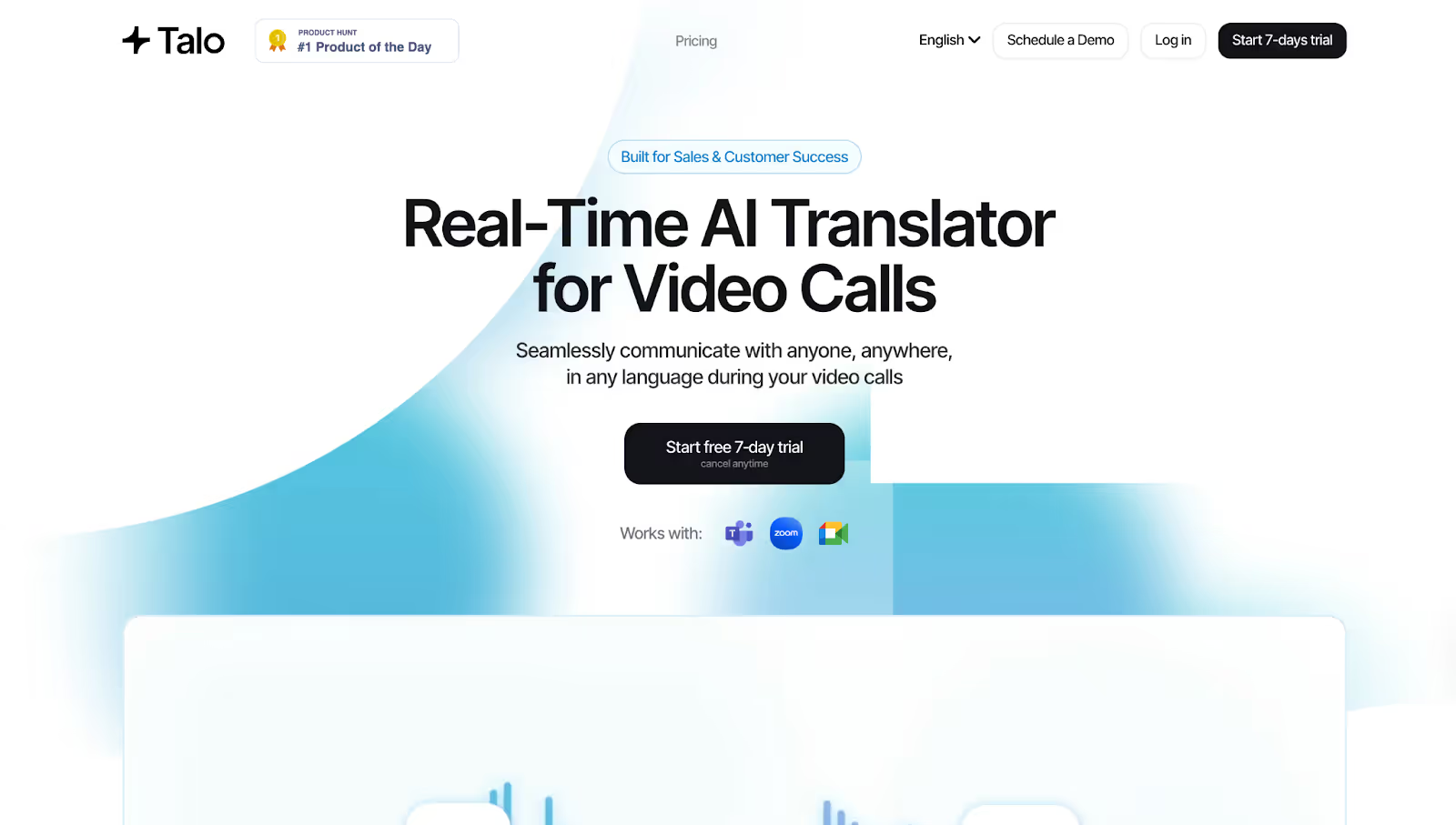
Talo brings simplicity and reliability to real-time speech translation for anyone running meetings on Google Meet, Microsoft Teams, or Zoom. We integrated Talo into a project kickoff with partners in Japan and the U.S., and it performed well: seamless live English-to-Japanese translation with just one AI-powered bot on the call.
Supported Platforms: Google Meet, Teams, and Zoom.
Talo Key Features
- Instant, Real-Time Multilingual Translation: Talo's AI listens to every speaker and translates conversations as they happen.
- Seamless Platform Integration: Talo works smoothly with Google Meet, Microsoft Teams, and Zoom.
- Single AI Bot for Multilingual Meetings: Instead of managing multiple accounts or bots for larger calls, Talo uses just one AI-powered bot to handle all translations.
- Customizable Voice Settings: Talo also includes voice options to help the translated speech sound more natural and clear.
Talo Pricing
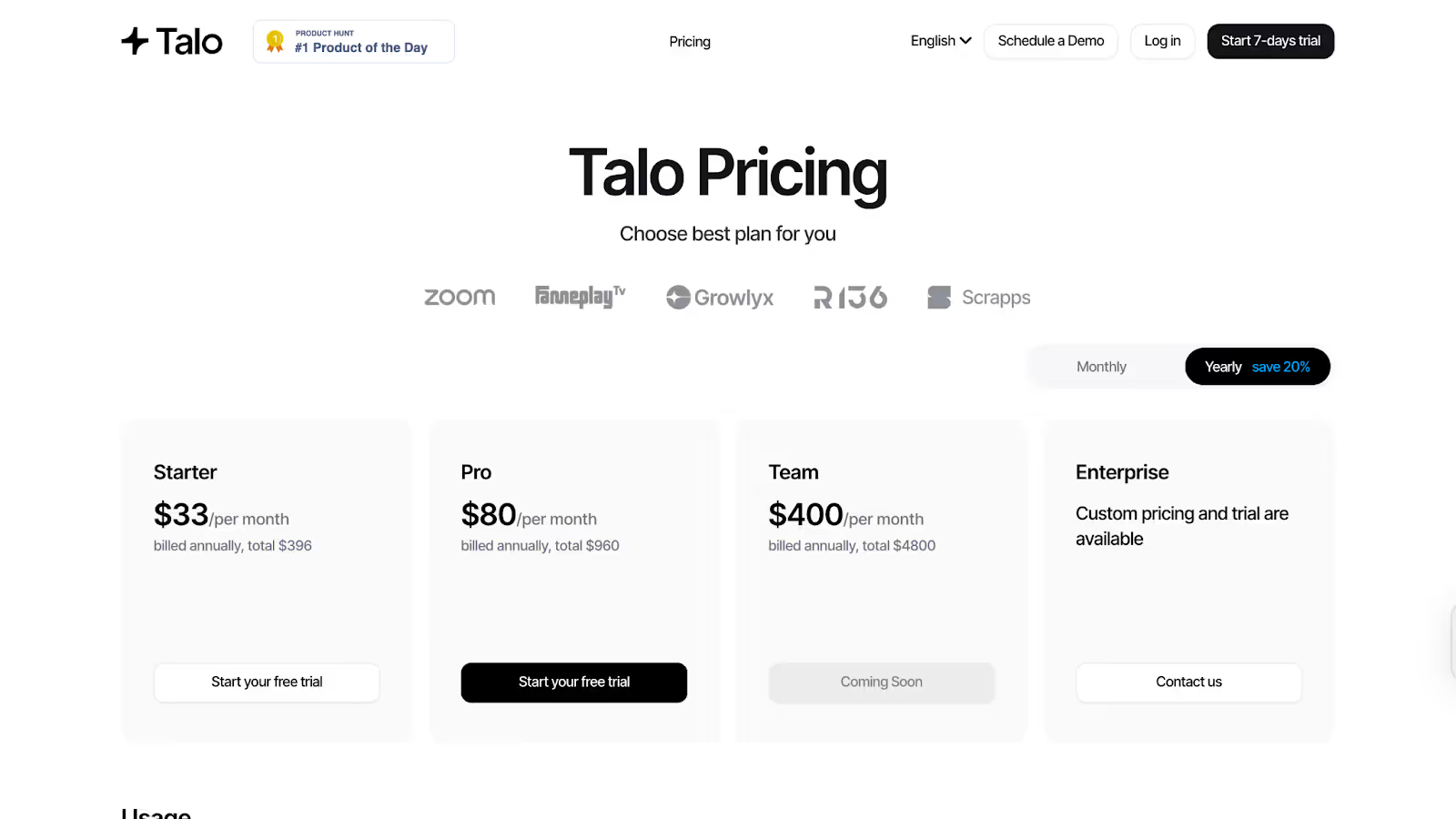
- Starter: $33/month (billed annually at $396). Includes 1 member and 1,140 translation minutes per year.
- Pro: $80/month (billed annually at $960). Includes 1 member and 4,800 translation minutes per year, plus voice settings.
- Team: $400/month (billed annually at $4,800). Supports five members and 30,000 minutes per year, with more features rolling out soon.
- Enterprise: Custom pricing, supports unlimited members and usage, with advanced support and trials available.
- Additional minutes are $0.25 each on the Starter plan and $0.20 each on the Pro plan; adding team members is $100 per seat.
Pros
- Easy to set up and use on major video platforms.
- No meeting data is retained or stored—it meets strict privacy standards.
- No need for multiple bots or logins; one AI does it all.
Cons
- No perpetual free tier; only a brief trial is available.
- Language support is at 60, which is lower than some competitors.
- Annual billing is required for the most affordable rates; pay-as-you-go is not available for all plans.
DeepL Voice
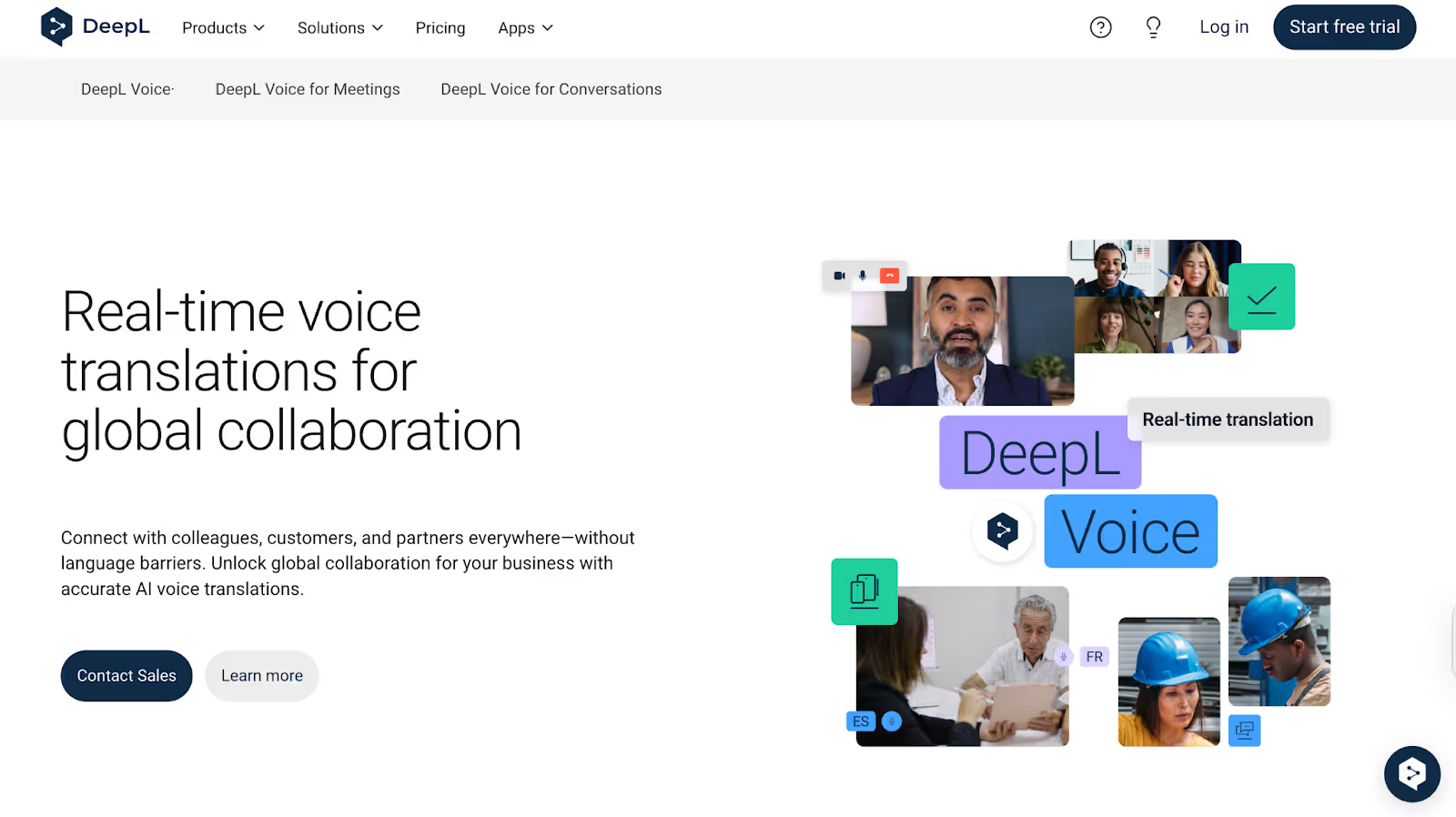
Need a straightforward way to translate spoken English to Japanese (and vice versa) that actually sounds natural? DeepL Voice does exactly that. During our trial, the translation kept pace with casual and technical conversations, switching easily between English and Japanese without awkward pauses. It even picks up on accents and speech patterns, but inadequate language support might be an issue if you need more language options.
DeepL Voice Key Features
- AI-Powered Voice Translation: With DeepL Voice, you just speak naturally, and the tool translates your words right away.
- Accent and Speech Pattern Detection: If you have an accent or a unique style of speaking, DeepL Voice catches those subtleties and is able to translate them.
- Seamless Workflow Integration: You can use DeepL Voice side-by-side with DeepL Translator Pro for tasks that need both voice and text.
- Multiple Language Support: Whether you're joining calls with an international team or hosting clients from abroad, DeepL Voice supports live voice translation in over 30 languages.
DeepL Voice Pricing
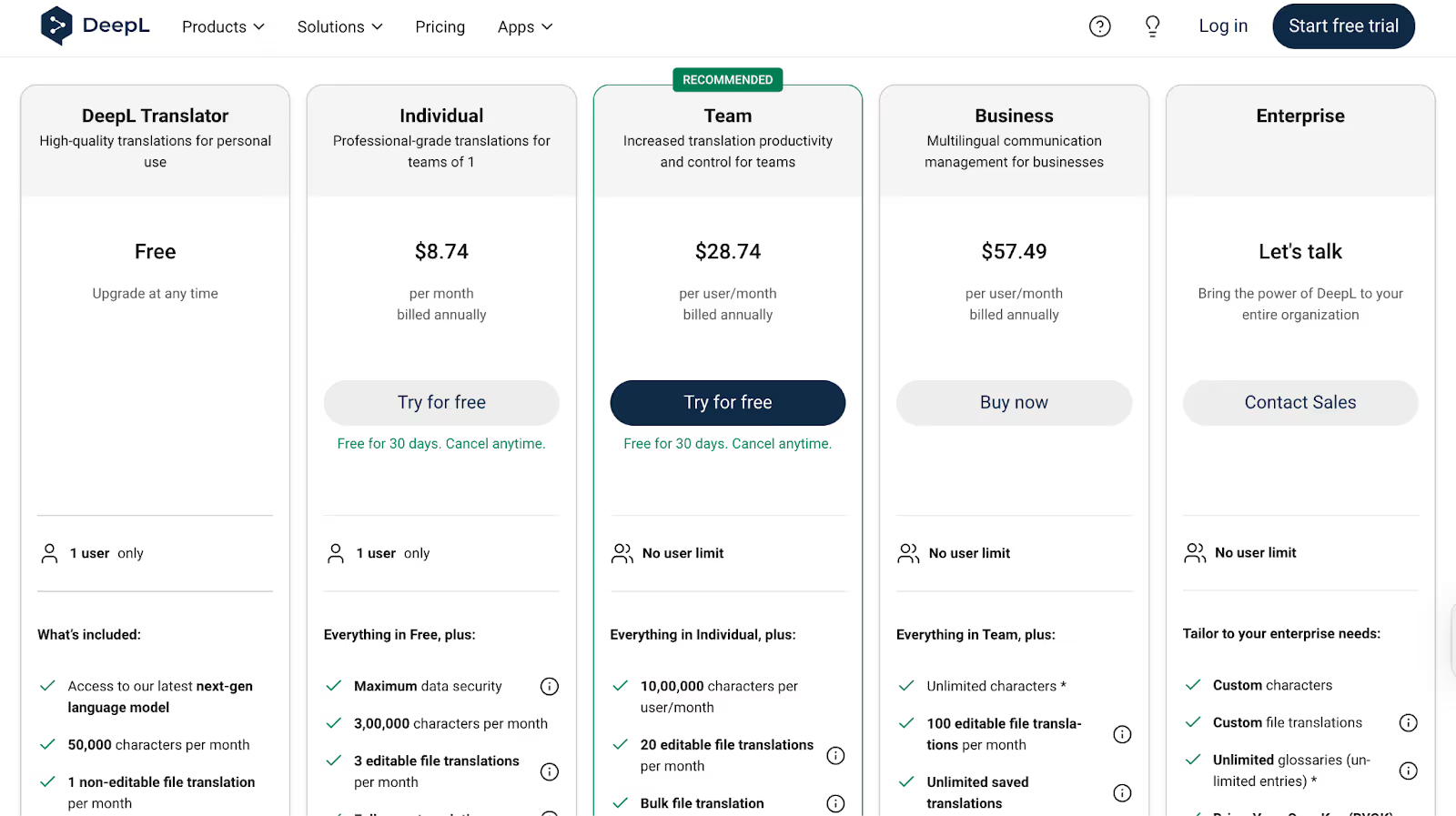
- Free Plan: Basic access with 50,000 characters per month, 1 file translation, and a limited glossary
- Individual Plan: $8.74/month (billed annually), includes 300,000 characters and 3 editable file translations
- Team Plan: $28.74/user/month (billed annually), offers 1,000,000 characters, 20 editable file translations, and advanced team features
- Business Plan: $57.49/user/month (billed annually), unlimited characters with 100 editable file translations
- Enterprise Plan: Custom pricing for large organizations with unlimited users and premium support
Pros
- Natural, fluid voice translations that capture tone
- Accent detection for clearer, more accurate output
- Leverages the same trusted AI behind DeepL Translator
Cons
- Voice translation support is limited to 30+ languages
- Pricing and exact terms require a custom consultation
- In a free trial, you can paste the content or upload it for translation, but there is no real-time translation
Which English-to-Japanese Live Translation Should You Select?
Selecting the right English-to-Japanese live translation tools depends entirely on your priorities, including accuracy, workflow, budget, and context.
- If you're looking for seamless AI-driven translation, JotMe excels with its support for 107 languages, speaker recognition, and automatic AI note-taking capabilities.
- For hybrid or in-person events, Kudo's network of professional interpreters ensures culturally nuanced, high-quality translations.
- DeepL Voice provides business teams with a natural, back-and-forth language experience, while Talo is a straightforward choice for teams that value simplicity and privacy.
However, here's the thing: live translation isn't just about swapping words; it's about capturing intent, tone, and cultural context. JotMe excels in this area, offering real-time Q&A, seamless platform integrations, contextual translation, and effortless sharing. Give JotMe a spin for free and experience effortless English-to-Japanese translation in your next meeting!
FAQs
Can AI translate languages in real time?
Yes, AI live translation tools such as JotMe can translate languages in real time. With JotMe, you can get live translation in 107 languages, along with the option to get translation in bullet points, sharing translation minutes with other participants in a meeting, for example, and accurate, contextual translation.
How do I enable live Japanese-to-English translation in my meetings?
With JotMe, it's as simple as installing the Chrome extension and selecting "English → Japanese" before your call. Join your Zoom, Google Meet, or Teams session normally, and JotMe begins translating spoken English into on-screen Japanese captions in real time; no extra bots or logins are required.
Do all participants need a paid subscription to see live captions and transcripts in a meeting?
No. When you record a meeting with JotMe and turn on translation, you generate a share code. Anyone with that code can generate live captions, meeting notes, and post-call transcripts for free; no plan signup needed.
How well do these tools handle fast speakers and technical jargon?
Tools like JotMe and Talo handle fast speakers and technical jargon. However, with JotMe's contextual engine, you can get an accurate translation of industry-specific terms, and it even adapts to speaker accents. Further, JotMe's bullet-point summaries and searchable transcripts help you quickly confirm or correct any tricky passages after the meeting ends.
Which tool offers the best free tier for occasional use?
JotMe offers the best free tier for occasional use. Its free plan gives you 20 minutes of live translation and 50 minutes of transcription each month, plus 5 AI credits for instant Q&A. This makes it ideal for students or professionals who need reliable live English-to-Japanese translation without ongoing costs.
Last updated on
April 14, 2026
Follow us on social media: