Tips
How to Use the Best AI Translator [Live & Text to Text Translations]

Lovely Mangla
December 13, 2025

When you need to communicate with someone who speaks another language, the hardest part is keeping the conversation clear and natural without stopping to translate every sentence. Many people look for the best AI translator app because they want fast, accurate translation help that fits smoothly into live meetings and everyday text chats. JotMe is a live AI interpreter that solves this by giving you real-time translation, pronunciation guidance, and a reliable text-to-text translator in one simple tool. Whether you need a live AI interpreter or quick message translation, JotMe helps you stay confident and understood.
How to Use the JotMe AI Translator (in Live Meetings)?
You can use JotMe as a live meeting translator by opening the app during any virtual event and selecting the languages you want JotMe to listen to and translate into. The tool never joins as a bot or participant, and you keep full control of your mic and camera. while JotMe handles real-time translation and provides multilingual transcription for accurate records. Here is how to use the best AI language translator app step by step:
Step 1: How to Install JotMe on a Computer?
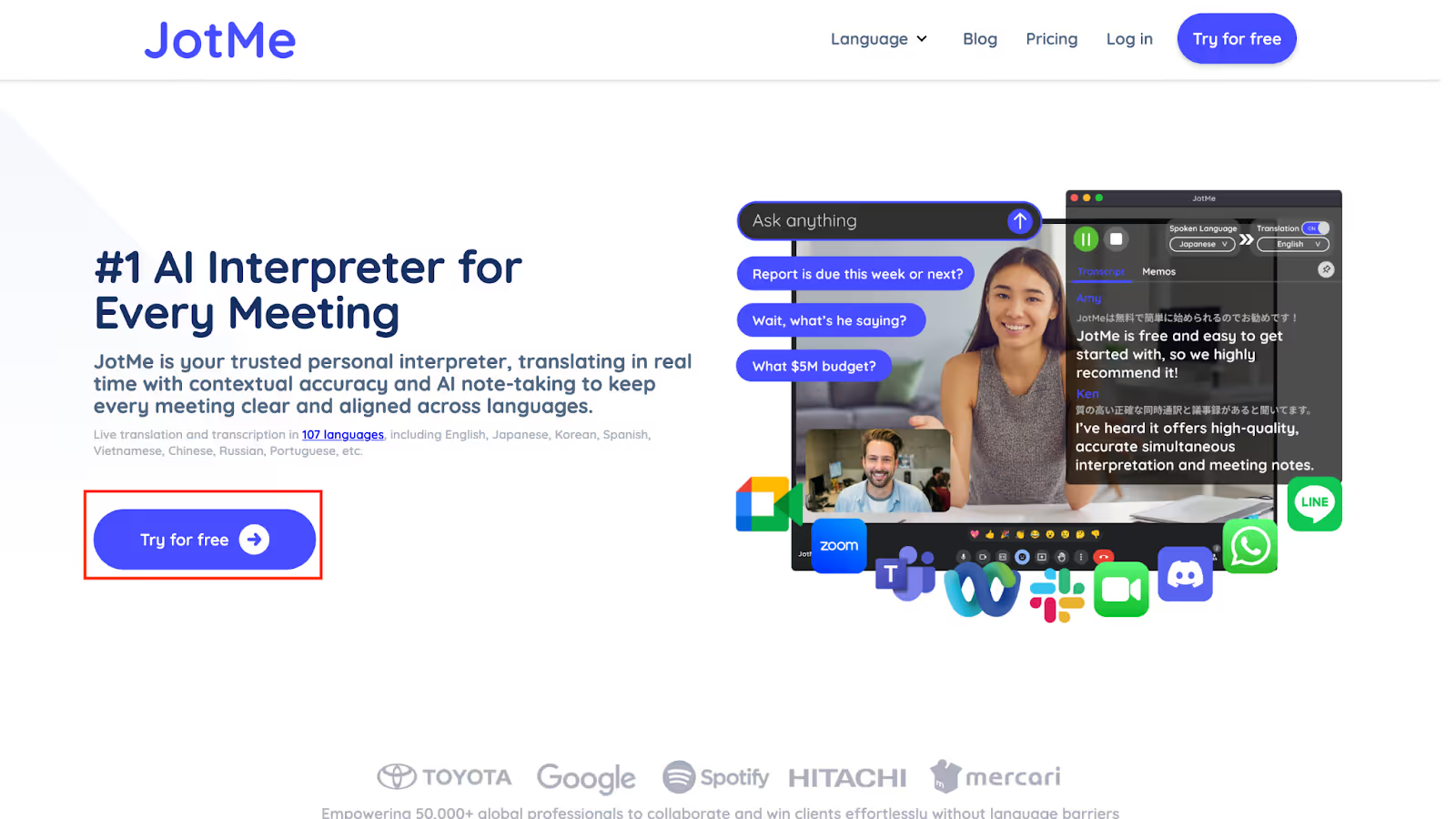
Go to the official JotMe website and download the app for your Mac or Windows device. After the file is saved, open it and follow the prompts to complete the installation. The setup takes only a minute, and once it is finished, you can launch the app directly from your desktop.
Step 2: How to Join the Meeting and Prepare JotMe?
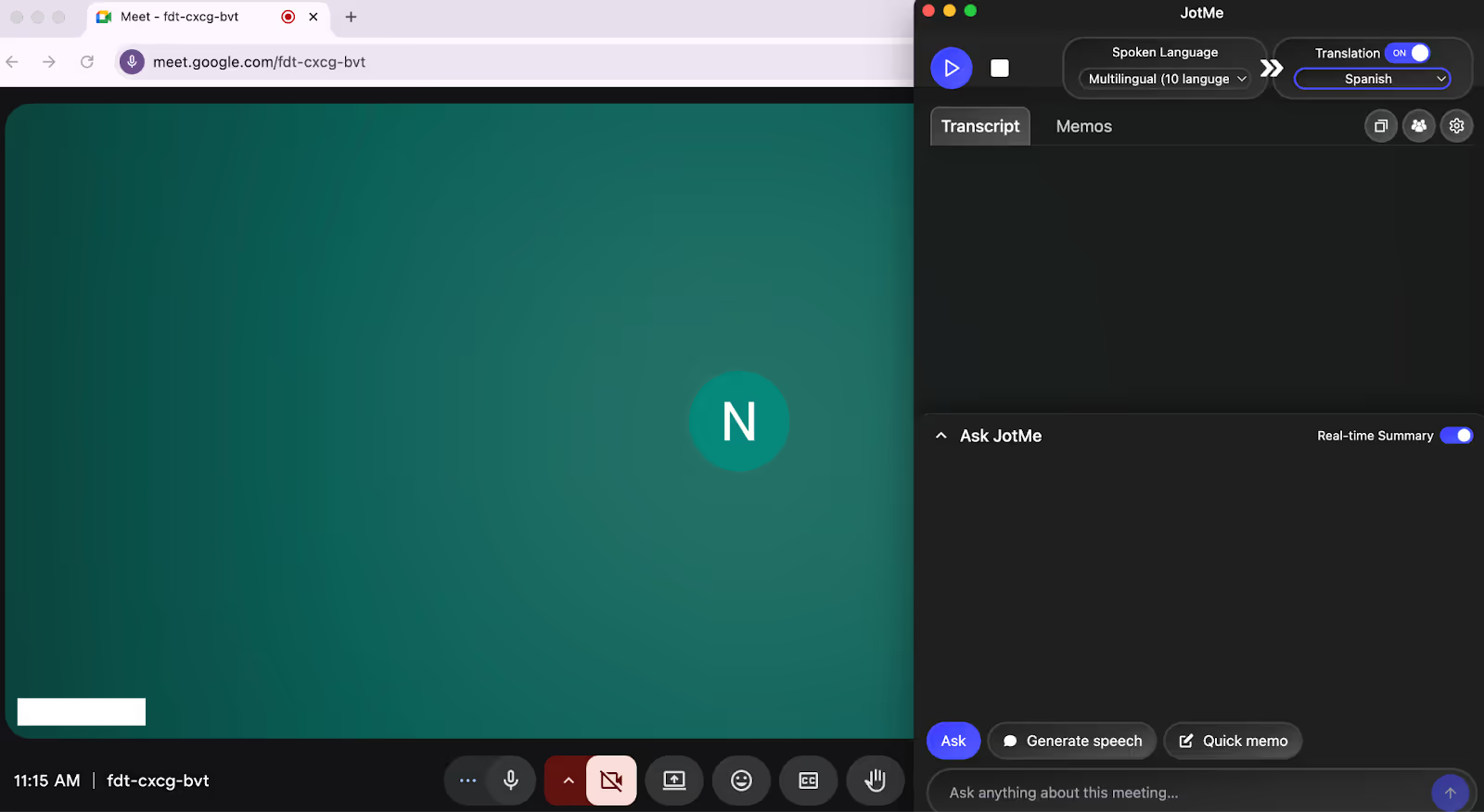
Join your online meeting on platforms like Zoom, Google Meet, Webex, Slack Huddles, Discord, WhatsApp, LINE, or Microsoft Teams using their desktop app or browser. After you are inside the call, open JotMe separately on your computer. It works alongside your meeting window without needing permission to enter the call.
Step 3: How to Choose the Language and Start Translation?
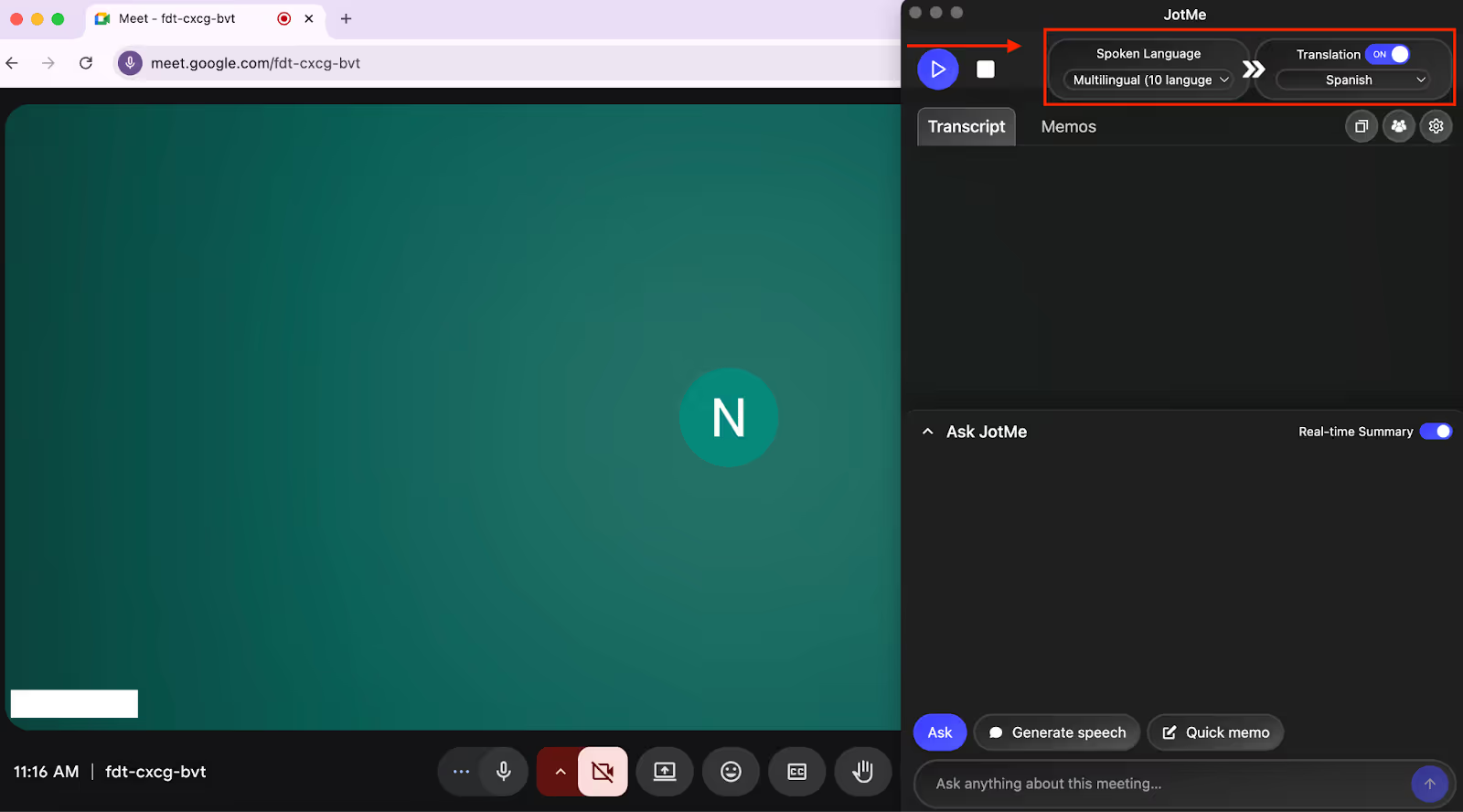
In the JotMe window, enable the translation toggle, select the language you are hearing under “Spoken Language,” and pick your target language from the Translation menu. Then click the play button to start instant translation. You can keep the JotMe window anywhere on your screen and read live captions easily, and all transcripts will be available afterward.
Once your live translation is running, JotMe also gives you a few features you can use during the meeting, like asking questions through AI Chat, getting quick pronunciation support, or sharing your translation minutes with others. These features help you follow the conversation more easily and participate with more confidence.
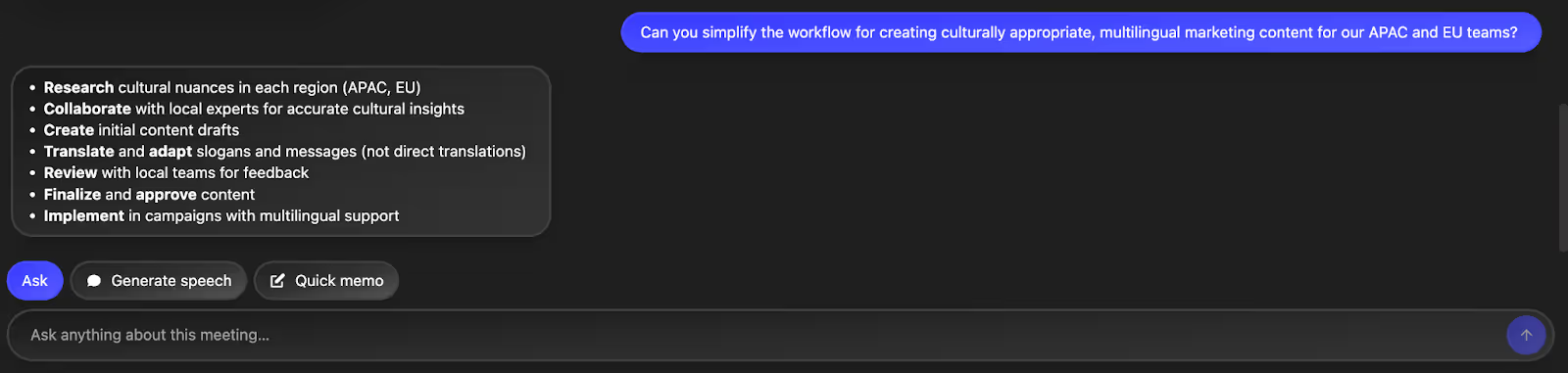
AI Chat for Quick Insights: If you get stuck at some point and want a quick clarification, click the “Ask” option. Enter your query, and it will instantly answer in real-time. You can ask a detailed question, or bring up a specific workflow; you can paste the message into the Ask section and receive a clear, simplified explanation. This works well when you need to stay confident without leaving the call or opening additional browser tabs.
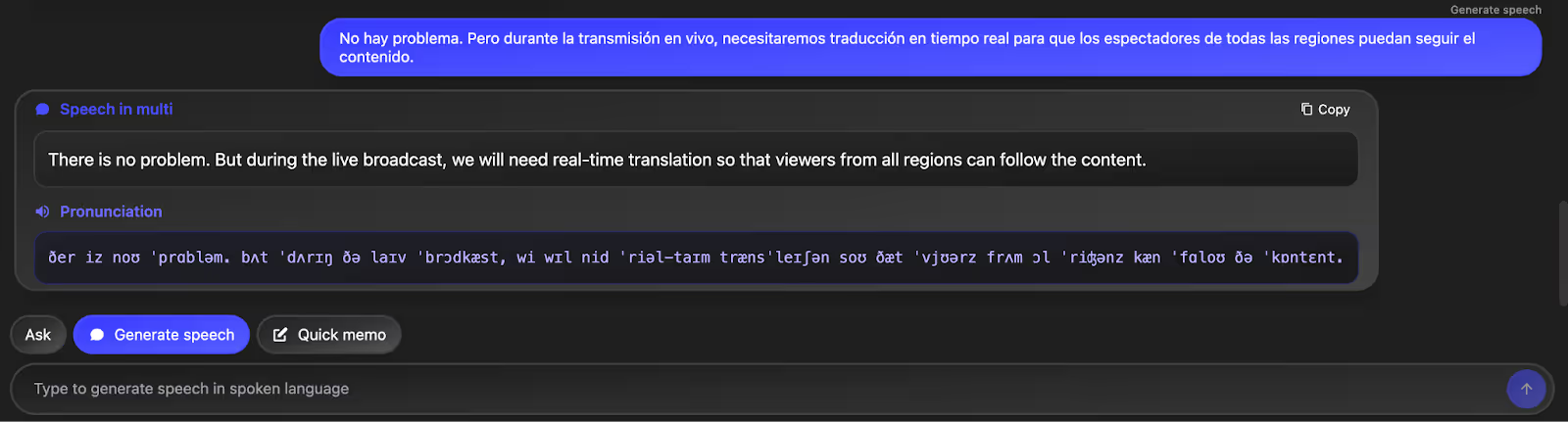
Real-Time Pronunciation: During the meeting, if you want to deliver a message in your colleague’s tone, for example, in Portuguese, paste the line in the Pronunciation section. JotMe will give you the exact pronunciation, so you can speak the message correctly and confidently. It is especially helpful when you need to greet clients, confirm details, or express short instructions.
How to Use JotMe AI Text to Text Translator?
To use JotMe AI text-to-text translator, go to the dashboard and click AI Translator. Type your content, guide it on what you want, choose a language, and generate. Let’s learn how to use the best AI translator for text-to-text translation with a quick step guide:
Step 1: Where to Access the AI Text to Text Translator?
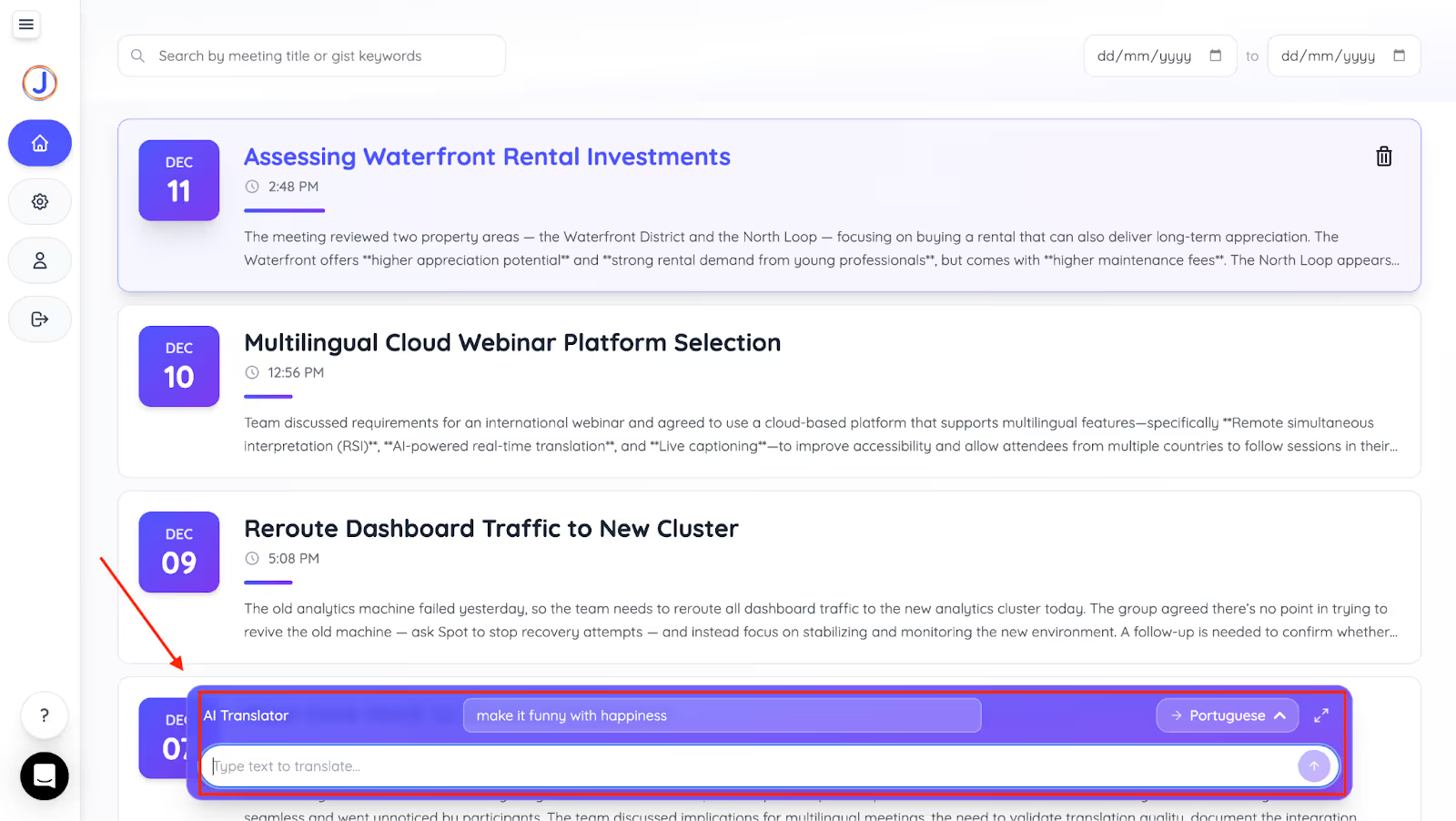
After creating your account, visit the JotMe dashboard. At the bottom of the screen, you will find the “AI Translator” window.
Step 2: How to Add Text and Choose Language?
Enter the text you want to translate and specify any style requirements, such as making the content funny, empathetic, or professional. Then choose your target language from 131 languages and click the arrow to generate the translation.

Step 3: How to Get a Translation?
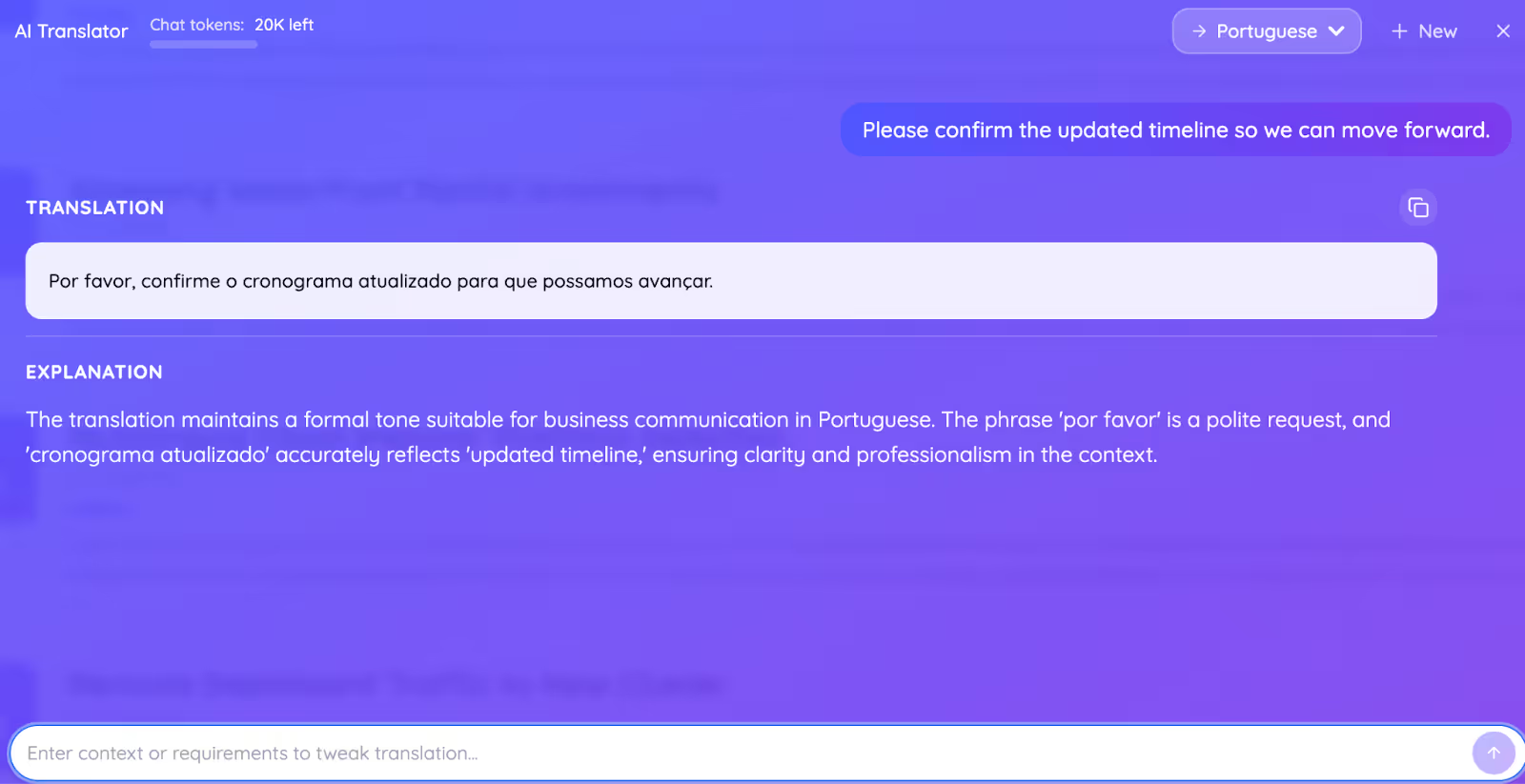
The text to text translator gives you the translation within seconds, along with an in-depth explanation of the translation. You can copy the translation and share it with your teammates.
What Makes JotMe Better Than Other Live AI Translator Apps?
JotMe stands out because it supports real conversations, not just text output. It listens to every moment of your live meeting, understands the context, and provides accurate multilingual translation without interrupting the flow. If you are searching for the best AI live translation app for real-world situations such as sales calls, support sessions, and international team meetings, JotMe offers practical tools for real-time communication.
Below are the features that make JotMe one of the best live translation tools, ensuring seamless communication when participants speak different languages in the same meeting.
Live Contextual Translation
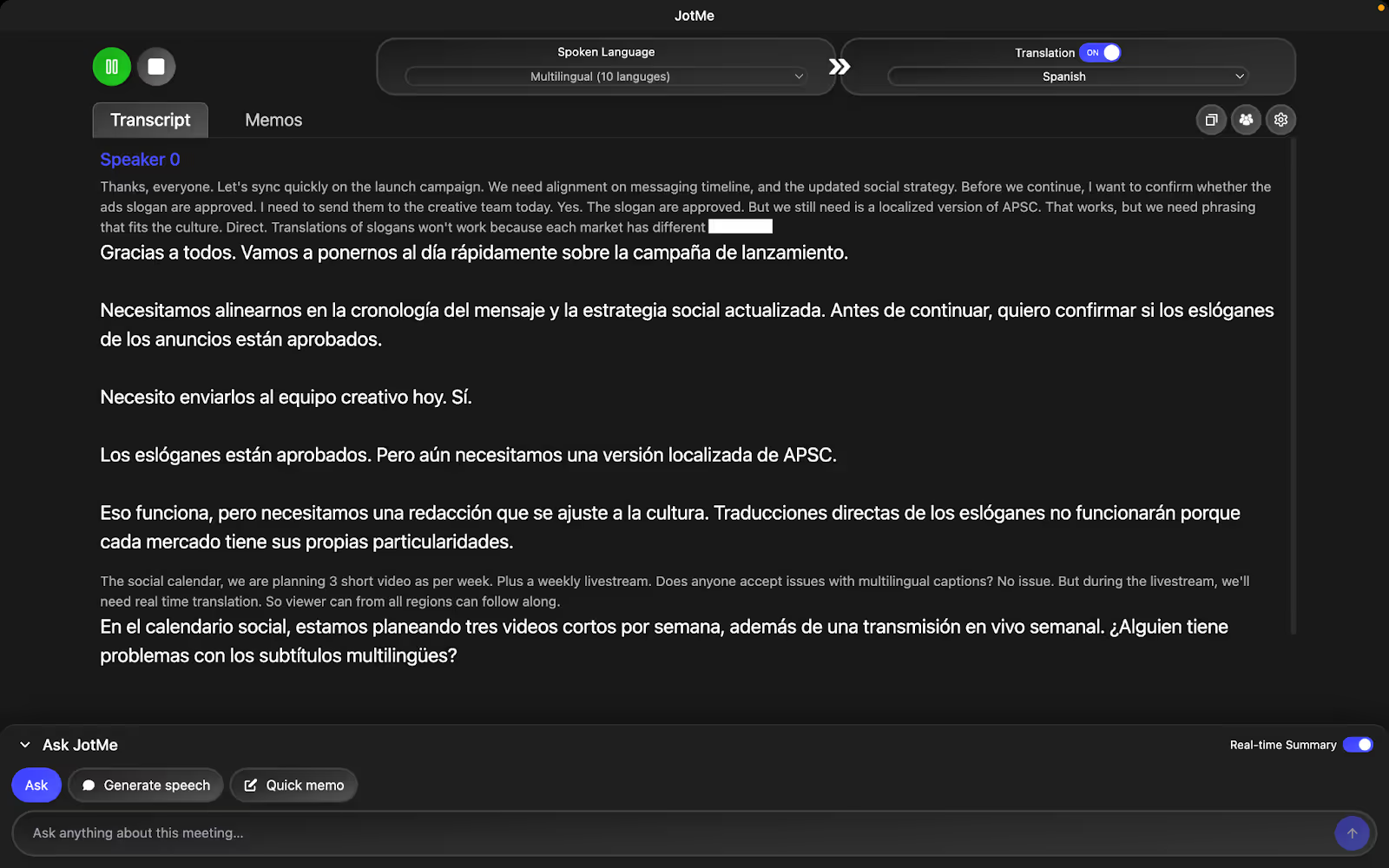
JotMe focuses on the meaning of each line rather than translating sentences word-for-word. It listens to the full exchange, understands how the speaker intends the message, and adjusts the translation so it reads the way a human would explain it. This matters when someone uses idioms, jumps between topics, or mixes everyday language with technical terms.
In live meetings, this gives you clarity you normally miss with literal translation. Instead of seeing stiff or confusing captions, you see what the speaker actually meant. You do not need to pause the conversation to ask for clarification or check the chat. Whether a client is describing a workflow, raising a concern, or quickly explaining a detail, JotMe presents the translation as a clear explanation, making the entire meeting easier to follow.
Sharing Translation Minutes
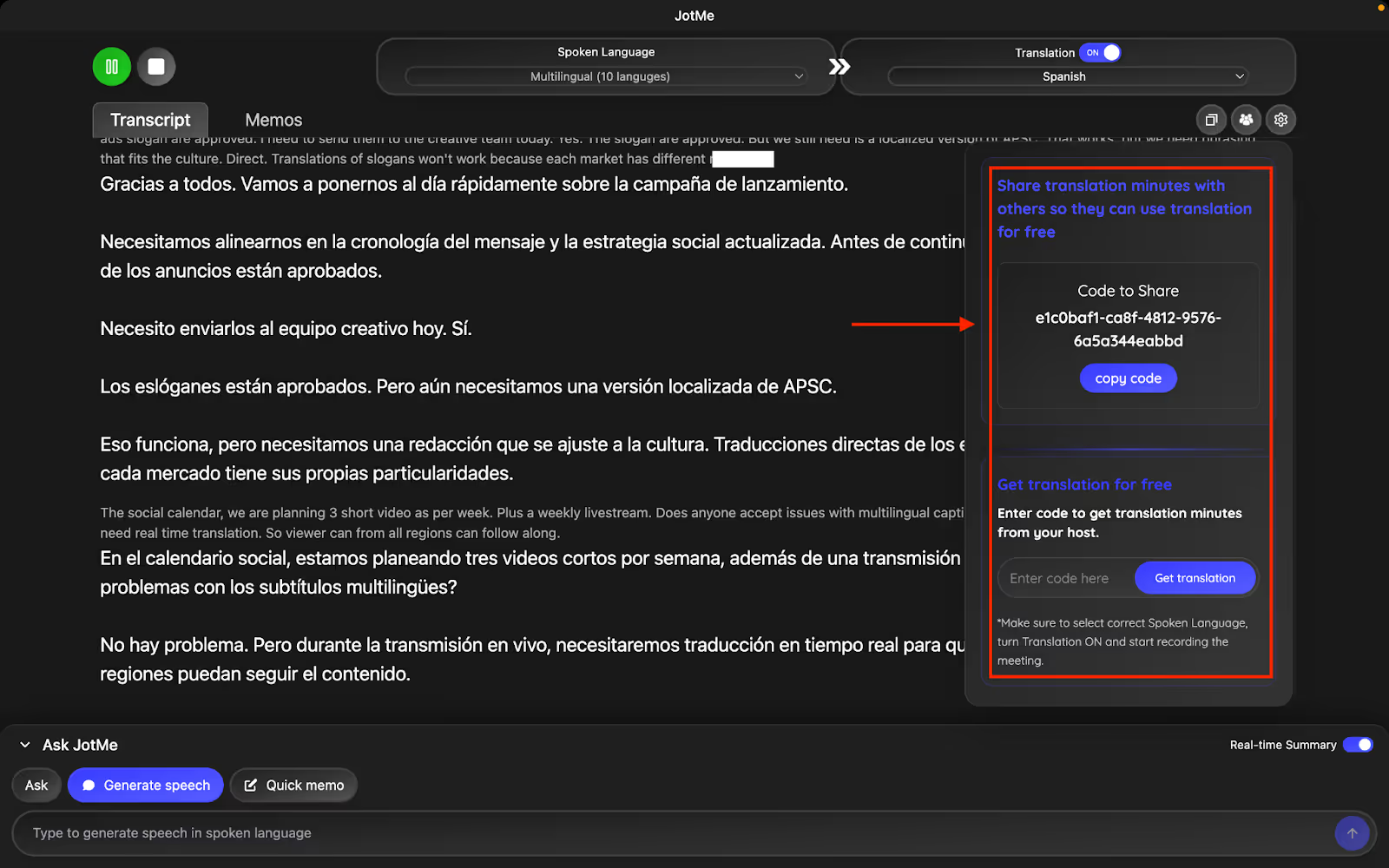
JotMe lets you share your translation minutes with a simple, unique code. Anyone in the meeting can enter this code and instantly access live translation from your premium plan, even if they are on a free plan. This is helpful when a participant does not have minutes available or joins from a different device.
During multilingual calls, this feature removes friction for guests who suddenly need translation. They can join, access captions, and save AI meeting notes in their language without setting up anything complex. After the meeting, they can access the meeting summary, quick notes, and translation for reference. It keeps your meeting inclusive and consistent for everyone involved.
All these features make JotMe stand out. Here’s a quick look at how it compares to other AI translation apps so you can see why it works best for live multilingual meetings.
Conclusion: How to Get Maximum with the Best AI Translator?
You get the most value from an AI live interpreter by using JotMe, which supports your entire meeting flow, not just the translation. The real benefit comes when you can understand everyone clearly, respond with confidence, and keep up with fast discussions without switching apps or losing context.
With JotMe, you can translate live conversations in real time, access quick explanations through AI Chat, share translation minutes with guests, and even use pronunciation support to speak naturally in another language. It also provides transcript translation so your meeting notes stay clear across languages. It allows you to stay present in the meeting while the tool handles the language workload quietly in the background.
Try JotMe today and see how simple multilingual meetings can feel when translation, notes, and context are all handled for you.
FAQs
Which is the best AI translator?
The best AI translator is the one that supports accurate, real-time understanding in live conversations. JotMe is a strong choice because it instantly translates speech, maintains context, and works across 100+ languages in any online meeting.
Is there an AI better than Google Translate?
Yes. Tools like JotMe perform better in live conversations because they interpret tone, intent, and meeting context rather than translating sentence by sentence. This makes JotMe more reliable for real-time multilingual calls and professional use.
Can AI translate languages in real-time?
Yes. AI interpreters can translate languages in real time when designed for live speech. JotMe does this by capturing audio directly from your device and delivering instant multilingual captions without requiring a meeting bot to join the call.
What are the best AI language translators?
The best AI language translators include JotMe for live meetings, DeepL for text translation, and Google Translate for basic everyday use. JotMe stands out for contextual, real-time translation that supports fast conversations across global teams.
Are there any hands-free, real-time, voice translation apps?
Yes. JotMe offers hands-free real-time voice translation by capturing audio directly from your meeting. You only select the languages and let it run while you speak, making it useful for calls where switching interfaces is not practical.
Can AI translate languages well?
AI translates languages well when it understands context, speech patterns, and domain terms. JotMe performs strongly because it processes full conversation meaning, not just individual lines, which helps maintain clarity in fast or multilingual meetings.
Last updated on
April 14, 2026
Follow us on social media: