Guides
4 Best Translation Apps for Travel That I Tried [Honest Review]

Viraj Mahajan
February 3, 2026
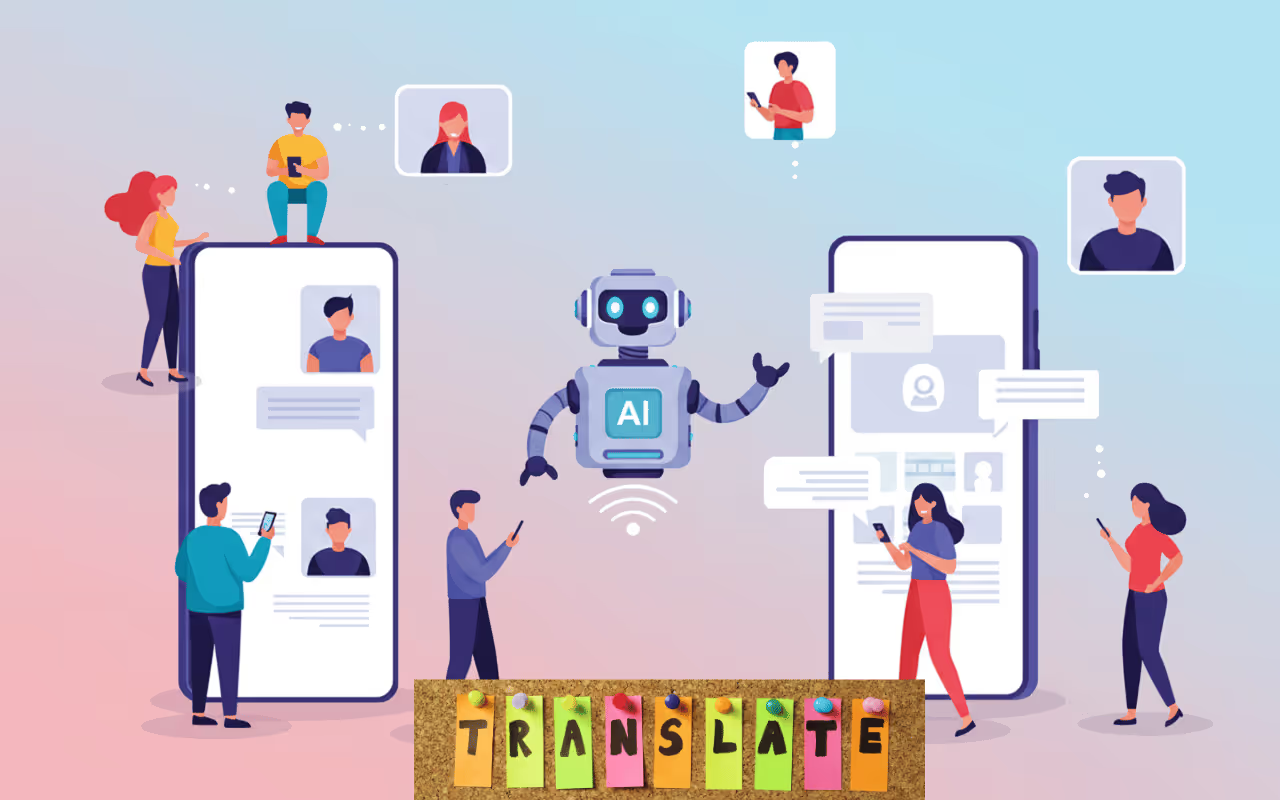
Last month, during my trip to Japan, I didn’t know how to ask for directions or order a simple ramen from the menu. So, I googled for the best translation apps for travel, and JotMe, DeepL Translate, iTranslate, and Live Translator mobile apps came up.
While iTranslate was suitable for casual conversations, the translations were not instant, which led me to try different tools. DeepL Translate accurately translated culturally nuanced and technical conversations, but did not work well in noisy environments, such as airports and hotel lobbies.
Out of the best live translation apps that I have tested, JotMe performed well. JotMe produced contextually accurate translations even with a lot of background noise. Besides, while using JotMe, I didn’t have to look for a mobile charger very soon. Here’s a brief of what each app offers:
- JotMe mobile app offers real-time, contextually accurate, and continuous translations in 45 languages. JotMe’s translations are quick, reliable, and efficient for in-person conversations with locals and colleagues when you travel.
- DeepL Translate also provides accurate voice to text or text to voice translations, but you cannot adjust the speed/accuracy of the translations as in the JotMe mobile app.
- iTranslate’s mobile app is suitable for travelers who need offline voice and speech-to-text translations. However, the iTranslate mobile app first transcribes your speech and provides translations as you manually tap on “Translate.”
- Live Translator: AI translate is a lightweight app that helps with conversations through its real-time voice-to-voice translation feature. However, Live Translator struggles to translate technical conversations.
In this article, I’ve reviewed the best translation apps for travel in detail. Read them out to understand what the best translation app for travel offers, and understand how they perform in real time.
4 Best Translation Apps for Travel by Use Case
I have previously used some live translation apps during my trips to Greece, Poland, and Spain, such as JotMe, DeepL Translate, iTranslate, and Live Translator, to translate in-person conversations during business trips abroad. Although most live translation apps for travel serve similar purposes, their use cases differ.
- Best Option for International Travel: The JotMe mobile app is well-suited for international travel, providing contextually accurate, real-time voice-to-text and text-to-voice translations in 45+ languages.
- Best for Casual Travel Conversations: JotMe and iTranslate mobile apps are suitable for travel due to their multilingual support and accurate translations.
- Best for Business Travelers: JotMe and DeepL Translate are ideal for business travelers who need accurate translations of their technical discussions.
- Best Lightweight Apps for Quick Directions: JotMe doesn’t take up much space and provides instant translations, so there won’t be any awkward pauses as you ask for directions from locals.
Quick Comparison of Best Translation Apps for Travel
Before I walk you through a detailed overview of what the best AI translator app offers, here’s a comparison table of translation tools across several parameters, such as accuracy, language support, and features.
How I Tested These Travel Translation Apps
Instead of relying on marketing claims, I personally tested JotMe, DeepL Translate, iTranslate, and Live Translator: AI translate across different travel scenarios, including airports, busy streets, and business meetings. Here’s what I looked for:
- Translation Accuracy: How well the mobile translation apps preserve the tone, flow, and meaning in the output. JotMe, with its advanced speech recognition technology, handles idioms and business phrases to provide contextually accurate translations. However, live translation apps like iTranslate sometimes struggle with technical conversations.
- Response Latency: I checked the time gap between the conversations and translations that appear on screen. Most of the listed apps were quick and provided immediate translations.
- Performance in Noisy Environments: I tested the translation apps in noisy environments such as busy streets, airports, and cafes to assess how well they capture spoken words. Surprisingly, live translation apps like JotMe performed well, and I consistently obtained contextually accurate translations.
- Battery Drain: I also measured how much battery the translation apps consume after 15-20 minutes of use. Most apps were lightweight and didn’t drain my device’s battery.
What are the Best Translation Apps for Travel on Mobile?
JotMe, iTranslate, DeepL Translate, and Live Translator: AI translate are some of the best apps for translations while travelling. Whether you’re traveling abroad for business or casual trips, these best live translation apps can be your reliable companion.
Here’s a detailed breakdown of how each voice-to-text Android app translated, what I liked about each, and their pricing.
JotMe Mobile App
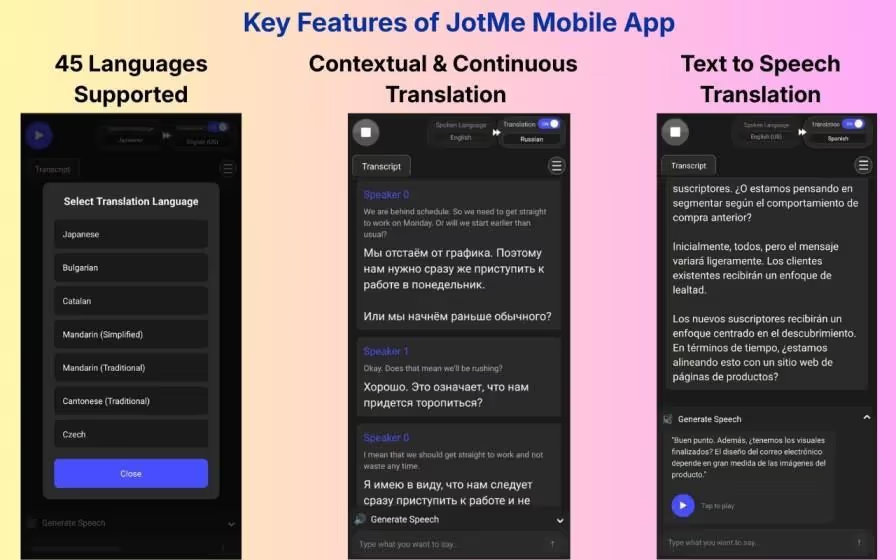
I first tried the Android JotMe mobile app while planning my business trip to Europe last month, and I was impressed by how quickly it translated the conversations. As I spoke, the translations appeared instantly on screen.
Despite being quick, JotMe produced contextually accurate translations. JotMe's mobile app understood the tone, meaning, and flow of conversations and delivered naturally sounding, accurate translations. Other reasons why JotMe became an ultimate companion for my business trips are:
Multilingual Support: JotMe supports translation in 45+ languages, including English, French, Spanish, Japanese, Korean, Arabic, and Romanian. This way, I could rely on a live translation app during my trip to Europe.
Multilingual Translation: My business meeting in Greece had people from Japan and Korea. Rather than constantly switching between languages, I set the “Spoken Language” to Multilingual to obtain Korean and Japanese translations into English simultaneously. With this, you can translate up to 10 languages at once.
Handles Technical Jargon: I also liked how the Android and iOS JotMe mobile apps handles technical jargon without requiring a custom glossary. This way, even when the discussions went a bit technical, the translations were accurate, and I could understand everything.
If you need a live AI interpreter to translate your international meetings or calls on video conferencing platforms like Zoom, Google Meet, and Microsoft Teams, JotMe also offers a desktop app.
Aside from accurate live translations, the JotMe desktop app provides instant answers to your queries, provides a real-time summary, and post-meeting notes.
Key Features of JotMe Mobile App
The key features of the JotMe mobile app include live, context-aware translations, text-to-voice conversion, continuous translation, and accuracy control. These are detailed as follows:
JotMe Mobile App Provides Live Contextual Translations
Previously, apps like Google Translate and Microsoft Translator were my go-to for foreign trips. Although convenient with support for 100+ languages, the translations sometimes come across as robotic.
On the other hand, JotMe uses advanced speech recognition technology to understand the core meaning, intent, and tone, and provides contextually accurate translations.
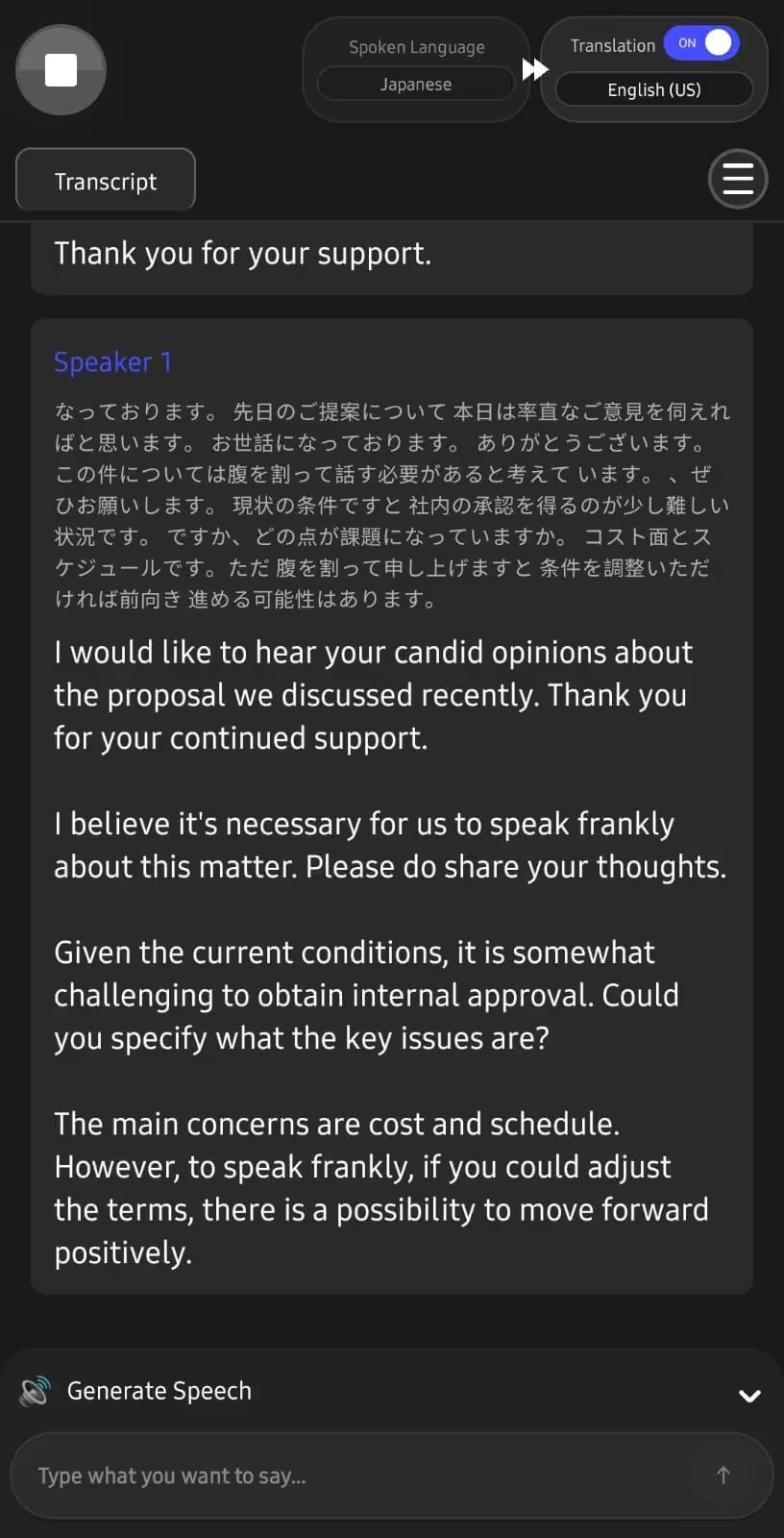
This way, the JotMe mobile app streamlined my in-person meetings with Japanese-speaking colleagues, and everyone was on the same page. That clarity mattered most when feedback was shared indirectly or with cultural nuance.
When someone said:
JotMe understood the meaning and kept it intact in translations, which says:
Given the current conditions, it is somewhat challenging to obtain internal approval.
However, the traditional translator conveyed the translation as:
With the current conditions, it is a bit difficult to obtain approval within the company.
It’s clear that JotMe’s translations sound natural, making it one of the best Japanese to English translation apps for sensitive business meetings.
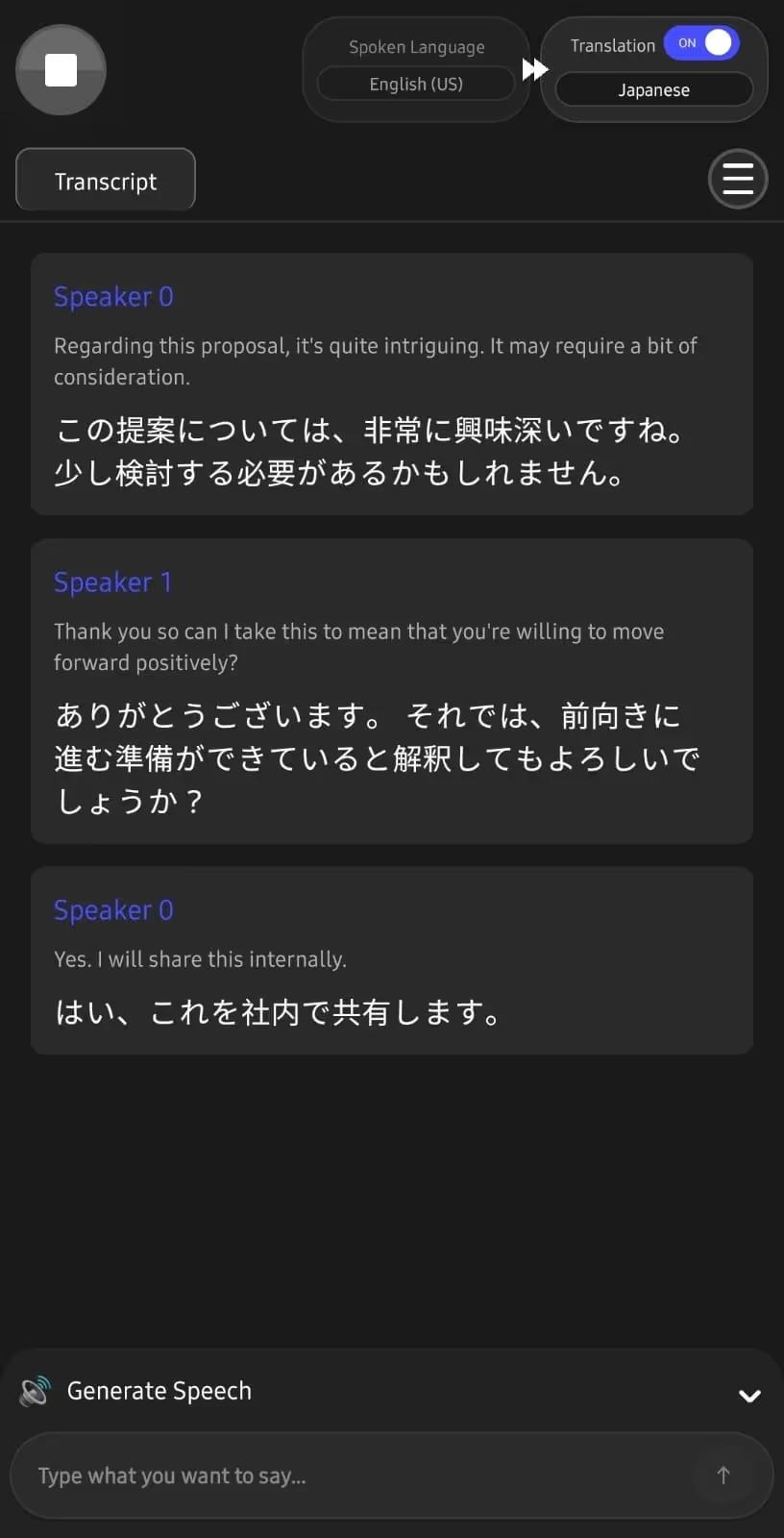
JotMe Mobile App’s Translations are Continuous
When switching from traditional mobile translation apps to JotMe, I was impressed by its chat-based interface. That is, as you and the other person speak, JotMe splits the conversation into speaker turns, and each message is followed by its translation.
This saves me time, as I can easily skim through messages to find important information.
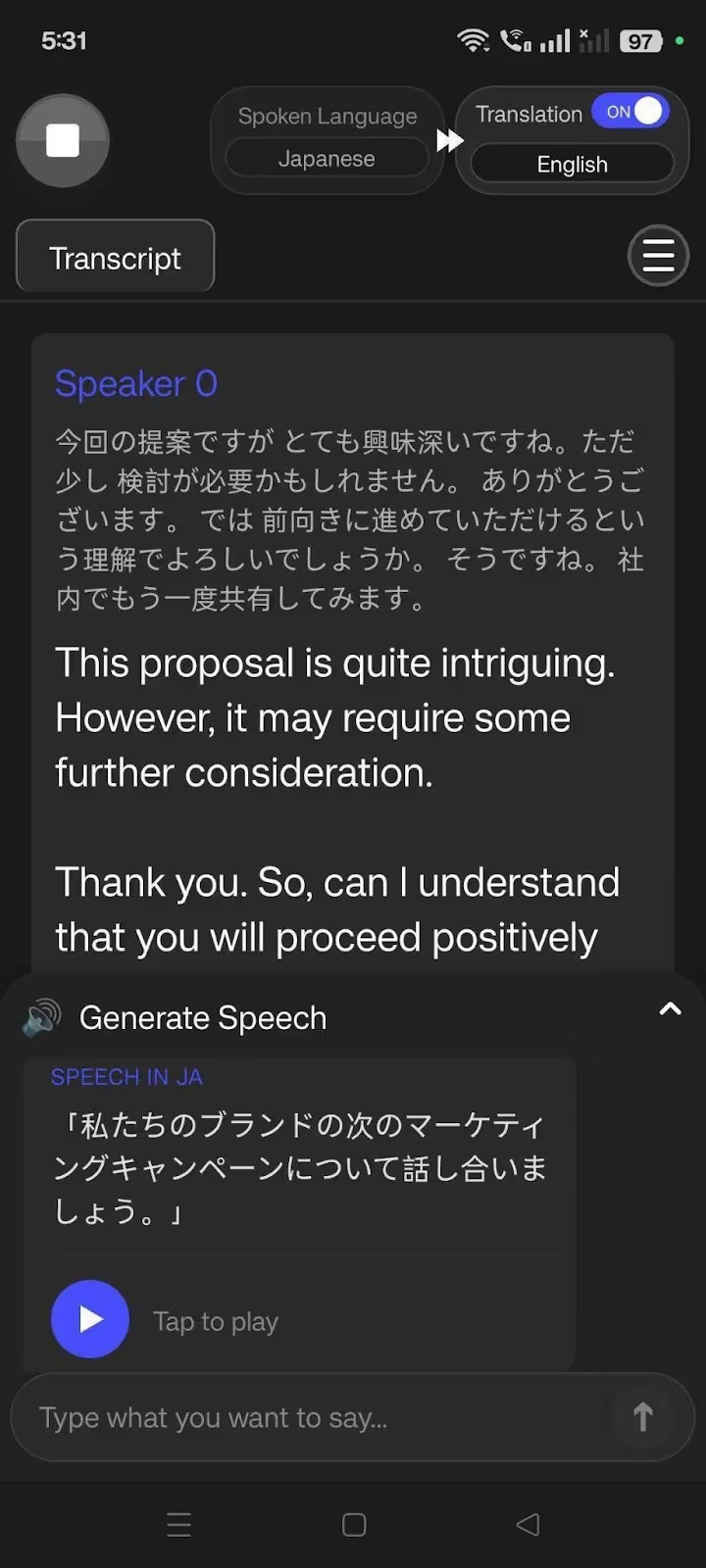
JotMe Mobile App Generates Speech from Text
JotMe is considered one of the best Japanese translation apps for travel, not only for its contextually accurate translations but also for its speech generation feature. It’s like having a personal assistant who speaks to the other person on your behalf in their language.
To use JotMe’s speech generation feature, select a spoken and translation language, go to the Generate Speech feature, and type the text you want to translate. JotMe mobile app “speaks” in the selected translation language with pronunciation.
The speech generation feature on the JotMe mobile app helped me a lot when speaking with my Japanese-speaking colleagues. I could explain a concept in detail, and everyone understood well.
JotMe App Lets You Control Translation Accuracy
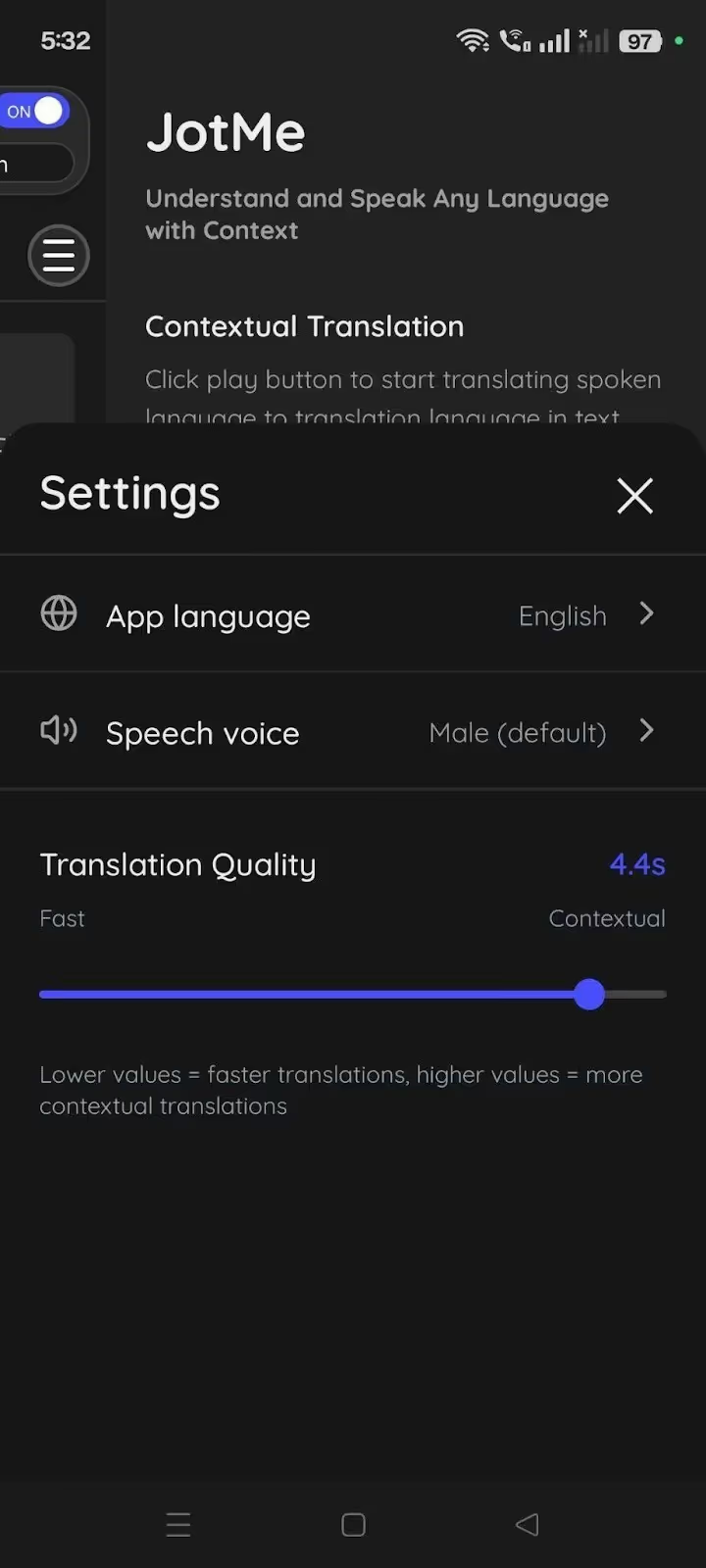
The translation accuracy control setting is something I could not find in many live translation apps, and I indeed found it helpful. I can set the “Translation Quality” to Fast or Contextual, depending on my needs, and the translation quality will vary accordingly.
If you need instant translations, drag the slider to the extreme left (Fast). Meanwhile, keep it on the extreme right (Contextual) if you don’t want to compromise on translation quality.
You can also rely on JotMe’s smart AI translation adjustment feature. JotMe mobile app detects the conversation type as you speak and adjusts the translation accuracy accordingly. This way, you don’t need to manually adjust the slider for every conversation you have.
Pricing of JotMe
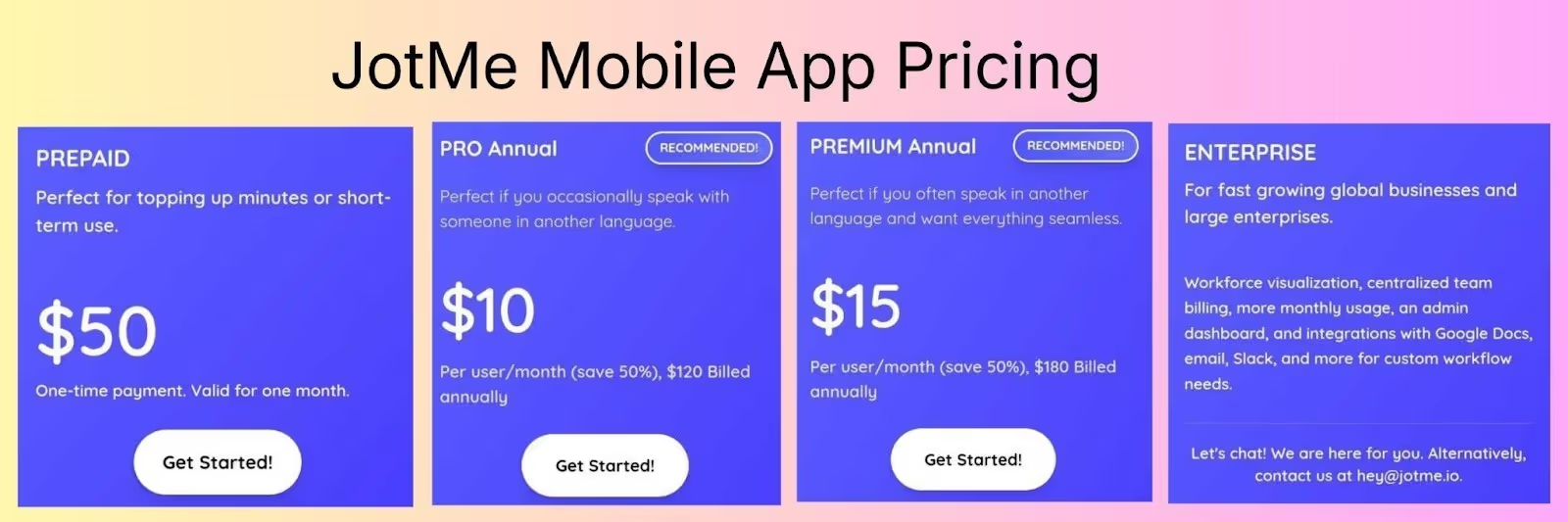
JotMe offers flexible pricing, as users can choose a prepaid plan with a one-time $50 fee for 500 minutes, or opt for monthly or yearly plans.
- JotMe's mobile app offers a free monthly plan with 20 translation and 50 transcription minutes, plus 5 AI credits.
- With Pro Plan at $10/month (billed annually), you get 200 minutes of translation and 500 minutes of transcription per month, plus 20 AI credits.
- With the Premium Plan at $15/month (billed annually), you get 500 minutes/month translation and 2000 minutes/month transcription, alongside 50 AI credits and access to unlimited meeting recordings.
DeepL Translate
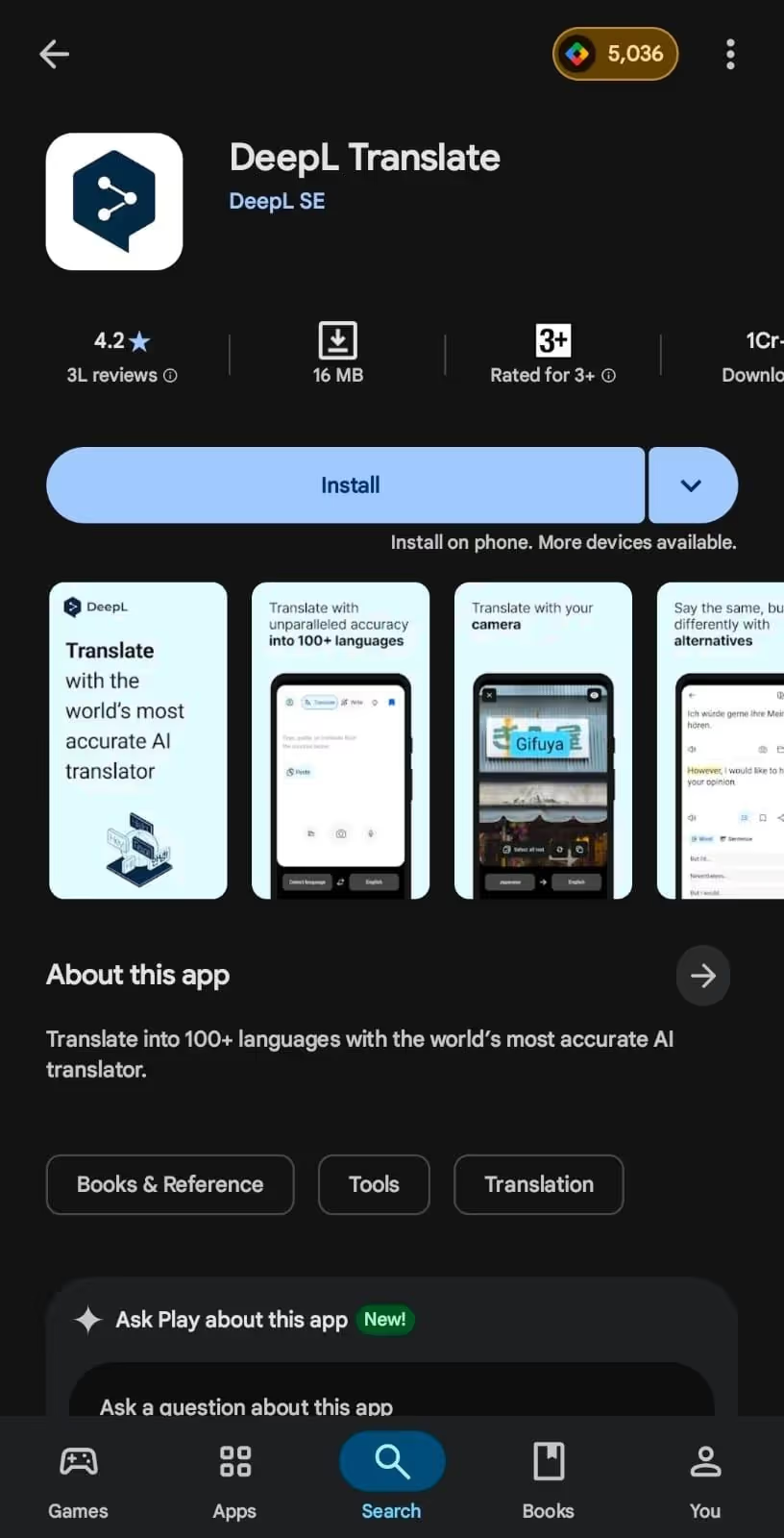
DeepL has a mobile app with voice-to-text and text-to-voice translation features, which worked well when I used it to translate in-person conversations with Japanese-speaking colleagues.
The translations were quick and accurate, as the translation of “I’ll prepare my tasks over the weekend so we can kick off sprint execution” came out as:
DeepL mobile app understood the context and translated “kick off sprint execution” as “start running your sprints.”
Moreover, the DeepL Translate mobile app has a “synonyms” feature that provides a list of alternative words or sentences you can use. This provides users more control over how they express themselves in another language.
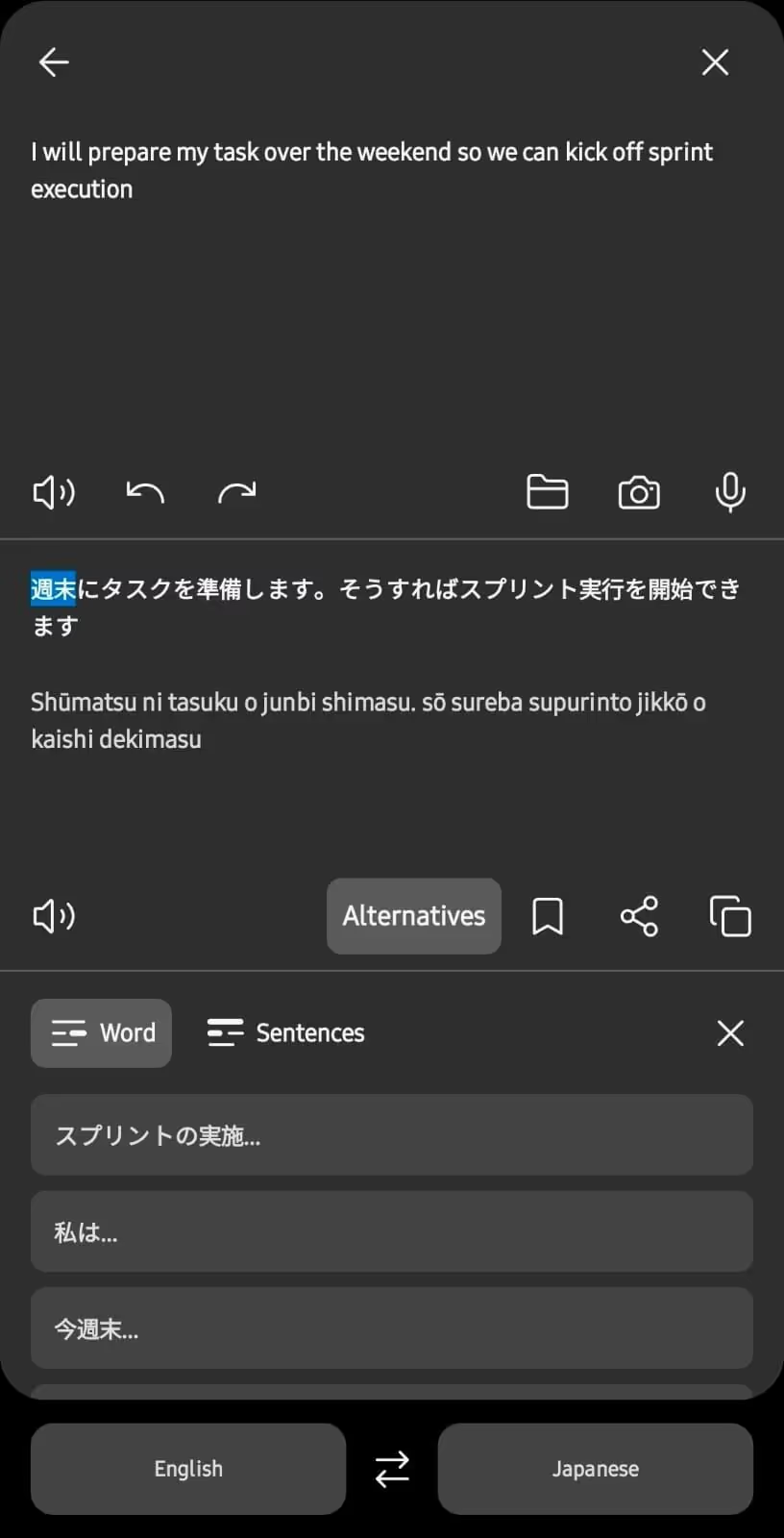
The DeepL mobile app, with its features and performance, seems suitable for your business trips, but it may mishear words in fast-paced conversations. That’s not the case with JotMe, which carefully listens to conversations and produces contextually accurate translations.
Pricing of DeepL Translate
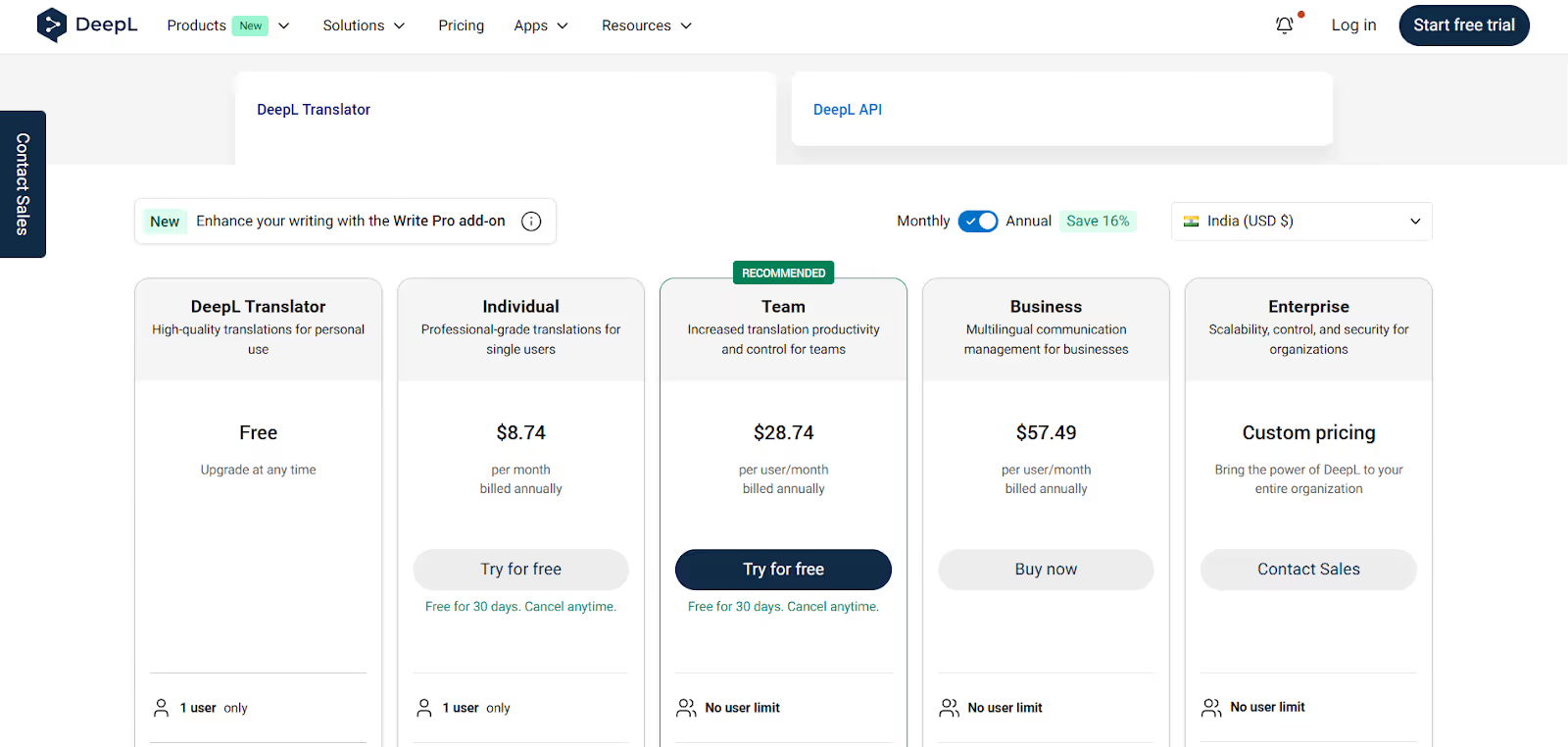
DeepL provides its voice translation services on mobile for free. However, if you need additional DeepL Translator features, you can choose from the following:
- Individual plan at $8.74/month (billed annually): 3,00,000 characters and 3 file translations per month.
- Team plan at $28.74/month (billed annually): 10,00,000 characters and 20 file translations per month.
- Business plan at $57.49/month (billed annually): unlimited characters and 100 file translations per month.
iTranslate
iTranslate mobile is quite a popular text-to-voice, voice-to-text, and voice-to-voice translation app with support for 100+ languages.
I tried iTranslate for English to Japanese translations, and iTranslate handled casual conversations with Japanese locals well. I could ask for directions or order food without any awkward pauses, and unlike many translation apps, iTranslate works even without an internet connection.
However, when translating technical conversations, iTranslate couldn’t detect the idiomatic expressions, and the translations were robotic. So, during our bi-weekly meeting with our Japanese clients, when someone said, “Let’s discuss the deliverables for the next month,” iTranslate translated it as:
iTranslate’s translation is word-for-word and may cause misunderstandings and confusion. Meanwhile, JotMe understands the tone, flow, and emotions in the conversations to provide contextually accurate translations.
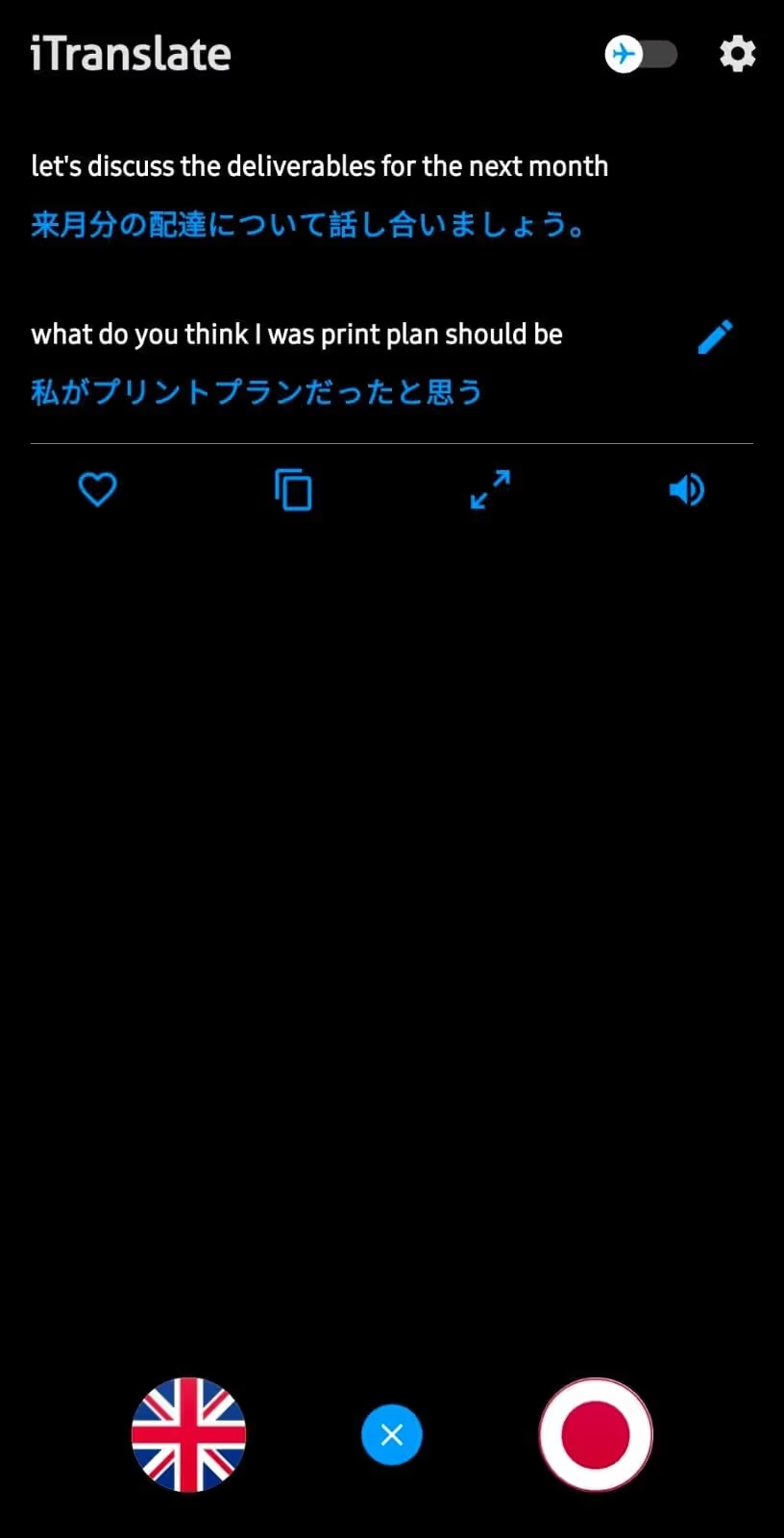
Moreover, iTranslate’s translations aren’t instant, unlike those of JotMe and DeepL Translate. As you speak, iTranslate displays the transcription, and you must tap on “Translate” to obtain the translations. That’s not suitable when you need quick directions or in emergency situations.
Pricing of iTranslate
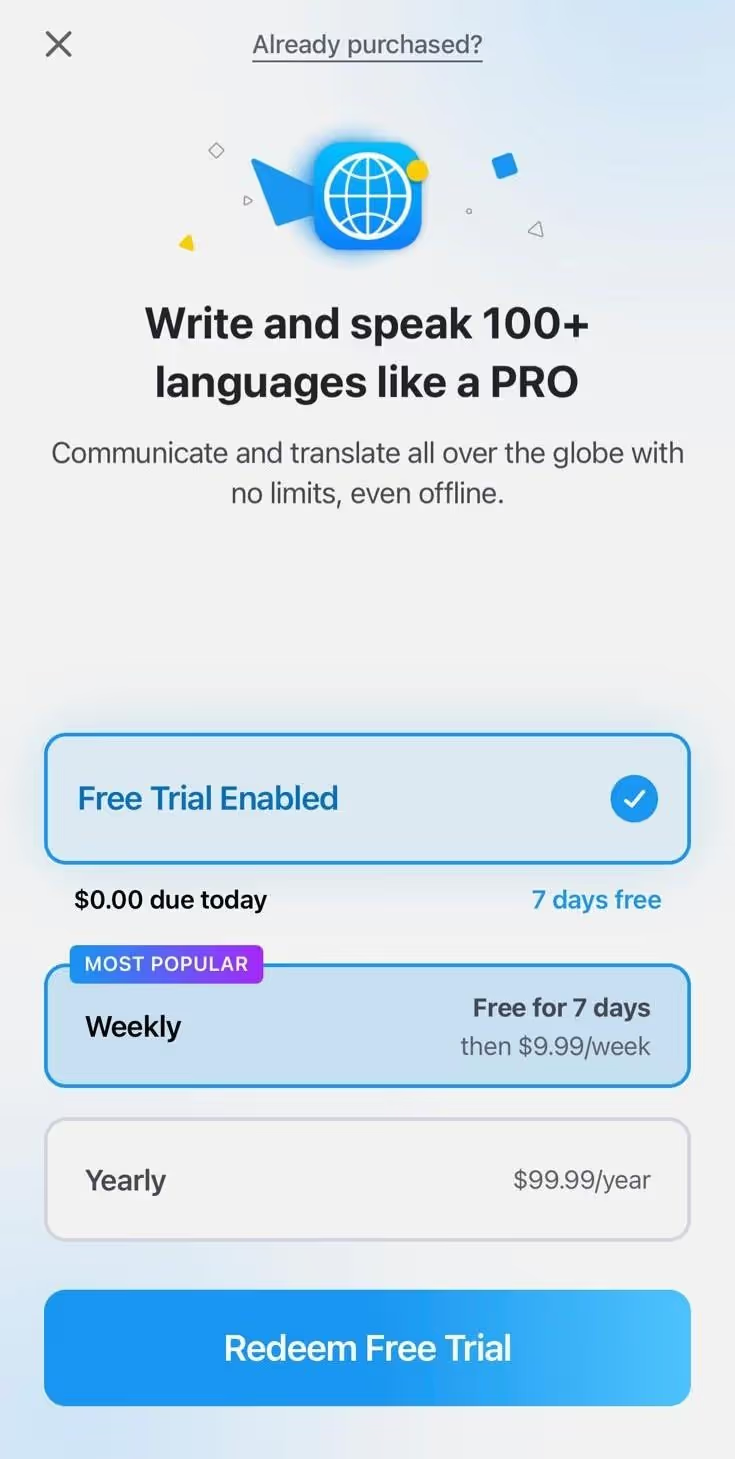
iTranslate mobile app offers a seven-day free trial, and the Pro plan has weekly, monthly, and yearly payment options.
- Pro Plan: iTranslate mobile’s Pro plan costs $9.99/week ($39.96/month) or $99.99/year and includes features such as offline mode, camera translation, voice translation, website translation, and more.
Live Translator: AI translate
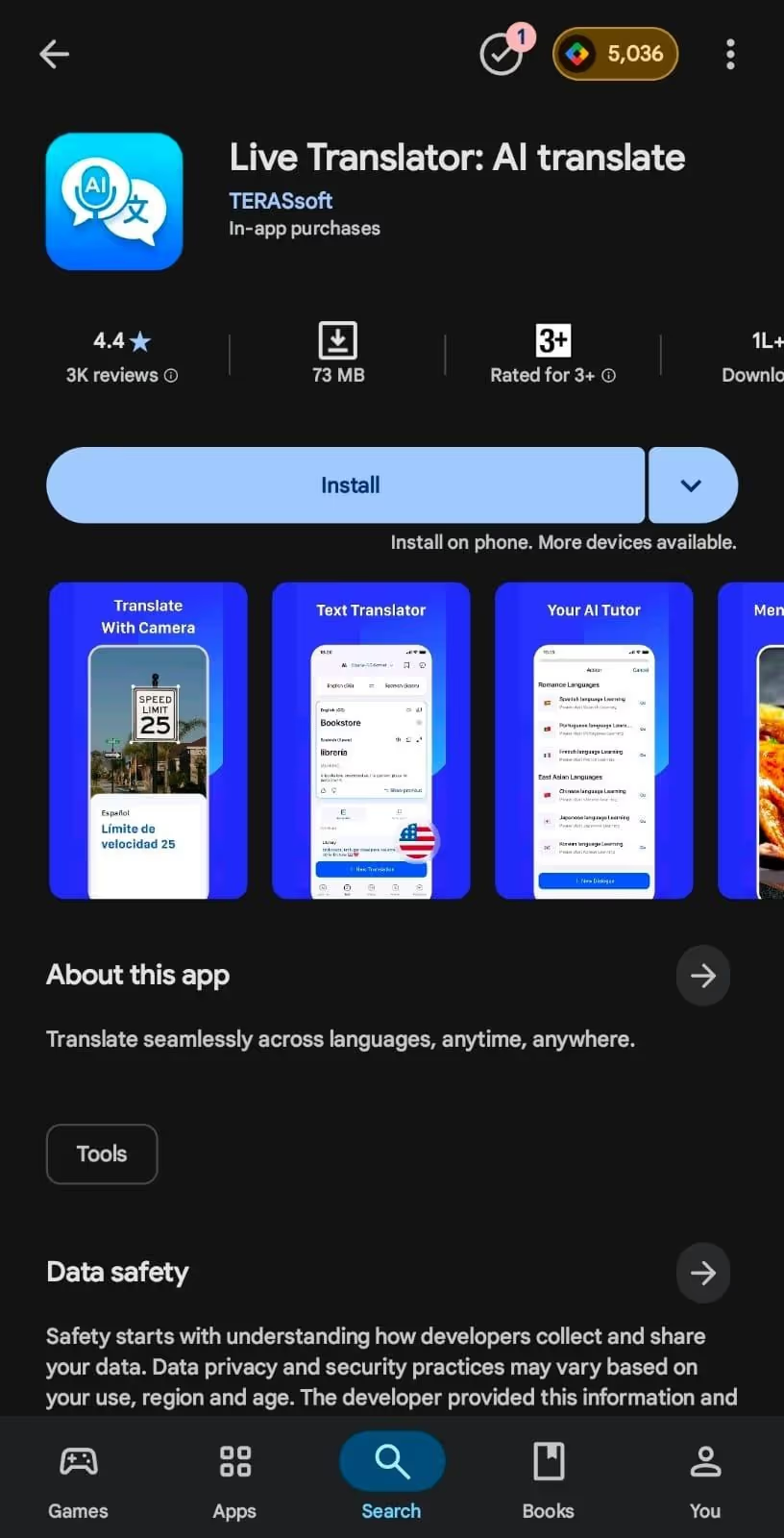
Live Translator: AI translate is a decent live translation app with voice-to-text, voice-to-voice, and text-to-voice capabilities, and supports 35+ languages. So, I used Live Translator to communicate with the locals and colleagues on my business trip to Japan.
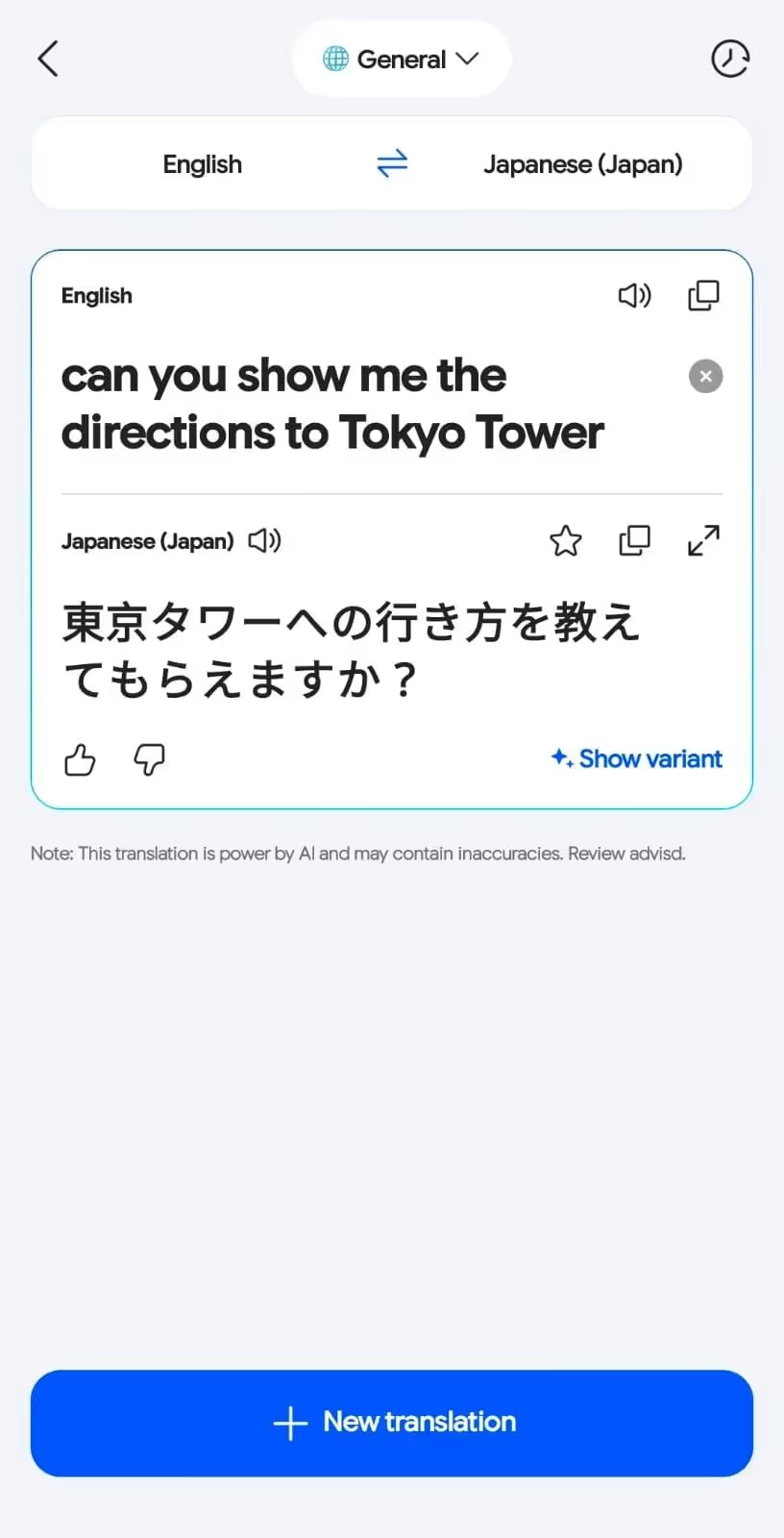
Live Translator: AI translate app’s translations were accurate during casual conversations with locals. For example, the translation of “Can you show me the directions to Tokyo Tower?” came out as:
However, Live Translator: AI translate struggled in business conversations as we planned a product launch for the next quarter. For example, when I said, “let’s discuss the deliverables for the next quarter,” Live Translator: AI translate listens to it as “let’s discuss the deliverys for the next quarter.”
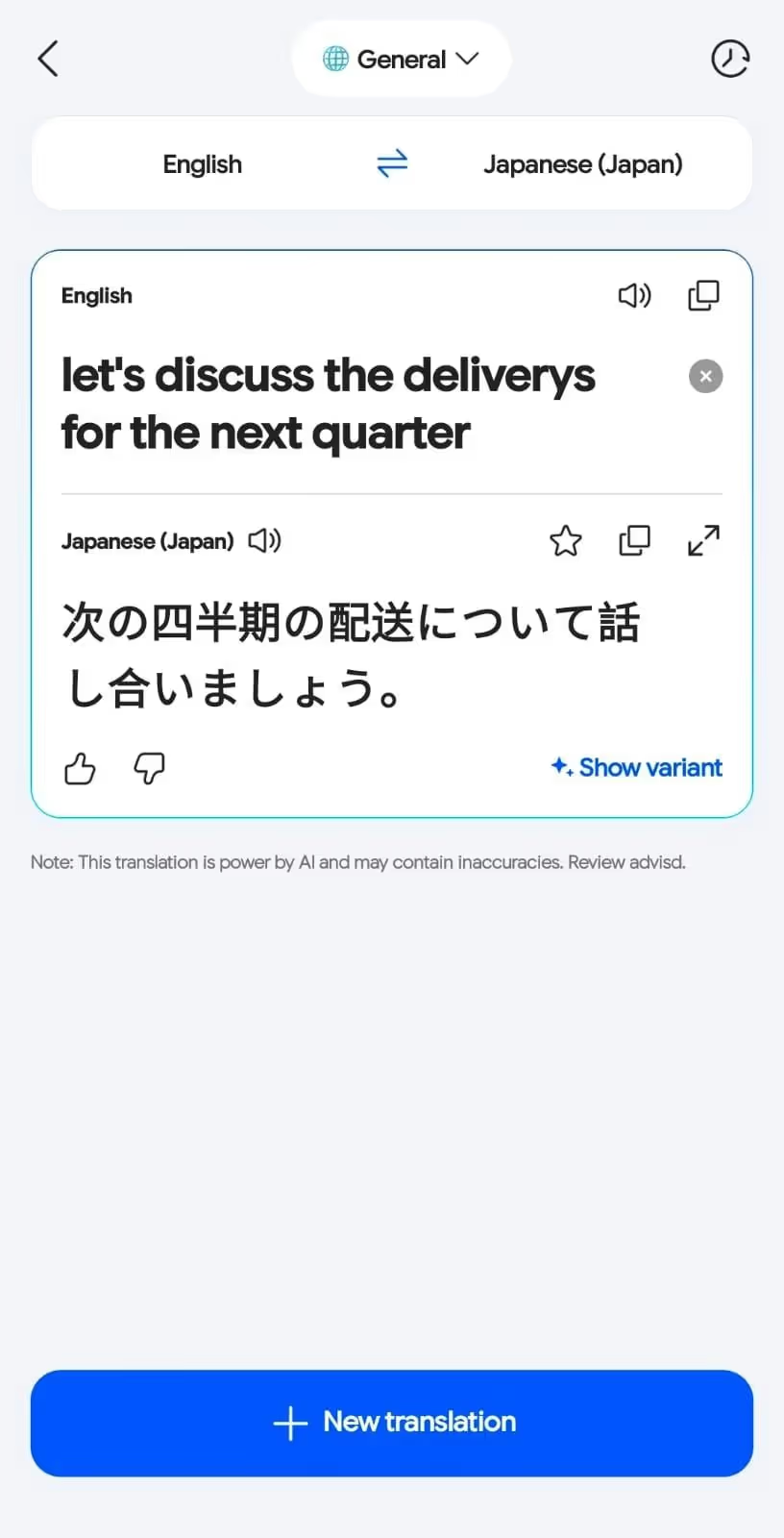
As a result, the translation was incorrect and created confusion among the meeting participants. In such situations, Live Translator: AI translate lets you set the translation tone to “Business” to improve translation quality, but it’s only available to premium users.
Pricing of Live Translator: AI translate
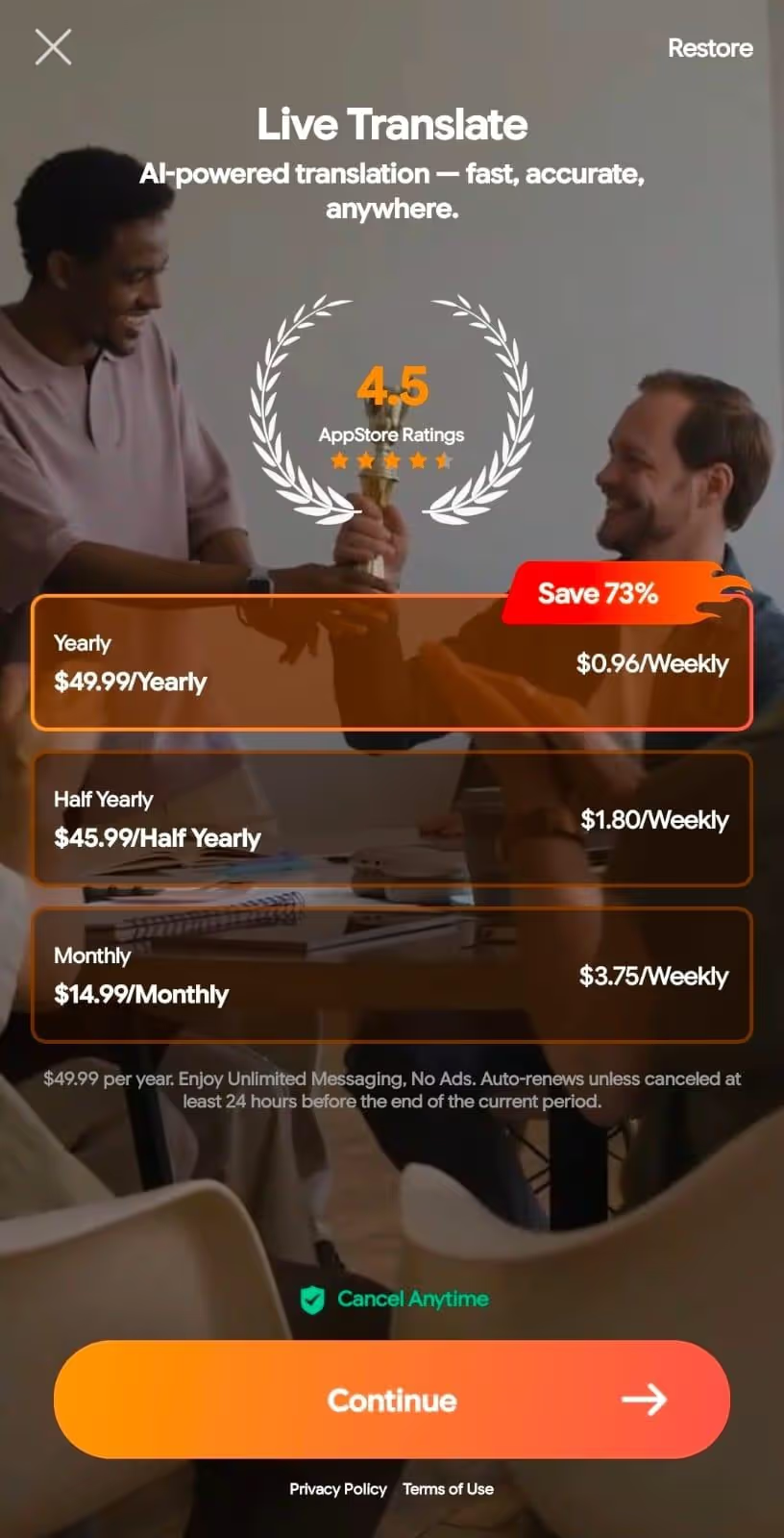
Live Translator: AI translate offers a free trial for basic translations, and its Premium plan is billed monthly, half-yearly, or annually.
- Pro Plan starts at $14.99/month, $45.99/half-yearly, and $49.99/yearly and includes live translation with customizable tones.
Privacy and Security: How Secure are Translation Apps?
Translation apps vary in security, as free tools often store and analyze user input data to improve algorithms, and may leak confidential information. Many apps may also lack robust encryption, which could lead to data loss.
It’s therefore crucial to choose reliable real-time translation apps like JotMe. The security features you must look for are as follows:
Data Sharing and Disclosure: Many translation apps may share your personal and shared information with third-party apps. The primary motive here is to improve their machine-learning models and utilize third-party infrastructure to handle processing.
However, according to JotMe’s policy document, the company may use third-party sub-processors to deliver core functionality, but the providers implement strong security practices to protect your personal data. This way, the risks of data leaks no longer exist.
Data Security: Unlike many mobile translation apps, JotMe implements industry-standard security measures to protect the shared information. This includes Encryption in transit (TLS) and at rest, secure storage, and system monitoring to detect any unauthorized access.
Adware: Even on JotMe's free plan, I didn’t find any ads on the interface. But that’s not the case with apps like iTranslate. You must pay a premium subscription fee to remove the intrusive ads.
Conclusion: What is the Best Translation App for Travel
Selecting the best translation app for travel depends on your priorities, workflows, budget, and use case. If you still can’t make a decision, here’s a quick breakdown of the listed speech-to-text apps:
- You can use the JotMe mobile app in different travel situations, whether asking locals for directions, translating technical business conversations, or learning a new language. JotMe’s continuous translation and text-to-speech feature also improves the communication experience.
- DeepL Translate is primarily built for in-person business conversations and provides accurate translations, but is limited to 35+ languages.
- If you want a free-to-use app for casual use, such as communicating with locals, iTranslate can be a decent option, but it may show floating ads on its interface.
If you need a reliable speech to text translator app, JotMe mobile is a great option, with support for 45+ languages and additional features such as speech generation and continuous translation. Overall, the JotMe mobile app can be great for in-person communication for travel.
Try the JotMe mobile app today and see how it streamlines communication in your preferred languages.
FAQs
How to use Google Translate when traveling?
When traveling, open the Google Translate app, select the translation languages, tap the microphone icon, and start speaking. Google Translate will provide translations automatically.
The translations are instant, but they sometimes sound robotic. This may work for casual conversations, but not suitable for business meetings. In such instances, opt for reliable, contextually accurate translation software like JotMe.
What is the translate app for tourists?
There are many translation apps for tourists, like JotMe, DeepL Translate, and iTranslate. Among the available options, JotMe stands out with its contextually accurate and continuous translations, and additional features like text to speech generation and tweaking translation accuracy.
Is ChatGPT better than Google Translate?
ChatGPT is not designed for real-time translation, and Google Translate offers word-for-word translations, which aren’t suitable for business communication. JotMe offers contextually accurate translation in 45+ languages by understanding the tone, flow, and emotions of spoken sentences.
Are translation apps safe to use?
Yes, tools like the JotMe mobile app implement industry-standard security measures, including encryption in transit, secure storage and access controls, and system monitoring to detect unauthorized access or abuse. This way, any confidential information you translate is safe from data loss.
Do translation apps work on airplanes?
Yes, translation apps will work on airplanes, provided you have access to in-flight WiFi. iTranslate can provide translations even without an internet connection, but you cannot rely on the translation accuracy, especially in business conversations.
Which is best translation app for long conversations?
JotMe is one of the best mobile apps for translating long conversations. Unlike iTranslate, JotMe doesn’t pause translations if you stop speaking. Also, the JotMe mobile app offers a continuous translation feature that makes it easier to skim conversations.
Last updated on
April 14, 2026
Follow us on social media: