Guides
Best Live English to Italian Translation Apps for Google Meet, Zoom, and Microsoft Teams

Viraj Mahajan
October 29, 2025

Do you also spend your time elaborating and explaining some specific English terms during meetings to your Italian-speaking colleague, as they are not fluent in English? If yes, then JotMe can be your personal AI interpreter with contextual live English-to-Italian translation. JotMe offers multilingual translation, AI insights, and lets you share the translation minutes with your colleagues.
As we work with international clients and teammates, we have tested several real-time AI translators to ensure our international calls with our Italian-speaking colleagues are smooth. Here is the quick overview of the top live English to Italian language translation apps:
- JotMe functions as your personal AI interpreter, providing high-accuracy, contextual live translation starting at $9/month, along with real-time insights that explain complex terms to your Italian teammates.
- EzDubs offers real-time voice translation with emotion preservation at $19.99/month, making it ideal for maintaining natural conversation flow during client calls.
- Wordly AI provides translation with pricing based on usage hours; some users report on G2 that "Wordly isn't always able to provide a quality translation for those speakers' accents."
- Maestra delivers multilingual translation, but some users on G2 find it costly and wish "I didn't have to pay" for small projects.
- Transync AI offers a dual-screen bilingual display at $8.99/month, ideal for automotive and fashion industry meetings where visual context matters.
A Quick Comparison: Live English to Italian Language Translator
When selecting a live English-to-Italian translator, you need to consider pricing, accuracy, and integration capabilities to make the right choice for your business needs. Here is a quick comparison of all the tools we tested:
Best English to Italian Translation Apps for Google Meet, Zoom, and Microsoft Teams
The best English-to-Italian translation apps include JotMe, EzDubs, Maestra, Wordly AI, and Transync AI. We tested these AI interpreters during our meetings with Italian colleagues across various industries to determine which tool does best.
JotMe
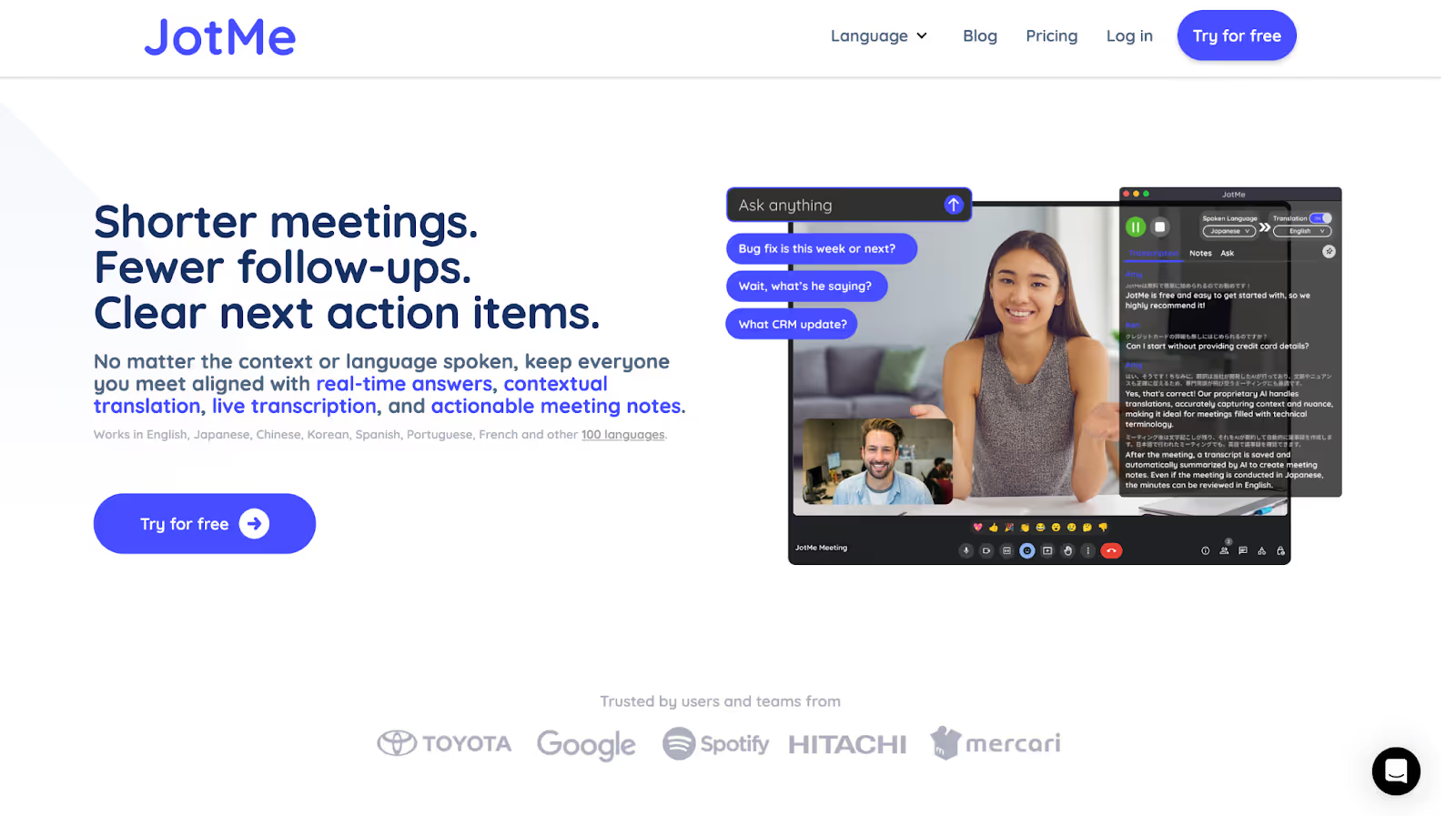
When we were coordinating a tourism campaign with our Italian marketing team, language barriers became apparent during strategy discussions about promoting Italian destinations to English-speaking travelers. JotMe proved invaluable as a live English-to-Italian translator, providing contextual live translation that preserved marketing nuances and cultural references that are crucial in the tourism industry.
What sets JotMe apart from other translation tools is its ability to join meetings without announcing a bot, ensuring your Italian colleagues feel comfortable during professional discussions. The AI insights feature was particularly helpful when we discussed complex hospitality terms. It automatically explained concepts like "revenue management" and "occupancy optimization" in Italian with context, helping our teammates understand the strategic implications without interrupting the conversation flow.
JotMe currently operates on desktop, with the mobile app launching soon. If you want to experience the English to Italian translator on your mobile phone, sign up, and you will be added to the waitlist.
Key Features of JotMe
Key features of JotMe include real-time contextual translation, deep AI insights, translation in bullet points, and more. Take a look here to understand each feature in more detail:
Real-Time Contextual Translation
When we used JotMe during our cross-border project meetings, it didn't just translate word for word; instead, it listened to the whole conversation, picking up tone, context, and even industry-specific terms. The result was Italian translations that sounded natural and truly captured what we meant, including professionally phrased instructions and culturally relevant comments.
Actual conversation in English:
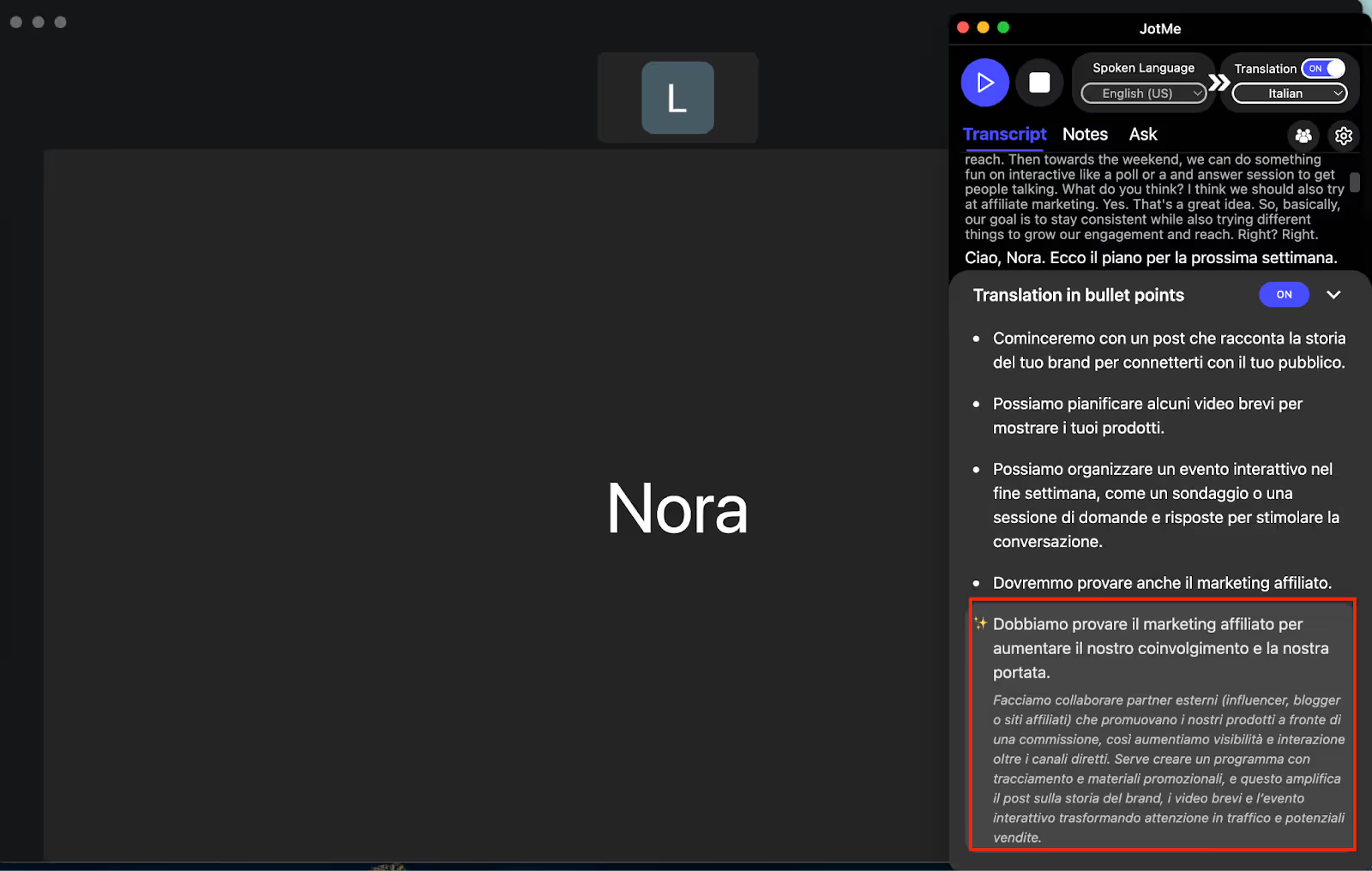
We can do something fun on an interactive like a poll or an answer session, to get people talking. What do you think? I think we should also try affiliate marketing. Yes. That's a great idea. So, basically, our goal is to stay consistent while also trying different things to grow our engagement and reach. Right?
Here is how JotMe explained it in context:
Penso che dovremmo anche provare il marketing affiliato. Sì, è un'ottima idea. Quindi, in sostanza, il nostro obiettivo è rimanere costanti mentre proviamo cose diverse per aumentare il nostro coinvolgimento e la nostra portata.
Deep AI Insights
In one planning call, when we introduced "affiliate marketing," JotMe's AI Insights instantly stepped in to explain the concept in Italian, breaking down technical jargon and key details. Our Italian-speaking colleagues understood both the literal meaning and the business impact in real time, without pausing the flow of the meeting.
Translation in Bullet Points
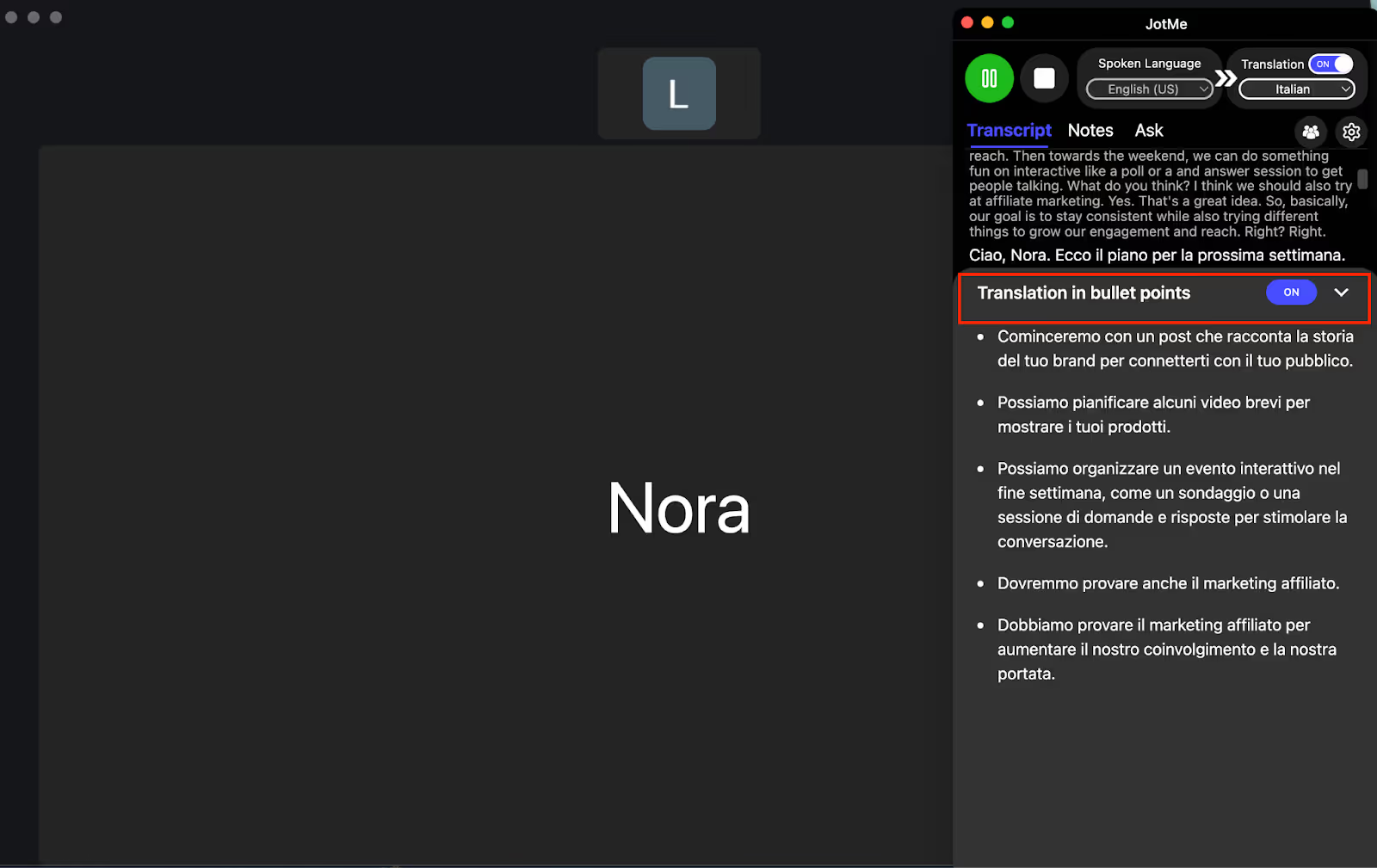
Whenever our meetings covered multiple topics, from marketing campaigns to compliance steps, JotMe automatically organized the Italian translations into easy-to-read bullet points. This made it simple for our Italian-speaking teammates to follow each discussion point and reference specific details quickly during the meeting.
Sharing Translation Minutes
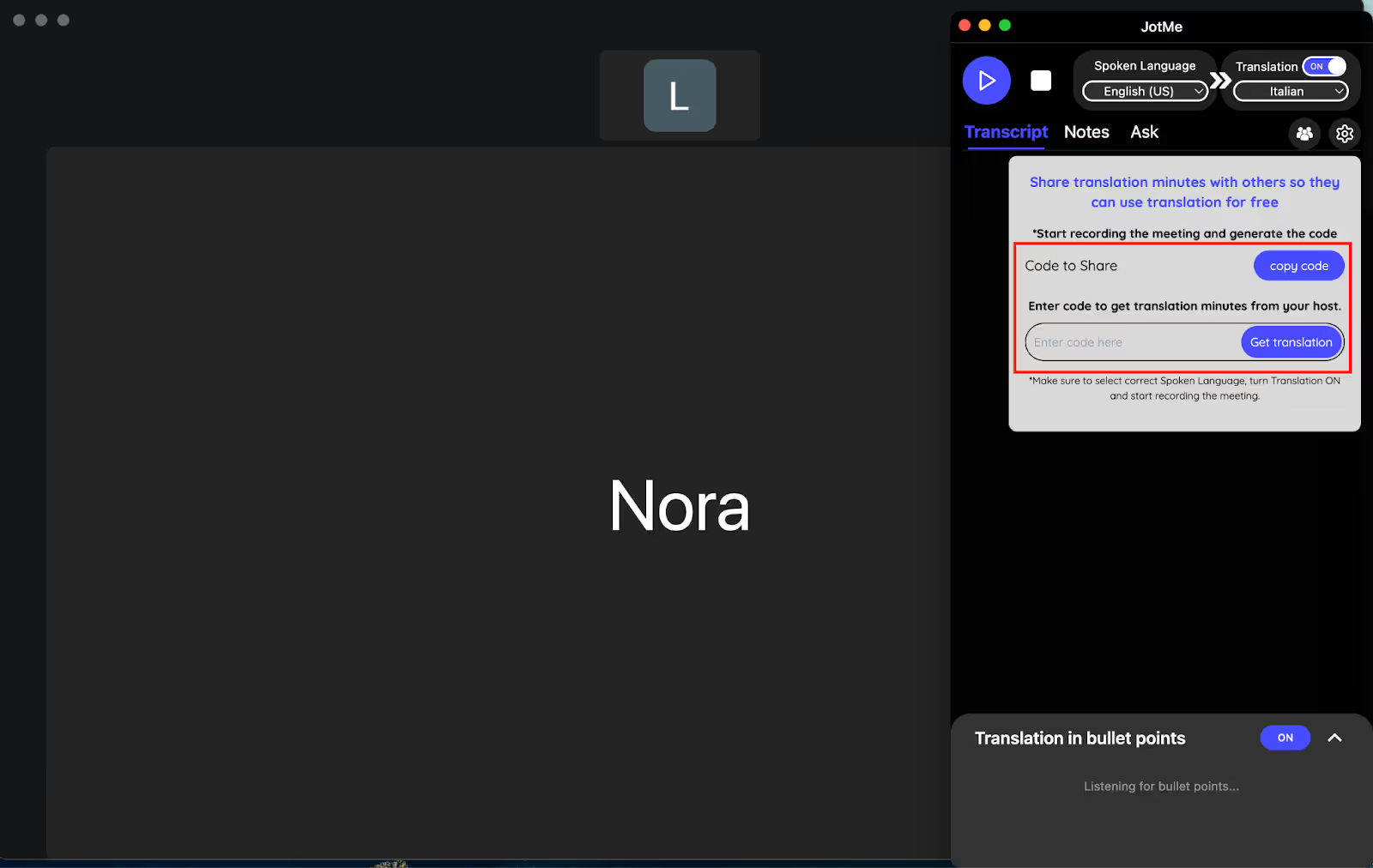
We found the sharing translation minutes option incredibly collaborative, as JotMe lets you create shareable access codes during ongoing meetings. Our Italian-speaking team members could join, view the real-time Italian translations, and access those minutes afterwards, even if they didn't have a paid account.
Meeting Notes Translation
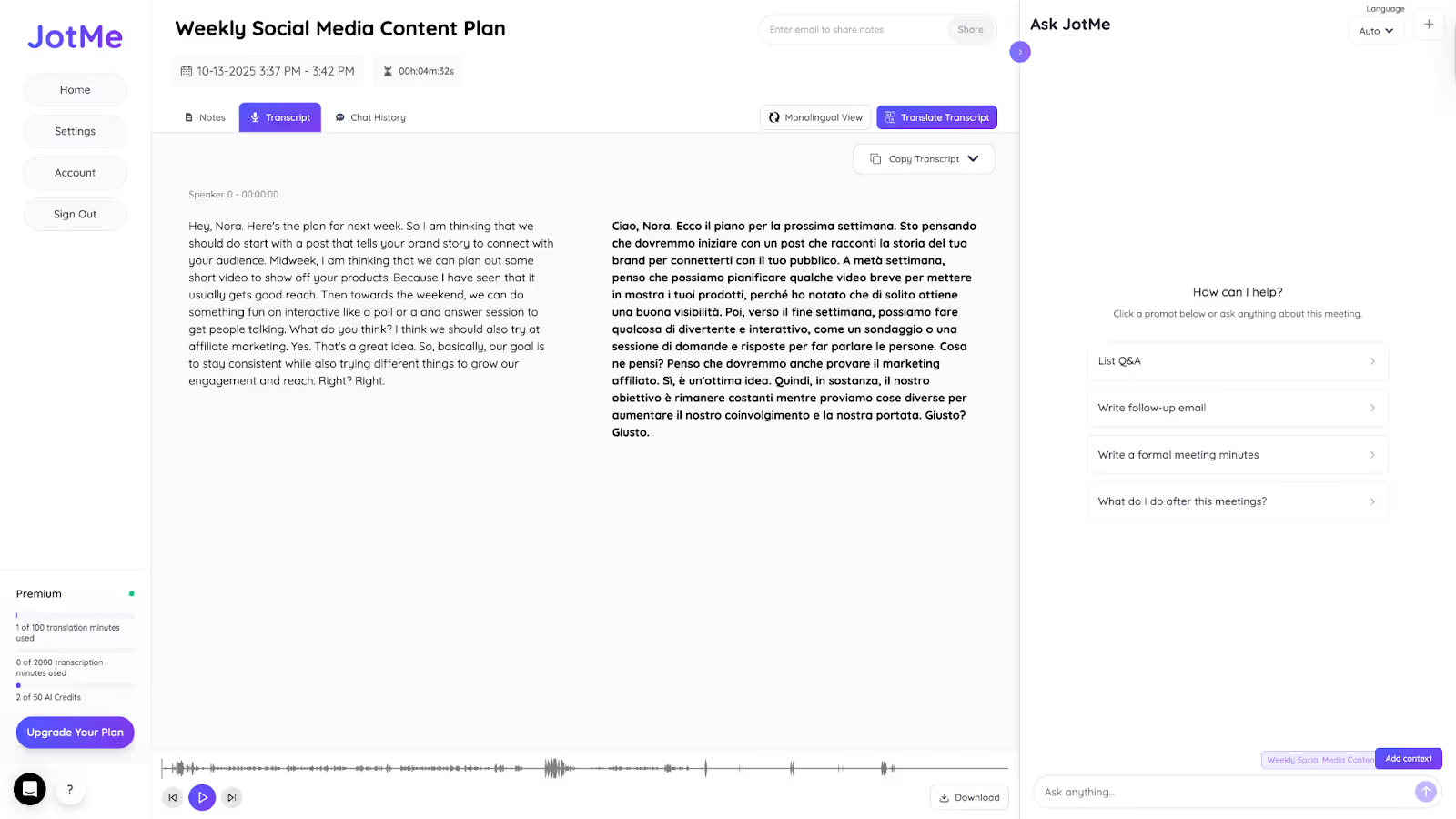
JotMe's post-meeting notes translation feature was a huge help. After each session, action items and key decisions were summarized and translated into Italian, ensuring all our Italian-speaking colleagues could review decisions, catch up on missed topics, and follow up without any confusion.
Pricing of JotMe
JotMe offers free and paid plans to meet your specific translation needs. For basic needs or testing the feature, you can use it for free, and later you can upgrade to premium plans:
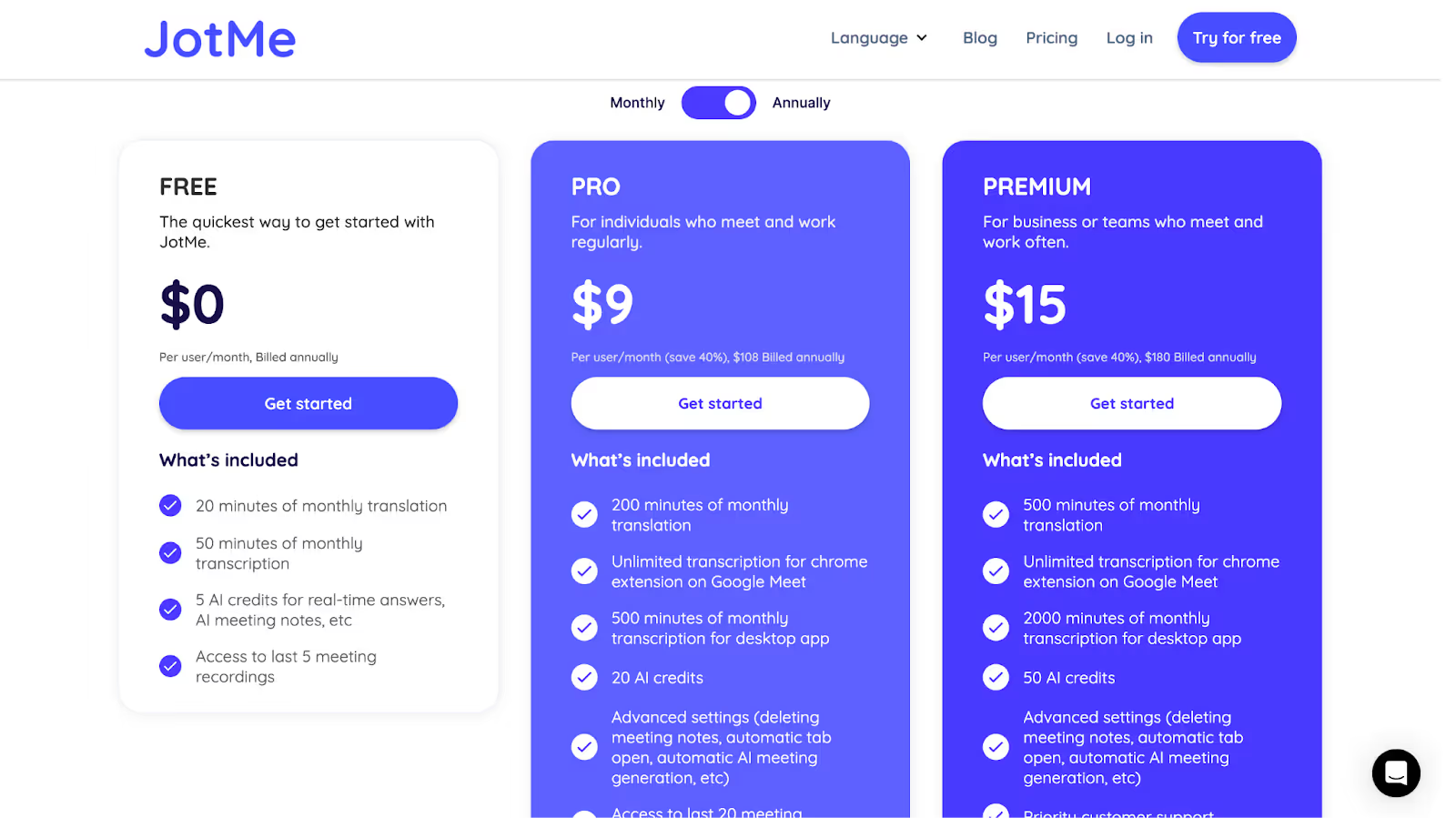
- JotMe Free Plan provides 20 translation minutes and 50 transcription minutes monthly, plus 5 AI credits. It is ideal for students or individuals working on occasional cross-language meetings and basic voice-to-text tasks.
- JotMe's Pro Plan starts at $9/month, offering 200 translation minutes and 500 transcription minutes. This plan suits small remote teams or freelance professionals who collaborate frequently with Italian clients or colleagues in online meetings.
- JotMe's Premium Plan starts at $15/month, providing 500 translation minutes, 2,000 transcription minutes, and unlimited access to meeting recordings. It is best for global teams, marketing agencies, or organizations hosting frequent multilingual webinars and large-scale virtual events that demand comprehensive translation support.
Pros
- Easy integration with meeting platforms without bot announcements
- Offers multilingual translation 45 languages on desktop and 77 languages on Chrome extension, including regional Italian dialects
- High accuracy rate with automatic corrections for misheard words
Cons
- Need to speak one-on-one with a clear voice; otherwise, translation may be done inaccurately.
EzDubs
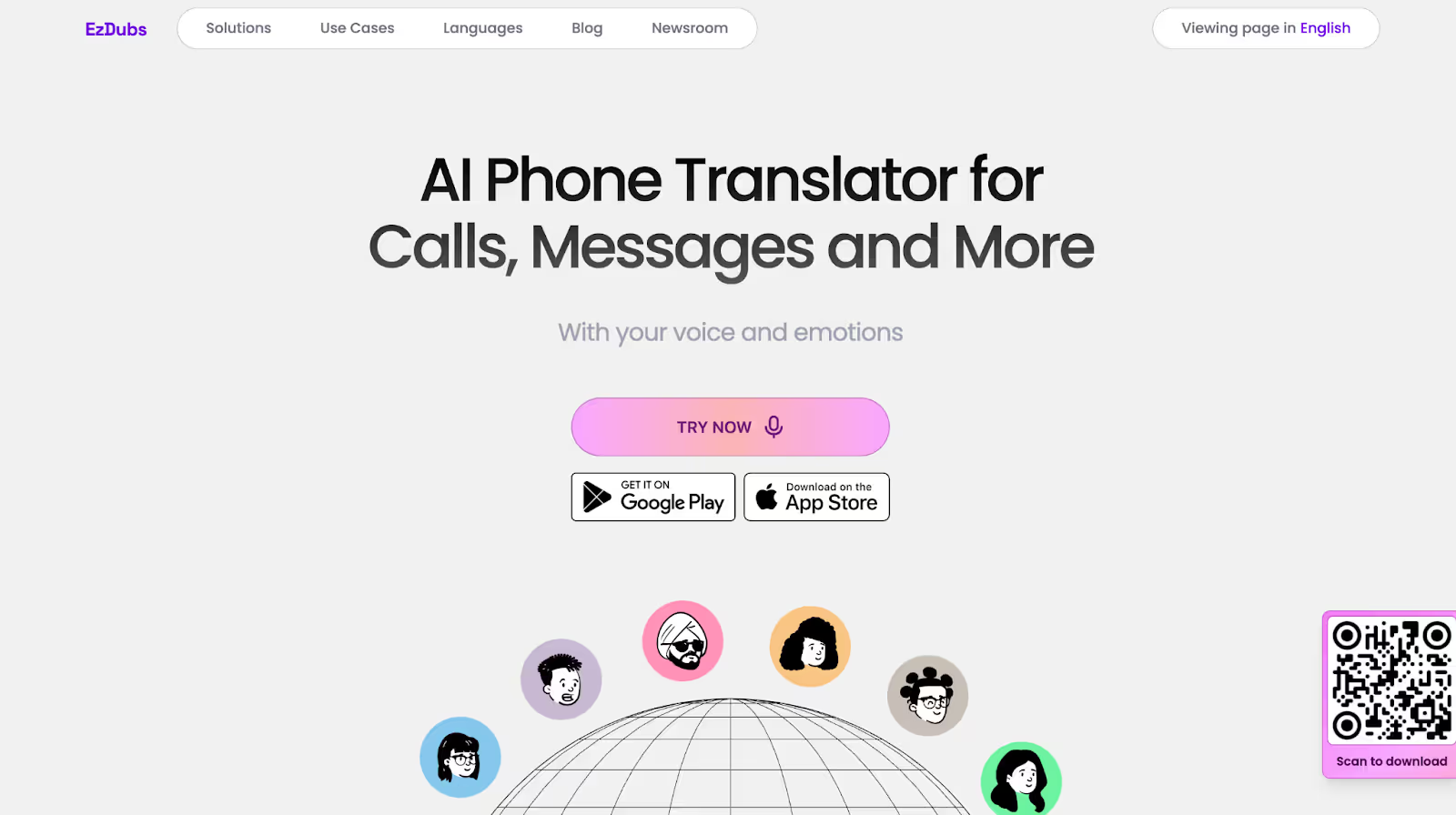
When we needed to coordinate with Italian hospitality partners about luxury accommodation packages, it was crucial to maintain the emotional tone of our conversations to build trust and rapport. EzDubs preserves voice emotions during English-to-Italian translation, making it particularly valuable for discussions in hospitality and luxury goods, where relationship building is essential.
The tool's voice cloning technology means your Italian partners hear your actual voice speaking Italian, creating a more personal connection than text-based translations.
Pricing of EzDubs
EzDubs offers free and premium plans, as you can see below:
- EzDubs offers a Free plan with basic translation features for testing the voice cloning and real-time translation capabilities.
- EzDubs Plus plan starts at $19.99/month, providing enhanced voice translation features with emotion preservation, making it suitable for hospitality professionals managing international client relationships.
- EzDubs Max plan starts at $49.99/month with enterprise-grade features including API integration and advanced voice cloning, ideal for luxury goods companies requiring high-quality multilingual customer communications.
Pros
- Preserves voice, emotions, and tone during translation
- Real-time phone call translation with voice cloning
Cons
- Higher pricing compared to text-based translation tools
- Limited to voice translation without written summaries
- Occasional lag during high-bandwidth video calls
Maestra
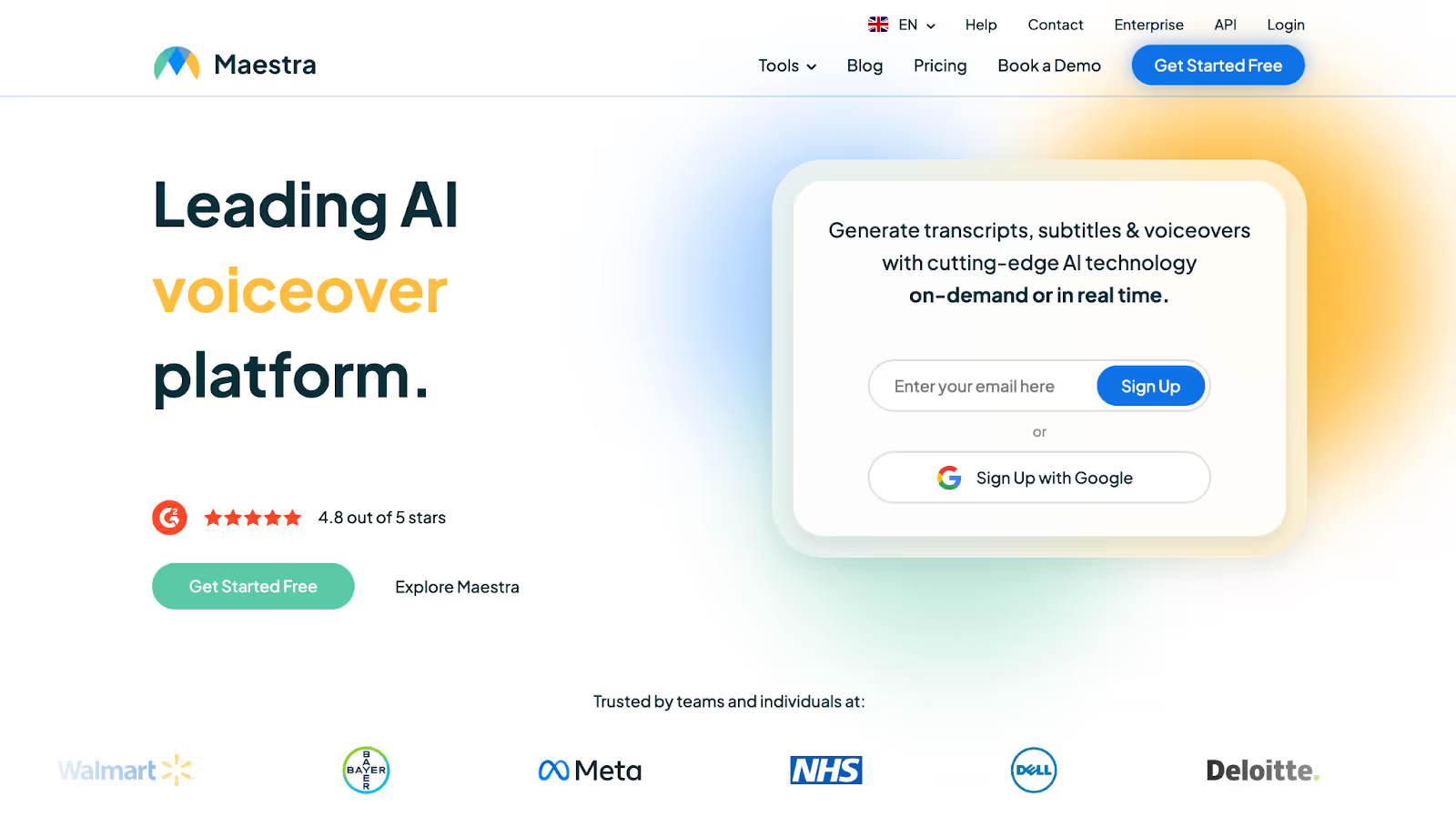
If you're presenting automotive innovations or fashion collections to Italian business partners, Maestra serves as a reliable platform for translating technical specifications and design concepts from English to Italian. During our meetings with retail clothing stores or business clients, Maestra's integration with streaming platforms like OBS proved valuable for live-streaming fashion shows with real-time Italian captions. However, for only 60 minutes, giving $12 felt a little costly to us.
Pricing of Maestra
Maestra offers three plans that cater to different user needs for live voice translation:
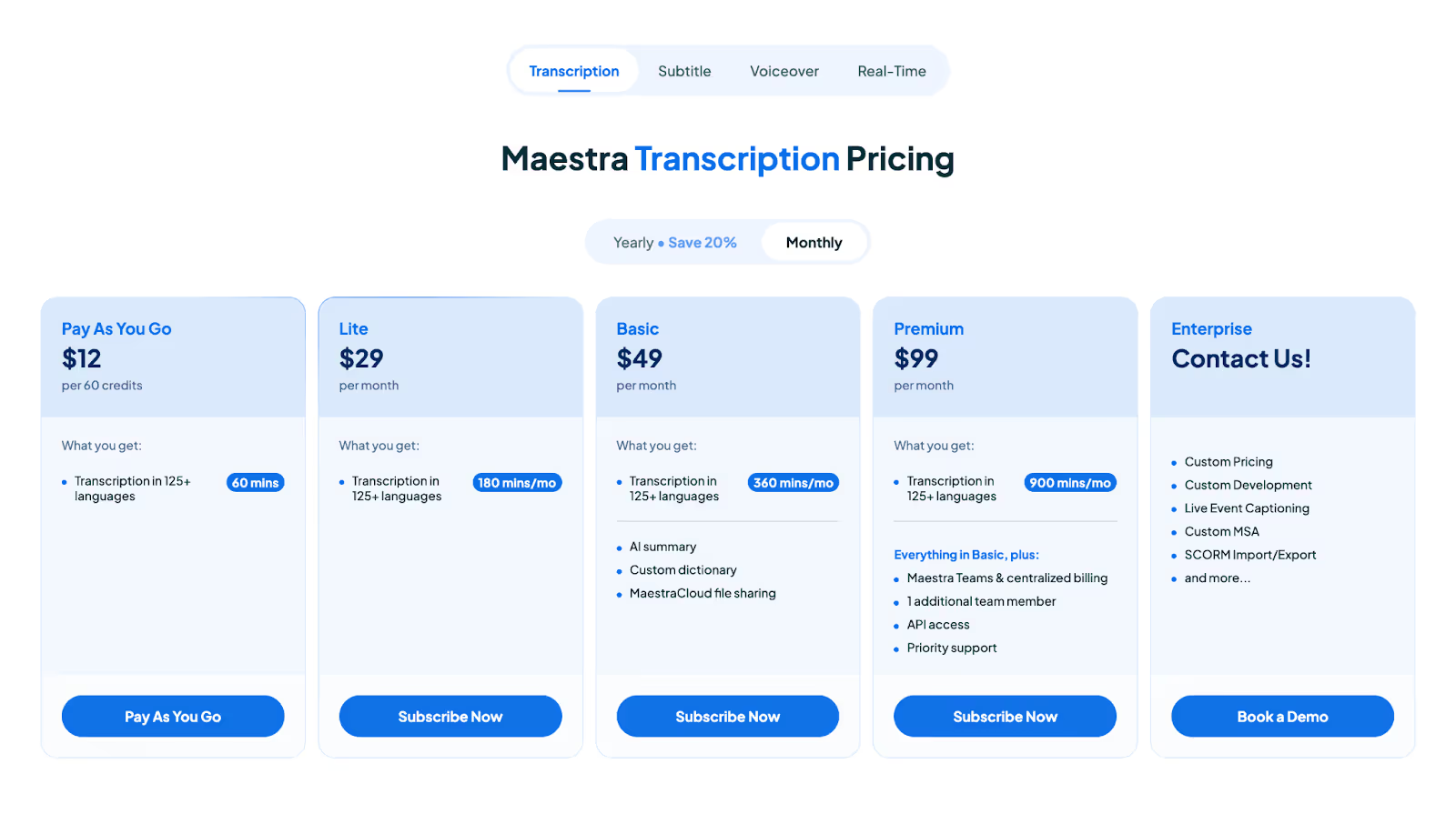
- Maestra’s Pay-As-You-Go plan starts at $12 for 60 credits, providing 60 minutes of live translation in 125+ languages for occasional use.
- Maestra's Lite plan starts at $29/month for 180 minutes of transcription and translation, suitable for automotive teams conducting regular technical presentations.
- Maestra’s Basic plan starts at $49/month for 360 minutes of transcription in a month, which is decent for mid-sized companies needing to conduct global team calls on a semi-regular basis.
- Maestra's Premium plan starts at $99/month for 900 minutes of real-time translation, ideal for fashion companies hosting frequent international shows and conferences with extensive multilingual requirements.
Pros
- Integrates with OBS, vMix, and Zoom for presentations and conferences
- Session sharing allows multiple participants to access translations
Cons
- Basic plan only includes captions without full translation functionality
- Occasional accuracy issues with specialized terminology
- Higher pricing for full translation features compared to competitors, as per users' reviews on G2
Wordly AI
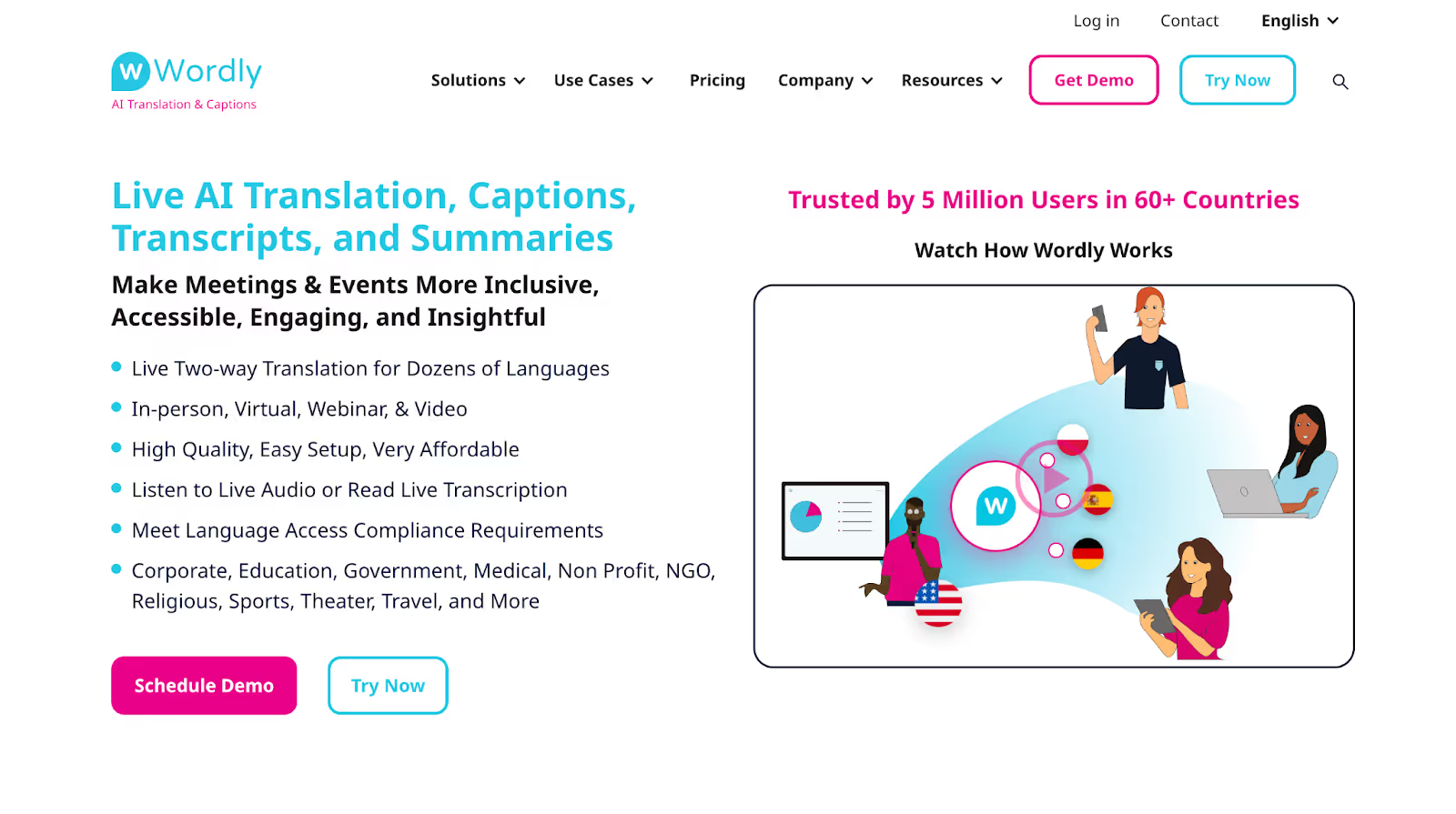
If you’re part of a consultancy that does large-scale financial conferences or automotive trade shows with Italian partners, Wordly AI handles thousands of simultaneous users, making it easy to manage live English-to-Italian translation for diverse audiences. During finance events, we saw Italian banking professionals follow complex discussions seamlessly, thanks to Wordly's real-time captions and audio translations. However, accuracy can fluctuate sometimes.
Pricing of Wordly
Wordly AI does not have transparent pricing plans; you need to get in touch with Wordly AI to get a quotation.
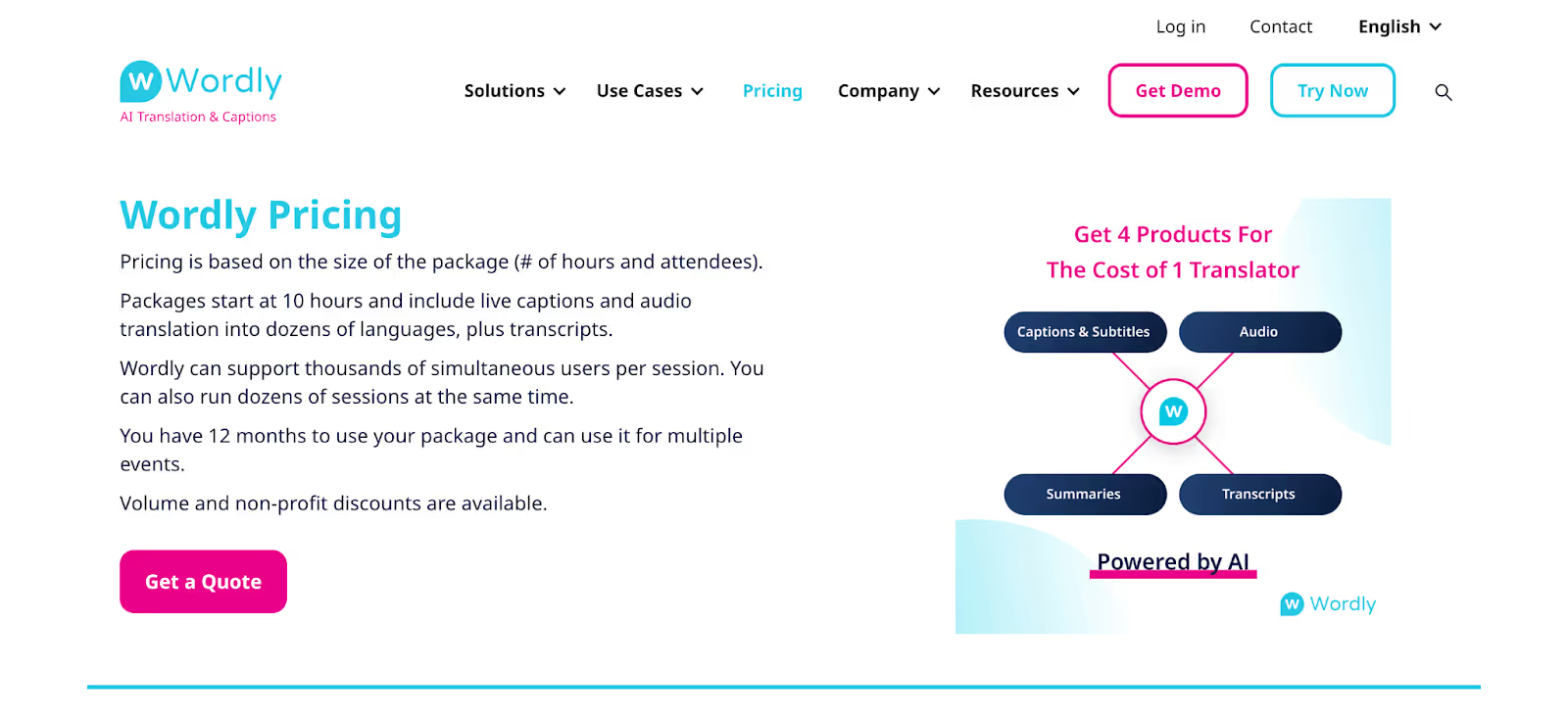
- Wordly AI uses usage-based pricing starting with packages of 10 hours, with costs varying based on the number of attendees and session duration.
Pros
- Handles thousands of simultaneous users per session
- Easy to use, even for beginners
Cons
- Pricing requires custom quotes rather than transparent pricing
- Limited customization options for specific industry terminology
- Some users on G2 say that it does not work well with different accents
Transync AI
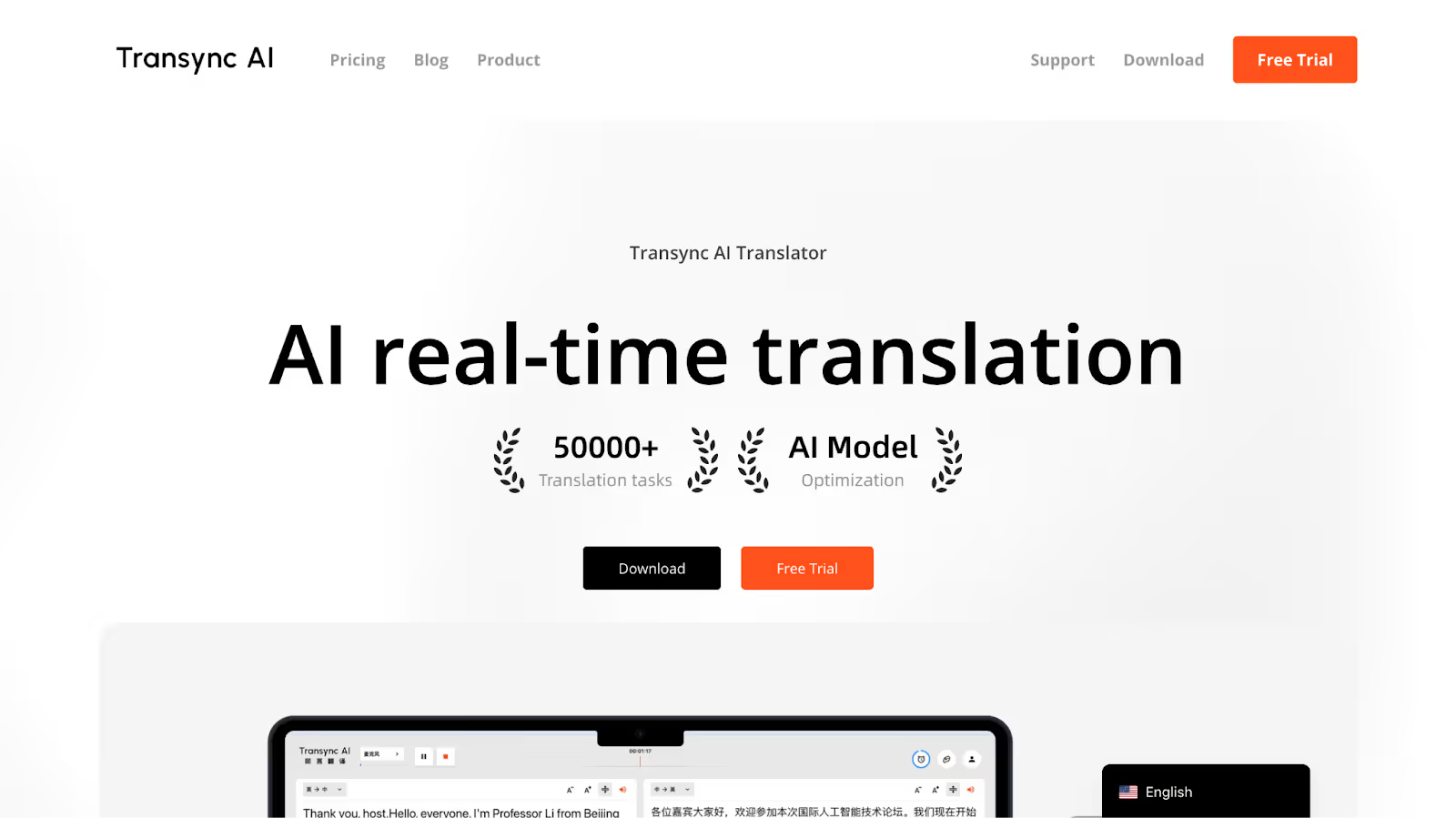
When our engineers conducted meetings with our Italian-speaking colleagues and manufacturers, technical precision was crucial for discussing engine specifications and safety protocols. Transync AI's dual-screen bilingual display proved particularly valuable, showing original English technical terms alongside Italian translations, allowing engineers to reference both versions for accuracy. However, accuracy solely depends on how clearly you speak; if two speakers speak together, Transync AI may not get the conversation clearly and is prone to mistakes.
Transync AI Pricing
Transync AI has a free and a paid plan as given below:
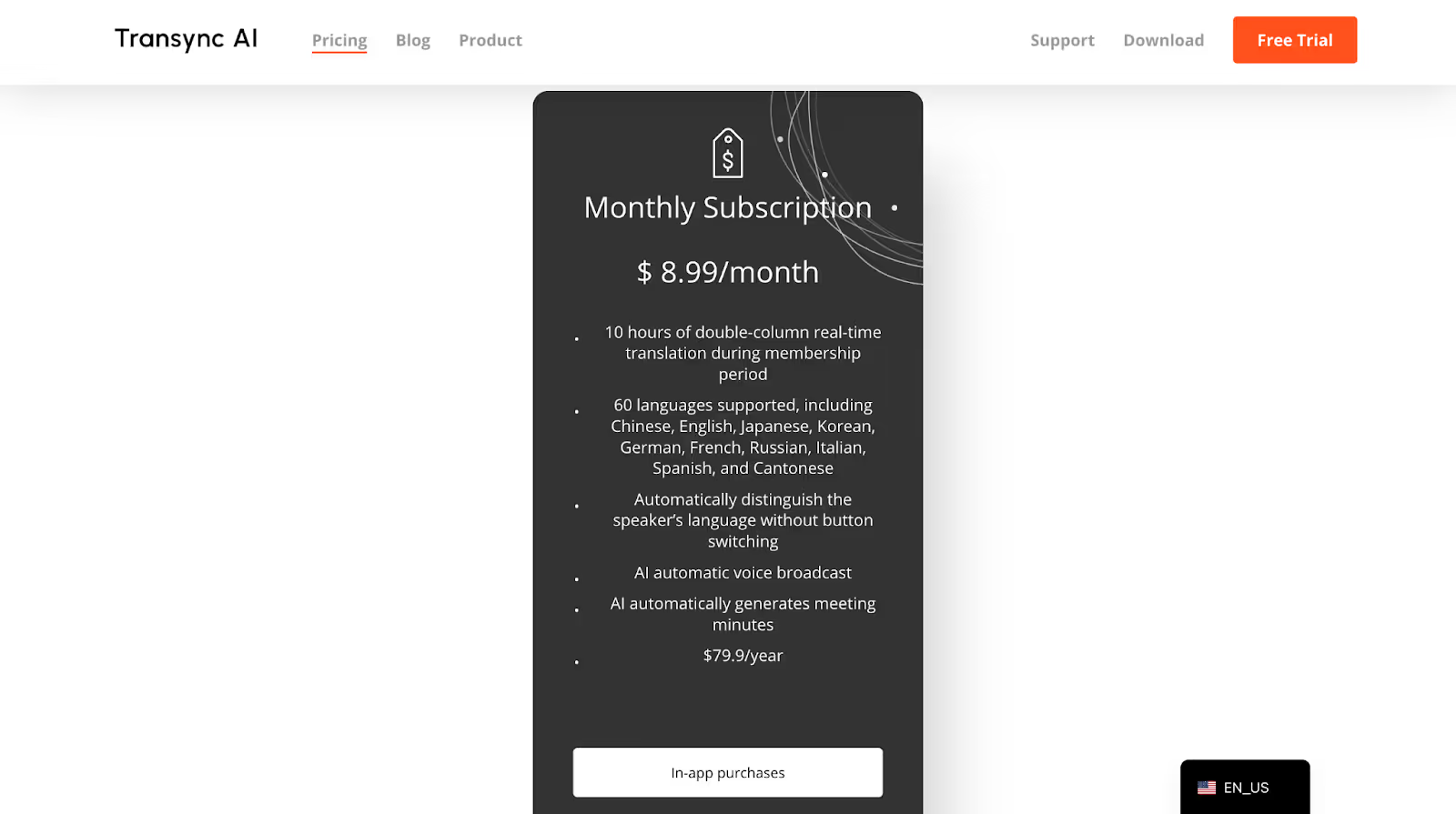
- Transync AI offers a Free plan with 40 minutes of usage time upon registration, allowing users to test the dual-screen bilingual display features.
- Transync AI's Premium plan starts at $8.99/month for 10 hours of translation in 60 languages, making it ideal for finance professionals conducting regular international client meetings.
Pros
- Dual-screen bilingual display for enhanced comprehension
- Provide a proper summary of the meeting, including the meeting name, the whole summary, and the content evaluation.
Cons
- AI summary available in only 4 languages: English, Chinese, Japanese, and Korean
- Occasional mistranslation of words, despite clear speech
- Limited customization options for specialized vocabulary
How to Translate English into Italian with JotMe?
You can use JotMe to translate English into Italian by installing the desktop app and running it alongside your meeting platforms like Zoom or Google Meet. JotMe provides real-time English-to-Italian translation during business discussions, ensuring your Italian colleagues understand every detail of tourism strategies, financial planning, or automotive specifications without missing crucial information.
Step 1: How to Install JotMe?
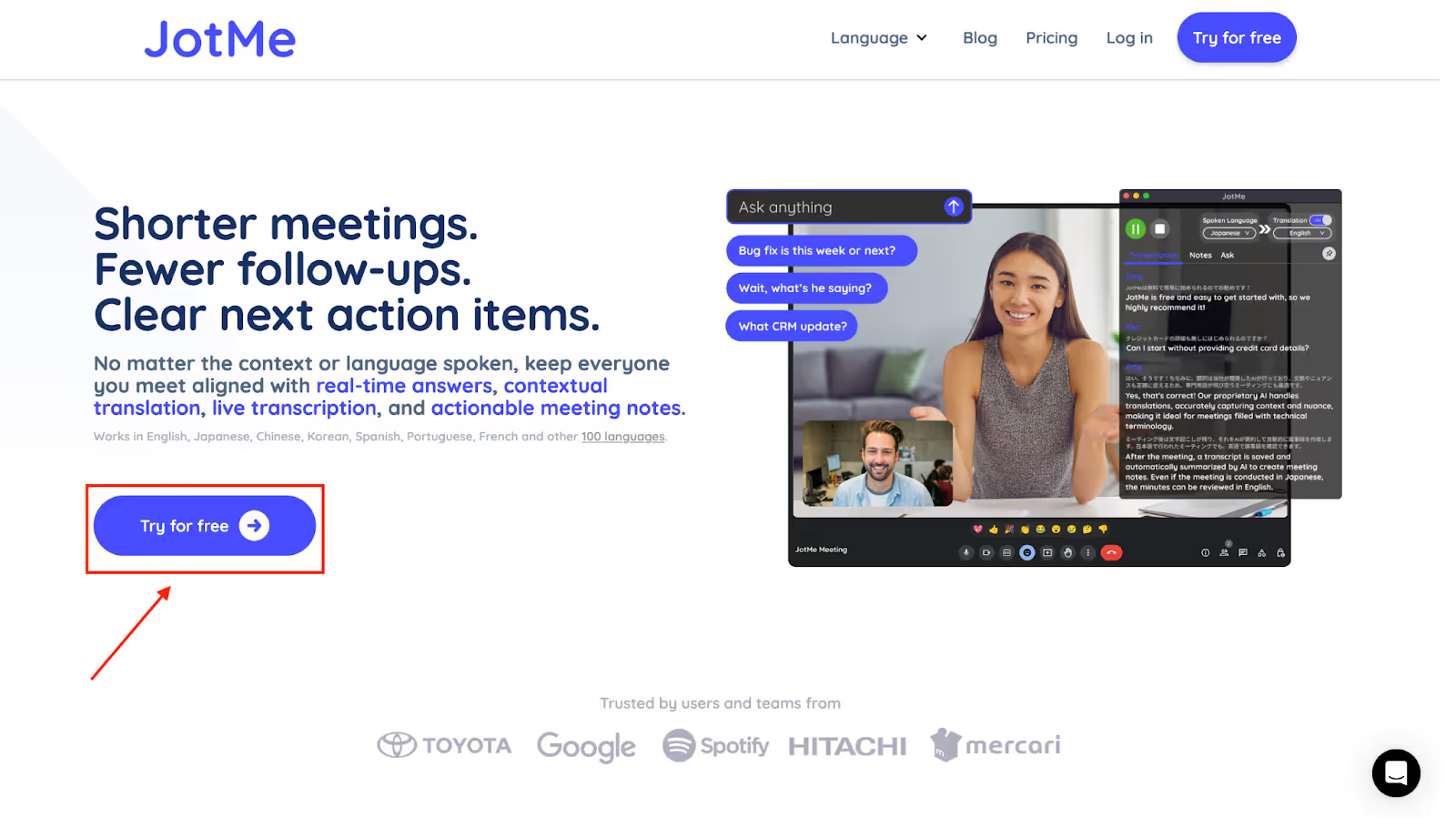
Go to the official JotMe website and click on "Try for free" to download the desktop app for Mac or Windows. Follow the simple on-screen instructions to install the app on your computer.
Step 2: How to Start a Voice Conversation and Launch JotMe?
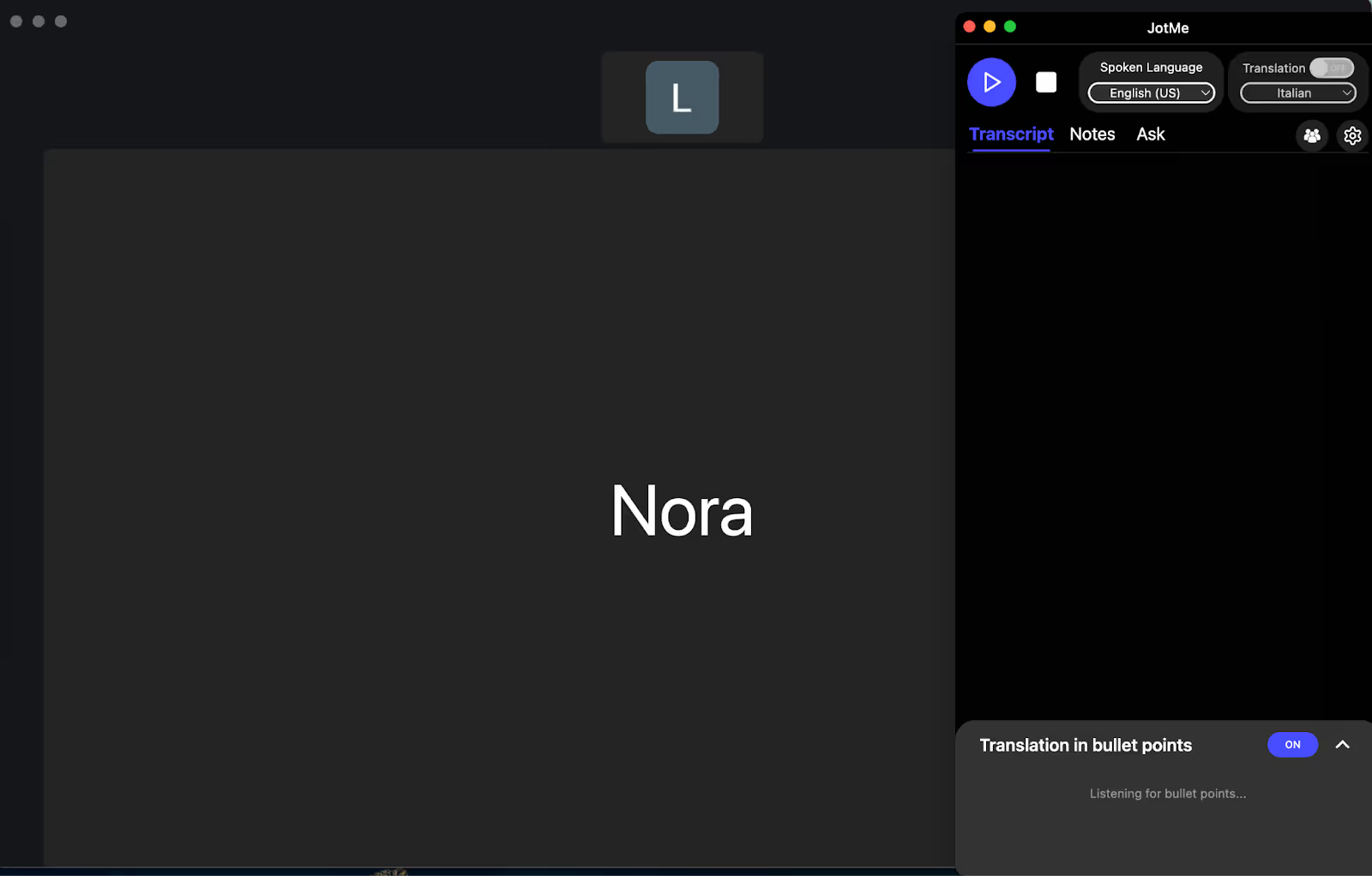
Open your preferred meeting platform, like Zoom, Google Meet, or Microsoft Teams, and start your voice call or meeting. Launch the JotMe desktop app and keep it running alongside your meeting; it will automatically detect the ongoing conversation.
Step 3: How to Enable English to Italian Translation in JotMe?
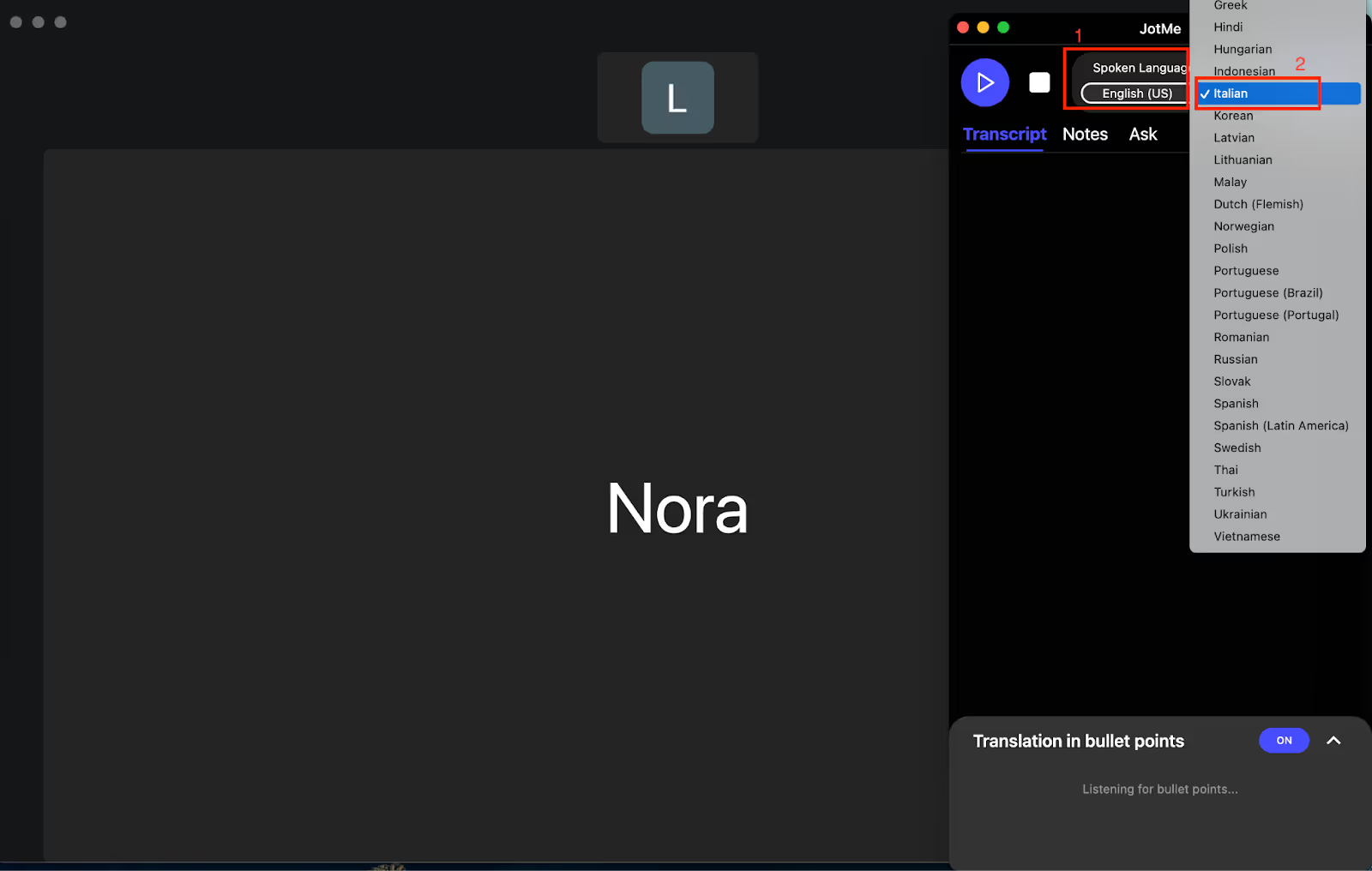
In the JotMe app, toggle on the "Translation" feature. Set "Spoken Language" to English and "Translation Language" to Italian to activate live translation from English to Italian during the meeting.
Step 4: How to Begin Real-Time Voice Translation in JotMe?
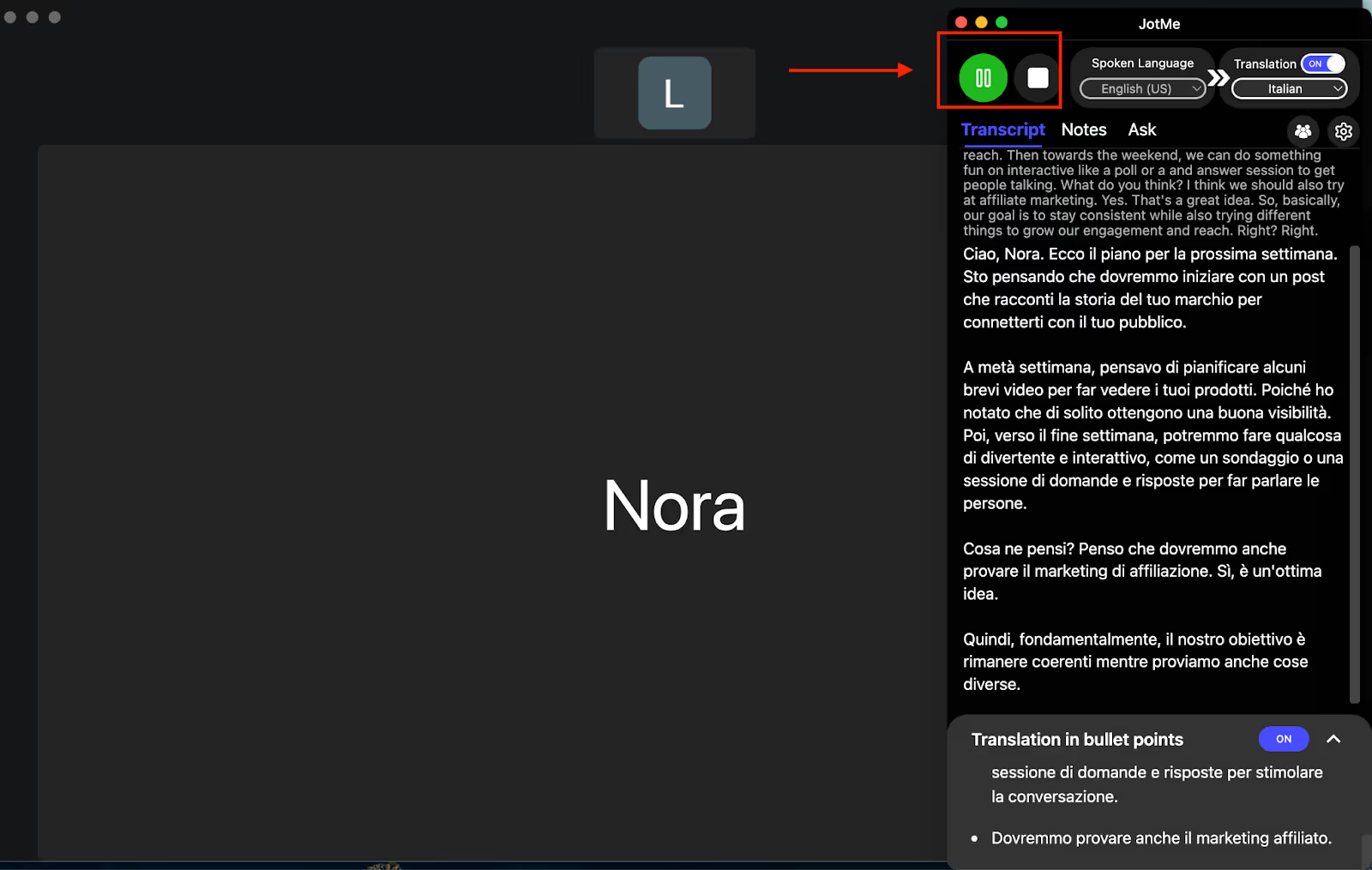
Click the "Play" button on the left side of the JotMe window. The app will immediately begin translating the spoken English into fluent, context-rich Italian text, helping your Italian teammates follow along effortlessly.
Which Live English to Italian Language Translation is Best for You?
Choosing the right live English to Italian translator depends on your needs, how often you use it, and your budget. Understanding each tool's strengths helps you make an informed decision for your multilingual business communications.
- JotMe stands out for tourism and hospitality, because it picks up cultural nuances and explains them clearly to your Italian teammates, easing communication about Italy's rich heritage and guest services.
- EzDubs helps keep the right tone and warmth in your conversations if you're in luxury goods or fashion, which is key for maintaining good relationships with Italian designers and clients.
- Transync AI's dual-screen option enables technical teams to see both English and Italian terms side-by-side, cutting confusion during detailed discussions.
- For large financial conferences, Wordly AI supports thousands of users at once, making it easy for Italian banking professionals and investors to follow along with complex topics.
JotMe clearly offers the most balanced and user-friendly English-to-Italian live translation experience. From marketing to engineering talks, it adapts well to different types of business conversations with your Italian partners.
Try JotMe in your next meeting and see how it helps make multilingual collaboration smooth and straightforward.
FAQs
What is the best free app to translate English to Italian?
The best free app to translate English to Italian is Google Translate, but its translations are often inaccurate and do not take nuance and context into account. However, JotMe is a live AI interpreter that offers contextual accuracy and meeting integration, making it more suitable for professional business communications with Italian colleagues.
What is the most accurate English-to-Italian translator?
JotMe provides the highest accuracy for live English-to-Italian translation due to its contextual understanding and AI correction capabilities. Unlike basic translation tools, JotMe analyzes conversation context and automatically corrects misheard words, ensuring accurate bidirectional translation during business meetings with Italian partners.
Is there an accurate Italian translation app?
Yes, several accurate Italian translation apps exist for different needs. JotMe leads in live meeting translation with contextual accuracy. A tool like Maestra provides reliable translation for presentations and conferences. Choose based on whether you need live meeting translation, voice calls, or presentation support.
How to translate a video from Italian to English?
To translate a live video from Italian to English, use an online video translation tool like JotMe. Simply play the Italian video, open JotMe, and choose English as the target language, and you will get a translation in real-time.
How to get English subtitles on Italian Netflix?
Italian Netflix content often has English subtitles available. To enable them, start playing your chosen title, go to the "Audio & Subtitles" menu, and select English subtitles.
Last updated on
April 14, 2026
Follow us on social media: