Tips
How to Accurately Translate English to French Canadian [Detailed Guide]

Lovely Mangla
December 23, 2025

Quick Answer: You can use JotMe to accurately live translate English to French Canadian online. To do that, start a meeting on your preferred platform (e.g., Zoom or Google Meet), launch JotMe, select the spoken and translated languages, and click the Play button. You’ll get real-time translation alongside summaries, pronunciation, and more.
In our meetings with Quebec-based teams, we’ve often seen traditional translation tools fall short of accuracy, leading to misunderstandings. Thankfully, we have a reliable live translator like JotMe.
JotMe is great for live translating and learning French Canadian online, as it uses multilingual speech recognition to understand the meaning of the words and maintain naturalness and context in translations. It also answers your queries in real time, provides real-time summaries, and more. This way, everyone in the meeting stays in sync without breaking the flow.
Follow these steps to translate English to French Canadian in real time:
Step 1: Join your meeting on Zoom, Google Meet, or MS Teams, then launch JotMe.
Step 2: Set the spoken and translation language on JotMe.
Step 3: Click the Play button and start speaking to begin the translation.
Step 4: Obtain a real-time summary on JotMe.
How to Translate English to French Canadian Using JotMe?
Head over to JotMe’s official website and click “Try for free” to download the JotMe app on your device. Once the download is complete, follow the prompts to install the app and translate English to French Canadian in real time. Here are the details:
Step 1: How to Join the Meeting?
After installing JotMe, open your preferred video conferencing platform; in our case, Google Meet. JotMe supports most platforms like Zoom, MS Teams, YouTube, and more. It doesn’t require platform integrations and runs quietly in the background without sending a bot.
Step 2: How to Set Languages on JotMe?
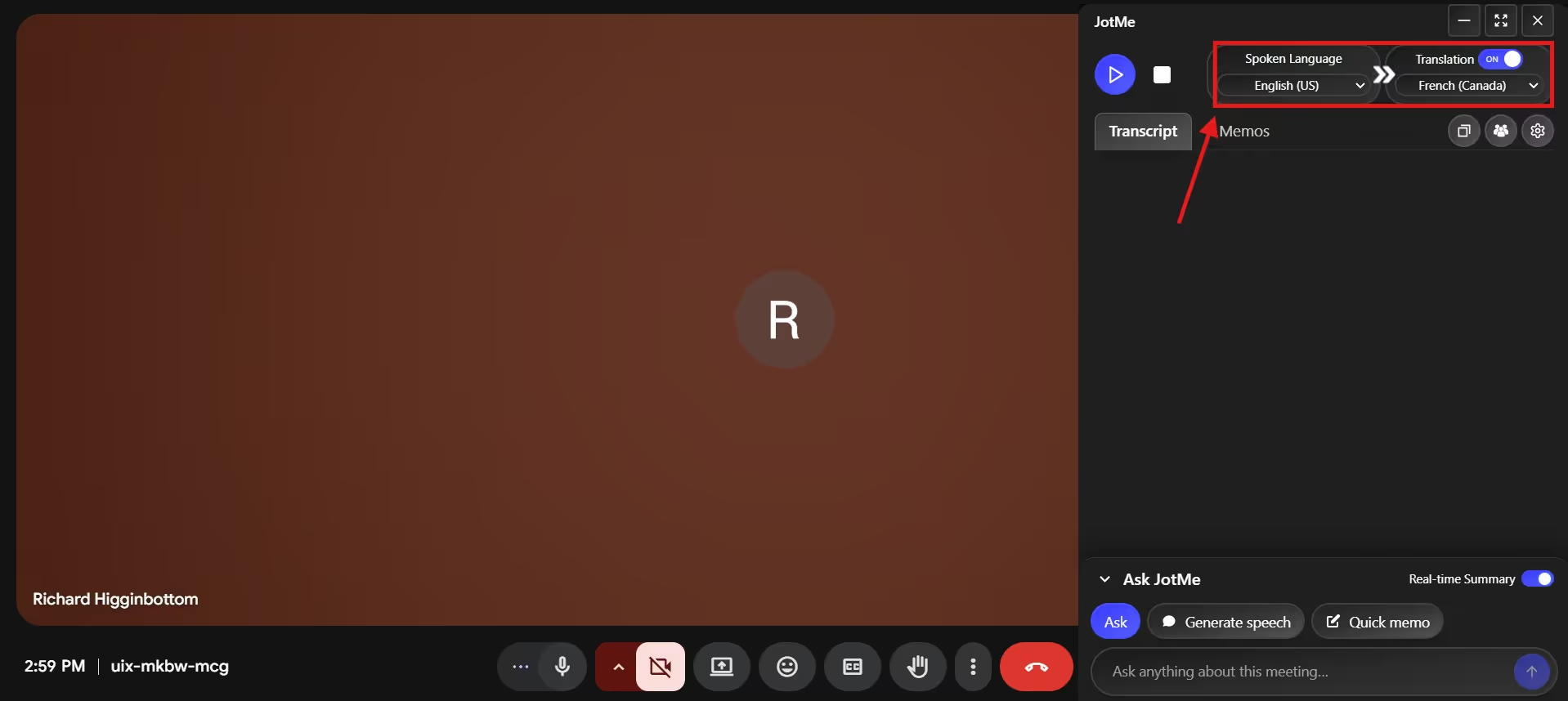
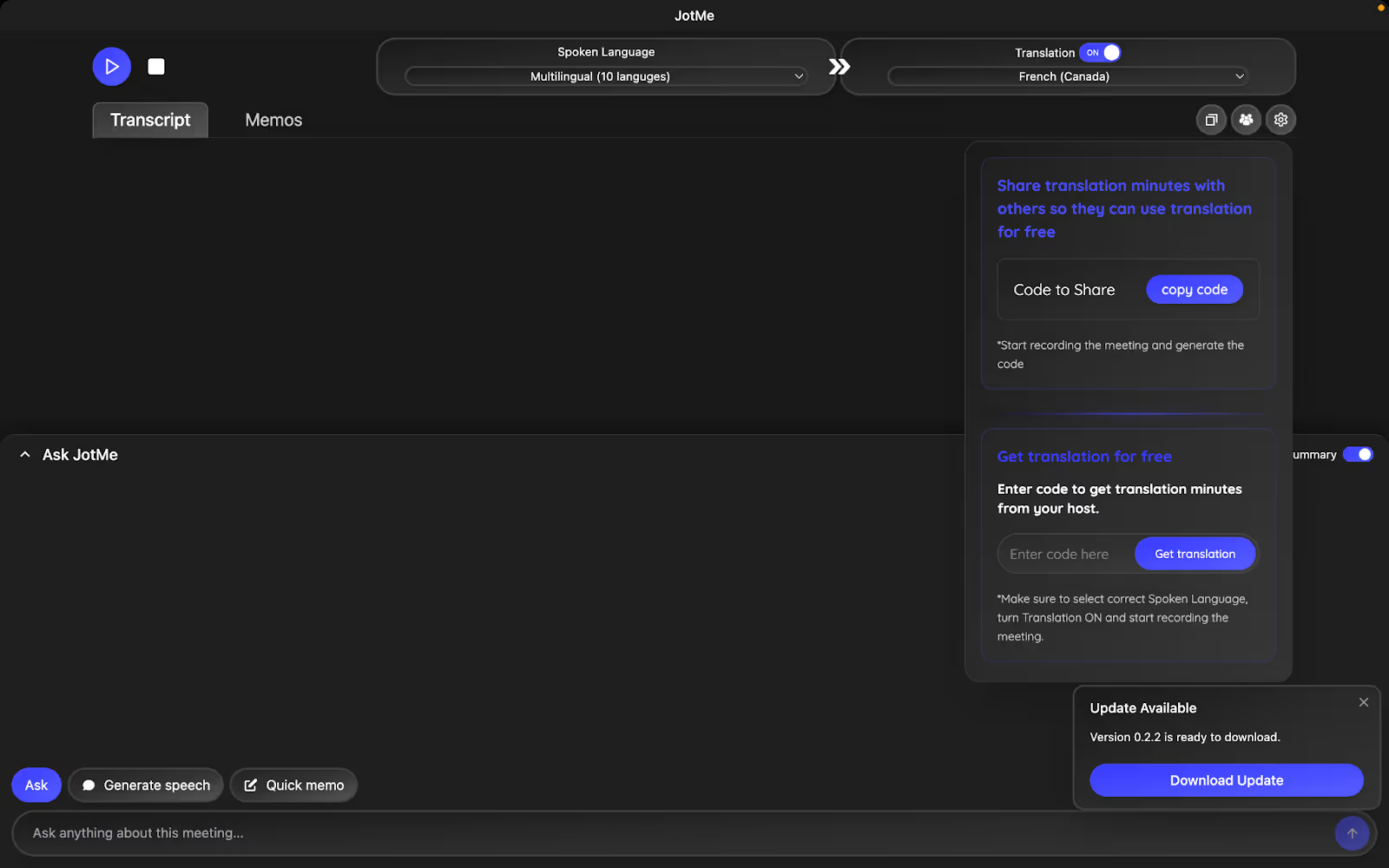
As your colleagues join the call, launch JotMe on your desktop and toggle the Translation option if turned off. Then, set “Spoken language” to English and “Translation Language” to French Canadian.
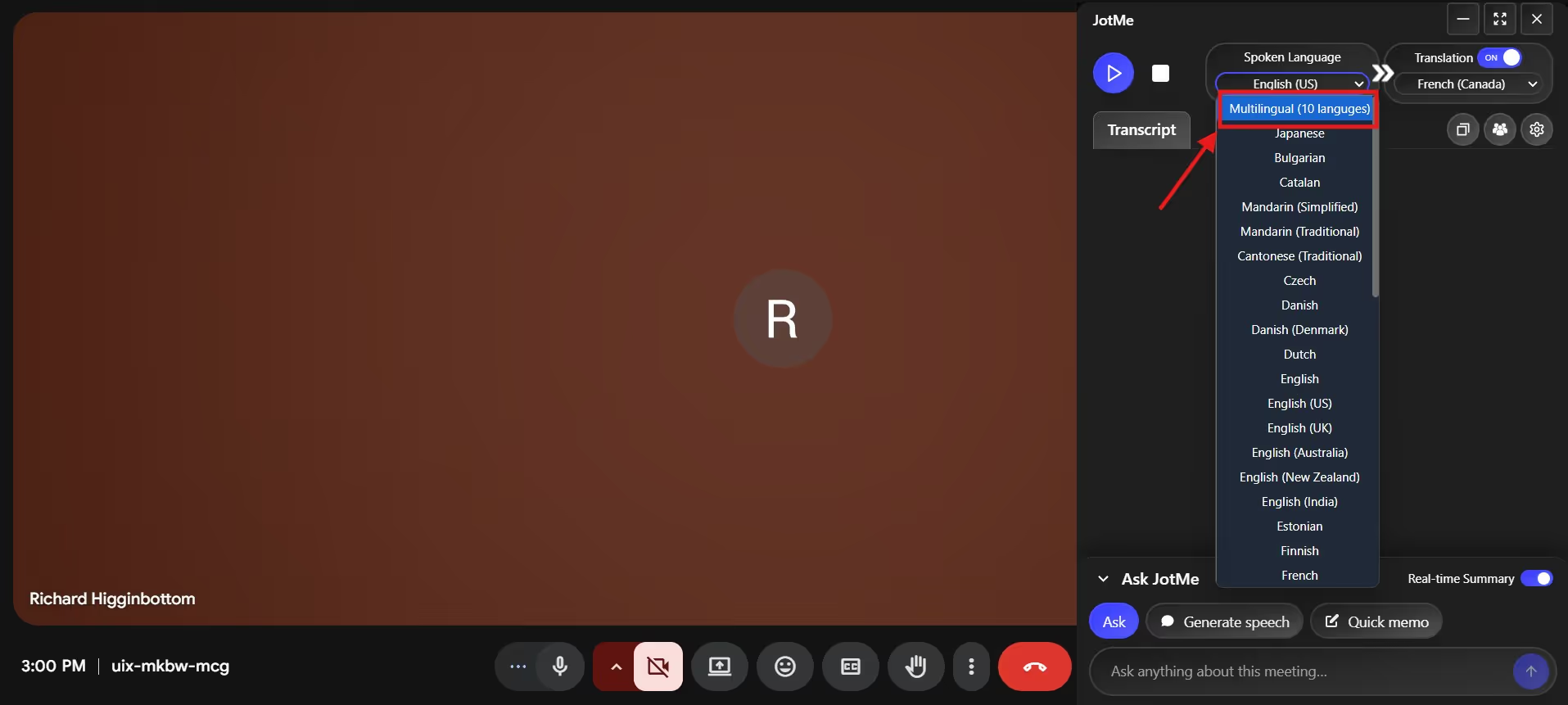
JotMe also offers multilingual translation, supporting up to 10 languages into French Canadian. You’ll find this option in the dropdown menu of “Spoken Language,” and it comes in handy when you have participants from various parts of the world.
Step 3: How to Start English to French Canadian Translation?
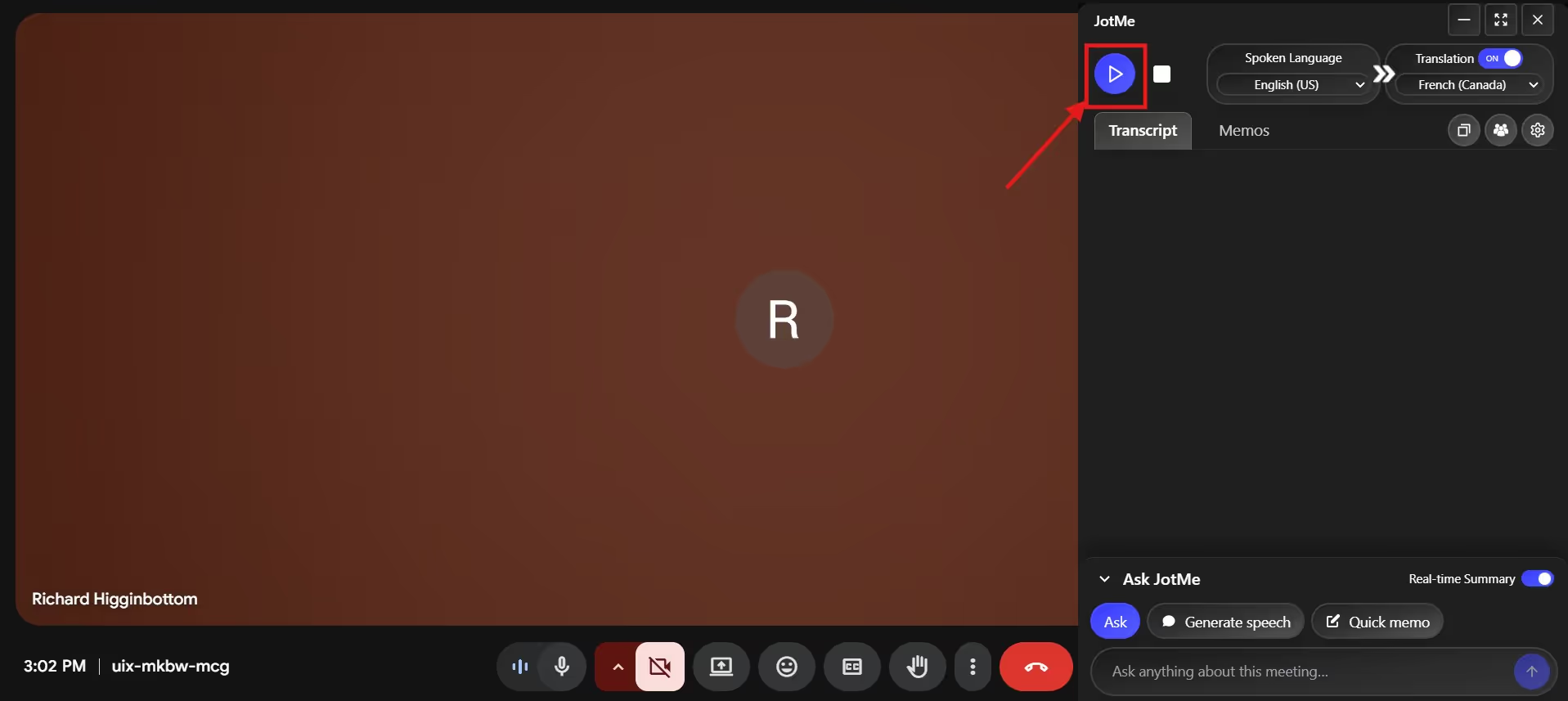
Now, as your meeting is about to begin, click the “play” button in the top-right corner to live translate English to French Canadian sentences. The best part of JotMe is the near-zero lag between the conversations and the translations that appear on screen. Now, because translations are real-time, people don’t fall behind in the conversation and can respond right away.
Step 4: How to Obtain a Real-Time Summary?
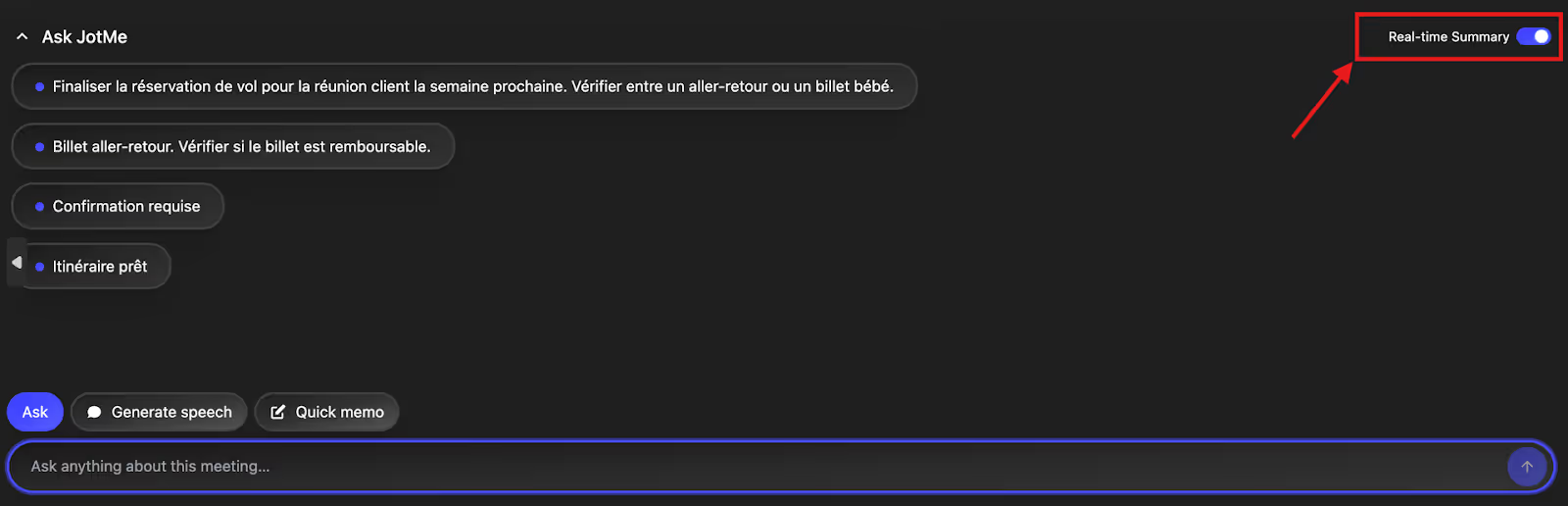
Most business meetings can run for hours, and the chances of participants zoning out in the midway are high. In such instances, toggle JotMe’s “Real-time Summary” feature and obtain a bulleted summary of the conversation. This way, you don’t have to record the meetings or wait for them to end, and stay in the conversation.
What are the Issues When you Translate English to French Canadian Online?
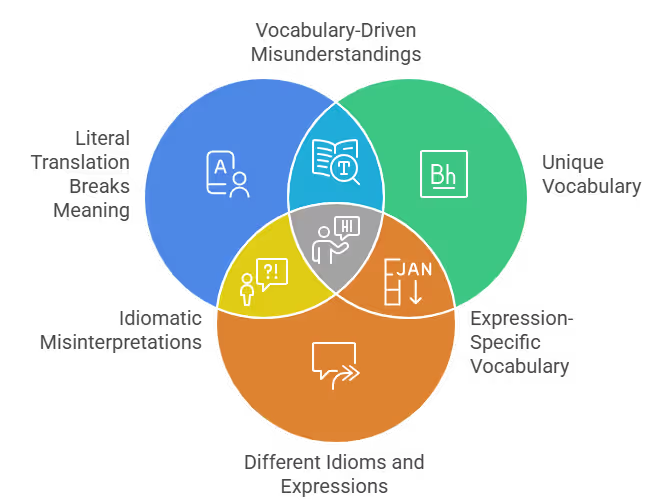
Canadian French is distinct enough to be tricky for European French speakers, let alone English speakers. So, a human or machine translator can struggle to translate English to French Canadian sentences, and here are the issues:
Literal Translation Breaks Meaning: As with any language, many English phrases don’t translate word-for-word into Canadian French.
Unique Vocabulary: Canadian French has a distinct vocabulary from regional French, which translators must clearly understand.
Different Idioms and Expressions: Many translators also struggle to understand the distinct expressions in Canadian French, resulting in mistranslations and potential misunderstandings.
How Can Tools Like JotMe Help?
Given the differences between French and Canadian French, using a traditional French translator isn’t the right choice. Meanwhile, JotMe is one of the best live translation tools that translates English to French Canadian in real time without losing context. Not only that, it offers multilingual meeting transcription and a shareable AI meeting summary to help participants stay in sync. Here is a detail into JotMe’s features:
Real-Time Contextual Translation
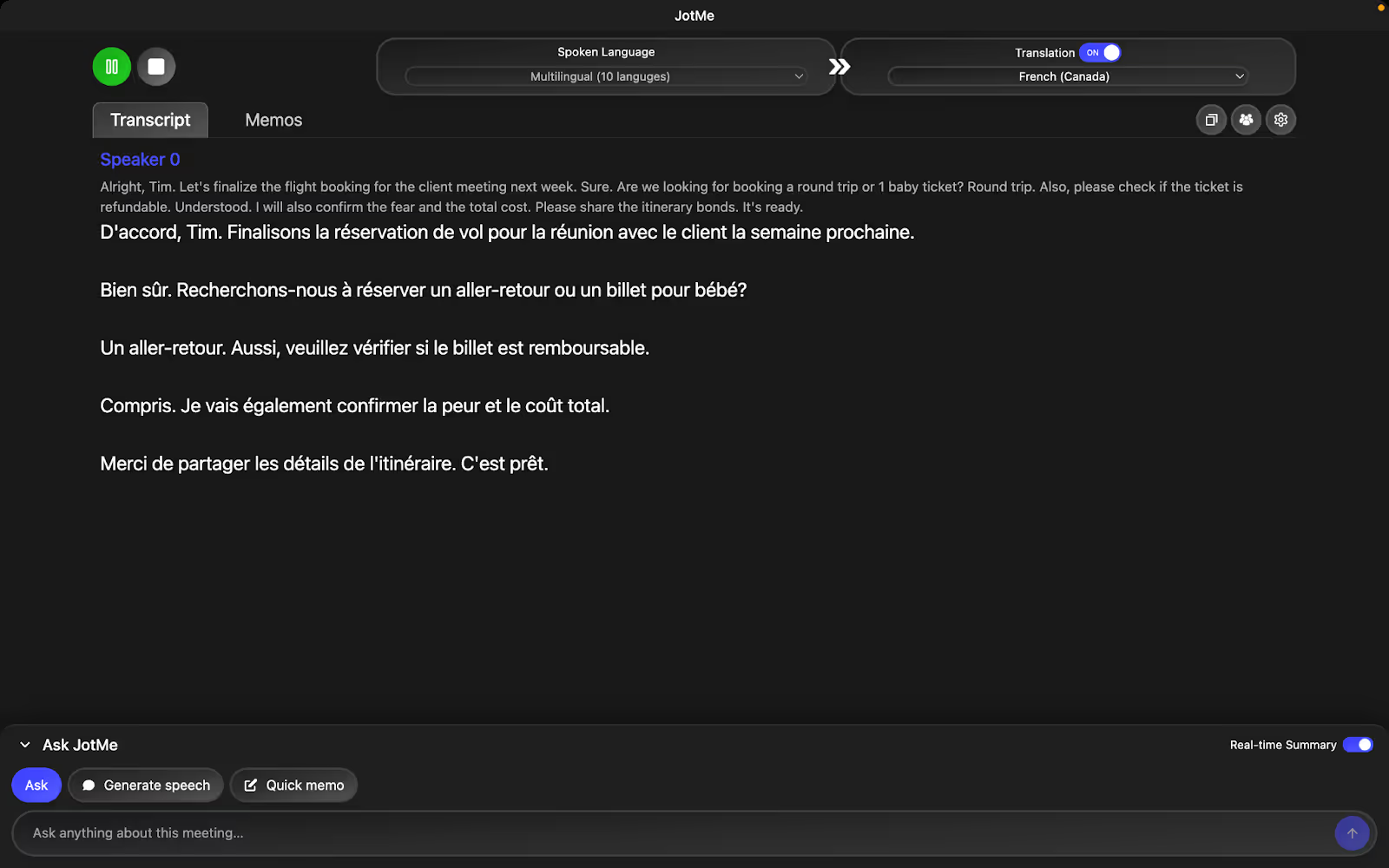
Even with support for the French Canadian language, Bing Translate translates words without understanding the meaning. This might work in a general translation, but mistranslating business conversations that involve idioms like “let’s keep everyone on the same page,” the ball’s in your court,” and more can confuse the participants.
JotMe, on the other hand, uses advanced multilingual speech recognition to understand the flow, tone, and context of the conversations and preserve the core meaning in translations.
JotMe also pointed out the mispronunciation of “fare” as “fair,” and automatically converted it to “price” in its translation.
AI Ask
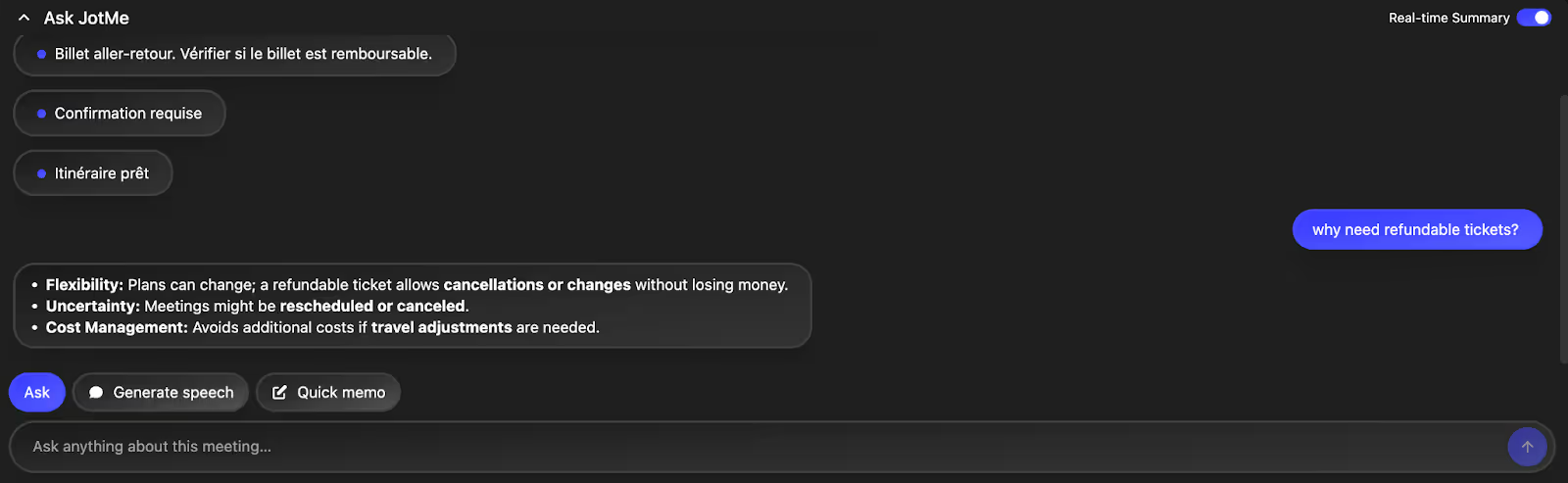
Having a question during a business meeting is quite typical, but searching on Google for answers means more awkward pauses. Instead, you can try out JotMe’s AI Ask feature. Open the AI Ask tab, enter your query in English or Canadian French, and receive instant, concise answers. This allows you to stay engaged and not miss any part of the conversation.
Post-Meeting Notes
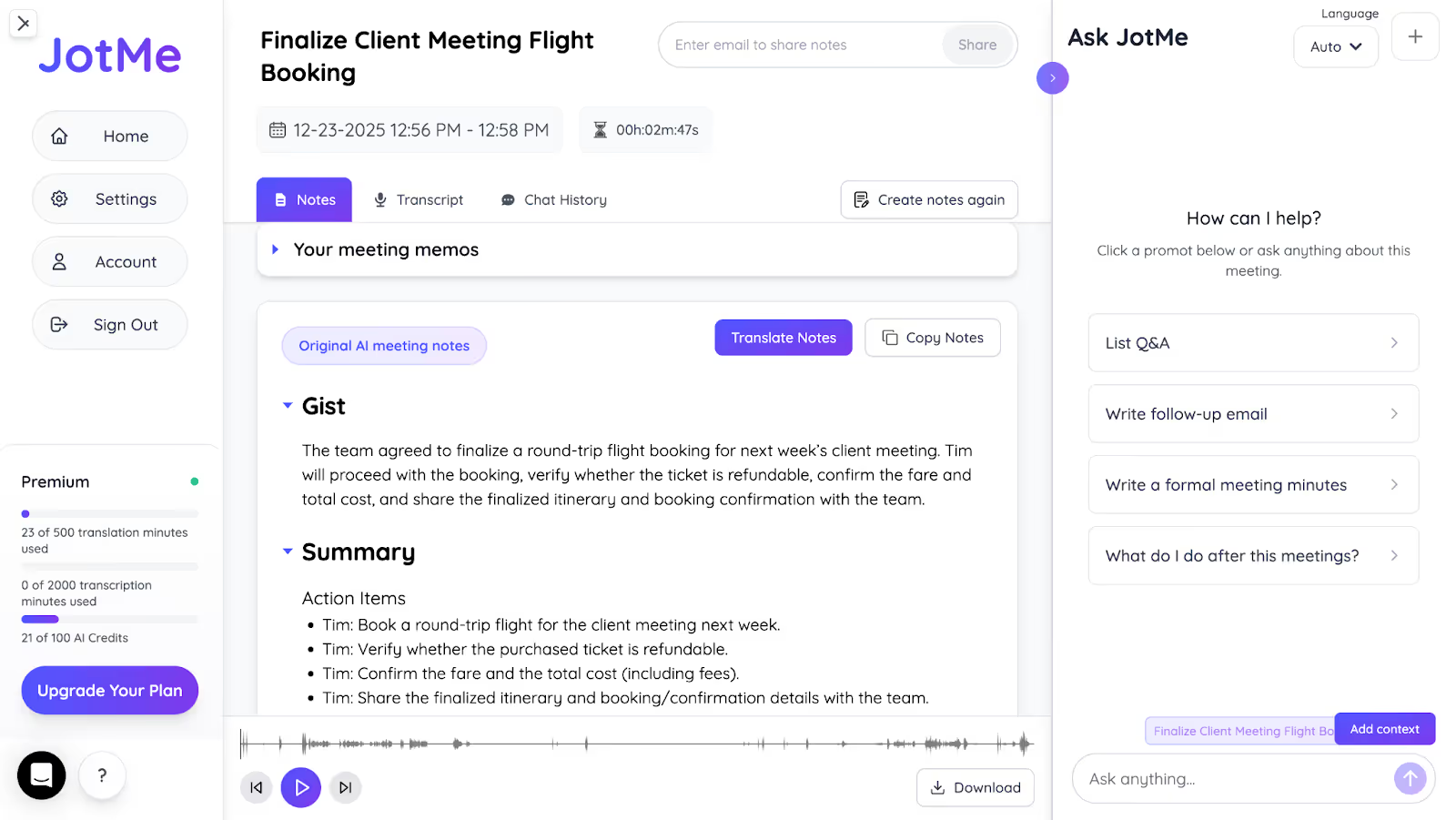
JotMe is also one of the best AI notetakers that listens to entire conversations and automatically summarizes them into Gist, Action Items, and Key Points. This eliminates the need to rewatch the entire meeting, allowing you to focus on the discussion and provide necessary feedback.
Sharing Translation Minutes
Your French-speaking Canadian colleagues may not have access to the paid JotMe plan. Here, JotMe’s sharing translation minutes feature comes in handy. As the meeting starts, go to the “People” icon on JotMe’s dashboard, and click the “copy code” option to generate a code you can share with your participants. As they enter the code, they can view translations in real time and receive AI meeting notes after the meeting.
JotMe will soon launch its mobile app, which will allow you to translate English to French Canadian in real time on the go.
Conclusion: What is the Best English to French Voice Translator?
The best platform to translate English to French Canadian live is the one that understands the vocabulary and idioms, and captures the tone and context. JotMe is great for translating and learning French Canadian online as it is versed in how native speakers communicate in real conversations. Not only that, JotMe offers multilingual support and features such as AI Ask, real-time summaries, and shareable meeting minutes to make your meetings more productive. Install JotMe today to make your multilingual business meetings accessible to everyone.
FAQs
Can you recommend resources for translating and learning French online?
JotMe is a great live translation platform for translating and learning French online because of its context-based translations and features such as AI Ask, AI Meeting Notes, real-time summaries, and more to keep everyone in the meeting on the same page.
Now, if you want to improve your English to French Canadian translations, reading through JotMe’s translations can help. Its Generate Speech feature converts an English sentence into Canadian French with clear pronunciation, so you can say it fluently.
Is DeepL better than Google Translate for French?
DeepL is more accurate than Google Translate for translating European French, but neither supports English to French Canadian translation. JotMe, on the other hand, can be a great live translation tool for Quebec teams, offering a contextual understanding of Canadian French and additional features such as AI Ask, real-time summaries, and more.
Which is the most accurate French translator?
JotMe is one of the most accurate English to French and French Canadian live translators, with its support for contextually accurate translations. It understands the context, idioms, and tone and preserves them in translations to make them sound more natural.
How to learn French in Canada?
To learn French in Canada, you can access free government-funded classes for newcomers, enroll in university or college programs, or use language learning apps. JotMe can also be a live translation tool if you want to become fluent in translating from English into Canadian French. You can keep JotMe open during your translation sessions and use its Generative Speech feature to practice speaking clearly in Canadian French.
Last updated on
April 14, 2026
Follow us on social media: