Tips
How to Do English to Turkish Translation in Real-Time [Quick Guide]

Narmada Kajla
December 24, 2025

Quick Answer: To perform English to Turkish translation naturally and accurately in real time, you can use JotMe. Install JotMe, set your spoken and translation languages, press Play, and receive contextually accurate translations in real time.
If you work with a Turkish-speaking team, finding the best English to Turkish translation tools can be game-changing. Many options are available, but JotMe is a reliable live translation tool worth trying.
A good live translator like JotMe goes beyond word-for-word conversion. JotMe is powered by advanced multilingual speech recognition technology that understands context, cultural nuances, and Turkish-specific idiomatic expressions. Besides, it captures industry-related terminology, so you don’t need to create a custom glossary, unlike many tools.
Here’s how to use JotMe to obtain a professionally accurate translation:
Step 1: Download JotMe from the official website and install it on your device.
Step 2: Launch JotMe, join the meeting, and toggle the live translation option.
Step 3: Set your device’s microphone as the default.
Step 4: Set the spoken and translation languages, then click “Play” to start the English to Turkish translation.
Step 5: Ask questions and receive instant answers in real time.
How to Translate English to Turkish Accurately?
JotMe is a reliable English to Turkish translation tool that provides instant, accurate translations for conversations. The process is simple: you set up a virtual meeting, select languages, and press “Play” to receive real-time translation. Here are the detailed steps:
Step 1: How to Set Up JotMe?
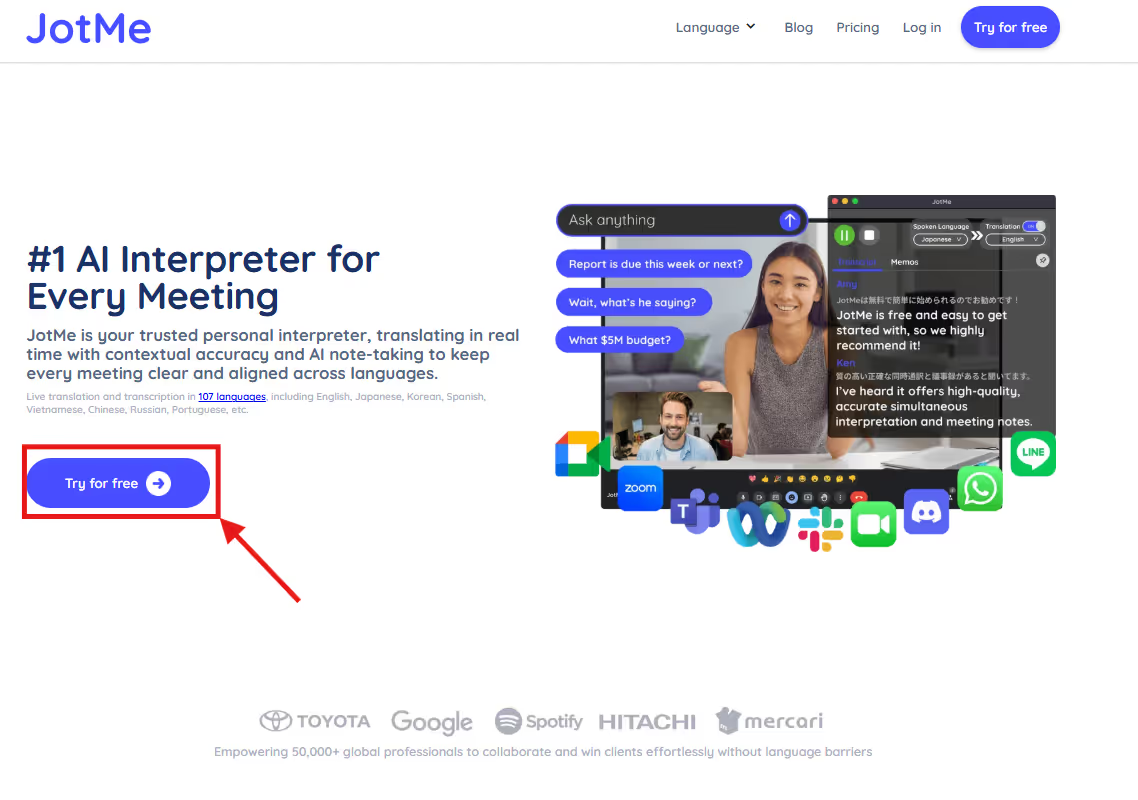
Go to JotMe’s official website on your browser and click “Try for Free” to install JotMe on your device. Follow the prompts to install the app on your device.
Step 2: How to Join the Meetings and Set Up JotMe?
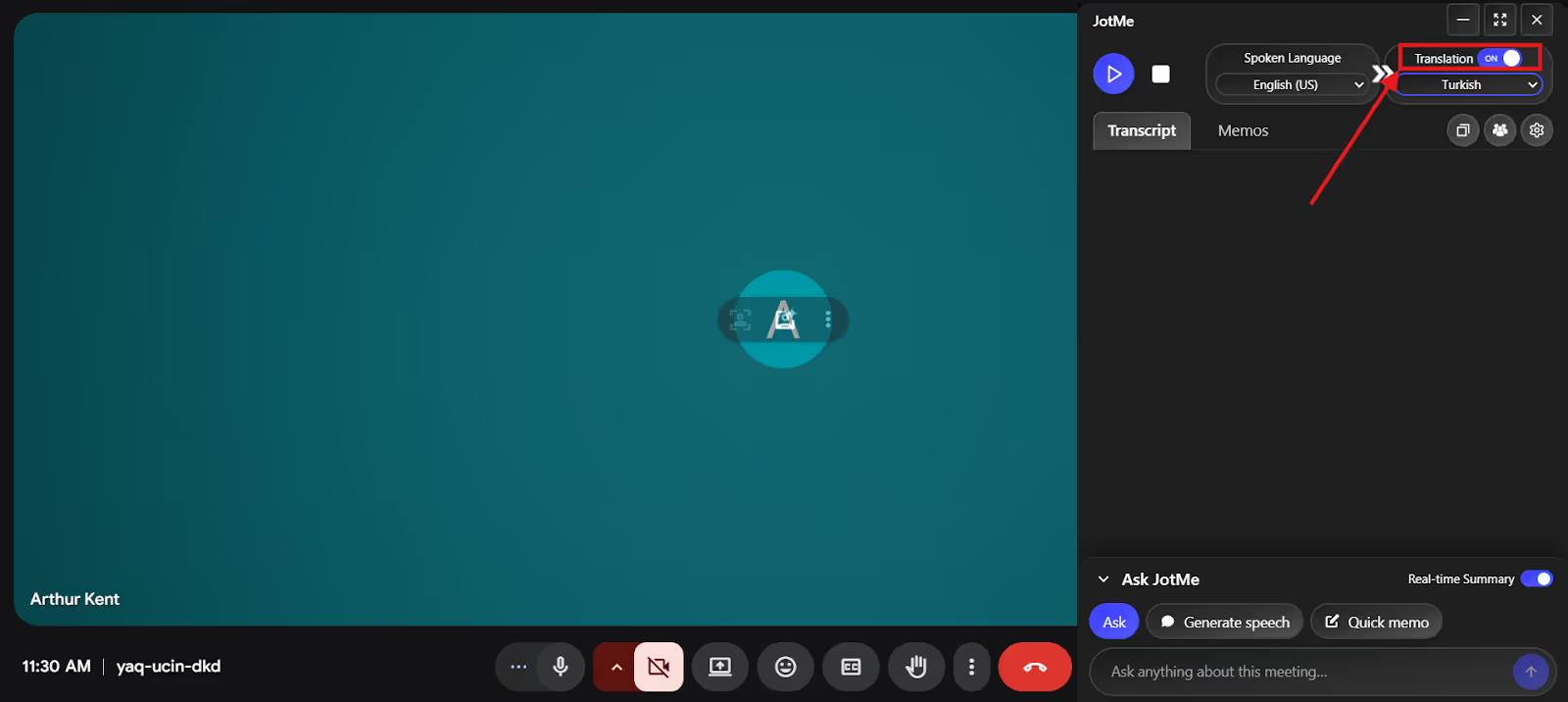
Now, start your meetings on Google Meet, Zoom, or Microsoft Teams, then launch JotMe. The live translation tool works with most video conferencing platforms alongside YouTube, Discord, and more. No integration is required, and JotMe starts translating as soon as the meeting begins. Then, toggle the “Translation” option if it’s turned off.
Step 3: How to Connect Your Microphone?
Select a high-quality microphone with noise-cancellation features, audio transparency, and clarity for clear audio. Then, in the JotMe window, click the “Settings” or gear icon and select your device’s microphone as the input.
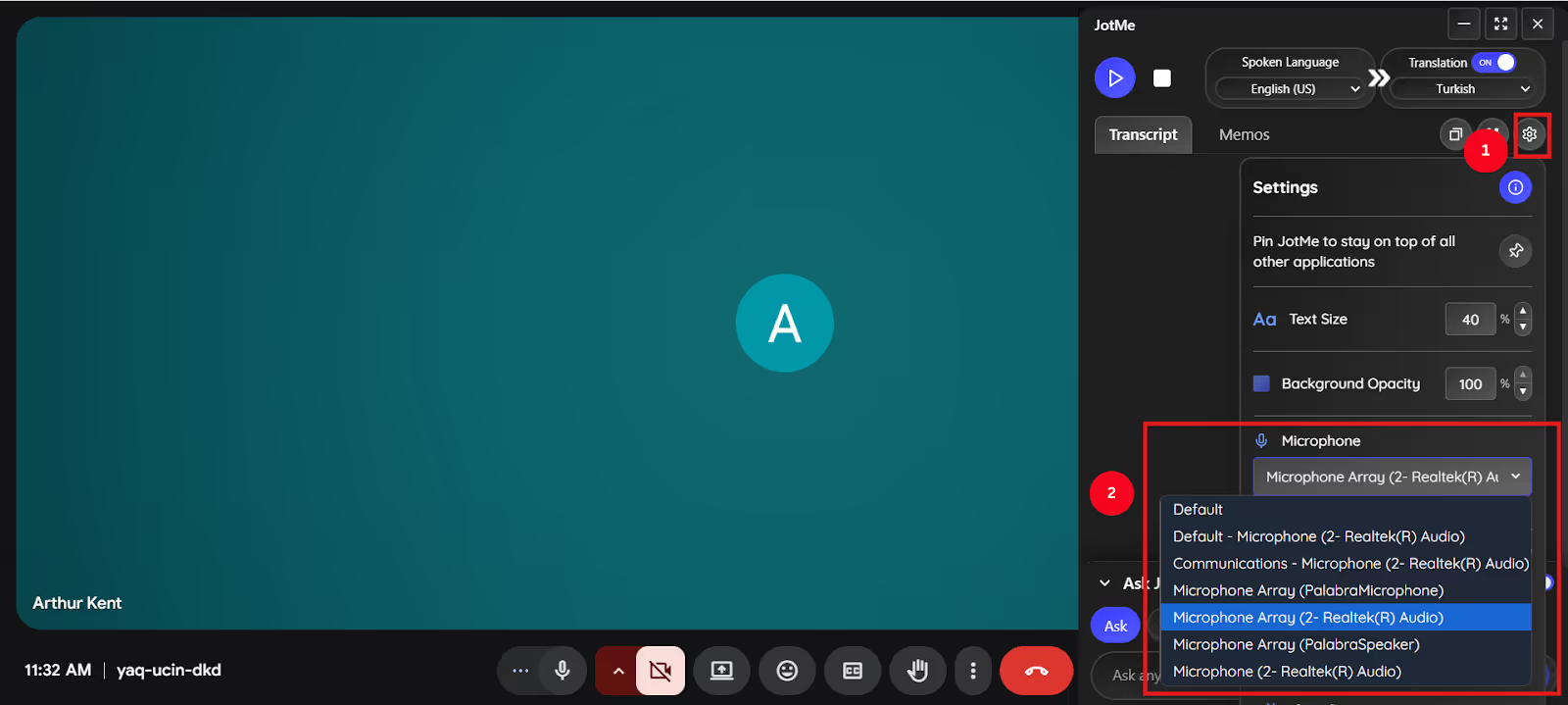
Step 4: How to Set Languages on JotMe?
On the top of the JotMe window, select “Spoken Language” as English and “Translation Language” as Turkish. Now, click “Play” to start the translation as soon as the meeting begins.
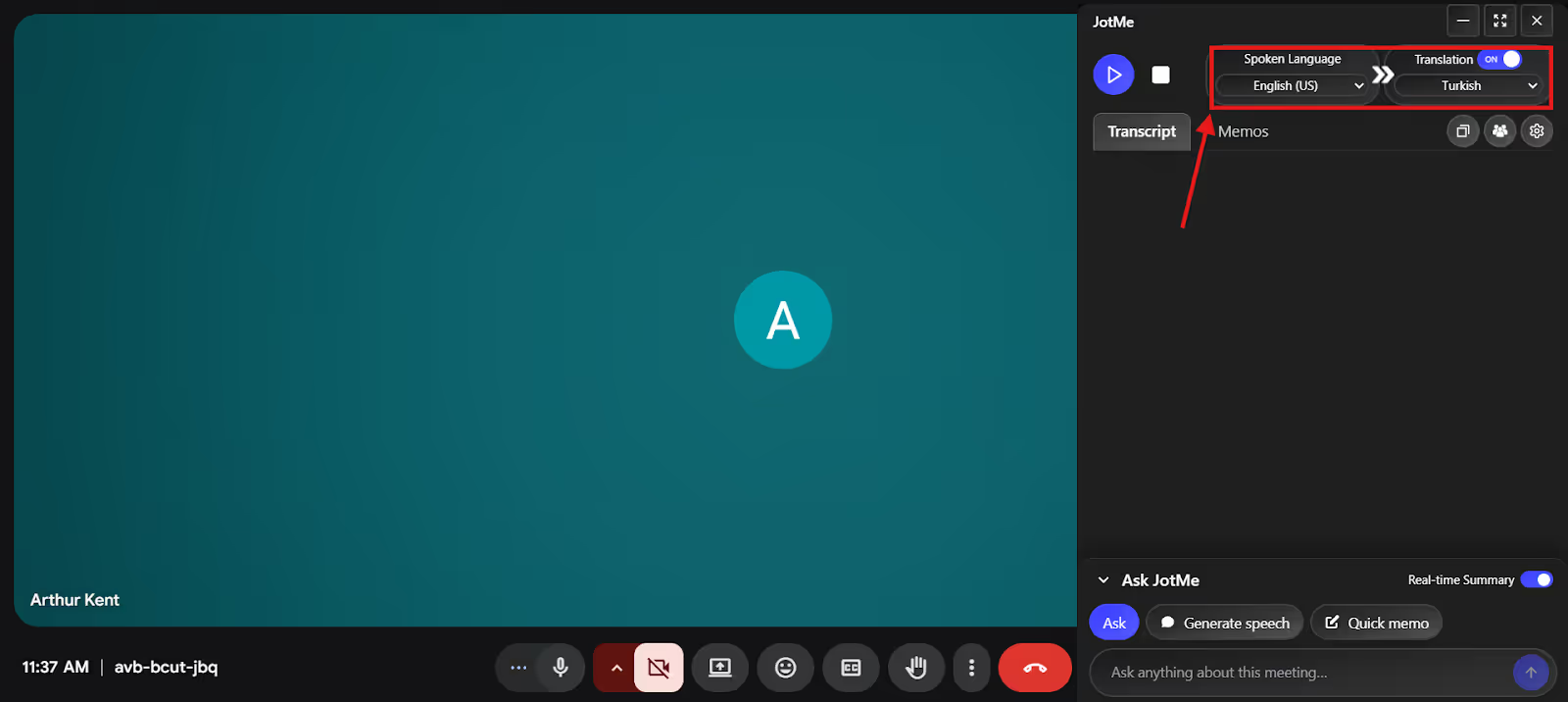
Step 5: How to Ask Questions and Obtain Real-Time Summaries On JotMe?
During the meeting, if you don’t understand a term that came up, try out JotMe’s AI Ask feature. Click the “AI Ask” feature at the bottom of the window, ask a question, and press Enter. JotMe will provide instant, detailed answers to any of your questions.

Now, toggle the “Real-Time Summary” option for JotMe to provide bulleted summaries in real time. Participants can skim through the points and stay aligned with the discussions.
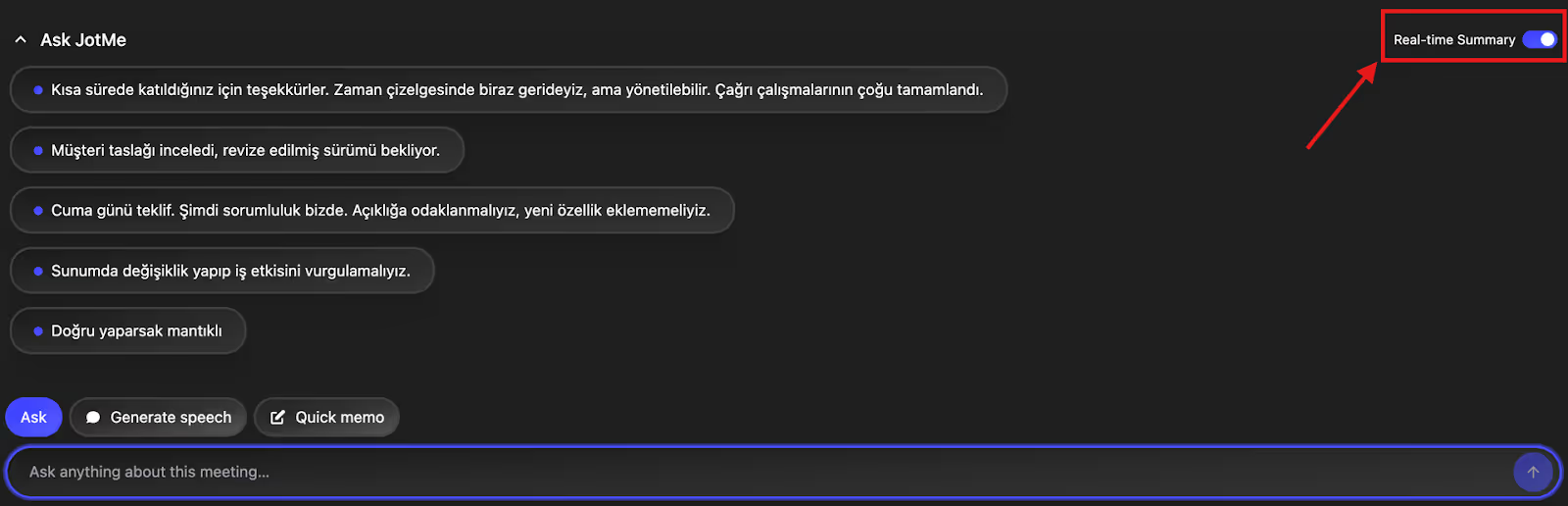
What Is the Best English to Turkish Translator?
The best English to Turkish translator depends on your needs, but JotMe stands out as an AI interpreter for its no-latency, contextually accurate translations and additional features, including an AI summary, Generate Speech, and Quick Memo. This helps streamline the meetings with your Turkish-speaking team. Here are the details:
Real-Time Contextual Translation: JotMe uses advanced multilingual speech-recognition technology to ensure nothing is lost in translation. It analyzes the entire conversation to capture the tone, context, and cultural nuances and provides a translation that sounds natural and accurate.
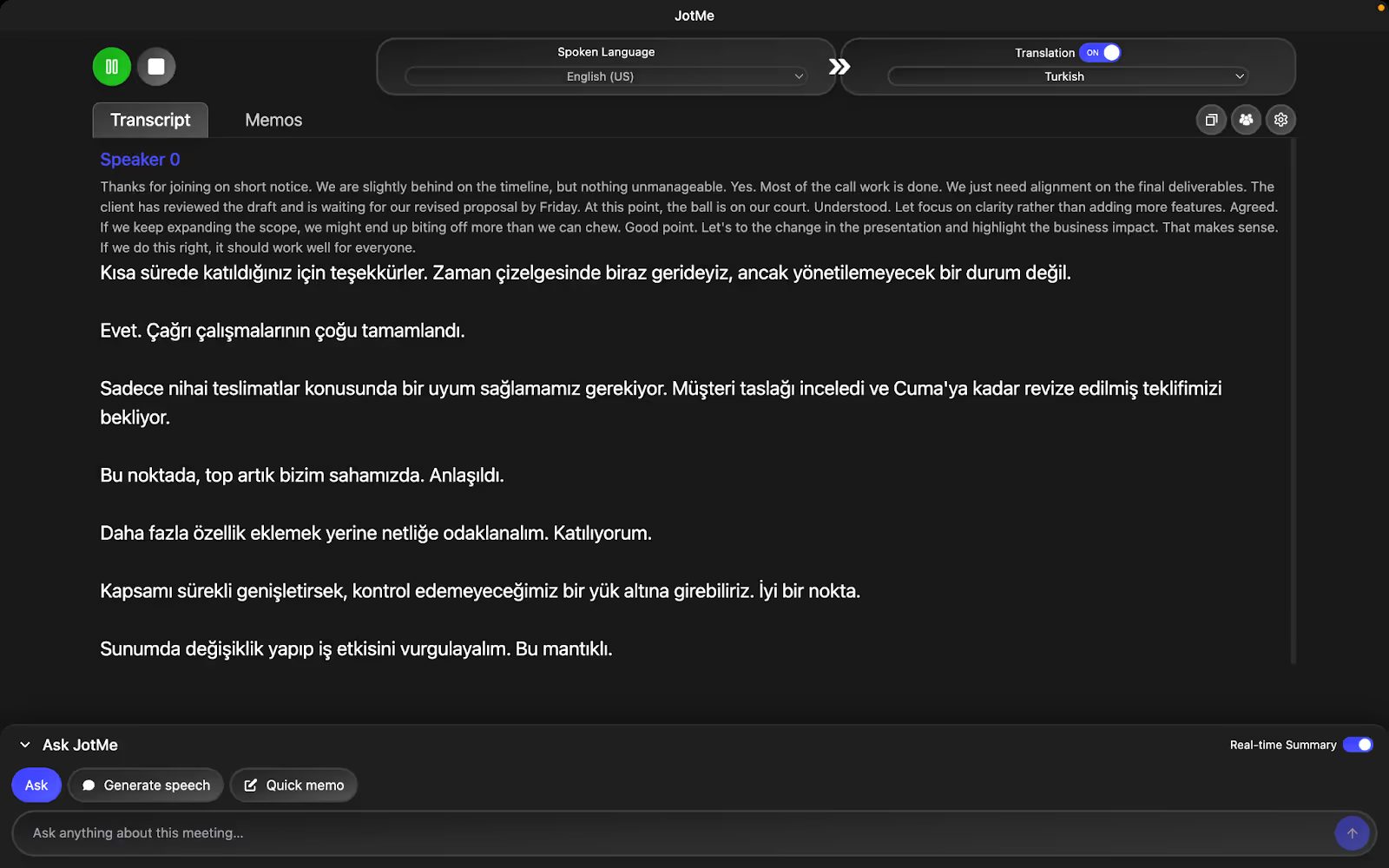
AI Summary: If you want to share the meeting summary and key points with your Turkish-speaking colleagues, JotMe’s AI meeting notes can help. As the meeting ends, JotMe provides a concise summary divided into gist, action items, and key points. Furthermore, based on our discussions, JotMe also helps draft emails, briefs, and campaign drafts. Overall, this feature saved us a lot of hard work, and we could focus on discussing the deliverables with our team.
Generate Speech: In addition to accurate live translations, JotMe can help improve your translation skills. Type the dialogue in English, and JotMe provides a Turkish translation with clear pronunciation. You use it to practice your Turkish speaking skills and speak fluently.
JotMe is currently available on desktop, but if you want to translate your conversations on the go, sign up here to be among the first to try out the mobile app. Here’s a detailed comparison of traditional English to Turkish translators vs JotMe:
Who Needs English to Turkish Translation Online?
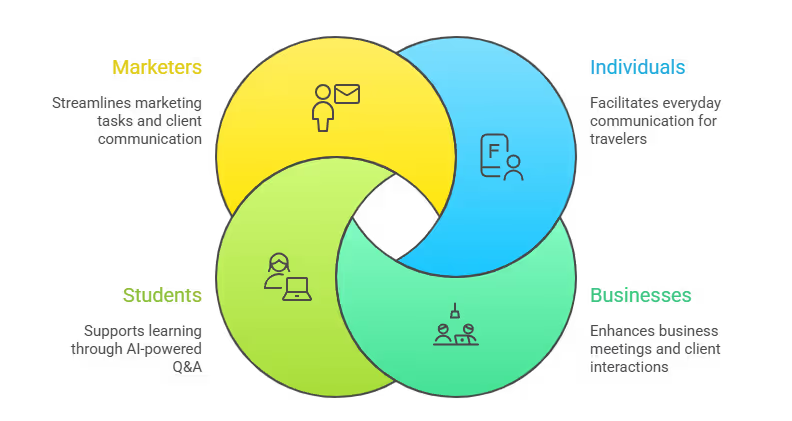
Anyone communicating or doing business between English and Turkish speakers needs a reliable and one of the best live translation tools like JotMe. This includes individuals, businesses, students, and remote teams.
Individuals: If you are in Turkey for a vacation or business trip, you’ll need live English to Turkish translation tools for everyday communication. Last month, we were there to negotiate a partnership with a Turkish vendor, and JotMe made a real difference in how smoothly our business meetings ran.
Not only does JotMe translate live virtual events and meetings in real time, but it also understands context and tone. JotMe even captures idiomatic expressions to ensure translations are contextually accurate and sound natural.
This way, everyone could follow the discussion without pauses or follow-up clarification emails.
Businesses Working in Turkish Markets: Tools like JotMe can be more than just a live English to Turkish translator. It also provides real-time pronunciations with its Generate Speech feature. Paste the line in the section, and JotMe provides an exact pronunciation so that you can speak the message clearly and confidently. We used it to offer greetings, confirm details, or provide short instructions.
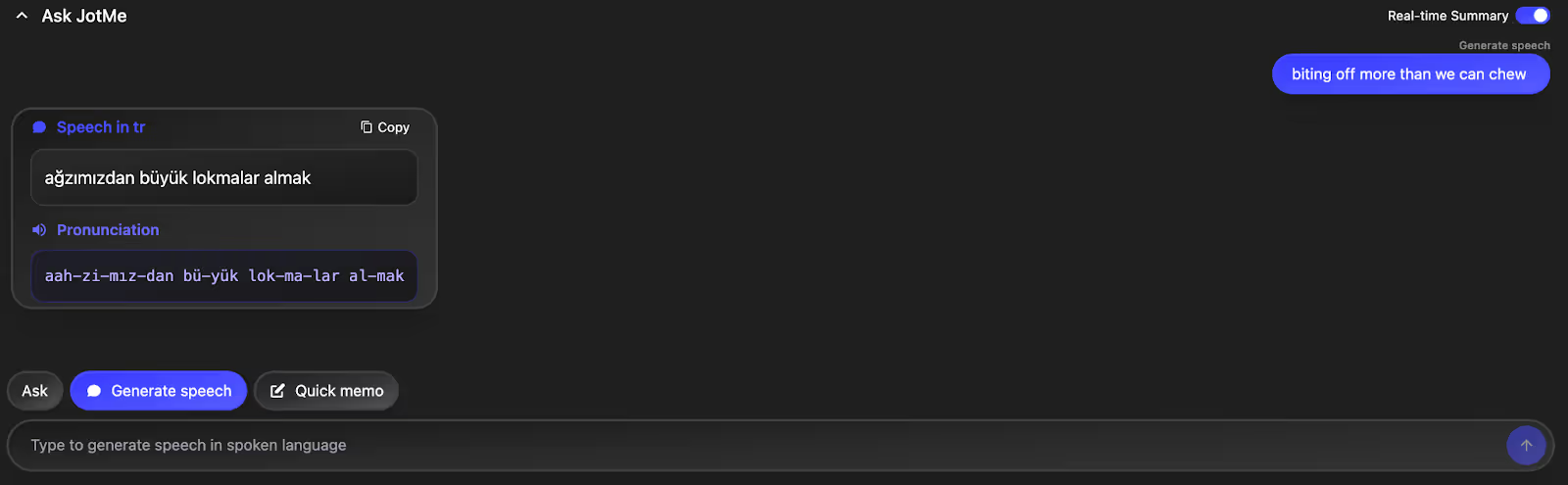
JotMe also generates concise summaries, actionable notes, and provides a space to prepare a to-do list.
Marketers: Preparing marketing campaigns and interacting with international clients are just bits of what marketers do every day. You must send cold emails, maintain a to-do list, and ensure everyone involved is in sync. JotMe can be your personal interpreter and assistant, generating meeting summaries, drafting emails based on the discussion, and more. This helps participants clarify the deliverables and use the notes as a reference for the next meeting.
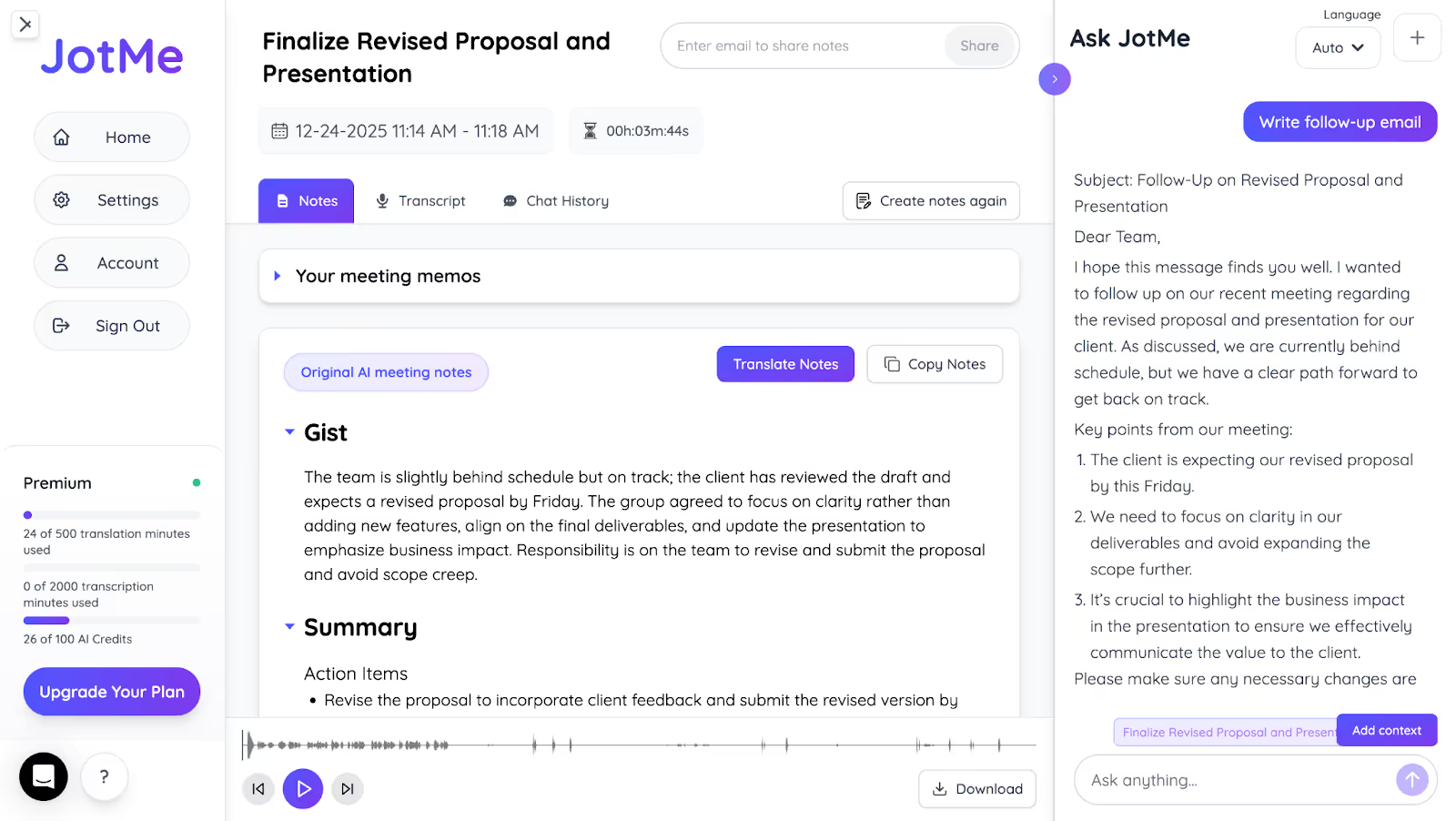
Students: In addition to transcribing lectures and online classes, JotMe can be your reliable companion for answering your queries and preparing revision-ready notes. Imagine that during an online lecture, you have a question about the topic under discussion. You can use JotMe’s AI Ask feature to ask the question and obtain clear and to-the-point answers. This way, you don’t need to interrupt the lecturer or leave the lecture to make a Google Search while having your concepts clear.
Conclusion: What is the Most Accurate Turkish Translator?
Among the tools we have used for our business meetings, we found JotMe to be a reliable and accurate live English to Turkish translation app. Priced at just $15/month, JotMe provides contextually accurate translations that capture the true meaning, tone, and context of the conversation.
What makes JotMe stand out is its additional features, such as an AI summary, which provides participants with an overview of the discussions in real time. With AI Ask, participants don’t need to leave the meeting to search for something they didn’t understand. Overall, JotMe is a reliable personal AI live translator that streamlines your business meetings and helps keep everyone in sync.
Download JotMe today and experience how it improves your communication with Turkish-speaking colleagues and clients.
FAQs
Is Google Translate accurate for Turkish?
No, Google Translate provides literal translations in Turkish or any other language and often requires a native speaker to review for accuracy. Meanwhile, JotMe uses advanced speech recognition technology to analyze tone, context, meaning, and nuance to deliver highly accurate translations.
Is Turkish easier to learn?
No, Turkish isn’t easy to learn. Although it has a logical structure and no gendered nouns, its unique word-building, vocabulary, and unfamiliar grammar make it a bit tricky to learn. If you want to get better at speaking Turkish, use JotMe’s Generate Speech feature. It provides accurate translations with clear pronunciations to help you communicate clearly.
What is the best translation app for Turkey?
JotMe is one of the best live translation apps for Turkey. Its advanced speech recognition technology ensures accurate, real-time English to Turkish translations that understand industry-specific terms without losing context, tone, or conversational flow.
What is the best way to learn Turkish?
The best way to learn Turkish is to master the phonetic alphabet first and then focus on high-frequency vocabulary and basic grammar through YouTube channels or native tutors. You can also use live translation tools, such as JotMe, to speak clearly in Turkish. Launch JotMe during your live meetings or online lectures, then use its Generate Speech feature to practice speaking Turkish.
Last updated on
April 14, 2026
Follow us on social media: