Tips
How to Do English to Swedish Translation Accurately for Videos

Lovely Mangla
January 2, 2026

Quick Answer: You can use JotMe to accurately perform real-time English to Swedish translations for videos. Launch JotMe, set English as spoken and Swedish as translation language, press Play, and start the video to obtain no-latency translations.
Watching a YouTube or Netflix video with its auto-subtitles in Swedish seems like a good idea until you realize that translations don’t match what’s being said. To avoid this, you can use a reliable live AI translator like JotMe.
JotMe doesn’t need a complex setup. Just launch the tool, select the languages, play the video, and receive real-time Swedish translations. Unlike most traditional translation tools, JotMe analyzes context, flow, and tone to ensure precise translations. Furthermore, with support for features such as AI Ask, real-time summaries, and more, you can understand the video's core message regardless of the source language.
This article guides you through the steps to obtain accurate English to Swedish video translations in real time. You’ll also understand why JotMe stands out as a go-to video translation software.
How to Translate Your English Video to Swedish & Add Subtitles?
To translate YouTube or other videos to Swedish, play the video, open JotMe, select the spoken and translation language, and press Play. Here’s a detailed step-by-step guide that you can follow:
Step 1: How to Prepare a Video and Launch JotMe?
Muffled audio and unclear speakers in a video make it tricky for the AI translation tools to understand the spoken words and often lead to mistranslations. Ensure the video you play is high quality, the volume is high, and the audio is clear. Now, launch JotMe and keep it open on the side while you play the video.
Step 2: How to Set Languages on JotMe?
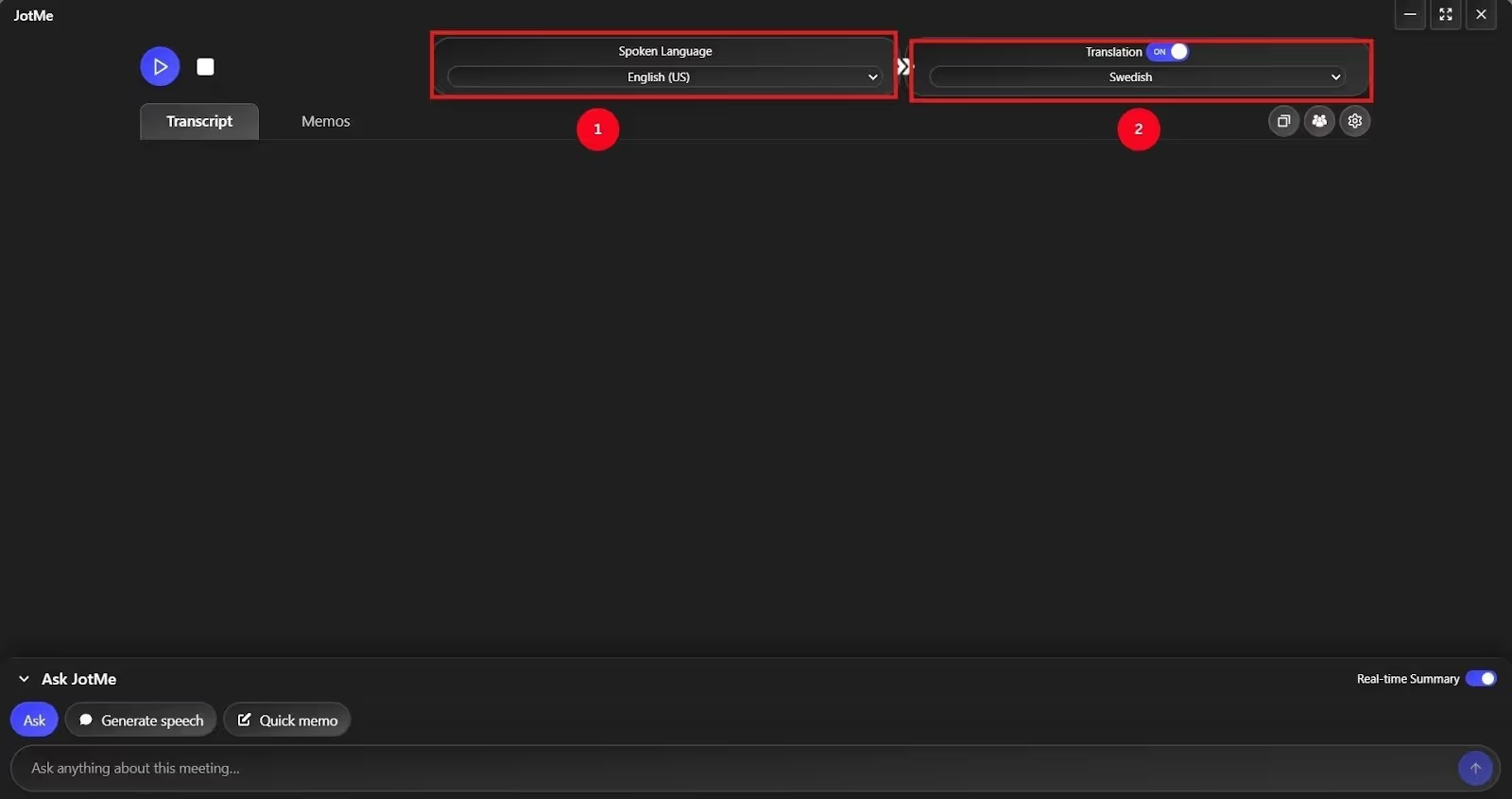
On the top-right corner of your JotMe window, toggle the “Translation” option if it isn’t already on. Then, choose the spoken language as “English” and the translation language as “Swedish.”
Step 3: How to Start Live Video Translation?
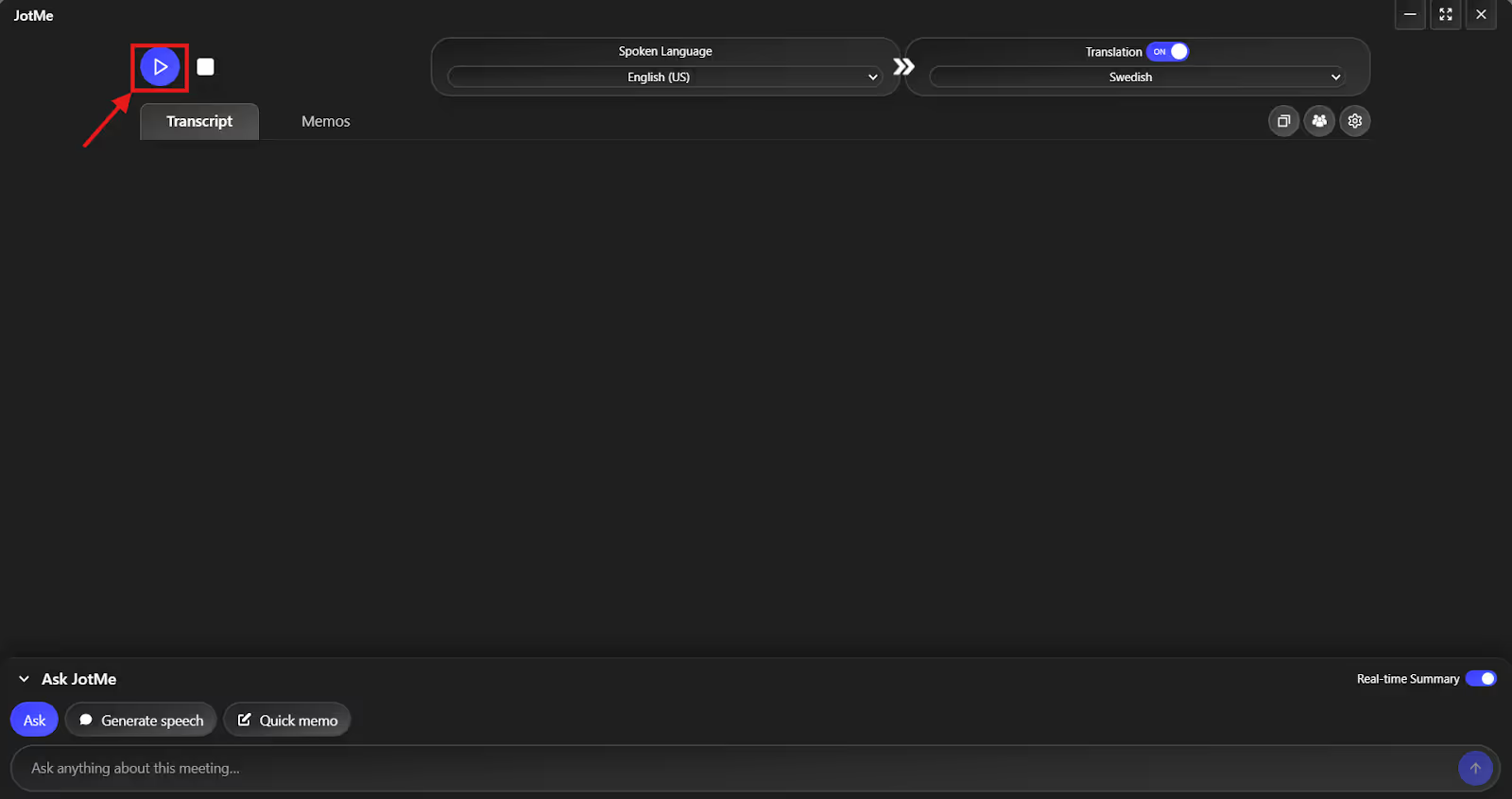
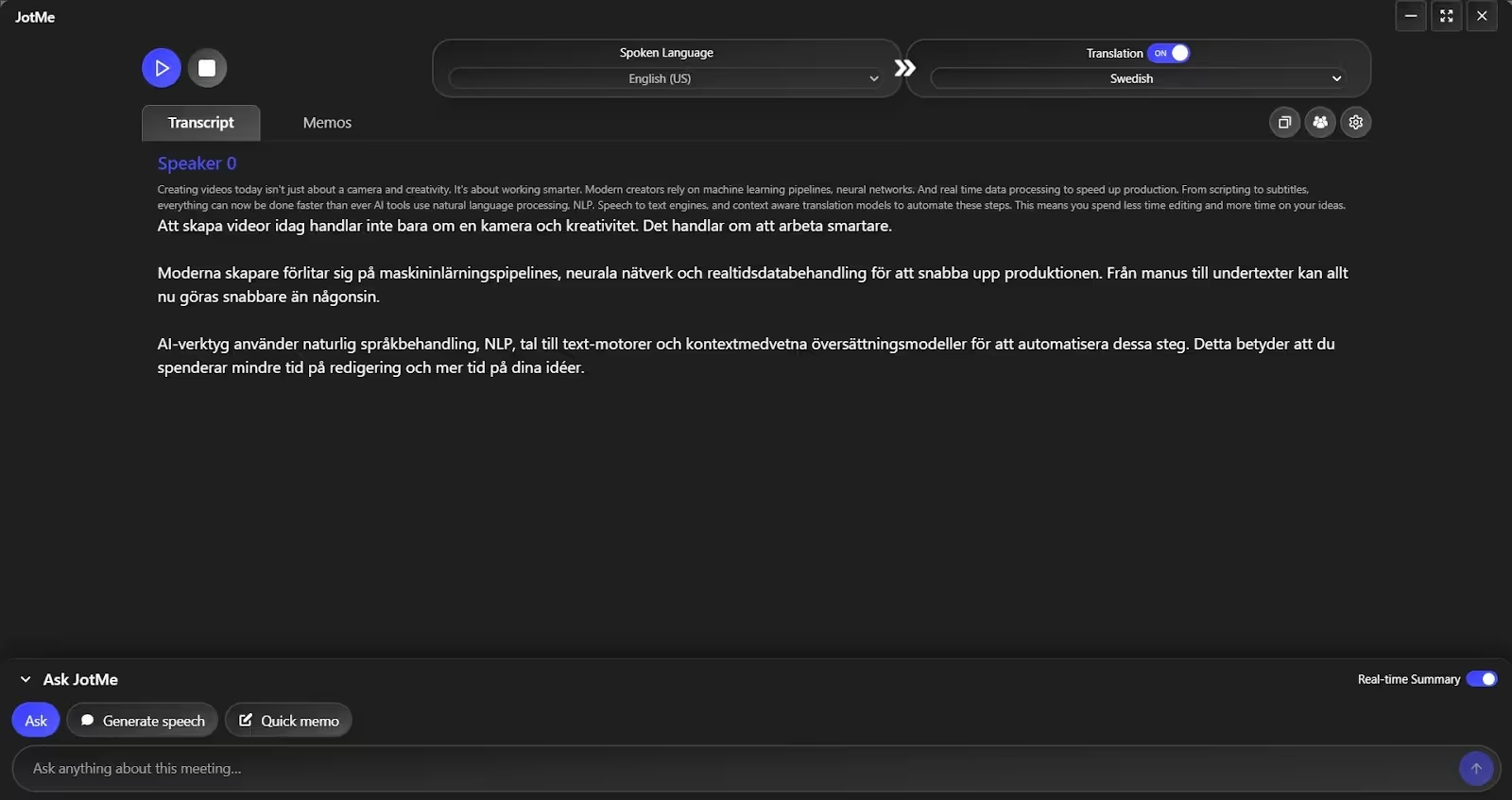
After setting the languages, click the “Play” button. Now, play the video, and you’ll see JotMe translating the narration and conversations into Swedish almost immediately.
Step 4: How to Obtain a Real-Time Video Summary?
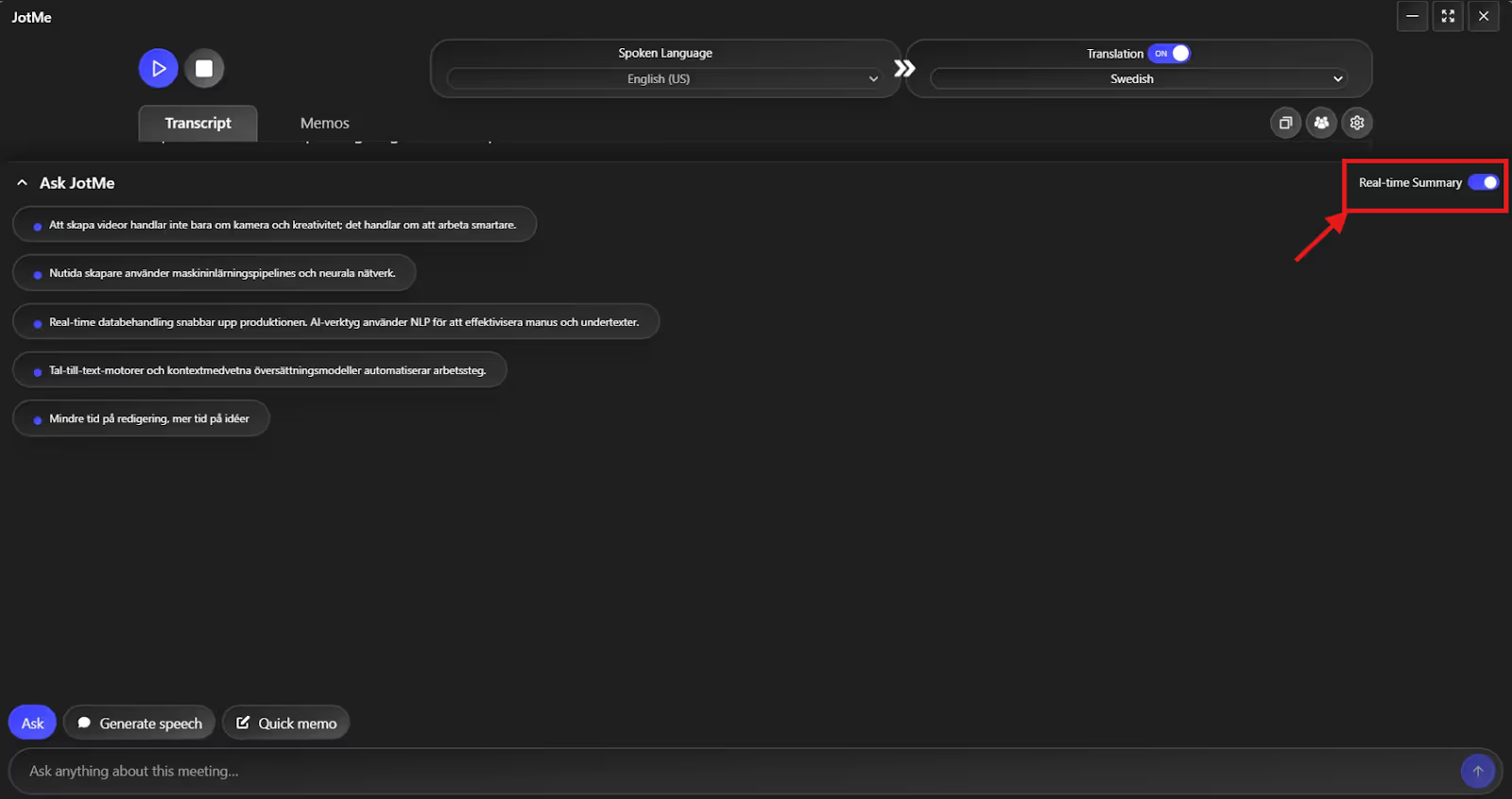
If you zone out midway while watching a live YouTube tutorial, a long movie, or web series on Netflix, JotMe’s real-time summary feature can help. Just toggle the “Real-Time Summary” feature and get a bulleted summary of the video as it plays. This way, you don’t have to rewatch an entire show or record the live session for the future.
Keep in mind that JotMe’s use case is broad. It ranges from real-time translation for Google Meet, Microsoft Teams, and Zoom meetings to captioning for YouTube, Netflix, and other platforms. Here’s a detailed use case table for JotMe:
How JotMe Stands Out as a Professional English to Swedish Translation Service?
JotMe is a reliable live English to Swedish translation app that stands out for its accurate translations and additional features such as contextual translation, AI ask, and Generate Speech. It functions as your personal AI interpreter that understands tone, meaning, and flow as it translates live video. Here’s a tabular comparison of JotMe with popular online translation tools in the market:
Now that you’ve understood what makes JotMe stand out in comparison to other popular tools in the market, here are a few of its detailed features:
Real-Time Contextual Translation
Most basic online English to Swedish translation tools don’t analyze conversations to understand meaning. This might work in general videos, but mistranslating a tutorial or marketing video can undermine the credibility of the message. Meanwhile, JotMe understands the tone, flow, and emotional context to ensure precision in translations.
For instance, last week we watched a YouTube tutorial that had technical jargon in alternating sentences. JotMe not only preserves context but also helps you understand industry-specific terms without creating a custom glossary.
Here’s an example sentence from the YouTube video in English:
“AI tools use natural language processing (NLP), speech-to-text engines, and context-aware translation models to automate these steps.”
A typical word-for-word translation in Swedish looks like this:
At the same time, JotMe’s translation looks like:
Here’s why JotMe’s translation works better:
AI Ask
We found the AI Ask feature particularly useful, especially when watching technical YouTube videos, marketing ads, or tutorials. If you have a query regarding any terms that came up, just type them in, and AI Ask will provide immediate answers. You don’t need to pause the video to switch tabs or Google anything. JotMe provides answers to questions in real time, whether related or unrelated to the video.

AI Notes and Summary
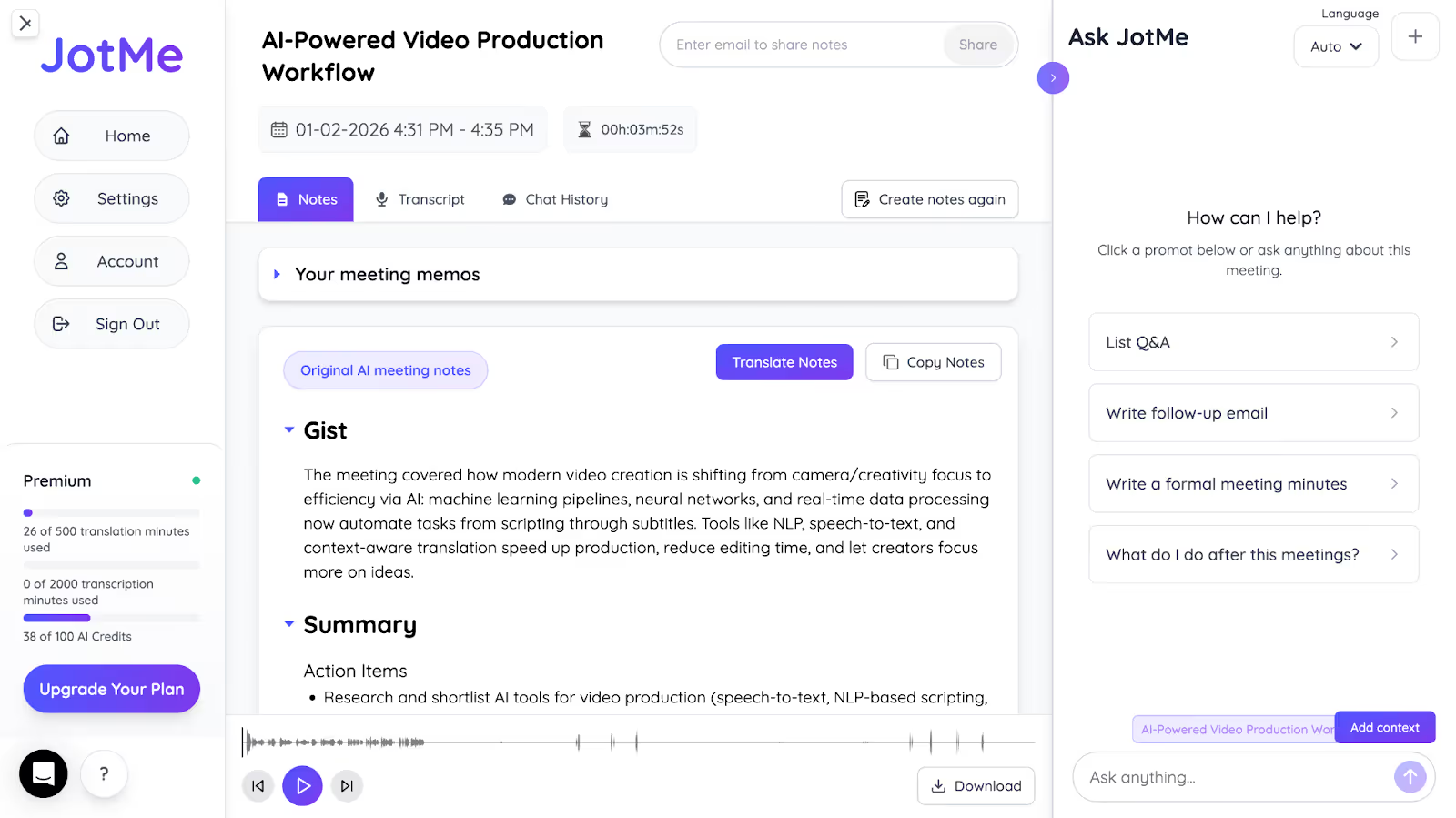
JotMe also serves as one of the best AI note-takers that carefully listens to the audio and provides a concise AI summary divided into Gist, Action Items, and Key Points. These eliminate the need to rewatch the video and serve as a reference point for future use.
Not only that, JotMe can be your personal AI assistant, converting watched videos into clear, actionable outputs. For example, it can write follow-up emails, create meeting minutes, prepare a Q&A based on the video, and much more.
Generate Speech
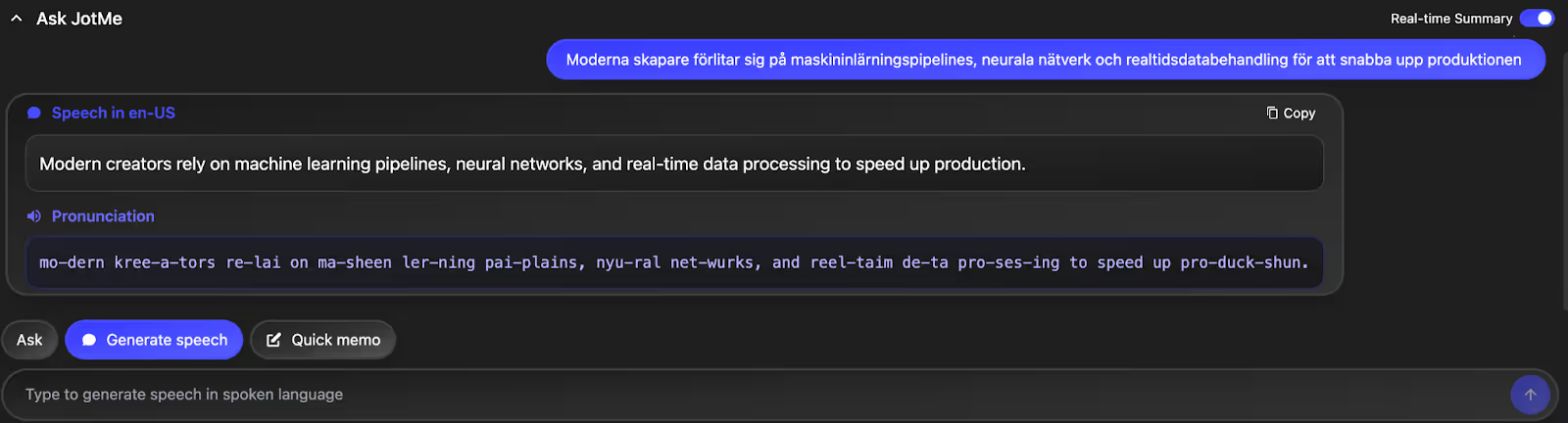
For someone looking to hone their English speaking skills, JotMe’s Generate Speech feature with real-time pronunciation is helpful. Just enter a dialogue in Swedish, and JotMe displays an English translation with clear pronunciation. This helps you speak English clearly and fluently.
Conclusion: What is the Best English to Swedish Translation Software?
Many live English to Swedish translation software are available, but they struggle with rapid speech or nuanced content. If you want the best live translation software that delivers the highest level of accuracy, JotMe is the top choice. Its advanced multilingual speech recognition technology understands everything discussed in a video and provides translations that capture the original meaning.
Beyond that, JotMe’s features, such as AI Ask, post-meeting summary, and more, help you instantly clarify context, revisit key moments, and retain information without rewatching the entire video. Download JotMe today and experience how it improves your video-watching experience.
JotMe is set to launch its mobile app soon, which will help translate your conversations on the go. Sign up here to be among the first to try it out.
FAQs
Which translator is the most accurate?
JotMe is one of the most accurate English to Swedish translators available. It uses advanced speech recognition technology to analyze the narrative, tone, and flow, and provides a contextually precise translation.
How to activate automatic translation?
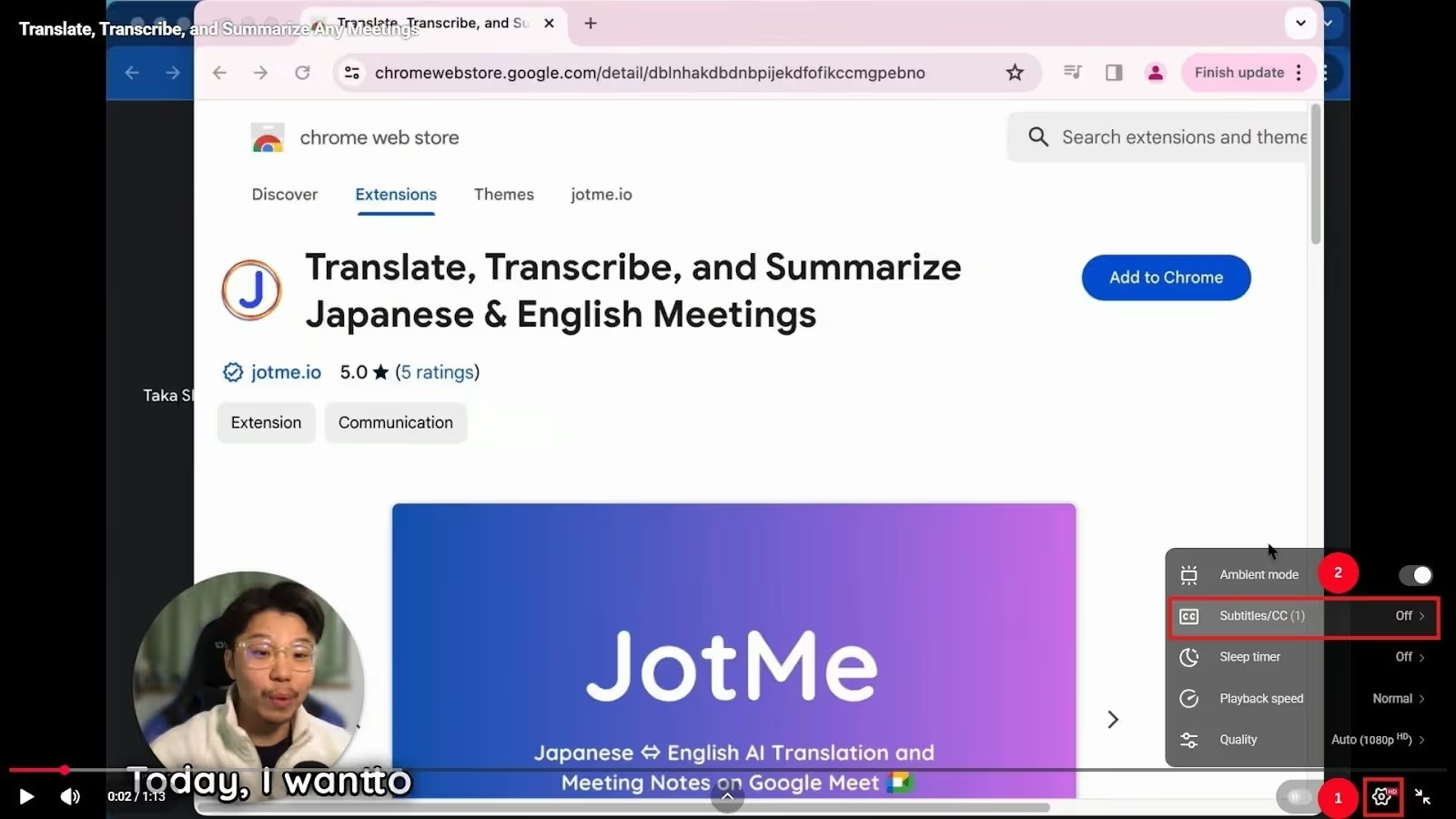
Videos on platforms like YouTube and Netflix often include built-in or automatic subtitles to help viewers understand the content in their preferred language. Click the Settings icon in the video, followed by subtitles, and select your language to start the translation. However, these auto-generated subtitles are often inaccurate, so you should use reliable live translators like JotMe.
How can I learn Swedish fast?
The key to learning Swedish quickly is to read and speak the language clearly. JotMe can be a handy tool in that respect. It provides contextually accurate translations of your videos for you to review. You can also use its real-time pronunciation feature. Just enter the English text, and JotMe provides the Swedish translation with pronunciation. You can read it through to improve your Swedish speaking skills.
How do I add subtitles directly to a video?
If you have a downloaded video, many online tools can generate hardcoded subtitles in your preferred language. However, there’s no way to add it to an online video. Here, you can use live translation tools such as JotMe to view video subtitles. Launch JotMe, set the input and output language, and play the video. JotMe accurately translates your YouTube video in real time, provides a real-time summary, and delivers instant answers to your queries.
Last updated on
April 14, 2026
Follow us on social media: