Guides
6 Best Translation Apps for Students [Tested & Ranked]

Lovely Mangla
February 14, 2026

Are you a U.S. student studying abroad or visiting a scholar program where instruction is not translated? In such scenarios, the best translation app for students can help them understand the key concepts and context by providing contextually accurate translations in their preferred language.
However, sorting through dozens of AI translation apps available in the market can be overwhelming. To cut through the noise, we tested 20 AI translation apps in real-time lectures and summarized the top 6 options.
Say hi Translate is decent for translating real-time lectures, but the translations often sound robotic. Meanwhile, Yandex Translate resets the translation after every pause.
Amongst the listed options, JotMe mobile app stands out with its contextually accurate translations in real-time, so you understand everything that’s discussed. JotMe mobile app’s continuous translation further helps you stay in sync with the discussions.
In this comprehensive article, we provide a detailed guide on the best app for students to translate in class and help stay updated with the curriculum. We also listed the best text translation apps that you can use to translate the notes.
Quick Answer: Best Translation Apps for Foreign Language Students
Before we go into detail about what each translation tool offers, here are the best tools based on their usage:
- Best overall for the class: JotMe mobile app uses advanced speech recognition technology to analyze tone, flow, and emotion to provide precise translations.
- Best for real-time lectures: The JotMe mobile app’s accurate, continuous real-time translation helps students keep up with fast-paced lectures without pauses.
- Best for French beginners: JotMe and Reverso provide conversation-style translation to help learners practice speaking in French.
- Best offline option: Yandex Translate can translate live classes even when there is no internet, but translations sometimes sound robotic.
Quick Comparison of Best Translation Apps for Students
Here’s a short comparison table to help select the best AI interpreter app for students and language learners:
Best Real-Time Translation App for Students
JotMe mobile app is one of the best AI interpreter apps for students to translate their live classes. The live translation app offers capabilities ranging from real-time translation to language learning, and includes a translation accuracy setting for various scenarios. Here’s a breakdown of how each translation app performed, what we liked, and where they work best.
JotMe
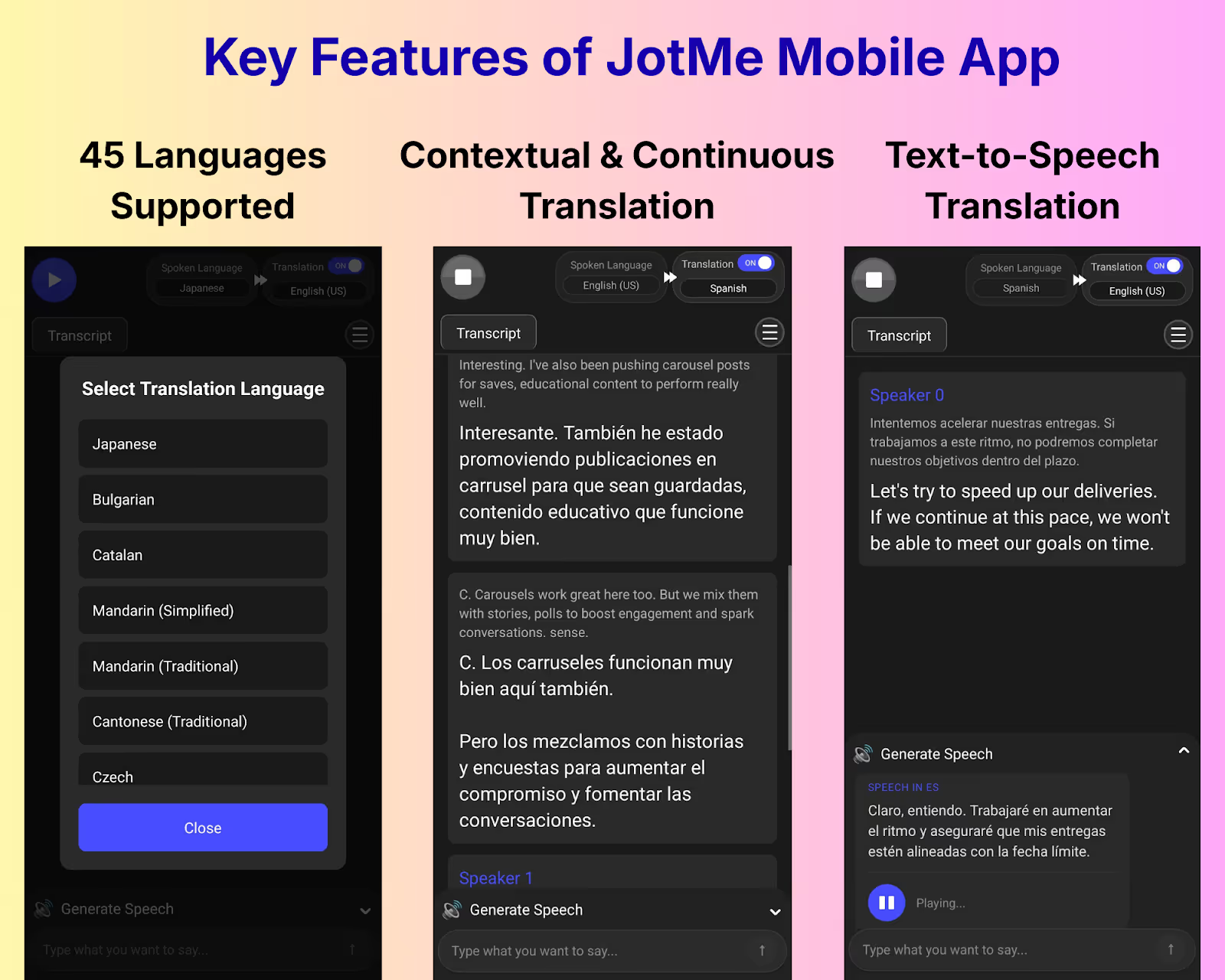
JotMe mobile app is one of the most reliable translators on Android and iOS that we have tested. The live translation app is simple to set up, fast to respond, and works across 45+ languages, including English, French, Spanish, Japanese, and Mandarin.
JotMe mobile app starts translating as soon as you set languages, press Play, and the lecture begins.
Aside from speed, the JotMe mobile app provides contextually accurate translations. When we asked some students to use the live translation app to translate a project management lecture, they said to understand everything that was taught.
JotMe mobile app not only retained the technical terms and idiomatic expressions but also the core meaning in translation. Also, the students praised how JotMe didn’t reset the translation even when the lecturer stopped speaking. That is something they said they haven’t seen in many traditional translation apps.
Why Students Should Use JotMe in Class?
JotMe mobile app’s contextually accurate and continuous translations prevent students from falling behind during lectures. Meanwhile, the text-to-speech feature helps improve pronunciation and comprehension. Here are the details:
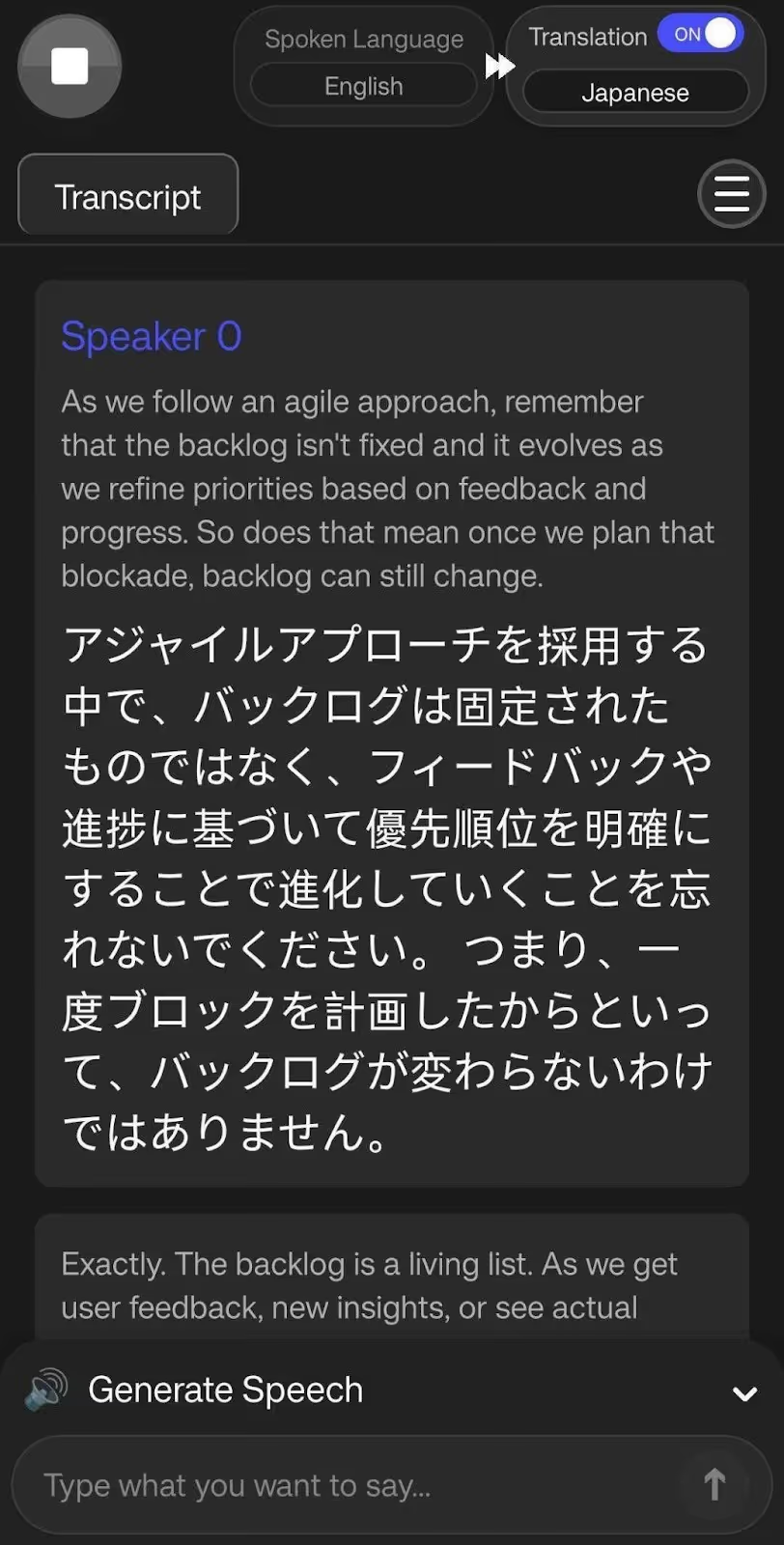
Contextually Accurate Live Translations: JotMe mobile app employs advanced speech recognition technology to provide accurate translations while preserving the tone, flow, and emotion of the conversation. JotMe mobile app even handled terms such as “acceptance criteria,” “agile,” “backlog,” “change control,” and “contingency.”
So, when the lecturer says, “As we follow an agile approach, remember that the backlog isn’t fixed and it evolves as we refine priorities based on feedback and progress,” JotMe mobile app translates it in Japanese as:
The JotMe mobile app recognizes technical terms such as “backlog” and “agile” and provides high-accuracy translations for engineering and technical reviews and lectures.
Continuous Translations: Unlike traditional translation apps such as Google Translate and Microsoft Translator, the JotMe mobile app doesn’t reset translations even if you pause or stop speaking. Students can understand the concepts immediately rather than piecing together the translations after the lecture ends.
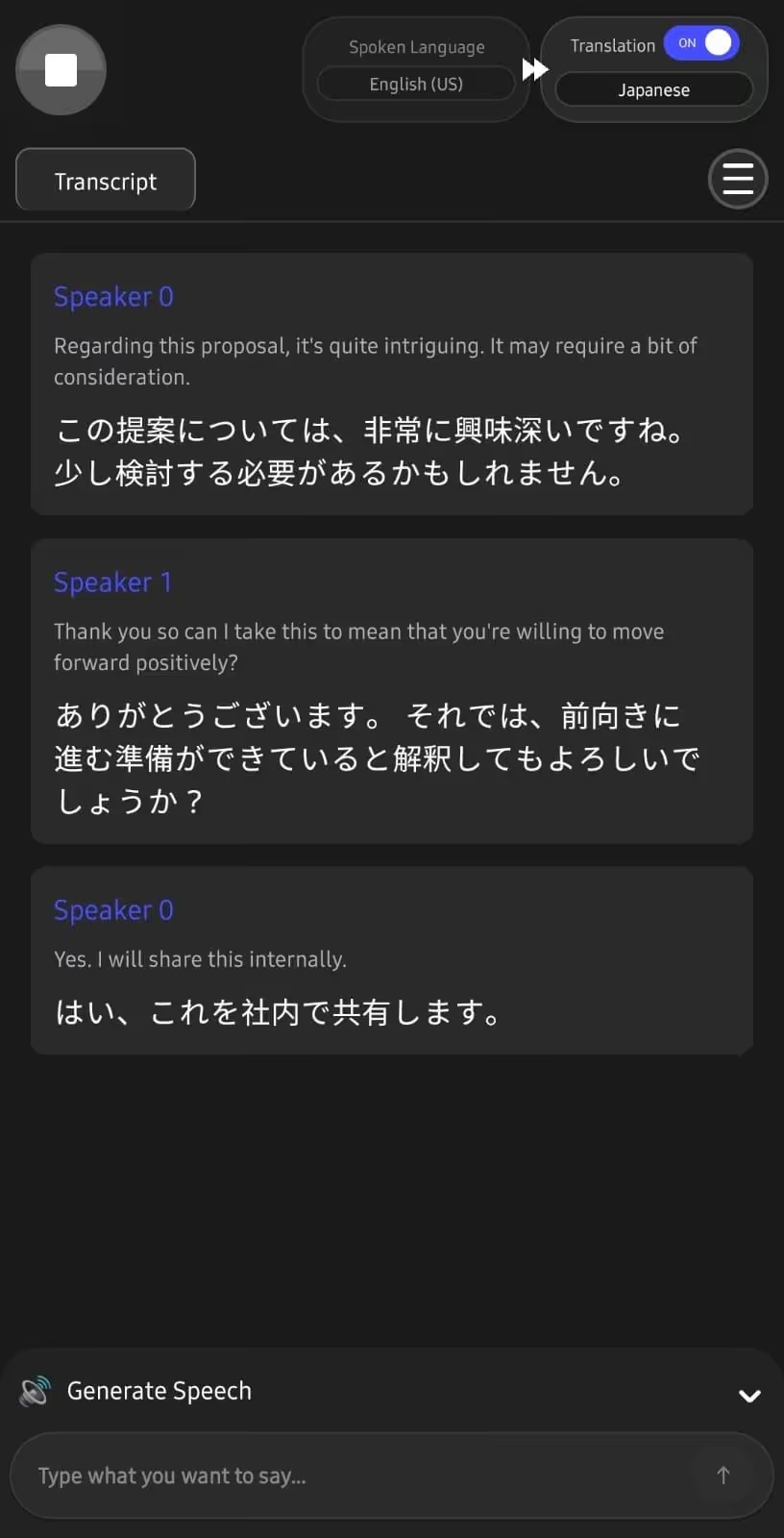
Text-to-speech: The JotMe mobile app provides text-to-speech translation, enabling students to ask questions in the class language with accurate pronunciation. Not only that, it helps students chat with their classmates in their native language, even if they aren’t fluent.
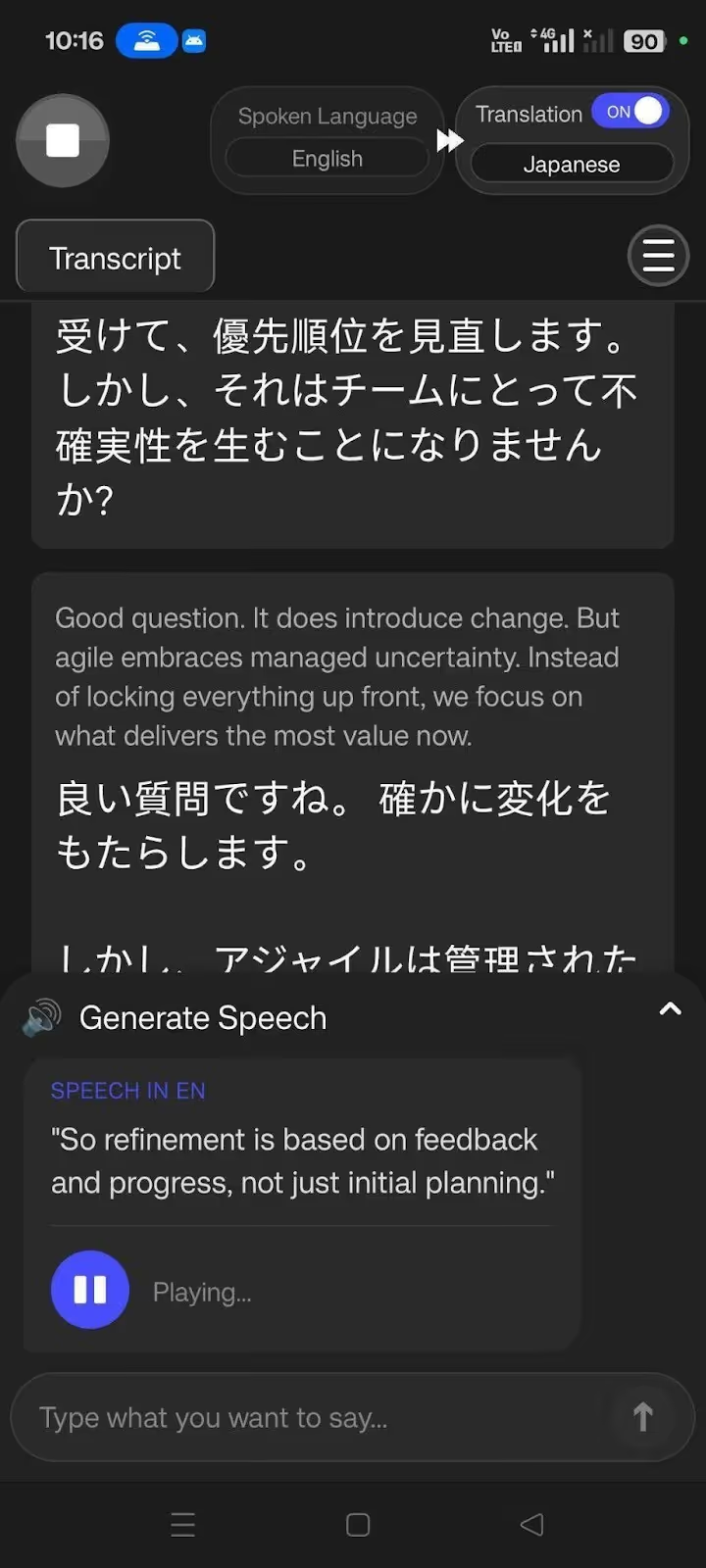
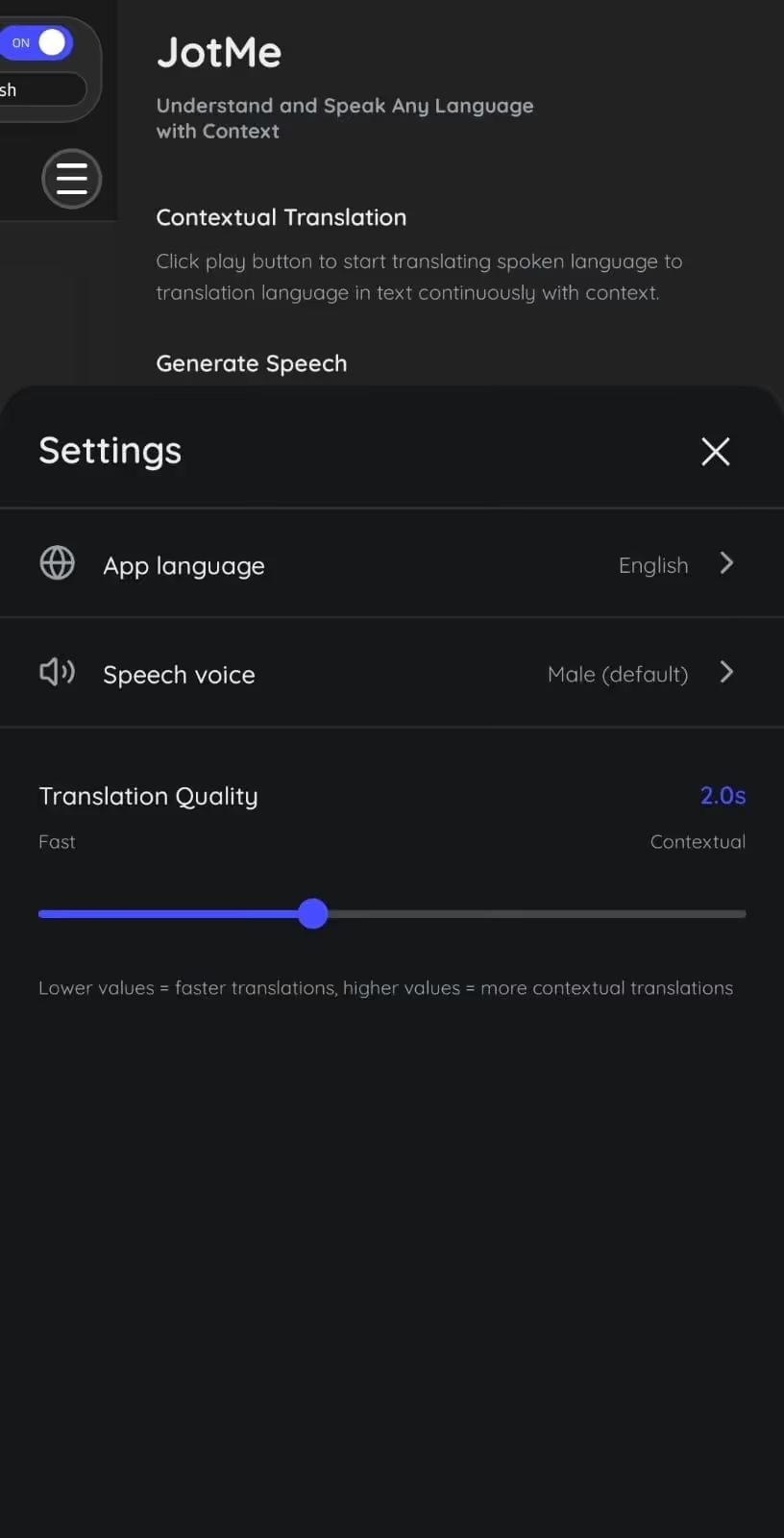
Set Translation Accuracy: The JotMe mobile app also allows you to set the required translation accuracy. For instance, for casual conversations with colleagues, toggle to Fast mode. Meanwhile, in technical classes, set the accuracy to Contextual mode for more accurate translations.
Or, rather than manually toggling through settings, you can rely on the JotMe mobile app’s smart AI adjustment feature that detects the conversation type and provides translations accordingly.
JotMe also offers a desktop application suitable for students attending online classes. In addition to its continuous and contextual translations, the JotMe desktop app answers your questions in real time and generates integrated AI notes after classes.
The best part is that the JotMe desktop app provides a bot-less translation setup and doesn’t require any integration with video conferencing platforms.
What We Liked About the JotMe Mobile App?
- A simple interface and setup makes JotMe mobile app suitable for students.
- JotMe mobile app provides contextually accurate translations.
- The text-to-speech feature enables students to communicate globally in multiple languages.
- Students can adjust the translation accuracy as needed.
Reverso
Reverso is said to be a decent app for beginner French language learners, and rightly so. The live translation app primarily functions as a language-learning app, with features such as a grammar checker, a verb conjugator, and vocabulary for learning French and other languages from scratch. Reverso also provides quizzes to assess your progress.
However, for advanced users, Reverso might not be a great option. When we tested Reverso for translating French live classes, the translations sometimes felt somewhat robotic, and it misheard and mistranslated some words.
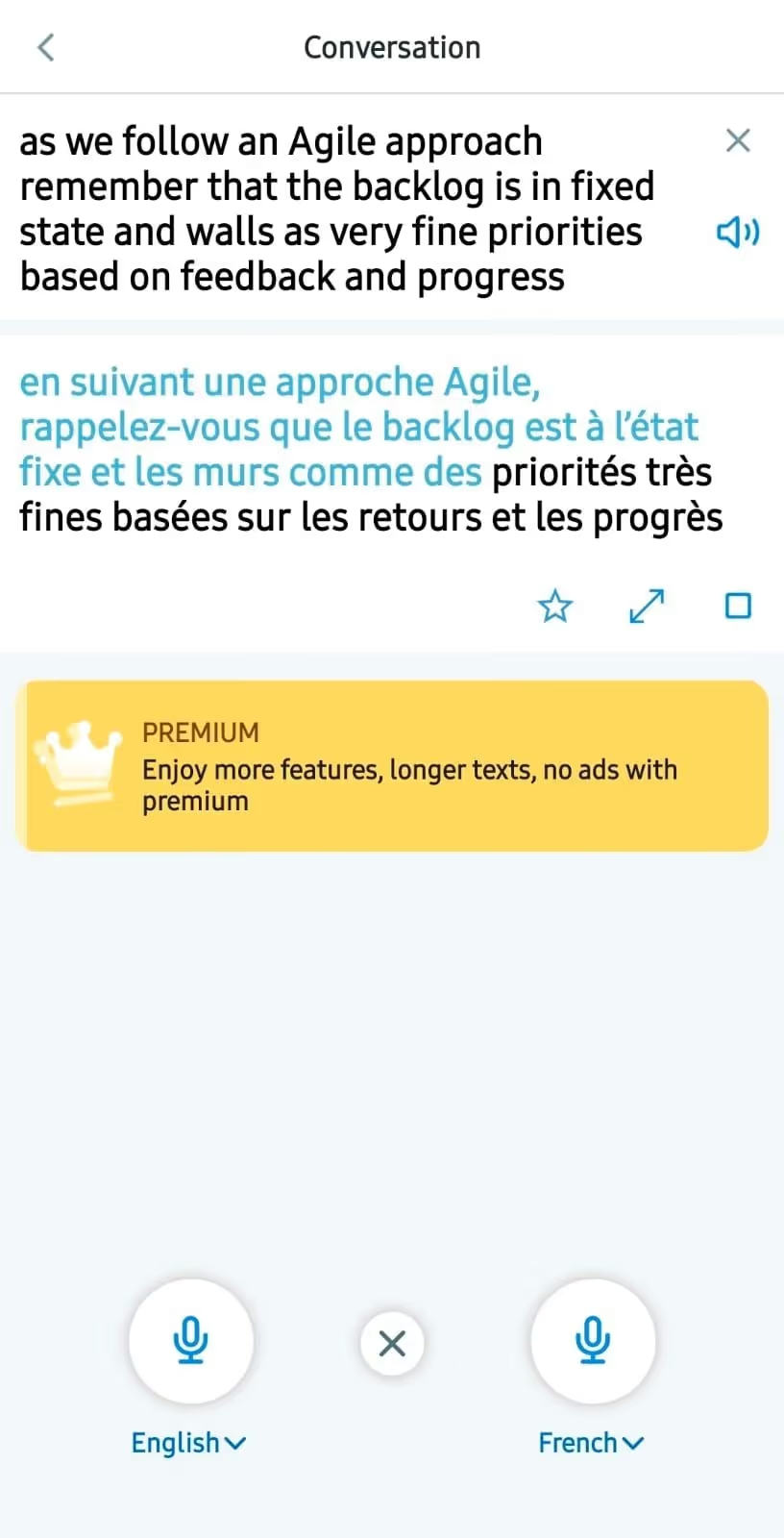
At the same time, JotMe can be tagged as the best translation app for French beginner students and other languages, due to its contextually accurate translations and text-to-speech feature. Learners can read and listen to the translations to understand how natives speak and instill confidence.
What We Liked About Reverso?
- A simple interface makes it easy to access the available features.
- Features such as vocabulary and a verb conjugator assist language learning.
What We Didn’t Like About Reverso?
- Reverso might mishear some words while listening.
- There’s no continuous translation feature.
Best Offline Translation App for Students
Offline translation apps for students are particularly suitable when internet connectivity is unavailable or when they move to places such as lecture halls or campus areas with poor connectivity. Below are the best offline translation apps that you can try out:
Yandex Translate
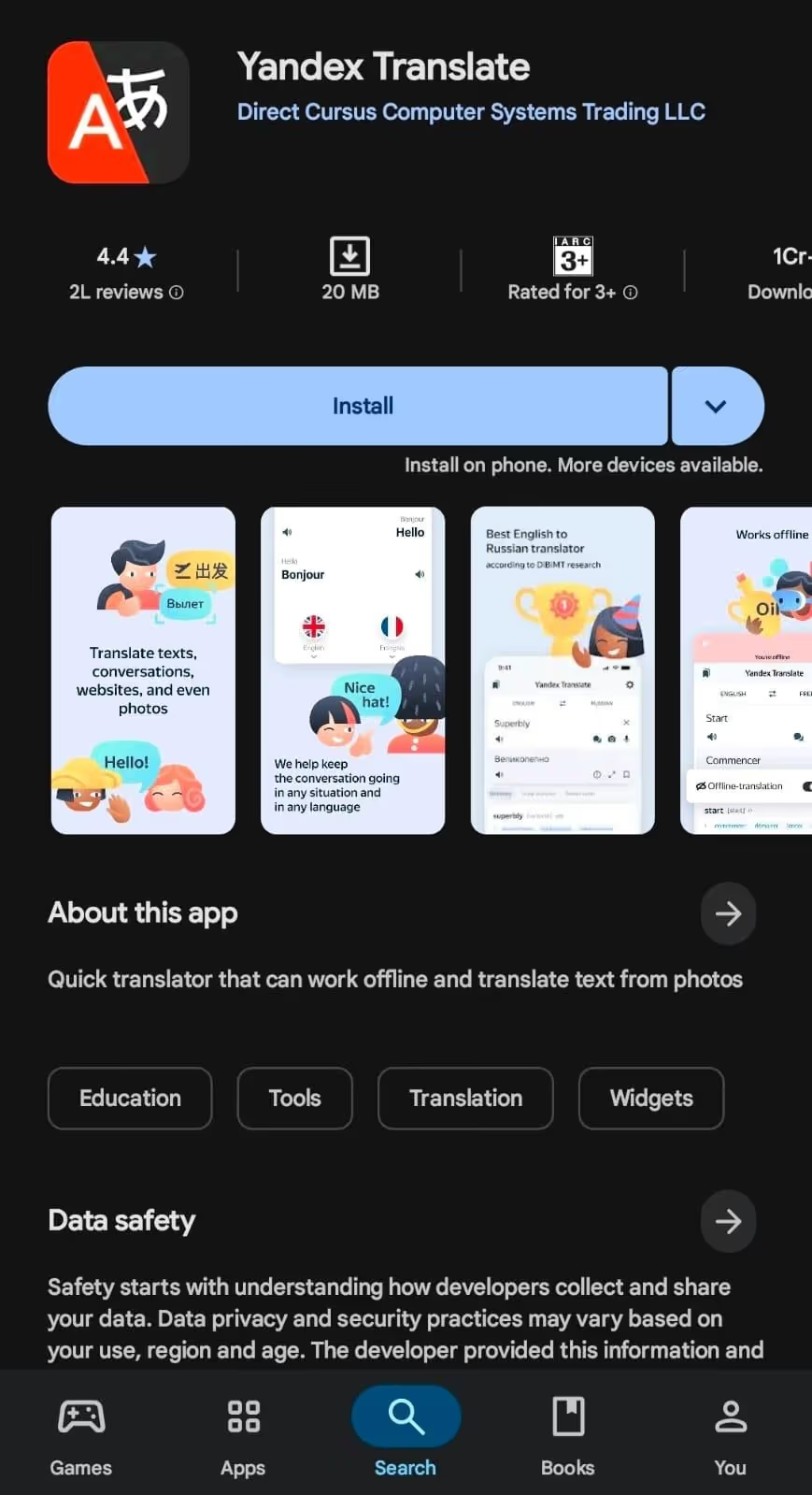
Yandex Translate is a real-time translation application that supports offline translation when language packs are downloaded. This ensures uninterrupted translations and that you don’t miss anything, regardless of whether the internet connection is active or inactive.
However, during our tests in live lectures, we found Yandex Translate’s translations to be somewhat literal, particularly when technical topics are involved
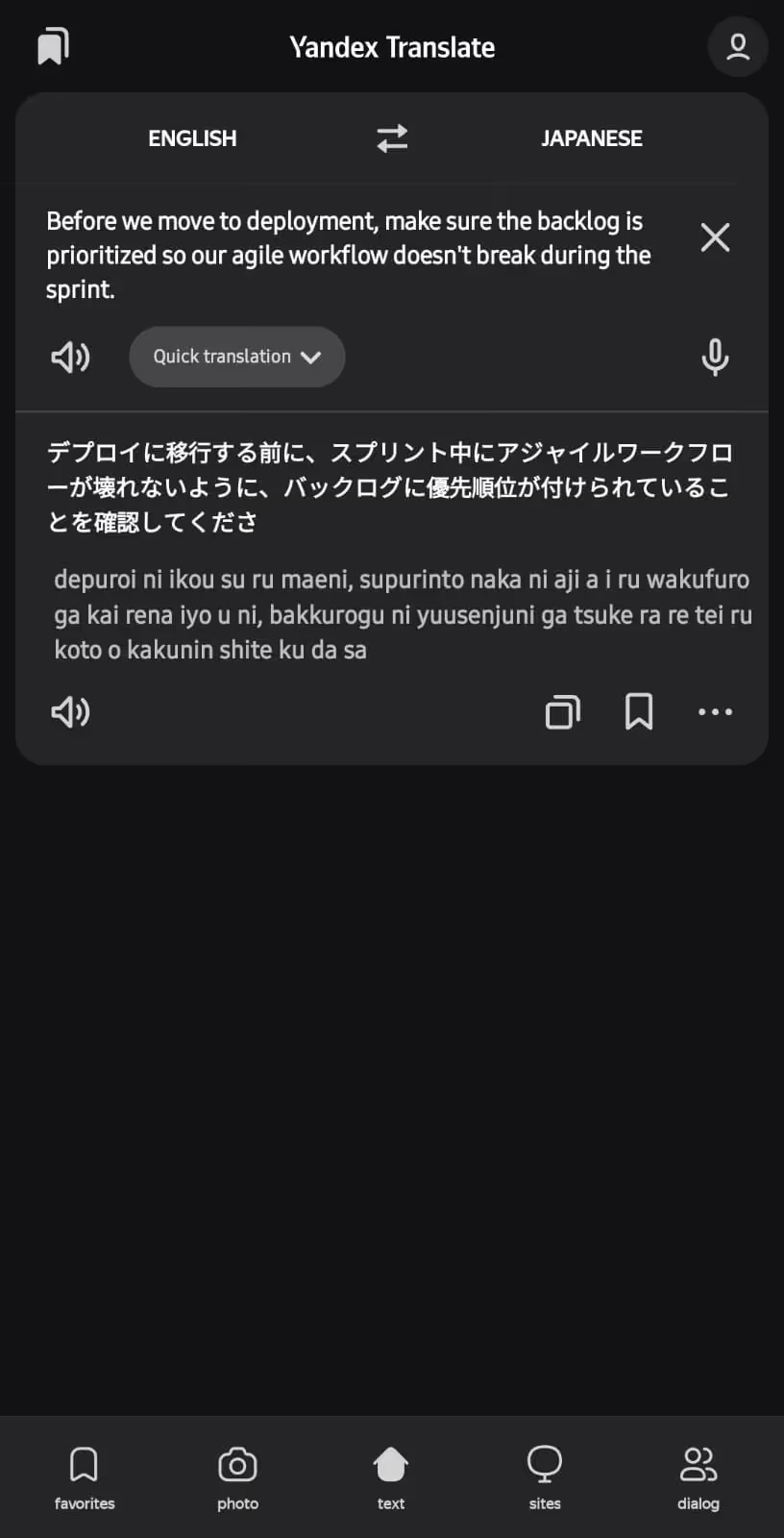
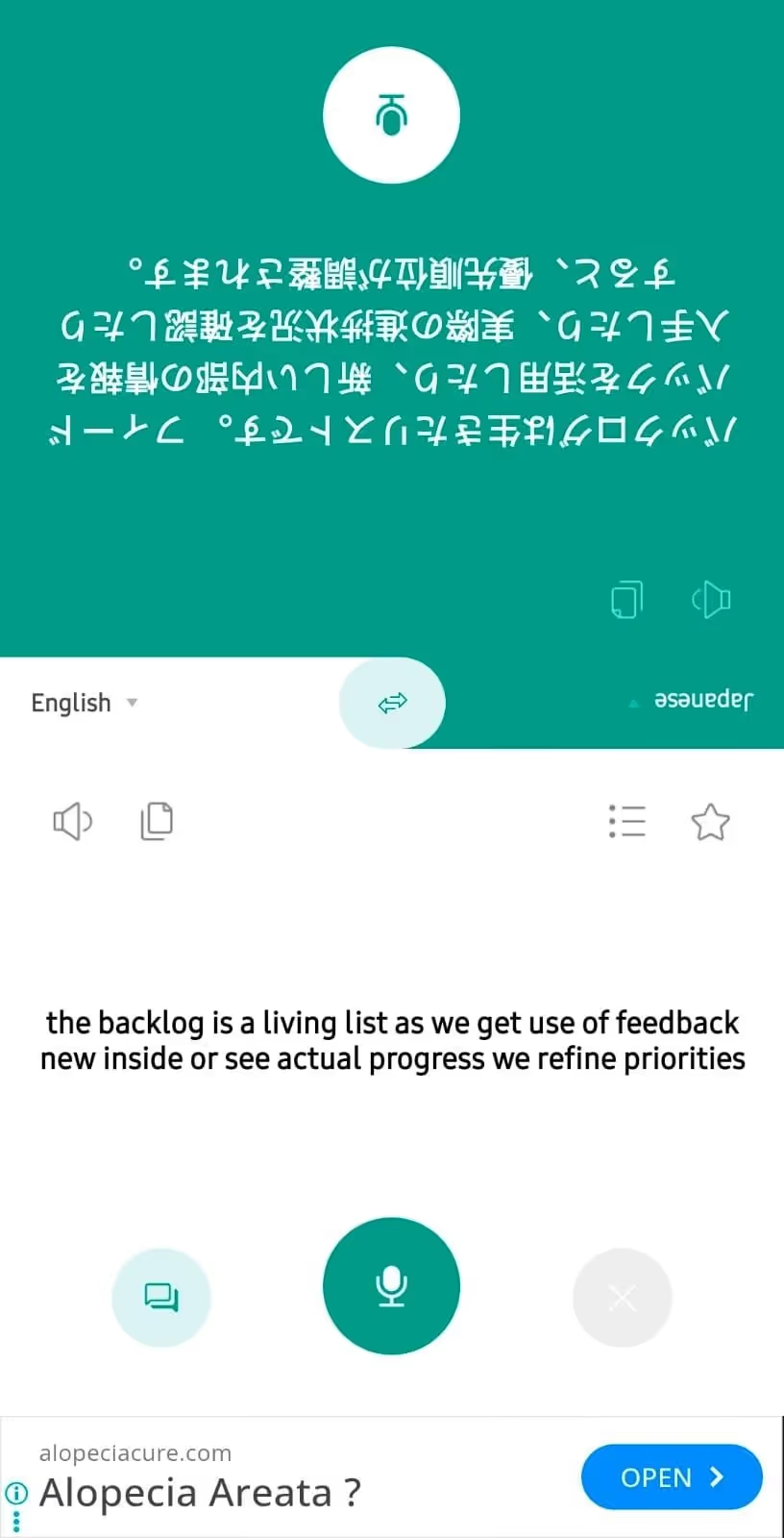
So, when a lecturer says, “Before we move to deployment, make sure the backlog is prioritized so our agile workflow doesn’t break during the sprint,” Yandex provides English to Japanese live translations as:
The translations seem word-for-word, and one of the Japanese-speaking students mentioned being somewhat confused.
What We Liked About Yandex Translate?
- Yandex Translate can provide translations in more than 100 languages.
- The translations of Yandex Translate are instant.
What We Didn’t Like About Yandex Translate?
- Yandex Translate struggles with technical conversations.
- There is no support for continuous translations.
Talking Translator - Languages
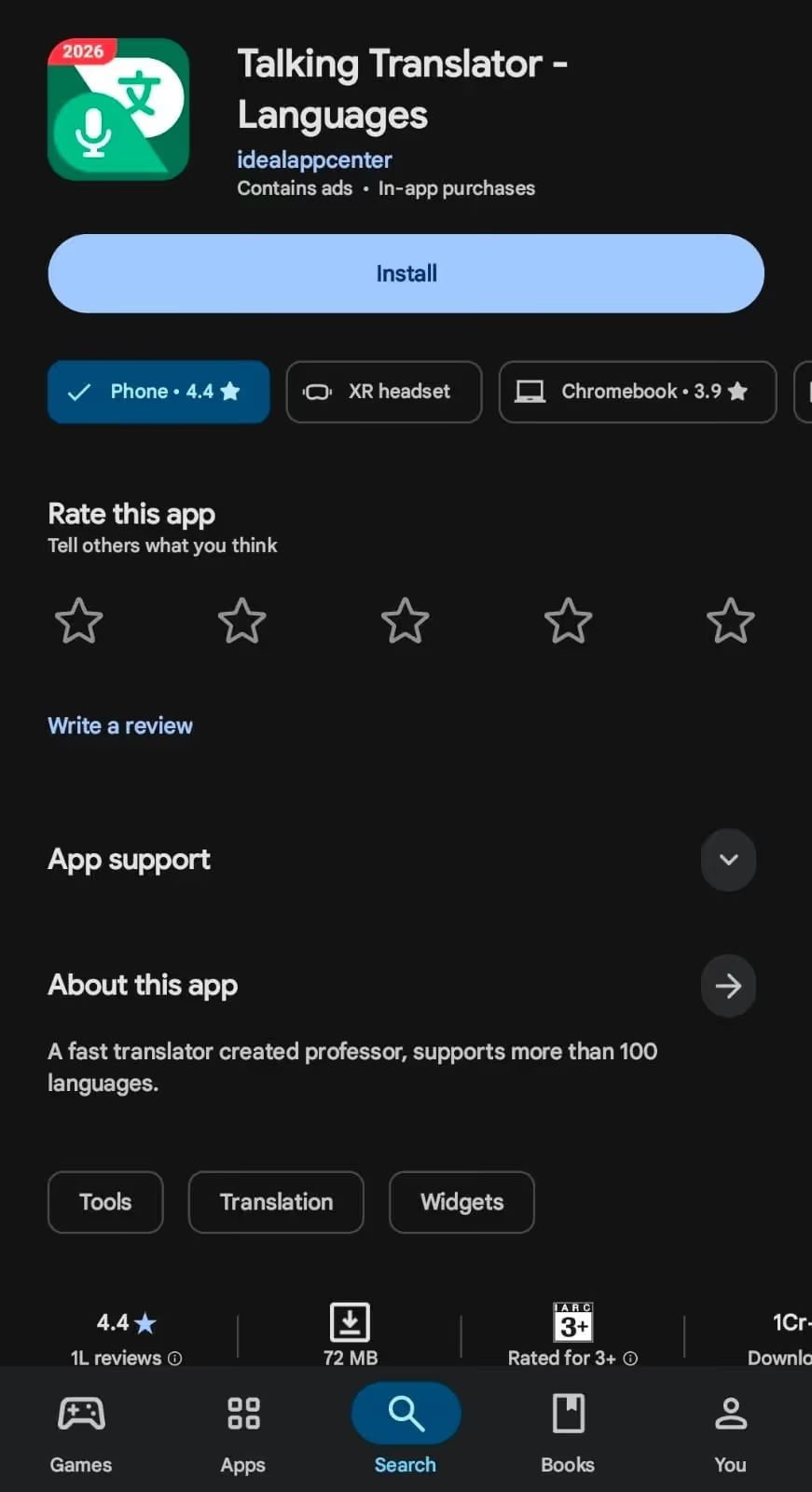
Talking Translator - Languages is another offline language translation app that caught our eye due to its simplicity and support for 100+ languages. When we tested the live translation app, we found that Talking Translator - Languages struggles with complex academic language.
Meanwhile, the translations are quick, so students can use Talking Translator for quick word or phrase checks during fast-paced lectures and stay in sync.
What We Liked About Talking Translator - Languages
- Support for multiple languages facilitates communication with people of different languages.
- Talking Translator - Languages provides quick translations.
What We Didn’t Like About Talking Translator - Languages
- Translations sometimes sound a bit robotic.
- The interface of Talking Translator - Language is full of ads.
Best Text Translation Apps for Students
Students studying abroad might need text translators to translate textbooks, research papers, and handouts, as well as to improve their reports and essays. Below are the best apps for students to translate in-class notes, handouts, and homework.
JotMe (web)
JotMe mobile app is one of the best voice-to-text Android and iOS apps that students can use to translate their live lectures, ask questions in other languages, and ensure they don’t fall behind others. However, if you want to understand, study, and produce academic content, JotMe’s website has a text-to-text translator feature. Here’s why JotMe (web) stands out:
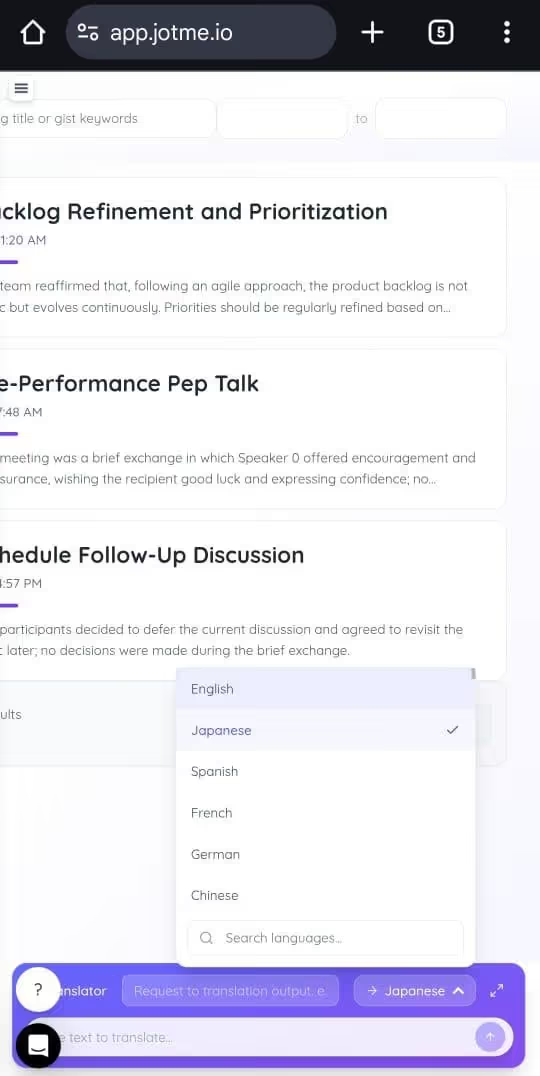
Context-Aware Translation: JotMe’s text translator infers the tone, intent, and purpose of the typed or pasted sentence and produces natural output. What’s unique is JotMe’s “Request” section, where you can ask the translator to translate in a friendly, empathetic, formal, or any other tone.
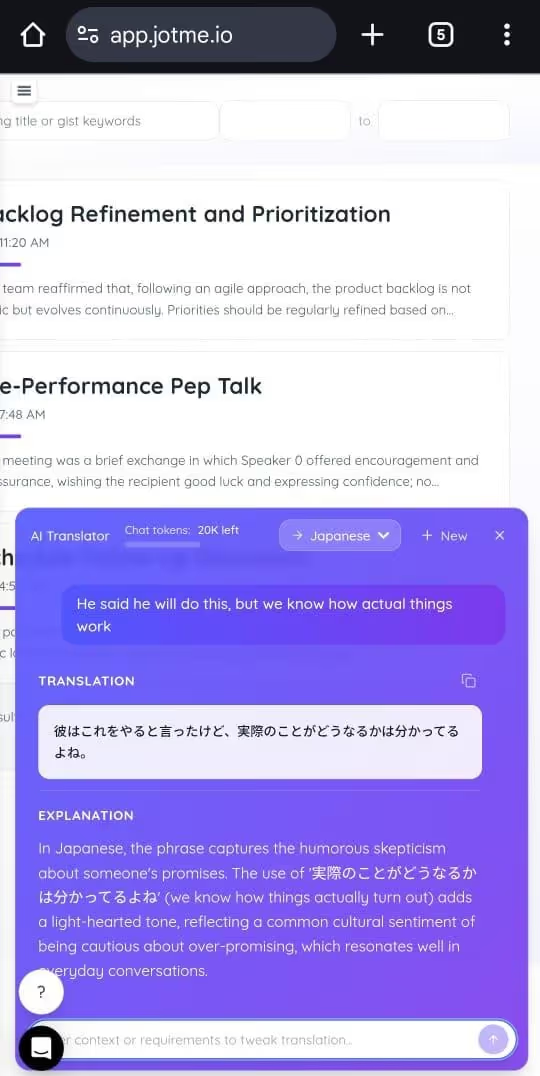
When we typed, “He said he will do this, but we know how actual things work,” and requested JotMe to keep a humorous tone, it understood the implied meaning and kept the tone intact while introducing humor into the translation.
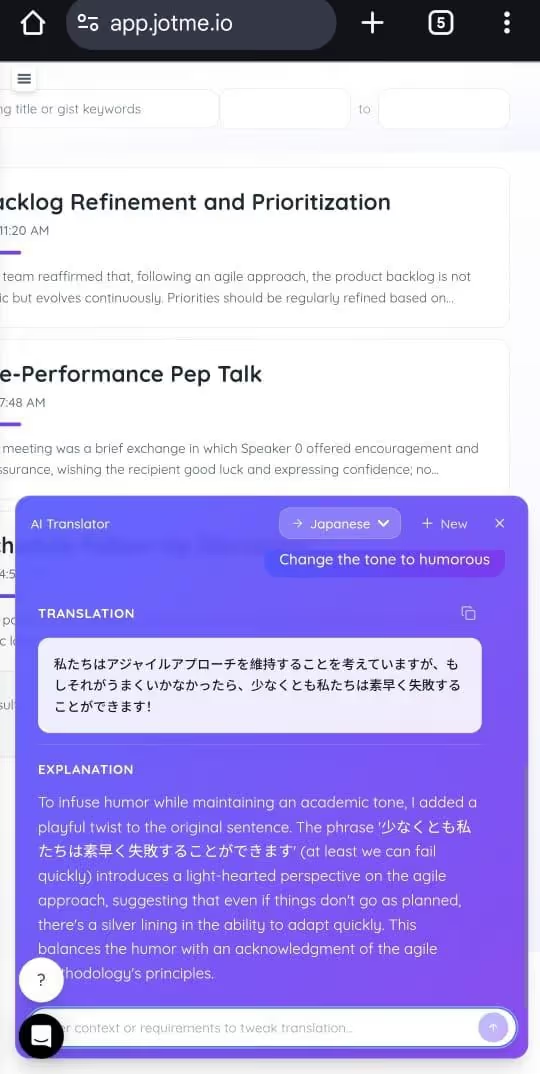
Continuous Translations: Unlike most traditional text translators, JotMe has a chat-based interface that allows you to adjust the translation tone and switch languages during an ongoing translation. Students can use prompts such as “make it simpler” or “change the tone to academic” to refine the translations, as needed.
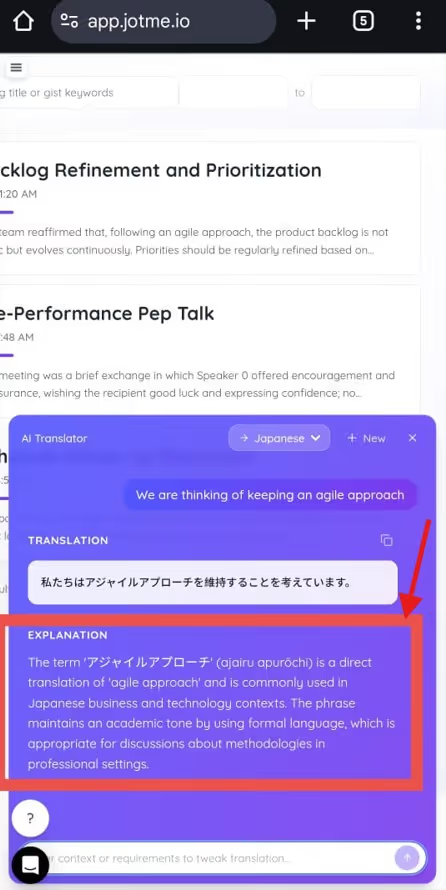
Explanation Box: JotMe also provides a simple explanation of the intent, meaning, and context behind the translations. Language learners can use JotMe to build their vocabulary, improve comprehension, and build confidence in speaking the language.
Multi-language Support: JotMe’s text translator can provide translations in 125+ languages, including Japanese, Russian, Chinese, German, and many more. This enables students to translate their notes into their preferred language within seconds.
What We Liked About JotMe Text Translator
- JotMe text translator provides contextually accurate translations in your desired tone.
- JotMe allows you to change the language or tone in an ongoing translation.
- Provides an explanation box that helps understand the intent behind the translation.
- Supports 125+ languages.
QuillBot
QuillBot is popular among students for its paraphrasing, grammar, and AI checker features, which also support real-time text-to-text translation.
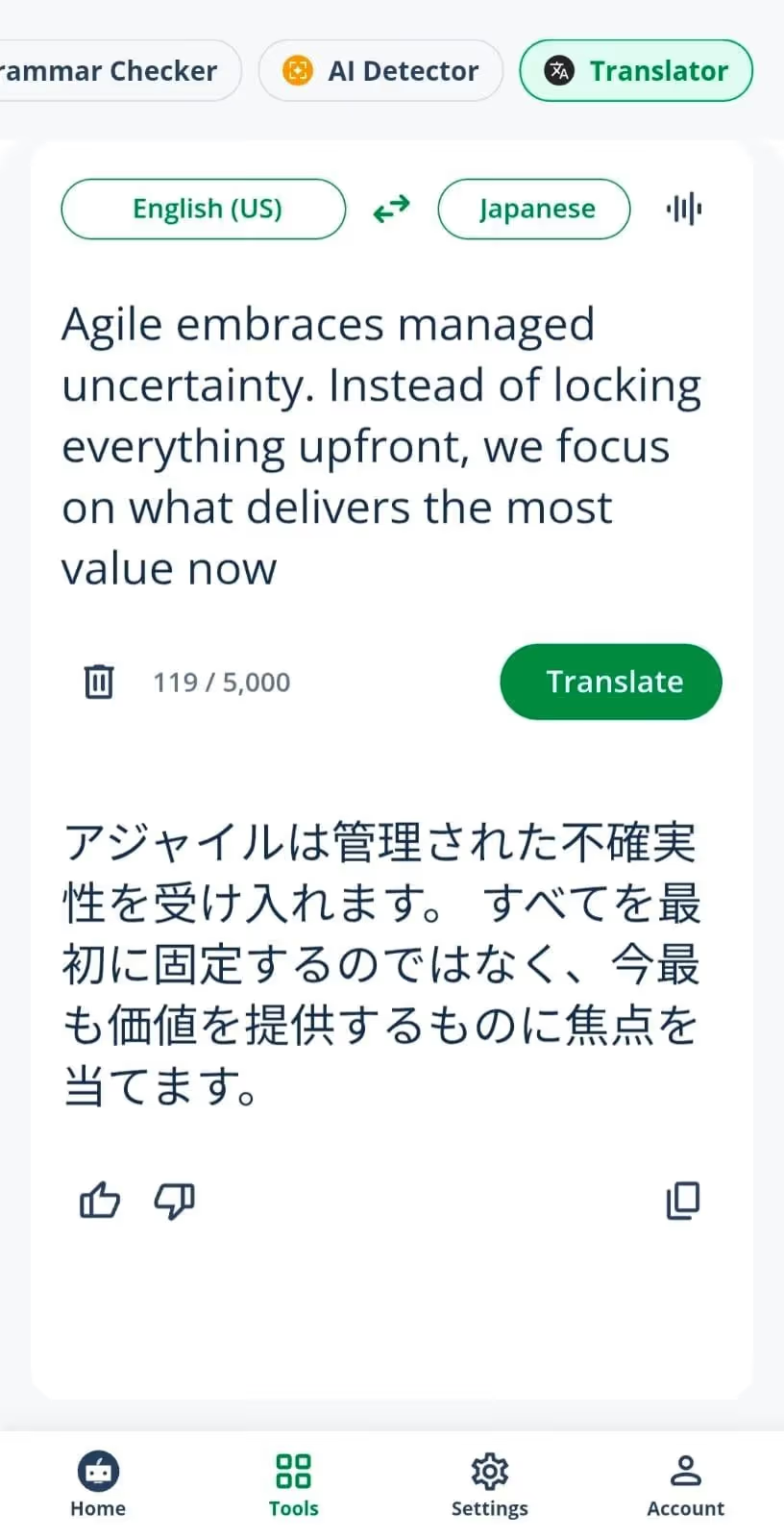
Although QuillBot performs well on basic translations, it may struggle with complex academic content. In our tests, we often found that QuillBot did not understand subtle cultural nuances, tone, or flow. In other words, we found that the translation sounded more literal.
Meanwhile, in terms of QuillBot vs JotMe comparison, JotMe consistently provided natural and accurate translations that preserved the core meaning. This allows students to maintain pace with the curriculum.
What We Liked About QuillBot
- Simple interface and support for 50+ languages.
- Features like a grammar checker and a rewriter are suitable for students.
What We Didn’t Like About QuillBot
- Translations sometimes sound a bit robotic.
- QuillBot doesn’t support a continuous translation feature.
Real-Time vs. Text Translation Apps for Students
Now that you have learned about the best real-time and text translation apps for students, here’s a tabular comparison of both, so you understand when to use what.
Conclusion: What is the Best Translation App for Students?
The best translation app for students depends on whether you want to translate live lectures, text, or perform an offline translation. Here are the situations where each tool makes sense:
- JotMe mobile app is one of the best translation apps for students, whether you need to translate live lectures or chat with classmates speaking different languages. It provides context-aware translations that preserve the original meaning.
- Yandex Translate can be a good option if you need basic translations when there’s no internet. Yandex Translate is reliable in terms of speed but struggles with complex terminology.
- QuillBot can be a decent option if you want to rewrite a translated text in a clean and simpler manner, but it lacks any voice translation features.
Overall, the JotMe mobile app is a suitable option for translating live lectures due to its contextually accurate, continuous translations. Meanwhile, the JotMe mobile app’s text-to-speech feature allows you to ask any questions in the language the lecturer is speaking. So, use JotMe today and stay in sync with your multilingual classes.
FAQs for the Best Translation App for Students
Which translation app is best for students in class?
JotMe is one of the best translation apps for students in class, as it provides instant and accurate translations that preserve the original meaning. Moreover, unlike traditional translators, JotMe doesn’t restart the translations with every pause, so you can scroll through them at any time.
Is real-time translation allowed during lectures?
Yes, real-time translation is allowed and generally encouraged during lectures, especially to support multilingual classrooms and international students. You can use powerful live translation tools like JotMe to accurately translate the lectures in real time and stay in sync.
What is the best translation app for French beginners?
If you’re a French beginner, you can use basic translation apps like Reverso to understand the basic grammar, vocabulary, and how natives converse. However, if you want to be proficient in speaking French, JotMe is one of the best translation apps.
Learners can read the translations to understand how native speakers speak and use the text-to-speech feature to pronounce words correctly.
Can translation apps work offline in classrooms?
Yes, translation apps like Yandex Translate work offline in classrooms. These live translators also support 100+ languages, but are more suitable for rapid translation of phrases and informal conversations.
Last updated on
April 14, 2026
Follow us on social media: